
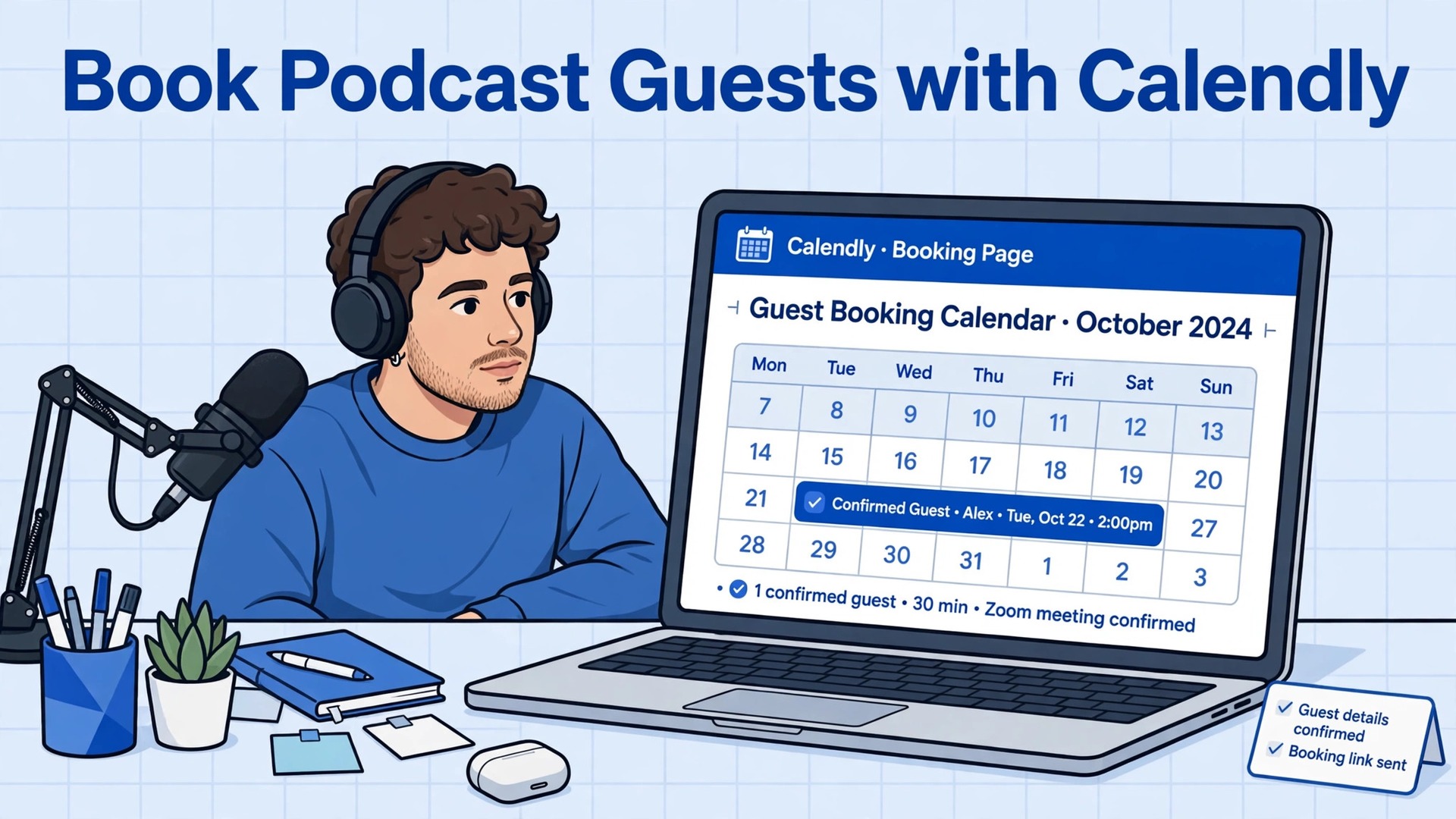
Booking a podcast guest by email thread and booking one with a scheduling page are two different experiences, and your guest feels the difference before the interview starts. The email thread goes like this. You propose three times, the guest replies that none work and proposes three more, you check your calendar, one works, and then the guest’s schedule changes and the thread restarts. A week passes, enthusiasm cools, and a good guest quietly disappears. When you use Calendly for podcast guest booking podcasters replace that thread with a single link, because the guest sees your real availability, picks a time that works, answers your prep questions on the same page, and receives the recording details automatically.
The interview is booked in minutes, and the guest arrives already briefed.
Calendly is a scheduling tool that connects to your calendar and lets invitees book from your available times. You create an event type for podcast interviews, set its length and availability, add questions for the guest, and share the link. Calendly handles time zones, sends confirmations and reminders, and can create the meeting link automatically when connected to your video meeting tool. For podcasters, that combination removes the most tedious part of production, which is not recording or editing, but coordinating busy people. A guest who books easily is a guest who shows up prepared, and preparation is what separates a flat interview from a memorable one.
This guide builds a complete guest booking system, not just a link. You will design an event type that fits your show, write a booking page that pre-qualifies guests without scaring them off, collect the prep information that makes interviews strong, handle time zones and reschedules gracefully, and connect booking to your pre-interview workflow so no guest falls through the cracks. By the end, booking will be the easiest part of your show, which is exactly where it belongs, because your energy should go into the conversation, not the calendar.
Email Threads Versus a Booking Page
The cost of email scheduling is easy to underestimate because it arrives in small pieces. Each back-and-forth message takes only a minute to write, but the thread spans days, requires you to hold tentative times in your head, and creates a new chance for miscommunication at every step. Time zones multiply the problem. A guest in another country proposes a time that looks free to them, you convert it wrong, and the recording starts with one person waiting alone. Even when the thread succeeds, it leaves no structured record of what the guest promised to discuss, which links they wanted mentioned, or what headshot they planned to send. That information lives in scattered messages, and your prep suffers.
A booking page changes the structure of the exchange. The guest sees only times you are actually free, in their own time zone, and picks one. The form collects the prep details at the moment of booking, when the guest is motivated and focused, rather than in a follow-up email they may ignore. Confirmation and reminder messages go out automatically, with the recording link included, so the guest does not need to search for it on the day. If plans change, the guest reschedules through the same link, within your availability, instead of starting a new thread. The result is fewer no-shows, better prep, and a guest experience that feels professional from the first interaction.
| Booking task | Email thread method | Calendly method |
|---|---|---|
| Proposing times | Several messages over days | Guest picks from live availability |
| Time zone handling | Manual conversion, error prone | Automatic display in guest time zone |
| Prep information | Follow-up emails, often unanswered | Collected on the booking form |
| Recording link delivery | Sent separately, easily lost | Included in confirmation automatically |
| Reminders | Manual, often forgotten | Automatic before the interview |
| Rescheduling | New thread from scratch | Guest reschedules within your availability |
| Record keeping | Scattered across messages | One booking record per guest |
The table makes the trade-off clear, but one caution belongs here. A booking page can feel impersonal if it is bare, generic, or demanding. Guests, especially prominent ones, expect a personal invitation, and a cold link with no context can feel like being processed. The fix is to pair the link with a warm, personal invitation message that explains why you want them, what the conversation will cover, and why their perspective matters. The link handles logistics. Your message handles the relationship. Never send the link alone to a guest you have not personally invited.
Designing a Guest Event Type That Fits Your Show
Start by deciding the interview length, and be honest about how long your conversations actually run. A sixty minute booking for a forty-five minute interview gives you buffer for a late start and a relaxed ending, while a thirty minute booking for a show that usually runs an hour guarantees rushed endings and cut-off guests. Many podcasters offer two lengths, such as a full interview and a shorter segment slot, but two options double the confusion for guests, so start with one length that matches your most common format, and add a second only when a real need appears.
Set buffer time before and after each booking, so back-to-back interviews do not collide and you have time to prepare notes and reset between guests.
Availability windows matter as much as length. Decide which days and hours you record, and how far in advance guests may book. A rolling window of about thirty days keeps your calendar manageable and prevents guests from booking so far ahead that plans change. Limit bookings per day to the number of interviews you can genuinely prepare for, because a day with four booked guests and prep for none of them helps no one. If you batch record, open only your recording days, and keep other days closed, so guests never see times you cannot honor.
Your availability should reflect your real recording rhythm, not your entire calendar, because a booking page that shows every free hour invites bookings at times you would rather protect.
Location settings determine how the guest joins. Connect your video meeting tool so Calendly creates the meeting link automatically, and test that link from the guest’s perspective before inviting anyone. A broken or missing link on interview day is a preventable disaster, and it happens more often than podcasters admit, usually because the connection was set up once and never tested again. Include a clear location description on the booking page, such as a note that the interview is recorded over video and that the guest needs a quiet room and a decent microphone. Guests who know the setup in advance arrive ready, and guests who learn about it at recording time do not.

Zoom and Other Recording Links
When you connect a video meeting tool, Calendly adds the meeting link to the confirmation and calendar invite automatically. Zoom is the most common choice for podcast interviews, and its integration is straightforward, but the principle applies to any meeting tool you use. Test the full flow after connecting, which means booking a test slot yourself, opening the confirmation, clicking the meeting link, and confirming it lands in a working room. Also decide whether you need a separate recording setup, such as a dedicated recording platform, and if so, say so on the booking page and in the confirmation, so the guest is not confused by two different links.
One link for the conversation and one for recording is a recipe for a guest joining the wrong room, so explain clearly which link to use and when.
Writing a Booking Page That Guests Trust
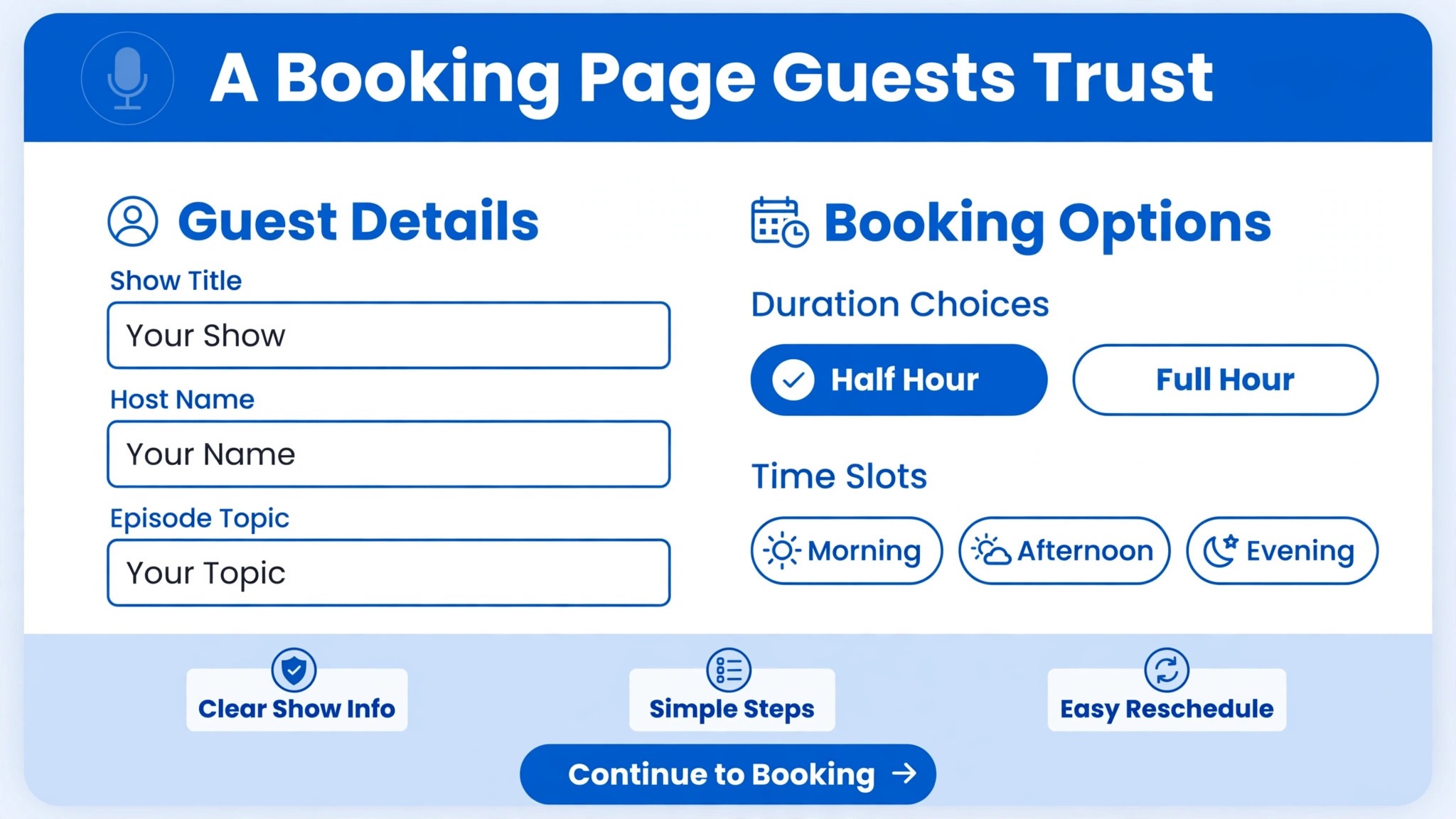
Your booking page is a first impression, and guests judge your show by it. Use a clear event name that says what the booking is for, such as a podcast interview with your show name, rather than a generic label that could be any meeting. Write a description that covers the essentials in a few sentences. What the show is about, how long the interview runs, what you will discuss, and what happens after recording, such as editing timelines and promotion. Guests decide whether to book partly on this description, so make it specific to your show, not a template that could belong to anyone.
Your profile on the booking page matters too. Add a photo, your name, and a short welcome message, because guests book people, not forms. A page with no photo and no context feels anonymous, and anonymous pages get fewer bookings from busy guests who have choices. Keep the welcome message warm and brief, and include one sentence about why you are looking forward to the conversation. Small human touches on a scheduling page are disproportionately effective, because most booking pages have none, and yours will stand out by feeling like it was made by a person who cares about the guest.
Intake questions are where booking pages earn their keep or ruin the experience. Ask for the essentials, which are name, email, and the guest’s preferred name or pronunciation if relevant. Then add a small number of prep questions that genuinely improve the interview, such as the guest’s current project, the main topic they want to discuss, links they want mentioned, and a headshot or bio link. Keep the total under six questions, and mark only the truly essential ones as required. Every additional required question reduces bookings, and a guest who abandons the form because it felt like an application is a guest you may not win back.
When you use Calendly for podcast guest booking podcasters should treat the form as the start of a conversation, not as a screening test, because a guest who feels screened before being welcomed will go elsewhere.
The Guest Booking Page Setup
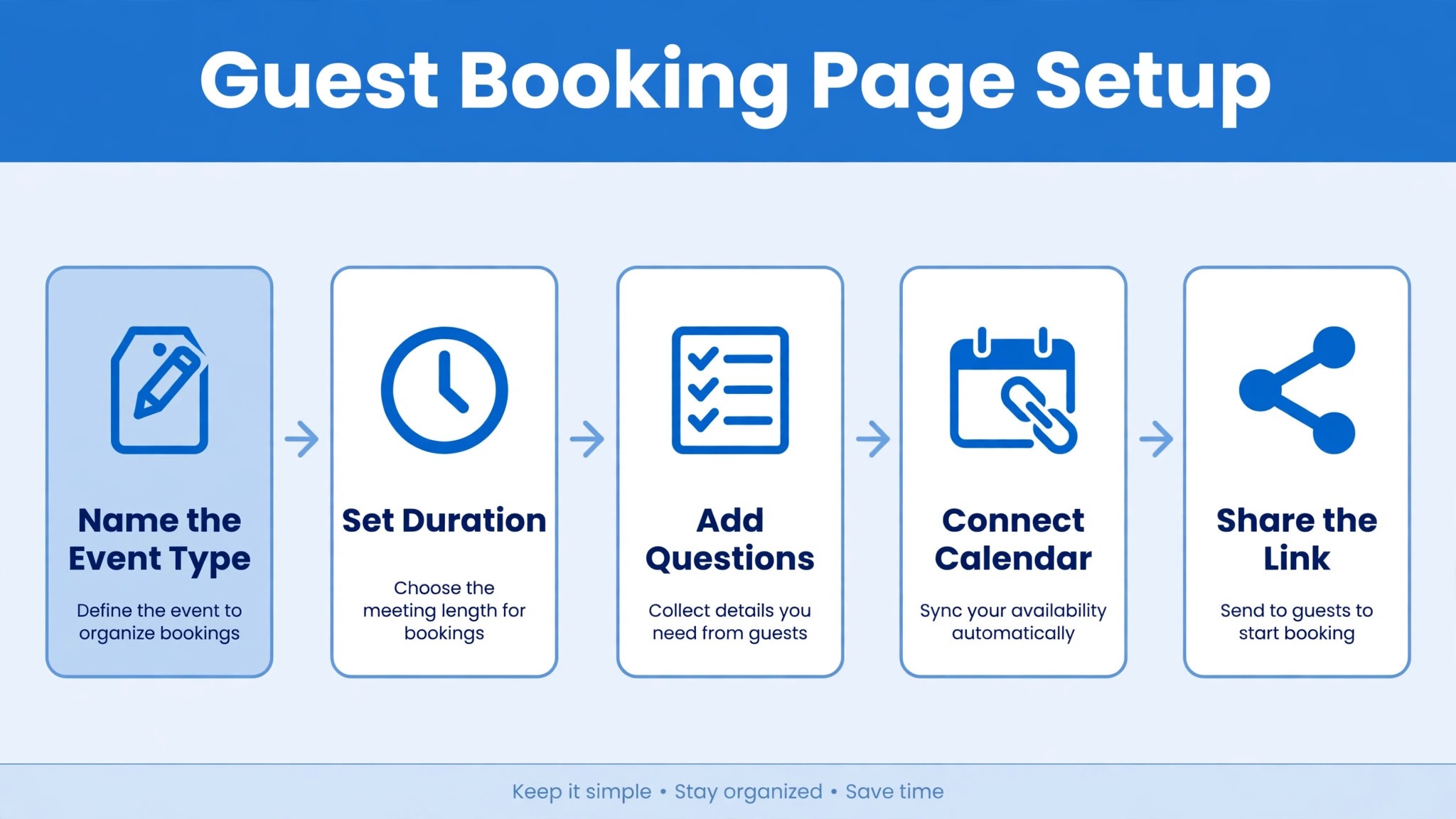
This setup section is the overview-proof element for this guide. Follow it in order, test each step with a trial booking, and only then share the link with a real guest. A booking page that has never been test-booked is a booking page that will embarrass you at the worst moment.
| Setup step | What to configure | Test to run |
|---|---|---|
| Event type created | One-on-one interview, length matching your format | Confirm length and buffer on the live page |
| Availability set | Recording days and hours, rolling window, daily limit | View the page as a guest in another time zone |
| Location connected | Video meeting tool linked, meeting created automatically | Book a test slot and click the meeting link |
| Questions added | Name, email, project, topics, links, headshot, under six total | Submit a test booking with realistic answers |
| Confirmation written | Warm message with recording link, prep notes, and contact | Read the confirmation as if you were the guest |
| Reminders set | Reminder before the interview and a day-of reminder | Confirm both reminders arrive with correct details |
| Cancellation policy set | Clear reschedule and cancel options within your availability | Reschedule a test booking and confirm the new time |
| Link placed | Invitation message, show site, and email signature | Click every placement and confirm it opens the right page |
After setup, run one full test booking from invitation to reminder, and read every message as the guest would. Check that the guest’s time zone displays correctly, that the meeting link works, that the prep questions make sense, and that the confirmation answers the questions a nervous guest would ask, such as how long the interview runs and whether it is video or audio only. Fix anything confusing before inviting a real guest, because a guest’s first booking experience shapes their expectation of the whole interview. When you use Calendly for podcast guest booking podcasters who test thoroughly rarely face interview-day surprises, because the surprises were caught during the test.
From Booking to a Strong Interview
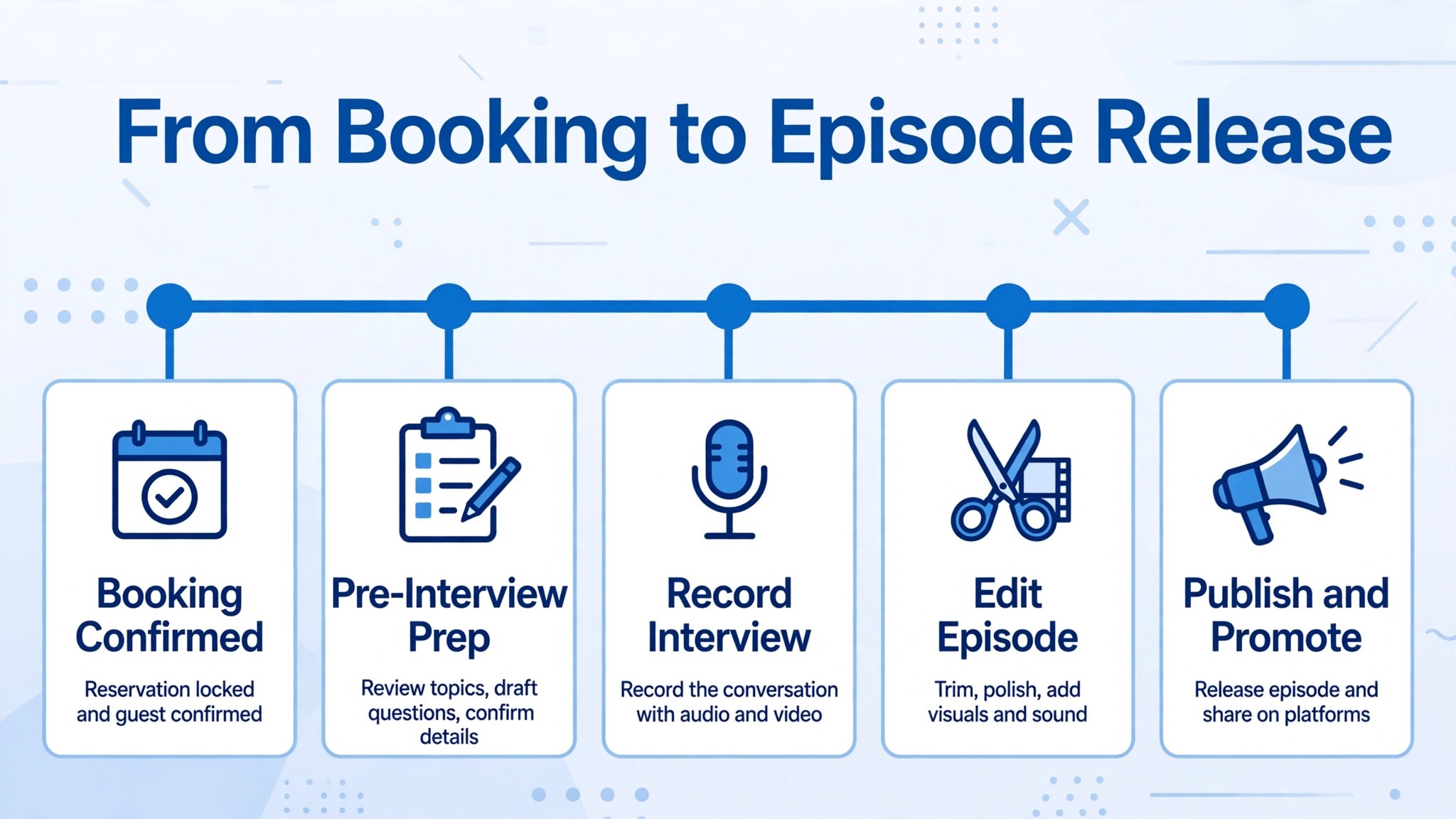
Booking is only the start of the guest workflow. When a booking arrives, move the guest into your pre-interview process the same day, while the details are fresh. Send a personal thank-you message that is separate from the automatic confirmation, repeating the date and time, previewing two or three topics you plan to cover, and asking the guest to confirm anything they want added or removed. That message does two things. It shows the guest that a human is paying attention, and it gives them a chance to correct the direction before recording day, when changes are costly. Guests who help shape the conversation arrive more engaged, and engaged guests give better interviews.
Preparation should draw directly on the booking form. Read the guest’s answers, visit the links they shared, and build your question list around their current work, not around generic questions you ask everyone. Prepare an introduction from their bio and headshot materials, so the episode page and promotion are ready before recording, not assembled afterward in a rush. Prepare a backup plan for the common failures, such as a guest with a poor microphone, a noisy room, or a weak connection, and decide in advance how you will handle each one kindly. A host who can say “let us pause and fix the audio” calmly produces a better episode than one who panics or records through bad sound.
On recording day, the booking system keeps working for you. Reminders have already gone out, the meeting link is in the guest’s calendar, and rescheduling, if needed, happened within your availability. Open the meeting early, welcome the guest, confirm the topics and the expected length, and record a short sound check before the real conversation. After recording, thank the guest, tell them when to expect the episode and how you will promote it, and note any follow-up promises, such as links to include or clips to share.
When you use Calendly for podcast guest booking podcasters find the post-interview work easier too, because the booking record holds the guest’s details, links, and headshot in one place, instead of scattered across messages.
Handling Time Zones, No-Shows, and Reschedules
Time zones are the most common source of podcast booking failures, and Calendly’s automatic handling solves most of the problem, but not all of it. Confirm the time zone in your personal thank-you message, by stating the interview time in both your time zone and the guest’s, so any error surfaces before recording day. For guests in regions with daylight saving changes on different dates, double-check bookings that fall near a transition, because a one-hour shift can appear between booking and recording. A short confirmation message the day before, restating the time in the guest’s zone, catches the remaining errors and reassures the guest.
No-shows happen even with reminders, and your response should be gracious and systematic. Wait a reasonable grace period on the day, send a kind message offering to reschedule through the same link, and do not guilt the guest. Busy people miss meetings, and a gracious reschedule often produces a better interview than a resentful one. Track no-shows privately, and if a guest no-shows twice without communication, deprioritize them rather than chasing indefinitely. Your show’s schedule is a real constraint, and protecting it is part of producing consistently.
Guests who book far in advance deserve an extra touch. A short message a week before the interview, restating the topic and asking whether anything has changed in their work, keeps the conversation current and reminds the guest that the date is approaching. That message often surfaces a new project or a fresh angle that improves the interview, and it costs you two minutes. Reschedules should be easy by design. Calendly lets guests reschedule within your availability without a new thread, and you should encourage that route in your messages, rather than inviting guests to email you new times. When a guest reschedules, your pre-interview process should update automatically, which means checking the booking record rather than relying on memory.
Keep a simple tracker, such as a spreadsheet or a note per episode, that lists the guest, the booked time, the prep status, and the recording status, and update it at booking, at confirmation, and after recording. That tracker is the safety net that catches guests who would otherwise fall through the cracks between booking and release.

The Pre-Interview Checklist
Run this checklist for every booked guest, starting the day the booking arrives. When you use Calendly for podcast guest booking podcasters who follow this checklist consistently produce interviews that feel prepared, because preparation stops depending on memory and starts depending on a system.
- Read the guest’s booking form answers fully, and visit every link they shared.
- Send a personal thank-you message separate from the automatic confirmation, with the date, time, and planned topics.
- Confirm the interview time in both time zones, and flag any daylight saving transition near the date.
- Build a question list around the guest’s current work, not generic questions used for every guest.
- Prepare the episode introduction from the guest’s bio and headshot materials before recording day.
- Test the meeting link and your recording setup, and prepare a plan for poor audio or a weak connection.
- Send a day-before reminder restating the time, the link, and the expected length.
- Open the meeting early on recording day, run a sound check, and confirm topics and length with the guest.
- After recording, thank the guest, confirm the release timeline, and note any follow-up promises.
- Update your episode tracker at booking, at confirmation, and after recording, so no guest is lost between stages.

How to Use Calendly for Podcast Guest Booking Podcasters Who Run Regular Shows
A weekly show turns guest booking from an occasional task into a pipeline, and pipelines need rhythm. When you use Calendly for podcast guest booking podcasters with regular schedules should open booking in batches that match their recording cadence, such as opening the next month of recording days at the start of each month. Batch opening keeps the calendar full without letting guests book so far ahead that they forget, and it lets you plan themed weeks or series by grouping related guests together. If a recording day fills, close it and open the next, rather than squeezing extra guests into a day that cannot hold them.
Regular shows also benefit from a standing guest workflow that runs the same way every time. Use the same invitation template, the same booking questions, the same thank-you message, and the same pre-interview checklist for every guest, adapting only the personal details. Templates feel impersonal only when they read like templates, and a good template reads like a thoughtful host who has done this well many times. When you use Calendly for podcast guest booking podcasters save hours each month by templating the repeatable parts, which leaves more time for the parts that cannot be templated, such as researching a guest’s work and crafting questions only they can answer.
Seasonal changes deserve a calendar review each quarter. Recording breaks, holidays, and travel all affect availability, and a booking page that still shows old hours during a break creates bookings you must cancel. Before each quarter, update your availability, check your event type settings, re-test the meeting link, and confirm your reminder messages still read correctly. When you use Calendly for podcast guest booking podcasters who review quarterly rarely face the embarrassment of a guest booking during a holiday, because the calendar was updated before the guest ever saw it. A fifteen minute quarterly review protects a whole season of guest relationships.
Mistakes That Cost Podcasters Good Guests
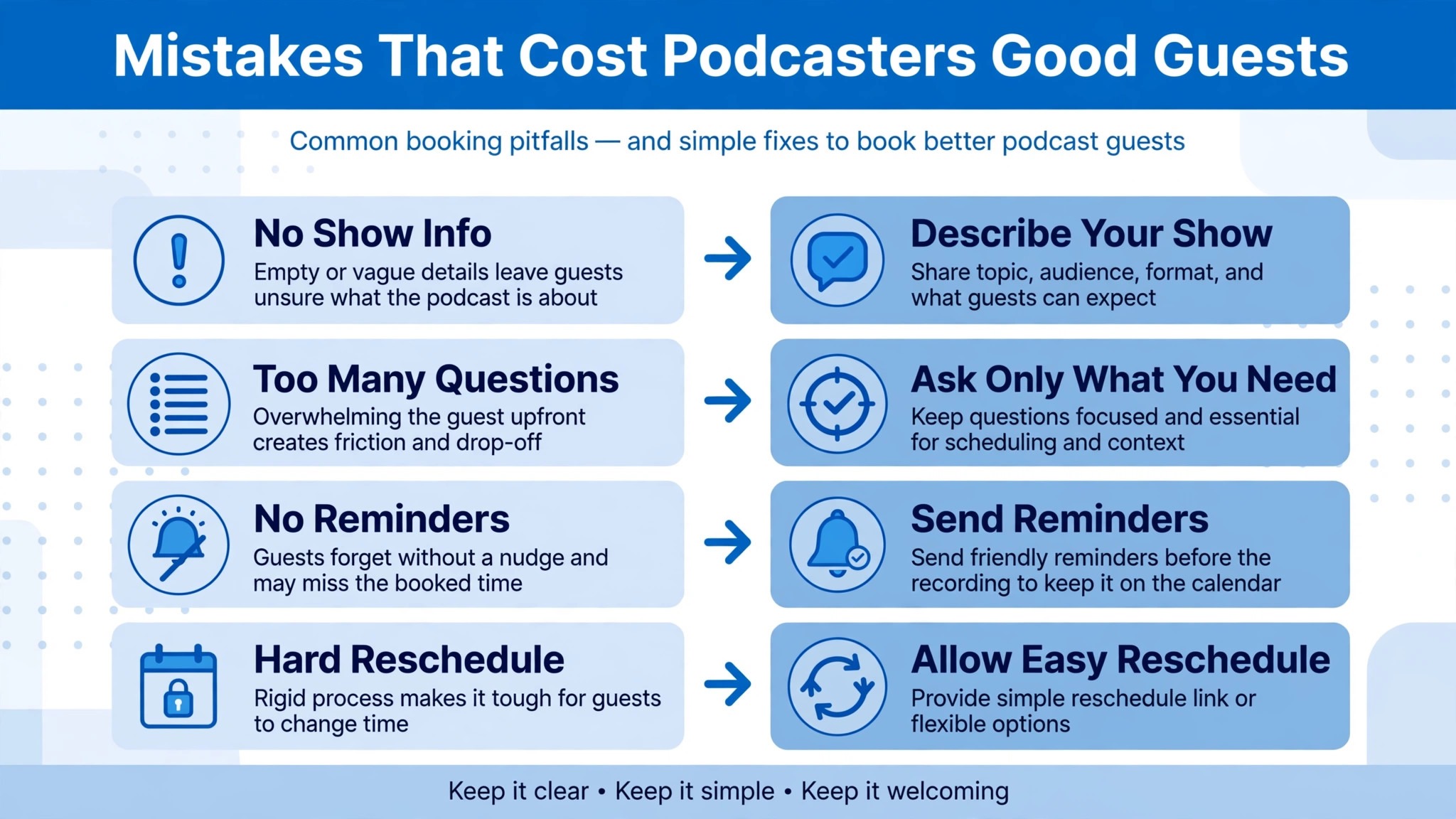
The biggest mistake is sending a bare link with no personal invitation. Guests, especially those with many requests, delete impersonal scheduling messages, because they signal that the host has not thought about why this guest matters. Always pair the link with a personal message that names the guest’s work and the conversation you want to have. The second mistake is asking too many booking questions, which turns a booking into an application and drives guests away. Keep questions few, relevant, and mostly optional, and gather deeper prep through conversation, not forms.
The third mistake is setting availability too wide, which invites bookings at times you cannot prepare for, or too narrow, which makes booking feel impossible. Match availability to your real recording rhythm, and adjust it seasonally as your schedule changes. The fourth mistake is never testing the booking flow, which leads to broken meeting links, confusing confirmations, and guests arriving in the wrong room. Test after every change to the event type, the location, or the questions, because a small change can break a step you assumed was stable. The fifth mistake is treating booking as the end of the process, when it is only the beginning.
A booked guest who hears nothing until recording day feels forgotten, and forgotten guests cancel. The personal message, the prep, and the reminders are what turn a booking into an interview.
More Reading on Stratilyze
Readers building a podcast workflow may also enjoy the guides on transcribing interviews efficiently, organizing show notes and episode promotion, and recording remote conversations that sound professional. Each one covers a different stage of podcast production, from the first guest booking to a finished episode that listeners share.
Frequently Asked Questions
Is Calendly free for podcast guest booking?
Calendly offers a free tier that covers basic scheduling, including one event type and calendar connections, which is enough for many new podcasters. Paid plans add features such as multiple event types, team scheduling, advanced workflows, and custom branding. Start free, and upgrade when you need a feature that the free tier does not offer, such as automated workflows for reminders and follow-ups.
How do I invite a guest without sounding impersonal?
Pair the booking link with a personal message that names the guest’s work, explains why you want them on the show, and previews the conversation. The message carries the relationship, and the link carries the logistics. Never send the link alone to a guest you have not personally invited, and always follow up with a thank-you message after they book.
What if a guest is in a very different time zone?
Calendly displays your availability in the guest’s own time zone, which removes most conversion errors. Confirm the time in both zones in your personal message, and send a day-before reminder restating the time in the guest’s zone. For bookings near daylight saving transitions, double-check the time, since different regions change clocks on different dates.
How many questions should my booking form ask?
Keep it under six questions, with only the essentials marked required, such as name and email. Add a few prep questions that genuinely improve the interview, such as current project, topics to discuss, and links to mention. Every additional required question reduces bookings, so gather deeper detail through conversation rather than through the form.
Can guests reschedule without emailing me?
Yes, Calendly lets guests reschedule through the booking link, within your set availability, and sends updated confirmations automatically. Encourage guests to use that route rather than starting an email thread, because it keeps your calendar accurate and your availability protected. Your episode tracker should be updated whenever a reschedule occurs.
Should I use one event type or several for different guests?
Start with one event type that matches your most common interview format, and add others only when a real need appears, such as a shorter segment slot or a panel format. Multiple event types confuse guests and complicate your availability, so let demand drive expansion. When you add a type, test its full booking flow before sharing it.
Booking Should Be the Easiest Part of Your Show
A podcast lives or dies on conversations, and conversations start with guests who arrive prepared and on time. When you use Calendly for podcast guest booking podcasters remove the scheduling friction that kills good interviews before they happen, and they replace it with a system that collects prep, handles time zones, sends reminders, and lets guests reschedule gracefully. Build the event type this week, test it with a trial booking, and send your next guest invitation with a personal message and a link. The first guest who books in minutes, arrives prepared, and tells you the process felt effortless will confirm what the system is for, which is giving your energy back to the conversation itself.