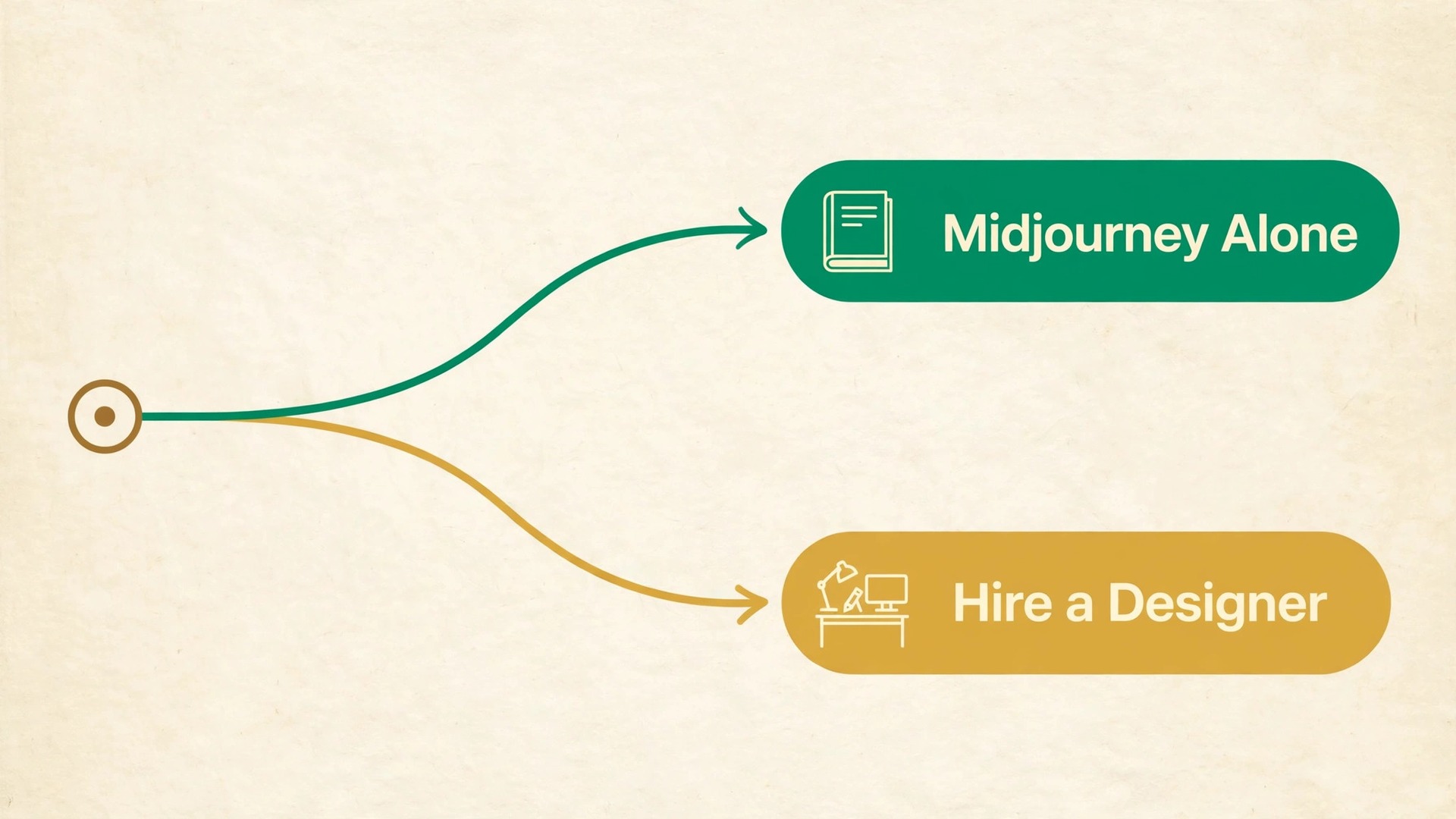
Readers form an opinion about a book cover within seconds, and online that judgment often happens at thumbnail size, where a muddy image or an unreadable title is enough to end the browse. That is why so many authors now choose to use Midjourney for book cover design as the starting point for a cover, not as a one-click finished product. The generator is fast at producing striking genre imagery, but a cover that sells still needs deliberate prompt structure, planned space for type, and a print file built to real trim and bleed specs.
This guide treats Midjourney as one stage in a longer workflow. You will generate the artwork, judge it at thumbnail size, add the title and author name in a design tool, upscale to print resolution, and export a file a printer will accept. Follow that order and you keep the creative speed of AI art without the blurry text, cropped titles and rejected uploads that come from treating a raw grid image as a finished cover.
Why a Cover Gets About Two Seconds
A book cover does three jobs at once. It signals genre, it promises a reading experience, and it looks professional enough to trust. Shoppers do not read a cover the way they read a blurb. They scan it, match it against covers they already know, and decide whether it belongs in the category they want. A thriller cover that looks like a cookbook cover fails even if the art is beautiful, because it sends the wrong signal in the first glance.
Thumbnail size makes this harder. On a phone, a store listing may show your cover only a couple of centimetres tall. Fine detail vanishes, thin lettering dissolves, and a busy scene turns into visual noise. That is why the strongest covers are built around one clear focal point, a limited colour palette, and a large title. If a reader cannot tell the genre and read the title at thumbnail size, the full-size version rarely saves the sale.
How to use Midjourney for book cover design, Step by Step
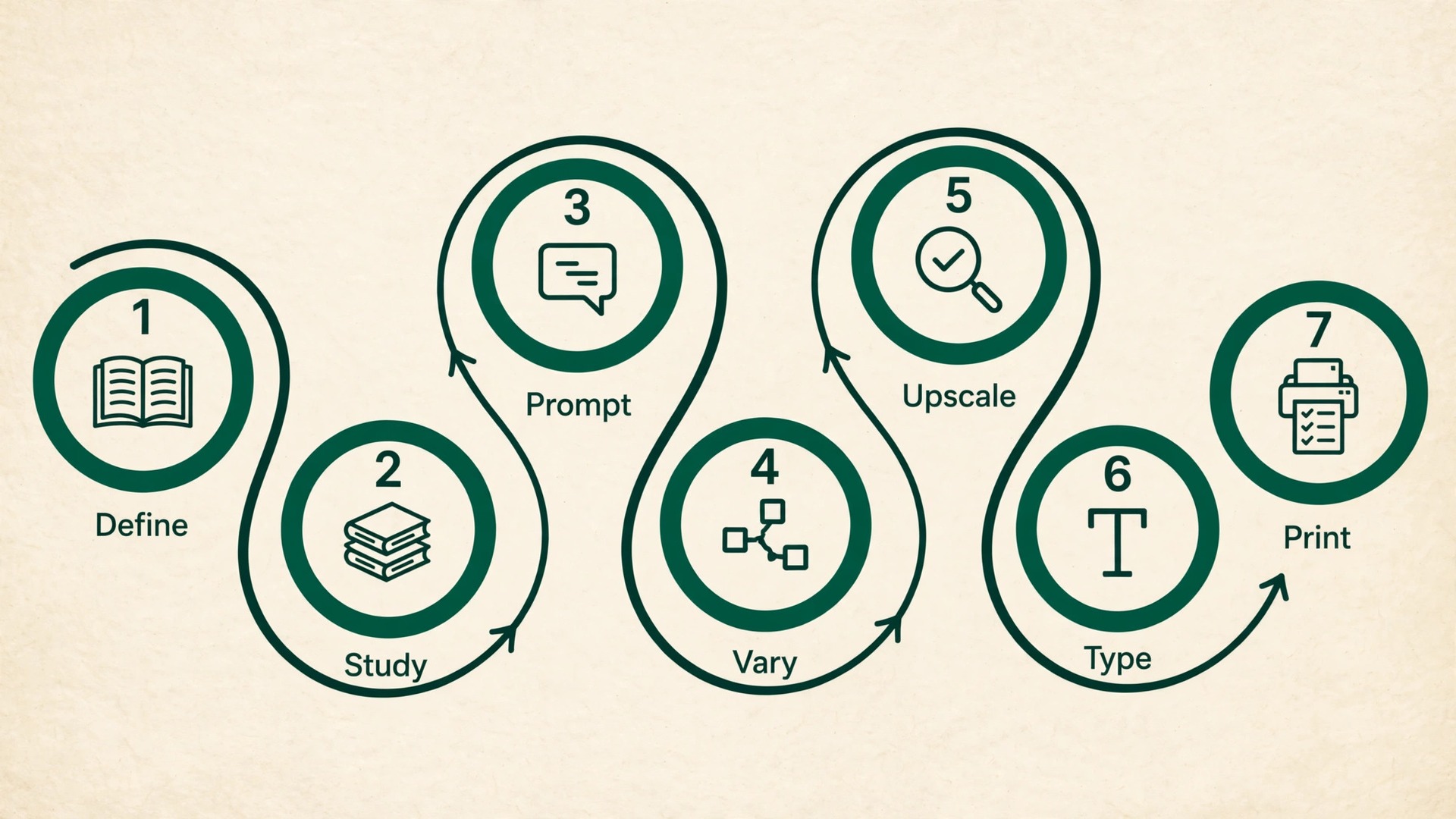
A reliable cover workflow has seven stages, and skipping one usually creates a problem later that is harder to fix. Work through them in order, and keep notes on the prompts that worked, because a series or a second edition will need the same look again.
- Define the book in one sentence before you open the generator. Write down the genre, the core emotion, the central image, and the audience. A cover for a cosy mystery and a cover for a police procedural are both mysteries, but they need different palettes, different lighting, and different levels of menace.
- Study ten bestselling covers in your exact subcategory. Note the colour palette, the position of the title, the size of the author name, and whether the art is a single object, a scene, or a person. Your prompt should borrow the structure of those covers, not copy any single one.
- Write a structured prompt with subject, setting, mood, palette, and composition, and end it with the portrait ratio for a book cover. Generate a full grid of four and pick for thumbnail readability first, not for full-size detail.
- Run variations on the strongest two candidates. Change one element at a time, such as the palette or the focal point, so you can tell which change improved the result. Save the prompt and the seed for the winner.
- Upscale the winner and inspect it at 100 percent for hands, faces, text-like marks, and edge detail. AI artefacts that are invisible at grid size become obvious in print.
- Add all type in a design tool such as Photoshop, Affinity Publisher, or Canva. Do not rely on text the generator baked into the image, because it is frequently misspelled or warped.
- Build the full print wrap on a template for your exact trim size, page count, and paper stock, then export a flattened PDF at 300 DPI and run the preflight checklist in this guide before upload.
Build a Prompt That Reads as Genre First
A good cover prompt is not a long list of adjectives. It is a short, ordered description that answers five questions in sequence. What is the subject. Where is it. What mood does it carry. What colours dominate. How is the scene composed. Put the most important element first, because early words carry more weight in the result, and keep the total prompt focused enough that no single detail gets lost. That ordering habit is what separates authors who use Midjourney for book cover design with consistent results from authors who reroll grids all day.
Start with the subject and its genre cues. A lone lighthouse in fog reads as mystery or literary fiction. The same lighthouse under a storm sky with a distressed figure reads as thriller. A watercolour lighthouse with soft pastel skies reads as a gentle memoir or a children’s story. The subject alone does not fix the genre. The lighting, palette, and treatment do that work, so name them explicitly.
Next, name the palette in plain colour words rather than vague mood words. Write “deep navy and warm amber” rather than “moody colours”, and “muted sage and cream” rather than “soft tones”. A limited palette of two or three colours reads better at thumbnail size than a rainbow, and it gives the title a background it can stand against. If you want a dark cover, say so directly, and if you want a bright cover, say that too, because the generator will otherwise drift toward its own default look.
Then describe the composition and the space for type. This is the part most authors skip, and it is the part that decides whether the cover is usable. Useful phrases include “large empty sky at the top third for title text”, “subject placed low in the frame with clear space above”, and “minimal background, single focal point, uncluttered”. You are not asking the generator to draw the title. You are asking it to leave room where the title will go.
A structured prompt for a mystery novel might read as follows. A lone lighthouse on a rocky shore at dusk, thick fog, deep navy and warm amber palette, single focal point low in the frame, large empty sky in the top third, painterly, atmospheric, portrait book cover composition. That prompt gives the generator a subject, a setting, a palette, a focal point, and a title zone in one pass. Compare that with a vague prompt such as “a beautiful lighthouse picture”, which leaves every decision to chance and usually returns a busy scene with no place for type.
Useful parameters sit at the end of the prompt. The portrait ratio for a standard book cover is written as a 2 to 3 ratio, and the stylize value controls how strongly the generator follows its own aesthetic sense rather than your literal words. A lower stylize value stays closer to your description, which is usually what you want when the composition and palette matter. A higher chaos value produces more varied grids, which helps when you are exploring, but it also produces more unusable layouts, so raise it only during the exploration round and drop it back for refinement.
| Genre | Palette that usually works | Composition that usually works |
|---|---|---|
| Cosy mystery | Warm cream, sage, soft red accents | Single charming object or village scene, title high |
| Thriller | Dark navy or black with one hot accent | Single figure or object, strong shadow, title high |
| Romance | Blush, gold, deep rose or soft pastels | Couple or symbolic object, warm light, title centred |
| Fantasy | Rich jewel tones with metallic accents | Central emblem or mountain scene, title high or centred |
| Science fiction | Cold blue or teal with orange accents | Single ship, planet, or figure against space |
| Self help | Bright, clean colours with high contrast | One bold symbol, lots of empty space, title dominant |
| Memoir | Muted, warm, photographic tones | Single evocative object or place, title restrained |
Treat that table as a starting point, not a rulebook. Break one convention deliberately if you have a reason, such as a thriller with a bright cover to stand out in a dark category. Break two or three at once and the cover stops signalling its genre, which is the one mistake that costs sales even when the art is strong.
Composition and Negative Space for Title Text
Negative space is the empty or quiet area of a cover where the title can sit without fighting the artwork. It is the single most important composition decision in a Midjourney cover, because the generator does not know you plan to add type later. If you do not ask for space, you will not get it, and you will end up shrinking the title, moving it over a busy background, or covering the best part of the art with a solid box.

Plan the title zone before you generate. Decide whether the title will sit at the top, in the middle, or at the bottom, and prompt for the matching empty area. A top title needs a quiet sky, a dark wall, or a blurred background in the top third. A centred title needs the subject pushed to one side or kept low. A bottom title needs a calm foreground or a darkened base. Write the zone into the prompt in plain words, and reject any grid result that does not deliver it, however pretty the art is.
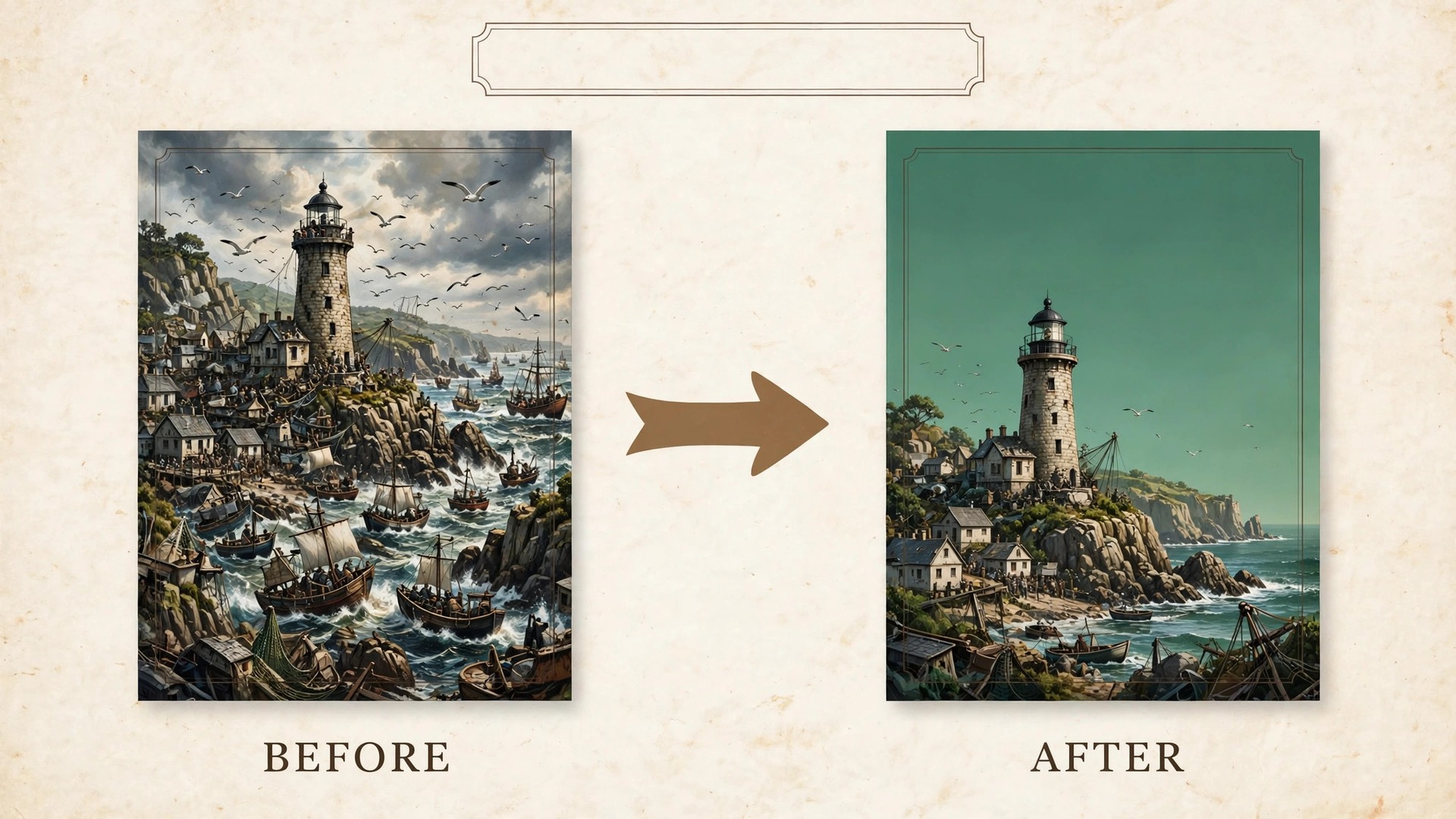
Three composition patterns cover most successful covers. The first is the single object pattern, where one strong subject sits against a simple background and the title takes the opposite third of the frame. The second is the scene with a quiet sky, where the action sits in the lower two thirds and the title floats in the calm upper third. The third is the emblem pattern, where a central symbol or crest anchors the middle and the title sits above and the author name below. Pick one pattern for your book and judge every candidate against it, rather than falling in love with a different layout on each grid.
When you use Midjourney for book cover design, that single-pattern discipline is what keeps a series looking coherent.
Typography Rules and Where to Add Type
Typography is where AI covers most often betray themselves. Midjourney has improved at rendering short words, but it still misspells titles, warps letters, and invents letterforms that look right at a glance and wrong on inspection. The rule is simple and non-negotiable. Generate the art without text, then add every letter in a design tool where you control the font, the size, the spacing, and the spelling.
Start with the font, and let genre lead the choice. Serif fonts suit literary fiction, historical fiction, and memoir, because they carry a traditional, bookish signal. Clean sans serif fonts suit self help, business, and contemporary nonfiction, because they read as modern and direct. Display and decorative fonts suit fantasy, horror, and some romance, but they must stay readable at thumbnail size, which rules out most thin scripts and ornate faces for a main title. Pick one font family for the title and one for the author name at most, and keep the subtitle in the same family as the title unless you have a strong reason to differ.
This restraint matters even more when you use Midjourney for book cover design, because the art is already visually rich and the type must stay calm.
Size hierarchy matters more than font choice. The title should be the largest element on the cover, readable at thumbnail size without effort. The author name comes second, and it grows larger only when the author is the selling point, as with an established name. The subtitle, tagline, and endorsements come last, and they should never compete with the title. A useful test is to blur your eyes at the cover. The title should still be the first thing you notice, followed by the central image, followed by the author name. If an endorsement or a tagline jumps out first, it is too large or too high in contrast.
Contrast and placement decide readability more than colour alone. White type needs a dark, calm background. Dark type needs a light, calm background. Mid-tone, busy backgrounds need either a subtle darkening gradient behind the type or a different composition altogether. Avoid placing type across a face, across the focal object, or across a sharp boundary between light and dark, because the letters will break apart visually at the crossing point. Keep the title inside a safe margin from the trim, so no letter is at risk from the printer’s cut.
Upscaling and Print Resolution
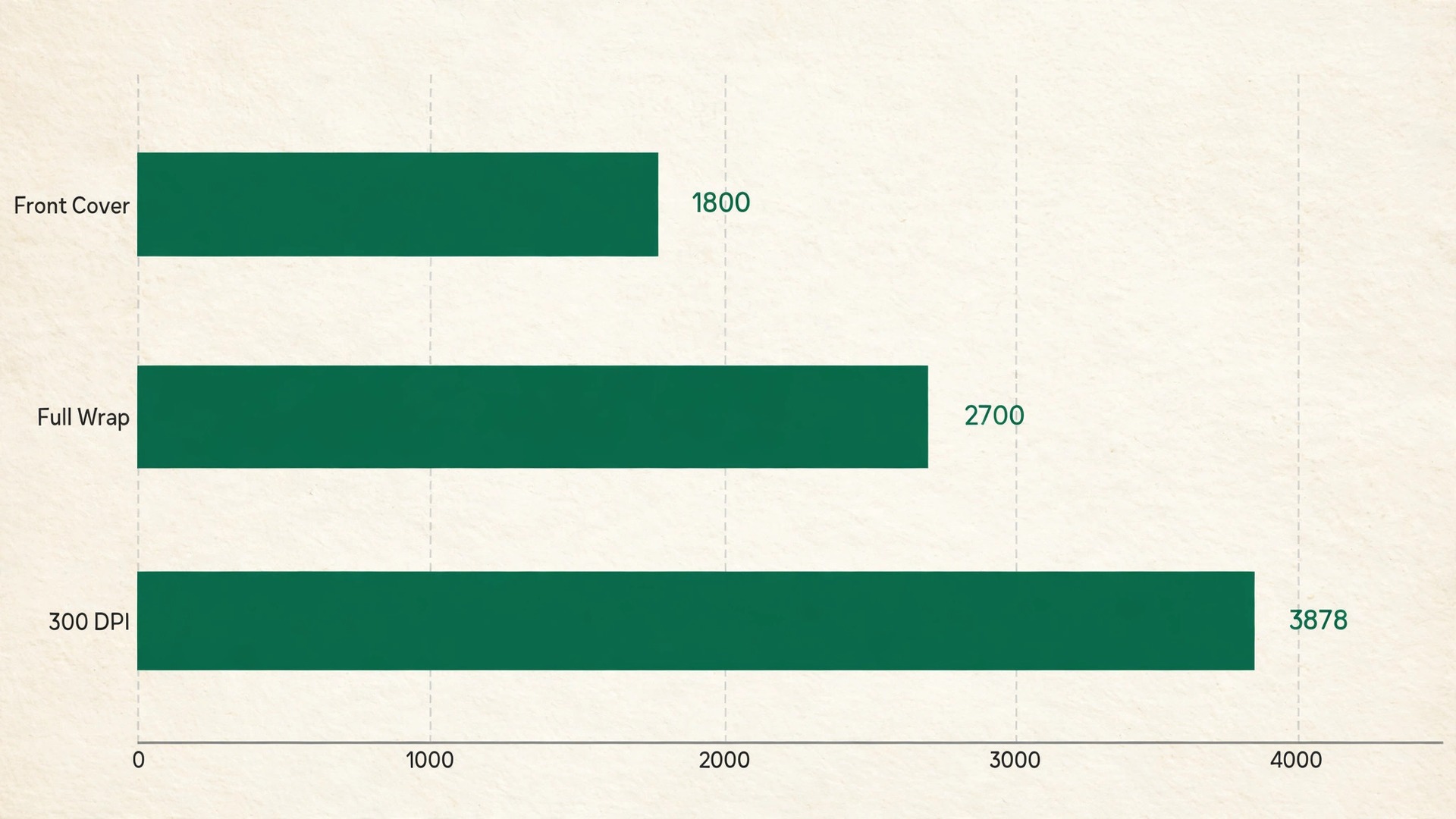
A Midjourney grid image is not a print file. Grid images are typically around 1000 pixels on the long side, and even an upscaled result may fall short of what a full print wrap needs. Print needs 300 dots per inch at the final physical size, which means a 6 by 9 inch front cover needs 1800 by 2700 pixels before bleed, and a full wraparound cover needs considerably more. An image that looks crisp on screen can still print soft, because a screen shows it at a fraction of its printed size.
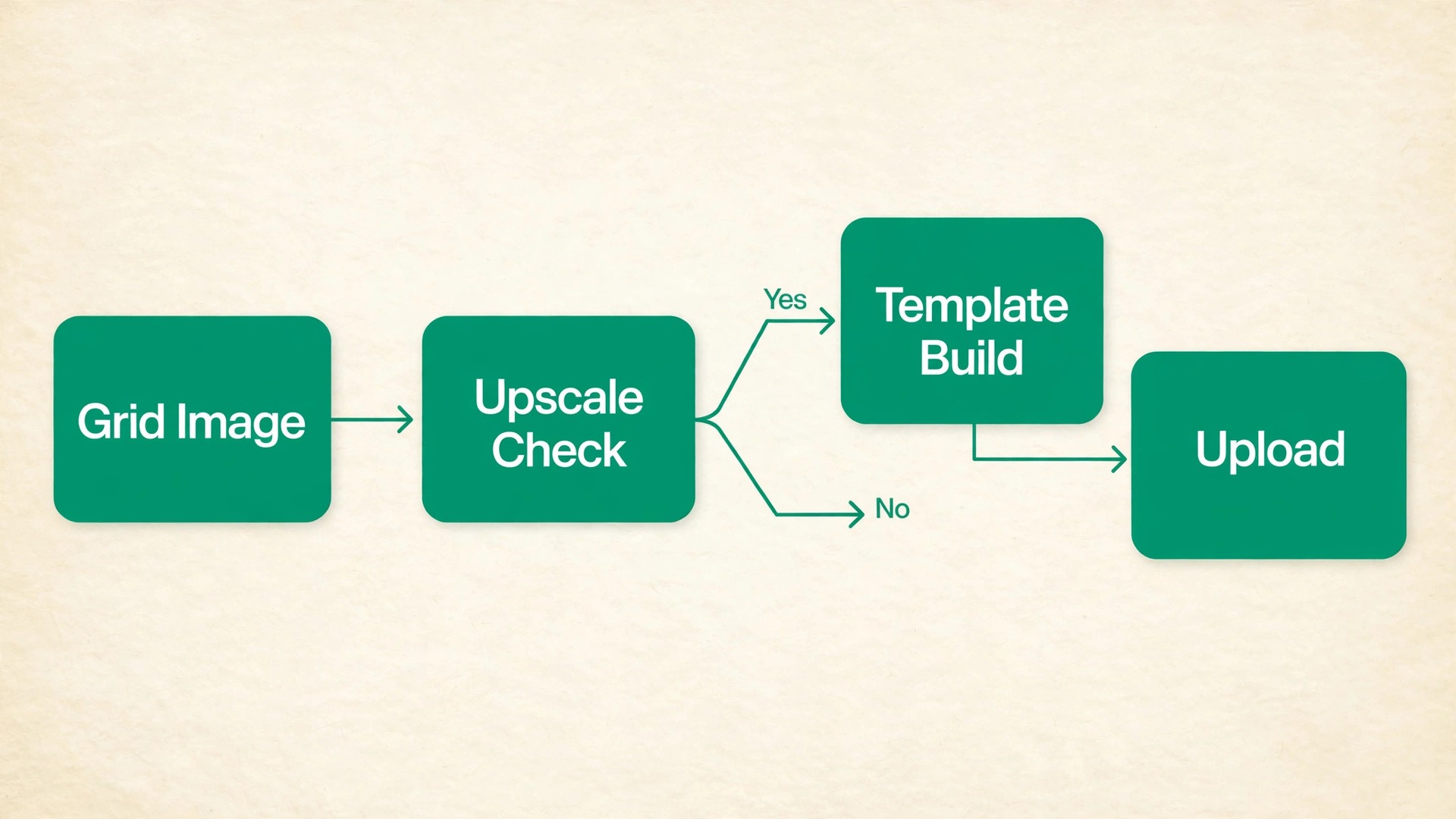
Work out the pixel target before you upscale. Multiply the physical size in inches by 300 to get the pixel count. A 6 by 9 inch front panel needs 1800 by 2700 pixels. Add bleed of 0.125 inches on each outer edge, and the height becomes 9.25 inches, or 2775 pixels. The full wrap width depends on the spine, which is covered in the next section, but a typical 300 page paperback wrap is close to 3900 pixels wide. If your upscaled art cannot reach those numbers without heavy enlargement, you need a better upscale or a different candidate, not a hopeful export.
Midjourney’s own upscaler is the first step, and it produces a cleaner result than simply enlarging the grid image in a design tool. After that, dedicated upscaling tools can add a further enlargement, but they cannot invent detail that was never there. Judge the result at 100 percent magnification and look for smeared textures, waxy skin, melted background detail, and halos around high-contrast edges. Those artefacts are acceptable in a small web thumbnail and unacceptable on a printed cover, where a reader holds the book close.
A sensible order is to upscale first, then inspect, then place the art on the template, then add type. Authors who use Midjourney for book cover design and follow that order avoid the softened letters that come from upscaling after type is added. Upscaling after type is added will soften the letters, and adding type before you know the final resolution risks a layout that shifts when the art is replaced. If the upscale introduces artefacts in one area, such as a face or a hand, consider regenerating that element, cropping it out, or choosing a different candidate rather than trying to paint over it.
A cover with one obvious AI artefact will be judged more harshly than a simpler cover with none.
Trim, Bleed and the Print Spec Checklist
Trim is the final cut size of the book. Bleed is the extra artwork that extends past the trim line so that a tiny shift during cutting does not leave a white edge. The spine is the folded strip between the front and back covers, and its width depends on the page count and the paper stock. Those three measurements define the full wraparound cover, and getting any one wrong is the most common reason a print cover is rejected.
For Amazon KDP paperbacks, the bleed is 0.125 inches on every outer edge, and the spine width is the page count multiplied by the thickness of one page for your paper type. Black ink on white paper uses 0.002252 inches per page, and black ink on cream paper uses 0.0025 inches per page. A 300 page book on white paper therefore has a spine of about 0.68 inches, while the same book on cream paper has a spine of 0.75 inches. That difference changes the full wrap width, which is why you must finalise the paper choice before you build the cover file.
A worked example makes the arithmetic concrete. Take a 6 by 9 inch paperback with 300 pages on white paper. The spine is 300 multiplied by 0.002252, which is 0.6756 inches. The full width is bleed plus back cover plus spine plus front cover plus bleed, which is 0.125 plus 6 plus 0.6756 plus 6 plus 0.125, giving 12.9256 inches. The full height is bleed plus trim height plus bleed, which is 0.125 plus 9 plus 0.125, giving 9.25 inches. At 300 dots per inch, that wrap is about 3878 pixels wide by 2775 pixels tall.
Use the official cover template for your exact book rather than trusting a remembered example, because page count and paper stock change the result every time. That template habit is the least glamorous part of how professionals use Midjourney for book cover design, and it is the part that prevents rejections.
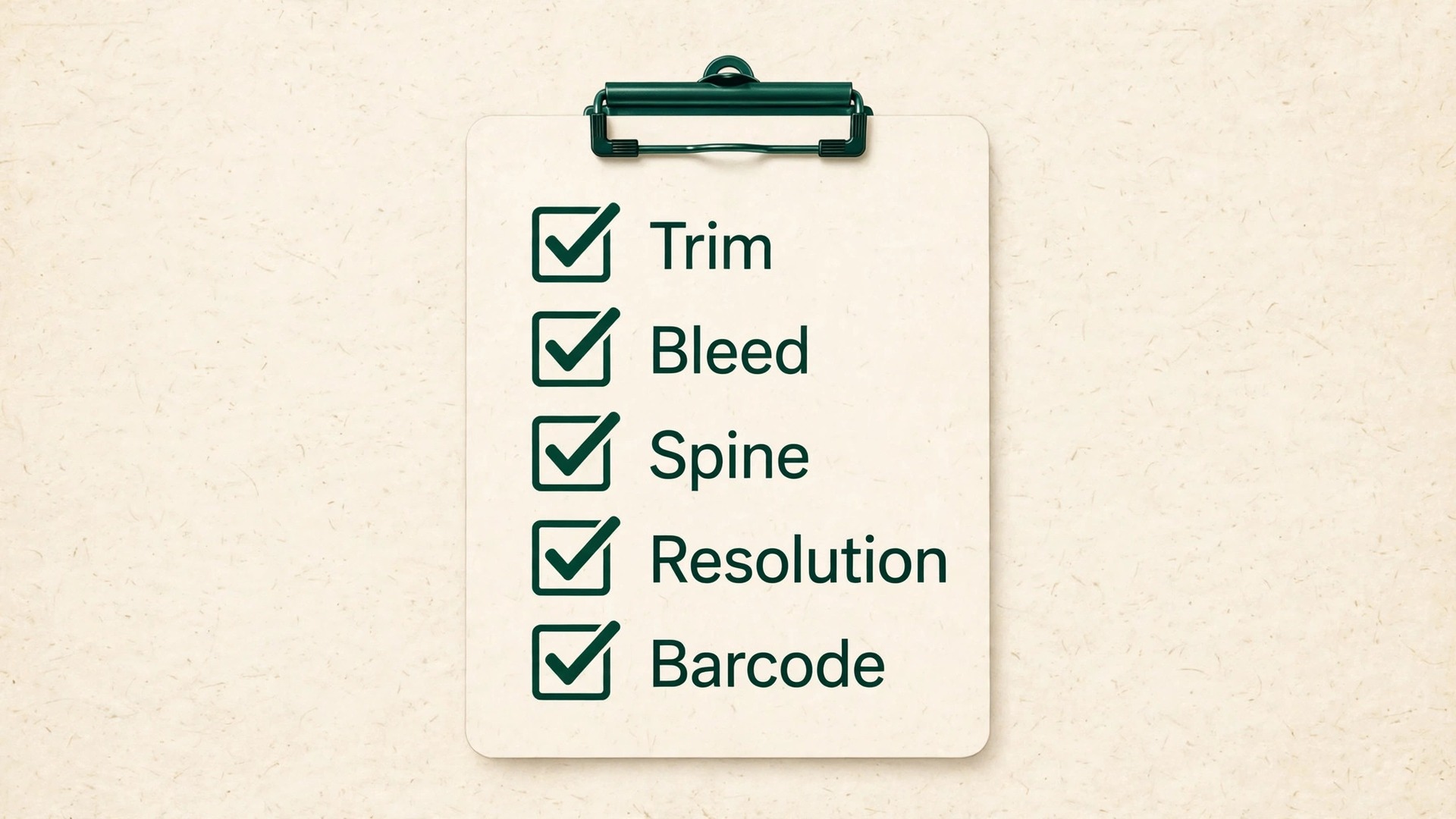
Run this checklist before every upload.
- Trim size, page count, and paper stock match the interior file exactly.
- Full wrap built on the official template for that trim, page count, and paper.
- Bleed of 0.125 inches on every outer edge, with backgrounds extending fully into it.
- All raster art at 300 dots per inch at final size, with no upscaling past the point of visible softness.
- All type inside the safe margin, at least 0.25 inches from the trim on the front and back.
- Spine text only when the book has more than 79 pages, kept clear of the fold lines.
- Barcode zone on the back cover kept empty, with no art or text crossing it.
- Fonts embedded, layers flattened, and the file exported as a single PDF for a print wrap.
- No printer marks, crop marks, or template lines left visible in the exported file.
- A printed proof or a full-size on-screen proof checked at 100 percent before release.
Rights, Stock Photos and Lookalike Risks
Owning a Midjourney image is not the same as owning a copyright in every jurisdiction, and it is not a guarantee that the image is safe to use commercially. Midjourney’s commercial terms allow paying subscribers to use generated images commercially, with a requirement to use a Pro or Mega plan when company revenue exceeds 1 million dollars a year. Those terms can change, and they do not settle the wider legal questions around AI-generated art, which are still being tested. Read the current terms on Midjourney’s own site before you publish, and keep a record of the plan you used and the date you generated the art.
That record belongs in the same folder as every file you create when you use Midjourney for book cover design commercially.
A separate risk is resemblance. A generator trained on vast amounts of published imagery can produce a cover that closely resembles an existing book, a known character, or a recognisable artist’s style. Prompting for a living artist by name, or for a famous character, increases that risk sharply, and it can also produce a cover that looks derivative even when no law is broken. Prompt for genre, mood, and visual qualities instead, and compare your finished cover against current bestsellers in your category. If a reader could mistake yours for a specific existing book, change the composition and palette until the resemblance is gone.
Stock photos carry their own cautions. If you combine a generated image with a stock photograph, check the stock licence for print runs, ebook use, and merchandising, because a licence that covers a website may not cover a printed book. Some licences also restrict the use of an image on a cover, or require attribution, or forbid modification. A generated background plus a licensed stock element is only safe when both parts are cleared for the same use.
What Each Plan Buys You
Midjourney is subscription only, with no free plan, and the plan you choose mainly buys GPU time and privacy options rather than image quality. As listed on Midjourney’s plan comparison in late 2026, the four tiers are Basic at 10 dollars a month, Standard at 30 dollars, Pro at 60 dollars, and Mega at 120 dollars, with annual billing reducing each monthly equivalent by 20 percent. Extra Fast GPU time costs 4 dollars per hour on every plan. Confirm the current figures on Midjourney’s own plans page before you buy, because prices and allowances change.
| Plan | Monthly price | Fast GPU time | Why a cover author might choose it |
|---|---|---|---|
| Basic | 10 dollars | 3.3 hours, no Relax mode | One cover, limited iterations |
| Standard | 30 dollars | 15 hours plus unlimited Relax images | Regular covers, Relax mode removes the volume cap |
| Pro | 60 dollars | 30 hours plus unlimited Relax images | Private Stealth mode, or revenue above 1 million dollars |
| Mega | 120 dollars | 60 hours plus unlimited Relax images | Studio volume, many series covers per month |
If this workflow has convinced you that Midjourney can carry the artwork stage of a cover, the next decision is how it compares with other generators and how the rest of the book comes together. Readers who want a direct comparison should read the Midjourney versus DALL-E breakdown on Stratilyze, and authors weighing several generators should also look at the Midjourney alternatives roundup.
For the writing side of the same project, the guide to writing a book with AI covers the drafting workflow that pairs naturally with a fast cover process, and authors selling direct or through a shop should also check the guide to AI tools for Etsy sellers for listing and thumbnail lessons that transfer directly to book retail pages. You can find those guides at https://stratilyze.com/midjourney-vs-dalle, https://stratilyze.com/midjourney-alternatives, https://stratilyze.com/how-to-write-a-book-with-ai, and https://stratilyze.com/best-ai-tools-for-etsy-sellers.
Frequently Asked Questions
Can I use a Midjourney image as a book cover commercially?
Yes, under Midjourney’s commercial terms for paying subscribers, with a Pro or Mega plan required when company revenue exceeds 1 million dollars a year. Those terms cover the platform’s permission, not every copyright question in every country, so read the current terms before publication and keep a record of your plan and generation date. If you need certainty for a major commercial release, get advice from a publishing lawyer rather than relying on a forum summary.
Why does Midjourney keep misspelling my title?
Text rendering is still a weakness in image generators, because the model treats letters as shapes rather than as a spelling system. Long titles, unusual names, and small lettering fail most often. The reliable fix is to generate the art without text and add the title in a design tool, where spelling is exact and the type stays sharp. Prompting the title into the image may work for a short, common word, but it is not a production method for a real book.
What ratio should I use for a book cover in Midjourney?
Use a portrait ratio of 2 to 3 for a standard front cover, which matches common trim sizes such as 6 by 9 inches. The full print wrap is wider than the front panel because it includes the back cover and the spine, so build the wrap on a template rather than generating a single wide image. For an ebook-only cover, the same front panel ratio applies, exported at the retailer’s recommended pixel size.
How large must the final cover file be for print?
Every raster element should be 300 dots per inch at its final physical size. A 6 by 9 inch front panel needs 1800 by 2700 pixels before bleed, and a full wrap for a 300 page paperback is close to 3900 pixels wide. Start from the official template for your exact trim, page count, and paper stock, because the spine width changes the total every time. If your upscaled art cannot reach the target without visible softness, regenerate or choose a different candidate.
Should I add the title in Midjourney or in a design tool?
Add it in a design tool, always. A design tool gives you exact spelling, a licensed font, precise size and spacing, and the freedom to revise the title without regenerating the art. It also keeps the type as sharp vector or high-resolution text in the exported PDF, while baked-in generator text softens on upscale and often carries small letter errors that readers notice. The generator’s job is the artwork. The design tool’s job is the type.
When should I hire a designer instead of using Midjourney?
Hire a designer when the cover is the main selling asset for a major launch, when the book needs a custom illustrated scene that a generator cannot hold consistent, or when you have tried the workflow in this guide and the results still look generic beside your category’s bestsellers. A designer also makes sense for a series with a long future, because a consistent, distinctive look across many books is hard to maintain with prompts alone. Use the generator to explore directions and to brief the designer, even when you do not use its art as the final cover.
A Cover That Survives the Thumbnail and the Print Shop
A strong Midjourney cover is not the prettiest grid image. It is the image that still reads as your genre at thumbnail size, leaves a calm zone for a large title, upscales cleanly to 300 dots per inch, and sits correctly on a template built for your exact book. That standard is higher than “good art”, and it is the standard readers and printers actually judge you by.
Start your next cover with the book definition and the category study, not with a prompt. Generate for space as well as subject, add type outside the generator, and run the print checklist before you upload. Do that consistently and the speed of AI art becomes an advantage instead of a trap, because you get many strong candidates and you keep only the one that survives every test. The cover that survives is the one worth publishing.