

Investors decide fast, and they decide from slides that are easy to read. That is why founders who use Figma for pitch deck design gain an edge when the deck has a strong visual identity, a product to show and a team that must edit together. Figma gives precise control over layout, type and colour, and it lets cofounders, designers and advisors work in the same file without passing versions back and forth by email.
Figma is not right for every deck. If you need a finished deck tonight, if nobody on the team has design experience, or if the investor asked for an editable file they can rework themselves, a slide tool with ready made layouts will get you there faster. Figma rewards a team that can invest several days in a proper system. This guide shows when Figma wins, what structure investors expect, how to design each slide for readability, and how to export a deck that survives both the live pitch and the inbox.
When Figma Wins the Deck and When It Does Not
Figma wins when the deck itself is part of the proof. A design led product, a consumer brand, or a team whose product already lives in Figma all benefit, because the deck can reuse real product screens, real brand colours and real type instead of approximations rebuilt in a slide tool. It also wins when several people must shape the deck at once, with comments sitting on the exact slide they refer to.
Figma also wins on consistency. Components let you build one slide master, one stat card, one chart frame and one footer, then reuse them across fifteen slides. When the brand colour changes, you change it once and every slide follows. An investor who spots three shades of blue, two headline fonts and a drifting footer will wonder what else is loosely managed. A system removes that doubt before the meeting starts.
Slide tools win in three clear cases. First, speed. A founder with no designer and a meeting in 48 hours should pick a proven template, fill it in and rehearse, not learn auto layout. Second, editability for the recipient. Some investors want to copy slides into their own documents, and a PDF from Figma does not give them that. Third, heavy text decks. If your deck is really a written memo cut into slides, a slide tool with text friendly layouts will fight you less. A practical middle path is to design in Figma, present from Figma Slides, and export a PDF for the inbox, adding a PPTX export only for an investor who needs an editable copy.
| Situation | Best choice | Reason |
|---|---|---|
| Design led product with real screens | Figma | Real visuals and exact brand control |
| Team of two or more editing together | Figma | Live collaboration and comments on slides |
| Solo founder, meeting in two days, no designer | Slide tool | Ready layouts beat learning a design tool |
| Investor asked for an editable file | Slide tool or Figma plus PPTX export | Recipient needs to edit, not just read |
| Deck must match an existing design system | Figma | Shared components, variables and styles |
The Deck Structure Investors Expect
Investors do not read decks in a straight line. They skim for the problem, the solution, the proof and the ask, then go back for detail. A seed stage deck usually runs 12 to 15 slides. Shorter decks look thin when the business has real traction to show. Longer decks lose the room, because each extra slide dilutes the slides that matter.
| Slide | Job of the slide | What ruins it |
|---|---|---|
| Cover | Name, one line promise, contact | A clever tagline nobody understands |
| Problem | A painful, specific, costly problem | A vague problem that fits every startup |
| Solution | What you built, in one clear sentence | A feature list with no outcome |
| Product | Screens or a short demo flow | Screenshots with unreadable text |
| Market | Size, segment and who buys first | A giant total market with no focus |
| Business model | How you charge and what it costs to serve | Pricing nobody can follow |
| Traction | Numbers that prove demand | Vanity numbers with no context |
| Competition | Honest positioning against real rivals | A claim that you have no competitors |
| Go to market | Channels, costs and first 100 customers | A plan that is just paid ads |
| Team | Why this team wins this market | Bios with no relevant proof |
| Financials | Revenue path, burn and runway | A hockey stick with no assumptions |
| Ask | Amount, use of funds, milestones | An ask with no plan for the money |
| Closing | One memorable line and contact | A thank you slide with no next step |
The cover deserves more thought than founders give it. One line should tell a stranger what the company does and for whom. The problem slide should name who suffers, what it costs them today, and what workaround they already pay for. If nobody pays for a workaround, the problem may not hurt enough.
Order matters inside the story too. The usual fix is problem, solution, product, market, model, traction. That order lets the market slide set the size of the prize and the traction slide show you can already take a slice of it. If your traction is unusually strong, move it one slot earlier and let the numbers open the conversation.
How to use Figma for pitch deck design, slide by slide
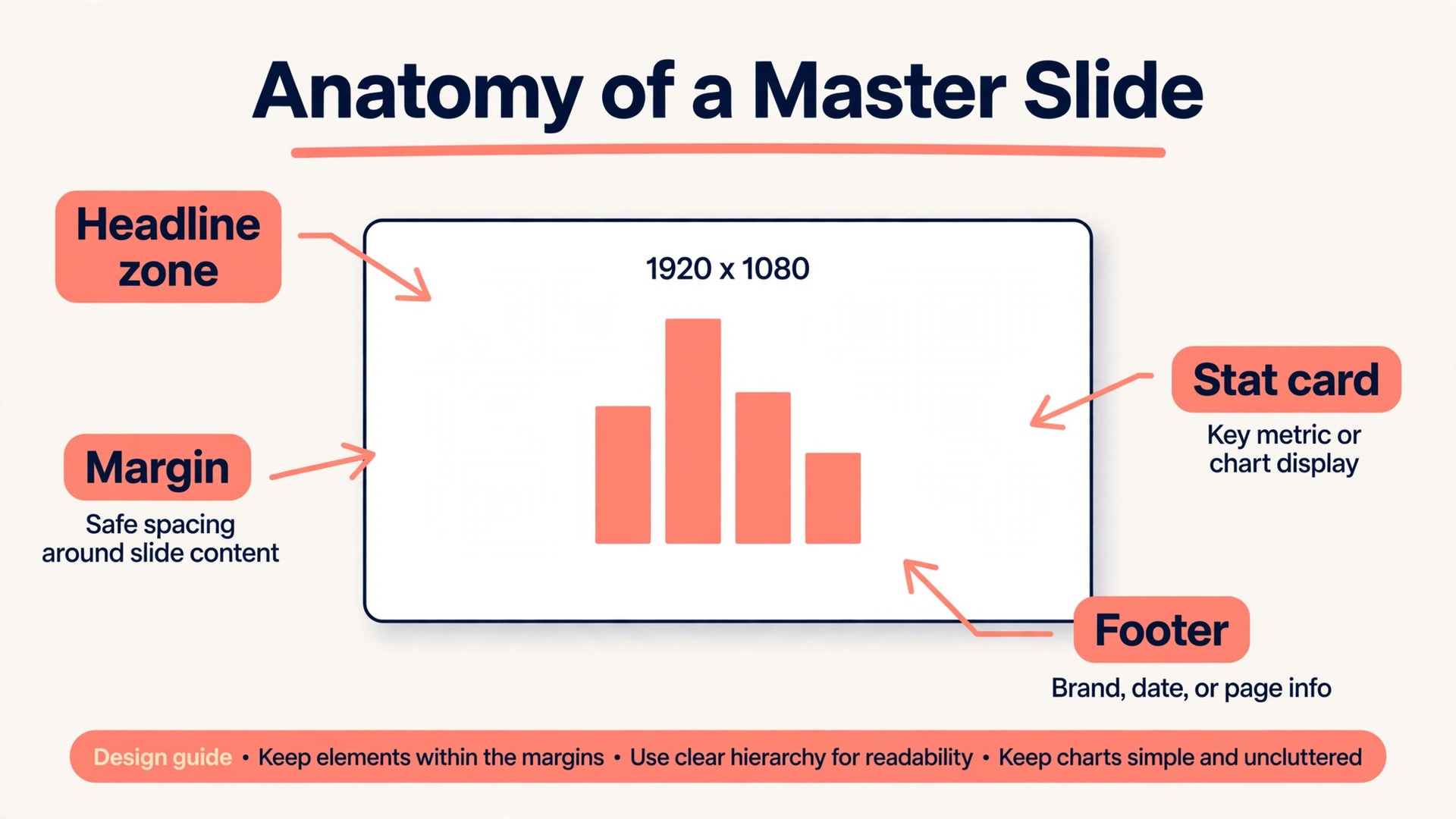
Start with a frame size and stick to it. A 1920 by 1080 frame matches the wide screens investors use in meeting rooms and on laptops, and it exports cleanly to PDF. Build one master slide frame first, with a fixed margin, a headline zone, a body zone and a footer zone. A margin of about 120 pixels on each side keeps text away from the edge on projectors. Every slide after that starts as a copy of the master, never as a fresh blank frame.
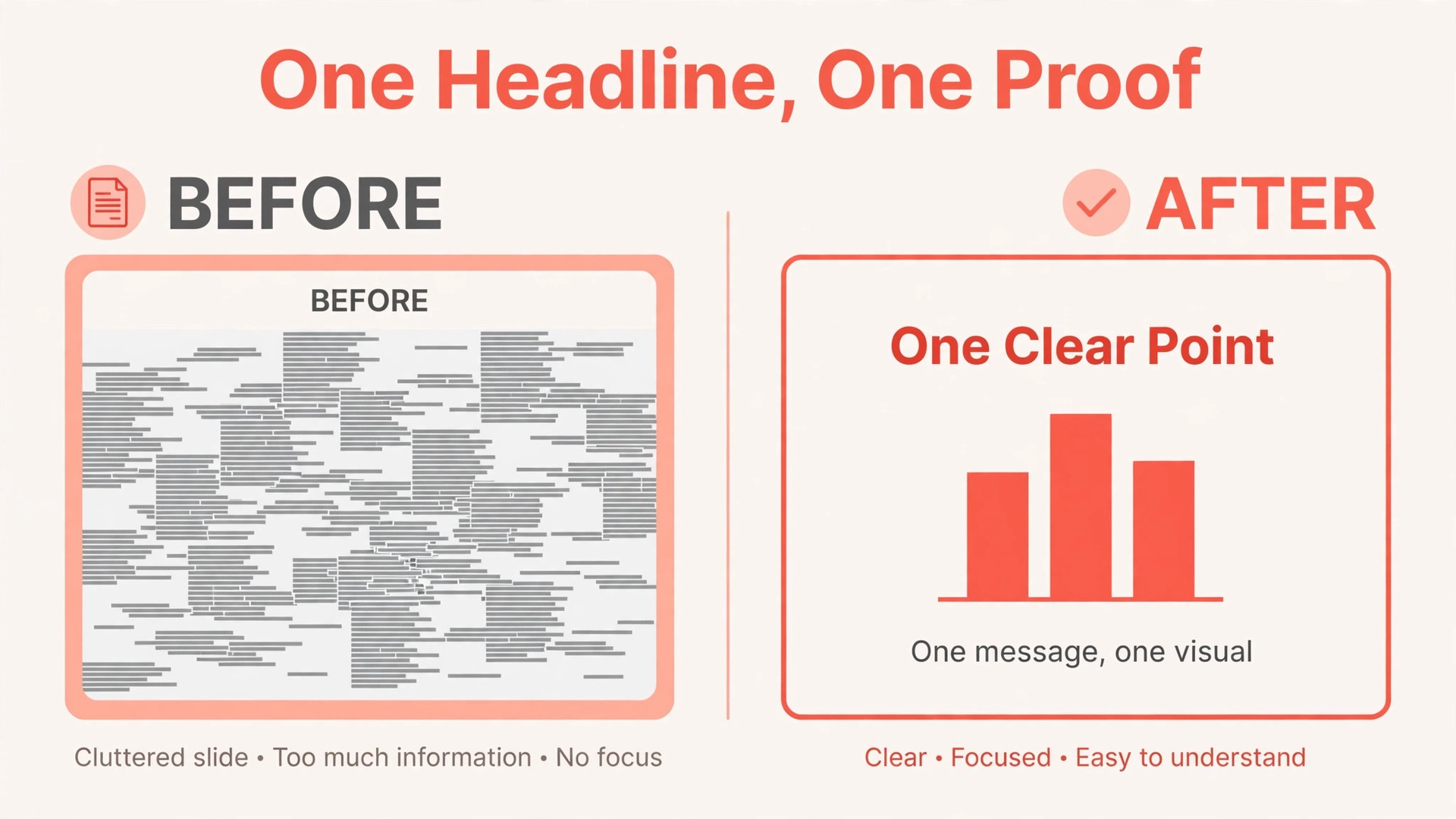
The headline on each slide should state the point of the slide, not its topic. “Clinics lose 22 percent of slots to no shows” is a headline. “Problem” is a label. Investors skim headlines first, and a deck whose headlines tell the story in order can be understood without reading a single body line. Write the headline first, in plain words, then design the slide to prove it.
Body text follows a strict limit. Aim for no more than 40 words on a slide, and treat 60 as a hard ceiling for all but the financials slide. Put detail in speaker notes, not on the slide. Speaker notes hold the evidence, the caveat and the exact number. The slide carries the claim, and your voice carries the proof.
Build repeated parts as components. A stat card, a quote card, a chart frame, a footer with page number and company name, and a callout box cover most decks. Components keep spacing, type size and colour identical across slides, and they let you fix a mistake once instead of fifteen times. Use auto layout inside components so a longer headline or a bigger number does not break the card.
Product slides need special care. Export screens at high resolution, crop them to the part that proves the point, and never shrink a full dashboard to a postage stamp. One cropped screen with a clear annotation beats four tiny screens nobody can read. If the product is not visual, use a short flow of three steps instead. The ask slide needs the same clarity. Show the amount, a simple breakdown of how the money will be used, and the milestones that money buys, using labelled blocks rather than a paragraph.
The Slide Workflow That Keeps a Deck on Schedule
A deck fails more often from a messy process than from a weak idea. One person writes, another redesigns, a third adds slides at midnight, and the file ends up with three voices and no story. The workflow below separates writing from design, and it gives every change a place to land. Follow it in order, and resist designing slides before the story is agreed.
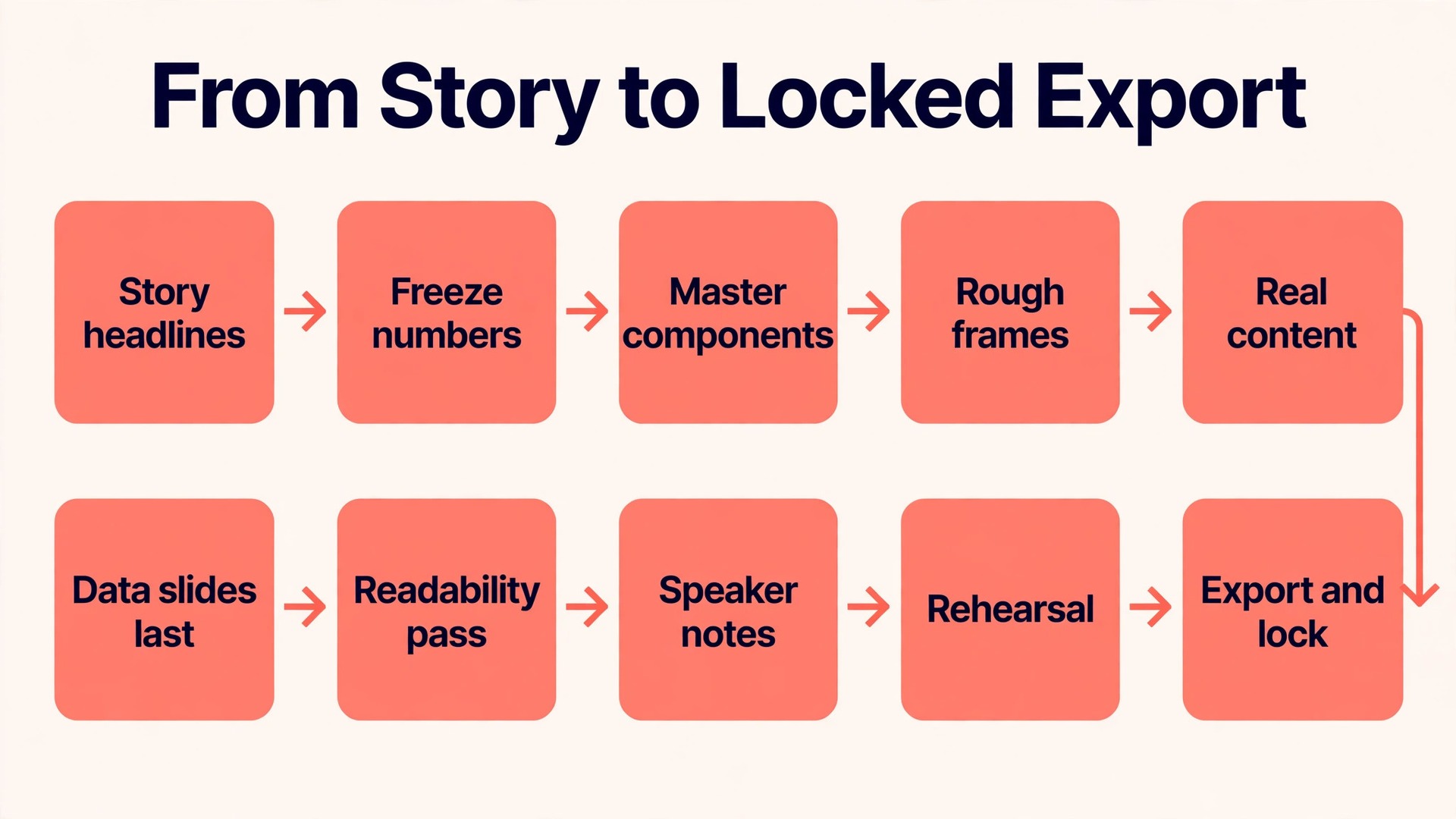
- Write the story as headlines first. Draft one sentence per slide, in order, outside Figma, and read the sentences aloud. If the story does not hold together as sentences, it will not hold together as slides.
- Agree the numbers and freeze them. Pull traction, market and financial figures from one source, write them in a shared note, and name the owner of each figure. Every number change after this point goes through that owner.
- Build the master slide and the components first. Set frame size, margins, type and colour styles, stat card, chart frame and footer before any content slide exists.
- Lay out all slides as rough frames. Place headlines, placeholder charts and image frames in order, with no polish. This rough pass exposes missing slides and weak transitions early, when they are cheap to fix.
- Add real content one section at a time. Work through problem and solution first, then market and model, then traction and financials, reviewing each section before moving on.
- Design the data slides last among content slides. Charts need final numbers, and final numbers arrive late. Building them early guarantees rework.
- Run a readability pass on a projector or a television, marking every slide you cannot read in three seconds from the back of the room.
- Write speaker notes for every slide, holding the evidence, the likely question and a one sentence answer.
- Do a timed rehearsal from Figma Slides presenter view. Time each section, cut the slides that run long, and check that presenter notes appear where you expect them.
- Export, check and lock the file. Export the PDF, check it on a phone and a laptop, then duplicate the file as the sent version.

Two habits make this workflow work. First, hold a short review at the rough frame stage, before polish, when story problems are still cheap to fix. Second, keep a single source file and a single sent copy, named with the date and the version, and never edit the sent copy in place.
Time planning helps founders stay honest. A first full draft of the story takes one focused day. Building the master and components takes half a day for a designer and a full day for a non designer. Content slides take two to three days with reviews. The readability pass, notes and rehearsal take another day. A realistic total is five to seven working days, not one evening.
The Story Checklist Every Slide Must Pass
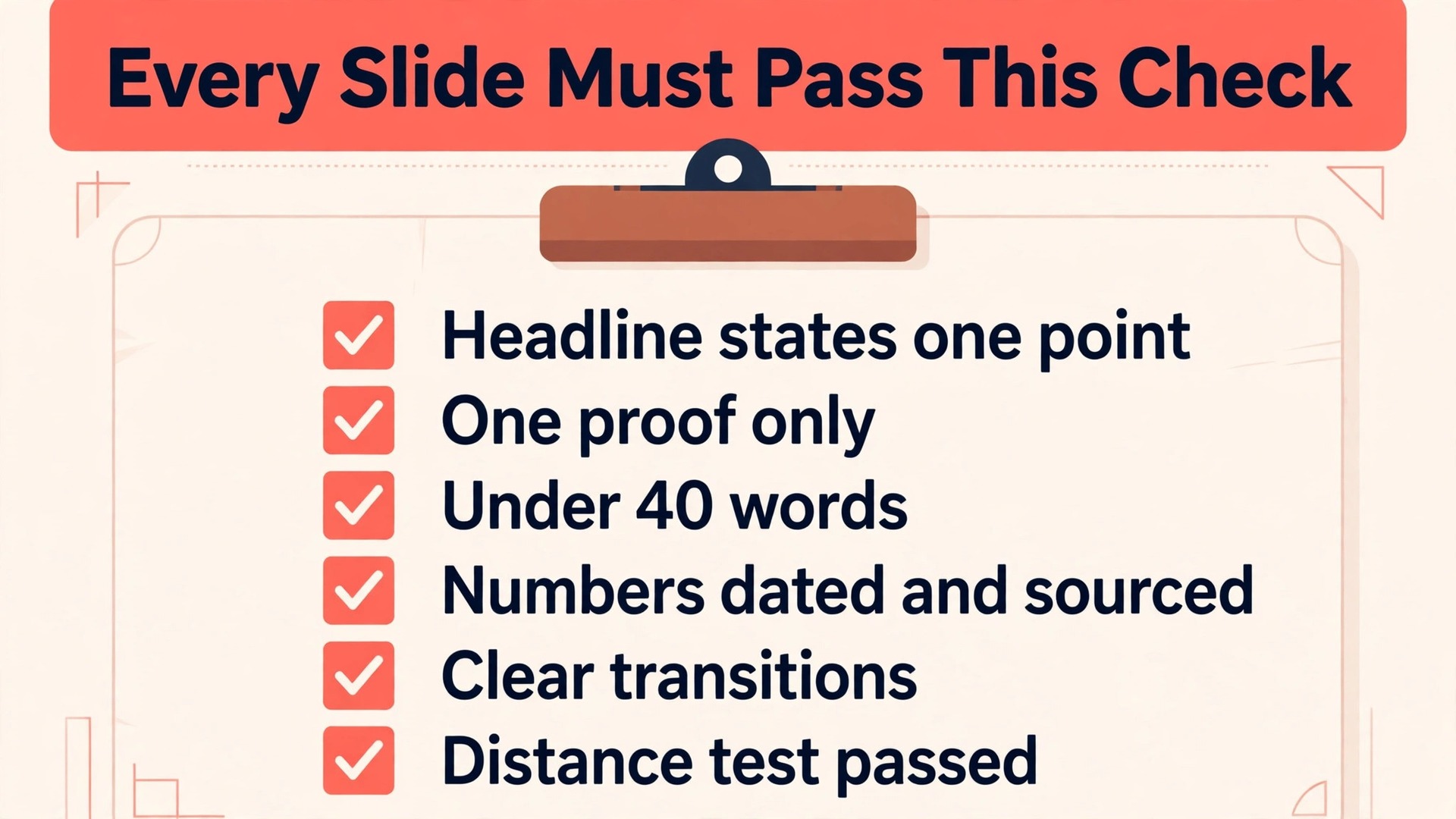
Use this checklist on every slide before it counts as done. A slide that fails any item goes back for a rewrite or a redesign, not forward with a note to fix later. Keep the checklist as a frame at the end of the file, and run it slide by slide in the final review.
- The headline states one point as a full sentence, and a stranger could understand it without hearing the pitch.
- The slide proves its headline with one chart, one image, one number set or one short flow, not with three competing proofs.
- Body text stays under 40 words, and every word earns its place by supporting the headline.
- Numbers carry a date, a source and a definition, either on the slide or in the speaker notes, so no figure looks invented.
- The slide connects to the slide before it and the slide after it, with a transition the presenter can say in one sentence.
- The visual hierarchy is obvious in three seconds. The eye lands on the headline, then the proof, then the supporting detail, in that order.
- Colour is used to mean something. Highlight colour marks the key number, the winning bar or the chosen option, never decoration alone.
- The footer, page number and company name sit in the same place as on every other slide.
- The slide survives a distance test. Headline, key number and chart labels stay readable from the back of a room.
- The speaker note answers the hardest likely question about the slide in two sentences or fewer.
Run the checklist twice, once for story and once for design. The story pass checks headlines, logic, numbers and transitions. The design pass checks type size, spacing, colour contrast, chart labels and image quality. Different people should run the two passes when possible, because a designer who built a slide stops seeing its flaws. The checklist also protects the appendix. Investors read the appendix alone, without your voice, so appendix headlines must be even clearer and sources must sit on the slide itself, not only in notes.
Data Visualisation for Traction and Market Slides
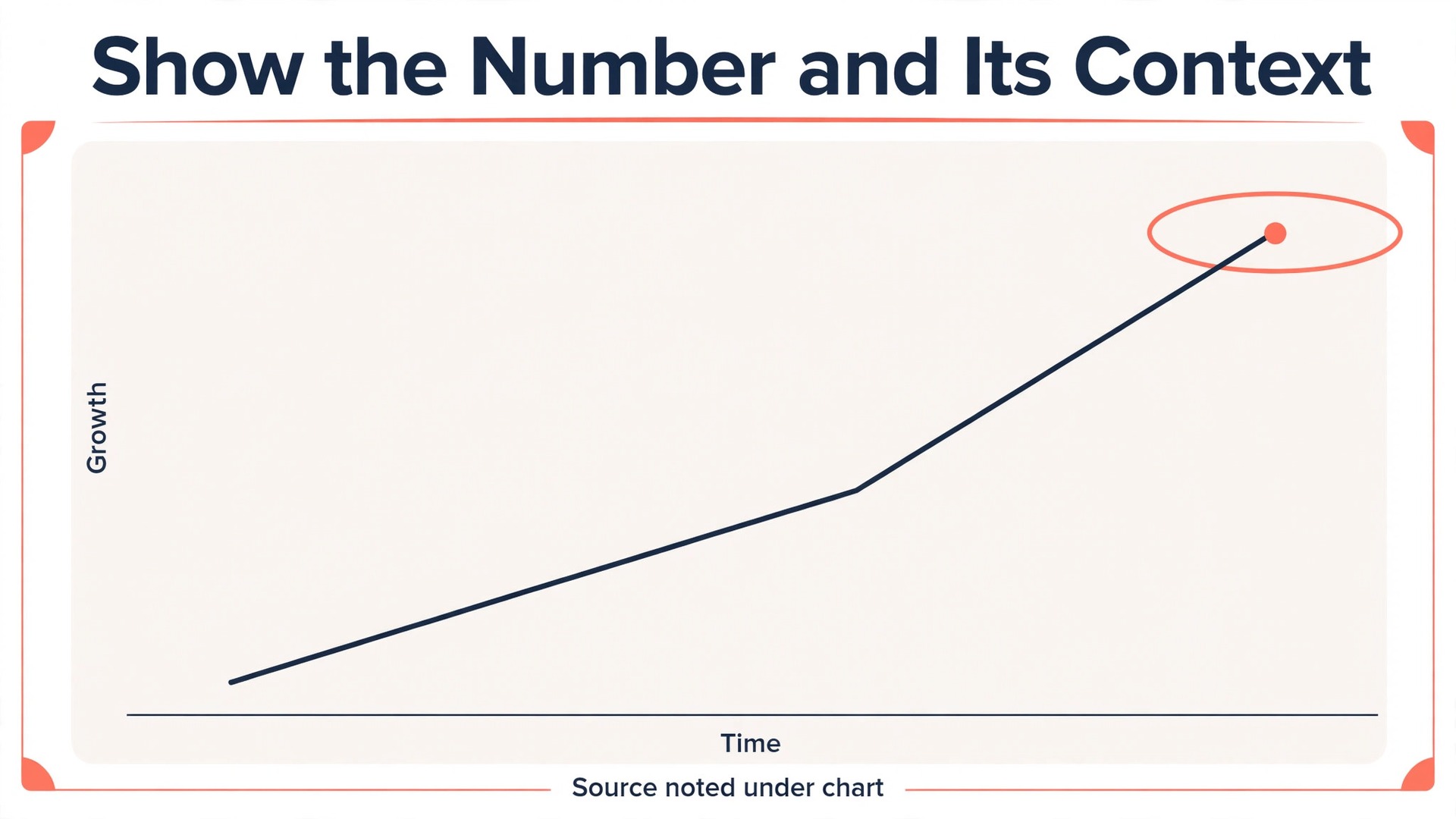
Data slides are where pitch decks most often lose trust. Founders show growth without axes, market size without a segment, or a comparison that flatters the company by hiding the baseline. Investors have seen these moves many times, and each one costs credibility that later slides cannot buy back. The rule is simple. Show the number, show the context, and show the source.
For traction, choose the chart that matches the claim. A line chart suits growth over time, such as monthly revenue or active users across twelve months. A bar chart suits comparison across categories, such as revenue by channel. A single large number suits a milestone, such as paying customers or retention, when the number itself is the story. Do not use a pie chart for traction.
Label charts the way a stranger needs. Every axis needs a unit, every line needs a label, and the time range needs to be visible. Start value axes at zero for bar charts, because bars encode value by length, and a truncated bar axis exaggerates differences. For line charts, a truncated axis is acceptable only when you label it clearly. When in doubt, start at zero.
Market slides need a funnel, not a single giant number. Show the total market, then the serviceable segment you can reach with your current product and channels, then the obtainable share you can win in the next three years. Each step needs a reason, such as geography, customer type or price point, and the final number must connect to your go to market plan.
Keep chart styling boring on purpose. One colour for the data, one highlight colour for the key point, grey for everything else. Remove gridlines that do not help reading, remove legends when direct labels work better, and round numbers to two or three significant figures. Put the exact figure in the speaker notes and the rounded figure on the slide. Add a small source note under every data chart, naming the dataset or report and the period covered. That discipline is what separates a chart that persuades from one that merely decorates when you use Figma for pitch deck design.
Typography and Colour Discipline
Type is the fastest way to make a deck look professional or amateur. Pick two typefaces at most, one for headlines and one for body text, and use them everywhere. Set a clear scale and hold it. Headlines around 44 to 54 points on a 1920 by 1080 frame, body text no smaller than 20 points, chart labels no smaller than 16 points, and footers around 14 points give a workable starting scale. If a slide needs smaller text to fit, the slide has too much text, not too small a font.
Spacing matters as much as size. Give headlines room above the body, give chart labels room from the chart, and keep a consistent gap between sections of a slide. Crowded slides read as anxious. Generous spacing reads as confidence. Use auto layout and consistent spacing values in Figma, such as multiples of eight pixels, so gaps do not drift from slide to slide.
Colour discipline starts with a small palette. One dark neutral for headlines, one mid neutral for body text, one brand colour for emphasis, one light neutral for backgrounds and one alert colour for warnings. That is enough. Use the brand colour sparingly, for the key number, the chosen bar or the call to action, so it keeps its power.
Contrast is not optional. Body text should meet a contrast ratio of at least 4.5 to 1 against its background, which is the widely used bar for normal text readability. Check light text on coloured backgrounds with particular care, because brand colours that look strong as a logo often fail as a text background. Most decks are safest with light slides throughout and dark colour reserved for the cover, section dividers and the closing slide.
Collaboration, Comments and Versioning
Collaboration is the reason many teams choose Figma, and it only works with rules. Give editing rights to the small group actually building the deck, and give view and comment rights to advisors and investors. A file with twelve editors collects conflicting changes, while a file with three editors and clear commenters stays coherent. Name one owner for the story and one owner for the file, so design feedback does not become story feedback and the deck does not drift.
Comments work best when they are specific and resolved in the open. A comment should name the slide, the problem and the suggested fix. The file owner replies, makes the change or explains why not, and marks the comment resolved. Unresolved comments at export time are a warning sign, because that concern often becomes the investor question the team cannot answer. When you use Figma for pitch deck design with a team, this habit keeps feedback honest and visible.
Versioning in Figma is lighter than in a slide tool, which is both a benefit and a risk. Save named versions at real milestones, such as story agreed, rough frames reviewed, numbers frozen and sent version. A named version lets you return to the deck an investor saw, even after later edits. Branching, available on paid plans, helps larger teams test a redesign without breaking the main deck, but small teams rarely need it.
Access control deserves a final check before any link leaves the team. Confirm the sharing setting and who can view, comment or edit. For investor sends, prefer the exported PDF over a live file link, because a PDF freezes the deck at the moment of sending.
Export Settings for Presenting and Sending
Presenting and sending are different jobs, and Figma handles them through different routes. For a live pitch, present from Figma Slides, choosing full screen view or presenter view with notes. Presenter view shows your notes on your screen while the audience sees only the slide. If you share your screen over a video call, share the audience view window specifically, not your whole screen, so notes and notifications never appear to the room.
For sending, export from Figma Slides through the main menu, then File, then Export slides to, and choose PDF or PPTX. PDF is the safer send for most investors. It preserves layout, type and colour, it opens on any device, and it cannot be quietly edited and forwarded as your work. Aim for a PDF under 10 megabytes for an email send, compressing images before export rather than after, because compressing a finished PDF often blurs chart labels first.
PPTX export exists for recipients who need an editable file, and it comes with limits worth knowing before you promise it. Fonts that are not available in PowerPoint fall back to a default font, interactive elements and code blocks export as static images, and gradient fills become solid colours. Always check a PPTX export in PowerPoint itself, slide by slide, before sending. When you use Figma for pitch deck design for both presenting and sending, keep the live file and the sent file clearly separated, and update the sent version only by issuing a new dated file.

What Figma Costs for a Pitch Deck Team
Most fundraising decks can be built on the free Starter plan or a single Professional seat, because a deck is a small file with a small team. Figma Starter is free and covers solo work and small team exploration. Figma Professional, at 16 dollars per month per Full seat when billed annually, adds unlimited files, version history, team libraries and shared fonts. Organisation and Enterprise plans, at 55 and 90 dollars per month per Full seat billed annually, add governance and workspace controls that a fundraising deck alone does not need.
| Plan | Full seat price | Best fit for a deck team |
|---|---|---|
| Starter | Free | Solo founder building one deck |
| Professional | 16 dollars per month billed annually | Founder plus designer working together |
| Organization | 55 dollars per month billed annually | Company with several teams and shared libraries |
| Enterprise | 90 dollars per month billed annually | Large company with strict security controls |
A Full seat designs and edits. A Dev seat suits developers working in Dev Mode. A Collab seat suits non designers who comment and present. View seats are free on paid plans for stakeholders who only need to view and comment. For a typical deck team of a founder, a designer and an advisor, one or two Full seats plus free view access for the advisor is usually enough. When you use Figma for pitch deck design on a small team, cost is rarely the reason a deck fails. Time is.
Readability Mistakes That Cost Meetings
The most common mistake is text the room cannot read. Small body text, thin type on a coloured background, and chart labels in grey on grey all fail the same way. The presenter reads the slide aloud to compensate, the audience stops listening, and the meeting becomes a reading session. If a slide only works when read closely, it belongs in the appendix or in the notes.
The second mistake is a slide that tries to prove three things. A traction slide that shows revenue, users and retention in three competing charts gives the investor no single takeaway. Pick the strongest proof for the headline, show it large, and move the other figures to the appendix.
The third mistake is decoration that looks like data. Icons, stock photos and background patterns that carry no meaning slow the reader and date the deck fast. Every visual should answer a question the headline raises. Remove visuals that do not earn their space, and the deck will feel shorter even at the same slide count.
The fourth mistake is inconsistent numbers. A traction figure on slide seven that differs from the same figure in the appendix destroys trust instantly. Freeze numbers from one source, as the workflow requires, and run a number audit before export. When you use Figma for pitch deck design across a team, this audit is the file owner job, and it happens before every send.
For related reading on the system thinking behind this guide, and on how teams use Figma for pitch deck design alongside other brand work, compare tool choices in Canva vs Figma and Figma alternatives, explore automated starting points in best AI pitch deck generators and best AI presentation makers, and reuse the same component thinking in how to use Figma for a social media template system.
Frequently Asked Questions
Should I design a pitch deck in Figma Design or in Figma Slides?
Use Figma Slides when the deck is a presentation with a slide order, presenter notes and a live presenting mode. Use Figma Design when the deck must reuse product components, variables and a design system, or when it is built from existing product frames. Many teams design the visual system in Figma Design and assemble the presenting deck in Figma Slides. If you only need one tool, start with Figma Slides, because its presenting view, notes and PDF and PPTX export fit the fundraising job directly.
What slide size should I use for a pitch deck in Figma?
A 1920 by 1080 frame is a safe default, because it matches wide meeting room screens and laptops and exports cleanly. Keep every slide at the same size, keep margins consistent, and test the deck on the actual screen you will present from, not only the design canvas.
How many slides should a seed pitch deck have?
A seed deck usually runs 12 to 15 slides plus an appendix. Cover the problem, solution, product, market, business model, traction, competition, go to market, team, financials and ask, then add only the slides your evidence requires. A deck longer than 20 slides rarely gets read in full, and a deck shorter than 10 slides rarely carries enough proof. Move detail to the appendix rather than stretching the main story.
Can I send a Figma deck to an investor who does not use Figma?
Yes. Export a PDF from Figma Slides and send that, because a PDF opens anywhere and preserves your layout. Do not send a live Figma link as the main document, since the file may change after sending and access settings can block the reader. Use a live link only for a collaborator who needs to comment.
Does Figma Slides export to PowerPoint without breaking the design?
Figma Slides can export to PPTX, but the result needs checking. Fonts that PowerPoint does not have will fall back to a default font, interactive elements export as static images, and gradient fills become solid colours. Open the exported file in PowerPoint, check every slide for text reflow and chart label shifts, and fix problems before sending. For most investors, a checked PDF is safer than an unchecked PPTX.
How do I keep numbers consistent across a Figma deck?
Freeze numbers from one source before designing data slides, name an owner for each figure, and keep the source note with the date range beside the chart or in the speaker notes. Before every export, search the file for each key figure and check it against the source. When you use Figma for pitch deck design with more than one editor, make this audit the file owner job, and never fix a mismatch by editing a single slide to match another slide.
The Deck an Investor Remembers on the Train Home
A good pitch deck does one job after the meeting ends. It reminds the investor, without your voice, why the problem matters, why your solution fits, what proof already exists and what the money buys. That memory comes from headlines that state points, charts that show context, numbers that match, and a design that stays out of the way.
Start with the story as sentences, build one master slide and a small set of components, design data slides with sources and honest axes, and run the story checklist on every slide. Rehearse from presenter view, export a checked PDF, and send a dated version you can stand behind. When you use Figma for pitch deck design with that discipline, the tool stops being the story and starts serving it.