
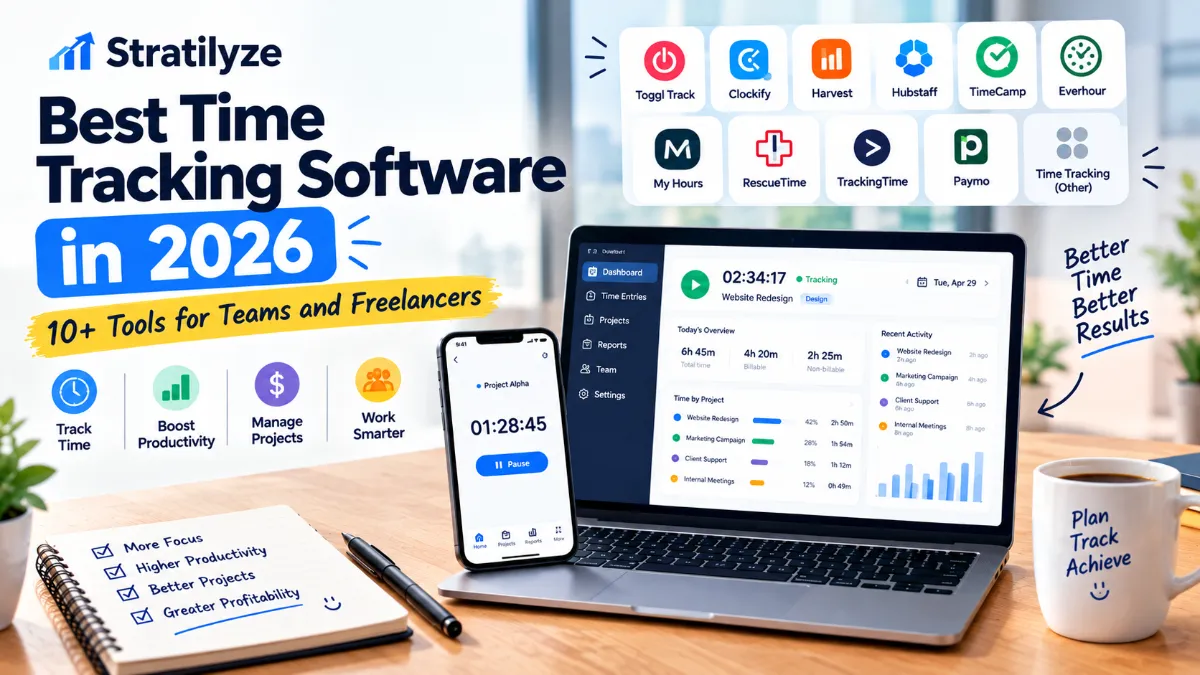
Time tracking software can do much more than start and stop a timer.
For a freelancer, it can help record billable hours and create accurate invoices. For an agency, it can show whether a client project is profitable. For a growing team, it can help managers understand workloads, project costs, attendance, and capacity.
The challenge is choosing a tool that matches the way you actually work.
Some apps are built around simple timers. Others focus on automatic tracking, project management, invoicing, employee scheduling, productivity analytics, or team reporting. A freelancer may want something completely different from a 50-person agency.
To make the choice easier, this guide compares 11 of the best time tracking software options in 2026, with a focus on features, pricing, team size, freelancer workflows, billing, reporting, and overall usability.
The Best Time Tracking Software for Different Needs
Instead of saying that one application is automatically the best, here is where each option stands out:
| Software | Best For | Free Plan | Starting Paid Price* |
|---|---|---|---|
| Toggl Track | Simple tracking and freelancers | Yes | $9/user/month annually |
| Clockify | Budget-conscious teams | Yes | $3.99/user/month annually |
| Harvest | Time tracking + invoicing | Yes | $9/seat/month annually |
| Hubstaff | Workforce management | No permanent free plan | $4.99/user/month annually |
| TimeCamp | Automatic tracking | Yes | $3.99/user/month annually |
| Everhour | Project management integrations | Yes | $8.50/seat/month annually |
| My Hours | Simple project time tracking | Yes | $4/user/month annually |
| RescueTime | Personal productivity and focus | Free option | $7/month annually |
| TrackingTime | Teams and client reporting | Yes | $3.75/user/month annually |
| Paymo | Freelancers and project-based businesses | Yes | $5.90/month annually |
| Time tracking inside broader workflows | Project + billing management | Varies | Varies |
*Prices shown are based on current vendor pricing pages and annual billing where available. Plans, promotions, and features can change.
Start With the Problem, Not the Software
Before choosing a time tracker, ask what you actually want to measure.
If you are a freelancer
You probably care about:
- Billable hours
- Clients
- Projects
- Hourly rates
- Invoices
- Simple reports
- Easy time entry
You probably do not need complicated workforce monitoring.
If you run an agency
Your priorities may be:
- Client profitability
- Project budgets
- Billable vs non-billable time
- Team utilization
- Timesheet approvals
- Invoicing
- Project estimates
If you manage employees
You may need:
- Attendance
- Scheduling
- Overtime
- Timesheets
- Productivity reporting
- Time-off management
- User permissions
- Payroll-related information
If your biggest problem is distraction
A traditional timesheet may not be enough.
You may benefit more from software that automatically records activity and helps you understand where your working hours are going.
That is where tools such as RescueTime or TimeCamp become more interesting.
1. Toggl Track – Best for Simple, Flexible Time Tracking
Toggl Track is one of the easiest choices for freelancers, consultants, agencies, and small teams that want reliable time tracking without turning the process into a management project.
The interface is built around straightforward time tracking, with web, desktop, and mobile apps. Toggl also supports manual time entries, calendar-based tracking, reports, billable rates, project estimates, team reporting, and integrations.
Its current Free plan includes web, mobile, and desktop time tracking, Google and Outlook Calendar integrations, productivity reports, and browser-extension integrations. The Starter plan is currently $9 per license per month, while Premium is $14 per license per month for the first year when billed annually.
Why Toggl Track is popular
Toggl is particularly useful when you want employees or contractors to actually use the tracker.
The less friction there is between starting work and recording time, the more useful your reports become.
Paid plans add features such as:
- Billable rates
- Project estimates
- Revenue reporting
- Team collaboration
- Profitability analysis
- Timesheet approvals
- Custom reports
- Scheduled reports
- SSO
- Jira and Salesforce integrations
Best for
Freelancers, consultants, agencies, small teams, and businesses that value simple time tracking.
One limitation
Advanced reporting, profitability, approvals, and some team controls require higher plans.
Bottom line: If you want a polished time tracker without a complicated setup, Toggl Track is one of the strongest choices.
2. Clockify – Best Free Option for Teams
Clockify is particularly attractive for businesses that want to start tracking time without paying immediately.
Its Free plan currently supports up to five users and includes unlimited time tracking, timesheets, a timer, calendar, desktop and mobile apps, idle detection, reminders, reports, and tracking integrations.
The paid plans expand the platform considerably.
Current annual pricing starts at $3.99 per seat per month for Basic. Standard is $5.49, Pro is $7.99, and Enterprise is $11.99 per seat per month.
Where Clockify gets interesting
Standard adds features such as:
- Time off
- Invoicing
- Recurring invoices
- Timesheet approval
- Locked time
- Attendance
- Overtime
- Targets
- Reminders
- QuickBooks integration
Pro adds capabilities such as:
- Activity monitoring
- Employee scheduling
- Resource planning
- Project forecasting
- Productivity features
Enterprise adds advanced administration, SSO, SCIM provisioning, and audit functionality.
Best for
Small businesses, freelancers, agencies, and teams looking for a generous starting option.
One limitation
Clockify becomes more feature-heavy as you move into paid tiers. If you only want a very simple timer, Toggl may feel cleaner.
Bottom line: Clockify is one of the best places to start if keeping the initial software budget low is important.
3. Harvest – Best for Time Tracking and Invoicing
Harvest is especially useful for service businesses where tracked time eventually needs to become an invoice.
Its workflow connects time tracking, expenses, reporting, invoicing, and payment-related processes.
Harvest currently offers a Free plan for one seat and two projects. It includes time tracking, invoicing, expense tracking, and Mac and iOS apps. Its Teams plan starts at $9 per seat per month when billed annually, with unlimited seats and team reporting.
What makes Harvest different?
The important part is not simply recording hours.
Harvest can help businesses understand:
- How much time a project consumed
- How much work was billable
- Whether projects are staying within expectations
- What clients should be invoiced
- How team capacity is being used
The Teams plan also supports accounting and payment integrations, including Stripe, QuickBooks Online, Xero, and Deel.
Best for
Agencies, consultants, professional services businesses, and freelancers who bill clients based on time.
One limitation
If your only requirement is personal productivity tracking, Harvest may offer more business functionality than you need.
Bottom line: Harvest is a strong choice when time tracking and billing need to work together.
4. Hubstaff – Best for Workforce Management
Hubstaff takes time tracking beyond traditional timesheets.
It is designed for organizations that want broader visibility into workforce activity, projects, schedules, attendance, and productivity.
Hubstaff currently offers a 14-day free trial and no permanent free plan on its current pricing structure. Its pricing guide lists Starter at $4.99 per user per month annually, Grow at $7.50, Team at $10, and Enterprise at custom pricing.
Useful Hubstaff capabilities
Depending on the plan, businesses can access features such as:
- Time tracking
- Automated timesheets
- Activity tracking
- Productivity reporting
- App and URL tracking
- Scheduling
- Attendance
- Payments
- Payroll-related workflows
- Integrations
- Team management
Who should use it?
Hubstaff can make sense for:
- Remote teams
- Field teams
- Agencies
- Distributed businesses
- Companies managing hourly workers
- Businesses that need scheduling and workforce visibility
Important consideration
Workforce monitoring features are not appropriate for every company culture.
If your organization wants time tracking primarily for billing and project budgeting, a lighter tool may be a better fit.
Bottom line: Hubstaff is more suitable when time tracking is part of a broader workforce-management system.
5. TimeCamp – Best for Automatic Time Tracking
TimeCamp is a strong option if manually starting and stopping timers is not enough.
The platform focuses heavily on automatic time tracking and productivity insights while also providing project, billing, reporting, and team features.
TimeCamp currently has a Free plan with unlimited users and unlimited projects. Paid plans start at $3.99 per user per month annually for Starter, $6.99 for Premium, and $9.99 for Ultimate. Enterprise pricing is custom.
What can TimeCamp track?
Depending on the plan, features can include:
- Automatic time tracking
- Computer activity
- App and website usage
- Project time
- Billable hours
- Timesheets
- Productivity reports
- Team management
- Approvals
- Invoicing-related workflows
- Integrations
- Analytics
Best for
Teams that want automatic tracking rather than relying entirely on manual timers.
One limitation
Automatic tracking can require more setup and thoughtful configuration than a basic stopwatch-style application.
Bottom line: TimeCamp is worth considering if your main problem is incomplete or inconsistent manual time entries.
6. Everhour – Best for Teams Already Using Project Management Software
Everhour takes a slightly different approach.
Instead of trying to replace your project management platform, it is designed to work alongside it.
Everhour integrates with tools including Asana, ClickUp, GitHub, Linear, Basecamp, Jira, Trello, Monday.com, and Notion.
Its Free plan supports up to five seats with basic time tracking, projects, tasks, reports, and data export.
The Team plan is currently $8.50 per seat per month when billed annually, with a five-seat minimum. It adds full features, integrations, billing, budgeting, invoicing, SSO, and advanced permissions.
Best for
Agencies and teams that already have a project management system and want stronger time tracking inside that workflow.
Example
Suppose your team manages projects in Asana.
Instead of asking employees to move to another application every time they need to record hours, Everhour can connect time tracking to the existing project environment.
Bottom line
Everhour is particularly appealing when replacing your project management system is not the goal.
7. My Hours – Best for Straightforward Project Tracking
My Hours focuses on a simple question:
How much time are you spending on each client, project, and task?
The Free plan supports up to five active users. The Basic plan currently costs $4 per user per month when billed annually, while Pro costs $8 per user per month annually.
Basic includes:
- Unlimited projects
- Unlimited clients
- Time tracking
- Basic billable rates
- Detailed reports
Pro adds features such as:
- Budget and rate calculations
- User permissions
- Approval workflows
- Audit logs
- Priority support
Best for
Freelancers and small teams that want project-based time tracking without a large software suite.
Bottom line
My Hours is a good option if you want to keep the system focused on projects, clients, rates, and reports.
8. RescueTime – Best for Personal Productivity and Focus
RescueTime is different from tools such as Harvest and Clockify.
Its strength is understanding how you spend your working time, rather than simply recording hours for a client invoice.
RescueTime automatically tracks activity across apps and websites, detects idle time, supports focus sessions, provides goals and alerts, and offers productivity reports.
Current annual pricing includes:
- Solo: $7/month
- Solo+: $12/month
- Team: $10/user/month
- Team+: $16/user/month
The Solo+ and Team+ plans combine focus functionality with timesheet capabilities.
Best for
- Freelancers
- Remote workers
- Professionals
- Students
- Teams interested in productivity patterns
- People who struggle with digital distractions
Why it is different
A traditional time tracker asks:
“How many hours did you work on this project?”
RescueTime can help answer:
“Where did my working time actually go?”
That distinction makes it useful for personal productivity.
9. TrackingTime – Best for Growing Teams and Client Reporting
TrackingTime combines time tracking with project management, timesheets, billing, reports, time off, and team management.
One of its most attractive features is the Free plan.
TrackingTime currently offers unlimited users, tasks, and projects on its Free plan. Paid plans start at $3.75 per user per month annually for Starter, $5.75 for Pro, and $10 for Business.
Starter adds features such as:
- Client reports
- Shared reports
- Client access
- CSV, Excel, and PDF exports
- Dashboards
- Scheduled reports
- Billable hours
- AutoTrack
- Team calendars
Pro adds:
- Retainers
- Expense tracking
- Billing rates
- Invoicing
- Timesheet approvals
- Time cards
- Time off
- Additional integrations
Business adds advanced roles, SSO, audit logs, and other administration features.
Best for
Small and growing businesses, agencies, and teams that need both time tracking and client reporting.
Bottom line
TrackingTime deserves attention if you want a broad feature set without starting with a large per-user software bill.
10. Paymo – Best for Freelancers Who Need Project Management Too
Paymo sits somewhere between time tracking, project management, and invoicing.
That makes it particularly useful for freelancers and small professional-service businesses.
Its current Free plan includes unlimited time tracking, unlimited invoices, one client, two projects, unlimited tasks, desktop and mobile apps, and 1 GB of storage. The Free plan is limited to one user.
Annual pricing currently starts at:
- Solo: $5.90/month
- Plus: $10.90/user/month
- Pro: $16.90/user/month
Paymo lists higher regular prices for monthly billing and currently shows a temporary promotional offer for new customers.
Paymo can combine
- Time tracking
- Task management
- Project management
- Invoicing
- Estimates
- Expenses
- Client management
- Gantt charts
- Team scheduling
- Resource planning
Best for
Freelancers, consultants, agencies, and small businesses managing client projects from one platform.
Bottom line: If you want time tracking to live alongside project management and invoicing, Paymo is worth considering.
11. Time Tracking Software Should Not Always Mean Employee Monitoring
This is an important distinction when choosing a tool.
There are at least three different types of time tracking.
Type 1: Self-reported time tracking
Employees or freelancers start a timer or manually enter their hours.
Examples include:
- Toggl Track
- Clockify
- Harvest
- My Hours
This approach is usually straightforward and less intrusive.
Type 2: Automatic activity tracking
The software records activity automatically.
Examples include:
- TimeCamp
- RescueTime
- Hubstaff
This can produce more detailed data but may require stronger privacy policies and employee communication.
Type 3: Project and billing time tracking
The primary goal is understanding project cost and billable work.
Examples include:
- Harvest
- Everhour
- Paymo
- TrackingTime
- Toggl Track
These platforms are often more useful for agencies and professional services businesses.
The right model depends on what you are trying to solve.
Time Tracking Software for Freelancers
Freelancers usually do not need enterprise workforce monitoring.
The important features are simpler:
- Start tracking quickly
- Organize hours by client
- Separate billable and non-billable time
- Set hourly rates
- Review weekly reports
- Create invoices if needed
- Export records
My top choices for freelancers
Toggl Track is a strong choice for simple tracking.
Harvest works well if invoicing is important.
My Hours is attractive for straightforward project tracking.
Paymo is useful if you also want project management.
RescueTime is better if personal productivity and focus are more important than client billing.
Time Tracking Software for Small Teams
For small teams, the biggest issue is usually adoption.
A feature-rich application does not help if employees forget to use it.
Look for:
- Simple timers
- Mobile access
- Desktop applications
- Calendar integrations
- Automatic reminders
- Clear reports
- Project organization
- Easy exports
Good choices
Clockify is attractive when cost is important.
Toggl Track is strong for simplicity.
TrackingTime offers a broader team workspace.
TimeCamp makes sense when automatic tracking is important.
Harvest is particularly useful for client billing.
Time Tracking for Agencies
Agencies have a different problem.
You need to know not just how much time people worked, but whether the work was financially worthwhile.
For example:
A client pays $5,000 for a project.
Your team spends 100 hours on it.
The raw revenue looks good, but if the actual internal cost makes the project unprofitable, the agency needs to know that before repeating the same pricing model.
That is why agencies should look for:
- Billable rates
- Labor costs
- Project budgets
- Profitability
- Client reports
- Timesheet approvals
- Invoicing
- Utilization
- Project estimates
Strong options
Toggl Track Premium provides profitability and advanced reporting features.
Harvest connects tracked time with invoicing and accounting workflows.
Everhour is useful when the agency already manages work in Asana, ClickUp, Jira, or another supported platform.
TrackingTime provides client reports, billing, retainers, approvals, and broader project features as you move up its plans.
Paymo combines time tracking, project management, invoicing, and resource planning.
Which Time Tracking Software Has the Best Free Plan?
There is no single answer because free plans have different goals.
Best for a small team
Clockify
Its free plan is useful for basic tracking and supports up to five users.
Best for unlimited users
TrackingTime
Its current Free plan supports unlimited users, tasks, and projects.
Best for unlimited users and projects
TimeCamp
Its Free plan currently offers unlimited users and unlimited projects.
Best for a single freelancer
Paymo
Its Free plan supports one user with unlimited time tracking and invoicing, although client and project limits apply.
Best for basic time tracking
Toggl Track
Its Free plan focuses on core time tracking and productivity insights for individuals and small teams.
How Much Does Time Tracking Software Cost?
Pricing varies significantly.
For a basic team, you can find options below $5 per user per month when billed annually.
For example:
- TrackingTime starts at $3.75/user/month annually
- Clockify Basic starts at $3.99/user/month annually
- TimeCamp Starter starts at $3.99/user/month annually
- My Hours Basic starts at $4/user/month annually
- Hubstaff Starter starts at $4.99/user/month annually
- Paymo Solo starts at $5.90/month annually
- Harvest Teams starts at $9/seat/month annually
- Toggl Track Starter is $9/user/month
- Everhour Team is $8.50/seat/month annually
However, comparing only the starting price can be misleading.
A $4 tool may become more expensive than a $9 tool if you need several paid add-ons or features that are locked behind higher plans.
What Features Actually Matter?
When comparing time tracking software, focus on these areas.
Accurate time capture
The most basic requirement is also the most important.
Can users easily:
- Start timers?
- Stop timers?
- Add missing time?
- Edit entries?
- Track different projects?
- Record billable hours?
Project budgets
This is important for agencies and client work.
You should be able to compare estimated time with actual time.
Billable rates
If you charge clients hourly, look for flexible billing rates by:
- Client
- Project
- Task
- Employee
- Service
Reporting
Good reports should answer questions such as:
- Where did the team’s time go?
- Which projects consumed the most hours?
- How much time was billable?
- Which clients are most profitable?
- Are projects over budget?
Integrations
Your time tracker should ideally fit your existing workflow.
Useful integrations can include:
- Asana
- ClickUp
- Jira
- Trello
- Google Calendar
- Outlook
- Slack
- QuickBooks
- Salesforce
Mobile and desktop apps
If your team works across different locations, browser-only tracking may not be enough.
Privacy
If the software tracks apps, websites, screenshots, or employee activity, privacy becomes especially important.
Make sure employees understand what is collected and why.
A Better Way to Compare Time Tracking Software
Instead of creating a huge feature checklist, I would narrow your decision down to four questions.
Question 1: Are you tracking yourself or other people?
If it is mostly personal tracking, consider Toggl Track, RescueTime, My Hours, or Paymo.
If you are managing employees, look more closely at Hubstaff, TimeCamp, Clockify, or TrackingTime.
Question 2: Do you bill clients?
If yes, prioritize Harvest, Toggl Track, Paymo, TrackingTime, Everhour, or My Hours.
Question 3: Do you need automatic tracking?
If yes, look at TimeCamp, RescueTime, or Hubstaff.
Question 4: Do you already use project management software?
If yes, Everhour may be particularly interesting because it is designed around integrations with project management platforms.
This approach is much easier than comparing dozens of checkboxes across 11 applications.
Our Picks by Scenario
| Scenario | Recommended Software |
|---|---|
| Best overall for simple tracking | Toggl Track |
| Best free option | Clockify |
| Best for unlimited free users | TrackingTime |
| Best for client invoicing | Harvest |
| Best for workforce management | Hubstaff |
| Best automatic tracker | TimeCamp |
| Best project management integration | Everhour |
| Best simple project tracker | My Hours |
| Best for personal productivity | RescueTime |
| Best freelancer project suite | Paymo |
Final Verdict
The best time tracking software in 2026 depends heavily on what you want to measure.
If you want a simple and polished tracker, start with Toggl Track.
If budget is the main concern, Clockify is difficult to ignore because of its free plan and broad feature set.
If you need client billing and invoicing, Harvest is a particularly strong option.
If you need workforce visibility, scheduling, and productivity management, Hubstaff is better suited to that job.
If you want automatic time tracking, TimeCamp deserves a close look.
If your team already works inside tools such as Asana, ClickUp, Jira, or similar platforms, Everhour can fit naturally into the existing workflow.
If you want personal productivity insights, RescueTime takes a different approach by focusing on how your time is actually spent.
For a broader team workspace with time tracking, client reporting, and project management, TrackingTime is another strong option, especially because its current Free plan supports unlimited users, tasks, and projects.
And for freelancers who want time tracking alongside project management and invoicing, Paymo is worth considering.
The most important thing is not finding the software with the longest feature list. Choose the platform that your team will actually use consistently and that gives you the information you need to make better decisions about projects, clients, workload, and time.
Frequently Asked Questions
What is the best time tracking software in 2026?
Toggl Track is one of the strongest overall choices for simple, flexible time tracking. Clockify is attractive for budget-conscious teams, Harvest is strong for billing, Hubstaff is better for workforce management, and TimeCamp is useful for automatic tracking.
What is the best free time tracking software?
Clockify, TrackingTime, TimeCamp, Toggl Track, My Hours, and Paymo all offer free options, but their limits are different. TrackingTime currently offers unlimited users, tasks, and projects on its Free plan, while Clockify’s Free plan supports up to five users.
Is time tracking software useful for freelancers?
Yes. Freelancers can use time tracking to understand how long projects actually take, separate billable and non-billable work, calculate client invoices, and improve future project estimates.
What is the best time tracker for freelancers?
Toggl Track, Harvest, My Hours, and Paymo are all strong options. Toggl is particularly good for simple tracking, Harvest for billing, My Hours for straightforward project tracking, and Paymo for freelancers who also need project management and invoicing.
What is the best time tracking software for agencies?
Agencies should look at Toggl Track, Harvest, Everhour, TrackingTime, and Paymo. The most important features are billable rates, project budgets, client reporting, profitability, invoicing, and integrations.
Is automatic time tracking better than manual tracking?
Not necessarily. Automatic tracking can reduce forgotten entries, but manual tracking can be simpler and less intrusive. The better option depends on whether your priority is convenience, detailed productivity data, client billing, or employee privacy.
Does time tracking software monitor employees?
Some products offer employee monitoring features such as app and website tracking, activity monitoring, or screenshots. Others focus primarily on voluntary time entries and project tracking. Check the specific product and plan before purchasing, especially if employee privacy is important to your organization.
How much does time tracking software cost?
Many tools start between roughly $3 and $10 per user per month when billed annually, while more advanced platforms can cost considerably more. Free plans are also available from several vendors. Pricing should be compared alongside the features your team actually needs.
Can time tracking software help with invoicing?
Yes. Several platforms connect tracked hours with billing and invoicing. Harvest, Paymo, Clockify, TrackingTime, and Toggl Track offer billing-related functionality at various plan levels.
What should small businesses look for in a time tracker?
Small businesses should prioritize easy time entry, project organization, billable rates, reports, integrations, mobile access, and reasonable pricing. Avoid paying for advanced employee monitoring or enterprise controls unless your business genuinely needs them.
Read More : Best Team Communication Software in 2026 | 10+ Tools Compared