
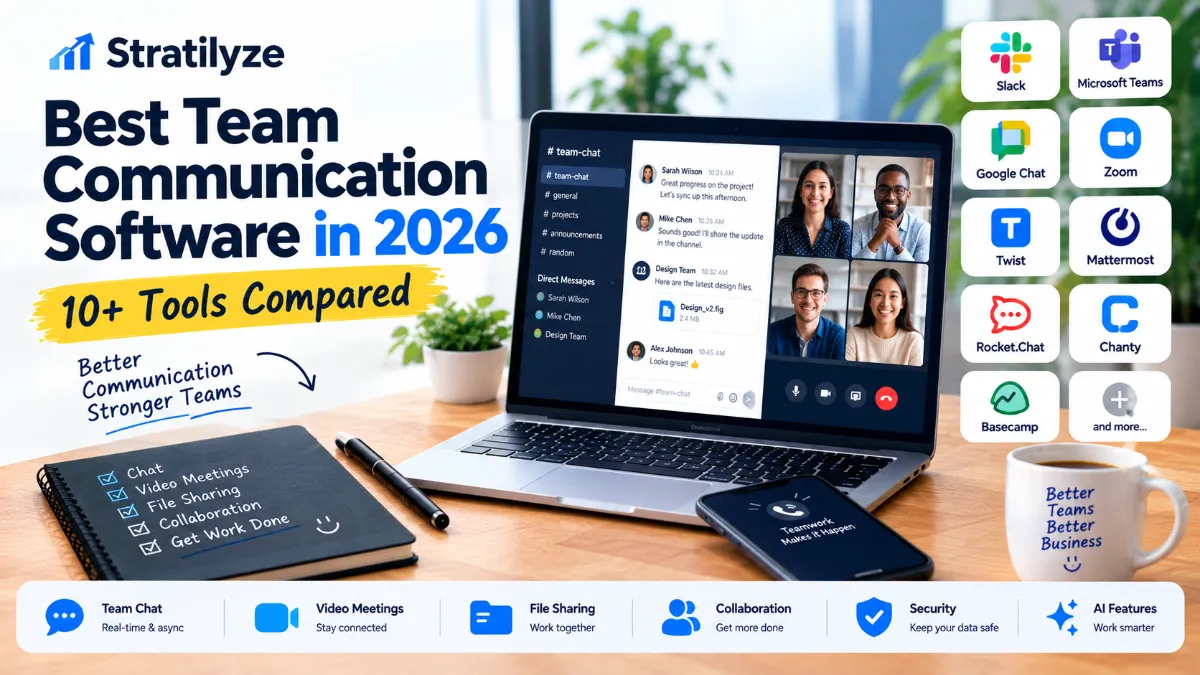
Choosing team communication software sounds simple until your team starts using it every day.
A five-person startup may need fast chat, simple file sharing, and occasional video calls. A 100-person company may care more about permissions, searchable history, integrations, security, external collaboration, and administration. A customer support team has a completely different communication workflow from a software development team.
That is why there is no single communication platform that is perfect for every business.
In this guide, we compare 11 of the best team communication software options in 2026, including Slack, Microsoft Teams, Google Chat, Zoom Chat, Twist, Mattermost, Rocket.Chat, Chanty, Basecamp, Missive, and Front.
The goal is not simply to list popular apps. Instead, we will look at how each platform fits different types of teams, what it does well, where it falls short, and what you should consider before paying for it.
Best Team Communication Software in 2026 at a Glance
| Software | Best For | Free Option | Starting Paid Price* |
|---|---|---|---|
| Slack | Overall team communication | Yes | $7.25/user/month annually |
| Microsoft Teams | Microsoft 365 businesses | Yes | $4/user/month annually |
| Google Chat | Google Workspace teams | Included with Workspace | $7/user/month |
| Zoom Chat | Teams already using Zoom | Yes | Paid Workplace plans available |
| Twist | Async communication | Yes | $6/user/month |
| Mattermost | Technical and controlled environments | Yes | Contact sales |
| Rocket.Chat | Self-hosted communication | Yes | Contact sales for premium |
| Chanty | Small teams on a budget | Yes | $3/user/month annually |
| Basecamp | Project-based communication | Yes | $25/month |
| Missive | Email + team communication | Trial | $14/user/month annually |
| Front | Customer-facing communication | Trial | $25/seat/month annually |
*Pricing can change, and some vendors offer promotions or different pricing depending on billing terms. Always check the vendor’s current pricing page before purchasing.
Which Team Communication Software Should You Choose?
If you want the shortest answer:
- Best overall: Slack
- Best for Microsoft 365: Microsoft Teams
- Best for Google Workspace: Google Chat
- Best for video-first teams: Zoom Chat
- Best for asynchronous teams: Twist
- Best for self-hosting: Rocket.Chat
- Best for technical organizations: Mattermost
- Best low-cost option: Chanty
- Best for project-centered teams: Basecamp
- Best for collaborative email communication: Missive
- Best for customer-facing teams: Front
But the “best” option changes depending on your workflow.
For example, paying for Slack may not make much sense if your entire company already operates inside Microsoft 365. Likewise, a remote team spread across several time zones may prefer Twist because it emphasizes organized asynchronous communication rather than constant real-time messaging.
What Makes Good Team Communication Software?
Team communication software has evolved beyond simple workplace chat.
The strongest platforms now combine several functions:
- Direct messaging
- Group conversations
- Channels or spaces
- File sharing
- Search
- Voice and video calls
- Screen sharing
- Notifications
- External collaboration
- Integrations
- Automation
- AI-assisted summaries
- Task management
- Security and administration
Some platforms are primarily communication tools. Others combine communication with project management, email, customer support, or productivity features.
That distinction matters.
A company should not choose software simply because it has the longest feature list. The better question is:
Does this platform match the way our team actually communicates?
1. Slack – Best Overall Team Communication Software
Slack remains one of the strongest choices for businesses that want a dedicated workplace communication platform.
Its channel-based approach makes it easy to organize conversations around departments, projects, clients, topics, or temporary initiatives.
Slack’s current Free plan includes 90 days of message history, up to 10 apps, 1:1 huddles, and basic AI features. The Pro plan is currently $7.25 per active user per month when billed annually or $8.75 monthly. Pro adds unlimited message history, group huddles, broader external collaboration, and unlimited app integrations.
Why Slack stands out
Slack is particularly strong when a company uses many different business applications.
Its app directory includes more than 2,600 integrations, including tools such as Google Drive, Jira, Salesforce, and ChatGPT.
Slack also includes features such as:
- Channels
- Direct messages
- Huddles
- Screen sharing
- Slack Connect
- Canvases
- Lists
- Workflow automation
- AI summaries
- AI search
- External collaboration
Best for
Slack is a strong choice for:
- Startups
- Remote teams
- Technology companies
- Marketing teams
- Agencies
- Distributed organizations
- Businesses using many third-party apps
Potential drawback
Slack can become noisy.
If every conversation becomes a notification and every project gets multiple channels, employees can spend more time managing communication than doing actual work.
Our take: Slack is the safest overall recommendation if you want a dedicated workplace chat platform and do not already have a strong reason to stay inside another ecosystem.
2. Microsoft Teams – Best for Microsoft 365 Businesses
If your company already relies on Microsoft 365, Microsoft Teams deserves serious consideration.
Teams combines chat, meetings, calling, file collaboration, and Microsoft productivity tools in one environment.
Microsoft currently lists Teams Essentials at $4 per user per month when paid yearly. Microsoft 365 Business Basic is $7 per user per month annually, while Microsoft 365 Business Standard with Copilot is listed at $23.50 per user per month annually.
Teams Essentials includes:
- Chat
- Calling
- Video conferencing
- File sharing
- Tasks
- Polls
- Meeting recordings
- Transcripts
- Live captions
Microsoft 365 plans add applications and services such as Word, Excel, PowerPoint, Outlook, OneDrive, and other business tools.
Best for
Teams makes particular sense for:
- Microsoft 365 businesses
- Corporate environments
- Companies using Outlook
- Organizations that need centralized administration
- Teams that regularly work with Word, Excel and PowerPoint
Potential drawback
Teams can feel like a lot of software if you only need lightweight team chat.
Our take: If your business already pays for Microsoft 365, Teams is one of the easiest choices because communication fits directly into the rest of your existing workflow.
3. Google Chat – Best for Google Workspace Teams
Google Chat is a natural choice for companies already using Google Workspace.
Rather than operating as an isolated communication application, Google Chat connects with Gmail, Calendar, Drive, Meet, Groups, and other Google services.
Google says Chat is included with Workspace at no additional cost. Its current Workspace Starter plan is $7 per user per month, while Standard is $14 and Plus is $22 per user per month under the standard pricing shown on Google’s current pricing page.
Google Chat provides:
- Direct messages
- Spaces
- Threaded conversations
- File sharing
- Integrated tasks
- Google Meet integration
- Gmail integration
- Calendar integration
- Drive integration
- Gemini-powered features
Google also describes persistent collaboration spaces that can support very large communities, with some advanced features depending on Workspace plans.
Best for
Google Chat is ideal for:
- Google Workspace businesses
- Remote teams
- Small businesses
- Teams already using Gmail and Google Drive
- Organizations that prefer browser-based tools
Potential drawback
Teams that need a highly specialized third-party app ecosystem may find Slack more flexible.
Our take: Google Chat is especially attractive when Gmail, Drive, Meet, and Calendar are already central to your company’s workflow.
4. Zoom Chat – Best for Video-First Teams
Zoom is widely associated with video meetings, but its workplace platform has expanded well beyond video conferencing.
Zoom Chat combines messaging with Zoom Meetings, Phone, Calendar, Docs, Whiteboard, Clips, and other workplace features.
Zoom Workplace Basic is currently available for free and includes Zoom Chat, meetings, calendar, whiteboard, tasks, and other capabilities. Paid Workplace plans add expanded meeting capabilities, AI features, storage, and productivity tools.
One particularly interesting feature is the connection between chat and meetings. Zoom describes continuous meeting chats that can keep conversations, files, and follow-up discussions connected before, during, and after meetings.
Best for
- Video-heavy organizations
- Remote teams
- Sales teams
- Consulting companies
- Businesses already using Zoom
- Teams that want chat and meetings together
Potential drawback
If your organization rarely uses video meetings, Zoom’s broader ecosystem may offer more than you need.
Our take: Zoom Chat is a particularly good fit when meetings are a central part of how your team works.
5. Twist – Best for Asynchronous Team Communication
Not every team needs another application encouraging employees to respond instantly.
Twist takes a different approach by focusing heavily on organized, asynchronous communication.
Its free plan currently includes access to one month of comments and messages, up to five integrations, and 5 GB of file storage. The Unlimited plan is $6 per user per month and provides full message history, unlimited integrations, and unlimited file storage.
Why Twist is different
Twist is designed around threaded conversations rather than endless streams of real-time messages.
That can be valuable for teams working across:
- Multiple time zones
- Different schedules
- Remote locations
- Deep-work environments
- Distributed organizations
Best for
Twist is worth considering if your team wants to reduce the pressure to respond immediately.
Potential drawback
Teams that prefer rapid chat, huddles, and real-time conversations may find Twist less natural than Slack or Teams.
Our take: Twist is one of the better options when asynchronous communication is a deliberate part of your company culture.
6. Mattermost – Best for Technical and Controlled Environments
Mattermost is particularly interesting for organizations that want more control over their communication environment.
Its platform provides channel-based messaging, direct and group messaging, file sharing, threaded discussions, 1:1 audio calls, and screen sharing.
Mattermost offers a Professional plan for organizations that need broader collaboration capabilities, with pricing handled through sales. It also provides a limited-use Enterprise Advanced edition for technical evaluation.
Best for
- Technical organizations
- Engineering teams
- Security-conscious organizations
- Organizations with specialized deployment requirements
- Teams that need more control over infrastructure
Potential drawback
Mattermost is not necessarily the simplest choice for a small company looking for a plug-and-play chat application.
Our take: Consider Mattermost when deployment, control, and technical requirements are more important than simply having the most familiar workplace chat interface.
7. Rocket.Chat – Best for Self-Hosted Communication
Rocket.Chat takes the control-oriented approach even further.
The platform offers free entry points that include Starter and Community options. Current documentation says Starter supports up to 50 users, while Community supports up to 100 concurrent users. Both are self-managed/self-hosted options, although their feature scopes differ.
Rocket.Chat can be useful when an organization wants greater control over how its communication platform is deployed.
Best for
- Self-hosted environments
- Technical teams
- Organizations with infrastructure requirements
- Companies looking for an alternative to fully SaaS-based communication
Potential drawback
Self-hosting creates additional administrative responsibilities.
Your organization may need to think about:
- Hosting
- Updates
- Backups
- Security
- Monitoring
- User administration
Our take: Rocket.Chat makes the most sense when control and deployment flexibility are priorities.
8. Chanty – Best Budget-Friendly Team Communication Tool
For a small team that wants communication and basic task management without a large software bill, Chanty is worth a look.
Its Free plan currently supports up to five team members and includes unlimited public and private chats, searchable history, one-on-one audio and video calls, task management, 20 GB of team storage, and integrations.
The Business plan is currently listed at $3 per user per month when billed annually, with a monthly option of $4 per user.
Useful features include
- Team chat
- Private conversations
- Announcement channels
- Audio and video calls
- Screen sharing
- Task management
- Scheduled messages
- File storage
- Integrations
- Searchable history
Best for
- Small teams
- Startups
- Budget-conscious businesses
- Teams wanting simple communication plus tasks
Potential drawback
Larger organizations with complex administration, compliance, or integration requirements may prefer Teams, Slack, or enterprise-focused platforms.
Our take: Chanty is one of the more interesting options if keeping software costs low is important.
9. Basecamp – Best for Project-Centered Communication
Basecamp is different from Slack and Teams because communication is closely connected to projects.
Instead of creating a standalone chat environment and then connecting it to project management, Basecamp puts communication directly inside projects.
Its current plans include message boards, chat rooms, direct messaging, to-dos, scheduling, documents, files, reports, and automatic check-ins.
Basecamp currently offers a free plan for one project and up to five users. Its Freelancer plan is $25 per month, Studio is $59 per month, Pro is $99 per month, and Unlimited is $299 per month when billed annually. Higher plans use fixed pricing rather than charging separately for each user.
Best for
- Agencies
- Freelancers
- Client projects
- Small businesses
- Project-based teams
Potential drawback
Basecamp may not feel as natural as Slack if your company primarily wants a fast, channel-based chat system.
Our take: Choose Basecamp when communication needs to stay closely attached to projects, deadlines, files, and responsibilities.
10. Missive – Best for Email-Heavy Teams
Missive takes a different route.
Instead of treating workplace communication as a separate chat application, it combines team communication with email, shared inboxes, tasks, internal discussions, and automation.
Missive’s current annual pricing starts at $14 per user per month for Starter, followed by $24 for Productive and $36 for Business. New teams can start with a 30-day trial of Productive features without a credit card.
Its collaboration features include:
- Team inboxes
- Internal threads
- Collaborative drafting
- Assignments
- Team spaces
- Chatrooms
- Shared contact books
- Tasks
- Automations
- AI assistance
- External integrations
Best for
Missive is especially useful for:
- Sales teams
- Agencies
- Customer-facing teams
- Operations teams
- Companies managing shared email accounts
- Businesses where email is still a major communication channel
Potential drawback
If your company primarily communicates through internal chat rather than email, Slack or Teams may be a better fit.
Our take: Missive becomes particularly compelling when “team communication” includes shared email conversations, not just internal messaging.
11. Front – Best for Customer-Facing Communication
Front is designed more around customer communication and shared inbox workflows than traditional internal chat.
It can be useful when multiple employees need to collaborate around incoming customer conversations without forwarding emails back and forth.
Front’s current annual pricing starts at $25 per seat per month for Starter, $65 for Professional, and $105 for Enterprise. The Starter plan includes shared inbox and ticketing, AI topics, automation rules, analytics, and a public knowledge base.
Higher plans add features such as:
- Omnichannel communication
- SMS and social channels
- Advanced automation
- Advanced analytics
- SSO
- SCIM
- Custom permissions
- More advanced AI capabilities
Best for
- Customer support
- Sales operations
- Customer success
- Shared inbox teams
- Support organizations
- Omnichannel customer communication
Potential drawback
Front is considerably more expensive than basic workplace chat tools, so it can be excessive for a team that only needs internal messaging.
Our take: Front makes more sense when communication with customers is part of the core workflow.
Team Communication Software by Use Case
Rather than asking which application is universally “best,” it is more useful to start with your team’s actual needs.
| If you need… | Consider |
|---|---|
| Best overall workplace chat | Slack |
| Microsoft ecosystem | Microsoft Teams |
| Google ecosystem | Google Chat |
| Video + communication | Zoom Chat |
| Async communication | Twist |
| Self-hosting | Rocket.Chat |
| Technical control | Mattermost |
| Low-cost team communication | Chanty |
| Project-based communication | Basecamp |
| Email + chat collaboration | Missive |
| Customer communication | Front |
Slack vs Teams vs Google Chat
These three will probably be the first options many businesses consider.
Choose Slack if:
Your company uses multiple third-party applications and wants a dedicated communication hub with a large integration ecosystem.
Choose Microsoft Teams if:
Your organization already uses Microsoft 365, Outlook, Word, Excel, OneDrive, and related Microsoft services.
Choose Google Chat if:
Your company lives inside Gmail, Google Drive, Google Calendar, Google Meet, and Google Workspace.
The important point is that these platforms are not competing only on chat features. They are competing as parts of broader business ecosystems.
What About AI Features?
AI is becoming a standard part of workplace communication software.
But the useful question is not simply whether a product has AI.
The better question is:
What does the AI actually remove from your team’s workload?
Slack currently offers AI-powered conversation summaries, search, daily recaps, file summaries, and Slackbot capabilities depending on plan and availability.
Google Chat integrates Gemini features into its collaboration environment, while Google Workspace plans include Gemini capabilities across applications.
Zoom Chat uses AI for functions such as conversation summaries, document summaries, message assistance, and meeting-related workflows.
Microsoft also integrates Copilot capabilities into Microsoft 365 and Teams plans.
For most businesses, useful communication AI falls into a few categories:
- Summarizing conversations
- Finding information
- Writing replies
- Creating meeting notes
- Identifying action items
- Searching across company knowledge
- Automating repetitive workflows
AI should make communication easier. It should not become another notification stream employees have to manage.
How Much Should You Pay for Team Communication Software?
There is no universal ideal budget.
A small five-person business and a 500-person organization have very different requirements.
Small team
A small team may be able to start with:
- Slack Free
- Google Workspace + Google Chat
- Microsoft Teams Essentials
- Zoom Workplace Basic
- Chanty Free
- Twist Free
Growing company
As the team grows, you may need:
- Unlimited message history
- Better administration
- SSO
- User provisioning
- More integrations
- Better security controls
- External collaboration
- More advanced AI
- Compliance features
That is where paid Slack, Microsoft 365, Google Workspace, and enterprise-oriented platforms become more attractive.
Customer-facing organization
If your communication involves customer emails, support requests, social channels, and shared inboxes, a platform such as Front or Missive may deliver more value than paying for a conventional chat application.
Features to Check Before Buying
Do not judge team communication software solely by its interface.
Before choosing a platform, check these areas.
1. Message history
How far back can your team search?
A free plan with limited history can become frustrating when employees need to find an old decision.
2. Search
Good search becomes increasingly important as your organization grows.
Look for the ability to search:
- Messages
- Files
- People
- Channels
- Conversations
- Shared content
3. Integrations
Check whether the software works with the tools your team already uses.
Common examples include:
- Google Drive
- Microsoft 365
- Jira
- Asana
- Salesforce
- GitHub
- Zoom
- Calendar platforms
- CRM systems
4. External collaboration
If your team works with clients, contractors, vendors, or partners, check how guests and external users are handled.
5. Video and audio
Some companies need frequent meetings. Others rarely use them.
Do not pay extra for a communication platform mainly because it has video features you will never use.
6. Security and administration
Growing businesses should examine:
- SSO
- User provisioning
- Permissions
- Data retention
- Compliance
- Audit capabilities
- Data exports
- Administrative controls
7. AI
Look beyond marketing claims.
Check exactly which AI features are included in your plan and whether usage limits apply.
A Simple Way to Choose
If you’re stuck between several platforms, use this decision path.
Do you already pay for Microsoft 365?
Yes: Start with Microsoft Teams.
Do you already pay for Google Workspace?
Yes: Start with Google Chat.
Do you want a dedicated workplace communication platform?
Yes: Start with Slack.
Are video meetings central to your workflow?
Yes: Consider Zoom Workplace.
Does your team work across multiple time zones?
Yes: Consider Twist.
Do you need self-hosting?
Yes: Look at Rocket.Chat or Mattermost.
Is your communication mostly customer email?
Yes: Consider Missive or Front.
Is communication organized around projects?
Yes: Consider Basecamp.
Is budget your biggest concern?
Yes: Compare Chanty, Slack Free, Google Chat through Workspace, Teams Essentials, and other free tiers.
Common Mistakes When Choosing Communication Software
Choosing the most popular tool automatically
Popularity does not mean the software fits your organization.
A 10-person company and a 1,000-person enterprise may have completely different needs.
Buying too many overlapping tools
Some businesses end up with:
- Slack
- Teams
- Zoom
- Project management software
- Separate task apps
Then employees have to remember where every conversation belongs.
Reducing unnecessary tool overlap can be more valuable than adding another feature.
Ignoring notification overload
A communication tool should improve communication, not create an expectation that everyone must respond instantly.
This is especially important for remote teams.
Forgetting search and history
Your communication platform becomes a knowledge base over time.
If employees cannot easily find previous decisions, important information gets repeated or lost.
Looking only at the cheapest plan
A low monthly price may look attractive until you discover that your team needs:
- Unlimited history
- SSO
- Advanced permissions
- More integrations
- Larger meeting limits
- Better administration
Always compare the plan your team will realistically use.
Our Final Picks
After looking at the different workflows, there is no single winner for every type of organization.
Slack is the strongest overall choice for businesses that want a dedicated workplace communication platform with channels, integrations, external collaboration, and a mature ecosystem.
Microsoft Teams is the better starting point for organizations already invested in Microsoft 365.
Google Chat makes the most sense for companies centered around Google Workspace.
Zoom Chat is attractive for video-first organizations that want messaging and meetings connected in one environment.
Twist deserves attention from teams that want asynchronous communication and fewer interruptions.
Rocket.Chat and Mattermost are stronger choices when deployment control and technical requirements matter.
Chanty is worth considering for small teams looking for an inexpensive combination of chat and basic task management.
Basecamp works particularly well when communication needs to stay attached to projects.
Missive is compelling for teams that communicate heavily through shared email and customer conversations.
Front is better suited to customer-facing operations where shared inboxes, ticketing, automation, and omnichannel communication are more important than ordinary internal chat.
The best team communication software is ultimately the one your employees will actually use consistently. Before switching platforms, identify where communication currently breaks down, decide whether you need real-time or asynchronous collaboration, and then choose the tool that solves that specific problem without creating another layer of complexity.
Frequently Asked Questions
What is the best team communication software in 2026?
Slack is the best overall choice for many businesses because it combines channels, direct messaging, integrations, external collaboration, huddles, search, automation, and AI features. However, Microsoft Teams may be a better option for Microsoft 365 organizations, while Google Chat is a natural fit for Google Workspace companies.
Is there free team communication software?
Yes. Slack, Microsoft Teams, Google Chat through eligible Google Workspace accounts, Zoom Workplace Basic, Twist, Chanty, Rocket.Chat, and other platforms offer free options or free entry points. Free plans vary considerably in user limits, history, storage, integrations, and features.
Is Slack better than Microsoft Teams?
Not for every business. Slack is particularly strong as a dedicated communication and integration platform, while Microsoft Teams is especially attractive for organizations already using Microsoft 365. The better choice depends on your existing software ecosystem and communication workflow.
Is Microsoft Teams good for small businesses?
Yes. Microsoft currently offers Teams Essentials at $4 per user per month when billed annually, with chat, calling, video conferencing, file sharing, tasks, polls, meeting recordings, transcripts, and live captions.
Is Google Chat good for business communication?
Yes. Google Chat integrates with Google Workspace applications including Gmail, Calendar, Drive, Meet, and Groups. It can be particularly convenient for businesses that already use Google’s productivity ecosystem.
What is the best team communication software for remote teams?
Slack, Microsoft Teams, Google Chat, Zoom Chat, and Twist are all strong candidates. For teams that need constant real-time communication, Slack or Teams may work well. For teams spread across time zones that want fewer interruptions, Twist can be a better fit.
What is the best team communication software for small businesses?
Slack, Microsoft Teams, Google Chat, Chanty, and Basecamp are all worth considering. The right choice depends on whether your priority is chat, Microsoft or Google integration, low cost, or project-based collaboration.
What is the best team communication software for customer support?
Front and Missive are particularly relevant when communication involves shared inboxes, customer emails, assignments, and collaborative responses. Front is more heavily oriented toward customer experience and omnichannel support, while Missive combines email, team communication, tasks, and automation.
Is team communication software worth paying for?
For many growing businesses, yes. Paid plans can provide features that become important as a company grows, including unlimited history, advanced administration, additional integrations, security controls, external collaboration, and AI capabilities. The key is choosing a plan based on actual requirements rather than paying for features your team will not use.
Final Recommendation
If you want one general recommendation, start with Slack.
If your business already operates heavily inside another ecosystem, however, switching may not be necessary:
- Microsoft 365 user: Microsoft Teams
- Google Workspace user: Google Chat
- Zoom-heavy organization: Zoom Chat
- Async remote team: Twist
- Self-hosting requirement: Rocket.Chat
- Technical/security-focused environment: Mattermost
- Budget-focused small team: Chanty
- Project-based organization: Basecamp
- Email-heavy team: Missive
- Customer communication team: Front
The best team communication software should make information easier to find, conversations easier to manage, and collaboration easier to maintain. It should not simply give your company another place to send notifications.
Read More : Best Free AI Tools in 2026 | 25+ AI Tools You Can Use for Free