
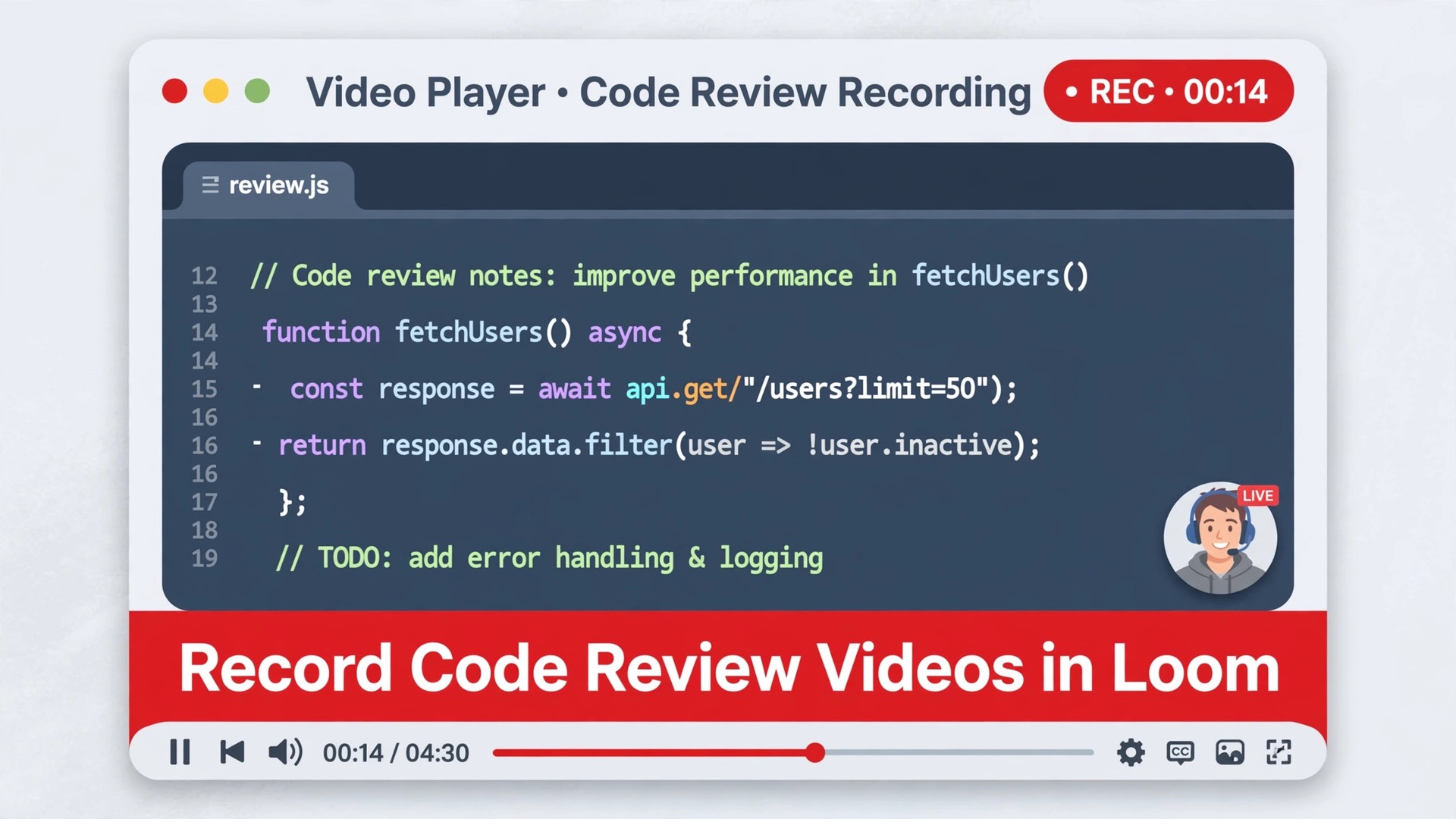
The problem is familiar to every developer who has reviewed a pull request. A written comment says “this approach seems off,” and the author reads it as criticism, or reads it as a minor nit, or simply cannot tell which lines it refers to. Three rounds of comments follow, each one clarifying the previous one, and a review that should have taken twenty minutes consumes a day. When you use Loom for code review videos developers solve that ambiguity with voice, cursor, and screen, because the reviewer shows the exact lines, explains the reasoning aloud, and demonstrates the alternative, all in a few minutes of video that the author can watch when ready.
This guide shows how to record reviews that are clear, kind, and actionable, without turning video into another meeting.
Loom is an async video messaging tool. You record your screen, your camera, or both, and Loom gives you a link to share, with time-stamped comments, emoji reactions, and viewer analytics built in. For code review, the screen recording matters most, because the reviewer can scroll through a diff, highlight lines with the drawing tools, and talk through trade-offs that are painful to type. The author watches on their own schedule, replies with time-stamped comments or a video of their own, and implements changes without either person waiting for a calendar slot. That async quality is the point. Video review should remove meetings, not add them.
There is a real risk to name early. Video can feel heavier than text, especially for reviewers who dislike being on camera and authors who dislike being recorded. The fix is to make video optional, short, and structured, and to keep text as the system of record for decisions. A Loom review should accompany a pull request, not replace its written summary. The video explains and demonstrates. The pull request thread records what was decided, so future developers can search it. Teams that follow that split get the clarity of video without losing the searchability of text, and they avoid the trap where important decisions live only in a video nobody can skim.
Why Text Comments Fail on Complex Reviews
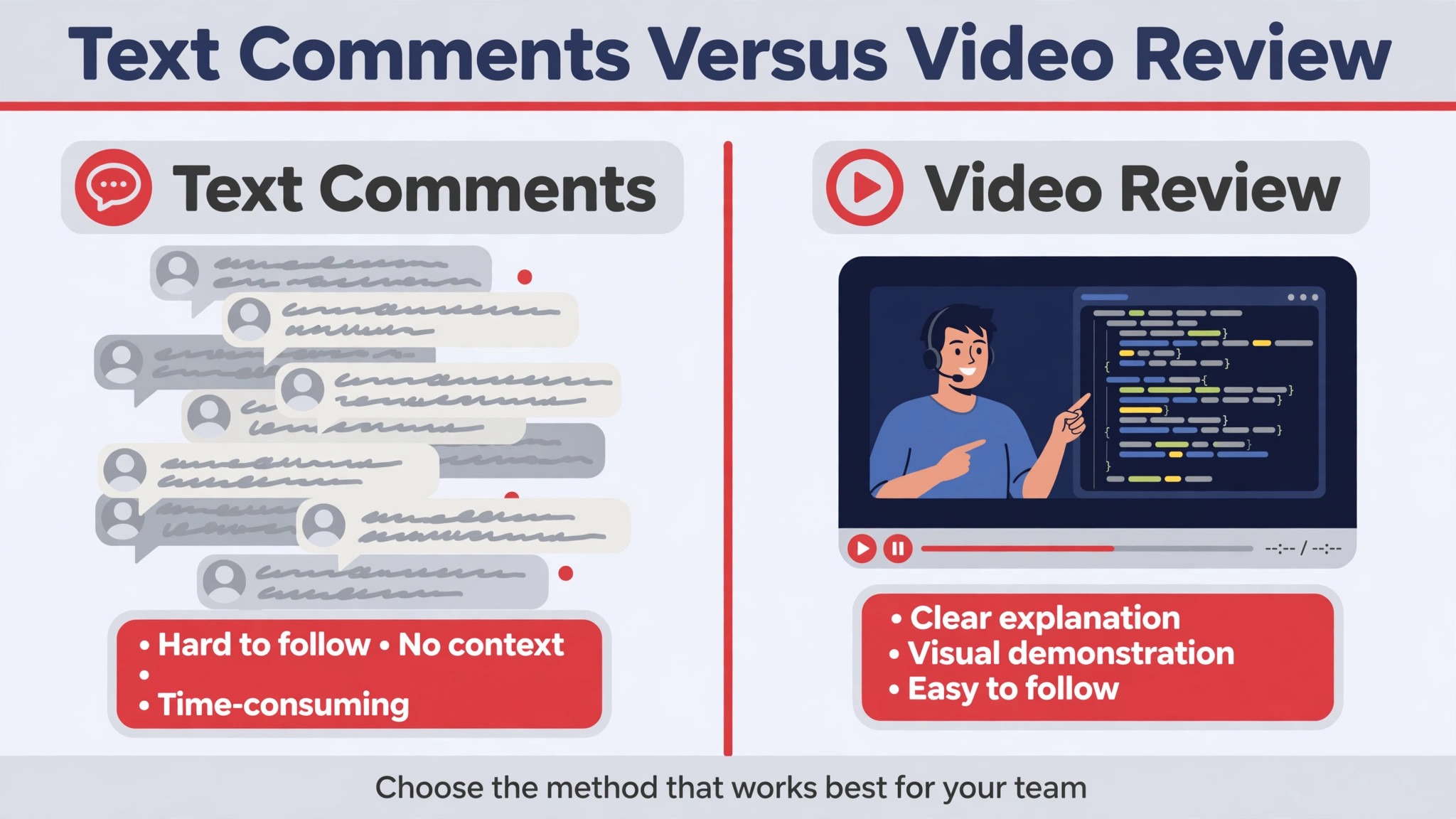
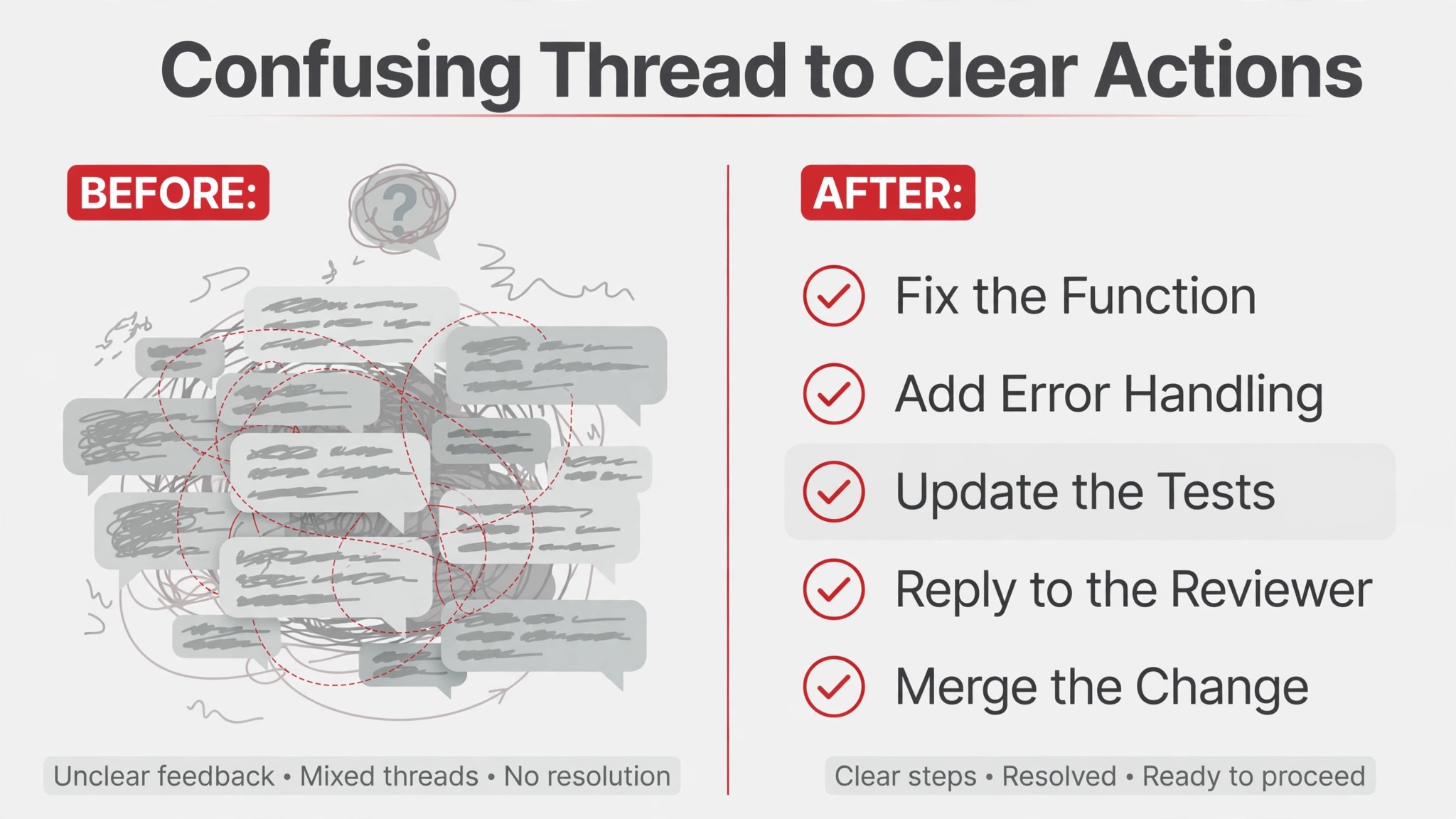
Text is excellent for simple, local feedback. A comment that says a variable name is misleading, or that a test is missing, needs no video. Text fails when feedback spans multiple files, depends on runtime behavior, or involves a judgment call about architecture. In those cases, the reviewer writes a paragraph, the author misreads the tone or the scope, and the thread grows. Tone is the hidden failure. Written criticism without vocal cues reads harsher than intended, and developers who feel attacked defend their code instead of improving it. Voice softens that dynamic, because the author hears that the reviewer is thinking with them, not judging them.
Context is the second failure. A text comment is anchored to a line, but architectural feedback is anchored to a system, and the reviewer ends up writing long explanations of how parts connect, which the author must reconstruct mentally. Video shows the connections. The reviewer scrolls from the caller to the implementation, opens the test, runs the failing case, and narrates the chain. The author sees the same chain, in the same order, and the misunderstanding that would have taken three comment rounds never happens. That is why video earns its place on complex reviews, while simple reviews should stay in text. Using video for everything is as wasteful as using text for everything. Match the medium to the complexity.
| Review type | Best medium | Why |
|---|---|---|
| Typo, naming, or style nit | Text comment | Fast, searchable, no video needed |
| Missing test or small bug | Text comment with a code suggestion | Author can apply it in one click |
| Logic error spanning files | Short Loom video | Reviewer can trace the flow on screen |
| Architecture or design concern | Loom video plus written summary | Voice conveys reasoning, text records the decision |
| Behavioral bug or failing case | Loom video with reproduction | Author sees the failure instead of imagining it |
| Sensitive or high-stakes feedback | Loom video, kindly delivered | Tone and intent come through clearly |
The table is a decision rule, not a preference. If your review fits the first two rows, write a comment and move on. If it fits the lower rows, record a video. Teams that adopt this rule report fewer review rounds and less friction, because reviewers stop writing essays in comment threads and authors stop guessing at intent. The rule also protects reviewers, because recording a five minute video is often faster than writing a careful thousand-word comment, and the result is clearer.
Recording Setup That Makes Code Readable on Video
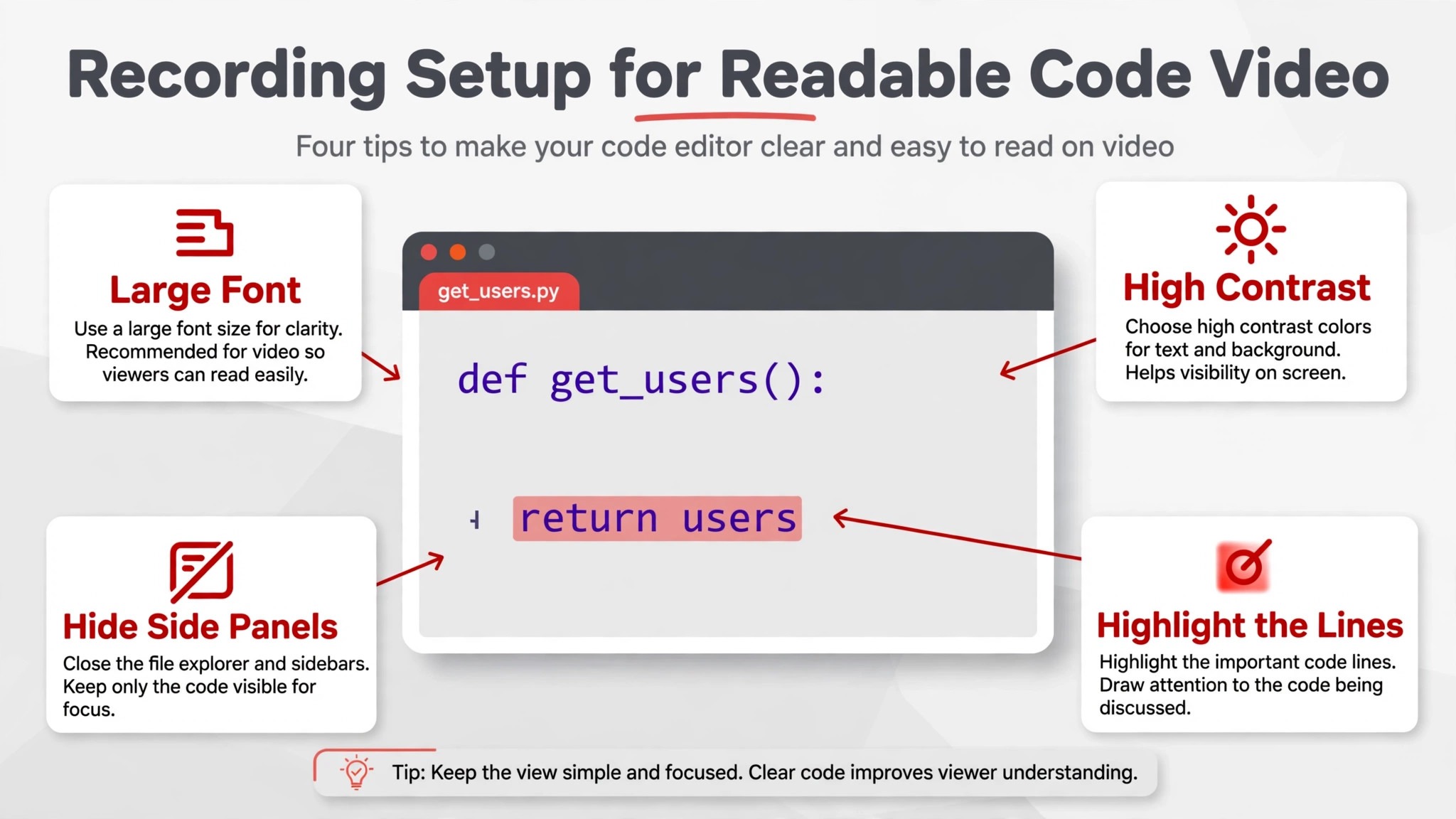
Code on video is often illegible, and that single problem ruins many first attempts. Loom compresses recordings for fast streaming, which means editor text at a normal font size becomes hard to read on playback. Fix this before you record by zooming your editor well beyond your comfort level, often to around 150 percent, and by lowering your screen resolution temporarily if you record on a very large monitor. Aim for playback that is readable on a laptop screen, not on your own large display. Close irrelevant tabs and files, hide notifications, and open only the diff, the tests, and any reference file you will actually show. A clean screen is a kindness to the viewer.
Audio matters more than camera presence. Use a decent microphone or headset, record in a quiet space, and speak at a natural pace, slightly slower than conversation, because the author may watch at higher speed or rewatch a section. Camera is optional. Many developers record screen only for code reviews, and that is perfectly effective, because the code is the subject, not the reviewer. If you do enable camera, keep the bubble small and out of the way of the code, and do not worry about looking polished. Authors care about clarity, not production value, and a slightly rough video that explains well beats a polished video that rambles.
Length is a discipline. Aim for under five minutes for a single review, and split longer reviews into one video per concern, so the author can watch, act, and reply in pieces rather than facing a twenty minute monologue. Start each video with a thirty second summary of the verdict and the requested changes, then walk through the details. That summary lets the author decide how to prioritize, and it lets a busy teammate skim the intent from the video description without watching at all. End with a clear call to action, such as which changes you want before approval and which comments are optional suggestions. Ambiguity at the end undoes clarity in the middle.
GitHub, Jira, and Linear Links for Review Videos
Loom integrates with common developer tools, and linking the video where the work already lives is what makes it get watched. Paste the Loom link into the pull request description or as a review comment in GitHub, so the video sits beside the code it discusses. If your team tracks review work in Jira or Linear, link the video in the relevant issue as well, especially for reviews tied to a bug or a feature ticket. The rule is simple. The video should be findable from the work, not from a chat message that scrolls away.
A review video that lives only in chat is a review video that gets lost, and lost feedback is worse than no feedback, because the author believes it was given.
How to Use Loom for Code Review Videos Developers Actually Watch
When you use Loom for code review videos developers watch them because the videos respect their time, and respect starts with structure. Open with the verdict. Say whether you are requesting changes, approving with suggestions, or asking for a discussion, and say it in the first thirty seconds. Then walk the code in logical order, not in file order, so the author follows your reasoning rather than jumping around the diff. For each issue, show the lines, explain the problem, show or describe the alternative, and state whether it blocks approval. That four-part pattern, show, explain, alternative, blocking or not, turns a ramble into a review.
Tone deserves deliberate attention on video, because voice carries warmth that text cannot, but it can also carry frustration if you are tired or rushed. Record when you are calm, and if you feel annoyed by a piece of code, wait before recording, because the author will hear the annoyance and hear it as a judgment of them. Use collaborative language, such as “what if we tried” rather than “you should have,” and praise what works before criticizing what does not, not as flattery, but because an author who hears what they did well listens better to what needs changing. Review is a teaching act as much as a gatekeeping act, and video makes the teaching visible.
Async etiquette matters as much as recording skill. Set a deadline for watching and responding, such as by the next working day, and say so in the pull request, so the video does not sit unwatched while the author waits for approval. When the author replies, they can use time-stamped comments on the video, or record a short reply video for complex responses, and the thread stays attached to the video rather than scattering across chat. Track views if you need to, since Loom analytics show who watched and how much they completed, and a polite nudge the day before the deadline beats a frustrated message after it.
The system works when both sides treat video as a scheduled async step, not as an optional extra.
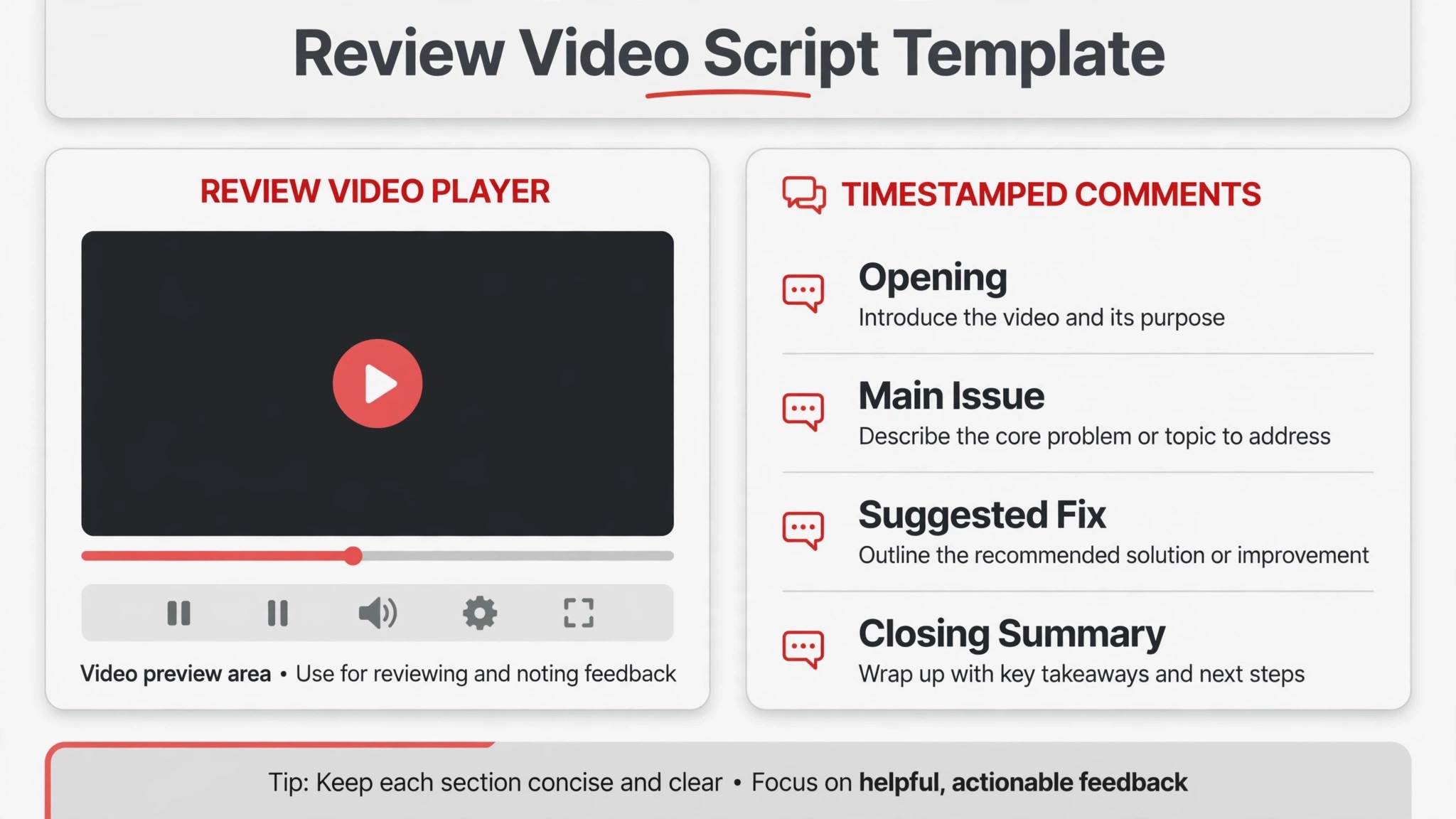
The Review Video Script Template
This template is the overview-proof element for this guide. It keeps every review video structured, short, and actionable, and it prevents the two most common failures, which are rambling without a verdict and ending without clear next steps. Copy it into your notes, adapt the wording to your voice, and follow it until the structure becomes habit. When you use Loom for code review videos developers trust the format, because they know every video will open with a verdict and close with actions.
| Script section | Time guide | What to say or show |
|---|---|---|
| Verdict | 0 to 30 seconds | Requesting changes, approving with suggestions, or opening a discussion |
| Context | 30 seconds to 1 minute | What the change does and what you focused your review on |
| Strengths | 30 seconds | One or two things done well, stated specifically |
| Issue walkthrough | 1 to 3 minutes | For each issue, show lines, explain, suggest alternative, state blocking or not |
| Reproduction | As needed | Run the failing case or demonstrate the behavior on screen |
| Summary and actions | Final 30 seconds | Numbered list of required changes and optional suggestions, with a response deadline |
Write the verdict and the action list before you press record. A reviewer who knows the ending records a tighter video, because every section serves the conclusion. Keep the issue walkthrough to three major issues per video, and record a second video if there are more, because a video with eight issues overwhelms the author and buries the blocking ones among the nits. Put nits in text comments instead, and reserve video for issues where voice and screen genuinely add clarity. That separation keeps videos short and keeps text comments useful, rather than making either medium do a job it does poorly.
Rehearse only lightly. Read the diff once before recording, note the issues in order, and then record in one take, accepting small pauses. Heavy scripting makes video sound stiff, and editing out every pause costs more time than it saves. Loom lets you trim sections by editing the transcript, so if you wander, you can cut the tangent afterward without re-recording. The goal is a clear, human explanation, not a broadcast. Authors forgive pauses. They do not forgive confusion about what to change.
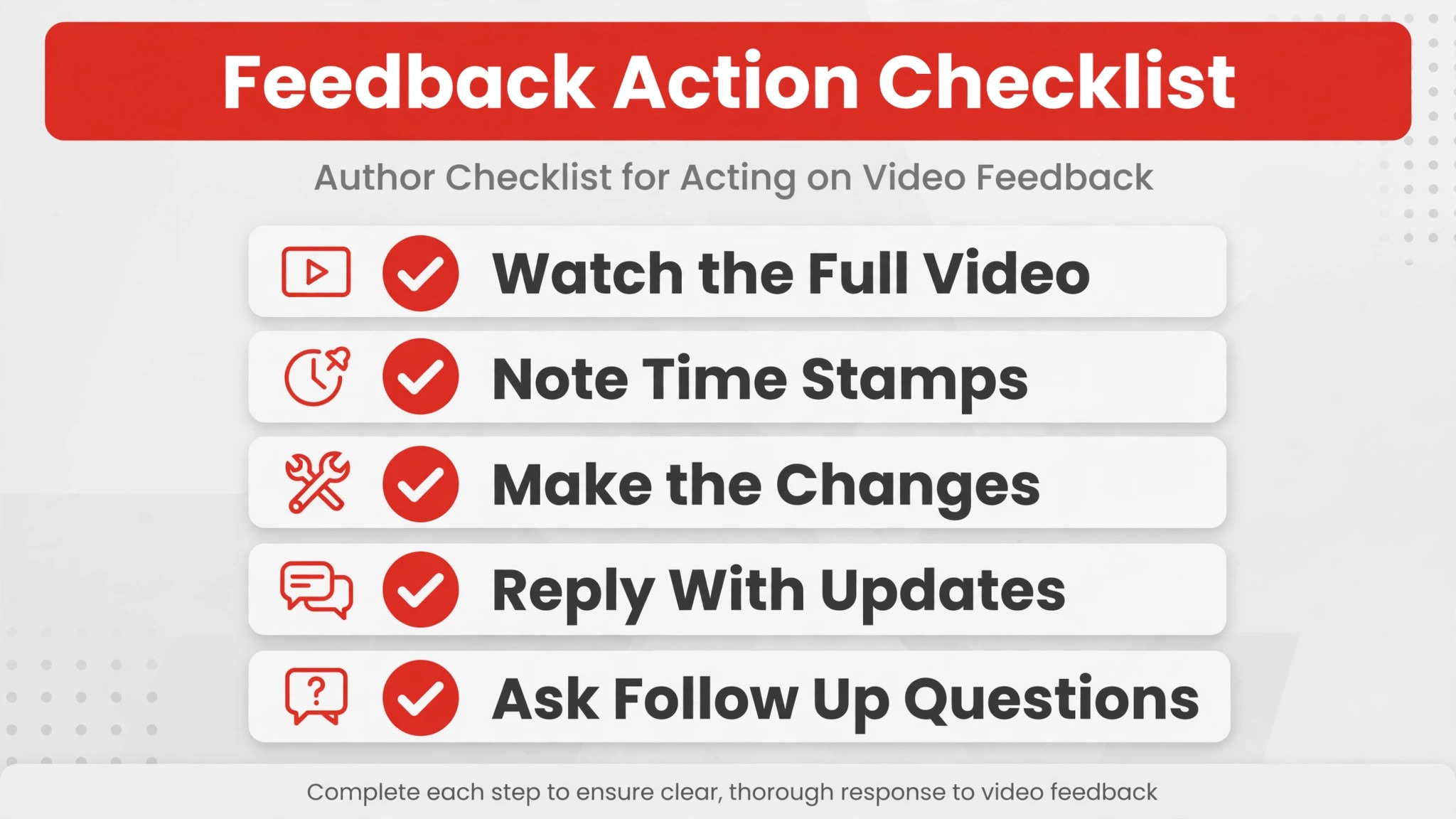
The Feedback Action Checklist
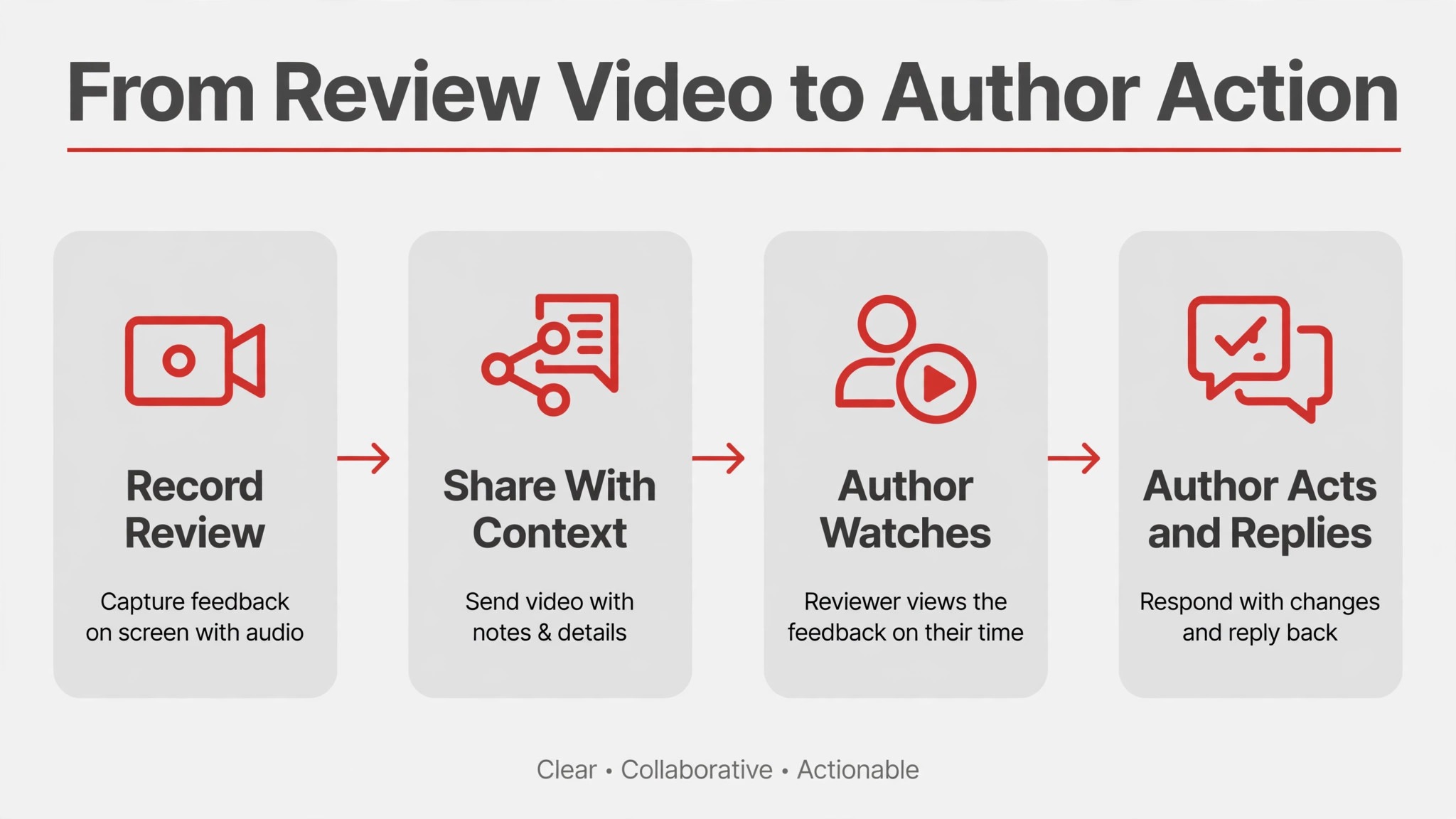
After watching a review video, the author needs a checklist that turns video into work. Share this checklist with the video, or ask authors to run it themselves, so no comment gets lost between watching and coding. When you use Loom for code review videos developers close the loop faster, because the checklist makes the handoff explicit instead of leaving it to memory.
- Watch the video once fully, then rewatch the issue walkthrough while the code is open beside it.
- Write down every blocking change and every optional suggestion separately, with timestamps from the video.
- Reply with time-stamped comments confirming each blocking change, or asking a question where the feedback is unclear.
- Implement blocking changes first, then optional suggestions you agree with, and note any suggestion you disagree with and why.
- Re-run the affected tests, and record a short reply video if a fix is complex or if you chose a different approach than suggested.
- Update the pull request thread with a summary of changes made, so the decision record lives in text.
- Ask the reviewer to re-review only the changed sections, and link the new video or comment thread if you recorded one.
- Close the loop by confirming approval or requesting a final check, rather than leaving the review in limbo.
Reviewers have a matching responsibility. When the author responds, watch the reply or read the summary promptly, and approve or request further changes within the agreed window. A review process where authors act fast and reviewers respond slowly teaches authors not to bother, and the whole system degrades. Track response times informally for a few weeks after adopting video review, and discuss them in a retrospective, because the goal is faster, kinder reviews, not just a new tool. If video review slows your team down, the cause is usually video length, missing verdicts, or unclear actions, and all three are fixable with the template in this guide.
When Video Review Works and When It Does Not
Video review shines for distributed teams across time zones, because it removes the need to find a meeting slot for every complex review. It shines for onboarding, because a new developer can watch reviews of their early work and learn the codebase’s conventions faster than from comments alone. It shines for architectural feedback, where reasoning matters more than line edits. It shines for bug reproduction, where seeing the failure beats reading a description of it. In each case, the common factor is that voice plus screen carries information that text compresses poorly, and the async format preserves that information without a meeting.
Video review struggles in three situations. First, when reviews are simple, video adds overhead without adding clarity, and text is better. Second, when a team needs a searchable decision record, video alone fails, because future developers cannot skim a video the way they skim a thread, so the written summary remains essential. Third, when reviewers record long, unstructured videos, authors stop watching, and the team concludes that video does not work, when the real problem was structure. The fix in all three cases is discipline, not abandonment. Use video selectively, pair it with text, and keep it short and templated.
Accessibility deserves a final word. Some team members process text better than video, whether due to hearing, language, or working environment, and a video-only review excludes them. Loom provides transcripts and captions, and reviewers should ensure captions are available, write a text summary with every video, and offer a text alternative on request without making the requester feel difficult. A review process that works only for people who love video is not a better process. It is a narrower one. The template’s written summary and action list are what keep video review inclusive, because they carry the full decision in text for anyone who needs it.
Building a Team Habit Around Video Reviews
A single developer recording good review videos helps one pull request. A team habit helps every pull request, and habits need agreement, not just tools. Start by agreeing as a team when video is expected, such as for architectural feedback and bug reproductions, and when text suffices, such as for nits and small fixes. Write that agreement in your team handbook or contributing guide, so new members learn it on day one instead of discovering it by trial and error. When you use Loom for code review videos developers adopt the habit faster if the rule is written down, because nobody has to guess whether recording a video is welcome or excessive.
Pilot the habit with one pair or one small team for two weeks, and review the results together. Ask authors whether videos were clearer than comment threads, ask reviewers whether recording took more or less time than writing long comments, and count review rounds before and after. Two weeks of data beats months of debate, and a pilot lets the team adjust the template, the length target, and the response deadline based on evidence. If the pilot shows that videos help complex reviews but slow simple ones, that finding confirms the selective rule in this guide, and the team can adopt video for complex reviews only, without feeling that the experiment failed.
Onboarding new reviewers deserves attention during the pilot. Pair a new reviewer with an experienced one for their first video reviews, and let them watch a few good examples before recording their own. Good examples teach tone, pacing, and structure faster than any written guide, and they show new reviewers that imperfect videos are acceptable. Create a small internal library of exemplary review videos, with permission from the people in them, and point new team members to it. When you use Loom for code review videos developers learn the format by watching it done well, and that modeling does more than a template alone.
Finally, protect the habit from decay. Revisit the agreement quarterly, and ask whether videos are still short, whether verdicts still open every video, and whether authors still reply within the agreed window. Habits decay when nobody tends them, and a quarterly check takes thirty minutes in a retrospective. When you use Loom for code review videos developers sustain the practice only if the team keeps rewarding it, such as by thanking reviewers whose videos were especially clear, or by sharing a great example in a team channel. Recognition costs nothing and keeps a useful habit alive long after the novelty of a new tool fades.
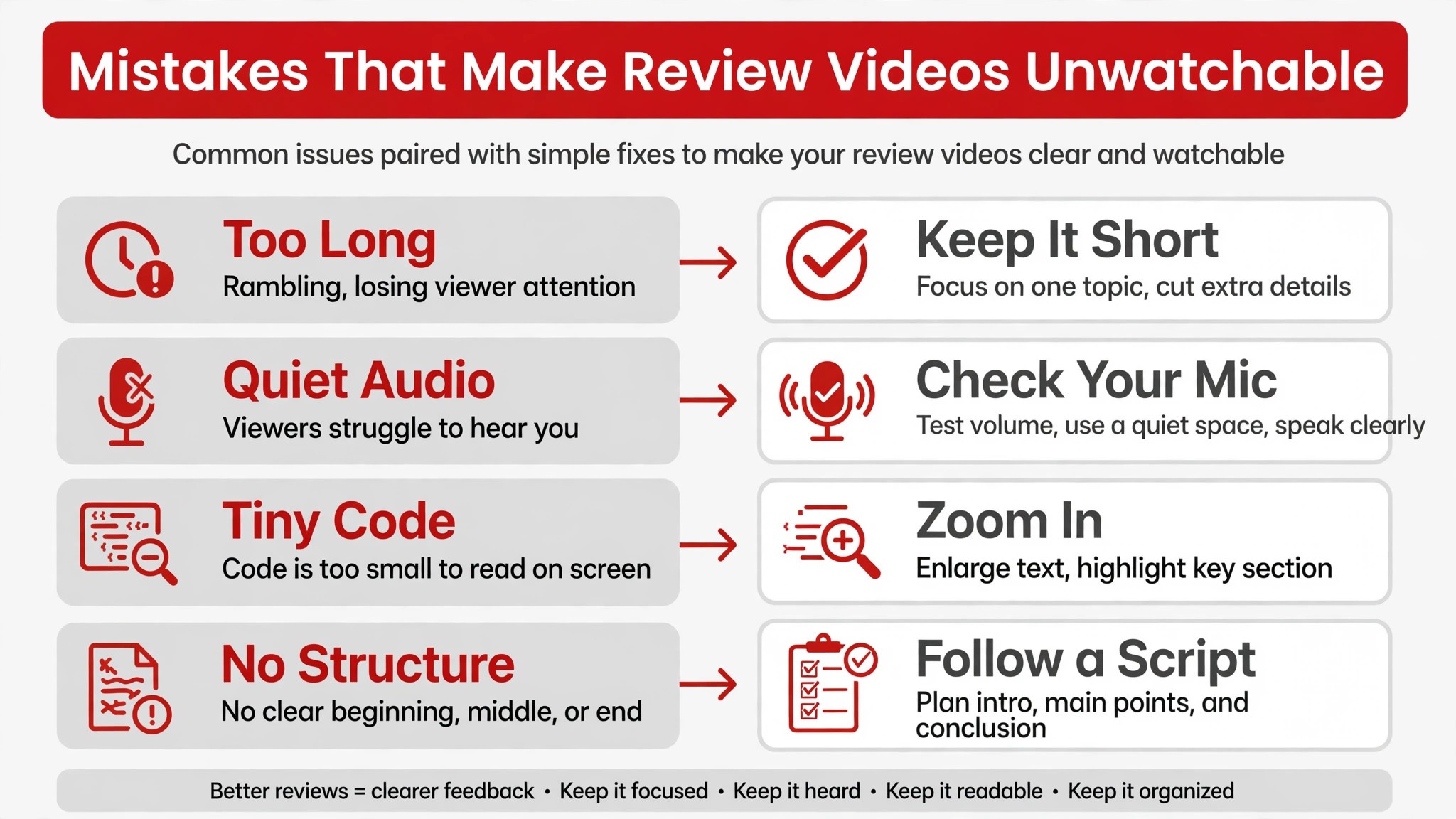
Mistakes That Make Review Videos Unwatchable
The most common mistake is recording at a normal editor zoom, which produces illegible code on playback. Zoom in further than feels reasonable, and check playback on a laptop before sharing widely. The second mistake is recording a twenty minute monologue for a review with three issues. Split it, or move nits to text, and keep each video focused. The third mistake is ending without a verdict or an action list, which leaves the author unsure whether they are approved, blocked, or merely advised. The fourth mistake is recording while frustrated, which puts tone into the video that the author will remember longer than the feedback.
The fifth mistake is sharing only in chat, where the video scrolls away and the decision record vanishes.
A subtler mistake is using video to avoid writing. Some reviewers press record before they have decided what they think, and the video wanders through the diff while the reviewer thinks aloud. Authors experience that wandering as wasted time, because they cannot skim a video the way they skim a comment, and they must watch the whole recording to learn whether they are approved or blocked. The template prevents this by forcing a verdict first. If you cannot state the verdict in one sentence, read the diff again, decide, and only then record. Video amplifies clarity, but it cannot create clarity that is not there, and a confused video is harder to re-read than a confused comment.
Think first, record second, and let the video carry thinking that is already done.
One last habit separates good reviewers from frustrating ones. When a recording goes wrong, trim the tangent or re-record the section rather than apologizing for ten minutes at the start of the next video. Authors forgive a short, clean second take. They resent a video that opens with a long apology and then repeats the same wandering explanation. Treat each recording as a draft you can improve in minutes, and share only the version you would want to watch yourself.
More Reading on Stratilyze
Readers improving their review process may also enjoy running daily standup updates in Slack for remote teams, recording async video updates in Loom for remote teams, and running project status meetings in Microsoft Teams. Each one covers a different part of async collaboration, from daily updates to long-form explanations that teammates can watch on their own schedule.
Frequently Asked Questions
How long should a code review video be?
Aim for under five minutes per video, and split longer reviews into one video per concern. Short videos get watched fully, while long videos get skimmed or skipped. If a review genuinely needs more time, that is usually a sign that nits should move to text comments and only the complex issues should stay on video.
Do I need to show my camera in a code review video?
No, screen-only recording works well for code reviews, because the code is the subject. Camera adds a personal touch and can soften tone, but it is optional, and many developers prefer screen only. If you use camera, keep the bubble small and away from the code, and do not worry about production polish.
Should video replace written code review comments?
No, video should accompany text, not replace it. Use video to explain complex feedback, demonstrate behavior, and convey tone, and use the pull request thread to record decisions, action lists, and approvals. That split gives you the clarity of video and the searchability of text, and it keeps future developers able to find what was decided.
How do I make code readable in a Loom recording?
Zoom your editor to around 150 percent, lower your screen resolution temporarily if you use a large monitor, close irrelevant tabs, and check playback on a laptop screen before sharing. Loom compresses video for streaming, so text that looks fine on your display may be illegible on playback. A thirty second playback check saves the author from squinting through a full review.
What if my team is in different time zones?
Different time zones are exactly where async video review helps most, because neither side needs to find a shared meeting slot. Set a response deadline, such as the next working day, share the video in the pull request rather than chat, and use time-stamped comments for replies. The review progresses while each person is working, instead of waiting for overlapping hours.
Can junior developers use video review effectively?
Yes, and it often helps them learn faster, because they hear a senior reviewer’s reasoning, not just the conclusion. Junior reviewers should also record videos, starting with short ones on code they understand well, and senior reviewers should model kind, structured feedback. The template in this guide gives junior reviewers a structure to follow until the habit becomes natural.
Record Shorter, Review Kinder, Ship Faster
Code review is where a team’s culture becomes visible, in how feedback is given and received. When you use Loom for code review videos developers get a medium that carries reasoning, tone, and demonstration together, and that combination reduces misunderstandings that text alone cannot always prevent. Use video selectively, follow the script template, open with a verdict, close with actions, and keep the decision record in text. Record your next complex review this week, keep it under five minutes, and ask the author whether it was clearer than a comment thread.
Their answer will tell you whether video review earns a permanent place in your team’s process, and if it does, the time you save on review rounds is time your team gets back for building.