
What do you do when the tool that makes your favourite art asks you to pay before you can even try it? That is the exact position Midjourney puts new users in. There is no free tier, no trial on the website, and the cheapest plan is $10 a month. You commit money first and find out later whether the style fits your work.
This guide is not a general roundup of every image generator on the market. Our best-ai-image-generators guide already does that job, and it covers 16 tools side by side. This one answers a narrower question: if Midjourney is not right for you, for whatever reason, what should you use instead? Every tool below fixes at least one specific Midjourney problem, and the reviews say which problem each one fixes.
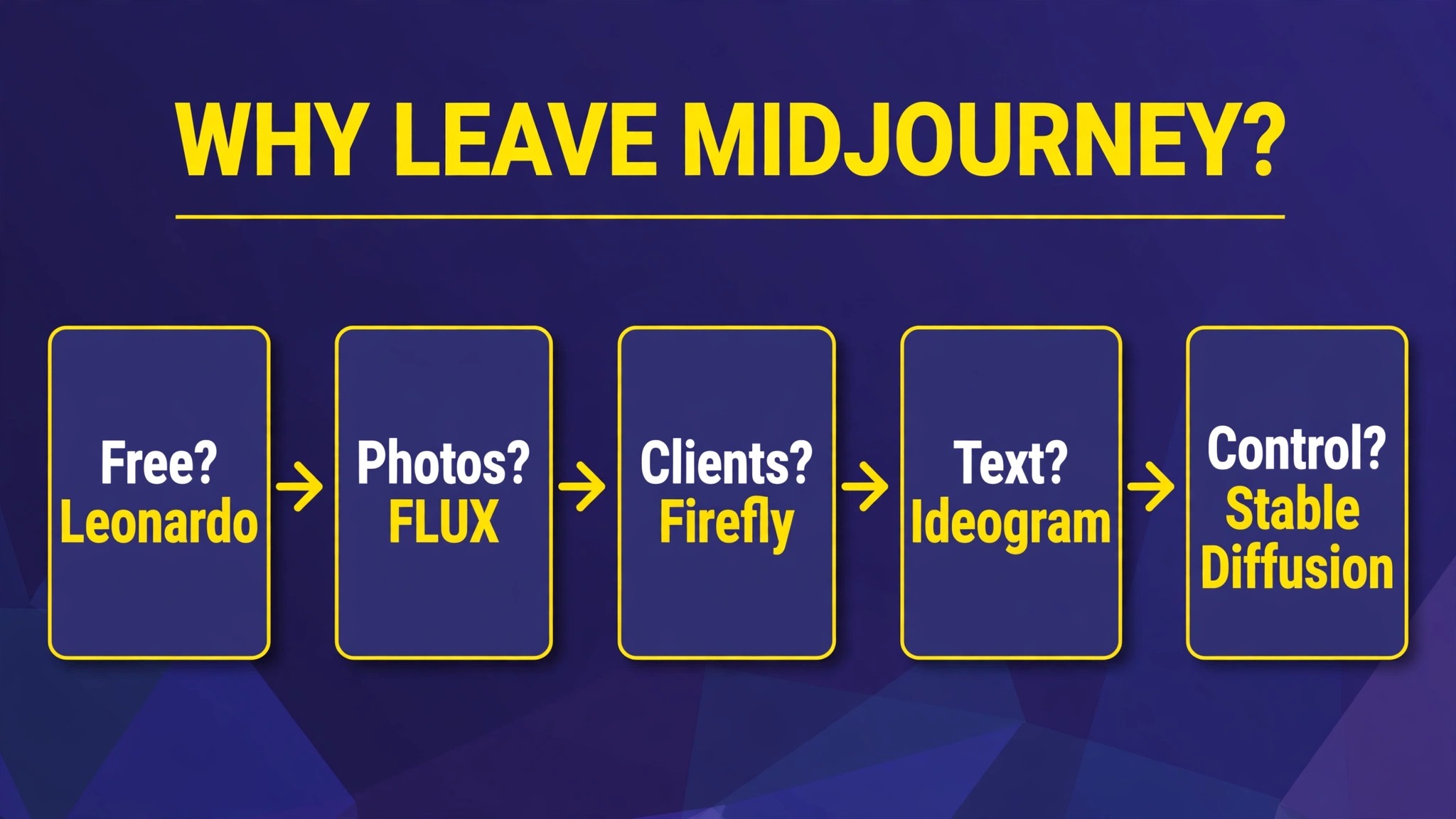
Why people actually leave Midjourney
Midjourney still makes beautiful images. Nobody serious disputes that. People leave for practical reasons, not because the art got worse.
First, the price floor. Basic is $10 a month, and that buys about 3.3 hours of fast generation time. If you only need a handful of images a month, that is a lot to pay for a few pictures.
Second, there is no free tier. Most rivals let you generate something today, for nothing, and decide later. Midjourney asks for a card first.
Third, privacy. On the Basic and Standard plans, your images are public by default in the community gallery. Private generation, called Stealth Mode, starts at the $60 a month Pro plan. If you are making client work or personal projects, that matters.
Fourth, commercial safety. Midjourney’s training data and licensing terms are less clear cut than Adobe’s licensed-data approach, and some businesses prefer a tool that indemnifies commercial use on paid plans.
Fifth, the workflow. Midjourney now has a web editor, but it grew up on Discord, and its prompting style, parameters and queue system feel like a hobbyist tool to people who want a normal app with templates, projects and team features.
If none of that bothers you, stay. If one of those five points is the reason you are reading this, skip to the section that matches it.
The 12 alternatives at a glance
| Tool | Free tier | Paid from | Fixes which Midjourney gap |
|---|---|---|---|
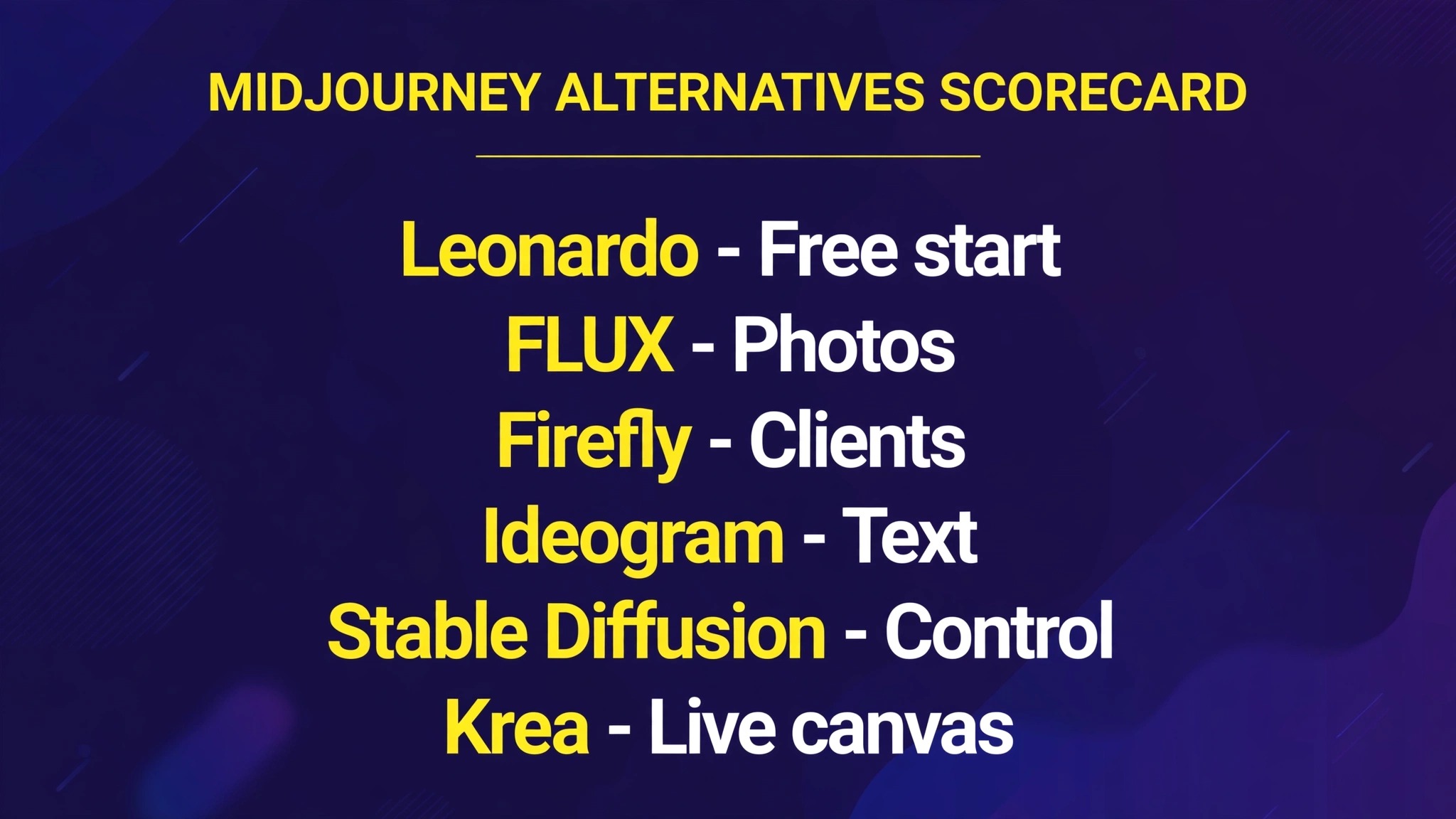
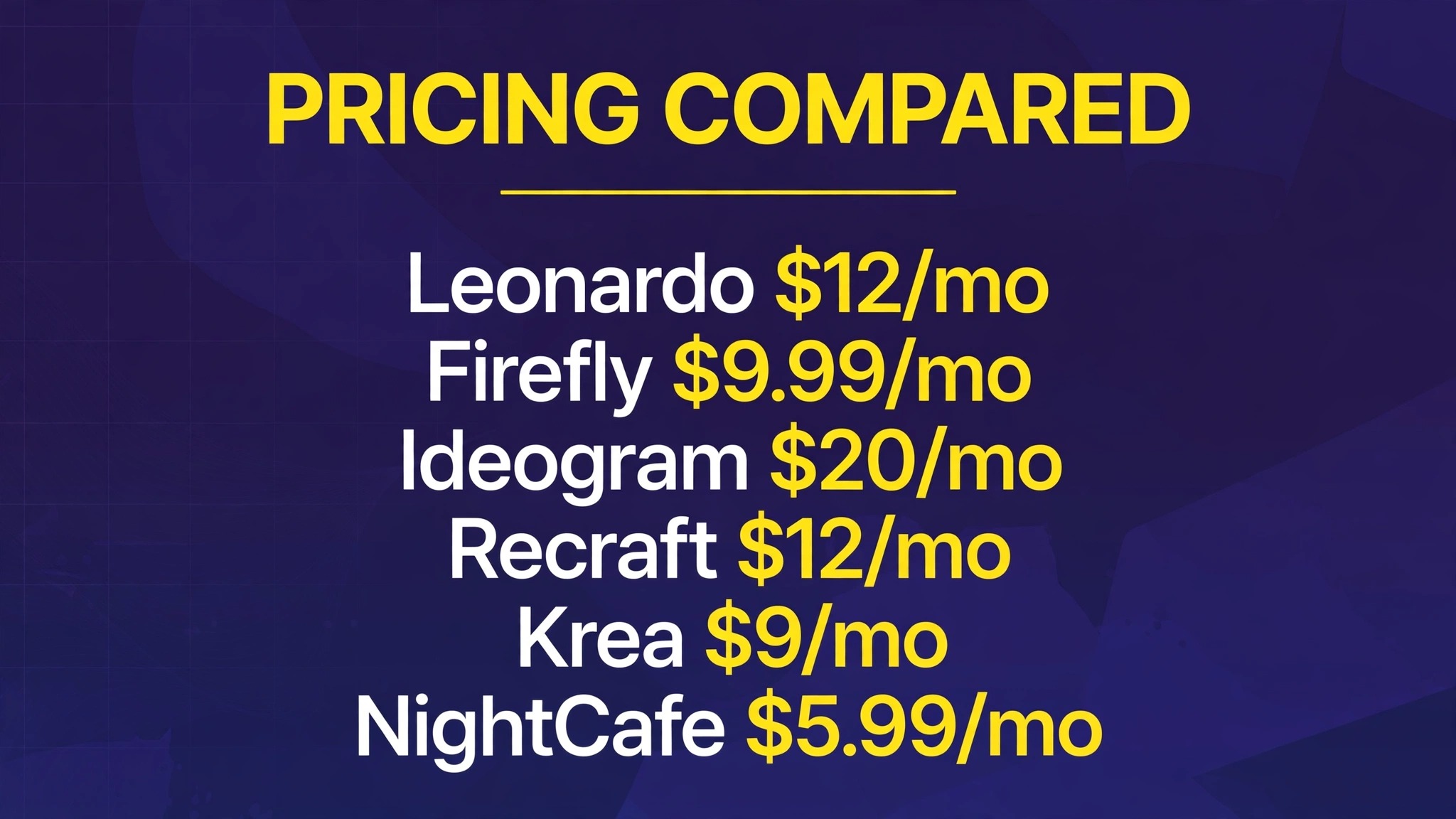
| Leonardo AI | Yes, daily allowance | $12/mo | Closest drop-in, no Discord needed |
| Google Gemini (Nano Banana) | Yes, with limits | Google AI plan for newest model | Free editing and restyling |
| Microsoft Designer (Image Creator) | Yes | Free, with Boosts | Free beginner option |
| FLUX | Open models free locally | About $0.014/image via API | Photorealism, pay only for what you make |
| ChatGPT Images | Limited free | $20/mo (Plus) | Images inside a tool you may already pay for |
| Adobe Firefly | Yes, monthly credits | $9.99/mo | Commercial safety, licensed training data |
| Recraft | Yes, daily credits | $12/mo | Vectors, icons and brand assets |
| Ideogram | Yes | $20/mo | Readable text inside images |
| Canva AI (Magic Media) | Yes, about 20 AI uses/mo | $144/year (Pro) | Social designs and templates |
| Stable Diffusion | Free, self-hosted | Your hardware cost only | Unlimited, private, fully local |
| Krea | Yes, 100 units/day | $9/mo ($5/mo annual) | Real-time creative exploration |
| NightCafe | Yes, daily credits | $5.99/mo | Trying many models in one place |
Prices are US list prices found in October 2026 roundups. Costs change frequently, so confirm them on the vendor page before you pay. Rather than pick one number and hope, this guide marks every place where sources disagreed.
If you want a free start
Leonardo AI: the closest drop-in replacement
Leonardo is the tool most ex-Midjourney users land on first, because it feels familiar. It is a normal web app, no Discord, with a prompt box, style presets, and a community feed for inspiration. It also has fine-tuned models for game art, characters and product shots, and a canvas editor for refining images after generation.
The free tier gives you a daily token allowance, which is enough for regular casual use, though heavy days will run it dry. Paid plans start at $12 a month. The tradeoff against Midjourney is polish: Leonardo’s default look is slightly less art-directed, and you will spend more time picking models to get the same mood.
Pricing: Free tier with a daily allowance. Paid from $12 a month.
Best for: Anyone who wants Midjourney-style art in a normal app.
Watch out for: Free outputs may be public depending on the model, so check the visibility setting before generating client work.
Try it at: leonardo.ai
Google Gemini (Nano Banana): the free editor
Gemini’s image model, known as Nano Banana, is the best free option for editing rather than generating from scratch. Upload a photo, ask for a different background, a new outfit, a different season, and it keeps the subject recognisable while changing the rest. That consistency is the feature: most free generators redraw everything, while Nano Banana edits what you already have.
The newest version, Nano Banana 2.1, needs a Google AI plan according to October 2026 reports, but the standard model is free with limits. It is also the fastest way to test an idea, since it lives inside the Gemini app most people already have.
Pricing: Free with limits. Newest model needs a Google AI plan.
Best for: Editing photos, restyling images, and quick free generations.
Watch out for: Output quality on purely artistic prompts trails Midjourney, and free limits tighten at busy times.
Try it at: gemini.google.com
Microsoft Designer (Image Creator): the free beginner option
If your image needs are simple, a birthday card, a blog header, a social post, and you do not want to learn a new tool, Microsoft’s Image Creator is the honest pick. It runs on the DALL-E model family, it is free with a Boosts system that speeds up generation, and it sits inside a design app with templates, so the image lands straight into a finished layout.
It will not win art competitions. Prompt control is basic, styles are limited, and the resolution is modest. But for “I need something decent in two minutes and I do not want to pay”, nothing else on this list is simpler.
Pricing: Free, with a Boosts system for faster generation.
Best for: Beginners, quick social graphics, and casual users.
Watch out for: Limited styles and control, and fast generation runs out if you generate in bulk.
Try it at: designer.microsoft.com
If you want photos that look real
FLUX: photorealism without a subscription
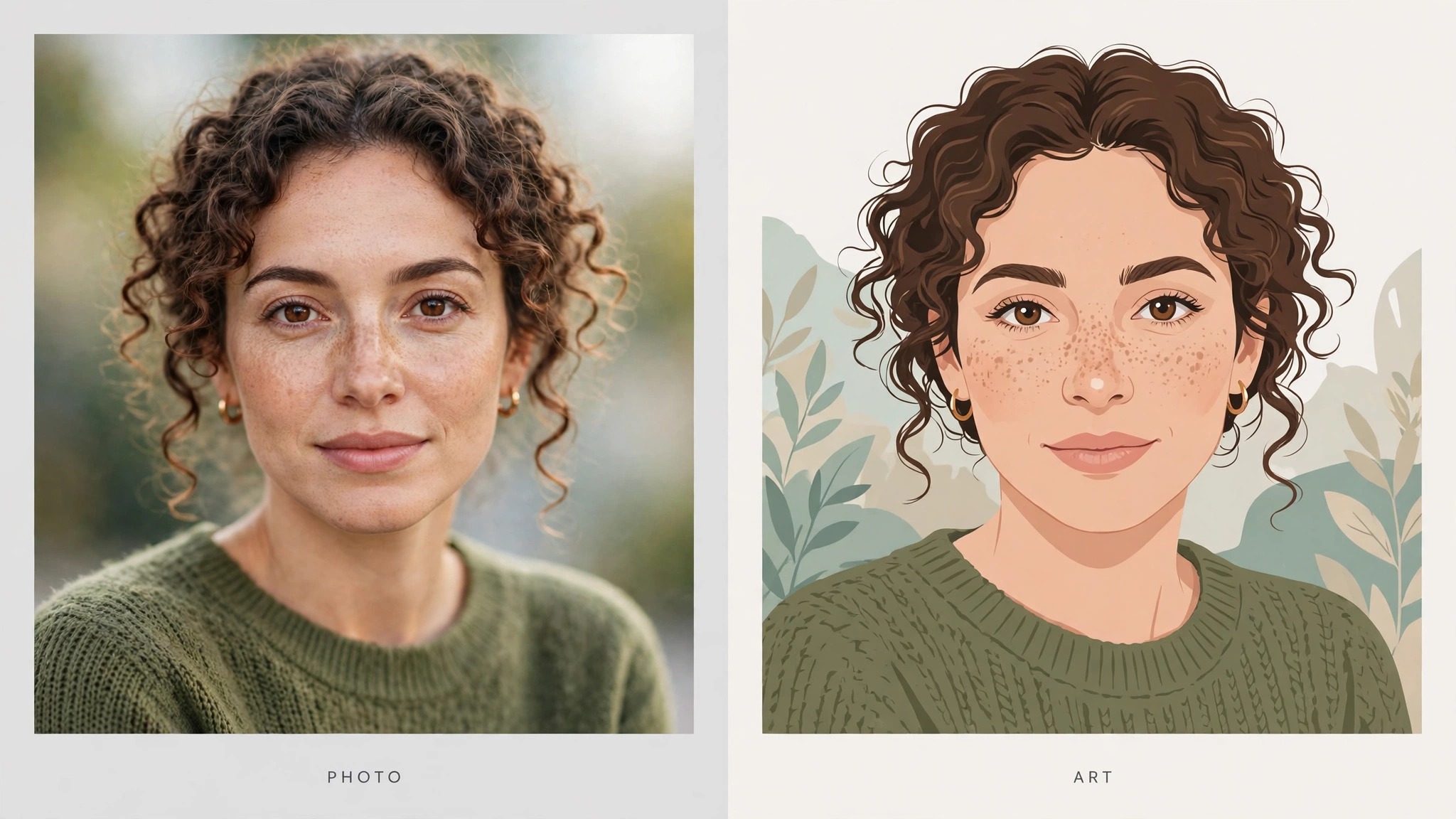
FLUX, from Black Forest Labs, is the strongest answer to “I want it to look like a photograph”. Its current FLUX.2 family covers everything from tiny open models you can run on your own computer to a top tier API model. The open models are free to run locally, and the API charges per image, from about $0.014 for the smallest model, so you pay for exactly what you generate and nothing else.
That pay-as-you-go model is the real break from Midjourney. There is no monthly floor, no wasted subscription in a quiet month, and no queue. The catch is the interface: FLUX is a model family, not a finished app, so most people use it through a playground, an API host like fal.ai or Replicate, or a tool that bundles it. If you want a polished single app, Leonardo or Krea will feel friendlier.
Pricing: Open models free locally. API from about $0.014 per image.
Best for: Photorealism, product shots, and pay-as-you-go use.
Watch out for: You need a host app or API setup, and prompt craft matters more than with Midjourney.
Try it at: blackforestlabs.ai
ChatGPT Images: the one you may already pay for
ChatGPT’s image generation, now on its Images 2.5 generation, is the pragmatic pick for anyone who already pays for ChatGPT Plus. The images are good, prompt understanding is excellent because the chatbot understands context, and text inside images renders far more reliably than it did two years ago. You can also iterate in conversation: “make the sky darker, keep everything else” actually works.
The free plan includes limited image creation, so you can test it before paying. The weakness is art direction. ChatGPT images look clean and competent, but they lack Midjourney’s distinctive mood, and heavy users will hit Plus limits on busy days.
Pricing: Limited free image creation. Plus at $20 a month.
Best for: ChatGPT subscribers, and anyone who iterates by chatting.
Watch out for: Less artistic range than Midjourney, and no dedicated art community.
Try it at: chatgpt.com
If the images are for clients
Adobe Firefly: commercial safety first
Firefly is the only tool on this list that most businesses choose for legal reasons rather than looks. It is trained on licensed content, and paid plans include IP indemnification, which means Adobe stands behind commercial use of the output. If a client asks “can we legally use this in an ad”, Firefly is the easiest yes in the industry.
It also lives inside Photoshop, Illustrator and Adobe Express, so generated images drop straight into real design work, with generative fill and expand built into the tools designers already use. The free plan includes monthly credits. Paid plans start at $9.99 a month, though plan names and credit counts have changed through 2026, so confirm the current plan page. If you want the Firefly versus Express comparison in more depth, our canva-vs-adobe-express post covers the Adobe side of that fight.
Pricing: Free plan with monthly credits. Paid from $9.99 a month.
Best for: Client work, agencies, and Adobe users.
Watch out for: Artistic range is narrower than Midjourney, and credit math takes a minute to learn.
Try it at: firefly.adobe.com
Recraft: vectors, icons and brand assets
Midjourney makes raster images, flat pictures made of pixels. Recraft makes vectors too, and that single difference makes it the pick for logos, icons, illustrations and anything that needs to scale from a favicon to a billboard without going blurry. It also has brand controls: set a colour palette and style once, and every generation in a project stays on brand.
The free plan gives daily credits, and paid plans start at $12 a month according to October 2026 price comparisons (older articles quote $10, which looks outdated). The tradeoff is photographic work: Recraft is a design tool first, and its photos are not its strength.
Pricing: Free plan with daily credits. Paid from $12 a month.
Best for: Logos, icons, illustrations and brand-consistent assets.
Watch out for: Not the pick for photorealism or cinematic art.
Try it at: recraft.ai
If words inside the image matter
Ideogram: the text specialist
Ideogram solved the problem that embarrasses every other generator: words inside the image. Logos, posters, packaging, memes, book covers, anything where a misspelled word ruins the result. Its current models render long phrases accurately, and it gives you typography controls, font style, layout and colour, that Midjourney simply does not offer.
The free tier exists but is limited, and paid plans start at $20 a month according to October 2026 price comparisons. Older articles quote $8, which appears to be an outdated entry tier, so trust the current checkout page. For pure art with no text, Midjourney or FLUX will still look better, but for anything a human has to read, Ideogram is the safest bet on this list.
Pricing: Free tier with limits. Paid from $20 a month.
Best for: Logos, posters, packaging and any text-heavy image.
Watch out for: Artistic range is narrower than Midjourney, and the free tier runs out fast.
Try it at: ideogram.ai
Canva AI (Magic Media): from image to finished post
Canva’s Magic Media is not trying to beat Midjourney on art. It wins on what happens after the image exists. Generate an image, and it lands inside a design with templates, text, brand colours and one click resizing for every social platform. For creators who post daily, that finished-post workflow saves more time than a slightly prettier image ever would.
The free plan includes about 20 AI uses a month, and Pro is $144 a year. If you already use Canva for social content, Magic Media costs you nothing extra to try. For standalone art prints or portfolio work, a dedicated generator will serve you better. Our best-ai-tools-for-youtubers guide covers the wider creator workflow around tools like this.
Pricing: Free plan with about 20 AI uses a month. Pro at $144 a year.
Best for: Social posts, thumbnails and template-based design.
Watch out for: Image quality and control trail the dedicated generators.
Try it at: canva.com
If you want total control
Stable Diffusion: free, private, unlimited
Stable Diffusion is the only option here with no company in the middle. You download the model, run it on your own computer, and generate as much as you like, with no subscription, no queue, no public gallery and no content filter set by a vendor. That is why developers, researchers and privacy conscious creators keep coming back to it, even as hosted tools get easier.
The price is effort. You need a decent graphics card, you need to install and update the software, and the out of the box results look rougher than Midjourney until you learn models, samplers and prompt craft. Hosted versions exist if you want the model without the setup, but then you are paying a host and giving up some of the privacy advantage.
Pricing: Free to run locally. Your hardware and electricity are the only costs.
Best for: Privacy, unlimited generation, and full control.
Watch out for: Setup and learning curve, and results depend heavily on your skill.
Try it at: stability.ai
Krea: real-time creative exploration
Krea works differently from everything else on this list. Instead of typing a prompt and waiting, you paint, sketch or adjust sliders and the image updates live as you work. For concept art, product design ideas and visual brainstorming, that live loop changes how you explore: you try twenty directions in the time a normal generator takes for three.
The free plan gives 100 compute units a day, and Basic is $9 a month, or $5 a month billed annually. One point needs care: Krea’s own pricing page says the free plan does not include a commercial licence, while some third party reviews say it does. Trust the vendor page, and buy Basic before using free outputs commercially.
Pricing: Free plan with 100 compute units a day. Basic from $9 a month ($5 a month annual).
Best for: Concepting, iteration and visual brainstorming.
Watch out for: Final polished output trails Midjourney, and commercial use needs a paid plan.
Try it at: krea.ai
NightCafe: many models, one account
NightCafe is the sampler platter. One account gives you access to a dozen models, including FLUX, Ideogram, DALL-E 3 and Stable Diffusion variants, plus a large community, daily challenges and a print marketplace. If you are still figuring out which model style you like, NightCafe lets you compare outputs side by side without juggling five subscriptions.
The free tier gives 5 daily credits plus unlimited base Stable Diffusion generations, which is genuinely useful for casual play. Paid plans start at $5.99 a month, though older articles quote lower annual figures, so check the checkout page. Quality varies by model, and the credit system means premium models eat credits fast, but as a learning tool and community, nothing else on this list matches it.
Pricing: Free tier with 5 daily credits plus unlimited base generations. Paid from $5.99 a month.
Best for: Exploring models, community challenges, and casual art.
Watch out for: Credit math, variable quality across models, and queues at peak times.
Try it at: nightcafe.studio
Pick by your reason, not by the ranking
Rankings mislead here, because the right tool depends on which Midjourney problem you are solving. Use this table instead.
| Your reason for leaving | Start with | If that fails, try |
|---|---|---|
| No free tier | Leonardo, Gemini | Microsoft Designer |
| Too expensive for light use | FLUX pay per image | NightCafe free credits |
| Images public by default | Stable Diffusion local | Firefly on a paid plan |
| Client work and licensing | Adobe Firefly | Recraft for brand assets |
| Text keeps misspelling | Ideogram | ChatGPT Images |
| Need images inside designs | Canva AI | Recraft |
| Want to explore, not just prompt | Krea | NightCafe |
One more practical point. Midjourney’s $60 a month Pro plan is the real cost of private generation there. For the same money you could run Firefly and Recraft together, or buy roughly 4,000 FLUX images through an API at entry pricing. If privacy or commercial safety is your reason, the alternatives are not just cheaper, they are structurally better for the job.
Try this before you pay: a one week test
Do not subscribe to anything on day one. Run this instead.
Day one, pick the two tools that match your reason from the table above, and generate the same three prompts in both: a portrait, a product shot, and a poster with text. Same words, both tools, side by side. The winner is usually obvious by dinner.
Days two to four, use only the winner for real work, not test prompts. A tool that shines on demos and frustrates on your actual brief is the wrong tool, and you will only learn that from real work.
Day five, check the boring things: can you download at the resolution you need, are the outputs private by default, and does the licence cover what you sell? If any answer is no, switch to the runner up before you invest more time.
By day seven you will know, from evidence rather than reviews, which tool earns the subscription. That habit, free first and pay on evidence, is worth more than any ranking.
Frequently Asked Questions
Is there a completely free Midjourney alternative?
Yes, several. Stable Diffusion is free to run locally with no limits beyond your hardware. Leonardo, Gemini, Microsoft Designer, Krea and NightCafe all have free tiers, though each caps daily use. For casual use, a free tier is usually enough, and you only pay when you hit the cap regularly.
Which Midjourney alternative is closest in style?
Leonardo AI, for most people. It is a normal web app with style presets and fine-tuned models, and its output is the closest to Midjourney’s art-directed look without using Midjourney itself. FLUX matches or beats Midjourney on photorealism, but its artistic styling needs more prompt work.
Can I use these alternatives for client work?
Yes, with one check first. Adobe Firefly is the safest choice because its training data is licensed and paid plans include indemnification. Recraft and Krea include commercial licences on paid plans. For the rest, read the licence on the plan you actually buy, not the marketing page, and save a dated copy for client files.
Do Midjourney alternatives work without Discord?
All twelve tools on this list do. That is one of the main reasons people switch: every alternative here is a normal website or app, with no Discord server, no bot commands and no public channel required to generate an image.
Are my images private on these alternatives?
It depends on the tool and plan. Stable Diffusion run locally is fully private, since nothing leaves your computer. Most hosted tools let you set outputs to private on paid plans, and some do so on free plans too. Midjourney’s own private mode starts at $60 a month, so if privacy is your reason for leaving, check the visibility setting on your chosen tool before generating anything sensitive.
Which alternative is best for text in images?
Ideogram, by a clear margin. It renders long phrases accurately and gives you typography controls. ChatGPT Images is the runner up for short phrases. If your work is logos, posters or packaging, start with Ideogram and judge the rest against it.
Should I cancel Midjourney completely?
Not necessarily. Many creators keep Midjourney for the art it does best and use a free alternative for everything else: Firefly for client work, Ideogram for text, FLUX for photos. If you generate art weekly and love the Midjourney look, the $10 Basic plan may still be worth it alongside a free tool. Cancel only when another tool covers your actual weekly work, not just your test prompts.
Conclusion
So, back to the opening question. What do you do when the tool that makes your favourite art asks you to pay before you can even try it? You try something else first, and you judge it on your own work.
If you take one thing from this guide, make it this: the best Midjourney alternative is not a single name. It is the tool that fixes your specific reason for leaving, and you will find it faster by testing two tools for a week than by reading ten more rankings. Start with the reason table, run the one week test, and let your own images decide.
If you want the wider picture beyond Midjourney replacements, our best-ai-image-generators guide compares 16 generators head to head, and our best-ai-tools-for-content-creators guide covers the full creator toolkit around them.