
Choosing project management software is easy until you actually have to choose one.
There are dozens of platforms promising better planning, cleaner workflows, smarter automation, team collaboration and AI-powered productivity. Some are excellent for simple task management. Others are built for software development, client work, marketing teams, complex operations or large organizations.
The problem is that the best project management software for one team may be completely wrong for another.
A freelancer may want something lightweight and inexpensive. A growing business may need Gantt charts, workload management and automation. A software team may prefer Jira or Linear, while a creative agency may get more value from ClickUp, Asana or Teamwork.
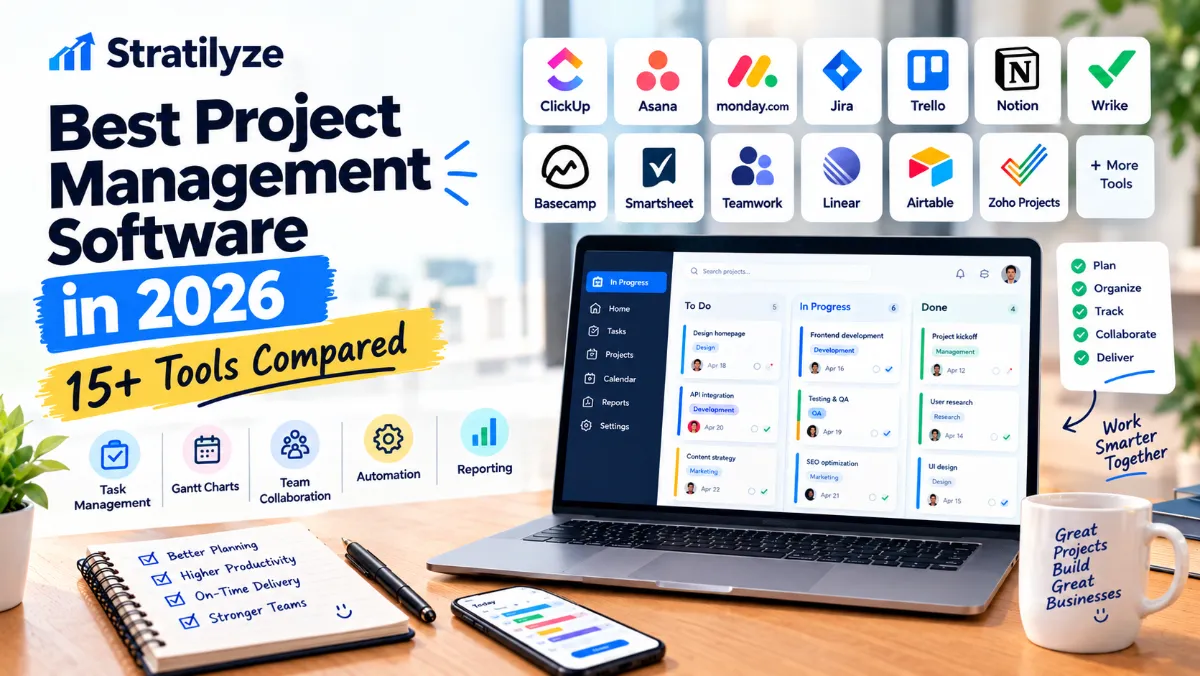
This guide compares 16 of the best project management software options in 2026, including ClickUp, Asana, monday.com, Jira, Trello, Notion, Smartsheet, Wrike, Basecamp, Teamwork, Linear, Airtable, Zoho Projects, Microsoft Planner, GanttPRO and more.
Instead of simply listing features, we’ll look at who each tool is actually good for, where it fits, what it does well, and when you should consider another option.
Quick Comparison of the Best Project Management Software
| Software | Best For | Free Plan | Standout Strength |
|---|---|---|---|
| ClickUp | All-in-one project management | Yes | Deep feature set |
| Asana | Teams and structured workflows | Yes | Ease of use |
| monday.com | Flexible business workflows | Yes | Customizable workspaces |
| Jira | Software and agile teams | Yes | Agile development |
| Trello | Simple projects | Yes | Kanban boards |
| Notion | Projects + documentation | Yes | Flexible workspace |
| Smartsheet | Complex project operations | Yes/trial options | Spreadsheet-style management |
| Wrike | Growing and enterprise teams | Yes | Advanced work management |
| Basecamp | Client projects and simple collaboration | Limited free | Simplicity |
| Teamwork | Agencies and client services | Limited | Client-focused project management |
| Linear | Product and engineering teams | Yes | Fast issue/project workflows |
| Airtable | Custom databases and workflows | Yes | Database flexibility |
| Zoho Projects | Small businesses | Yes | Value |
| Microsoft Planner | Microsoft 365 users | Depends on Microsoft plan | Microsoft ecosystem |
| GanttPRO | Gantt-based planning | Trial | Visual project scheduling |
| Smartsheet | Enterprise planning | Trial/free options vary | Portfolio and resource planning |
Best overall: ClickUp
Best for simplicity: Asana
Best for flexible business workflows: monday.com
Best for software development: Jira
Best simple Kanban tool: Trello
Best for documentation-heavy teams: Notion
Best for agencies: Teamwork
Best for product teams: Linear
Best spreadsheet-style option: Smartsheet
Best value for small businesses: Zoho Projects
What Is Project Management Software?
Project management software helps teams plan, organize and track work from beginning to completion.
Instead of keeping everything across spreadsheets, email threads, chat messages and separate documents, a project management platform can bring tasks, deadlines, files, responsibilities, discussions and progress into one workspace.
Depending on the software, you may get:
- Task management
- Project boards
- To-do lists
- Kanban boards
- Gantt charts
- Timelines
- Calendar views
- Task dependencies
- Team collaboration
- File sharing
- Time tracking
- Reporting
- Dashboards
- Automation
- Forms
- Workload management
- Resource planning
- AI features
- Integrations
However, more features don’t automatically make software better.
A small marketing team may become less productive if it chooses a platform designed for enterprise portfolio management when all it really needs is a simple task board.
That is why the right choice depends on how your team actually works.
1. ClickUp – Best Overall Project Management Software
ClickUp is one of the strongest choices if you want to manage projects, tasks, documents, goals, time tracking and team communication from one platform.
Its biggest advantage is breadth.
ClickUp combines project management with features that normally require multiple separate tools. Depending on the plan, you can work with tasks, Docs, Forms, Kanban boards, Gantt charts, dashboards, time tracking, goals, portfolios, whiteboards and more.
The current Free Forever plan includes unlimited tasks and unlimited free-plan members, while paid plans add capabilities such as unlimited Gantt charts, integrations, custom fields, native time tracking and resource management. ClickUp’s current annual pricing lists Unlimited at $7 per user/month and Business at $12 per user/month.
Why choose ClickUp?
- Very broad feature set
- Multiple project views
- Strong automation
- Built-in time tracking
- Docs and task management in one place
- Useful for different types of teams
- Strong AI/work-management direction
Potential downside
ClickUp can feel overwhelming when you first start using it.
There are so many settings, views and features that a small team may need some time to configure the workspace properly.
Best for
Businesses that want one platform to handle most of their project management needs.
2. Asana – Best for Easy-to-Manage Team Projects
Asana takes a more structured approach.
It is particularly good for teams that want projects to remain organized without spending too much time configuring the software.
Asana’s free Personal plan supports up to two users and includes unlimited tasks and projects, plus list, board and calendar views. Its current Starter plan adds features such as Timeline and Gantt views, dashboards, forms, custom fields and unlimited automations.
Why choose Asana?
- Clean interface
- Easy task assignment
- Strong project organization
- Timeline and Gantt functionality on paid plans
- Good automation
- Useful reporting
- Large integration ecosystem
Potential downside
Teams looking for extremely deep customization may eventually find ClickUp or monday.com more flexible.
Best for
Marketing teams, operations teams, agencies and businesses that want structured project management without excessive complexity.
3. monday.com – Best for Flexible Business Workflows
monday.com is less about forcing every team into one project management methodology and more about letting teams build workflows around their needs.
Its board-based system can be adapted for projects, sales processes, content calendars, operations, client work and many other workflows.
The current Free plan supports up to two seats and three boards, while paid plans add more workflow capabilities. monday.com also continues to expand its AI features and automation capabilities.
Why choose monday.com?
- Highly visual
- Flexible boards
- Custom columns
- Automations
- Dashboards
- Multiple business use cases
- Good for teams that don’t want rigid workflows
Potential downside
Pricing can become more complicated as teams grow because plans and seat requirements matter.
Best for
Small and medium-sized businesses that want customizable workflows rather than a traditional task-management system.
4. Jira – Best for Software Development Teams
Jira is one of the strongest options for software development and agile project management.
Jira is designed around work items, backlogs, Scrum and Kanban boards, workflows, releases, reporting and development-related collaboration.
Its current Free plan supports up to 10 users and includes unlimited projects and work items, multiple project views, reports and dashboards. Paid plans add larger team support, advanced planning, automation, permissions and Rovo AI features.
Why choose Jira?
- Excellent for agile development
- Scrum and Kanban support
- Backlogs
- Issue tracking
- Development integrations
- Advanced workflows
- Strong automation
- Excellent for technical teams
Potential downside
Jira can feel unnecessarily complicated for a simple marketing or personal project.
Best for
Software developers, product teams, engineering departments and organizations using agile methodologies.
5. Trello – Best Simple Project Management Tool
Trello is one of the easiest project management tools to understand.
Its core concept is simple: create boards, add lists and move cards through different stages.
For example:
Ideas → To Do → In Progress → Review → Done
Trello’s Free plan supports up to 10 collaborators per Workspace and includes unlimited cards, up to 10 boards, Power-Ups, due dates and mobile apps. The current Standard plan starts at $5 per user/month when billed annually, while Premium adds additional views and AI features.
Why choose Trello?
- Very easy to learn
- Excellent Kanban workflow
- Good free plan
- Useful for individuals and small teams
- Simple visual organization
Potential downside
Teams managing complex dependencies, resources or large portfolios may outgrow Trello.
Best for
Freelancers, small teams, content calendars and straightforward projects.
6. Notion – Best for Projects and Documentation Together
Notion is different from traditional project management platforms.
Instead of focusing exclusively on project tracking, Notion combines documents, databases, tasks, notes and team knowledge.
Its databases can be configured with properties, subtasks and dependencies, allowing teams to build project systems around their own workflows. The current Free plan is $0 per member/month, while Plus starts at $10 per member/month.
Why choose Notion?
- Projects and documentation in one place
- Flexible databases
- Notes and knowledge management
- Custom dashboards
- Templates
- Useful for content teams
- Strong AI direction
Potential downside
Notion’s flexibility can become a weakness if your team wants a ready-made project management system with fewer configuration decisions.
Best for
Startups, content teams, creators and companies that need project management alongside documentation and knowledge management.
7. Smartsheet – Best for Spreadsheet-Style Project Management
Smartsheet is a good choice for organizations that like spreadsheets but need more structured project management capabilities.
It combines spreadsheet-style interfaces with Gantt charts, boards, calendars, dashboards, automation and resource management.
Smartsheet’s current Pro plan includes Gantt, table, board and calendar views, formulas, AI features, unlimited sheets/forms/reports and 250 automations per month. Business adds workload tracking, timeline functionality and unlimited automations.
If your team regularly works with spreadsheets, you may also want to compare it with our guide to Best Spreadsheet Software for Small Business.
Why choose Smartsheet?
- Familiar spreadsheet-style interface
- Gantt charts
- Resource planning
- Dashboards
- Automation
- Enterprise capabilities
Potential downside
It can be more software than a small team actually needs.
Best for
Operations teams, project managers and larger organizations managing structured projects and portfolios.
8. Wrike – Best for Growing and Enterprise Teams
Wrike focuses heavily on work management, project planning, reporting and enterprise workflows.
Its current Free plan provides basic project and task management. The Team plan is listed at $10 per user/month, while Business is $25 per user/month, with advanced resource planning, reporting and other capabilities available higher up the platform.
Why choose Wrike?
- Strong project management
- Gantt charts
- Dashboards
- Advanced reporting
- Resource management
- Workflow customization
- Enterprise capabilities
Potential downside
The platform can be excessive for very small teams looking for a basic task manager.
Best for
Growing organizations and teams managing multiple complex workflows.
9. Basecamp – Best for Simple Client Projects
Basecamp takes a deliberately simple approach.
Instead of giving users hundreds of project management settings, Basecamp focuses on keeping projects organized around communication, tasks, files and schedules.
Its current free plan supports one project and up to five users. Paid plans use fixed pricing rather than charging per user, including Freelancer at $25/month, Studio at $59/month and Pro at $99/month.
Why choose Basecamp?
- Simple project organization
- Client-friendly
- Fixed-price paid plans
- Team communication
- To-dos
- File storage
- Project-focused workspace
Potential downside
It doesn’t offer the same depth of customization as ClickUp, monday.com or Smartsheet.
Best for
Freelancers, agencies and teams that value simplicity over advanced configuration.
10. Teamwork – Best for Agencies and Client Services
Teamwork.com is particularly interesting for agencies, consultants and client-service businesses.
The platform combines project management with time tracking, client work and resource planning.
Its current Basics plan is listed at $9.99 per user/month when billed yearly and includes Gantt, Table, List and Board views, billable time tracking and client-oriented project features.
Why choose Teamwork?
- Client-focused project management
- Time tracking
- Gantt charts
- Workload management
- Billing-related workflows
- Good for agencies
If your team also needs dedicated time tracking, our Best Time Tracking Software guide can help you compare standalone options.
Best for
Agencies, consultants and professional service businesses managing client projects.
11. Linear – Best for Product and Engineering Teams
Linear is designed around product development and issue tracking rather than general-purpose business administration.
Its interface is fast and relatively minimal compared with larger all-in-one platforms.
The current Free plan includes unlimited members, two teams and 250 issues. Basic starts at $10 per user/month when billed yearly, while Business is $16 per user/month annually.
Why choose Linear?
- Fast interface
- Product development workflows
- Issues and projects
- Cycles
- Initiatives
- Engineering-focused features
- Strong integrations
- AI and agent capabilities
Potential downside
It isn’t necessarily the best fit for a traditional HR, accounting or general business operations team.
Best for
Software companies, product managers, engineering teams and startups.
12. Airtable – Best for Custom Project Databases
Airtable sits somewhere between a database, spreadsheet and workflow platform.
This makes it particularly useful when your project isn’t just a list of tasks.
For example, a marketing team could use Airtable to manage:
- Campaigns
- Content
- Clients
- Assets
- Deadlines
- Contributors
- Approval stages
Airtable currently offers a Free plan, while its Team plan is listed at $20 per user/month when billed annually. Business is listed at $45 per user/month annually, with enterprise-scale pricing available through sales.
Why choose Airtable?
- Database flexibility
- Custom fields
- Multiple views
- Forms
- Automation
- Custom workflows
- Good for structured information
Potential downside
It requires more setup than a traditional project management tool.
Best for
Operations, marketing, content, product and teams that need customized data-driven workflows.
13. Zoho Projects – Best Value for Small Businesses
Zoho Projects is worth considering if you want traditional project management features without moving immediately into an expensive enterprise platform.
Zoho Projects supports task management, milestones, Gantt charts, dependencies, templates and project organization.
Its current Free edition supports up to three projects and 5GB of storage, while paid editions expand project limits, storage, templates and dependency management.
Why choose Zoho Projects?
- Affordable ecosystem
- Gantt charts
- Task dependencies
- Project templates
- Time tracking
- Automation
- Integrates with other Zoho products
Potential downside
The interface may feel less polished than some of the most design-focused competitors.
Best for
Small businesses already using Zoho or looking for a cost-conscious project management solution.
14. Microsoft Planner – Best for Microsoft 365 Users
Microsoft Planner makes the most sense when your organization already relies heavily on Microsoft 365.
Planner fits into Microsoft’s wider ecosystem and can be used alongside Microsoft Teams and other Microsoft services.
The exact capabilities available depend on the Microsoft 365 or Planner license you use. Microsoft also offers additional Planner functionality and AI capabilities through eligible plans and Copilot licensing.
Why choose Microsoft Planner?
- Microsoft ecosystem integration
- Teams integration
- Familiar environment
- Useful for organizations already using Microsoft 365
- Easier administration when your company is already standardized on Microsoft
Potential downside
If you’re not already invested in Microsoft 365, standalone alternatives may offer a more complete project management experience.
Best for
Businesses already using Microsoft 365.
15. GanttPRO – Best for Gantt-Based Planning
GanttPRO focuses heavily on visual project scheduling.
If your work revolves around timelines, task dependencies, milestones and project schedules, a Gantt-focused platform can make more sense than a general collaboration app.
GanttPRO currently offers Core, Advanced, Business and Enterprise plans. Its Core plan is positioned around essential project management capabilities, while higher tiers add more advanced functionality.
Why choose GanttPRO?
- Strong Gantt charts
- Visual scheduling
- Task dependencies
- Project timelines
- Useful for complex schedules
Potential downside
It is more specialized than all-in-one platforms such as ClickUp or monday.com.
Best for
Project managers who rely heavily on timelines, dependencies and Gantt charts.
16. Microsoft Project – Best for Traditional Complex Project Planning
For organizations with formal project management processes, Microsoft Project remains another option worth considering.
It is designed around detailed project scheduling, task dependencies, resource planning and structured project management.
However, for many smaller businesses, Microsoft Planner or another modern work-management platform may be easier to adopt.
Best for
Organizations that need traditional project scheduling and structured resource management.
Which Project Management Software Should You Choose?
There isn’t one universal winner.
Your best choice depends on the type of work you manage.
For a Small Business
Start with:
- ClickUp
- Asana
- monday.com
- Zoho Projects
- Trello
If your business also needs accounting, spreadsheets, scheduling and communication tools, our broader Best Software for Small Business guide covers several of these categories together.
For Freelancers
Consider:
- Trello
- Notion
- ClickUp
- Basecamp
- Asana
You probably don’t need an enterprise-grade system unless you’re managing multiple clients and complex workflows.
For Marketing Teams
Strong choices include:
- Asana
- ClickUp
- monday.com
- Notion
- Airtable
- Teamwork
A marketing team usually benefits from content calendars, approvals, deadlines, collaboration and file organization more than developer-specific features.
For Software Development
The strongest options are:
- Jira
- Linear
- ClickUp
- monday.com
Jira is particularly strong when your development process revolves around Scrum, Kanban, backlogs and issue tracking.
Linear is attractive to product and engineering teams that want a fast, focused workflow.
For Agencies
Consider:
- Teamwork
- ClickUp
- Asana
- Basecamp
- monday.com
- Wrike
Client management and billable time can be particularly important for agencies. Teamwork stands out here because of its focus on client work and time tracking.
For Enterprise Teams
Consider:
- Smartsheet
- Wrike
- monday.com
- Jira
- ClickUp
At this level, the decision isn’t just about task management.
Security, permissions, reporting, integrations, resource planning, governance and administration become much more important.
Project Management Software vs Task Management Apps
These terms are often used interchangeably, but there is a practical difference.
A task management app may primarily help you answer:
What do I need to do next?
Project management software should help answer much bigger questions:
- What needs to be completed?
- Who is responsible?
- When is it due?
- What depends on what?
- How much work is complete?
- Is the project on schedule?
- Which resources are available?
- What is blocking progress?
- How is the budget performing?
- What happens next?
For a simple personal workflow, Trello or a lightweight Notion setup may be enough.
For a team managing multiple projects, something like ClickUp, Asana, monday.com, Jira, Smartsheet or Wrike can provide much more visibility.
What Features Actually Matter?
It’s easy to compare dozens of checkboxes and still choose the wrong platform.
Instead, focus on the features your team will actually use.
1. Task management
This is the foundation.
You should be able to create tasks, assign owners, set deadlines and track status.
2. Multiple project views
Useful views include:
- List
- Board
- Calendar
- Timeline
- Gantt
- Table
- Dashboard
Not every team needs all of them.
3. Dependencies
Dependencies become important when one task cannot start until another is finished.
For example:
Design homepage → Approve design → Develop homepage → Test → Publish
A dependency-aware system makes this relationship easier to manage.
4. Automation
Automation can handle repetitive work such as:
- Assigning tasks
- Updating statuses
- Sending reminders
- Creating recurring tasks
- Moving work between stages
5. Reporting
Managers may need to see:
- Completed work
- Overdue tasks
- Project progress
- Team workload
- Time spent
- Upcoming deadlines
6. Integrations
Check whether your project management software connects with the tools your team already uses.
Common integrations include:
- Slack
- Microsoft Teams
- Google Drive
- GitHub
- Zoom
- Dropbox
- CRM platforms
- Accounting software
- Calendar apps
If scheduling is a major part of your workflow, you can also compare dedicated tools in our Best Scheduling Apps guide.
Free vs Paid Project Management Software
A free plan can be enough if you’re:
- A freelancer
- A small team
- Running a simple project
- Testing a new workflow
- Managing personal tasks
But free plans often have limitations around:
- Number of users
- Storage
- Automation
- Reporting
- Permissions
- Gantt charts
- Advanced dashboards
- AI features
- Customization
For example, Trello’s Free plan supports up to 10 collaborators per Workspace, while Asana’s Personal plan supports up to two users. ClickUp’s Free Forever plan takes a different approach and allows unlimited free-plan members but limits certain resources and features.
So don’t simply ask:
Does it have a free plan?
Ask:
Does the free plan cover the way my team actually works?
How Much Does Project Management Software Cost?
Pricing varies significantly.
Some platforms charge per user. Others use fixed project or workspace pricing.
Current examples include:
- ClickUp: Free; Unlimited $7/user/month annually; Business $12/user/month annually.
- Asana: Free Personal; Starter $10.99/user/month annually.
- Trello: Free; Standard $5/user/month annually; Premium $10/user/month annually.
- Jira: Free for up to 10 users; Standard $7.91/user/month; Premium $14.54/user/month on the current pricing page.
- Linear: Free; Basic $10/user/month annually; Business $16/user/month annually.
- Basecamp: Fixed-price options including $25/month Freelancer, $59/month Studio and $99/month Pro.
- Wrike: Free; Team $10/user/month; Business $25/user/month, with the displayed prices based on annual billing.
- Smartsheet: Pro and Business plans with per-member pricing; annual pricing currently shown at $9 and $19 per member/month respectively.
Pricing changes frequently, so always check the vendor’s current pricing page before purchasing.
Don’t Choose Software Based on Features Alone
This is one of the biggest mistakes teams make.
A platform can have 100 features and still be a poor choice for your organization.
Imagine a five-person marketing team choosing an enterprise platform because it offers advanced resource planning.
If nobody uses those features, the additional complexity simply creates more work.
A better approach is to identify your three most important requirements.
For example:
Example A – Content Team
- Editorial calendar
- Approvals
- Content status tracking
A simple platform like Asana, Trello, ClickUp or Notion may work well.
Example B – Software Startup
- Issue tracking
- Sprint planning
- Developer integrations
Jira or Linear may be better.
Example C – Agency
- Client projects
- Billable time
- Workload management
Teamwork, ClickUp or Wrike could be stronger choices.
Project Management Software and Time Tracking
Project management and time tracking often work better together.
If your business charges clients by the hour, you need to know not just whether a task was completed, but how much time the team spent completing it.
Some project management platforms include built-in time tracking, while others integrate with dedicated time tracking applications.
For a deeper comparison of dedicated tools, see Best Time Tracking Software.
This is especially useful for:
- Agencies
- Consultants
- Freelancers
- Software development teams
- Professional services
- Client projects
Project Management and Team Communication
Project management software doesn’t completely replace team communication.
A task may tell you what needs to happen, while a communication platform handles the conversation around it.
For example:
Project management:
“Homepage redesign – due Friday”
Team communication:
“Should we use version A or version B?”
If your team needs a dedicated communication platform alongside project management software, check our comparison of Best Team Communication Software.
How to Pick the Right Project Management Software
Before signing up for a paid plan, answer these questions.
Question 1: How big is your team?
A tool that works perfectly for two people may not work well for 100.
Question 2: What type of work do you do?
Software development, marketing, consulting, construction and client services can require very different workflows.
Question 3: Do you need Gantt charts?
If detailed scheduling and dependencies are important, prioritize tools with strong timeline functionality.
Question 4: Do you need time tracking?
If you bill clients based on hours, built-in or integrated time tracking can save a lot of manual work.
Question 5: Do you need automation?
If your team repeats the same administrative steps every week, automation may justify paying for a more advanced platform.
Question 6: Does your team already use Microsoft or Google?
Existing software ecosystems can influence your choice.
Question 7: Will clients need access?
If clients regularly review projects or files, look for guest access and external collaboration features.
Question 8: How much complexity can your team handle?
This is often overlooked.
The best project management system is not necessarily the most powerful one.
It is the one your team will actually use consistently.
Our Picks for the Best Project Management Software in 2026
After comparing the different approaches, here’s how the major options stack up.
| Need | Best Choice |
|---|---|
| Best overall | ClickUp |
| Best for simplicity | Asana |
| Best flexible business platform | monday.com |
| Best for software development | Jira |
| Best simple Kanban | Trello |
| Best projects + documentation | Notion |
| Best spreadsheet-style management | Smartsheet |
| Best enterprise work management | Wrike |
| Best simple client projects | Basecamp |
| Best for agencies | Teamwork |
| Best for product teams | Linear |
| Best custom database workflows | Airtable |
| Best value for small businesses | Zoho Projects |
| Best for Microsoft users | Microsoft Planner |
| Best Gantt-focused tool | GanttPRO |
Final Verdict
There is no single project management platform that wins for every team.
ClickUp is our best overall choice because it combines task management, project views, automation, time tracking, documents, dashboards and broader work-management capabilities in one platform.
But that doesn’t mean everyone should use ClickUp.
Choose Asana if you want a cleaner and more structured experience.
Choose monday.com if flexibility and custom business workflows are your priority.
Choose Jira if you’re managing software development or agile teams.
Choose Trello if you want a straightforward Kanban system without unnecessary complexity.
Choose Notion if project management needs to live alongside documentation and company knowledge.
Choose Smartsheet if your team thinks in spreadsheets but needs more powerful project management.
Choose Teamwork if you run an agency or client-service business.
Choose Linear if you’re building software and want a focused product-development workflow.
Choose Zoho Projects if you’re a small business looking for strong project management value.
The most important thing is not finding the platform with the longest feature list. It’s finding the software that matches your team’s workflow closely enough that people will actually use it every day.
And before committing to a paid plan, test the workflow with a real project rather than a fictional demo project. That will tell you much more about whether the software is a good fit.
Frequently Asked Questions
What is the best project management software in 2026?
ClickUp is our overall pick because it offers a broad combination of task management, project views, automation, time tracking, collaboration and work-management features. However, Asana, monday.com, Jira, Trello and other tools may be better depending on your team’s needs.
What is the best free project management software?
ClickUp, Trello, Asana, Jira, Notion and several other platforms offer free plans. The best option depends on team size and the features you need.
Is ClickUp better than Asana?
Neither is universally better. ClickUp generally offers more customization and features, while Asana can be easier for teams that prefer a cleaner and more structured workflow.
Is Jira only for software developers?
No. Jira has expanded beyond software development, but it remains particularly strong for software, product and agile teams.
Is Trello good for small businesses?
Yes. Trello can work very well for small businesses with straightforward workflows, especially when a visual Kanban board is enough.
What project management software is best for agencies?
Teamwork, ClickUp, Asana, monday.com and Wrike are strong options. Teamwork is particularly worth considering when client projects, time tracking and service delivery are important.
Do I need paid project management software?
Not necessarily. A free plan can be enough for freelancers and small teams. Paid plans become more useful when you need advanced automation, reporting, permissions, resource planning, storage or larger team support.
What is the easiest project management software to use?
Trello is one of the easiest to understand because its core workflow is based on boards, lists and cards. Asana is another strong choice if you want a more structured project management experience.
If you’re building a complete software stack for your business, you may also want to compare our Best Software for Small Business guide, which covers project management alongside accounting, productivity, communication, scheduling and other business tools.