
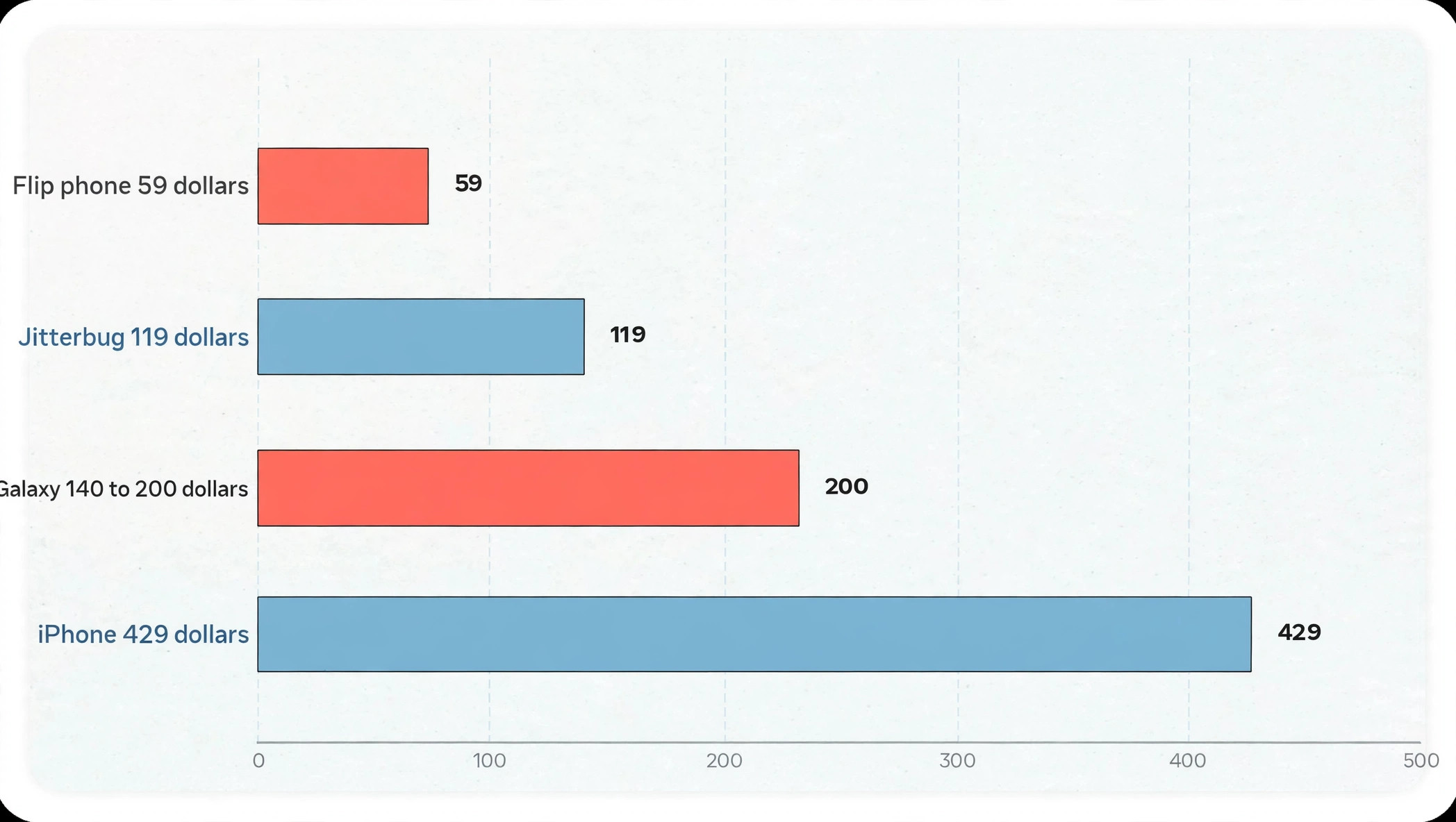
More than four in five senior phone buyers in recent guides cite simplicity as the deciding factor, ahead of camera quality, brand name or even price, and that statistic explains why the best senior phone is rarely the most powerful phone. A phone that costs 59 dollars and makes calls clearly can be a better buy than a phone that costs 700 dollars and hides calling behind menus, gestures and notifications. The best smartphone for seniors is therefore judged by a different standard from a flagship phone. It must be easy to answer, easy to dial, easy to read, easy to hear, and easy to charge, every day, without help from family for routine tasks.
This guide compares five phones that meet that standard in different ways, from a simple flip phone to a full smartphone with a simplified mode, and gives a clear winner for the most common senior needs.
How to Judge the best smartphone for seniors
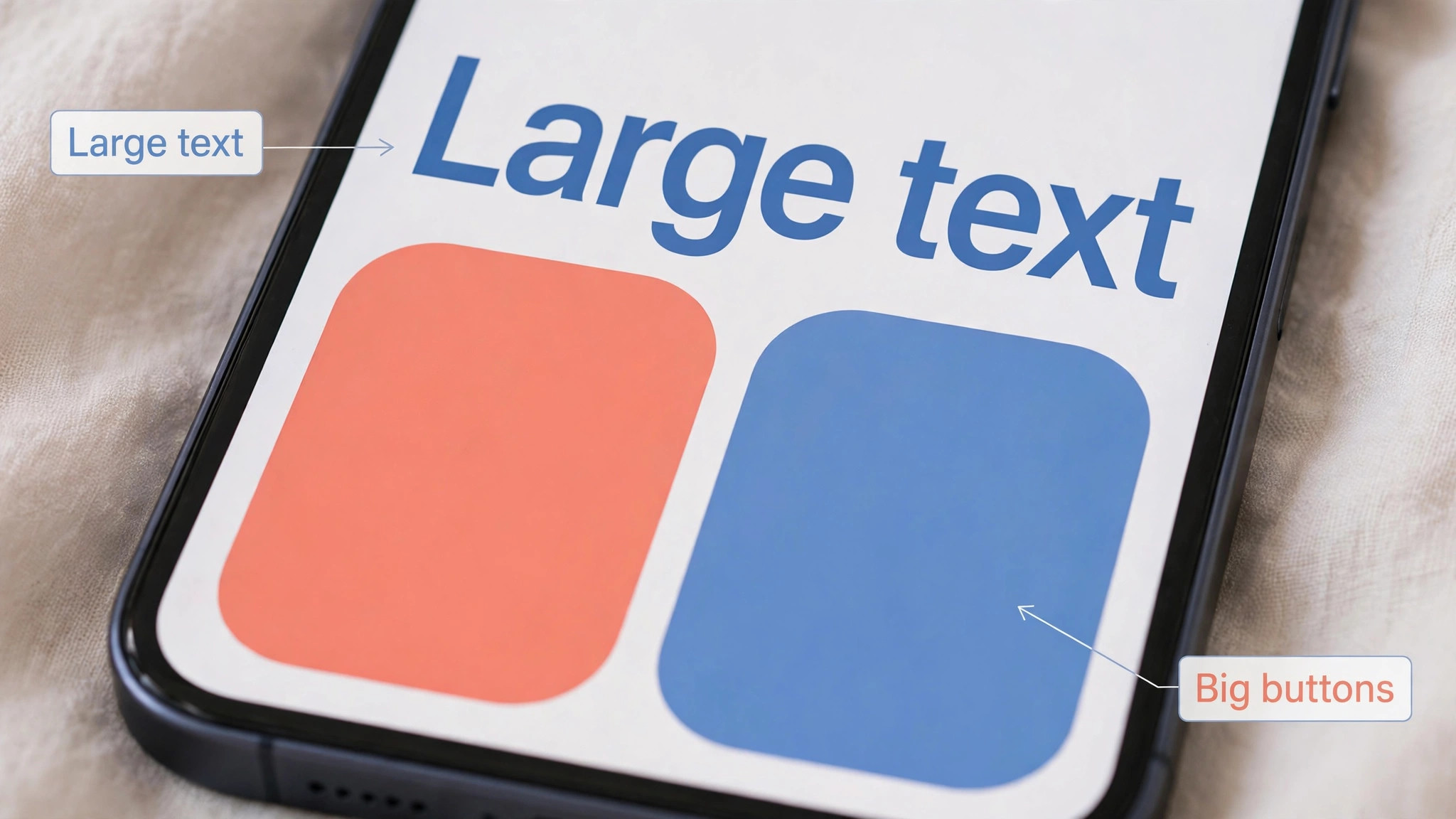
Screen size and text size come first, because a phone that cannot be read without glasses and squinting will not be used confidently. A large screen, such as a 6.5 inch or 6.75 inch display, helps for reading messages, viewing photos and making video calls, provided text size can be increased and bold text can be turned on. A smaller flip phone screen, such as a 2.4 inch display on a basic phone, can still work for calls and texts if fonts are large and contrast is high, but it is not suitable for video calls, maps or photo sharing.
Check whether the phone offers a simplified home screen, a list based menu, or an easy mode, because those features reduce the number of icons and menus a user must learn. Samsung Easy Mode, Apple Assistive Access and Lively simplified menus all serve this purpose in different ways, and the best one is the one that matches the user’s existing experience and family support.
Buttons and physical design come second. A flip phone with large, backlit, tactile buttons is easier to dial by feel than a touchscreen, especially for users with arthritis, tremor or low vision. A smartphone with a large touchscreen can still work well if touch accommodations are turned on, such as a longer press delay, tap assistance, and a simplified keypad with large keys. Hearing aid support comes third, and it should be checked in ratings, not just in marketing words. Hearing aid compatibility ratings such as M4/T4 or M3/T3 indicate how well a phone works with hearing aids in acoustic and telecoil modes, with higher numbers generally indicating better compatibility.
Bluetooth hearing aid pairing, loud speakers, and a clear, amplified earpiece all help, and a phone that supports Live Listen or similar features can stream calls to compatible hearing devices.
Battery life and charging come fourth, because a phone that dies overnight or requires fiddly charging will cause anxiety. A phone with a charging dock, where the phone simply drops into a cradle, is easier than a phone that requires aligning a small USB-C plug in the dark. A phone with two days of light use battery life is more forgiving than a phone that needs charging every night, especially for users who forget to charge. Emergency features come fifth. An SOS button, a medical alert option, location sharing with family, and a simple way to call a trusted contact can matter more than any other feature in a crisis.
Check whether emergency features require a separate plan or subscription, and whether they work without a smartphone data plan. Finally, check carrier compatibility and plan cost, because a phone locked to one carrier, or a phone that only works on certain networks, can become useless if the user moves or changes provider. A phone with a plan starting at 15 dollars to 20 dollars a month, with no long contract, is often a better fit than a phone tied to an expensive plan.
The Five Phones Compared
The table below compares screen, buttons, hearing aid support and price. Prices are street and carrier prices reported in recent guides, and they move with promotions, carrier and storage version, so check the exact model and plan before buying.
| Phone | Screen | Buttons and interface | Hearing aid support | Street price |
|---|---|---|---|---|
| Lively Jitterbug Smart5 | Large smartphone screen, simplified menu | Touchscreen, large list menus, voice commands | Hearing aid compatible, loud speaker | 119 dollars and 99 cents |
| Lively Jitterbug Smart4 | 6.75 inch screen, simplified menu | Touchscreen, large list menus, voice commands | Hearing aid compatible, loud speaker | Starting at 119 dollars |
| Samsung Galaxy A15 5G | 6.5 inch screen, Easy Mode | Touchscreen, Easy Mode, large text | M3/T3 rating in guides | About 140 dollars to 200 dollars |
| Apple iPhone SE 3rd generation | 4.7 inch screen, Assistive Access | Touchscreen, Assistive Access, large icons | MFi hearing device support | About 429 dollars and up new |
| Consumer Cellular IRIS Easy Flip | Dual screens, flip design | Large tactile buttons, simple menu | M4/T4 rating | 59 dollars |
The table shows the central choice clearly. Smartphones offer video calls, photos, maps and apps, but they require more learning and more charging care. Flip phones offer the simplest calling experience, with physical buttons and long standby, but they cannot do video calls or most apps. The right choice depends on what the user actually wants to do with the phone, not on what a family member thinks they should do. A user who only wants to call family and receive calls will be happier with a flip phone than with a smartphone that feels overwhelming.
A user who wants video calls with grandchildren, photo sharing and medication reminders will be happier with a simplified smartphone, provided someone helps with initial setup.
Which Phone Fits Which Senior
For most seniors who want a smartphone without feeling overwhelmed, the Lively Jitterbug Smart5 is the overall winner. It builds on the Smart4 with a 50 megapixel rear camera, 128 gigabytes of storage, 5G connectivity and a battery life reaching up to 48 hours in guides, at a price of 119 dollars and 99 cents, with a simplified list based menu, voice commands and optional medical alert services.
For seniors who want the same simplified experience at a similar price but with a proven track record, the Jitterbug Smart4 is the established winner, with a large 6.75 inch screen, up to 28 hours of talk time in guides, Google Assistant voice commands, video calling and optional medical alert services, starting at 119 dollars. For seniors who want a mainstream Android phone that can be simplified, the Samsung Galaxy A15 5G is the mainstream winner, because Easy Mode, a large 6.5 inch screen, a 50 megapixel camera and a price around 140 dollars to 200 dollars make it a good value for users with some smartphone experience or strong family Android support.
For seniors who want the simplest possible phone and the lowest upfront cost, the Consumer Cellular IRIS Easy Flip is the simplicity winner, at 59 dollars, with large tactile buttons, dual screens, an M4/T4 hearing aid rating and plans starting at 20 dollars a month with no contracts in guides. For seniors in a family that already uses Apple devices, the iPhone SE 3rd generation is the Apple winner, because Assistive Access strips away complicated menus and replaces them with huge icons, while FaceTime, hearing device support and emergency SOS work within the Apple system, at a higher price of about 429 dollars and up new.
Choose by the user’s daily tasks, not by the phone with the most features, because a phone that is used confidently every day is better than a phone with features that are never used.
The Phones in Detail
Lively Jitterbug Smart5
The Smart5 is the newest simplified smartphone in the Jitterbug line, and it is the best all round choice for seniors who want modern smartphone features without a complicated interface. It offers a large screen, a simplified list based menu, voice commands for calling and messaging, video calling, and optional medical alert services that can connect to urgent response help. The 50 megapixel rear camera is a major upgrade from earlier Jitterbug models, and 128 gigabytes of storage means photos and apps do not fill the phone quickly. Five G connectivity future proofs the phone for networks that are replacing older systems, and battery life reaching up to 48 hours in guides means less worry about nightly charging.
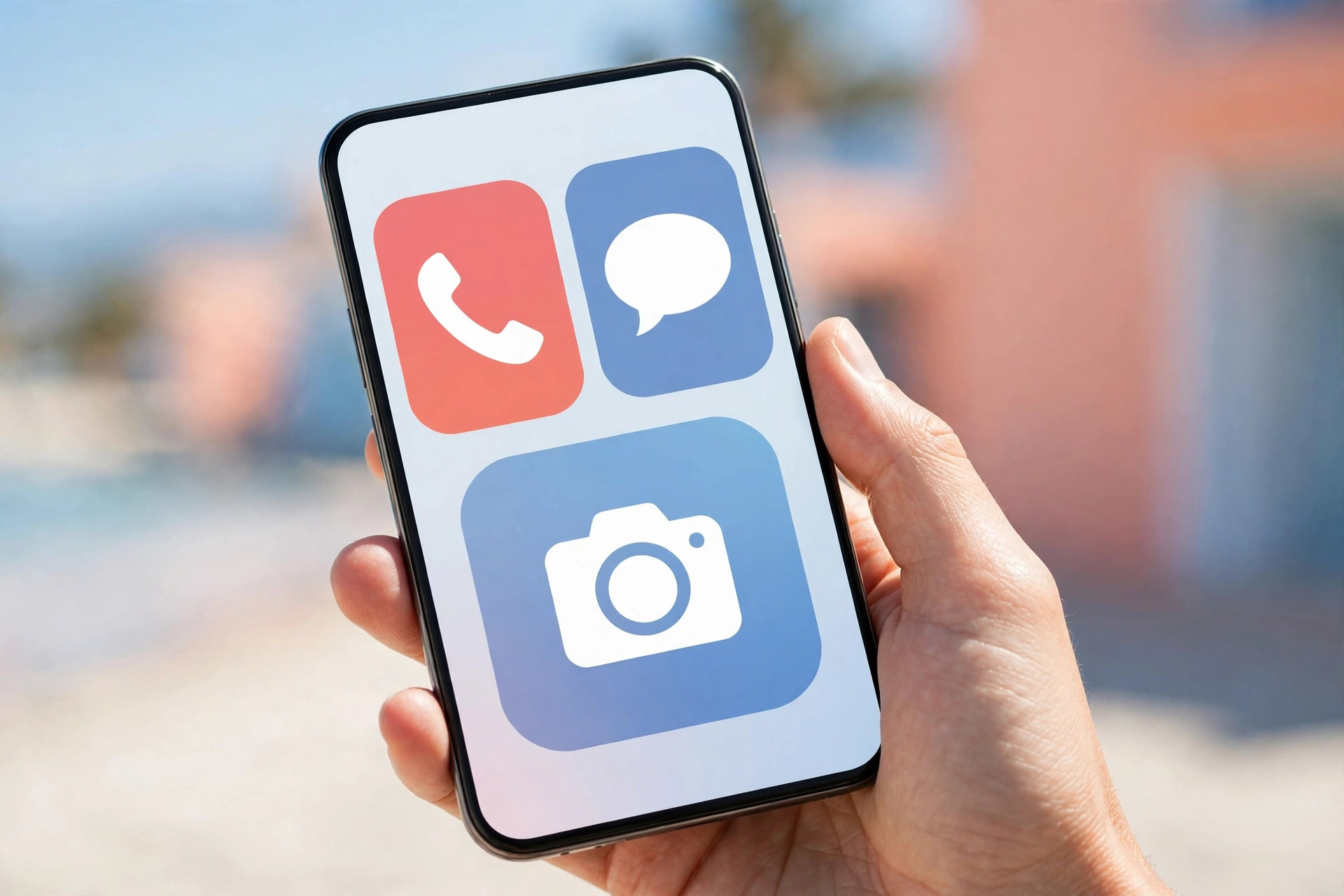
The price, 119 dollars and 99 cents in guides, is low for a smartphone with these features, though it requires a Lively plan, which should be checked for monthly cost and coverage. The main limits are that it is not a mainstream Android or iPhone, so app choice is more limited, and family support may need to learn the Lively menu system. For a senior who wants a simple smartphone with safety features, video calls and a good camera, the Smart5 is the strongest overall package.
Lively Jitterbug Smart4
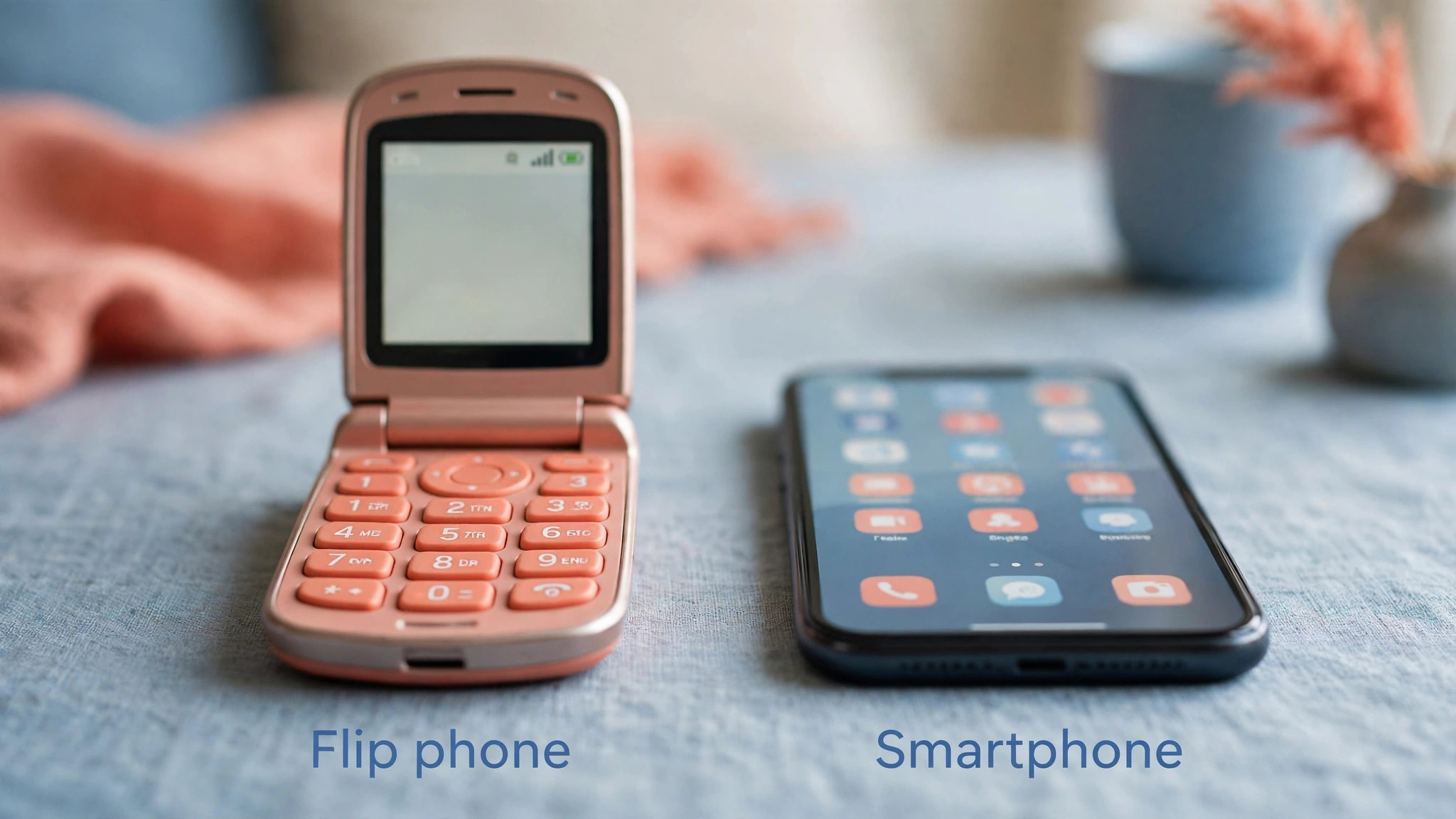
The Smart4 is the established simplified smartphone that many families already know, and it remains a strong choice even after the Smart5 launch. It offers a large 6.75 inch screen, a simplified list based menu, a powerful speaker, Google Assistant voice commands, video calling, and optional medical alert services, starting at 119 dollars in guides. Talk time of up to 28 hours in guides is generous, and the large screen makes reading messages and viewing photos far easier than on a small flip phone. The camera, at 13 megapixels in guides, is less impressive than the Smart5, and storage is lower, but for calls, texts, video calls and photo sharing, the Smart4 is more than adequate.
The main advantage of the Smart4 over the Smart5 is familiarity and availability, because it has been recommended for longer and is widely stocked through Lively and retail partners. The main disadvantage is that it lacks the Smart5 camera, storage and 5G upgrades, so a buyer who plans to keep the phone for many years may prefer the newer model. For a senior who wants a proven, simple smartphone with safety features and a large screen, the Smart4 is a safe, well understood buy.
Samsung Galaxy A15 5G
The Galaxy A15 5G is the best mainstream Android choice for seniors who want a normal smartphone that can be made simpler. Its 6.5 inch screen is large and bright, its 50 megapixel camera is strong for the price, and its battery life is long, with guides reporting up to 40 hours in some comparisons. Samsung Easy Mode is the key feature for seniors, because it enlarges icons and text, simplifies the home screen, and reduces the number of menus to learn. Large text scaling, high contrast fonts, accessibility shortcuts, TalkBack screen reading and magnification gestures all help users with vision or dexterity needs.
The hearing aid compatibility rating of M3/T3 in guides is lower than the M4/T4 rating of the IRIS flip phone, so users with hearing aids should test call quality with their specific devices before committing. The price, about 140 dollars to 200 dollars depending on carrier and promotion, with Consumer Cellular pricing at 139 dollars and 99 cents in one guide, makes it affordable for a mainstream phone. The main limits are that Easy Mode still leaves a full Android system underneath, with preloaded apps and notifications that can confuse a new user, and that family support should help with initial setup, removing unnecessary apps and setting up large text and Easy Mode before first use.
For a senior with some smartphone experience, or with family who use Android, the A15 is an excellent value.
Apple iPhone SE 3rd Generation
The iPhone SE 3rd generation is the best Apple choice for seniors, because it combines a familiar iPhone system with accessibility features that can simplify it dramatically. Assistive Access, available in iOS 17 and newer, strips away complicated menus and replaces them with huge icons for calls, messages, photos and a few chosen apps, which can make an iPhone feel as simple as a dedicated senior phone. VoiceOver screen reading, Zoom magnifier, color filters, Touch Accommodations for longer press delay, and hearing device support for Made for iPhone hearing aids all help users with vision, hearing or dexterity needs.
FaceTime makes video calls with family effortless, especially if family already use iPhones, and emergency SOS and Medical ID provide safety features that work within the Apple system. The price, about 429 dollars and up new in guides, is higher than other phones here, and the 4.7 inch screen is smaller than the large Android and Jitterbug screens, which can make reading harder for users with low vision. Battery life is also shorter than the Jitterbug Smart5. For a senior in an Apple family, who values FaceTime, hearing device support and a predictable interface, the iPhone SE is worth the premium.
For a senior who needs the largest screen at the lowest price, a Jitterbug or Galaxy model will fit better.
Consumer Cellular IRIS Easy Flip
The IRIS Easy Flip is the phone to buy if simplicity, physical buttons and low cost matter more than apps or video calls. At 59 dollars, it is the cheapest phone in this group, with large tactile buttons, dual screens, a simple menu, and an M4/T4 hearing aid compatibility rating, which is the highest rating in this comparison. That rating, combined with Bluetooth pairing for hearing aids, makes it a strong choice for users with hearing aids. Plans from Consumer Cellular start at 20 dollars a month in guides, with no contracts required, and AARP members receive an additional discount in guides, which keeps monthly costs low.
The flip design protects the screen and keypad in a pocket or bag, and the phone is easy to answer by opening the flip, which is intuitive for users who have used flip phones before. The limits are clear. It cannot do video calls, most apps, maps or photo sharing in the way a smartphone can, and its small screens are not suitable for reading long messages or viewing photos in detail.
For a senior who only wants to make and receive calls, send simple texts, and have a reliable, hearing aid friendly phone, the IRIS Easy Flip is the best simplicity and value choice in this guide, and it is often the phone that gets used every day without frustration.
Setting Up a Senior Phone So It Stays Simple
Initial setup determines whether a senior phone stays simple or becomes confusing within a week. Start by removing or hiding unnecessary apps, turning off notifications that are not essential, and setting text size to large or extra large with bold text turned on. Set up a short list of favorite contacts with photos where possible, so calling family does not require searching through a long contact list. Add a charging routine that is easy to remember, such as charging by the bed at night, or dropping the phone into a dock in the living room, and show the user how to check battery level with a simple glance.
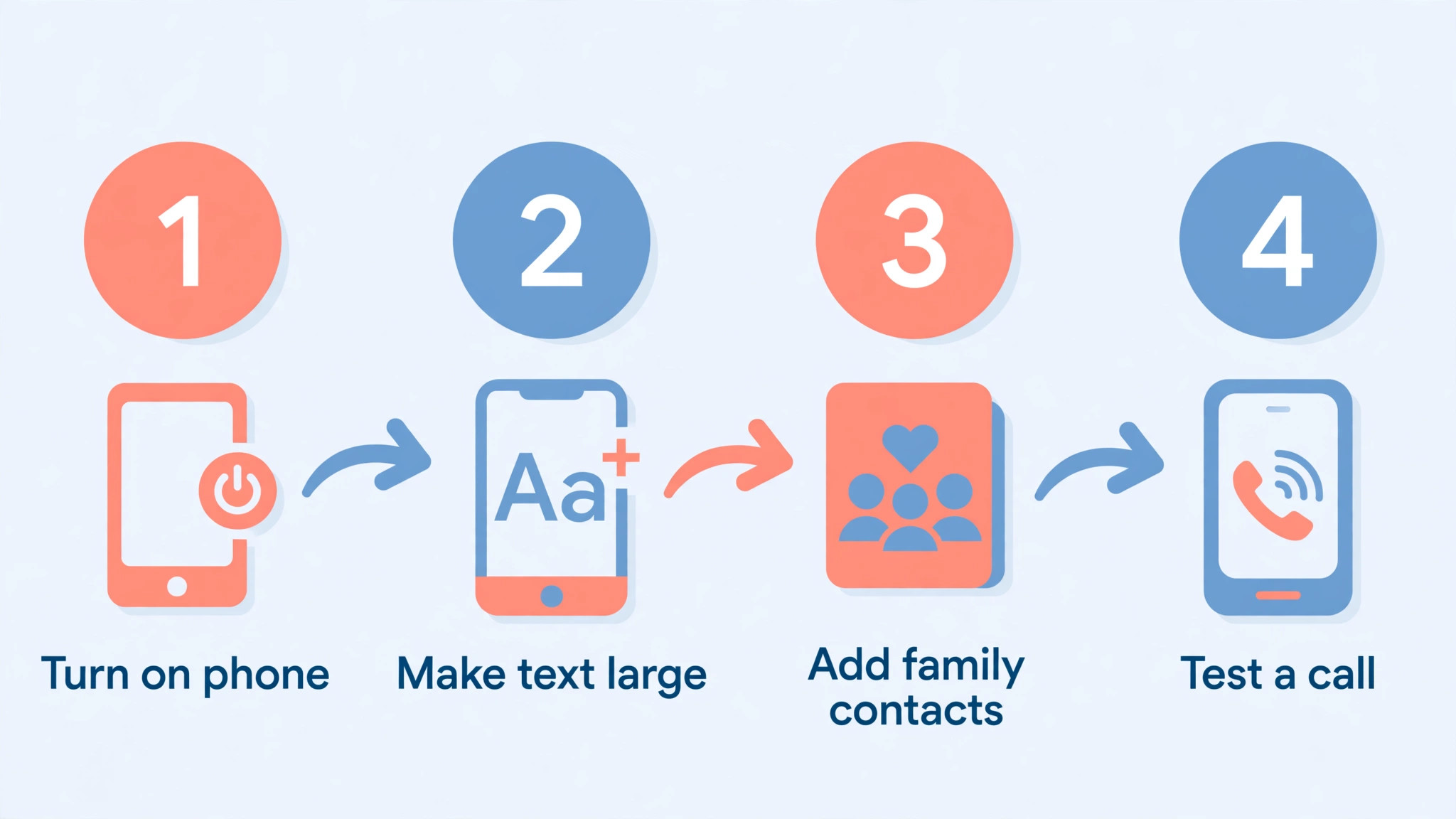
Set up voice assistant shortcuts for calling a favorite contact, because voice commands can bypass menus entirely for users who struggle with touchscreens. Test the setup with the actual user, not just with a family member, by asking them to make a call, send a message, answer a call, and charge the phone without help. If any step requires help, simplify it further before the phone is used daily.
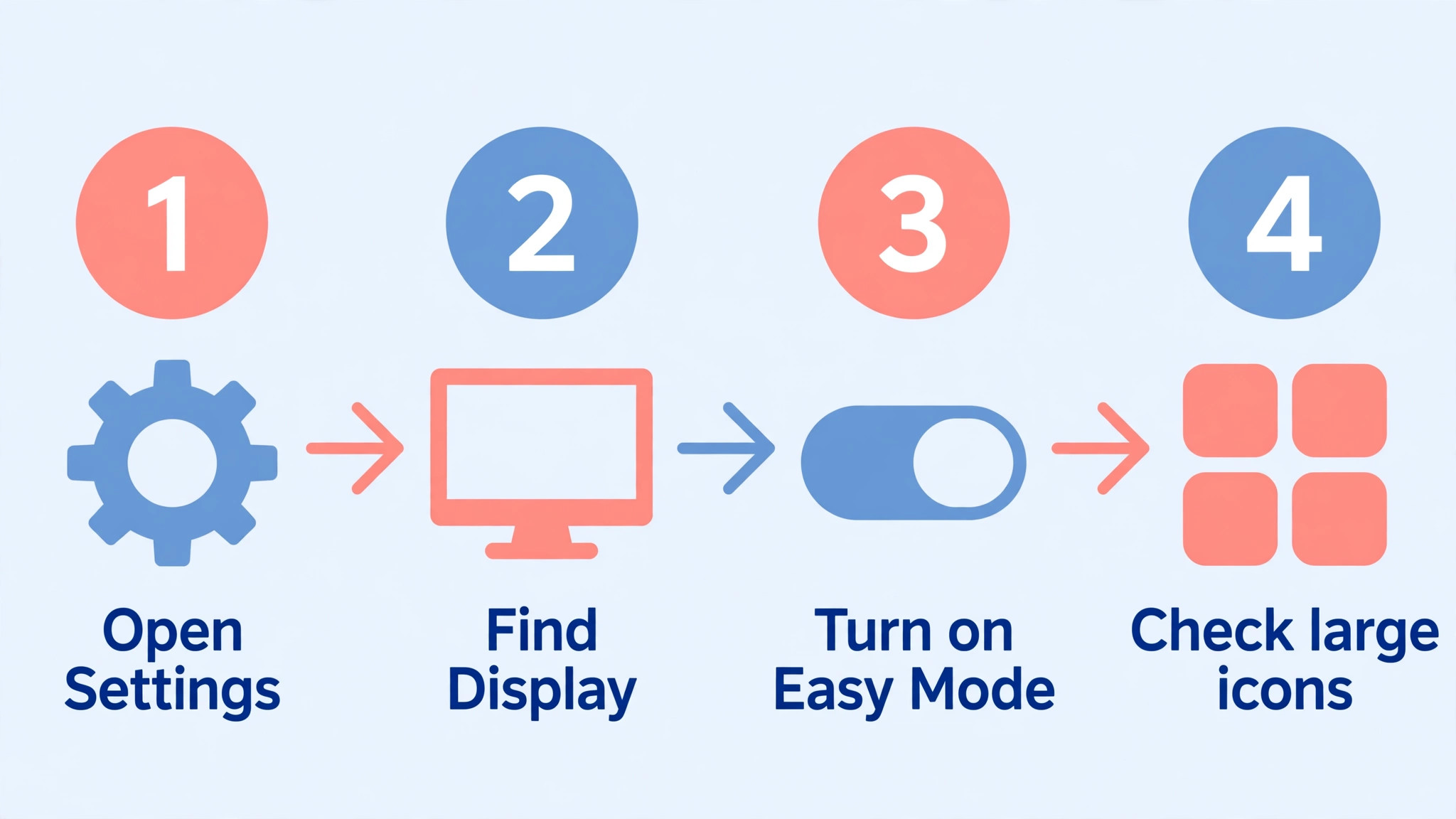
Safety setup matters as much as simplicity setup. Add emergency contacts and a Medical ID where the phone supports it, so first responders can see important information even if the phone is locked. Test the SOS button or medical alert feature with the provider, so the user knows what happens when it is pressed and does not fear accidental activation. Set up location sharing with a trusted family member if the user agrees, because it can help find a lost phone and provide reassurance without constant checking. Explain spam and scam calls clearly, because seniors are frequent targets for phone scams.
Show how to block unknown numbers, how to avoid pressing links in suspicious texts, and how to hang up and call a trusted number back if a caller claims to be from a bank, a government agency or a tech support company. A simple phone with clear safety rules is far safer than a powerful phone with no rules.
Carrier and plan setup should be checked before the phone is handed over. Confirm that the phone works on the chosen carrier, that coverage is good in the user’s home area, and that the plan includes enough minutes, texts and data for actual use, without paying for unlimited data that will never be used. Check whether the plan requires a contract, whether it can be changed month to month, and whether family can manage the account online if needed. For Jitterbug phones, check Lively plan costs and medical alert subscription costs separately, because the phone price alone does not show total monthly cost.
For unlocked phones such as the Galaxy A15, check whether the phone is truly unlocked or tied to a carrier, because a locked phone can limit future choices. Keep the carrier account details, phone box and receipt in one place, so family can help with a replacement or a plan change without searching for paperwork.
Why Some Good Phones Still Lose Here
Rejection reasons are important for senior phones, because a phone can be excellent for a general user and wrong for a senior user. We did not pick the Samsung Galaxy A15 5G as the overall winner, despite its large screen, good camera and low price, because its full Android system, preloaded apps and notifications can overwhelm a user who wants the simplest possible experience, and its hearing aid rating is lower than the IRIS flip phone. We did not pick the iPhone SE as the overall winner, despite its Assistive Access and hearing device support, because its smaller screen and higher price make it less suitable for users who need the largest text at the lowest cost.
We did not pick the IRIS Easy Flip as the overall winner, despite its simplicity, buttons and hearing aid rating, because it cannot do video calls, photo sharing or apps that many seniors now want for staying in touch with family.
We did not pick the Jitterbug Smart4 as the overall winner, despite its proven track record, because the Smart5 offers a better camera, more storage and 5G at a similar price. We also passed over flagship smartphones with large screens and powerful cameras, because their complex menus, high prices, short battery life under heavy use, and small touch targets make them poor first phones for seniors, even though they are excellent phones for experienced users. We passed over very cheap basic phones with tiny buttons, poor speakers and no hearing aid support, because low price alone does not make a phone easy to use.
The best smartphone for seniors is the phone that matches the user’s actual tasks, vision, hearing and dexterity, not the phone with the most features or the lowest price in isolation.
Checks Before You Buy
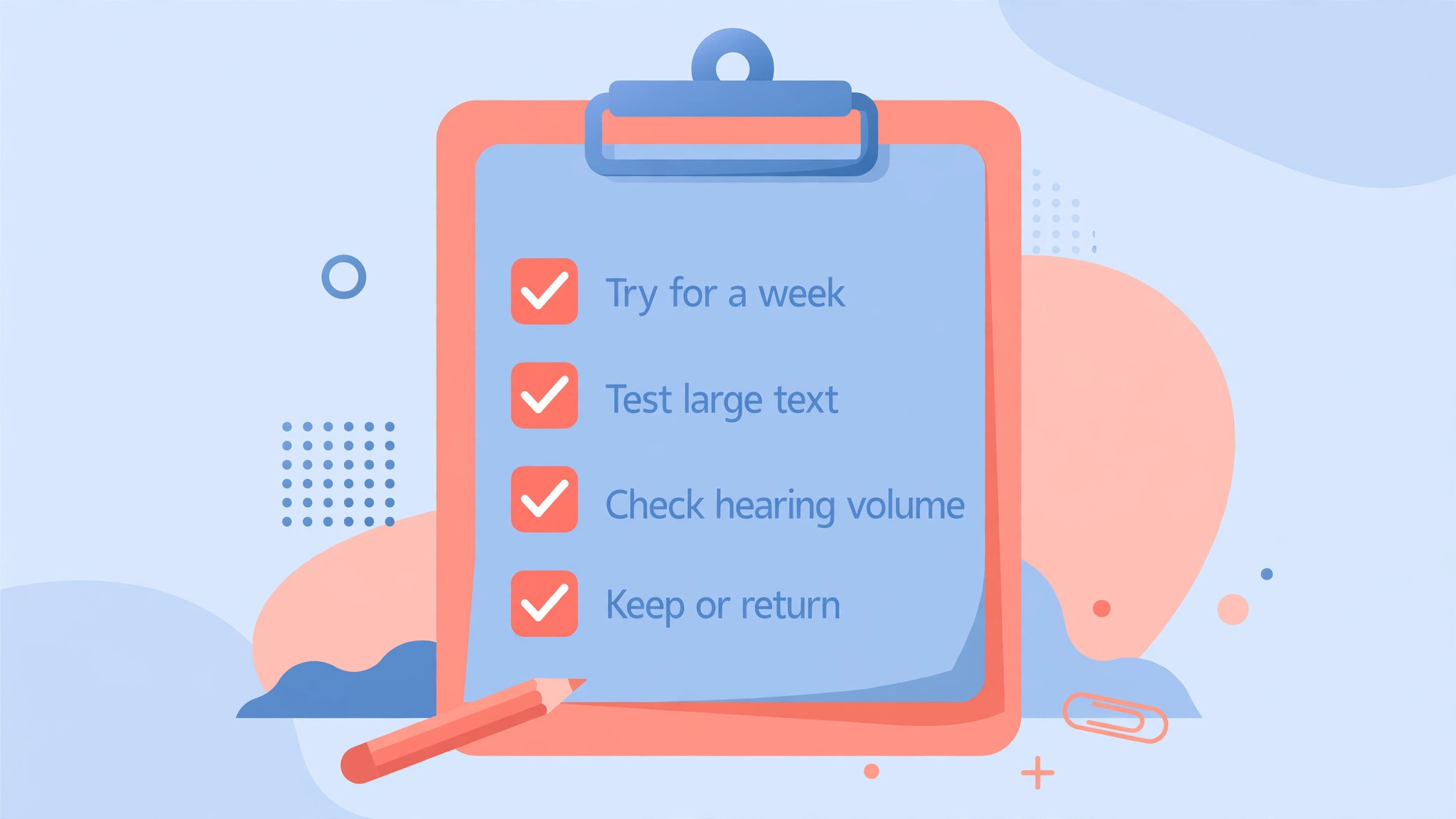
Buy the phone from a retailer or carrier with a good return policy, because a senior phone that looks good on paper can feel wrong in the hand. Test the phone for a week with real calls, messages and charging, and check whether the user can answer a call, dial a favorite contact, read a message and charge the phone without help. If any of those tasks consistently requires help, simplify the setup further or consider a different model. Check hearing aid compatibility with the user’s specific hearing aids, not just with a rating, because ratings are a guide, not a guarantee for every device.
Test call volume in a noisy room as well as in a quiet room, because a speaker that sounds loud at home may be hard to hear in a car or a busy shop.
Consider total cost, not just phone price. Add monthly plan cost, any medical alert subscription, a case, a screen protector and a charging dock if needed, and calculate the cost over a year. A 59 dollar phone with a 20 dollar a month plan costs 299 dollars in the first year, while a 119 dollar phone with a 25 dollar a month plan and a medical alert subscription can cost far more. That total cost matters for budgeting, and it should be discussed openly with family before purchase. Keep the phone box, receipt and carrier details, and write down the phone number, carrier account number and any PIN in a safe place that family can access if needed.
A senior phone should be easy to replace, easy to support and easy to use, and a little preparation at purchase time makes all three easier later.
A Last Check on Daily Use Before You Buy
Before you order, list the five tasks the phone must do every day, such as answering calls, dialing family, reading messages, charging easily and calling for help if needed. A best smartphone for seniors that fails any of those five tasks is not a good buy, even if it has a better camera or a lower price. Test those tasks with the actual user for a week, because a best smartphone for seniors should pass a real week of use, not just a shop demonstration.
Check hearing aid compatibility, plan cost and charging routine in the same week, because the best smartphone for seniors is the phone that still feels easy on day seven, and a best smartphone for seniors that needs constant family help for basic tasks is a sign to simplify the setup or choose a simpler model.
More Reading on Stratilyze
Choosing a simpler phone sits beside the other everyday tech choices that make daily life easier, so readers picking a phone for a senior usually check the neighbouring guides next. The guide to the best smartphone for photography under 500 shows the camera-first version of the same budget, the guide to an iPhone with no sound at all covers the volume and output checks that matter most once the phone is in hand, and the guide to using a smart speaker for morning routine automation explains the voice helper that pairs well with a simpler phone.
Frequently Asked Questions
What is the easiest smartphone for a senior
The Lively Jitterbug Smart5 and Smart4 are among the easiest smartphones, because they use a simplified list based menu, large text, voice commands and optional medical alert services. The best smartphone for seniors for a given user still depends on whether they want video calls and apps, or only simple calling.
Is a flip phone better than a smartphone for seniors
A flip phone is better if the user only wants calls and simple texts, with large physical buttons and a simple menu. A smartphone is better if the user wants video calls, photo sharing, maps or medication reminders, provided someone helps with initial setup and simplification.
Do senior phones work with hearing aids
Many do, but check the hearing aid compatibility rating and test with the user’s specific devices. The IRIS Easy Flip carries an M4/T4 rating in guides, while the Galaxy A15 carries an M3/T3 rating, and iPhones support Made for iPhone hearing devices with additional features.
How much should a senior phone cost each month
Phone plans for simple phones often start at 15 dollars to 20 dollars a month with no long contract, while simplified smartphone plans and medical alert subscriptions add to that total. Calculate phone price plus plan and any alert subscription over a year before deciding.
Can I make an existing smartphone simpler for a senior
Yes. On an iPhone, turn on Assistive Access in accessibility settings for huge icons and a simplified menu. On a Samsung phone, turn on Easy Mode for larger icons and text. On Android, a simplified launcher app can also reduce menus and icon count.
What emergency features should a senior phone have
Look for an SOS button, a medical alert option, location sharing with trusted family, and a simple way to call a favorite contact. Check whether emergency features require a separate plan or subscription, and test them with the provider so the user knows what happens when they are used.
The Final Verdict for Senior Phone Buyers
Buy the Lively Jitterbug Smart5 if you want a modern simplified smartphone with video calls, a good camera, long battery life and optional medical alert help at a low upfront price. Buy the Smart4 if you prefer a proven model with a large screen, buy the Galaxy A15 5G if you want a mainstream Android phone that can be simplified, buy the iPhone SE if your family uses Apple devices and values Assistive Access, and buy the IRIS Easy Flip if simplicity, physical buttons and hearing aid support matter most. The best smartphone for seniors is the phone that gets answered, dialed, read and charged confidently every day, without frustration or fear.
Set it up simply, test it with the actual user, check hearing aid compatibility and total plan cost, and choose the phone that matches real daily tasks, because a phone that is used happily every day is worth far more than a phone with features that are never touched.