
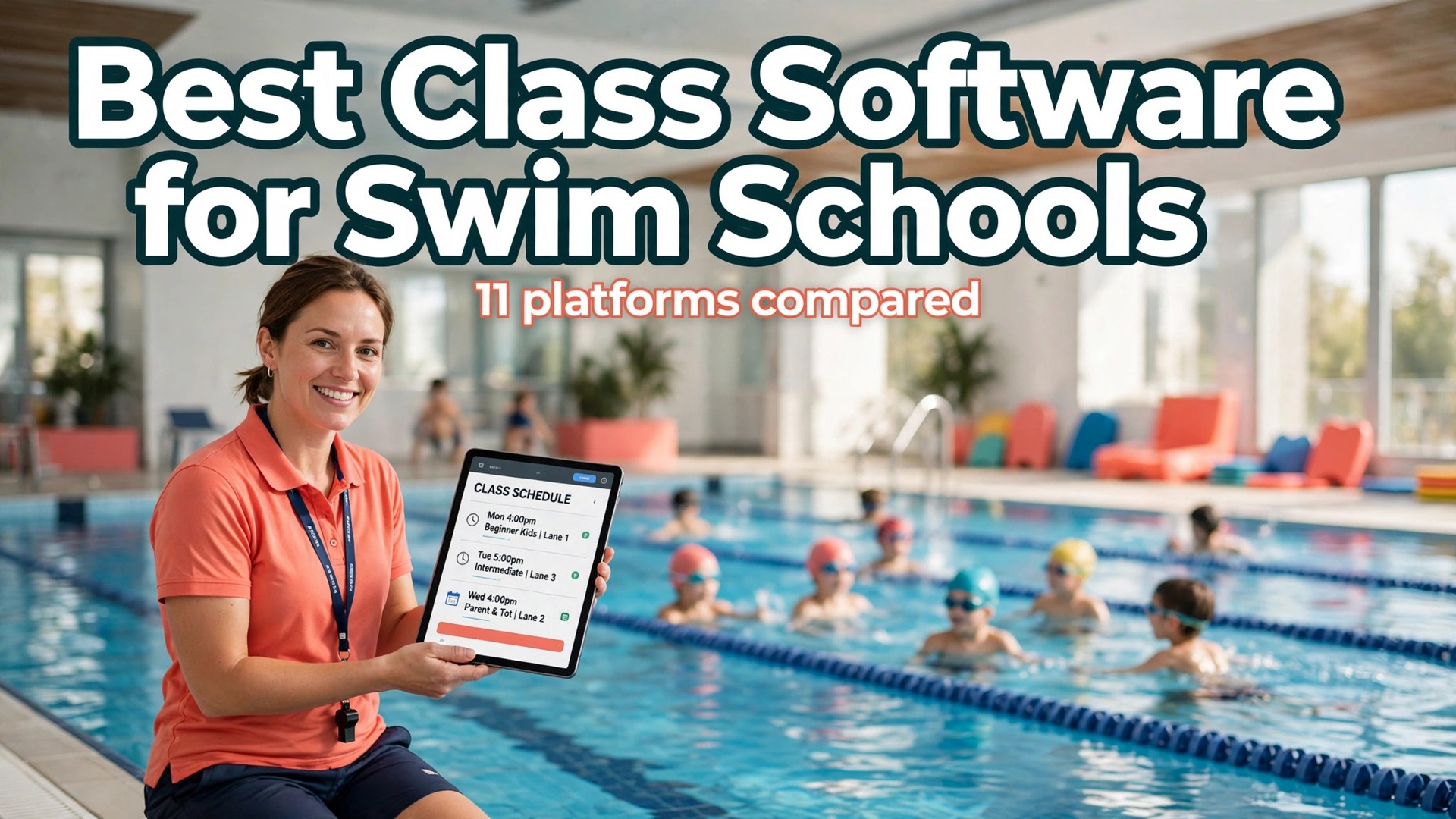
Buy Jackrabbit Swim first if you run a dedicated swim school, and use this guide to check whether a cheaper or more flexible rival fits your school better. That verdict opens this guide to best class management software for swim schools, because the winner depends on enrolment size, number of sites, and how much of the daily work parents should do for themselves online.
A swim school is not a gym with a pool attached. Classes repeat weekly, children move through levels, siblings share one family account, and a missed lesson creates a makeup request within hours. Software built for general bookings will handle the calendar and then fail on the details that fill a front desk afternoon. The tools below were judged on those details first, and on price second.
Why the Best Class Management Software for Swim Schools Fits Lessons, Not Just Bookings
Lesson businesses live or die on class fill. A class with two empty places loses money every week, while a class that is overfull loses parents. Good software shows fill at a glance, moves a child from a waitlist into an open place without a phone call, and keeps the instructor roster matched to the children who actually attend. That is the core job, and everything else is support for it.
Billing is the second core job. Families pay monthly, by term, or per session, and they expect sibling discounts, pauses for holidays, and credits for missed lessons to work without an argument at the desk. A tool that posts tuition from enrolments, charges the card on file, and flags failed payments early will save more staff hours than any marketing feature. Parents judge a school on how painless paying feels.
The third job is trust. Parents want to see progress, know who teaches their child, and reach the school quickly when a lesson changes. A parent portal with skill tracking, clear schedules, and simple messaging turns a software purchase into a retention tool. Schools that treat the portal as an afterthought tend to answer the same questions by phone, week after week.
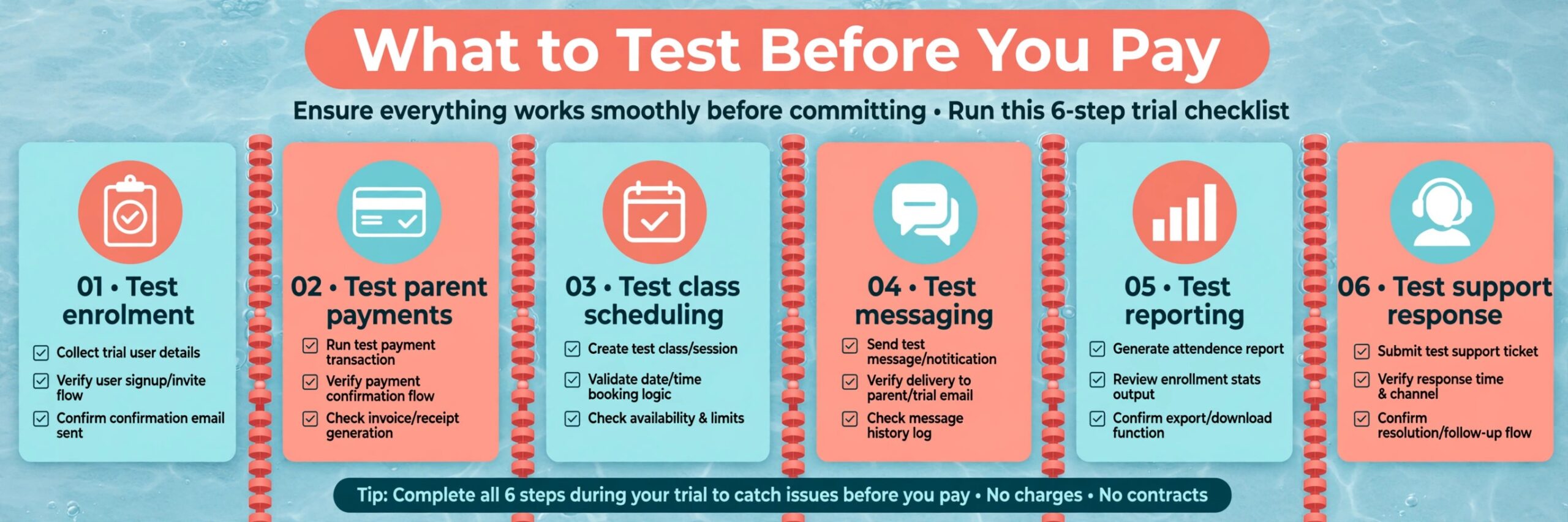
What to Test Before You Pay
Start with your real timetable. Build one week of classes in the trial, including a full class, a class with a waitlist, a private lesson, and a holiday closure. If any of those four cases needs a workaround in week one, it will need that workaround every week. Trials that use only tidy test data hide the awkward cases that cost staff time.
Then price the tool at your real enrolment. Some tools charge by student count, some by location, and some at a flat monthly rate. A plan that looks cheap at 80 swimmers can become the most expensive option at 400, while a flat plan that looks dear at 80 can become a bargain at 400. Model the bill at current enrolment, at double enrolment, and at a second site before you sign.
Also test support at a realistic hour. Send a question on a busy Saturday morning, when lessons are running and the desk is under pressure, and note how long a useful answer takes. A vendor that answers well during a calm weekday demo may still leave you waiting when it matters, and support quality is part of the price whether it appears on the invoice or not.
Finally, test the parent journey yourself. Enrol a child, pay, move a lesson, and request a makeup, all from a phone. Parents will do most of this on mobile, often in a hurry, and a clumsy mobile flow will push them back to the phone. A tool that feels easy in that test usually stays easy, while a tool that feels slow rarely improves with familiarity.
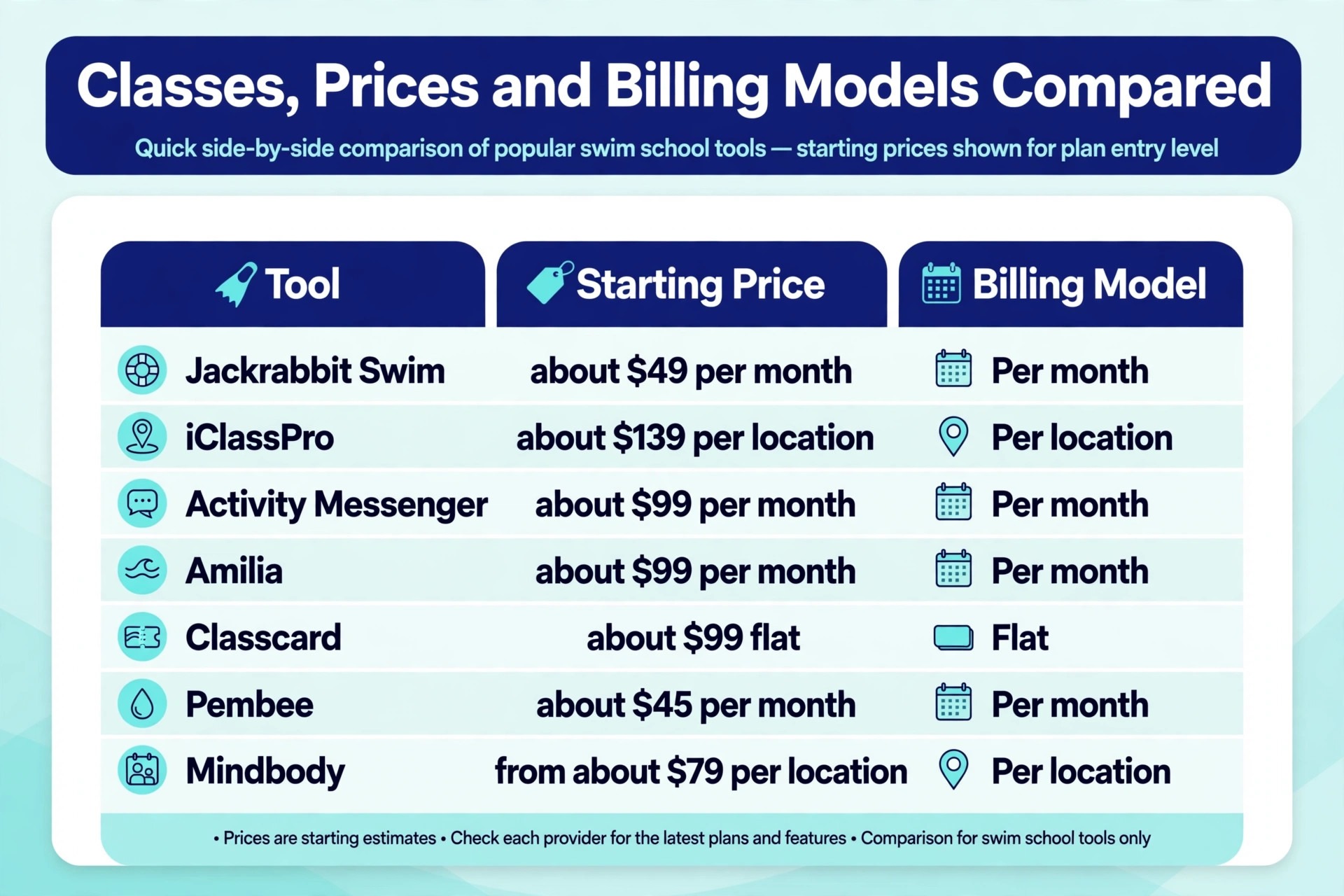
Classes, Prices and Billing Models Compared
| Tool | Starting price | Best for |
|---|---|---|
| Jackrabbit Swim | about $49 a month to start | dedicated swim schools of any size |
| iClassPro | about $139 a month per location | multi-program youth academies |
| Activity Messenger | about $99 a month | schools that want strong messaging |
| Amilia | about $99 a month | municipal and community programs |
| Classcard | about $99 a month flat | small schools that want a fixed bill |
| SportsEngine Motion | transaction based, no monthly subscription fee published | clubs and swim teams |
| WellnessLiving | pricing by quote | schools that want marketing and apps |
| Pembee | about $45 a month | small schools that want simple billing |
| Mindbody | from about $79 a month per location | schools inside a wider wellness business |
| Pike13 | pricing by quote | schools that want deep scheduling control |
| Uplifter | pricing varies by plan | Canadian clubs and academies |
Read the table as a shortlist, not as a ranking. The cheapest tool may suit a single-pool school perfectly, while a dearer tool may be the only one that handles a second site cleanly. Use the table to pick three finalists, then read their full sections below before deciding.
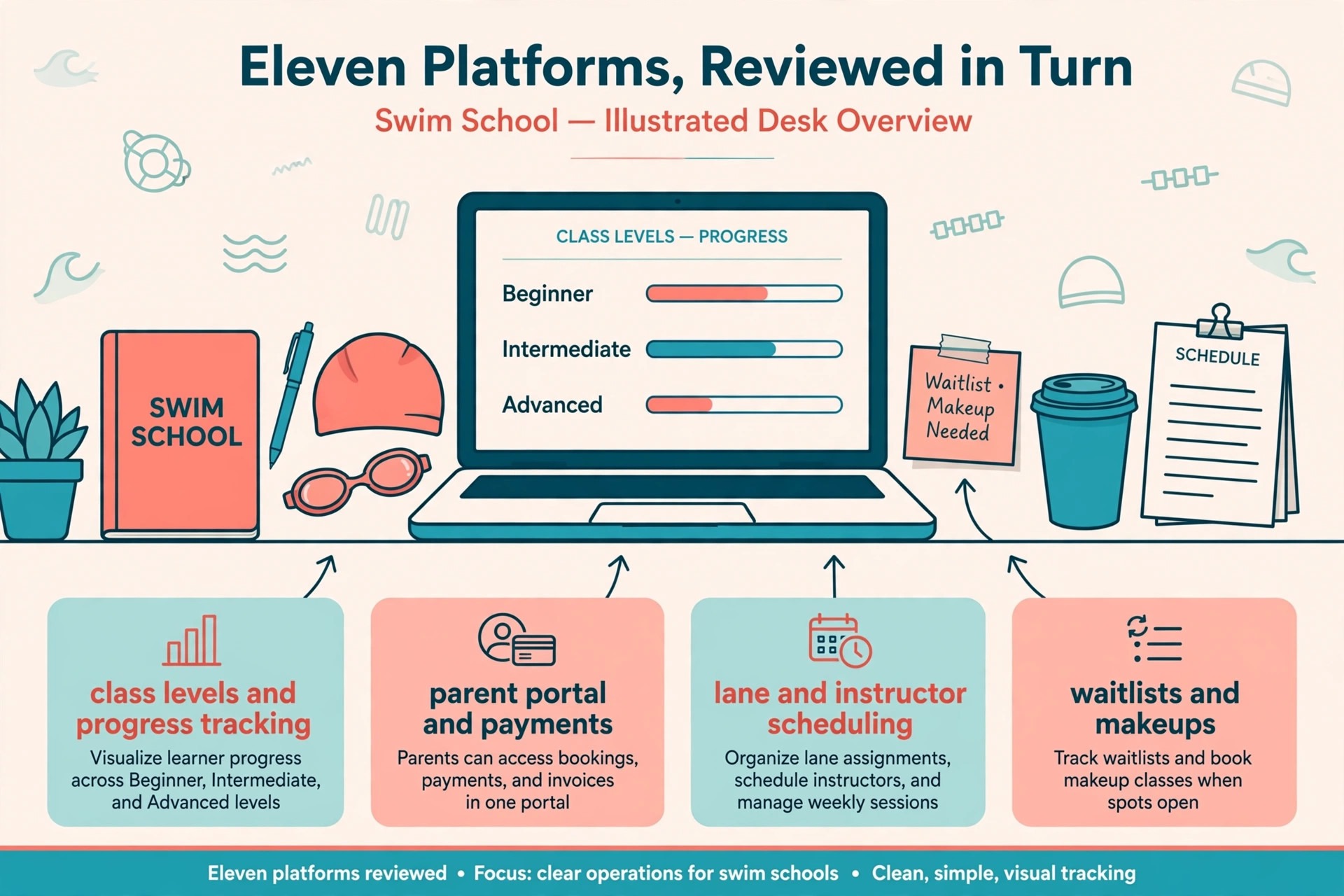
Eleven Platforms, Reviewed in Turn
Jackrabbit Swim
Jackrabbit Swim is the pick for dedicated swim schools that want the deepest swim-specific workflow. It covers online registration, class scheduling, tuition billing, attendance, waitlists, skill tracking, and parent communication in one system built for lesson businesses. Parents can see skill progress, staff can fill classes from waitlists, and tuition posts from enrolments rather than from manual invoices.
At about $49 a month to start, with pricing that scales with student count, it is easy to enter and fair at small enrolment. The trade-off is that the bill grows with the school, so a large school should model the cost at full enrolment before committing. The interface also feels more functional than modern in places, but for a school whose main need is correct lesson administration, that matters less than the depth underneath.
iClassPro
iClassPro is the pick for schools that also run gymnastics, dance, cheer, or camps alongside swim. It handles multi-program enrolment, skill charting through the parent portal, class scheduling, and billing by class with monthly or session-based dates. A family with children in two programs can manage both in one account, which is a genuine advantage for a mixed academy.
At about $139 a month per location for the Signature plan, with Elite at about $199 and Premium at about $299, it is priced per site rather than per student. That suits a multi-site operator better than a single small school. The trade-off is navigation that some users find busy, and party features that sit on higher tiers, so check that the plan you buy includes the extras your school actually sells.
Activity Messenger
Activity Messenger is the pick for schools that want registration, messaging, and automation in one modern package. It combines online registration with email and SMS communication, digital waivers, forms, and workflow automation, and it charges a flat monthly rate rather than per student. For a school tired of chasing parents by phone, the built-in messaging is the main attraction.
At about $99 a month for the Light plan, it stays predictable as enrolment grows, which helps a growing school budget with confidence. The trade-off is that swim-specific billing logic is less deep than the two leaders above, so a school with complex term billing, pro-rating, and makeup credits should test those exact cases in the trial. If messaging and simple enrolment matter most, it is a strong choice.
Amilia
Amilia is the pick for municipal programs, community centres, and schools that sell memberships alongside lessons. It handles registration, facility management, memberships, and payments, and it integrates with common accounting tools. A program that runs public swim sessions, lessons, and camps from one building will find the breadth useful.
At about $99 a month to start, plus transaction fees, it sits in the middle of this list on price. The trade-off is setup complexity, and a mobile experience that some users find less polished than rivals. A larger program with staff time to configure it will get more from Amilia than a tiny school that needs to launch in a week, so judge it on your available setup time as well as its price.
Classcard
Classcard is the pick for small schools that want a fixed monthly bill and a clean enrolment flow. It charges about $99 a month flat, with recurring billing on higher plans, and it handles family accounts, automated billing, and online enrolment without per-student charges. For a school with fluctuating enrolment, a fixed bill removes one budgeting worry entirely.
The trade-off is depth. Skill tracking is instructor-facing rather than as parent-facing as Jackrabbit Swim, and some advanced swim workflows may need manual steps. If your school sells straightforward weekly lessons and values predictable cost over the deepest feature set, Classcard is easy to justify. Test the billing flow for your exact term structure before deciding.
SportsEngine Motion
SportsEngine Motion is the pick for swim clubs and teams rather than lesson schools. It covers class management, online registration, payments, and a website, with youth-sports workflows for teams, rosters, and communication. A club that runs squads, meets, and team events alongside lessons will find the shape familiar and practical.
Pricing is transaction based rather than a monthly subscription fee, which changes the maths completely. A club with low volume may pay very little, while a high-volume club should model the transaction total carefully. The trade-off is that lesson-specific billing, skill levels, and makeup handling are weaker than in dedicated lesson tools, so a pure lesson school should shortlist a specialist first.
WellnessLiving
WellnessLiving is the pick for schools that want customer management, marketing, and mobile apps alongside scheduling. It covers family scheduling, recurring lesson billing, progress tracking, and branded apps, which suits a school that also sells fitness or wellness services. The breadth can replace several small tools at once, which is attractive to an owner who wants one system.
Pricing is by quote, so no number can be budgeted from this guide alone, and contract terms deserve a close read before signing. The trade-off is that breadth can mean a longer setup and features that feel less swim-specific than the leaders. Ask for the full contract, the app costs, and the SMS costs in writing, then compare the total against a specialist plus a separate marketing tool.
Pembee
Pembee is the pick for a small school that wants simple registration and payment without per-student fees. At about $45 a month, it is the cheapest entry point in this guide, and it covers registration, payment management, and attendance for lesson businesses. A new school testing demand in its first year can start here without a large monthly commitment.
The trade-off is scope. Pembee concentrates on registration and payments, so a school that needs deep skill tracking, complex makeup rules, or multi-site reporting will outgrow it. Treat it as a smart starting point rather than a forever tool, and check the export options so a later move to a deeper system does not mean retyping every family record.
Mindbody
Mindbody is the pick for a swim program inside a wider wellness business. It handles class scheduling, contracts, autopay, and client management across fitness, wellness, and aquatics, with a large marketplace of integrations. A business that already runs yoga, pilates, or gym services alongside swim will value one client record across everything.
At from about $79 a month per location, with higher tiers by quote, it is priced for a business, not for a hobby school. The trade-off is that swim-specific lesson logic is not its centre, and failed-payment handling can block bookings in ways that need careful configuration. If swim is a side program, Mindbody fits. If swim is the whole business, a specialist will serve parents better.
Pike13
Pike13 is the pick for schools that want precise scheduling control across classes, staff, and resources. It handles enrolment, scheduling, payments, and client management for lesson and appointment businesses, with strong control over capacity, staff availability, and recurring bookings. A school with complex timetables, shared lanes, and varied class lengths will appreciate that control.
Pricing is by quote, so budget only after a sales conversation, and ask what the bill becomes at your real class volume. The trade-off is that it is a general lesson platform rather than a swim specialist, so skill progression and swim award frameworks may need manual tracking outside the system. If scheduling precision matters more than swim-specific progress tools, it earns a trial place.
Uplifter
Uplifter is the pick for Canadian clubs and academies that want registration and reporting shaped for sport organisations. It covers registration, member management, and reporting, with links to national sport bodies, and it suits a club that runs lessons, teams, and events under one umbrella. Pricing varies by plan, so confirm the current rate for your member count before budgeting.
The trade-off is marketing depth, which is thinner than in rivals built for commercial schools. A club that fills mainly by reputation and local partnerships may not miss it, while a commercial school that needs campaigns, automations, and referral tracking probably will. Judge Uplifter on registration quality and reporting, which are its strengths, rather than on marketing breadth.
Best Pick by School Size
| School shape | Best pick | Why it wins for that shape |
|---|---|---|
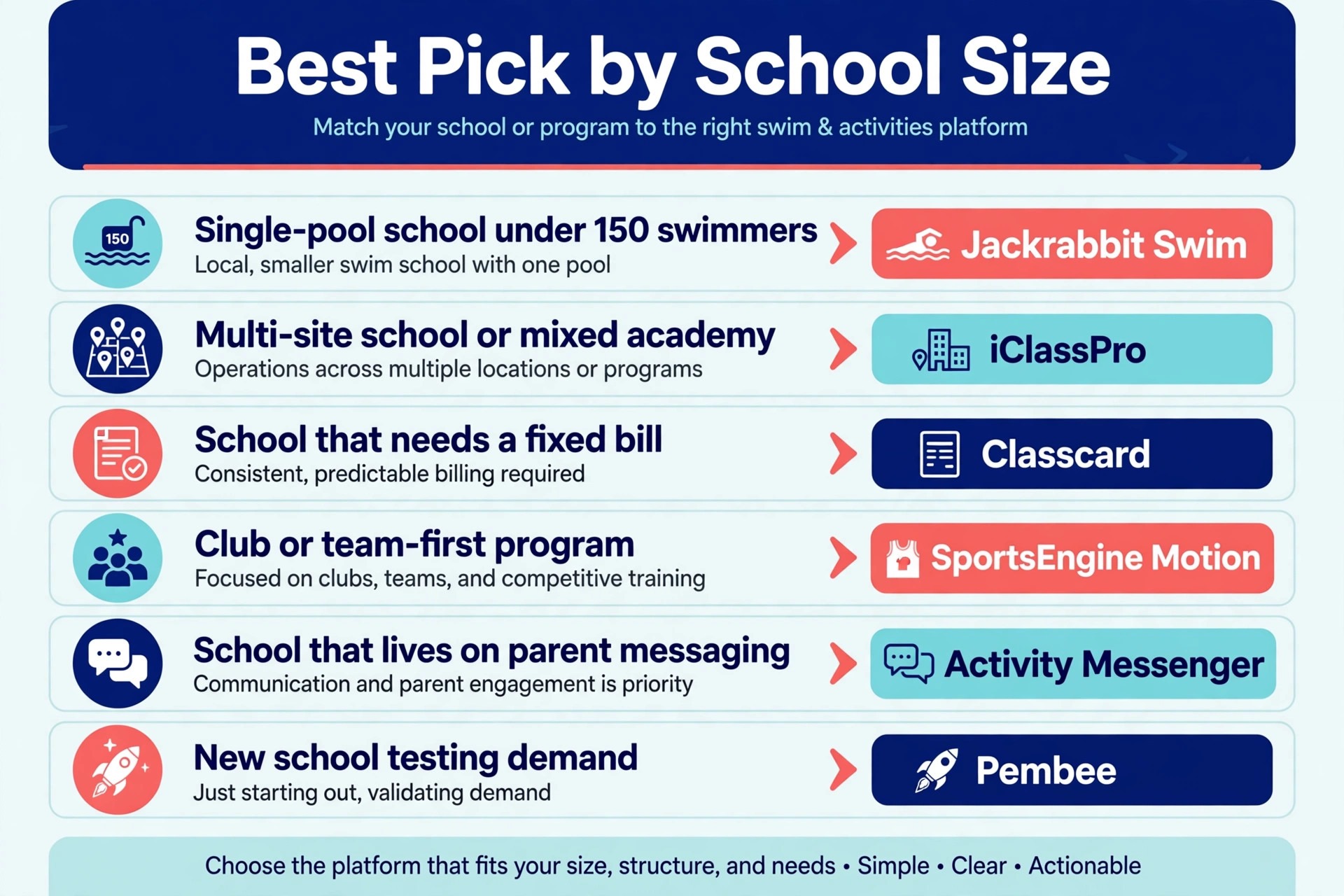
| Single-pool school under 150 swimmers | Jackrabbit Swim | Deepest swim workflow at a low entry price |
| Multi-site school or mixed academy | iClassPro | Per-location pricing and multi-program enrolment |
| School that needs a fixed bill | Classcard | Flat monthly rate that does not rise with enrolment |
| Club or team-first program | SportsEngine Motion | Team, roster, and event workflows in one place |
| School that lives on parent messaging | Activity Messenger | Built-in email, SMS, waivers, and automations |
| New school testing demand | Pembee | Lowest entry price with no per-student fees |
Use this table as the decision shortcut. If your school matches one row closely, start the trial there, and use the second-best row as your comparison. A tool that matches your shape will forgive small feature gaps, while a tool built for a different shape will fight you on daily tasks no matter how good its reviews look.
The Monthly Bill at Small, Mid and Large Size
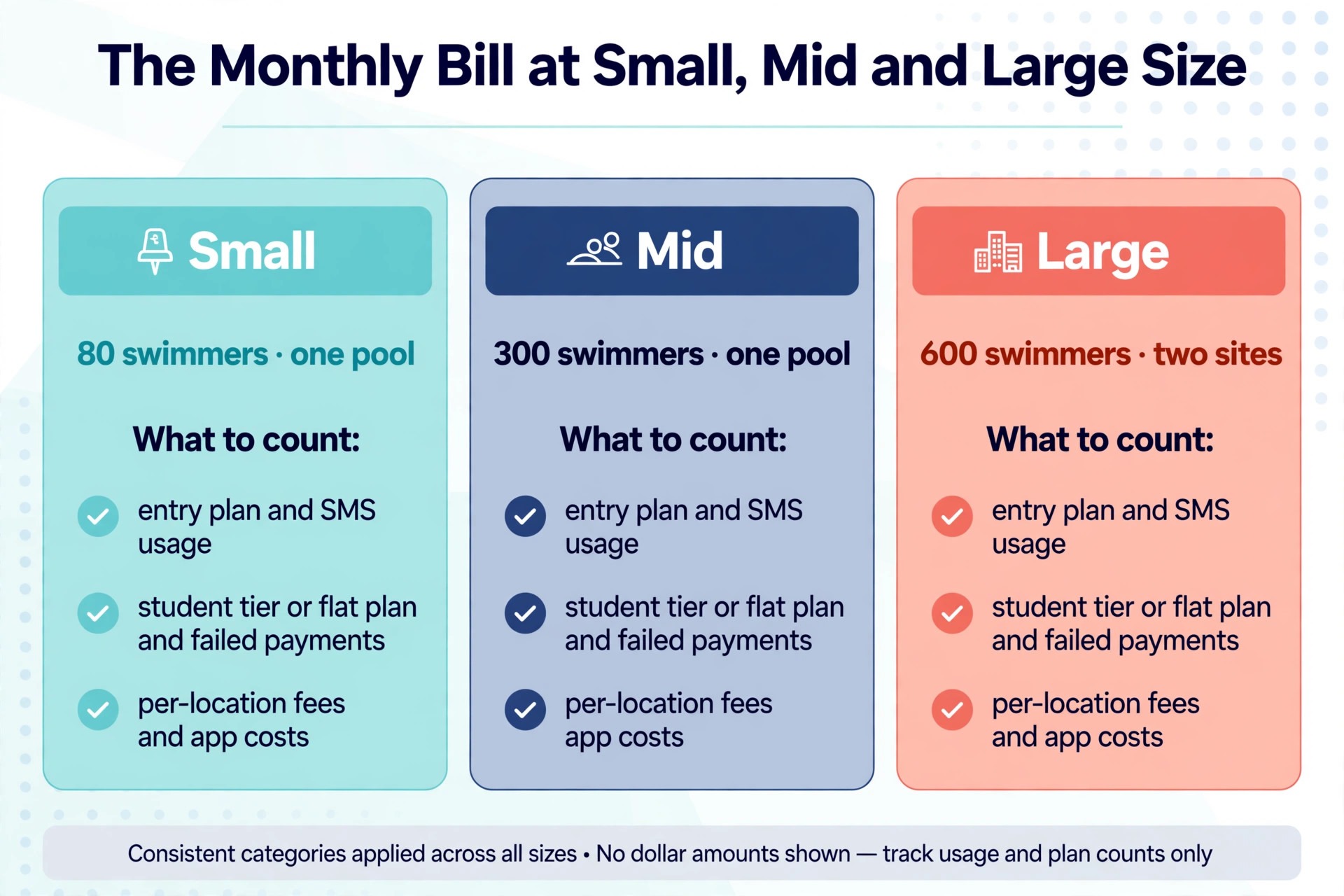
The headline price hides the real bill. Student-count tiers, per-location fees, transaction fees, branded app charges, SMS fees, and onboarding can all sit on top of the subscription. For best class management software for swim schools, the honest comparison is the total at your enrolment, not the starting price on a pricing page.
| School size | What to count |
|---|---|
| 80 swimmers, one pool | Entry plan, transaction fees, SMS usage |
| 300 swimmers, one pool | Student-count tier or flat plan, failed-payment handling |
| 600 swimmers, two sites | Per-location fees, multi-site reporting, app costs |
Model the bill at the size you expect in twelve months, not at the size you are today. A student-count tool that looks cheap now may cost more than a flat tool once enrolment doubles, while a per-location tool that looks dear for one site may become fair once a second site opens. Growth is the point, so price for it, and get SMS and app costs in writing.
Switching Without Losing Families
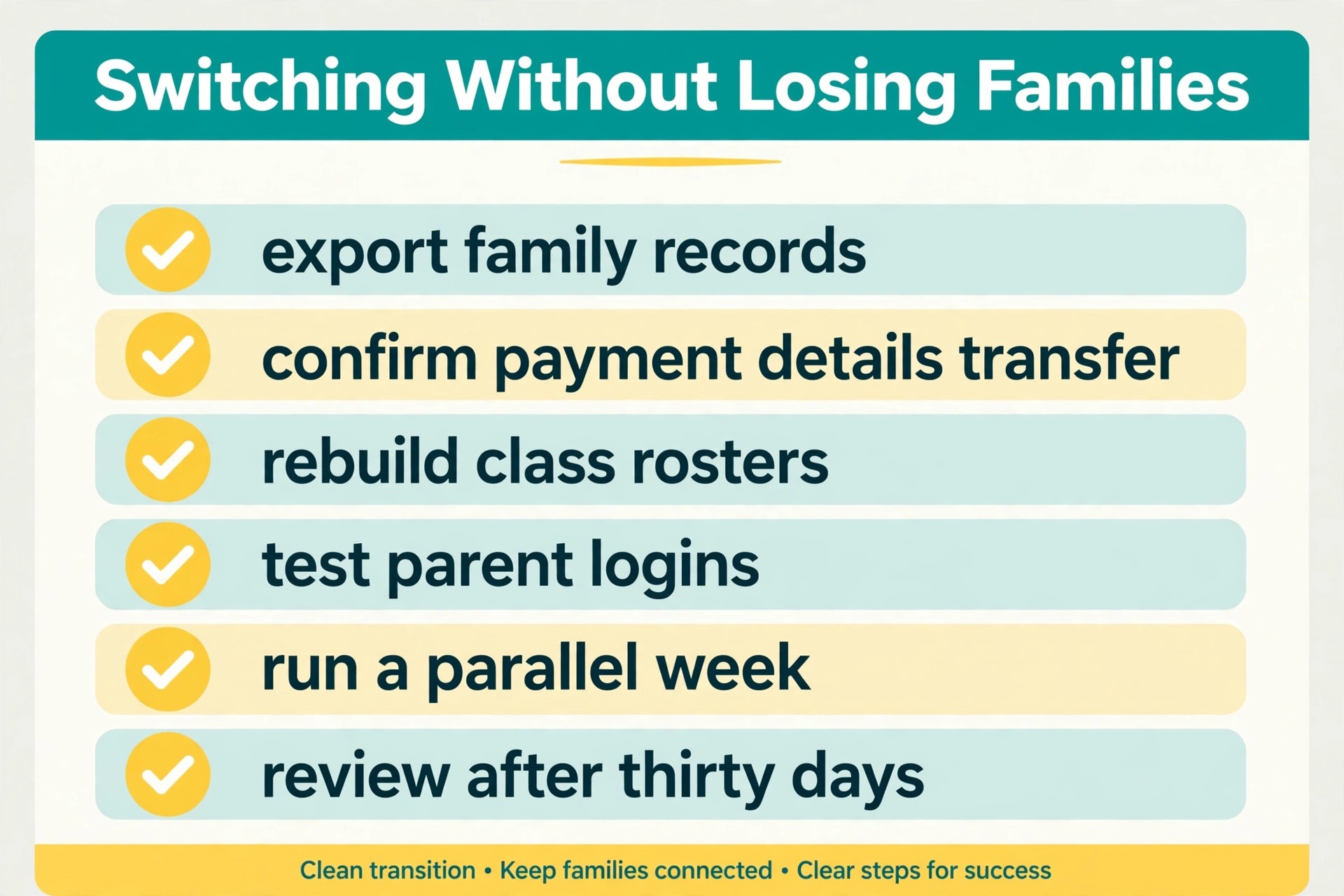
Switching tools fails most often from rushing, not from choosing badly. Export family records, enrolments, balances, and skill progress before you touch the new system, and check that names, sibling links, and outstanding balances survive the import. A broken sibling link creates duplicate bills, and duplicate bills create angry parents faster than any missing feature.
Run the new tool alongside the old one for one full billing cycle if you can. Post tuition in the new system, compare it against the old totals, and fix discount rules before parents see a wrong invoice. Train front desk staff on three tasks only at first, namely enrolment, makeup booking, and payment handling, then expand training once those habits feel automatic. Review the bill, the class fill, and parent messages after thirty days, and fix the setup before blaming the tool.
Tell parents what changes, and when, in one short message. Explain the new portal link, the new payment date if it moves, and where to find lesson times, and give them a single contact for problems in the first two weeks. A calm, clear change message prevents most of the confusion that otherwise lands on the front desk on the first morning of term.
Tuition Traps Hiding in the Contract
The most common mistake is buying for the school you wish you had, instead of the school you actually run. A single-pool school does not need multi-site reporting, and a small school does not need an enterprise marketing suite. Buy for the next twelve months, not for a future that may never arrive, and upgrade when enrolment demands it.
The second mistake is ignoring the exit. A tool that holds family data hostage, charges heavily to export, or breaks every integration on cancellation will cost far more at exit than it saved at entry. Export data monthly, keep a copy outside the system, and know the cancellation terms before you sign. The third mistake is letting unused add-ons pile up, because branded apps, SMS bundles, and marketing modules renew quietly while nobody checks whether anyone still uses them.
A fourth mistake is specific to this market. Schools sometimes pick best class management software for swim schools on the strength of a single feature, such as a pretty app, while the timetable, billing, or waitlist handling stays weak. Judge the boring daily jobs first, because parents forgive a plain screen far faster than they forgive a wrong invoice or a lost makeup credit.
Getting the Whole School Onto the System
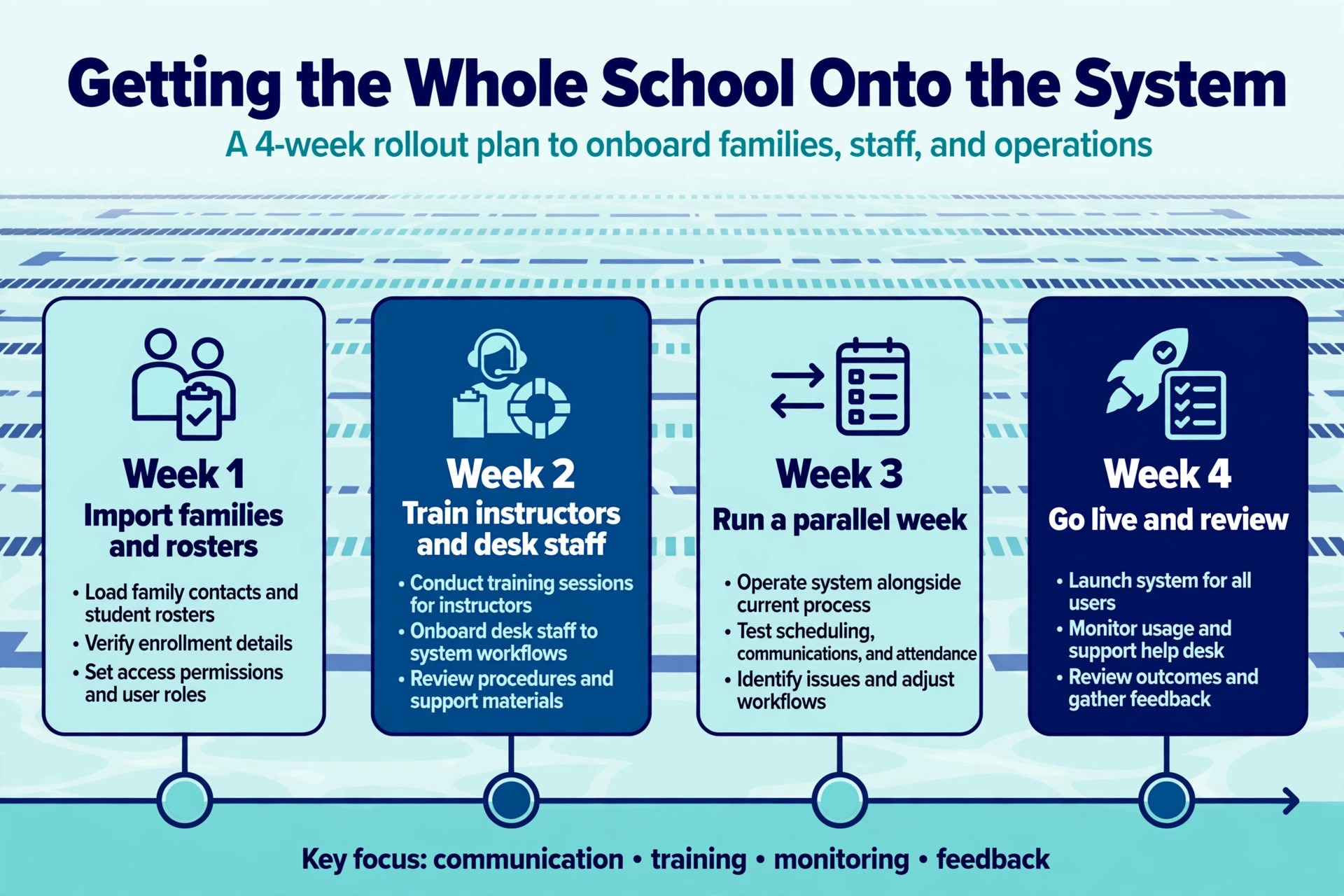
Start with one program or one site before you roll a new tool out everywhere. A small pilot shows whether the timetable setup matches real classes, whether parents actually complete enrolment online, and whether reports answer the questions managers ask. Fix the pilot first, then copy the working setup to the rest of the school, because a clean pilot beats a rushed school-wide launch that nobody trusts.
Keep the old timetable visible during the pilot week, so staff can compare the new class lists against the lists they already trust. Any mismatch found in that week is cheap to fix, while the same mismatch found after full launch becomes a parent complaint.
Write down who owns the tool on day one. That person approves new staff users, checks the billing page each month, answers basic questions from the team, and talks to support when something breaks. Without a named owner, old staff keep access after they leave, and small problems sit unanswered until they become urgent. Ownership takes ten minutes to assign and saves hours later, especially in a busy term start.
Finally, measure the change in plain numbers. Track desk calls per week, class fill per term, failed payments per billing run, and time spent on enrolment before and after launch. When best class management software for swim schools earns its keep, those four numbers move in the right direction within one term, and the team can see the proof without taking the vendor’s word for it.
Filling Classes in Term One
Software alone does not fill a class, but it removes the friction that stops a parent from booking. A waitlist that converts automatically, a makeup credit that applies without a phone call, and a reminder that arrives before the term starts all turn interest into enrolment. When choosing best class management software for swim schools, ask the vendor to show each of those three flows live, with a real family account, rather than on slides.
Trial lessons are the second lever. A tool that handles a free trial, converts it to a paid enrolment in one step, and keeps the trial history attached to the child will convert more trials than a tool that treats trials as separate records. Staff should never retype a family that already trialled, because retyping creates duplicates, and duplicates create billing errors that parents remember far longer than a good lesson.
The third lever is re-enrolment. The best class management software for swim schools makes rolling from one term to the next a single parent action, with the same teacher, time, and level carried forward unless the parent changes it. Schools that force full re-enrolment every term lose families at exactly the moment a rival school is advertising, so test the rollover flow as carefully as the first enrolment flow.
The Verdict for Swim Schools
Start with the job, then the budget, then the trial. For most dedicated swim schools, Jackrabbit Swim is the safest first trial, because it balances swim depth, price, and ease of use better than the extremes. A school with a very specific shape, a very tight budget, or a multi-program academy should start instead with the best pick by job table above, because that table points to the tool built for that exact situation.
The best class management software for swim schools decision does not need to be perfect, it needs to be tested. Run a real trial week with a real timetable, price the tool at next year’s enrolment, and judge it on whether class fill improves and desk calls fall. A tool that passes that test is worth keeping, even if a rival looks better on a pricing page, because daily work is the test that actually matters.
More Reading on Stratilyze
Readers comparing lesson software usually check the neighbouring guides next. The guide to swim lesson scheduling ideas covers the scheduling workflow behind this choice, the guide to salon scheduling software explains a related booking decision, and the guide to small business CRM software helps with the wider customer setup around it.
Frequently Asked Questions
Is swim-specific software worth it over a general booking tool
Yes, when lessons repeat weekly and children progress through levels. A general booking tool handles appointments well, but it rarely handles sibling discounts, waitlist fill, makeup credits, and skill tracking without manual work. If your front desk spends hours each week on those four jobs, a specialist pays for itself in saved time alone.
How much should a small swim school expect to pay
A small school can start from about $45 to about $99 a month on the tools in this guide, before transaction fees and optional SMS or app charges. The right budget is the total at your real enrolment, including those extras, rather than the starting price alone. Model the bill at double enrolment too, because student-count pricing can change the ranking quickly.
Should a school pay per student, per location, or flat
Per-student pricing suits a small school that wants a low entry cost and expects slow growth. Per-location pricing suits a multi-site operator that wants predictable site costs. Flat pricing suits a growing single-site school that wants the bill to stay still while enrolment rises. The right meter depends on which number grows fastest in your business.
Can parents really enrol and pay without calling the desk
Yes, when the parent journey is tested on a phone before launch. Enrolment, payment, lesson moves, and makeup requests should all work from mobile without staff help. If any step forces a phone call, parents will call, and the software will not save the staff time it promised. Test the full journey with a real family account during the trial.
What happens to family data if the school switches tools later
That depends on export options, so check them before you buy. A good tool exports families, enrolments, balances, and progress in a usable format, while a weak one exports only names and emails. Ask for a sample export during the trial, and keep a monthly export outside the system as insurance against any future move.
Does the best class management software for swim schools need a branded app
Not always. A good mobile-friendly parent portal covers most schools, and a branded app is worth paying for only when parents use it weekly and the school sends frequent updates through it. If parents mainly enrol once per term and check schedules occasionally, the portal is enough, and the app budget is better spent on messaging or staff training.