

A residential designer juggling one kitchen remodel and a commercial studio running ten hotel floors do not need the same software, even though both call themselves interior designers. That contrast is the comparison hook for this guide to the best project management software for interior designers, because the residential designer needs visual approvals, mood boards and simple procurement, while the commercial studio needs specification tracking, multi-site budgets and vendor management at scale. A tool built for one shape will frustrate the other, no matter how good its reviews look.
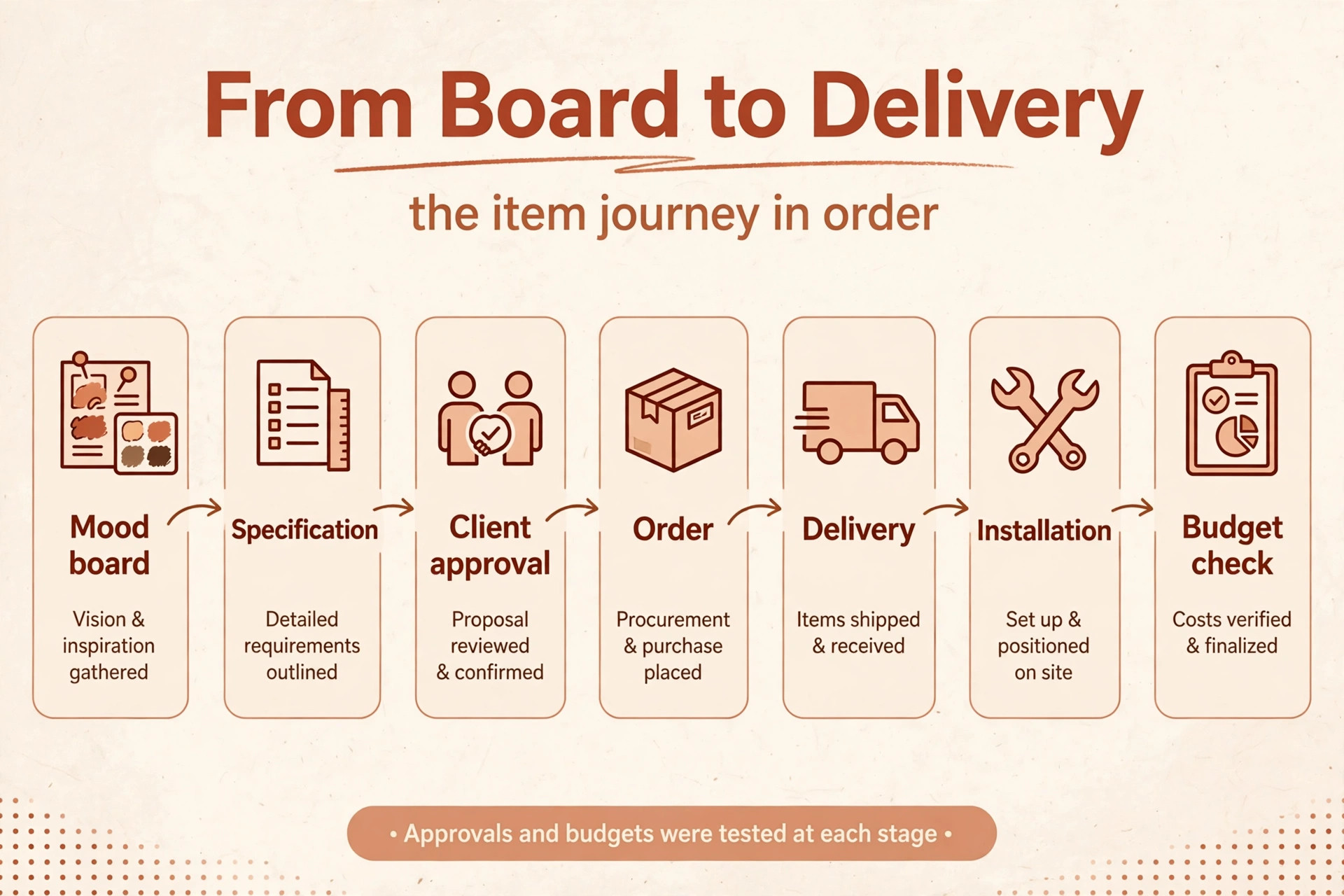
Interior design work has a shape that general project tools miss. A project moves from concept boards to client approvals to purchase orders to delivery and installation, with hundreds of individual items that each carry a vendor, a price, a lead time and a status. Software earns its subscription when it tracks that item journey without forcing the studio back to spreadsheets, and it fails when approvals, orders and budgets live in three separate places.
Prices below are starting figures checked at writing time, and several vendors price per user or by team size. Confirm the current price on the vendor page before you buy, and price every finalist at your real team size and project volume.
Why the best project management software for interior designers Must Track Items, Not Just Tasks
Tasks alone do not describe a design project. A task can say “order sofa” and still hide the vendor, the price, the deposit paid, the expected delivery date and the room it belongs in, while an item record carries all of those facts together. Design-first platforms track items, specifications and purchase orders as first-class records, while general task tools track tasks and force the studio to bolt item details onto comments or custom fields.
The second test is client approval. Design clients approve boards, products and budgets visually, and a tool that makes approval easy, with a branded portal and clear sign-off, shortens the longest delay in most projects. A studio that chases approvals by email loses weeks to inbox threads, while a studio with a clean approval flow moves from concept to order in days. Approval speed is a revenue factor, not a convenience.
The third test is money. Purchase orders, vendor deposits, client invoices and project budgets must reconcile, or the studio discovers margin problems after installation rather than during ordering. Tools with design accounting or clean accounting integrations protect margin, while tools that only track tasks leave the money story to a second system. Judge every tool below by item tracking, approval flow and money handling together.
Judging by Studio Shape and Project Type
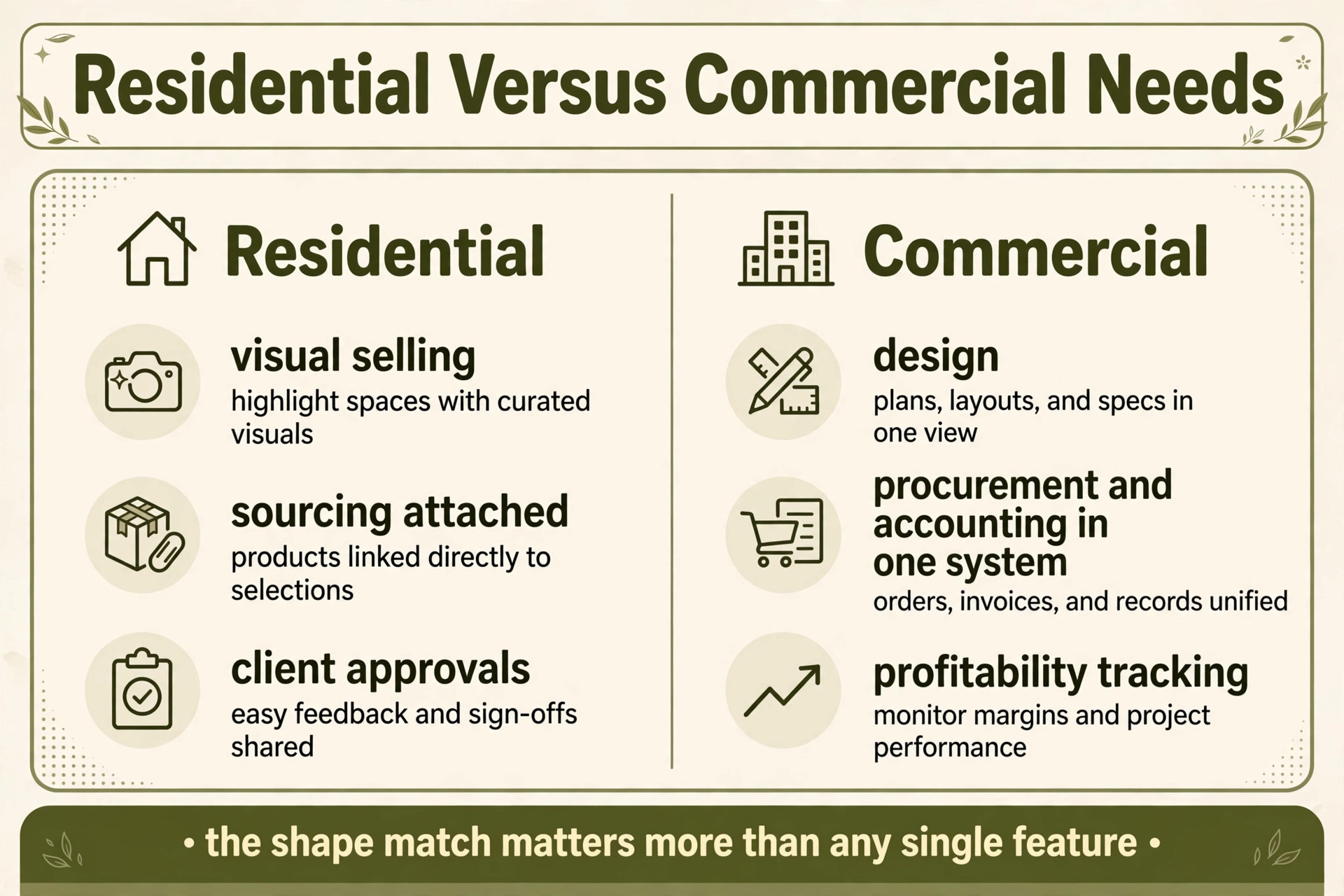
Start by naming the studio shape honestly. A solo residential designer needs visual boards, simple proposals, client approvals and light procurement, and will rarely use multi-site reporting. A small residential studio needs team task sharing and deeper procurement, while a commercial studio needs specification libraries, multi-project budgets and vendor management across many sites. Buying commercial depth for a solo practice wastes money, while buying solo simplicity for a commercial studio creates chaos at scale.
Next, count projects and items together. A studio running five residential projects with fifty items each faces a different load than a studio running two commercial projects with two thousand items each, and per-user pricing behaves differently again when contractors and clients need limited access. Model the price at the team that actually logs in, including any guest or client seats that carry a fee.
Finally, test the tool on a real project from board to delivery. Build a mood board, get an approval, raise a purchase order, track a delivery and invoice the client, all in the trial system. A demo with perfect data hides the slow step and the missing field, while a real project reveals them before the studio pays for a year of the wrong system.
How Procurement, Approvals and Budgets Were Tested
Every tool in this guide was judged on the same four tests, because a feature list cannot show how a tool behaves when a delivery slips. The first test is procurement depth. A good tool raises a purchase order from an approved item, tracks vendor deposits and balances, records receiving, and flags a late delivery before installation day. A tool that only lists products without order tracking leaves the hardest part of the job to spreadsheets.
The second test is approval friction. A client should be able to view a board, approve or comment on items, and sign off without a login puzzle or a confusing interface, because every extra step delays ordering. The best approval flow feels like browsing, not like filing paperwork, and it records the decision on the item itself so the studio never hunts through email for a yes.
The third test is budget visibility. A studio should see, at any moment, what a project has cost, what is committed on open orders, and what remains in the client budget, without exporting data to another tool. Budget surprises discovered at installation are the most expensive kind, and a tool that shows committed costs early protects both margin and client trust.
The fourth test is team and vendor sharing. Designers, assistants, contractors and clients all need different views of the same project, and a tool that shares cleanly, with permissions that protect pricing where needed, keeps the whole project moving. Test sharing during the trial with a real contractor and a real client, because permission problems only appear when real people log in.
The Nine Tools at a Glance
| Tool | Starting price | Best for |
|---|---|---|
| Houzz Pro | From about 99 dollars a month for 1 user | Designers who need leads plus business tools |
| Studio Designer | From about 69 dollars a month per user billed annually | Established firms wanting design plus accounting |
| Mydoma Studio | From about 58 dollars a month per user billed annually | Studios wanting visual management with QuickBooks |
| Design Manager | From about 79 dollars a month per user | Residential firms focused on profitability |
| DesignFiles | From about 55 dollars a month | Designers who sell through visuals |
| Programa | From about 71 dollars a month including 1 seat | Studios living in specifications and sourcing |
| Gather | From about 99 dollars a month for 2 users | Mid-size firms with complex specification work |
| Monday.com | From about 12 dollars a month per user | Studios needing flexible task tracking only |
| ClickUp | From about 9 dollars a month per user billed annually | Budget-conscious studios wanting one workspace |
Read the table as a shortlist, not a ranking. The cheapest tools suit solo designers and tiny studios, while the design-first platforms suit firms whose procurement and accounting needs justify a higher price. Pick three finalists from the table, then read their full sections before deciding.

Each Platform Under Review
Houzz Pro
Houzz Pro is the pick for designers who need leads plus business tools in one place. The Design plan costs about 99 dollars a month for one user, while the Pro plan costs about 199 dollars a month, with additional users priced per month and team plans for larger studios. The platform covers mood boards, 3D floor plans, photorealistic renders, a client dashboard, proposals, invoicing, purchase orders and lead generation, with QuickBooks Online integration for accounting.
That combination is the appeal for solo designers and small studios. A designer can win work through the Houzz marketplace, present visually, manage the project and invoice from one system, rather than stitching marketing and management tools together. The trade-off is procurement depth, because purchase order and accounting features are lighter than in Studio Designer or Design Manager. Choose Houzz Pro if leads and visual presentation drive the business, and look elsewhere when deep procurement and accounting lead it.
Studio Designer
Studio Designer is the pick for established firms wanting design, sourcing, procurement and accounting in one system. Pricing runs from about 69 dollars to about 109 dollars a month per user when billed annually, with higher tiers adding deeper accounting and reporting. The platform covers a large trade product catalogue, design boards, AI rendering, a client portal, purchase orders, vendor deposits, receiving, and built-in accounting designed for designers, including design-specific financial reports.
That depth is why larger firms stay with it. Procurement, accounting and client work live in one system, so budgets, orders and invoices reconcile without exports, and the product catalogue speeds sourcing for firms that order at volume. The trade-off is price and learning curve, because per-user pricing climbs with team size and the system takes longer to master than a visual-only tool. Choose Studio Designer when the firm is ready for one serious system rather than several light ones.
Mydoma Studio
Mydoma Studio is the pick for studios wanting visual project management while keeping accounting in QuickBooks. Pricing costs about 58 dollars a month per user when billed annually, or about 64 dollars a month on monthly billing, plus a one-time onboarding fee. The platform covers branded client portals, design boards, contracts, design packages, proposals, invoices and purchase orders to vendors, with QuickBooks integration handling the books.
The appeal is simplicity with a clear accounting story. A studio gets visual boards, client collaboration and project management without replacing its accountant’s system, and the onboarding help gets a new studio running faster than a self-serve tool. The trade-off is accounting depth inside the platform itself, because firms that want native design accounting will find Mydoma lighter than Studio Designer. Choose Mydoma if QuickBooks already runs the books and visual project flow is the gap.
Design Manager
Design Manager is the pick for residential firms obsessed with project profitability. Pricing costs about 79 dollars a month per user, with training priced separately, and the platform covers purchasing, specifications, client portals, a product clipper and standard accounting built for design firms. For residential studios that live on margins, that accounting and purchasing combination is the point.
The strength is financial control across the project lifecycle. Specifications flow into purchase orders, orders flow into accounting, and reports show profitability while there is still time to fix it, rather than after the project closes. The trade-off is visual flair, because Design Manager prioritises accounting and purchasing over mood boards and rendering, so visually led studios may pair it with a presentation tool. Choose Design Manager when profitability reporting drives the decision.
DesignFiles
DesignFiles is the pick for designers who sell through visuals and want sourcing connected to the sale. Pricing starts at about 55 dollars a month on the e-design plan, or about 75 dollars a month on the full-service plan, with additional users priced per month. The platform covers mood boards, 3D renderings, floor plans, branded presentations, product sourcing, purchase orders and product tracking, with QuickBooks sync on the full-service plan.
That visual strength is why solo designers and small firms love it. A designer can present beautifully, win the client, and keep sourcing attached to the presentation rather than rebuilding it in another tool. The trade-off is accounting depth, because the platform syncs with QuickBooks rather than replacing it, and larger firms may need deeper procurement. Choose DesignFiles when visual selling wins the work and the studio is small enough for lighter accounting.
Programa
Programa is the pick for studios living in specifications and sourcing. Pricing costs about 71 dollars a month including one seat, with additional seats priced per month, and the platform covers mood boards, presentations, a client dashboard with approvals, ordering, shipping, delivery and install tracking, with QuickBooks and Xero integrations. For studios whose projects turn on hundreds of specified items, that tracking is the core job.
The strength is specification discipline. Items move from board to order to delivery to install with status visible at each step, so the studio knows exactly what is late, what is damaged and what is ready. The trade-off is accounting depth inside the platform, because the books still live in an accounting integration. Choose Programa when specification and sourcing volume dominate the week, and test approval flow during the trial to confirm clients enjoy it.
Gather
Gather is the pick for mid-size firms with complex specification work. Pricing starts at about 99 dollars a month for two users, with higher plans adding team features and deeper specification tools. The platform covers client collaboration, proposals, budget management, specification tracking and product sourcing, with a focus on keeping large item lists organised across projects and team members.
The appeal grows with item volume. A firm managing many products across several projects needs specification control that a simple board tool cannot provide, and Gather is built for exactly that load. The trade-off is price for a solo designer, because the starting plan assumes a small team, and visually led solo work may be served more cheaply elsewhere. Choose Gather when specification complexity, not task tracking, is the bottleneck.
Monday.com
Monday.com is the pick for studios needing flexible task tracking and nothing more. Pricing starts at about 12 dollars a month per user on standard plans, with a minimum team size on paid plans, and the platform covers boards, timelines, automations, guest access and a wide integration list. A studio can shape boards around its own project stages, track tasks visually, and share progress with clients and contractors.
The strength is flexibility and speed. A studio can set Monday.com up in a day, adapt it as projects change, and use it alongside a separate accounting or sourcing tool. The trade-off is design depth, because there is no native specification library, purchase order flow or design accounting, so procurement and money work live elsewhere. Choose Monday.com when task tracking is the only gap, and choose a design-first tool when procurement and budgets need a home too.
ClickUp
ClickUp is the pick for budget-conscious studios wanting docs, tasks and chat in one workspace. Pricing starts at about 9 dollars a month per user on the Core plan when billed annually, with a free plan covering unlimited tasks for small teams. The platform covers tasks, docs, timelines, goals and team chat, which lets a tiny studio run projects, notes and communication without paying for several tools.
The appeal is value and breadth for the price. A small studio gets a genuinely capable workspace for less than any design-first platform, and the free tier lets a solo designer start without spending anything. The trade-off is the same as with Monday.com, because design-specific procurement, specification libraries and design accounting are missing, so sourcing and money work need companion tools. Choose ClickUp when budget dominates and task tracking is the real need.
Best Pick by Studio Shape
| Job | Best pick | Why it wins for that job |
|---|---|---|
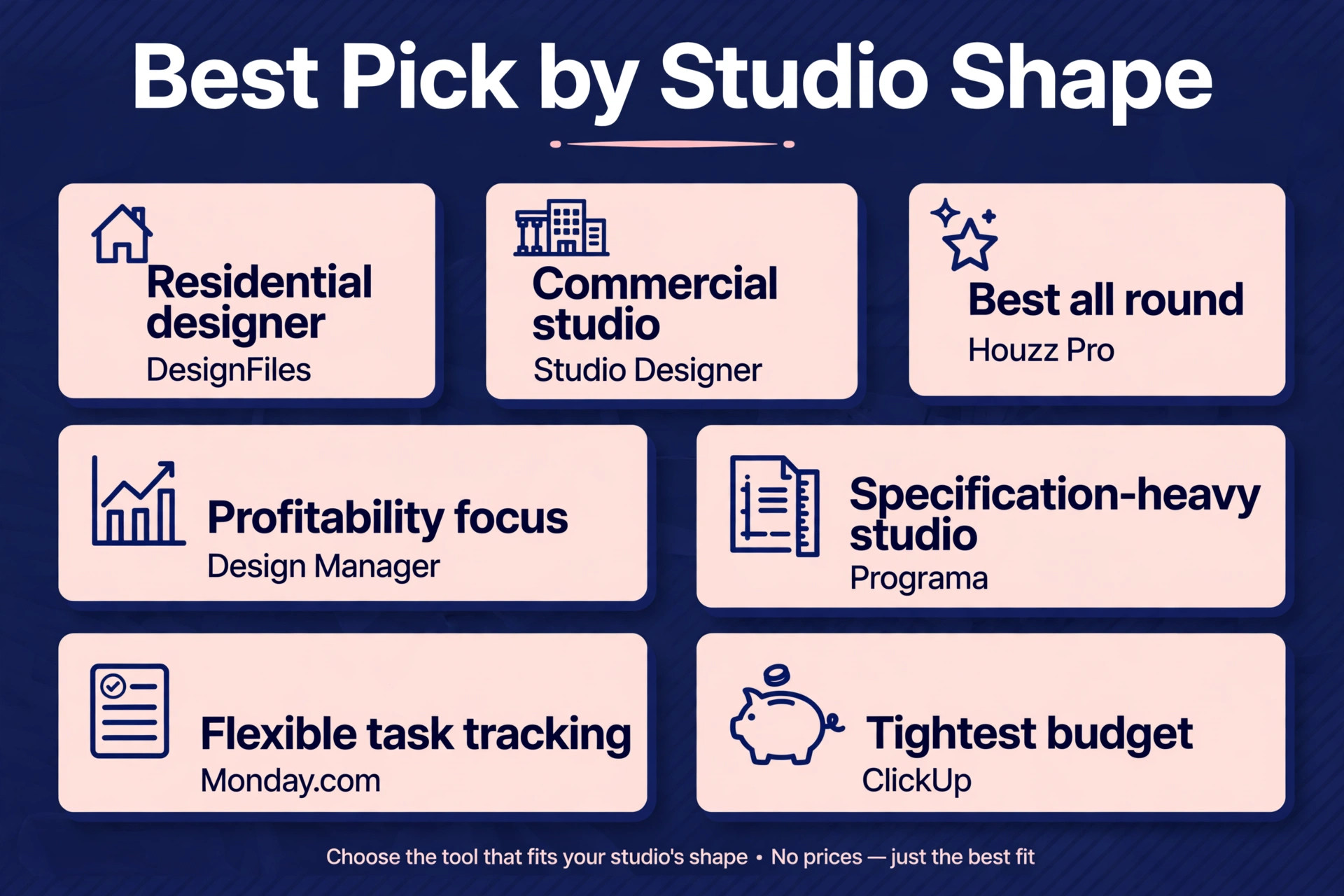
| Residential designer | DesignFiles | Visual selling with sourcing attached |
| Commercial studio | Studio Designer | Design, procurement and accounting in one system |
| Best all round choice | Houzz Pro | Leads, visuals and business tools together |
| Profitability focus | Design Manager | Accounting and purchasing built for design firms |
| Specification-heavy studio | Programa | Deepest item and delivery tracking |
| Flexible task tracking | Monday.com | Fastest boards for teams that only need tasks |
| Tightest budget | ClickUp | Capable workspace at the lowest price |
Use this table to match the tool to the job, because the best overall tool is not always the best tool for a specific studio. A residential designer and a commercial studio run different operations, and the table points each one to the tool built for that exact shape. For the best project management software for interior designers, that shape match matters more than any single feature. For the best project management software for interior designers, that shape match matters more than any single feature.
The Complete Cost Beyond the Subscription
The headline price is only the first line of the bill. Per-user seats, onboarding fees, additional user charges, accounting integrations and rendering or catalogue add-ons all sit on top of it, and the total at a realistic team size is what a studio actually pays. A tool that looks cheap for one designer can climb fast for a studio of six, while a tool that looks expensive for one designer can become good value once the whole team uses it daily.
Count guest and client access carefully. Some tools include client portal access without a paid seat, while others charge for collaborators, and a studio that shares projects with many clients and contractors can face a surprise bill. Count onboarding too, because a one-time fee and training hours are real costs, even when they buy a faster start. A tool with paid onboarding that the team actually completes is better value than a free tool the team never learns.
Finally, count the cost of companion tools. A general task tool plus a separate sourcing tool plus a separate accounting tool can exceed the price of one design-first platform, while delivering a worse experience across three logins. Compare the whole stack, not one subscription, because the stack is what the studio actually pays for and actually uses. A studio that audits its stack once a year often finds a duplicate subscription or an unused seat hiding in the total, and removing it funds the upgrade that actually improves project flow.
Moving Over Without Losing a Project
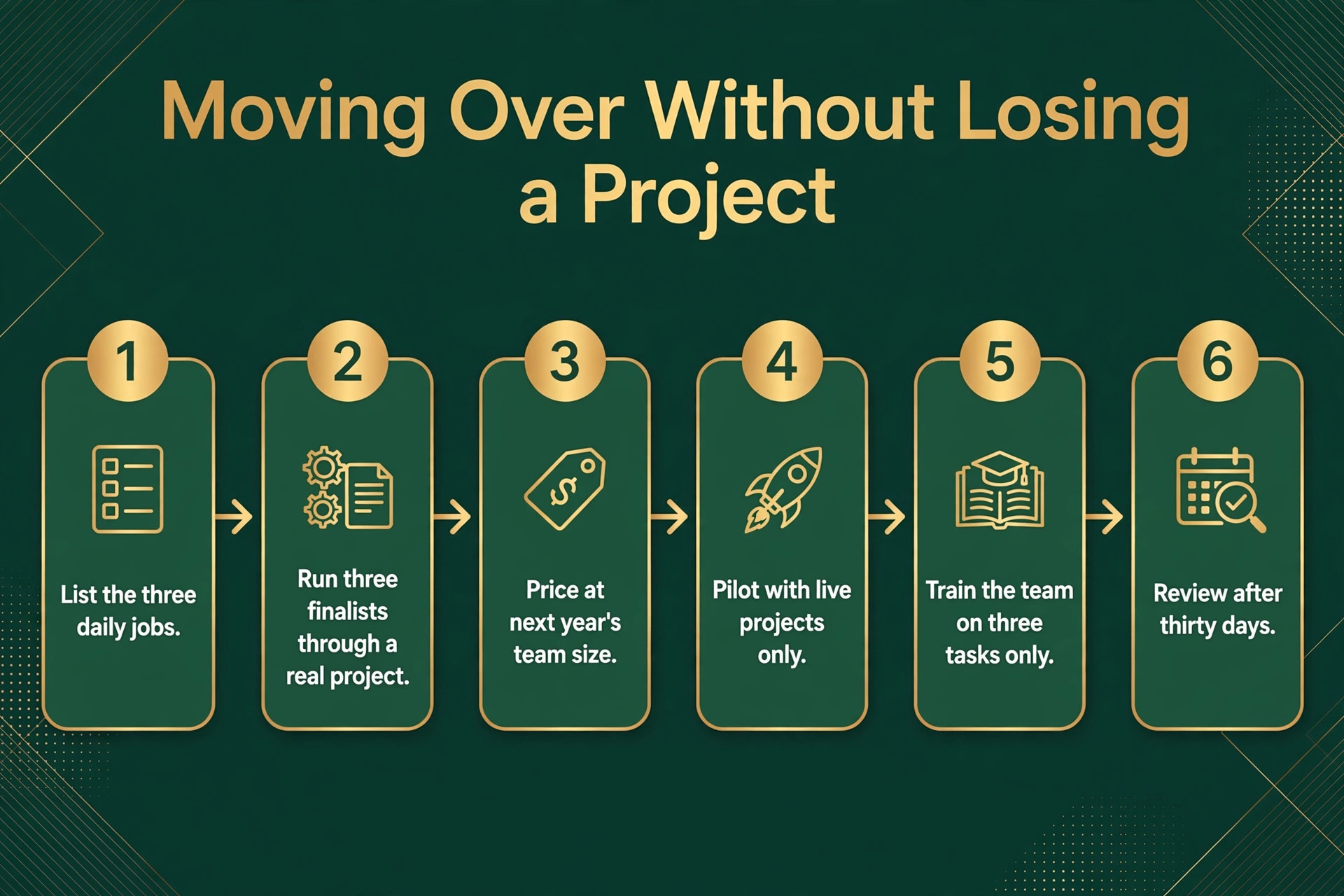
Switching tools fails most often from rushing, not from choosing badly. A short, careful workflow protects projects, orders and client approvals during the change. Follow these steps in order, and do not skip the trial, because the trial is where most problems reveal themselves cheaply.
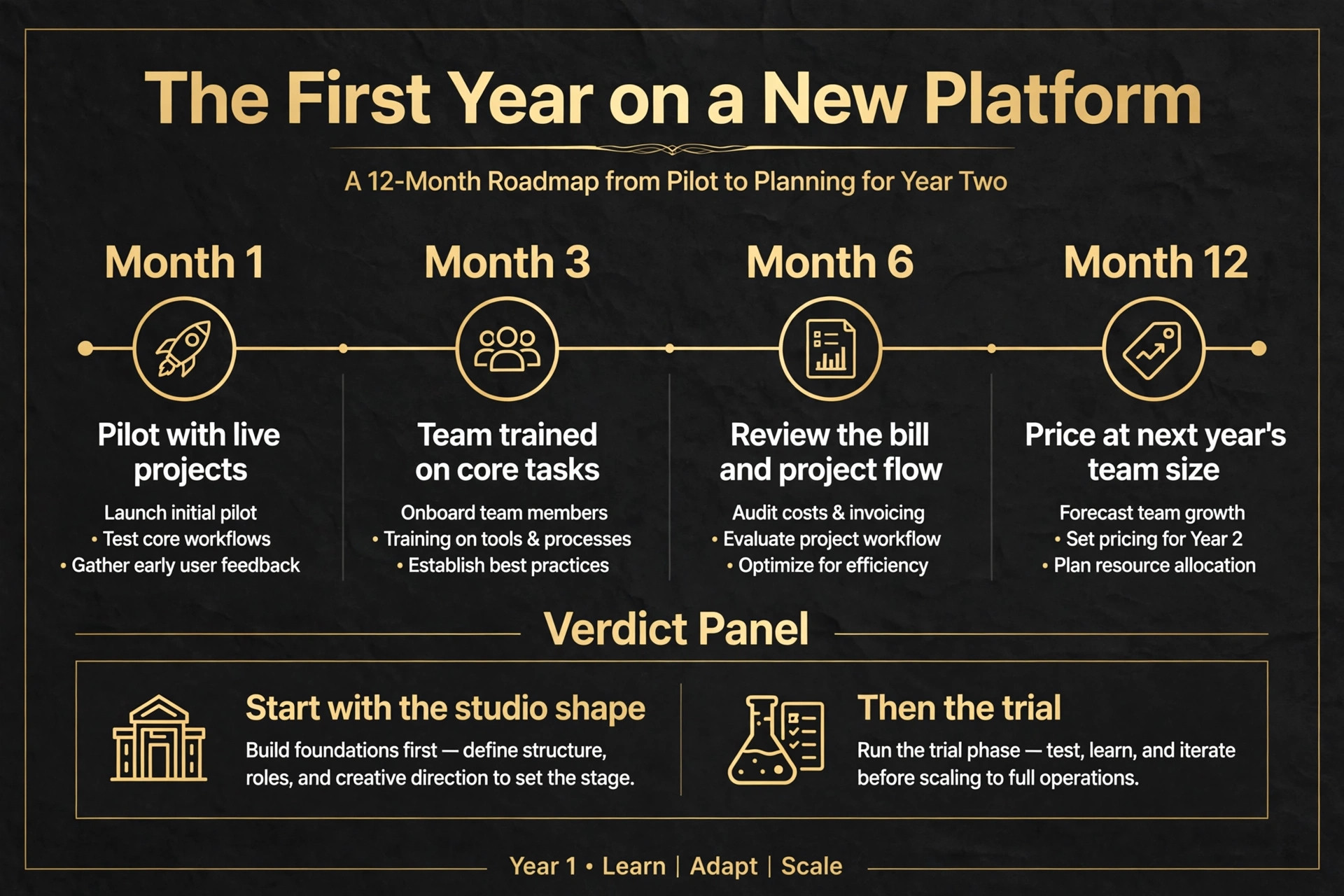
1. List the three daily jobs the new tool must handle, and write down how each job works today. 2. Pick three finalists from this guide, and run each one through a real project from board to delivery. 3. Price each finalist at your team size in twelve months, including seats, onboarding and companion tools. 4. Import only live projects for the pilot, and check that items, orders and budgets match the old system. 5. Train the team on three tasks only, then expand training once those three habits feel automatic. 6. Review the bill, the approval flow and team feedback after thirty days, and fix the setup before blaming the tool.
Project Budget Traps to Watch
The most common mistake is buying for the studio you wish you had, instead of the studio you actually run. A solo designer does not need multi-site reporting, and a residential studio should not pay for commercial specification depth it will never use. Buy for the next twelve months, not for a future that may never arrive, and upgrade when project volume demands it.
The second mistake is ignoring the exit. A tool that holds item libraries, client records and project history hostage, charges heavily to export, or breaks integrations on cancellation will cost far more at exit than it saved at entry. Export item libraries, client lists and project records regularly, keep a copy outside the system, and know the cancellation terms before you sign.
The third mistake is letting seats pile up. Assistants leave, contractors finish and seasonal help moves on, yet their paid seats often stay active for months. A quarterly seat check takes half an hour and routinely cuts a noticeable share off the annual bill, because unused seats are the quietest waste in any subscription budget.
A fourth mistake is buying visual tools the team never uses for procurement. A studio can fall in love with beautiful boards while orders still live in spreadsheets, which means the studio pays for presentation and still does the hard work by hand. Test procurement end to end during the trial, and only buy a visual tool when orders, deliveries and budgets flow through it too.

The Verdict for Designers
Start with studio shape, then item volume, then the trial. For most designers in this guide, Houzz Pro is the safest first trial, because it balances leads, visuals and business tools better than the extremes. A residential designer who sells on visuals should start with DesignFiles instead, while a commercial studio should start with Studio Designer, because procurement and accounting depth matter more there than lead generation. Let a real project, not a sales demo, make the final call.
The best project management software for interior designers decision does not need to be perfect, it needs to be tested. Run a real project through the finalist, price the tool at next year’s team size, and judge it on whether approvals move faster and orders stay visible. A tool that passes that test is worth keeping, even if a rival looks better on a pricing page, because project flow is the test that actually matters.
For a final check, compare the shortlist against the best project management software for interior designers on total cost at your real team size before you pay for a year. A shortlist built around the best project management software for interior designers should still be tested on a live project, because a pricing page cannot show how a tool behaves when a delivery slips.
More Reading on Stratilyze
Readers comparing design tools usually check the neighbouring guides next. The guide to AI tools for interior designers covers a closely related decision, the guide to AI for interior design client management explains a workflow that pairs well with this choice, and the guide to AI for interior design client presentations helps with the wider setup around it.
Frequently Asked Questions
Do I need design-specific software or will a general task tool work
A general task tool works when the studio mainly tracks tasks and deadlines, because boards and timelines are its strength. A design studio needs item specifications, purchase orders, delivery tracking and client approvals, and a general tool forces those jobs into custom fields. Once procurement lives outside the system, the software has stopped being the system of record.
How much should a small studio budget each month
A small studio should budget for the per-user subscription plus onboarding and any companion tools, modelled at real team size. Entry task tools start near 9 to 12 dollars a month per user, design-first tools cluster near 55 to 99 dollars a month, and deeper platforms climb near 69 to 109 dollars a month per user. The honest budget is the second-year total for the whole stack, not the first-month price of one tool. That stack total is the fairest way to compare the best project management software for interior designers, because a cheap single tool plus two companions can cost more than one complete platform.
Is per-user or flat pricing better for design studios
Per-user pricing suits a stable small team, because the bill follows headcount exactly. Flat or team pricing suits a studio with many collaborators, because adding an assistant or a client seat costs nothing extra. The right choice depends on how many people actually log in during a busy project, not on the team chart.
Can one tool handle both design presentation and procurement
Yes, when the tool covers boards, approvals, purchase orders and budgets in one system. Design-first platforms handle that range best, while visual-only tools strain under procurement volume and task tools strain under specification volume. Test both presentation and procurement during the trial, because a tool that handles one well may still fail the other.
What happens to item libraries and projects if I cancel
Item libraries, client records and project history usually remain exportable for a period after cancellation, but the exact terms and format vary by vendor. Export item libraries, specifications, client lists and live project records before cancelling, and keep a copy outside the system. A tool with easy export is worth a small premium, because rebuilding a specification library costs weeks.
Should a solo designer buy the cheapest tool
A solo designer should buy the tool that fits the work, not automatically the cheapest one, because approval speed and procurement visibility matter more than a small monthly saving. The cheapest tool wins when it covers boards, approvals and orders well, while a pricier design-first tool wins when it prevents a lost order or a budget surprise. Judge the choice by project flow protected, not by subscription alone.