
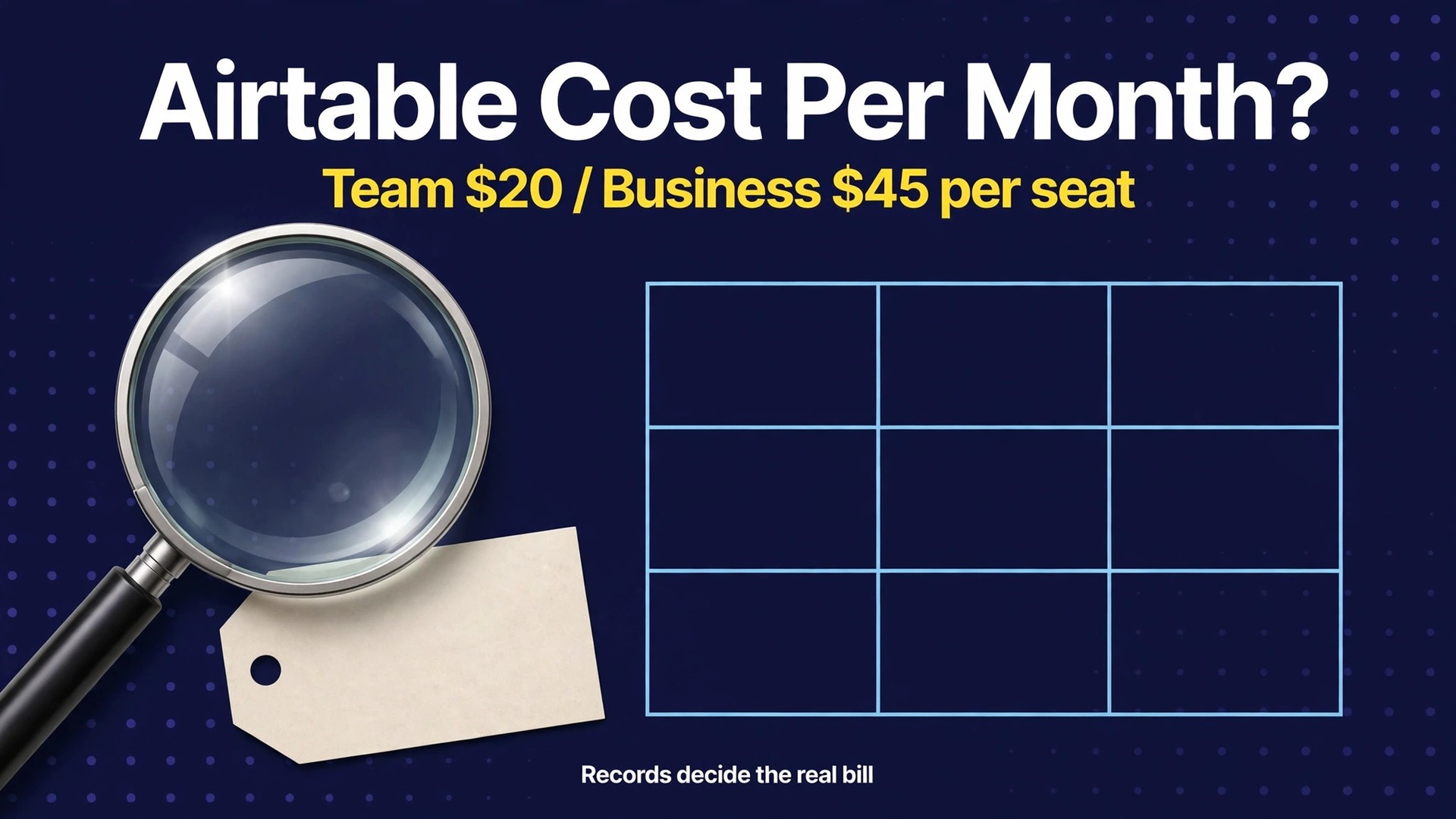
Your base just hit 50000 records, your automations stopped running mid month, and the upgrade that fixes both problems more than doubles the price per seat. That is the moment most small businesses actually discover what Airtable costs. The price depends on two things at once, seats and data volume, and a business that budgets for seats alone will be surprised by the second bill. This guide works out the cost of Airtable for small business monthly at real team sizes, with the record, attachment and automation limits that force upgrades priced in plainly.
Airtable is a database with a spreadsheet face, and small businesses use it for inventory, orders, client records, content calendars and job tracking. That flexibility is its strength, and it is also why its pricing needs more care than a simple per seat tool. A team with a small dataset and many editors pays a very different bill from a team with a huge dataset and few editors, even when both teams use the same plan name. Prices here reflect published figures at writing time, so confirm the current price on the vendor page before you buy.
Airtable Prices on One Page
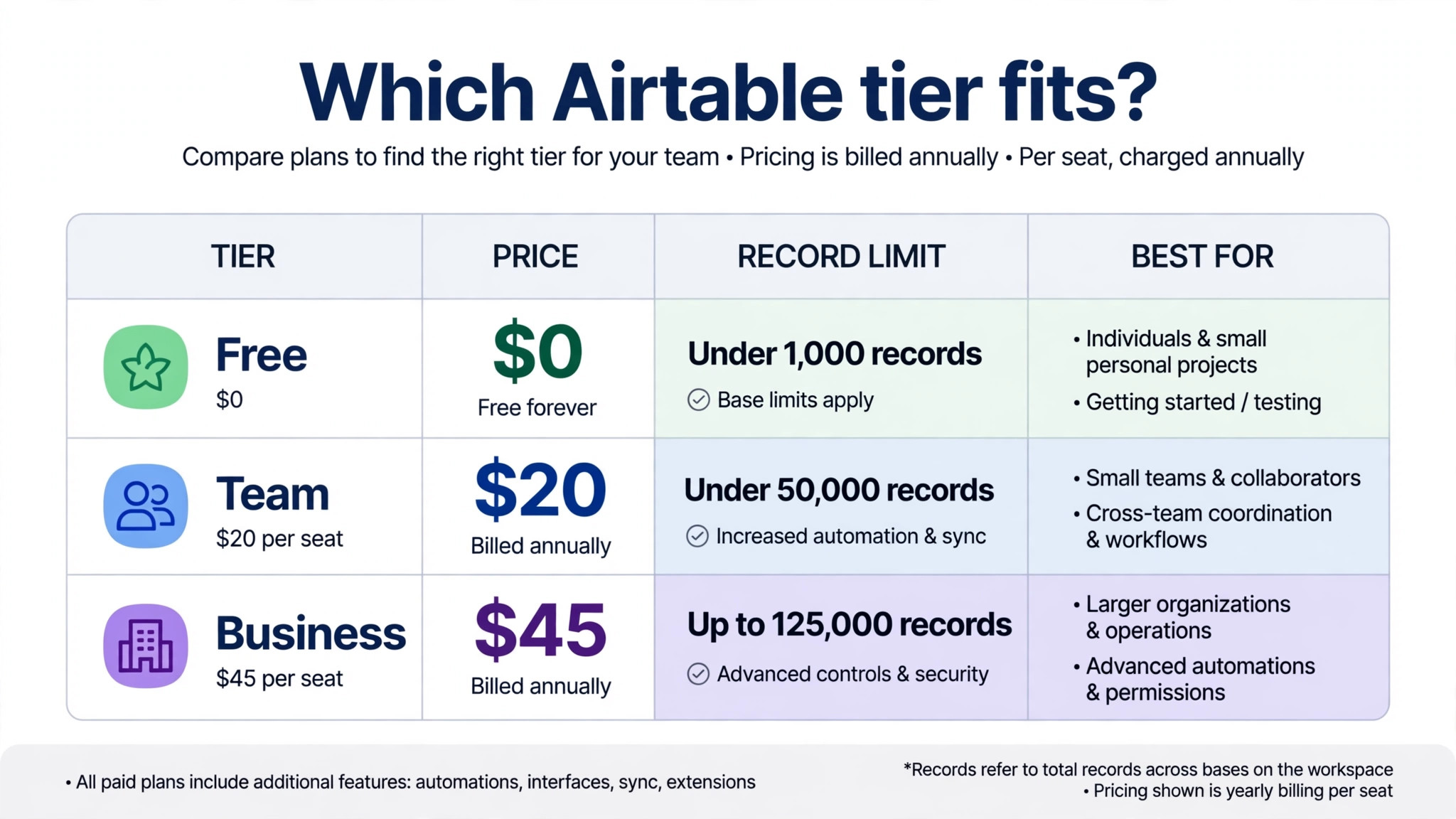
The table below lists the four plans with their headline rates and the three limits that matter most. Annual figures are monthly equivalents, meaning the yearly charge divided by 12. Monthly figures are the price of refusing the yearly commitment. Enterprise Scale is priced by quote, so it appears as a quote in every calculation that follows.
| Plan | Annual billing | Monthly billing | Records per base |
|---|---|---|---|
| Free | 0 dollars | 0 dollars | 1000 |
| Team | 20 dollars per seat | 24 dollars per seat | 50000 |
| Business | 45 dollars per seat | 54 dollars per seat | 125000 |
| Enterprise Scale | Custom quote | Custom quote | 500000 |
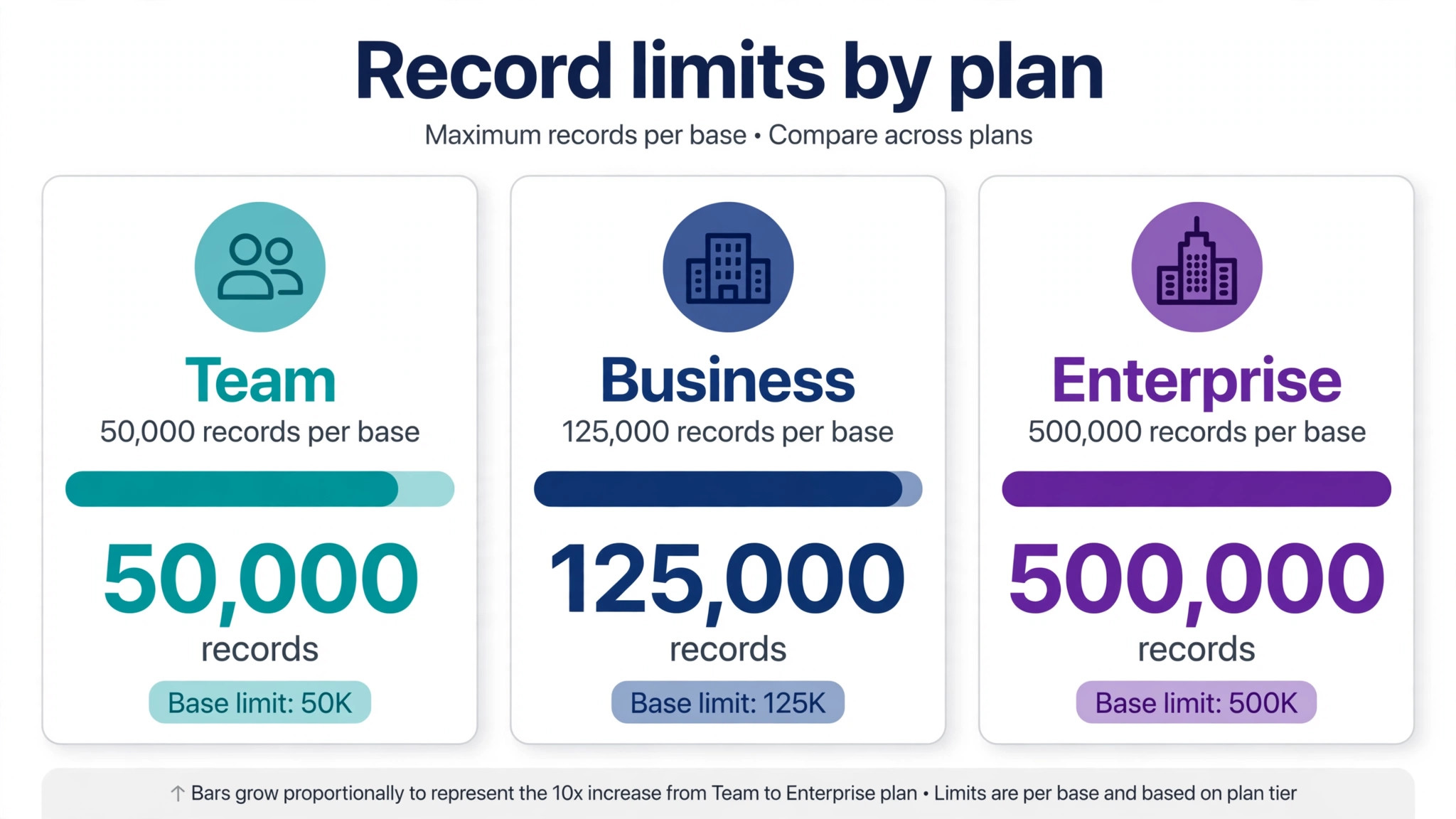
Attachment space rises alongside records, from 1 gigabyte per base on Free to 20 gigabytes on Team, 100 gigabytes on Business and 1 terabyte on Enterprise Scale. Automation runs rise from 100 a month on Free to 25000 on Team, 100000 on Business and 500000 on Enterprise Scale. Those three limits, records, attachments and automations, decide the real tier for a business far more reliably than the feature list, and a team should measure all three before choosing.
The Problem With Pricing by Seat and by Record
Most software pricing has one lever, seats. Airtable has two levers, seats and data volume, and the second lever is the one that catches teams out. A business can keep its headcount flat for a year while its records grow every week, because every order, client, product and job adds rows. The seat bill stays still, the data bill quietly approaches a ceiling, and one day the base refuses new records or slows down noticeably. That day forces a tier decision under pressure, which is the worst time to make it.
The seat lever has its own trap. Airtable charges for editors, meaning users who can edit a base, while read only viewers are free, along with form submissions and share links. A business that gives editor access to everyone by default will pay for seats that only needed to view data, while a business that restricts editors too tightly will frustrate staff who need to update records. Getting the editor count right is therefore a billing decision as well as a permissions decision, and it should be reviewed as often as the record count.
The third trap is that limits apply per base, not per workspace. A business with three bases at 40000 records each is fine on Team, while a business with one base at 60000 records is not. Splitting a base to dodge a limit is sometimes possible, but it breaks linked records, views and automations. Design the base structure with the limit in mind from the start.
Free
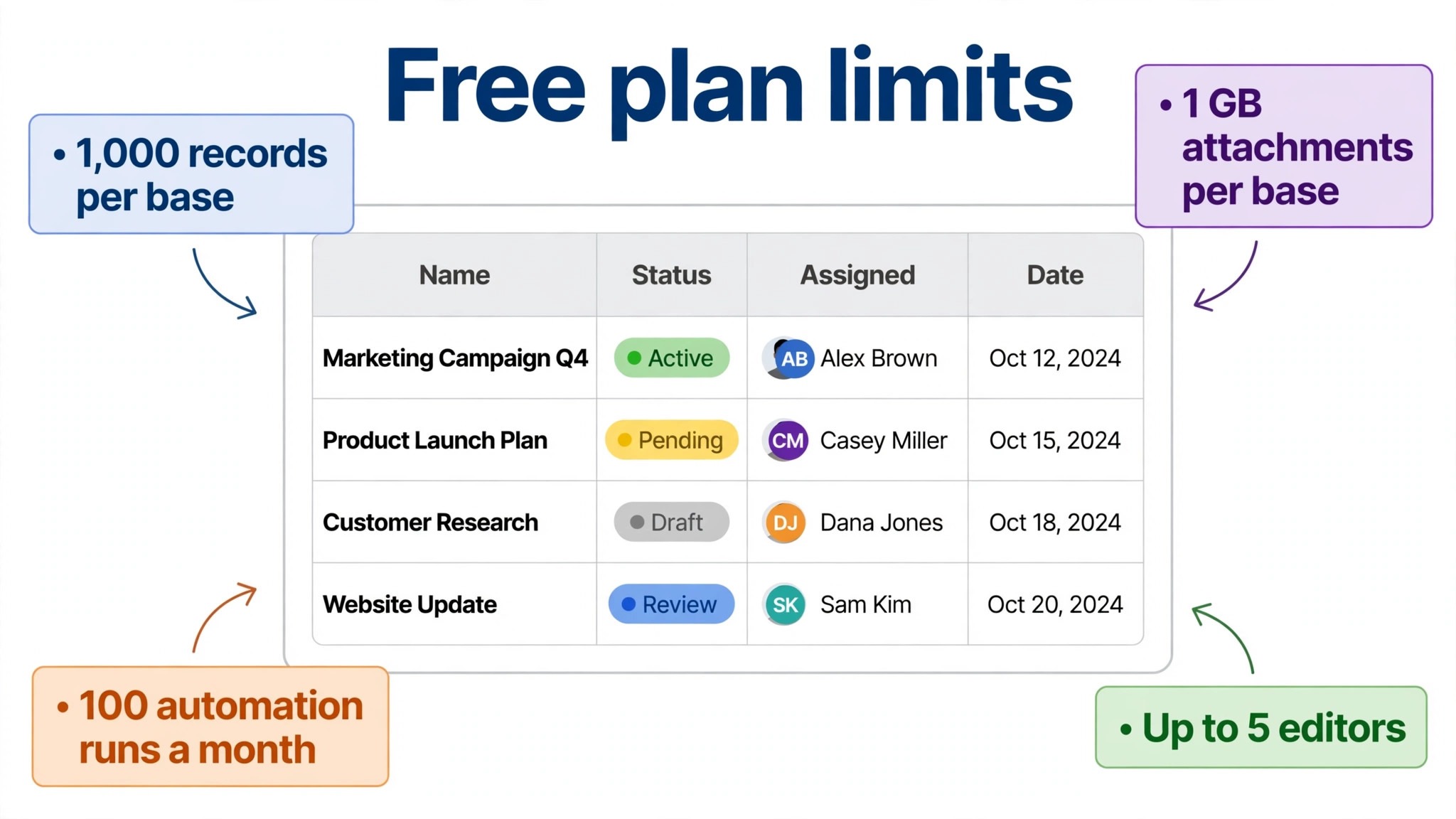
Free suits a solo user testing Airtable or a tiny project with a small dataset. It allows unlimited bases with up to 1000 records each, 1 gigabyte of attachment space per base, 100 automation runs a month and up to five editors. Grid, form, kanban, gallery and calendar views are included, so a new user can learn the product properly before paying. For a personal project or a short evaluation, Free is genuinely useful.
The limits arrive quickly for any real business use. One thousand records per base covers a small client list or a short product catalogue, but not a year of orders, a full inventory or a growing job history. One hundred automation runs a month covers a handful of alerts and status changes, not a daily workflow. Attachment space at 1 gigabyte per base also fills fast once photos, PDFs and design files enter the base, and a business that stores product photos will feel that ceiling first.
Leave Free when records approach 1000 in any important base, when automations run out mid month, or when attachment warnings appear. The honest next step is Team, and the business should move before the limit interrupts live work. Waiting until a base refuses new orders or new client records is the expensive way to learn that Free was only ever a trial.
Team
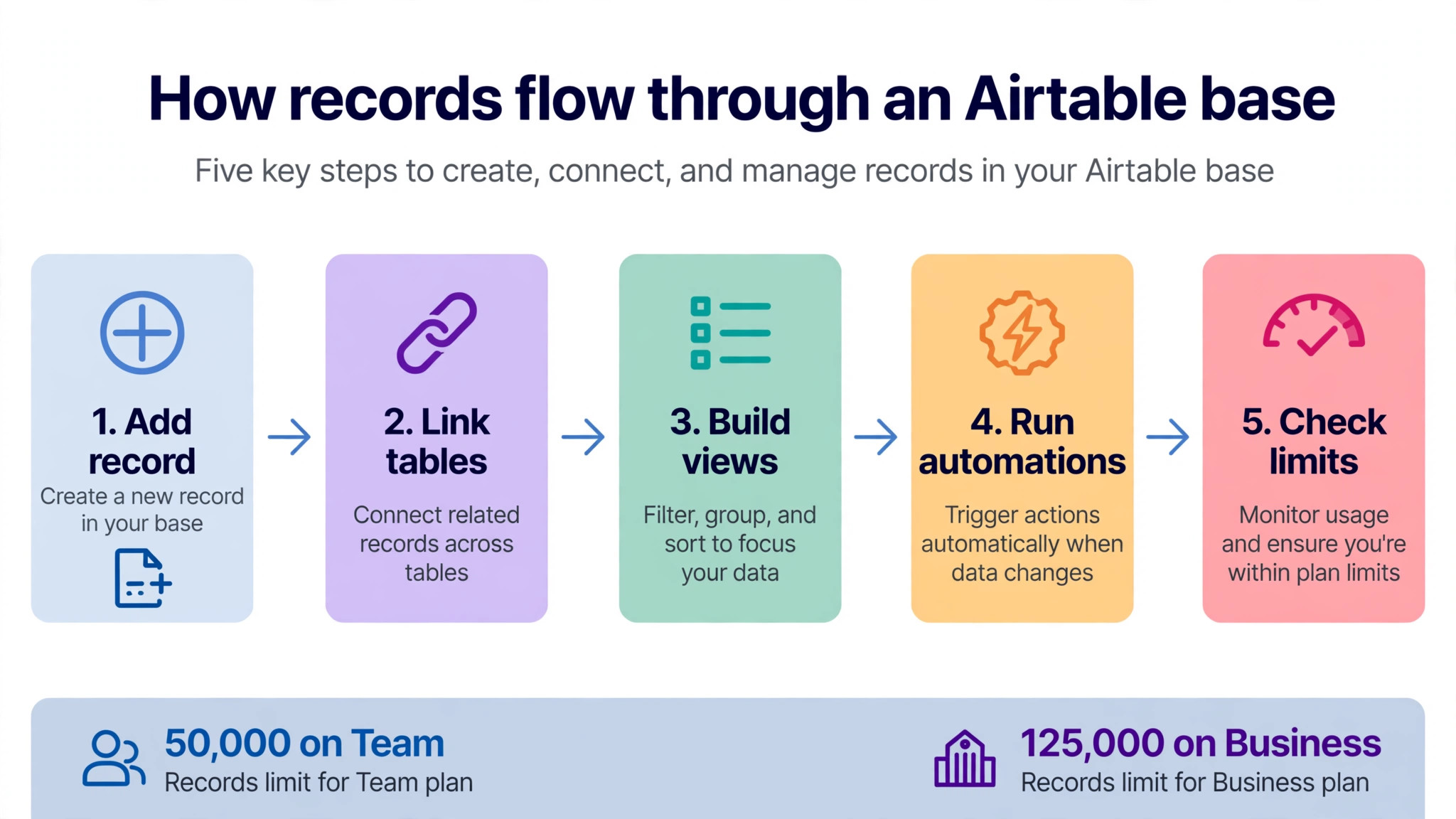
Team is the plan most small businesses actually live on, at 20 dollars per seat per month on annual billing or 24 dollars on monthly billing. It raises records to 50000 per base, attachment space to 20 gigabytes per base and automation runs to 25000 a month, and it adds Gantt and timeline views, extensions such as charts and pivot tables, sync across bases and three Interface Designer interfaces per base. For a team managing projects, content, inventory or client records, that set covers the daily job well, and the cost of Airtable for small business monthly stays at its most manageable paid level on this tier.
The Team limits are generous for many businesses, but they are not infinite. Fifty thousand records sounds large until a business logs every order line, every stock movement and every client interaction in one base, and teams consistently report slower load times as a base approaches that ceiling. Twenty gigabytes of attachments also fills faster than expected when photos and documents attach to every record. A business should track record growth monthly, because a base growing by 2000 records a month will hit the Team ceiling in about two years, and that date should be in the plan.
Team also has a billing detail worth knowing. On Team, the Creator, Editor and Commenter roles are all billable, while on Business only the Owner, Creator and Editor roles are billed. A team with many commenters can therefore cost less on Business than on Team at equal headcount, which is one more reason to price the real role mix rather than the headcount alone. Choose Team when the dataset fits comfortably under 50000 records per base, automation use stays well under 25000 runs, and the team needs real database features without enterprise admin controls.
Business
Business costs 45 dollars per seat per month on annual billing or 54 dollars on monthly billing, more than double the Team price, and the jump buys higher limits plus stronger admin control. Records rise to 125000 per base, attachment space to 100 gigabytes per base and automation runs to 100000 a month. Two way sync, advanced permissions including row level permissions, an admin panel and SAML single sign on arrive in the same step, along with unlimited workspaces and a longer revision history of two years against one year on Team.
The question for a small business is whether the jump is driven by data or by features. A data driven jump is easy to justify, because a base that has passed 50000 records has no cheaper honest home. A feature driven jump needs more scrutiny, since SAML sign on, row level permissions and an admin panel matter most to larger or more regulated teams. A 10 person team that jumps to Business for one admin feature pays an extra 250 dollars a month, or 3000 dollars a year, for that feature, and that money should be weighed against a workaround or a different tool.
Business also changes the commenter billing rule noted earlier, so a team with many commenters should price both tiers at its real role mix before deciding. In some cases Business costs less than expected once commenters stop being billed, which softens the headline jump. In other cases the jump is full and painful. Either way, the decision should come from a spreadsheet with real roles and real record counts, not from a feeling that the business has outgrown Team.
Enterprise Scale
Enterprise Scale is priced by custom quote and raises records to 500000 per base, attachment space to 1 terabyte per base and automation runs to 500000 a month, with HyperDB, an enterprise API, audit logs, data loss prevention and a revision history of three years or more. Those limits and controls suit large organisations, data heavy operations and businesses with strict compliance duties, and they are far beyond what a typical small business needs.
A small business should treat Enterprise Scale as a requirement purchase. If a client contract, a regulator or a data volume above 125000 records per base demands it, then it is the only honest option and the quote should be negotiated at the real seat and data volume. If none of those triggers apply, Enterprise Scale is an expensive way to buy headroom the business may never use, and the money is better kept for staff, stock or marketing.
There is one more consideration for small businesses watching Enterprise Scale. Airtable was acquired in 2026, and some commentators have noted that the buyer has raised prices on other products after acquisition. No Airtable price change has been announced, but a business signing a long Enterprise contract should ask about price protection and renewal terms in writing.
Editors, Viewers and the Seat Question
Airtable bills editors, not viewers, and that distinction is the easiest saving in this entire guide. Read only collaborators, form submissions and share links are free, so a client who views a delivery schedule, a warehouse worker who checks stock levels, or a manager who reviews a dashboard can usually be a viewer at no cost. The business pays only for people who create and edit records, which means the editor list should be short, deliberate and reviewed monthly.
The role mix matters because Team and Business bill roles differently. Team bills Creator, Editor and Commenter roles, while Business bills only Owner, Creator and Editor roles, so commenters move from paid to free when a team upgrades to Business. A team with ten editors and ten commenters pays for twenty seats on Team but only ten on Business, which changes the upgrade maths considerably. Price both tiers with the real role list, not with the total headcount, or the comparison will mislead.
Seat hygiene is a monthly habit. Remove editors who have left, downgrade people who only view data to viewers, and check the editor list before renewal so annual billing does not lock in seats that no one needs. A five minute monthly check can save 20 dollars or 45 dollars per unnecessary seat per month, which is 240 dollars or 540 dollars a year per seat. Few cost savings in a small business are that simple, and none of them require a negotiation.
The Cost of Airtable for Small Business Monthly at 2, 5, 10 and 25 Seats
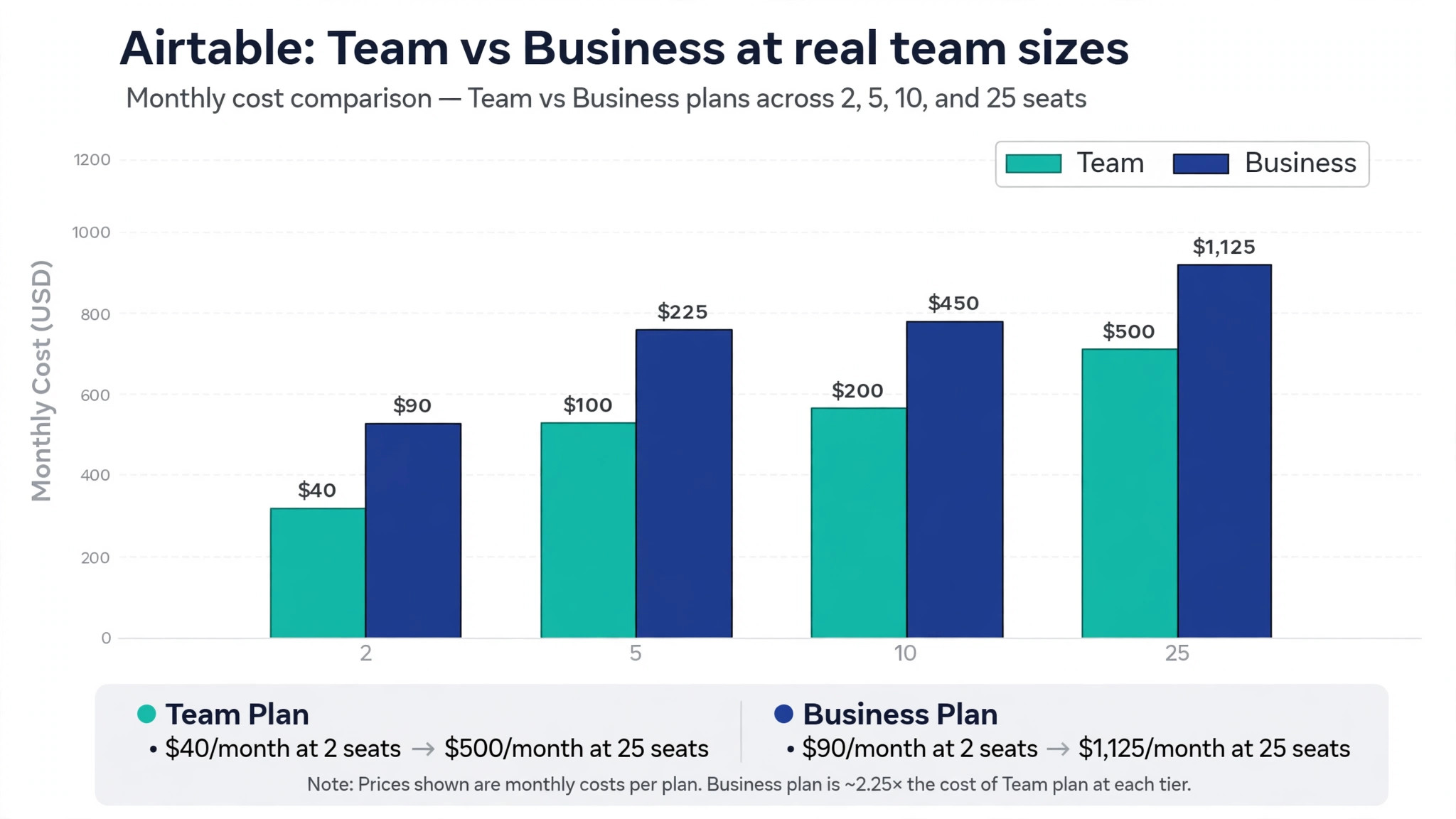
The table below prices Team and Business on annual billing, without add-ons. Monthly billing figures and the Portals add-on follow in the paragraphs after the table. Enterprise Scale is excluded because it is quoted per business.
| Team size | Team annual | Business annual | Team monthly | Business monthly |
|---|---|---|---|---|
| 2 seats | 40 dollars | 90 dollars | 48 dollars | 108 dollars |
| 5 seats | 100 dollars | 225 dollars | 120 dollars | 270 dollars |
| 10 seats | 200 dollars | 450 dollars | 240 dollars | 540 dollars |
| 25 seats | 500 dollars | 1125 dollars | 600 dollars | 1350 dollars |
Yearly totals show the scale of the Business jump. A 10 seat team pays 2400 dollars a year on Team and 5400 dollars a year on Business, a difference of 3000 dollars that must be justified by data volume, permissions or admin needs. A 25 seat team pays 6000 dollars a year on Team and 13500 dollars on Business, a difference of 7500 dollars. Those are the numbers a budget should carry, because the monthly equivalent hides the annual lump sum that annual billing actually charges.
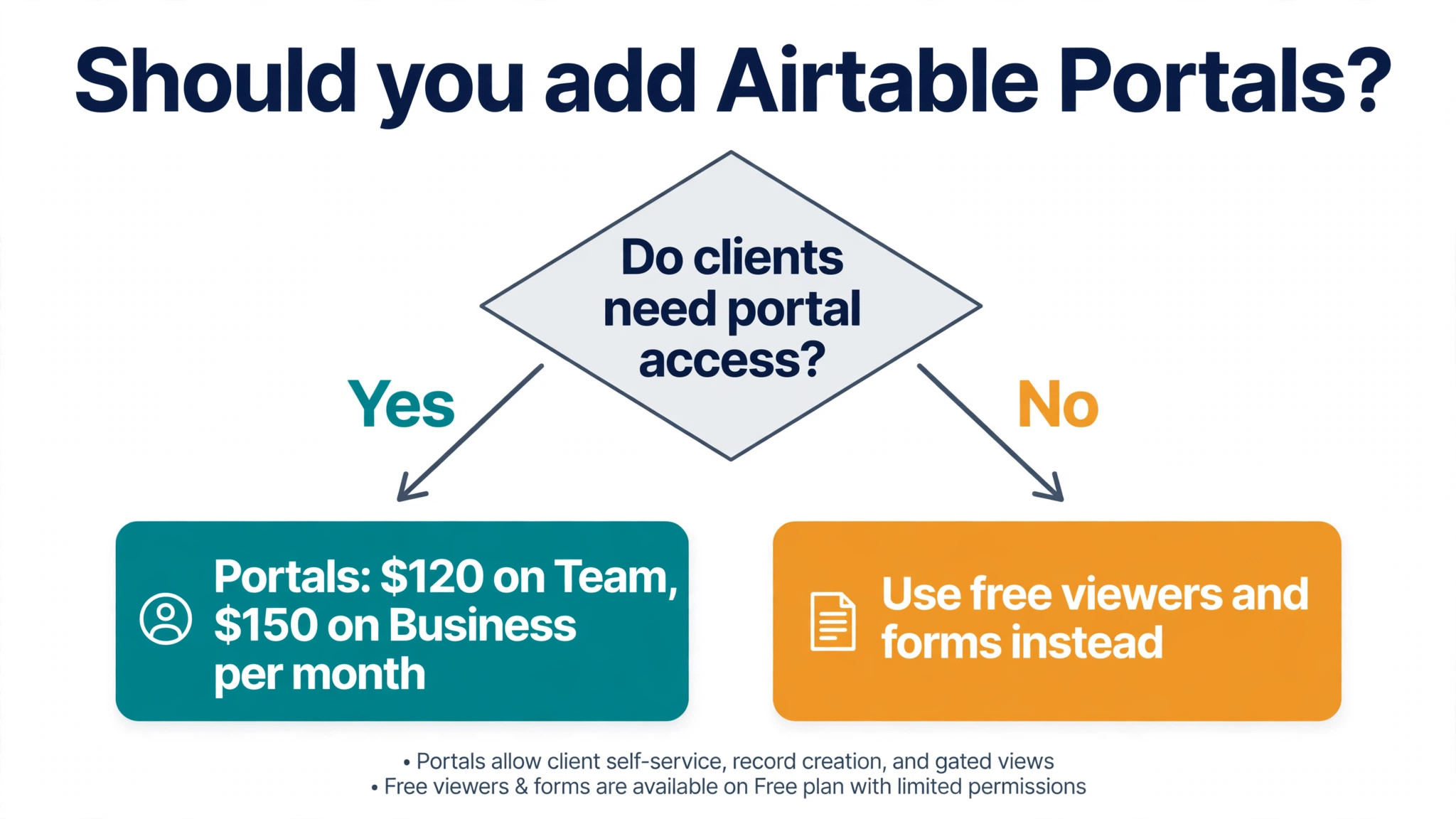
Monthly billing adds 4 dollars per seat on Team and 9 dollars per seat on Business, so a 10 seat Business team pays 540 dollars a month instead of 450 dollars, or 1080 dollars more over a year. Portals, which let external guests access Airtable interfaces, start at 120 dollars a month on Team and 150 dollars a month on Business, and that add-on alone can exceed the seat bill for a small team. A 5 seat Team workspace with Portals costs 220 dollars a month on annual billing, more than double the seat cost alone.
Portals, AI Credits and Other Add-Ons
Portals are the add-on most likely to surprise a small business, because they solve a real problem at a price that dwarfs the seat bill. Portals let external guests access Airtable interfaces without a seat, starting at 120 dollars a month on Team for a small guest allowance and 150 dollars a month on Business. A business that wants clients to check order status, submit updates or view a portal will find Portals attractive, and it should also check whether a cheaper external tool built on Airtable data does the same job, since several such tools exist and their pricing is often lower for viewers alone.
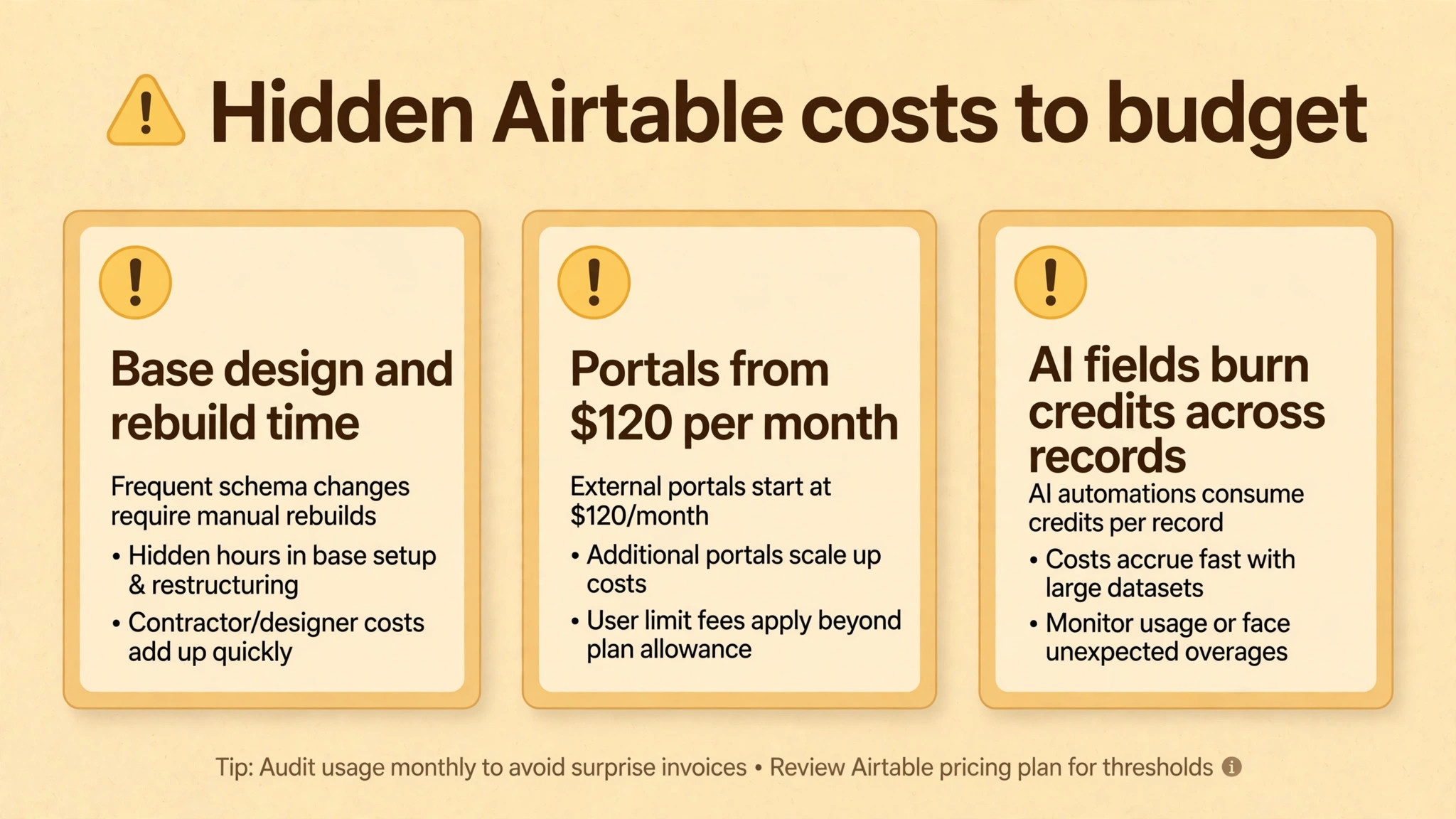
AI credits are the second add-on to understand. Airtable includes AI credits per user per month, reported at 500 on Free, 15000 on Team, 20000 on Business and 25000 on Enterprise Scale. AI fields that summarise, categorise, translate or draft text consume credits record by record, so a base with tens of thousands of records can burn through credits fast when an AI field runs across the whole base. A team should test AI fields on a small sample first, measure credit use, and only then apply them broadly, because a base wide AI field is easy to create and expensive to leave running.
The cost of Airtable for small business monthly therefore has three layers, not one. Seats are the base layer, data limits decide the tier, and add-ons such as Portals and AI credit overages sit on top. A budget that prices only seats will be wrong for any team that uses Portals or heavy AI, and the error will grow with the data volume. Price all three layers at the real team size and the real record count before committing to a tier.
The Fees Nobody Puts on the Pricing Page
Setup and base design are the largest hidden costs. Airtable rewards good structure and punishes messy structure, so a base built without thought about tables, linked records and views becomes slow and confusing as it grows. Fixing a messy base later means rebuilding views, relinking records and retraining staff, which costs staff time that never appears on an invoice. A day spent designing the base properly before data entry is one of the best investments a small business can make in any database tool.
Integration costs come next. Teams often connect Airtable to automation tools, form tools, reporting tools or a website, and those tools carry their own subscriptions. A business that automates heavily outside Airtable may pay more for the automation tool than for Airtable itself. API calls are capped per month by plan, reported at 1000 on Free, 100000 on Team and 500000 on Business, so a team with heavy external syncing should check its API use in the first month.
Training and maintenance are the final hidden costs. Staff need to learn the difference between a view, a base and an interface, and a workspace without an owner drifts into duplicate bases and conflicting views. None of that appears on the pricing page, but all of it affects whether the subscription is good value. A business that assigns a base owner and writes a short guide for new staff will extract far more value from the same monthly bill.
Annual Billing Against Monthly Billing
Annual billing saves 4 dollars per seat per month on Team and 9 dollars per seat per month on Business compared with monthly billing. For a 10 seat team that is 480 dollars a year on Team or 1080 dollars a year on Business, and for a 25 seat team it is 1200 dollars or 2700 dollars a year. Those savings are substantial, and they are the reason most established Airtable workspaces pay annually. The saving only holds, however, if the seats and the data volume stay stable for the full year.
Monthly billing suits a business that is still testing Airtable, that has seasonal staff, or that expects its record volume to cross a tier boundary soon. In those cases the premium buys the freedom to change tier or leave without paying for a year of the wrong plan. A sensible pattern is to pay monthly for the first quarter while record growth and editor counts are measured, then switch to annual billing once the tier and the seat count are stable. The business loses a small discount for one quarter and gains certainty for the rest of the year.
One more renewal detail matters. Because annual billing locks in the seat count, a business should review editors, viewers and record counts two weeks before renewal. Remove editors who have left, convert viewers properly, and check whether record growth points to a tier jump in the next year. That review prevents the two classic renewal surprises, paying for empty seats and discovering a record ceiling the week after renewal locks the business into the wrong tier.
Mistakes That Double the Bill
The most common mistake is giving editor access to everyone. A team that defaults to editor seats for clients, casual staff and managers pays for seats that only needed viewer access, and the waste compounds every month. The fix is a simple rule. Editor access goes only to people who create or change records as part of their job, and everyone else gets viewer access or a form. A mistake in the cost of Airtable for small business monthly often starts with this one permission choice, made casually on day one and never revisited.
The second mistake is building one giant base instead of several focused bases. A single base that holds orders, inventory, clients and jobs will hit the record ceiling far sooner than separate bases for each area, and it will also run slower as it approaches the limit. Splitting bases is not always possible once linked records and automations depend on one structure, so design the split early. A business that plans its base structure around the 50000 record Team limit will rarely be forced into a panicked upgrade.
The third mistake is leaving AI fields and automations running without measuring them. An AI field across 40000 records consumes credits at a scale that surprises teams, and an automation that triggers on every record change can burn through runs fast. Audit AI fields and automations monthly, turn off anything that no longer earns its keep, and keep a record of what each automation costs in runs. That audit takes an hour and can save hundreds of dollars a year.
– Giving editor seats to people who only need to view data – Building one giant base that hits the record ceiling early – Leaving AI fields running across tens of thousands of records – Ignoring record growth until the base slows down or refuses rows – Renewing annually without reviewing editors or record counts first
A Practical Way to Size a Base Before Paying
Start by counting records honestly. Export or estimate the current rows in each area the business plans to move into Airtable, then add a year of growth at the current rate. If any single base passes 40000 records on that projection, Team will feel tight within the year and Business should be priced seriously. If every base stays under 20000 records with slow growth, Team has comfortable headroom and the business should not pay for Business yet.
Next, count editors honestly. List every person who will create or change records, and separate them from viewers, form submitters and dashboard readers. Price Team and Business at that editor count with the real role mix, remembering that commenters are billed on Team but not on Business. If the role mix makes Business cheaper than expected, that fact should be visible in the spreadsheet before any decision, not discovered after the purchase.
Finally, run a 30 day trial on the chosen tier with real data and real automations. Track record growth, automation runs, API calls, attachment growth and AI credit use weekly. Those five numbers predict the tier the business will need in a year far better than any sales call, because they come from the business itself. A trial that measures nothing is just a demo, while a trial that measures five numbers is a budget.
Which Tier Fits Which Business
Free fits a solo user or a tiny project with under 1000 records per base, light automation and no client data at stake. It is a trial, and a business should leave it the moment any important base approaches the record limit or automations run out mid month. Team fits most small businesses that manage projects, content, inventory or client records with under 50000 records per base and automation use well under 25000 runs a month. At 20 dollars per seat per month on annual billing it is the value tier, and the cost of Airtable for small business monthly stays closest to the headline price here.
Business fits a business whose data has passed the Team ceiling, that needs row level permissions, two way sync, an admin panel or SAML sign on, or that has many commenters whose billing changes favourably on Business. The jump to 45 dollars per seat per month on annual billing is large, so it should be driven by a measured limit or a named feature, not by a vague sense of growth. Enterprise Scale fits data heavy or regulated operations above 125000 records per base, and a small business without that volume or those requirements should not pay for it.
The verdict for most small businesses is to start on Team, design bases around the record limit, keep editors tight, and move to Business only when a limit or a named feature forces the move. Price Portals separately, test AI fields on a sample, and review editors and record growth monthly. That discipline keeps Airtable affordable while the data grows, and it prevents the classic surprise where a friendly database becomes the most expensive subscription in the stack.
More Reading on Stratilyze
The guides below cover the neighbouring choices that usually come up with an Airtable decision, from inventory tracking to spreadsheet tools and project software.
– Use Airtable for small business inventory tracking – Best spreadsheet software for small business – Project management software for interior designers
Frequently Asked Questions
Why is Airtable more expensive per seat than ClickUp or Notion?
Airtable charges 20 dollars per seat per month on Team and 45 dollars on Business with annual billing, against lower headline rates on task and docs tools, because it is a database with record limits, attachment storage, automation capacity and interface building included. A team that only needs tasks or documents will find Airtable expensive for that job, while a team that needs structured records, linked tables and interfaces will find the price easier to justify. Compare Airtable against the database or inventory job it replaces, not against a task list.
What happens when a base hits the record limit?
A base that reaches its record ceiling cannot accept new records in that base, and performance often slows as the base approaches the limit. Free stops at 1000 records per base, Team at 50000, Business at 125000 and Enterprise Scale at 500000. The options are to upgrade the tier, split the base into focused bases where the structure allows it, or archive old records outside Airtable. Planning the split or the upgrade before the limit arrives is far cheaper than doing it under pressure.
Are viewers really free on Airtable?
Yes, read only collaborators, form submissions and share links are free, and only editors are billed. A client who views a delivery schedule or a manager who reviews a dashboard can usually be a viewer at no cost. The catch is role billing on Team, where commenters are also billed, while Business bills only Owner, Creator and Editor roles. A team with many commenters should price both tiers at its real role mix, because that detail alone can change which tier is cheaper.
Does the cost of Airtable for small business monthly include Portals?
No, Portals are a paid add-on starting at 120 dollars a month on Team and 150 dollars a month on Business, and they sit on top of the seat bill. Portals let external guests access Airtable interfaces without a seat, which suits client facing workflows, but the add-on alone can exceed the seat bill for a small team. A business should check whether a cheaper external tool built on Airtable data covers the same viewer job before adding Portals to the budget.
How fast do automation runs and AI credits run out?
Team allows 25000 automation runs a month and Business allows 100000, which covers most small team workflows, but a trigger that fires on every record change can consume runs quickly in a busy base. AI credits are reported at 15000 per user per month on Team and 20000 on Business, and an AI field applied across tens of thousands of records consumes them at scale. Test automations and AI fields on a small sample, measure use for a full month, and only then apply them broadly.
When should a small business move from Team to Business?
In the cost of Airtable for small business monthly, move when a base passes 50000 records, when automation use regularly approaches 25000 runs a month, when attachment space passes 20 gigabytes per base, or when row level permissions, two way sync, an admin panel or SAML sign on become genuine requirements. If none of those triggers apply, Team at 20 dollars per seat per month on annual billing remains the better value. A move driven by a measured limit will rarely be regretted, while a move driven by a hunch usually just raises the bill.