

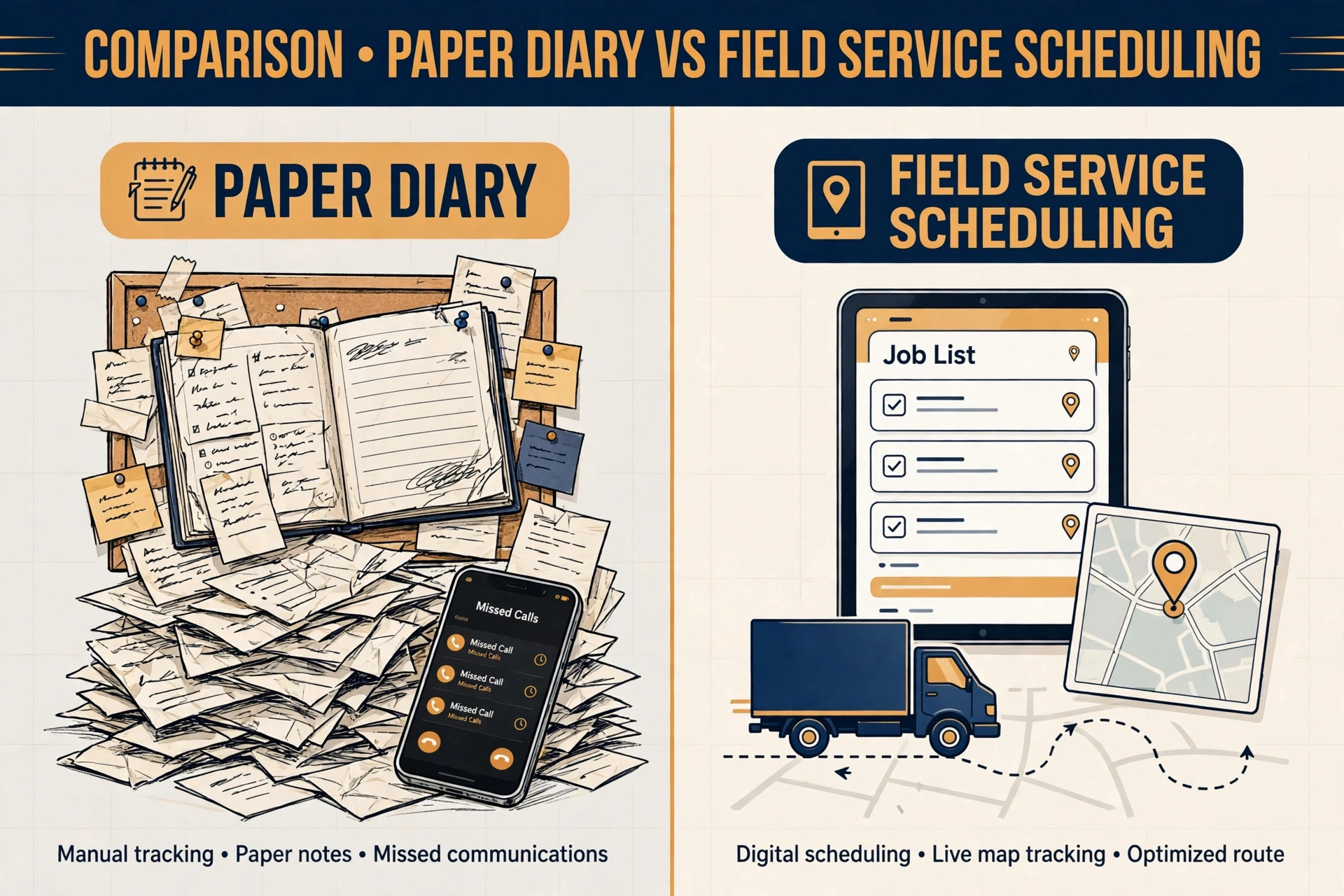
A septic company that still runs on a wall diary and a phone that rings during a pump out faces a choice every week. It can keep juggling calls, paper job sheets and drivers who learn the route as they go, or it can use Housecall Pro for septic service scheduling to put the diary, the customer record and the job history in one system that the office and the truck can both see.
Many owners who decide to use Housecall Pro for septic service scheduling do so after a costly week, when a routine pump out was booked over an emergency call, a tank location note was left in a van, or a customer was charged for a job that another crew had already done. A comparison makes the choice clearer. Paper is cheap until it loses a job. A generic calendar is tidy until it must hold tank sizes, access notes and inspection history. Field service software is built for exactly that mix.
Septic work has scheduling demands that a simple booking page misses. A job is not just a time slot. It is a property with a tank location, a tank size, a last pump date, an access route for a heavy truck, a lid depth, a soil or drainfield note and a customer who may not know any of those details. The crew needs that record before it leaves, not after it arrives and finds a locked gate or a tank buried under a new patio.
The office needs a repeat cycle, because a tank pumped this year will need pumping again in three to five years, and a business that remembers that date owns the repeat booking. A system that holds the property record, the job history and the diary together turns one off emergency work into a planned route.
This guide shows how to set Housecall Pro up for septic work specifically. It covers the setup steps, the visit checklist that prevents a wasted trip, the pricing and route rules that protect a day, and the alternatives worth comparing before buying. Prices quoted here come from vendor pricing pages and reputable comparison guides checked at writing time, so confirm the current price on the vendor page before buying. Where a figure is reported from a third party guide rather than a vendor page, the draft says so plainly.
Why Septic Scheduling Breaks Without a Property Record
The first break point is the property record, or the lack of one. A septic customer record that only holds a name and a phone number forces the crew to rediscover the job on arrival. They must ask where the tank is, how deep the lid sits, whether a truck can reach it and when it was last pumped, and the customer often does not know. That discovery time is paid time, and it delays the next job. A record that holds tank location, size, lid depth, access notes, last pump date and inspection notes turns arrival into execution, because the crew already knows what it will find.
The second break point is the diary itself. Septic work mixes planned pump outs, inspections, repairs and emergencies, and those job types need different slot lengths and different crews. A planned pump out may take a predictable time, while a repair found during a pump out can extend the visit by hours. A diary that blocks every job at the same length will either leave gaps or run late all day. A diary that separates job types, blocks realistic times and leaves a protected slot for emergencies will absorb a repair without cancelling the afternoon.
The third break point is follow up. A septic business lives on repeat work, yet many firms let the repeat date drift because nobody owns it. The customer forgets the last pump date, the firm forgets to remind them, and a competitor who sends a timely reminder wins the next pump out. A scheduling system that records the next due date at the end of each visit and queues a reminder before that date turns memory into revenue. Without that step, the firm must win every customer again from scratch.
How to Use Housecall Pro for Septic Service Scheduling in Practice
The practical way to use Housecall Pro for septic service scheduling is to treat it as the single diary and property record, not as an extra app alongside paper. The office books in Housecall Pro, the crew sees the job in the mobile app, the customer receives confirmations and reminders from the same system, and the invoice is created from the completed job. When a job lives in two places, the two versions disagree, and the crew follows the wrong one. One system, used by everyone, is the whole point.
Start with services and price book entries that match real septic work. Create separate services for a standard pump out, a pump out with inspection, an inspection only visit, a repair visit and an emergency callout, each with its own slot length and price rule. Add the common add ons, such as a filter clean, a riser install or a drainfield check, as separate line items so the crew can add them on site without inventing a price. A price book that matches the work prevents doorstep price arguments and makes invoicing a check rather than a negotiation.
Set the diary rules before the first live booking. Decide which job types can be booked online, which need a phone call, how far ahead customers can book, and how much buffer sits between jobs for travel and truck setup. Septic trucks need access and turning room, so travel time between rural properties matters more than in town work. A diary that ignores travel will look full on screen and run late on the road. Build travel buffers into the schedule, especially for properties outside the main service area.
The Scheduling Workflow, Step by Step
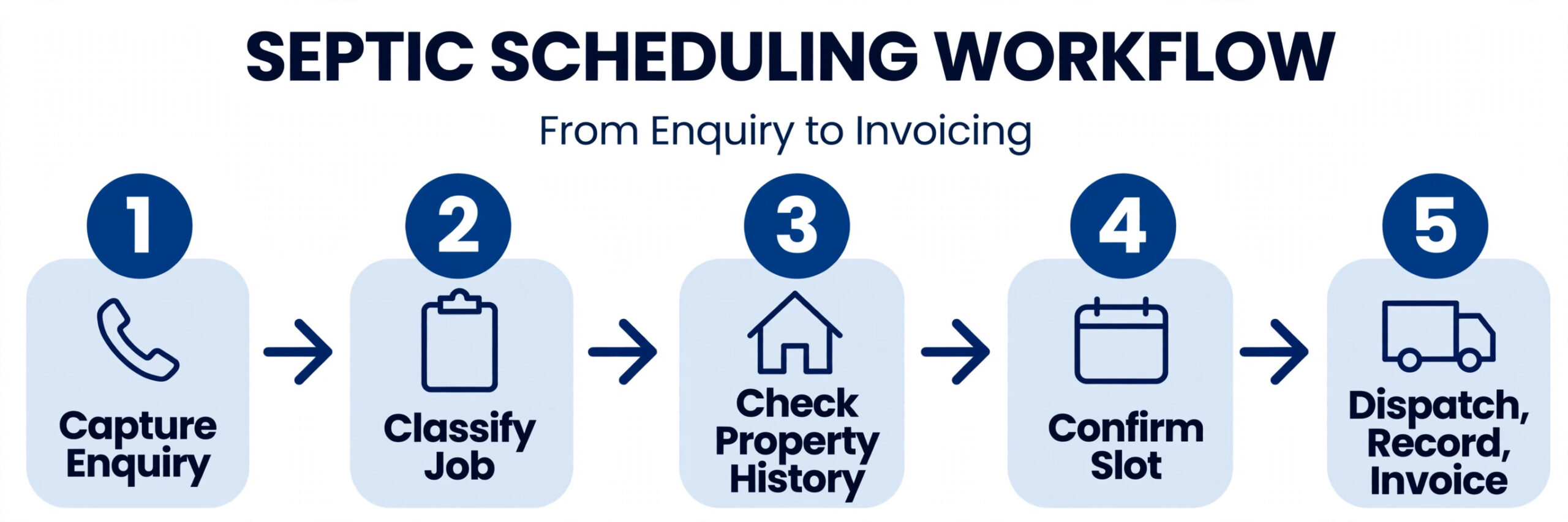
A strong septic scheduling workflow moves a customer from first contact to a completed, invoiced visit in ten steps. Each step has one job, and skipping a step is what creates wasted trips and lost repeat work. The steps work for a solo operator with one truck and for a small fleet, and they work whether the first contact is a phone call, an online booking or a repeat reminder.
1. Capture the enquiry with the property attached. Record the customer, the property address, the tank details where known and the reason for the visit before offering a date, so the job is booked against a property record rather than a name alone. 2. Classify the job type and urgency. Separate a routine pump out, an inspection, a repair and an emergency, because each needs a different slot length, crew skill and diary priority. 3. Check the property history before confirming. Review the last pump date, the last inspection notes, the tank location and any access problem recorded on the last visit, and flag anything that changes the time or equipment needed. 4. Offer real diary slots that fit the job length plus travel. A pump out and a repair need different blocks, and a rural property needs a longer travel buffer than a property in town. 5. Confirm with the septic visit details in writing. Send the date, the arrival window, the access preparation the customer must do, and the price or price range, so the customer can prepare the site. 6. Remind the customer before the visit. Send a reminder the day before and on the morning of the visit, and ask the customer to confirm that access details are still correct. 7. Dispatch with the full property record. Give the crew the tank location, lid depth, access route, last pump date and inspection notes in the mobile job, so nothing depends on memory or a paper sheet left in the office. 8. Record findings on site before leaving. Note the tank condition, the volume pumped where measured, any repair found, the next due date and photos where the business uses them, while the crew is still at the property. 9. Invoice from the completed job. Create the invoice from the job record, including any add ons found on site, and send it the same day while the work is fresh in the customer’s mind. 10. Queue the next visit at close out. Set the next due date, schedule the reminder and note any repair follow up, so the repeat booking is created at the moment the current job ends.
The Septic Visit Checklist
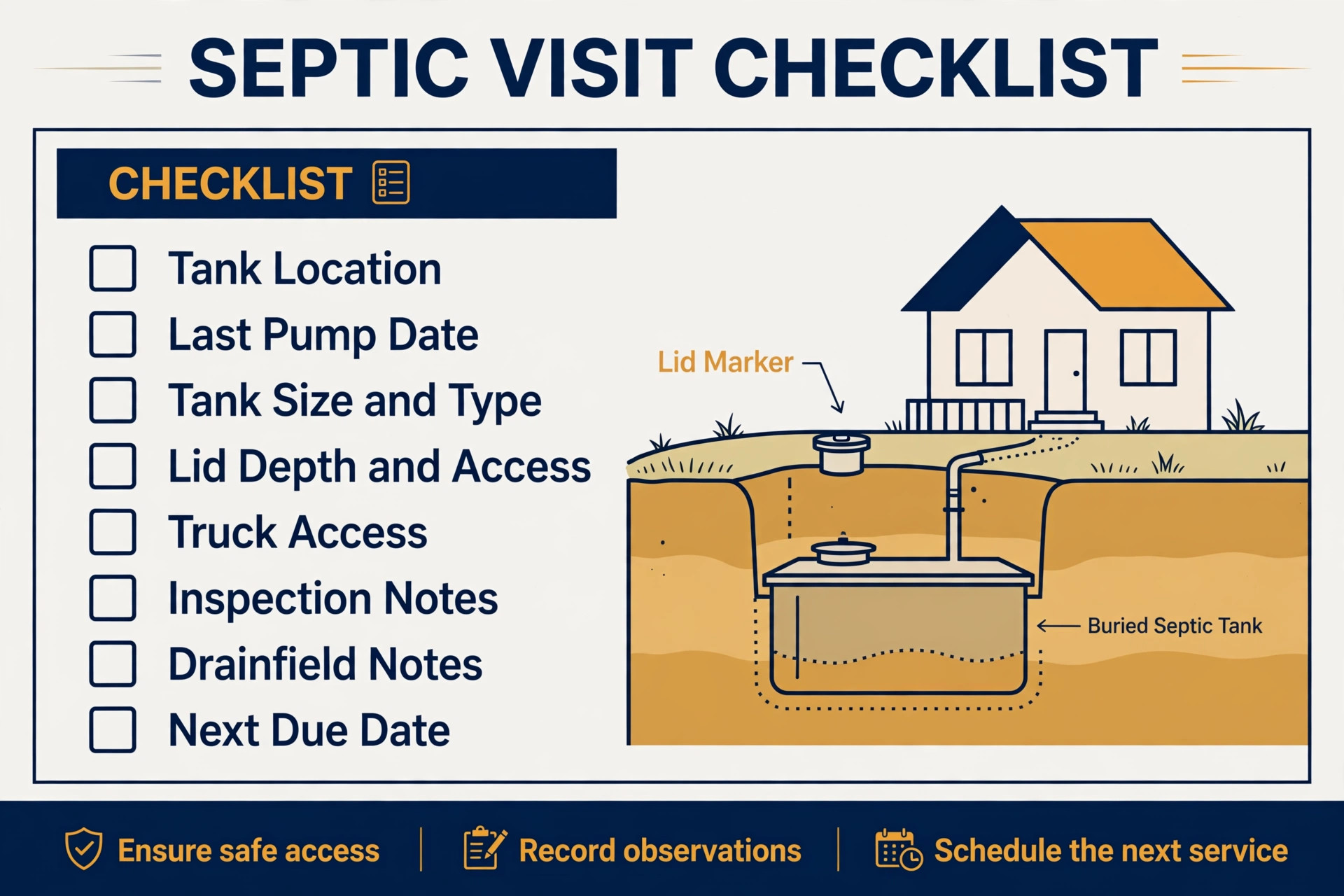
The checklist below is the overview proof element for this guide. Use it as a booking form, a crew sheet and a close out record, with one copy per property visit. If a field is blank, the visit is not ready to dispatch, and the office should chase it rather than leave it blank. The checklist works inside Housecall Pro as custom fields and job notes, and it works on paper only if the completed sheet returns to the office the same day.
| Checklist item | What to record | Why it changes the visit |
|---|---|---|
| Tank location | Map pin, sketch, distance from house, marker | Prevents a crew searching a large property |
| Last pump date | Date of last pump out, company if different | Sets urgency and the next due date |
| Tank size and type | Gallons, concrete, plastic, steel where known | Decides truck capacity and time |
| Lid depth and access | Depth, lid type, obstructions, gate code | Decides digging time and equipment |
| Access for truck | Drive width, turning room, weight limits, parking | Decides whether the truck can reach the tank |
| Inspection notes | Baffles, scum and sludge levels, filter condition | Finds repairs before they become emergencies |
| Drainfield notes | Wet spots, odour, slow drains, prior problems | Flags a system problem beyond a pump out |
| Customer preparation | Lid exposed, pets secured, gate unlocked | Prevents a wasted trip on arrival |
| Next due date | Recommended pump interval and date | Creates the repeat booking |
| Photos and sign off | Before and after photos, customer sign off | Settles disputes and proves the work |
Keep the checklist short enough for a crew to complete on a phone at the property. Use tap choices for tank type and condition where possible, and leave one open text box for anything unusual. Review completed checklists weekly for the first month and remove any question the crew keeps skipping or answering wrongly, because a question that produces bad data is worse than no question at all. For properties with a history of access problems, add a bold access note to the top of the job so it is seen before dispatch, not after arrival.
Setting Up Services, Prices and Online Booking
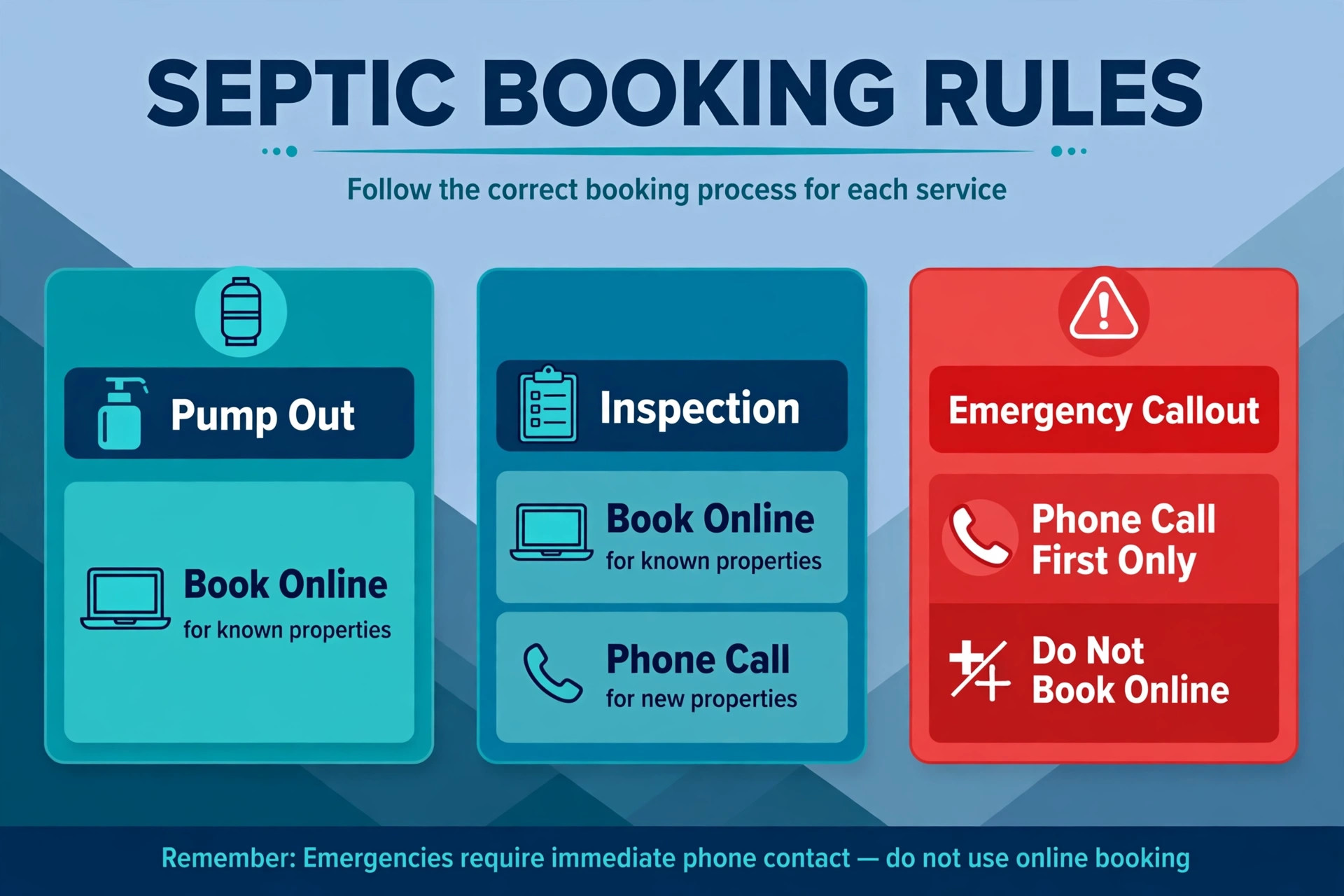
Online booking, when you use Housecall Pro for septic service scheduling, needs limits, because not every job should be booked without a conversation. Routine pump outs for known properties with a complete record are safe to book online, because the tank, access and price are already known. New properties, repairs, drainfield concerns and emergencies should go to a phone call or a callback within a stated time, so the office can check the property and the urgency before confirming a slot. A customer who books a repair online and then waits for a crew that cannot fix it on that visit is worse off than a customer who receives a prompt callback.
Price rules should be visible before booking. Publish a pump out price range by tank size, state what is included, and list the common add ons with prices. State clearly when a final price needs an on site look, such as a buried lid that needs digging or a repair found during inspection. Customers who can work out their approximate price before booking are more likely to complete the booking and less likely to argue about the final bill, because the price logic was visible from the start.
Deposits and cancellation rules protect a route that depends on truck time. A modest deposit or card hold for first time bookings cuts no shows, and a cancellation window of at least 24 hours gives the office time to refill the slot from a waitlist. State the deposit rule, the cancellation window and the refund rule on the booking page itself, not buried in terms that nobody reads. When a customer cancels inside the window, the system should offer the next available slots immediately, rather than just confirming the cancellation and leaving the truck idle.
Routing, Emergencies and the Working Day
Routing, when you use Housecall Pro for septic service scheduling, is geography plus truck reality. Group jobs by area, respect arrival windows, and allow travel time that reflects rural roads and truck speed rather than car speed. A route that looks efficient on a map but sends a heavy truck down a narrow lane, across a weight restricted bridge or into a property with no turning room will cost more time than it saves. The dispatcher should know the access limits for each property and sequence the route so the truck never has to reverse out of a property it cannot turn in.
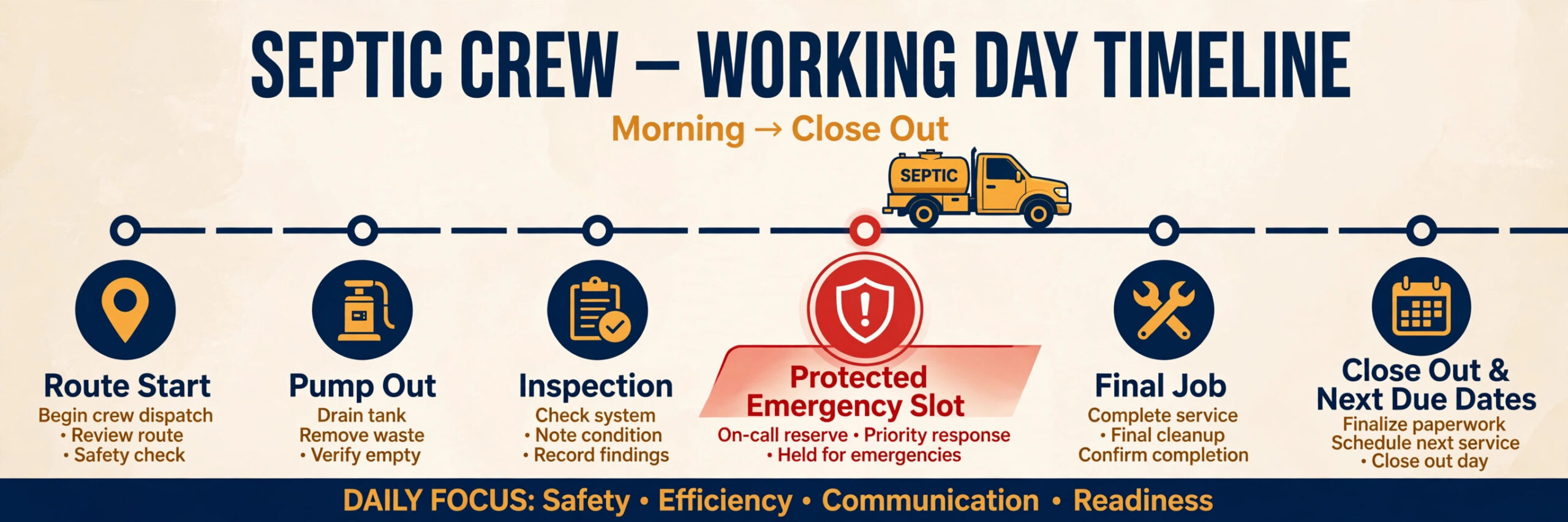
Emergencies need a protected slot, not a hope. Reserve one slot per day, or per crew, for urgent calls such as sewage backing up into a home, and do not fill it with routine work in the morning. When an emergency arrives, the dispatcher can move a routine job with a phone call and a clear new time, rather than cancelling a customer without warning. Customers accept a moved routine appointment when they are told promptly and offered a firm new time. They do not accept a cancellation discovered when the crew fails to arrive.
The working day should end with a close out routine. The crew confirms each job complete, uploads photos and notes, and flags any repair follow up. The office checks that every job has an invoice or a stated reason for delay, that every next due date is set, and that tomorrow’s route is sequenced and sent to the crew. A ten minute close out routine prevents a morning spent chasing yesterday’s paperwork, and it is the habit that keeps the property records accurate over years rather than weeks.
Tools Compared for Septic Service Scheduling
The tools below compare Housecall Pro with real alternatives for septic and field service scheduling. Prices are reported from vendor pages and comparison guides, and they change, so confirm the current price on the vendor page before choosing. The right choice depends less on the feature list and more on whether the business needs one user or a crew, and whether QuickBooks integration and GPS tracking sit on the plan it can afford.
| Tool | Best for | Reported starting price | Trade off |
|---|---|---|---|
| Housecall Pro | Septic teams wanting booking, dispatch, invoicing and payments together | About $59 a month for one user on annual billing in recent guides, $79 month to month | Strong all rounder, but adding a second user jumps to the Essentials tier |
| Jobber | Small crews needing booking, quotes, invoicing and dispatch together | About $49 a month for one user on monthly billing in recent guides, plus about $29 per extra user | Gentler per user growth, but AI answering sits on higher plans or as an add on |
| Kickserv | Budget crews wanting field service basics for several users | About $60 a month for five users in recent guides | Cheap multi user path, but a less polished mobile app |
| Customer Factor | Small service firms wanting simple scheduling and reminders | About $34.95 a month reported in recent guides | Affordable and simple, but less deep on dispatch and reporting |
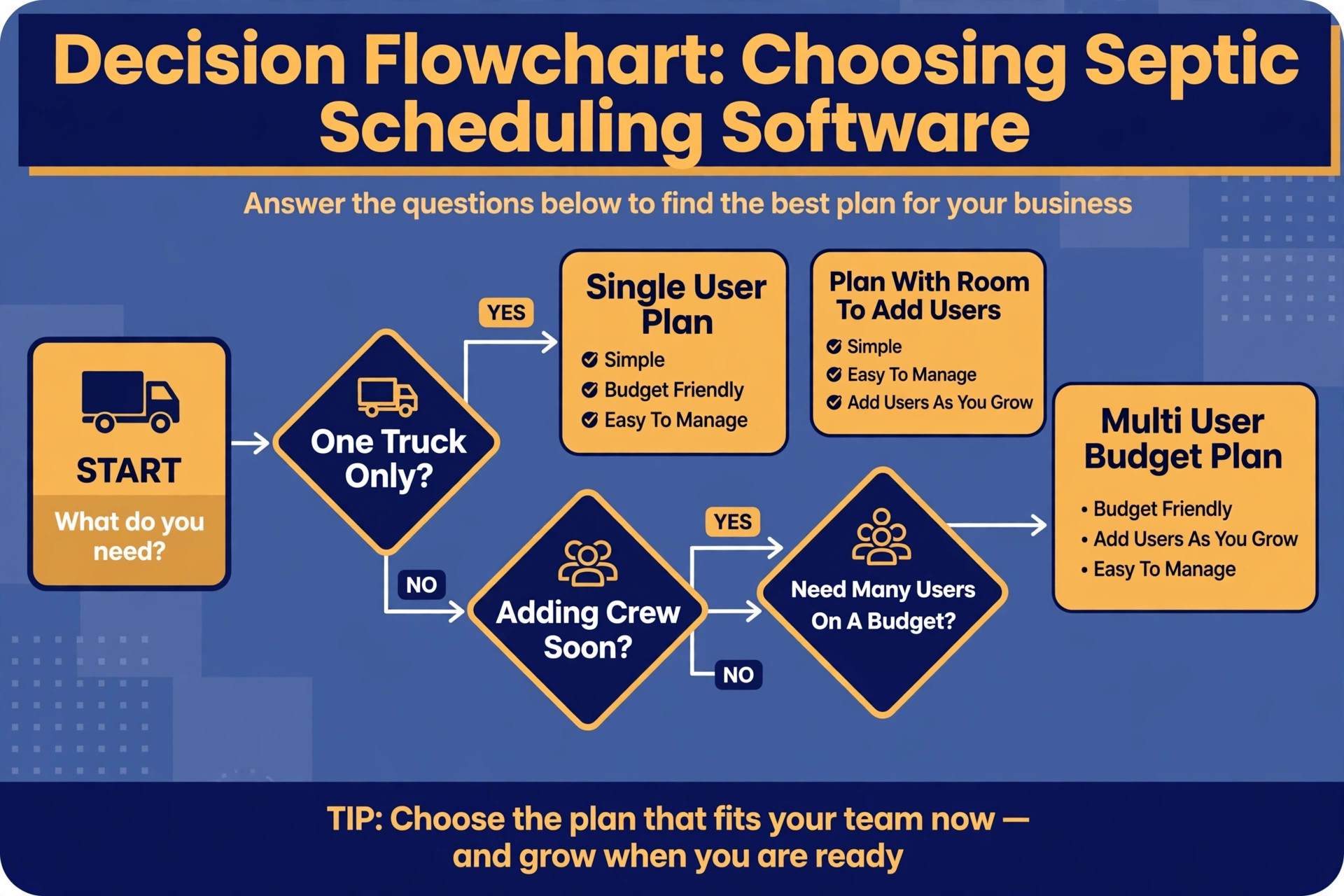
Housecall Pro suits a septic business that wants one system for the whole job, from online booking to payment and review request, and is willing to pay the Essentials jump when a second crew member needs access. Jobber suits a business that expects to add crew members gradually, because each extra user adds a smaller step than the Housecall Pro tier jump. Kickserv suits a budget conscious crew that needs real field service functions for several users without paying per seat. Customer Factor suits a small firm whose main need is scheduling, estimates and customer records without a heavy learning investment.
When owners choose to use Housecall Pro for septic service scheduling, the deciding test should be a live trial with real properties. Load ten real properties with tank locations and access notes, book a week of mixed jobs, dispatch them from the mobile app, and complete the checklist on site. If the crew can do that without returning to paper, the system fits. If the crew must keep a paper sheet for tank notes, the setup needs custom fields or a different tool, and that gap should be fixed before paying for a year.
Pricing, Repeat Work and Customer Communication
Septic pricing must reflect truck time, disposal, labour and the risk of a job that extends on site. A flat pump out price that ignores tank size, lid depth and travel distance will either overcharge town properties or lose money on rural ones. Build the price list around tank size bands, add a travel or distance rule for properties outside the core area, and price lid digging and common repairs as separate items. When a price rises, change the price book once and every future quote uses the new price, rather than relying on each person remembering the change.
Repeat work is where septic profit lives. At close out, set the next due date based on tank size, household size and inspection findings, not on a generic interval for every property. A large household with a small tank needs a shorter interval than a small household with a large tank, and the system should reflect that difference. Send the reminder before the due date, with the property details and a booking link, so the customer can rebook in one step. A reminder that arrives after the tank is overdue is a complaint waiting to happen, not a marketing message.
Customer communication should be short, factual and timed to the job. Confirmations should state the date, the arrival window and the preparation needed. On the way messages should state that the crew is coming and give a realistic arrival time. Completion messages should state what was done, what was found and when the next visit is due. Customers who receive those three messages rarely call the office to ask where the crew is, which frees the office to book the next job rather than chase the current one.
Measuring What Septic Scheduling Earns
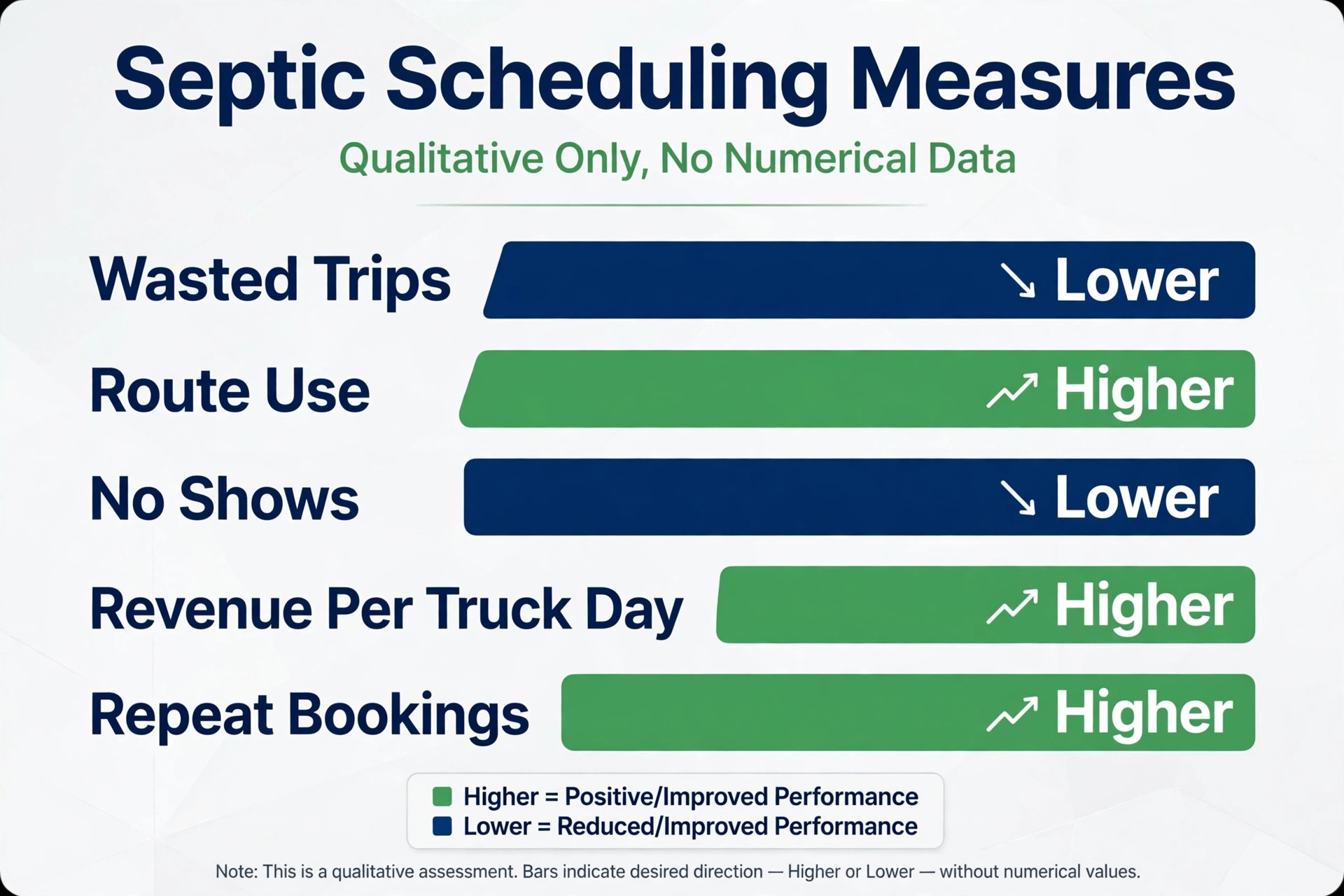
A system built to use Housecall Pro for septic service scheduling should pay for itself in fewer wasted trips, fuller routes and more repeat bookings, and the only way to know is to measure a small set of numbers every month. Start with the wasted trip rate, meaning the share of visits that fail because of access, preparation or wrong property information, because that number captures checklist and dispatch quality together. Then measure route utilisation, meaning the share of the working day spent on billable work rather than travel or waiting, and the no show rate, meaning the share of confirmed bookings that do not happen.
Add two money numbers to those three service numbers. The first is revenue per truck day, which shows whether the diary is filling with real work or with short jobs that leave gaps. The second is repeat booking rate, meaning the share of customers who rebook within the recommended interval, because repeat customers cost far less to win than new ones. If wasted trips fall but revenue per truck day does not rise, the problem is pricing or job mix, not dispatch. If repeat bookings do not rise, the problem is next due dates or reminders, not demand.
Review these numbers monthly for the first quarter, and change one thing at a time. Changing the price list, the reminder timing and the route rules in the same week makes it impossible to know what worked. A simple monthly review, with the five numbers written down and one change agreed, will improve the system faster than a large overhaul every six months. Keep the review short, keep it honest, and keep the crew involved, because the crew sees scheduling problems first and will tell the office if anyone asks.
Mistakes That Undo a Good Septic Setup
The most common mistake is loading customers without loading property records. A diary full of names and phone numbers, but no tank locations or access notes, will send crews out to rediscover every job. Spend the setup week on property records for the top customers first, especially repeat customers and properties with access problems, and add the rest as they book. A system with fifty complete property records beats a system with five hundred names and no tank data.
The second mistake is letting the system book every job type without limits. A business that allows online booking for repairs, drainfield concerns and emergencies will receive bookings it cannot safely fulfil at the quoted price or time, and the cancellations that follow damage trust. Limit automated booking to routine pump outs for known properties, and route everything else to a callback with a clear time promise. When owners choose to use Housecall Pro for septic service scheduling in this limited way, the system feels helpful rather than reckless, because it knows its own limits.
The third mistake is ignoring the crew. If the crew does not trust the mobile job record, they will keep paper sheets and call the office to double check every job, and the office will have two scheduling systems instead of one. Involve the crew in designing the checklist, show them how the diary now blocks realistic times with travel buffers, and fix the first three checklist errors they report. A system the crew trusts is a system that actually gets used, and a system they work around is just an extra cost.
Verdict, Is Housecall Pro Worth It for a Septic Business
For a solo operator or a small septic crew, the case to use Housecall Pro for septic service scheduling is strong, provided the setup is done in the right order. Build the property records, set the services and price book, define the diary rules and emergency slot, and only then open online booking. Done in that order, the system cuts wasted trips, fills routes sensibly, creates repeat bookings from next due dates and sends crews out with the information they need to finish the job on the first visit. The monthly software cost is usually smaller than the value of one avoided wasted trip and one recovered repeat booking per week.
The case weakens when the business wants software to replace judgment entirely. No scheduling system can judge a drainfield problem from a booking form, price a buried lid it has never seen, or calm a customer with sewage backing up into a home as well as a person can. The businesses that get the best return are the ones that use Housecall Pro for septic service scheduling for speed, records and coverage, while keeping people in charge of urgent jobs, repairs and final prices. That split is not a compromise. It is the whole point, because speed wins the booking and judgment keeps the customer.
Start small if the budget is tight. A single user plan with property records, the visit checklist and automated reminders will already cut a large share of the losses, and a multi user plan can wait until a second crew member truly needs daily access. Measure the five numbers from the earlier section for a month, compare them with the month before, and let the results decide the next spend. If the numbers move, expand. If they do not, fix the property records or the diary rules before buying more software, because another tool will not fix a missing tank location.
More Reading on Stratilyze
For a related field service system, read best route scheduling software for pool service companies and best CRM for cleaning companies. For a different booking workflow, see use AI for carpet cleaning booking.
Frequently Asked Questions
How much does Housecall Pro cost for a septic business
Housecall Pro Basic is reported at about $59 a month for one user on annual billing in recent guides, or $79 month to month, while Essentials is reported at about $149 a month on annual billing for up to five users. The jump from one user to a second user is the key cost to check, because Basic covers one user only. Confirm the current price on the vendor page before buying, because plans and tier limits change.
Can customers book a septic pump out online without a phone call
Yes, for routine pump outs at known properties with a complete record, online booking works well and saves office time. New properties, repairs, drainfield concerns and emergencies should go to a phone call or a callback, so the office can check the property, the urgency and the price before confirming a slot. Clear booking limits protect both the customer and the crew.
What property details should I record for each septic customer
Record the tank location, tank size and type, lid depth and access, truck access and turning room, last pump date, inspection notes, drainfield notes and the next due date. Those details decide the time, the equipment and the price, and they prevent a wasted trip. A record with only a name and phone number is not a septic property record.
How do I handle emergency septic calls in Housecall Pro
Reserve a protected emergency slot each day and do not fill it with routine work in the morning. When an emergency arrives, book it into that slot, move a routine job only if needed, and tell the affected customer promptly with a firm new time. Record the emergency job type separately, so the diary shows how often emergencies displace routine work.
Should a septic business take deposits for pump outs
A modest deposit or card hold for first time bookings is usually worth it, because it cuts no shows and confirms that the customer is serious. State the deposit rule, the cancellation window and the refund rule on the booking page before payment, so there is no surprise later. Repeat customers with a good history can often book without a deposit, which rewards loyalty without weakening the diary.
Can one truck run on Housecall Pro without office staff
Yes, and it often helps a solo operator more than a larger team, because a solo operator misses calls while pumping and cannot answer the phone from a tank. Online booking, automated reminders and a mobile job record capture work during jobs without hiring office staff. Start with one user, property records and reminders, and add crew access when a second person truly needs it daily.