

Notion limits a single imported file to 5 MB on the free plan and 50 MB on paid plans, according to its help pages, and a database export covers only one view at a time. Those two limits explain why so many small teams stall halfway through a move. They export a view, assume they have the whole database, and discover the missing rows only after the new tool is live. A careful switch Notion to Asana small team plan starts from the opposite end. It starts with an inventory of what the team actually runs in Notion, then maps each piece to an Asana structure before a single file is exported.
The move is worth making when delivery work has outgrown flexible pages. Notion is excellent for notes, wikis, and lightweight tracking. Asana is built for assigned work with dates, dependencies, and a timeline that a manager can read at a glance. A team that spends its week chasing status in Notion comments, or rebuilding the same view for every project, usually gains more from Asana structure than it loses in Notion flexibility. A team that mainly writes docs and only occasionally tracks tasks should stay where it is. The decision is about the shape of the work, not about which tool is better in general.
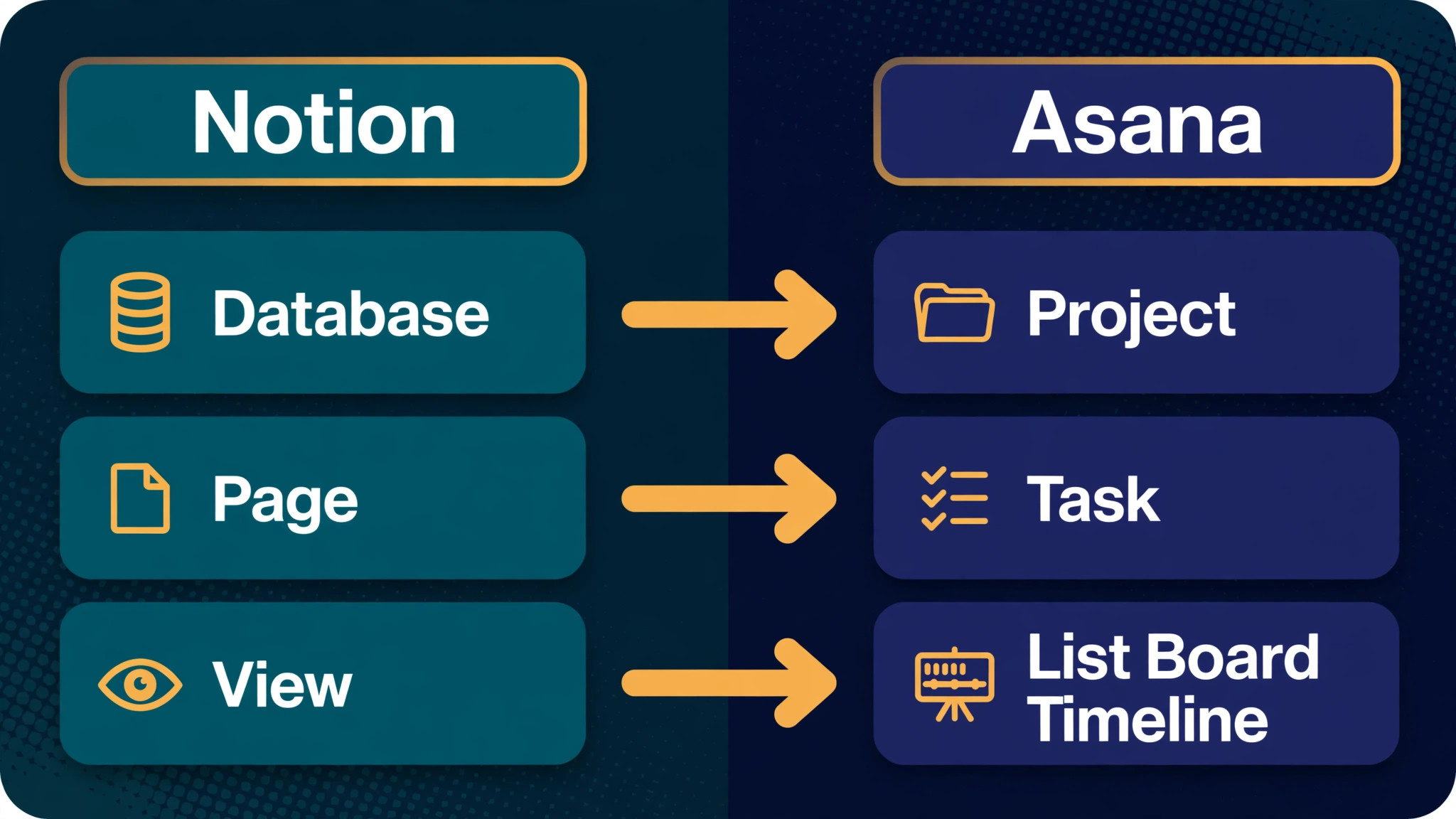
This guide covers the full move for a team of roughly three to twenty people. It maps Notion databases to Asana projects, pages to tasks, and views to Asana views. It gives a pre-migration checklist, a numbered sequence, and an honest account of what breaks. Figures that come from vendor help pages are stated as published. Figures that come from migration guides and community reports are flagged as reported, and the guide says plainly where to confirm them on the vendor page before acting.
Why Small Teams Outgrow Notion for Delivery Work
The first sign is usually a status meeting that takes longer than the work it reviews. In Notion, status lives in a select property, a board view, and a set of filtered views that each person maintains differently. One person filters by assignee, another by project, and the manager keeps a third view that nobody else opens. The data is there, but the shared picture is not. Asana fixes this by giving every project a list, board, timeline, and calendar view over the same tasks, so the team argues about the work instead of about which view is current.
The second sign is dependency pain. Notion relations can link a task to a project or to another task, but they do not behave like delivery dependencies. Changing a start date in one place does not shift the dependent work, and nobody gets warned that a slip in design pushes development. Asana dependencies do that work automatically on its timeline. For a team running client work with handoffs, that single difference can save a weekly round of manual date checking.
The third sign is assignment sprawl. Notion pages can have many people properties, many owners, and many contributors, which sounds flexible and feels vague when a deadline slips. Asana gives each task one assignee, which forces a clear answer to the question of who owns the next step. Collaborators can still follow and comment, but ownership is never shared into ambiguity. Small teams often resist this at first, because it feels rigid, and then report that it ends the most common argument in their week.
None of this makes Notion a bad tool. A team that writes specs, keeps a knowledge base, and tracks ten active tasks will be slower in Asana, because Asana is not a writing tool. A switch Notion to Asana small team decision should pass a simple count first. If the team runs more than about fifteen active projects, or if more than half its week goes to delivery coordination rather than writing, Asana structure starts to pay. If the count is lower, the migration cost outweighs the gain, and the team should fix its Notion views instead of switching tools.
The Database to Project Map
Mapping is the step most teams rush, and it is the step that decides whether the migration feels clean or chaotic. The rule is simple. One Notion database becomes one Asana project, not one workspace. A team that imports five databases into one project gets a task list nobody can filter, while a team that splits one database into five projects gets fragments nobody can report across. Map first on paper, then import.
| Notion element | Asana equivalent | What to decide before import |
|---|---|---|
| Database | Project | One database per project, grouped by team or client |
| Database row or page | Task | Keep the page title as the task name |
| Database view, board grouping | Section or saved view | Board groups become sections, filters become saved views |
| Select property | Single select custom field | Match option spellings exactly before import |
| Multi-select property | Multi-select custom field | Separate values with semicolons in the CSV file |
| Person property | Assignee or collaborator | One assignee per task, others as collaborators |
| Date property | Due date or start and due dates | Split a date range into two columns where needed |
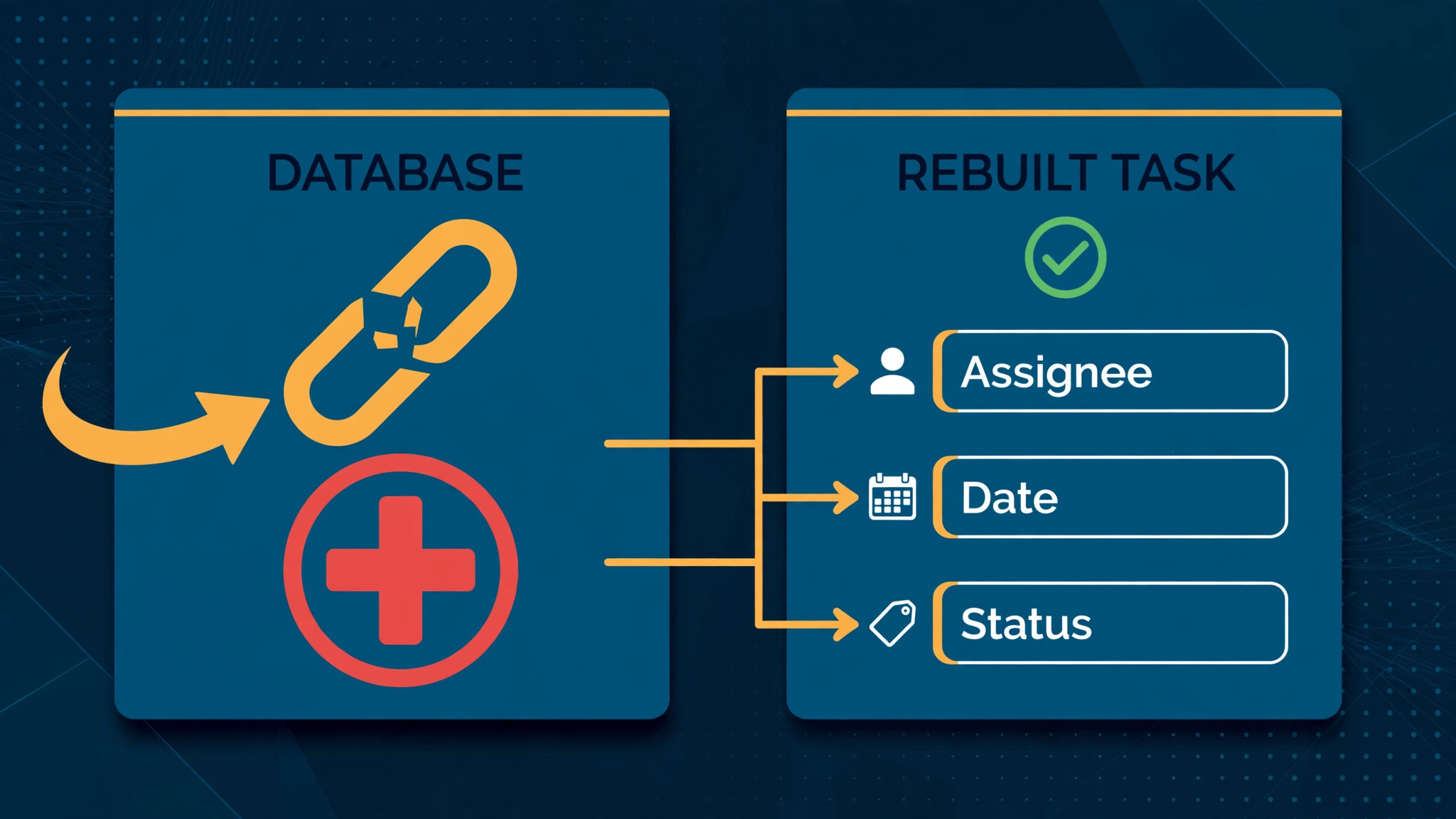
| Relation property | Task dependency or project link | Relations do not import, so rebuild them by hand |
| Rollup or formula property | Value only, then rebuild | Exported values are static, so recreate the logic in Asana |
| Page body or nested blocks | Task description | Long bodies need trimming, since Asana descriptions are shorter reads |
| Comments | Task comments | Comments do not travel in a CSV file, so archive them separately |
| File attachment | Task attachment | Reattach by hand or through a file link in the description |
The hardest rows in that table are relations, rollups, and formulas. A Notion export turns a relation into a raw identifier or a page name, depending on the view, and community guides warn that relation columns often export as unreadable text. The fix is to add a formula column in Notion that pulls the related page name into plain text before exporting. That one preparation step turns an unreadable column into a usable text field in Asana, even though the live link itself is gone. Rollups and formulas need the same treatment. Export them as values, keep the value as a record of what was true, and rebuild the live calculation in Asana with a custom field or a rule.
Select options deserve a second look. Asana help pages warn that a single stray space or character in a CSV column can break number or select mapping for a whole column. Clean the option lists in Notion first, and treat that cleanup as part of the switch Notion to Asana small team work, not as an optional tidy up. Merge near duplicates such as “In Progress” and “In progress”, delete options nobody uses, and keep the list short. A clean option list imports cleanly, and a messy one creates duplicate custom fields that take an afternoon to merge.
The same cleaning applies to people. Remove departed team members, merge duplicate names, and confirm that every assignee has an Asana account with the same email address before import day.
Pre-Migration Checklist
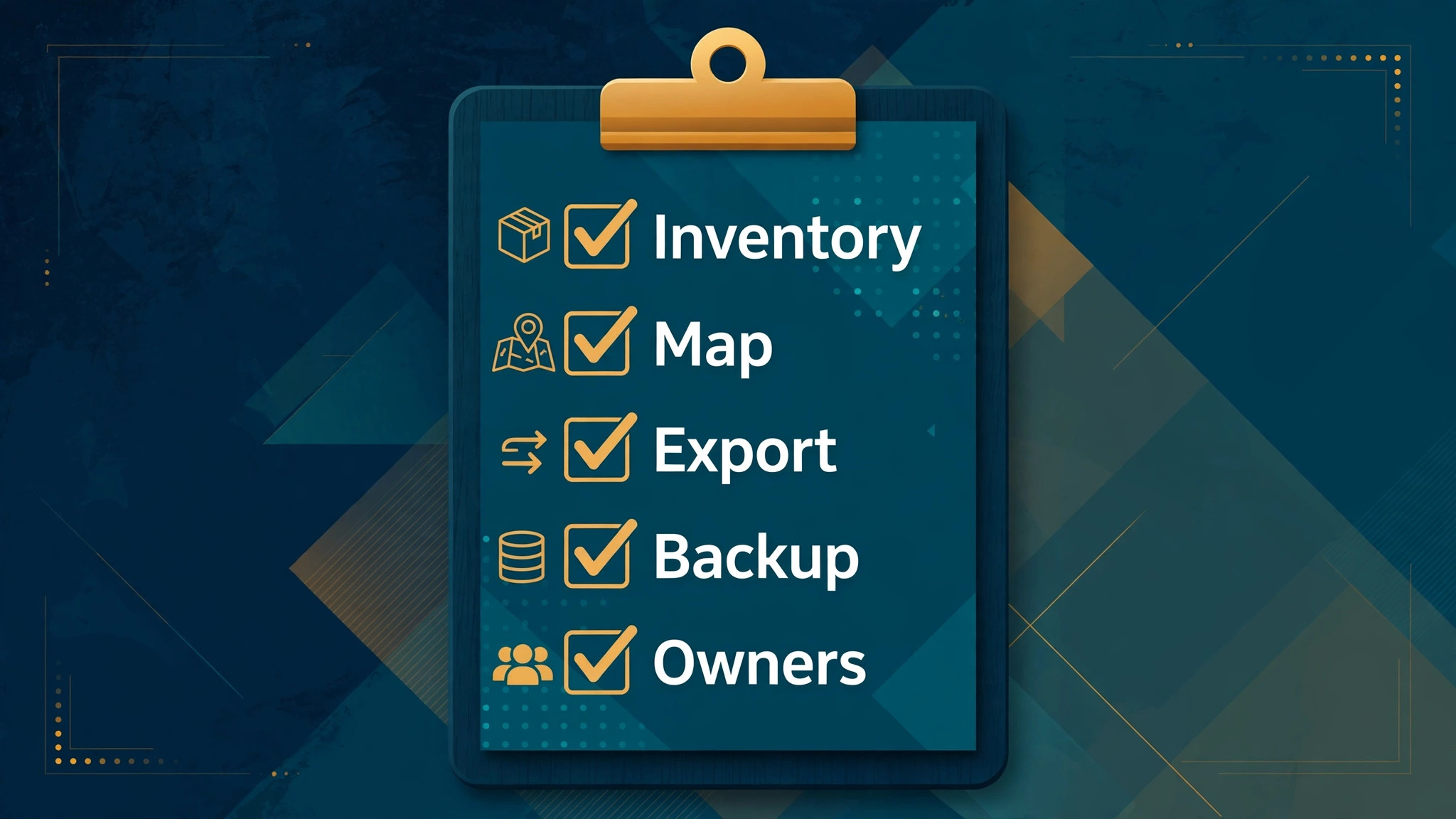
Work through this checklist in order, and do not start an export until every item is ticked. A migration that starts with a dirty export spends its second week cleaning data that should never have left Notion.
– Freeze new structure changes in Notion for one week before export, so the map stays accurate while files move. – List every database, its row count, and its owner, and mark each one as migrate, archive, or delete. – Export one database at a time from its table view, with filters removed, so no row is hidden by a view filter. – Add a plain text formula column for every relation you need to keep, so related names export as readable text. – Clean select and multi-select option lists, merge duplicates, and delete options that no live task uses. – Confirm every assignee email matches an Asana account, and invite missing people before import day. – Decide the Asana team and project for each database, and create the projects empty before importing. – Convert the first import’s custom fields to global fields, so later imports reuse them instead of duplicating them. – Back up the full Notion workspace export, including pages and files, and store it outside both tools. – Pick a cutover date, tell clients what changes, and keep Notion read only after that date, never deleted. – Test the whole sequence on one small database first, and only proceed when the test project reads correctly. – Assign one owner for the migration, plus one person who checks counts and dates after each import.
The backup item matters more than it looks. Notion workspace exports can be slow, and guides report that a large workspace can take many hours to package, with the download link expiring after seven days. Start the backup early, download it promptly, and store it where the team can reach it without a Notion login. If the migration goes wrong, the backup is the difference between a re-import and a rebuild. Keep Notion itself read only for at least a month after cutover. Deleting it on day one removes the reference copy the team will need when a task looks wrong in Asana.
Count checks are the cheapest insurance in the whole move, and in a switch Notion to Asana small team project they catch the most common error before it spreads. After each import, compare the row count in Notion with the task count in Asana, then spot check ten tasks across the project for assignee, date, and status. A count mismatch usually means a view filter hid rows during export, which is the most common migration error in this pair of tools. Fix it by re-exporting from the unfiltered table view, not by hand adding the missing tasks, because a hand fix hides the filter problem and it will recur on the next database.
The Switch Notion to Asana Small Team Sequence
Run this sequence database by database, not workspace by workspace. A small team that migrates one project, checks it, and trains on it will finish faster than a team that imports everything in one weekend and spends the next month untangling it.
- Build the Asana skeleton first. Create the team, create one project per database, and set up sections that match the old board groups. Add the custom fields the project needs, using the cleaned option lists from Notion, and convert them to global fields so the next project reuses them. An empty skeleton takes an hour and prevents the most common import mess, which is a project full of local fields that reporting cannot see across projects.
- Export the first database from its table view as Markdown and CSV, with subpages included and filters removed. The CSV carries the rows, while the Markdown files carry page bodies for the tasks that need their full notes. Keep both files together in a folder named for the project, and note the row count in a migration log before moving on.
- Clean the CSV file in a spreadsheet before importing. Check date formats, remove blank rows between data rows, since blank rows can be read as the end of the file, and confirm that every select value matches an option exactly. Put parent tasks above their subtasks in row order, because Asana help pages state that parent tasks must be listed before subtasks for the link to form.
- Import through the Asana CSV importer by creating the project from the file or adding tasks via CSV into the prepared project, then map each column on the preview screen. Map the title column to the task name, the person column to assignee, the date column to due date, and each property column to its custom field. Use the “make changes” preview rather than accepting the automatic mapping, because the preview is where a misread column is cheapest to fix.
- Check the import before touching anything else. Compare task counts with the Notion row count, open ten tasks across different sections, and verify assignee, date, status, and custom field values. Fix mapping errors by deleting the imported project and re-importing, which is faster and cleaner than editing hundreds of tasks by hand.
- Rebuild what the CSV could not carry. Recreate dependencies between tasks, reattach key files, and paste the important page bodies into task descriptions where the team will actually read them. Rebuild one formula or rollup at a time, starting with the calculation the team checks most often, and leave the rest as static values until someone asks for them.
- Set up rules and views. Recreate the Notion automations that matter, such as moving a task to a review section when its status changes, and save the views the team uses daily. Keep the rule list short at first. Five rules the team understands beat twenty rules nobody can explain when one of them fires wrongly.
- Invite the team to the pilot project and run live work in it for three days while Notion stays read only for that project. Collect every complaint, fix the structure, and only then import the next database. A pilot that surfaces ten fixes on one project saves ten fixes on every later project.
- Repeat the sequence for each remaining database, in order of business importance, not alphabetical order. Client delivery projects go first, internal trackers go last, and archived databases do not migrate at all. Archive them in the Notion backup instead, and link to the backup from Asana so old work stays findable.
- Cut over on the agreed date. Make Notion read only, move the team fully into Asana, and run the first weekly review from Asana views only. Keep the migration log open for two weeks, and treat every “this looks wrong” report as a data check, not a complaint, until the counts prove clean.

What Breaks When Notion Pages Become Asana Tasks
Relations break first, and they break silently. A Notion relation that linked tasks to clients, or subtasks to deliverables, arrives in Asana as text at best and as an unreadable identifier at worst. The team loses the click through navigation it relied on, and the fix is structural rather than cosmetic. In Asana, link tasks to projects with multi-homing where a task genuinely belongs to two projects, use dependencies for task order, and keep client links as a custom field that names the client. It is less elegant than a relation, and it is honest about what Asana can do.
Formulas and rollups break second. A Notion formula that calculated days remaining, or a rollup that summed hours across a project, exports as a frozen number. The number is correct for export day and wrong from the next day onward. Rebuild only the formulas the team acts on, such as a budget remaining field or a deadline countdown, and use Asana rules or a reporting dashboard for the rest. Teams often discover that half their formulas were admired and never used, and the migration is a good moment to drop them.
Views break third, in a subtler way, and this is where a switch Notion to Asana small team plan needs a firm hand. A Notion view is a personal lens, and each person had their own. Asana saved views are shared, which is better for the team and worse for the individual who liked a private filter. Expect a week of view requests, and handle them by saving the three views the whole team needs, then teaching individuals to filter their own task list. Resisting every personal view request in week one keeps the project readable. Granting all of them recreates the Notion sprawl inside Asana.
Comments and page history do not migrate in a CSV file, and this is the loss teams feel most personally. Years of discussion inside Notion pages stay in Notion, which is why the read only retention period matters. For the handful of tasks where the discussion is the record, paste a short summary into the Asana task description and link back to the Notion page. Do not try to copy every comment. The team will never read a pasted comment thread, and the effort delays the cutover for no real gain.
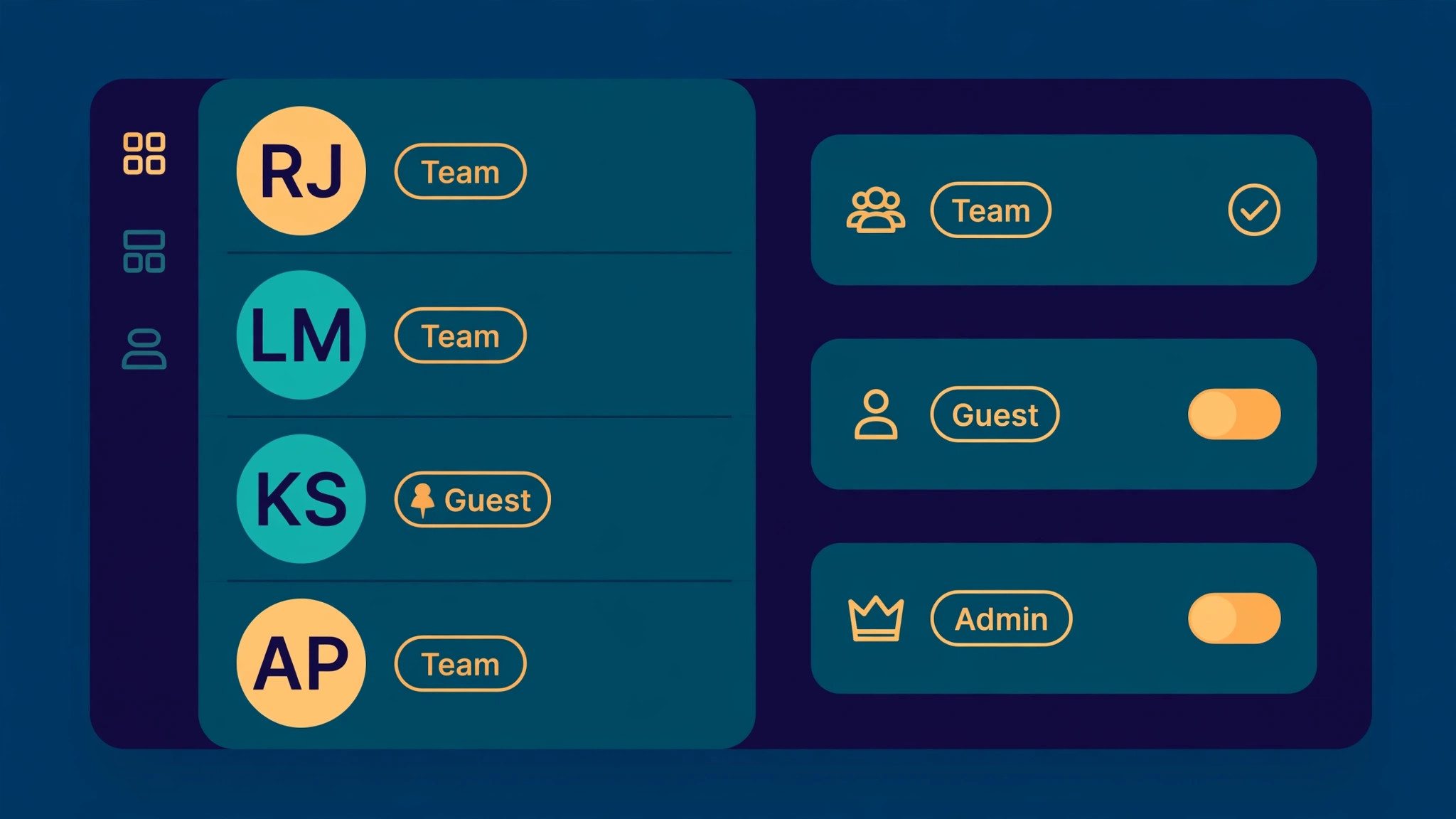
Permissions change shape too. Notion sharing is page based and flexible, while Asana access is team and project based. A page that was shared with one external guest in Notion becomes a project guest decision in Asana, and a private Notion page has no direct equivalent inside a shared project. Audit sharing before import, decide who becomes a guest and who becomes a member, and remember that guests on paid Asana plans are free while members consume paid seats. Getting this wrong inflates the seat bill, which is a budget problem caused by a migration decision.
Permissions, Guests, and Access After the Move
Set the Asana team structure before inviting anyone. One team per department or client group keeps projects findable, while one team for the whole company turns the sidebar into a long list nobody scans. Inside each team, set projects to shared with the team where the work is collaborative, and private to members where client confidentiality matters. The default should be team visible, because a hidden project is a project nobody can help with when its owner is away.
Guests deserve a clear rule, and the rule should be written down before the switch Notion to Asana small team cutover. A client who only views progress or comments on deliverables stays a guest. A contractor who owns tasks every week becomes a member, or works through a single point of contact who owns their tasks. This rule protects both privacy and budget, since every unnecessary member is a paid seat and a person who sees more than they need. Review the guest list monthly for the first quarter, because guest lists drift upward in every tool.
Admin control also tightens in the move, which most small teams welcome once they see it. Asana lets admins control who can create custom fields, who can invite members, and which projects are public to the organisation. Turn on the controls that prevent field sprawl, because custom field sprawl is the Asana version of the Notion view sprawl the team just escaped. A field request process that takes one message to an admin keeps the field library clean without slowing real work.
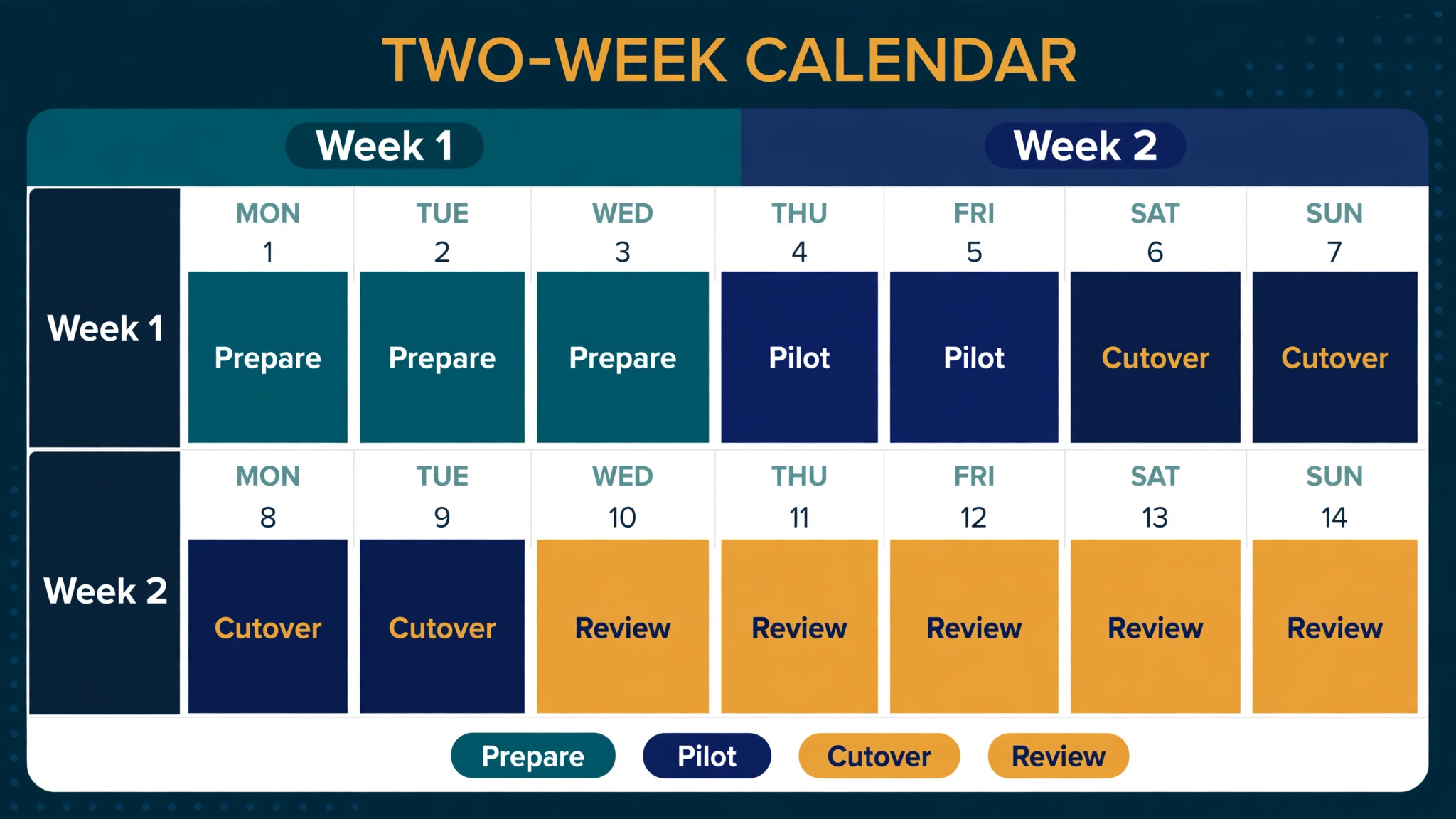
A Two Week Cutover Calendar
Week one belongs to preparation and the pilot. Days one and two cover the inventory, the map, and the Notion cleanup. Day three covers the Asana skeleton and the first CSV export. Days four and five cover the pilot import, the count checks, and the first round of fixes. The weekend is a natural pause, and the pilot team should use it to note anything that still feels wrong while it is fresh. No second database imports in week one, even if the pilot went well, because the pilot fixes have to land first.
Week two belongs to the remaining databases and the cutover. Import one database per day at most, checking counts after each one, and keep the daily import to the morning so the afternoon is free for fixes. Midweek, run the first real team review from Asana, and treat any missing task as a migration defect to be fixed the same day. On the final day, make Notion read only and send the cutover note with links to the new projects. Two weeks is realistic for a team under twenty people with fewer than ten databases.
Training a Team That Loved Flexible Pages
Training should teach Asana habits, not Asana buttons. The three habits that matter are single ownership, date honesty, and status discipline. Single ownership means every task has one assignee, and a task with no assignee is a task nobody owns. Date honesty means due dates move when reality moves, and a stale due date is worse than no date because it teaches the team to ignore dates. Status discipline means the status field changes when the work changes, not at the Friday review when nobody remembers what happened on Tuesday.
Run one short session per habit, using the pilot project as the example, and let the team practise on real tasks rather than demo data. Demo data teaches clicks, while real tasks teach judgement, such as when to split a task and when to add a subtask. That practice is what turns a switch Notion to Asana small team import into a working habit. End each session with a written one page guide the team can keep open, and appoint one Asana champion who answers questions for the first month. The champion should be a peer, not a manager, because peers get asked the questions people are embarrassed to ask in a meeting.
Verdict, Notion or Asana for a Small Team
A switch Notion to Asana small team move pays when delivery coordination is the bottleneck and the team is ready to trade page flexibility for task structure. It does not pay when the team mainly writes, when active projects number in single figures, or when the real problem is messy Notion views that a cleanup would fix. The migration itself is a CSV exercise with manual rebuilding, not a one click transfer, and any vendor or guide that promises otherwise is selling the import and hiding the rebuild.
Budget two weeks, one owner, and one pilot project. Keep Notion read only for a month, keep the backup outside both tools, and judge the move by one measure. After thirty days, the team should be able to answer who owns what, what is late, and what depends on what, without opening three views and asking in chat. If Asana gives that answer, the move was worth it. If the team still asks in chat, the structure needs fixing, and the fix is usually fewer fields and clearer ownership, not another tool.

More Reading on Stratilyze
For a related tool comparison, read Notion alternatives and Asana alternatives. For the seat costs behind this move, see cost of Asana for small business monthly.
Frequently Asked Questions
Can Notion databases move directly into Asana without a CSV file
No direct importer exists for this direction, so the practical route is a CSV export from each Notion database followed by the Asana CSV importer. Page bodies travel through Markdown exports, while relations, formulas, and comments need manual rebuilding. Test the route on one small database before committing the whole workspace to it.
How long does a small team migration usually take
A team under twenty people with fewer than ten databases should plan two weeks, with week one for the pilot and week two for the remaining imports and cutover. Larger databases, messy option lists, or many relations stretch that timeline, and compressing the count checks to save days is the fastest way to lose rows.
What happens to Notion relations and formulas after import
Relations arrive as text or unreadable identifiers, and formulas and rollups arrive as frozen values from export day. Rebuild the live links with Asana dependencies, multi-homing, and custom fields, and recreate only the calculations the team acts on weekly. Keep the Notion workspace read only so the original logic stays available for reference.
Do comments and file attachments transfer to Asana
Comments do not travel in a CSV file, and attachments need reattaching by hand or linking from the task description. For tasks where the discussion is the record, paste a short summary into the Asana task and link back to the Notion page. Copying full comment threads is rarely worth the effort, since the team seldom rereads them.
Should the team delete Notion right after cutover
No. Keep Notion read only for at least a month, and keep a full workspace backup stored outside both tools. Deleting on day one removes the reference copy the team needs when a task looks wrong, and it removes the page history that never migrated. Delete only after a full monthly cycle has run cleanly in Asana.
Is Asana the right move for a team that mainly writes docs
Usually not. Asana is built for assigned delivery work with dates and dependencies, while Notion is built for writing and knowledge. A writing heavy team gains little from the move and loses the flexible pages it uses daily. Fix the Notion views first, and switch only when delivery coordination becomes the real bottleneck.