
At $0.99 per AI resolution, a chatbot that resolves 500 chats a month costs $495 in AI fees alone, before any seat charge. That single number explains why chatbot pricing surprises so many small businesses, and it shapes this guide to the best chatbot software for small business websites. The cheapest looking bot can become the dearest one once AI usage is counted, while a flat rate bot with modest AI can be the bargain for a low volume site.
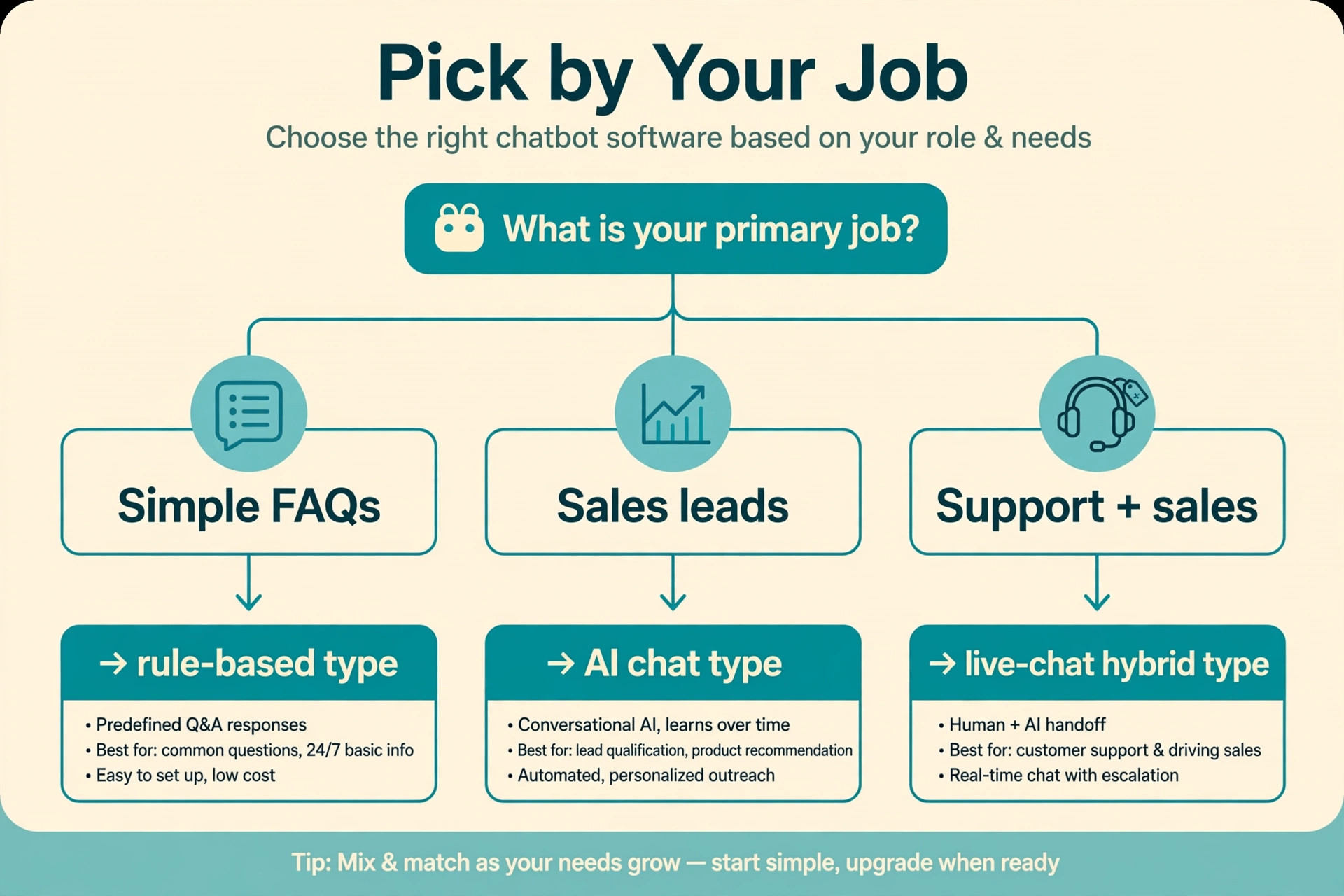
A website chatbot does three different jobs, and most tools are strong at only one of them. Lead capture turns an anonymous visitor into a named enquiry with a phone number and a need. Support deflection answers repeat questions so staff handle only the conversations that need a human. Booking fills calendars, takes orders or starts a checkout without a phone call. A bot bought for lead capture will disappoint a business that actually needs support deflection, even when both jobs use the same chat window.
Prices in this guide come from vendor pages and reputable comparison listings checked at writing time. Chatbot vendors change AI pricing often, and several now bill per resolution, per conversation or per seat on top of a base plan, so treat every figure as a starting point and confirm the current price on the vendor page before buying. Where a figure is reported rather than published, the text says so plainly.
Seven Tools on One Page
| Tool | Starting price | Best for |
|---|---|---|
| Intercom | $29 a seat a month reported, plus $0.99 per AI resolution | AI support at scale |
| Drift | Quote based | Enterprise sales conversations |
| Tidio | $29 a month, Lyro AI as an add on | Small stores and service sites |
| Manychat | $15 a month reported | Instagram, Messenger and WhatsApp sales |
| ChatBot by LiveChat | $52 a month reported | Visual bot building with live chat handoff |
| Crisp | Free plan, paid from $25 a month reported | Budget shared inbox plus bot |
| Landbot | $36 a month billed yearly reported | Conversational lead forms |
Read the table as a shortlist, not a ranking. A per seat price looks small for a one person business and large for a five person team, while a per resolution price looks small at fifty chats and large at five thousand. This best chatbot software for small business websites comparison works through that trade off tool by tool, so the choice follows chat volume and job rather than the headline price.
Why the Best Chatbot Software for Small Business Websites Is Priced by Usage, Not Seats
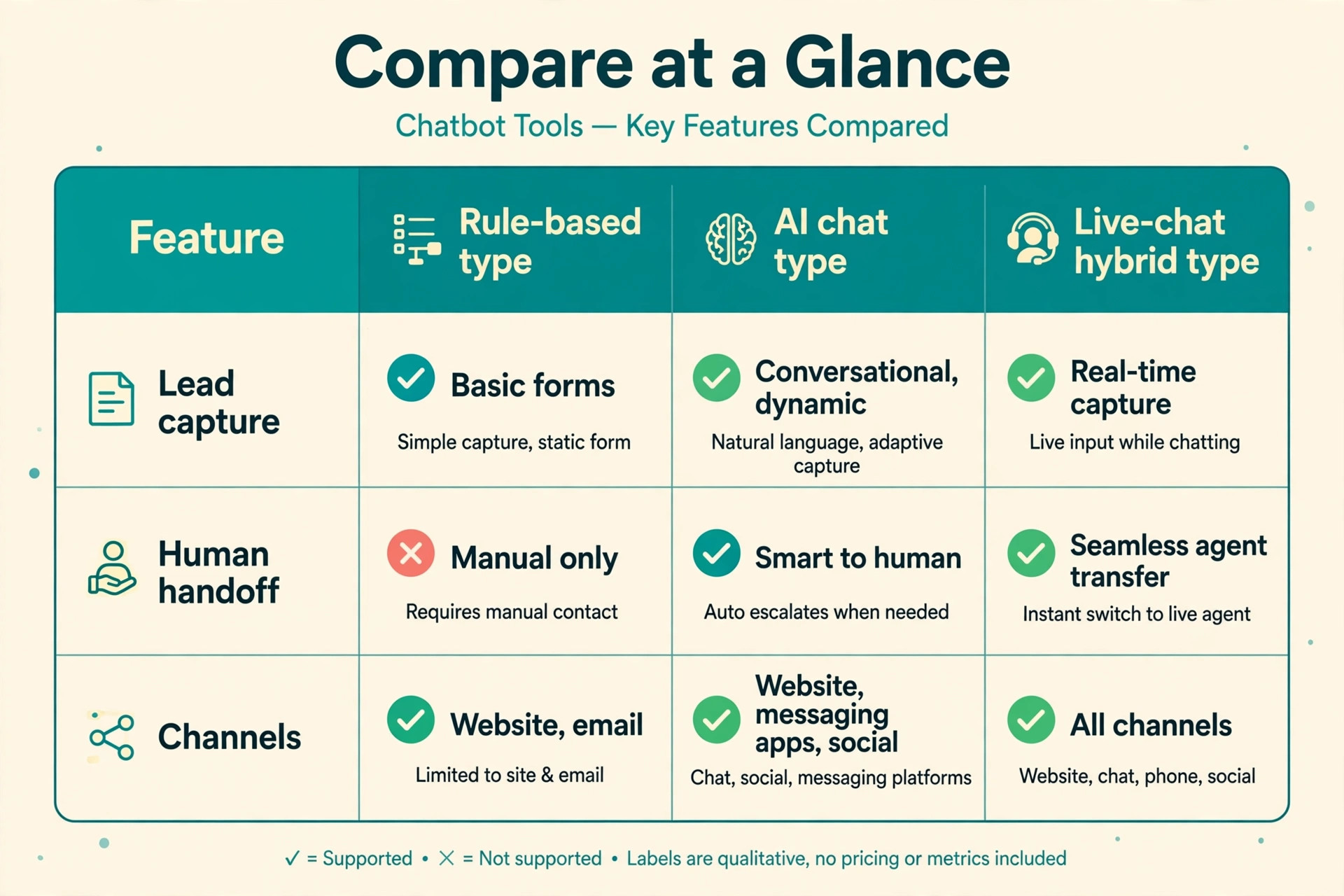
Chatbot pricing has moved from simple subscriptions to usage billing, and small businesses feel the change first. Intercom charges per seat plus $0.99 for each conversation its Fin AI resolves, which means a busy site pays for success. Tidio charges a base plan plus a Lyro AI add on from a reported $32.50 a month, with AI conversations counted separately. A business that estimates only the base plan will underestimate the bill by the exact amount the bot succeeds, which is a strange penalty for a tool that works.
Volume forecasting is therefore the first job, not the last. Count monthly website chats from the last three months, including the ones that currently go unanswered, and split them into simple questions, sales enquiries and complex problems. Simple questions are the deflection opportunity, sales enquiries are the lead capture opportunity, and complex problems will always need a human. A bot that deflects eighty percent of simple questions is worth far more than a bot that answers everything badly, because bad answers create support tickets instead of removing them.
Handoff quality decides whether deflection helps or harms. A bot that traps a frustrated visitor in a loop loses the sale that a human would have saved, while a bot that passes full context, name, question and pages visited lets the human answer in one message. Check that every shortlisted tool passes conversation history to the inbox, shows the visitor page path, and offers a clear path to a human at every step. A bot without an easy exit is a locked door, not a welcome desk.
How to Choose Without Paying for AI Nobody Uses
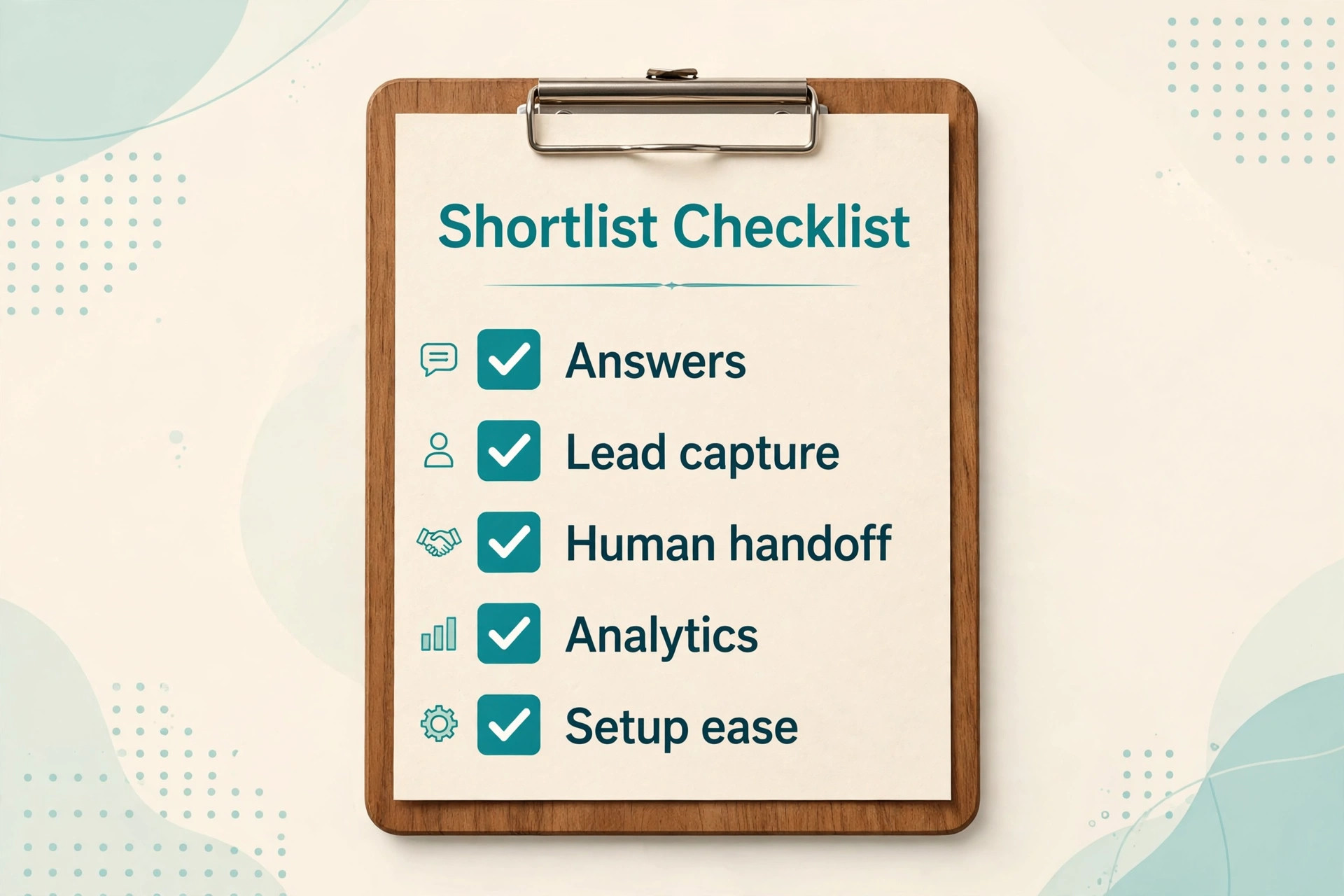
Start with the top twenty questions visitors actually ask. Pull them from email, phone notes and old live chat transcripts, and write the correct answer for each one in plain language. A business with twenty repeat questions needs a bot trained on those answers, not a general AI that guesses. The quality of the answer library matters more than the cleverness of the model, because most small business chats repeat the same ground.
Then decide where the bot lives. A website only bot suits a business whose customers arrive through search and the site, while a business whose customers arrive through Instagram or WhatsApp needs a bot that works in those apps. Manychat leads on social channels, while Intercom, Tidio and Crisp lead on the website itself. A bot that cannot meet customers where they already message will sit idle, however good its website widget looks.
Finally, test the bot as a stranger, not as the owner. Ask it the awkward questions, misspell words, change topic mid conversation and ask for a human, and watch where it breaks. A bot that handles perfect questions but fails on real typing is not ready for a public website. Run that test on a phone, since most small business traffic arrives on mobile, and check that the chat window never covers the buy button or the phone number.
The Shortlist Checklist for Small Business Websites
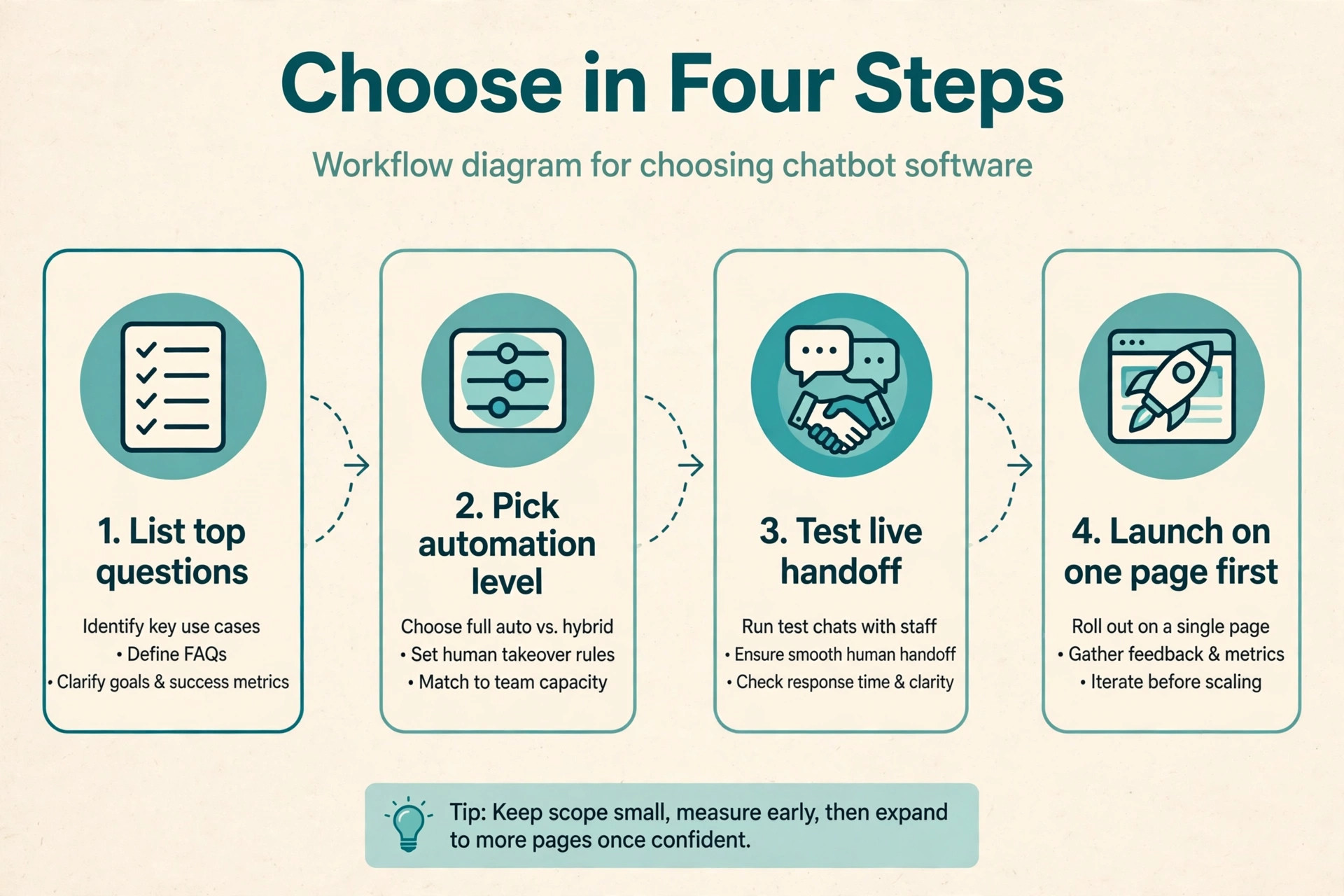
Use this checklist on every shortlisted tool before paying for a year up front.
– Confirm how AI is billed, whether per resolution, per conversation or per seat, and at what volume the bill jumps – Confirm that the bot trains on the business own pages, FAQs and documents, not only on generic knowledge – Confirm that handoff to a human passes the full conversation and visitor page history – Confirm that lead capture writes to the CRM or email tool without manual copying – Confirm that booking, order or quote flows work on a phone without leaving the chat – Confirm that the business can edit answers, add questions and review bot conversations without a developer – Run a test week on real traffic and measure resolution rate, handoff rate and lead count
A tool that fails two or more checklist items will create extra work for the team it was meant to save. Chatbots save time only when their answers are right, their handoffs are clean and their leads arrive in the system the team already uses.
The Best Pick by Job for Small Business Websites
| Website job | Best pick | Why it fits |
|---|---|---|
| Lead capture | Landbot | Conversational forms that feel like a chat, not a form |
| Support deflection | Intercom | Fin AI plus a full helpdesk for what remains |
| Booking and appointments | Tidio | Chat, inbox and automation in one low cost login |
The table follows the job, not the brand. A clinic that needs booked appointments gains little from a bot tuned for product FAQs, while an online store with five hundred repeat questions gains little from a bot tuned for lead forms. This best chatbot software for small business websites guide returns to that job test in every tool section below, because the wrong job fit wastes the budget twice, once on the subscription and once on the missed enquiries.
The Cost Maths at Real Chat Volumes
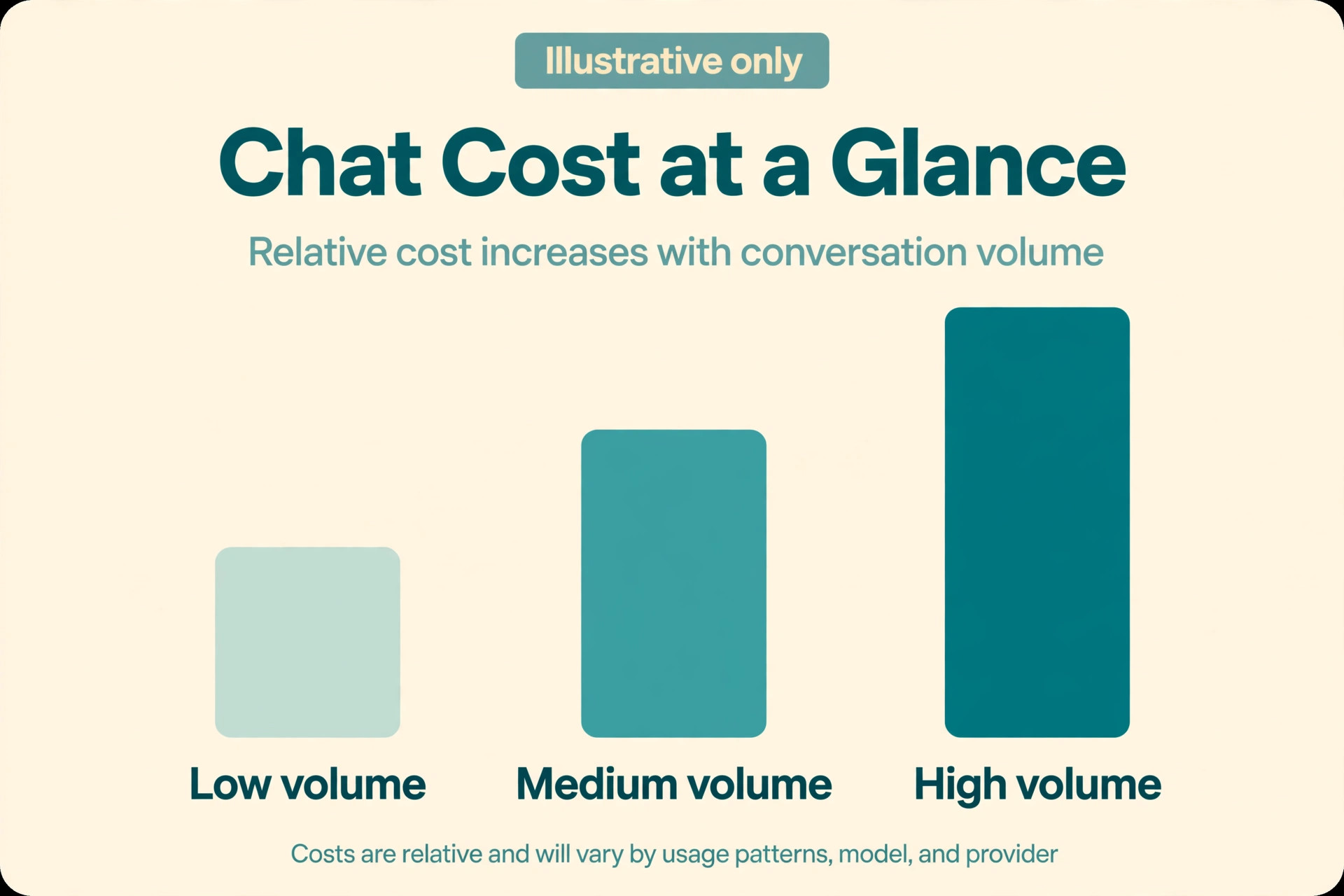
Take a service business receiving 300 chats a month, of which the bot resolves 200 and hands 100 to a human. On Intercom at a reported $29 a seat plus $0.99 per resolution, one seat plus 200 resolutions costs about $227 a month before tax. On Tidio at $29 a month plus a Lyro add on, the same volume costs the base plan plus the AI tier that covers 200 AI conversations, which comparison listings place well above the base price at higher volumes. The exact Lyro tier must be checked on the vendor page, because AI conversation pricing changes often and the wrong tier doubles the bill.
Now scale the same business to 2,000 chats a month with 1,400 resolutions. The Intercom AI line alone reaches about $1,386 a month, which dwarfs the seat charge and changes the buying decision entirely. At that volume, a flat rate workspace like Crisp or a conversation tier like ChatBot by LiveChat may cost less, even with weaker AI, because the bill no longer grows with every successful answer. High volume businesses should therefore price the bot at next year volume, not this month volume, and should ask every vendor for a written quote at that volume.
Low volume businesses face the opposite trap. A business receiving forty chats a month gains little from a $99 per resolution style AI bill, but also gains little from a bot at all, since the owner can answer forty chats personally. For very low volume sites, a free plan from Tidio, Crisp or Manychat plus a good FAQ page often beats any paid bot. Buy the bot when chat volume steals hours every week, not when the website merely looks quiet.
Building a Bot That Answers Well
Answer quality starts with the source material, not the model. A bot trained on a thin FAQ page will invent details about pricing, hours and services, and invented details become angry customers. Feed the bot the full service pages, the pricing page, the delivery or booking policy and the real answers to the top twenty questions, and then test it against questions the business has actually received. Every wrong answer found in testing is a complaint avoided after launch.
Tone matters as much as accuracy for a small business. A bot that sounds like a call centre script will push visitors toward the phone, while a bot that answers in the business own voice keeps the conversation on the site. Write answers in short sentences, give the price or the next step early, and never make the visitor ask twice for the same fact. A bot that answers in three lines beats a bot that answers in three paragraphs, because website visitors skim.
Review bot conversations weekly for the first month, and treat every handoff as a lesson. A question that repeatedly reaches a human is a missing answer, so add it to the library that week. A question the bot answers wrongly is a training error, so fix the source page or the answer text, not just the bot. Businesses that review weekly improve resolution rates steadily, while businesses that launch and ignore the bot watch quality decay as services and prices change.
Seven Tools in Detail
Intercom
Intercom is the pick for a small business that has outgrown basic chat and needs AI support inside a full helpdesk. Pricing is reported from $29 a seat a month, with Fin AI charged at $0.99 per resolution, so check the vendor page for the current seat and AI terms. It covers live chat, a help centre, ticketing, product tours and outbound messages in one system, which suits a team that handles support, sales and onboarding together.
The strength is the AI plus inbox combination, since Fin answers from help centre content and passes unresolved chats with full context. The limit is the usage bill, which grows with every resolved chat and surprises teams at scale. Choose Intercom when support volume justifies AI deflection. Skip it for a low volume site where a flat rate bot costs less.
Drift
Drift is the pick for a business whose website exists mainly to book sales meetings. Pricing is quote based since the Salesloft acquisition, with no public plan prices, so request a quote and check the vendor page for current terms. It specialises in conversational marketing, with playbooks that qualify visitors, route them to the right salesperson and book meetings without forms.
The strength is sales routing, with fast qualification and calendar booking built for revenue teams. The limit is price and fit, since it is built for sales led companies rather than general support or small budgets. Choose Drift for a sales team that lives on booked meetings. Skip it for a small business that mainly needs FAQ answers and lead capture on a budget.
Tidio
Tidio is the pick for a small store or service site that wants chat, inbox and AI in one low cost login. The base plan is reported from $29 a month, or $24.17 a month billed yearly, with a free plan covering a small number of conversations. Lyro AI is a separate add on from a reported $32.50 a month, and it answers from the business own help content across website, email, Instagram and Messenger.
The strength is breadth at a small business price, with live chat, a helpdesk and automation included. The limit is AI tiering, since the Lyro bill rises with AI conversation volume and needs careful checking. Choose Tidio for a growing site that needs chat plus AI without enterprise pricing. Skip it if AI volume is very high, where the add on tiers can overtake a flat rate rival.
Manychat
Manychat is the pick for a business whose customers message on Instagram, Messenger or WhatsApp rather than the website. Pricing is reported from $15 a month, with a free plan for a small number of contacts, and AI features on higher plans. It automates comments, direct messages, story replies and broadcast sequences, turning social attention into leads and sales.
The strength is social automation, with flows that capture leads from comments and messages that a website bot never sees. The limit is website depth, since it is not a general website support bot and its website widget is secondary. Choose Manychat for a social led business. Skip it as the only bot for a website that needs support deflection and booking.
ChatBot by LiveChat
ChatBot by LiveChat is the pick for a business that wants a visual bot builder with a clean handoff to human chat. Pricing is reported from $52 a month, with higher tiers for larger conversation volumes, so check the vendor page for the current tier limits. Its drag and drop builder creates flows without code, and it hands chats to LiveChat agents with full history when the bot reaches its limit.
The strength is building control, since a non technical owner can map a conversation visually and test it before launch. The limit is AI depth compared with Intercom Fin, since much of its power comes from designed flows rather than open ended answers. Choose ChatBot for a business with clear repeatable flows. Skip it for a business whose visitors ask unpredictable questions all day.
Crisp
Crisp is the pick for a small team that wants a shared inbox, live chat and a bot at a flat predictable price. A free plan covers basic chat, while paid plans are reported from $25 a month per workspace, with AI features on paid tiers. It covers website chat, email, Messenger and WhatsApp in one inbox, which suits a team that answers customers from several channels at once.
The strength is price predictability, since workspace pricing does not multiply with every team member. The limit is AI depth and scale features, which trail Intercom and Tidio at higher volumes. Choose Crisp for a small team on a tight budget. Skip it for a business that needs deep AI deflection across thousands of chats a month.
Landbot
Landbot is the pick for a business that needs lead capture that feels like a conversation. Pricing is reported from $36 a month billed yearly, with a free plan covering a small number of chats, and AI chats on higher plans. Its builder creates chat style forms for quotes, bookings and applications, and it works on websites and WhatsApp, with handoff to a team inbox or a helpdesk by webhook.
The strength is conversion on forms, since visitors complete a chat flow far more often than a long static form. The limit is open ended support, since it is built for guided flows rather than freeform question answering. Choose Landbot for quote, booking and application capture. Skip it as the only support bot for a business with hundreds of repeat questions.
Channels Beyond the Website That Change the Choice
Website chat is only one place customers message, and the right tool often depends on the other places. A business with strong Instagram traffic needs a bot that answers comments and direct messages, since many buyers never visit the website at all. Manychat leads here, with flows triggered by comments, story replies and messages, while a website only bot would miss that demand entirely. Check where enquiries actually arrive before choosing, by counting messages per channel for a month.
WhatsApp deserves its own check, because it carries different costs and rules from website chat. WhatsApp business messaging uses template messages and per conversation pricing set by Meta, plus any platform fee the bot vendor adds, so a WhatsApp heavy business must price templates and conversation windows, not just the bot subscription. Crisp, Tidio and Landbot all offer WhatsApp connections, but the setup, approval and cost details differ, so test one real WhatsApp flow during the trial rather than trusting a feature tick.
Email and helpdesk integration is the third channel test. A chat that cannot create a ticket, or that duplicates an email thread, forces staff to work in two inboxes and lets enquiries slip between them. Intercom and Tidio handle this best, since chat, email and tickets share one inbox, while a social led bot may need a separate helpdesk. A single inbox for every channel is worth paying for once volume grows, because lost enquiries cost far more than the subscription gap.
Mistakes That Turn a Chatbot Into a Complaint
The first mistake is launching the bot on every page before testing it on one. A bot that greets every visitor instantly can annoy more people than it helps, especially on pages where the visitor wants a phone number or a price, not a chat. Launch on the two pages with the most questions first, measure resolution and handoff for two weeks, and only then expand to the rest of the site.
The second mistake is hiding the human behind the bot. A visitor who cannot reach a person after two failed bot answers will leave and may leave a public review about the experience. Put a clear path to a human in the bot menu, in the fallback message and on the contact page, and staff the inbox during stated hours. A bot that saves staff time but costs trust is a bad trade.
The third mistake is training the bot on marketing copy instead of real answers. Marketing pages describe benefits, while visitors ask about price, delivery, availability and refunds. A bot that answers a price question with a paragraph about quality has failed, however polished the paragraph sounds. Write direct answers with numbers, dates and next steps, and link to the page that proves each answer.
The fourth mistake is ignoring the mobile chat window. A widget that covers the call button, the booking button or the checkout button on a phone will cost sales every day. Test the widget on a small phone screen, check that it collapses cleanly, and set it to appear after a short delay rather than instantly. A bot that blocks the sale is worse than no bot at all.
A Sensible Rollout Plan for a Small Business Website
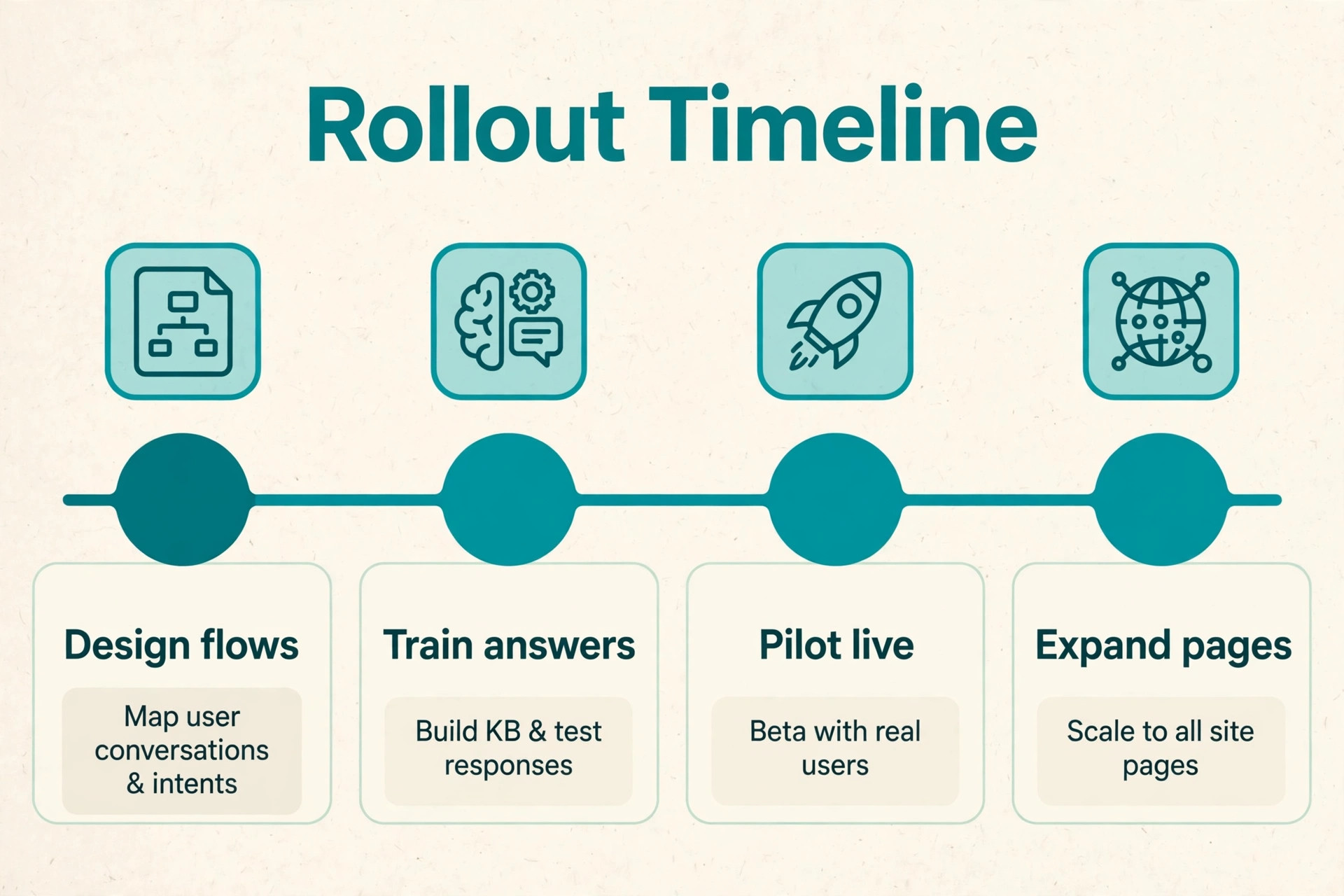
Start with one page and the top twenty answers. Publish the bot on the contact or pricing page, where questions concentrate, and run it for two weeks while a human reviews every conversation daily. That first fortnight is the safest test in a best chatbot software for small business websites rollout, because it reveals missing answers and bad handoffs before the bot meets the whole site.
Next, expand to the pages that generate the most chats, and connect lead capture to the CRM or email tool so no enquiry needs manual copying. Set up alerts for handoffs, so a human answers a passed conversation within minutes during business hours, and set a clear after hours message that states when a reply will arrive. Speed of human follow up matters more than bot cleverness for a lead that is ready to buy.
Then review weekly and expand the answer library from real handoffs. Add the five most common handoff questions each week, fix every wrong answer found in review, and track resolution rate, lead count and handoff time on one simple report. A bot that improves weekly becomes a genuine asset, while a bot that never changes slowly becomes a source of complaints.
Our Closing Take on the Chatbot Shortlist
For most small business websites, the smart path is Tidio for chat plus AI at a small business price, Crisp for a flat rate inbox on a tight budget, and Landbot when lead capture is the main job. Intercom is the right step up once support volume justifies per resolution AI pricing, Manychat is the right addition for a social led business, and Drift suits a sales team built around booked meetings. That verdict is the centre of this best chatbot software for small business websites guide, and it follows the job test rather than the loudest AI claims.
Whatever the choice, judge it after thirty days on three numbers. The share of chats resolved without a human, the number of qualified leads captured through chat, and the average time from handoff to human reply. Those numbers show whether the best chatbot software for small business websites you chose is actually working. If those three numbers improve, the bot is working. If they do not, the problem is the answer library or the handoff, and no new bot will fix answers nobody wrote.

More Reading on Stratilyze
For a related chatbot comparison, read AI chatbots for small business and AI chatbots 2026. For a setup guide, see set up an AI support chatbot.
Frequently Asked Questions
How much does a chatbot cost a small business each month
It depends on the billing model. A flat rate workspace like Crisp starts from a reported $25 a month, while Intercom adds $0.99 per AI resolution on top of a per seat charge, so a busy site can pay hundreds a month in AI fees alone. Forecast monthly chats and resolutions first, then price the shortlisted tool at that volume rather than at the headline plan price.
Can a chatbot replace live chat staff
No, it reduces their load rather than replacing them. A good bot resolves repeat questions and captures leads around the clock, while humans handle complex, emotional and high value conversations. Businesses that remove humans entirely usually see complaints rise, because some visitors will always need a person, especially when money or a booking is at stake.
What is the difference between a chatbot and an AI agent
A chatbot usually follows designed flows and answers from a set answer library, while an AI agent answers open ended questions from documents and can take actions like checking an order. In practice the line blurs, since tools like Intercom Fin and Tidio Lyro combine both approaches. Judge a tool by its resolution rate on real questions, not by the label on its marketing page.
Does a chatbot work for lead capture on a small website
Yes, when the flow asks for one thing at a time and offers a clear next step. Landbot style conversational forms convert better than long static forms, because visitors answer one short question at a time. Keep the flow under five questions, ask for contact details only after the visitor sees value, and follow up within minutes during business hours.
Should a small business use a free chatbot plan
A free plan suits a very low volume site, since Tidio, Crisp and Manychat all offer free tiers with real chat features. The limit is conversation volume, AI access and branding, so a business that outgrows the free tier should upgrade rather than run two free tools side by side. Free is a trial for volume, not a permanent plan for a busy site.
How long does it take to set up a chatbot
A basic bot with twenty answers can go live in a day, while a bot connected to a CRM, booking system and helpdesk takes a week of testing. The slow part is writing good answers and testing handoffs, not installing the widget. Plan two weeks from first install to full site launch, with daily conversation review in the first fortnight.