

A customer lands on your website at 11pm with a simple question — pricing, opening hours, “do you deliver to my area?” — and no one is there to answer. In 2026, the fix is not hiring night staff; it is an AI chatbot for your website trained on your business data, answering in seconds, and handing off to a human when it matters.
But “AI chatbot” covers everything from a 10-minute no-code widget to a per-resolution enterprise platform — and the pricing models are deliberately confusing (per conversation, per resolution, per credit, per seat). We embedded and tested the leading small business chatbot software options and scored each on setup difficulty — the thing that actually decides whether a busy owner gets it live this week or abandons it.
Quick Answer: Best AI Chatbots for Small Business Websites
| Tool | Best for | Setup difficulty (1=easiest) | Starts at (2026) | Free plan? |
|---|---|---|---|---|
| Tidio | Best all-round SMB pick | 1/5 — widget in ~10 min | $29/mo + AI from ~$39/mo | Yes (50 conversations) |
| Chatbase | Easiest content-trained bot | 1/5 — paste a URL, done | $40/mo | Yes (credits) |
| Chatling | Best value AI | 1/5 — no-code builder | $25/mo | Yes (200 AI credits) |
| HubSpot | Teams already on HubSpot CRM | 2/5 — chatflows in CRM | Free chatbot; AI agent on Pro | Yes |
| Crisp | Flat pricing, no per-chat surprises | 2/5 — workspace setup | $45/mo workspace | Yes (live chat) |
| Botsonic | Budget AI pick | 2/5 — guided setup | $16/mo (annual) | Trial |
| Intercom Fin | Best AI resolution quality | 3/5 — helpdesk config | $29/seat/mo + $0.99/resolution | Trial only |
| Botpress | Flexible, technical teams | 4/5 — visual builder, technical | Free / ~$150/mo team | Yes |
One-line verdicts:
- Best overall for SMBs: Tidio — the fastest path from signup to a live AI chat widget, with honest free-tier limits.
- Easiest setup of all: Chatbase — paste your website URL and you have a trained bot in minutes.
- Best value AI: Chatling — real AI answers from $25/mo with a genuinely useful free tier.
- Best AI quality (at a price): Intercom Fin — the best resolution rates in the industry, metered at $0.99 per resolution.
How We Scored Setup Difficulty
We evaluated each tool the way a non-technical business owner experiences it:
- No-code embedding flow — can you get the widget on your site without touching code? (Spoiler: every tool here offers a copy-paste snippet or a WordPress/Shopify plugin — the difference is what happens before the embed.)
- Training on business data — how do you feed it your FAQ, pricing, policies and product info? URL crawl, file upload, manual Q&A, or API?
- Time to first good answer — from signup to the bot correctly answering 10 real customer questions.
- Human handoff — how easily does the bot pass tricky chats to you, and what happens after hours?
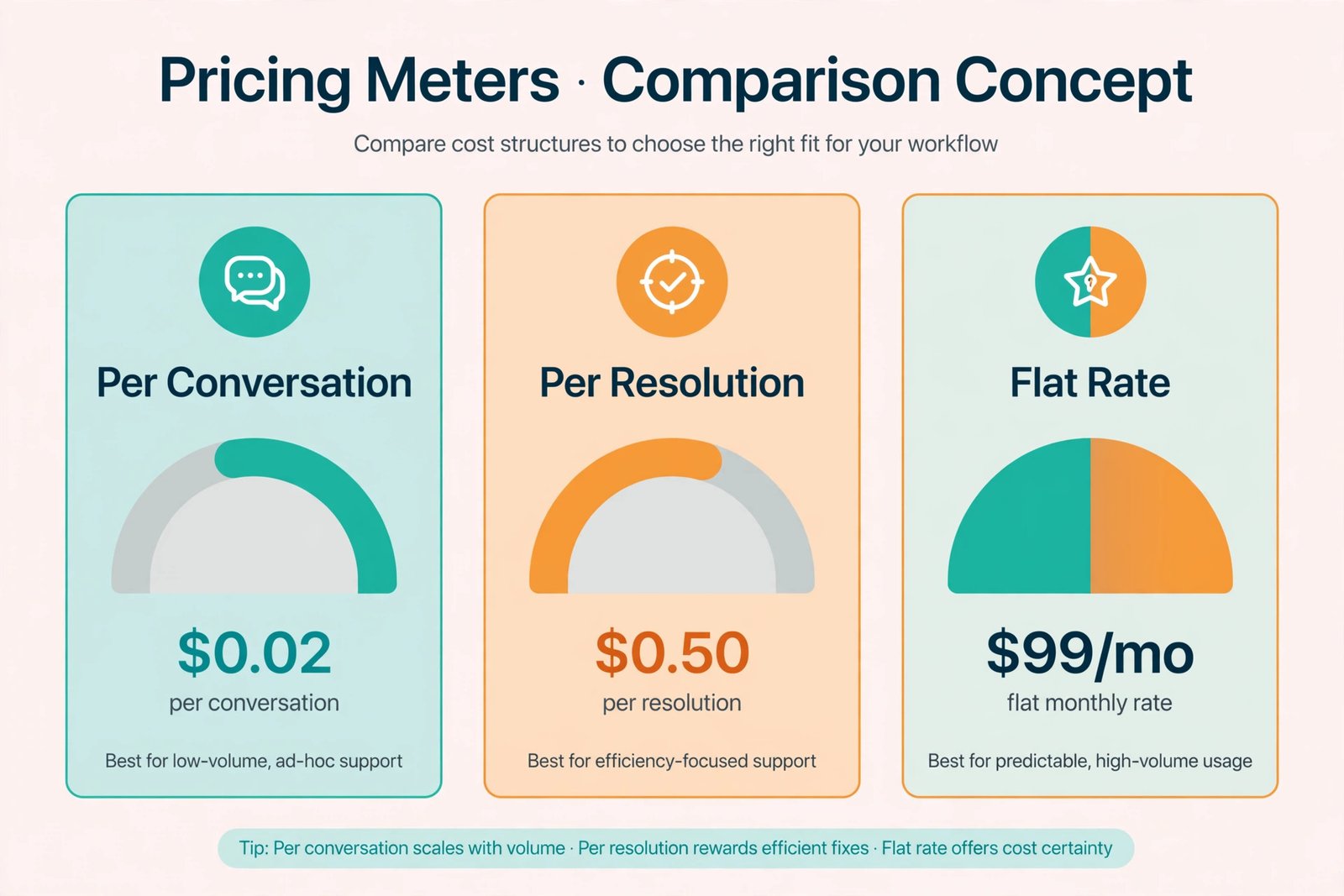
A note on pricing models, because vendors count differently: per conversation (Tidio), per resolution (Intercom, Zendesk — you pay when the AI resolves the chat), per credit/message (Chatbase, Crisp AI add-ons), and flat (Chatling, Crisp base). Compare the job, not the number — 1,000 “messages” and 1,000 “resolutions” are very different bills.
1. Tidio — Best All-Round SMB Pick
Best for: Small stores and service businesses that want a live AI chat widget this week.
Setup difficulty: 1/5 — sign up, answer 3 onboarding questions, paste one snippet (or install the Shopify/WordPress plugin), and the widget is live. Training Lyro (Tidio’s AI) is a URL crawl of your site plus FAQ import.
Pricing (2026): Starter $29/mo ($24.17/mo annual, 50 conversations included, 10-seat cap); Growth $59/mo ($49.17 annual). Lyro AI conversations from ~$39/mo extra (50 AI conversations) — budget this separately, because the base plan’s AI allowance is small.
Tidio is the SMB default for a reason: it combines live chat, AI answers and Instagram/Messenger in one widget, and the no-code setup genuinely takes ~10 minutes. In our test, Lyro answered 8/10 common questions correctly after a site crawl with zero manual training — the failures were pricing edge cases we fixed by adding three FAQ entries.
Standout features
- Fastest no-code embedding — snippet, WordPress plugin or Shopify app
- Lyro AI trained on your site content with fallback to human agents
- Multichannel: website, email, Instagram, Messenger in one inbox
- 50 free conversations/month to test with real traffic
Where Tidio falls short
- AI conversations are metered separately — the $29/mo base is mostly live chat; real AI volume costs $39+/mo extra
- Conversation-based pricing punishes high-traffic sites (a busy store burns 50 conversations fast)
- Analytics and automation depth trail Intercom
Bottom line: The best first chatbot for most small businesses. Just price the AI tier, not the base tier, when budgeting.
2. Chatbase — Easiest Content-Trained Bot
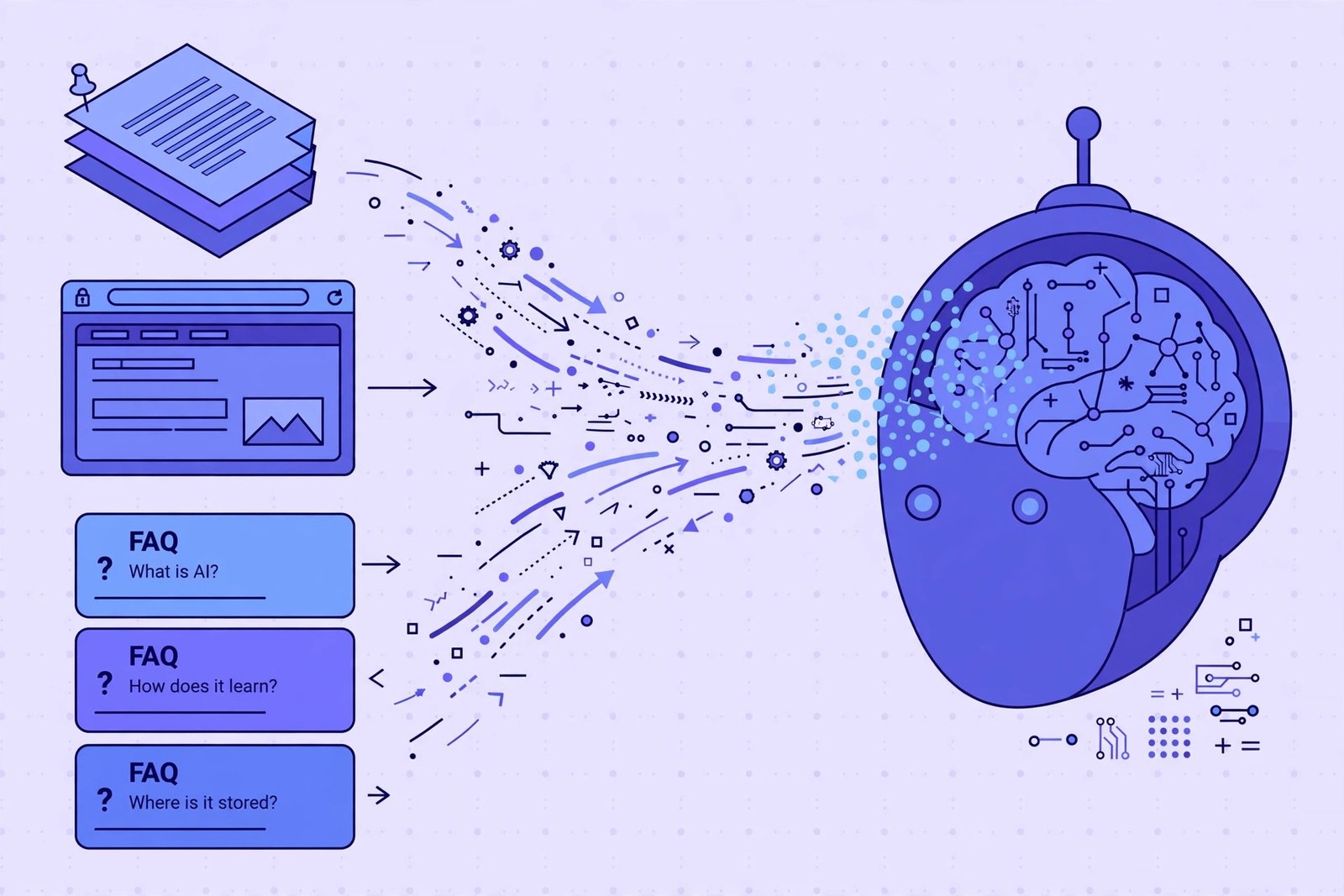
Best for: Anyone whose main need is “answer questions from my website content” with minimum fuss.
Setup difficulty: 1/5 — the easiest on this list. Paste your website URL (or upload PDFs, docs, sitemaps), Chatbase crawls it, and you have a working bot. Embed with one snippet.
Pricing (2026): Hobby $40/mo (2,000 message credits); Standard $150/mo. Free tier with limited credits; 7-day trial on paid plans. White-label/remove-branding is a $99/mo add-on.
Chatbase is a specialist: it does one job — Q&A over your content — extremely well. There is no live-chat agent inbox to configure, no complex flows; it is a pure AI answer engine for your site. For a brochure site, knowledge base or docs page, that focus is ideal. For a store needing order tracking and agent handoff, it is too thin — pair it with a live-chat tool or choose Tidio.
Standout features
- Fastest time-to-first-good-answer: URL in, trained bot out, minutes later
- Retrains automatically when your site content changes
- API access for embedding answers elsewhere
- Clean, minimal widget
Where Chatbase falls short
- Credit-based pricing — 1 credit ≠ 1 message, so costs are hard to predict; heavy sites jump to $150/mo fast
- No native live-agent inbox depth; handoff is basic
- No free plan (credits-limited free tier only), and removing branding costs extra
Bottom line: If “answer questions from my content” is 90% of the job, Chatbase is the 10-minute answer. Budget for credit overages.
3. Chatling — Best Value AI
Best for: Budget-conscious businesses that want real AI answers without per-resolution anxiety.
Setup difficulty: 1/5 — no-code builder, guided training flow, embed snippet.
Pricing (2026): From $25/mo. Free tier includes 200 AI credits and unlimited chats — one of the most generous free tiers here.
Chatling is the value disruptor: real AI chatbot capability at $25/mo with a free tier you can actually run a small site on. Setup is fully no-code, training accepts URLs and documents, and the flat pricing means no surprise bills when traffic spikes. It lacks the ecosystem depth of Tidio or Intercom, but for straightforward website Q&A it is hard to argue with the price.
Bottom line: The “just give me AI chat that works” pick under $30/mo.
4. HubSpot — Best If You Already Live in HubSpot
Best for: Teams already running on HubSpot CRM who want chat tied to contacts and deals.
Setup difficulty: 2/5 — chatflows build inside the CRM you know; the AI agent (Breeze) needs a Professional-tier seat to configure well.
Pricing (2026): Basic chatbot free; the AI agent (Breeze) sits on Professional at ~$90/seat/mo (higher tiers more).
If your customer data already lives in HubSpot, no standalone chatbot beats the native one: chats attach to contact records, trigger workflows, book meetings and update deals automatically. The catch is the pricing ladder — the genuinely AI-powered agent needs Professional seats, so the “free chatbot” is rules-based, not AI. Do not buy HubSpot for the chatbot; buy the chatbot because you have HubSpot.
Bottom line: The best chatbot for HubSpot users; not a reason to adopt HubSpot alone.
5. Crisp — Best Flat Pricing
Best for: Businesses that want predictable costs with no per-chat metering surprises.
Setup difficulty: 2/5 — workspace setup with a clean onboarding flow; AI features need configuration.
Pricing (2026): From $45/mo per workspace (not per seat); Essentials ~$114/mo includes AI credits (~450 automated conversations). Free tier covers live chat without AI.
Crisp’s pitch is pricing sanity: per-workspace, not per-seat, not per-chat — unlimited human conversations on flat plans. AI automation runs on credits (~$30 buys a block), but the base predictability is unmatched. The shared inbox is excellent, and the widget is polished. AI answer quality trails the specialists, but for teams blending human + AI chat, the economics are compelling.
Bottom line: If per-conversation pricing gives you hives, Crisp’s flat workspace model is the antidote.
6. Botsonic — Best Budget AI Pick
Best for: Solo operators who want a standalone AI agent at the lowest paid price.
Setup difficulty: 2/5 — guided setup, no code required.
Pricing (2026): From $19/mo monthly ($16/mo annual). Trial available; no permanent free tier.
Botsonic (from the Writesonic team) is a no-frills AI support agent: train on your content, embed the widget, done. At $16–$19/mo it is the cheapest paid AI chatbot here with real capability. The trade: smaller ecosystem, fewer integrations, and less proven at scale than Tidio or Intercom.
Bottom line: The cheapest credible AI chatbot. Fine for low-volume sites; shortlist Tidio when you grow.
Best for: Businesses where support quality directly drives revenue and the budget matches.
Setup difficulty: 3/5 — a real helpdesk to configure: knowledge base, workflows, escalation rules. More powerful, more setup.
Pricing (2026): From $29/seat/mo annual plus $0.99 per Fin resolution. No free plan; trial only.
Fin has the best AI resolution rates in the industry — it genuinely resolves complex, multi-turn support conversations, not just FAQ lookups. The pricing is the catch, and you must do the maths: 1,000 AI-resolved chats/month = $990 in resolution fees alone, on top of seat costs. For a business deflecting thousands in support salaries, that is cheap. For a brochure site, it is absurd. There is no middle ground — price your expected resolution volume before trialling.
Standout features
- Best-in-class AI resolution on complex, multi-turn queries
- Deep helpdesk: knowledge base, workflows, automation, reporting
- Strong integrations and API
Where Fin falls short
- The most expensive option here by far at any real volume
- No free plan; configuration is a project, not an afternoon
- Overkill for simple FAQ-answering (buy Chatbase instead)
Bottom line: Worth every cent if support is a cost centre you are automating; wildly overpriced if you just need FAQ answers.
8. Botpress — Best for Flexible/Technical Teams
Best for: Teams with technical resources that want maximum control and custom integrations.
Setup difficulty: 4/5 — visual flow builder, but expects technical comfort; the hardest setup here.
Pricing (2026): Free tier (100 conversations/mo); team plans from ~$150/mo.
Botpress is the developer-friendly open-core platform: visual builder, WhatsApp/Telegram/Slack channels, API-first, self-hosting options. For a non-technical owner it is overkill; for a team that wants the bot wired into internal systems, it is the most capable foundation. Setup difficulty is the honest 4/5 — budget a week, not an afternoon.
Bottom line: Power and flexibility for technical teams; everyone else should pick from the 1–2/5 options above.
Detailed Comparison: AI Chatbots for Small Business Websites
| Feature | Tidio | Chatbase | Chatling | HubSpot | Crisp | Botsonic | Intercom Fin | Botpress |
|---|---|---|---|---|---|---|---|---|
| Setup difficulty | 1/5 | 1/5 | 1/5 | 2/5 | 2/5 | 2/5 | 3/5 | 4/5 |
| No-code embed | Snippet / WP / Shopify | Snippet | Snippet | Snippet / CMS | Snippet | Snippet | Snippet | Snippet / API |
| Training on business data | Site crawl + FAQ | URL / PDF / docs auto-crawl | URL + docs | Knowledge base | Knowledge base | URL + docs | Help centre + docs | Flows + API |
| Pricing model | Per conversation | Per credit | Flat | Per seat | Per workspace | Flat-ish | Per resolution | Per conversation |
| Effective AI cost | ~$39+/mo extra | $40/mo (2k credits) | $25/mo | $90/seat/mo (Pro) | $45/mo + credits | $16–19/mo | $0.99/resolution | Free–$150/mo |
| Human handoff | Yes (inbox) | Basic | Yes | Yes (CRM) | Yes (excellent) | Basic | Yes (helpdesk) | Custom |
| Free plan | 50 convos/mo | Credits | 200 credits | Rules-based | Live chat only | Trial | Trial only | 100 convos/mo |
The No-Code Embedding Flow (What Setup Actually Looks Like)
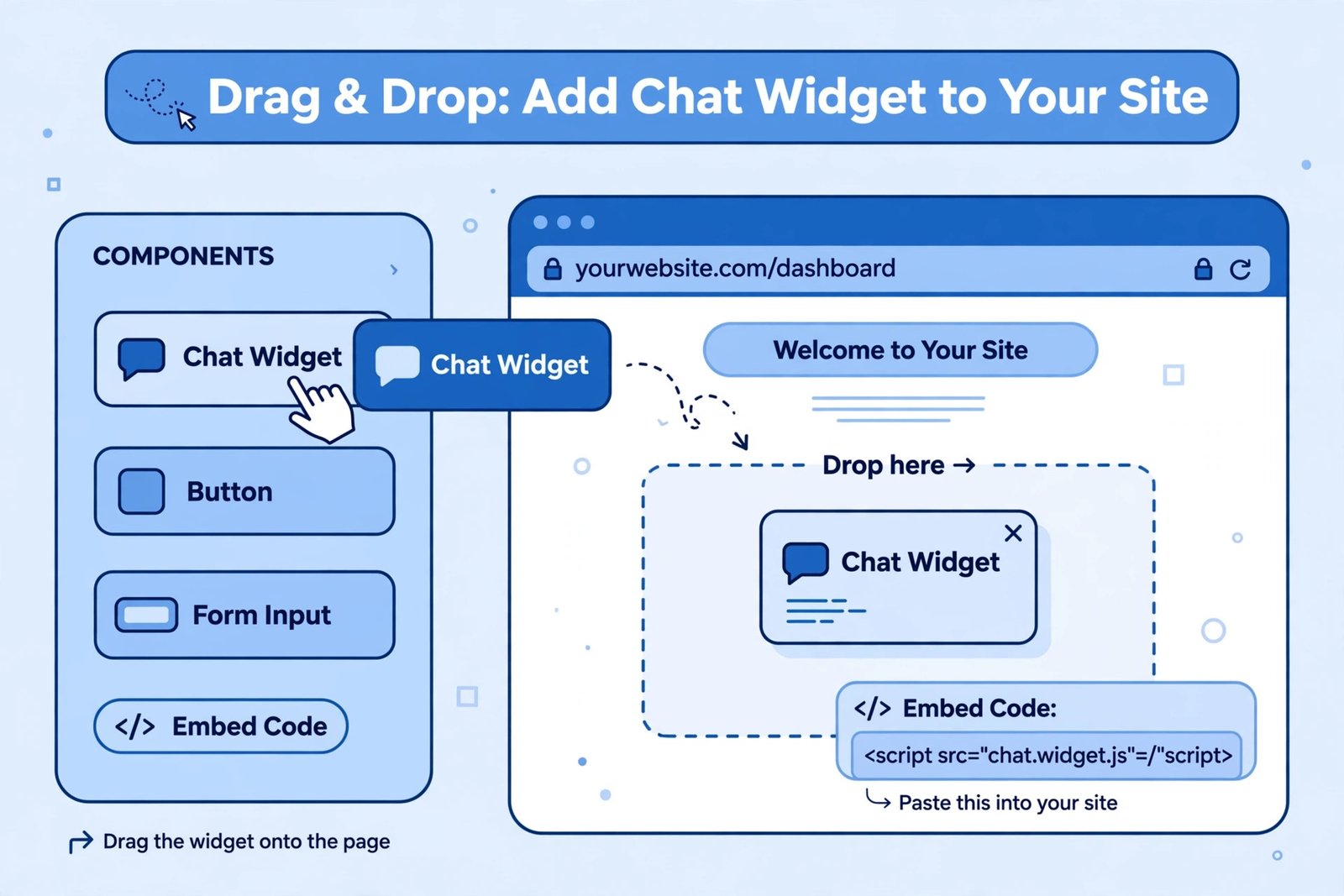
For the 1–2/5 tools, the process is nearly identical — here is the universal 30-minute playbook:
- Sign up and connect your content. Paste your website URL for auto-crawl, upload your FAQ/pricing/shipping PDFs, or paste key pages. This is the step that determines answer quality — garbage in, confident hallucinations out.
- Write the bot’s instructions. One paragraph: tone (friendly, concise), what it must never do (never invent prices, never promise refunds), and when to escalate (“if the customer asks about X, hand to a human”).
- Build 2–3 key flows. Lead capture (name + email), appointment booking or order-status lookup — the structured tasks beyond Q&A.
- Configure human handoff. Decide the trigger (bot confidence low, customer asks for human, after-hours) and where handoffs go (email, Slack, mobile app).
- Test with 30–50 real questions. Pull them from your inbox, not your imagination. Fix every wrong answer before launch — the bot quoting last year’s prices destroys trust instantly.
- Embed. Paste the snippet before
</body>, or install the WordPress/Shopify plugin. Start on one page (pricing or contact), expand after a week of logs. - Review chat logs weekly. Logs are free market research: every question the bot struggled with is a gap in your website content too.
The three setup mistakes that kill chatbots: hiding the human option (always show “talk to a person”), training on outdated content (turn on auto-sync), and pretending the bot is human (label it as AI — trust beats trickery).
How to Choose: Match the Chatbot to Your Business
Simple website, need answers fast → Chatbase or Chatling. Ten-minute setup, trained on your content, under $40/mo. The fastest ROI on this list.
Online store / service business, want the full package → Tidio. Live chat + AI + social in one widget. Budget the AI tier ($39+/mo extra), not just the $29 base.
Already on HubSpot → HubSpot’s native chatbot. The CRM integration no standalone tool can match. Do not adopt HubSpot just for this.
Hate per-chat pricing → Crisp. Flat per-workspace pricing with unlimited human conversations.
Support is a real cost centre → Intercom Fin. Do the resolution maths first ($0.99 × expected monthly resolutions); if it beats a hire, it wins.
Technical team, custom needs → Botpress. Maximum flexibility, maximum setup effort.
Frequently Asked Questions
How much does an AI chatbot for a small business website cost in 2026?
$16–$45/mo covers most small businesses (Botsonic $16, Chatling $25, Tidio ~$29+AI, Chatbase $40, Crisp $45). The exception is Intercom Fin at $0.99 per AI resolution — cheap at 50 resolutions/month ($50), expensive at 1,000 ($990). Always price your expected volume, not the headline tier.
How long does it take to set up an AI chatbot with no coding?
10–30 minutes for the no-code tools (Tidio, Chatbase, Chatling): paste your URL, review the training, paste the embed snippet. Plan another 1–2 hours testing with real customer questions — that testing is what separates a helpful bot from an embarrassing one.
Can an AI chatbot be trained on my business data?
Yes — this is the core feature of every tool here. Methods: website URL crawl (Chatbase, Tidio, Chatling), document upload (PDFs, docs), knowledge base sync (HubSpot, Intercom), and manual Q&A entries for edge cases. Enable auto-retraining so the bot stays current when your site changes.
Will an AI chatbot replace my customer support?
For routine questions (hours, pricing, shipping, booking), yes — good bots resolve 60–75% of these without humans. For complaints, edge cases and high-emotion situations, no — and forcing it destroys trust. The winning setup is AI-first with one-tap human handoff, not AI-only.
What is the difference between per-conversation, per-resolution and per-credit pricing?
Per conversation (Tidio): each chat thread counts, whether the AI helped or not. Per resolution (Intercom): you pay only when the AI fully resolves the chat — fairer, but $0.99 adds up fast. Per credit/message (Chatbase): each message or AI action burns credits — hardest to predict. Flat (Chatling, Crisp base): one price regardless of volume — simplest to budget.
Do I need to tell customers they are chatting with AI?
You should. Transparency builds trust, and pretending the bot is human backfires the first time it gives a robotic answer. A simple “Hi! I’m the [Business] AI assistant” opener sets expectations correctly and is increasingly expected by consumers.
Final Verdict
For most small businesses, the decision is simple: Tidio if you want the complete live-chat-plus-AI package, Chatbase if you want the fastest content-trained Q&A bot, Chatling if you want the best value under $30. All three go from signup to live in under an hour with zero code.
Do the two things that actually determine success: train the bot on current business data (not last year’s PDF), and test it with 30+ real customer questions before launch. Then read the chat logs weekly — they will tell you what your website should have said all along.
Related reading: automate what happens after the chat with AI workflow automation tools, see how AI agents handle bigger support workflows, and compare free AI tools to round out your stack.