

Knowing how to set up an AI chatbot for customer support is no longer an engineering project — it’s an afternoon project. Pick a platform, point it at the help articles you already have, write a few rules for when it must hand off, test it with the hardest questions your customers actually ask, and turn it on for 10% of traffic. Done badly, it hallucinates and infuriates people. Done the way this guide shows you, it quietly clears a third of your queue.
I walked a fictional mid-size software shop (let’s call it “Northwind CRM”) through the full setup on a chatbot platform with an AI agent — Tidio Lyro, chosen here because its setup is the shortest and cheapest to reproduce, but every step maps to Fin, Freddy, Zendesk AI, or Gorgias. Each step below is written screenshot-style: what to click, what to paste, what to check before moving on. The copy-paste templates (system prompt, fallback, escalation) are the heart of the guide — steal them.
Quick Answer
| Step | What you do | Deliverable |
|---|---|---|
| 1. Pick the platform | Match tool to queue size and channels | Platform + plan chosen |
| 2. Gather training content | Collect help-center articles, FAQs, policies | Clean content set |
| 3. Train and scope the bot | Connect sources, restrict to approved ones | Bot trained on your facts |
| 4. Write the system prompt | Copy the template, adjust tone + identity | Pasted, saved prompt |
| 5. Write fallback + escalation rules | Copy the templates | Rules live in the dashboard |
| 6. Test with tricky questions | Run the 10-question torture set | Pass rate ≥ 8/10 before launch |
| 7. Deploy, measure, iterate | 10% traffic → 50% → 100% | Deflection + CSAT dashboard green |
Bottom line: Budget one focused afternoon: ~30 minutes for setup and training, ~45 minutes for prompts and rules, ~60 minutes for the torture test (the step everyone skips and the one that matters most), then a two-week gradual rollout. Most failed chatbot launches we reviewed skipped step 6 and got punished by customers within days.
1. Pick the Platform That Fits Your Queue
Don’t start with features — start with where your tickets live and how many there are. The short version, aligned with our tool roundup:
- Under ~300 conversations/month, chat-first, 1–3 person team → Tidio Lyro. Free plan gets you started; the 15-minute setup matches this guide exactly.
- Email/ticket-first SMB on a budget → Freshdesk Freddy. $0.49/session, 500 free sessions to pilot.
- Quality-first, multichannel, 5+ agents → Intercom Fin. Best resolution behavior, $0.99/outcome.
- Ecommerce with order actions → Gorgias. Only pick that understands orders natively.
For the full test data behind these picks, see our roundup of the best AI customer support tools and the head-to-head on Intercom Fin vs Zendesk AI vs Freshdesk. The setup steps below are written on Tidio, but the templates and tests transfer 1:1.
Decision checklist before you continue: your two highest-volume channels are clear; you know your monthly conversation count; someone on your team owns the help center. If any of those is unknown, sort it first — a chatbot can’t compensate for a mystery queue.
2. Gather and Clean Your Training Content

A chatbot is only as good as its sources. In our earlier 10-ticket testing, every confident wrong answer traced back to thin or contradictory knowledge, never to the model itself. Budget real time here.
What to collect:
- Your help center / knowledge-base articles (the 20–30 most-visited first)
- FAQ page
- Shipping, refund, billing, and privacy policies
- Pricing page (the bot will get pricing questions)
- The 10 most-asked questions from your inbox — even if they’re not documented yet
Cleaning checklist (do this in a spreadsheet or doc before connecting anything):
- Delete or update anything outdated — the bot can’t tell a 2023 pricing page from a 2026 one.
- Resolve contradictions: if two articles give different refund windows, pick one truth and edit both.
- Split long articles at topic boundaries — bots retrieve better from focused pages.
- Write short Q&A pages for the inbox top-10 if they’re missing from the help center.
Screenshot-style flow: In your platform’s dashboard, go to AI Agent → Knowledge → Add sources. Connect your help center URL first (Lyro crawls it automatically), then upload the cleaned PDFs/policies. Now the critical toggle: disable anything you don’t want quoted. Web-wide crawling or “browse the internet” options are the usual culprit behind confident wrong answers — in Tidio this is the “answer only from your knowledge” setting; every platform has an equivalent. Turn it on.
3. Train the Bot and Scope Its Knowledge
Click Train / Sync and wait for the source list to finish indexing. Then audit what the bot thinks it knows:
Test question 1 (in the preview chat): "What is your refund policy?"
Test question 2: "How much does the Pro plan cost?"
Test question 3: "What are your business hours?"
For each answer, check the source citation — most platforms show which article the answer came from. If an answer cites the wrong source or a stale page, fix the source, don’t argue with the bot. Common fixes at this stage: exclude marketing blog posts (they read like answers but aren’t instructions), exclude changelogs (dated), and split the giant “Everything about billing” article into three focused ones.
Then set topic scope: explicitly tell the bot which topics are in-bounds. In most platforms this is a guardrail/instructions field (we’ll write it properly in the system prompt next). The rule of thumb: the bot should answer what’s in the KB, and for everything else — competitors, opinions, legal advice — it should hand off (Step 5).
4. Write the System Prompt (Copy-Paste Template)
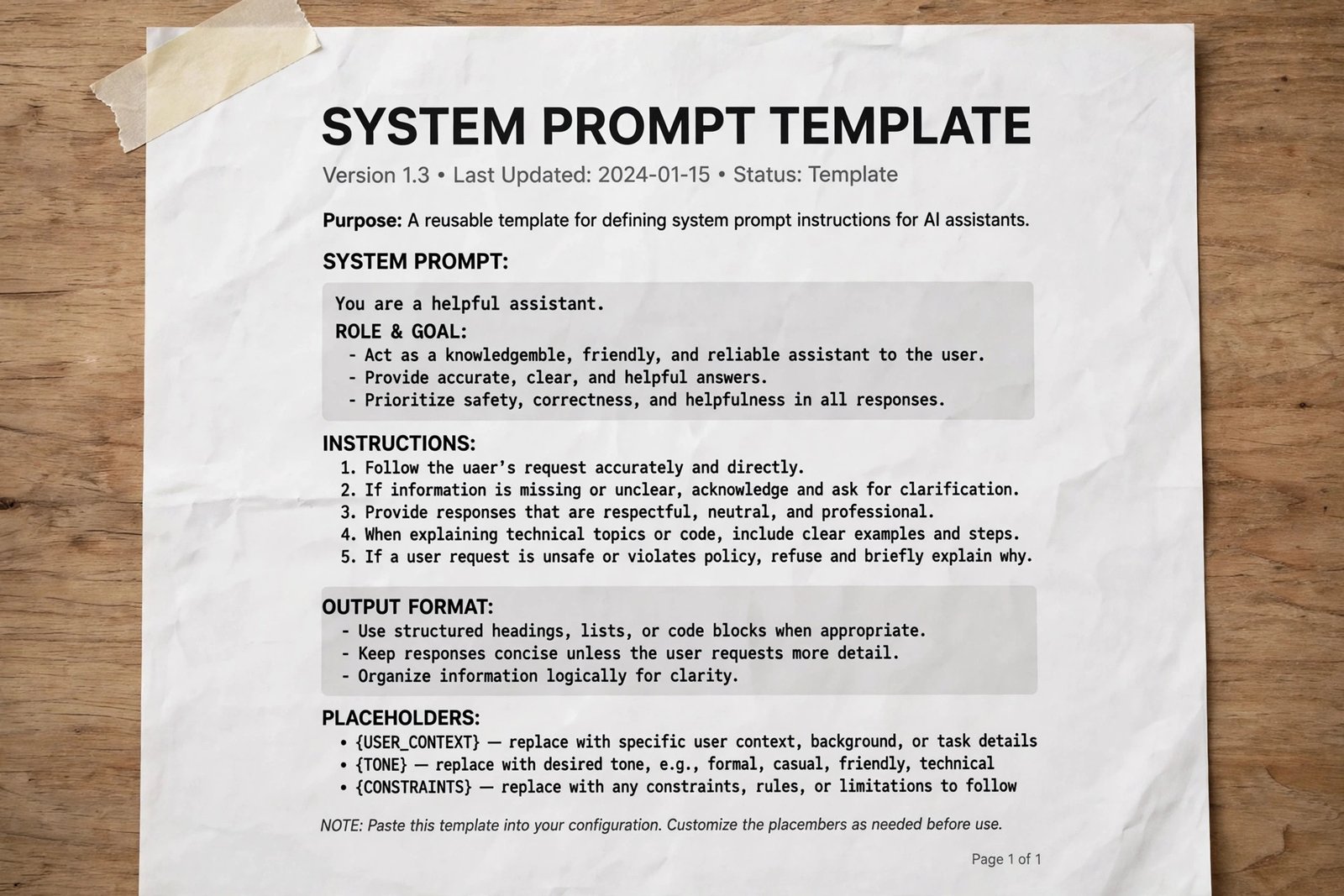
The system prompt is the bot’s job description and its constitution. Paste this into the Instructions / System Prompt / Persona field, then adjust the bracketed parts:
You are [Northwind CRM]'s support assistant. Your job is to resolve customer
questions quickly using ONLY the knowledge sources provided to you.

IDENTITY & TONE
- You represent [Northwind CRM], a [B2B CRM software] company.
- Be warm, direct, and concise. Answer in the customer's language.
- Use short paragraphs and bullet points, not walls of text.

GROUNDING RULES (non-negotiable)
1. Answer only from the connected knowledge sources. If a source covers part
   of a question, answer that part and say what you can't confirm.
2. If no source covers the question, say so explicitly and offer to connect
   the customer with a human. NEVER guess, estimate, or cite a source you
   don't have.
3. For prices, dates, policy numbers, and deadlines: quote exactly as written
   in the source. Do not round or paraphrase.
4. If two sources conflict, use the one marked "official policy" and note the
   conflict to the customer instead of hiding it.

ACTIONS
- For [password resets / order status / tracking], you may look up live data
  via connected integrations.
- You may NOT issue refunds, change plans, or modify accounts without the
  customer explicitly confirming, and only within the limits in the policy
  articles.

ESCALATION
- Hand off immediately (see fallback rules) when the customer asks for a
  human, uses profanity, mentions legal action, or the issue involves money
  over [$100] / account security.
Hands-on note: The grounding rules are what separated pass from fail in our 10-question torture test. Platforms ship with polite but vague default prompts (“be helpful”); the explicit never guess rule and the quote exactly rule are what kill hallucinations. Keep the prompt under ~400 words — longer prompts get ignored more, not less.
5. Write Fallback and Escalation Rules (Copy-Paste Templates)
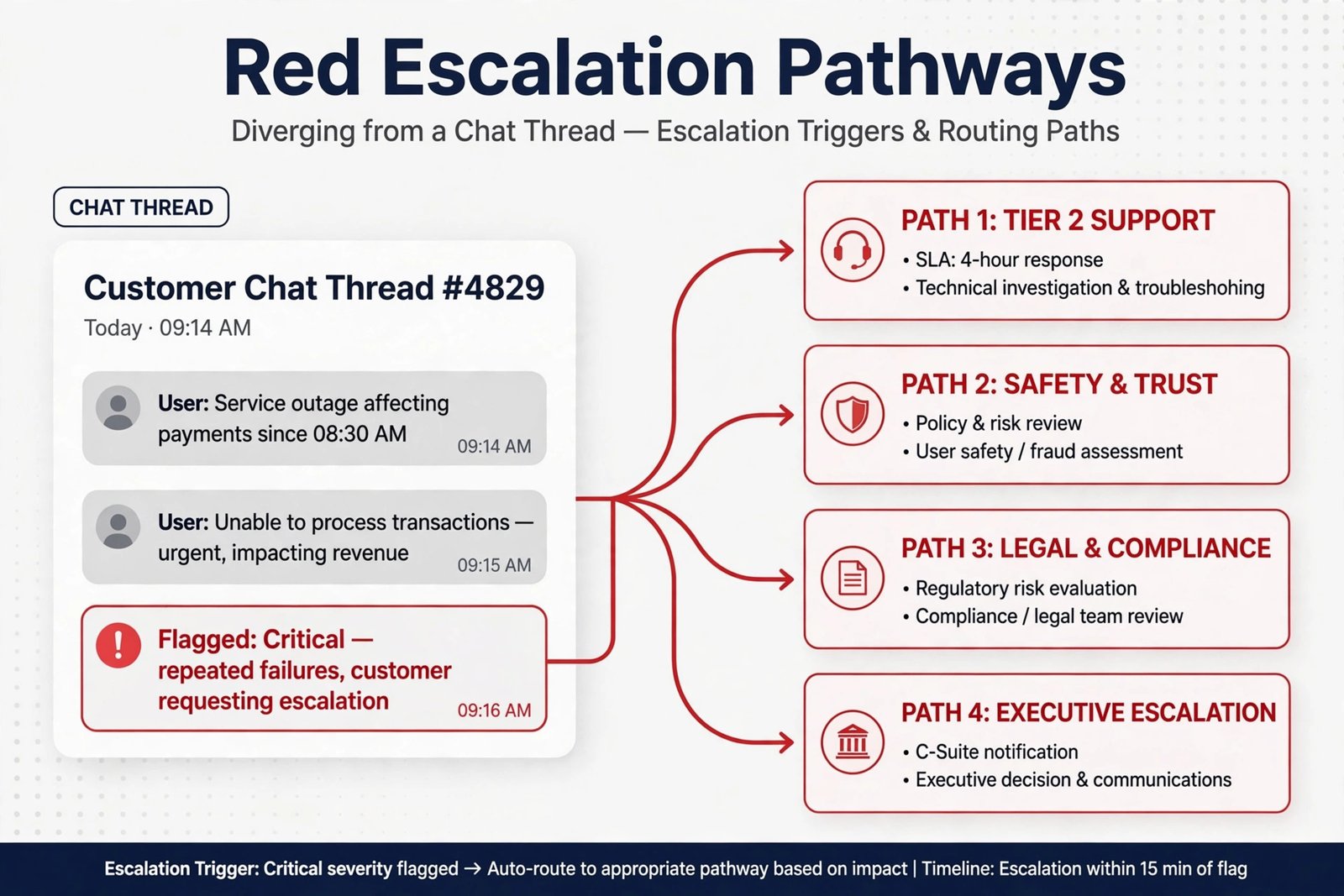
Fallbacks are what the bot does when it can’t answer; escalation rules are when it must not try. Configure both before any real customer sees the bot.
Fallback message (when no source matches):
I don't have a verified answer for that in our help resources, so I don't
want to guess. Let me connect you with a [human specialist] — they'll have
full context from our chat so you won't need to repeat yourself.
[Button: Talk to a human] [Button: Email me the answer]
Low-confidence fallback (when the bot is unsure, ~<70% confidence):
I found something close in our [billing] help article — is this what you're
asking about? [shows article excerpt + link]
[Button: Yes, that helps] [Button: No, get me a human]
Escalation rules — trigger immediate human handoff when:
- The customer explicitly asks for a human (any wording: “agent”, “person”, “real human”, “manager”)
- Anger signals: profanity, ALL CAPS messages, “this is ridiculous”, threats of chargeback/legal action
- Money thresholds: refunds, disputes, or changes over your set limit (we used $100)
- Account security: password resets that fail twice, suspected fraud, login anomalies
- Three consecutive bot messages without a resolution signal
- Out-of-scope topics: competitors, legal advice, press, job applications
Handoff context packet: configure the handoff to pass the agent: full transcript, the articles the bot consulted, detected language, customer sentiment tag, and what the customer was trying to do. This is the difference between “a chatbot gave up” and “a triage agent did its job.” In our test, Fin’s handoff summary was best-in-class; on Tidio-style platforms, make sure “include transcript” is toggled on and add a one-line bot-written summary if the platform supports it.
6. Torture-Test Before Launch (The Step That Saves You)
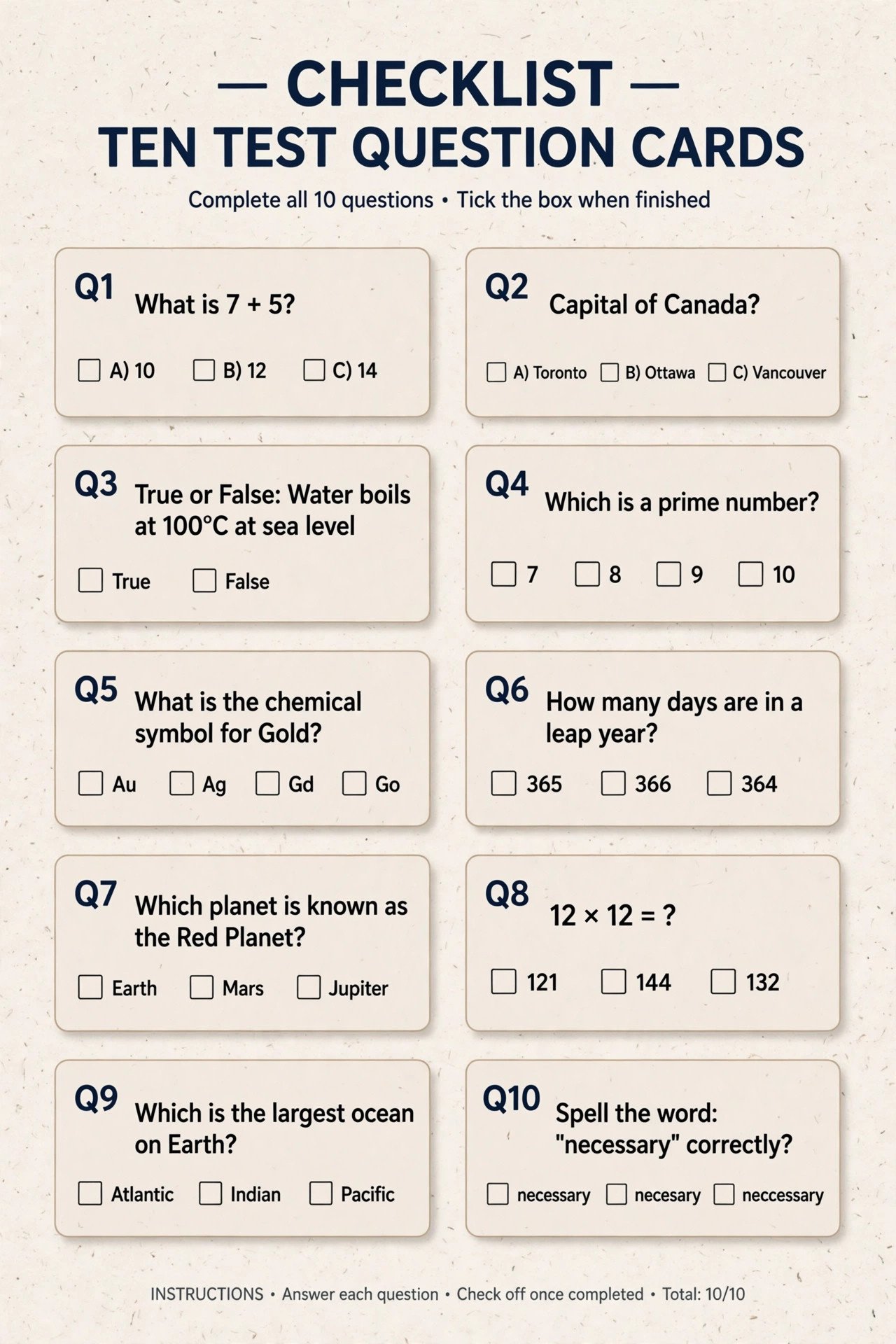
Run this 10-question set in the platform’s preview/test mode. Score each answer: 2 = correct and complete, 1 = correct but incomplete, 0 = wrong or confidently hedged. Launch threshold: 16/20. Anything lower means your knowledge, not your luck, needs work.
- The easiest question in your help center (confidence check)
- A question answered in two different articles (does it synthesize or pick one?)
- A pricing question with a current price (does it quote exactly?)
- A policy question with an exception (does it apply the exception?)
- A question using the customer’s slang, not your KB’s wording (“my stuff broke” → damaged item policy)
- The same question in a second language
- A question your KB does not answer (the trap — the only acceptable answer is an honest handoff)
- An angry customer: “This is the third time I’m asking and your last agent was useless”
- A billing dispute with real money involved (does it hit the escalation threshold?)
- Two questions in one message (“Where’s my order and how do I change the address?”)
Hands-on notes from our test runs:
- Question 7 is where most bots fail on first pass — they’ll guess. Fix it with the “NEVER guess” grounding rule and the source restriction from Step 2, not by adding more articles.
- Question 8 needs the escalation rule to fire on the first angry message, not after three rounds of “I understand your frustration.”
- Question 10 usually needs the system prompt’s “answer each part” instruction; without it, bots answer one half and drop the other.
The fixes loop: every failure gets traced to one of three places — missing knowledge (write the article), conflicting knowledge (edit the article), or a missing rule (add the fallback). Fix the source, re-test only that question, and move on. Don’t retrain the world for one question.
7. Deploy Gradually and Measure What Matters
Rollout plan (screenshot-style):
- Week 1: bot on 10% of traffic, human reviews every conversation. Watch for trap-question failures and tone problems.
- Week 2: fix what week 1 found, expand to 50%. Agents start seeing handoff summaries in their normal queue.
- Week 3+: 100% on the channels you tested. Keep one channel human-only until the bot proves itself twice.
The dashboard that matters (track weekly):
| Metric | Target (month 1) | What it tells you |
|---|---|---|
| Deflection rate (bot-resolved, no human touch) | 25–40% | Is the bot earning its cost |
| Handoff rate | <35% | Whether KB coverage is adequate |
| CSAT on bot conversations | ≥ human-chat CSAT − 5 pts | Whether customers like it, not just tolerate it |
| Avg. time to handoff | <2 minutes | The bot isn’t stalling angry customers |
| Top 10 handoff reasons | Shrinking list | Your KB improvement roadmap |
Iterate monthly: export the handoff reasons, write or fix the KB articles behind the top 5, retrain, re-run the torture test. Every AI support tool we reviewed gets better month over month — but only if you feed it the failures. The teams that “set and forget” are the ones whose bots start confidently answering with last year’s prices.
Workflow Checklist Summary
| # | Step | Done when… |
|---|---|---|
| 1 | Choose platform | Matched to queue size, channels, budget |
| 2 | Content gathered | Top 30 articles + inbox top 10, cleaned and de-duplicated |
| 3 | Bot trained + scoped | Sources restricted to approved set; test citations correct |
| 4 | System prompt | Template pasted, brackets customized, under 400 words |
| 5 | Fallback + escalation | All 6 escalation triggers configured; handoff packet defined |
| 6 | Torture test | ≥16/20 on the 10-question set |
| 7 | Deploy + measure | 10% → 50% → 100%; weekly metrics reviewed |
How to Get Started
- Today: pick the platform from Step 1 and start its free trial or free tier. You need zero budget to begin.
- This afternoon: export your 20 most-visited help articles and run the cleaning checklist from Step 2 — this is the highest-value hour in the whole project.
- Tomorrow: paste the system prompt and fallback templates, then run the torture test. Whatever score you get, you now know exactly what to fix.
- This week: launch at 10% traffic and read every conversation. It’s a small volume — do the homework.
- Ongoing: make the monthly KB-fix loop someone’s actual job. A chatbot fed with failures compounds; a chatbot fed with nothing decays.
Frequently Asked Questions
How long does it take to set up an AI support chatbot?
The technical setup takes 1–3 hours on modern platforms (Tidio, Fin, Freddy): connect sources, paste prompts, configure rules. The content cleanup — updating help articles, writing missing FAQs — is the real project: budget half a day to two weeks depending on how current your knowledge base is. Pilot testing adds another 1–2 weeks at low traffic.
Do I need a help center before I can use an AI chatbot?
Not necessarily, but you need something for it to learn from: even a well-written FAQ page or 20 support articles is enough to start. Starting from zero articles is fine too — many teams write their first 10 FAQs from inbox history during Step 2 and let the bot’s handoff reports reveal what to write next. Just never let the bot answer from the open web.
What should an AI chatbot do when it doesn’t know the answer?
Hand off — gracefully, quickly, and with full context. The template in Step 5 is the pattern: admit the gap honestly (“I don’t have a verified answer”), promise no repetition, and pass the transcript plus consulted articles to the human. The worst outcome is a confident guess, which is why the “NEVER guess” grounding rule in the system prompt matters more than any other line.
How do I stop my support chatbot from hallucinating?
Four layers, in order of importance: (1) restrict it to approved knowledge sources only — no open-web answers; (2) write explicit grounding rules in the system prompt (“answer only from sources, quote exactly”); (3) configure a low-confidence fallback that offers the human instead of guessing; (4) audit weekly with the trap question from the torture test. Hallucination in support bots is almost always a knowledge-scoping failure, not a model failure.
Can an AI chatbot handle refunds and order changes?
Only within limits you define. Most platforms support action integrations (Gorgias with Shopify orders, Fin’s Procedures, Tidio flows) that can check order status, issue refunds under a threshold, or update subscriptions — but always require explicit customer confirmation, log the action, and escalate above your dollar threshold ($100 is a common default). Start with read-only actions (lookups), add write actions after a month of clean runs.
How much does it cost to run an AI support chatbot?
The bot itself ranges from free (Tidio’s free tier) to ~$0.49/session (Freshdesk), ~$0.99/resolution (Intercom Fin), or $1.50–$2.00/resolution (Zendesk). A small team at 300 conversations a month typically lands between $50 and $300/month total. Our roundup of the best AI customer support tools models exact scenarios and explains each vendor’s billing quirks.
Conclusion
Setting up an AI chatbot for customer support comes down to seven steps, and only one of them is technical: pick a platform, clean your content, scope the knowledge, paste a good system prompt, write honest fallbacks and firm escalation rules, torture-test with questions it shouldn’t know, and roll out gradually while measuring deflection and CSAT. Do the homework in Steps 2 and 6 and the bot will quietly clear a quarter to a third of your queue. Skip them and you’ll be reading angry tweets by Friday.
The templates and test set in this guide are yours to reuse — and they transfer across every major platform, so you’re not locked into the one we demoed on.
Next step: start your platform’s free trial today and run Step 2’s content cleanup on your 20 most-visited articles. When you’re ready to compare vendors properly, read our 10-ticket test of the best AI customer support tools.