
Compare two Fridays for the same truck. At a brewery with a thirsty crowd and no kitchen, the line runs long, the best sellers sell out, and the crew packs up early with a strong till. At a quiet office park with a competing food hall next door, the same truck serves a handful of customers, throws food away, and drives home wondering why the week felt so uneven. The truck did not change. The menu did not change. The spot changed, and the spot is the business. That gap is the reason owners use AI for food truck route scheduling, because a route built on habit and hope will keep sending a good truck to weak spots.
The fix is a weekly route built from evidence rather than memory. Each spot gets a score based on past sales, foot traffic, weather, event type, and costs such as fees and drive time. Permits are checked before the truck is promised anywhere, not after. The menu is trimmed or expanded for the crowd at each stop. Customers learn where the truck will be before they get hungry, not after they have already eaten somewhere else. And every stop is measured, so next month’s route is built on numbers instead of stories about one great night six months ago.
The honest limit comes first, because it shapes every later choice. Software cannot make a bad location good, fix a weak menu, or rescue a truck that arrives late to a lunch crowd. What it can do is stop an owner from repeating a weak spot out of habit, warn about a permit gap before it becomes a fine or a turned away truck, and put the sales evidence for each spot in front of the owner every week. An owner who buys software expecting it to find crowds will be disappointed. An owner who buys it to choose spots with clear eyes will see the route improve within a season.
How to Use AI for Food Truck Route Scheduling Week to Week
Route scheduling for a food truck answers six questions in order. Which spots are worth a visit this week. Is the truck legally allowed to work each spot on that date. What should the menu and prep look like for the crowd at each stop. How will customers learn where the truck is and when. How does the crew get there, set up, serve, and move on without wasted hours. And what did each stop actually earn, once fees, food cost, and drive time are counted. Tools that help you use AI for food truck route scheduling slot into each question, but they work best as one connected weekly plan rather than a separate app for each answer.
Most owners start from one of three places. Some still run the week from texts, a shared calendar, and a notebook of past sales. Some use a point of sale system such as Square for sales, plus a spreadsheet for spots and permits. Some already run a food truck platform such as CurbsideOps, RollingFood, or VendBeacon, and want the newer automated features layered on top. The workflow in this guide fits all three, because the steps stay the same even when the software changes. What changes is how much copying a human has to do between systems.
Think of the system as three helpers, not one brain. The first helper scores and checks, which covers spot scoring, permit tracking, and route order. The second helper sells and prepares, which covers menu choices, prep lists, and pre orders. The third helper talks to customers, which covers location announcements, opening texts, and review requests. When you evaluate a tool, ask which helper it actually delivers well, because a vendor demo may show all three while the owner only ever uses one of them properly.
The weekly rhythm matters as much as the tool. A route decided on Sunday night, with permits checked, prep ordered, and announcements scheduled, beats a route improvised each morning. Build the habit first, with a fixed weekly planning hour, and let software fill that hour with scores and checks instead of guesswork. Owners who plan weekly also spot problems early, such as a permit expiring on a festival weekend, while owners who plan daily discover them at the gate.
Spot Scoring That Ends the Habit Route
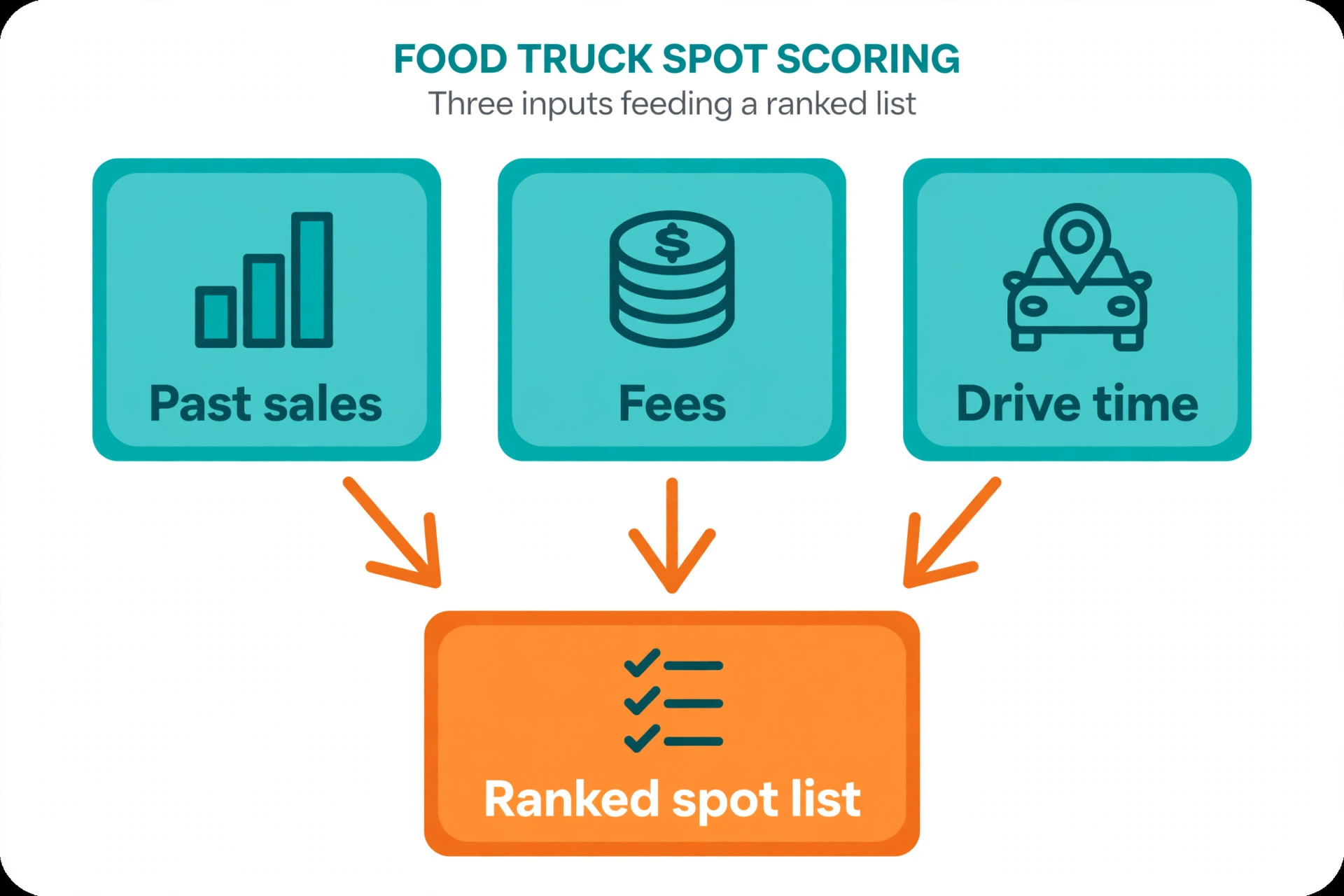
Spot scoring is where food truck routing succeeds or fails, because every other decision depends on choosing the right places to be. A spot score should combine the facts that actually drive a good day. Past sales at that spot, on that weekday, in that season. Foot traffic and event type, since a farmers market crowd and a brewery crowd buy differently. Fees, including market fees, event commissions, and any percentage taken on sales. Drive time and fuel, including setup and breakdown time that eats into serving hours. And weather sensitivity, because an open air spot that collapses in rain is a different bet from a covered spot.
Software helps by holding that history in one place and ranking spots automatically. When you use AI for food truck route scheduling, the system can surface the strongest spots for each open day, flag spots whose sales have fallen for three visits in a row, and suggest a test visit to a new spot when a regular spot goes quiet. The owner still makes the final call, because a score cannot know that a road closure, a new competitor, or a venue manager change has altered a spot. Treat the score as a shortlist, not an order, and review it with the crew who actually worked each spot.
New spots need a test rule, because a route built only on past winners slowly goes stale. Give a new spot two visits at different times before judging it, since one visit can be ruined by weather or a competing event. Set a minimum sales target for a test visit in advance, based on food cost and fees, and judge the spot against that target rather than against the best night the truck ever had. A spot that clears its costs and builds a small repeat crowd may be worth keeping even if it never tops the list.
Permit Checks Before the Truck Is Promised Anywhere
Permit trouble is the most expensive routing failure, because it does not just lose a day of sales. It can mean a fine, a turned away truck in front of customers, or a venue that never books the truck again. Food truck rules vary by city, county, and venue, and they cover business licences, health permits, fire and propane certification, commissary requirements, and parking or vending rules for each spot. No owner can hold all of that in memory across a multi city route, and no owner should try.
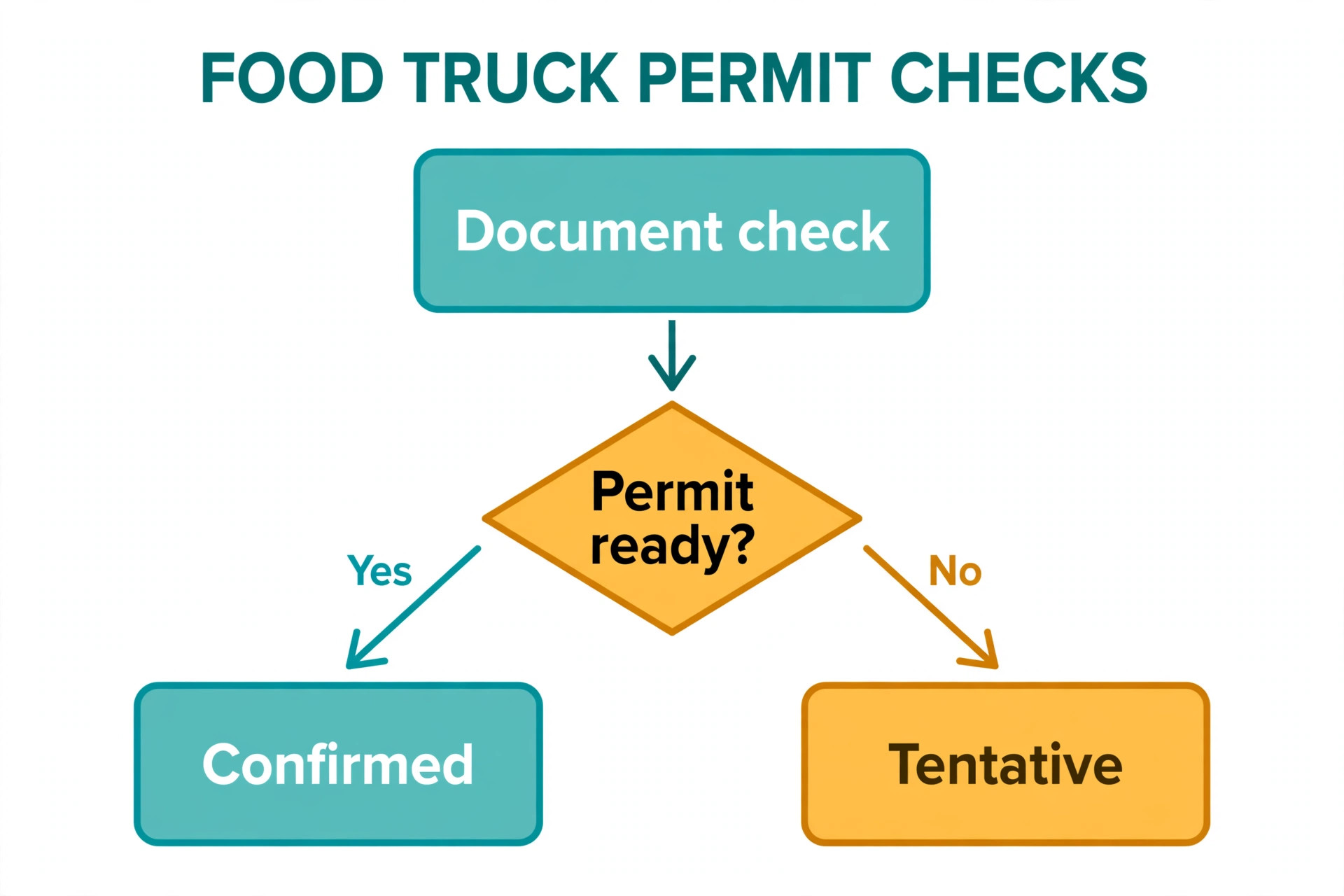
Software handles this by keeping a permit vault per truck, with expiry dates, documents, and alerts. Published descriptions of food truck platforms consistently highlight permit tracking with expiry warnings and an inspector view, which tells you this is a core feature, not an extra. Set alerts well before expiry, such as thirty days and seven days, and assign one person to renewals, because an alert nobody owns is just noise. Before confirming any booking, check that the truck is compliant for that spot on that date, including any venue specific insurance or health paperwork.
The check should also cover the truck itself, not just the paper. Height, weight, length, and propane rules affect which roads the truck can legally and safely use, and published descriptions of route tools note that rig dimensions go into route building so low bridges and restricted roads are avoided. A route that ignores the rig will eventually send a tall truck under a low bridge or down a street it cannot turn around in. Feed the tool the rig details once, and check its first routes against what the driver knows from experience.
Event bookings add a second layer of checks. A festival may need its own vendor permit, a certificate of insurance naming the event, a health inspection on site, or a fire check for propane equipment. Collect those requirements at booking time, not the week of the event, and store them against the event record. An event that cannot be confirmed compliant should stay tentative in the calendar, with customers never told the truck will be there until the paperwork is clear.
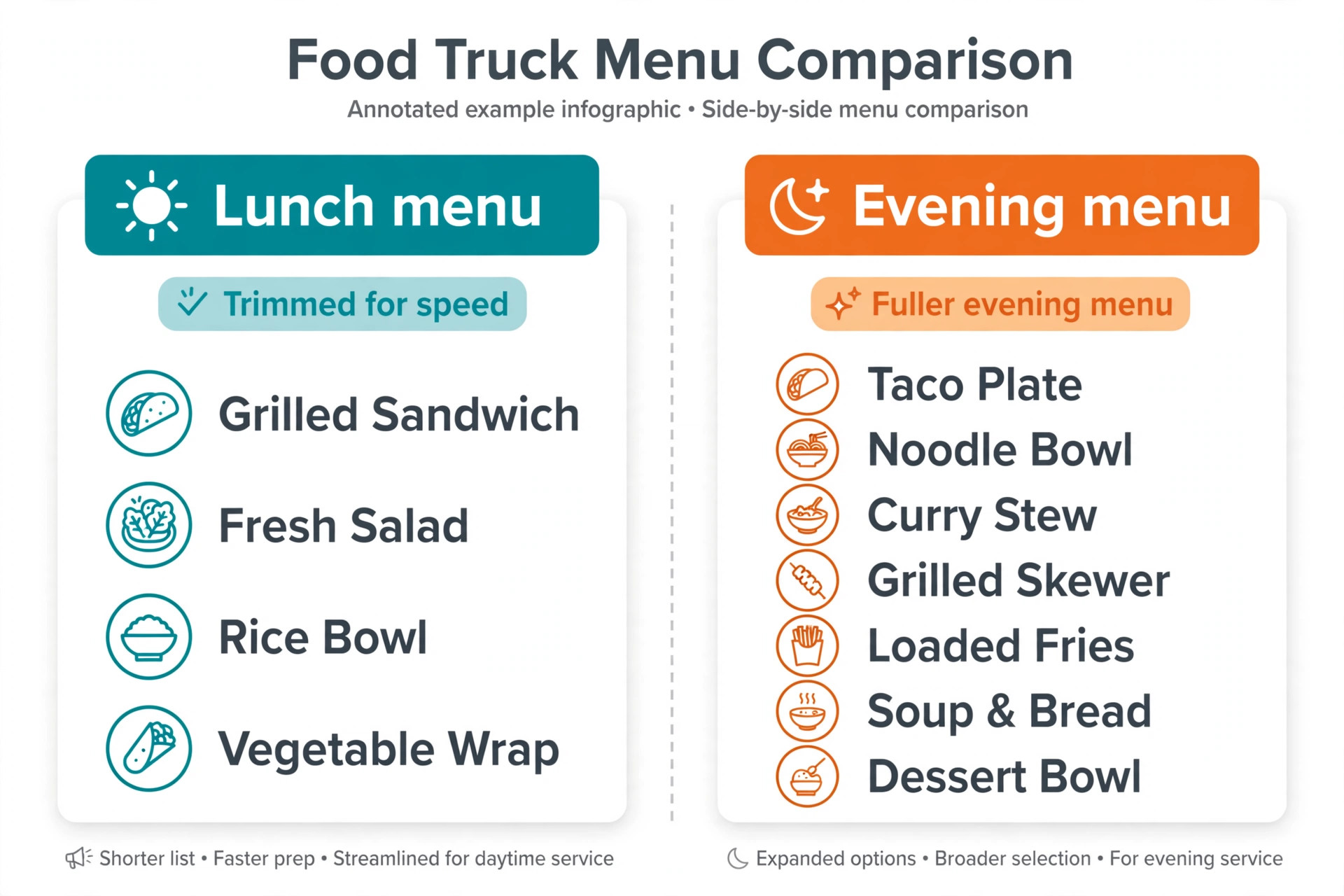
A single fixed menu for every spot wastes money twice. It wastes prep on items a lunch crowd will not buy, and it misses sales when a dinner crowd would have paid more for the right dish. Menu by location starts from the crowd. A lunch office crowd wants speed, handheld food, and a clear price, because the break is short. A brewery evening crowd wants shareable items, bold flavours, and a reason to stay for a second round. A farmers market crowd wants fresh, local, and visible cooking, because the market itself is part of the attraction.
Software helps by linking menu and prep to the spot record. When you use AI for food truck route scheduling, the system can suggest a trimmed menu for a short lunch stop, a fuller menu for a long evening event, and a prep list sized to expected volume from past sales at that spot. The owner and the cook still decide, because a sales record cannot taste a new dish or know that a supplier is out of a key ingredient. Treat the suggestion as a starting prep list, adjust it for weather and event type, and record what actually sold, so the next suggestion is better.
Pricing by location needs care, because the same item can carry different costs at different spots. A market fee, an event commission, or a long drive changes the margin on every sale, even when the menu price stays the same. Review margin per spot, not just revenue per spot, and consider a small number of premium items for high fee events rather than raising every price and losing the value crowd. Customers accept a festival special more readily than a quiet price rise on the regular menu.
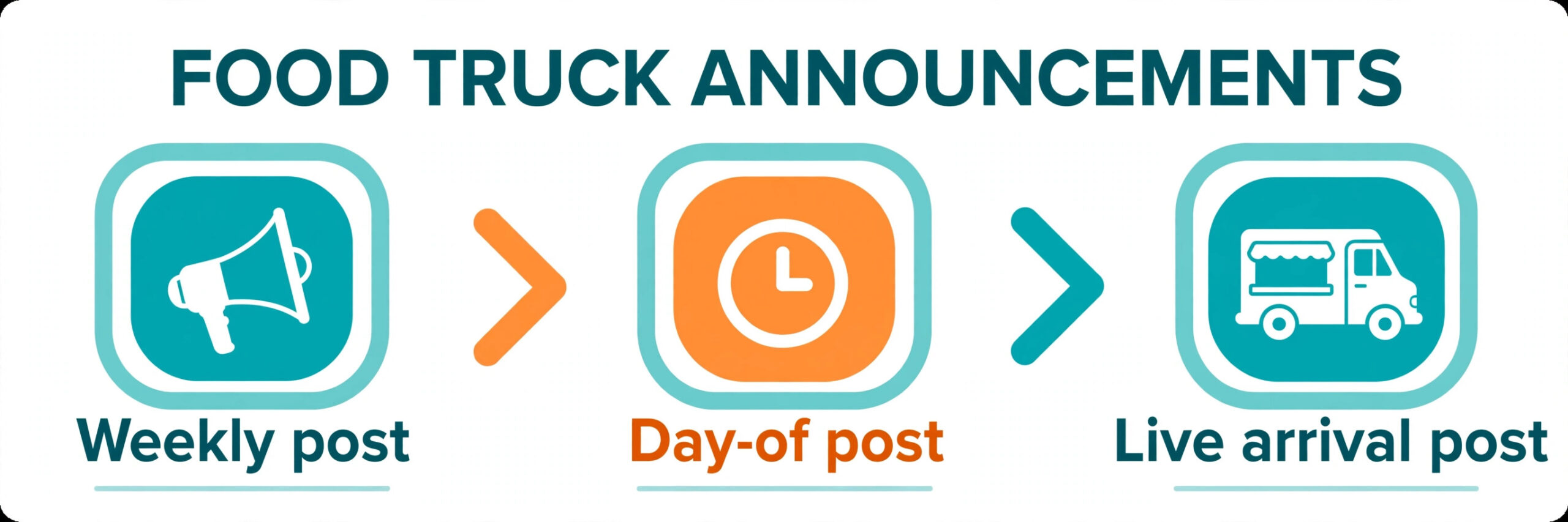
A great spot with no announcement is a quiet spot, because food truck customers choose lunch in the minutes before they eat. Announcements should go out on a schedule that matches how customers decide. A weekly schedule post on Sunday or Monday tells regulars where to find the truck all week. A day of post in the morning, with the spot, the hours, and one menu highlight, catches the lunch decision. A live post on arrival, with a photo of the truck in place, catches the passing crowd and proves the truck is really there.
When you use AI for food truck route scheduling, software helps by turning the weekly route into announcements automatically. When the route is confirmed, the schedule can flow to the truck website, to social accounts, and to a location page customers can bookmark, without retyping the same details four times. Published descriptions of food truck tools highlight auto publishing of event posts and location schedules, which tells you this is a normal expectation now, not a luxury. Keep one schedule as the source of truth, and make every announcement point back to it, because customers who find two different locations for the same day will trust neither.
Message content should stay practical. Spot name, address or clear directions, serving hours, one or two menu highlights, and any entry or parking note the crowd needs. A beautiful photo with no address is a missed sale. A long story with the hours buried at the end is also a missed sale. For private or ticketed events, say so plainly, so walk up customers do not drive to a spot they cannot enter.
Sales Tracking That Tells the Truth About Each Spot
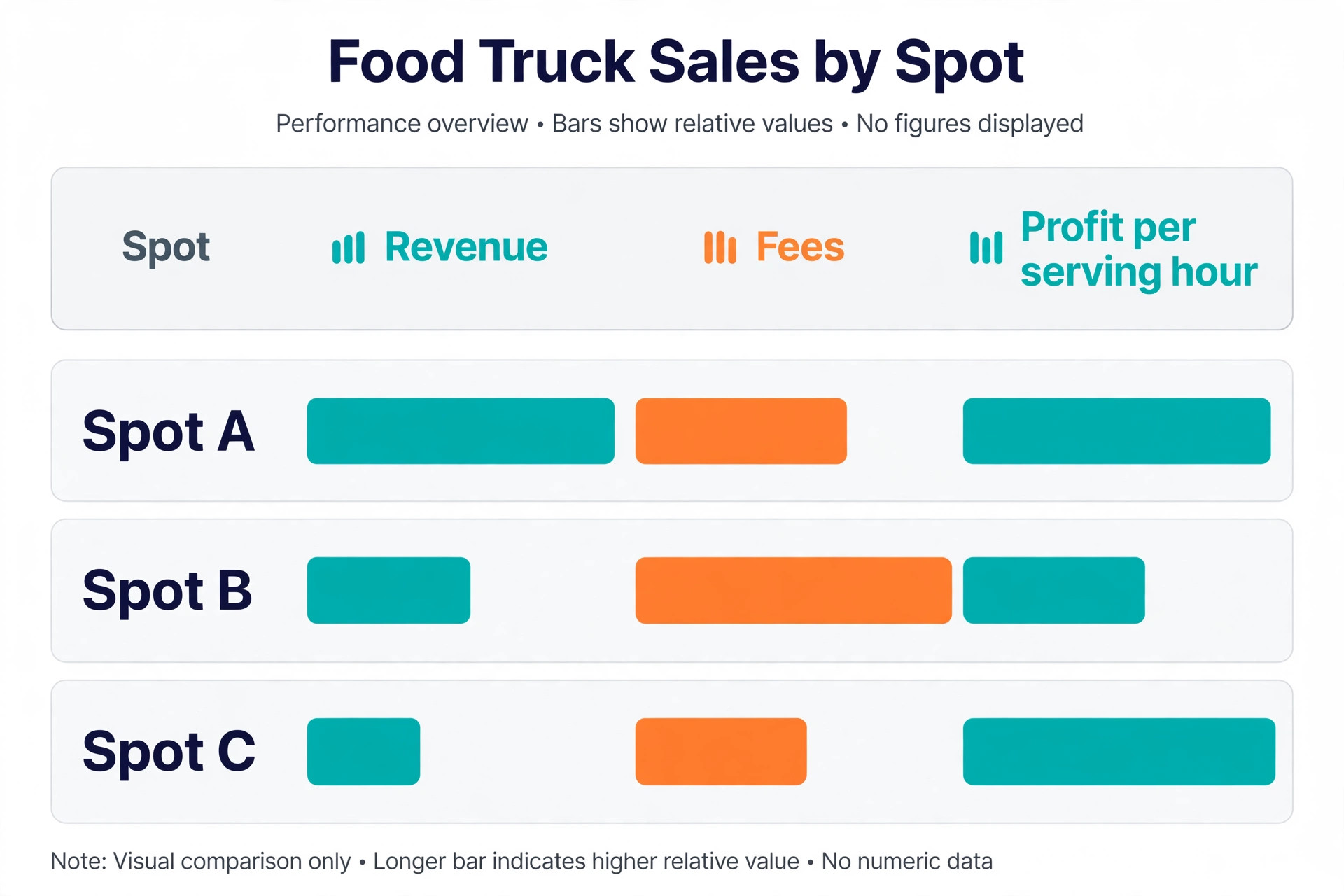
Sales tracking is the step that turns a route from a habit into a business, because it replaces stories with numbers. Track revenue per spot, per visit, and per hour of serving, not just per day, since a four hour lunch and an eight hour festival are not comparable days. Track food cost per spot where the system allows it, and track fees separately, because a spot with strong revenue and a heavy commission can be weaker than a quiet spot with no fee. Connect the point of sale to the spot record where possible, so sales fill in without manual entry at the end of a long day.
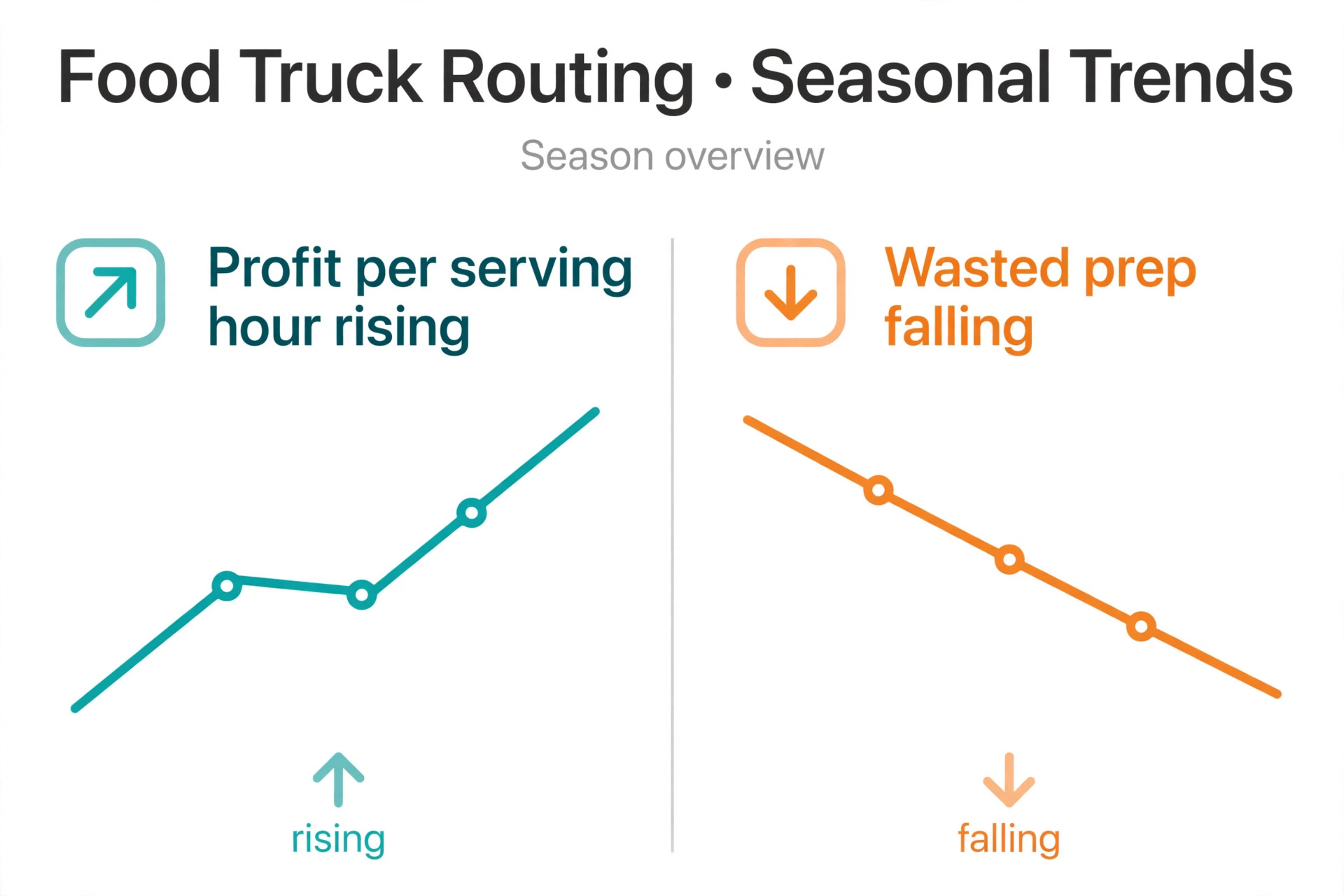
The weekly review is where the numbers become decisions. Rank spots by profit per serving hour, not by revenue alone, and look at the trend across the last three visits rather than a single night. A spot that is falling steadily deserves a conversation with the venue or a menu change before it is dropped. A spot that is rising steadily may deserve a longer stay, a second truck visit, or a premium menu. A spot that swings wildly with weather may need a covered backup plan rather than a verdict.
Crew cost belongs in the same review. A spot that needs four crew for a short lunch may be weaker than a spot that runs well with two, even when revenue looks similar. A spot with a long drive and a long setup eats crew hours before the first sale, and those hours should count in the spot score. Owners who review revenue alone keep spots that feel busy but pay poorly, while owners who review profit per hour build routes that actually fund the business.
Best Pick by Job for Food Truck Route Tools
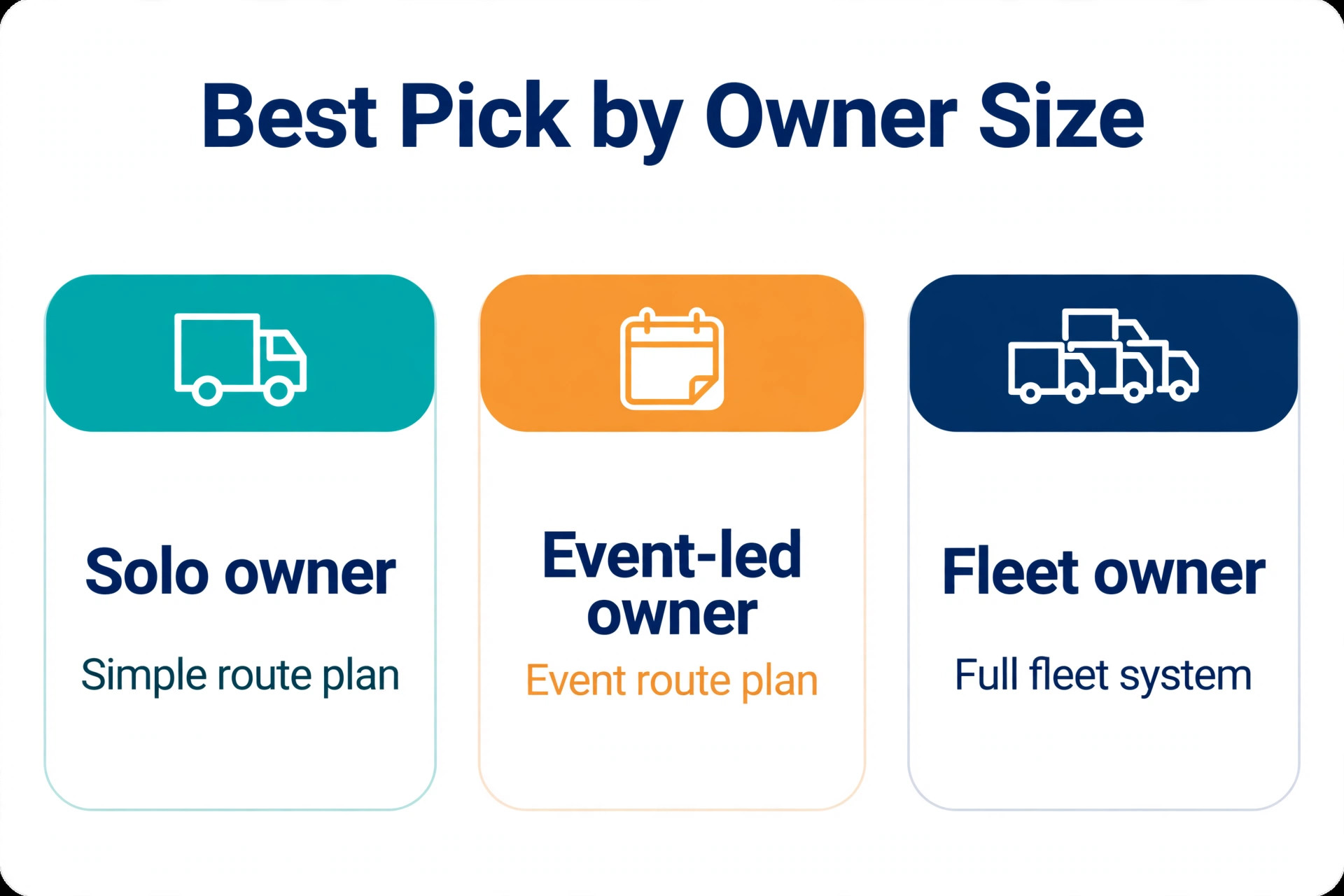
No single tool fits every food truck owner, because a solo truck and a three truck fleet buy different things even when the feature lists look similar. The table below sorts the main approaches by the job they do best, based on how vendors position them and how reviewers describe their fit.
| Owner shape | Best fit approach | Why it fits |
|---|---|---|
| Solo truck starting out | Point of sale plus a simple spot calendar | Low cost, sales tracked from day one, route kept in one calendar |
| Owner adding events and permits | Food truck platform with permit vault and bookings | Permits, events, and revenue per spot in one place |
| Growing fleet with crew schedules | Full fleet platform with crew tools and GPS | Staff scheduling, multiple trucks, and live location in one system |
| Truck built on pre orders and online sales | Ordering platform with pickup slots and location pages | Scheduled pickups shorten lines and smooth the serving window |
Read that table as a starting point, not a verdict. A solo owner who plans to grow to three trucks may be better starting on the fuller platform, even if it feels heavy at first, because migrating spot history and permit records mid growth is painful. A fleet owner who values speed over depth may prefer the simpler tool and accept manual workarounds for crew scheduling. Demo each option with your own messy cases, including a cancelled event on a Friday morning, a permit expiring on a festival weekend, and a spot that needs a different menu, and judge the tool on those days.
Pricing also separates these tools in ways a feature list hides. Published food truck platform pricing shows a starter plan around forty nine dollars a month for one truck, a professional plan around ninety nine dollars a month for three trucks, and a premium plan around one hundred ninety nine dollars a month for eight trucks, with extra trucks priced per month after that.
Another platform lists a free plan for a first truck with a paid plan around thirty nine dollars a month for card payments and analytics. Treat any third party price as a starting point and check the vendor page before signing, because plan limits, per truck pricing, and add on costs change, and the price for one truck and the price for eight are different products in practice.
Costs and Trade Offs Worth Pricing Before You Commit
The cost of food truck route software is not one subscription. It is the platform fee, any payment processing fee on each transaction, the messaging cost for announcements and customer texts, the time to build spot records and permit vaults, and the staff hours spent checking automated routes in the early weeks. Owners already paying for a point of sale system may add route features for a smaller increment. Owners moving from notebooks pay for the whole platform at once, plus setup, and should budget for a slower first month while the crew learns the new routine.
The trade offs are real and worth naming plainly. A full fleet platform brings permits, crew, and sales together, but it also brings a longer setup and a monthly cost that rises with each truck. A simpler tool gets a solo truck running in days, but it may need manual workarounds for permit expiry or crew scheduling as the fleet grows.
An automated route suggestion saves planning time, but it can also send a truck to a spot whose conditions changed if the owner stops checking local knowledge. None of these trade offs is a reason to avoid the tools. Each is a reason to match the tool to the fleet size you have now, with a clear path to the size you plan to reach.
Mistakes That Undo a Good Route
The most common mistake is automating a habit route. If spot choices are based on memory today, an automated score built on thin history will repeat the same choices faster. If permit dates live only in the owner head, an alert system with no data will stay silent. Fix the records first, with past sales per spot, permit dates in a vault, and fees recorded at booking, then let software rank and remind. Software scales whatever you feed it, good or bad.
The second mistake is announcing a route before it is confirmed. A schedule post that names a spot still waiting on permit approval or venue confirmation creates customers who arrive to an empty lot. Confirm compliance and venue booking first, then announce, and keep one schedule as the source of truth. When a change happens, update the source first and the announcements second, in that order, every time.
The third mistake is judging a spot on one visit. Weather, a competing event, a road closure, or a venue problem can ruin a single day at a spot that would otherwise perform well. Give a new spot two visits before judging it, and judge a regular spot on its last three visits rather than its last night. A route built on single visit verdicts churns constantly, and churn costs regulars who liked knowing where to find the truck.
The fourth mistake is ignoring driver and crew knowledge. Drivers know which streets jam at lunch, which venues have awkward loading, and which spots look busy but buy little. If they stop reporting those facts because nobody acts on them, the system keeps making the same errors with confidence. Hold a short weekly review in the first two months, fix the top three recurring complaints, and tell the crew what changed. That loop is what turns a generic tool into a route shaped for one fleet.
Food Truck Route Checklist for the First Thirty Days
Use this checklist to roll out a plan to use AI for food truck route scheduling without breaking a live week of service.
1. Record past sales, fees, and drive time for every regular spot, and rank spots by profit per serving hour. 2. Build the permit vault per truck, with expiry alerts and one owner for renewals. 3. Set the weekly planning hour, with route, permits, prep, and announcements decided together. 4. Give every new spot two test visits and a minimum sales target agreed in advance. 5. Build menu and prep templates for lunch, evening, market, and festival spot types. 6. Set the announcement schedule, with a weekly post, a day of post, and a live arrival post. 7. Connect the point of sale to the spot record, and review profit per hour every week. 8. Keep a short list of tested backup spots, and use it the first time an event cancels.
That checklist is deliberately short. A longer rollout plan looks impressive and gets ignored. Eight steps, done properly, change routing more than a fifty page manual that nobody reads.
How to Measure Whether Routing Is Improving
Measurement should start before the new workflow, so the improvement is visible rather than claimed. Record four numbers for four weeks on the old method. First, profit per serving hour by spot, meaning revenue minus food cost and fees, divided by serving hours. Second, the no show or cancelled spot rate, meaning confirmed spots that did not happen. Third, the announcement reach, meaning customers who saw the schedule before service, estimated from location page visits and social reach. Fourth, wasted prep, meaning food prepared but not sold, estimated from end of day counts.
After rollout, track the same four numbers weekly, plus two more. Track permit incidents, meaning spots lost, fines, or turned away trucks, because a falling number shows the vault is working. Track repeat visits, meaning customers who return to a second stop within a month, because rising repeats show the route is building a crowd rather than chasing one off crowds. A truck that only tracks revenue will miss the quality change, since more revenue at high fee spots with heavy waste is not progress.
Set targets that fit the starting point. A truck with weak spot scores should aim to raise profit per serving hour first, because every weak spot replaced is a stronger week. A truck with good spots but frequent cancellations should focus on permit checks and backup spots. A truck with strong spots but heavy waste should focus on prep lists sized by spot type. One priority at a time beats five targets chased at once, because the owner can see which change caused which result.
Review the numbers with the crew, not just in the office. A route that looks efficient on a screen may ignore loading access, parking enforcement, or a venue rule that drivers know from experience. When a number improves, say which workflow change likely caused it, so the crew keeps doing that thing. When a number worsens, treat it as a rule to fix, not a person to blame, because routing improvement is a system problem before it is a people problem.
The Food Truck Route Verdict for Owners Ready to Change
The best way to use AI for food truck route scheduling is to treat software as a disciplined planner, not a replacement for local knowledge. Let it score spots, check permits, size prep, announce the schedule, and track profit per hour. Keep people on the final spot call, the menu taste, the venue relationship, and every decision where the record is thin or the stakes are high. That split gives a solo truck the coverage of a larger operation without losing the feel that regulars come back for.
Start small, with spot scoring and permit alerts, then add menu templates and announcement automation once the spot data is clean. Choose the platform that fits the fleet you have, with room to grow, and judge it on a cancelled event Friday rather than a demo day. Measure profit per serving hour, cancelled spots, waste, and repeat visits, and fix the worst number first. Done that way, the truck spends less time driving to hope and more time serving crowds that are already waiting, which is the whole point of being on wheels in the first place.
Frequently Asked Questions
Do I need food truck software, or will a point of sale system plus a calendar work?
A point of sale system plus a calendar works well for a solo truck with a small set of regular spots and simple permits. Food truck software earns its place when permits, event bookings, crew schedules, and profit per spot become daily work rather than occasional extras. Start simple if the route is small, and move when spot history and permit dates start living in too many places.
How many visits should I give a new spot before judging it?
Give a new spot two visits at different times, and set a minimum sales target in advance based on food cost and fees. One visit can be ruined by weather, a competing event, or a road closure, so a single visit verdict churns the route constantly. Judge a regular spot on its last three visits rather than its last night, and retire spots that fail their target twice.
What permits do I need to check before confirming a spot?
Check the business licence, health permit, fire and propane certification, commissary requirement, and parking or vending rules for that spot and date, plus any event specific vendor permit, insurance certificate, or on site inspection. Rules vary by city, county, and venue, so check the vendor page and the local authority for the area rather than assuming one city approval covers everywhere. Keep every document in a permit vault with expiry alerts.
Yes, within reason. A lunch office crowd wants speed and handheld food, a brewery evening crowd wants shareable items, and a farmers market crowd wants fresh and visible cooking. Use a trimmed menu for short stops and a fuller menu for long events, with prep sized from past sales at that spot type. Keep the core identity the same, so regulars recognise the truck wherever it stops.
Fix a weekly planning hour, confirm the route and permits first, then publish from one schedule that flows to the website, social accounts, and location page. Use three beats, a weekly schedule post, a day of post with spot and hours, and a live arrival post with a photo. Practical detail beats long stories, so lead with spot, address, hours, and one menu highlight.
What is the most useful number for judging a spot?
Profit per serving hour, meaning revenue minus food cost and fees, divided by serving hours. Revenue alone flatters high fee spots and long days, while profit per hour shows which spots actually fund the business. Review it weekly, look at the trend across three visits, and include crew time for long drives and setups, because a busy spot that pays poorly is still a weak spot.
More Reading on Stratilyze
– Use AI for Plumbing Company Dispatch – Use AI for Roofing Company Estimates – Use AI for Pest Control Route Scheduling – Best Quote Software for Trades Businesses – Automate Small Business with AI