
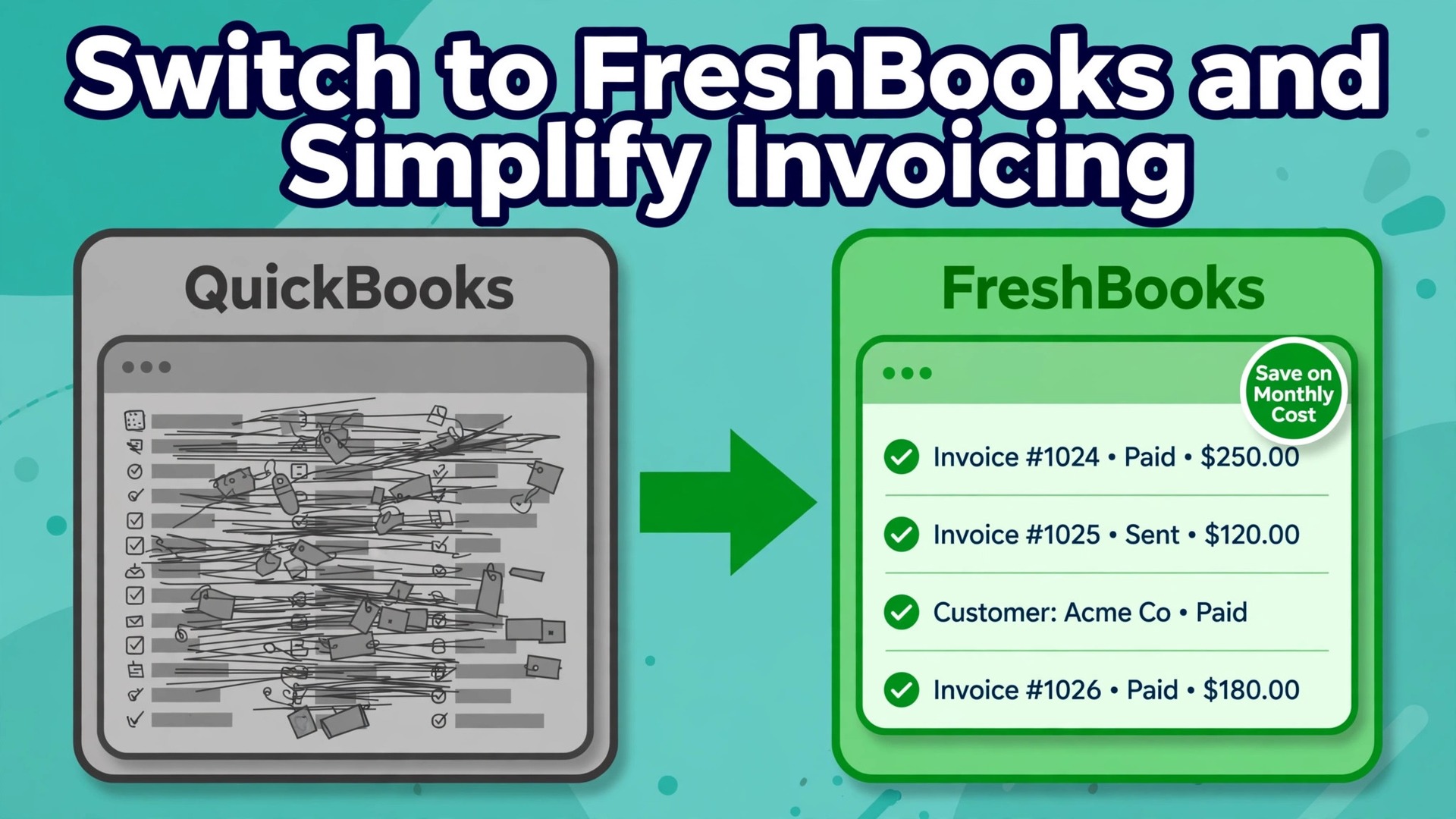
QuickBooks tries to be the whole finance department, with inventory, payroll, projects and tax tools under one roof, while FreshBooks tries to be the invoicing desk done properly, with estimates, time tracking and client billing at the centre. A service business that mostly sends invoices and chases payment often pays for the first tool while living in the second job. This guide shows how to switch QuickBooks to FreshBooks small business owners can complete without losing invoices, balances, or client trust, and it is honest about where FreshBooks is thinner than QuickBooks, so the move is a decision rather than a gamble.
The switch suits a particular kind of business. If most of your income comes from services, you send invoices to clients, you track time or projects, and you want a simpler daily routine, FreshBooks fits well. If you carry stock, run complex payroll in house, or need deep inventory and job costing, the move needs more care, and for some firms it is the wrong move. The test in this guide helps you decide before you export anything.
Prices in this guide are starting points drawn from published pricing guides at writing time, so confirm on the vendor page before you buy. FreshBooks lists Lite at 23 dollars a month for up to 5 billable clients, Plus at 43 dollars a month for up to 50 billable clients, and Premium at 70 dollars a month with no client cap, with extra team members at about 11 dollars a month each. For most small businesses making this move, Plus is the honest starting plan, because Lite leaves out bank reconciliation and full accounting reports.
Why Service Businesses Leave QuickBooks
QuickBooks is the stronger accounting system in pure depth. It handles inventory, complex payroll, and a wider range of reports, and accountants know it well. Many small businesses still leave it for a simple reason. They do not use that depth, and they pay for it in a busier interface, a higher monthly bill, and invoicing steps that take longer than they should. A business that sends twenty invoices a month and chases payment does not need a system built for a warehouse.
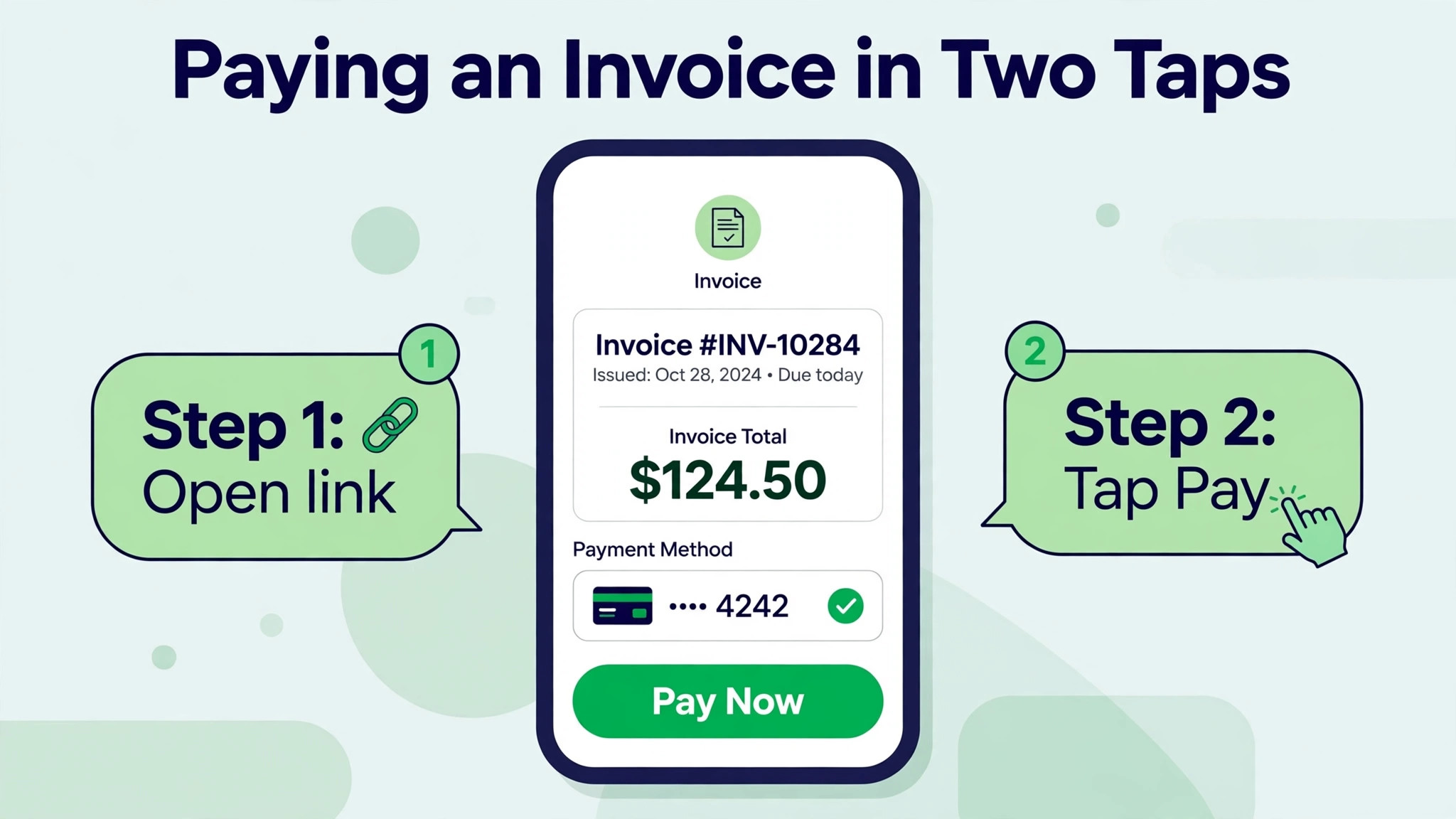
FreshBooks wins on the daily invoice routine. Creating an invoice, adding time or expenses, sending a reminder, and accepting a card payment sit close together, and the client view is clean enough that clients pay without asking for a PDF resend. That matters because late payment is often a friction problem rather than a cash problem. For a firm weighing whether to switch QuickBooks to FreshBooks small business budgets often decide the question, but the workflow fit decides whether the saving lasts. A client who can open an invoice on a phone and pay in two taps pays sooner than a client who must download, print, and arrange a transfer.
The trade is real and should be named before the move. FreshBooks is lighter on inventory, its payroll is an add on rather than a built in strength, and its reporting suits service businesses rather than firms with complex stock or multi entity books. A business that needs those strengths should stay put or move to a system with equal depth. A business that does not need them gains a simpler routine and a lower bill, which is a fair exchange.
Before You Switch QuickBooks to FreshBooks Small Business Accounts
Do not start with an export. Start with a freeze date and a decision about history. The cleanest approach for most small businesses is to close a month in QuickBooks, reconcile every bank and card account to that date, and then open FreshBooks with opening balances from that date. Old transaction detail stays readable in QuickBooks for reference and for tax records, while FreshBooks carries live clients, open invoices, and current balances forward.
Pick a quiet week, not a payroll week or a tax deadline week. Tell your accountant the plan before you move anything, because the accountant may want a final set of reports, a trial balance, and a copy of the data file. Agree who will check the first month in FreshBooks, because a second pair of eyes on opening balances catches errors that look small on screen and grow large by quarter end.
Next, list what must move and what can stay behind. Clients, vendors, open invoices, open bills, bank connections, recurring invoices, and the chart of accounts must move in some form. Closed invoices from three years ago, duplicate clients, and dead vendors do not need to move, and leaving them behind is a benefit rather than a loss. Clean data moves faster and produces fewer errors than a full dump of everything ever entered.
Set a fallback rule in writing. Keep QuickBooks read only for at least one full month after the switch, and do not cancel it until FreshBooks has produced a correct month end set of reports. That single rule removes most of the fear from a switch, because nothing is destroyed on day one. If a balance looks wrong in week two, you still have the source to compare against.
A 30 Day Switch Timeline That Keeps Billing Moving
A rushed weekend switch is how invoices go missing. A thirty day plan keeps billing moving while the new system is built and tested in parallel. Week one is preparation and reconciliation. Week two is setup and import. Week three is parallel running with a small group of invoices. Week four is full cutover, a first month end check, and only then cancellation of the old system.
| Week | Main work | Billing rule |
|---|---|---|
| Week 1 | Reconcile, export, clean client lists | All invoices still from QuickBooks |
| Week 2 | Build FreshBooks, map accounts, import clients | Test invoices only, marked clearly |
| Week 3 | Run live invoices for new work in FreshBooks | Old open invoices stay where they were raised |
| Week 4 | Month end check, accountant review, close out | All new billing from FreshBooks |
Parallel running sounds like double work, and for two weeks it is. It is also the cheapest insurance available. A business that discovers a tax rate error or a missing client during parallel running fixes it in an afternoon. A business that discovers the same error after cancellation spends days reconstructing records from bank statements. Accept the short overlap and treat it as part of the project cost. A plan to switch QuickBooks to FreshBooks small business teams can follow in thirty days beats a weekend rush every time.
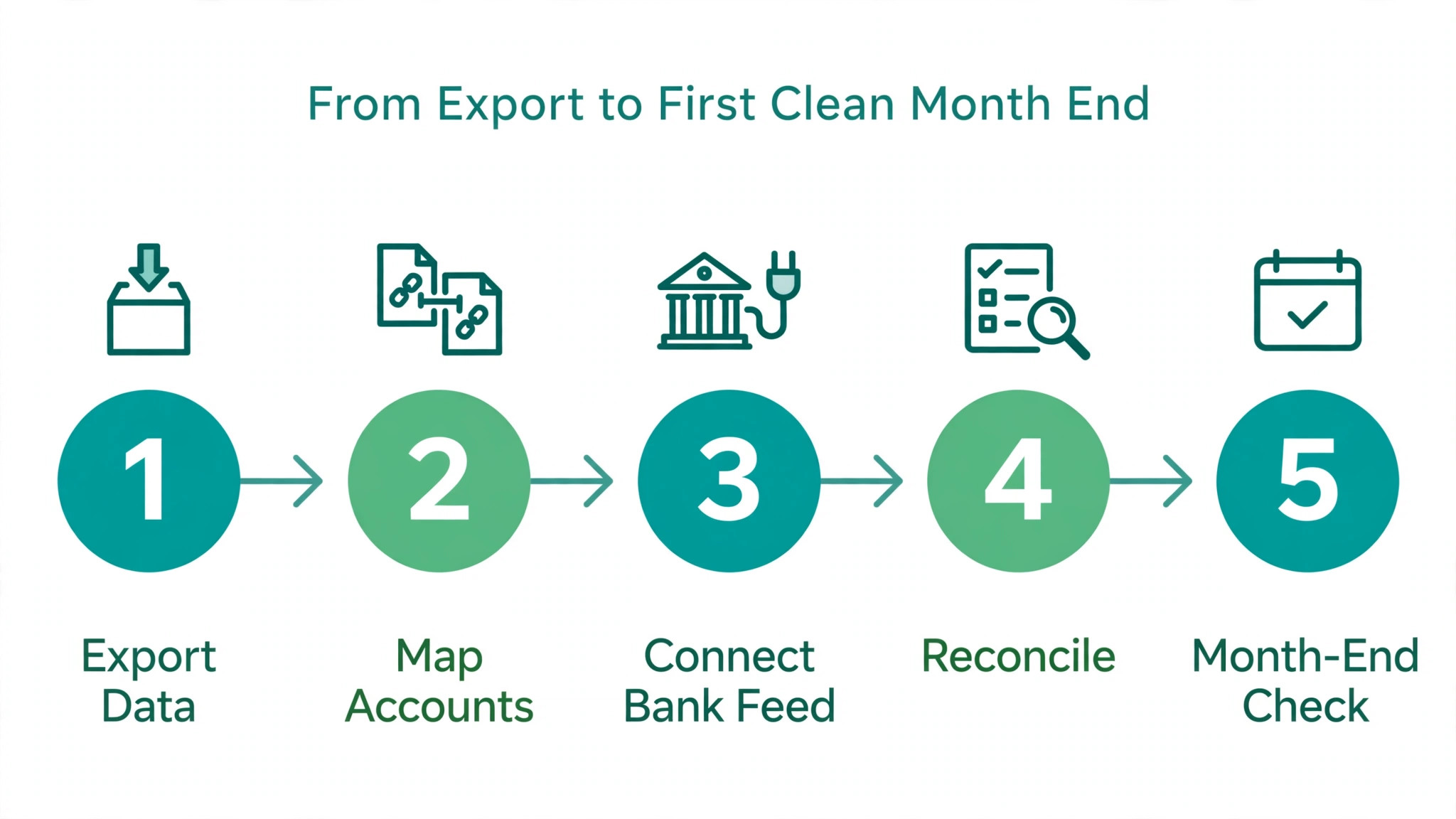
The Step Workflow From Export to First Clean Month End
This is the workflow to follow in order. Each step has a check at the end, and you should not move to the next step until the check passes. Skipping a check to save an hour is how a switch creates a month of corrections later.
- Reconcile every account in QuickBooks to the freeze date, then export the chart of accounts, client list, vendor list, open invoices, open bills, and a trial balance. Save the exports in a dated folder, and keep a copy outside the accounting system. The check is simple. Every bank balance in the export matches the bank statement for the freeze date.
- Build the FreshBooks chart of accounts from the cleaned QuickBooks list, merging duplicate and unused accounts rather than copying them one for one. Map each QuickBooks account to one FreshBooks account in a table you can show your accountant. The check is that every account with a non zero balance has a home in FreshBooks, and every account with a zero balance has a reason to exist or is left behind.
- Import clients and vendors from cleaned CSV files, then deduplicate by email and phone before any invoice is raised. Check that billing addresses, tax details, and payment terms survived the import, because a client with the wrong tax setting will produce wrong invoices from day one. Send one test invoice to your own email and open it on a phone to confirm it reads well.
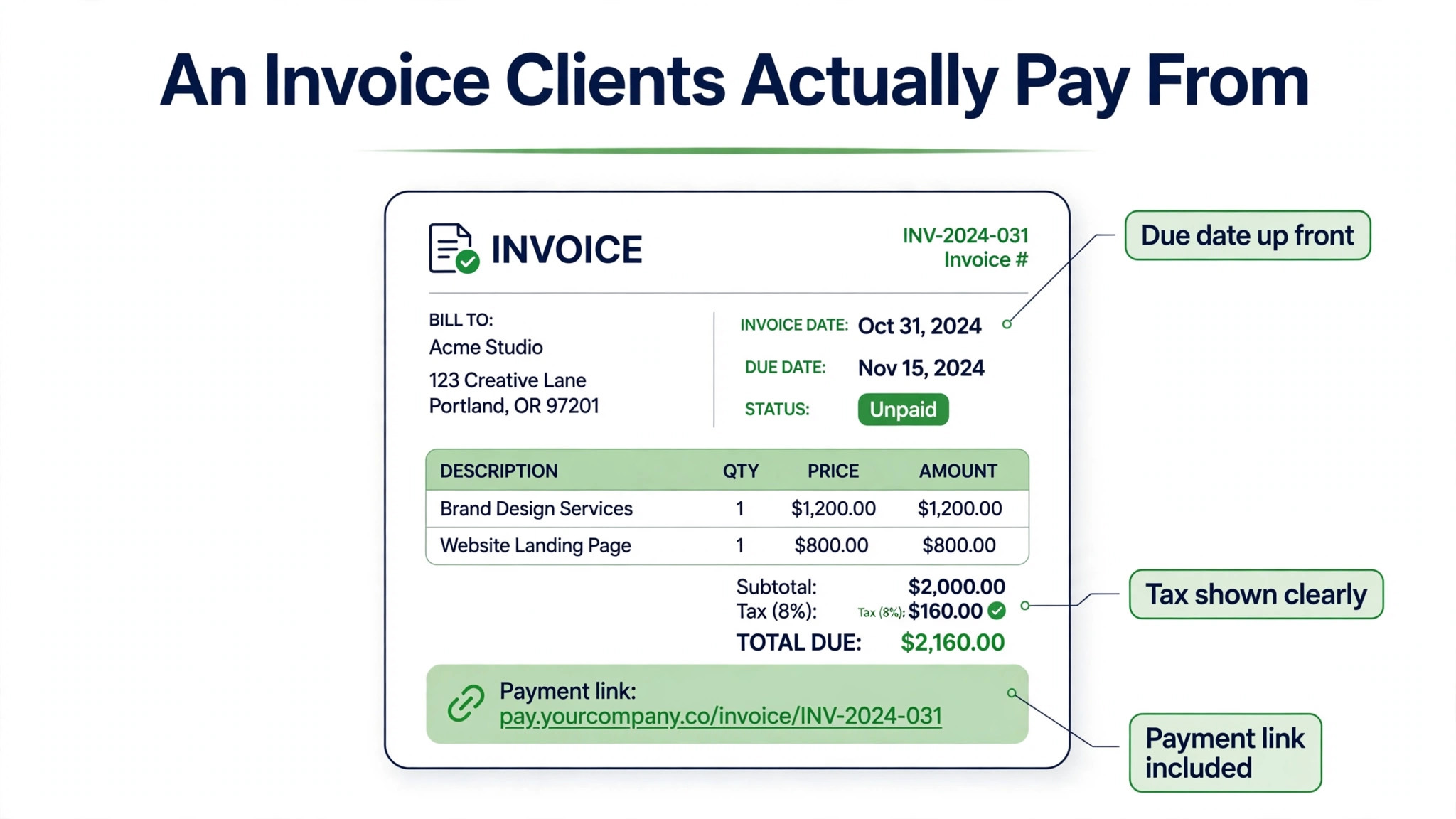
- Rebuild invoice templates, estimates, and recurring invoice schedules in FreshBooks instead of trying to copy QuickBooks layouts pixel for pixel. Set the logo, colours, payment terms, late fee rules, and reminder schedule, then test each template with a real client example. The check is that a test invoice shows the right tax, the right due date, and the right payment link.
- Connect bank feeds in FreshBooks, then import or enter opening balances for each account as of the freeze date. Reconcile the first week of imported transactions by hand, even if the feed looks correct, because feed categories are where small errors hide. The check is that the FreshBooks bank balance matches the bank statement after the first week of live transactions.
- Handle payroll before the next pay run, not during it. Decide whether payroll stays with a separate provider, moves to the FreshBooks payroll add on, or stays in QuickBooks for one final run. Confirm tax filings, pay dates, and employee records are covered for the transition month, and tell staff nothing changes about pay dates. The check is a written payroll plan with a named owner for the transition run.
- Move open invoices carefully. Do not reissue invoices that clients already hold, because duplicate invoices confuse clients and double count income. Record open QuickBooks invoices as opening balances or carry them in a way your accountant approves, and issue only new work from FreshBooks. The check is that total open receivables in FreshBooks plus the QuickBooks carry list equals the QuickBooks receivables total at the freeze date.
- Run the first month end in FreshBooks, then compare the profit and loss report, balance sheet, and receivables ageing against QuickBooks for the same period. Ask your accountant to review the comparison before you cancel QuickBooks. The check is that differences are explained in writing, not waved away, and that every difference has a cause you can name.
Mapping the Chart of Accounts Without Creating a Mess
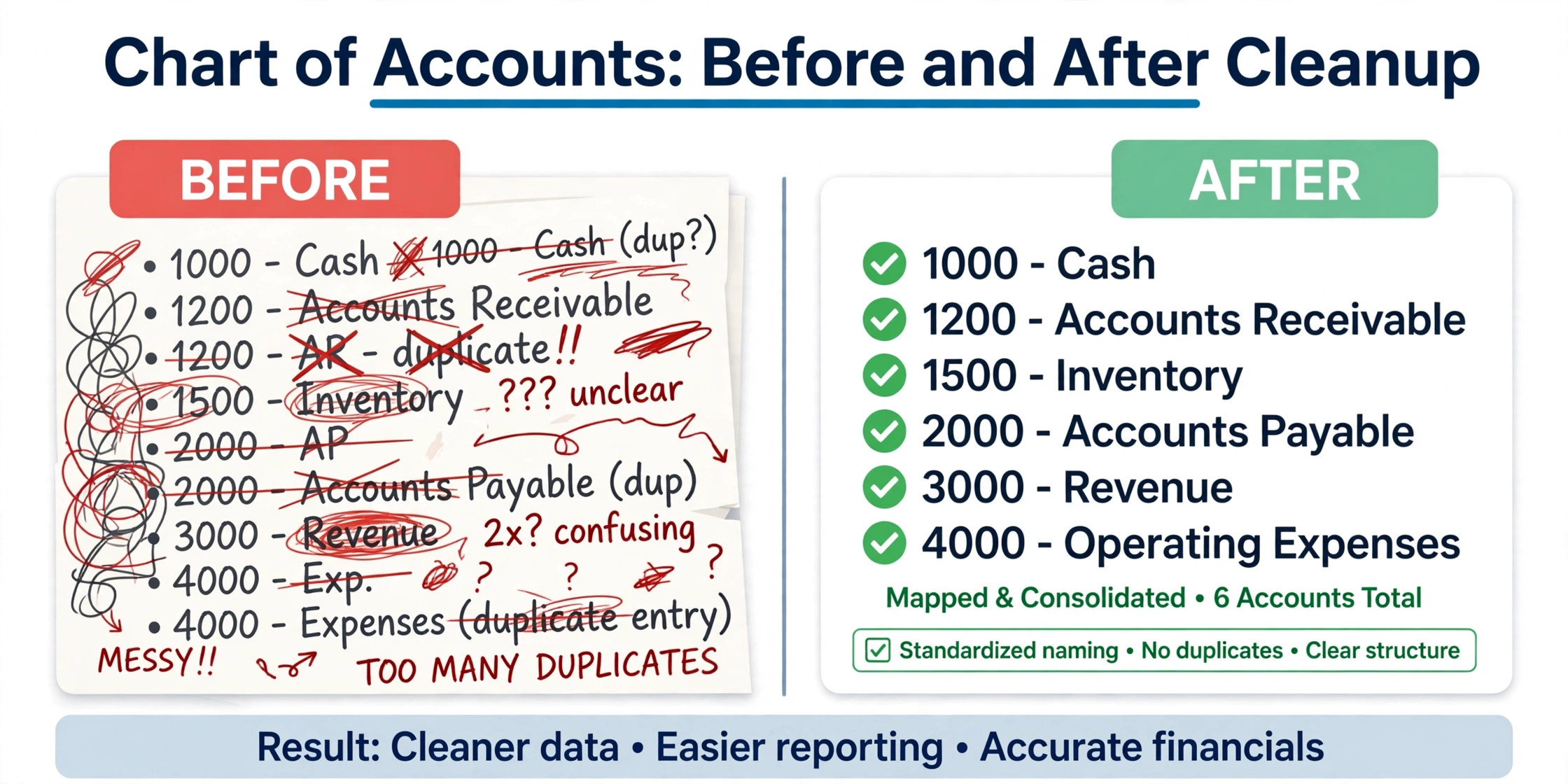
The chart of accounts is where a lazy switch does lasting damage. QuickBooks businesses accumulate accounts over years, including accounts created for one job, accounts with similar names, and accounts nobody remembers creating. Copying that list into FreshBooks preserves the mess and makes future reports harder to read. A switch is the one chance to tidy the list without breaking history, because history stays in QuickBooks.
Start by printing the QuickBooks chart with balances. Mark each account as keep, merge, or drop. Keep accounts that carry regular transactions and that appear on reports your accountant uses. Merge accounts that split the same kind of spending, such as two accounts for software subscriptions or three for travel. Drop accounts with no balance and no recent use, and note the decision in your mapping table so nobody recreates them next month.
Watch for accounts that behave differently in FreshBooks. Multiple receivables and payables accounts in QuickBooks often collapse into single receivables and payables accounts in FreshBooks, and sub accounts may become independent accounts. That is workable, but it must be mapped deliberately rather than discovered during reconciliation. If your business relies on department level sub accounts, discuss the structure with your accountant before import, because a flat list may need project tracking to replace it. Anyone planning to switch QuickBooks to FreshBooks small business books should agree that mapping with the accountant before import, not after.
| QuickBooks pattern | FreshBooks approach | Watch point |
|---|---|---|
| Many small expense accounts | Merge into fewer clear categories | Keep enough detail for tax reporting |
| Sub accounts by department | Use projects or fewer accounts | Department reports may change shape |
| Multiple receivables accounts | Single receivables account | Ageing must still tie to the old total |
| Dormant accounts with zero balances | Leave behind | Note the decision for the accountant |
Rebuilding Invoice Templates Clients Actually Pay From
Invoice templates deserve a full afternoon, because they are the part of the system clients see. Start with the logo, business details, and payment terms, then set the default tax treatment for your most common sale. Add payment options that clients use, including card payment where available, and test the client view on a phone. A template that looks fine on a desktop screen can hide the pay button on a small phone screen.
Rebuild recurring invoices from the live list, not from memory. Export recurring schedules from QuickBooks, check each one against the current agreement with the client, and recreate only the schedules that are still active. This is also the moment to fix recurring invoices that have the wrong amount, the wrong interval, or a client who left months ago. A switch that carries dead recurring invoices forward repeats the old errors in a new system.
Set reminders with restraint. FreshBooks can send up to three reminder emails around a due date, and late fees can apply as a percentage or a fixed amount, so choose a pattern that matches how you actually chase payment. A polite reminder before the due date, a firm reminder on the due date, and a final reminder a week later works for most service businesses. Test the wording on your own inbox first, because reminder language that sounds harsh will cost goodwill.
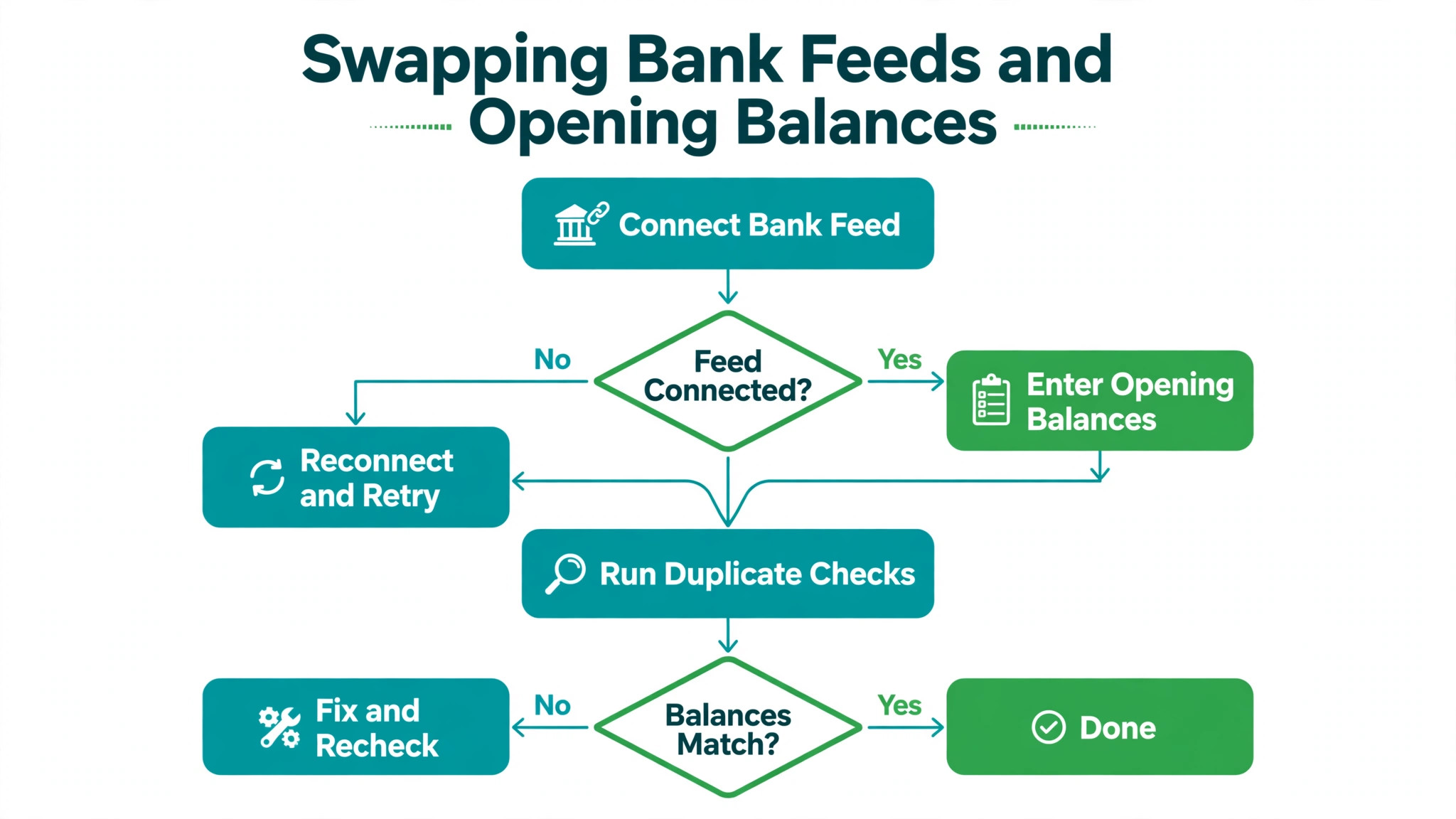
Swapping Bank Feeds and Opening Balances
Bank feeds are the second place where switches go wrong, after the chart of accounts. Connect each bank and card account in FreshBooks, then check that the feed pulls the right account and not a similarly named savings or personal account. A feed connected to the wrong account will import months of personal transactions before anyone notices, and cleaning that up takes longer than the whole switch.
Opening balances need the same care. Enter the balance for each account as of the freeze date, then reconcile the first imported transactions one by one. Do not bulk accept a month of transactions on the first day, because bulk acceptance teaches the system wrong categories that then repeat. Categorise the first fifty transactions by hand, check the rules the system suggests, and only then allow bulk handling for clearly repeated items such as software subscriptions.
Watch for duplicate transactions at the boundary. A transaction that cleared just before the freeze date may appear in both systems, and a pending transaction may appear in neither. The month end comparison in step eight exists to catch these boundary items, so keep bank statements for the transition month close at hand. If a balance is out by a small amount, look at the boundary days first before assuming a larger error.
Payment processing also needs a decision. If clients pay by card through QuickBooks today, set up card payments in FreshBooks and test a small payment before the first live invoice goes out. Confirm who bears card fees, how payouts reach your bank, and how long payouts take, because a change in payout timing can surprise cash flow in the first month. When you switch QuickBooks to FreshBooks small business cash flow should be checked weekly in the first month, not assumed. Tell clients nothing has changed about how they pay unless the payment link itself changes.
Payroll, Tax, and the Accountant Handoff
Payroll is the part of a switch that must never be improvised. FreshBooks offers payroll as an add on with a monthly fee plus a per person charge in published guides, while QuickBooks payroll is a more established in house feature for many small businesses. The safest path for many firms is to keep payroll with a separate provider or with the existing provider through the transition, and to move the accounting side first. Payroll can move later, once the books are stable.
Tax settings need a fresh check in FreshBooks even if they were correct in QuickBooks. Confirm sales tax rates, tax agency details, and whether tax applies to the services you sell in each region you serve. A wrong default tax rate will produce wrong invoices, wrong tax reports, and a correction job at quarter end. Run one test invoice for each tax situation your business actually uses, and keep the test invoices in a file your accountant can inspect.
Give your accountant access early, not at month end. FreshBooks allows accountant access on Plus and above in published guides, and an accountant who can see the setup in week two will spot mapping errors while they are still easy to fix. Ask for three things from the accountant. A review of the chart mapping, a review of opening balances, and a written note on how open invoices and tax should be treated at cutover. That note protects you if a question arises later.
Keep tax records from QuickBooks even after cancellation. Tax authorities may require financial records for several years, so export final reports, keep the data backup, and store the mapping table with them. Cancellation ends the subscription, it does not end the duty to keep records, and a switch is not a reason to delete history. Store the exports where the business can find them in three years, not only on one laptop. A decision to switch QuickBooks to FreshBooks small business owners make should include that record keeping duty from day one.
What FreshBooks Does Differently Day to Day
Daily life in FreshBooks is simpler, and that simplicity has edges. Time tracking sits close to invoicing, so a service business can track hours on a project and turn them into an invoice line without retyping. Expenses can be captured from receipts, and bank imports reduce manual entry. For a consultant, agency, or trades business that bills time and materials, that closeness saves real minutes every day, and minutes compound across a month.
Project profitability is stronger on Premium, where project reports show margin per project, while Plus covers the core accounting reports most small businesses need. If project margin is the reason you track work, check whether Plus gives you enough detail before assuming Premium is required. Many businesses find that Plus plus a simple monthly project review gives them the decisions they need without paying for the higher tier.
The limits to accept are inventory and complex reporting. FreshBooks does not aim to be a stock control system, and a business that tracks hundreds of stock lines, multiple warehouses, or manufacturing costs will find it thin. Multi currency and multi entity work is also simpler than in QuickBooks. None of this makes FreshBooks a weak product. It makes it a focused product, and the switch works when the business matches that focus.
Mistakes That Turn a Simple Switch Into a Cleanup Job
The first mistake is cancelling QuickBooks on day one. Nothing in a switch requires immediate cancellation, and early cancellation removes the reference copy you need to check balances. Keep the old system read only for a month, and treat cancellation as the last step, not the first. A business that cancels early and then finds an error has no easy way to prove what the correct figure was.
The second mistake is importing everything, including duplicates and dead records. A client list with three versions of the same client will produce invoices to the wrong record and a receivables report that never reconciles. Clean the list before import, deduplicate by email, and check that each active client has one record. The hour spent cleaning saves days of correction.
The third mistake is reissuing open invoices in the new system. Clients who receive a second invoice for work already billed will either pay twice or stop trusting your invoices, and both outcomes are worse than the bookkeeping gain. Carry open invoices as balances with accountant approval, and let new work carry the new branding. Clients should notice a cleaner invoice, not a duplicate one.
The fourth mistake is letting payroll drift through the transition without a named owner. Payroll has fixed dates, tax filings, and staff who notice errors immediately. Assign one person to the transition pay run, confirm the plan in writing, and test that pay dates and amounts are unchanged. A payroll error during a system switch damages staff trust in a way that an invoice error never will.
The fifth mistake is skipping the first month end comparison. A switch that feels fine in week one can still carry a wrong opening balance that only shows up in a report. Run the comparison, explain every difference, and get the accountant to sign off before calling the switch done. That review is the difference between a switch and a guess. Teams that switch QuickBooks to FreshBooks small business reporting on time usually credit that single review, not the software alone.
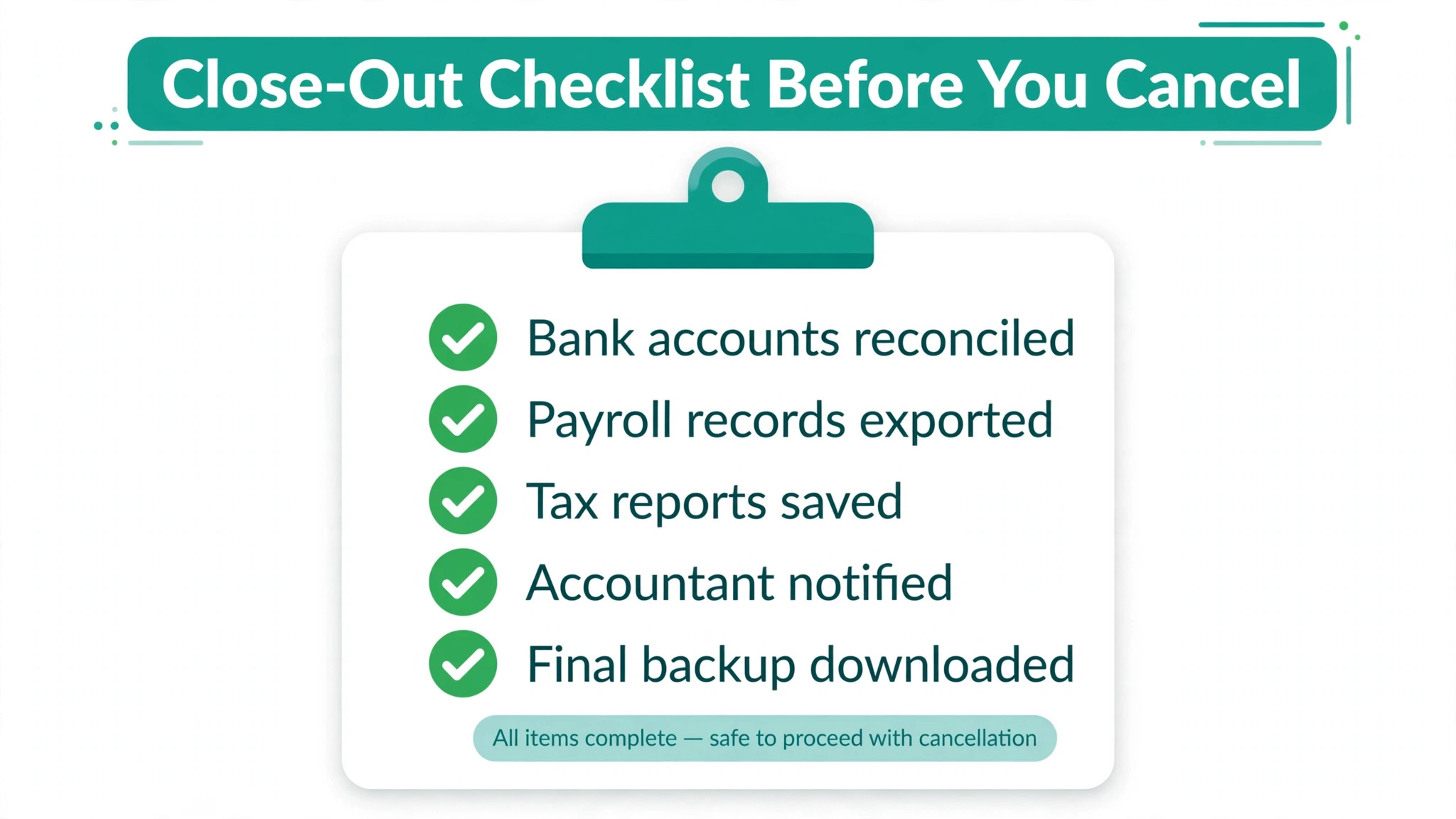
The Close Out Checklist Before You Cancel QuickBooks
Use this checklist in order, and do not cancel until every item is ticked. Each item has a reason, and skipping one to save an afternoon is a false saving.
- All bank and card accounts reconciled to the freeze date in QuickBooks, with exports saved in a dated folder
- Chart of accounts mapped, with merges and dropped accounts noted for the accountant
- Clients and vendors imported and deduplicated, with tax settings checked on test invoices
- Invoice, estimate, and recurring invoice templates rebuilt and tested on a phone
- Bank feeds connected to the correct accounts, with opening balances entered and first week reconciled by hand
- Open receivables total in FreshBooks plus the carry list equals the QuickBooks total at the freeze date
- Payroll plan written, with a named owner and no change to pay dates for the transition run
- First month end reports in FreshBooks compared with QuickBooks, with every difference explained
- Accountant access granted and accountant review received in writing
- Final QuickBooks reports and data backup stored where the business can find them for tax purposes
- QuickBooks kept read only for one full month after cutover, then cancelled only after the checklist is complete
A switch that passes this checklist is a switch you can defend. A switch that skips it may still work, but you will not know it worked until a tax return or an audit asks a question you cannot answer from clean records.
Verdict on the Move for a Small Service Business
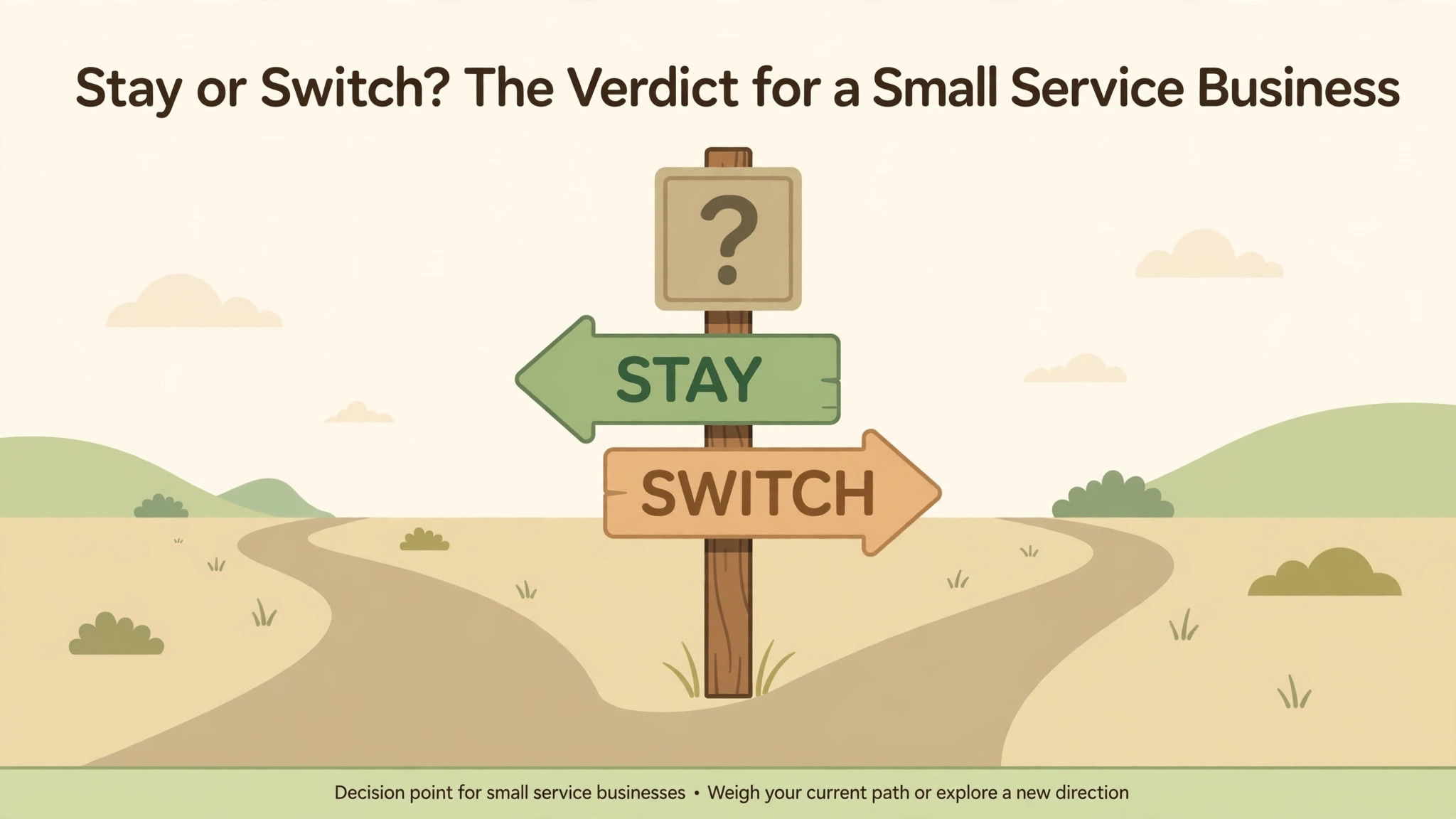
FreshBooks earns the switch for a service business that bills clients, tracks time or projects, and wants invoicing to take less effort. The saving on the monthly bill is real, but the larger gain is a daily routine with fewer steps between doing work and getting paid. That gain only holds if the business fits the product, meaning limited stock, straightforward payroll, and reporting needs that Plus or Premium can meet.
Stay with QuickBooks if inventory, complex payroll, or deep reporting drives your daily work, or if your accountant strongly advises against the move for your structure. A cheaper bill does not compensate for a system that cannot track the work you actually do. The right question is never which tool is cheaper in isolation. It is which tool tracks your business correctly with the least daily effort, and for many small service businesses that answer is FreshBooks, moved carefully over thirty days. The safest way to switch QuickBooks to FreshBooks small business accounts is the thirty day plan in this guide, with parallel running and a signed off month end.
Frequently Asked Questions About Switching Accounting Software
Can I move historical transactions from QuickBooks to FreshBooks automatically?
No direct import moves full historical transaction detail cleanly for most small businesses. Third party conversion services exist, and they can move core data such as the chart of accounts, clients, vendors, and invoices, but field differences mean some items need workarounds. Most small businesses do better by moving opening balances and open items, and keeping QuickBooks history readable for reference and tax records.
Will my clients notice the switch?
Clients will notice a cleaner invoice and possibly a new payment link, and that is a good thing if the template is tested first. Clients should not receive duplicate invoices, changed amounts, or confused payment instructions. Test the template on your own phone, check the pay link works, and send new work from FreshBooks while open invoices stay on their original terms.
What happens to recurring invoices during the switch?
Recurring invoices must be rebuilt in FreshBooks from the live list, not copied blindly. Check each schedule against the current client agreement, drop schedules that are no longer active, and confirm amounts and intervals before the first new run. A recurring invoice that fires with the wrong amount in the new system will damage trust faster than any other switch error.
Does FreshBooks handle payroll as well as QuickBooks?
FreshBooks payroll is an add on in published guides, while QuickBooks payroll is a more established feature for many firms. Many businesses keep payroll with a separate provider during the accounting switch and move payroll later if at all. Confirm tax filings and pay dates are covered for the transition month before changing anything about pay.
How long does the switch take in practice?
A careful switch takes about thirty days, including a week of preparation, a week of setup, a week of parallel running, and a week of month end checking. A solo freelancer with few clients can move faster, while a business with many clients, staff, and open invoices should not rush below three weeks. The parallel running week is the part most often skipped, and it is the part that catches errors.
Should I cancel QuickBooks as soon as FreshBooks is live?
No. Keep QuickBooks read only for at least one full month after cutover, run the month end comparison, and get accountant sign off before cancelling. Cancellation is the last step in the checklist, not the first step in the project, because the old system is your reference copy until the new system proves itself.
More Reading on Stratilyze
– Cost of FreshBooks for a Small Business Monthly – Cost of QuickBooks Online for a Small Business Monthly – Switch from FreshBooks to QuickBooks as a Small Business – Best Accounting Software for a Small Business – Fix QuickBooks Bank Feed Not Syncing for a Small Business – Choosing an Invoicing Tool That Clients Pay From Quickly, plain text title, link not verified at writing time – Month End Routines That Keep Small Business Books Clean, plain text title, link not verified at writing time