
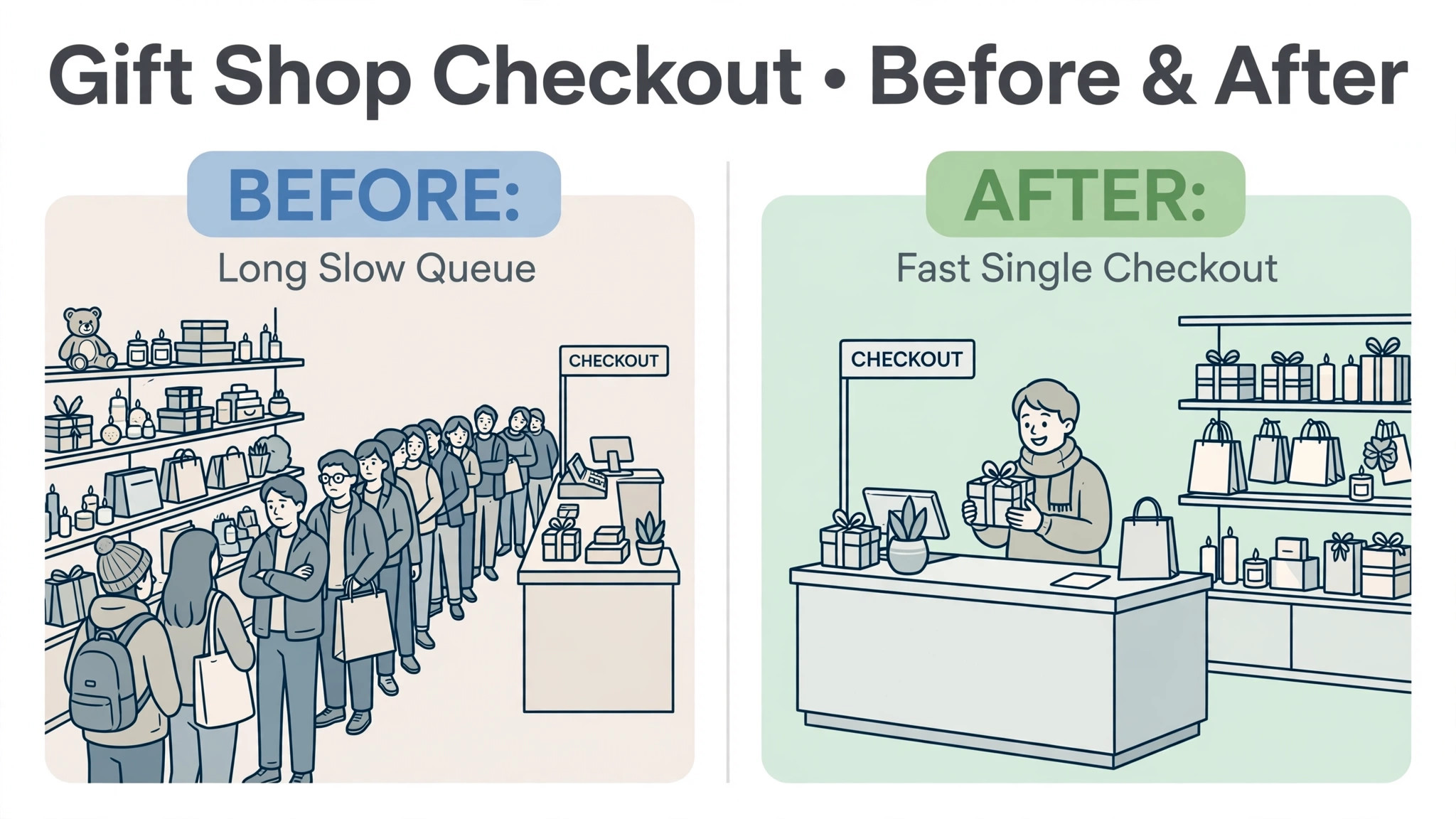
A gift shop in December lives or dies on checkout speed, because a queue at the till is a sale walking out of the door, and that is the blunt test behind choosing the best POS system for gift shops. Shoppers buy on impulse, they buy several small items at once, they ask for gift wrap, and they expect the card payment to finish in seconds. A till that is slow, confusing or out of stock data will cost more in lost December sales than a year of software fees.
Gift shops also carry a stock problem other retailers envy and fear at once. Hundreds of small items, many with variants in colour or size, arrive in seasonal waves and must be counted, reordered and cleared before the next season. A POS that only takes payments leaves stock counting to spreadsheets, and spreadsheets are where seasonal overstock hides. A POS with real inventory, purchase orders and multi location stock keeps the shop honest about what it owns.
This guide compares fifteen tools on the same questions. What does the entry plan actually include, how does the bill grow with registers and locations, how well does it handle gift stock and seasonal peaks, and where does it fall short. Prices below are starting points reported in recent comparisons, so confirm the current price on the vendor page before you buy.
Best Pos System For Gift Shops Tools at a Glance
Read the table as a shortlist, not as a ranking. The free tool suits a starting shop perfectly, while the inventory led platform suits a multi location group. Pick three finalists, then read their full sections before committing to an annual plan.
| Tool | Starting price | Best for |
|---|---|---|
| Square | Free plan at 0 dollars a month, with in person processing at 2.6 percent plus 15 cents in recent comparisons | new and small gift shops that want to start fast |
| Lightspeed Retail | From 89 dollars a month on annual billing for Basic in recent comparisons | inventory heavy gift shops and multi location groups |
| Shopify POS | POS Pro from 89 dollars a month per location on top of a Shopify plan in recent comparisons | gift shops already selling online with Shopify |
| Clover | From 29.95 dollars a month in recent comparisons, with retail card rates from 2.3 to 2.6 percent plus 10 cents | busy counters that want hardware bundles |
| Epos Now | From 39 dollars a month in recent comparisons | small shops that want a full till at a modest price |
| KORONA | From 59 dollars a month per terminal in recent comparisons | shops that want flexible till software per terminal |
| Heartland Retail | From 80 dollars a month per station in recent comparisons | inventory heavy shops that want strong stock control |
| PayPal Zettle | Free software at 0 dollars a month, with in person processing at 2.29 percent plus 9 cents in recent comparisons | pop ups, markets and starting shops that want the lowest start cost |
| SumUp | Free software at 0 dollars a month, with in person processing at 2.6 percent plus 10 cents in recent comparisons | markets, pop ups and small shops that want simple card taking |
| Helcim | Free software at 0 dollars a month, with interchange plus card pricing in recent comparisons | shops that want lower card fees without a monthly software bill |
| Toast | POS plan from 69 dollars a month in recent comparisons, plus online ordering options | gift shops with a cafe counter or food led sideline |
| PHP Point of Sale | From 54 dollars a month on annual billing per location in recent comparisons | shops that want unlimited registers per location |
| Revel Systems | Check the vendor page | growing retail groups that want an iPad based till |
| Erply | Check the vendor page | retail chains that want strong back office inventory |
| Loyverse | Free POS software, with paid add ons, in recent comparisons | starting shops and pop ups that want a free till |
Why best POS system for gift shops Beats a General Card Reader
A card reader takes payments. A gift shop POS runs the shop behind the till. It tracks stock by variant, records gift wrap and message options, handles discounts and gift cards, manages purchase orders and reports which products, seasons and locations actually earn money. A shop that only buys a card reader will still count stock by hand, and hand counting is the job that eats owner hours fastest in January.
Customer experience is the second difference. Shoppers check out fast, split payments, return gifts without receipts drama and buy online for in store pickup where offered. A clumsy checkout loses impulse sales to friction, especially at seasonal peaks when queues form. A clean till with barcode scanning and saved customer notes helps any shop, but it should be bought for queue evidence, not for looks alone.
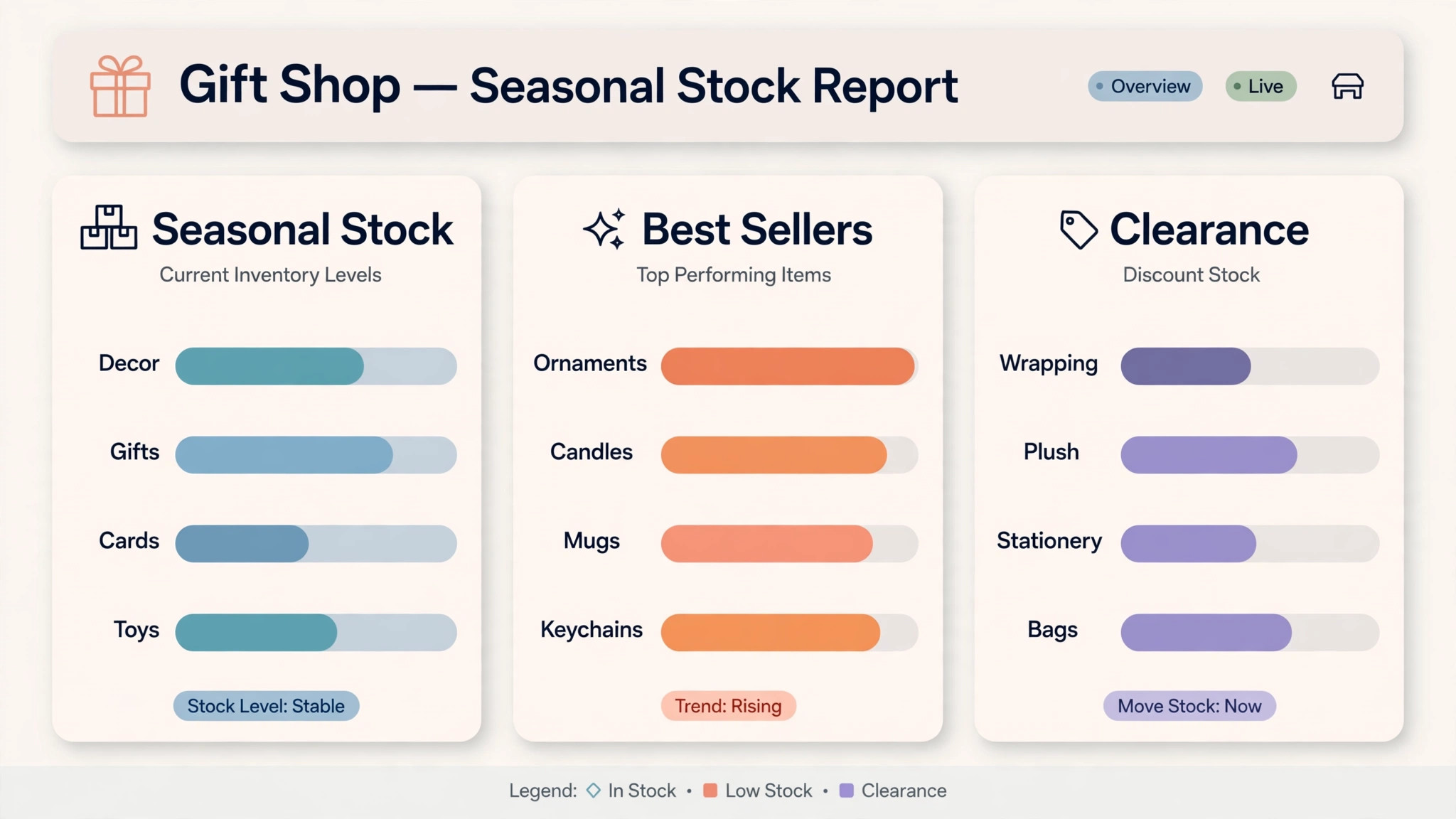
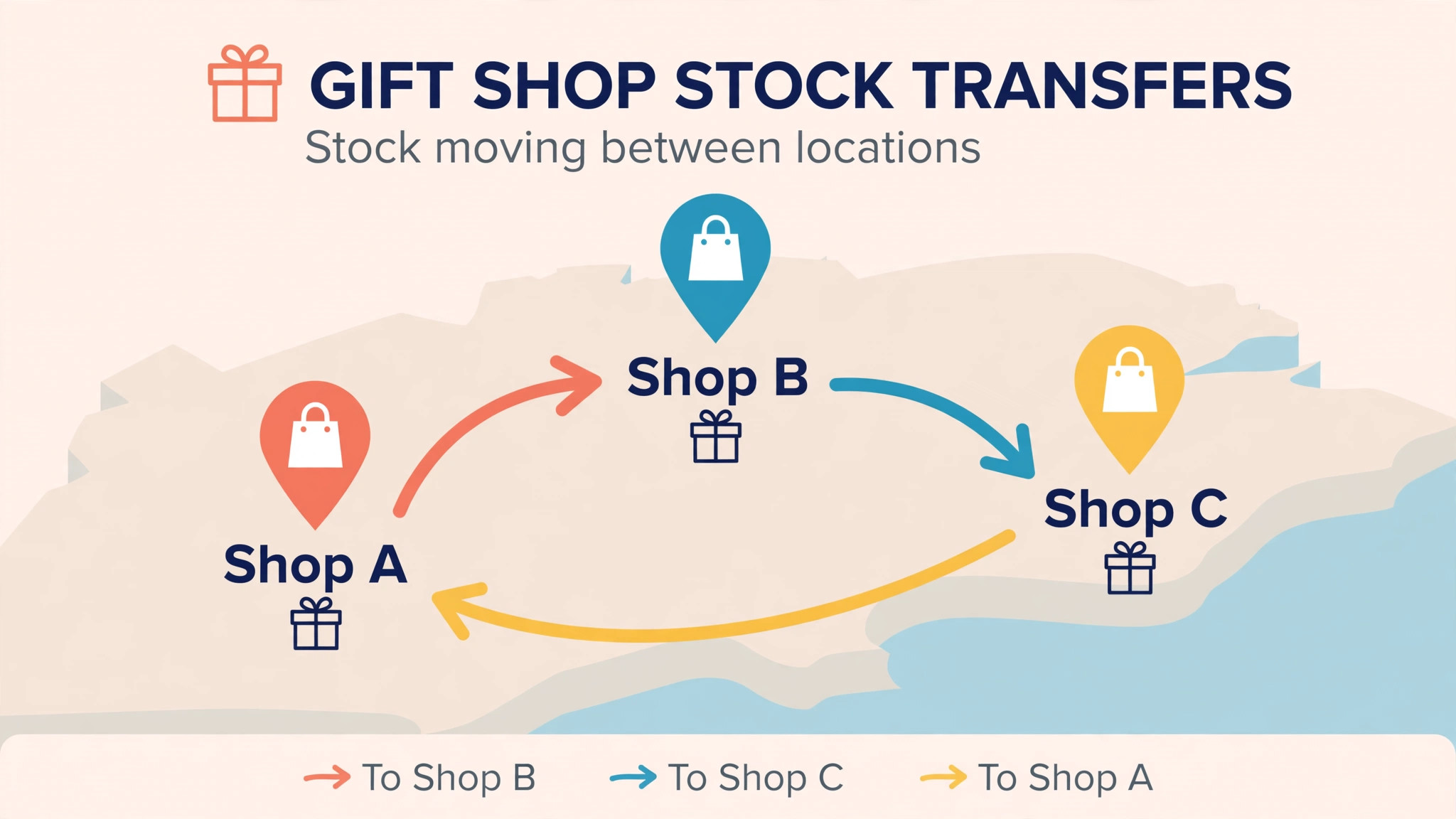
The third difference is seasonal fit. A gift shop buys stock months ahead, sells it in a short peak and clears leftovers after it. A tool that handles seasonal purchase orders, stock transfers between locations and clearance pricing will protect margin through the cycle. A tool that treats every month the same will leave the owner guessing at the moment guessing costs most.
Start the trial with a real shop week, not with a demo account filled with perfect test data. Load your actual products, your real variants and your true prices, then ask staff to run the daily routine exactly as they would after launch. A trial that mirrors real work exposes slow screens, missing fields and confusing steps before any money changes hands.
Fifteen Tools, Reviewed One by One
Square
Square is the pick for new and small gift shops that want to start fast. It covers checkout, inventory, Square Online, gift cards, customer directory and hardware from phone readers to full registers. At Free plan at 0 dollars a month, with in person processing at 2.6 percent plus 15 cents in recent comparisons, it sits in a price band a small business can judge against the hours it saves or the revenue it protects.
The limit is inventory depth, because large catalogues and multi location purchase workflows are thinner than on inventory led platforms. Choose Square if you want to open with almost no upfront software cost. Skip it if your catalogue runs to thousands of variants across locations, because an inventory platform will serve you better, because a tool bought for one job rarely excels at a different one.
Lightspeed Retail
Lightspeed Retail is the pick for inventory heavy gift shops and multi location groups. It covers matrix inventory by variant, purchase orders, multi location stock, eCommerce and reporting built for specialty retail. At From 89 dollars a month on annual billing for Basic in recent comparisons, it sits in a price band a small business can judge against the hours it saves or the revenue it protects.
The trade-off is entry price and contract, because the best prices need annual billing and higher tiers hold loyalty and advanced reporting. Choose Lightspeed Retail if your shop carries a large catalogue or several locations. Skip it if you are a tiny shop with a small catalogue, because the price and depth exceed what you need, because a tool bought for one job rarely excels at a different one.
Shopify POS
Shopify POS is the pick for gift shops already selling online with Shopify. It covers unified inventory and customers across online and in store selling, with POS Pro adding staff, stock and reporting depth. At POS Pro from 89 dollars a month per location on top of a Shopify plan in recent comparisons, it sits in a price band a small business can judge against the hours it saves or the revenue it protects.
The watch-out is total cost, because the Shopify plan plus POS Pro plus processing must be counted together, not the add on alone. Choose Shopify POS if your online store already runs on Shopify. Skip it if you sell in store only, because you would pay for an online system you never use, because a tool bought for one job rarely excels at a different one.
Clover
Clover is the pick for busy counters that want hardware bundles. It covers counter hardware, payments, inventory basics and app marketplace, with devices from compact readers to full stations. At From 29.95 dollars a month in recent comparisons, with retail card rates from 2.3 to 2.6 percent plus 10 cents, it sits in a price band a small business can judge against the hours it saves or the revenue it protects.
The limit is inventory depth and contract terms, because some Clover routes run through resellers with long terms, so buy direct where possible. Choose Clover if you want a polished counter setup for a busy shop. Skip it if you need deep multi location inventory, because an inventory platform fits that job better, because a tool bought for one job rarely excels at a different one.
Epos Now
Epos Now is the pick for small shops that want a full till at a modest price. It covers checkout, inventory, reporting and integrations with a hardware range for counter and mobile selling. At From 39 dollars a month in recent comparisons, it sits in a price band a small business can judge against the hours it saves or the revenue it protects.
The trade-off is add on costs, because some features sit behind extra modules that raise the real monthly bill. Choose Epos Now if you want a complete till without a premium platform bill. Skip it if your catalogue needs matrix variants at scale, because inventory led tools go deeper, because a tool bought for one job rarely excels at a different one.
KORONA
KORONA is the pick for shops that want flexible till software per terminal. It covers cloud POS, inventory, customer management and reporting priced per terminal rather than per location. At From 59 dollars a month per terminal in recent comparisons, it sits in a price band a small business can judge against the hours it saves or the revenue it protects.
The watch-out is online selling depth, because its strength is the till rather than a built in online store. Choose KORONA if you run several terminals and want per terminal pricing. Skip it if your online store is the main channel, because a commerce first platform fits better, because a tool bought for one job rarely excels at a different one.
Heartland Retail
Heartland Retail is the pick for inventory heavy shops that want strong stock control. It covers inventory management, purchase orders, multi location tools and reporting for specialty retail. At From 80 dollars a month per station in recent comparisons, it sits in a price band a small business can judge against the hours it saves or the revenue it protects.
The limit is price transparency, because final quotes can vary and need checking against the current vendor terms. Choose Heartland Retail if you carry a deep catalogue and want station based pricing. Skip it if you are a single small shop, because the platform suits larger catalogues better, because a tool bought for one job rarely excels at a different one.
PayPal Zettle
PayPal Zettle is the pick for pop ups, markets and starting shops that want the lowest start cost. It covers card readers, checkout, inventory basics, sales reporting and gift card support with no monthly software fee. At Free software at 0 dollars a month, with in person processing at 2.29 percent plus 9 cents in recent comparisons, it sits in a price band a small business can judge against the hours it saves or the revenue it protects.
The trade-off is depth, because advanced inventory, purchase orders and multi location tools are thinner than on paid platforms. Choose PayPal Zettle if you want the cheapest honest start for a shop or pop up. Skip it if you run several locations with deep stock, because a paid inventory platform will serve you better, because a tool bought for one job rarely excels at a different one.
SumUp
SumUp is the pick for markets, pop ups and small shops that want simple card taking. It covers card readers, checkout, inventory basics and online payment links with no monthly software fee. At Free software at 0 dollars a month, with in person processing at 2.6 percent plus 10 cents in recent comparisons, it sits in a price band a small business can judge against the hours it saves or the revenue it protects.
The watch-out is depth, because multi location inventory and advanced reporting sit outside its simple core. Choose SumUp if you sell at markets or a small counter and want simplicity. Skip it if you need purchase orders and matrix stock, because an inventory platform fits better, because a tool bought for one job rarely excels at a different one.
Helcim
Helcim is the pick for shops that want lower card fees without a monthly software bill. It covers checkout, inventory basics, invoicing and interchange plus processing that can beat flat rates at volume. At Free software at 0 dollars a month, with interchange plus card pricing in recent comparisons, it sits in a price band a small business can judge against the hours it saves or the revenue it protects.
The limit is hardware and support breadth, because the ecosystem is smaller than the largest till brands. Choose Helcim if card fees are your largest cost and volume justifies interchange plus. Skip it if you want the widest hardware and app ecosystem, because larger brands offer more choice, because a tool bought for one job rarely excels at a different one.
Toast
Toast is the pick for gift shops with a cafe counter or food led sideline. It covers counter POS, handhelds, kitchen displays and online ordering built for food service. At POS plan from 69 dollars a month in recent comparisons, plus online ordering options, it sits in a price band a small business can judge against the hours it saves or the revenue it protects.
The trade-off is retail fit, because Toast is built for restaurants first, so gift inventory depth is thinner than on retail platforms. Choose Toast if your shop mixes gifts with cafe or food sales. Skip it if you sell gifts only, because a retail POS fits the catalogue better, because a tool bought for one job rarely excels at a different one.
PHP Point of Sale
PHP Point of Sale is the pick for shops that want unlimited registers per location. It covers cloud POS with unlimited registers, employees, items and customers per location, plus processor choice. At From 54 dollars a month on annual billing per location in recent comparisons, it sits in a price band a small business can judge against the hours it saves or the revenue it protects.
The watch-out is online store depth, because the strength is the till rather than a built in commerce platform. Choose PHP Point of Sale if you run many registers at one location and want one location price. Skip it if your online store leads the business, because a commerce first platform fits better, because a tool bought for one job rarely excels at a different one.
Revel Systems
Revel Systems is the pick for growing retail groups that want an iPad based till. It covers iPad POS, inventory, customer management and reporting for multi location retail. At Check the vendor page, it sits in a price band a small business can judge against the hours it saves or the revenue it protects.
The limit is price transparency, because plans are commonly quote led and need a sales conversation. Choose Revel Systems if you want a modern iPad till for a growing group. Skip it if you are a single tiny shop, because the platform and sales process suit larger groups better, because a tool bought for one job rarely excels at a different one.
Erply
Erply is the pick for retail chains that want strong back office inventory. It covers inventory, warehouse, multi location stock, reporting and POS in one retail system. At Check the vendor page, it sits in a price band a small business can judge against the hours it saves or the revenue it protects.
The trade-off is small shop simplicity, because a back office led system takes longer to learn than a simple till. Choose Erply if you run several locations and need warehouse level stock control. Skip it if you are a single shop with a small catalogue, because a simple till will move faster, because a tool bought for one job rarely excels at a different one.
Loyverse
Loyverse is the pick for starting shops and pop ups that want a free till. It covers checkout, inventory basics, sales analytics and customer loyalty at no software cost. At Free POS software, with paid add ons, in recent comparisons, it sits in a price band a small business can judge against the hours it saves or the revenue it protects.
The watch-out is depth, because advanced inventory, purchase orders and multi location tools are limited on the free core. Choose Loyverse if you want a free till for a starting shop. Skip it if you need deep inventory and purchase workflows, because a paid platform fits better, because a tool bought for one job rarely excels at a different one.
Best Pick by Job for Gift Shops
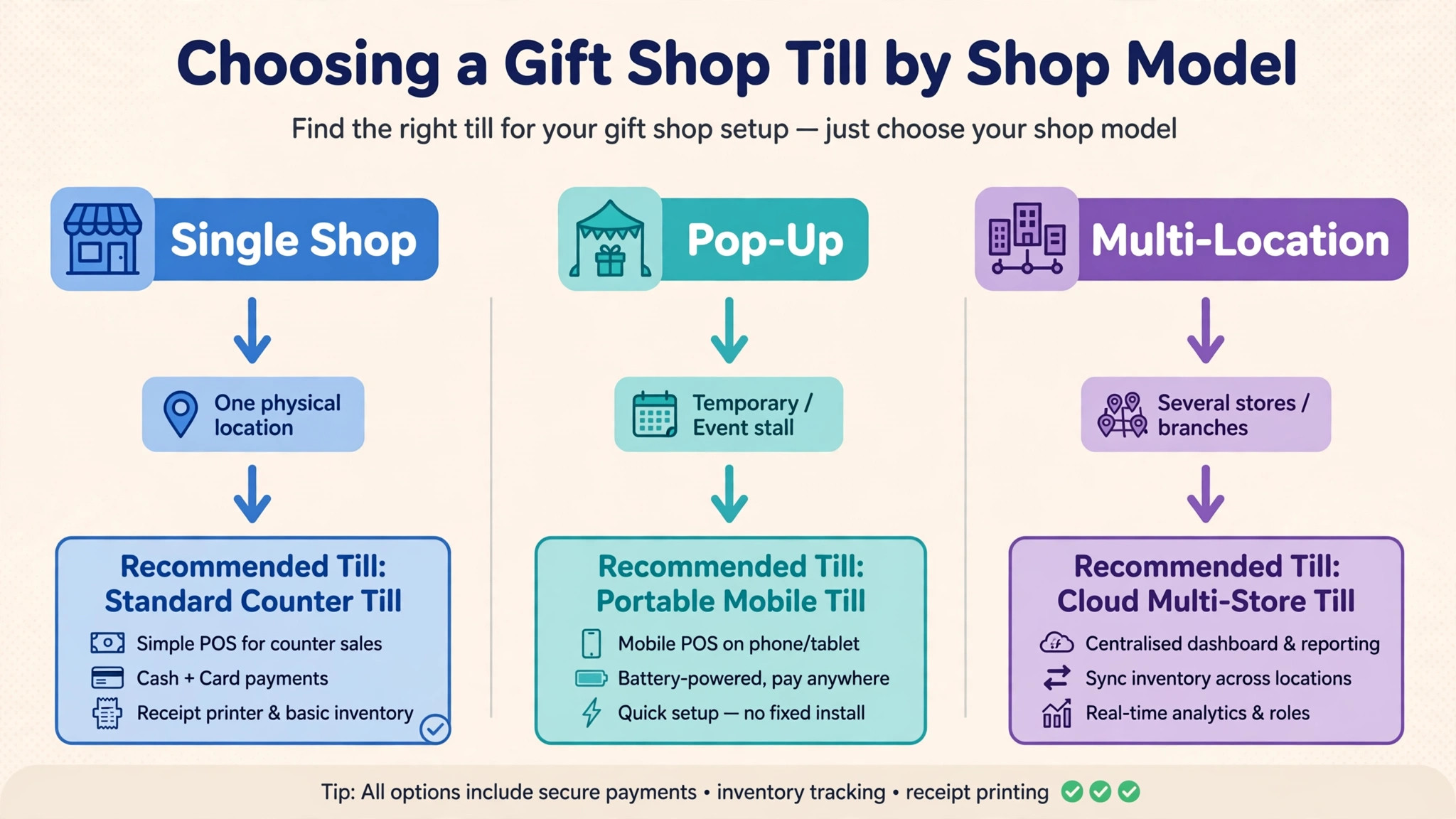
The right tool changes with the job. Use this table to match the pick to the job, then confirm the fit by testing that exact job in a trial. That matching step turns a general search for best POS system for gift shops into a shortlist that fits real work.
| Job | Best pick | Why it wins |
|---|---|---|
| Single shop | Square | Free start, fast checkout and gift cards without a monthly bill |
| Seasonal pop-up | PayPal Zettle | No monthly fee and a pocket reader for temporary selling |
| Multi-location | Lightspeed Retail | Matrix inventory and stock control across locations |
The Gift Wrap and Seasonal Stock Checklist Before You Pay
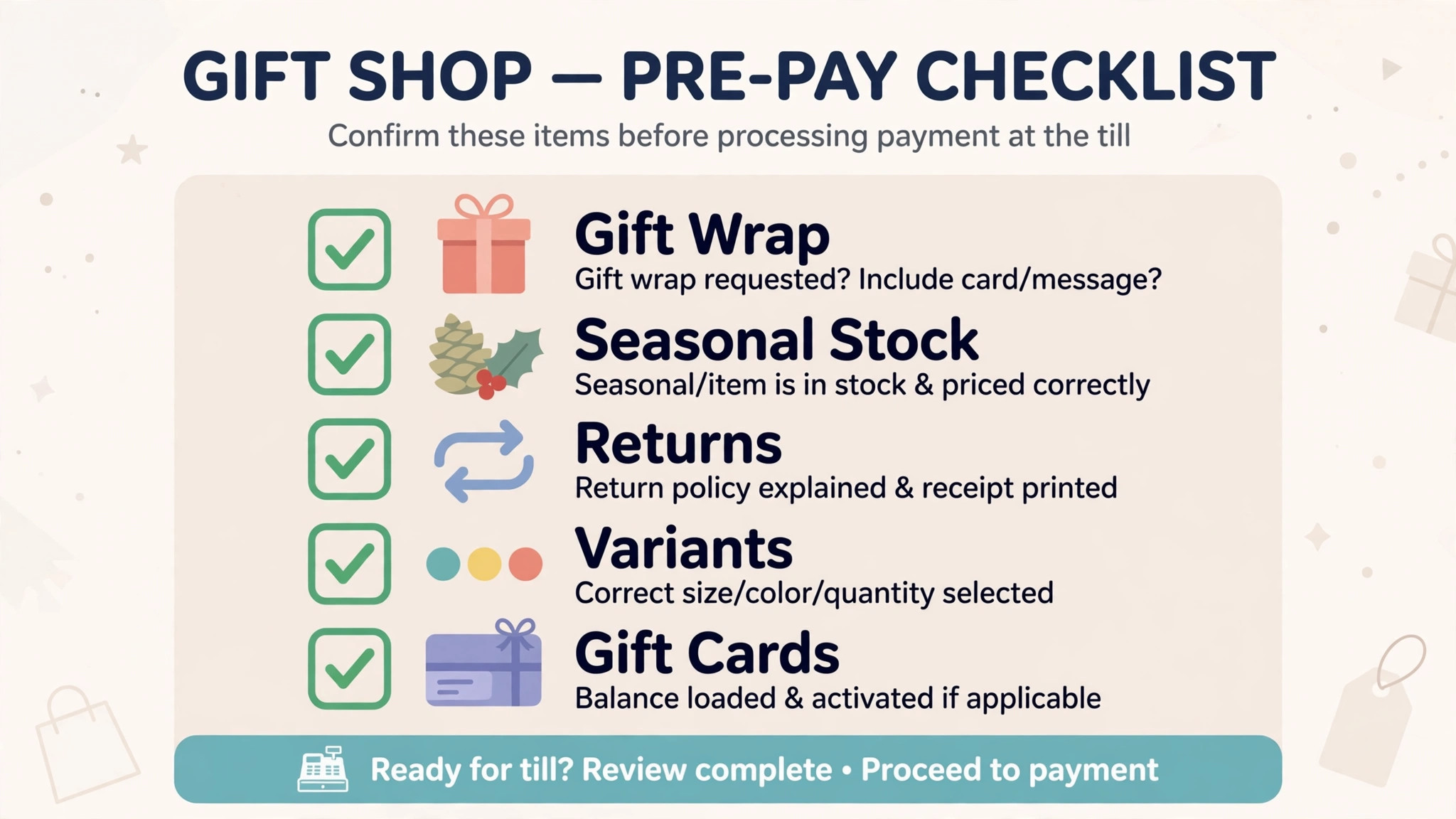
Run through this checklist on every finalist before signing. A platform that fails two or more items will cost more in owner hours than it saves in subscription fees, because gift wrap and seasonal stock are where gift shop systems earn or lose trust. Run the same checks when comparing best POS system for gift shops, because a policy that looks fair on paper must also work in daily use.
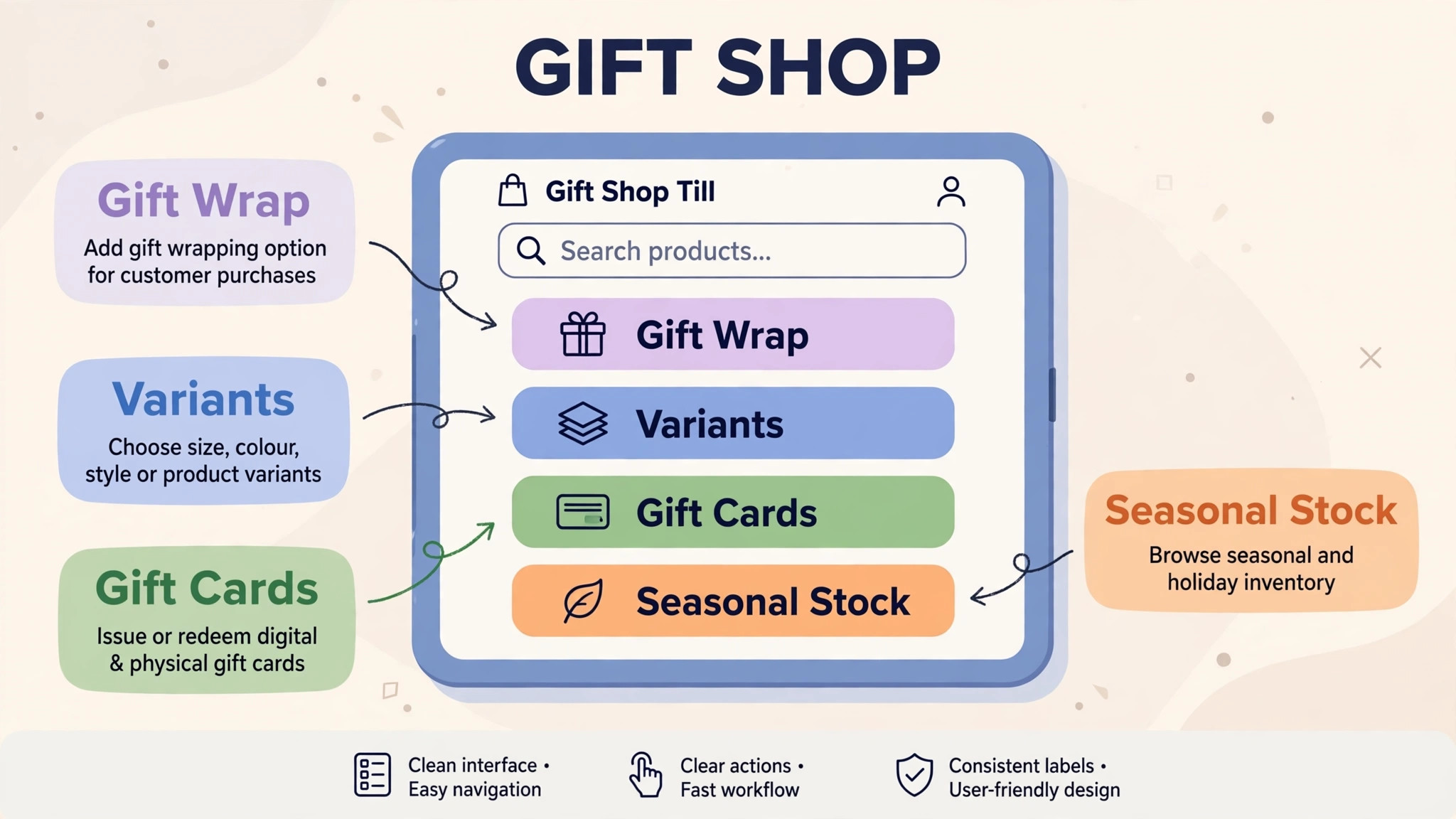
– Check that gift wrap, gift messages and gift receipts can be added at the till without slowing the queue, with charges tracked per sale. – Check that seasonal stock can be ordered, received, transferred between locations and cleared with markdown rules you control. – Check that variants by colour, size and design track separately, with low stock alerts before a best seller runs out in peak season. – Check that gift cards, returns and exchanges work cleanly, with a record both the shop and the customer can see. – Check that card failures and offline selling are handled gracefully, so a peak day queue never stops on a connection fault. – Check that your product list, customer list and sales history can be exported, so the shop is never locked into a tool it cannot leave.
What a Gift Shop Really Pays Each Month
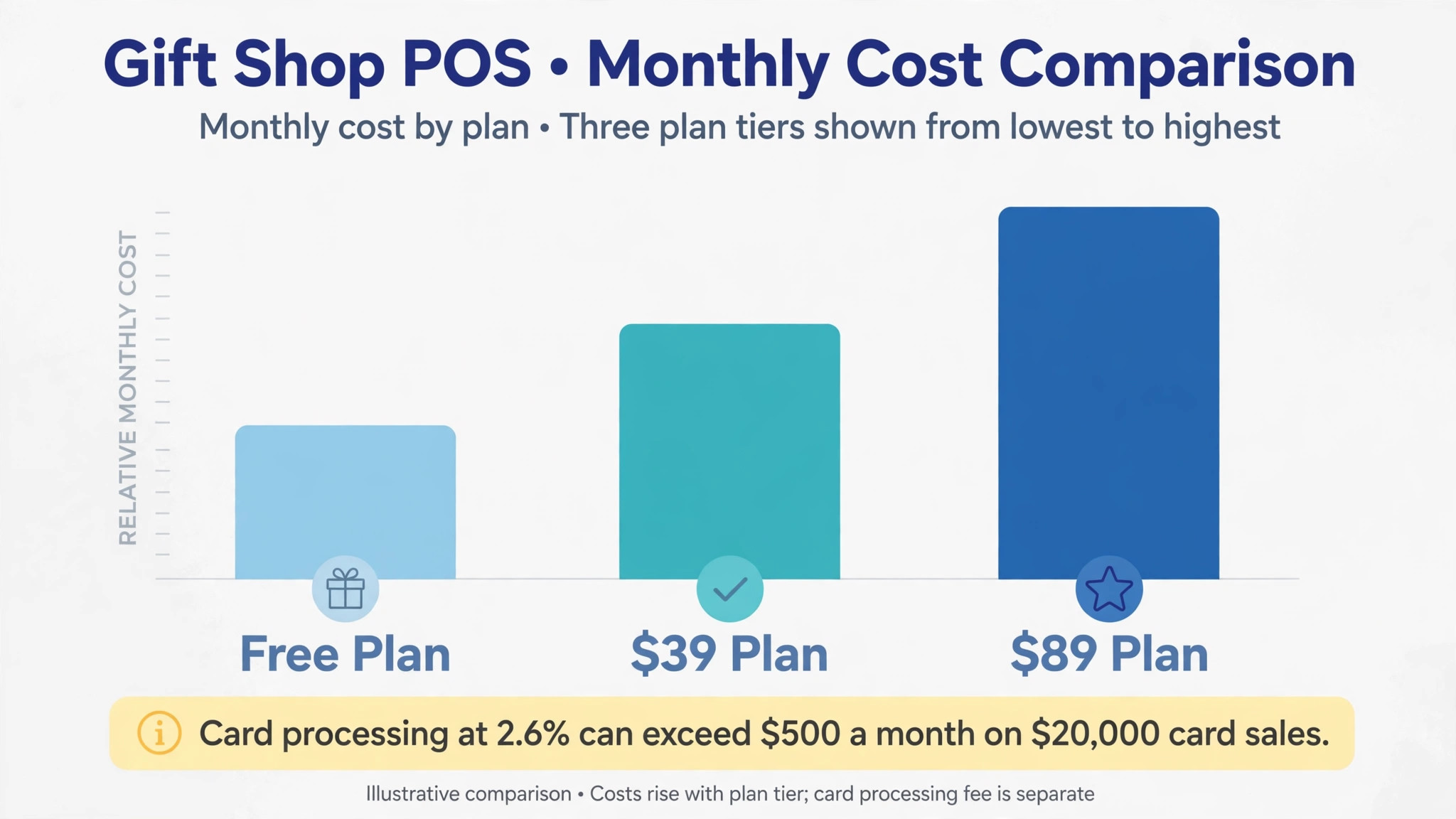
The headline subscription hides the real decision, because processing fees usually exceed the software bill. A shop taking 20,000 dollars a month in cards at 2.6 percent plus 15 cents per sale spends over 500 dollars a month on processing alone, which dwarfs a free or 39 dollar plan. Compare the full monthly total at real volume, not the headline plan price, and ask every vendor for the all in effective rate at your monthly volume.
At a small size, the maths favours a free or low cost start. A single shop on a free plan keeps almost all margin, while the same shop on an 89 dollar plan needs extra sales to justify the gap. At a larger size, the maths flips, because a platform that prevents stockouts, speeds checkout and cuts counting hours can pay for itself from recovered sales alone.
Count hardware honestly. Readers, stands, printers, scanners and cash drawers add hundreds of dollars per till, and some platforms tie hardware to their own ecosystem. Price the full counter, not only the software, and check whether existing hardware can be reused before committing.
That total is the real price to compare when choosing best POS system for gift shops.
Mistakes That Lose December Sales
The most common mistake is choosing on software price alone. A free till with a high processing rate can cost more per month than a paid plan with a lower rate once volume grows, and a cheap till that lacks variant stock tracking will cost counting hours every week. Compare the full monthly total at real volume, not the headline subscription.
The second mistake is signing an annual plan before the peak test. Run a busy Saturday through each finalist, with queues, gift wrap, split payments and a return, and check what messages and reports appear. If any step slows the queue, shoppers will leave, and the system will have added work rather than removed it.
The third mistake is ignoring stock data until January. A shop that discovers overstock only after the season has already paid for it in cash tied up on shelves. Check purchase orders, sell through and clearance reporting during the trial, not after the first peak.
That student and owner test matters more than any feature list for best POS system for gift shops.
How to Choose Between Three Gift Shop Finalists
Give each finalist the same real shop week. Load the true product list, the real variants, the actual prices and a small group of test customers, then run sales, gift wrap, returns and a stock count through each system. Score each tool on the same sheet, so the decision rests on evidence rather than on the smoothest sales demo.
Test the shopper journey at the counter, not on a desktop, because queues form at the till. Check how fast a new customer can buy three items, add gift wrap and pay by card, and how clear the receipt feels. A system that feels fast in week one usually stays fast.
Test the owner journey too, because the owner reads stock, margin and sell through reports, not till screens. A system that feels fast for one cashier but hides the stock story from the owner will fail at the first seasonal review.
A fair trial is the only honest way to compare best POS system for gift shops.
The First Thirty Days After You Choose
In the first week, import products and variants, set tax and gift wrap rules, and load true prices with barcode data. A catalogue loaded with placeholder data teaches the team nothing about real stock conflicts.
In the second week, set reorder points, seasonal categories and gift card rules, then run one live weekend end to end. Fix every friction point before the rest of the shop migrates, because early frustration decides adoption.
By day thirty, review sell through, low stock and clearance candidates weekly. The tool earns its keep when the owner can see, in one report, which lines are winning and which stock must move before the season ends.
More Reading on Stratilyze
– Best POS System for Bakeries – Best POS System for Retail Stores – Best Website Builder for Coaches
Frequently Asked Questions
Do I need a retail POS, or is a card reader enough?
A card reader works for occasional sales, but a gift shop needs variant stock, gift wrap, gift cards and seasonal reporting, which readers handle weakly. If the shop sells a handful of lines, a reader remains honest. If it sells hundreds of lines with variants, a retail POS saves hours every week.
What is the cheapest honest way to start?
A free till with clear processing terms is the cheapest honest start for a single shop, followed by a low cost paid plan once catalogue depth grows. Check the processing rate carefully, because a high rate can cost more than a modest subscription once volume rises.
How does gift shop inventory differ from general retail stock?
Gift stock turns in seasonal waves, carries many small variants and needs gift wrap, message and return handling that general stock systems treat as extras. A good gift POS tracks variants, seasonal categories and clearance together. A weak tool leaves seasonal stock in a spreadsheet, where overstock hides.
Can I move my product list if I switch later?
Usually yes, if you check before signing. Ask for a sample export during the trial and open it to confirm that products, variants, customers and sales history come out cleanly. A vendor that blocks exports should be treated as a risk, whatever its price.
Should a gift shop use a restaurant POS?
It can work for a shop with a cafe counter, but a retail POS usually fits gift variants, purchase orders and seasonal stock better from day one. A restaurant POS suits a food led shop, where table and kitchen features matter more than gift catalogue detail.
How long does setup usually take?
A single shop can launch in a few days, while a multi location shop with variants, purchase orders and gift rules should allow two to three weeks. The slow part is rarely the software itself. It is cleaning product data, setting variant rules and testing a busy day before the first live peak.
The Verdict
For most gift shops, Square is the sensible first trial, because it starts free, checks out fast and covers gift cards without a monthly bill while the shop grows. Shops with deep catalogues or several locations should trial Lightspeed Retail next, and seasonal pop ups should trial PayPal Zettle for a no fee temporary till.
Whichever tool you shortlist, test it with real products, real variants and a real peak day before you pay for a year. The best system is the one shoppers check out on without thinking, staff run without counting by hand, and owners can leave without losing their product list. That test, run properly, will choose the tool for you.
That shortlist is a practical way to choose best POS system for gift shops without paying for features you will not use.