

Price alone tells a sharp story for a small firm. A solo practice can launch on a general builder from 17 dollars a month, while a managed legal platform is reported around 200 dollars a month, and the gap is not just design. The best website builder for small law firms is the one that turns visitors into consultations without swallowing attorney time, and that test separates a cheap site from a useful one.
A law firm site has a narrower job than most business sites. It must look trustworthy in seconds, explain practice areas clearly, answer the fee and process questions clients actually ask, and make booking a consultation easy. A builder that handles those four jobs well beats a prettier builder that buries the consultation button three clicks deep.
This guide compares 5 builders on design, SEO control, intake, ownership, and price, with clear guidance on when to choose or skip each one. Prices are reported from vendor pages and recent comparisons, and every figure should be confirmed on the vendor page before you buy, because plans change.
Builders and Prices at a Glance
The table below gives a fast read on price and fit. Read it as a starting point, then use the builder sections for the trade offs that decide a purchase. The best website builder for small law firms for your practice depends on whether a solo firm, a small partnership, or a niche practice is being built.
| Tool | Starting price | Best for |
|---|---|---|
| Wix | From 17 dollars per month in recent comparisons | Solo firms that want a fast launch |
| Squarespace | From 16 dollars per month billed annually in recent comparisons | Boutique firms focused on brand and design |
| WordPress | Hosting from about 10 dollars per month reported, plus theme costs | Firms that need full SEO control and growth room |
| LawLytics | Around 200 dollars per month reported, plus setup | Firms that want a managed legal platform |
| Webflow | From 15 dollars per month in recent comparisons | Growth focused firms with design support |

Why the best website builder for small law firms beats a brochure site
A firm site is judged before a phone call happens. A potential client searches a practice area, opens two or three firm sites, and calls the one that looks credible and answers the immediate question. A builder that produces fast, clean, mobile friendly pages wins that first comparison, while a slow or cluttered site loses the call without the firm ever knowing.
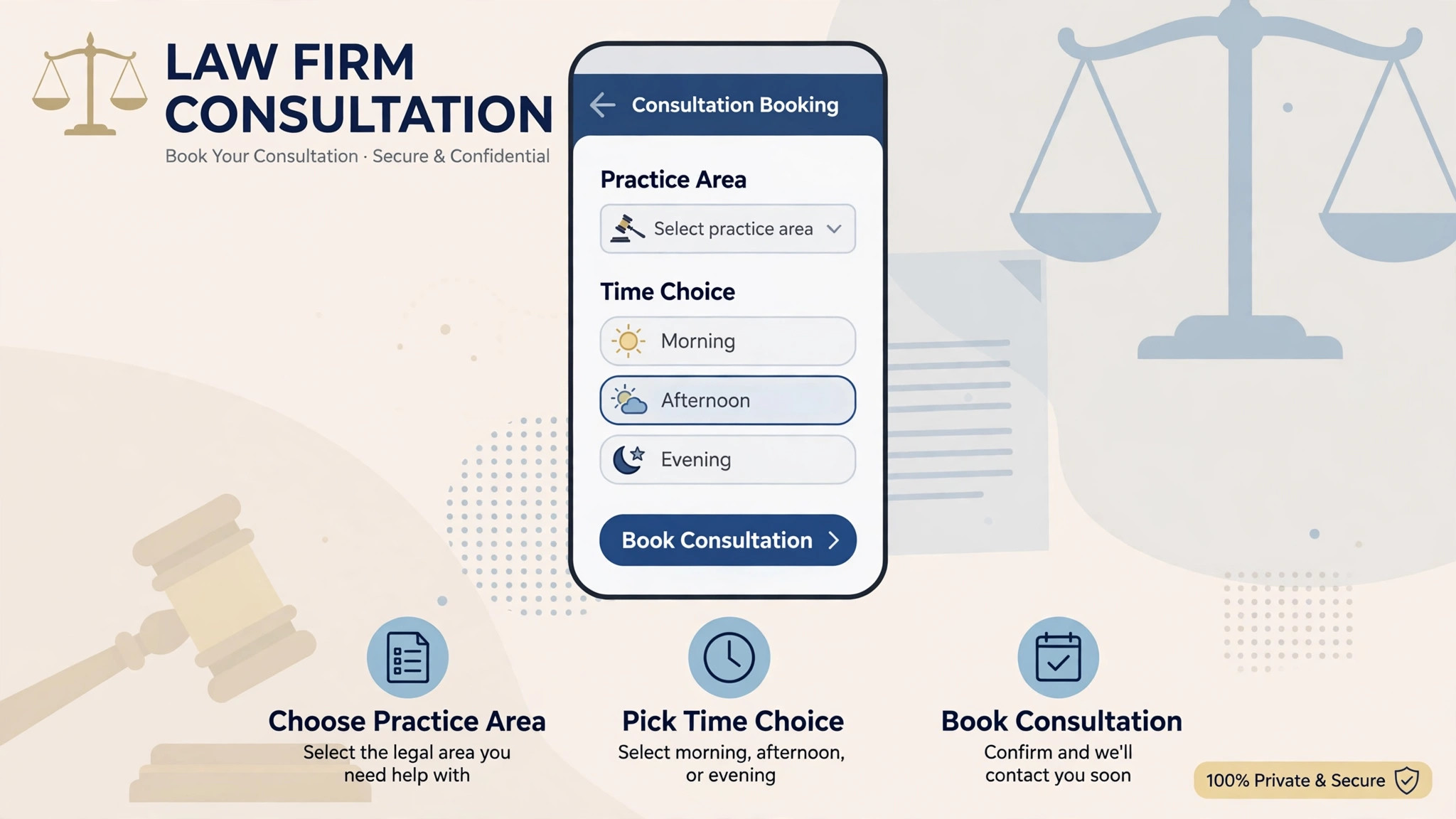
Consultation booking is the second difference. A site with a clear booking form, practice area pages, and a simple intake step converts visitors who are ready to talk, while a site with only a phone number and a generic contact form leaks enquiries. Builders differ sharply here, because legal intake needs conflict checks, confidentiality notes, and practice specific questions, not just a name and message box.
The third difference is content. Law firms win search traffic by publishing substantial practice area content, location pages, and answers to common questions. A builder that makes publishing easy, and that handles SEO basics well, supports that work for years. A builder that makes publishing awkward will slowly starve the site of the content it needs to rank.
Finally, ownership and control decide the long term cost. A platform the firm owns can move hosts, change designers, and keep its content. A managed platform that the firm does not own can be simpler to run, yet harder to leave. That trade off should be decided deliberately, not discovered when the firm wants to change direction.
Speed of launch matters too, because a firm that waits months for a perfect site loses consultations every week. A builder that launches a credible site in days, then improves it page by page, usually beats a long custom build that never ships. The right builder balances launch speed with room to grow, so the first version is good enough to book work while later versions improve ranking.
Local search is the quiet driver for most small firms. Clients search for a practice area plus a city, and the site must support location pages, reviews, and clear contact details. A builder with solid local SEO basics, fast mobile pages, and easy page creation gives a small firm a real chance in its own market, even against larger rivals.

5 Tools Compared
Wix
Wix suits a solo attorney who wants a professional site live quickly without hiring a developer. Hundreds of templates, a drag and drop editor, built in contact forms, and appointment booking cover the basics, while SEO tools handle titles, descriptions, and local pages. A solo firm in a low competition market can launch in days, which matters when referrals need somewhere credible to check before calling.
The limits are portability and depth. Switching templates after launch is awkward, and technical SEO control is thinner than a content management system built for competitive search. A firm that plans to compete for high value practice area terms in a large city will outgrow Wix sooner than a firm that mainly needs credibility and consultation bookings.
Pricing is reported from 17 dollars per month in recent comparisons, with higher tiers adding storage, analytics, and booking features, so confirm the current plan on the vendor page. Add a custom domain and any booking or payment add-ons to the true yearly cost.
Choose Wix when solo firms that want a fast launch is the main job. Skip it when a different priority in this guide matters more, and test that priority first during a trial.
Squarespace
Squarespace suits a boutique firm that wants an elegant site with strong design and little maintenance. Templates look polished out of the box, blogging and page building are simple, and hosting, security, and updates are handled by the platform. A family law or estate planning firm that sells trust and calm presentation will find the design quality a genuine advantage.
The trade off is legal depth and SEO ceiling. There are few law specific templates, intake features are basic, and technical SEO control is limited compared with a specialist or open platform. A firm that needs complex intake, many location pages, or aggressive content marketing should weigh those limits before choosing design alone.
Pricing is reported from 16 dollars per month billed annually in recent comparisons, with higher tiers adding commerce and advanced analytics, so confirm the current plan on the vendor page. The design quality is included in that price, while legal intake tools may need a second subscription.
Choose Squarespace when boutique firms focused on brand and design is the main job. Skip it when a different priority in this guide matters more, and test that priority first during a trial.
WordPress
WordPress with a good host gives a small firm full control over design, content, SEO, and integrations, which is why it remains the choice for firms in competitive markets. Practice area pages, location pages, FAQs, schema, and intake forms can all be built exactly as the firm wants, and the site can grow from a solo practice to a multi attorney firm without changing platform. Ownership is complete, so the firm keeps its content and domain whatever happens next.
The cost is time and maintenance. Updates, security, backups, and plugin choices need attention, either from the firm or from a host or developer. A firm with no one to maintain the site will find WordPress heavier than a hosted builder, even though the ceiling is higher. Budget for maintenance in the yearly total, not just hosting.
Hosting is reported from about 10 dollars per month for small business hosting in comparisons, with premium themes and plugins adding to the total, so confirm current prices on the vendor pages. A managed host reduces the maintenance burden and is often worth the higher monthly figure for a busy firm.
Choose WordPress when firms that need full seo control and growth room is the main job. Skip it when a different priority in this guide matters more, and test that priority first during a trial.
LawLytics
LawLytics is built only for law firms, and that focus shows in practice area templates, state disclaimer handling, and content tools designed for attorney writing. The vendor sets up or migrates the site, then hands over a drag and drop editor the firm can manage without a developer. For a small firm that wants to publish substantial practice content without learning a general platform, that managed start is attractive.
The limits are ownership and price. The firm does not own the LawLytics site in the way it owns a WordPress site, and technical SEO control is less granular than an open platform. The monthly figure is also far higher than a general builder, so the firm should judge it against the value of managed setup and legal specific templates, not against a 17 dollar builder alone.
Pricing is reported around 200 dollars per month in recent comparisons, with setup fees varying by migration needs, so confirm the current price on the vendor page. Ask exactly what the membership includes for hosting, support, and content tools before signing.
Choose LawLytics when firms that want a managed legal platform is the main job. Skip it when a different priority in this guide matters more, and test that priority first during a trial.
Webflow
Webflow suits a growth focused firm that wants a distinctive design and strong SEO foundations without the maintenance of an open platform. The visual editor gives precise control over layout, while clean code, fast hosting, and SEO settings support competitive content marketing. A firm working with a designer or agency will get more from Webflow than a firm building alone, because the tool rewards design skill.
The learning curve is steeper than Wix or Squarespace, and legal specific features still need third party forms or intake tools. A solo attorney building alone may find Webflow slower to launch, while a firm with design help will find the control worth the effort. Intake and client management remain separate purchases.
Pricing is reported from 15 dollars per month in recent comparisons for a basic site plan, with higher tiers adding capacity and features, so confirm the current plan on the vendor page. Add form, intake, and any agency costs to the true first year total.
Choose Webflow when growth focused firms with design support is the main job. Skip it when a different priority in this guide matters more, and test that priority first during a trial.
Picks by Firm Type
Use this table to match the builder to the firm type that pays the bills. The best website builder for small law firms changes with the practice, so pick by firm type rather than by feature count alone.
| Job | Best pick | Why it wins |
|---|---|---|
| Solo firm | Wix or Squarespace | Fast launch and low maintenance matter most |
| Small partnership | WordPress or Webflow | SEO control and growth room matter most |
| Niche practice | LawLytics or WordPress | Legal templates and deep content matter most |

Consultation Booking Checklist Before You Launch
Run through this checklist on a real site draft before you commit to a platform. The best website builder for small law firms should turn a visitor into a booked consultation, not just display a phone number.
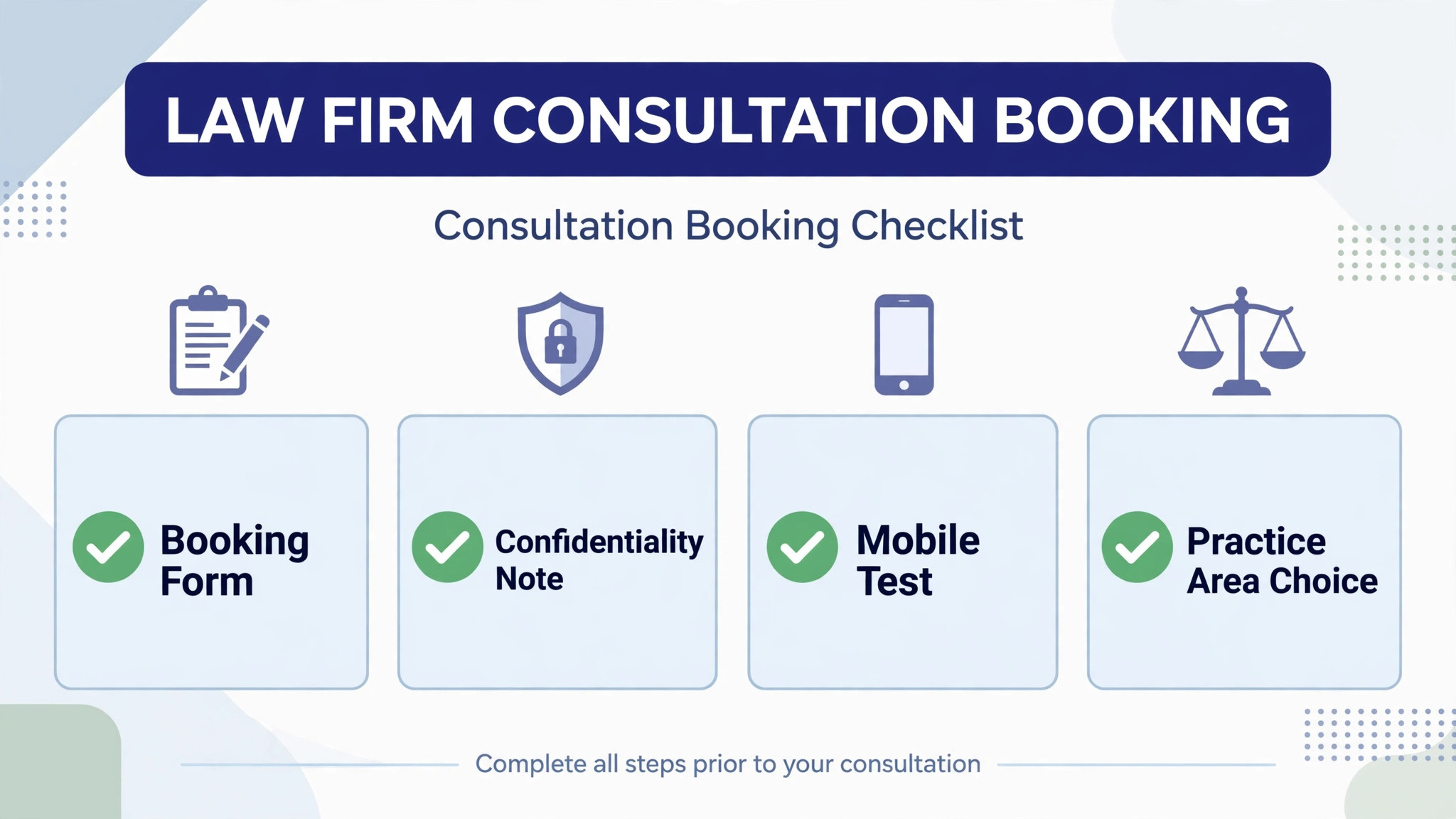
– Place a consultation button on every practice page, not only on the homepage. – Ask practice specific questions on the intake form, so the firm can screen the enquiry before calling back. – Add a confidentiality note and a clear statement that a form submission is not yet a client relationship. – Show fee and process information plainly, so visitors know what a first consultation involves. – List office locations, hours, and response times so local visitors can judge whether to call. – Add client reviews and case type examples where the bar rules allow them, to build trust quickly. – Test booking on a phone, because most local visitors will book from a mobile device.

What a Law Firm Website Really Costs
The monthly plan is only part of the bill. Add a custom domain, intake or booking tools, premium themes or plugins, and any designer or maintenance help. A 17 dollar builder can still be the expensive choice if intake needs a second subscription, while a higher platform price can be fair if setup and legal templates are included.
Ownership changes the maths again. A site the firm owns keeps its content and can change hosts or designers without rebuilding. A managed site the firm does not own may be simpler to run, yet harder to leave, so ask what happens to content, domain, and pages if the membership ends.
Time is the hidden cost for attorneys. A platform that needs 40 hours of attorney time to build is not cheap, even at a low monthly price, because those hours could have been billed. A managed setup or a fast builder can be worth more than the monthly saving, especially for a solo practice with no marketing staff.
Content is the ongoing cost that decides ranking. Practice pages, FAQs, and location pages need writing and updating, whatever the builder. Budget for that writing time, or for a writer, in the first year total, and judge the builder partly on how easy it makes publishing.
Support hours matter for a firm that takes enquiries in the evening. A builder with weekday only support is little help when a booking form breaks on a Saturday. Ask for the real support channel, test it during a trial, and note how long a genuine question takes to reach a person who can fix it.
Finally, price the second year, not the first month, because introductory rates and launch discounts expire. Write down the renewal price, the price at the next tier, and the cost of the add-ons you actually need. A plan that looks cheap at launch and dear at renewal is not cheap.
Ask how each finalist handles a second location page, because small firms often add an office or serve nearby towns. A builder that makes location pages easy supports local search growth, while a builder that makes them awkward will slow expansion. Test one location page during the trial, not just the homepage.
Test the mobile experience before anything else, because clients and referrers do most of this work on phones. If the mobile view hides key buttons, shrinks text too far, or forces endless scrolling, adoption will suffer no matter how good the desktop version looks. Judge the product on the smallest screen visitors actually use.
Plan the content calendar before launch, with one practice page and one answer page per month as a realistic start. A builder that makes publishing quick will support that rhythm, while a builder that makes publishing slow will quietly kill it. Publish the first two pages before launch so the routine is already working.
Review user permissions before launch, so each attorney and staff member sees only what they need. Office staff need enquiry views, attorneys need content views, and clients need only their own records. Clear permissions protect privacy, reduce confusion, and prevent accidental changes to live pages.
Keep one channel for internal questions during the first month, so staff do not learn different workarounds in separate chats. A single place for questions lets the owner spot the same problem twice and fix the workflow once, rather than answering the same question five times in five places.
Check how each finalist handles a broken booking form, because every online tool fails at some point. Write a simple fallback, such as a phone number on every page and a monitored inbox, and keep it visible. A fallback plan turns a form outage into a minor delay rather than a lost week of enquiries.
Attorney bios deserve the same care as practice pages, because visitors check the person before they check the firm. A bio with real experience, bar admissions, and plain language about approach builds trust faster than a list of credentials alone. Ask each attorney to review their own bio before launch, and update it when practice focus changes.
Reviews need a routine, not a one off request. A firm that asks satisfied clients for a review at the right moment, and that responds to every review politely, builds a local reputation steadily. A builder that makes review display easy helps, yet the routine matters more than the widget, because reviews only appear when someone asks.
Blogging for a law firm works best when each post answers one real client question in full. A short post that answers a fee question, a process question, or a deadline question will attract more useful visitors than a generic news roundup. Publish on a steady rhythm the firm can sustain, even if that rhythm is only one post per month.
Accessibility is easy to overlook and costly to ignore. Text contrast, keyboard navigation, and readable font sizes help older clients and clients using assistive tools, and they also help every visitor on a small phone screen. Test the site with a screen reader check and a contrast check before launch, not after a complaint.
A second office or a new practice area should not require rebuilding the site. Check during the trial how easily a new location page or practice page can be added, and whether navigation updates automatically. A builder that makes growth easy will support the firm for years, while a builder that makes it awkward will quietly limit expansion.
Security basics matter for a firm site, even without client portals. Keep the platform updated, use strong passwords with two factor sign in, and keep backups the firm controls. A builder that handles updates automatically removes one burden, yet the firm should still know how to restore a backup if a page breaks.
Finally, measure enquiries by source, not just total visits. A page that brings many visitors yet few consultations needs different work from a page that brings few visitors yet converts well. Track form submissions and calls by page for a month, then improve the pages that already convert before chasing more traffic.
Website Mistakes That Cost Small Law Firms Clients
The most common mistake is hiding the consultation step. A site that describes practice areas beautifully yet buries the booking form will lose visitors who were ready to talk. Every practice page should carry a clear next step, and the form should ask only what the firm needs to respond helpfully.
A second mistake is publishing thin practice pages. A page with two short paragraphs will not rank for a competitive practice term and will not persuade a visitor who compares firms. Substantial pages that answer real questions, explain process, and show local relevance perform better on both counts.
A third mistake is ignoring mobile visitors. Most local searches happen on a phone, and a site that looks fine on a desktop yet breaks on a phone will lose the enquiry. Test every page on a phone, with one hand free, before launch, and fix any step that feels awkward there.
A fourth mistake is copying generic legal text without local or practice detail. Visitors and search engines both notice when a site could belong to any firm in any city. Specific practice detail, local pages, and real answers to common questions separate a useful firm site from a template.
Another mistake is forgetting bar and advertising rules. Claims, testimonials, and fee statements must follow the rules that apply in the firm jurisdiction, and a builder template will not check them. Review every claim and testimonial line before publishing, and keep disclaimers where they belong.
Finally, many firms launch and then ignore the site for a year. Content goes stale, booking forms break, and rankings slip quietly. A short monthly routine for checking forms, updating pages, and reviewing enquiries keeps the site working, and fifteen minutes a week is enough to catch most problems early.
How to Test Finalists With Real Enquiries
Pick two finalists and build the same three pages on both. Include a homepage, one practice area page, and a consultation booking page, using real firm copy. The builder that produces a clean, fast, mobile friendly result with the least attorney time is usually the right pick.
Ask a past client or a friend to test the booking step. Their confusion is more useful than any feature list, because real visitors will face the same steps when they need help. A booking form that is hard to complete will lose enquiries, no matter how good the design looks.
Check SEO basics during the trial. Set titles, descriptions, and headings, publish a practice page, and confirm the page loads quickly on a phone. A builder that makes those basics awkward will slow every later ranking effort, while a builder that handles them cleanly supports years of content work.
Finally, write down the full first year cost for each finalist, including domain, intake tools, themes, and maintenance help. A clear total makes the decision easier and prevents a cheap plan from quietly becoming the expensive choice as the firm grows.
Also check how each finalist handles a site move. Ask what can be exported, whether the domain stays with the firm, and what happens to pages if the subscription ends. A vendor that makes leaving hard will also make price rises easy, so treat export quality as a core feature rather than a footnote.
More Reading on Stratilyze
– Best Website Builder for Coaches – Best Website Builder for Photographers – Best Website Builder for Real Estate Agents
Frequently Asked Questions
What is the cheapest website builder for a small law firm?
Wix from a reported 17 dollars per month and Squarespace from a reported 16 dollars per month billed annually are the cheapest hosted starts. WordPress hosting from about 10 dollars per month reported can be cheaper on hosting alone, yet themes and maintenance add to the total.
Do I need a legal specific builder or will a general builder work?
A general builder works when credibility and bookings matter most and competition is modest. A legal specific platform works better when practice content, disclaimers, and managed setup matter most, because those features are built in rather than added.
How should a solo firm choose differently from a partnership?
A solo firm should favour fast launch and low maintenance, so Wix or Squarespace often fit. A partnership should favour SEO control and growth room, so WordPress or Webflow often fit, because several attorneys and practice areas need more content depth.
Can a small firm website rank for competitive practice terms?
Yes, with substantial practice pages, local pages, and steady publishing, yet the builder ceiling matters. WordPress and Webflow give the most SEO control, while hosted builders suit lower competition markets and referral driven firms better.
How fast should a law firm site launch?
As fast as a credible version allows, ideally within weeks rather than months. A good first version that books consultations beats a perfect site that never ships, and pages can improve after launch without losing early enquiries.
Can I switch website builders later?
You can usually move a domain and rewrite content, but designs, templates, and some platform features rarely transfer cleanly. Ask what can be exported during the trial, and expect rebuilding when you switch, especially away from a managed platform.
The Verdict for Small Law Firms
For most small firms, Wix leads for a fast solo launch, Squarespace leads for boutique design, and WordPress leads for firms that need full SEO control and ownership. LawLytics fits firms that want a managed legal platform, while Webflow fits growth focused firms with design support.
Start with the firm type that pays the bills, test two finalists with real pages and a real booking form, and price the builder at the full first year total. A site that looks trustworthy, explains practice clearly, and books consultations easily will repay its cost many times over. That is the practical way to choose the best website builder for small law firms for the work you actually sell. That is the practical way to choose the best website builder for small law firms for the work you actually sell.