

An agency that bills 500,000 dollars a year and underbills by 5 percent leaves 25,000 dollars on the table. That gap is rarely a pricing problem. It is a tracking problem, because hours forgotten on Friday, rounded down in a hurry, or logged against the wrong client never reach an invoice. The best time tracking software for creative agencies exists to close that gap, and the right tool depends on how the agency actually bills.
Creative work complicates tracking in ways other industries avoid. Retainer clients pay a fixed monthly fee, project clients pay a fixed project price, and hourly clients pay for time itself, yet the same designers and writers serve all three in one week. A tracker must separate billable from non-billable time, show budget burn by client type, and keep retainer work from quietly eating project margins.
This guide compares 11 tools on timers, billable rates, budgets, invoicing, reporting, and price, with clear guidance on when to choose or skip each one. Prices are reported from vendor pages and recent comparisons, and every figure should be confirmed on the vendor page before you buy, because plans change.
Trackers and Prices at a Glance
The table below gives a fast read on price and fit. Read it as a starting point, then use the tool sections for the trade offs that decide a purchase. The best time tracking software for creative agencies for your studio depends on whether retainer clients, project clients, or hourly clients pay the bills.
| Tool | Starting price | Best for |
|---|---|---|
| Toggl Track | 9 dollars per user per month, Starter billed annually | Agencies that want the simplest timer and strong reports |
| Harvest | 13.75 dollars per person per month reported | Agencies that bill clients by the hour from tracked time |
| Clockify | Free plan, paid from 3.99 dollars per user per month | Budget conscious agencies and larger teams |
| Timely | From 9 dollars per user per month reported | Teams that forget manual timers |
| Hubstaff | 4.99 dollars per user per month reported | Remote and distributed agency teams |
| TimeCamp | 3.99 dollars per user per month reported | Agencies that want low cost tracking with billing rates |
| Everhour | Price on request, confirm on vendor page | Teams already inside a project tool |
| actiTIME | 6 dollars per user per month reported | Agencies that want time tracking plus leave and billing |
| My Hours | 9 dollars per user per month reported | Small agencies that invoice from tracked hours |
| Paymo | Price on request, confirm on vendor page | Agencies that want projects, time, and invoicing together |
| DeskTime | From 7 dollars per user per month reported | Agencies that want automatic tracking and productivity views |

Why the best time tracking software for creative agencies beats guesswork timesheets
Accuracy is the first difference. A one click timer that staff actually use captures hours a timesheet reconstructed from memory will miss, and the difference compounds across a team every week. Agencies that audit tracked time often find underbilling of 5 to 10 percent, which is a direct profit leak that better tracking can recover.
Billable versus non-billable separation is the second difference. Pitching, internal meetings, admin, and learning are real work, yet they should not be billed to a client or counted as project margin. A tracker that separates those categories cleanly shows true utilisation and true project profit, while a tracker that lumps everything together flatters the numbers and hides the problem.
The third difference is budget visibility. Retainer clients have monthly hour caps, project clients have fixed budgets, and hourly clients have estimates that should not be exceeded without a conversation. A tracker with budgets and alerts warns the account lead before the budget is gone, while a tracker without alerts delivers the surprise at invoice time.
Finally, reporting decides whether tracked time changes decisions. Utilisation by person, profitability by client, and budget burn by project are the reports an agency owner reads weekly. A tool with strong reporting turns time data into pricing and hiring decisions, while a tool with weak reporting turns tracking into admin that nobody reads.
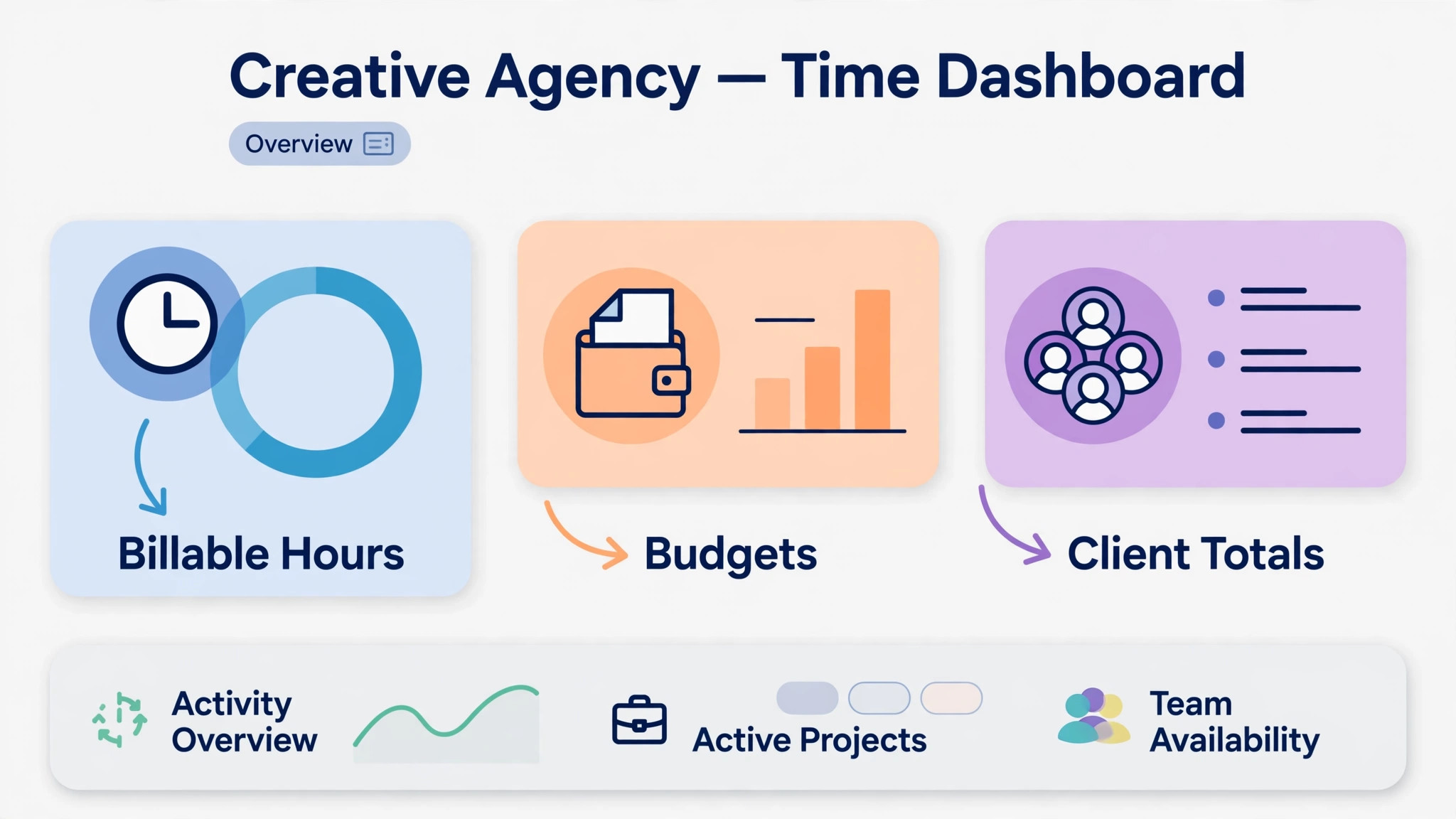
11 Tools Compared
Toggl Track
Toggl Track suits a creative agency that wants a one click timer staff will actually use. Tracking works across web, desktop, and mobile, with more than 100 integrations, and reports can be filtered by client, project, and person. A designer or copywriter can start a timer in seconds, which matters more than advanced features when the main problem is forgotten hours.
The limits are invoicing and approvals. Toggl Track has no built in invoicing at any tier, so billing lives in a separate accounting tool, and timesheet approvals need the Premium tier. An agency that bills from tracked hours directly may prefer a tool with invoicing closer to the timer, while an agency with an established billing stack will not miss it.
Pricing is reported at 9 dollars per user per month for Starter billed annually, or 10 dollars monthly, with Premium at 18 dollars billed annually, so confirm the current plan on the vendor page. Billable rates arrive on Starter, which is the tier most billing agencies need first.
Choose Toggl Track when agencies that want the simplest timer and strong reports is the main job. Skip it when a different priority in this guide matters more, and test that priority first during a trial.
Harvest
Harvest suits a creative agency where tracked hours must turn into invoices without retyping. Billing rates, project budgets, expense tracking, and invoicing sit close to the timer, so an hour logged for a client can flow to an invoice with its rate and budget status visible. That closeness reduces underbilling, which is the quiet profit leak for hourly agencies.
The trade off is price transparency and breadth. Harvest pricing is less prominently published than some rivals in the sources checked, and project management depth is thinner than a full agency suite. An agency that needs deep project planning alongside time tracking may pair Harvest with a project tool, while an hourly billing agency will value the invoice flow most.
Pricing is reported at 13.75 dollars per person per month in comparisons, so confirm the current plan on the vendor page. Price it at the full billable team, including contractors who log client hours.
Choose Harvest when agencies that bill clients by the hour from tracked time is the main job. Skip it when a different priority in this guide matters more, and test that priority first during a trial.
Clockify
Clockify suits a creative agency that wants unlimited tracking at a low price, especially as the team grows. The free plan covers tracking, timesheets, and basic reports, while paid tiers add invoicing, approvals, time off, scheduling, and GPS features at prices well below several rivals. A bootstrapped agency or a large team watching every seat cost will feel the value immediately.
The limits are polish and depth at the top end. Reports and billing workflows are capable yet less refined than Toggl or Harvest for agencies that live in profitability analysis daily. An agency that needs advanced margin reporting may outgrow Clockify, while an agency that mainly needs accurate billable hours will find it more than sufficient.
Pricing is reported from 3.99 dollars per user per month for Basic billed annually, with Standard at 5.49 dollars and Pro at 7.99 dollars in comparisons, so confirm the current plan on the vendor page. The free tier makes a no risk trial possible for the whole team.
Choose Clockify when budget conscious agencies and larger teams is the main job. Skip it when a different priority in this guide matters more, and test that priority first during a trial.
Timely
Timely suits a creative agency whose staff forget to start timers. Automatic time capture records app and document activity, then lets staff review and assign captured time to clients and projects, which recovers hours that manual timers miss. A team that reconstructs Fridays from memory will gain accuracy quickly, and managers get a clearer view of where time actually goes.
The trade off is control and price. Automatic capture needs clear team rules about privacy and review, because staff should approve captured time before it becomes billable. Invoicing is handled through integrations rather than built in billing, so an agency that invoices directly from time may need a second tool.
Pricing is reported from 9 dollars per user per month in recent comparisons, with higher tiers adding planning and reporting, so confirm the current plan on the vendor page. Test automatic capture with a real project week before committing the whole team.
Choose Timely when teams that forget manual timers is the main job. Skip it when a different priority in this guide matters more, and test that priority first during a trial.
Hubstaff
Hubstaff suits a creative agency with remote or distributed staff who need time tracking plus oversight. Time tracking, activity levels, screenshots on higher tiers, payroll connections, and scheduling sit together, which helps a manager who cannot walk the studio floor. A remote agency that needs auditable hours for clients will value that visibility.
The limits are creative workflow fit and trust. Screenshot and activity monitoring can feel intrusive for senior creatives, so a studio that values autonomy should use the lightest monitoring settings and agree the rules openly. An agency that mainly needs billable hours without monitoring may prefer Toggl or Clockify.
Pricing is reported from 4.99 dollars per user per month in comparisons, so confirm the current plan on the vendor page. Price the tier that includes the monitoring and payroll features the agency actually wants, not just the entry tier.
Choose Hubstaff when remote and distributed agency teams is the main job. Skip it when a different priority in this guide matters more, and test that priority first during a trial.
TimeCamp
TimeCamp suits a creative agency that wants billable rate tracking and project budgets at a low seat price. Time tracking, invoicing support, and reporting cover the core agency need, and the price undercuts several rivals while still including the billing features a small agency uses daily. A growing agency that watches seat costs closely will appreciate the balance.
The limits are polish and integration depth. TimeCamp is capable yet less widely integrated than Toggl, so an agency inside a specific project or accounting stack should check each connection before committing. A team that mainly tracks and bills inside one workflow will not miss the wider catalogue.
Pricing is reported from 3.99 dollars per user per month in comparisons, so confirm the current plan on the vendor page. Compare the included billing and budget features against the entry tiers of pricier rivals at the same team size.
Choose TimeCamp when agencies that want low cost tracking with billing rates is the main job. Skip it when a different priority in this guide matters more, and test that priority first during a trial.
Everhour
Everhour suits a creative agency that already lives inside a project management tool and wants time tracking embedded there. Timers, budgets, and billing rates appear inside tasks, so staff track time without switching apps, and managers see budget burn against the project they already manage. That embedded fit reduces the friction that kills adoption in many agencies.
The trade off is standalone depth. Everhour is strongest as an embedded tracker, so an agency without a supported project tool will get less value than from a standalone tracker with its own reporting suite. Check the project tool integration first, because it decides whether Everhour fits at all.
Pricing is quote based or tiered depending on the plan in the sources checked, so request a quote and confirm the current plan on the vendor page. Price it at the full team that will track time, not just project managers.
Choose Everhour when teams already inside a project tool is the main job. Skip it when a different priority in this guide matters more, and test that priority first during a trial.
actiTIME
actiTIME suits a creative agency that wants time tracking, leave management, and invoicing support in one affordable system. Staff log time against clients and projects, managers approve timesheets, and leave balances sit alongside tracked hours, which removes a second leave tracker for a small agency. A team that juggles client work and holidays will use that combination daily.
The limits are modern polish and creative specific reporting. actiTIME is practical rather than beautiful, and profitability analysis is thinner than Toggl Premium. An agency that needs deep margin reporting may prefer a pricier specialist, while an agency that needs solid tracking plus leave will find actiTIME sufficient.
Pricing is reported at 6 dollars per user per month in comparisons, so confirm the current plan on the vendor page. Compare the combined tracking and leave value against buying those tools separately.
Choose actiTIME when agencies that want time tracking plus leave and billing is the main job. Skip it when a different priority in this guide matters more, and test that priority first during a trial.
My Hours
My Hours suits a small creative agency that wants simple tracking with invoicing included at a mid range price. Time logs, project budgets, and invoices sit together, so an hour tracked for a client can become a billed line without exporting to another system. A small agency that bills hourly and wants one tool for tracking and invoicing will find the fit natural.
The limits are scale and reporting depth. Larger agencies with complex retainer, project, and hourly mixes may find reporting thinner than Toggl or Harvest, and integrations are narrower. A small team with straightforward billing will not hit those limits, while a growing agency should test retainer reporting before committing.
Pricing is reported at 9 dollars per user per month in comparisons, so confirm the current plan on the vendor page. Price it at the full billable team, since every person logging client hours needs a seat.
Choose My Hours when small agencies that invoice from tracked hours is the main job. Skip it when a different priority in this guide matters more, and test that priority first during a trial.
Paymo
Paymo suits a creative agency that wants project management, time tracking, and invoicing in one system. Tasks, timelines, time logs, and invoices connect, so a project can move from brief to bill without switching tools. An agency that currently juggles a project tool, a tracker, and an invoicing tool may save real admin time by consolidating.
The trade off is depth in each area. Paymo covers three jobs well, yet a specialist tracker may report better and a specialist project tool may plan better. An agency that needs best in class reporting or planning should test those specific workflows, while an agency that values one connected system will prefer the consolidation.
Pricing is tiered in the sources checked, so request a quote and confirm the current plan on the vendor page. Compare the combined cost against the three separate tools it would replace, not against a tracker alone.
Choose Paymo when agencies that want projects, time, and invoicing together is the main job. Skip it when a different priority in this guide matters more, and test that priority first during a trial.
DeskTime
DeskTime suits a creative agency that wants automatic time tracking with productivity views for managers. The system captures app and website use, categorises productive and unproductive time, and shows where the day goes without relying on manual timers. A manager who wants an honest view of capacity and distractions will value those reports.
The limits are creative fit and privacy. Automatic productivity categorisation can misread creative work, where research, browsing, and thinking look unproductive yet produce the work. Agree categorisation rules and review habits with the team before using the data for billing or performance decisions.
Pricing is reported from 7 dollars per user per month in comparisons, so confirm the current plan on the vendor page. Test automatic capture with a real creative week, including research and revision time, before committing.
Choose DeskTime when agencies that want automatic tracking and productivity views is the main job. Skip it when a different priority in this guide matters more, and test that priority first during a trial.
Picks by Client Type
Use this table to match the tool to the client type that pays the bills. The best time tracking software for creative agencies changes with the billing model, so pick by client type rather than by feature count alone.
| Job | Best pick | Why it wins |
|---|---|---|
| Retainer clients | Toggl Track or Clockify | Monthly caps and utilisation reporting matter most |
| Project clients | Harvest or Paymo | Budgets, invoicing, and project tracking matter most |
| Hourly clients | Harvest or My Hours | Rates and invoicing from tracked time matter most |

Billable Versus Non-Billable Checklist Before You Track
Run through this checklist before the first tracked week on a new platform. The best time tracking software for creative agencies should separate billable and non-billable time cleanly from day one.
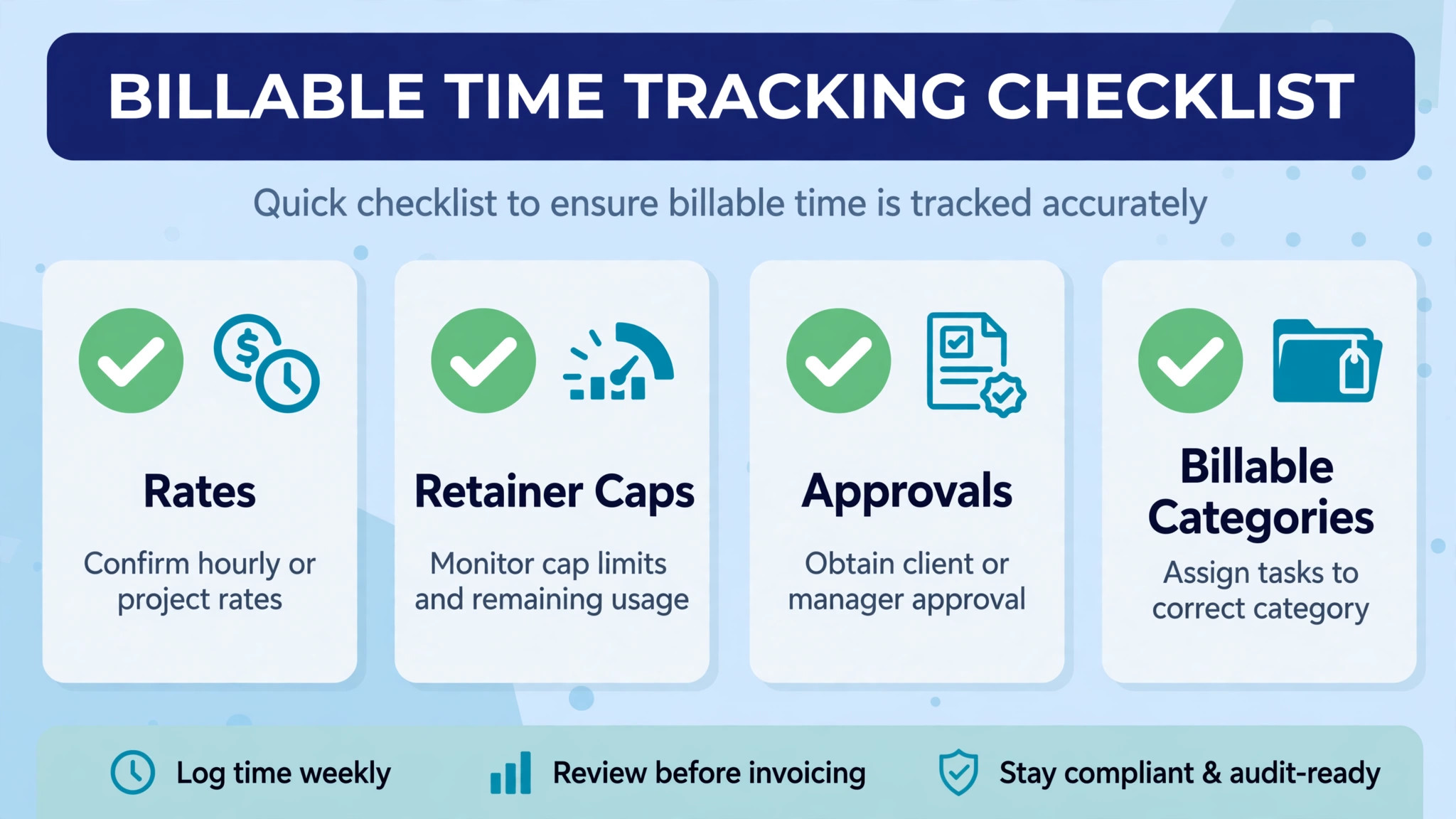
– Define billable, non-billable, and internal categories before anyone starts a timer. – Set billable rates by client, project, and seniority, so invoices reflect real value. – Set monthly hour caps for retainer clients, with alerts before the cap is reached. – Set project budgets with overage alerts, so account leads can warn clients early. – Record pitching, admin, and learning as non-billable, so utilisation figures stay honest. – Review unassigned and rounded time weekly, because both hide underbilling and misallocation. – Approve timesheets before invoicing, so errors are caught before they reach a client.

What Time Tracking Really Costs
The monthly plan is only part of the bill. Add seats for every person who logs client hours, including contractors, plus any invoicing, reporting, or monitoring tier. A 3.99 dollar seat can still beat a 9 dollar seat only if the cheaper tier includes the billing and approval features the agency actually uses.
Free tiers change the maths for small teams. Clockify free covers tracking for a growing team, while Toggl free covers a small number of users, so a bootstrapped agency can start at no cost and upgrade when billing features are needed. Price the upgrade tier, not just the free tier, before committing the team workflow to it.
One recovered billable hour per person per week can pay for the system many times over. Track recovered hours during the trial, not just the monthly fee, when you judge value, because a tracker that staff actually use beats a cheaper tracker they ignore.
Finally, price the second year, not the first month, because introductory rates expire and team size grows. Write down the renewal price and the price at the next tier, and model the cost at the team size expected in a year, not the team size today.
Ask how each finalist handles a contractor who logs hours for only one project, because agencies often mix staff and freelancers. A tool that forces a full seat for a part time contractor changes the cost, while a tool with flexible seats or guest tracking may suit that mix better. Test contractor access during the trial.
Test the mobile experience before anything else, because designers and account leads log time on phones between meetings. If the mobile view hides key buttons, shrinks text too far, or forces endless scrolling, adoption will suffer no matter how good the desktop version looks.
Plan the rollout in small steps, starting with one team and one client type before expanding. A big launch across all clients at once creates messy categories and confused staff. Small steps take longer on paper, yet they protect billing accuracy during the change.
Review user permissions before launch, so each role sees only what it needs. Staff need their own timers, account leads need client reports, and owners need margin views. Clear permissions protect privacy and prevent accidental changes to rates or budgets.
Time Tracking Mistakes That Cost Creative Agencies Money
The most common mistake is tracking without categories. Hours logged against a client name alone cannot show billable versus non-billable split, project margin, or retainer burn, so the data cannot guide pricing. Set categories and rates before the first tracked week, not after a month of messy data.
A second mistake is rounding hours down out of politeness. Staff who round a 40 minute task to 30 minutes, or who forget small tasks entirely, underbill steadily across a team. A one click timer and a weekly review catch those gaps, while a Friday timesheet from memory will miss them.
A third mistake is ignoring retainer burn until the month ends. Retainer clients quietly consume more hours than the fee covers, and the agency discovers the loss at month end when it is too late to adjust. Budget alerts during the month let account leads rebalance work before the cap is breached.
A fourth mistake is using tracked time for surveillance without team agreement. Monitoring that feels punitive will be resisted, gamed, or quietly avoided, which destroys the accuracy it was meant to create. Agree the purpose, the categories, and the review routine openly, and use the data for billing and capacity first.

How to Test Finalists With a Real Client Week
Pick two finalists and run the same real client week through both. Include a retainer client, a fixed project, an hourly client, internal work, and a revision round that changes the budget. The platform that separates those cleanly and reports margin clearly is usually the right pick.
Ask a designer and an account lead to test the timer and the report separately. Their confusion is more useful than any feature list, because staff and managers use the tool differently. A timer staff avoid and a report managers cannot read will both fail, even if the other side looks perfect.
Check invoicing during the trial. Turn a week of tracked hours into an invoice, confirm rates and budgets flow correctly, and send a test invoice to an internal address. A tracker that cannot invoice cleanly will create retyping work every billing cycle.
Finally, write down the full first year cost for each finalist, including seats for contractors and the tier that includes approvals and profitability reporting. A clear total makes the decision easier and prevents a cheap plan from quietly becoming the expensive choice as the team grows.

More Reading on Stratilyze
– Best Time Tracking Software for Freelancers – Best Time Tracking Software for Remote Teams – How to Price Retainers Small Agency
Frequently Asked Questions
What is the cheapest time tracking tool for a creative agency?
Clockify free covers tracking at no cost, with paid plans from a reported 3.99 dollars per user per month. TimeCamp from a reported 3.99 dollars and Hubstaff from a reported 4.99 dollars are the next cheapest paid starts for a billing agency.
Do I need invoicing built into the tracker or will a separate tool work?
A separate tool works when billing already lives in an accounting system and tracked time is exported cleanly. A built in invoicing tool works better when hourly billing is the main revenue model, because hours flow to invoices without retyping or export errors.
How should a retainer agency choose differently from an hourly agency?
A retainer agency should favour monthly caps, utilisation reporting, and budget alerts, so Toggl Track or Clockify often fit. An hourly agency should favour rates and invoicing from tracked time, so Harvest or My Hours often fit, because billing accuracy decides profit.
Can time tracking handle retainer, project, and hourly clients together?
Yes, most tools in this guide support all three with separate budgets and rates, yet reporting depth varies. Test a mixed week during the trial, and confirm retainer burn, project margin, and hourly billing each report correctly before committing.
How do I get creative staff to actually track time?
Make the timer one click, agree categories openly, review weekly rather than policing daily, and show staff how tracked time protects budgets and prevents overload. A tracker that feels like surveillance will be resisted, while a tracker that feels like protection will be used.
Can I switch time tracking tools later?
You can usually export time logs and client records, but budgets, rates history, and approval workflows rarely transfer cleanly. Ask for a sample export during the trial, and expect some rebuilding when you switch, especially for historical profitability reports.
The Verdict for Creative Agencies
For most creative agencies, Toggl Track leads for simple tracking and strong reports, Harvest leads for hourly billing from tracked time, and Clockify leads for budget conscious teams that want a low seat price. Timely fits teams that forget manual timers, while Paymo fits agencies that want projects, time, and invoicing together.
Start with the client type that pays the bills, test two finalists with a real mixed week, and price the tool at the full billable team. A tracker that staff actually use, that separates billable from non-billable time, and that warns before budgets break will recover hours and protect margins every month. That is the practical way to choose the best time tracking software for creative agencies for the work you actually sell. That is the practical way to choose the best time tracking software for creative agencies for the work you actually sell.