

A therapist with a full caseload and an empty enquiry inbox has a website problem, not a skill problem. The best website builder for therapists must turn a worried visitor into a booked consultation, and it must do that while protecting privacy, explaining the approach in plain words, and making the next step obvious. A site that only lists qualifications will not do that work.
Therapy buyers behave differently from shoppers. They read carefully, they look for warmth and competence in equal measure, and they often leave a site without enquiring if anything feels unclear or unsafe. The right builder therefore needs calm design, a clear intake form, honest information about fees and availability, and pages that search engines can actually find for local queries.
This guide compares thirteen builders on the same questions. Can a visitor book or enquire without a phone call, does the form handle sensitive information with care, can the practice publish useful articles, and what does the full monthly bill become once booking and email tools are counted. Prices are starting points checked in recent comparisons, so confirm the current price on the vendor page before you buy.
Thirteen Therapy Builders Side by Side
Read the table as a shortlist, not as a ranking. A cheaper option suits a smaller operation with a simple workflow, while a fuller platform suits an operation whose income already depends on the system. Pick three finalists, then read their full sections before signing a contract.
| Tool | Starting price | Best for |
|---|---|---|
| Squarespace | from $16 a month billed annually | therapists who want a calm, polished site live quickly |
| Wix | from $17 a month billed annually | therapists who want design freedom plus booking in one place |
| WordPress | hosting from a few dollars a month plus theme and plugin costs | therapists who want full ownership and long term search growth |
| TherapySites | from $69 a month plus a $199 setup fee in recent comparisons | therapists who want a purpose built site with compliant forms |
| Brighter Vision | from $99 a month on the monthly option plus a $100 setup fee in recent comparisons | therapists who want a done for you site plus marketing help |
| Webflow | from $14 a month billed annually in recent comparisons | therapists working with a designer who want precise design |
| GoDaddy | from about $10 a month billed annually in recent comparisons | new therapists who need a simple site live this week |
| Duda | from $19 a month billed annually in recent comparisons | therapists who want clean design plus client management tools |
| Showit | from $19 a month in recent comparisons | therapists who want a fully custom visual brand |
| Framer | from $5 a month billed annually in recent comparisons | therapists who want a modern, fast site with strong design |
| Hostinger Website Builder | from about $3 a month in recent comparisons | therapists on a tight budget who need a simple site |
| Strikingly | from $12 a month in recent comparisons | therapists who need a short, sharp one page site |
| SimplePractice | from $49 a month in recent comparisons | therapists who already run their practice on SimplePractice |
Why the best website builder for therapists Beats a Qualifications Page
A qualifications page tells a visitor what the therapist studied. A working practice site moves a visitor toward a decision, and the difference shows in the enquiry form, the consultation booking step, and the information about fees, availability, and approach. A builder that treats those three as core features will outperform a prettier builder that treats them as extras.
Privacy is the second test, and it is not optional in this field. Forms that collect health related details need careful handling, clear consent wording, and a plan for where submissions are stored and who can read them. A general builder can host a contact form, but a therapy aware builder thinks about secure forms and compliant email from the start, and that difference matters to clients and to the practice.
Search visibility is the third test, and it is slow. Local pages, useful articles, and clear service descriptions build enquiries over months, not days. A builder with a strong blog, clean page titles, and simple search settings rewards steady writing, while a builder with weak blogging makes every article harder to publish and harder to find.

Thirteen Builders, Reviewed One by One

Squarespace
Squarespace fits therapists who want a calm, polished site without design wrestling. Its templates present writing, testimonials, and service pages with a quiet, professional finish, and scheduling plus commerce tools handle consultations and paid resources. The starting point is from $16 a month billed annually, so confirm the live price on the vendor page before you budget.
Watch the privacy setup closely, because a general builder does not make a site compliant on its own. Check form storage, email handling, and any agreement the practice needs before collecting sensitive details through the site.
Wix
Wix fits therapists who want design freedom plus booking in one place. Its editor, therapy templates, booking app, and payment tools cover a site, a consultation calendar, and package sales without a second platform, and the app market adds forms and email when the practice grows. The starting point is from $17 a month billed annually, so confirm the live price on the vendor page before you budget.
The limit is that flexibility can become clutter. A home page with five offers, three buttons, and a long menu will confuse a worried visitor, so keep one main action on each page and test the enquiry flow on a phone before launch.
WordPress
WordPress is worth a trial for therapists who want full ownership and long term search growth. With a booking plugin, a form plugin, and a payment plugin, it can do almost anything, and the practice owns the site, the content, and the data. Blogging depth and search tools are stronger here than on most closed builders. The starting point is hosting from a few dollars a month plus theme and plugin costs, so confirm the live price on the vendor page before you budget.
Where it falls short is maintenance. Updates, security, and plugin compatibility need attention or a paid helper, so the low hosting price is not the full cost. Price that upkeep honestly before choosing it for a busy practice.
TherapySites
TherapySites is built for therapists, so its templates arrive with therapy aware content, service pages, and forms designed for this work. Hosting, domain management, and support sit in one subscription, which suits a therapist who would rather see clients than manage a website. The starting point is from $69 a month plus a $199 setup fee in recent comparisons, so confirm the live price on the vendor page before you budget.
The trade off is less design freedom than a general builder, and a higher monthly cost than a do it yourself option. A therapist with a strong visual brand should check template flexibility during the trial rather than assuming it.
Brighter Vision
Brighter Vision suits therapists who want a design team to build and support the site. It offers therapy focused designs, a content library, and marketing services for practices that want help beyond the website itself, including content and advertising support on higher plans. The starting point is from $99 a month on the monthly option plus a $100 setup fee in recent comparisons, so confirm the live price on the vendor page before you budget.
The limit is cost and control. Monthly fees add up over years, and changes may pass through a request queue rather than happening instantly. A therapist who edits pages weekly should test turnaround time before committing.
Webflow
Webflow fits therapists working with a designer who want precise control over layout, type, and interaction. Its visual editor produces distinctive pages, and its content system handles articles and service pages well for a practice that publishes regularly. The starting point is from $14 a month billed annually in recent comparisons, so confirm the live price on the vendor page before you budget.
The learning curve is real for a non designer. A solo therapist who wants to update pages between clients may find the editor slower than a simpler builder, so test a real edit, such as changing fees or availability, during the trial.
GoDaddy
GoDaddy suits a new therapist who needs a credible site live this week. Its guided builder, domain, and hosting sit in one account, and the editor asks simple questions rather than presenting a blank canvas, so a first site can be published in a day. The starting point is from about $10 a month billed annually in recent comparisons, so confirm the live price on the vendor page before you budget.
Design depth and therapy specific tools are limited, so a growing practice may hit the ceiling sooner than on a fuller builder. If the practice plans articles, groups, and online resources, price the next step now rather than after launch.
Duda
Duda fits therapists who want clean, fast pages with widgets for forms, bookings, and testimonials. Its editor suits a practice that values speed and tidy structure over endless design options, and team features help a group practice share editing work. The starting point is from $19 a month billed annually in recent comparisons, so confirm the live price on the vendor page before you budget.
The trade off is a smaller template and app ecosystem than the biggest builders. Check that the exact booking and form tools the practice needs are available before building, because a missing integration becomes a daily workaround.
Showit
Showit earns its place for therapists who want a site that looks nothing like a template. Its drag and drop freedom suits a design led practice or a therapist working with a designer, and WordPress blogging underneath supports search traffic over time. The starting point is from $19 a month in recent comparisons, so confirm the live price on the vendor page before you budget.
Booking, payments, and forms arrive through integrations rather than native tools, so setup takes more planning than an all in one platform. If that planning touches the main enquiry flow, choose a different finalist or budget for help.
Framer
Framer suits therapists who want a modern, fast site with strong typography and simple publishing. Its editor feels closer to a design tool than a traditional builder, which helps a practice with a clear visual identity publish sharp pages quickly. The starting point is from $5 a month billed annually in recent comparisons, so confirm the live price on the vendor page before you budget.
Therapy specific features are thin, so intake forms, booking, and email will come from other tools. Price that full stack before comparing the low entry price with a fuller platform, because add ons change the total fast.
Hostinger Website Builder
Hostinger Website Builder fits a therapist on a tight budget who needs a simple, fast site. Its AI assisted setup, templates, and hosting bundle keep the first year cost low, and the editor stays approachable for a non technical owner. The starting point is from about $3 a month in recent comparisons, so confirm the live price on the vendor page before you budget.
The limit is depth. Advanced booking rules, membership areas, and complex forms may need other tools, so a practice with group programs or paid resources should test those flows rather than assuming they will scale.
Strikingly
Strikingly fits a therapist who needs a short, sharp one page site. One page sites suit a single offer, one booking link, and a short story, and the editor stays simple even for a non technical owner. A new practice or a single service fits this format well. The starting point is from $12 a month in recent comparisons, so confirm the live price on the vendor page before you budget.
A full multi page site with a blog, resources, and group pages is a poor fit, because the format is built for brevity rather than depth. A practice that plans to publish articles should choose a builder with a real blog.
SimplePractice
SimplePractice suits therapists who already run scheduling, notes, and billing in that system and want a website connected to it. Its website builder uses practice aware content and links the public site to the tools the practice already uses every day. The starting point is from $49 a month in recent comparisons, so confirm the live price on the vendor page before you budget.
As a standalone builder it is less flexible than a general platform, and the price makes sense mainly when the wider practice system is already in use. A therapist who only needs a website should compare it against a cheaper builder first.
Therapy Picks Matched to the Practice
The right pick changes with the job that pays the bills. One job may need speed, another may need depth, and a third may need room to grow. Use this table to match the pick to the job, then confirm the fit by running one real workflow in a trial.
| Job | Best pick | Why it wins |
|---|---|---|
| Solo practice | TherapySites | Purpose built content, compliant aware forms, and support in one subscription |
| Group practice | WordPress | Full ownership, local pages per clinician, and blogging depth for search growth |
| Teletherapy first | Squarespace | Calm design, simple scheduling, and a booking flow that works well on a phone |

The Intake Form Checklist Before Launch
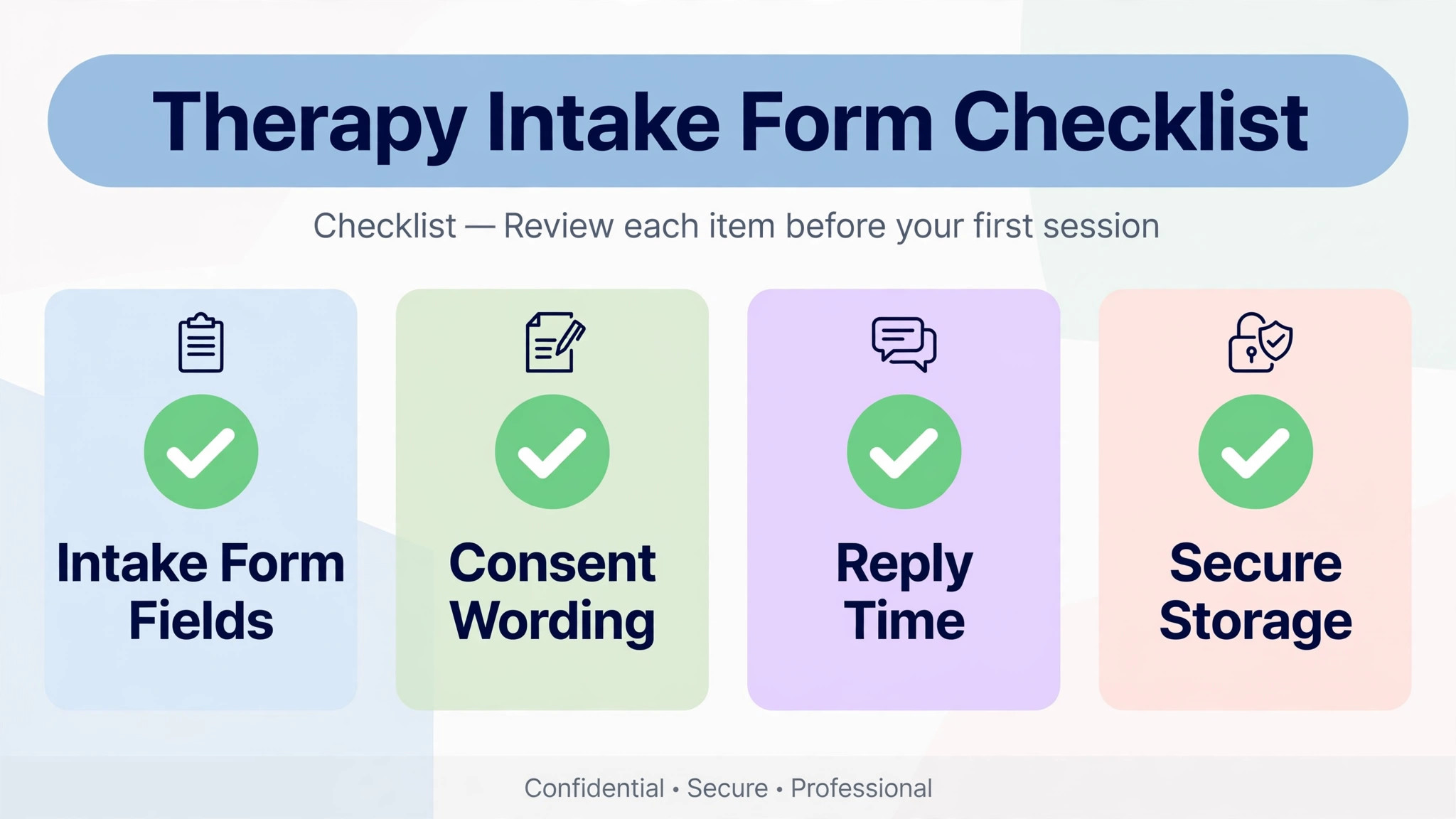
An intake form only works when it turns an enquiry into a safe, complete first conversation. Run through this checklist with a real enquiry before you pay for a year, and fix every gap in the trial rather than after launch.
- Ask only what the first reply needs, not a full history, because a long form scares away a nervous visitor.
- State clearly what happens after submission, who replies, and within how many working days.
- Add a consent line for storing and replying to the enquiry, written in plain words a client can understand.
- Offer a phone option beside the form, because some visitors will never submit a form first.
- Show fees, availability, and session format near the form, so an enquirer does not have to hunt for them.
- Test the whole flow on a phone, including the confirmation message and the reply email.
- Store submissions securely, limit who can read them, and delete old enquiries on a set schedule.
What a Therapy Site Really Costs Each Month
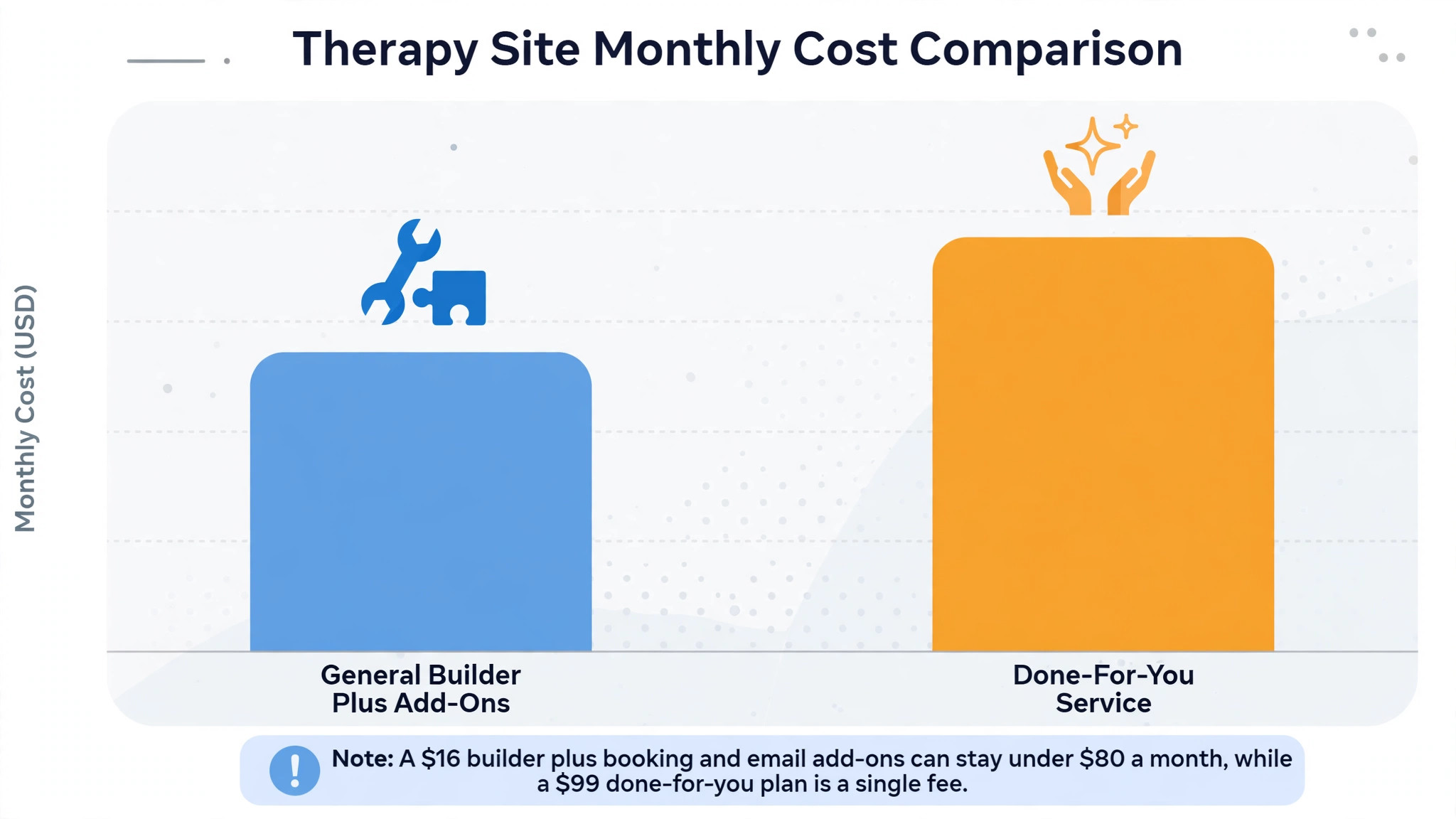
The headline builder price hides the real decision, because booking tools, email, form handling, and payment fees move the total by tens of dollars each month. A therapist on a $16 builder plus a booking add on and an email tool may pay under $80 a month in total, while a therapist on a $99 done for you plan may pay that single fee and little else. Compare totals at the real setup, not single plan prices.
Payment fees deserve their own line in the budget. Most builders pass on card processing, usually around 3 percent plus a small fixed fee per transaction in recent comparisons. On a paid consultation or a program, that fee matters, and a builder that adds its own transaction fee on top can quietly take a second cut.
Time is the second hidden cost. A builder that needs a developer for every change costs more than its subscription suggests, while a builder the therapist can update alone saves both money and delay. Count the hours for one month of updates, including new pages, fee changes, and article publishing, and price that time honestly.
Mistakes That Cost Therapists Enquiries
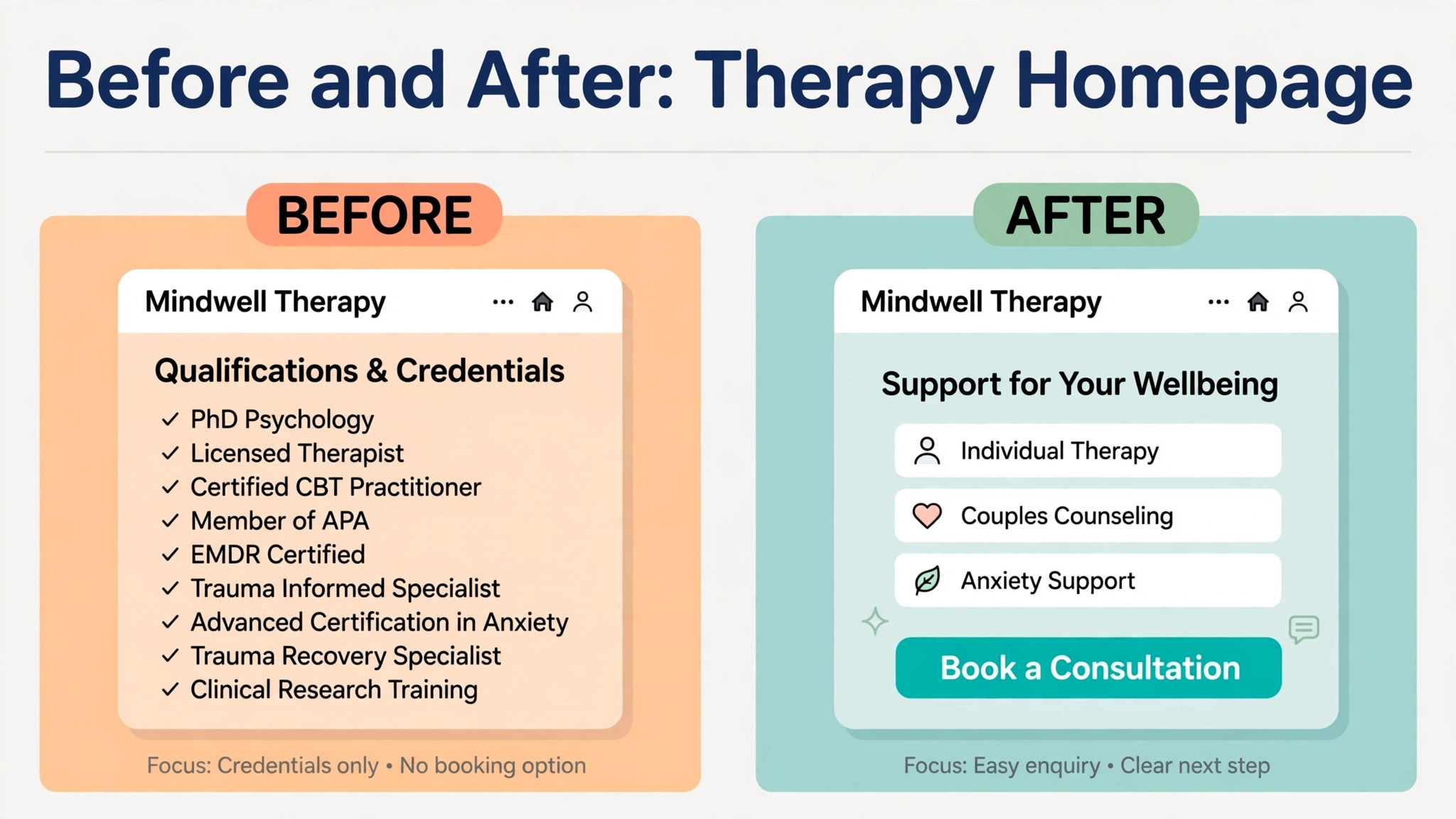
The most common mistake is choosing on design alone. A beautiful site with a buried enquiry form sends visitors away, while a plainer site with a clear next step, honest fees, and a working form keeps them. Judge the enquiry flow first, the privacy setup second, and the design third, because design without a next step does not fill a practice.
The second mistake is launching a site and never publishing again. A site with five pages and no new articles or resources will rank for almost nothing and look stale to returning visitors. Plan one useful article a fortnight for the first three months, and treat publishing as part of the job, not as a launch task.
The third mistake is asking for too much too soon. A form that demands a full history before a first reply asks for trust the visitor has not given yet. Ask for enough to reply helpfully, explain what happens next, and collect deeper information after the first conversation, not before it.
A Two Week Trial That Actually Decides Anything
Week one should build the real site, not a demo. Publish the home page, one service page, and one intake form, connect the calendar, and test an enquiry from a phone. If any step needs a workaround in week one, it will need that workaround every week after launch.
Week two should bring a real enquiry, even if it comes from a colleague testing the flow. Send the site to a small real audience, watch where visitors drop off, and ask two people who did not enquire why they stopped. Their answers will tell you more than any feature list.

Rollout Notes for a Therapy Practice
Map the enquiry journey on paper before building pages, from search result to first reply, and note every place a visitor could stall. A journey map exposes missing information, such as fees or session format, before design work hides it.
Write service pages for one problem each, rather than one long page covering everything the practice offers. A visitor searching for help with anxiety should land on a page that speaks to that problem, not a general list of services.
Keep testimonials careful and permission based, naming the problem and the work in general terms without revealing private details. Place short, relevant proof beside the matching service rather than on a separate praise page nobody visits.
Plan the first ten articles around questions real enquirers ask, such as what a first session involves, how fees work, and how teletherapy sessions run. Those articles answer objections, support search traffic, and give the practice useful links to share with enquirers.
Set a review date three months after launch and judge the builder against enquiries, booked consultations, and completed intake forms, not against how much you enjoyed building the site. If numbers have not moved, fix the offer or the traffic first, and only change builders when the builder itself is the bottleneck.
Check who can update the site when the therapist is fully booked. The right builder is one the therapist, or an assistant, can update in minutes, because a site that waits for a developer for every fee change or new article will quickly go stale.
Choosing the best website builder for therapists Without Overpaying
A therapist does not need the most expensive builder, only the builder whose paid features match the practice that already exists. For a new practice, the cheapest builder that handles enquiries reliably is often the right start, because a new therapist has more need for clients than for advanced marketing tools. Start with a clear offer page, a safe intake form, and a booking step, and add program tools only when program income can pay for them.
Price the builder at the size you will be in six months, not at the size you are today, because a plan that fits ten enquiries a month may strain at fifty. The right builder should still feel affordable when bookings double, and it should not force a painful move at the exact moment the practice is busiest. Check the next tier price now, and note what triggers it, whether that trigger is contacts, products, users, or storage.
Separate the builder fee from the tools that often hide beside it. Email, scheduling, form handling, and payment processing can each add a monthly charge, and a builder that looks cheap can become expensive once those four are added. Write down the full stack cost for each finalist, including the email tool you will actually use, before comparing headline prices.
A trial should prove enquiries, not just design. The right builder will let a visitor enquire, book a consultation, and read useful articles without confusion, and those three flows should be tested with real people during the trial. Ask two test visitors where they hesitated, and fix the hesitation before launch, because a hesitation in a trial becomes a lost enquiry after launch.
Content is where a therapy site earns its keep over time, because useful articles bring search visitors who already trust the therapist before the first call. The right builder therefore needs a blog that is easy to publish on, with clean titles, simple image handling, and search settings that do not require a developer. A builder that makes publishing a chore will slowly starve the site of the very content that brings new clients.
Do not buy a platform for a service that does not exist yet. For a therapist with a proven one to one offer, a booking led site is the right purchase, while for a therapist with a selling group program, an all in one platform may fit better, and those are different purchases. Buy for the offer that already sells, and upgrade when the next offer proves itself with real buyers.
Finally, judge privacy as a feature, not as paperwork. Ask how form submissions are stored, who can read them, how long they are kept, and what agreement the vendor will sign. A builder that answers those questions clearly earns trust before a client ever meets the therapist, and that trust is part of the service itself.
When you compare the best website builder for therapists, judge the trial on one real workflow rather than on a feature list, because a feature list cannot show where a real customer will stall.
The best website builder for therapists that wins for your operation is the one your team will actually use every week, not the one with the longest feature page.
Price the best website builder for therapists at the size you expect in six months, and ask the vendor to confirm that price in writing before you sign.
A trial of the best website builder for therapists should end with a decision based on numbers, such as time saved, bookings completed, or payments collected on time.
Before you commit to the best website builder for therapists, check who on your team can update it, who can read sensitive records, and how data leaves the system if you cancel.
The best website builder for therapists you choose should still feel like good value when demand doubles, because a system that only works at low volume will fail exactly when growth arrives.
More Reading on Stratilyze
- Best Website Builder for Coaches
- Best Website Builder for Real Estate Agents
- Best Website Builder for Photographers
Frequently Asked Questions
Do I need a therapy specific builder, or is a general builder enough?
A general builder is enough when the practice needs a calm site, a simple enquiry form, and booking, and when privacy handling is set up carefully by the practice. A therapy specific builder earns its fee when the practice wants purpose built content, compliant aware forms, and support that understands therapy work, because that setup saves time and reduces risk.
Are Wix and Squarespace sites private enough for therapy enquiries?
They can be, but privacy comes from setup, not from the brand name. Use secure forms, limit who reads submissions, avoid collecting sensitive health details in an open form, and check what agreement the vendor offers. A therapy specific builder often makes those choices easier, but a general builder with careful setup can also work.
Should a new therapist pay for a done for you service straight away?
Usually not, unless the practice already has steady income and no time to build. A new therapist should start on a cheaper builder, prove the enquiry flow with real visitors, and move to a done for you service when the time saved is worth the monthly fee. Paying $99 a month before the first enquiry adds pressure without adding clients.
How important is blogging for a therapist?
Very important over time, because useful articles bring search visitors who already trust the therapist before the first call. A builder with a strong blog and clean search settings rewards steady writing, while a weak blog makes each article harder to publish and harder to find, so publishing slows down.
Can I move my site later if I choose wrong?
Content and contact lists can usually move, but design, booking setup, and form structures often need rebuilding. Keep copies of all copy, images, and client lists outside the platform from day one, and check export terms before signing, so a later move is a project rather than a rebuild from scratch.
What should a therapy home page say first?
It should name who the therapist helps, what problems the practice works with, and the next step in one short opening. A visitor who cannot tell within seconds whether the therapist helps people like them will leave, however good the work is. Put proof and an enquiry or booking action close to that opening, not at the foot of the page.
A Therapist Shortlist to Take Into Your Trial
For most therapists starting out, Squarespace is the sensible first trial for a calm, polished site, and Wix is the sensible first trial for flexibility and booking in one place. Therapists who want purpose built help should trial TherapySites first, and therapists who want a team to build and support the site should trial Brighter Vision beside it. That shortlist is a practical way to choose without paying for a platform you will not use.
Whichever builder you shortlist, build one real service page, one real intake form, and one real booking step before you pay for a year. The right builder is the one a worried visitor can enquire through without confusion, book through without a phone call, and read without friction. That test, run properly, will choose the builder for you.