
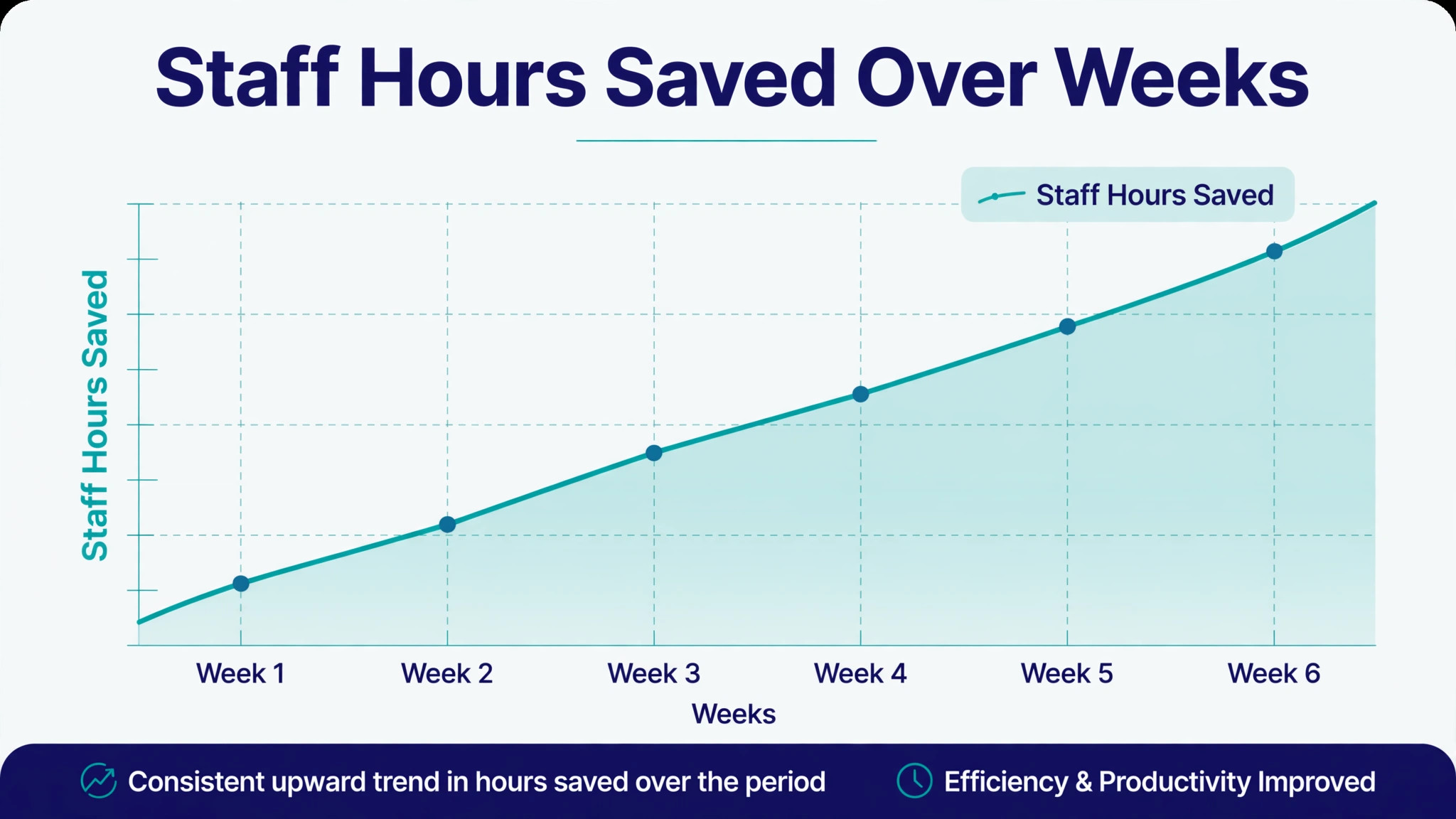
One widely cited vendor figure puts the cost of document chasing at ten and a half hours per employee per week. Even if your firm figure is half that, the arithmetic is stark. When you use AI for accountant client document collection, you are not buying a novelty. You are reclaiming the single largest block of non billable time in a typical firm, and redirecting it toward preparation, review and advice, which are the tasks clients actually pay for.
Document collection fails in a predictable way. A request list goes out, some documents arrive, some arrive in the wrong format, and the rest sit in a client inbox while the deadline approaches. Staff then chase by email, by phone, and by reminder, reconstructing the missing list from memory each time. This guide replaces that cycle with a structured workflow, from request lists through chase reminders, missing item flags and filing summaries, plus a collection checklist, tool options, and firm rules that keep client data safe. The goal is a collection process that clients find easy and staff find boring, in the best sense. Boring means it runs the same way every time.
Why Document Collection Eats So Much Firm Time
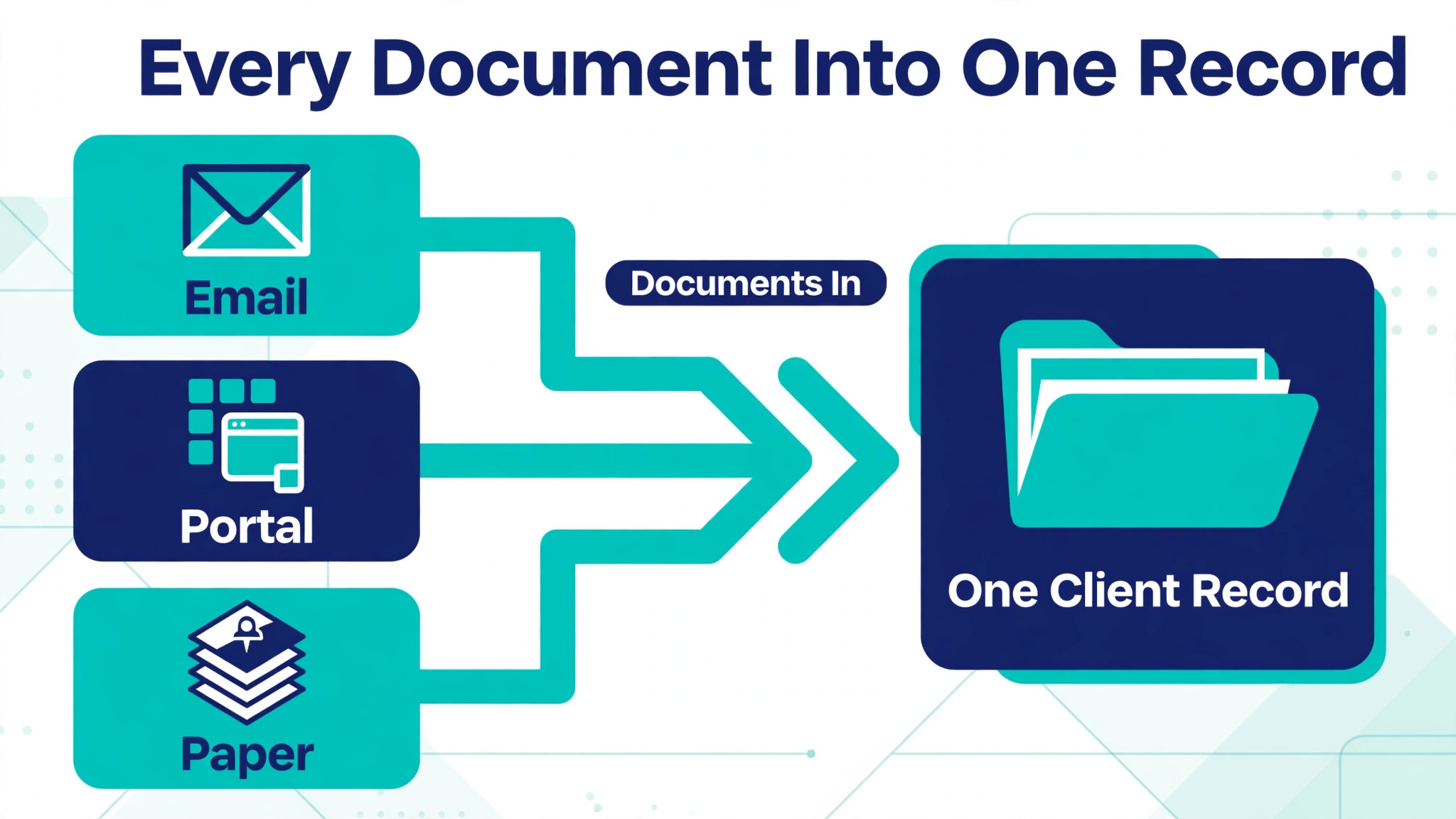
The first drain is fragmentation. Documents arrive by email attachment, by portal upload, by photo message, and sometimes by paper handed over in person. Each channel needs a different handling step, and staff time disappears into downloading, renaming, sorting and filing. A document that arrived on time but was filed in the wrong client folder is, for practical purposes, still missing, because the preparer cannot find it when the return or the month end file needs it.
The second drain is vague requests. A message that asks a client for last year documents, without naming each item, its format, and its date range, invites a partial reply. The client sends what they remember, the firm discovers the gap a week later, and a second request goes out. Each round of vague asking adds days to the timeline and erodes client confidence. Specific requests get specific replies. That principle drives the whole workflow in this guide.
The third drain is chasing without a system. When chasing depends on one staff member memory, holidays and busy periods create gaps. A client who was due a reminder on Tuesday gets one the following Monday, if at all, and the deadline pressure then falls on the firm rather than being shared fairly with the client. A system that tracks missing items and schedules reminders removes that dependence, and it creates a fair record of when each reminder was sent.
How to Use AI for Accountant Client Document Collection in Seven Steps
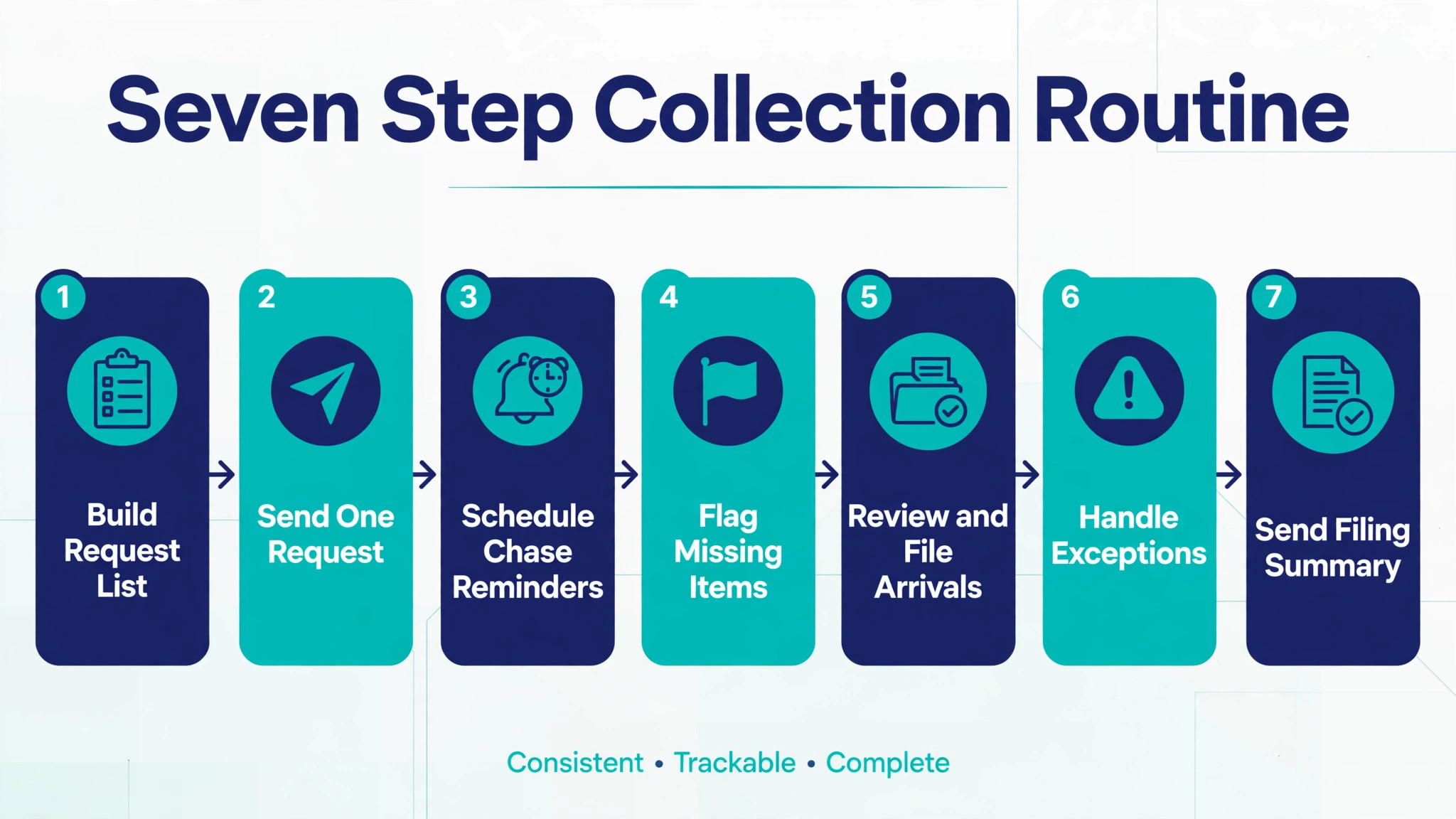
Run these steps for each client engagement, whether it is a tax return, a monthly bookkeeping file, or a year end close. The steps are the same, and only the request list changes. That consistency is what lets staff move between clients without relearning the process each time, and what lets clients know exactly what is expected of them.
Step 1. Build a Specific Request List for Each Client Type
Start from templates by client type, not from a blank page. A sole trader, a small company, a landlord, and a partnership each need a different list, and building each list from scratch invites omissions. Write each item as a specific document with a date range and a format note. Bank statements for the full tax year in PDF form, for example, beats a general request for bank details, because the client knows exactly what to find and what good looks like.
Use AI to draft the template lists from your existing checklists and from past engagement files, then review every item yourself. Remove items your firm no longer needs, add items that past files were missing, and note any item that only applies in certain cases, such as a rental income schedule for clients with property. A template that asks every client for everything will train clients to ignore parts of it, so keep each list as short as the engagement honestly allows.
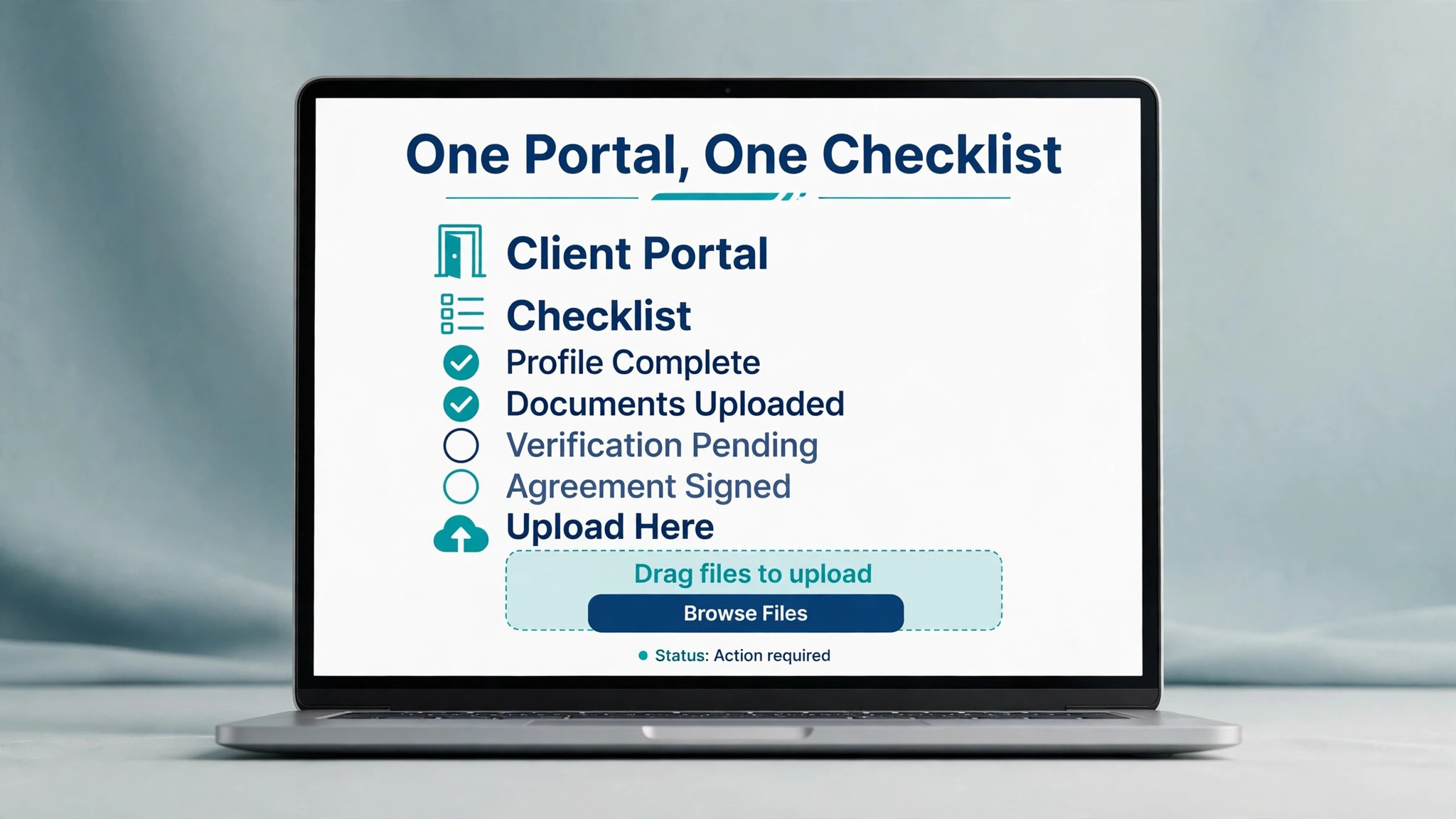
Share the list in a form the client can tick off. A portal checklist, a structured form, or a simple tracked list all work, as long as the client can see what is done, what is missing, and what happens next. A list buried in a long email fails that test, because the client cannot track progress against it without rereading the whole message.
Step 2. Send One Clear Request With a Deadline and a Single Upload Route
Send one request message per engagement, with three elements. The full item list, the deadline, and one upload route. One route matters more than firms expect. When clients can upload by portal, by email, and by message, documents scatter, and staff time goes into gathering rather than preparing. Choose the portal or the tracked link as the single route, and state it plainly in the request.
Use AI to draft the request message in the firm voice, personalised with the client name, the engagement type, and the deadline. Then check it before sending, because a message with the wrong deadline, the wrong year, or a missing item will generate a round of corrections that costs more time than the drafting saved. Keep the tone helpful and specific. Clients respond faster to a message that names their exact missing items than to a general reminder to send documents soon.
Set the deadline with a buffer, for example three weeks before the filing date when preparation needs two weeks, and record it in the tracking system at send time so reminders can be scheduled from it.
Step 3. Schedule Chase Reminders That Name the Missing Items
Chase reminders work when they are specific, timed and limited. Schedule the first reminder a few days before the deadline, naming the items still missing. Schedule the second reminder on the deadline day, again naming the items. Schedule a third reminder a few days after the deadline, with a note on the consequence for the filing timeline, such as a later filing slot or a revised preparation date. Three specific reminders outperform ten vague nudges, and they preserve the client relationship.
Use AI to draft each reminder from the current missing list, so the message always names the exact items outstanding, rather than asking the client to log in and work it out. Review every reminder before it goes out in the early months of the workflow, and spot check thereafter. A reminder that names an item the client already sent will damage trust fast, so the missing list must be accurate at send time. That accuracy depends on Step 4, which is why the steps must run together.
Cap the automation with a human escalation rule. After the third reminder, a staff member contacts the client personally, by phone or by a personal message, to understand the barrier. Some clients are stuck because they cannot find a document, some because they do not understand the request, and some because life intervened. A personal contact solves those cases in a way no automated message can, and it prevents a client from feeling chased by a machine into silence.
Step 4. Flag Missing Items Automatically and Keep the Flag Honest
Missing item flagging is the heart of this workflow. The system should compare the request list with what has actually arrived, item by item, and show the gap for each client at a glance. Staff should be able to open a client record and see, in seconds, what is missing, what arrived in the wrong format, and what is awaiting review. That visibility replaces the weekly hunt through inboxes and folders.
AI can help by reading incoming documents, matching them to request items, and flagging mismatches, such as a statement for the wrong year or a partial year upload. Treat those flags as suggestions for staff review, not as final judgments, because document matching is genuinely hard. A scanned statement, a renamed file, or a combined PDF can all confuse matching, and a wrong flag that tells a client they are missing a document they already sent is worse than no flag at all.
Keep the flag list clean. When a document arrives, mark the item received promptly, so the next reminder does not chase it. When an item is genuinely not applicable to a client, mark it as such with a note, rather than leaving it flagged forever. A flag list full of stale items trains staff to ignore flags, and then the system stops working even though it is technically running.
Step 5. Review, Rename and File Every Arrival Promptly
Collection is not complete when a document arrives. It is complete when the document is reviewed, correctly named, filed in the right client record, and marked received. Build that review into the daily routine, even during busy periods, because a backlog of unreviewed uploads recreates the original problem in a new form. A client who uploaded on time but whose document sat unreviewed for two weeks will rightly feel that the firm, not the client, caused the delay.
Use AI to suggest file names and folder placements from document content, and to flag obvious issues such as a blurry scan, a missing page, or a statement that does not cover the full period. Review those suggestions before accepting them, because a confidently wrong file name can hide a document as effectively as a missing one. Standardise naming across the firm, so any staff member can find any document without asking the person who filed it.
Step 6. Handle Exceptions Without Breaking the System
Exceptions are normal, and the workflow should expect them. A client may not have a document because a bank has not issued it yet. A document may exist only on paper. A client may need an extension, or a different format, or help finding a record. Handle each exception by recording it against the specific request item, with a new date and a named owner, rather than by stepping outside the system into private email threads.
Use AI to draft exception messages, such as a note explaining what alternative evidence would work, or a message confirming a revised deadline. Review those messages carefully, because exception handling often involves judgment about filing rules and deadlines, and a generic AI draft may miss a firm or regulatory nuance. Keep the exception visible in the tracking record until it is resolved, so it does not vanish into an inbox.
Step 7. Send a Filing Summary and Close the Engagement Cleanly
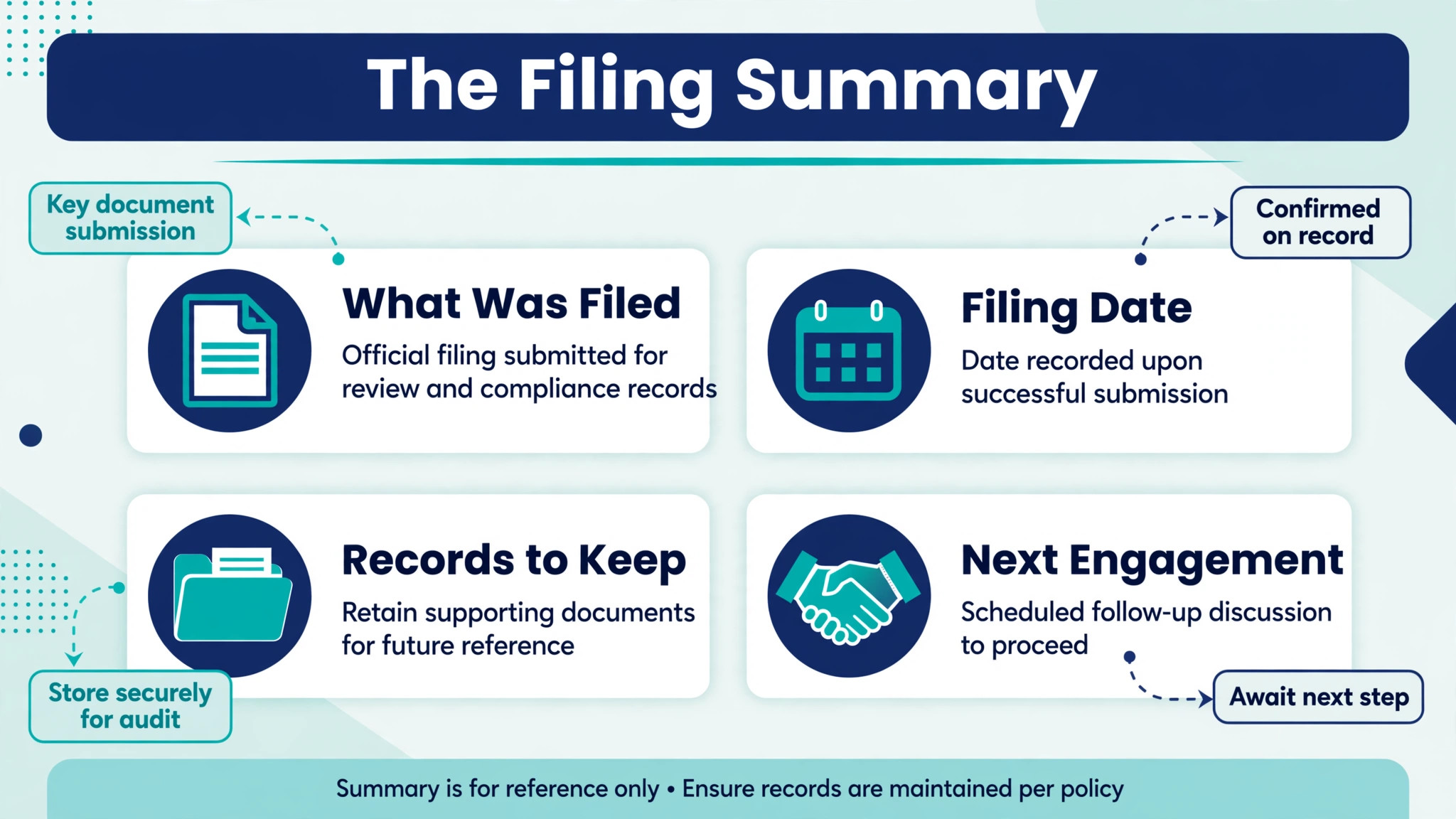
When collection is complete and preparation is done, send the client a short filing summary. Name what was filed, the date it was filed, any amount due or refund expected where applicable, and what the client should keep for their records. Clients value that summary highly, because it closes the loop and gives them a record they can find later without asking the firm to resend it.
Use AI to draft the summary from the engagement record, then check every figure, date and name before sending. A filing summary is a firm record in the client hands, so accuracy is non negotiable. Keep the summary short and plain, with a note on the next engagement date or the next document cycle, so the client knows when to expect the next request list.
Client Document Collection Checklist You Can Copy
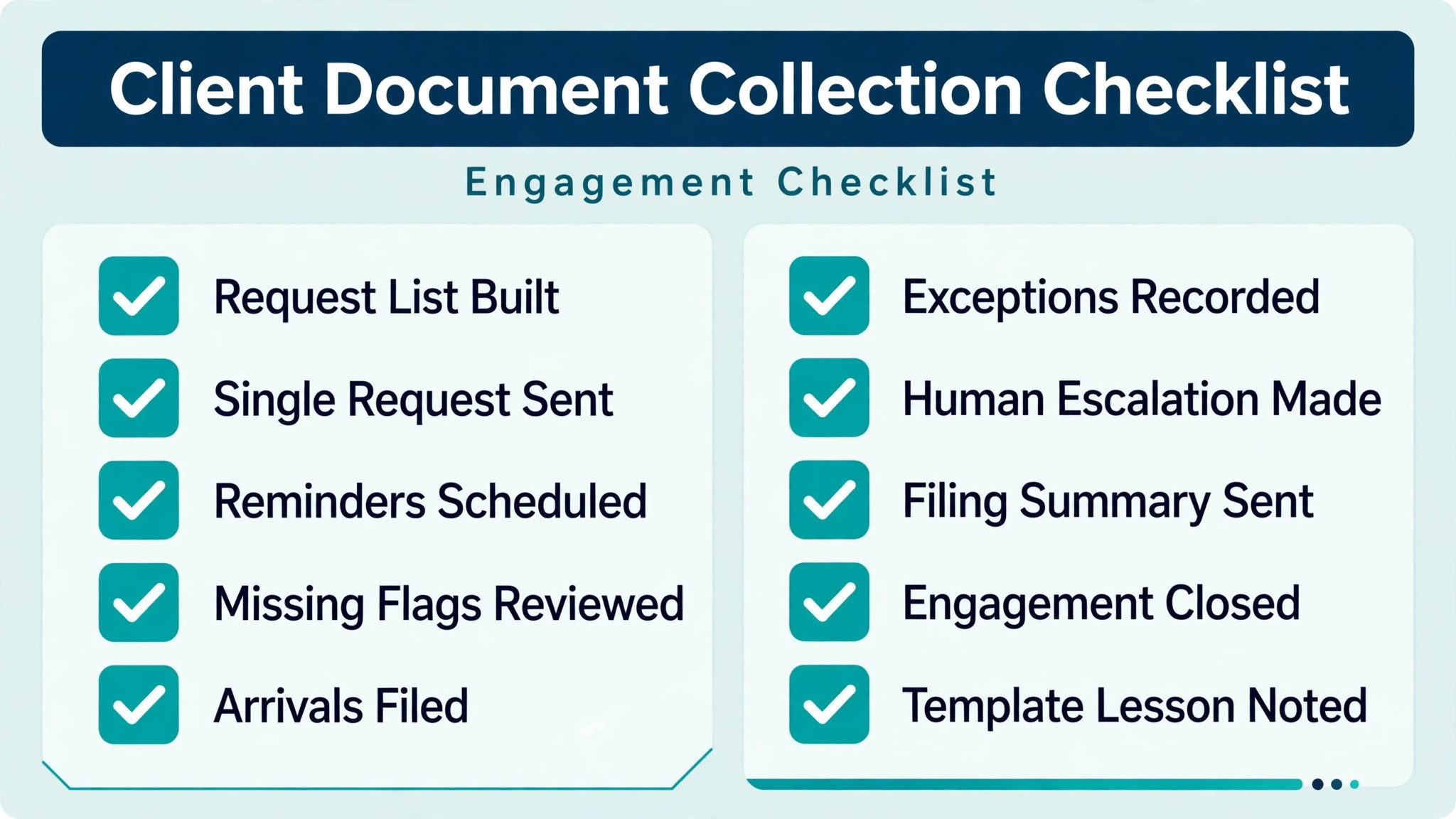
Use this checklist for every engagement when you use AI for accountant client document collection, and keep it with the client file. Tick each item as it completes, so any staff member can see the engagement status at a glance, and so a handover does not lose the thread.
Request list built from the correct client type template, with each item named, dated and format noted.
Single request sent, with the full list, the deadline with buffer, and one upload route stated.
Reminder schedule set, with a pre-deadline reminder, a deadline day reminder, and a post-deadline reminder, each naming missing items.
Missing item flags reviewed daily, with received items marked promptly and non applicable items noted, not left flagged.
Arrivals reviewed, renamed to the firm standard, filed in the correct client record, and marked received.
Exceptions recorded against the specific item, with a revised date and a named owner, until resolved.
Human escalation made after the third reminder, by phone or personal message, to understand the barrier.
Filing summary sent and checked, with filing date, amounts where applicable, records to keep, and next engagement date.
Engagement closed and archived, with request list, documents and summary stored together.
Template lesson noted, so any item that caused repeated exceptions is reworded before the next cycle.
Tools That Fit an Accountant Collection Workflow
Choose a tool that matches how your firm already works when you use AI for accountant client document collection. A full practice platform suits a firm that wants one system for clients, requests and filing. A focused chasing tool suits a firm that already has accounting and storage systems and only needs the collection layer fixed. The tools below cover both patterns.
TaxDome for a Full Practice Platform
TaxDome is a full practice management platform that includes a client portal, request lists, organisers, electronic signing and billing in one system. For a firm that wants clients to work inside one branded portal, that breadth is a practical advantage, because the request, the upload, the signature and the payment can all live in the same client experience.
The limit is adoption effort. Moving a firm onto a full platform takes setup, migration and staff training, and the payoff arrives over months rather than in the first week. Confirm at checkout the current plan structure and the last published list price, and run a pilot with a small client group before moving the whole firm, so staff learn the system under normal pressure rather than during a filing peak.
Content Snare for Structured Request Checklists
Content Snare is built around structured requests for client facing firms, with automatic follow-ups and approvals. It suits firms whose main pain is the request and chase cycle itself, because it turns a vague email request into a tracked checklist the client can work through item by item. That structure directly addresses the vague request problem described earlier in this guide.
The limit is that it automates the asking, not the finding. Clients still need to locate each document themselves and upload it to the right slot. Set client expectations accordingly, and invest in clear item wording and guidance, because the tool will only be as effective as the requests you write into it. Confirm at checkout the current features and the last published list price.
FileInvite for Complex Multi-Party Collection
FileInvite is built for complex, multi-party collection, with requests, a portal, reminders and routing to storage. It suits firms that collect from several people for one engagement, such as a company with multiple directors, or a family with several members contributing documents. Routing matters in those cases, because documents from different people must land in the right place without manual sorting.
The limit is the same as for other portal tools. It organises what clients send, but it does not find documents for them. For engagements where clients struggle to locate records, pair it with clear guidance and a human escalation step, rather than expecting the portal alone to solve the search problem. Confirm at checkout the current plan and the last published list price.
SmartVault for a Secure Document Portal and Tax Workflow
SmartVault provides a secure, branded client portal with document storage, and it is used in connected tax workflows that link client intake, preparation and delivery. Its automated reminders can send up to five reminders to clients with open questionnaires or missing documents, which gives firms more chase steps than a simple three reminder sequence when a longer cycle is needed. Vendor reported figures suggest users of its request AI feature save around one hour per return, so treat that figure as a vendor reported claim to confirm in a pilot, not as a guaranteed saving.
The limit is scope. SmartVault is strongest as a portal and storage layer within a wider tax workflow, so a firm that needs full practice management may pair it with other systems. Confirm at checkout the current plan, the reminder settings, and the last published list price, and test the reminder wording with a small group before a firm wide rollout.
Chasr for a Focused Document Chasing Layer
Chasr is a focused document chasing tool for bookkeeping firms, built around one link, a tracked checklist, and automated reminders. Clients click a unique link, see the checklist, and upload what is needed without signing up or creating a password, which removes a common friction point. Its AI feature suggests request items the firm might otherwise forget to ask for, which helps template completeness.
Chasr published pricing has been reported at thirty nine dollars per month for its base plan, with unlimited request lists and basic reminder automation, so confirm the last published list price at checkout. The limit is deliberate. It is a chasing layer, not a full practice system, a storage vault, or a replacement for accounting software. For a firm that already has those systems and only needs chasing fixed, that focus is a strength. For a firm that needs a full platform, it is only one piece.
What AI Can and Cannot Do in Document Collection
When you use AI for accountant client document collection, AI is strong at drafting, matching, flagging and reminding. It can draft a request list from templates, draft a reminder that names the exact missing items, suggest a file name, flag a statement for the wrong year, and summarise what is still outstanding. Those tasks are repetitive, and repetition under deadline pressure is where errors and delays creep in.
AI cannot find a document it has not been given access to, verify a document legal or filing significance, or decide whether an alternative piece of evidence is acceptable for a specific filing. It cannot judge a client personal circumstances, handle a sensitive conversation about a missing record, or take responsibility for a filing decision. Those judgments stay with the accountant, and any workflow that lets an AI message promise a filing outcome before a human has checked it is unsafe.
Data security is central here. Client tax and financial documents are among the most sensitive records a firm holds. Use portals and tools with access controls, encryption in transit and at rest as described by the vendor, and clear retention rules. Avoid sending client documents through personal messaging apps or general purpose chat tools, and explain to clients why the single upload route exists. Security is part of client service, not an obstacle to it.
Mistakes That Slow Collection Down
The first mistake when you use AI for accountant client document collection is asking vaguely. A request for last year documents, without item names, date ranges and formats, guarantees a partial reply and a second round of chasing. Specificity at the request stage is the cheapest time saving in the whole workflow.
The second mistake is offering too many upload routes. Portal, email and message uploads scatter documents and force staff into gathering work. One route, stated plainly, keeps the record clean and the missing list honest. Make an exception only for a genuine access barrier, and record that exception against the item.
The third mistake is letting reminders go out with stale missing lists. A reminder that chases a document already received tells the client the firm is not paying attention, and the next genuine reminder will be ignored. Mark receipts promptly, review flags daily, and spot check automated reminders before they travel, especially in the first months.
The fourth mistake is skipping the filing summary. A client who never hears what was filed, and what to keep, will call the firm for that information later, creating work that a short summary would have prevented. Close every engagement with a summary, and the next cycle will start from a cleaner, more trusting place.
How System Chasing Compares With Email Chasing
| Feature | System chasing with AI drafts | Email chasing by hand |
|---|---|---|
| Missing list accuracy | Visible per client, updated on receipt | Reconstructed from inbox searches |
| Reminder specificity | Names exact missing items | Often a general nudge |
| Staff time per client | Lower, after template setup | Higher, every round is manual |
| Client experience | One list, one route, clear deadline | Scattered threads, unclear status |
| Handover when staff are away | Status visible to any team member | Status lives in one inbox |
A Six Week Rollout Plan
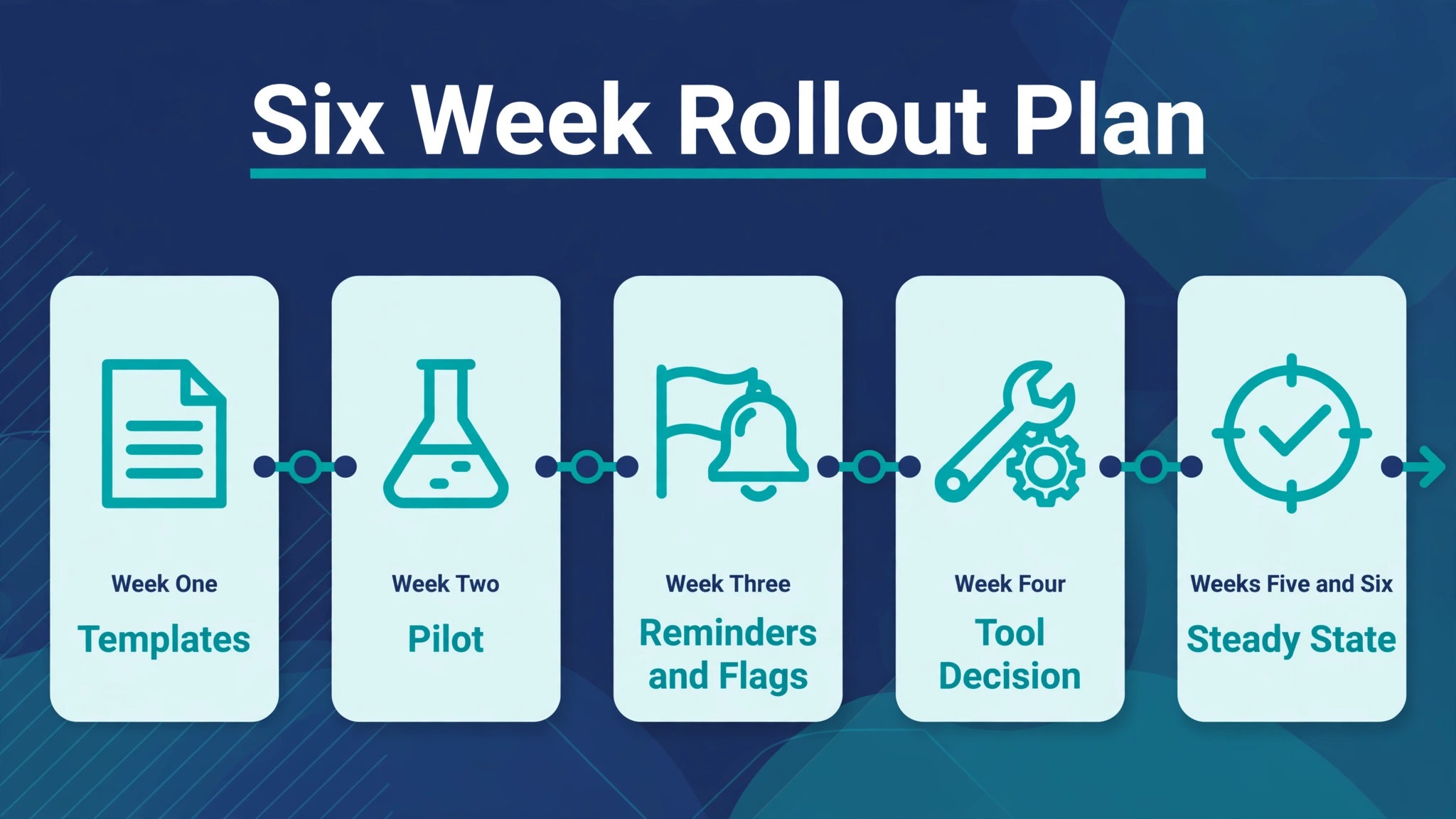
Week one is templates when you use AI for accountant client document collection. Build request lists for your three most common client types, with specific items, date ranges and format notes. Review them against last year files and remove anything you no longer need.
Week two is a pilot. Run the full workflow for ten clients, including the single request, the reminder schedule, and the filing summary. Keep a log of every friction point, because that log is your improvement list.
Week three is reminders and flags. Tune the reminder timing and wording from pilot feedback, set the daily flag review routine, and agree the human escalation rule after the third reminder. Confirm who owns the daily review, so it does not depend on memory.
Week four is tool decision. If the pilot ran on a simple tracked list, decide whether a portal or chasing tool is now justified by volume. If you adopt a tool, move the pilot clients first, then the next cohort, rather than migrating everyone at once during a peak.
Weeks five and six are steady state. Roll the workflow out to all new engagements, review exception patterns monthly, and update template wording for any item that caused repeated confusion. After six weeks, collection should be a routine with a named owner and a visible status per client, not a series of individual chases.
Verdict
Document collection does not have to be the hardest part of running an accounting firm. A specific request list, one upload route, reminders that name the missing items, honest flags, prompt filing, and a short summary at the end will fix most of the pain.
When you use AI for accountant client document collection, AI can draft and track each of those steps. Keep human review on every message that names a missing item or promises a filing outcome, keep client data inside vetted portals, and escalate personally after the third reminder. Firms that run that discipline will spend less time chasing and file with fewer last minute surprises. Start with one client type template and ten pilot clients, and let the time saved on those ten tell you whether to roll the workflow out to the whole firm.
Frequently Asked Questions
How many reminders should I send before contacting a client personally?
Three automated reminders work well for most engagements. Send the first a few days before the deadline, the second on the deadline day, and the third a few days after, each naming the exact missing items. After the third, contact the client personally by phone or personal message, because a continued automated chase after that point feels impersonal and often misses the real barrier, such as a document the client cannot find or does not understand.
What makes a document request list effective?
Specificity makes a list effective. Each item should name the document, the date range, and the format, so the client knows exactly what to find and what good looks like. Keep the list as short as the engagement honestly allows, build it from a client type template, and present it as a trackable checklist rather than burying it in a long email. A client who can tick items off will complete the list faster and more completely.
Should clients upload documents by email or through a portal?
One route is better than several, and a portal or tracked link is usually the better single route, because it keeps documents in the right client record and keeps the missing list honest. Email uploads scatter documents across inboxes and force staff into gathering work. Choose one route, state it plainly in the request, and make an exception only for a genuine access barrier, recording that exception against the item.
Can AI check whether a document is correct?
AI can flag likely issues, such as a statement for the wrong year, a partial period, or a blurry scan, but it cannot confirm filing correctness on its own. Treat AI flags as suggestions for staff review, not as final judgments, because scanned documents, combined files and renamed files can all confuse matching. A human must confirm that each document is the right document, for the right period, before preparation relies on it.
How do I handle a client who cannot find a document?
Record the exception against the specific request item, with a revised date and a named owner, and explain what alternative evidence would work if any applies. Contact the client personally to understand the barrier, because the solution differs if the document has not been issued yet, exists only on paper, or is held by a third party. Keep the exception visible in the tracking record until it is resolved, so it does not vanish into an inbox thread.
What should a filing summary include?
A filing summary should name what was filed, the filing date, any amount due or refund expected where applicable, and what the client should keep for their records. Keep it short and plain, check every figure and date before sending, and add the next engagement date or the next document cycle, so the client knows when to expect the next request. A summary closes the loop and prevents follow-up calls asking for the same information later.
How long does it take to set up this workflow?
A basic version, with templates for common client types, a single request format, a three reminder schedule and a filing summary, can be piloted in two to three weeks. A full rollout with a new portal tool takes longer, typically six weeks including a pilot, because staff need time to learn the system and templates need refinement from real client feedback. Start with ten pilot clients and measure time saved before rolling out firm wide.
Is client financial data safe in an AI assisted collection tool?
Safety depends on the tool and on firm discipline, not on AI alone. Use vetted portals with access controls and encryption as described by the vendor, keep documents out of personal messaging apps and general purpose chat tools, and set clear retention rules. Explain the single upload route to clients as a security measure, not just a convenience, and review the privacy terms of any tool before adopting it for client tax and financial records.