
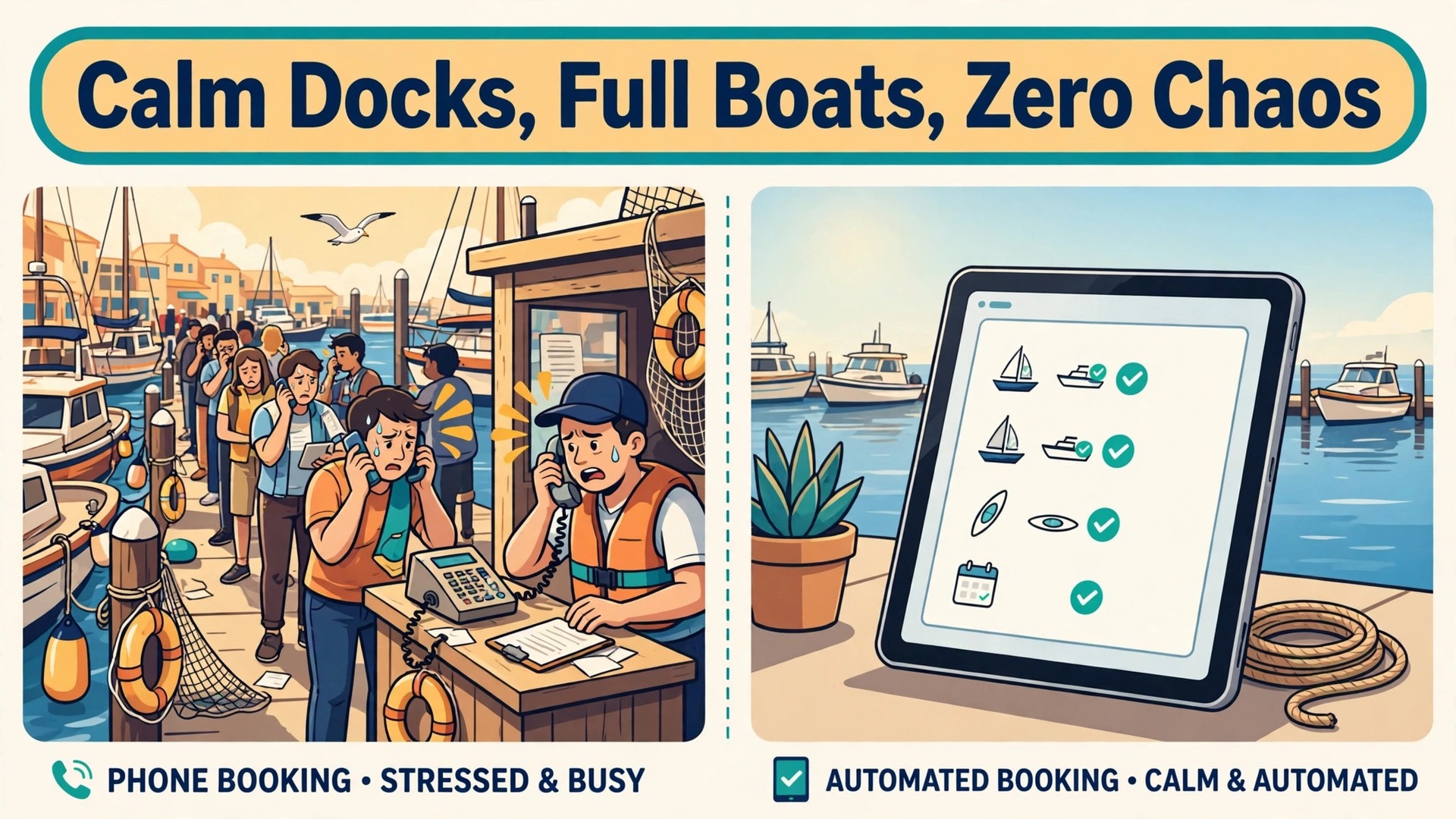
The problem at a boat dock is not a lack of bookings, it is a lack of hands. Phones ring while a pontoon is being fuelled, a group arrives without signed waivers, and a weather window closes while the office is still answering the same three questions about licences, group size, and launch times. Every one of those jobs is routine, and routine jobs are exactly where a careful automation earns its keep. Operators who use AI for boat rental booking management start by naming that bottleneck honestly, because a system bought for a vague promise will automate the wrong job first.
AI in this setting does not mean a machine deciding who may take a boat out. It means a system that answers routine questions, sorts inquiries, sends reminders at the right moment, and drafts summaries a human checks before acting. The dock team keeps the safety calls, the damage calls, and the weather calls. The software handles the repetition that currently eats the morning.
This guide builds that division of labour step by step. It covers inquiry triage, weather aware confirmations, deposit reminders, and damage check summaries, plus a season checklist that keeps the whole system honest. Prices and feature claims are qualified where they vary by plan, so confirm figures on the vendor page before you buy.
How to Use AI for Boat Rental Booking Management Without Losing Control at the Dock
Start from the booking, not from the tool. A boat rental booking has a small set of facts that decide everything else, which are the boat, the date and slot, the party size, the licence position, the deposit state, and the waiver state. If any one of those facts is missing, the booking is not ready, no matter how confident the confirmation email sounds. Build your workflow around completing those facts, and let AI chase the missing ones.
The second rule is that AI drafts and humans decide. An AI message can remind a renter about a deposit, but a human releases that deposit after the walk around. An AI summary can list reported damage, but a human inspects the boat and signs the finding. That boundary keeps the business safe, keeps customers treated fairly, and keeps the team in charge of the moments that matter.
The third rule is to automate one job at a time and measure it. Start with the job that costs the most phone time, usually inquiry answering or reminder chasing, and run it for a month before adding the next job. A dock that automates five jobs at once cannot tell which one broke when bookings dip, while a dock that automates one job at a time knows exactly what changed.
What AI Should Decide and What It Must Never Decide
The table below draws the line that protects both safety and revenue. Anything in the right hand column stays with a named human, even when an AI draft makes the job faster.
| Job | AI can handle | Human must decide |
|---|---|---|
| Answering routine questions | Licence rules, group size, launch times | Exceptions for unusual parties |
| Inquiry sorting | Urgency, boat type, date fit | Whether to hold a boat unpaid |
| Confirmations | Weather aware wording drafts | Whether to cancel for weather |
| Deposit reminders | Timing, wording, payment link resend | Whether to capture part of a deposit |
| Damage summaries | Draft from photos and notes | Damage finding and charge |
| Review requests | Timing and draft text | Reply to a serious complaint |
| Rescheduling offers | Alternative slots that fit | Refund policy exceptions |
| Safety briefings | Checklist delivery and tracking | Whether a renter is fit to depart |
Safety is the clearest boundary. A boating safety card number can be collected on a booking form, but state level automatic verification against an issuing database is not a standard built in feature, so the renter remains responsible for validity and the dock team still checks what it is shown. AI can remind a renter to bring the card, and it cannot certify the card. Pretending otherwise creates a liability story nobody wants to tell.
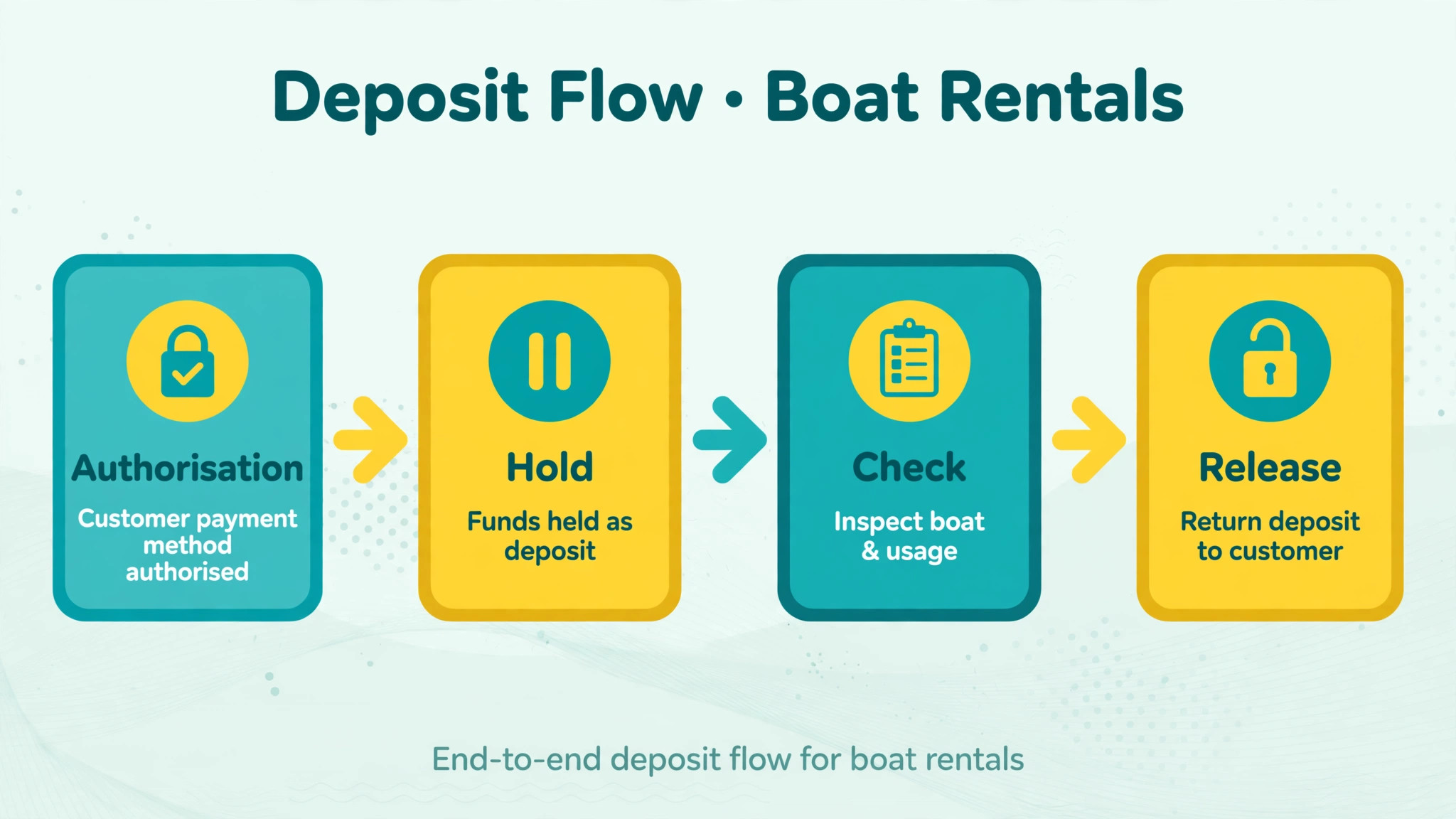
Money is the second boundary. Deposits are usually authorised on a card at payment and released after the return walk around, or partly captured for damage, and that capture decision needs a human who saw the boat. An automated capture on a drafted damage note would turn a small scratch dispute into a chargeback and a review that lives forever.
Step Workflow From First Inquiry to Return
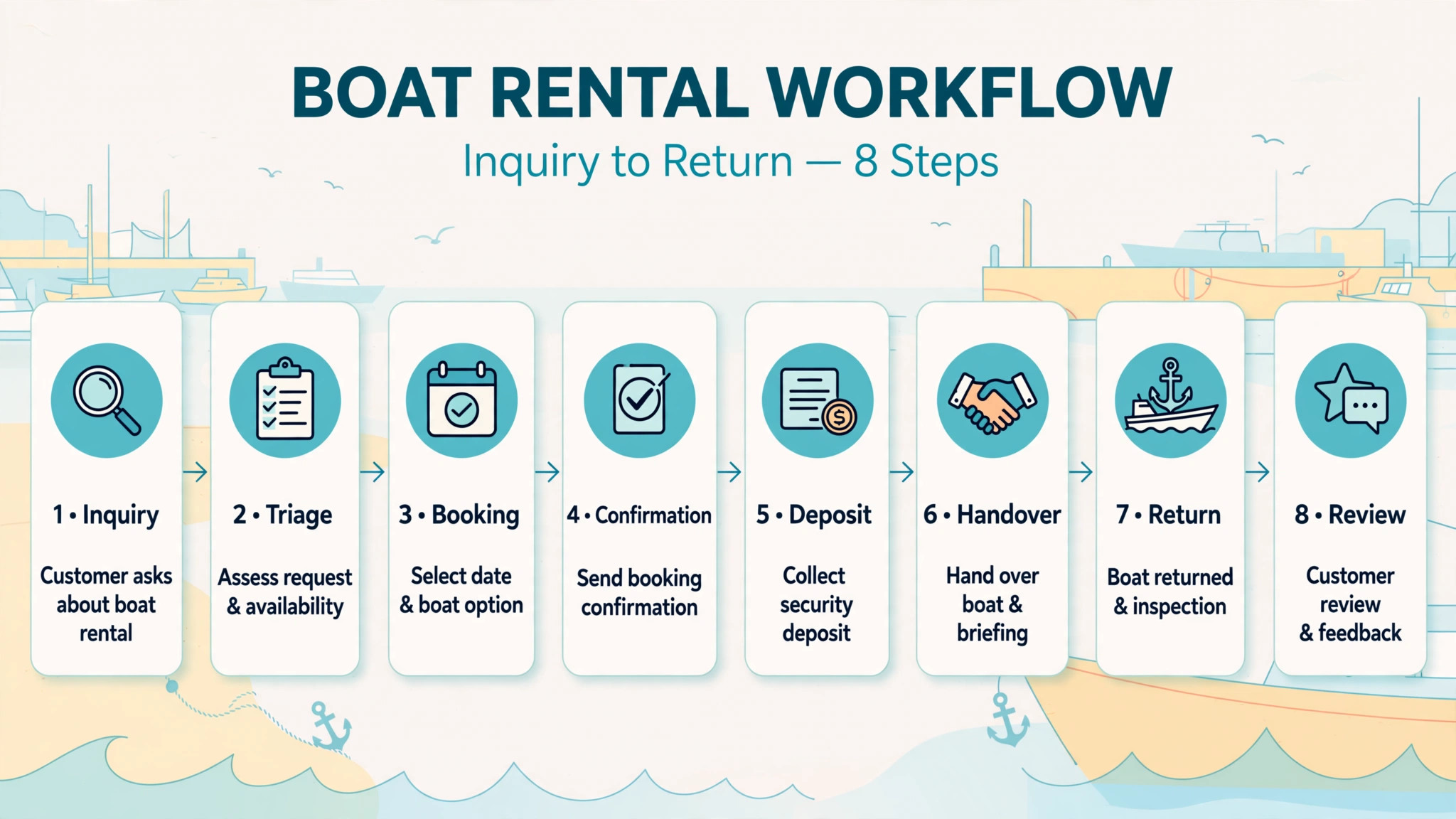
Work through these steps in order for each booking. The workflow is deliberately boring in its middle, because a boring middle is what makes a busy Saturday survivable.
- Capture the inquiry in one place, whether it arrives by phone, form, or message, and let AI sort it by boat type, date, party size, and urgency. An inquiry that lives only in a phone log will be forgotten on a busy day.
- Answer routine questions at once with approved wording about licences, group size, fuel, and launch times, and route anything unusual to a human the same day. Speed matters most for the routine half, and accuracy matters most for the unusual half.
- Confirm the booking only when the facts are complete, which means boat, slot, party size, licence position, deposit, and waiver state are all recorded. A confirmation sent before the facts are complete is a promise the dock may not be able to keep.
- Send a weather aware confirmation that states the forecast window, the check in time, and what happens if conditions change. Keep the wording factual and calm, and never promise a departure that weather may cancel.
- Chase deposits and waivers on a fixed schedule, with a payment link resend and a plain language note about what remains outstanding. Stop chasing by message and call the renter when two reminders go unanswered.
- Prepare the boat and the handover pack before arrival, including the walk around form, fuel reading, and safety briefing checklist. A prepared handover takes minutes, while an improvised one takes the whole morning.
- Run the return walk around with photos and notes, let AI draft a summary from those notes, and have a human check, correct, and sign it before any deposit decision. The signed summary is the record that settles disputes.
- Release the deposit promptly when the boat returns clean, send a review request at a sensible hour, and record repeat renter notes for next season. A fast release is the cheapest marketing a rental business owns.
Inquiry Triage That Saves the Morning
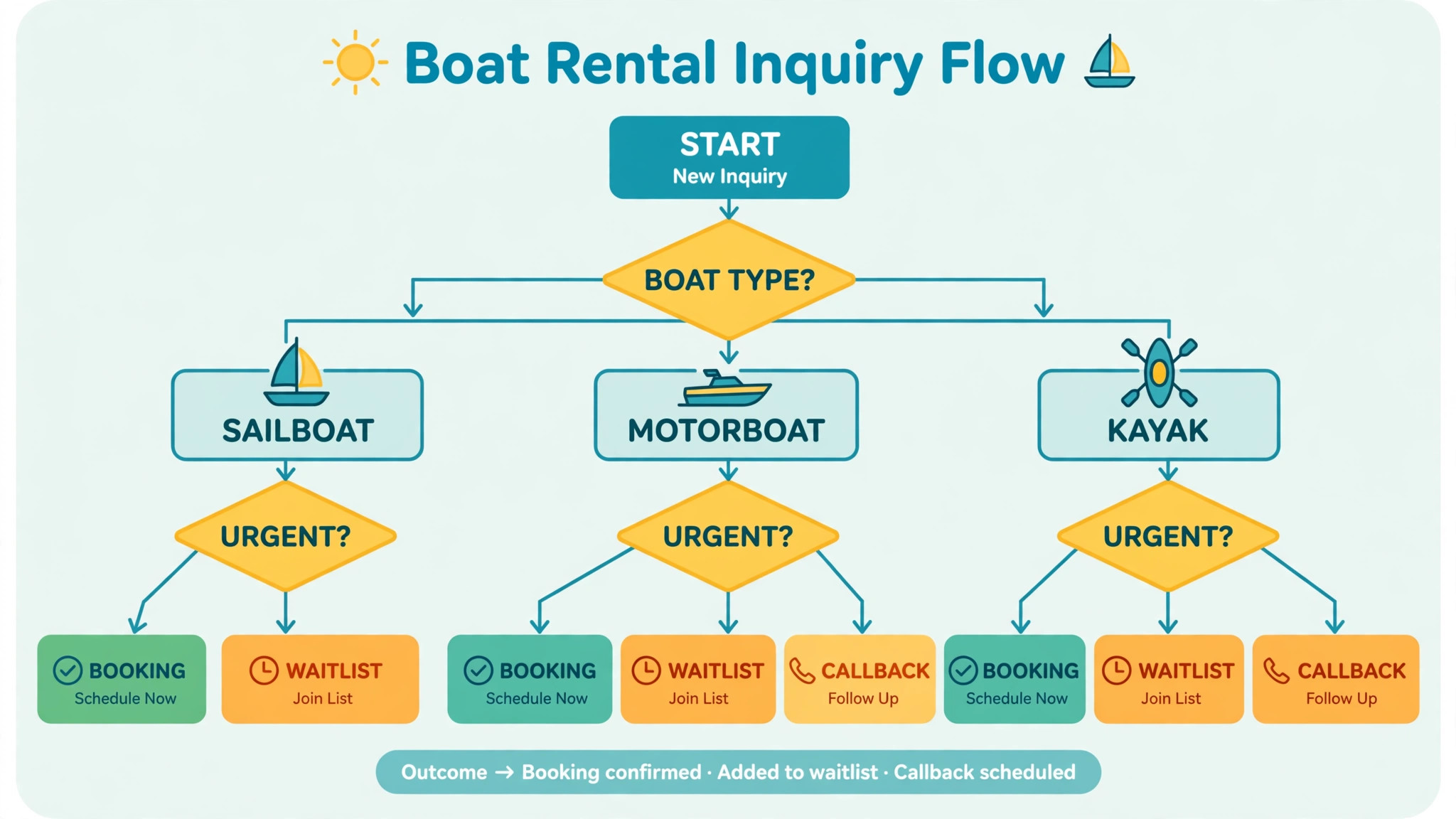
Inquiry triage is the highest return automation for most docks, because it converts a pile of messages into an ordered list. AI can read an inquiry, pull out the date, party size, and boat type, and place it in the right queue, such as ready to book, needs a licence answer, or needs a human for a special request. The dock team then works the list in order instead of answering messages in the order they happened to arrive.
Operators who use AI for boat rental booking management often start here because the payoff shows up in the first week. Missed call handling is part of the same job. An AI front desk that answers on the booking page and on missed calls, using your own boats and prices, can book a straightforward rental while the team is on the dock, and it can take a clean message for anything complex. The test for such a system is simple, which is whether it books the straightforward cases correctly and hands the complex cases to a human without inventing an answer.
Triage also needs a failure rule. If AI cannot confidently read a date, a party size, or a boat type, it must ask one clear question or hand the inquiry to a human, never guess. A guessed date that books the wrong Saturday costs more than a slow answer, because it costs a boat, a refund, and a review. Log the handoffs weekly and fix the questions that cause them, because a repeated handoff is a training gap in disguise.
Weather Aware Confirmations That Keep Customers
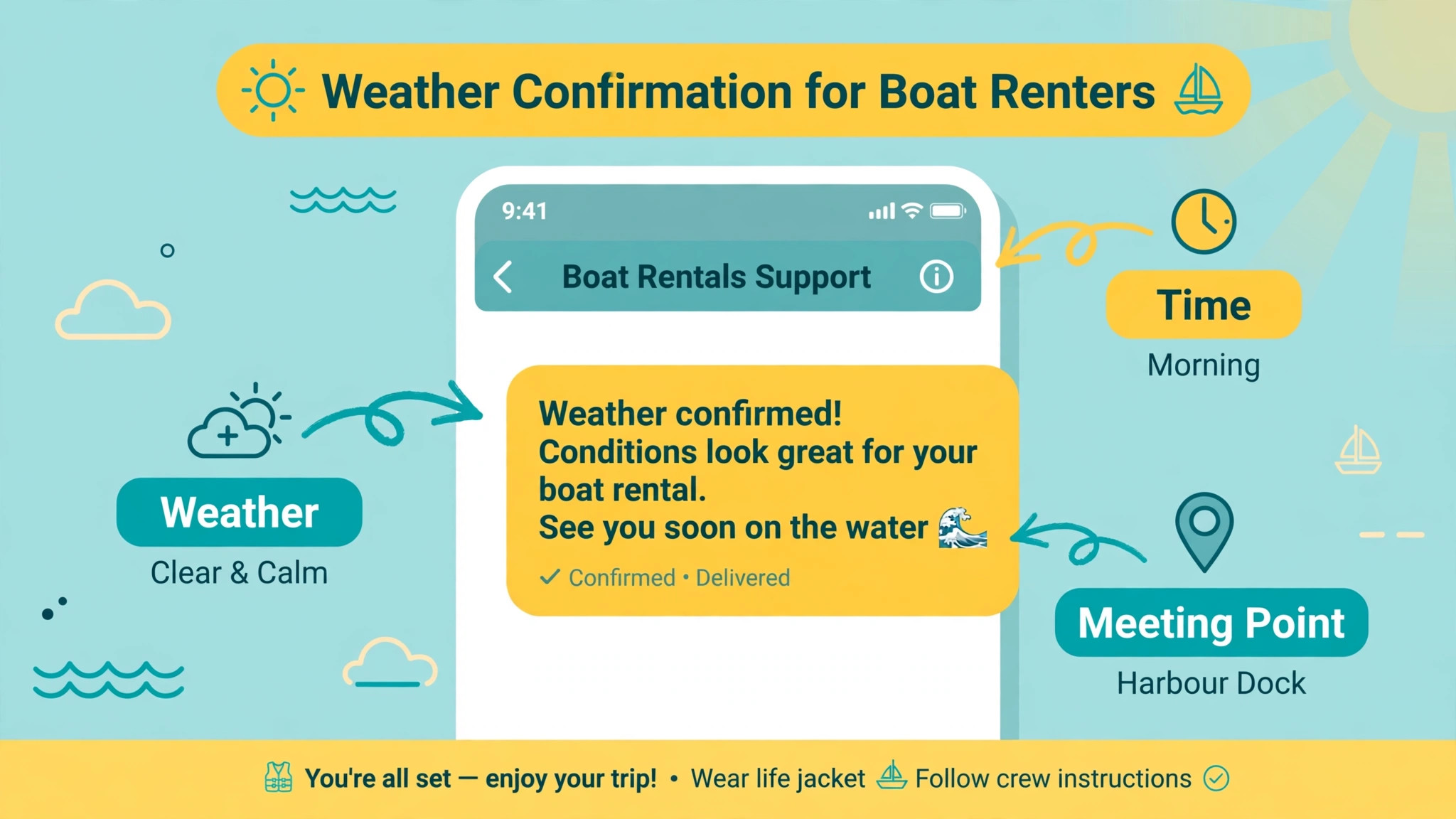
Weather is the one factor a dock cannot control and must communicate best. A weather aware confirmation does three things, which are stating the current plan, stating the decision point, and stating the options if conditions change. A message that only says the booking is confirmed leaves the renter guessing when clouds gather, while a message that explains the decision point keeps the renter calm and the phone quiet.
Build the workflow around a daily weather review, not around constant alerts. Each morning, review the bookings for the day and the next day, flag the ones inside a weather risk window, and send those renters a factual update with rebooking options. AI can draft those updates from the booking and the forecast, but a human should approve any message that moves, cancels, or refunds a booking. A draft that offers rebooking is helpful, while a draft that cancels a trip on its own is a decision nobody authorised.
Operators who use AI for boat rental booking management should also plan the harbour closure case in advance. Some systems let an operator close days in one setting and move affected bookings to another day from a timeline, keeping the boat and the price. Whether your system offers that or not, write the closure message before the season starts, including the rebooking link, the refund rule, and a phone number. Writing it during a storm guarantees a worse message.
Seasonal patterns help too. Wind thresholds, lightning rules, and visibility limits should be written down as plain rules the whole team can quote, because a rule quoted consistently is trusted, while a rule invented per customer feels arbitrary. AI messages should quote those rules in plain language, and humans should handle the renter who argues with the rule, because that conversation needs judgement, not a template.
Deposit Reminders and Damage Check Summaries
Deposits fail in two ways, which are renters who forget and renters who dispute. Reminders fix the first, and good summaries fix the second. A reminder schedule that works is a reminder at booking, a reminder a few days before arrival, and a final reminder with the payment link the day before. Each message should state the amount, what it covers, and when it releases, because a vague reminder gets ignored and a clear one gets paid.
Operators who use AI for boat rental booking management should let AI draft reminders and resend payment links, while humans handle the renter who replies with a problem. A reply that says the card changed, the party split the cost, or the trip is in doubt needs a person, not another automated link. Track how many deposits clear after each reminder, because that number tells you whether the schedule works or whether the wording needs rewriting.
Damage checks need the same discipline. At return, record fuel, engine hours where available, and a photo set of the boat, then let AI draft a summary from the attendant notes. The draft should list what was found, where, and with which photo, in plain language a renter can follow. A human then checks the draft against the boat, corrects anything it overstated, and signs it. Only then should any deposit decision follow, and the renter should receive the same summary the team holds.
A useful habit is to compare damage notes across the season. If one boat collects the same scuff every month, the cause may be a dock layout problem rather than renter carelessness, and fixing the layout saves more deposits than any reminder ever will. AI summaries make that pattern visible, because they turn scattered notes into a searchable record, but the fix still belongs to a human who walks the dock.
Booking Tools That Support This Workflow
EquipDash
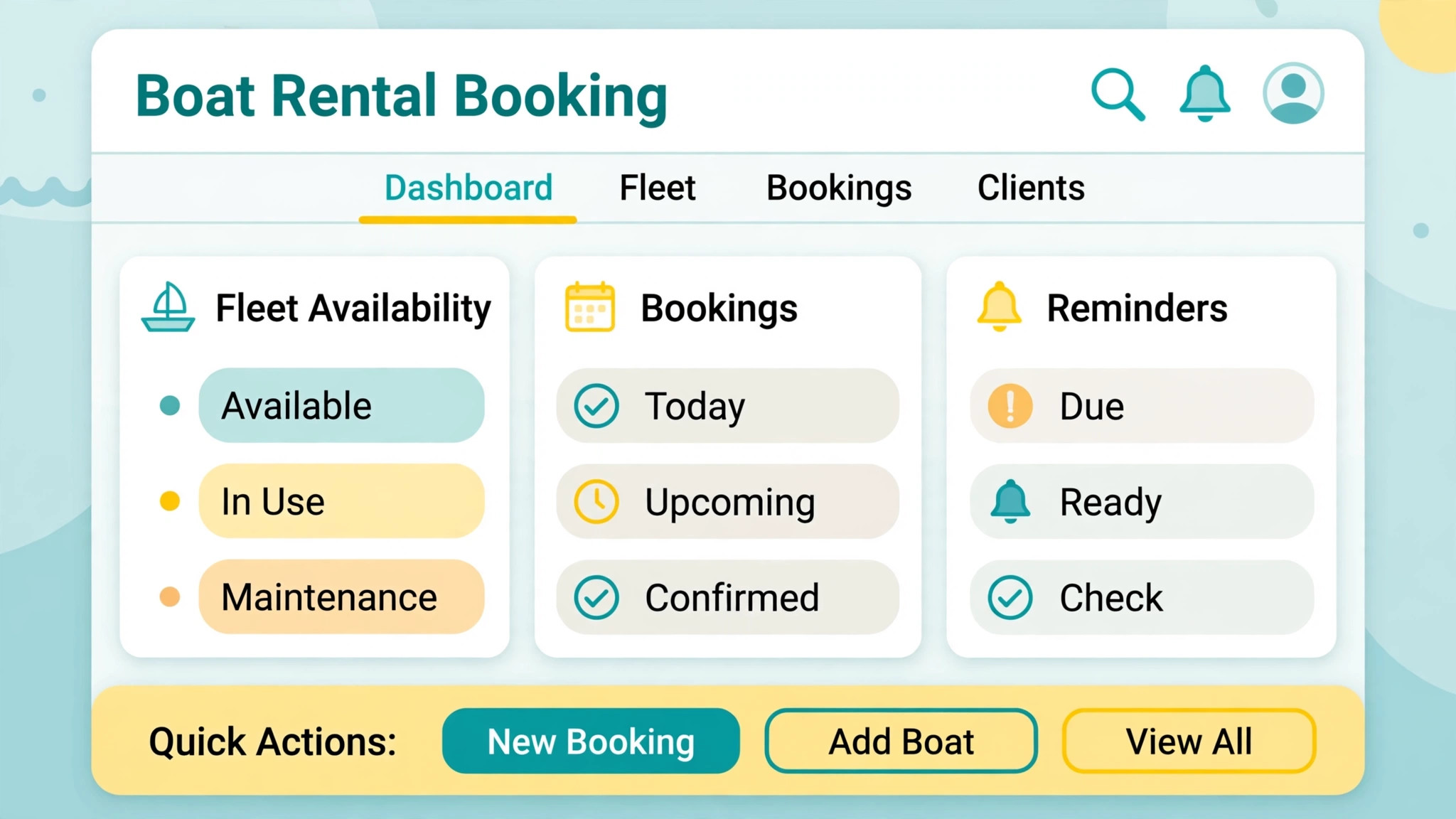
EquipDash is built for marinas and boat rental shops, with online bookings, vessel inventory, deposit holds, waivers, safety card capture, inspections, payments, and damage reports in one place. Its AI features include a front desk that answers on the booking page and on missed calls, plus bots that watch for weather reschedules, overdue payments, and review requests. Published pricing starts at 29 dollars per month with a free trial period, and a platform fee in the low single digits may apply, so confirm at checkout and model the fee at your real volume.
Checkfront
Checkfront is a booking platform for rentals and tours, with real time availability, digital waivers, deposits, and buffers for fuelling and cleaning between rentals. It suits operators who mix rentals with lessons or tours, because pricing, seasonal rates, and add ons such as captains or equipment sit in the same system. Published pricing starts around 99 dollars per month plus a percentage booking fee on some plans, so confirm at checkout, especially the fee treatment for bookings you bring in yourself.
Anolla
Anolla manages boats, yachts, marinas, skippers, and tours from one system, with unlimited locations, users, services, and vessels on its platform description. Its AI agent answers common questions around the clock and works with automations to reduce manual booking work, and its pricing is described as usage based, which means the honest comparison needs your real fleet size and booking volume. Confirm at checkout, and test the agent on your own boats and prices before relying on it for missed calls.
Reservety
Reservety is built specifically for boat and jet ski rentals, with fixed slot patterns for pontoons, hourly patterns for smaller craft, season agreements that live on the customer account, and a walk around that the renter co signs on a phone. Its weather handling lets an operator close days and move bookings from a timeline, keeping boat and price, which matches the weather workflow in this guide well. Confirm pricing at checkout, since rental specific tools often price by fleet and feature set rather than a single headline rate.
Roverd
Roverd offers a booking widget, real time calendar updates, automated notifications with trip details and weather updates, and deposit handling with card payment integrations. Its refund settings support weather related cancellations with full or partial refunds in a few clicks, which matters on a coast where weather moves fast. Confirm pricing and feature availability at checkout, and test the notification wording on a real booking before the season starts.
Booking Season Checklist
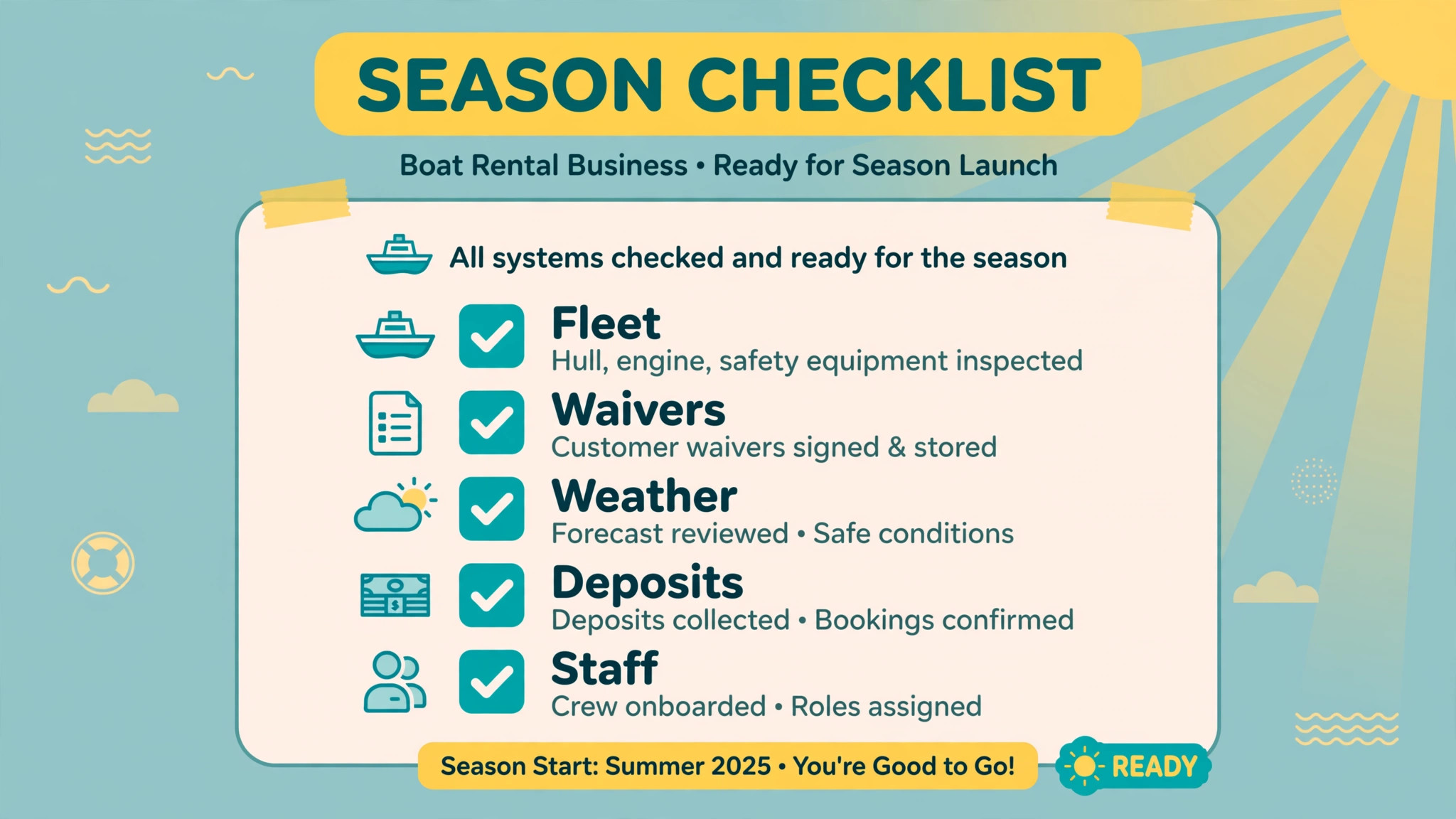
Use this checklist at season start, at mid season, and at season end. A checklist used once is a poster, while a checklist used three times a season is a system.
- Confirm fleet list, slot patterns, buffers for fuelling and cleaning, and maintenance blocks
- Test inquiry triage on ten real messages, including two awkward ones, before going live
- Approve AI wording for routine questions, confirmations, and deposit reminders
- Write the weather closure message and the rebooking offer before the first storm
- Test deposit authorisation, release, and partial capture with a real card flow
- Train the dock team on walk around photos, notes, and the human sign off rule
- Set review request timing and the reply rule for serious complaints
- Record repeat renter notes and season agreement expiry dates in one place
- Review triage handoffs, no show rates, and deposit clearance weekly in season
- Archive damage summaries, waivers, and booking records at season end
Operators who use AI for boat rental booking management should treat the weekly review as the real product. The software sends the messages, but the weekly review decides which messages still work. A reminder that cleared deposits in June may fail in August when party sizes change, and only a review catches that drift before it costs a month of bookings.
Measuring Whether the System Works
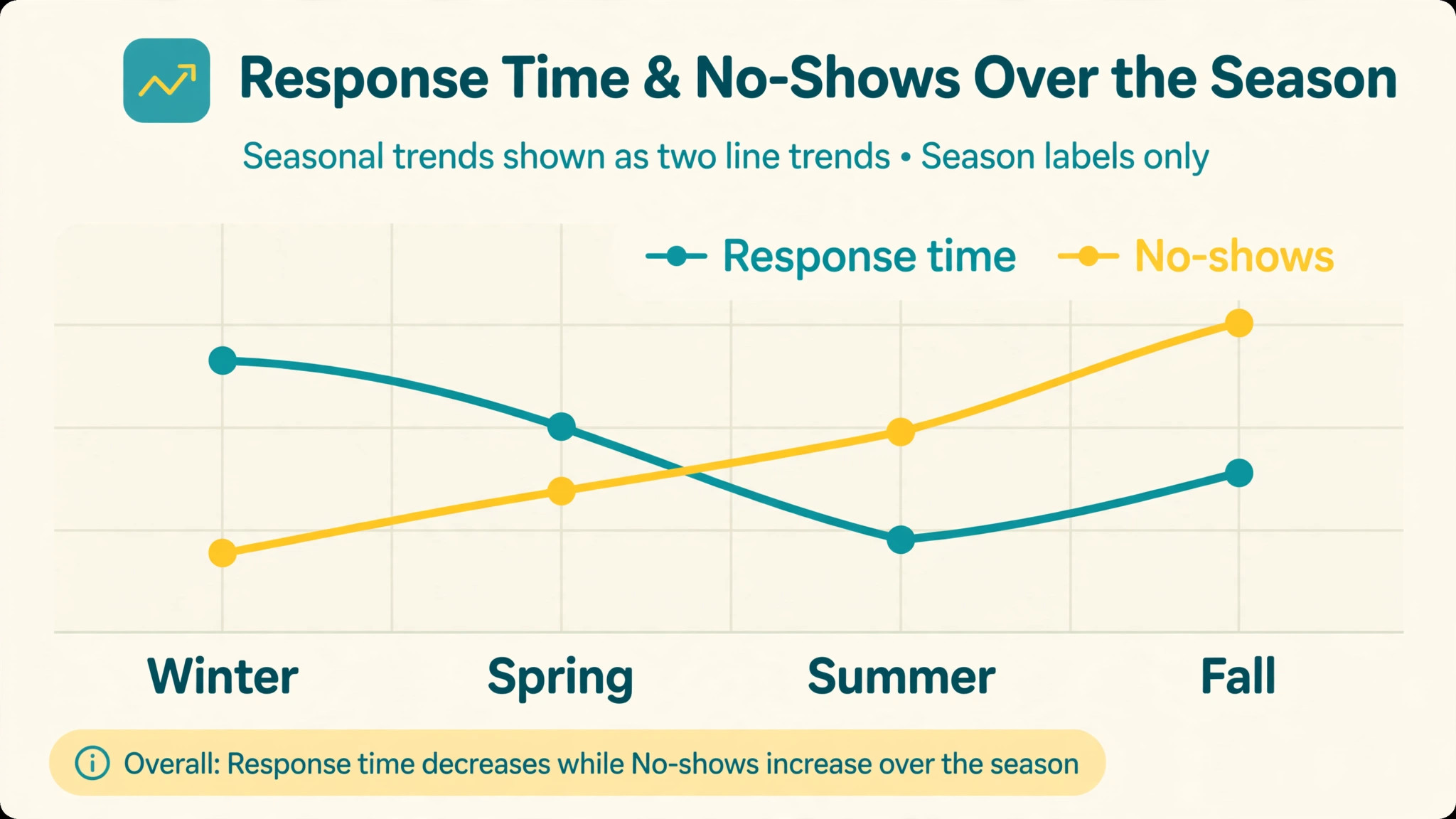
Measure four numbers, and ignore the rest until these four move. First, response time to a new inquiry, measured from arrival to a useful answer. Second, the share of bookings that arrive with licence, deposit, and waiver complete. Third, the no show rate, counted per hundred bookings. Fourth, the days from return to deposit release for clean boats. If those four improve, the system works. If they do not, a new feature will not save it.
Compare each number with the same period before automation, not with a vendor promise. A vendor promise describes a different dock, while your own before and after numbers describe yours. Keep the comparison honest by noting season, weather, and fleet changes beside the numbers, because a stormy month will move every figure and should not be blamed on software.
Mistakes cluster in predictable places. The first is letting AI answer a question it should have handed off, which usually happens when the approved wording covers too much. The second is sending reminders so often that renters stop reading them, which shows up as falling open rates before it shows up as missed deposits. The third is skipping the human sign off on damage summaries during a rush, which is exactly when a careful summary matters most. Fix the approval step first, because it protects the business even when everything else is busy.
Staffing the Dock Around the New Workflow
Automation changes who stands where on a busy morning, and a dock that does not plan that change will waste the time it just saved. When inquiry answering moves to an automated front desk, the person who used to answer the phone becomes the person who prepares boats, checks waivers, and greets arriving parties. That shift only works if the rota says so in plain terms, because a team member left without a new job will drift back to the phone out of habit.
Write the new rota before the system goes live, and name the owner for each job that remains human. One person owns the morning weather review, one person owns walk around sign off, and one person owns deposit decisions for the day. Named ownership matters on a Saturday, because a job owned by everyone is owned by nobody when a queue forms. Rotate those owners across the season so no single person becomes the only one who knows how a decision was made.
Operators who use AI for boat rental booking management should also protect a human answer path that renters can actually find. An automated message that offers no way to reach a person will frustrate the renter with the unusual problem, and that renter is often the one with the largest booking. Put a phone number and a response time promise in every automated message, and staff that number during the hours the messages promise. A promise of a reply within the hour, kept, builds more trust than a promise of instant automation that hands off badly.
Training for the dock team should focus on the handoff moments. Teach the team how to read an AI triage queue, how to spot a draft that overstated damage, and how to rewrite a weather message in their own words without changing its meaning. Role play the awkward cases, such as a renter who arrives without a licence, a party that is larger than booked, and a boat that returns late with a fuel dispute. A team that has practised those cases stays calm when they happen for real, and calm is the product renters remember.
Seasonal staff need a shorter version of the same training, because they arrive when the dock is busiest and have the least time to learn. Give seasonal staff a one page guide with the triage queue, the waiver check, the walk around steps, and the rule that no deposit decision happens on an unsigned summary. Pair each seasonal hire with an experienced team member for the first week, and review their first damage summaries together, because early corrections teach faster than any manual.
Finally, keep a weekly dock huddle through the season, even when the system runs well. Ten minutes on Monday, covering triage handoffs, weather messages that worked, and deposit cases that caused friction, keeps the workflow honest. Operators who use AI for boat rental booking management well treat that huddle as part of the system, not as an optional meeting, because software drifts and teams drift, and a short weekly check catches both before renters notice.
Frequently Asked Questions
Can AI really answer rental inquiries without making mistakes?
It can answer routine questions well when the wording is approved and the facts come from your own boats and prices, and it should hand off anything unusual to a human rather than guessing. Test it on ten real messages, including awkward ones, and log handoffs weekly. A system that guesses a date or a boat type is worse than a slow human answer.
Does AI replace the dock team on busy Saturdays?
No, it removes routine work so the dock team can handle handovers, safety briefings, and problems that need judgement. The team still checks licences, runs walk arounds, decides weather calls, and releases deposits. A business that tries to replace the team with automation will discover the gap at the exact moment a renter needs a person.
How do weather cancellations work with AI messages?
AI can draft factual updates and rebooking offers from the booking and the forecast, but a human should approve any message that moves, cancels, or refunds a booking. Write the closure message before the season, state the decision point and the options, and keep the wording calm. A good weather message retains the booking, while a rushed one loses it.
What happens if a renter disputes a damage charge?
The signed damage summary, with photos and notes, is the record that settles the dispute. AI drafts the summary, a human checks and signs it, and the renter receives the same version the team holds. Never capture part of a deposit on a draft nobody signed, because an unsigned summary will not survive a chargeback or a review.
Do I need a specialist boat rental tool, or will a general booking tool work?
A general tool can take bookings, but a rental specific tool handles fleet calendars, buffers, waivers, deposits, and walk arounds in one place. If your fleet is small and your rentals are simple, a general tool plus careful manual steps may suffice. If weather moves bookings and damage disputes happen, the specialist features pay for themselves in saved dock arguments.
How do I keep renter data safe when using AI tools?
Collect only what the booking needs, store waivers and summaries with the reservation, and check what the vendor stores and for how long before going live. Avoid sending licence numbers or card details through freeform AI chat tools that are not part of your booking system. A short data rule, written down and followed, beats a long policy nobody reads.
Will AI reminders annoy renters and hurt reviews?
Reminders annoy renters when they are frequent, vague, or irrelevant, and they help renters when they are few, clear, and timely. Three reminders with amounts, times, and links outperform six reminders that say only that something is outstanding. Watch reply tone and review mentions, and cut any reminder that renters complain about.
When should a small rental business start with AI?
Start when routine messages cost more than an hour a day, or when missed calls and incomplete bookings already cost rentals. Start with one job, usually inquiry triage or deposit reminders, and measure it for a month. A business with a handful of bookings a week may not need AI yet, and that is a fine conclusion, because automation should follow volume, not fashion.
Verdict for a Boat Rental Business
Use AI for the repetition, keep humans for the decisions, and measure the four numbers that prove the system works. Operators who use AI for boat rental booking management well end the season with faster answers, more complete bookings, and fewer dock arguments, not because the software is clever, but because the workflow is clear. Start with inquiry triage, add weather aware confirmations and deposit reminders next, and let damage summaries follow once the dock team trusts the draft and sign off rhythm.
A dock that automates carefully will feel calmer on a busy Saturday, and calm is visible to renters. Calm handovers, clear messages, and fast deposit releases bring repeat bookings, and repeat bookings are the cheapest growth a rental business owns.