
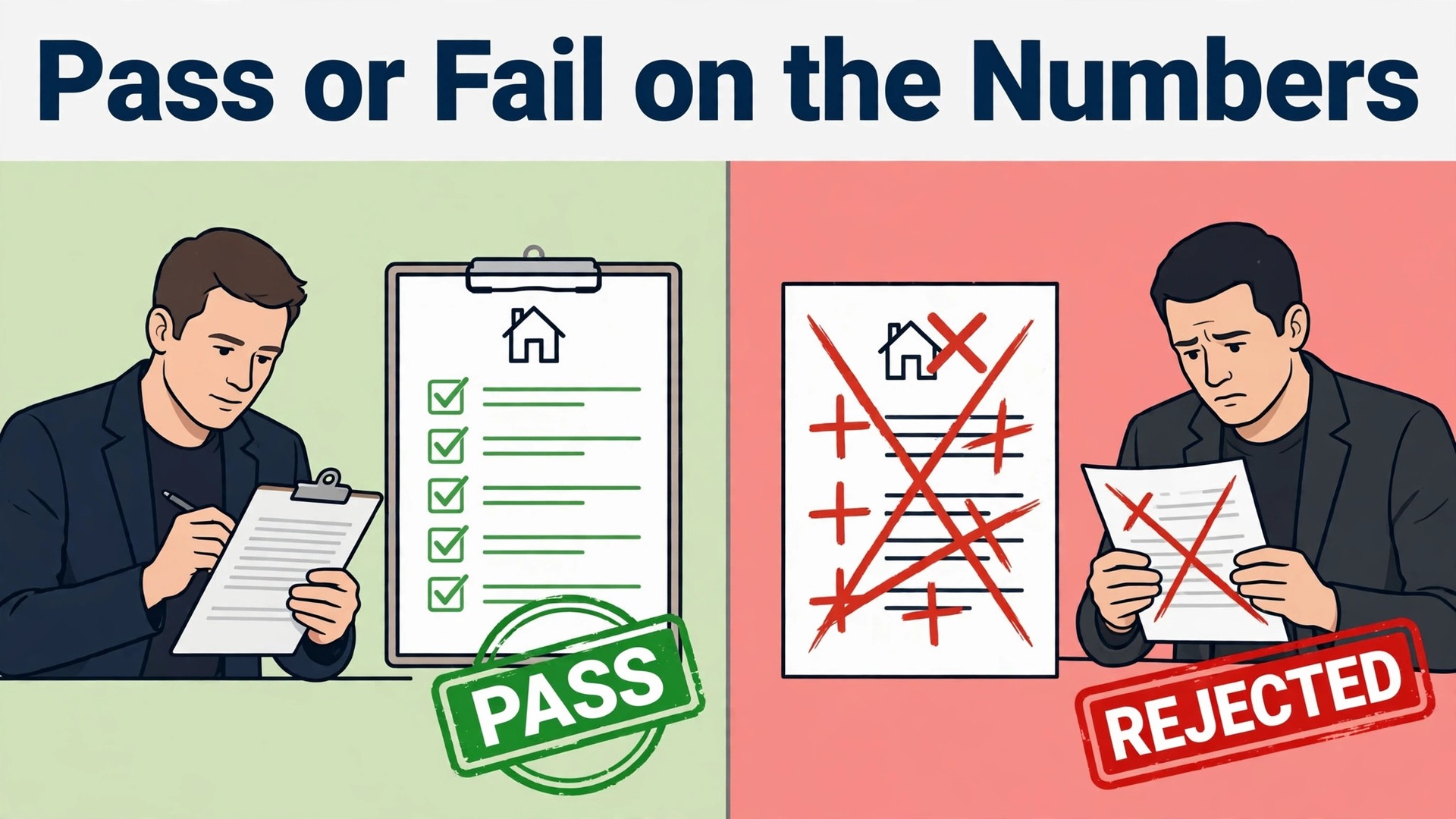
Gut feel versus a written process is the real divide in deal screening. An investor who relies on gut feel can move fast but cannot explain a skip, while an investor with a fixed, written process buys better properties and knows exactly why each deal passed or failed. AI closes the speed gap, because it makes that fixed process fast enough to run on every listing. When you use AI for real estate investor deal analysis, you are not handing your judgment to a machine. You are giving yourself a consistent first pass, so the deals you spend time on are the ones that already passed the numbers.
Most investor mistakes happen before the offer, not after the purchase. A buyer falls in love with a property, rounds the rent up, forgets the vacancy allowance, underestimates repairs, and then discovers the cash flow is negative at closing. A disciplined screening process catches those errors while they are still cheap, on paper, before earnest money is at risk. This guide builds that process, from listing intake through rent and cost estimates, cash-flow scenarios and offer memos, with a deal screening checklist you can copy.
Why Good Investors Still Buy Bad Deals
The first reason is speed pressure. A good listing attracts several buyers, and the investor who analyses slowly loses to the investor who offers first. That pressure pushes people to skip steps, to use the seller rent figure without checking it, or to accept a repair estimate from a quick walk through. Speed matters, but speed without a checklist is how a buyer pays too much for a property that looked good in photos.
The second reason is optimism in the inputs. Rent, expenses and repair costs are all estimates, and small errors compound. A rent figure 10 percent too high, a vacancy allowance left at zero, and a repair budget 20 percent too low can turn a positive cash flow deal into a loss, while each error on its own looks minor. A screening system forces every input to be stated, sourced and stress tested, so optimism shows up as a number rather than a feeling.
The third reason is missing information. A listing rarely tells you the full story on taxes, insurance, utility costs, or the condition of major systems. Investors who analyse from the listing alone are modelling a property they have not verified. The workflow below separates what the listing says, what public records and rent data say, and what only an inspection can confirm, so each claim is trusted only as far as its source deserves.

How to Use AI for Real Estate Investor Deal Analysis in Six Steps
This workflow takes a listing from first sight to a written offer memo in a repeatable order. Each step has an input, a check, and an output, so two people screening the same deal reach a similar answer. When you use AI for real estate investor deal analysis in this order, the tool drafts and calculates, while you verify the inputs and make the final call.
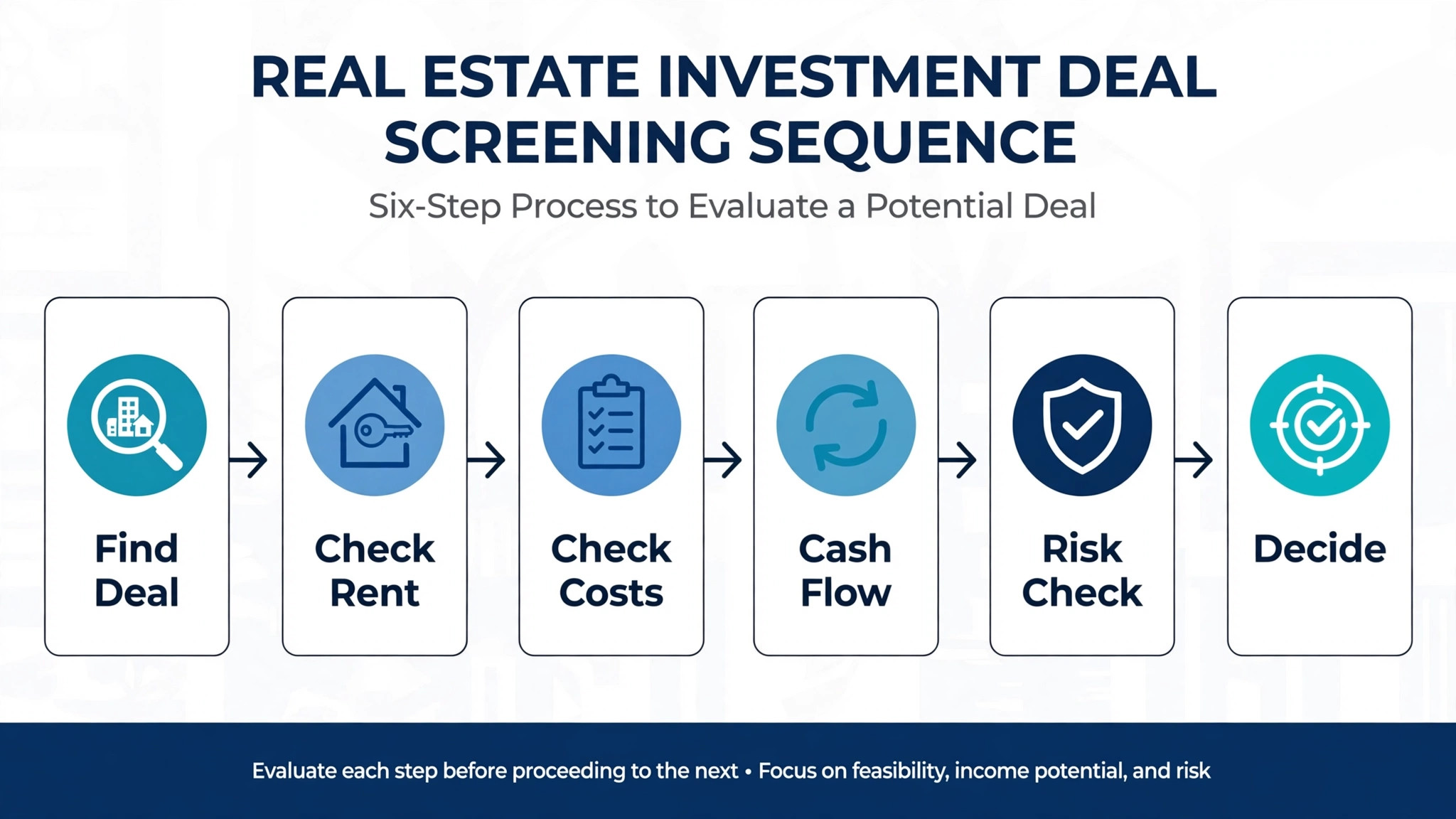
Step 1. Capture the Listing Intake Cleanly
Start by capturing the listing facts in one place, exactly as stated, before any analysis begins. Record the address, property type, bed and bath count, square footage, lot size, year built, list price, days on market, and the seller stated rent if any. Add the listing photos and description, plus any disclosures the listing provides. Keeping stated facts separate from your estimates prevents the most common screening error, which is treating a seller claim as your own verified number.
Use AI to extract those facts from the listing page and to flag gaps, such as a missing year built or a square footage figure that differs from public records. Check the extraction against the listing yourself, because an error copied at intake will flow through every later calculation. Note the source and date of each fact, so a week later you can still tell what was known at screening time.
Set a triage rule at intake. If the list price already exceeds your maximum allowable offer by a wide margin, or the property type falls outside your strategy, record the reason and move on. A fast no is valuable. It protects your analysis time for deals that can actually pass, and it builds a record of what you rejected and why.
Step 2. Estimate Market Rent From Evidence, Not the Listing
Rent is the single most sensitive input for a rental deal, so it deserves its own step. Start with the seller stated rent, then test it against comparable rentals in the same neighbourhood, with similar bed count, condition and amenities. Use rent data from listing platforms and property data tools, and note the date range of the comparables, because a comparable from two years ago is not evidence for today rent.
Use AI to draft the comparable set and to summarise the range, then check each comparable yourself. Remove outliers that differ sharply on condition or location, and weight the closest matches most heavily. If the seller rent sits above the top of your comparable range, use your comparable based figure for the base case, and treat the seller figure as an upside case only. That discipline alone prevents many bad purchases.
Record three rent figures for every deal. The conservative figure, based on the lower half of the comparable range, the base figure, based on the middle of the range, and the seller figure, labelled as unverified. Carry all three into the cash-flow scenarios, so the deal is judged on the rent you can defend, not the rent you hope for.
Step 3. Build the Cost Picture Before You Model Returns
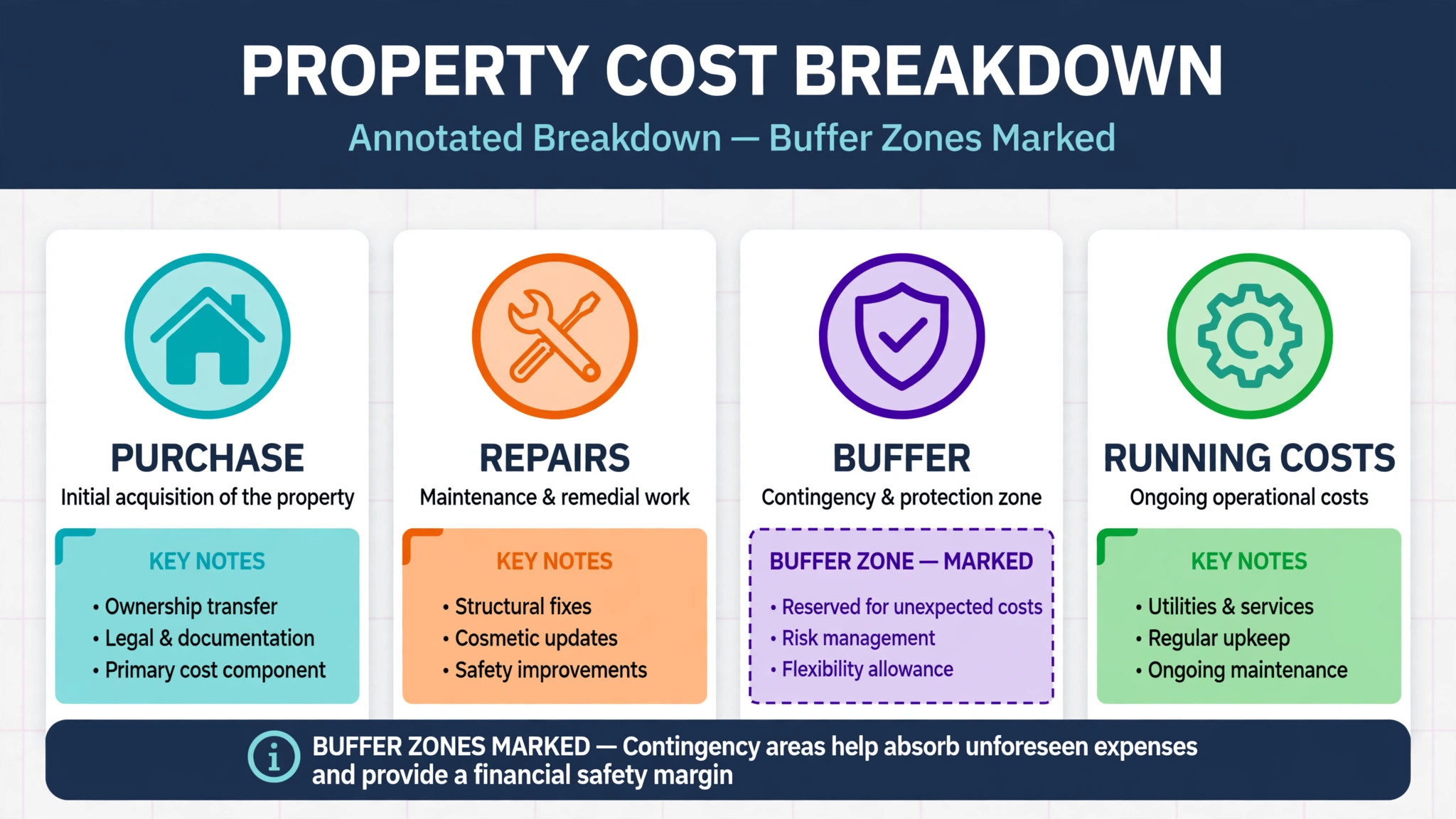
Costs decide whether a deal works, and they are where optimism hides most easily. Build the cost picture in four groups. Purchase costs, including closing costs and any immediate repairs. Financing costs, including rate, term, fees and points. Operating costs, including taxes, insurance, maintenance, management, utilities paid by the owner, and a vacancy allowance. Exit or refinance costs, where relevant to the strategy.
Use AI to draft the cost list from the property facts and your standard assumptions, then replace every standard assumption you can with a property specific figure. Check the tax figure against the county record, get an insurance quote rather than a guess, and price major repairs from contractor input where the amount is large. For small items, a standard allowance is acceptable, provided it is stated and consistent across deals.
Add two buffers that many beginners skip. A vacancy allowance of at least one month per year, and a maintenance reserve based on the property age and condition. A property with a 20 year old roof and original systems needs a larger reserve than a recently renovated unit. State both buffers in the model, so a deal that only works with zero vacancy and zero repairs is visible as fragile before you offer.
Step 4. Run Cash-Flow Scenarios, Not a Single Forecast
A single forecast hides risk. Run at least three scenarios for every deal that passes the first screen. The base case uses your comparable rent, your verified costs, and your expected financing. The downside case cuts rent by 10 percent, adds a vacancy month, and raises maintenance by a stated amount. The upside case uses the seller rent or a rent increase after renovation, but only where the renovation is costed and realistic.
Use AI to calculate the scenarios and to present the key metrics for each, including monthly cash flow, cap rate, cash on cash return, and internal rate of return where the hold period is known. Check the arithmetic on one deal by hand, or against a second calculator, before trusting the tool across your pipeline. A formula error repeated across fifty deals is worse than a slow manual calculation on one.
Judge the deal on the downside case first. If the downside case still covers the mortgage and leaves a small positive cash flow, the deal has room for real life. If only the upside case works, the deal depends on everything going right, which is a speculation rather than an investment. Record the decision rule you used, so future deals are judged by the same standard.
Step 5. Verify Condition and Title Risks Before the Offer
Numbers alone do not make a deal safe. Before offering, list the risks that numbers cannot show. Property condition, including roof, foundation, plumbing, electrical and heating systems. Title and legal issues, including liens, easements, and rental restrictions from a homeowners association. Market risks, including a neighbourhood with falling rents or a major employer leaving the area. Tenant risks, for an occupied property, including lease terms and payment history.
Use AI to draft the risk list from the listing, public records and your notes, then verify each item through the proper channel. A contractor or inspector checks condition, a title search checks legal issues, and a local agent or property manager checks the rental market. Do not let a model output override a risk that a professional has flagged, because the model never walked the property.
Grade each risk as acceptable, priced in, or deal breaking. A roof that needs replacing in two years can be priced into the offer. A foundation problem with an unknown cost is deal breaking until a specialist prices it. That grading turns a vague worry into a decision, and it gives you a clear basis for the offer price or for walking away.
Step 6. Write an Offer Memo a Partner or Lender Can Trust
The offer memo is the output that makes the whole workflow useful. It should fit on two pages and state the property facts, the rent evidence, the cost picture, the three scenarios, the risks and their grades, and the recommended maximum offer with its reasoning. A partner or lender reading it should be able to follow the logic without asking for the underlying spreadsheet, while the spreadsheet remains available for detail.
Use AI to draft the memo from the screening record, then edit it yourself before sharing. Check every figure against the model, every rent claim against the comparables, and every risk grade against your notes. A memo that overstates rent or hides a risk will damage your credibility with a partner far more than a passed deal ever would.
State the walk away price clearly at the end of the memo. When a negotiation heats up, that written number protects you from bidding against yourself. If the seller counters above it, the memo already made the decision, and you can decline calmly, knowing the next screened deal is already in the pipeline.
Deal Screening Checklist You Can Copy
Use this checklist on every deal, in order, and record the result of each item. A deal that fails an early item does not need the later items, which is how the checklist saves time as well as money.
Intake complete. Address, property type, bed and bath count, square footage, year built, list price, days on market, and seller stated rent all recorded with sources and dates.
Rent verified. At least three comparable rentals reviewed, outliers removed, and conservative, base and seller rent figures recorded separately.
Costs built. Purchase, financing, operating and exit costs listed, with tax and insurance checked against records or quotes, and vacancy and maintenance buffers included.
Scenarios run. Base, downside and upside cash-flow cases calculated, with monthly cash flow, cap rate, cash on cash return, and internal rate of return where relevant.
Condition checked. Major systems assessed or scheduled for inspection, and any large repair priced by a professional rather than guessed.
Legal checked. Title, liens, easements and rental restrictions reviewed, or flagged for a professional check before closing.
Risk graded. Each risk marked acceptable, priced in, or deal breaking, with deal breakers resolved or the deal declined.
Offer memo written. Two page memo with facts, rent evidence, scenarios, risks and a walk away price, checked by the investor before sharing.

Tools That Fit an Investor Screening Workflow
Pick tools by the job they do, because no single tool covers listing data, rent evidence, deal math and reporting equally well. The tools below cover the main jobs in the workflow, and they work best in combination, with a spreadsheet or CRM holding the screening record.

DealCheck for Deal Math and Offer Memos
DealCheck is a deal analysis app for rental, flip, and BRRRR properties that calculates cash flow, cap rate, cash on cash return, internal rate of return, and maximum allowable offer from the numbers you enter. It imports property data from public records, supports rent rolls and projections for larger properties, and produces shareable reports for partners and lenders. Vendor materials report it is trusted by over 350,000 investors and agents, and it offers a free tier alongside paid plans, so check the vendor current pricing page before subscribing.
The limit is that DealCheck analyses deals you bring to it. It does not find off market leads or supply owner contacts, so pair it with a lead generation or property data tool. Its pre-filled estimates still need property specific expense checks, and a rent figure entered without comparable evidence will produce a confident but wrong result.
PropStream for Property Data and Lead Lists
PropStream is a property data platform used for lead lists, owner information, comparable sales and rental research. Its strength for screening is the breadth of data in one place, which speeds the intake and comparable steps, especially for investors working across a city or a county. Higher plans add dialing and more contact data, so check the vendor current pricing page for the plan that matches your volume.
The limit is data freshness and coverage, which vary by market. Verify key facts, such as tax figures and ownership, against county records before relying on them in an offer memo. PropStream gives you a starting set of leads and comparables, not a verified appraisal, and the final judgment still belongs to the investor.
BiggerPockets Calculators for Accessible First Pass Screening
The BiggerPockets calculators are widely used for rental and flip analysis, and their strength is accessibility for a first pass. A beginner can enter purchase price, financing, rent and expenses and see cash flow and returns in a familiar format, without learning a complex platform. That low barrier makes them a good triage tool when deal volume is high.
The limit is depth. For complex deals, multi unit properties, or detailed tax and refinance modelling, a dedicated tool such as DealCheck or a custom spreadsheet will go further. Use the BiggerPockets calculators to screen quickly, then move deals that pass into a deeper model before offering.
Mashvisor for Rental Market Analytics
Mashvisor focuses on rental analytics, including neighbourhood rental performance, occupancy estimates and investment metrics for rental properties. Its strength is the market view, which helps an investor compare neighbourhoods before choosing where to screen deals at all. That upstream choice matters, because screening in a weak rental market wastes time even when individual deals look neat.
The limit is that market analytics do not replace property level verification. A neighbourhood average cannot tell you the rent for a specific unit in a specific condition, or the repair bill for a specific roof. Use Mashvisor to choose markets and to sense check rent, then verify each property with comparables and inspection.
What AI Can and Cannot Do in Deal Analysis
When you use AI for real estate investor deal analysis, AI is strong at extraction, calculation and drafting. It can pull listing facts into a standard intake form, assemble a comparable set, calculate scenarios, and draft an offer memo from the screening record. Those tasks are repetitive and error prone when done by hand under time pressure, and automating them means every deal gets the same first pass.
AI cannot inspect a property, verify a contractor quote, or judge a neighbourhood from a walk through. It cannot know about a foundation crack hidden behind furniture, a tenant problem not in any record, or a local market shift that has not yet reached the data. It cannot decide your risk tolerance, your capital limits, or your strategy. Those judgments belong to the investor, and any workflow that lets a model output override them is dangerous.
Data quality deserves attention too. Public records lag, listing data contains errors, and rent data reflects asking rents as well as achieved rents. Keep the source and date on every input, and treat any figure without a source as an assumption to be tested, not as a fact. A model built on unsourced inputs will produce precise looking nonsense.

Mistakes That Break Deal Screening
The first mistake when you use AI for real estate investor deal analysis is trusting the seller rent figure without comparables. Seller rent is a marketing claim, and it often reflects the best month, the best unit, or a rent that was never actually collected. Always build your base case from comparable evidence, and treat the seller figure as upside only.
The second mistake is modelling with zero vacancy and zero repairs. Every property has empty months and repair bills, and a deal that only works without them is fragile. Include a vacancy allowance and a maintenance reserve in every model, sized to the property age and condition, and judge the deal on the downside case first.
The third mistake is skipping the walk away price. Investors who enter a negotiation without a written maximum offer bid against themselves, especially when a competing buyer appears. Write the walk away price in the offer memo before negotiating, and let the memo make the decision when the price passes it.
The fourth mistake is analysing from the listing alone. Photos hide condition problems, listings omit costs, and public data lags reality. Separate stated facts from verified facts at intake, and confirm condition, title and market risks through the proper professional channels before closing.
How AI Assisted Screening Compares With Gut Feel Buying
| Feature | AI assisted screening | Gut feel buying |
|---|---|---|
| Rent basis | Comparable evidence, three figures | Seller claim or a guess |
| Cost picture | Four groups, buffers included | Purchase price plus a rough guess |
| Risk view | Three scenarios, downside first | One optimistic forecast |
| Condition check | Risk list, professional verification | Photos and a walk through |
| Offer discipline | Written walk away price | Negotiation without a ceiling |
| Record | Screening record for every deal | Memory of the deals that closed |
The table shows the core advantage. Screening does not make a bad market good, and it does not find deals on its own. It stops an investor from paying too much for a property that fails on paper, and it creates a record that improves every future decision.
A Five Week Implementation Plan
Week one is criteria and templates when you use AI for real estate investor deal analysis. Write your screening criteria, your intake form, and your offer memo template. Screen five past deals, including two you bought and three you passed on, and check whether the checklist would have changed any decision. That back test is the fastest way to calibrate the criteria.
Week two is data and tools. Choose the property data tool and the deal calculator that fit your market and volume, and set up the screening record where every deal will live. Test the intake extraction and the scenario calculation on live listings, and fix any field that is routinely wrong before scaling.
Week three is live screening. Run every new listing through the checklist for two weeks, with no exceptions for properties you like. Record the time per deal and the pass rate, and simplify any step that takes long without changing the decision.
Week four is verification. Review the deals that passed screening, and check how the verified condition, title and market facts compared with the screening assumptions. Adjust the buffers and the downside case where reality proved harsher than the model.
Week five is steady state. Keep the checklist as the gate for every offer, put a monthly review of passed and rejected deals in the calendar, and refine one input at a time. Screening is now a habit, not a project, and the habit is what protects capital over many deals.

Verdict
Buy the deal that passes on paper, not the property that photographs well. Capture the intake cleanly, verify rent from comparables, build the full cost picture, run three scenarios, grade the risks, and write the memo with a walk away price. When you use AI for real estate investor deal analysis in that order, the tool gives you speed and consistency, while you keep the judgment, the verification, and the final call.
Start with the checklist and the downside case. Those two habits alone will stop most bad purchases, because they force every deal to survive the rent you can defend and the costs you cannot avoid. Add the offer memo next, and let the written walk away price protect you in every negotiation that follows.
Frequently Asked Questions
How many comparable rentals do I need for a rent estimate?
At least three, in the same neighbourhood, with a similar bed count, condition and amenities. Remove outliers that differ sharply on condition or location, and weight the closest matches most heavily. Record a conservative, a base and a seller rent figure separately, and build the base case from your comparable evidence rather than the seller claim. If good comparables are scarce, widen the area slowly and note the weaker evidence in the memo.
What vacancy allowance should I use?
At least one month per year as a starting point, adjusted for the property and market. A property in a high turnover area, or a unit type that rents slowly, needs a larger allowance. A stable long term tenancy in a strong market may justify a smaller one, but zero is never justified. State the allowance in the model, so a deal that only works with full occupancy is visible as fragile before you offer.
Should I judge a deal on the base case or the downside case?
Judge it on the downside case first. The downside case cuts rent, adds a vacancy month, and raises maintenance by a stated amount. If that case still covers the mortgage and leaves a small positive cash flow, the deal has room for real life. If only the upside case works, the deal depends on everything going right, which is speculation rather than investment. Use the base case for planning, and the downside case for the buy decision.
How do I set a maximum allowable offer?
Work backwards from the deal you want, not forwards from the asking price. Start with the verified rent and the full cost picture, run the downside scenario, and find the purchase price at which the deal still meets your return threshold. That price is your maximum, and the offer memo should state it with its reasoning. When a negotiation passes that number, the memo has already made the decision for you.
Can a calculator replace an inspection?
No. A calculator models numbers, and an inspection reveals condition. Roof, foundation, plumbing, electrical and heating problems rarely appear in a listing, and they can change the cost picture by more than any rent assumption. Use the calculator to screen, then verify condition through an inspector or contractor before closing. A deal that passes the numbers but fails inspection is not a deal, whatever the model says.
What metrics matter most for a rental deal?
Monthly cash flow, cap rate, and cash on cash return matter most for a first screen, with internal rate of return useful where the hold period and exit are known. Cash flow tells you whether the property pays for itself each month. Cap rate lets you compare properties regardless of financing. Cash on cash return tells you what your invested cash actually earns. No single metric decides a deal, which is why the checklist runs all three together.
How do I handle a property with sitting tenants?
Check the lease terms, the rent actually paid, the payment history, and any local rules on tenancy and rent changes before offering. A sitting tenant can be an advantage, with income from day one, or a problem, with below market rent locked in. Verify the rent from bank records or leases rather than the seller statement, and grade the tenancy risk in the offer memo alongside condition and title risks.
How long should screening take per deal?
A first pass should take under an hour once the templates and tools are set up, with deeper verification reserved for deals that pass. The checklist is designed to fail fast, so a deal that fails on rent or on price does not consume a full analysis. Track the time per deal for the first month, and simplify any step that takes long without changing the decision, but never skip the downside case or the walk away price.