
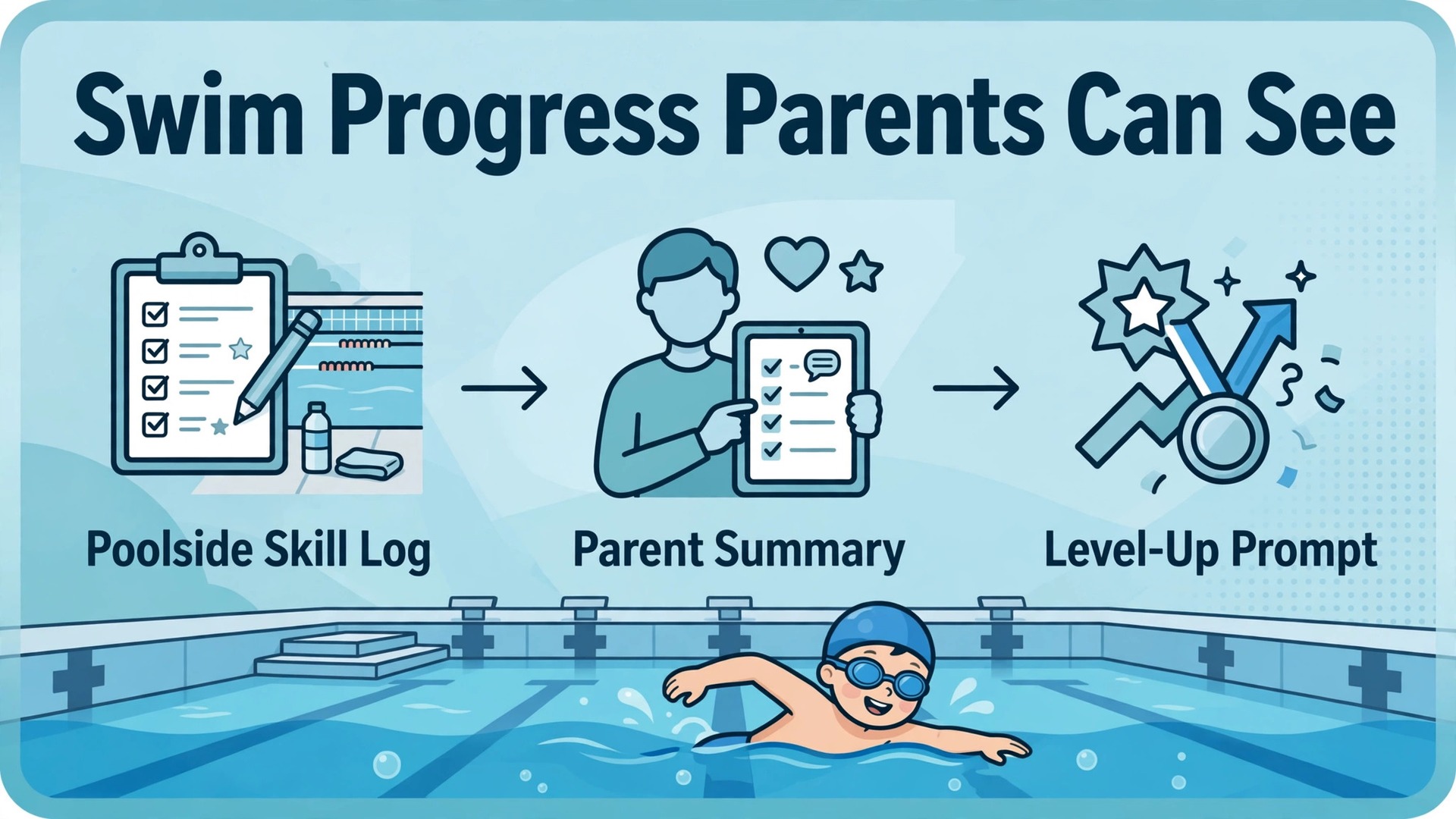
Verdict first. For most swim schools, the best use of AI in progress reporting is narrow and practical. Let instructors log skills quickly poolside, let the system turn those logs into clear parent summaries, and let the office send level-up prompts and re-enrolment nudges on time. That combination keeps parents informed, fills the next term, and costs instructors minutes rather than evenings of paperwork. When you use AI for swim school progress reporting in that narrow way, parents get better information and staff get time back for teaching.
The opposite approach fails quietly. A school that buys a large system, asks instructors to fill long forms after every lesson, and sends parents dense reports full of jargon will get patchy data and unread reports. Instructors will skip entries when the pool deck is busy. Parents will skim the first line and miss the level-up message. The technology is not the problem. The workflow around it is. This guide builds the workflow first, then fits the tool to it.
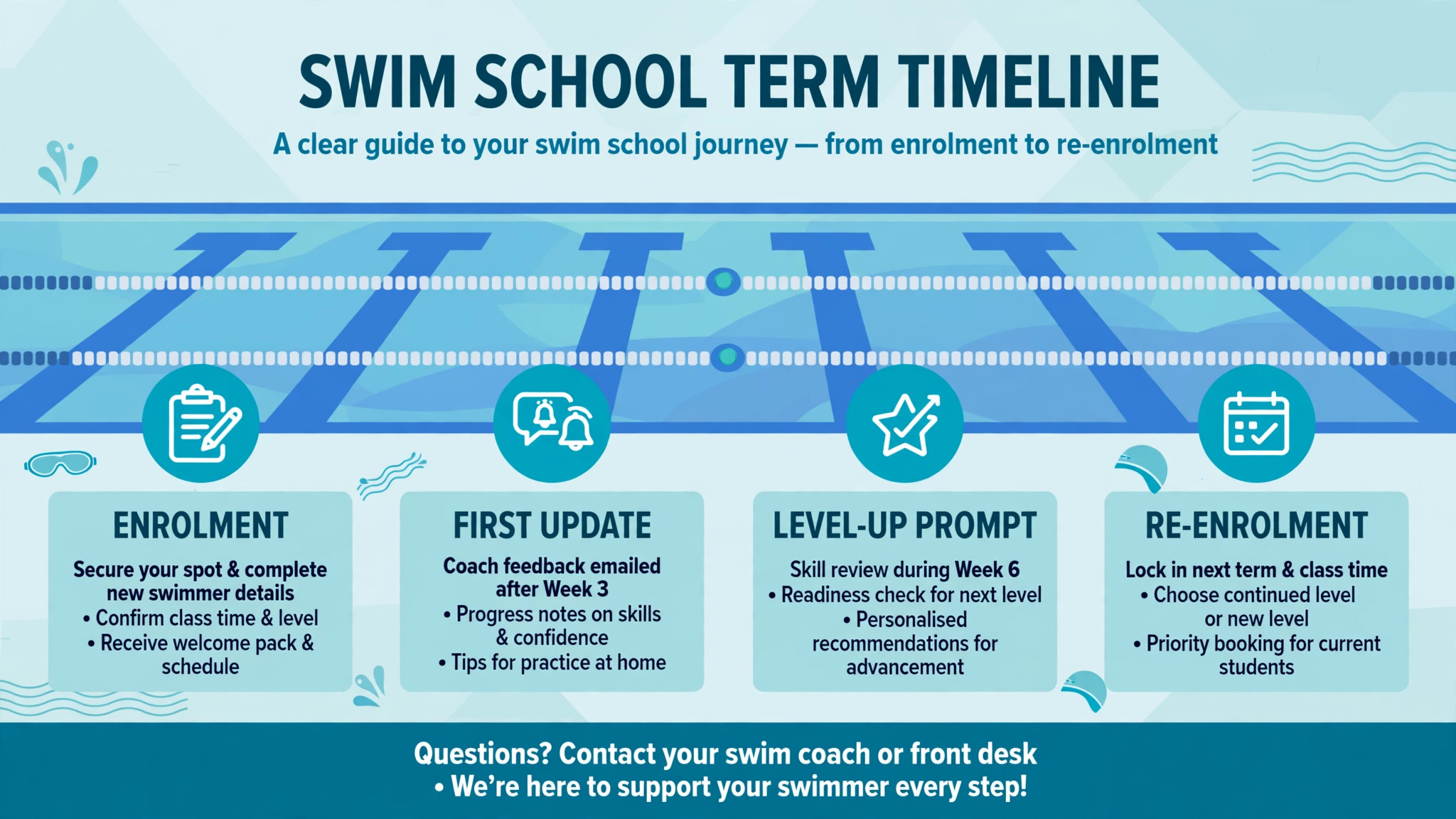
Progress reporting matters in swim teaching more than in many activities because progress is slow, uneven, and hard for parents to see. A child may spend a term building water confidence without passing a named level, and a parent watching from poolside may not notice the change. A good report names what changed, what comes next, and what the parent can practise at home or in public swim time. A bad report says the child is doing well and leaves the parent guessing about value for money.
Why Parents Leave When Reports Go Quiet
Parents do not usually leave a swim school over one bad lesson. They leave when they stop understanding what they are paying for. A term passes, the child stays in the same level, and no one explains why. The parent assumes the school is not teaching, or the child is not capable, and both conclusions are usually wrong. Often the child has made real gains in comfort, breathing, or kick strength that do not yet add up to a level pass. Without a report, those gains are invisible.
Silence also creates awkward conversations at reception. A parent asks when their child moves up, and the desk team has no record to check. The instructor is in the water with the next class. The answer becomes a guess, and a guessed answer that proves wrong damages trust. A shared skill record fixes this. Anyone on the team can see the same skills, the same recent progress, and the same next step, and the parent gets a consistent answer.
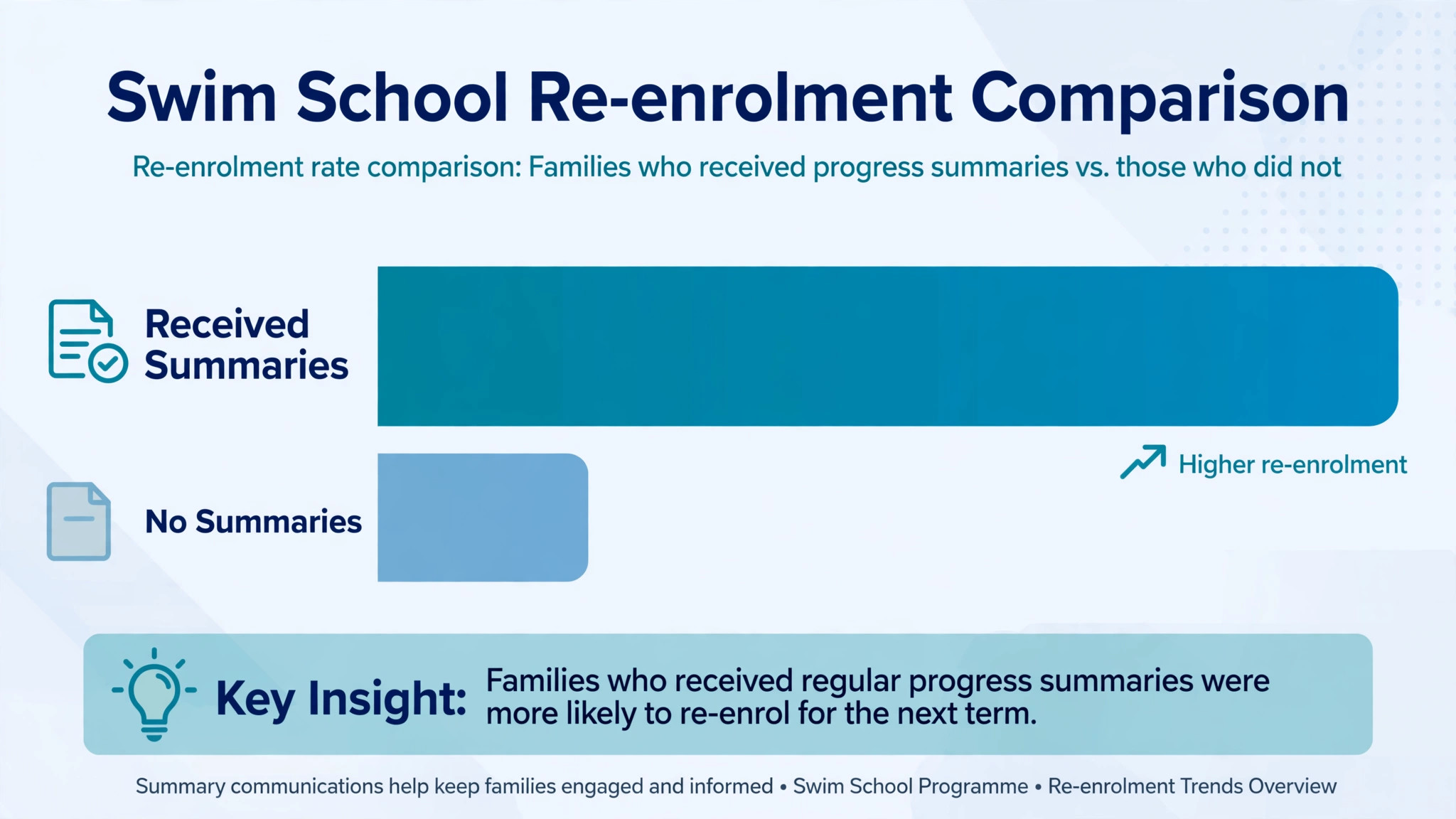
Re-enrolment suffers in the same way. A parent who receives no report before re-enrolment week must decide on faith alone. A parent who receives a short summary showing three skills gained, one skill in progress, and a clear next level is deciding on evidence. Schools that report well tend to re-enrol better, not because the report is a sales tool, but because it reminds the parent what the term achieved.
| Silence problem | What the parent feels | What a good report does |
|---|---|---|
| No update all term | Paying without proof of progress | Sends a short update every few weeks |
| Same level for two terms | Child is stuck or school is slow | Explains partial skills and the next step |
| Vague praise only | Nothing specific improved | Names skills gained and skills in progress |
| No re-enrolment prompt | Decision left to chance | Links progress to the next class and dates |
How to Use AI for Swim School Progress Reporting Without Losing the Instructor Voice
The AI contribution should sit between the instructor log and the parent message, not in place of either. The instructor records a skill as introduced, practising, or achieved, ideally with a one line note. The system then drafts a parent summary in plain language, pulls the next skill in the level, and suggests a level-up prompt when the criteria are met. A staff member checks the draft before it goes out. That check takes a minute and keeps the school voice human.
What AI should not do is invent progress. If an instructor logged only attendance, the system has no basis for claiming a skill improved. If a child missed half the term, the report should say so kindly and suggest a catch up plan, not dress up absence as steady progress. Schools should set a rule that every AI drafted summary traces back to logged skills, and any summary without logged skills goes back to the instructor rather than to the parent.
Data entry must fit poolside reality. Instructors have wet hands, short changeovers, and children to watch. A skill log that needs ten taps per child will be skipped. A log that needs two taps from the class roster, with the class skill list already loaded, will be used. Test any tool on a real changeover before committing, and watch how long it takes an instructor to log a full class. If it takes more than a couple of minutes, simplify the skill list first.
The Six Step Reporting Workflow
Step 1. Define skill levels in plain language
Write each level as a short list of observable skills, in words a parent understands. A skill such as front crawl arms with breathing is clearer than a code or a level number alone. Keep each level to a manageable number of skills, so an instructor can assess progress without a checklist that runs to two pages. Share the level definitions with parents at enrolment, so later reports refer to skills the parent has already seen.
Step 2. Log skills from the class roster
During or immediately after each lesson, the instructor marks skills from the roster view. Use three states only, such as introduced, practising, and achieved. Avoid fine grades that instructors cannot judge consistently from poolside. A simple scale keeps data comparable across instructors and terms, and it gives the reporting system clean inputs to summarise. Log little and often, rather than saving a large entry for the end of term.
Step 3. Review the class record weekly
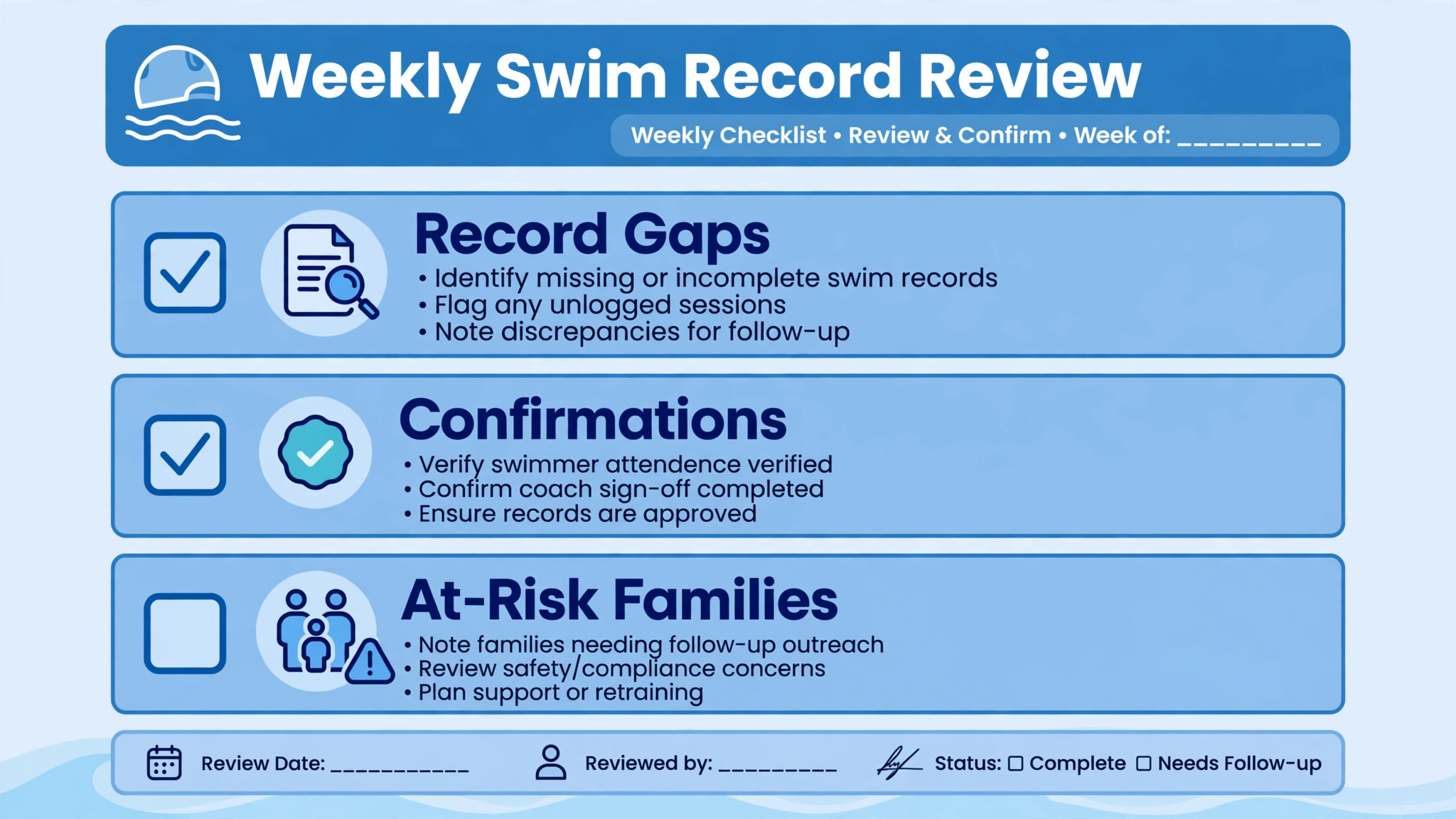
Once a week, a senior instructor or manager reviews the class records for gaps. Look for children with no entries for two weeks, skills marked achieved by one instructor but not yet confirmed, and classes where the whole group is marked identically. That review catches logging drift early, before it becomes a term end problem. It also surfaces children who need a different group, extra support, or a conversation with the parent.
Step 4. Draft parent summaries from logged skills
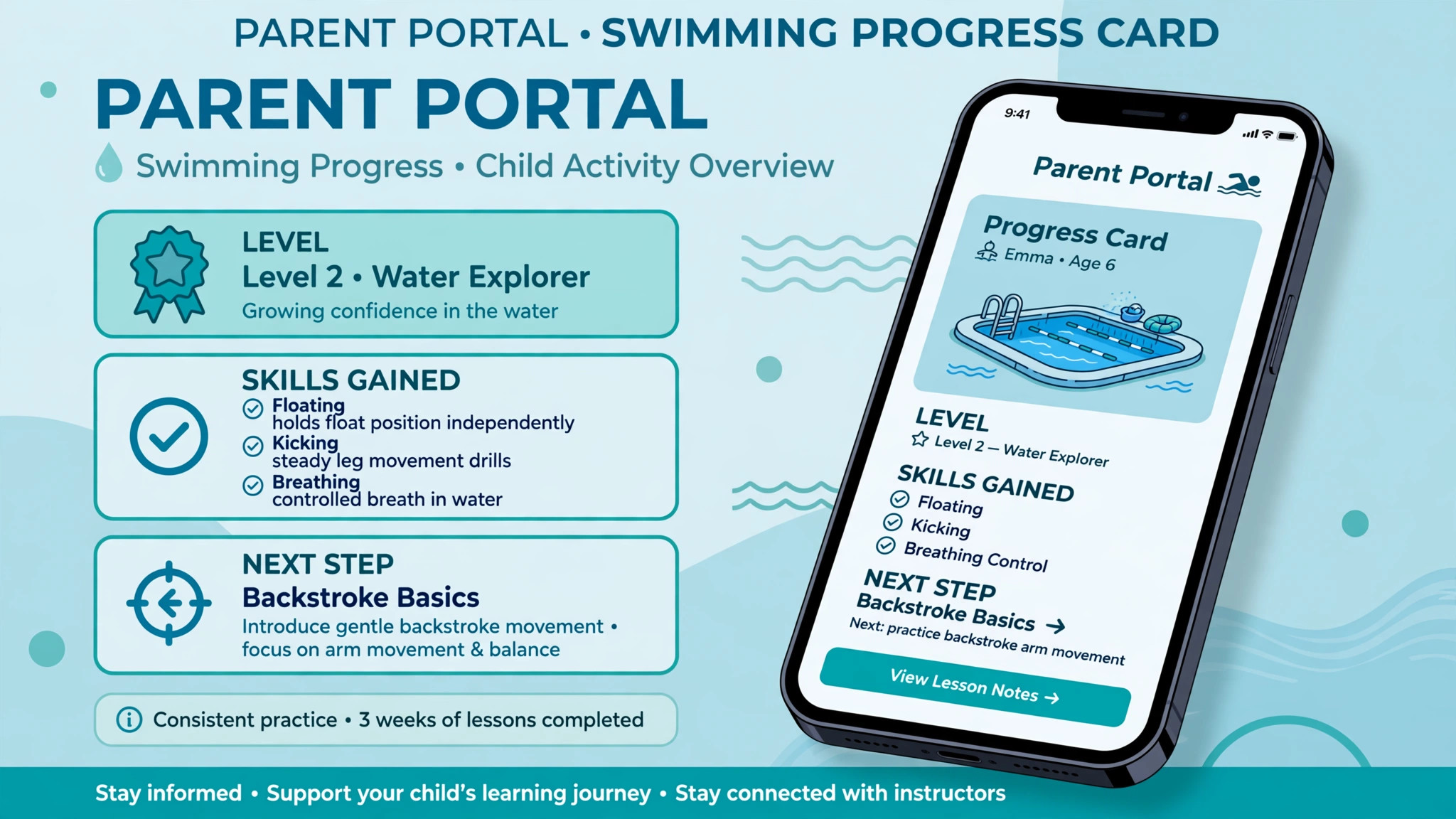
Every few weeks, or at a fixed point in the term, generate a parent summary from the logged skills. The summary should name skills gained, skills in progress, and the next skill to work on, in that order. Keep it short enough to read on a phone in under a minute. When you use AI for swim school progress reporting at this step, the system drafts the wording, but the instructor or manager approves it. Approval is the quality control that keeps reports honest.
Step 5. Send level-up prompts at the right moment
When a child meets the criteria for the next level, send a prompt promptly, not at the end of term. The prompt should name the new level, the class times available, and what changes in the new level. A prompt sent weeks late loses momentum, because the parent may have already made other plans. A prompt sent the same week the child passes feels like a celebration, and it is far more likely to convert into a booking.
Step 6. Send re-enrolment nudges with evidence
Before re-enrolment opens, send each family a summary of the term plus a clear next step. The nudge should include the recommended class, the term dates, and a simple booking action. Families with children close to a level pass need a slightly different message from families whose child just passed. The first group needs encouragement and a plan. The second group needs a new challenge. Segmenting those two messages is one of the highest value uses of a skill record.
Skill Levels That Instructors Can Actually Assess
A skill framework fails when it tries to measure everything. Instructors cannot reliably judge ten micro skills per child in a thirty minute lesson, and parents cannot interpret a report with forty tick boxes. A workable framework has a small number of levels, each with a handful of core skills, plus water safety knowledge that runs through every level. The framework should describe what the child does, not what the instructor taught.
Consistency matters more than detail. If two instructors judge the same skill differently, parents receive confusing reports and level-up decisions become arguments. Solve this with short calibration sessions, where instructors watch the same swimmer and compare marks, plus one line descriptors for each skill. A descriptor such as floats on back for five seconds without support leaves less room for disagreement than a vague label such as confident in water.
Safety skills deserve their own place in every report. Parents value progress in strokes, but they enrol for safety first. A report that names a safety skill, such as safe entry and exit, floating to rest, or calling for help, reminds the parent why lessons matter even in a term without a level pass. It also gives the school a clear record of safety teaching, which matters for duty of care and for parent trust.
Parent Summaries That Get Read
A parent summary has one job, which is to be read and understood in under a minute. Lead with the headline, which is the most important change since the last report. Follow with two or three skill details, then the next step. End with one action, such as book the next term or practise a named skill in family swim time. A summary that tries to cover every lesson detail will be skimmed and forgotten.
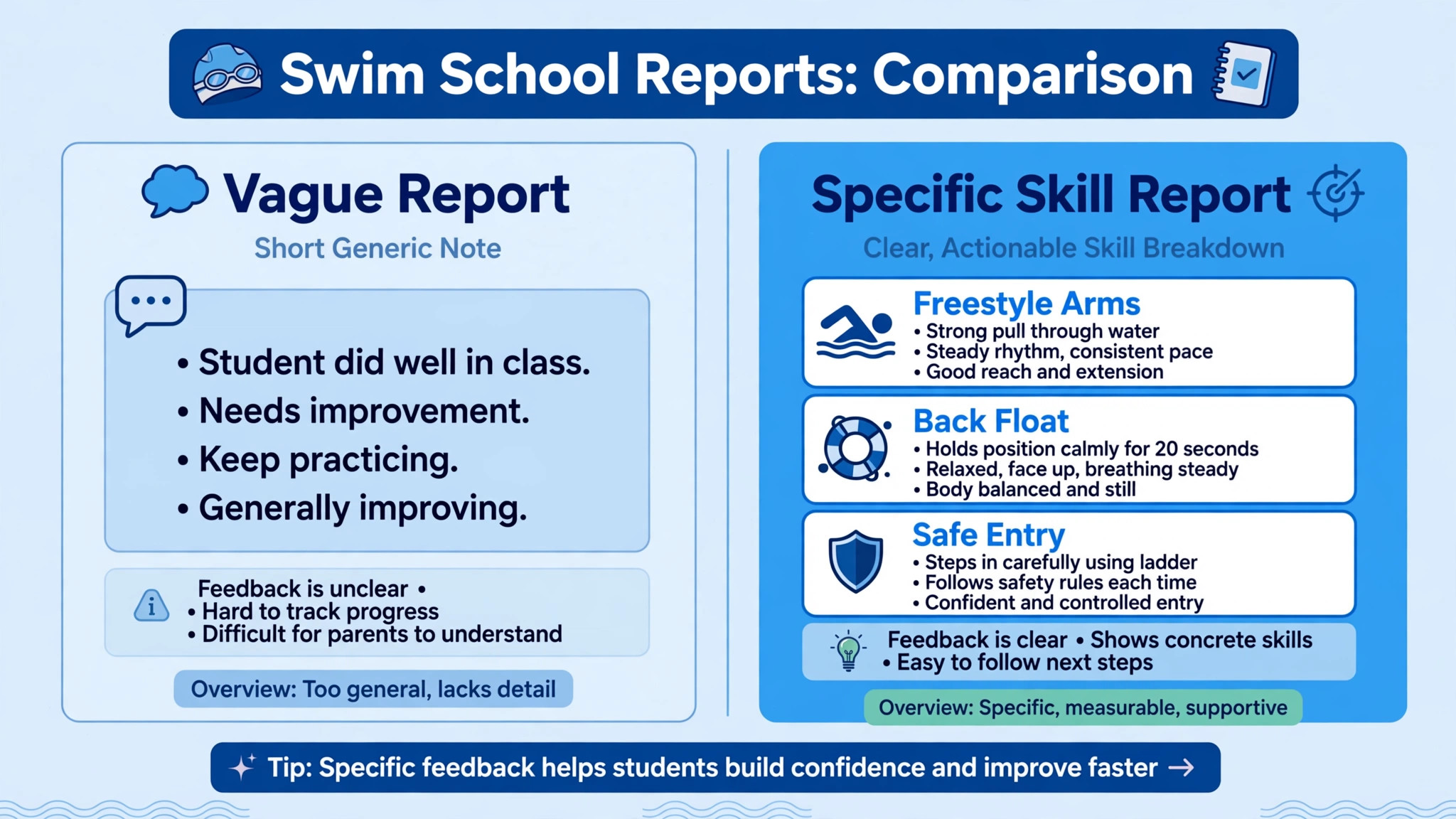
Tone matters as much as content. Parents respond to specific, warm, honest language. A line that says a child now floats on their back for five seconds and is working on rolling to front is more useful than a line that says the child is a confident swimmer. Honesty about slow progress also builds trust. A summary that says a skill needs more time, with a plan, keeps a parent enrolled longer than a summary that overclaims and then disappoints at level assessment.
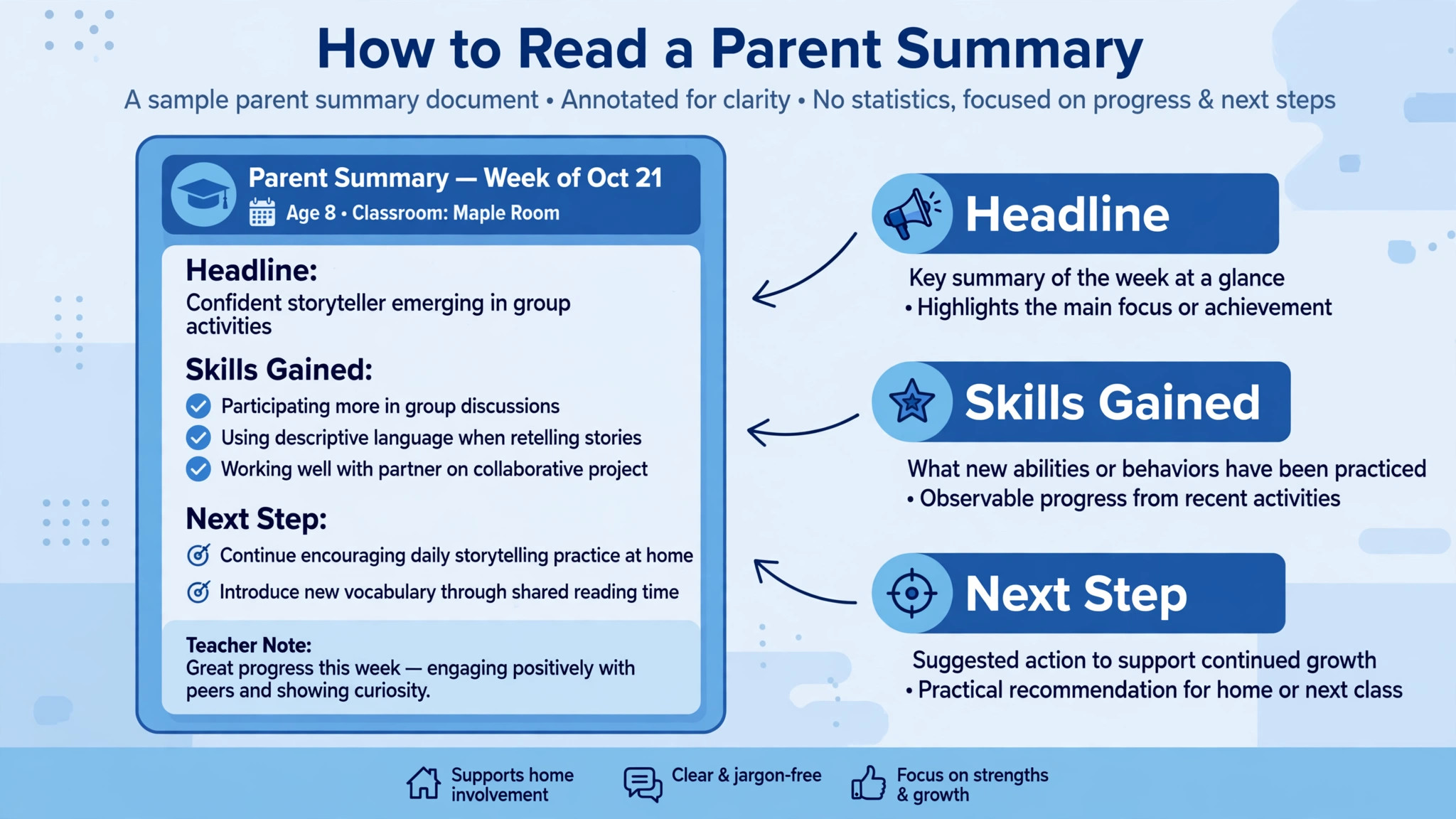
Frequency beats length. A short update every three or four weeks keeps parents connected through a term, while a single long report at term end arrives too late to affect re-enrolment or practice. Schools with continuous enrolment should tie summaries to the individual child cycle rather than the calendar, so every family gets updates at a similar rhythm regardless of start date.
| Summary element | Good example | Weak example |
|---|---|---|
| Headline | Three skills gained since last month | Doing well in lessons |
| Skill detail | Back float held for five seconds | Improved confidence |
| Next step | Working on roll to front next | Keep practising |
| Parent action | Book next term by Friday | See you next week |
The Reporting Template
Use the same template for every family, so parents learn where to look and staff learn what to write. A consistent template also makes AI drafting safer, because the system fills known fields rather than inventing a new structure each time. The template below is written for a short message or portal update, not for a printed certificate.
– Child name and current level, with the term or period covered. – Headline change since the last report, in one sentence. – Skills gained, listed as two or three named skills. – Skills in progress, with the next skill clearly marked. – Water safety note, naming one safety skill practised or achieved. – Instructor note, one sentence in the instructor own words. – Next step, naming the recommended class or level and the booking action. – Practice suggestion, one activity the family can do in public swim time.
When you use AI for swim school progress reporting with this template, check three things before sending. First, every skill named must appear in the logged record. Second, the next step must match the level criteria, not just the nearest class with space. Third, the instructor note must read as if the instructor wrote it, because parents notice generic praise quickly. A template that passes those three checks can be sent at scale without losing trust.
Tools for Swim School Reporting
Pike13
Pike13 is built for swim schools and class businesses, with scheduling, skill based progression, family accounts, and a branded parent app. Instructors log skill milestones from the daily roster, and parents follow progress through structured skill levels. For a school that wants reporting tied directly to booking and billing, that connection matters, because a level-up prompt can lead straight to a bookable class. Confirm current pricing on the vendor page, since plans vary by business size.
Jackrabbit Swim
Jackrabbit Swim covers registration, class scheduling, tuition billing, attendance, parent communication, and reporting for swim schools. Its strength is the all in one office view, where attendance, billing, and progress sit together. A school that struggles with office admin may value that breadth more than a specialist reporting feature. Skill tracking quality depends on how the school configures its levels, so invest time in the level setup before judging the reports.
Sportimea
Sportimea is swim school software with a teacher app for attendance and progress tracking, plus a parent portal for updates. Its teacher view is designed for quick logging, which is the feature that decides whether reports get written at all. A school with many part time instructors should test the teacher app with its least confident phone user, not its most confident one. If that instructor can log a class quickly, the system will survive real poolside conditions.
iClassPro
iClassPro is class management software used by activity centres, with attendance, scheduling, billing, and skill assessment features. It suits a school that runs swim alongside other classes, or a multi site business that needs central reporting. Skill assessment works best when the school keeps its skill lists short and consistent across sites, because a central report is only useful if every site judges skills the same way.
Level-Up Prompts and Re-Enrolment Nudges
A level-up prompt should arrive as good news, not as an admin message. Lead with the achievement, name the new level in plain words, and offer class times before the parent has to ask. If the new level has a different pool depth, duration, or instructor ratio, say so plainly, because parents worry about those changes. A prompt that answers the obvious questions converts better than a prompt that only says a space is available.
Re-enrolment nudges need timing and honesty. Send the first nudge with the term summary, while progress is fresh. Send a reminder only to families who have not booked, and change the message for the reminder rather than resending the same text. A second message that adds a deadline or a class availability note feels like useful information. A second identical message feels like pressure.
Watch for families at risk of leaving. A child with no logged progress for a month, a run of absences, or a missed level assessment are all early signals. A personal message from an instructor or manager, offering a catch up plan or a different class time, will save more enrolments than a generic discount. Use the reporting data to find those families early, then let a human make the contact.
– Send the level-up prompt in the same week the criteria are met. – Name the new level, the class times, and anything that changes. – Send the re-enrolment nudge with the term summary, not after it. – Remind only non bookers, with a new reason in the reminder. – Contact at risk families personally, with a catch up plan.
Mistakes That Make Reports Untrusted
The fastest way to lose trust is to send a report that contradicts what the parent saw. A child who struggled all term should not receive a report claiming strong progress in every skill. A child who missed four lessons should not receive a report that ignores absence. Parents compare reports with poolside reality, and one dishonest report casts doubt on every later report. Keep reports tied to logged evidence, and note absence honestly.
A second mistake is changing skill definitions mid term. If a level pass meant one thing in September and another in November, parents and instructors will disagree about readiness. Freeze level definitions for the term, and change them only between terms with a note to parents. Stability in definitions is what makes progress comparable across terms and instructors.
A third mistake is sending reports that only the office understands. Codes, abbreviations, and internal level names without explanation force parents to ask for translation, and many will not bother. Every report should stand alone for a parent who has never seen the internal system. If a term needs a glossary, the report wording is the problem, not the parent.

Getting Instructors and Office Staff on Board
A reporting system fails when instructors see it as extra paperwork and office staff see it as another inbox. Both groups need a reason to use it, and that reason must be visible in the first two weeks. For instructors, the reason is fewer parent questions at poolside and fewer end of term report evenings. For office staff, the reason is fewer phone calls asking where a child stands and fewer re-enrolment chases with no information. When you use AI for swim school progress reporting to remove those pains, adoption follows without a long training programme.
Start with a short pilot, not a whole school launch. Pick one or two classes, agree the skill list, and run the workflow for a month. Meet the pilot instructors weekly for ten minutes and ask what slowed them down. Common answers include too many skills per level, a roster view that loads slowly on poolside phones, and uncertainty about what counts as achieved. Fix those three issues before expanding, because they are the issues that will repeat across every class if left alone.
Training should be practical and poolside, not a slide deck in a meeting room. Show an instructor logging a real class, show the parent summary that results, and show the level-up prompt that follows. When instructors see the full chain from their two taps to a parent message, they understand why the log matters. A school that trains only on button clicks will get button clicks without care. A school that trains on the parent outcome will get careful logs.
Office staff need a different routine. Give one person ownership of the weekly record review and the prompt schedule, so summaries do not depend on whoever happens to be free. That owner checks for missing logs, approves drafted summaries, and sends prompts on the agreed day each week. When you use AI for swim school progress reporting with a named owner, the system keeps running through holidays and staff changes. Without an owner, it quietly stops after the first busy week.
Privacy and consent also belong in the staff routine. Instructors should know what parent summaries contain, what they never contain, and how to handle a parent who asks about another child. Office staff should know how portal access works and how to remove access when a family leaves. These are short conversations, but they prevent the two mistakes that damage trust fastest, which are sharing the wrong child information and sending a report to the wrong family.
Measure adoption honestly during the pilot. Track the share of lessons with skill logs, the share of summaries approved on time, and the share of level-up prompts sent in the same week as the pass. If you use AI for swim school progress reporting and log coverage stays below half of lessons, the skill list is probably too long or the roster view is too slow. Simplify before you expand, and celebrate the instructors whose logs are complete, because their classes will produce the best parent feedback.
Finally, keep the human voice in staff messages as well as parent messages. A level-up prompt that reads as if it came from a system will be treated as a system message. A prompt that includes the instructor name and one specific skill will be treated as news from a teacher the family knows. When you use AI for swim school progress reporting, let the system handle drafting and timing, and let people handle the judgement and the warmth. That division is what makes the reports feel personal at scale.
Frequently Asked Questions
How often should swim schools send progress reports?
A short update every three to four weeks works for most term based schools, with a fuller summary at term end. Continuous enrolment schools should tie updates to the child cycle, so each family hears at a similar rhythm. More frequent updates help only if they contain new information. A weekly message that repeats the same skills will be ignored, while a monthly message with real changes will be read.
What should a progress report include for young children?
For young children, lead with water confidence and safety skills, then strokes in simple language. Name what the child can do now, what they are practising, and what comes next. Avoid comparing a child with classmates, and avoid predicting a pass date that may not hold. Parents of young children value reassurance and a clear next step more than detailed stroke analysis.
Can AI write progress reports without instructor input?
No, and schools should not try. AI can draft wording from logged skills, but it cannot observe a child in the water. A report without instructor logged skills is guesswork, however polished the wording looks. The safe workflow is instructor logs, system drafts, staff checks, then parent receives. Any step that removes the instructor log removes the evidence the report depends on.
How do swim schools handle children who stay in one level for a long time?
Explain partial progress clearly, set a short term goal, and consider whether the class mix, frequency, or instructor approach needs to change. A child may need more pool time, a smaller group, or a different teaching emphasis. A report that names the specific skill blocking progress, plus a plan to practise it, keeps parents engaged. A report that repeats the same level name with no explanation will lose them.
Should parents see the full skill checklist?
A full checklist can help at enrolment, when parents want to understand a level. In routine updates, a full checklist overwhelms. The better pattern is a short summary for routine updates, with the full level checklist available in the parent portal for families who want detail. That way, detail exists without forcing every parent to read it every time.
How do level-up prompts differ from re-enrolment nudges?
A level-up prompt celebrates a pass and offers the next level class. A re-enrolment nudge reminds a family to book the next term, usually with a summary of progress and a recommended class. A family may receive both in one term, first the level-up prompt, then the re-enrolment nudge for the new level. Keeping the two messages distinct avoids confusion about which class to book.
What data should a swim school never put in a parent report?
Never include other children names, comparisons with classmates, medical details, or internal staff notes. Reports should cover only the named child progress, safety, and next steps. Schools should also check privacy settings on parent portals, so families see only their own children records. A report that leaks another child information damages trust far beyond one family.
How can a small swim school start progress reporting cheaply?
Start with a simple level sheet, a shared skill log, and a fixed template sent every few weeks. That manual routine proves the workflow before any software purchase. When you use AI for swim school progress reporting later, the software will inherit a clean skill list and a template parents already understand. Buying software before defining levels usually produces expensive reports that nobody trusts.
A Reporting Routine Parents Can Feel
Good progress reporting is not a software purchase. It is a routine where instructors log a few skills, managers review the record weekly, parents hear something specific every few weeks, and level-up and re-enrolment messages arrive on time. AI helps most when it drafts summaries from real logs and handles the timing of prompts, leaving instructors free to teach and managers free to check quality.
Start with the template in this guide and one class. Run it for a full term, ask parents what they actually read, and fix the wording before expanding. When the routine works on paper, choose a tool that fits it, and keep the human check on every summary. Parents will not praise the software. They will praise the fact that they finally know how their child is doing, and they will rebook because of it.