
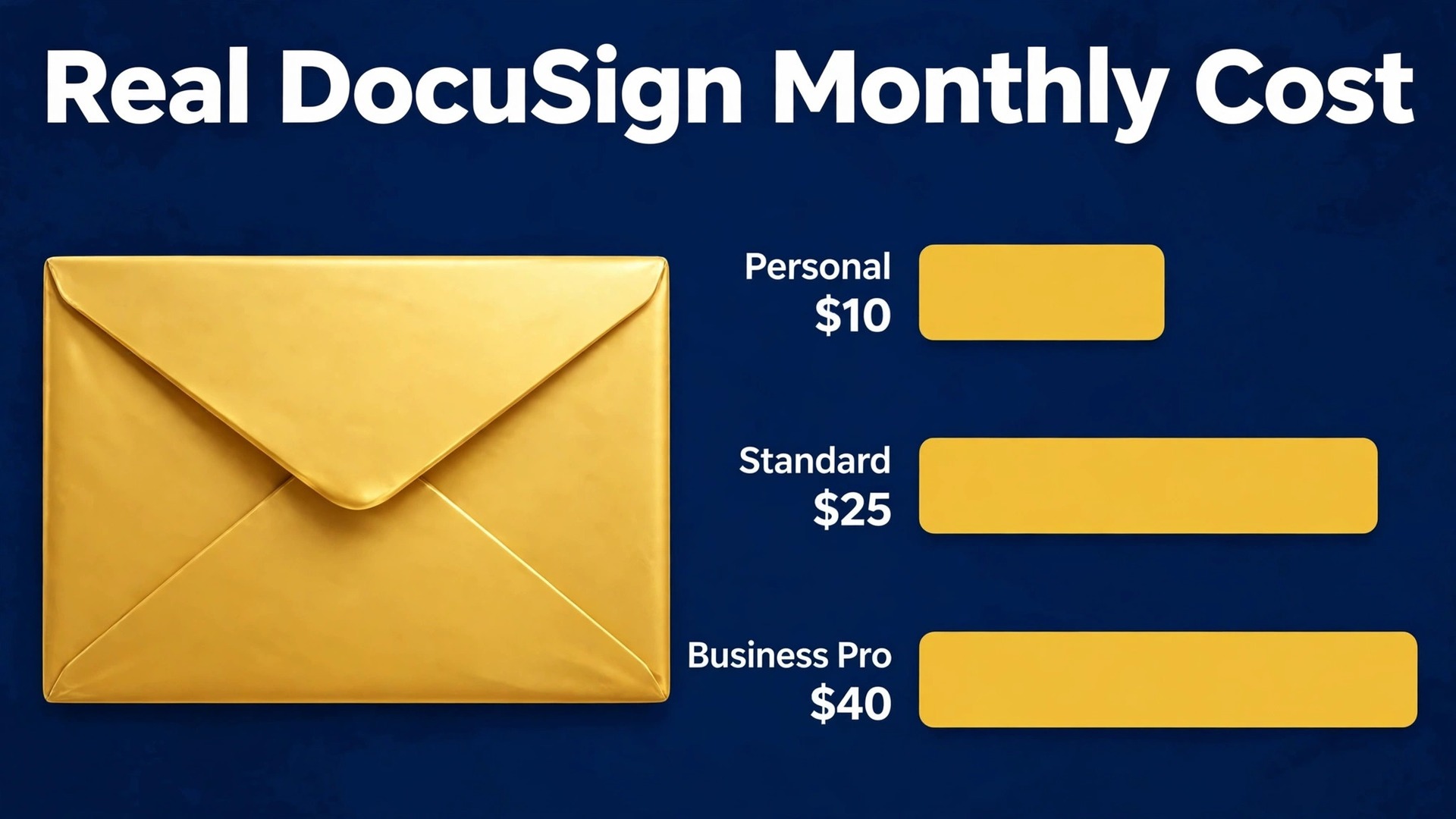
Two small firms can send the same contract and pay very different amounts for the privilege, and the difference is rarely the contract itself. One firm sends five envelopes a month on a single seat, while the other sends fifty and needs several senders, templates and reminders. This guide compares those shapes of use against the cost of DocuSign for small business monthly, so you can see which tier matches your sending pattern before the renewal surprises you.
DocuSign is the best known electronic signature service, and that familiarity is part of its value. Clients recognise the signing screen, lawyers accept the audit trail, and staff need little training to send a first envelope. Familiarity does not make the price simple, though. DocuSign charges per user, limits envelopes, and offers three billing shapes that change the monthly figure by a wide margin.
The key idea in this guide is the envelope. An envelope is a set of documents sent to one or more recipients for signing, and each plan allows a set number of envelopes. A firm that counts contracts will undercount envelopes, because a contract with a separate NDA, a form and a renewal letter can be several envelopes. Count envelopes, not deals, and the right tier becomes clearer.
Billing choice matters as much as tier choice. DocuSign shows an annual price first on its pricing page, and that price is much lower per month than the month to month price. A firm that compares the annual figure against a rival monthly figure will misjudge the gap by a third or more. This guide always states the billing basis beside each figure, and you should do the same in your own budget.
How to budget cost of DocuSign for small business monthly
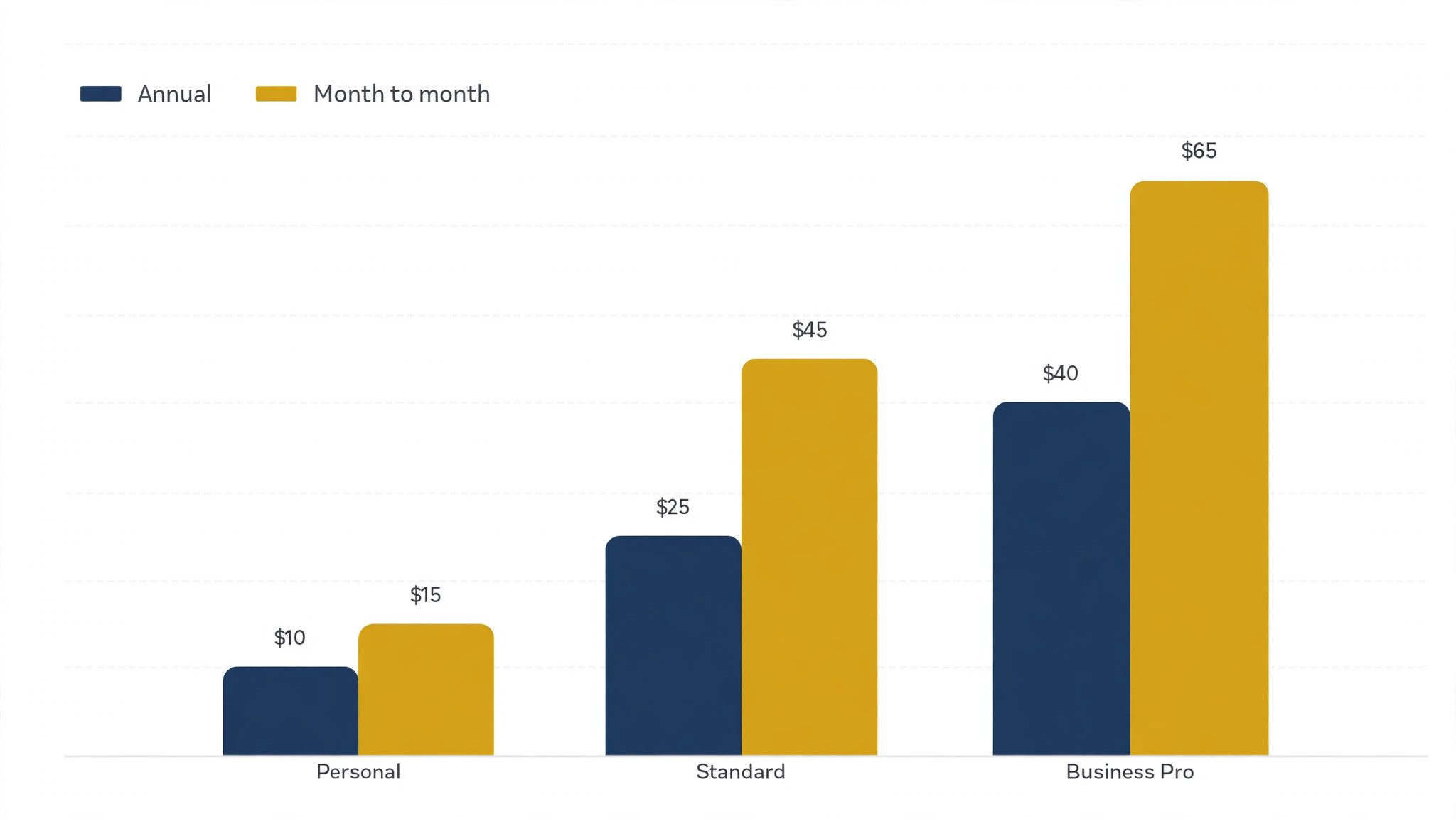
The table below uses United States list prices from DocuSign pricing pages captured in October 2026, with tax extra. The annual upfront figure is the cheapest per month, the annual commitment billed monthly sits in the middle, and the month to month figure is the highest. The cost of DocuSign for small business monthly for your firm is the row that matches your sender count and the column that matches how you prefer to pay.
| Tier | Monthly price | What it includes | Best for |
|---|---|---|---|
| Personal | $10 per month when paid upfront for a year ($120 a year), $11 per month on an annual commitment billed monthly, $15 per month month to month. One user only | 5 envelopes per month, basic sending and signing | A sole trader sending a handful of documents a month |
| Standard | $25 per user per month when paid upfront for a year ($300 a year per user), $30 per user per month on an annual commitment billed monthly, $45 per user per month month to month | Up to 50 users, 100 envelopes per user per year on annual plans, shared templates, comments and basic collaboration | A small team that sends regularly and needs shared templates |
| Business Pro | $40 per user per month when paid upfront for a year ($480 a year per user), $45 per user per month on an annual commitment billed monthly, $65 per user per month month to month | Up to 50 users, 100 envelopes per user per year on annual plans, plus bulk send, advanced fields, payment collection and stronger controls | A team that sends at volume or needs bulk and payment features |
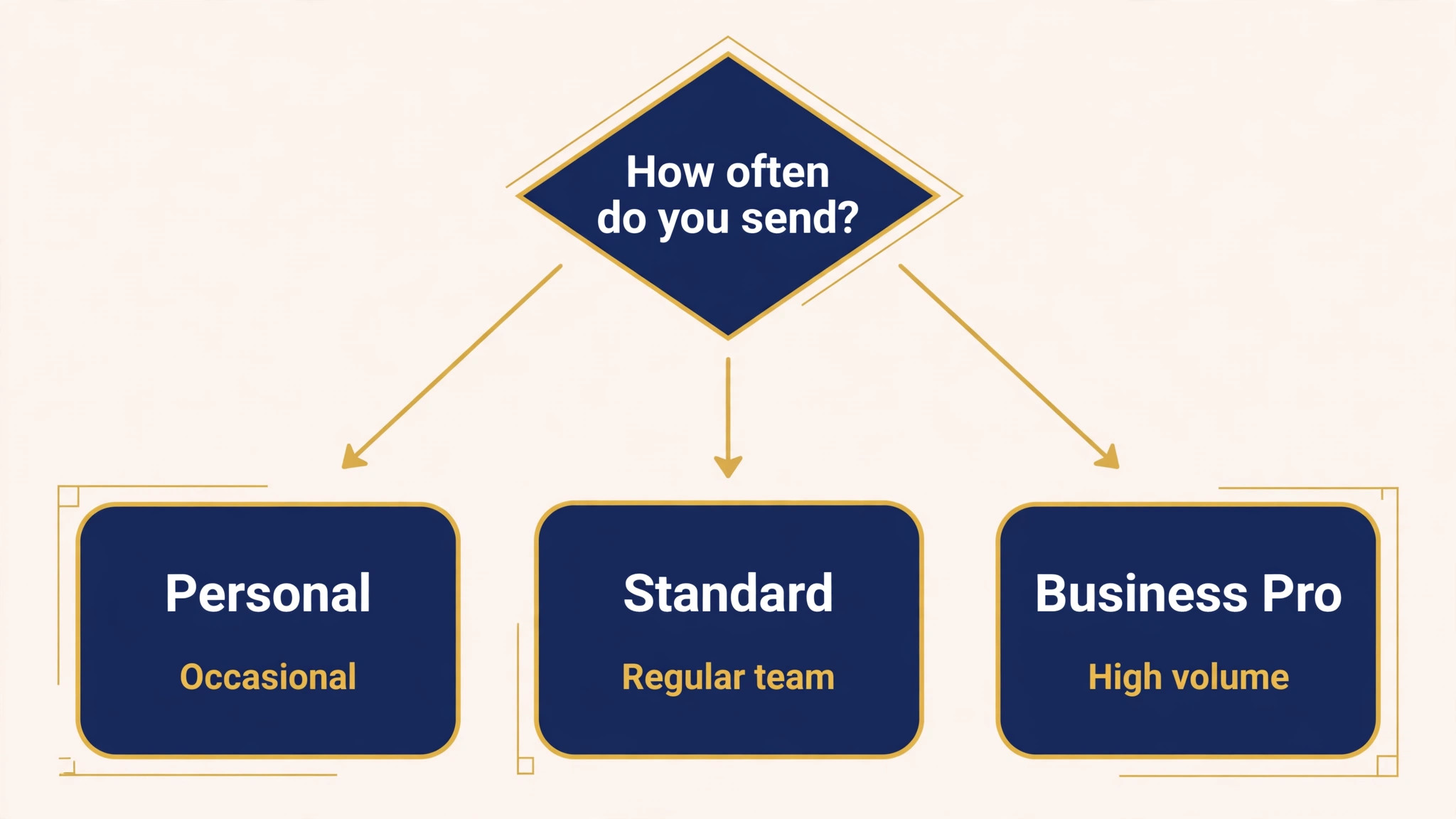
Personal is a single user plan, and that limit is absolute. A firm with two people who both send documents cannot share one Personal seat, because the sender identity and the audit trail belong to the account holder. The moment a second sender appears, the comparison moves to Standard, and the budget should move with it.
Standard is the natural home for most small businesses. It allows up to fifty users, includes shared templates and collaboration features, and gives each user a hundred envelopes a year on an annual plan. That allowance works out at roughly eight envelopes a user a month across the year, which suits a firm with steady rather than spiky sending. Firms with seasonal spikes should read the envelope rules carefully before choosing.
Business Pro keeps the same envelope allowance and user cap as Standard, so it is not a volume upgrade. It is a features upgrade, adding bulk sending, advanced recipient handling, payment collection and deeper controls. A firm that buys Business Pro for more envelopes will be disappointed, while a firm that buys it to send one document to hundreds of recipients at once will find it pays for itself quickly.
A free plan exists for receiving and signing, but it does not cover regular sending for a business. Treat free as a way to sign documents that others send you, not as a sending tier. Any firm that sends documents to clients needs a paid plan, and the real choice is between Personal, Standard and Business Pro.
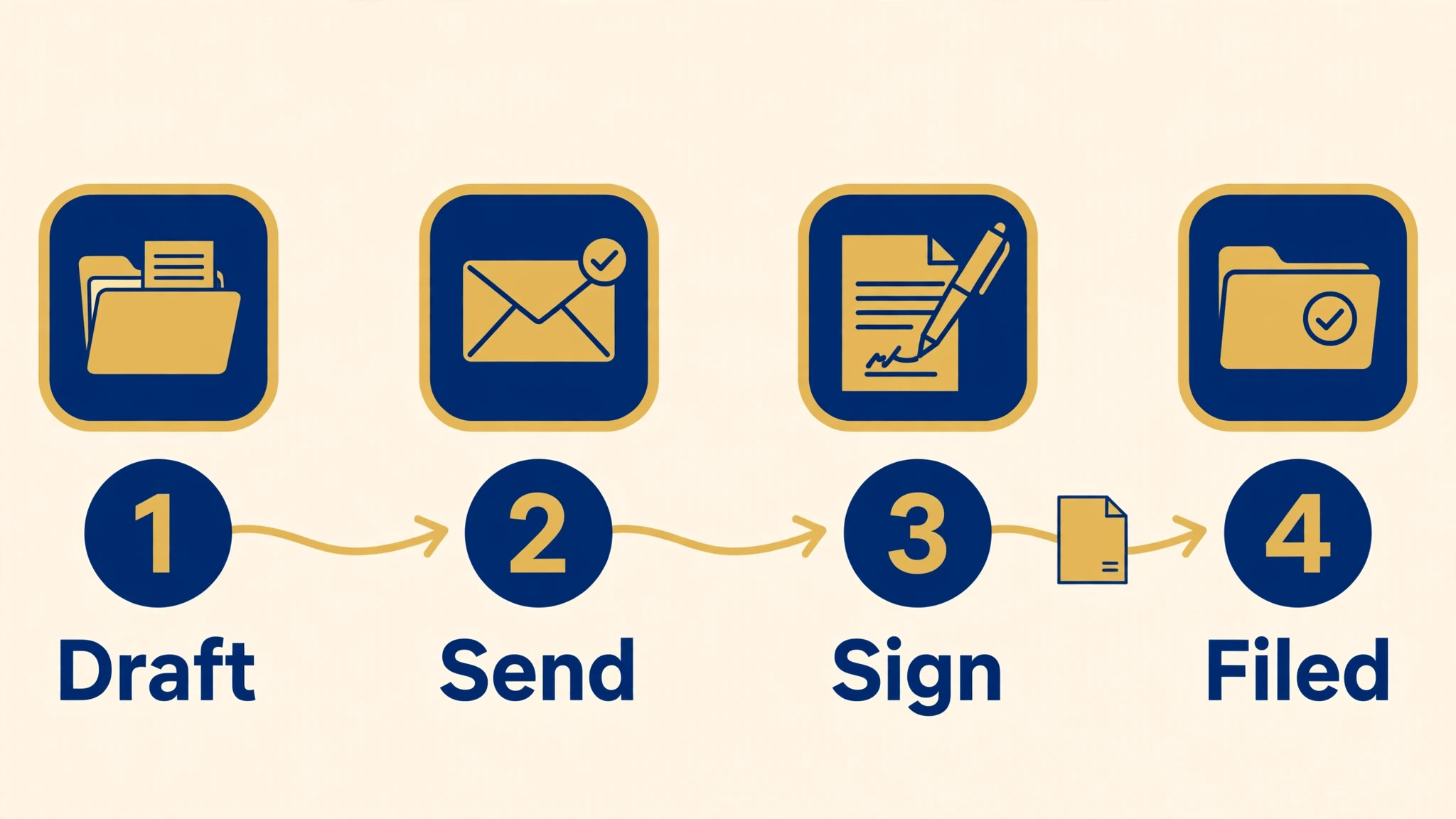
The headline price hides three kinds of extra cost, and each one can change the cost of DocuSign for small business monthly by more than the tier difference. Work through this checklist with your actual sending pattern, not with an optimistic guess about how many envelopes you will use.
– Envelope limits. Standard and Business Pro allow 100 envelopes per user per year on annual plans, or 10 per user per month on monthly billing. Extra envelopes are charged separately, so a busy month can add a line to the bill that no tier table shows. – Signer seats. Only senders need paid seats, while recipients sign free. That is good news, but it also means the seat count should follow senders, not the whole team. Give a seat only to staff who actually send. – API access. Sending through your own software, such as a CRM or a client portal, needs a separate API plan rather than a standard eSignature seat. If your workflow depends on automated sending, price the API plan before budgeting for seats. – Identity and advanced verification. Stronger signer checks, such as ID verification, can carry extra fees or need a higher tier. Firms in finance, legal or property work should confirm which checks are included. – Add-ons and retention. Extra storage, longer retention or advanced reporting may sit outside the base plan. Check what happens to completed envelopes after the standard retention period. – Renewal terms. DocuSign notes that plans and pricing may be valid for new customers only, so a renewal quote can differ from the list price. Diary the renewal date and ask for the renewal figure in advance.
Envelope overage is the most common surprise. A firm that averages eight envelopes a user a month stays inside the annual allowance, but a firm that sends twenty in a busy month and two in a quiet month can still exceed the yearly total if the busy months cluster. The fix is to track envelopes monthly, not yearly, and to spot a trend before the overage charge lands.
API access deserves a separate warning. Many small firms assume that a Standard seat lets their CRM send documents automatically, but automated sending through the DocuSign API is a separate product with its own pricing. If a vendor or a developer promises a DocuSign integration, ask which plan that integration needs and get the API cost in writing before the build starts.
What the DocuSign price buys
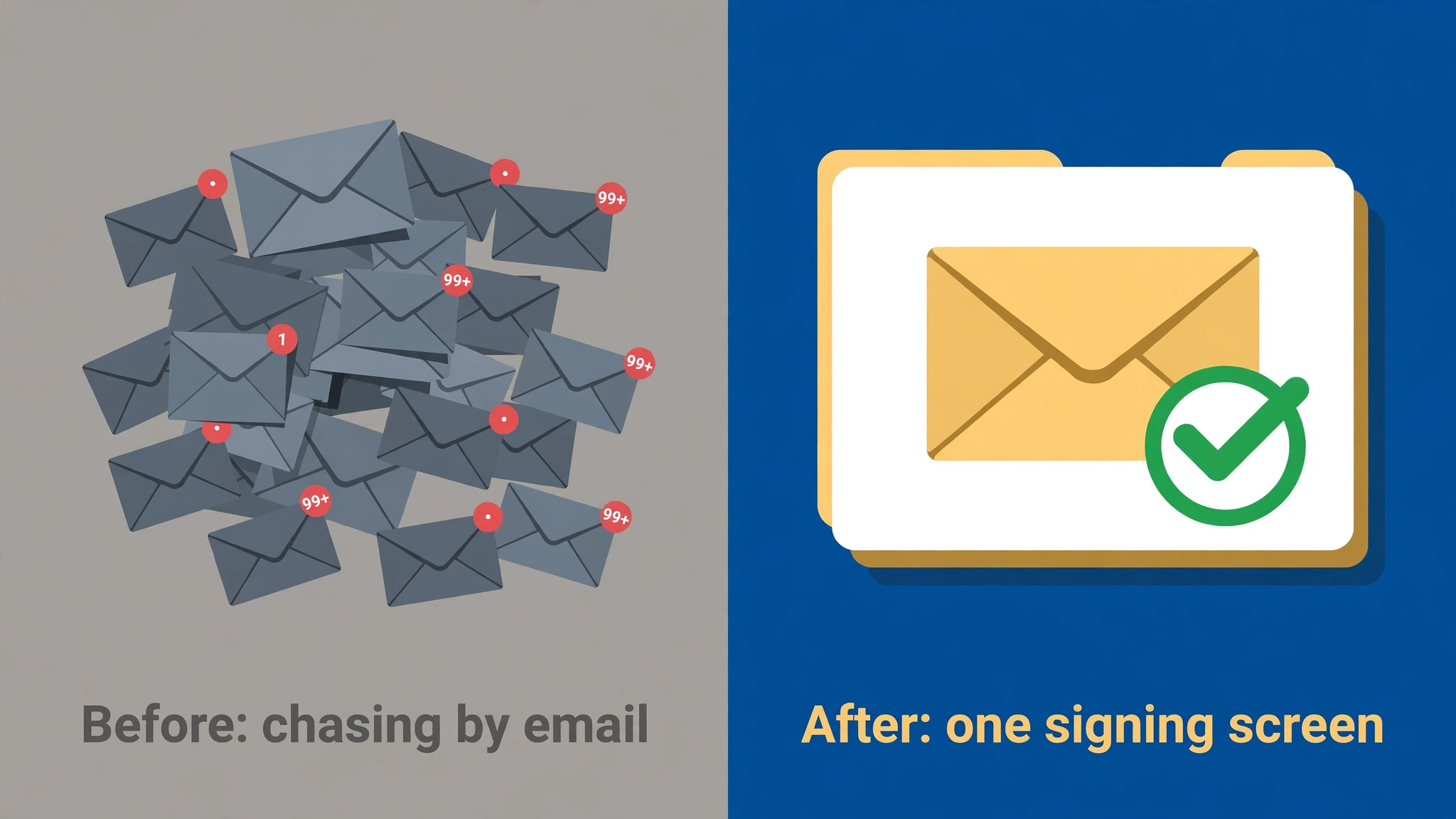
What the price buys is trust and speed in the signing step. A document sent through DocuSign carries an audit trail showing who received it, when they opened it and when they signed, and that trail settles most disputes about whether a signature happened. For contracts, engagement letters and hiring paperwork, that trail is worth more than the signature image itself.
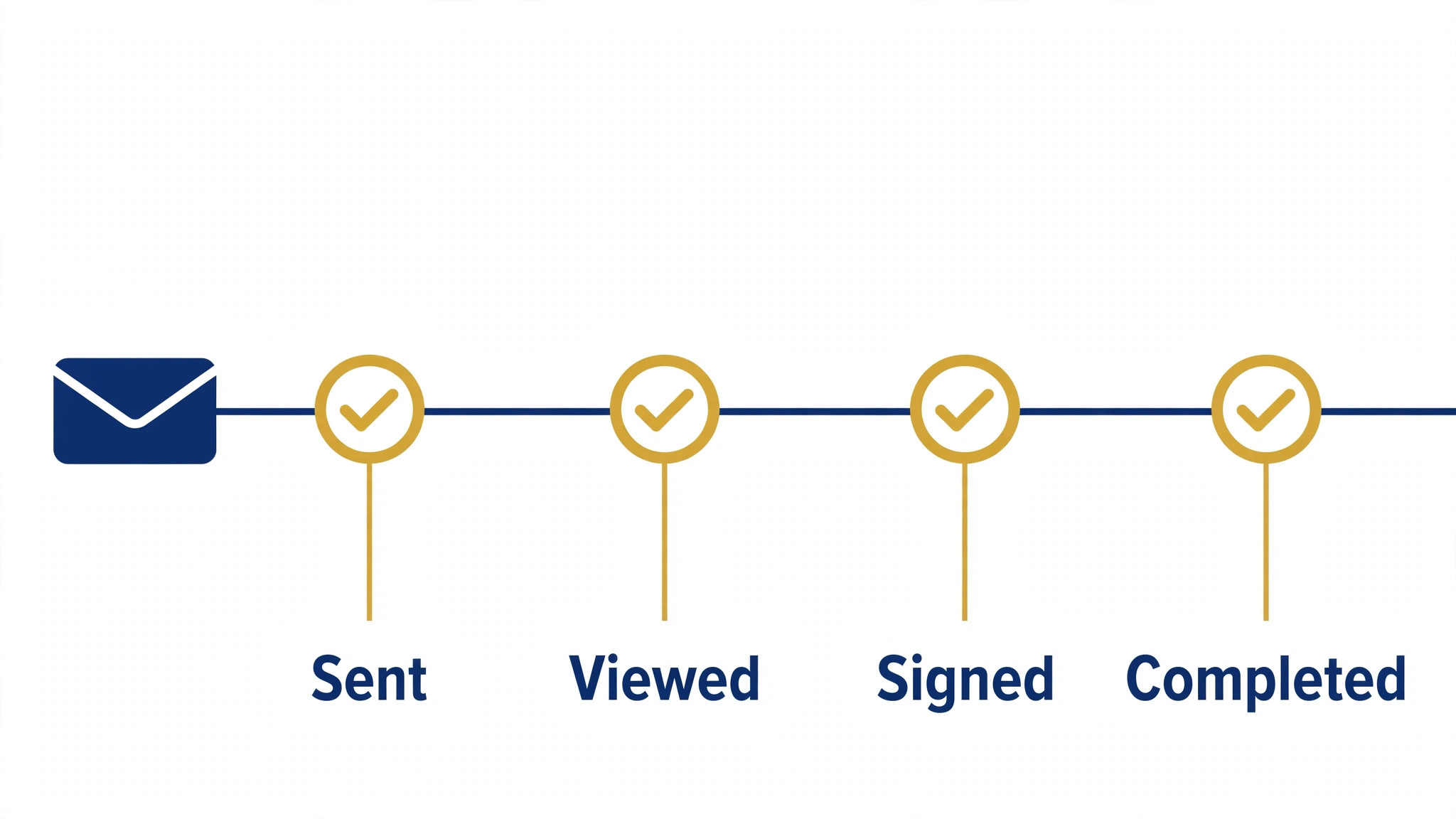
It also buys completion. Reminders, mobile signing and a familiar screen mean fewer documents stall in an inbox. A firm that chases signatures by email knows how many deals wait on a missing signature, and a tool that shortens that wait shortens the sales cycle too. The saving shows up as faster starts, not as a lower software bill. Templates are the quiet productivity gain on Standard and above.
A firm that sends the same engagement letter, NDA or service agreement repeatedly can build it once, lock the fixed text, and leave only the variable fields open. That reduces drafting errors, keeps branding consistent, and lets junior staff send documents that a partner would otherwise have to check line by line.
Business Pro buys scale in sending rather than scale in seats. Bulk send lets one sender issue the same document to many recipients, each with their own envelope, which suits annual renewals, policy acknowledgements and client onboarding waves. Payment collection on the same flow suits firms that take a deposit at signing, because the signature and the payment happen in one step instead of two.
Security and compliance features also sit behind the price. Completed documents are stored with tamper evidence, access can be controlled by user, and the audit trail supports legal and accounting review. A firm that handles regulated or high value agreements should weigh those controls against a cheaper signature tool that offers a signature without the same evidence trail.
Another benefit is the reduction in paper handling. Printing, posting, scanning and filing a paper contract takes staff time at every step, and a lost paper original creates a legal risk that is hard to quantify until it happens. Electronic signing removes most of that handling, and the saved time is spread across admin, sales and management rather than sitting in one budget line. Firms that count only the software saving will undervalue the change.
Integration with storage matters too. Completed envelopes should land in the client file or the document system without manual downloading and renaming, because manual filing is where signed documents go missing. Check whether the plan you choose connects cleanly to the storage the firm already uses, and whether that connection needs a higher tier or a separate integration. A signing tool that files itself correctly earns its price in fewer lost documents and faster audits.
A worked monthly total for a small signing team
Take a team of three senders on Standard paid upfront for a year. The subscription is three times $25, which is $75 per month, or $900 for the year. That covers 300 envelopes a year across the team, or 100 per user. A single sender on Personal paid upfront costs $10 per month, or $120 a year, for 60 envelopes a year at five a month.
The same three senders on Business Pro paid upfront cost three times $40, which is $120 per month, or $1,440 a year. The difference against Standard is $45 per month, or $540 a year, for bulk send, advanced fields and payment collection, with no extra envelopes. That arithmetic makes the upgrade decision simple. Pay it for the features, not for volume.
Month to month billing changes the comparison sharply. Three senders on Standard month to month cost three times $45, which is $135 per month, against $75 on annual upfront billing. Over a year that gap is $720, which is almost the cost of a fourth annual seat. Month to month is sensible for a short trial, but it is an expensive way to run a permanent signing workflow.
When DocuSign is worth it and when it is not
DocuSign is worth it when signatures gate revenue or legal risk. If a project cannot start, a hire cannot join or a property deal cannot proceed until a document is signed, then a tool that gets signatures back faster pays for itself in days saved. In that position the cost of DocuSign for small business monthly should be judged against the cost of delay, not against the price of a cheaper tool.
It is also worth it when clients expect a recognised signing experience. A client who has signed through DocuSign before will complete a new envelope without instructions, while an unfamiliar tool can generate support questions and abandoned signings. That familiarity is a real, if unpriced, benefit for firms whose clients vary widely in technical confidence. DocuSign is not worth it when the firm sends only a few documents a year. A business that sends two contracts a quarter can often use a cheaper signature tool or a pay per envelope service and spend less overall. The DocuSign subscription only earns its keep when sending is regular enough that templates, reminders and the audit trail save weekly time.
It is also a poor fit when the real need is automated sending from another system. In that case the eSignature seat price is only part of the cost, and the API plan may dominate the budget. Price the whole workflow, including the API plan and any developer time, before deciding that DocuSign is the cheap option.
How to cut the DocuSign bill
Cutting the bill starts with sender seats. Only staff who send documents need a paid seat, and recipients sign free, so audit the sender list and remove anyone who only reviews or approves. A firm that trims one unused Standard seat on annual upfront billing saves $25 per month, or $300 a year, and the cost of DocuSign for small business monthly falls without any loss of signing capacity for real senders.
Choose annual upfront billing once sending is a permanent workflow, because the gap against month to month billing is large. A single Standard seat costs $25 a month upfront against $45 month to month, a saving of $240 a year per seat. Run month to month only while the firm is still testing whether DocuSign fits, then commit once the pattern is proven. Control envelope use with templates and batching. Combine related documents into one envelope where the workflow allows it, rather than sending each page as a separate envelope. That single habit can keep a firm inside its allowance for months, and it also gives the recipient a cleaner signing experience with fewer separate emails to track.
Use Business Pro only where bulk send or payment collection is used regularly. If those features are used twice a year, the $540 a year gap for a three person team buys very little. Downgrade to Standard and handle the rare bulk job manually, or use a separate tool for that one campaign, and revisit the upgrade when bulk sending becomes monthly.
Finally, review envelope use before renewal and negotiate from data. A firm that can show steady use, a clean payment history and a realistic forecast has a stronger conversation than a firm that simply asks for a discount. Even if the list price does not move, the review may reveal a cheaper tier, fewer seats or a different billing shape that fits better.
One more saving comes from process, not pricing. Set a rule that documents are sent only when complete, with all fields and recipients checked before sending. Correcting and resending an envelope wastes an envelope from the allowance and delays the signature, while a quick pre-send check costs a minute and saves both. Small firms often save more envelopes through discipline than through any plan change.

What to check on the pricing page before you pay
DocuSign pricing pages default to the annual view, so the first check is to switch the billing toggle and read all three prices for your tier. The annual upfront figure, the annual commitment billed monthly, and the month to month figure are all real prices for the same plan, and the gap between the cheapest and the dearest is large. A budget that uses the first figure it sees will understate the cost of a flexible plan, so record the figure that matches the commitment you actually intend to make. That discipline keeps the cost of DocuSign for small business monthly honest from the first quote to the renewal.
Check the envelope allowance in the same visit, including the difference between annual and monthly billing. An annual plan gives a yearly allowance that smooths out busy and quiet months, while a monthly plan gives a smaller monthly allowance that resets each month. A firm with seasonal work, such as tax season or a school intake, may benefit from the annual allowance even if the cash commitment feels larger, because the busy months can draw on the yearly total.
Check the user cap and the sender definition. Personal allows one user, while Standard and Business Pro allow up to fifty users, and only senders need seats. A firm that plans to grow beyond fifty senders, or that needs a different enterprise arrangement, should confirm that route before building workflows around a self serve tier. Growth past a cap is a good problem, but it is cheaper to plan for it early.
Check what happens to completed documents if the subscription ends. A signing tool holds legal records, so the exit route matters more than for most software. Ask how long completed envelopes remain accessible, how they can be downloaded in bulk, and whether the audit trail travels with the document. A firm that cannot answer those questions has a retention risk, not just a software cost.
Test the recipient experience with a real document before committing the whole firm. Send a test envelope to a colleague on a phone, with a poor connection, and watch where they hesitate. A signing flow that works on a desktop in the office can still fail on a phone in a car park, and most clients sign on phones. A short test reveals problems that a feature list cannot show.
Compare DocuSign against a cheaper rival on total cost, not on seat price alone. A rival may charge less per seat but offer a weaker audit trail, fewer templates, or no bulk send, and the firm may then pay in staff time for workarounds. List the features the firm uses weekly, price the rival plan that includes them, and compare that figure against DocuSign. The cheapest seat price is rarely the cheapest workflow.
Finally, set a review date two weeks before renewal. That review should count envelopes used, list active senders, and check whether Business Pro features were actually used. Firms that review on data often find a seat to remove or a tier to downgrade, and they enter any renewal conversation with numbers rather than impressions. A review that saves one seat on Standard pays for the time it took many times over.
Signing habits that keep costs down
Send each document once, complete and checked, rather than sending drafts for comment through the signing tool. Commenting belongs in email or a shared document, while the signing tool should receive only the final version. Firms that use envelopes as a review tool burn their allowance on versions that were never meant to be signed.
Set reminder intervals that match the client, not the default. A reminder every day annoys a busy client and can lead to a declined envelope, while a reminder after three days and again after a week keeps most signings moving without pestering. Review the reminder settings on Standard and above, and adjust them for different document types rather than leaving one setting for everything.
Keep a simple log of envelopes sent, by sender and by month, even if the tool provides its own reports. A spreadsheet log takes minutes a month and makes the renewal review fast, because the firm can see at a glance which sender uses the most envelopes and which months spike. That visibility is what turns an envelope allowance from a surprise into a managed budget.
One last check concerns payment and tax. DocuSign prices in this guide exclude tax, and the total at checkout will be higher once tax is added. A firm budgeting in another currency should also check the local currency price, because the United States figures quoted here do not apply everywhere. Confirming the checkout total, including tax, is the final step before the cost of DocuSign for small business monthly can be called a budget rather than an estimate.
Frequently Asked Questions

How many envelopes do I get on Standard?
On an annual plan, Standard allows 100 envelopes per user per year. On monthly billing the allowance is 10 envelopes per user per month. Business Pro has the same envelope allowance, so the upgrade buys features rather than more envelopes. Extra envelopes beyond the allowance are charged separately.
Can recipients sign for free?
Yes. Only senders need a paid seat. Recipients receive the envelope, sign in a browser or on a phone, and pay nothing. That is why the seat count should follow the number of staff who send documents, not the number of clients or the size of the whole team.
What is the cheapest way to use DocuSign?
For a single sender with light use, Personal paid upfront for a year costs $10 per month, or $120 a year, for five envelopes a month. For a team, Standard paid upfront costs $25 per user per month and is cheaper per seat than any month to month option. The cheapest shape overall depends on sender count and envelope volume, so count both before choosing.
Does DocuSign charge per signature or per envelope?
DocuSign charges by envelope allowance, not by individual signature. One envelope can go to several recipients, and each recipient signs within that envelope. Counting envelopes rather than signatures gives a truer picture of use, especially for contracts that need two or three signers.
Do I need Business Pro for more envelopes?
No. Business Pro and Standard share the same envelope allowance of 100 per user per year on annual plans. Choose Business Pro for bulk send, advanced fields, payment collection and stronger controls. If volume is the problem, the answer is more seats, fewer wasted envelopes, or a separate volume arrangement, not a tier upgrade alone.
What about sending through my CRM or website?
Automated sending through the DocuSign API needs a separate API plan, and its price is not included in a standard eSignature seat. If your workflow depends on automatic sending, ask for the API pricing before building the integration, because that cost can exceed the seat cost for a small firm.
Can I cancel or change plans easily?
Plans can be changed, but the billing commitment matters. An annual plan paid upfront or billed monthly still carries a twelve month commitment, while month to month billing can be stopped sooner at a higher monthly rate. Check the commitment length before choosing the cheapest monthly figure, and diary the renewal date.
Is DocuSign legally binding for small business contracts?
Electronic signatures through DocuSign are widely accepted for most business contracts, and the audit trail records delivery, opening and signing. Some document types, such as certain wills or property transfers, have special rules that vary by place, so check local requirements for any unusual document before relying on an electronic signature alone.
Verdict
For most small businesses the right answer is Standard paid upfront for a year, with seats only for real senders. The cost of DocuSign for small business monthly in that shape is $25 per user per month, it covers 100 envelopes per user per year, and it includes the templates and collaboration features that make regular sending efficient. Personal suits a sole sender with light use, and Business Pro suits a team that genuinely uses bulk send or payment collection.
Count envelopes before you buy, price API access separately if you need it, and review seats and use before renewal. Do that, and DocuSign becomes a predictable cost tied to real work. Skip it, and the same subscription will surprise you with overage charges and unused seats, which is a budgeting failure rather than a pricing failure.
More Reading on Stratilyze
– Best E-Signature Software for Small Business – Cost of HoneyBook for Small Business, Monthly – Cost of Dubsado for Small Business, Monthly – How to Write a Cancellation Policy for Small Business – How to Price a Discovery Call for Small Business