
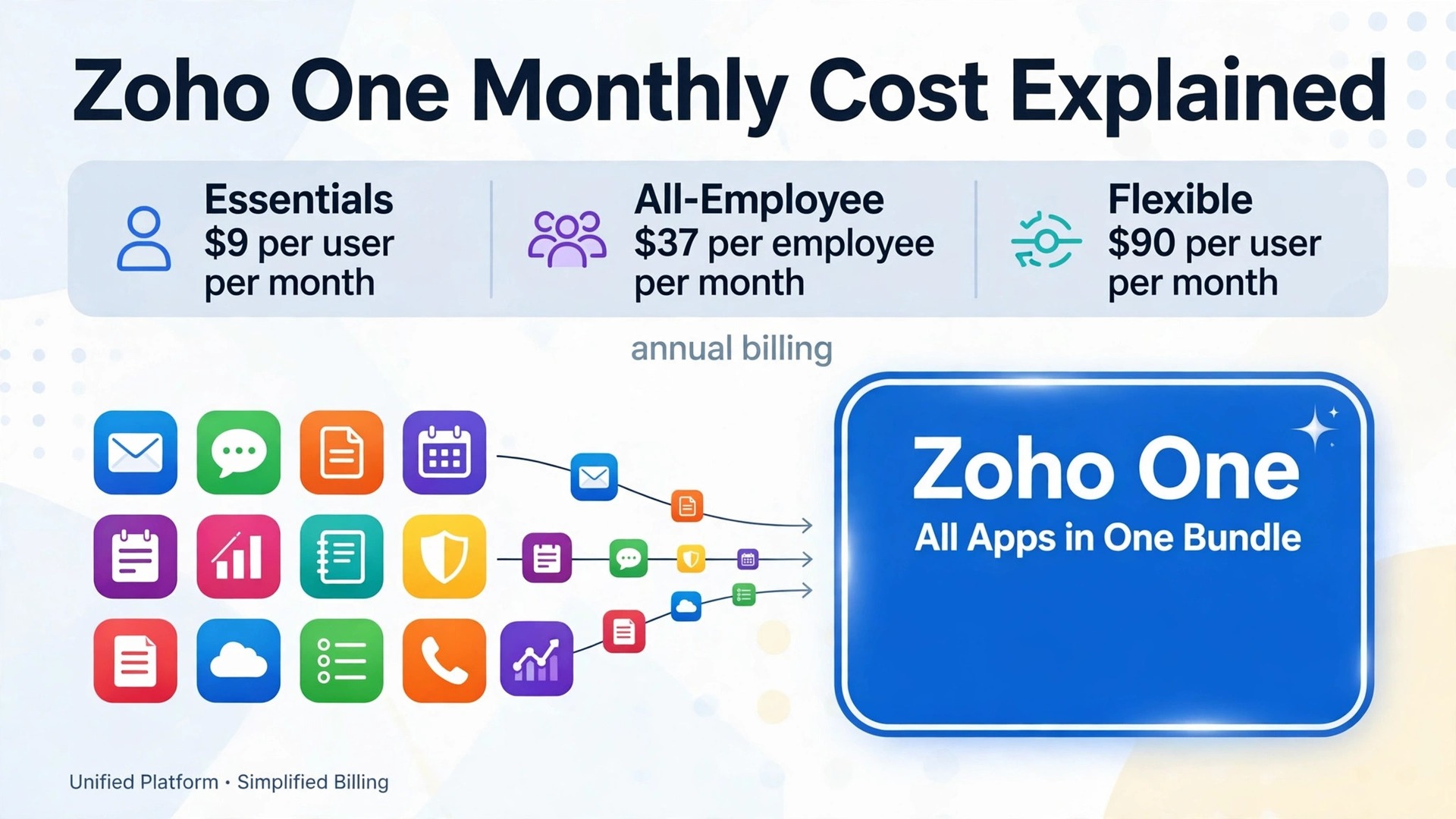
A five person business pays 185 dollars a month for Zoho One on the all-employee annual rate, and 450 dollars a month for the same apps on the flexible annual rate. That 265 dollar monthly gap, for identical software, is why the cost of Zoho One for small business monthly is not one number. It is a choice between two licensing models, two billing cycles, and a smaller Essentials tier, and the wrong choice can more than double the bill.
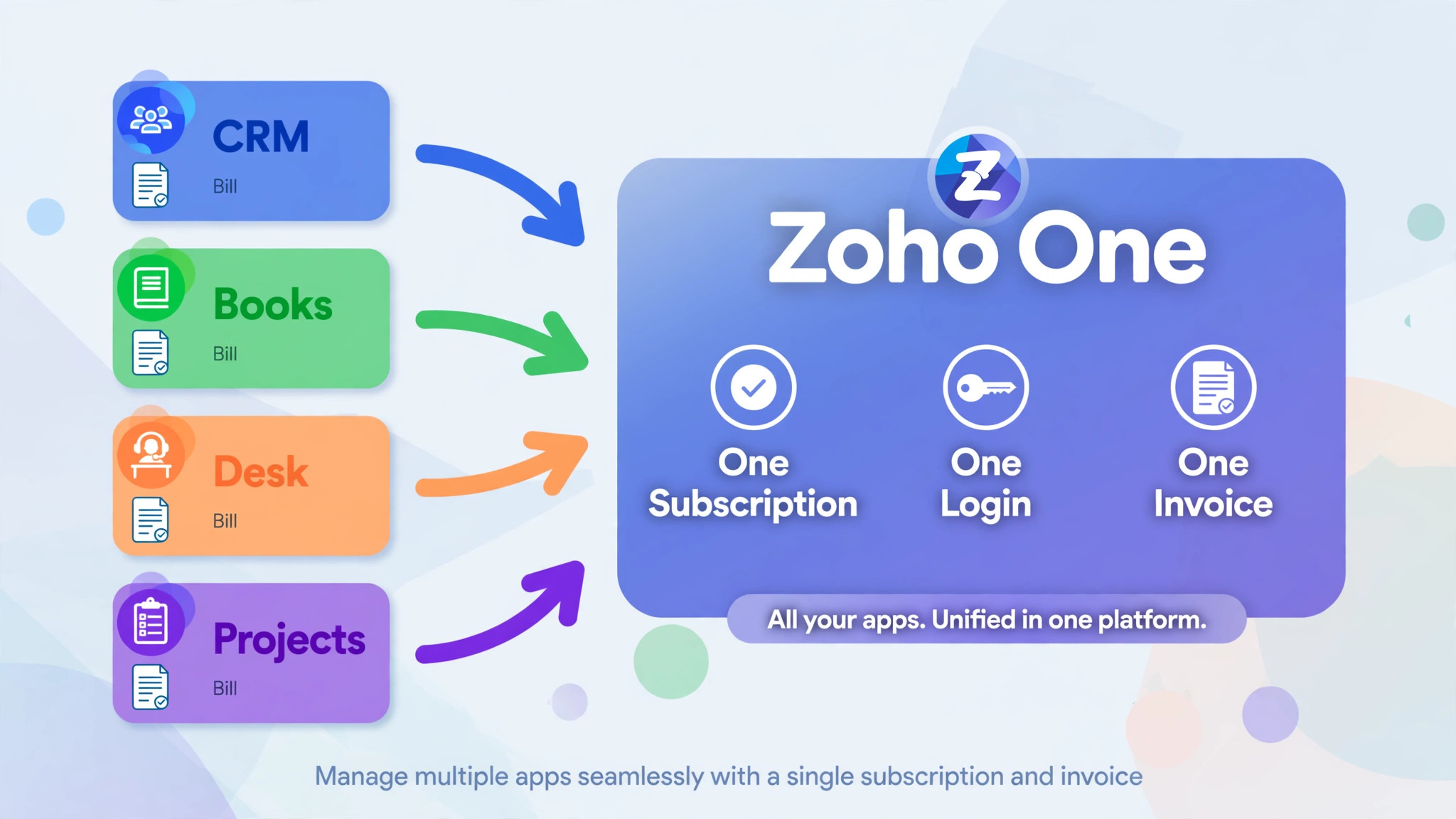
Zoho One is a bundle of more than 50 Zoho business apps under one subscription, one login, and one invoice, covering sales and CRM, marketing, support, finance, HR, projects, and collaboration. A small business buys it instead of buying those apps separately, and the saving depends entirely on how many apps the team actually uses and how many people need a licence. A team that uses five Zoho apps will feel the bundle value fast. A team that uses only email and CRM may not.
This guide works out the real monthly cost by team size, with annual billing compared against monthly billing, and with add-on and hidden fees stated plainly. Headline rates below are the US list rates shown on the Zoho pricing page, as reported by pricing guides that read that page in 2026. Zoho prices in more than twenty currencies, taxes sit on top of list rates, and Zoho can change rates without notice, so check the vendor pricing page before you budget.
Why One Zoho One Price Misleads
The headline price misleads because it hides the licensing rule. All-employee pricing gives the lowest rate, 37 dollars per employee per month on annual billing, but it requires a licence for every employee on payroll, whether that person uses Zoho apps or not. A business with ten staff, where only four use Zoho daily, still pays for ten licences on this model. That rule is the whole bargain, and it is also the trap.
Flexible user pricing removes the rule and raises the rate. At 90 dollars per user per month on annual billing, a business licenses only the people who need access. For a team where few staff need the full suite, flexible pricing is cheaper in total even though the per seat rate is far higher. The break-even point sits near four in ten staff. If fewer than about four in ten employees need access, flexible pricing usually wins. If most staff need access, all-employee pricing usually wins.
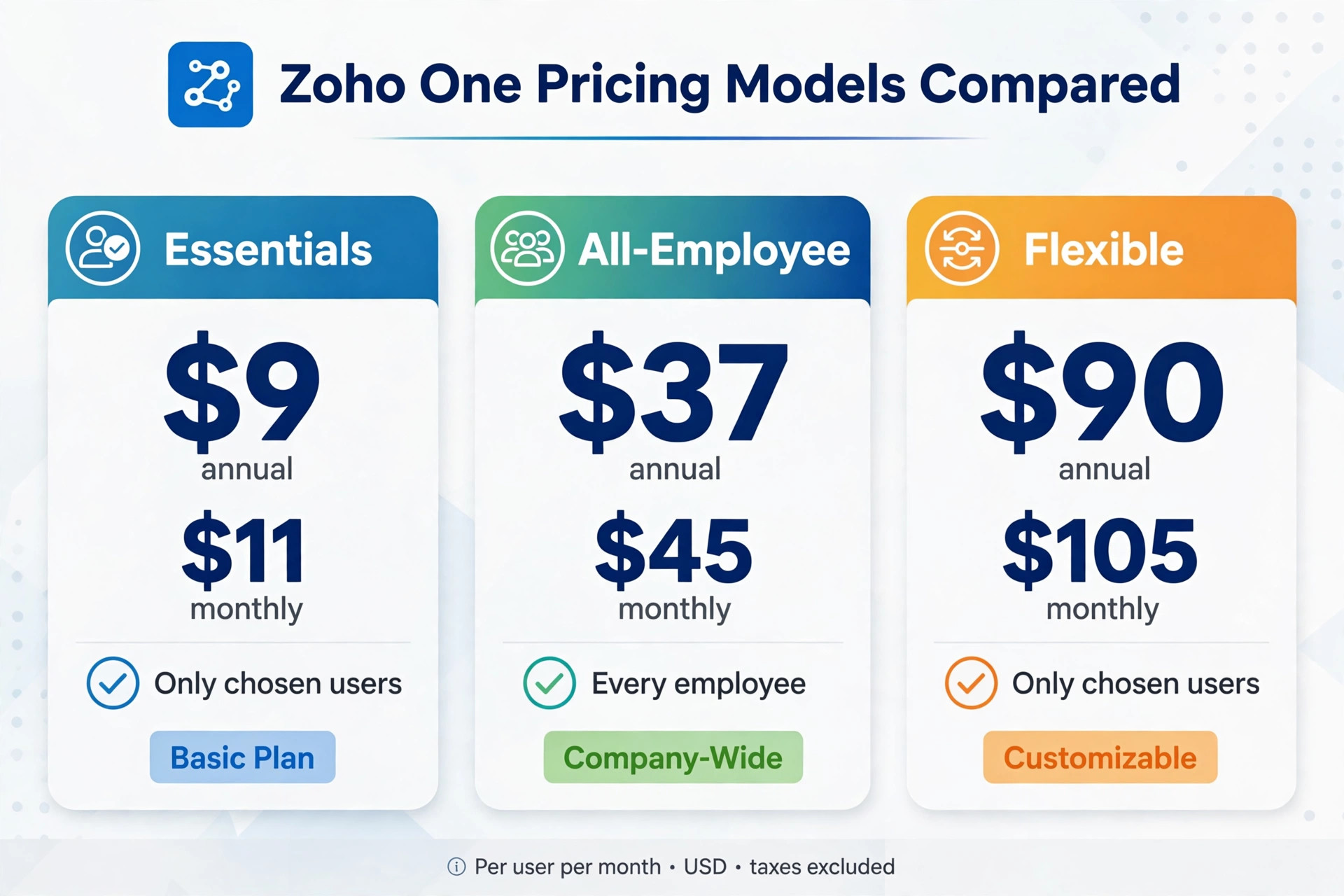
Billing cycle is the second hidden lever. Monthly billing costs 45 dollars per employee on all-employee pricing and 105 dollars per user on flexible pricing, against 37 dollars and 90 dollars on annual billing. That is an 18 percent premium on all-employee pricing and a 17 percent premium on flexible pricing, paid for the freedom to cancel monthly. A business that knows it will stay for a year should not pay that premium without a reason.
Zoho One Headline Rates
| Plan | Annual billing rate | Monthly billing rate | Who must be licensed |
|---|---|---|---|
| Essentials | 9 dollars per user per month | 11 dollars per user per month | Only chosen users |
| Standard all-employee | 37 dollars per employee per month | 45 dollars per employee per month | Every employee on payroll |
| Standard flexible user | 90 dollars per user per month | 105 dollars per user per month | Only chosen users |
Essentials is the smaller tier, with a limited set of apps rather than the full suite of more than 50 apps. It suits a business that needs core apps only, and it should not be compared directly with Standard, because the app list differs. Check the vendor pricing page for the current Essentials app list before choosing it on price alone, since an app the team needs may sit only in Standard.
Standard is the full bundle, with enterprise editions of the apps included. The choice inside Standard is not about apps, because both licensing models include the same apps. The choice is purely about headcount maths, and that maths should be done on real payroll numbers, not on the number of people who like the software.
Real Monthly Cost by Team Size
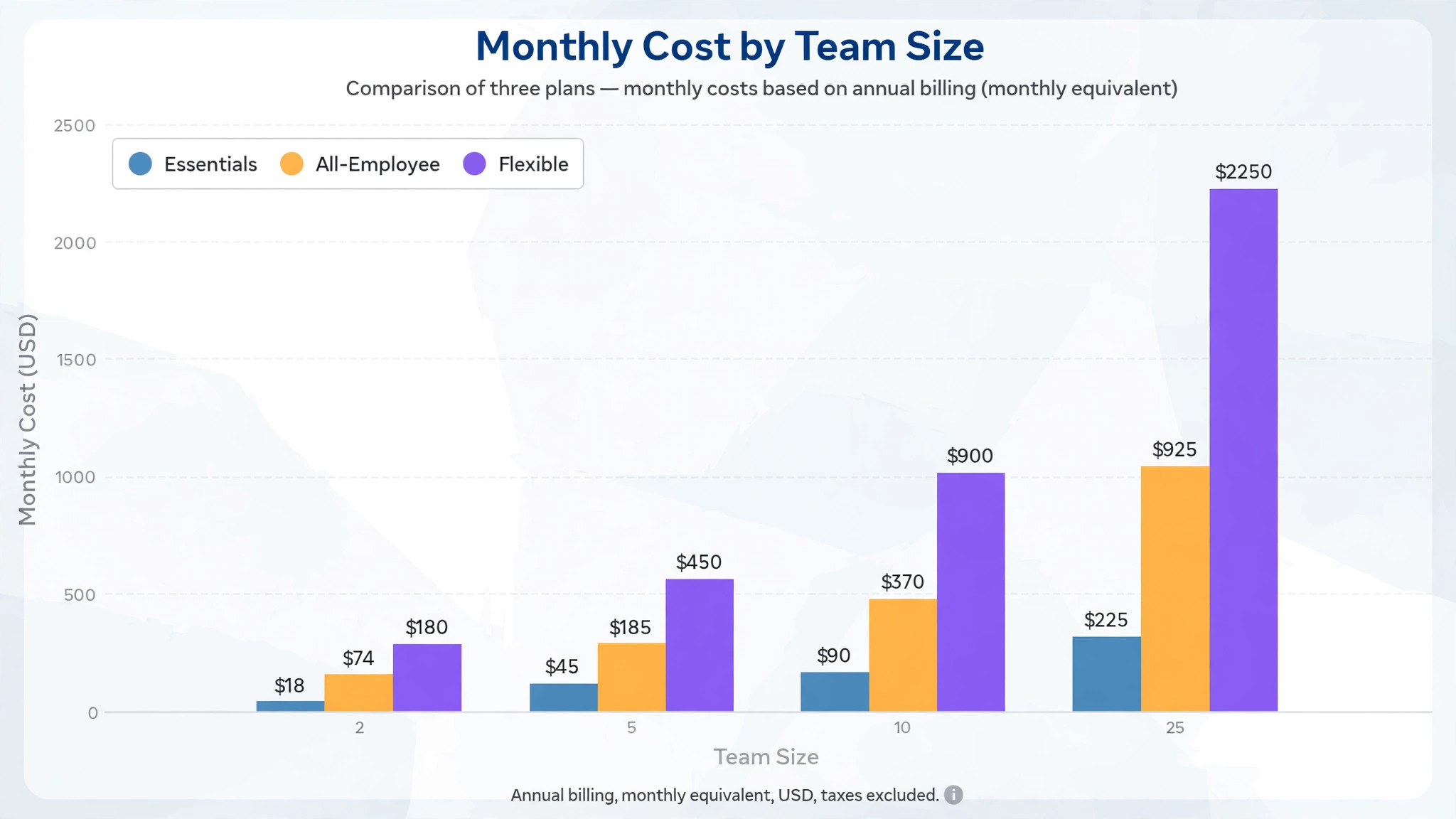
The tables below show the cost of Zoho One for small business monthly at four team sizes, using the headline US rates above and excluding taxes. Annual billing figures show the monthly equivalent plus the annual total actually billed.
All-Employee Pricing by Team Size
| Team size | Annual billing monthly equivalent | Annual total billed | Monthly billing monthly cost |
|---|---|---|---|
| 2 employees | 74 dollars | 888 dollars | 90 dollars |
| 5 employees | 185 dollars | 2220 dollars | 225 dollars |
| 10 employees | 370 dollars | 4440 dollars | 450 dollars |
| 25 employees | 925 dollars | 11100 dollars | 1125 dollars |
A two person business on all-employee pricing pays 74 dollars a month on annual billing, or 90 dollars a month on monthly billing, a difference of 16 dollars a month and 192 dollars a year. A 25 person business pays 925 dollars a month on annual billing, or 1125 dollars a month on monthly billing, a difference of 200 dollars a month and 2400 dollars a year. The larger the team, the more the billing cycle matters in cash terms.
Flexible User Pricing by Team Size
| Licensed users | Annual billing monthly equivalent | Annual total billed | Monthly billing monthly cost |
|---|---|---|---|
| 2 users | 180 dollars | 2160 dollars | 210 dollars |
| 5 users | 450 dollars | 5400 dollars | 525 dollars |
| 10 users | 900 dollars | 10800 dollars | 1050 dollars |
| 25 users | 2250 dollars | 27000 dollars | 2625 dollars |
Flexible pricing at five users costs 450 dollars a month on annual billing, against 185 dollars a month for five employees on all-employee annual billing. That gap is the price of licensing only the people who need access. For a business with five staff where all five use Zoho, all-employee pricing is clearly cheaper. For a business with twenty staff where only five use Zoho, flexible pricing at 450 dollars a month beats all-employee pricing for twenty employees, which would be 740 dollars a month on annual billing.
Essentials Pricing by Team Size
| Licensed users | Annual billing monthly equivalent | Annual total billed | Monthly billing monthly cost |
|---|---|---|---|
| 2 users | 18 dollars | 216 dollars | 22 dollars |
| 5 users | 45 dollars | 540 dollars | 55 dollars |
| 10 users | 90 dollars | 1080 dollars | 110 dollars |
| 25 users | 225 dollars | 2700 dollars | 275 dollars |
Essentials looks dramatically cheaper, and it is, for the apps it includes. A business should list the apps it needs, check each one against the Essentials list, and only then compare prices. A business that buys Essentials and then adds Standard apps separately can end up paying more than Standard would have cost, while managing two billing arrangements.
All-Employee or Flexible, Worked With Real Headcounts
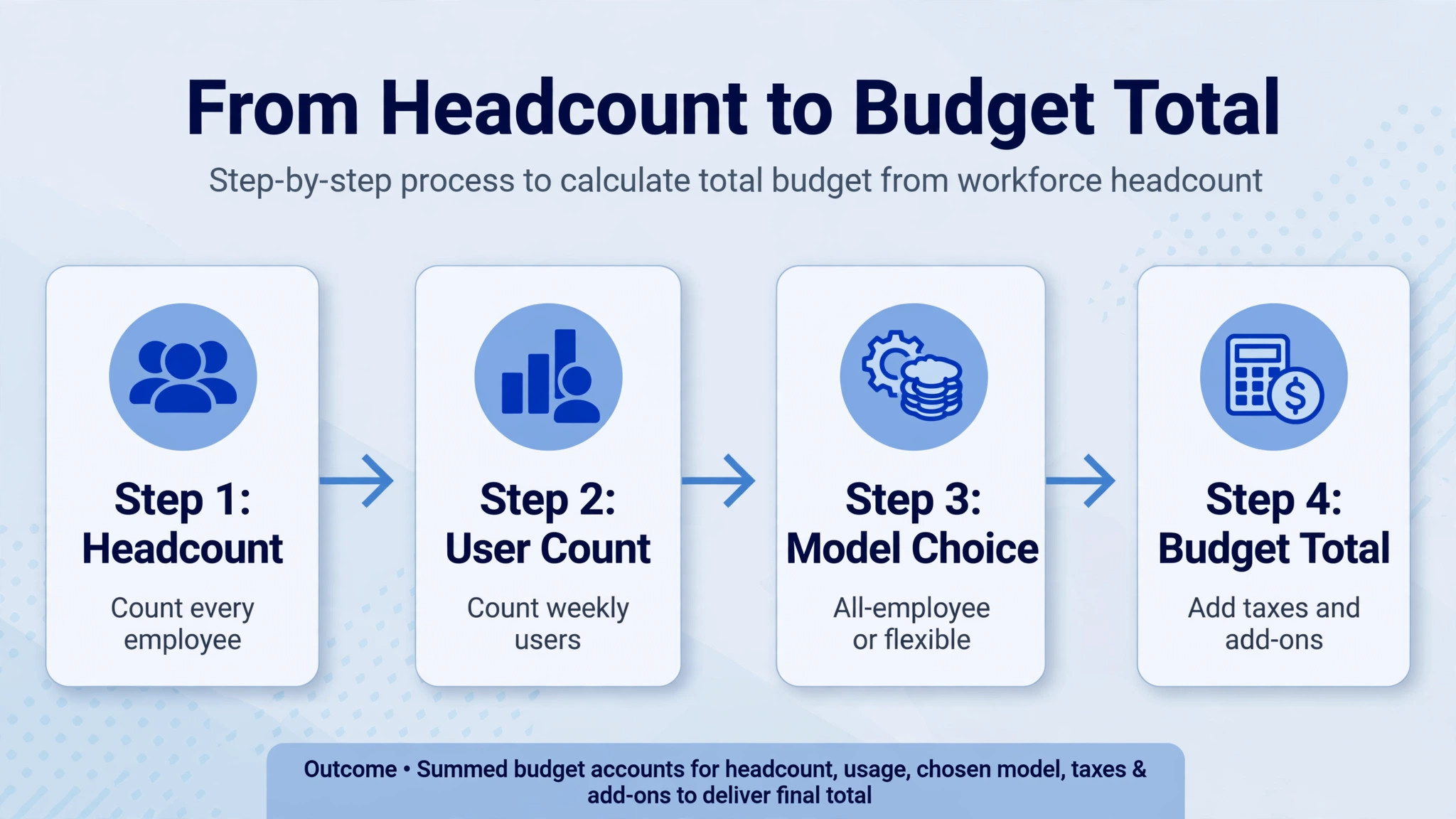
Work the choice with two numbers, payroll headcount and Zoho user count. Payroll headcount is every employee on payroll, including part-time staff and staff who never open Zoho. Zoho user count is the number of people who actually need the full suite. Divide user count by payroll headcount. If the result is below about four in ten, flexible pricing usually wins. If it is above about four in ten, all-employee pricing usually wins. Near the break-even point, the decision should turn on growth plans and admin effort rather than a few dollars a month.
Growth changes the answer. A business hiring fast may start below the break-even point and cross it within a year, which makes all-employee pricing cheaper over time but more expensive at the start. A business with seasonal staff should check how seasonal headcount affects the all-employee rule, since every employee on payroll counts, even a short-term hire. Ask Zoho directly how seasonal and part-time staff are counted before signing, and get the answer in writing.
Admin effort changes the answer too. All-employee pricing is simple to administer, because every employee gets a licence and nobody needs to argue about who counts as a user. Flexible pricing needs licence management, because each new user must be added and each leaver removed, and a business that forgets to remove leavers will pay for empty seats. A business without an admin routine may waste more on forgotten flexible seats than it saves on the model.
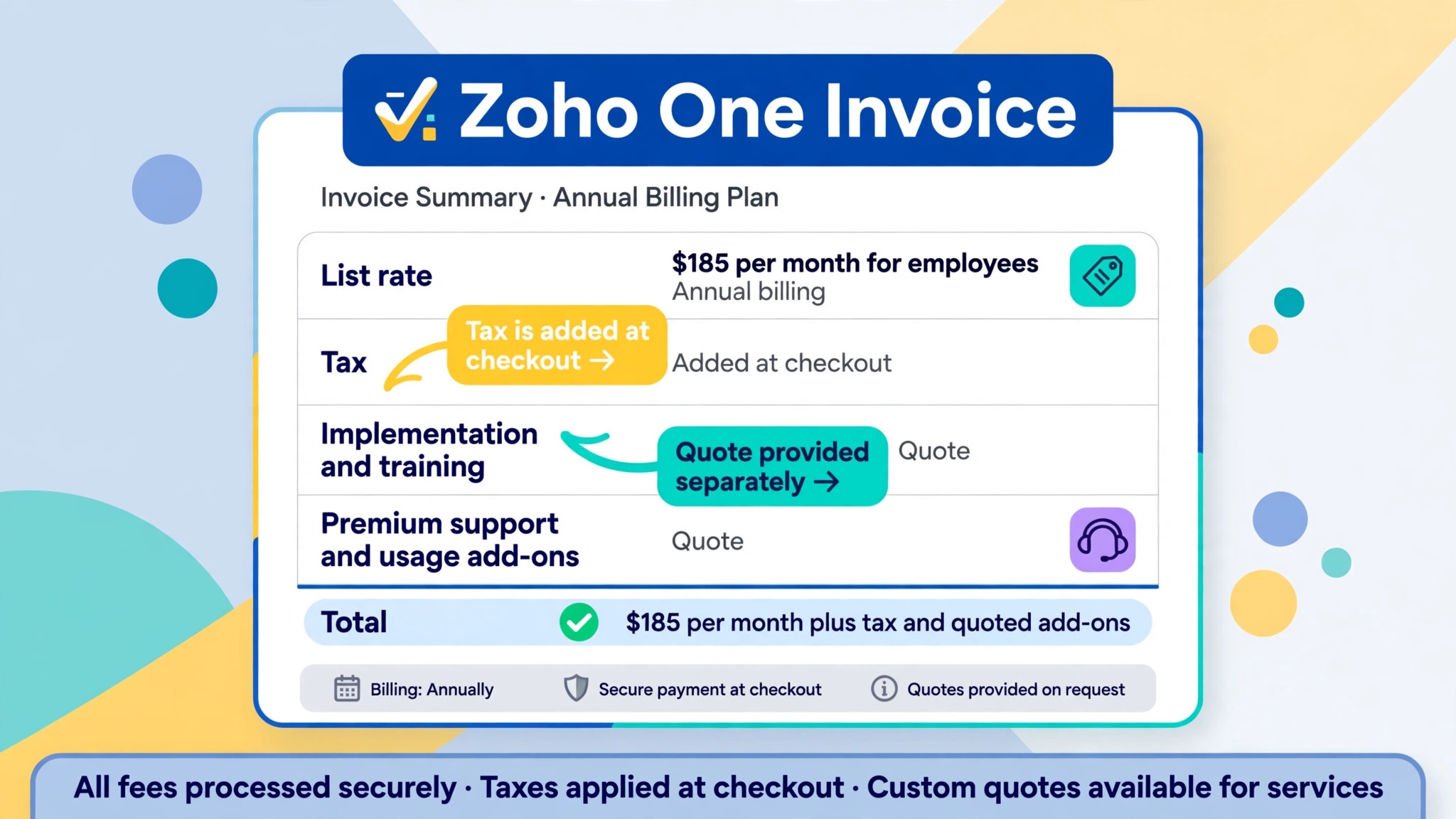
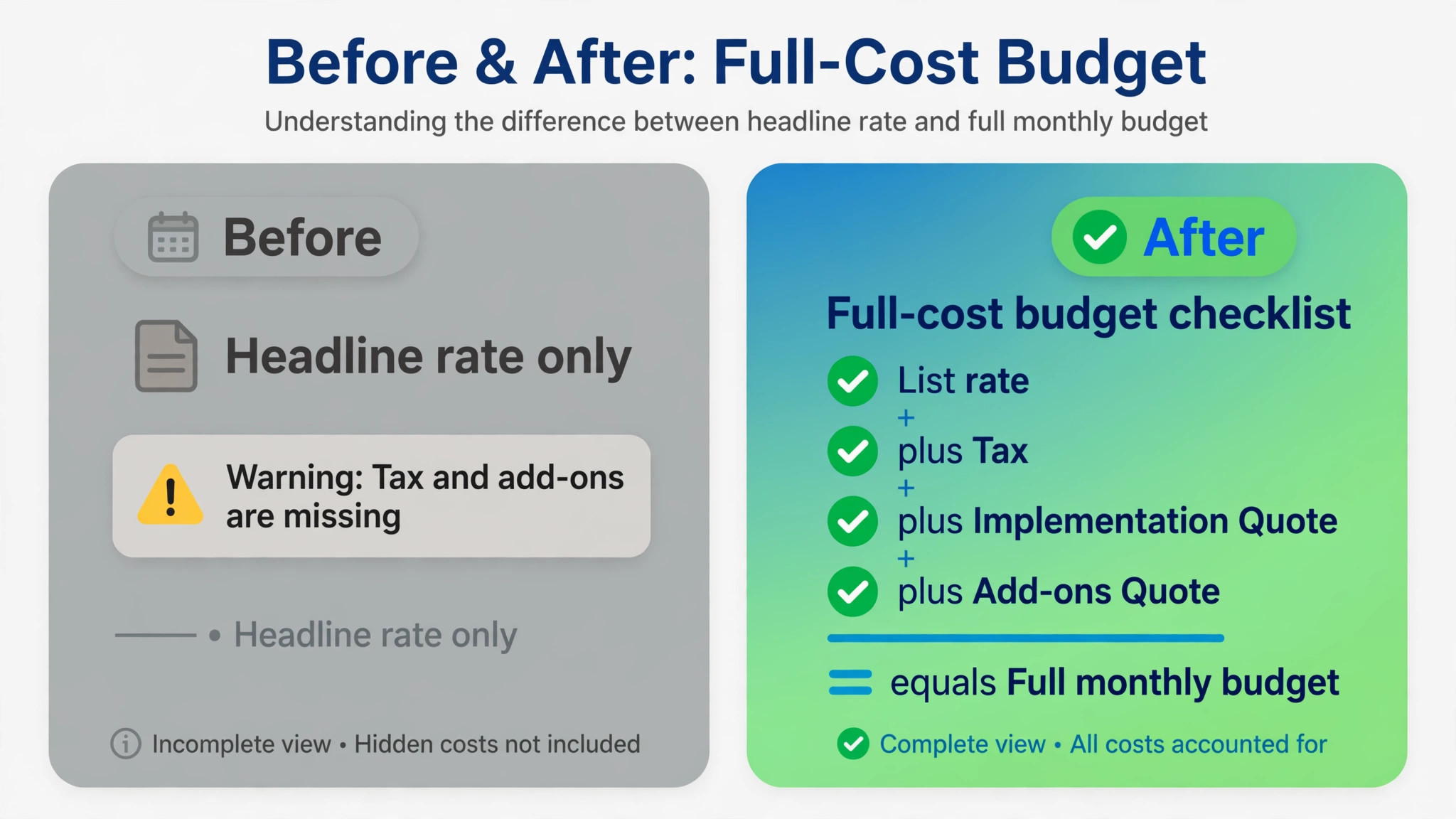
Taxes are the first extra. Zoho list rates exclude local taxes, so the invoice total will be higher than the tables above once tax is added. The tax rate depends on location and business status, and it should be confirmed at checkout rather than estimated from a guide. A business that budgets only the list rate will under-budget every month.
Implementation and training are the second extra, and they are quote-only. Zoho One covers more than 50 apps, and a business that wants data migration, workflow setup, and staff training will usually pay a partner or consultant separately. No fixed price for that work is published in the headline rates, so check the vendor pricing page and ask for a written implementation quote before budgeting. A business that migrates itself should budget staff time instead, because setup time is a real cost even when no invoice arrives.
Premium support, extra storage, SMS credits, and telephony or advanced add-ons are the third group of extras. Some Zoho apps include generous limits, while heavy use of messaging, calling, or storage can carry extra charges or require a higher tier inside an individual app. These costs are usage dependent and are not in the headline bundle rate, so a business with heavy messaging or calling use should ask for those terms in writing before signing.
Renewal and price change risk is the fourth extra. Annual billing locks the monthly equivalent for the term, but renewal rates can change, and a business should diary the renewal date and review the app usage before it arrives. A business that signed for the full suite but uses three apps should not auto-renew the full suite without checking whether a smaller bundle or individual apps would now cost less.
What Zoho One Replaces, and When It Does Not Pay
Zoho One pays when a business already buys several Zoho apps separately, or would buy them anyway. Buying CRM, accounting, support, and project apps separately can quickly pass the bundle rate, especially on all-employee pricing where the per employee rate is low. The bundle also removes the admin burden of several subscriptions, several renewal dates, and several user lists, which is worth real staff time even when the cash saving looks small.
Zoho One does not pay when a business uses one or two apps and is happy with rivals for the rest. A business that loves its current accounting tool and only wants Zoho CRM will usually pay less for CRM alone than for the full bundle, particularly on flexible pricing where the per user rate is high. A business in that position should price the individual apps it needs, compare that total with the bundle at real headcount, and choose the lower figure without loyalty to the bundle idea.
The middle case is the most common, and it needs a usage audit. List every app the team opens weekly, list every app opened monthly, and list every app nobody opened in the last quarter. A bundle that covers five weekly apps is good value. A bundle that covers one weekly app and a long list of untouched apps is a subscription to good intentions. Run that audit before renewal, not after, because renewal is when the bundle habit is hardest to break.
That audit is also the honest way to judge the cost of Zoho One for small business monthly against rivals. A rival bundle may look cheaper per user, but if it covers fewer weekly apps, the business will buy add-ons elsewhere and the total will rise. Compare the cost of covering the weekly app list, not the cost of a single headline rate, and include admin time for managing several subscriptions in the comparison.
Zoho One vs Buying Apps Separately, With Numbers
The bundle question becomes clearer with a worked example. Take a five person business that needs CRM, accounting, support, and project tracking. On all-employee annual billing, Zoho One costs 185 dollars a month for all five staff, covering those apps plus the rest of the suite. Buying four separate apps, each priced per user, can easily pass that figure once five users are counted on each app, even before admin time is counted. That is the case where the bundle wins on cash alone, and the admin saving is a bonus.
Now take the same five person business, but only two staff need the full suite, and the rest need email only. On flexible annual billing for two users, the cost of Zoho One for small business monthly is 180 dollars, which is close to the all-employee figure for five staff, but for far fewer users. If the two users need only CRM and accounting, buying those two apps separately for two users may cost less than the bundle. The bundle only wins when the number of apps used, multiplied by the number of users, passes the bundle total.
A third example shows the trap. A twenty person business with five Zoho users pays 450 dollars a month on flexible annual billing, or 740 dollars a month on all-employee annual billing for twenty employees. Flexible pricing wins by 290 dollars a month, even though its per user rate looks far higher. A business that compared rates instead of totals would have chosen all-employee pricing and overpaid every month. Always multiply the rate by the right headcount before judging which rate is cheap.
When to Start on Essentials and Upgrade Later
Essentials suits a business that is still learning which Zoho apps it needs. At 9 dollars per user per month on annual billing, a five user team pays 45 dollars a month, against 185 dollars a month for Standard all-employee pricing for five employees. That gap buys time to test workflows, train staff, and confirm which apps earn their place, without committing to the full suite price.
The risk is a mid-year upgrade that disrupts work. A team that builds workflows in Essentials apps, then discovers a needed app sits only in Standard, must upgrade licences and rebuild parts of the workflow. That disruption is manageable if the upgrade is planned, with a checklist of apps, data, and user permissions to move. It is painful if the upgrade is forced by a deadline, such as a new client project that needs a Standard-only app immediately.
The practical rule is to start on Essentials only when the app list has been checked line by line, and when the business can name the trigger for upgrading. A good trigger is a named app the team will need within six months, or a headcount point where Standard all-employee pricing becomes cheaper than Essentials plus separate apps. Without a trigger, a business can drift on Essentials, paying for a limited suite while working around its limits, which costs staff time that never appears on an invoice.
How to Work Out the Cost of Zoho One for Small Business Monthly for Your Team
Start with payroll headcount, not with the number of people who want the software. Write down every employee on payroll, including part-time and seasonal staff, and check how Zoho counts each group. That headcount drives the all-employee quote, and an understated headcount will produce a quote that cannot be honoured at checkout.
Next, write down the Zoho user count, meaning the people who need the full suite weekly. Be honest about occasional users, because a person who opens one app once a month may not need a full Standard licence, and may be served by a cheaper app or a shared workflow. That user count drives the flexible quote, and an overstated user count will make flexible pricing look worse than it is.
Then, price both models at both billing cycles, using the tables above as a starting point and the vendor pricing page for current rates. Compare the annual totals, not only the monthly equivalents, because annual billing is billed as a lump sum and monthly billing is billed monthly. A business with tight cash flow may prefer monthly billing despite the premium, and that preference is legitimate if it is chosen knowingly.
Finally, add taxes, implementation, and any usage add-ons to the chosen figure, and diary the renewal date. The result is the real monthly cost, not the headline rate, and it is the figure that should go into the business budget. A business that skips the add-on step will be surprised by the first invoice, and a surprised buyer is the buyer most likely to cancel a system the team had just learned to use.
Common Mistakes When Buying Zoho One
The first mistake is comparing the wrong rate. A business that compares the 37 dollar all-employee rate with a rival per user rate, without applying the every employee rule, will understate its Zoho cost. Compare totals at real headcount, not rates in isolation.
The second mistake is ignoring the billing cycle premium. A business that plans to stay for a year but chooses monthly billing for flexibility it never uses will pay 18 percent extra on all-employee pricing for nothing. Choose monthly billing only when the business genuinely needs the exit option.
The third mistake is buying the bundle for apps nobody uses. A business that signs for more than 50 apps and uses three has bought a catalogue, not a system. Audit usage before signing and before renewal, and drop to a smaller tier or individual apps if the audit supports it.
The fourth mistake is forgetting taxes and implementation. A budget built on list rates alone will be wrong on the first invoice, and an implementation plan without a written quote will be wrong on the first project week. Add both before signing.
The fifth mistake is neglecting data export and exit terms. A business that builds its whole operation inside one bundle should confirm how records, contacts, and financial data can be exported, and what happens to data at cancellation. Confirm those terms in writing before the team depends on the system daily.
Frequently Asked Questions
What is the cost of Zoho One for small business monthly for a 5 person team?
For a five person team where all five need access, the cost of Zoho One for small business monthly is 185 dollars on all-employee annual billing, or 225 dollars on all-employee monthly billing, excluding taxes. On flexible annual billing for five users, the cost is 450 dollars a month, or 525 dollars on flexible monthly billing. The right figure depends on whether all five staff need access or only some do, so work the choice on real headcount and user count.
Is Zoho One cheaper than buying Zoho apps separately?
It can be, when a business uses several Zoho apps. On all-employee annual billing, five employees cost 185 dollars a month for more than 50 apps, which is often less than buying CRM, accounting, support, and project apps separately for the same users. It is not cheaper when a business uses only one or two apps, or when flexible pricing applies to a small user group. Price the individual apps needed, compare that total with the bundle at real headcount, and choose the lower figure.
What is the difference between all-employee and flexible user pricing?
All-employee pricing charges 37 dollars per employee per month on annual billing, or 45 dollars on monthly billing, and requires a licence for every employee on payroll. Flexible user pricing charges 90 dollars per user per month on annual billing, or 105 dollars on monthly billing, and licenses only chosen users. The apps included are the same in Standard. The difference is purely the licensing rule and the rate that follows from it.
Does Zoho One include every Zoho app?
Standard includes more than 50 apps with enterprise editions, covering sales, marketing, support, finance, HR, projects, and collaboration. Essentials includes a smaller set of core apps at a lower rate. Some specialised apps, usage limits, and premium add-ons may sit outside the bundle or carry extra charges, so check the vendor pricing page for the current app list and any usage terms before signing.
Are taxes included in Zoho One prices?
No, Zoho list rates exclude local taxes, so the invoice total will be higher than the headline rate once tax is added. The tax rate depends on location and business status. Confirm the tax treatment at checkout and add it to the budget, rather than budgeting on the list rate alone.
Can a small business switch between all-employee and flexible pricing later?
Switching is possible in principle, but the terms, timing, and any true-up charges depend on the contract and the point in the billing cycle. A business that expects headcount to cross the break-even point should ask about switching terms before signing, and get the answer in writing. Do not assume a switch is free or immediate, because licence counts and billing cycles affect the calculation.
Should a small business pay annually or monthly for Zoho One?
Annual billing suits a business that is confident it will use the suite for a full year, because it saves 8 dollars per employee per month on all-employee pricing and 15 dollars per user per month on flexible pricing, compared with monthly billing. Monthly billing suits a business that is still testing the suite, that faces uncertain headcount, or that prefers to protect cash flow over saving the premium. A business that chooses monthly billing should diary a review after three months, and switch to annual billing once usage is proven, rather than paying the premium indefinitely by habit.
How long does it take to set up Zoho One for a small business?
A small business can set up core apps in a few days if user lists, data, and workflows are prepared in advance. A business migrating from several systems, with data cleanup and workflow setup, should allow three to six weeks, including staff training and parallel running. Implementation help is quote-only, so ask for a written quote and timeline before budgeting the project.
A One Page Budget Worksheet
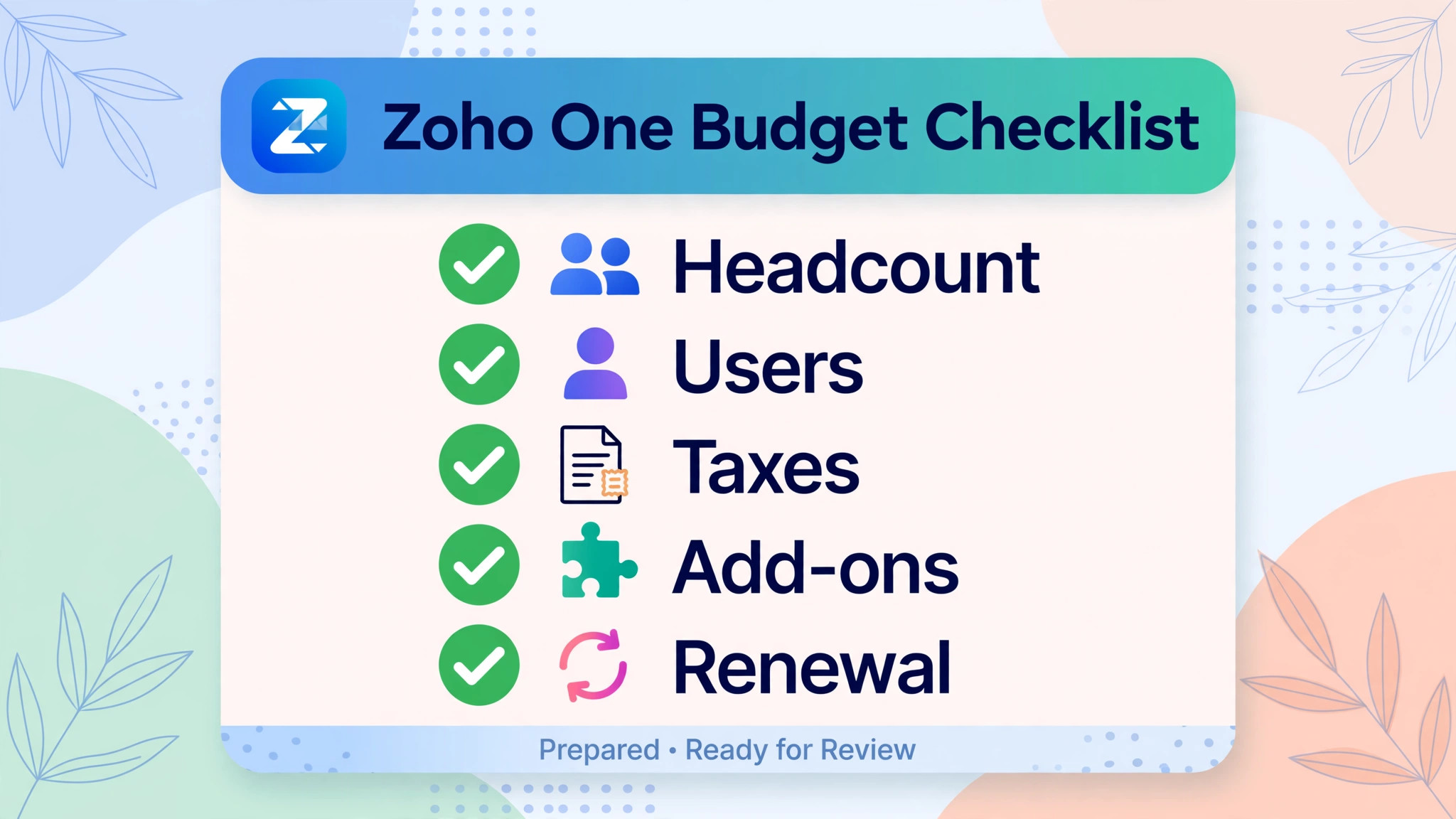
Do not budget from a headline rate. Build a one page worksheet with five lines, and fill each one from real numbers. Line one is payroll headcount, including part-time and seasonal staff. Line two is Zoho user count, meaning people who need the full suite weekly. Line three is the bundle total at both billing cycles, taken from the tables above and checked against the vendor pricing page. Line four is taxes, implementation, and usage add-ons, each with a source or a written quote. Line five is the renewal date and the usage audit date, set three weeks before renewal.
The business that fills that worksheet honestly will know the cost of Zoho One for small business monthly before signing, and will know whether the bundle pays or whether individual apps cost less.
That knowledge is worth more than any headline saving, because it stops the two most expensive Zoho mistakes, which are paying for every employee when only a few need access, and paying for a full suite when the team uses three apps. Keep the worksheet with the contract, and bring it to every renewal meeting, because the team that signed will not be the same team a year later. Headcount, app usage, and supplier needs all move, and a worksheet that moves with them keeps the subscription honest year after year. Choose the model that matches real headcount and real usage, and review it at every renewal.
More Reading on Stratilyze
– Best CRM for Independent Car Dealers – Best Booking Software for Nail Salons – Best Scheduling Software for Mobile Pet Groomers – Best POS System for Vintage and Antique Shops – Best Management Software for Funeral Homes