
For most indoor play centers, Peek Pro is the strongest starting point, because it handles timed entry, party bookings, and online payments in a single system built for attractions. That verdict holds for a center that sells most of its tickets online and runs parties on weekends. It does not hold for every center, which is why this guide compares nine tools before you commit. The best booking software for indoor play centers is the one that matches how your center actually sells time, not the one with the longest feature list.
An indoor play center sells capacity in time slots, not just appointments. A family may book a two hour play session, a birthday party may take over a party room for three hours, and a school group may need a weekday block for 40 children. The booking system must hold those different shapes at once, stop overbooking a zone, collect waivers before arrival, and take payment or a deposit at booking. A plain calendar cannot do that well, because it treats a party of 20 and a single child as the same kind of booking.
This guide compares nine tools, from attraction booking platforms built for timed entry to general booking tools that play centers adapt. Prices are starting prices where published, and several attraction tools charge by booking volume or ticket value. Check the vendor pricing page before you budget, since per booking fees grow with every ticket sold and can overtake a subscription at high volume.
Why Play Center Booking Is a Capacity Problem
Capacity is the first constraint. A playroom has a safe number of children at once, a climbing zone has its own limit, and a party room can hold only one party at a time. A booking system that sells tickets without zone limits will oversell the busiest hour and leave staff managing a crowded floor and unhappy parents. Zone based capacity, timed entry, and clear session lengths are not extras for a play center. They are the core booking job.
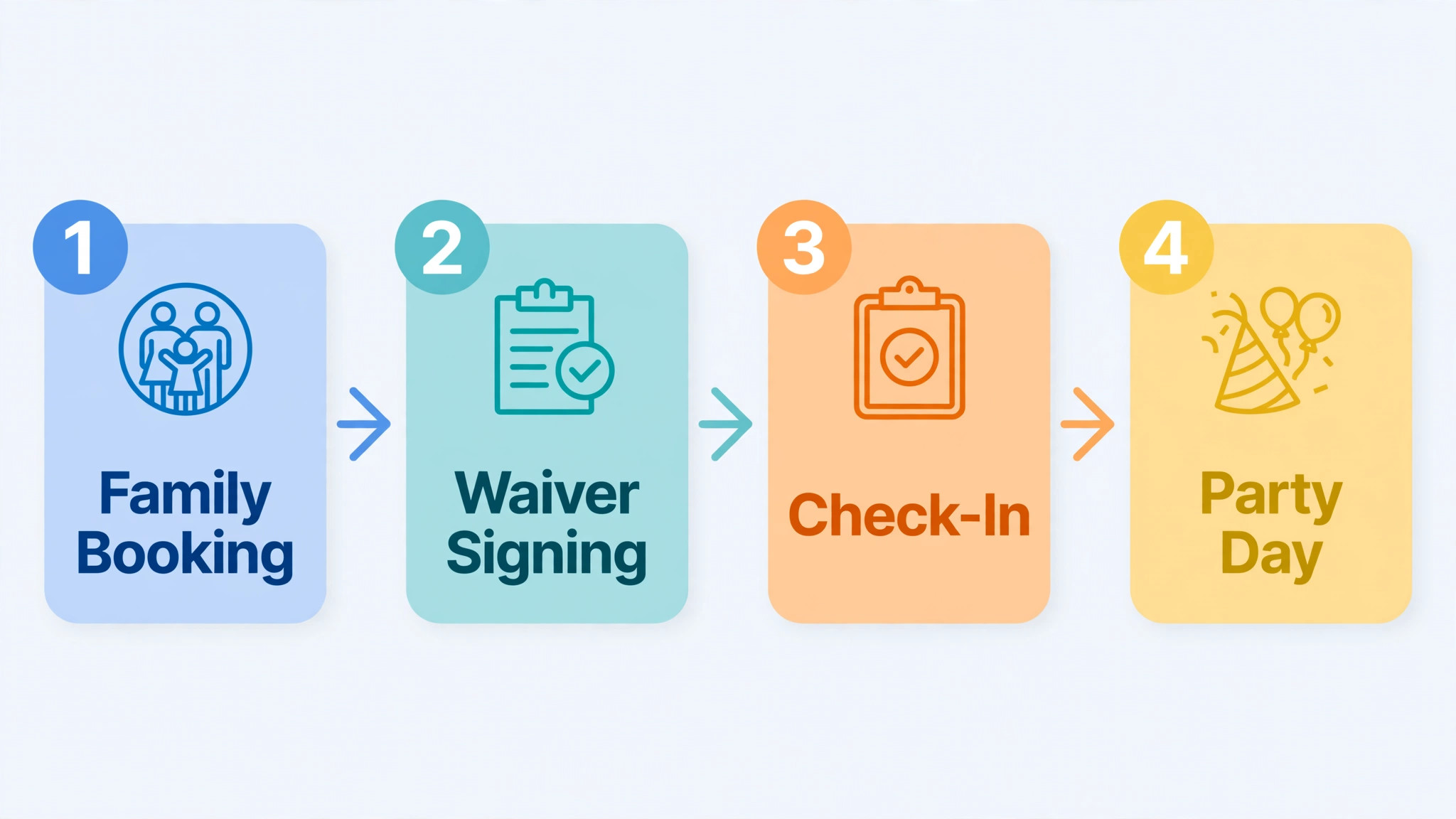
Parties are the second constraint. A party booking is not a ticket. It involves a room, a host, food options, a guest count that changes before the day, and a deposit. A system that forces a party into a ticket checkout will miss the deposit, the guest list, and the room hold, and the front desk will end up managing the party by phone anyway. Party booking needs its own flow, with room holds, package choices, and a balance due before the party day.
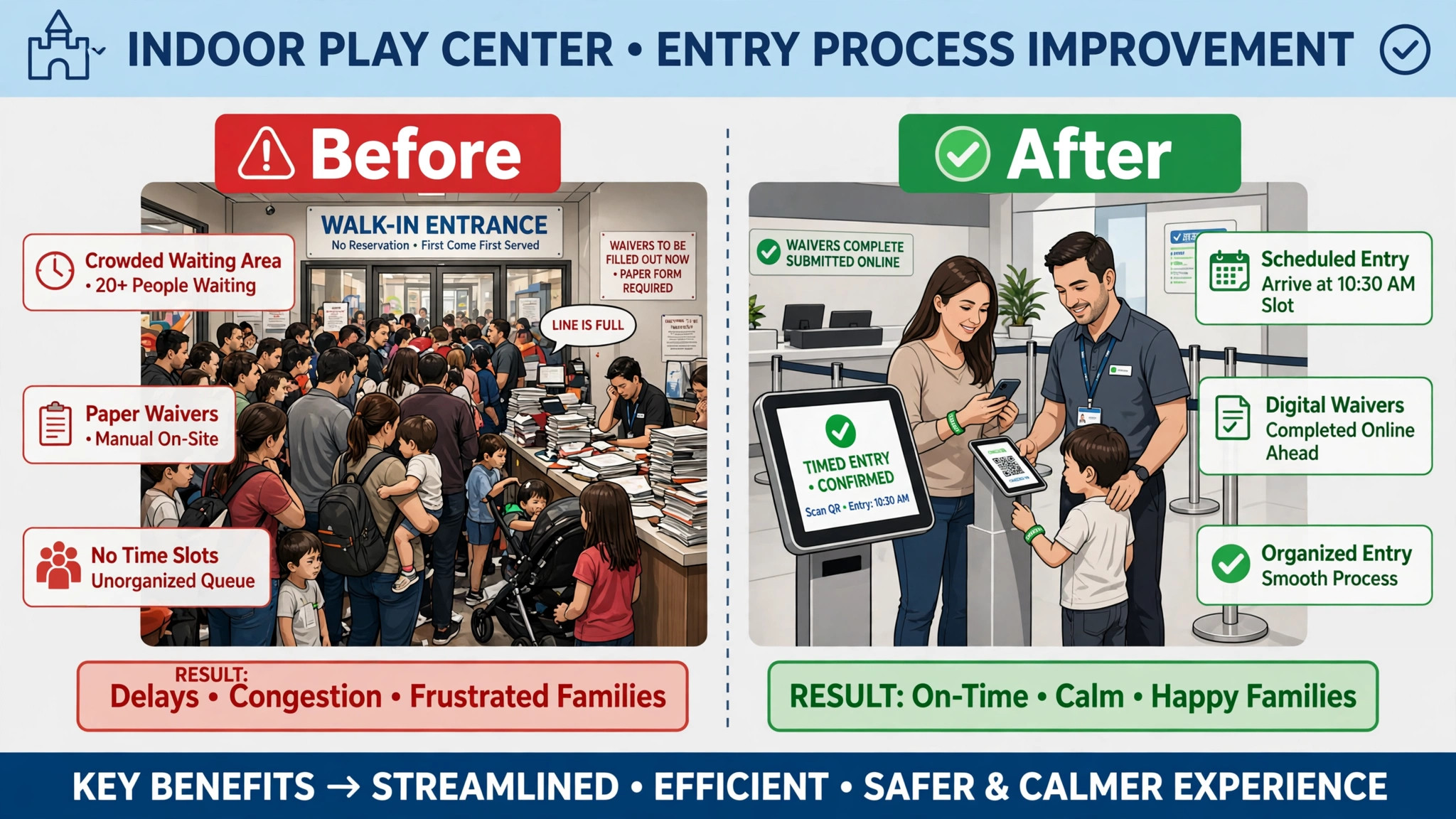
Waivers and check-in are the third constraint. Most play centers need a signed waiver for each child, and a busy Saturday check-in queue will form fast if waivers are collected on paper at the door. A booking system that collects waivers online, links them to the booking, and speeds check-in will shorten that queue and reduce front desk stress. A system that ignores waivers leaves the hardest part of the day untouched.
The 9 Tools at a Glance
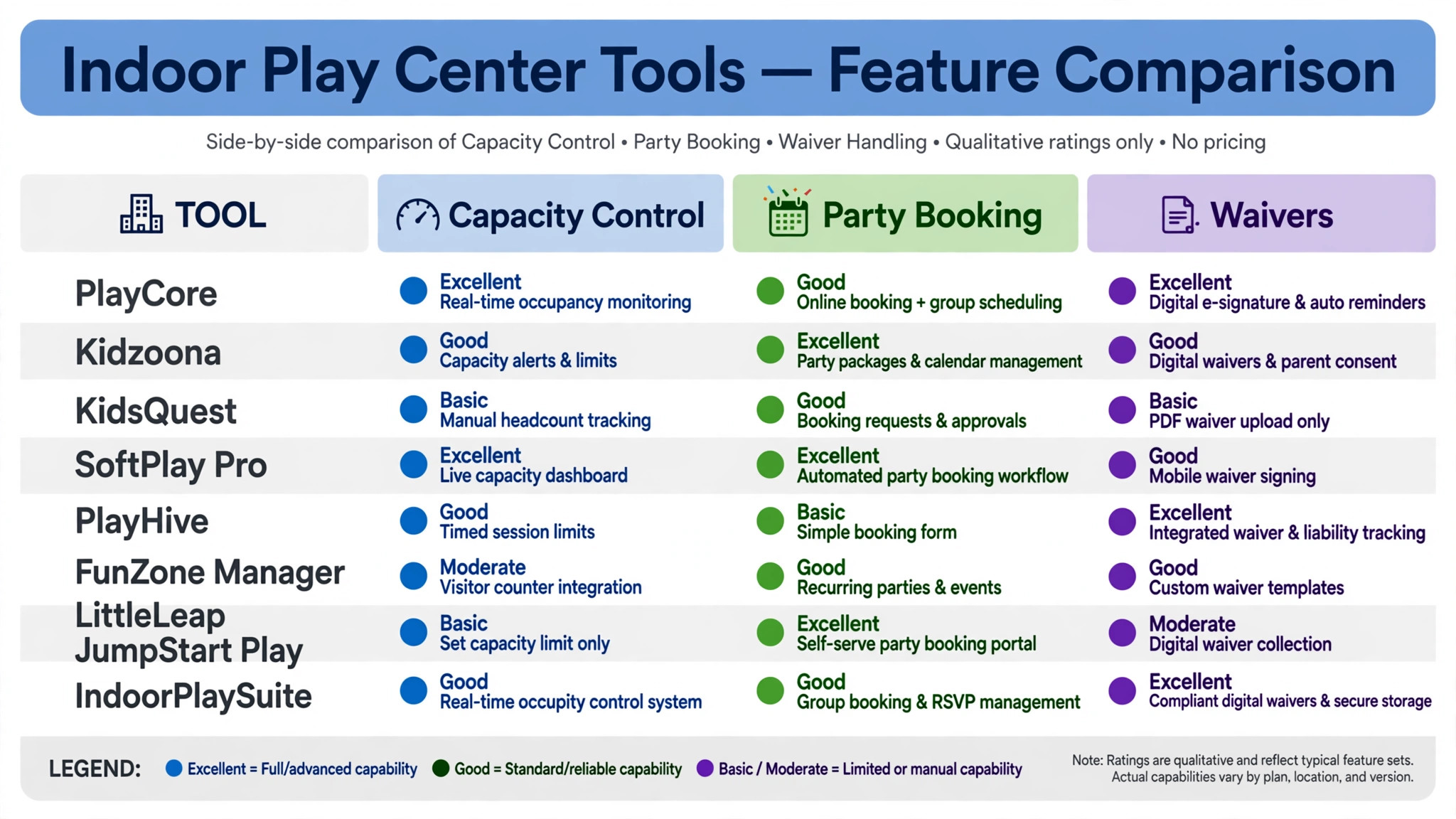
| Tool | Starting price | Best for | Play center depth |
|---|---|---|---|
| Peek Pro | Check the vendor pricing page | Timed entry and attraction booking | Strong |
| Roller | Check the vendor pricing page | Multi-zone venues and memberships | Strong |
| Xola | Check the vendor pricing page | Activity booking with party options | Good |
| FareHarbor | Check the vendor pricing page | Online booking with no upfront fee | Good |
| Checkfront | Check the vendor pricing page | Inventory based booking for sessions | Good |
| Bookeo | Check the vendor pricing page | Class and session booking on a budget | Good |
| SimplyBook.me | Check the vendor pricing page | Simple booking with packages and payments | Good |
| Bookwhen | Check the vendor pricing page | Recurring sessions and group booking | Good |
| Square Appointments | Check the vendor pricing page | Centers already using Square payments | Good |
Pricing in this market is rarely a single number, since several tools charge by booking volume, ticket value, or feature tier. That is why a comparison of the best booking software for indoor play centers should start with a written quote for your real session volume, party volume, and zone count, not with a directory starting price alone. Confirm whether per booking fees, payment processing, and waiver tools sit inside the quote or on top of it.
Best Pick by Job
| Job type | First pick | Why it fits | Watch out for |
|---|---|---|---|
| Single playroom | Bookwhen | Simple session booking with group handling | Lighter party tooling |
| Multi-zone center | Roller | Venue management across zones and memberships | Confirm pricing for your size |
| Party-focused center | Peek Pro | Timed entry plus party booking and payments | Per booking fees at high volume |
The job type that matches most of your revenue should decide the shortlist for the best booking software for indoor play centers. A single playroom that buys a full venue platform will pay for zone controls it never uses. A party-focused center that buys a simple session tool will manage parties by phone, which defeats the purpose of booking software in the first place.
Party Booking Checklist
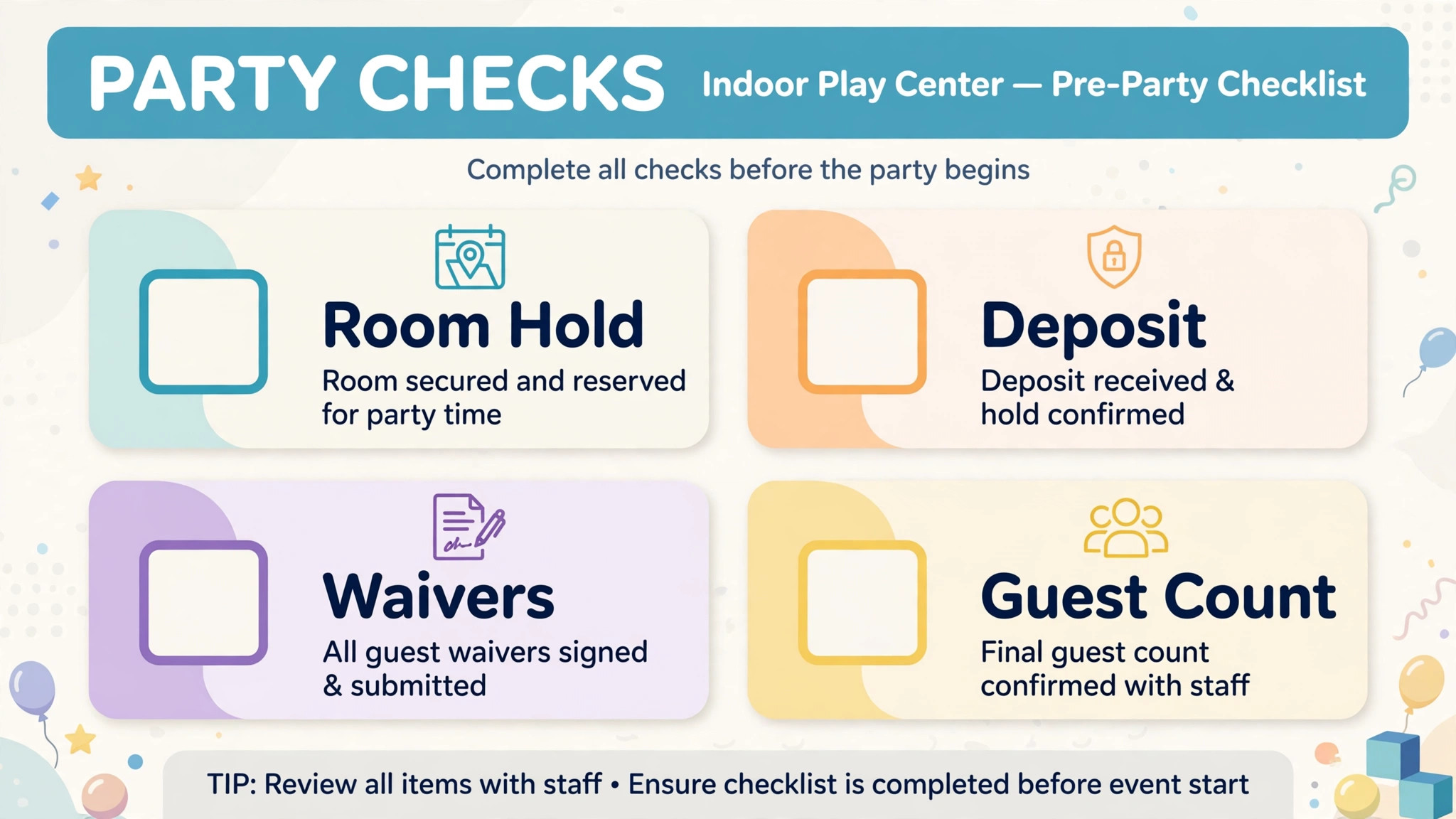
Use this checklist for every party booking, from first enquiry to party day. It turns a party into a controlled booking, rather than a string of phone messages.
– Hold the party room and the play zone time before taking a deposit, so two parties cannot claim the same room. – Collect a deposit at booking, and show the balance due date clearly on the confirmation. – Record the guest count, age range, food choices, and any allergy notes in the party record. – Collect waivers online for every child attending, and flag missing waivers before party day. – Confirm the party host, room setup time, and clean-up time with staff on the day before. – Send the organiser a party day reminder with arrival time, what to bring, and the check-in process. – Track add-ons such as extra play time, food upgrades, and party bags in the same booking. – Close the party record after the day, with final guest count and balance settled, so reporting stays accurate.
Software helps this checklist only if party rooms, deposits, waivers, and add-ons live in one party record. If those details live in separate tools, the checklist becomes a manual reconciliation exercise on the busiest weekend of the month.
The 9 Tools in Detail
1. Peek Pro
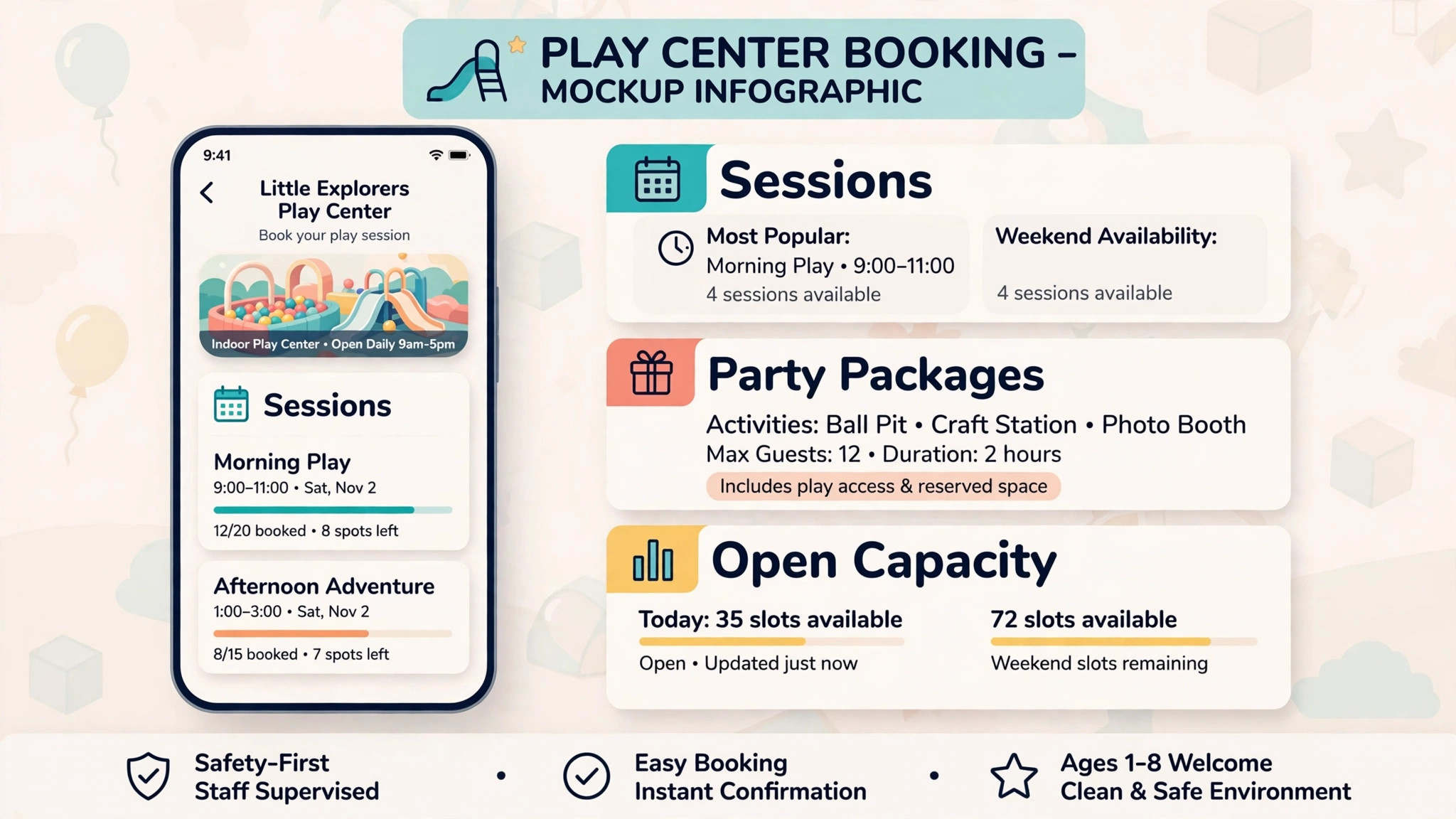
Peek Pro is a booking platform for tours and attractions that play centers use for timed entry, online ticket sales, and party bookings. Visitors can book a session online, choose a time slot, pay at booking, and receive a confirmation, while the center controls capacity per session and sees bookings in one calendar. That timed entry control is the main reason Peek Pro leads many play center shortlists.
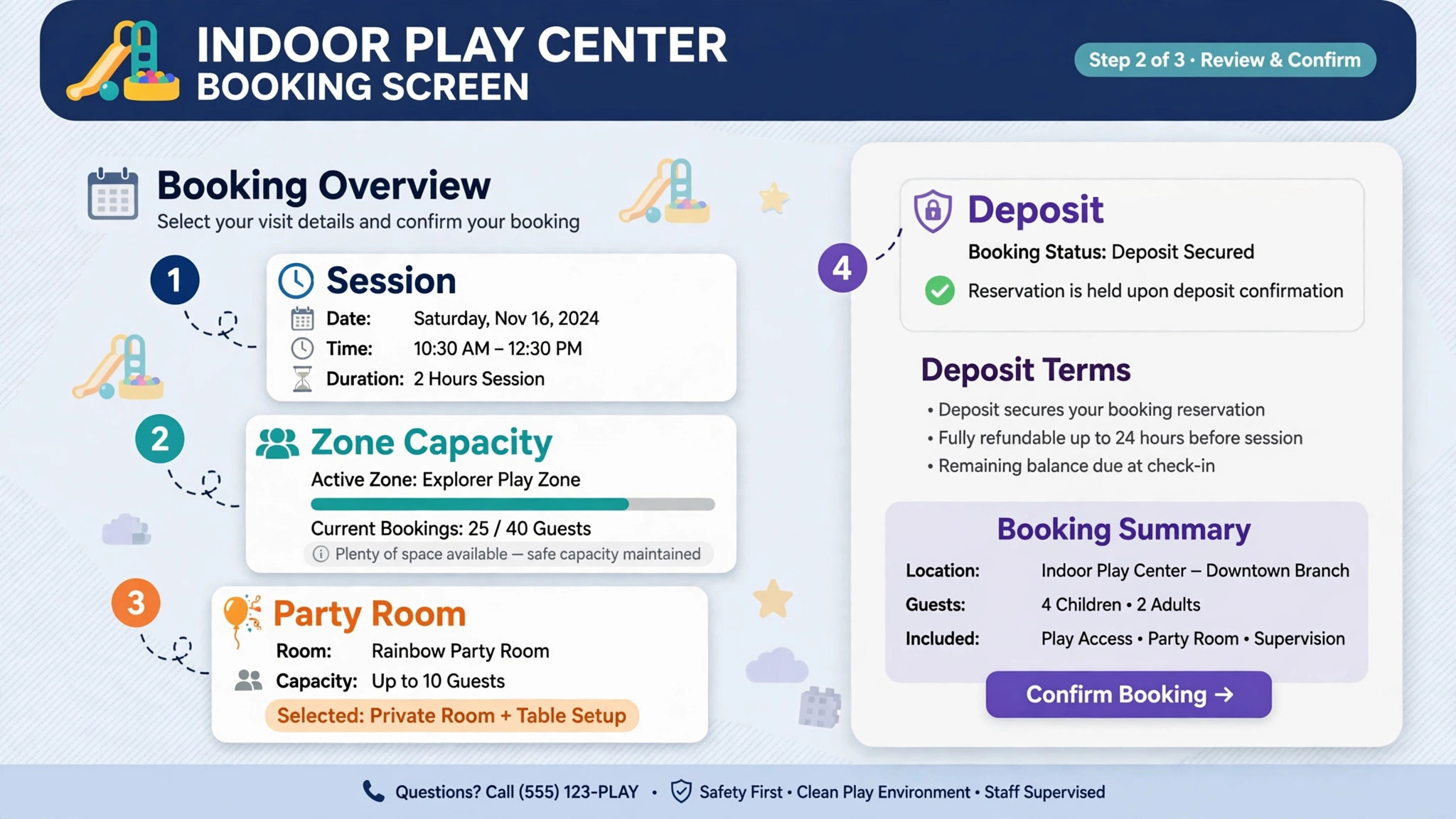
The strength is the attraction booking flow. Capacity limits, session times, and online payments work together, so a center can sell a busy Saturday without overselling a zone. The limit is fee structure. Per booking fees need modelling at real ticket volume, since a fee that looks small per ticket adds up across hundreds of weekly sessions. A center should also test the party flow explicitly, since party bookings need room holds and deposits beyond a simple ticket sale.
Best for a play center that sells most sessions online and runs regular parties, and that will model per booking fees at its real volume. Check the vendor pricing page for fee terms and party booking features.
2. Roller
Roller is a venue management platform for attractions, play centers, and family entertainment venues, covering bookings, point of sale, memberships, and guest management. A multi-zone center can manage different areas, sell memberships alongside day tickets, and keep guest records in one system, rather than running tickets, memberships, and parties in separate tools.
The strength is venue breadth. Zones, memberships, parties, and point of sale sit together, which suits a center with several distinct play areas and a membership base. The limit is implementation scope. A larger platform takes longer to set up, and staff training matters more than with a simple session booking tool. A single playroom should confirm it will actually use that breadth before paying for it.
Best for a multi-zone center or a center with a strong membership offer that needs venue management in one system. Check the vendor pricing page and confirm implementation and training scope in writing.
3. Xola
Xola is an activity booking platform that attractions and play centers use to sell timed sessions, packages, and group bookings online. It provides a booking checkout for a website, capacity controls, and payment handling, with tools for gift cards and promotions that help a center fill quiet weekdays. That promotion side matters for a play center with sharp weekday and weekend swings.
The strength is the booking checkout and promotion toolkit. A center can run a weekday offer, sell gift cards, and take group bookings without building those features itself. The limit is party depth compared with a dedicated party flow. A party-focused center should test room holds, deposits, guest counts, and add-ons on a real party booking before choosing Xola over a stronger party tool.
Best for a play center that wants strong online activity booking plus promotions and gift cards. Check the vendor pricing page for booking fee terms at your session volume.
4. FareHarbor
FareHarbor is an online booking platform for tours and attractions that offers booking software with no upfront cost, charging on completed bookings under its published terms. Play centers can take online bookings, manage availability, and accept payments without a monthly subscription, which suits a new center or a seasonal business that wants to avoid a fixed fee in quiet months.
The strength is the low fixed cost and the attraction booking experience. A center can start taking online bookings quickly, with a checkout built for timed activities. The limit is the same fee maths as Peek Pro. At high session volume, per booking charges can overtake a flat subscription, so a busy center should model the annual fee total before assuming FareHarbor stays cheapest. Waiver and party flows also need explicit testing.
Best for a new or seasonal play center that wants attraction booking without a subscription, provided the fee maths works at its volume. Check the vendor pricing page for current booking fee terms.
5. Checkfront
Checkfront is a booking platform built around inventory, so a play center can treat sessions, zones, and party rooms as bookable inventory with limits. That inventory view helps a center that thinks in terms of how many children a zone can hold, how many party rooms are free, and how many sessions remain on a given day, rather than in terms of a simple appointment list.
The strength is inventory control. Capacity limits sit at the heart of the system, which reduces overselling and makes the daily schedule easy to read. The limit is the attraction specific polish compared with Peek Pro or Roller. A center should test the guest booking flow on a phone, the waiver collection step, and the party booking flow, since those guest facing details decide whether online booking actually reduces front desk calls.
Best for a play center that wants inventory based capacity control for sessions and rooms. Check the vendor pricing page for the plan that includes online payments and waiver integrations.
6. Bookeo
Bookeo is a class and appointment booking system that play centers adapt for play sessions, classes, and group bookings. It supports availability management, online booking, payments, and automated confirmations and reminders, with a lower price point than many attraction platforms. A small center can set up session types, capacities, and a booking page without a long implementation.
The strength is simplicity and price for a smaller operation. Session booking, group handling, and reminders cover the core job for a single playroom or a small center. The limit is attraction depth. Timed entry with zone limits, party room holds, and membership handling need careful setup, and a multi-zone center may find Bookeo lighter than Roller or Peek Pro.
Best for a small play center that wants simple session booking at a lower cost. Check the vendor pricing page for the tier that includes payments and reminders.
7. SimplyBook.me
SimplyBook.me is a general online booking system that play centers can adapt to session booking, with a booking website or widget, payments, packages, and memberships. Families can book, change, or cancel sessions themselves from any device, and the center can sell multi-session passes and gift cards alongside single sessions.
The strength is booking breadth at a generalist price. Packages, memberships, coupons, and gift cards help a center sell repeat visits, not only single sessions. The limit is play center specificity. Zone capacity, party rooms, and waiver workflows need configuration, and a center should test those flows on real sessions rather than assuming a general tool covers them out of the box.
Best for a play center that wants package and membership sales beside session booking, and that will configure zone and party workflows carefully. Check the vendor pricing page for the features included on the chosen tier.
8. Bookwhen
Bookwhen is a booking platform for classes, sessions, and group activities, with recurring schedules, group booking, and simple online payments. A play center running regular classes, toddler sessions, or after school groups can publish a timetable, take group bookings, and manage waiting lists without a complex venue system.
The strength is recurring session handling. Weekly classes and regular groups are easy to publish and manage, and the booking page stays simple for parents. The limit is party and attraction depth. A party-focused center will find party room holds, deposits, and add-on tracking lighter than on Peek Pro, so parties may still need manual handling.
Best for a single playroom or a center built around regular classes and groups. Check the vendor pricing page for payment and group booking terms.
9. Square Appointments
Square Appointments is the booking side of the Square ecosystem, with online booking, calendar management, payments, and client records that connect to Square point of sale. A play center that already takes card payments through Square, for example at a cafe counter or gift shop, can add session booking without a second payment setup.
The strength is payment simplicity for a Square based center. Staff already familiar with Square checkout will find bookings and payments in one place. The limit is play center specificity. Timed entry, zone capacity, party rooms, and waivers are general appointment features here, not attraction features, so a busy multi-zone center should test those workflows carefully before choosing Square over an attraction platform.
Best for a small play center already using Square for payments that wants booking added with minimal new payment work. Check the vendor pricing page for the tier that includes team booking and reminders.
How Timed Entry Changes a Saturday
Timed entry changes a Saturday before it changes revenue. When families book a session in advance, staff know how many children will arrive in each hour, which zones will be busy, and how many party rooms are in use. That knowledge lets a center staff the floor correctly, prepare party rooms on time, and avoid the mid-afternoon crush that happens when walk-ins and bookings collide without a plan.
The second change is the check-in queue. A center that collects waivers and payments online can check a family in with a name lookup, rather than a paper form, a payment, and a waiver at the door. That shorter queue matters most on party days, when several families arrive at once and the first impression of the center is formed in the entrance hall. A booking system that leaves waivers and payments to arrival has not solved the Saturday problem, even if the online calendar looks full.
The third change is weekday filling. A center that can see quiet sessions in advance can run a targeted offer, a school holiday session, or a group booking to fill them, rather than discovering an empty Tuesday after it has passed. That forward view is valuable, but only if staff actually check it and act on it. A booking tool that creates a quiet session report nobody reads will not fill weekdays, no matter how good the booking page looks.
There is also a staffing benefit that is easy to miss. When bookings, party counts, and session caps are visible in advance, a manager can roster the right number of staff for each hour instead of guessing from last Saturday. That predictability helps a small team most, since one extra staff member on a quiet morning is wasted cost and one missing staff member on a party afternoon is a service failure. Judged on staffing as well as sales, the best booking software for indoor play centers is the tool that turns a Saturday from a guess into a plan.
How to Choose the Best Booking Software for Indoor Play Centers
Start with the capacity test. Take a real Saturday, including two parties, a full playroom session, and a zone that must stay below its limit. Enter that Saturday in the trial and see whether the system prevents overselling, holds party rooms correctly, and shows the conflict clearly. If that test fails, the tool will fail on a busy weekend.
Next, test the family journey from first booking to check-in. Can a parent find a session, book online, pay or leave a deposit, sign waivers, and check in quickly on arrival without front desk help. Count the front desk touches required. A booking tool that still needs a phone call for every party has not solved the front desk problem, even if session booking looks good.
Then test parties and waivers together. Book a party, record guest count and add-ons, collect waivers for attending children, and settle the balance. The system should carry waivers, guest counts, and payments in one party record. If those details live in separate screens with no clear link, the front desk will still reconcile by hand on party day.
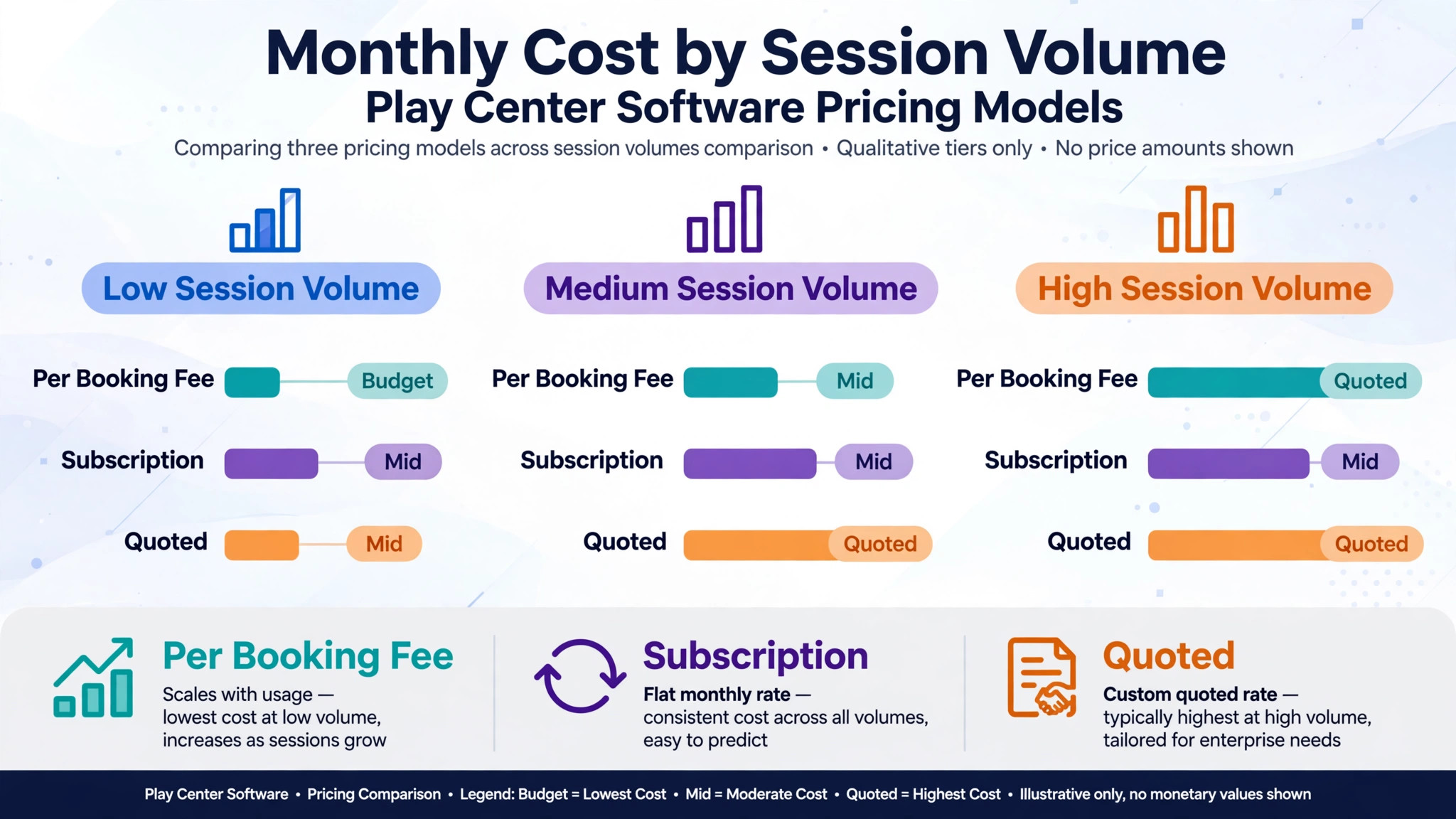
Finally, price the full booking stack. Add per booking fees, payment processing, waiver tool costs, and any per zone or per staff charges to the subscription. A free or low subscription with expensive per booking fees can cost more than a mid priced subscription once session volume grows. Get the monthly total for your real session and party volume in writing before comparing tools, and check that the best booking software for indoor play centers on your shortlist still looks affordable at peak holiday volume, not only at average volume.
Common Mistakes When Buying Play Center Booking Software
The first mistake is buying a calendar and calling it a booking system. A calendar shows availability. A play center booking system controls zone capacity, holds party rooms, collects waivers, and handles payments and deposits. Test capacity and parties, not only the calendar view.
The second mistake is ignoring party bookings. Many booking problems are party problems, not session problems. A center that books parties into a ticket checkout will miss deposits, guest counts, and room holds, and will discover the error on party day. Party booking should be a required step in the trial, not an afterthought.
The third mistake is forgetting check-in. A booking system without online waivers and fast check-in will not shorten the Saturday queue, even if it makes booking easier. Test waiver collection, check-in speed, and the missing waiver workflow, and confirm whether waiver tools are included in the price.
The fourth mistake is buying for the center you hope to become, not the center you run. A full venue platform with memberships and multi-zone reporting is valuable for a large center, but it adds setup and training burden for a single playroom. Start with the tool that fits current session volume, and check that it can grow when zones and party volume rise.
The fifth mistake is neglecting data export. Booking records, party histories, membership records, and payment records are the center business history. Before signing, confirm that those records can be exported in a usable format, and that the center is not locked into a platform by its own data.
Frequently Asked Questions
How much does play center booking software cost?
Costs for the best booking software for indoor play centers range from no upfront fee platforms charging per booking to tiered subscriptions on general booking tools and quoted pricing on venue platforms. The final cost depends on session volume, party volume, per booking fees, payment processing, and waiver tools. A center with high session volume should model per booking fees at that volume, since those charges grow with every ticket. Get a written quote for your real volume, including fee and payment terms, before comparing headline prices.
What is the best booking software for a small indoor play center?
For many small centers, Bookwhen is a strong starting point, because it handles recurring sessions and group bookings simply and at a lower cost. Bookeo is the alternative for a small center that wants class style session booking with reminders. The right choice depends on whether recurring classes or party bookings dominate, and on whether party depth will be needed as the center grows.
Can parents book play sessions and parties online by themselves?
Yes, on most tools in this guide. Parents can view session times, book a session or party, pay or leave a deposit, and receive confirmations. The test is whether online booking also handles zone capacity, party room holds, and waiver collection correctly, rather than merely reserving a time that the front desk must then fix by hand.
Do play center tools handle waivers?
Many attraction and booking platforms support waiver collection, either built in or through an integration, but the depth differs sharply. A center should test the waiver flow for a family booking before switching, including what the parent signs, how missing waivers are flagged, and how fast check-in works when waivers are complete. A waiver step that confuses parents at booking will cause abandoned bookings.
How do timed sessions reduce crowding?
Timed sessions spread arrivals across the day, cap each session at a safe number, and give staff a predictable floor for each hour. That reduces crowding, improves safety, and gives families a better play experience than an open entry day with no session control. Confirm that session caps work by zone as well as by center, since a center wide cap alone will not protect a busy climbing zone.
Should a play center offer online booking and walk-ins together?
Yes, for most centers. Online booking captures families who plan ahead and fills sessions in advance, while walk-ins serve families who decide on the day. The booking system should keep both channels in one capacity count, so a walk-in cannot oversell a session that is already full online, and staff can see the true floor count in one place.
How long does it take to switch play center booking software?
A single playroom can switch in one to two weeks if sessions, prices, and waiver forms are prepared in advance. A multi-zone center should allow three to four weeks, including staff training and parallel running on live sessions. A party-focused center should allow four to six weeks, including party package setup, deposit rules, and waiver checks.
A Two Weekend Trial Plan
Do not choose from a feature list. Run a two weekend trial plan on your two finalists. On the first weekend, enter a real Saturday with two parties and a full playroom session. On the second weekend, let parents book online and check how many bookings need front desk fixes. Test waivers, deposits, and a cancellation on both weekends. Check a party balance and a missing waiver flag for a real party. Ask floor staff whether capacity counts, party rooms, and check-in actually helped them work, or only helped the office.
The tool that passes those weekends with the fewest fixes, the fewest oversold sessions, and the least staff confusion is the best booking software for indoor play centers for your operation, and the tool to keep. Price matters, but a cheap tool that creates daily booking fixes will cost more in crowded floors and lost parties than a mid priced tool that runs cleanly. Choose the system that makes Saturdays calmer, parties easier, and families more likely to return.
More Reading on Stratilyze
– Best Booking Software for Escape Rooms – Best Booking Software for Boat Rentals – Best Booking Software for Outdoor Rental Businesses – Best Membership Software for Dance Studios – Best Booking Software for Veterinary Clinics