
The verdict is simple. For most meal prep businesses, the best order management software for meal prep businesses is the tool that handles weekly menus, subscriptions, and cut-off times without spreadsheets, not the tool with the longest feature list. A meal prep business lives on a weekly cycle, with a menu published, orders taken by a deadline, food cooked in exact quantities, and deliveries or pickups completed on set days. Any tool that cannot run that cycle cleanly will cost money in wasted food, missed orders, and support messages every single week.
A meal prep order tool has to handle more than a shopping cart. It must manage a changing weekly menu, let customers choose meals and portion sizes, handle subscriptions that repeat weekly, enforce order cut-off times, track dietary preferences and allergies, and organise production quantities and delivery routes. A generic online store can sell a product. It cannot easily show that thirty customers ordered the same chicken dish for Thursday delivery, twelve of them want the large portion, and four need a gluten free version.
This guide compares thirteen tools, from restaurant ordering platforms that meal prep businesses adapt to general commerce platforms with subscription features. Prices vary by order volume, transaction fees, and feature tier, so treat any starting price as a prompt to get a quote. Check the vendor pricing page before you budget, since monthly subscriptions, per order fees, and payment processing charges behave very differently as order volume grows.
Why Meal Prep Orders Break a Normal Online Store
A meal prep order is a time bound order, not an open ended purchase. Customers must order before a cut-off, choose meals for a specific delivery day, and often repeat the same pattern every week. A normal online store lets a customer buy at any time and ship at any time. It cannot easily enforce that Thursday delivery orders close on Tuesday night, or that a sold out meal stops selling while other meals stay available.
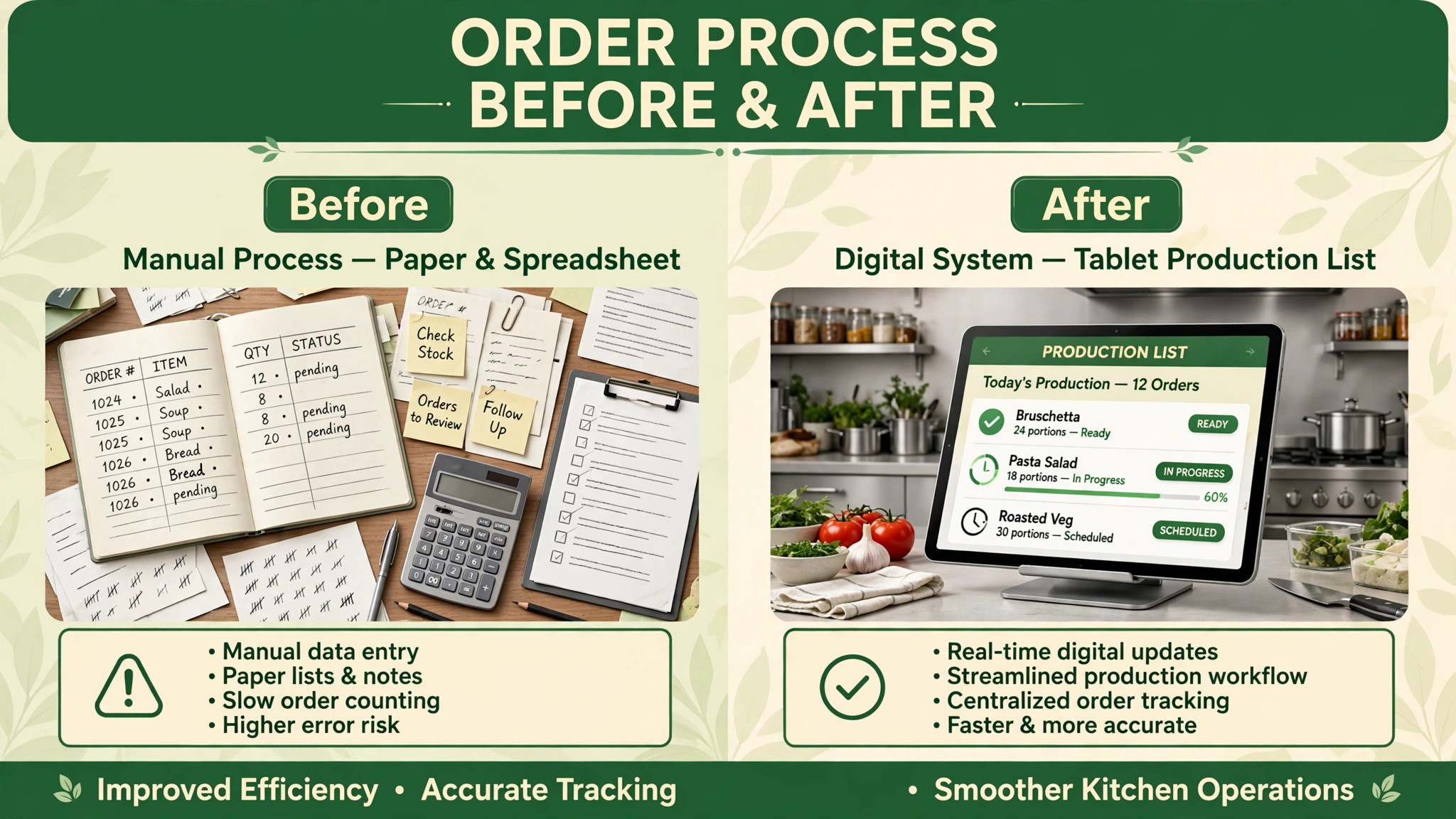
Production quantities add a second constraint. A meal prep kitchen cooks to order, and overproduction wastes food while underproduction disappoints customers. The order system must turn individual meal choices into a production list, showing total portions per dish, per portion size, and per dietary variation. A generic store that only lists orders one by one forces the kitchen to count portions by hand, which is slow and error prone on a busy prep day.
Subscriptions and changes add a third constraint, and they are the reason the best order management software for meal prep businesses must handle weekly changes well. Customers pause for holidays, swap meals, skip a week, or change delivery addresses, and every change must flow into the correct week’s production list. A system that handles subscriptions as a simple repeat purchase will struggle when a customer skips one week but not the next, or swaps two meals in a single order. That weekly change handling is where meal prep software earns its keep.

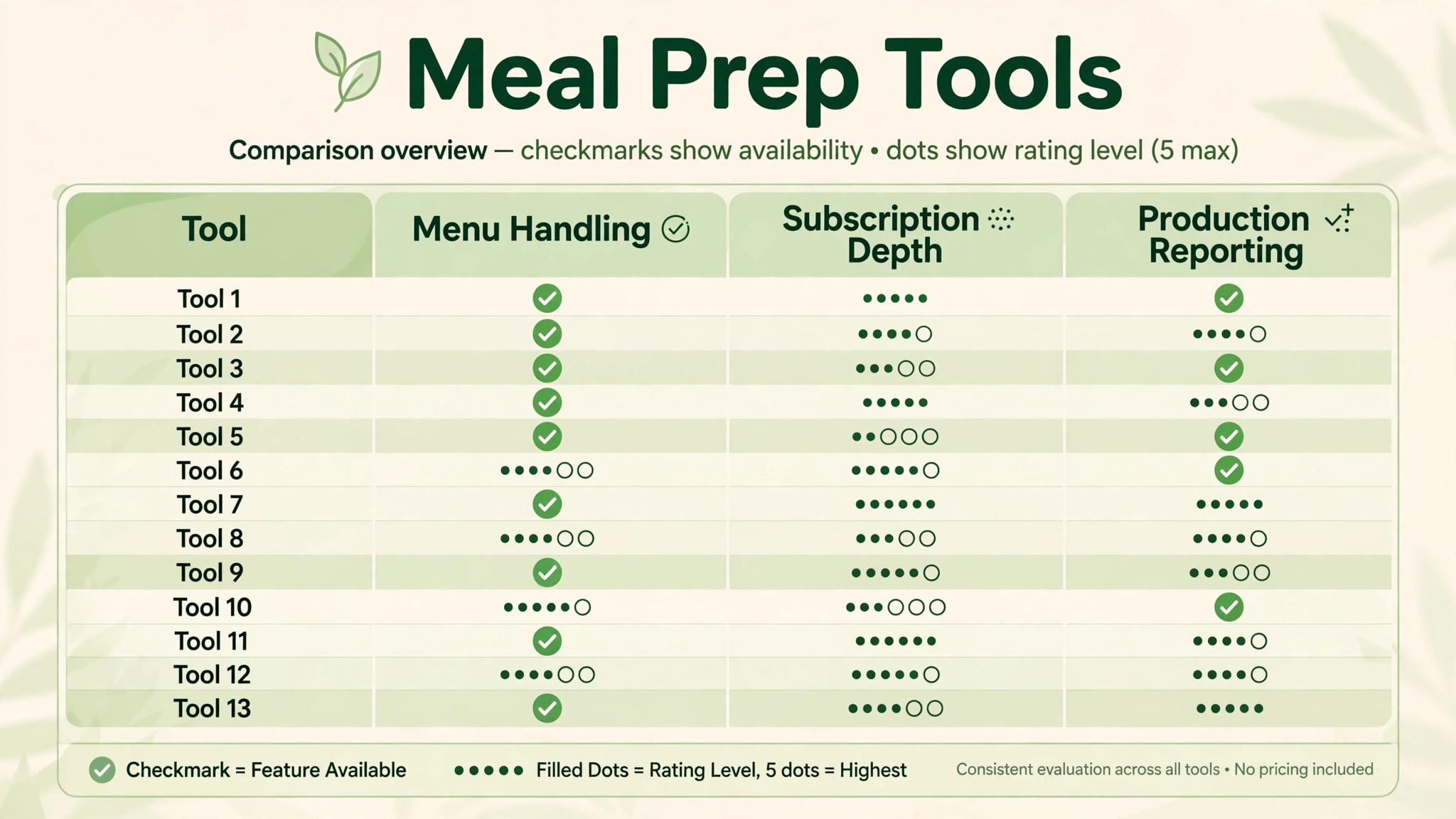
The 13 Tools at a Glance
| Tool | Starting price | Best for | Meal prep depth |
|---|---|---|---|
| Shopify | Check the vendor pricing page | Subscription meal brands wanting a full store | Good |
| Square | Check the vendor pricing page | Small kitchens wanting simple ordering and payments | Good |
| WooCommerce | Check the vendor pricing page | Businesses wanting full control on WordPress | Good |
| Toast | Check the vendor pricing page | Kitchens wanting restaurant ordering depth | Good |
| Lightspeed | Check the vendor pricing page | Kitchens wanting ordering plus point of sale | Good |
| GloriaFood | Check the vendor pricing page | Budget ordering with a free core offer | Good |
| ChowNow | Check the vendor pricing page | Local ordering with marketplace reach | Good |
| Deliverect | Check the vendor pricing page | Kitchens juggling many ordering channels | Good |
| Flipdish | Check the vendor pricing page | Branded ordering with delivery management | Good |
| Owner.com | Check the vendor pricing page | Restaurants wanting branded online ordering | Good |
| SpotOn | Check the vendor pricing page | Kitchens wanting ordering plus payments | Good |
| Restolabs | Check the vendor pricing page | Small kitchens wanting simple online ordering | Good |
| Epos Now | Check the vendor pricing page | Kitchens wanting ordering plus till systems | Good |
Pricing transparency is uneven in this market, and several tools charge a mix of subscription, commission, and payment fees. That is why a comparison of the best order management software for meal prep businesses should start with a written quote for your real weekly order volume, not with a directory starting price alone. Get a written quote for your order volume and subscription count before comparing totals, and confirm whether payment processing, delivery management, and subscription features are included or charged separately.
Best Pick by Job
| Job type | First pick | Why it fits | Watch out for |
|---|---|---|---|
| Home-kitchen startup | GloriaFood | Simple ordering with a low cost start | Check subscription handling for repeat weekly orders |
| Small commercial kitchen | Square | Ordering, payments, and simple operations in one place | Confirm weekly menu and cut-off handling in a trial |
| Subscription meal service | Shopify | Subscription apps, storefront, and scale | Confirm production list reporting in a trial |
| Multi channel kitchen | Deliverect | Many ordering channels in one order flow | Check cost at your order volume |
| Branded local ordering | Flipdish | Branded ordering with delivery management | Confirm menu change speed for weekly menus |
The job type that matches most of your orders should decide the shortlist for the best order management software for meal prep businesses. A home-kitchen startup that buys a full restaurant platform will pay for features it never uses. A subscription service that buys a simple ordering tool will struggle with pauses, swaps, skips, and production lists.
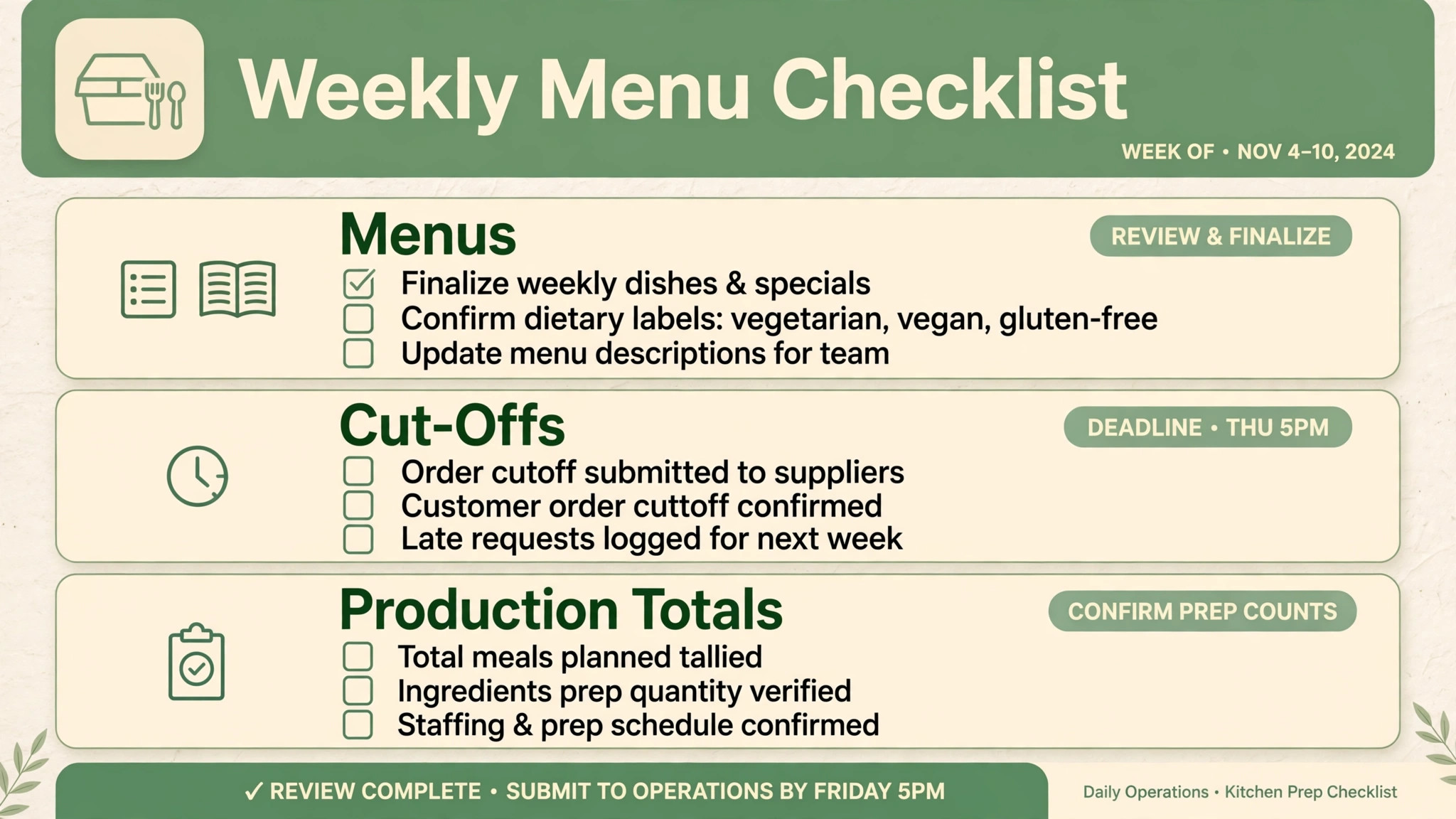
Use this checklist every week before the menu goes live. It turns order data into a clean production week, rather than leaving the week to guesswork.
– Confirm the menu for the coming week, including dish names, portion sizes, prices, and dietary labels, before publishing it to customers. – Check that sold out or unavailable dishes are removed or marked clearly, so customers cannot order a meal the kitchen cannot cook. – Set the order cut-off time and delivery or pickup days clearly on the ordering page, and confirm the cut-off is enforced by the system. – Review subscription orders first, including pauses, skips, swaps, and address changes, and confirm each change applies to the correct week. – Export or review the production list by dish, portion size, and dietary variation, and check totals against ingredient stock before cooking starts. – Confirm delivery routes or pickup slots, including driver assignments and time windows, so finished meals move out on schedule. – Send customers a confirmation with their meals, delivery day, and any change instructions, so questions arrive before cooking, not after. – After delivery, record missed items, refunds, and customer feedback in the order record, so the same error does not repeat next week.
Software helps this checklist only if menus, subscriptions, cut-off times, production lists, and delivery details live in one order flow, which is a core test for the best order management software for meal prep businesses. If those details live in separate spreadsheets and inboxes, the checklist becomes a manual count every week.
The 13 Tools in Detail
1. Shopify
Shopify is a commerce platform that meal prep businesses use to run a branded online store with subscriptions, weekly menus, and payments. It supports product variants for portion sizes, subscription apps for repeat weekly orders, and discount tools for bundles and first order offers, all on a storefront the business controls.

The strength is the subscription ecosystem. A meal prep brand that depends on repeat weekly orders can use subscription apps to handle renewals, pauses, and swaps, while keeping its own brand and customer list. The limit is production reporting. Shopify is a commerce platform, not a kitchen system, so production lists by dish and dietary variation may need an app or a manual export. Check the vendor pricing page for subscription and transaction fees.
Best for a subscription meal service that wants a branded store, subscription handling, and room to scale.

2. Square
Square is a payments and commerce platform that small kitchens use for online ordering, in person sales, and payments in one system. It supports online ordering pages, menu management, and payment processing, with a point of sale for pickup or counter sales alongside online orders.
The strength is simplicity and unified payments. A small kitchen can take online orders, handle pickup sales, and see payments in one place without stitching tools together. The limit is weekly menu depth. Cut-off enforcement, subscription handling, and production lists need explicit testing, since Square is a general commerce platform rather than a meal prep specialist. Check the vendor pricing page for ordering and payment terms.
Best for a small commercial kitchen that wants simple ordering and payments in one place.
3. WooCommerce
WooCommerce is an open source commerce plugin for WordPress that meal prep businesses use to build a fully controlled online store. It supports product variants, subscription extensions, payment gateways, and custom ordering pages, with full ownership of the store, the customer list, and the data.
The strength is control. A business that wants a specific weekly menu layout, custom cut-off rules, or unusual subscription terms can build exactly that, rather than fitting a hosted platform’s template. The limit is maintenance. Hosting, updates, security, and extension compatibility become the business’s job, which suits a team with technical help but burdens a solo operator. Check the vendor pricing page for extension costs, since subscriptions and booking features are often paid extensions.
Best for a meal prep business that wants full control and has technical support for a WordPress store.
4. Toast
Toast is a restaurant platform with online ordering, point of sale, payments, and menu management. Meal prep kitchens that also run a restaurant, cafe, or counter service use Toast to keep online orders and in person sales in one system, with a menu structure that handles modifiers and variations.
The strength is restaurant depth. A kitchen that sells meals both online and over a counter benefits from one menu, one payment flow, and one sales record. The limit is subscription handling. Repeat weekly meal prep subscriptions are not the core Toast use case, so pause, skip, and swap workflows should be tested carefully. Check the vendor pricing page and confirm hardware and payment terms.
Best for a kitchen that combines meal prep with restaurant or counter sales.
5. Lightspeed
Lightspeed is a commerce and restaurant platform with online ordering, point of sale, payments, and inventory features. Meal prep kitchens use it to manage menus, take orders, and handle payments, with reporting that connects sales to products and time periods.
The strength is the ordering plus point of sale combination. A kitchen with a physical pickup point can manage online orders and walk in sales together, with inventory visibility for key ingredients. The limit, again, is subscription depth. Weekly repeat orders with frequent customer changes need testing, since Lightspeed is built for broader restaurant and retail use. Check the vendor pricing page for the tier that includes online ordering.
Best for a small commercial kitchen that wants ordering plus a till system for pickup sales.
6. GloriaFood
GloriaFood is an online ordering platform for restaurants and food businesses, known for a free core ordering offer with optional paid features. Meal prep startups use it to take orders through a branded ordering page or widget, with menu management and order notifications.
The strength is the low cost start. A home-kitchen startup can begin taking online orders without a large subscription, which matters when order volume is still small. The limit is subscription and production depth. Repeat weekly subscriptions, cut-off rules, and production lists need careful testing, since GloriaFood is a general ordering platform. Check the vendor pricing page for paid features and payment terms.
Best for a home-kitchen startup that wants simple ordering at a low cost.
7. ChowNow
ChowNow is an online ordering platform for local restaurants and food businesses, with branded ordering pages, marketplace discovery, and order management. Meal prep businesses use it to take commission free orders through their own channels in many markets, while gaining discovery through the marketplace.
The strength is local reach with branded ordering. A meal prep business that serves one city benefits from local discovery plus its own ordering page. The limit is weekly cycle depth. Menu changes every week, subscription pauses, and production lists should be tested against the real weekly workflow. Check the vendor pricing page for current terms in your market.
Best for a local meal prep business that wants branded ordering with local discovery.
8. Deliverect
Deliverect is an order management platform that pulls orders from many channels into one flow, including delivery marketplaces, branded ordering pages, and point of sale systems. Kitchens that sell through several channels use it to avoid managing separate tablets and order lists for each channel.
The strength is channel consolidation. A kitchen that takes orders from its own website plus two or three delivery platforms sees every order in one queue, which reduces missed orders and double handling. The limit is cost and fit for a single channel business. A meal prep business that only sells through its own site may not need channel consolidation, and should check pricing at its order volume. Check the vendor pricing page for channel and order volume terms.
Best for a multi channel kitchen that needs one order flow across many platforms.
9. Flipdish
Flipdish is a branded online ordering platform for restaurants and food businesses, with ordering websites and apps, menu management, and delivery management. Meal prep businesses use it to present a branded ordering experience, manage menus, and organise deliveries.
The strength is branding and delivery. A meal prep brand that wants its own ordering app or website, with delivery zones and driver management, gets both from one platform. The limit is weekly menu speed. A menu that changes every week needs fast updates and clear cut-off handling, so test the weekly change workflow on a real menu before signing. Check the vendor pricing page for setup and commission terms.
Best for a meal prep brand that wants branded ordering with delivery management.
10. Owner.com
Owner.com is an online ordering platform for restaurants that focuses on branded ordering websites, marketing, and order management. It helps food businesses take orders through their own website rather than through third party marketplaces, with tools for menu presentation and customer engagement.
The strength is owned ordering. A meal prep business that wants customers to order from its own site, with its own brand and customer list, benefits from a platform built around that goal. The limit is meal prep specificity. Subscription handling and production lists are not the core focus, so test those workflows against a real weekly cycle. Check the vendor pricing page for subscription and marketing feature terms.
Best for a meal prep business that wants branded online ordering with marketing tools.
11. SpotOn
SpotOn is a payments and restaurant platform with online ordering, point of sale, payments, and marketing tools. Meal prep kitchens use it to take orders, process payments, and manage customer engagement from one system, with a point of sale for pickup sales.
The strength is the combined payments and ordering offer. A kitchen that wants one provider for payments, ordering, and pickup sales avoids reconciling separate systems. The limit is subscription depth. Weekly repeat orders with pauses and swaps need explicit testing, since SpotOn is built for broader restaurant use. Check the vendor pricing page for payment and ordering terms.
Best for a kitchen that wants ordering, payments, and pickup sales from one provider.
12. Restolabs
Restolabs is an online ordering platform for small restaurants and food businesses, with branded ordering pages, menu management, and order notifications. Meal prep startups use it to take orders online without a complex setup, with a simple menu structure that suits a small weekly offer.
The strength is simplicity. A small kitchen can publish a menu, take orders, and receive notifications quickly, without a long implementation. The limit is scale and subscription features. A growing subscription service with many weekly changes may need more depth, and should confirm subscription handling before relying on it for a large subscriber base. Check the vendor pricing page for feature and payment terms.
Best for a small kitchen that wants simple online ordering for a small weekly menu.
13. Epos Now
Epos Now is a point of sale and commerce platform with online ordering, till systems, payments, and reporting. Meal prep kitchens with a physical pickup location use it to combine online orders with counter sales, stock visibility, and payment handling.
The strength is the till plus online combination. A kitchen that sells at a counter and online keeps one sales record, one menu, and one payment flow. The limit is meal prep cycle depth. Weekly menus, cut-offs, and subscription changes need testing, since Epos Now is a general commerce platform. Check the vendor pricing page for hardware and ordering terms.
Best for a kitchen with a pickup counter that wants till and online ordering together.
How Order Software Changes the Weekly Cycle
Order software changes the weekly cycle before it changes the menu. When customers can see the coming week’s menu, choose meals, and pay before a clear cut-off, the kitchen knows exactly what to cook and how much to buy. That certainty matters for a meal prep business, because food waste is a direct cost and a missed meal is a lost customer. A system that gives a clean production list on cooking day is worth more than a system with a prettier storefront that leaves the kitchen counting portions by hand.
The second change is subscription handling. A customer who can pause, skip, or swap meals without emailing the kitchen saves the business support time every week, and stays subscribed longer because changes are easy. A system that forces every change through email will drown a small team in messages, especially on cut-off day. That support load is the hidden cost of a simple ordering tool, and it only shows up after the subscriber base grows.
The third change is customer trust. A customer who receives a clear confirmation, a delivery window, and a simple way to report a missed item will order again. A customer who receives a vague confirmation and no way to fix an error will not. Judged on waste, support messages, and repeat orders, the best order management software for meal prep businesses is the tool that makes the weekly cycle quieter and more accurate, not the tool with the most storefront themes.
There is also a growth effect. A meal prep business that can add a new delivery day, a new menu category, or a new subscription plan without rebuilding its ordering system can test growth ideas quickly. A business locked into a rigid ordering flow will delay those tests, which slows growth in a way that only shows up in quarterly revenue.
How to Choose the Best Order Management Software for Meal Prep Businesses
Start with the weekly cycle test. Take a real menu, real subscription customers, and a real cut-off, and run the full week in the trial. Publish the menu, take orders, handle a pause, a skip, and a swap, enforce the cut-off, and export the production list. If that test feels messy, the tool will feel messy every week.
Next, test the customer journey from first visit to first delivery. Can a customer view the weekly menu, choose meals and portions, subscribe, pay, receive a confirmation, and change an order without emailing the kitchen. Count the emails required. An ordering tool that still needs email for every change has not solved the weekly cycle problem, even if the storefront looks good.
Then test production and delivery together. Take the week’s orders, generate a production list by dish, portion, and dietary variation, and organise deliveries by route or pickup slot. The system should connect orders to production to delivery in one flow. If those details live in separate screens with no clear link, the kitchen will still reconcile by hand on cooking day.
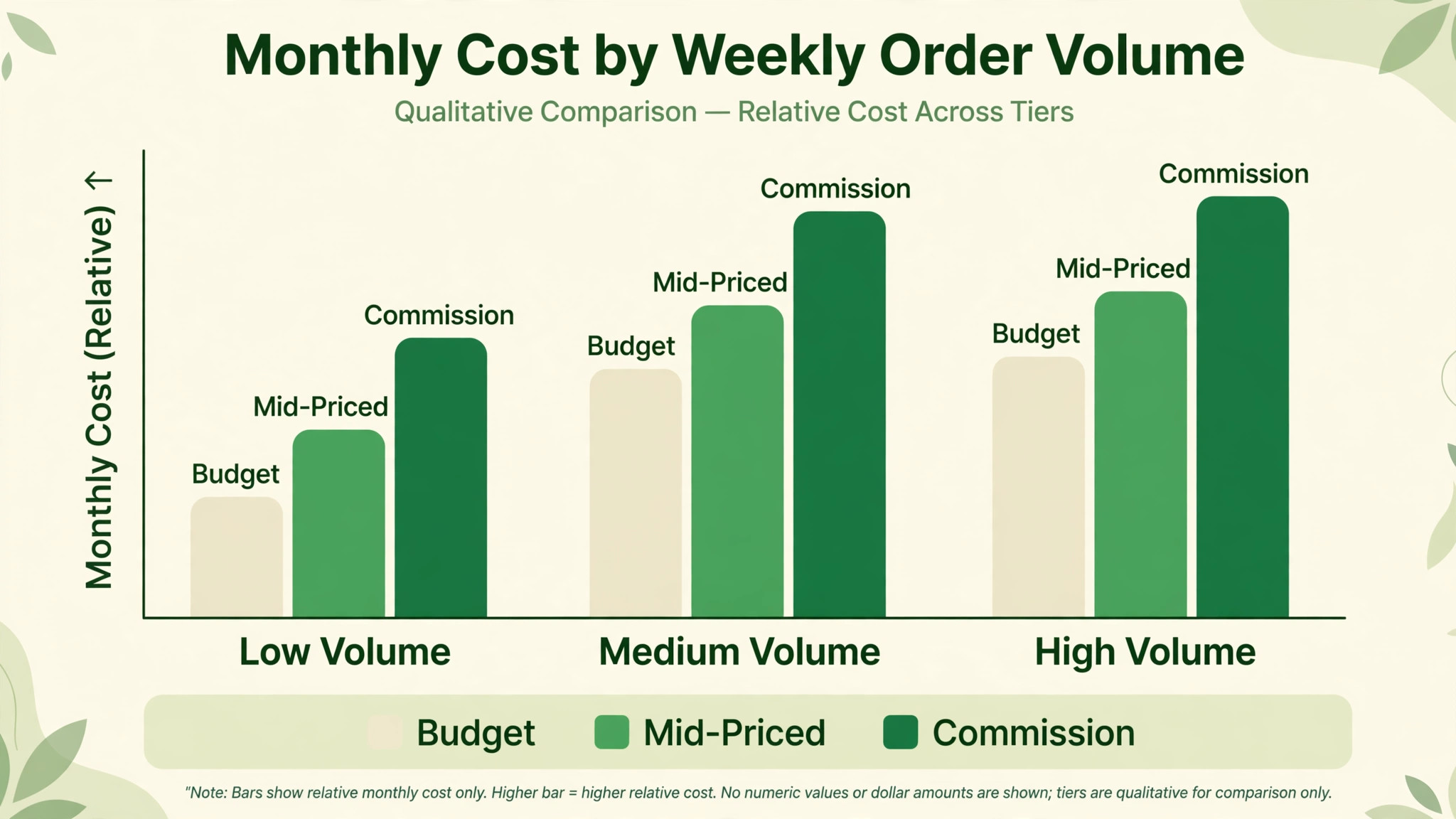
Finally, price the full ordering stack. Add subscription fees, per order fees, payment processing charges, and any delivery or marketplace commission to the monthly total. A free ordering tool with high per order fees can cost more than a mid priced subscription once weekly order volume grows. Get the monthly total for your real weekly order volume in writing before comparing tools.
Common Mistakes When Buying Meal Prep Order Software
The first mistake is buying a storefront and calling it an order system. A storefront sells products. A meal prep order system runs a weekly cycle with menus, cut-offs, subscriptions, production lists, and deliveries. Test the cycle, not only the storefront.
The second mistake is ignoring cut-off enforcement. Many order problems are cut-off problems, not menu problems. A system that accepts late orders without flagging them will disrupt cooking and delivery, while a system that enforces cut-offs clearly protects the kitchen. Cut-off handling should be a scored test in the trial.
The third mistake is forgetting subscription changes. A system without easy pause, skip, and swap handling will generate support emails every week, even if ordering itself works well. Test change handling with real subscriber scenarios, including a holiday pause and a mid week swap.
The fourth mistake is buying for the business you hope to become, not the business you run. A full multi channel platform with delivery management is valuable for a large kitchen, but it adds cost and complexity for a home-kitchen startup. Start with the tool that fits current weekly order volume, and check that it can grow when subscribers and delivery days rise.
The fifth mistake is neglecting data export. Customer records, order histories, and subscription histories are the business’s history. Before signing, confirm that those records can be exported in a usable format, and that the business is not locked into a platform by its own data.
Frequently Asked Questions
How much does meal prep order management software cost?
Costs range from low cost ordering platforms to subscription commerce platforms with per order and payment fees. The final cost depends on weekly order volume, subscription count, payment processing, and delivery or marketplace commission. A business with high weekly volume should model per order and payment costs at that volume, since those charges grow with every order. Get a written quote for your real weekly order volume, including payment and commission terms, before comparing headline prices.
What is the best order software for a subscription meal service?
For many subscription services, Shopify is a strong starting point, because it combines a branded storefront with subscription apps for repeat weekly orders. The right choice depends on whether production lists, delivery management, or subscription flexibility matter most, so test the weekly cycle on a real menu before deciding.
Can customers pause or skip a week in meal prep software?
Yes, on tools with subscription handling. Customers can usually pause, skip, or swap meals from their account, and those changes should apply to the correct week’s production list. Test pause, skip, and swap handling on a real subscriber record, including a change made close to the cut-off, before choosing.
Does meal prep software create production lists?
Some tools generate production summaries by dish and variation, while general commerce platforms may need an app or a manual export. Test production reporting on a real week’s orders, including portion sizes and dietary variations, before choosing. A tool that cannot produce a clean production list will cost kitchen time every week.
How do order cut-offs work in meal prep software?
Cut-offs set a deadline after which orders for a given delivery day close, so the kitchen can buy ingredients and plan cooking with final numbers. The system should enforce the cut-off automatically, show it clearly to customers, and handle late requests consistently. Confirm cut-off enforcement in a trial with a real menu and delivery day.
What is the difference between a meal prep platform and a general online store?
A general online store sells products at any time and ships at any time. A meal prep system runs a weekly cycle with changing menus, cut-offs, subscriptions, production lists, and set delivery days. A general store can work with apps and configuration, while a meal prep focused workflow reduces that setup work.
How long does it take to switch meal prep order software?
A home-kitchen startup can switch in one to two weeks if menus, subscriber records, and delivery days are prepared in advance. A small commercial kitchen should allow three to four weeks, including subscriber migration and parallel running on one delivery cycle. A larger subscription service should allow six to eight weeks, including data migration and production list checks.
Should a meal prep business sell through marketplaces and its own site?
Many businesses do both, using marketplaces for discovery and their own site for repeat subscribers. The order system should keep both channels in one order flow, so a marketplace order cannot disrupt the production list, and the kitchen can see the full week in one place.
A One Cycle Trial Plan
Do not choose from a feature list. Run a one cycle trial plan on your two finalists. Publish a real weekly menu, take real orders through the cut-off, handle a pause, a skip, and a swap, generate the production list, and complete deliveries or pickups. Ask kitchen staff whether the production list, delivery organisation, and customer changes actually helped them cook and deliver, or only helped the office take orders.
The tool that passes that cycle with the fewest fixes, the least food waste, and the least support email is the best order management software for meal prep businesses in your position, and the tool to keep. Price matters, but a cheap tool that creates weekly chaos will cost more in wasted food and lost subscribers than a mid priced tool that runs cleanly. Choose the system that makes the weekly cycle quieter, the kitchen better informed, and the customers more likely to order again next week.
More Reading on Stratilyze
– Best Booking Software for Music Schools – Best Booking Software for Fitness Studios – Best Website Builder for Photographers – Best CRM for Real Estate Agents – Best Booking Software for Boat Rentals