
Verdict first. A solo operator pays 19 dollars a month on annual billing for Starter, and that price is genuinely cheap for a polished live chat tool. A team of two or more pays a different price entirely, because Starter is capped at a single seat, and any team with two agents must move to Team at 49 dollars per agent a month on annual billing. That single seat rule is the whole story of the cost of LiveChat for small business monthly planning, because it turns a 19 dollar headline into a 98 dollar minimum for a two person team, and the gap only widens as agents are added.
LiveChat is a chat-first tool from Text, built for real time website chat and sales conversion, with ticketing, visitor tracking, and AI assist included in the platform. It offers a 14 day free trial with no credit card required, but it has no permanent free plan, so a business that wants chat must pay from the start. That pay from day one model is fair for a tool of this quality, but it makes the per agent maths essential, because every person who needs to answer chats adds a full seat price, and seats cannot be shared.
Prices below come from pricing guides that cite the vendor pricing page in September and October 2026. Confirm the live pricing page before you pay, because LiveChat changes plan names and per agent rates from time to time, and because some guides list the Starter tier under a newer Essential name at the same price.
How the Cost of LiveChat for Small Business Monthly Is Calculated
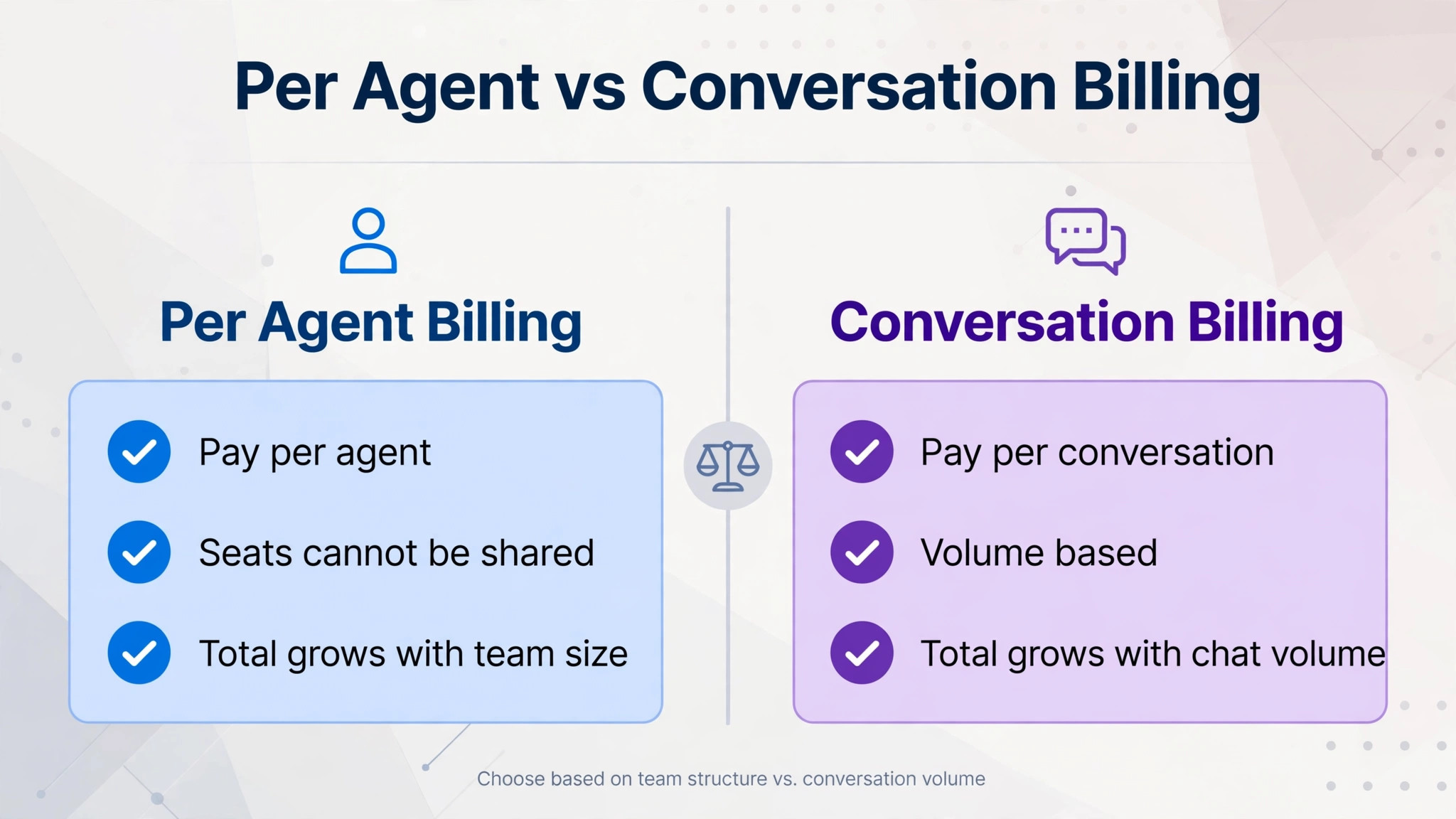
LiveChat uses per agent, per month pricing. Every plan is billed per agent, which means a five agent team pays five times the listed rate, and a ten agent team pays ten times the listed rate. The formula is simple, and that simplicity is both a strength and a warning. The monthly total is agents multiplied by the per agent rate, with no conversation allowance to size and no list count to clean. A business that knows its agent count knows its subscription total, before add-ons, which is more predictable than conversation based pricing.
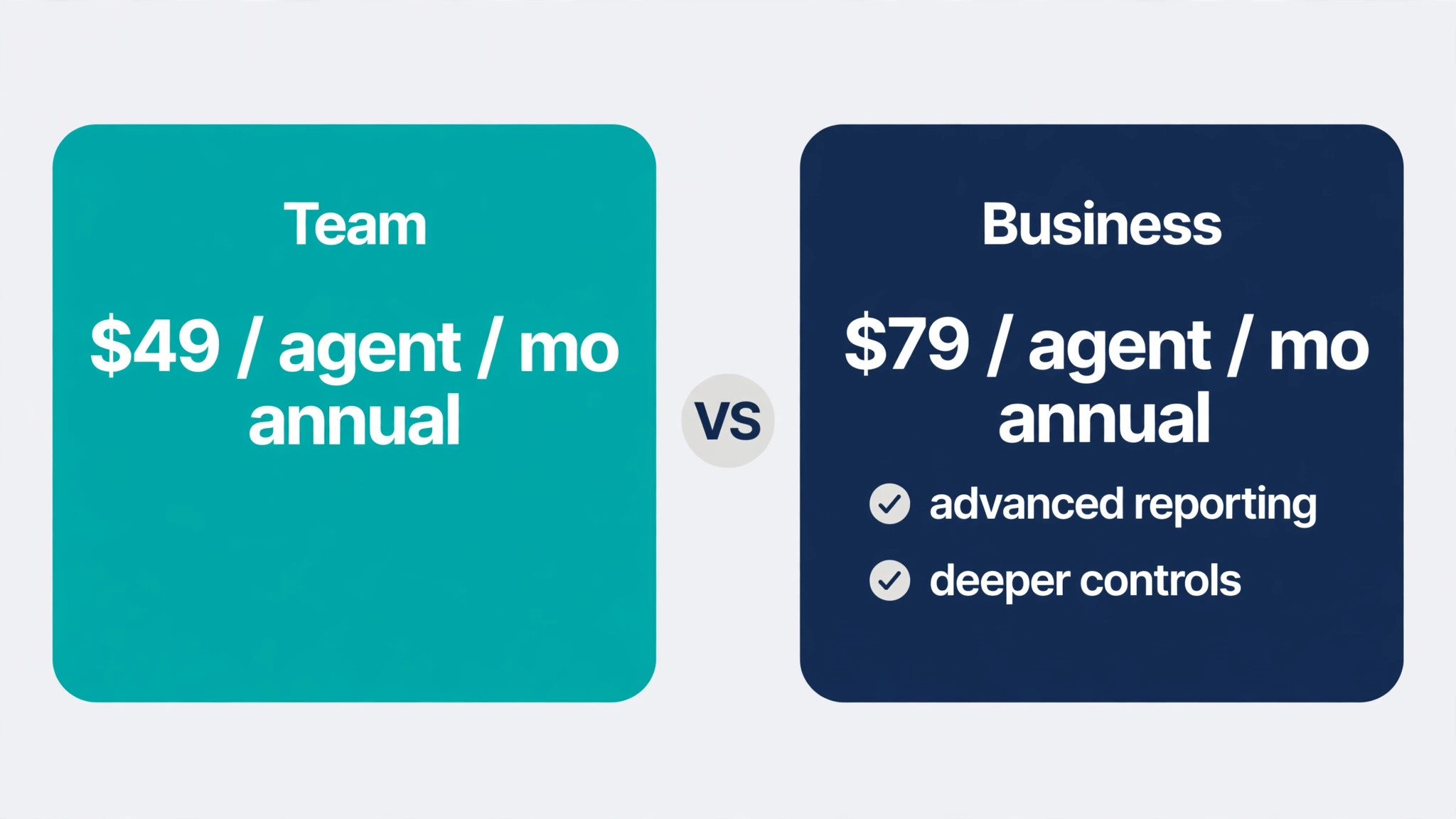
Annual billing saves about 20 percent against monthly billing on every tier, according to pricing guides checked in October 2026. Starter costs 25 dollars per agent a month on monthly billing and 19 dollars on annual billing. Team costs 59 dollars per agent a month on monthly billing and 49 dollars on annual billing. Business costs 89 dollars per agent a month on monthly billing and 79 dollars on annual billing.
Enterprise is priced by custom quote. Those four tiers are the whole published range, and the gap between monthly and annual billing is wide enough to matter. A five agent team on Team pays 295 dollars a month billed monthly, against 245 dollars a month on annual billing, a difference of 50 dollars a month, or 600 dollars a year.
The per agent model also means that part time agents cost the same as full time agents. A business with three full time agents and two part time agents who each answer a few chats a week pays for five seats, because LiveChat bills per individual agent and seats cannot be shared, according to pricing guides. That rule should shape staffing decisions. A business that gives chat access to everyone, including managers who rarely answer, will pay for seats that produce little value. The cheapest staffing model is to give chat access only to people who answer chats regularly, and to route other staff through a shared inbox or a ticket queue where that fits.
AI assist is now bundled in all tiers, according to pricing guides checked in September 2026, with reply suggestions, chat summaries, and tagging included rather than sold as a separate per agent add-on. That bundling removes a line that used to sit on top of the seat price, and a buyer comparing LiveChat with a rival that charges separately for AI assist should count that inclusion in the comparison.
The One Seat Starter Trap
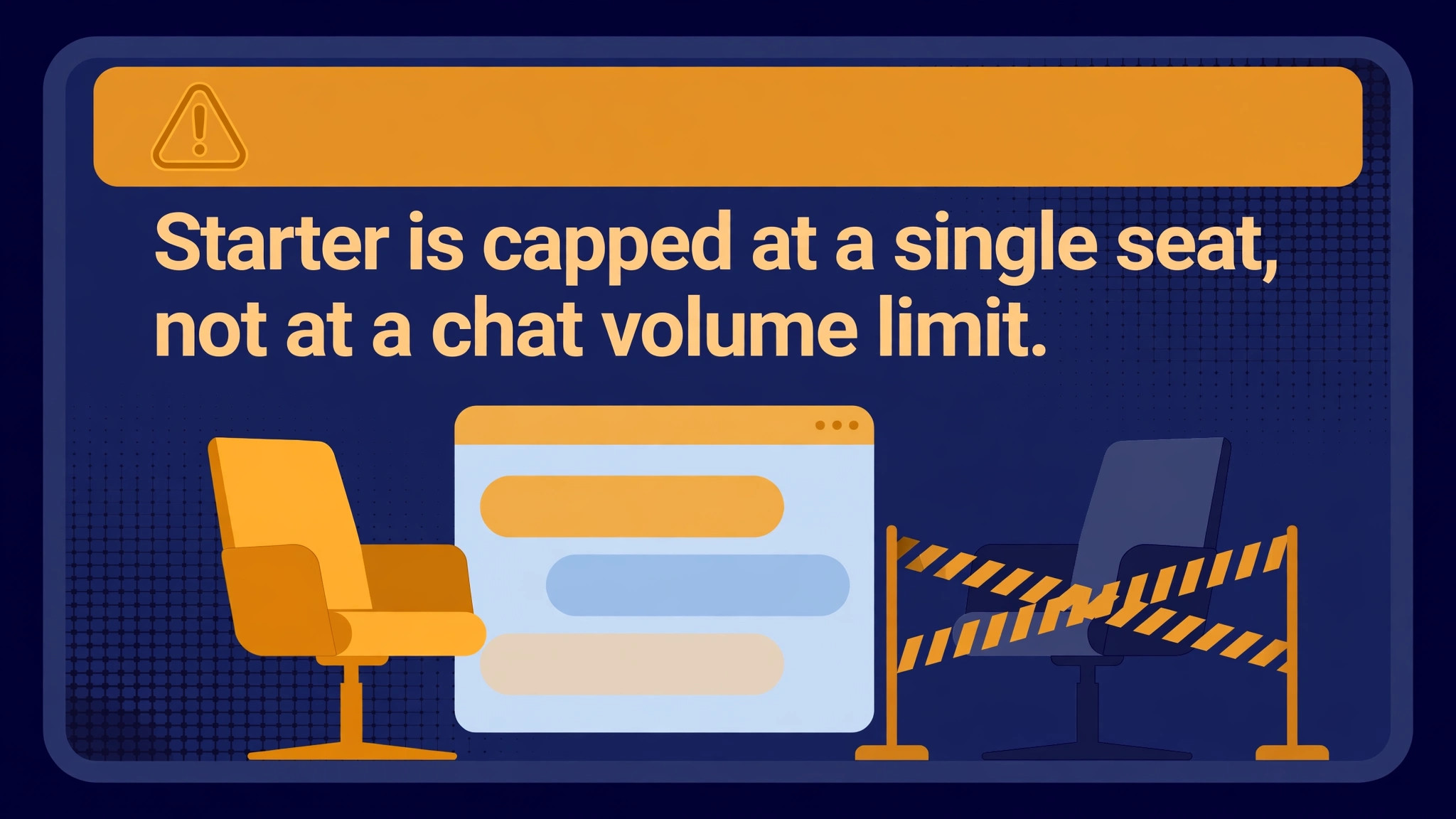
Starter is capped at a single seat, not at a chat volume limit. Any team of two or more agents cannot deploy on Starter at any price, and must move straight to Team, according to pricing guides that verified the vendor pricing page in October 2026. That cap is the most important detail in this guide, because it invalidates the most common budget error for LiveChat. A buyer who multiplies 19 dollars by five agents and budgets 95 dollars a month for a five agent team has made a double error. The team cannot use Starter at all, and the correct Team total is 245 dollars a month on annual billing, more than double the mistaken figure.
The per agent rate jump from Starter to Team is also steep. Starter at 19 dollars a month on annual billing rises to Team at 49 dollars a month, a 158 percent increase in the per agent rate, before any multiplication by agent count. That jump buys team features, reporting, and capacity for multiple agents, but a buyer should judge whether those features justify the jump, rather than assuming Team is simply Starter with more seats. A two agent business that only needs basic chat may find Team expensive for what it uses, while a two agent business that needs team routing, reporting, and ticketing will find Team good value. The test is feature need, not headcount alone.
A solo operator should therefore treat Starter as a genuine bargain, and a team should treat Starter as irrelevant. That split advice is unusual for a pricing guide, which usually recommends one tier for all small businesses, but it follows directly from the seat cap. A solo founder who chats with visitors personally will pay 19 dollars a month on annual billing and will get a polished widget, ticketing, and AI assist for that price. A two person founding team that shares chat duties will pay 98 dollars a month on annual billing for Team, and will need to earn that higher total from chat driven sales or saved support time.
The practical step for any team is to count agents before reading prices. List every person who will answer chats in a typical week, including part time cover, and use that count as the multiplier. If the count is one, price Starter. If the count is two or more, price Team or Business, and ignore Starter entirely. That single habit prevents the most expensive budgeting error for the cost of LiveChat for small business monthly planning, which is not a hidden fee, but a headline price applied to a team that cannot buy it.
Published Plans and Prices
The table below states the published per agent rates for each tier, with monthly and annual billing side by side, because the billing cycle changes every total in this guide. Enterprise carries no published rate, so a business that needs it should request a quote and should not budget from a rival tier price.
| Plan | Monthly billing per agent | Annual billing per agent | Seat limit | Best for |
|---|---|---|---|---|
| Starter | 25 dollars | 19 dollars | 1 seat only | A solo operator |
| Team | 59 dollars | 49 dollars | Multiple agents | A small team that chats daily |
| Business | 89 dollars | 79 dollars | Multiple agents | A team that needs advanced reporting |
Business at 89 dollars per agent a month on monthly billing, or 79 dollars on annual billing, is the step up for a team that needs deeper reporting and routing. The 30 dollar monthly gap per agent over Team on annual billing should only be paid when reporting and routing produce a clear return, such as better staffing decisions or higher conversion from routed chats. A team that buys Business for reporting it never opens will pay extra every month for dashboards nobody reads, so test reporting on the trial before choosing Business over Team.
Team is marked as the most popular tier in pricing guides, which fits its position as the first tier a real team can buy. Business adds advanced reporting and deeper controls, according to pricing guides, and it suits a team where chat performance, agent reporting, and routing rules drive staffing decisions. Enterprise adds custom terms for larger organisations, with a sales conversation rather than a self-serve price. A small business does not need Enterprise until chat volume, seat count, or compliance needs pass the Business tier, and should not stretch to it on the assumption that a higher tier automatically means better chat.
The 14 day free trial applies to paid plans, with no credit card required, according to pricing guides. Use the trial to test the widget, the agent app, and reporting on real visitors, and forecast annual cost from the agent count list described above, not from a quiet trial week.
Real Monthly Cost by Team Size
Per agent pricing makes the team size table exact, with no volume assumption needed beyond the tier choice. The table below shows the correct tier for each team size, with monthly and annual totals calculated as agents multiplied by the per agent rate. Starter appears only in the explanation, not in any multi agent row, because a multi agent team cannot buy it at any price.
| Team size | Correct tier | Monthly billing total | Annual billing total per month | Add-ons and hidden fees to add |
|---|---|---|---|---|
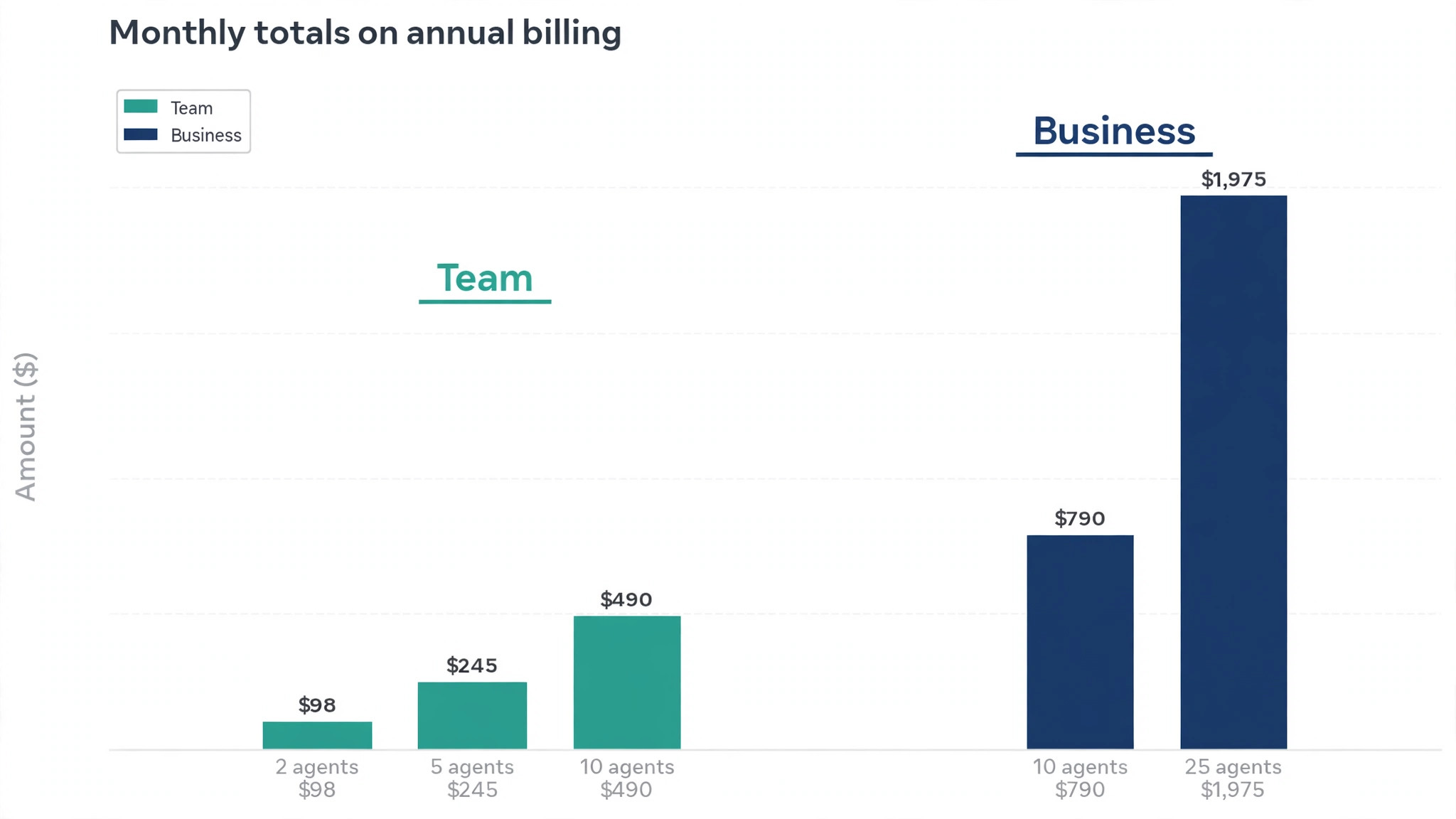
| 2 seats | Team | 118 dollars | 98 dollars | ChatBot subscription sold separately, AI agent add-on sold separately |
| 5 seats | Team | 295 dollars | 245 dollars | ChatBot subscription sold separately, AI agent add-on sold separately |
| 10 seats | Team | 590 dollars | 490 dollars | ChatBot subscription sold separately, Business alternative at 890 dollars monthly or 790 dollars annual |
| 25 seats | Business | 2,225 dollars | 1,975 dollars | ChatBot subscription sold separately, Enterprise quote if custom terms needed |
The ten seat row shows Team as the fitting tier, with Business as an alternative for a team that needs advanced reporting. A ten agent team on Business pays 890 dollars a month on monthly billing, or 790 dollars on annual billing, against 590 dollars and 490 dollars on Team. That 300 dollar monthly gap on annual billing should only be paid when reporting and routing features produce a clear return, such as better staffing decisions or higher conversion from routed chats. A team that buys Business for reporting it never opens will pay 3,600 dollars a year extra for dashboards nobody reads.
Annual totals on annual billing are 1,176 dollars for the two seat model, 2,940 dollars for the five seat model, 5,880 dollars for the ten seat Team model, and 23,700 dollars for the 25 seat Business model. Those totals exclude taxes, ChatBot, and any separate AI agent add-on, and they assume the agent count stays stable all year. A business that hires agents mid year will pay the higher seat total from the month each agent is added, so the annual total is a floor for a growing team, not a fixed price. Budget seat growth in the same way as headcount growth, because the two move together on a per agent tool.
The 25 seat row uses Business rather than Team deliberately, because a 25 agent operation is large enough to need the reporting, routing, and management controls that Business provides. A 25 agent team could stay on Team at 1,225 dollars a month on annual billing, against 1,975 dollars on Business, a saving of 750 dollars a month, but only if it truly does not need Business reporting. Price both tiers and test reporting on the trial, and choose on evidence, not on the lower figure alone. That comparison is central to any honest estimate of the cost of LiveChat for small business monthly spending at scale.
A Small Business Worked Out in Seats and Dollars
A solo consultant shows the low end at its best. On Starter at 19 dollars a month on annual billing, or 25 dollars billed monthly, the consultant gets live chat, ticketing, visitor tracking, and AI assist for less than the cost of a single missed enquiry. The consultant should stay on Starter as long as only one person answers chats, and should resist adding a second seat for occasional cover, because that second seat forces a move to Team and raises the monthly total on annual billing from 19 dollars to 98 dollars for two agents. For a solo operator, the cost of LiveChat for small business monthly use is the clearest value in this guide.
A five agent service business shows the middle case that most small teams will recognise. On Team at 245 dollars a month on annual billing, or 295 dollars billed monthly, the business pays for five seats that answer chats daily, with ticketing and reporting to manage the queue. That total is substantial, but it replaces phone time and email back and forth for many enquiries, and it produces a chat record that managers can review.
The business should judge the 245 dollars against the cost of the agent time it saves, not against the Starter headline, because Starter is not available to it. A team that compares its real Team total with a Starter price it cannot buy will always feel overcharged, even when the tool earns its fee.
A ten agent store on Team at 490 dollars a month on annual billing shows where seat discipline becomes essential. If two of those ten agents answer only a handful of chats a week, removing their seats and routing their occasional chats to full time agents saves 98 dollars a month on annual billing, or 1,176 dollars a year, without losing chat coverage. Review seat use quarterly, and keep the seat count tied to real work, because on a per agent tool, an honest seat count is a controlled bill.
A 25 agent business on Business at 1,975 dollars a month on annual billing shows the top of this guide, and the point where chat becomes a managed operation rather than a widget. At that scale, reporting, routing, and quality review matter as much as the chat window itself, because 25 agents without routing will double handle chats and produce uneven answers. The Business price should therefore be judged against the cost of a support manager or lost sales from poor routing, not against a smaller team chat bill.
Add-Ons That Sit Outside the Seat Price
ChatBot is the largest add-on, and it is sold as a separate subscription from Text, not as part of the LiveChat seat price, according to pricing guides checked in October 2026. Pricing guides differ on the starting figure for ChatBot, with some listing it from 52 dollars a month and others from 65 dollars a month, so this guide states only that it is sold separately and that the buyer should confirm the current starting price on the vendor pricing page.
A business that wants automated chat answers outside agent hours must budget ChatBot as a separate line, and must not assume that AI assist bundled in LiveChat tiers covers a full chatbot. AI assist helps agents answer faster, while ChatBot answers without an agent, and those are different jobs with different prices.
A separate AI agent product, listed as One AI in pricing guides, is also a separate paid add-on, with pricing by quote through Text. That product sits above AI assist, and it should not be confused with the bundled Copilot style assist that now comes with every tier. A business that needs a full AI agent that resolves conversations without human help should request a quote for the AI agent product, and should compare that quote with the cost of agent seats it replaces, rather than assuming the bundled assist already does that job. The bundled assist makes agents faster. A full AI agent replaces agent touches, and it is priced accordingly.
Text, the parent company, also sells an all-in-one Text plan that covers live chat, ticketing, an AI agent, and a knowledge base, with Essential from 19 dollars a user a month and Growth from 79 dollars a user a month, according to pricing guides checked in September 2026. A business that already pays for those tools separately should compare the bundle total against their sum, not against LiveChat alone. A business that only needs chat should ignore the bundle.
Taxes are the final small print item. Pricing guides list prices before taxes, so confirm the tax treatment in your region and add it to every total in this guide before comparing LiveChat with a rival that quotes tax inclusive prices. A tax exclusive quote can look cheaper than a tax inclusive quote for the same service, and the comparison only becomes fair when both totals include tax.
When LiveChat Is Worth It and When It Is Not
LiveChat is worth the price when real time chat drives sales or saves support time, and when the agent count is stable enough to budget. A store where visitors ask pre purchase questions, a service business where booking questions arrive by chat, and a software business where trial users need quick answers will all earn the seat price from chat driven conversions and faster resolution.
The chat record, the visitor tracking, and the AI assist together make agents faster and managers better informed, and those gains compound as the team grows. For that pattern, the cost of LiveChat for small business monthly budgets is easy to justify, because the return appears in sales and saved phone time, not just in a tidy widget.
LiveChat is also worth the price when chat quality matters more than chat volume. A business that sells high value services, where one chat can lead to a large order, should pay for a polished widget, reliable routing, and reporting that shows which chats convert. A cheap chat tool that drops messages, loses history, or frustrates visitors will cost more in lost sales than LiveChat saves in subscription, even though the subscription looks higher. Quality is a revenue question for high value sales, not a cosmetic preference, and LiveChat earns its price on that basis for the right business.
LiveChat is not worth the price when chat volume is tiny and email already handles enquiries well. A business that receives a handful of chats a week, where most visitors prefer email or phone, will pay a monthly seat price for a widget that sits idle. That business should either use a free chat tool for a trial period, or should delay LiveChat until website traffic and chat demand justify a paid seat. Paying 19 dollars a month for a solo operator is modest, but paying 98 dollars a month for a two person team whose visitors rarely chat is wasteful, and the money is better spent on traffic or on email support.
LiveChat is also a weak fit when the team needs many occasional seats. A business with 25 staff who each answer a few chats a month will pay for 25 seats, because seats cannot be shared, even though total chat volume is modest. That business should either restrict chat access to a small dedicated team and route other enquiries through tickets, or choose a conversation based tool that charges by volume rather than by seats. The per agent model punishes broad access, and a buyer should not pay for it out of a desire to give everyone chat access. Restrict access, route wisely, and the per agent total falls without losing coverage.
A third weak fit is a business that needs a full AI agent at small scale without paying for a separate product. Bundled AI assist helps agents, but it does not replace them, and a full AI agent is a separate quoted product. A business that wants AI to answer most chats without humans should price that product first, and should not assume the LiveChat seat price already includes it, because that assumption leaves the cost of LiveChat for small business monthly automation unstated until the quote arrives after the decision is made.
How to Cut the Bill Without Losing Chat Coverage
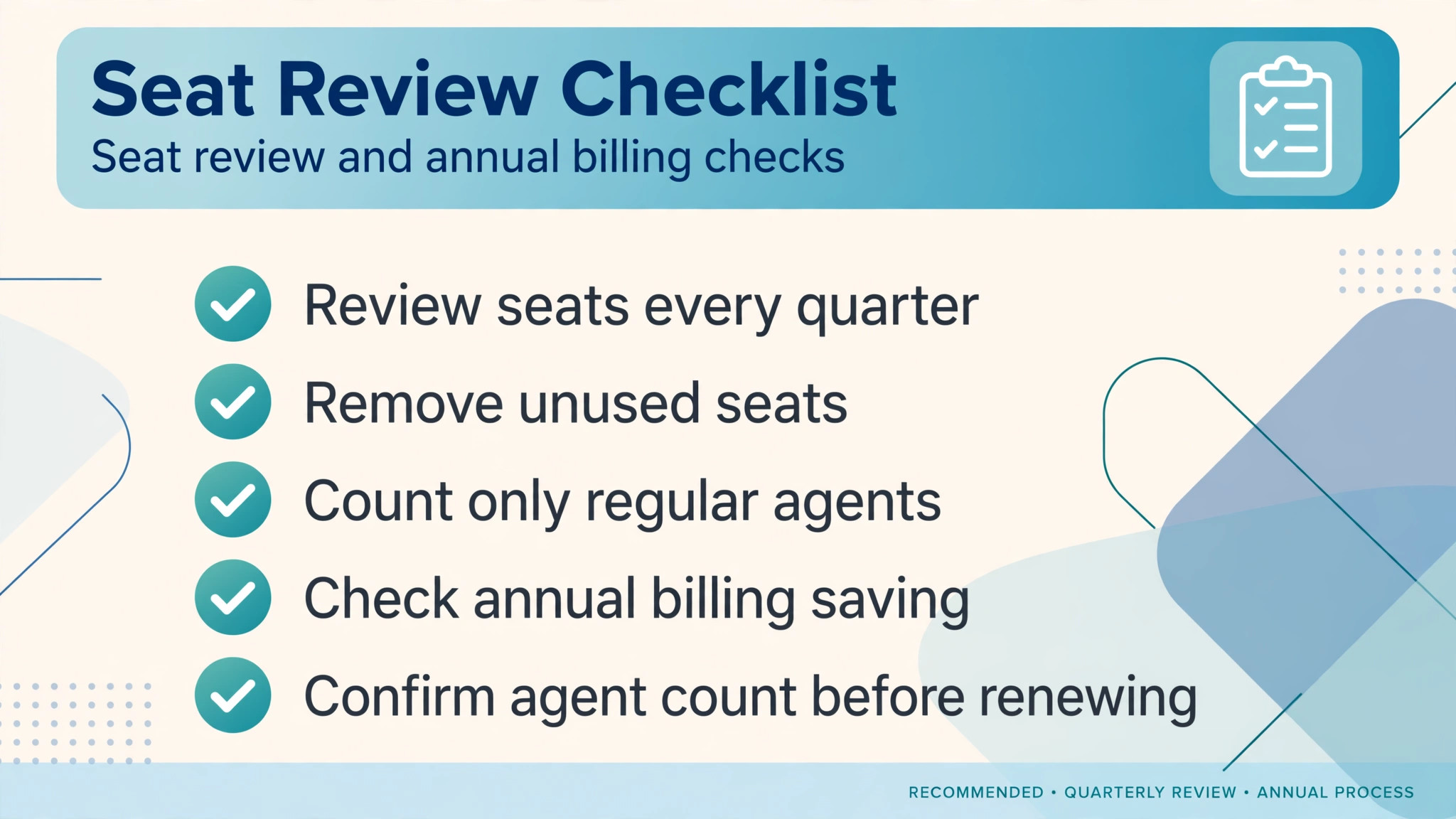
Restrict seats to people who answer chats regularly, because seat count is the bill on a per agent tool. Review seat use quarterly, remove seats for staff who answered few chats in the quarter, and route their occasional enquiries to full time agents or to a ticket queue.
Choose annual billing once the agent count is stable, because annual billing saves about 20 percent on every tier. A five agent team on Team saves 50 dollars a month on annual billing, or 600 dollars a year, which is a full month of Team pricing saved. The saving is only worth taking once hiring has settled, because adding agents mid year changes the total anyway, and because annual billing pays for seats in advance. A business that is still hiring should stay on monthly billing until the team size stabilises, then switch to annual billing on the stable count. That timing preserves the saving without locking in a count that will soon change.
Test ChatBot separately before adding it, because ChatBot is a separate subscription and it should earn its own line. Run a trial of automated answers on the most common questions, measure how many conversations ChatBot resolves without an agent, and compare that saving with the ChatBot subscription price. If ChatBot resolves few conversations, or if visitors prefer a human for the questions it answers, drop it and keep agent chat alone. That test is the most honest control on the cost of LiveChat for small business monthly spending beyond seats, because ChatBot is the add-on most likely to be bought on hope rather than on resolution data.
Finally, compare the Text bundle honestly before adding separate tools. If the business already pays for ticketing, a knowledge base, and an AI tool separately, the Text bundle may cost less than the sum of those tools, even though it costs more than LiveChat alone. If the business only needs chat, the bundle adds cost without adding return, and LiveChat alone is the right buy. Write the current separate tool totals beside the bundle price, and choose the lower total for the features actually used, not the bundle that sounds most complete. That comparison prevents both overbuying and underbuying, and it keeps the chat budget tied to real needs.
Frequently Asked Questions
How much does LiveChat cost per month for a small business?
A solo operator on Starter pays 25 dollars a month on monthly billing, or 19 dollars on annual billing. A team on Team pays 59 dollars per agent a month on monthly billing, or 49 dollars on annual billing, so a five agent team pays 295 dollars a month billed monthly, or 245 dollars on annual billing. Business costs 89 dollars per agent a month on monthly billing, or 79 dollars on annual billing, so a five agent team on Business pays 445 dollars a month billed monthly, or 395 dollars on annual billing. Enterprise is priced by quote.
Can a two person team use LiveChat Starter?
No, Starter is capped at a single seat, so any team of two or more agents must move to Team. A two person team on Team pays 118 dollars a month on monthly billing, or 98 dollars on annual billing. Budgeting a two person team at the Starter rate understates the cost of LiveChat for small business monthly totals by a wide margin, and it is the most common LiveChat budgeting error.
Does LiveChat charge per agent or per conversation?
LiveChat charges per agent, per month, with no conversation allowance to size. The monthly total is agents multiplied by the per agent rate for the chosen tier, plus any separate add-ons. Seats cannot be shared, so part time agents cost the same as full time agents, and the seat count should be restricted to people who answer chats regularly.
Is AI assist included in the LiveChat price?
Yes, AI assist with reply suggestions, chat summaries, and tagging is now bundled in all tiers, according to pricing guides checked in September 2026. That bundled assist helps agents answer faster, but it is not a full AI agent. A full AI agent product and a ChatBot subscription are sold separately, with ChatBot as a separate subscription and the AI agent product priced by quote.
Does LiveChat have a free plan?
No, LiveChat has no permanent free plan. It offers a 14 day free trial with no credit card required. A business that needs a free tier for a tiny site should choose a rival with a free plan, and should revisit LiveChat once chat volume and revenue justify a paid seat.
When should a small team move from Team to Business?
Move to Business when advanced reporting, routing, and management controls produce a clear return, such as better staffing decisions, higher conversion from routed chats, or quality review across a larger team. At five agents, Business costs 150 dollars a month more than Team on annual billing, so the upgrade needs evidence, not just a preference for a higher tier. Test reporting on the trial before paying for it.
Can a small business pay annually for LiveChat?
Yes, annual billing saves about 20 percent against monthly billing on every tier. Starter works out at 19 dollars a month on annual billing, Team at 49 dollars per agent a month, and Business at 79 dollars per agent a month. Pay monthly first until the agent count is stable, then switch to annual billing on the stable count to lock in the saving.
Verdict
Count agents first, then choose a tier, and never budget a team at the Starter price. That rule alone keeps the LiveChat bill honest, because the seat cap decides the tier before any feature comparison begins. A solo operator gets a bargain on Starter, a small team gets strong value on Team if chat drives sales or saves support time, and a larger team should test Business reporting before paying for it.
Restrict seats to regular answerers, switch to annual billing once hiring settles, test ChatBot on resolution data before adding it, and confirm the live pricing page before you commit. Priced that way, LiveChat is a predictable, per agent investment that a small business can budget with confidence, and the only surprise left is how many sales a well run chat widget can produce.
More Reading on Stratilyze
– Switch Freshdesk to Zendesk for a Support Team – Switch Calendly to YouCanBookMe for Small Business – Best CRM for Independent Car Dealers – Cost of Zapier for Small Business Monthly – Best Booking Software for Nail Salons