
Freshdesk feels friendly and fast. Zendesk feels deep and, at times, demanding. That contrast is the whole decision in miniature, and it is why a plan to switch Freshdesk to Zendesk support team work should start with a comparison of daily life, not a feature table. On Freshdesk, a small support team can set up queues, canned replies and a knowledge base in an afternoon and start answering tickets the same day. On Zendesk, the same team gets stronger routing, branching automation, reporting and multi-brand options, but it also gets a larger admin surface, more settings to get wrong, and a bill that can grow quickly if agent seats and add-ons are not watched.
Teams usually switch for one of three reasons. They have outgrown Freshdesk routing, and tickets now need conditions that Freshdesk handles awkwardly. They need reporting that a manager or a client can trust without exporting and rebuilding in a spreadsheet. Or they are joining a larger organisation that already runs Zendesk, and running two help desks costs more in duplicated work than the switch costs in effort. If none of those applies, and the team is mainly unhappy about a few Freshdesk quirks, fixing those quirks is cheaper than migrating. A switch is a project, not a settings change, and it should earn its effort.
This guide is built for a support team, not an enterprise migration department. It explains what native tools can and cannot do, where a third party migration service helps, and what you must rebuild by hand. It includes a full migration checklist and a first-week cutover plan. Plan names and prices change often, so verify the current Zendesk and Freshdesk plans before you commit. The migration logic below does not depend on a single tier, but agent seat limits, Guide availability and automation depth do vary by plan, and those differences should shape your pilot.
The Honest Comparison Before You Commit
Start with ticket handling. Freshdesk organises work around tickets, agents, groups and canned responses, with scenario automations for common one-click actions. Zendesk organises work around tickets, triggers, macros, views and, in Suite plans, omnichannel routing. The practical difference is branching. Zendesk triggers and automations can chain conditions more flexibly, which helps when a ticket’s priority, channel, language or customer tier changes its path. Freshdesk can handle many of those cases, but complex chains tend to need workarounds, and workarounds become fragile as volume grows.
Reporting is the second real difference. Freshdesk reports cover the basics well, and small teams often find them enough. Zendesk reporting, especially with Explore, lets a team slice by more fields, build more custom views, and answer questions such as which ticket type drives repeat contacts, or which macro actually shortens handle time. That depth only pays off if someone will use it weekly. A team that never opens reports will not gain from deeper reporting, and will simply pay for a larger tool. Ask who will own reporting after the switch, and what decision that person will make from it each week.
Knowledge base handling is a third difference, and it matters during migration. Freshdesk and Zendesk both offer a customer knowledge base, but their structures differ. Zendesk Guide organises articles into categories and sections, and migration guidance notes that articles cannot be stored in categories alone in the same way, with folders and brands needing care during mapping. Internal links inside articles are another trap. Links that pointed to Freshdesk article URLs will not magically point to Zendesk URLs. Plan a link review, or accept that some older articles will carry broken internal links until they are fixed.
Cost deserves a plain paragraph. Published plan comparisons have listed Freshdesk paid plans from around 15 dollars per agent per month billed annually, with Zendesk Support Team around 19 dollars and Suite Team around 55 dollars per agent per month billed annually, though those figures move and add-ons change the total. Do not compare the cheapest tier of one tool with a Suite tier of the other. Model your real agent count, including part-time agents, plus Guide, AI add-ons and any reporting extras you actually need. A switch that looks cheap on a headline price can become expensive once every agent needs a feature that was included in the old plan.
What Migrates, What Does Not, and Why Native Tools Fall Short
Native import tools in this pair are asymmetric, and that asymmetry surprises teams. Freshdesk’s built-in importer is limited, largely to contacts and companies, so it does not move tickets or knowledge base content on its own. Zendesk’s importer handles the reverse direction, from Zendesk to Freshdesk, for users, agents, tickets, knowledge base articles and some forum data, but it does not run in the Freshdesk to Zendesk direction. That means a Freshdesk to Zendesk move normally needs a third party migration service, a custom API script, or a careful CSV and manual rebuild for smaller teams. Do not plan around a native button that does not exist for your direction.
Third party services such as Help Desk Migration can move tickets, contacts, agents, knowledge base articles, custom fields, attachments and, for Freshdesk as a source, macros in some configurations. Their Zendesk checklist stresses preparing the destination first, creating matching custom fields, setting fields as unrequired during import, choosing a default agent for unassigned tickets, and activating Guide before articles move. It also warns about agent seat limits. If your Zendesk plan has fewer agent seats than Freshdesk, some agents cannot be created, and their tickets need reassignment. That is a staffing decision, not a technical detail, and it should be made before import day.
Even with a good migration service, some things do not port cleanly. Triggers, automations and reporting definitions are platform specific and must be rebuilt as Zendesk triggers, macros and views. SLA policies need rebuilding and retesting, because timer logic and business hours differ. Article formatting, inline images and translations need checking article by article, and large attachments can hit size limits in some importers. Ticket history usually moves as comments and status changes, but the exact audit trail will look different in Zendesk, and agents should be told that history may read differently, even when the content is intact.
A small team with modest ticket volume has a simpler option. Export tickets and contacts, import what the destination accepts, rebuild macros and articles for the live set only, and keep Freshdesk as a frozen archive. That option loses some searchable history, but it avoids a migration fee and weeks perfecting an import nobody will read in full. A larger team, or a team in a regulated setting where ticket history must stay searchable, should pay for a proper migration service and run a demo migration first. The demo, often around 20 tickets in third party tools, is not a sales gimmick. It is how you catch mapping errors before they affect thousands of records.
| Item | Native route | Third party migration service | Rebuild by hand |
|---|---|---|---|
| Contacts and companies | Yes, limited | Yes | Check duplicates after import |
| Tickets and comments | No, for this direction | Yes, with mapping checks | Small teams may import live tickets only |
| Agents and groups | Invite fresh | Yes, subject to seat limits | Confirm roles and groups |
| Macros and canned replies | No | Sometimes, verify for Freshdesk source | Rebuild and test each macro |
| Knowledge base articles | No | Yes, with Guide active | Fix internal links and images |
| Custom fields and tags | Create fresh | Yes, if types match | Set fields unrequired during import |
| Automations, triggers, SLAs | No | No | Rebuild and test in Zendesk |
| Reports and dashboards | No | No | Rebuild in Zendesk Explore or views |
Scope the Move Like a Support Project, Not an IT Project
Support migrations fail when a team tries to switch Freshdesk to Zendesk support team work as a data project. The customer experience is the project. Start by listing every Freshdesk asset that a customer or agent touches. That includes ticket fields, groups, canned responses, macros, knowledge base categories, contact forms, email addresses, chat widgets and any integration that creates tickets. For each asset, decide to move it, rebuild it, or drop it. Dropping is a valid decision for a macro nobody used in six months, or a knowledge base article with ten views a year and outdated screenshots. Moving everything preserves clutter and teaches the team that Zendesk is just Freshdesk with a new logo.
Next, audit ticket quality before you move it. Search for tickets with missing requesters, tickets assigned to former agents, tickets in a status nobody can define, and duplicate contacts. Fix those in Freshdesk first, or map them deliberately during import. A migration will not fix bad data. It will copy it, and in a new system the bad data will look like a new system’s fault. A day spent cleaning saves a week of agents asking why their queues look wrong.
Choose a cutover model that fits your volume. A big bang cutover, where all new tickets go to Zendesk from a set morning, is cleanest for small teams, because there is one queue to watch. A phased cutover, where one channel or one team moves first, reduces risk for larger teams, but it creates a period with two queues, two knowledge bases and two reporting sources. If you phase, name the phase owner for each channel and the date each phase ends. An open-ended phase is just two tools forever.
Finally, decide what customers will see and when. Will the support email address stay the same, with forwarding changed behind the scenes. Will the help centre URL change, and will old links redirect. Will customers get a message about the move, or will the change be invisible to them. Invisible is usually best for a small team, unless the help centre address changes, in which case a short notice and redirects matter more than any internal celebration. Customers judge a switch by whether their next reply arrives on time, not by which logo is on the ticket page.
Build Zendesk Before You Import Tickets
Create the Zendesk destination for a switch Freshdesk to Zendesk support team work with the same care you would give a new office. Set up groups that match how work is actually routed, not how Freshdesk groups happened to evolve. Create ticket fields that match the cleaned Freshdesk fields, and set them as unrequired during import so empty values do not block records. Create macros for the live canned responses, and test each one on a sample ticket. A macro that inserts the wrong signature, the wrong link, or a placeholder that was never replaced will be used hundreds of times before anyone notices.
Set up views for each agent’s daily work, plus views for unassigned tickets, overdue tickets and tickets waiting on customers. Views are how agents will live in Zendesk, so test them with real imported data, not empty test tickets. If a view shows the wrong tickets, fix the conditions now, because agents will build workarounds on day one and keep them for months. Set up triggers in small batches, starting with assignment, notification and escalation logic, and test each trigger with a sample ticket before enabling the next batch.
Activate Guide and build its structure before articles import. Decide categories, sections and brands, and map Freshdesk categories to that structure in writing. If your team supports more than one brand or product line, decide brand mapping early, because migration guidance notes brand handling needs an explicit URL or setting during connection. After import, open a sample of articles from each category and check formatting, images, internal links and search visibility. Knowledge base quality is customer facing, so it deserves more checking time than internal ticket fields.
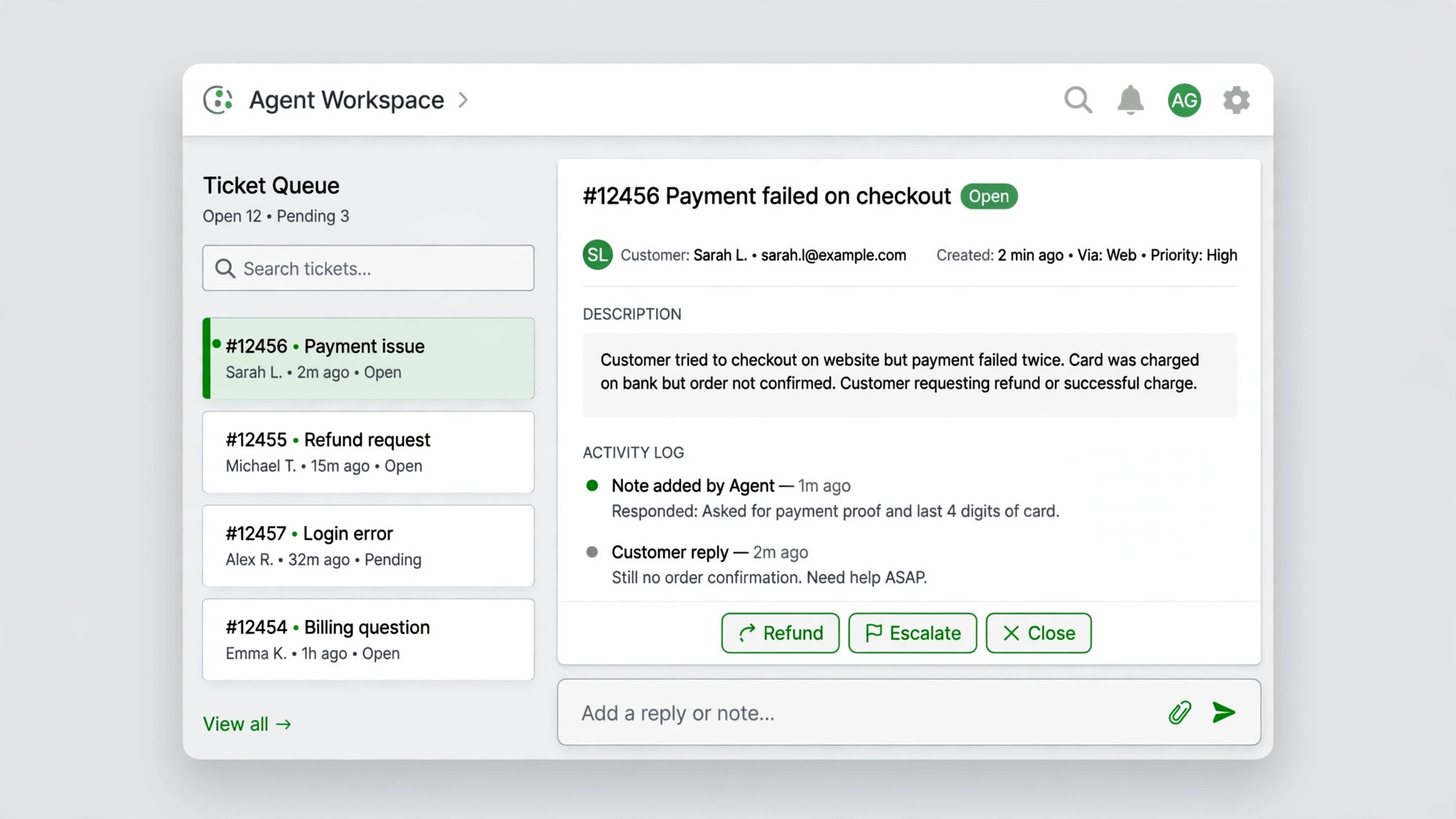
Invite agents early, and confirm seat count against your plan. Assign groups and roles, and test an agent account that is not an admin, because admins see everything and will miss permission problems. Test a customer view as well, by submitting a test ticket through the real channel and following it through assignment, reply and closure. That end to end test catches email forwarding errors, notification gaps and macro mistakes that a settings review will miss.
The Full Migration Checklist
Tick an item only when you can show the result. A checklist ticked from memory is how a broken email forward or a missing macro survives until a customer complains.

Audit and scope
– List every Freshdesk ticket field, group, macro, canned response, article category and integration. – Decide for each asset whether to move, rebuild or drop it, with an owner for the decision. – Clean tickets, contacts and agents in Freshdesk, including former staff and duplicates. – Confirm Zendesk plan, agent seat count, Guide activation and any AI or reporting add-ons. – Record the customer-facing changes, including email addresses, help centre URLs and redirects.

People and access
– Create Zendesk agent accounts, groups and roles, matching real routing, not old habits. – Choose a default agent for unassigned or orphaned tickets during import. – Test a non-admin agent account and a customer submission end to end. – Remove or reassign tickets owned by former agents before import. – Write down who can edit macros, triggers, fields and Guide articles after launch.
Tickets, fields and macros
– Create matching Zendesk ticket fields, set as unrequired during import, and map types in writing. – Rebuild live macros one by one, and test each on a sample ticket. – Run a demo migration of a small ticket set, and review tickets with their agents. – Check comments, attachments, tags, requesters and status mapping in the demo. – Plan a delta migration for tickets created or updated after the first full import.
Knowledge base and channels
– Build Guide categories, sections and brand structure before articles import. – Map Freshdesk article categories to Guide structure, and plan internal link fixes. – Check imported articles for formatting, images, translations and search visibility. – Reconnect email, chat and form channels, and test each channel with a real submission. – Set up redirects or notices if the help centre URL changes for customers.
Cut over and close
– Freeze major Freshdesk changes before cutover, and run the final delta import. – Switch email forwarding and channel routing on cutover morning, and confirm with test tickets. – Announce the switch internally, with the queue, views and escalation path for problems. – Keep Freshdesk read-only for 30 days, then archive it after confirming no live work remains. – Review ticket quality, macro use and Guide searches after week one, and fix the top issues.
How to Switch Freshdesk to Zendesk Support Team Queues in Week One
A first-week plan for support work must protect response times first and perfection second. Customers do not care that your field mapping is elegant if their tickets sit unassigned. The plan below keeps one queue visible at all times, gives agents a named person to ask, and fixes the most customer-facing problems before internal reporting polish. That order is deliberate. A support team can survive a messy report for a week. It cannot survive a messy queue for a day.
The safest way to switch Freshdesk to Zendesk support team queues is to freeze major Freshdesk changes, run the final import, switch channels, and then watch the queue like a hawk for the first hours. Do not switch channels on a Friday afternoon, do not switch during a product launch, and do not switch when half the team is on leave. Pick a quiet Tuesday or Wednesday morning, when the full team is present and ticket volume is normal. A calm cutover day is not luck. It is scheduling.
| Day | Main job | Owner | Done when |
|---|---|---|---|
| Setup Monday | Audit assets, clean tickets, confirm plan and seats | Support lead | Asset list signed off |
| Setup Tuesday | Build Zendesk groups, fields, views and macros | Admin | Test agent finds daily work easily |
| Setup Wednesday | Build Guide structure, test channels end to end | Admin plus one agent | Test ticket flows through every channel |
| Setup Thursday | Demo migration, review with agents, fix mapping | Support lead | Demo tickets match source records |
| Setup Friday | Full import, delta check, freeze Freshdesk changes | Admin | Counts match, owners confirm queues |
| Cutover morning | Switch email and channel routing, test tickets | Admin | Test tickets arrive and assign correctly |
| Cutover afternoon | Watch queue, fix views, macros and assignments | Whole team | No ticket sits unassigned for an hour |
| Days two to three | Fix Guide links, triggers and reporting gaps | Admin | Top ten customer issues resolved |
| Days four to five | Review response times, macro use and backlog | Support lead | Backlog trend is stable or falling |
| Day seven | Retrospective, archive plan, improve top three gaps | Whole team | Improvements owned and dated |
On cutover morning, the support lead should own the queue, not the migration settings. Their job is to watch unassigned tickets, overdue tickets and tickets waiting on customers, and to reassign anything that looks stuck. The admin owns settings and fixes, so the lead is not pulled into configuration while customers wait. That split of roles matters in a small team, where one person often tries to do both jobs and does neither well for the first hours.
By day three, the team should review real ticket data, not feelings about the new tool. Check first response time, handle time for the most common ticket types, macro use, and Guide article searches that returned no result. Those four measures tell you whether the switch helped customers or merely changed the interface. If first response time rose, find whether the cause is routing, views, staffing or notification gaps, and fix that cause. Do not accept a vague conclusion that Zendesk is slower, because that conclusion leads nowhere useful.

Pitfalls That Hurt Customers First
The most common pitfall is email forwarding. If the support address still points to Freshdesk, or forwards to both systems, tickets split across two queues and customers get duplicate replies or none at all. Test forwarding with real external emails, not internal test messages, and check that replies from Zendesk come from the right address with the right signature. A second pitfall is notification overload. Zendesk triggers can notify agents and customers far more often than Freshdesk did, and a team that is flooded with notifications will start ignoring them. Turn on essential notifications first, then add more only where agents ask for them.
A third pitfall is macro drift. Agents often copy old Freshdesk canned responses into Zendesk without updating links, product names or policy wording. A macro with an old help centre link sends customers to a dead page at the exact moment they need help. Review every macro after import, and retire any macro that refers to a retired product or policy. A fourth pitfall is forgetting the knowledge base search. Customers will search Guide before they open a ticket, so an article that imports with broken formatting or a missing image will generate tickets that good content should have prevented. Spend checking time on the twenty most viewed articles first, because they carry most of the customer value.
Finally, in a switch Freshdesk to Zendesk support team move, do not judge Zendesk by its admin complexity. Admins will feel the larger settings surface, and that is real. Agents should judge it by daily queue work, and customers should judge it by response speed and answer quality. Keep those three judgements separate in your week one review, or admin frustration will be mistaken for a failed switch, even when customers are getting faster answers.

Training That Fits a Support Shift
Support training should be short, practical and repeated. A 45 minute session on day one should cover finding your queue, using views, applying macros correctly, escalating a ticket, and updating a Guide article when an answer is missing. Agents should practise on real imported tickets in a test view, not on a slide deck. A second short session in week two should cover the mistakes that actually happened in week one, with examples from real tickets and the corrected macro or view. That second session is where habits form, because it answers questions agents now know how to ask.
Related reading for teams planning similar moves includes moving from Monday to ClickUp, setting up a client feedback loop, writing a cancellation policy, fixing HubSpot email tracking and fixing Gmail going to spam. Those posts cover adjacent operational problems, and the same discipline applies when you switch Freshdesk to Zendesk support team work. Test the customer-facing path first, keep one source of truth, and fix the top real problems before polishing reports.
Document the new support playbook in one page as you go. Who owns the queue each day. How urgent tickets escalate. When a macro should be updated. How a Guide article gets created from a repeated ticket. A one page playbook prevents the slow drift back to personal habits, where each agent builds a private system inside a shared tool. Review that page monthly for the first quarter, then quarterly, and treat it as a living document, not a launch artifact.

Frequently Asked Questions
Is there a native Freshdesk to Zendesk importer?
No, not in the direction most teams expect when they switch Freshdesk to Zendesk support team work. Freshdesk’s built-in importer is limited to contacts and companies, while Zendesk’s importer runs from Zendesk to Freshdesk, not the reverse. For a Freshdesk to Zendesk move, use a third party migration service, a custom API approach, or a smaller manual import for live tickets only, with Freshdesk kept as a frozen archive.
Do Freshdesk macros move to Zendesk automatically?
Not reliably through native tools. Some third party services can move macros from Freshdesk, but you should verify that claim for your exact setup and test the result. The safer plan is to rebuild live macros in Zendesk and test each one on a sample ticket. Retire outdated macros during the rebuild, rather than copying them blindly into the new system.
What happens to knowledge base articles during the move?
Articles can move with a third party service, provided Guide is active and categories are mapped in advance. Check formatting, images, translations and internal links after import, because article URLs and structures differ between platforms. Start with your most viewed articles, since they affect the most customers, and fix internal links that still point to Freshdesk.
How do agent seat limits affect the migration?
If Zendesk has fewer agent seats than Freshdesk, some agent accounts cannot be created, and their tickets need a default agent or reassignment. Confirm seat count before import, decide reassignments in advance, and test a non-admin agent account. Seat planning is a staffing decision, and it should not be discovered on import day.
Should we migrate all ticket history or only live tickets?
That depends on volume, regulation and search needs. Larger teams and regulated teams usually need full searchable history, so a proper migration service is worth the cost. Smaller teams can often import live and recent tickets, keep Freshdesk read-only for older history, and avoid a large migration fee. Make the choice explicitly, and tell agents where old history lives.
When should we archive Freshdesk after the switch?
Keep Freshdesk read-only for about 30 days, so agents can check older tickets if a customer reopens an old issue. After that period, confirm no live work remains, export a final archive, and then close or archive the account according to your data policy. Do not keep it editable, because editable old queues invite shadow replies that customers will never see in Zendesk.
A Practical Verdict
Zendesk is stronger when routing complexity, reporting depth or scale has outgrown Freshdesk. Freshdesk remains stronger when a small team values speed, simplicity and lower cost, and does not need that depth. To switch Freshdesk to Zendesk support team work well, accept its real shape. Native tools will not do it for you, macros need rebuilding, links need checking, and seats need planning. A team that plans for those facts, runs a demo migration, and protects the queue in week one will end up cleaner after it decides to switch Freshdesk to Zendesk support team work. A team expecting a one-click copy will spend week one apologising to customers. Choose the honest path.
