
Here is the verdict up front. Switch to Calendly if most of your bookings are meetings, consultations, and one-to-one appointments, and you want the simplest booking link your clients will ever use. Stay with Acuity, now Squarespace Scheduling, if packages, classes, and complex intake forms carry your revenue, because Calendly does not replace those features, and a migration that drops them will cost you more than it saves. The decision to switch Acuity to Calendly small business owners face is therefore not about which tool is better in general. It is about which booking model your business actually runs on.
This guide assumes you have decided to move, or are close to deciding, and want the migration done properly. It covers what exports from Acuity, how to rebuild event types in Calendly, what happens to packages and payments, how to handle appointments already on the calendar, and a two week overlap plan that keeps clients booking without a gap. No step here assumes a technical team. It assumes one owner, a booking calendar that cannot go dark, and clients who expect their appointments to simply work.
Should You Switch, or Should You Stay
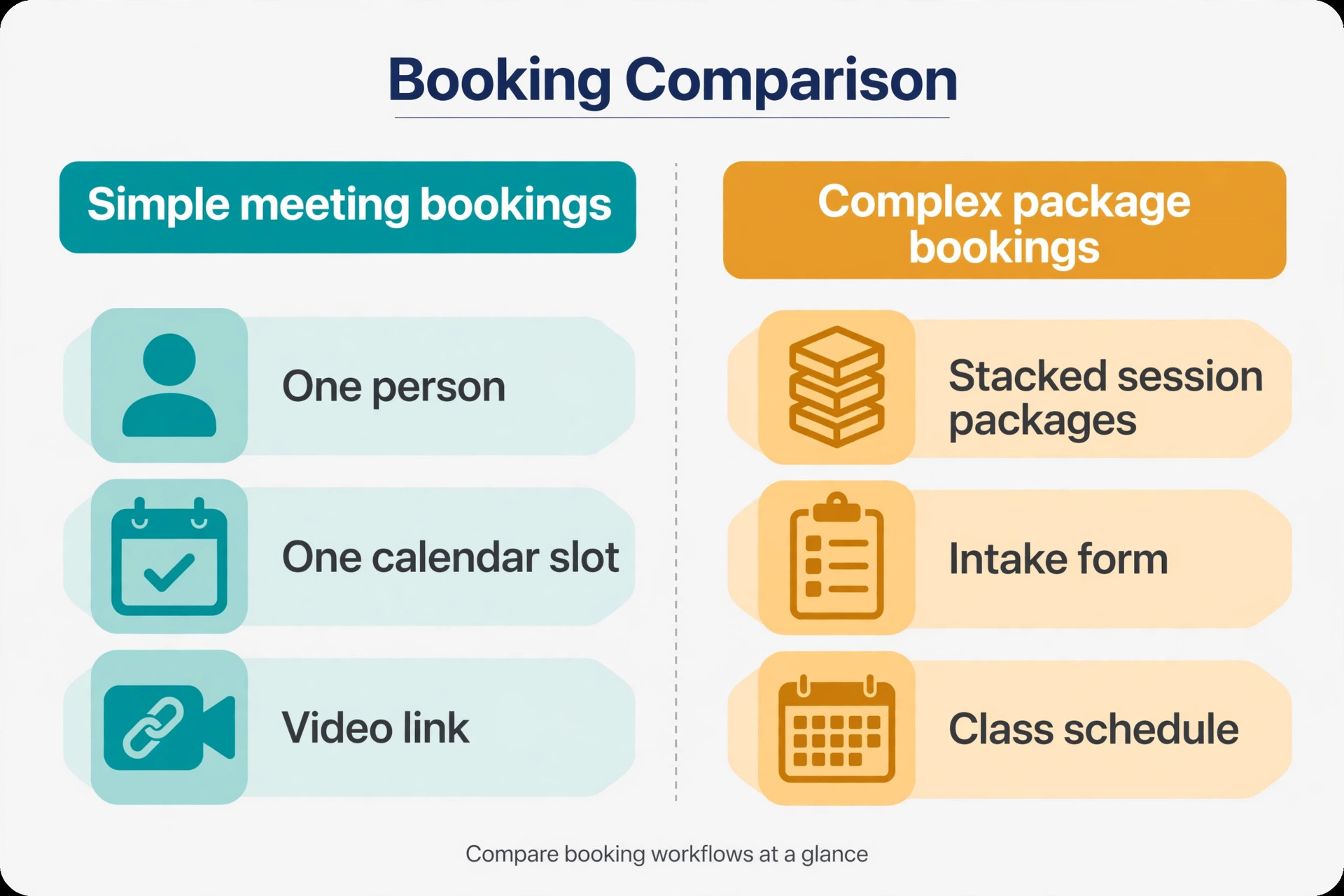
Before any export, run an honest audit of what Acuity does for you today. List your appointment types, and mark each one as simple or complex. A simple booking is one person, one service, one duration, booked through a link. A complex booking involves multiple staff, variable durations, service add-ons, intake forms, deposits, or package redemptions. Count how many bookings each type produced last month. If simple bookings dominate, Calendly fits. If complex bookings carry the revenue, the migration needs a workaround plan before it needs an export.
Calendly excels at meeting scheduling. A client picks a time from your real availability, the meeting lands on both calendars with a video link attached, and the email back and forth disappears. Its integrations with common video tools, CRMs, and calendars are deep, and routing features on higher tiers can qualify a lead before booking. For consultants, coaches, clinics, and service businesses built on appointments, that simplicity is the whole point.
Acuity excels at the complicated bookings that break simpler tools. Multiple staff, variable durations, service add-ons, intake forms, deposits, and package sales all live in one flow, and clients book, pay, and fill forms without leaving it. If your business sells packages of sessions, runs classes, or collects detailed intake information before every appointment, those features are not extras. They are the business, and Calendly replaces them only partially, through workarounds like separate payment links and external forms.
The honest middle ground is a hybrid. Some businesses move their one-to-one bookings to Calendly and keep Acuity for packages and classes, at least for a transition period. That split is workable if the two systems serve clearly different booking types and clients are never confused about which link to use. It fails when clients must guess, so if you split, label the links by purpose, not by tool name.
Salons and studios sit right on this boundary, so if your business books beauty or wellness appointments, compare notes with our guides to the best scheduling software for salons and the best booking software for nail salons. The booking mix in those guides shows how the simple versus complex split plays out in practice.
What Moves and What You Rebuild
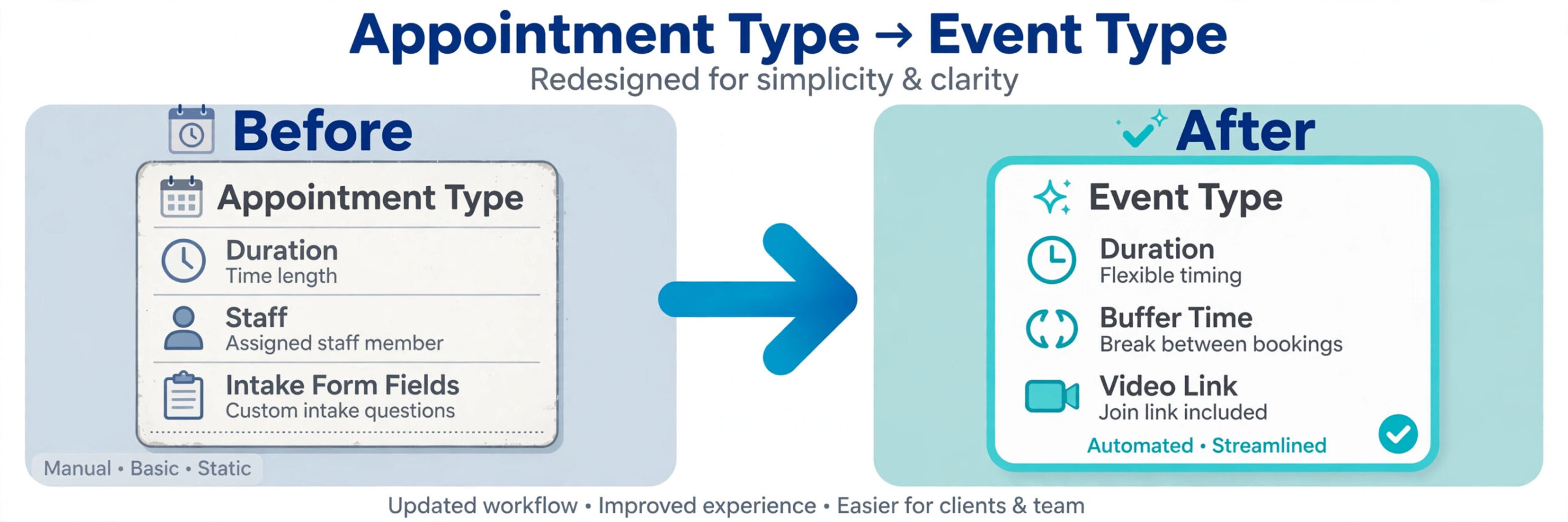
A scheduling migration moves people and settings, not bookings themselves. That distinction surprises many owners, so it belongs at the top of the plan. Your client list moves. Your appointment types become Calendly event types, rebuilt by hand. Your future appointments do not transfer automatically, and that fact shapes the entire cutover plan.
What moves cleanly includes client names, email addresses, and phone numbers, exported from Acuity as a client list CSV. Past appointment history can be exported as an appointments CSV and kept as a record, even though it does not import into Calendly as live bookings. Intake form answers export with the appointment data, and they are worth archiving, since they hold health, preference, and consent information that may matter later.
What must be rebuilt includes every event type, with its duration, buffer times, availability windows, location, and confirmation settings. Reminder and confirmation emails must be rewritten in Calendly, including their timing and wording. Payment settings must be recreated, and package or certificate logic must be replaced with a workaround or kept in Acuity. Staff availability and round robin rules must be rebuilt for team scheduling, and any booking page branding must be recreated in Calendly themes.
| Acuity element | What happens in Calendly |
|---|---|
| Client list | Exported as CSV and kept as a contact record |
| Appointment types | Rebuilt by hand as event types |
| Future appointments | Handled by an overlap period, not imported |
| Past appointments | Exported as CSV archive, not live bookings |
| Intake forms | Rebuilt as invitee questions, or moved to an external form |
| Packages and certificates | Need a workaround or stay in Acuity |
| Reminder emails | Rewritten in Calendly notification settings |
| Payment collection | Recreated through a payment integration |
Exporting Your Acuity Data Without the Headaches
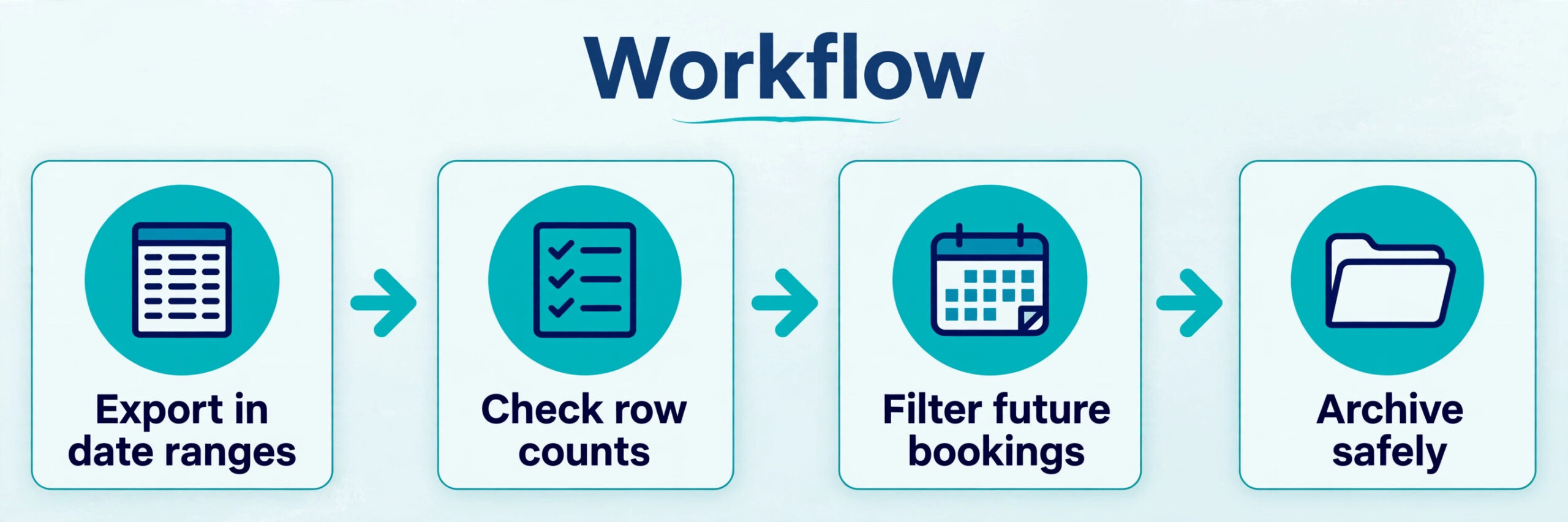
Acuity exports live under Reports, in the Import and Export area, where you can download the appointments CSV and the client list CSV. Take both, and take them more than once. Export in date ranges rather than all at once, because large appointment exports have a reputation for failing partway through, and a failed export that looks complete is worse than one that visibly errors. Check row counts against your dashboard totals for each range before moving on.
The appointments CSV is your archive and your cutover worksheet in one file. It shows who booked what, when, with whom, and at what price. Filter it to future appointments first, because those are the bookings your overlap plan must protect. Then filter it to active package holders, because those clients need a decision before cutover, not after. Everyone else is history, and history only needs a safe archive.
Clean the client list before it becomes your working record. Deduplicate by email, standardize phone formats, and flag clients with no email address, since email is how Calendly confirmations and reminders reach them. A client with no email needs a phone based plan, such as a text reminder through a connected tool or a manual call for their next booking. Do not discover that gap on cutover day.
Store the exports in a dated folder, and keep Acuity accessible in read only mode for several months after the move. Past intake answers, package balances, and appointment notes may be needed for a dispute or a returning client, and a read only Acuity account is the cheapest insurance for that history.
Time zones deserve a check during export, because appointment CSV times can shift if the export and the calendar disagree on daylight saving handling. Compare ten exported appointment times against the calendar display before trusting the file, and pay special attention to appointments near a clock change. A one hour shift in the archive becomes a missed appointment if those times are ever used to rebook clients, so verify the times now while both systems are still open.
Rebuilding Event Types in Calendly
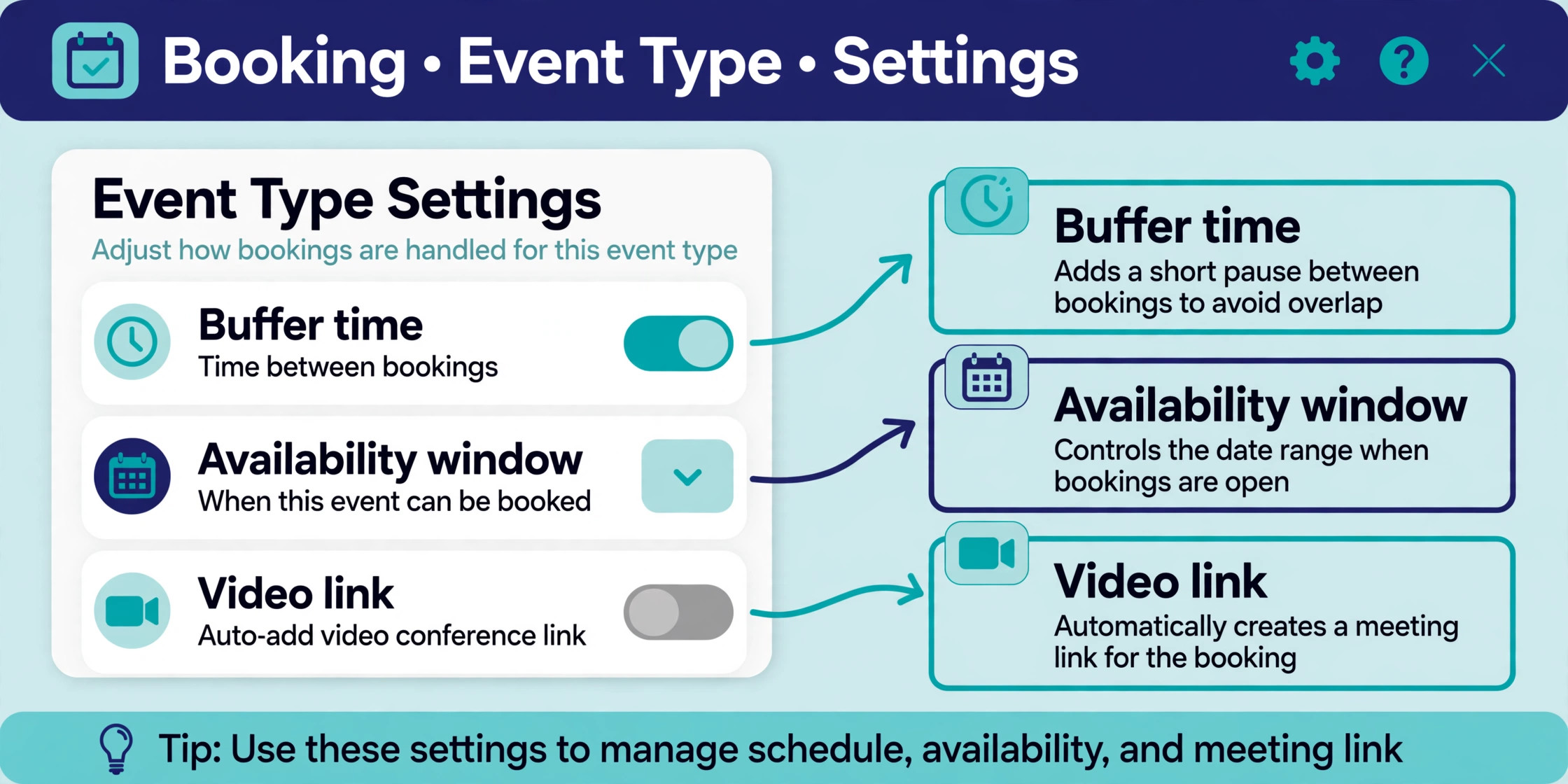
Rebuild event types one at a time, starting with your most booked service. For each Acuity appointment type, create a Calendly event type with the same duration, and set buffer times before and after to match how your day actually runs. A thirty minute consultation that needs ten minutes of notes is a forty minute block in practice, and Calendly buffers are where that reality lives. Skipping buffers is how a clean calendar turns into a running-late day.
Availability windows need the same care. Acuity availability rules, including staff hours, blackout dates, and per-service availability, must be translated into Calendly availability schedules and event type limits. If a service is only offered on certain days, set that on the event type, not just on your personal calendar, or clients will book days you never intended to offer. If a service caps daily bookings, set a daily limit so the calendar enforces it instead of your memory.
Location and video settings come next. Connect your video tool of choice and confirm the meeting link generates on new bookings, and confirm the location instructions read correctly for in-person services. Test each event type with a test booking before publishing the link, and check the confirmation email, the calendar event, and the reminder timing. A test booking takes two minutes and catches the configuration errors that clients would otherwise find for you.
Team scheduling needs a decision, not just a rebuild. Calendly supports round robin and collective event types, where a booking goes to any available team member or requires the whole team. Map each Acuity staff assignment to the matching Calendly model, and confirm the availability of every team member is connected. A round robin that includes a team member whose calendar is not connected will book them when they are busy, which is worse than not offering the slot.
One setting that trips up many migrations is the minimum notice and scheduling horizon. Acuity lets clients book far in advance or at short notice according to rules you set per appointment type, and Calendly has matching controls per event type. When you switch Acuity to Calendly small business booking rules must be copied deliberately, because the defaults will happily accept a booking for tomorrow morning that your team cannot staff. Set minimum notice, maximum advance booking, and daily limits on every event type before publishing the links.
Clinics and appointment heavy practices run this rebuild with their own constraints, so if your bookings are medical or clinical, compare notes with our guide to the best appointment software for audiology clinics. The event type logic is the same, but intake and privacy handling deserve extra care.
Handling Bookings Already on the Calendar
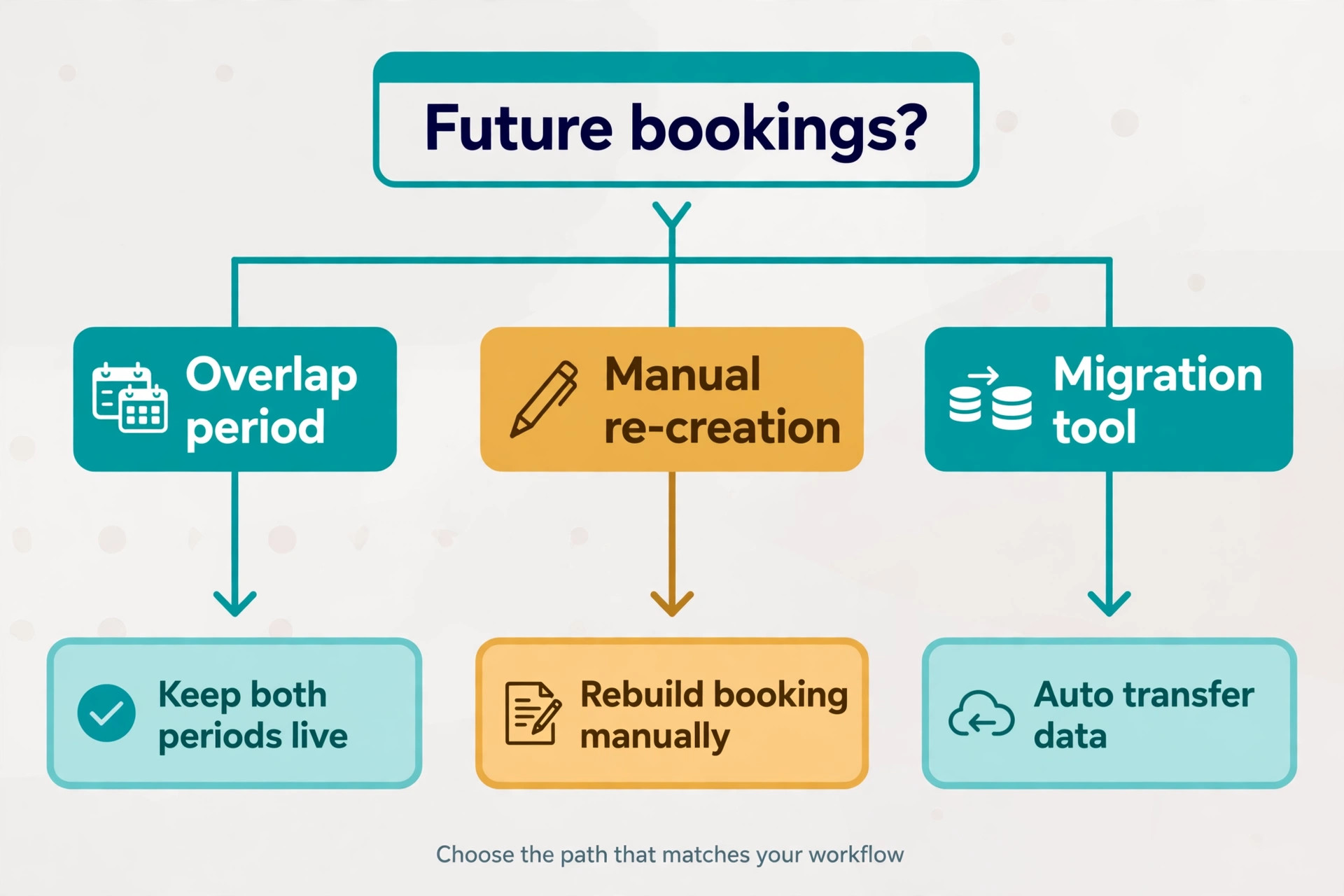
Future appointments are the heart of the cutover problem, because Calendly has no native importer for Acuity appointments. Three options exist, and most small businesses use a mix of the first two. Option one is the overlap period, where Acuity keeps serving existing bookings while Calendly takes all new bookings from a chosen date. Option two is manual re-creation, where you enter future appointments into Calendly or directly onto the calendar as holds. Option three is a migration tool or API script, which suits larger appointment volumes but adds cost and complexity.
The overlap period is the default recommendation. Pick a cutover date two weeks out, announce it to clients, and point all new booking links at Calendly from that date. Appointments booked before the date stay in Acuity and run as normal. Your calendar stays the source of truth for availability, because both systems write to it, so double booking is prevented as long as both calendars stay connected. After the last Acuity appointment passes, close the Acuity account or keep it as an archive.
Manual re-creation fits businesses with few future appointments. If you have fewer than fifty future bookings, entering them as calendar holds or Calendly one-off events is a weekend job, and it gives clients a single system sooner. Above that volume, the overlap period is safer, because manual entry introduces typos in times and time zones, and a single wrong time is a missed appointment.
Whatever you choose, tell clients explicitly. A short message explaining that booking links are changing, with the new link included, prevents confusion far better than a silent switch. Regular clients who bookmarked your Acuity link will keep using it unless told otherwise, so update the link everywhere it appears, including your website, email signature, social profiles, and intake paperwork.
Notifying Clients and Updating Every Booking Link
The client announcement is a migration task, not a marketing task, and it deserves the same care as the data export. Write it in plain language, lead with what changes for the client, and put the new booking link in the first paragraph, not at the bottom. Clients skim, and a link buried under three paragraphs of explanation will be missed by the people who need it most. Send it by email to your full client list, and post it wherever bookings happen, including your website booking page and social profiles.
Segment the message for the clients who need more than a link. Package holders need to hear how their remaining sessions work under the new system, and when you switch Acuity to Calendly small business package holders are the group most likely to feel the change. Regular clients with recurring appointments need to know whether their standing bookings stay put or need rebooking. New clients need nothing more than the new link and a reassurance that booking works the same way. One generic message to all three groups confuses at least one of them.
Update the link in every place it lives, and hunt for the forgotten ones. Website buttons, email signatures, social bios, directory listings, intake paperwork, printed cards, and automated emails all carry the old link, and each one is a quiet leak of bookings into the old system. Work through a written list of locations, check each one off, and test the new link from a phone, since most clients book from mobile. A link that works on desktop and breaks on mobile is a link that loses bookings.
Time the announcement for the start of the overlap, not the end. Clients need the new link while both systems run, so a mistake in the new link surfaces while Acuity still catches bookings. Announcing after Acuity closes turns a small link error into a week of lost appointments. Send a reminder a week later to clients who have not yet booked through the new link, because the first message is always missed by someone.
Payments, Packages, and Gift Certificates
This is the section that decides the migration for many businesses, so read it before committing. Calendly collects payment for bookings through payment integrations, which covers simple pay at booking scenarios. It does not replicate Acuity package logic, where a client buys ten sessions and redeems them one at a time, or certificate codes that discount or prepay specific services. Those mechanics need a workaround.
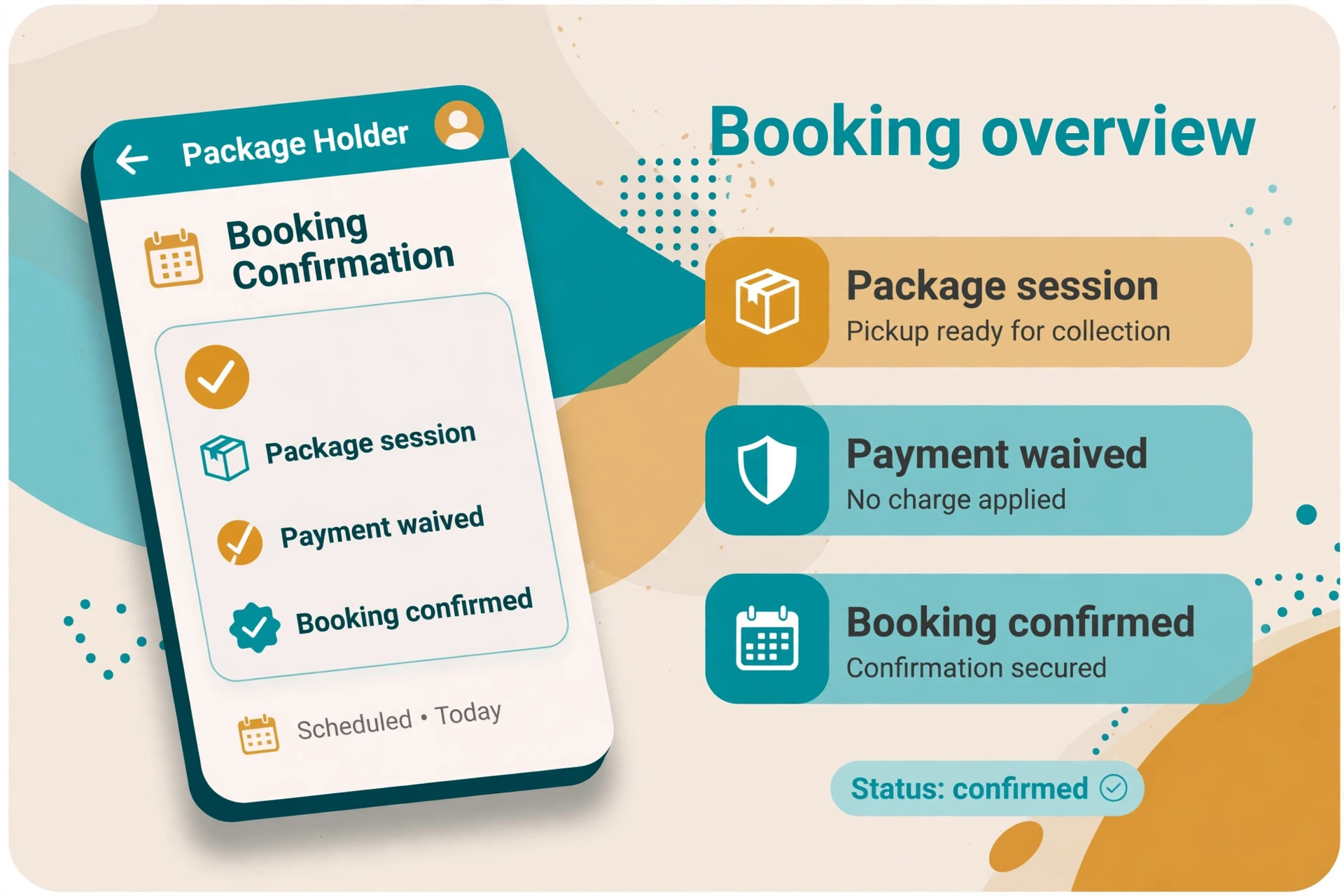
Workarounds that work in practice include selling packages through a separate payment link or store, tracking redemptions in a simple spreadsheet or CRM record, and issuing Calendly booking links that waive payment for package holders. That combination is workable for a small client base, but it adds manual steps to every package booking, and manual steps get skipped under pressure. Count those steps honestly before deciding, because a workaround that adds five minutes to every booking costs hours every week.
Gift certificates need their own plan. Outstanding certificates are a liability, and clients holding them expect them to work after the switch. Options include honoring them in Acuity until they expire, converting them to Calendly compatible discount codes, or refunding and reissuing them through your new payment flow. Whichever you choose, publish the policy before cutover and apply it consistently. A certificate holder who discovers the change at booking time is a lost client.
If packages and certificates carry a large share of your revenue, the honest answer may be to stay with Acuity, or to run the hybrid split described earlier. A migration that breaks your best revenue mechanic is not a modernization. It is a pay cut, and no booking link is worth that.
Before finalizing the workaround, run it past your busiest week. Take last month’s package bookings and walk each one through the new flow, counting every manual step, every spreadsheet update, and every message to the client. When you switch Acuity to Calendly small business owners often discover the workaround costs ten minutes per booking, which is fine for five bookings a week and painful for fifty. That arithmetic, not the feature list, decides whether the workaround survives contact with reality.
Mobile service businesses face the same package question on the road, so if your bookings travel to the client, compare notes with our guide to the best scheduling software for mobile pet groomers. The payment and package logic translates directly, even though the services differ.
A Two Week Plan to Switch Acuity to Calendly Small Business Owners Can Run
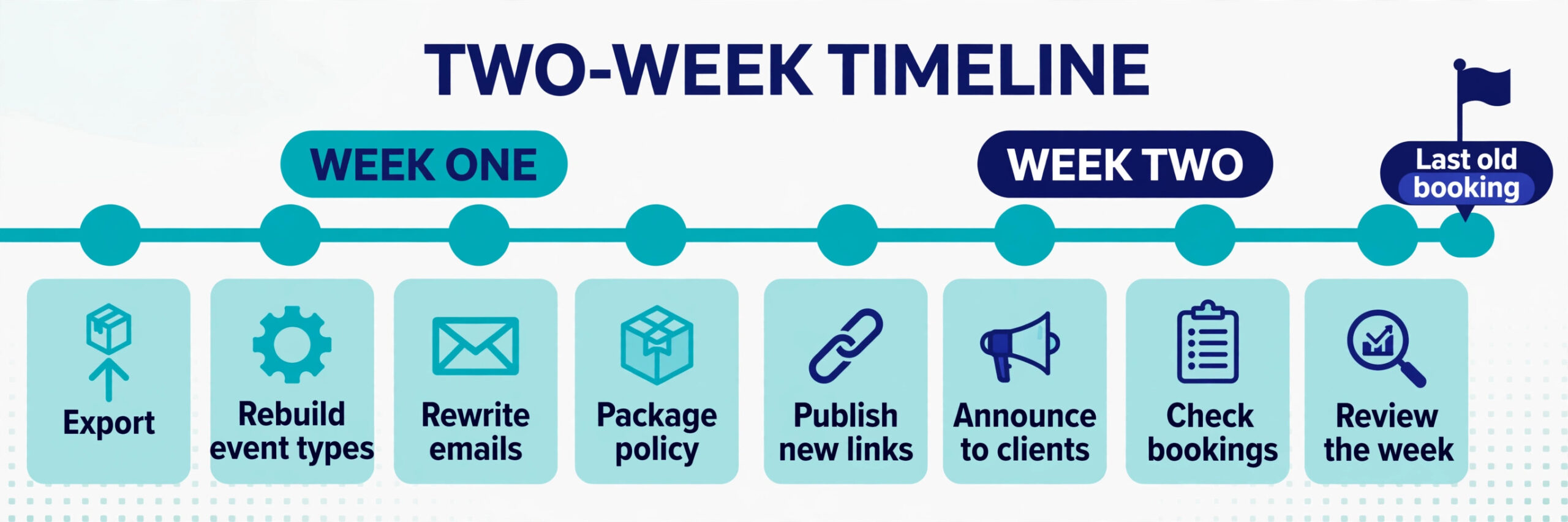
Week one is preparation. On day one, export the client list and appointments CSV in date ranges, and verify row counts. On day two, rebuild your top five event types in Calendly and test each one with a test booking. On day three, rewrite confirmation and reminder emails, and set buffer times and availability windows. On day four, decide the package and certificate policy, and write the client announcement. On day five, connect calendars for every team member and confirm that bookings from both systems appear on the shared calendar.
Week two is the overlap. On Monday, publish the Calendly links and send the client announcement, while Acuity keeps serving existing bookings. Midweek, check that new bookings land correctly, that video links generate, and that reminders fire on schedule. Fix any issue from a single list, so the team does not improvise separate fixes. On Friday, review the week. How many bookings came through Calendly, did any client use the old link by mistake, and did any calendar conflict appear. If the week ran clean, set the date for closing Acuity to new bookings entirely.
After the last Acuity appointment passes, keep Acuity accessible as an archive for several months, then export a final archive and close it. The two week plan works because no single day carries the whole migration. Each day has one job, and the overlap means a mistake on any day costs a correction, not a lost booking. Keep a shared log of every issue found during the overlap, even small ones, because the log becomes the training note for new team members who never saw the old system.
The Go-Live Checklist
Run this checklist in the final forty eight hours, with a named person checking each item.
1. Client list and appointments CSV exported in date ranges, row counts verified. 2. Top event types rebuilt in Calendly and tested with test bookings. 3. Buffer times, availability windows, and daily limits set per event type. 4. Video links generating correctly on test bookings. 5. Confirmation and reminder emails rewritten and tested. 6. Payment integration tested with a real transaction, then refunded. 7. Package and certificate policy published to clients. 8. Calendars connected for every team member, both systems writing to them. 9. New booking links updated on the website, email signature, and social profiles. 10. Client announcement sent, with the new link included. 11. Acuity kept accessible for existing bookings, not deleted.
A rollback note belongs with this checklist. Name the point of no return, usually the moment new bookings flow only through Calendly, and name who can call a pause before that point. Naming it in advance stops a panicked reversal when a minor issue feels major on launch day.
Cost and Timing, Stated Honestly
A small business migration usually takes two to three weeks from export to stable daily use, with the event type rebuild taking the longest. Businesses with many appointment types or heavy package use should budget toward the longer end, and should add a week if they are also changing payment providers at the same time. Changing two systems at once doubles the testing surface, and it is rarely worth the saved week.
On cost, compare the subscription you will actually pay against the revenue mechanics you keep. Calendly pricing is per user for paid tiers, so confirm current pricing on the vendor page and count every team member who needs a booking link. Acuity pricing historically bundled more service business features per plan, so a business that leans on packages may find the Calendly plus workaround tooling costs more than the Acuity plan it replaced. Run that comparison with your real booking mix, not with a feature list, because the mix is what decides the bill.
A useful costing exercise is to price the workaround stack alongside the subscription. If you switch Acuity to Calendly small business costs include the Calendly seats, the payment tool for packages, and the hours spent on manual redemption tracking. Add those three numbers before comparing with the Acuity plan. A migration that looks cheaper on subscription alone can cost more once the workaround hours are priced, and that surprise is better found in a spreadsheet than in a payroll month.
Yoga studios and class based businesses illustrate the edge case well, so if classes are part of your mix, read our guide to the best booking software for yoga studios before deciding. A class schedule is a different booking model from one-to-one appointments, and the guide shows where each tool fits.
Frequently Asked Questions
Can I switch Acuity to Calendly small business appointments without losing future bookings?
Yes, with an overlap period. Keep Acuity serving existing bookings while Calendly takes all new bookings from a chosen date, with both systems writing to your shared calendar. After the last Acuity appointment passes, close Acuity to new bookings. Manual re-creation also works for fewer than fifty future bookings.
Does Calendly import my Acuity clients and appointments?
Calendly has no native importer for Acuity appointments. Your client list exports as a CSV that you keep as a contact record, and past appointments export as an archive. Future appointments are handled by the overlap period or by manual re-creation, not by import.
What happens to my packages and gift certificates?
Calendly does not replicate Acuity package redemption or certificate logic. Sell packages through a separate payment flow, track redemptions manually, or keep packages in Acuity under a hybrid setup. Publish your certificate policy before cutover and honor outstanding certificates consistently.
Will my intake forms transfer?
Not automatically. Rebuild intake questions as Calendly invitee questions for simple forms, or move detailed intake to an external form linked from the confirmation page. Archive past intake answers from the Acuity export, since they may hold health or consent information.
How long does the migration take?
Most small businesses finish in two to three weeks, including testing and the overlap period. The event type rebuild takes the longest, and package heavy businesses should budget extra time for their workaround or hybrid plan.
Should I keep Acuity running after cutover?
Keep it accessible for existing bookings through the overlap period, and as a read only archive for several months after. Stop creating new bookings there on cutover day. After the archive period, export a final copy and close the account.
The Last Word
The switch to Calendly pays when your bookings are meetings and your clients value the simplest possible link. It costs when your revenue runs on packages, classes, and intake depth that Calendly only partly replaces. That is not a flaw in either tool. It is a mismatch, and mismatches are avoidable if you audit your booking mix before you export anything.
If the audit favors Calendly, the plan in this guide will carry you through. Export in ranges, rebuild event types one at a time, protect future bookings with an overlap, publish your package policy early, and run a boring go-live with a checklist. Do that, and your clients will notice only one thing, that booking got easier. That is the whole point of the move, and it is worth doing properly.
The final test is a client test, not a settings test. Book through the new link as a client would, from a phone, with no inside knowledge, and see whether the experience feels simpler than the old one. If you switch Acuity to Calendly small business clients should feel the difference in the first booking, not after a month of adjustment. If the new flow feels harder, fix it before launch, because clients will not report the friction. They will simply book elsewhere.