
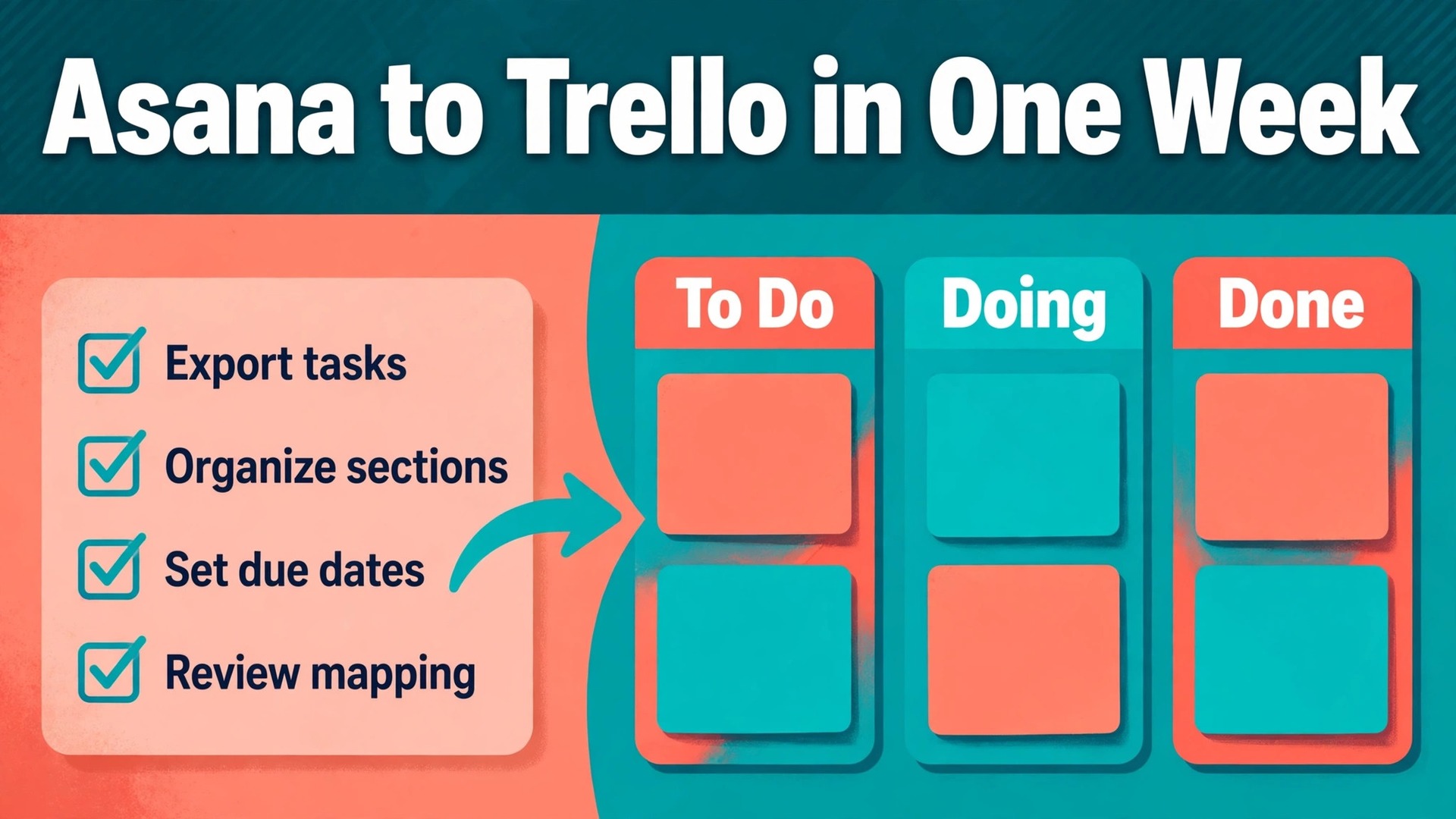
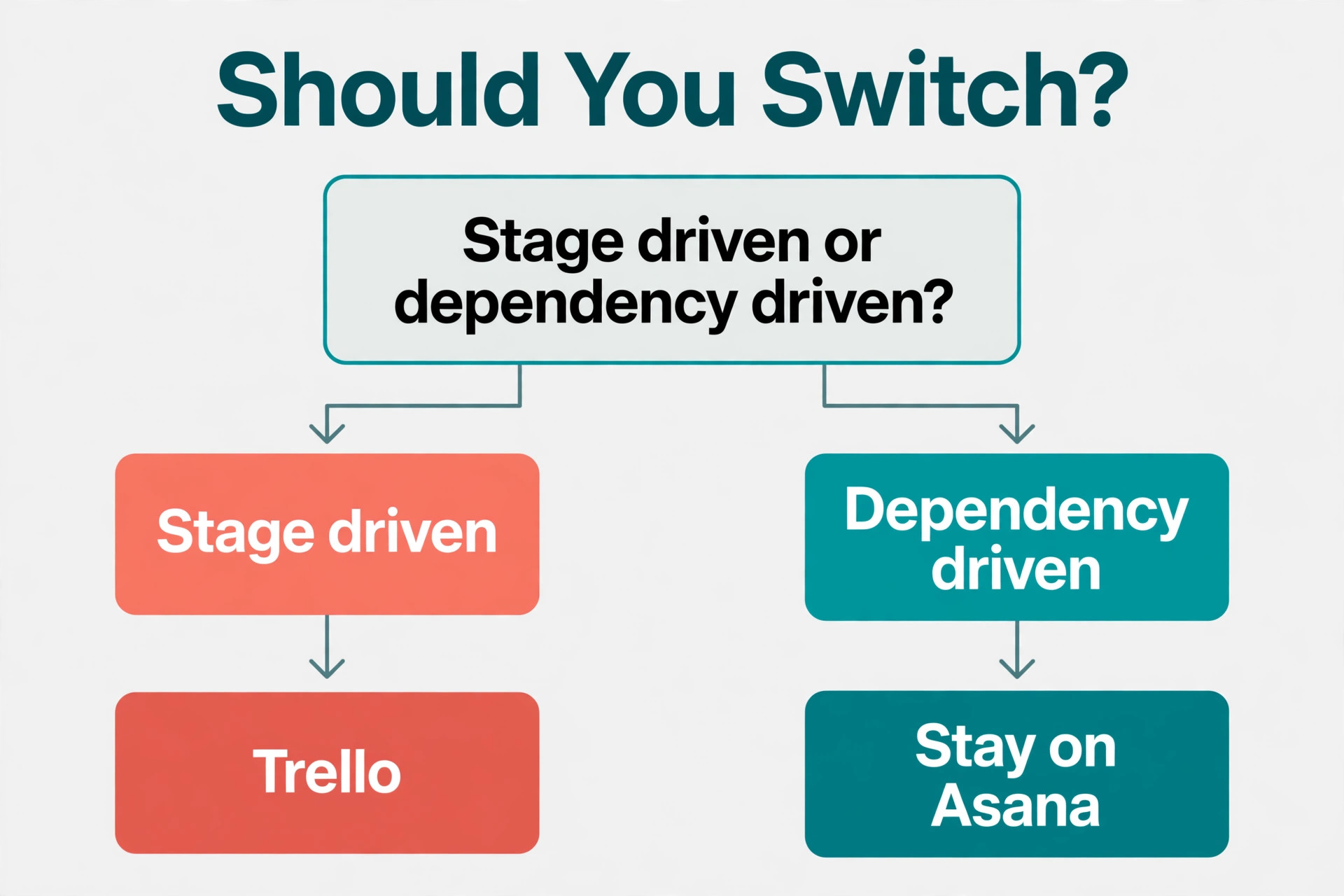
For most small teams, the verdict is clear. You should switch Asana to Trello small team work when your projects are simple, visual, and driven by a short list of stages, and you should stay on Asana when your work depends on task dependencies, portfolios, and cross project reporting. Trello wins on speed and clarity for everyday work. Asana wins on structure for complex work. This guide helps you tell which side your team falls on, then walks you through the move step by step so nothing important gets left behind.
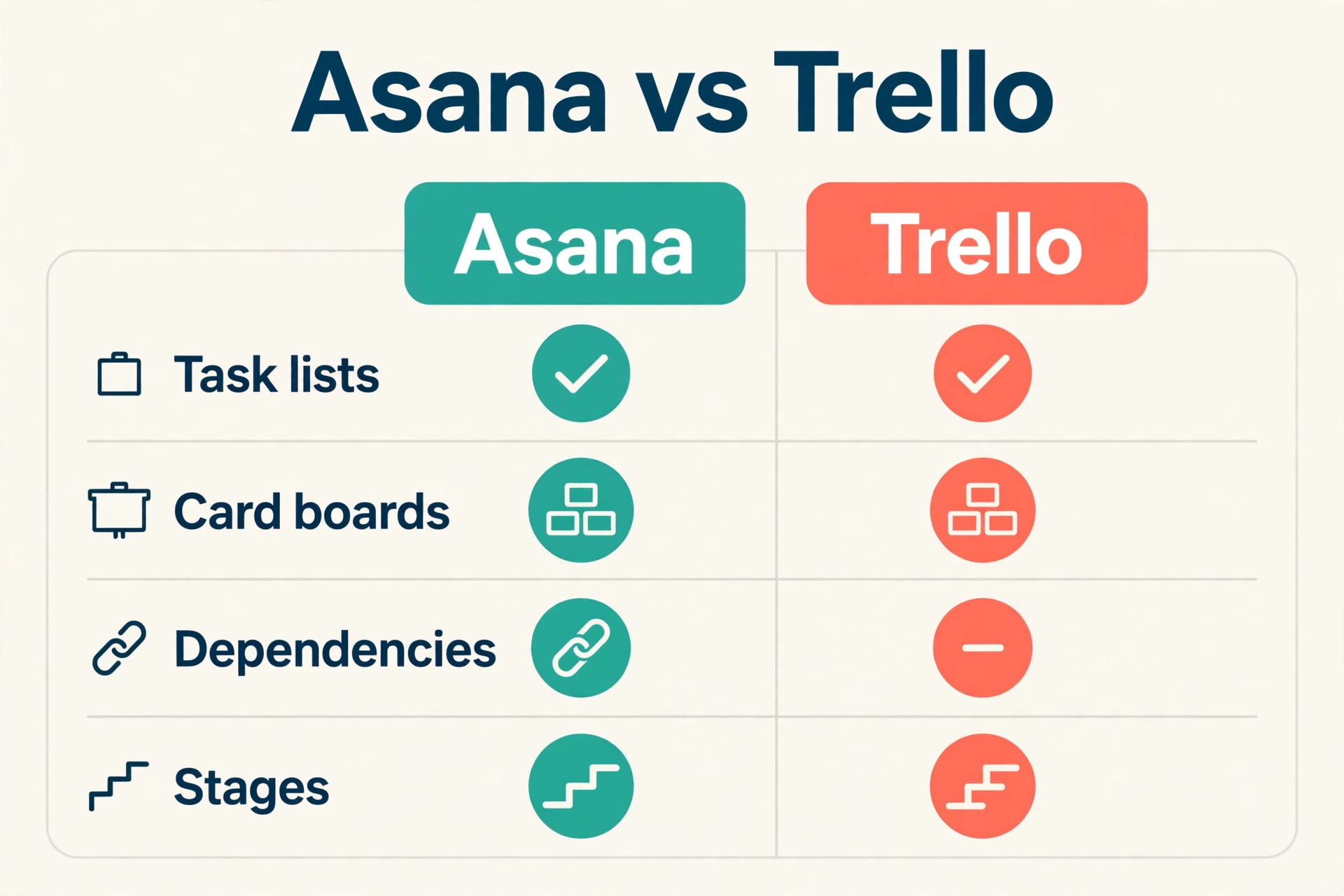
That verdict matters because the two tools are built for different habits. Asana organizes work as lists of tasks with sections, subtasks, dependencies, and timelines. Trello organizes work as cards on boards with lists that show progress at a glance. A team that spends its day moving cards from “To do” to “Doing” to “Done” will feel faster in Trello within a week. A team that spends its day tracking which task blocks another task will feel the loss of Asana’s dependency features almost at once.
Small teams usually switch for one of three reasons. The first is cost. Asana’s paid plans charge per user, and a team that only needs boards, cards, and due dates often pays for features it never opens. The second is simplicity. New hires learn a Trello board in an afternoon, while Asana’s projects, portfolios, and rules take longer to explain. The third is focus. When a team has drifted into using Asana as a general dumping ground, a move to Trello forces a cleanup, because only live work earns a card on the new board.
Before you commit, run a two week test on one real project. Pick the project your team touches most often, rebuild it in Trello, and let the team use Trello for that project only. If people stop opening Asana for that project without being told to, the switch has a real chance. If they keep going back to Asana to check dates, dependencies, or reports, treat that as a warning and read the “stay on Asana” section below before you move anything else.
When Trello Is the Better Fit and When It Is Not
Trello fits teams whose work moves through visible stages. Content calendars, client onboarding, event planning, sales pipelines, and support queues all fit this shape. Each item is a card, each stage is a list, and the board itself is the status report. Nobody needs to open a separate dashboard to see what is stuck, because stuck cards sit visibly in the same list for days.
Trello also fits teams with high staff turnover or part time help. A freelancer or a new starter can open a board, read the cards from left to right, and start work without a training session. Cards carry checklists, attachments, due dates, and comments in one place, so the handover lives on the card rather than in someone’s head. For a team of three to fifteen people, that simplicity is worth more than advanced reporting.
Asana remains the better choice in three situations. The first is dependency heavy work, such as product launches where design must finish before development starts and testing must finish before release. Trello has no native dependency system, so those links must be tracked by hand or with a paid add on. The second is portfolio reporting, where a manager needs one view across ten projects with workload and progress rollups. The third is approval chains with formal rules, where Asana’s rules and forms do more of the routing work for you.
A practical rule helps. If your team opens Asana’s timeline or workload view at least once a week and acts on what it sees, stay on Asana or keep Asana for that program while moving simpler projects to Trello. If your team mostly uses Asana’s list view and moves tasks between sections, Trello will feel like a lighter version of the same habit, and the move is worth doing.
What Moves, What Changes Shape, and What Gets Left Behind
A switch Asana to Trello small team move is never a perfect copy. Some data transfers cleanly, some changes shape, and some has no equivalent on the other side. Knowing this before you export saves the most common migration disappointment, which is discovering after the switch that comments or file versions did not come across.
| Asana item | What happens in Trello | Action needed |
|---|---|---|
| Tasks | Become cards | Map the task name and description to the card |
| Sections | Become lists | Keep the same list names where possible |
| Subtasks | Become checklist items or linked cards | Decide one rule and apply it everywhere |
| Assignees | Become card members | Match people by email before import |
| Due dates | Become card due dates | Check time zones after import |
| Tags | Become labels | Recreate the label set first, then map tags to it |
| Custom fields | Become custom fields on paid plans or card text | Rebuild the field set by hand |
| Attachments | Become card attachments | Confirm file links still open after import |
| Comments | Often do not transfer by CSV | Copy decision comments onto cards by hand |
| Dependencies | Have no direct equivalent | Record them in card descriptions or checklists |
| Project conversations | Have no direct equivalent | Save key decisions in a pinned card or doc |
The biggest gap is comments. A CSV export from Asana carries task names, descriptions, assignees, due dates, sections, and completion status, but the comment history usually does not ride along. That means the reasoning behind a decision can vanish even though the task itself survives. Before you export, open each active project and copy any comment that explains a decision, a client promise, or an approval into the task description itself. That one habit protects more knowledge than any import tool.
Attachments need attention too. Files attached to Asana tasks may import as links rather than as copied files, depending on the route you choose. After import, open five cards with attachments and confirm each file actually opens. If links point back to Asana, download the originals and reattach them in Trello before you cancel Asana, because those links break once the Asana workspace closes.
How to Switch Asana to Trello Small Team Projects Without Losing Work
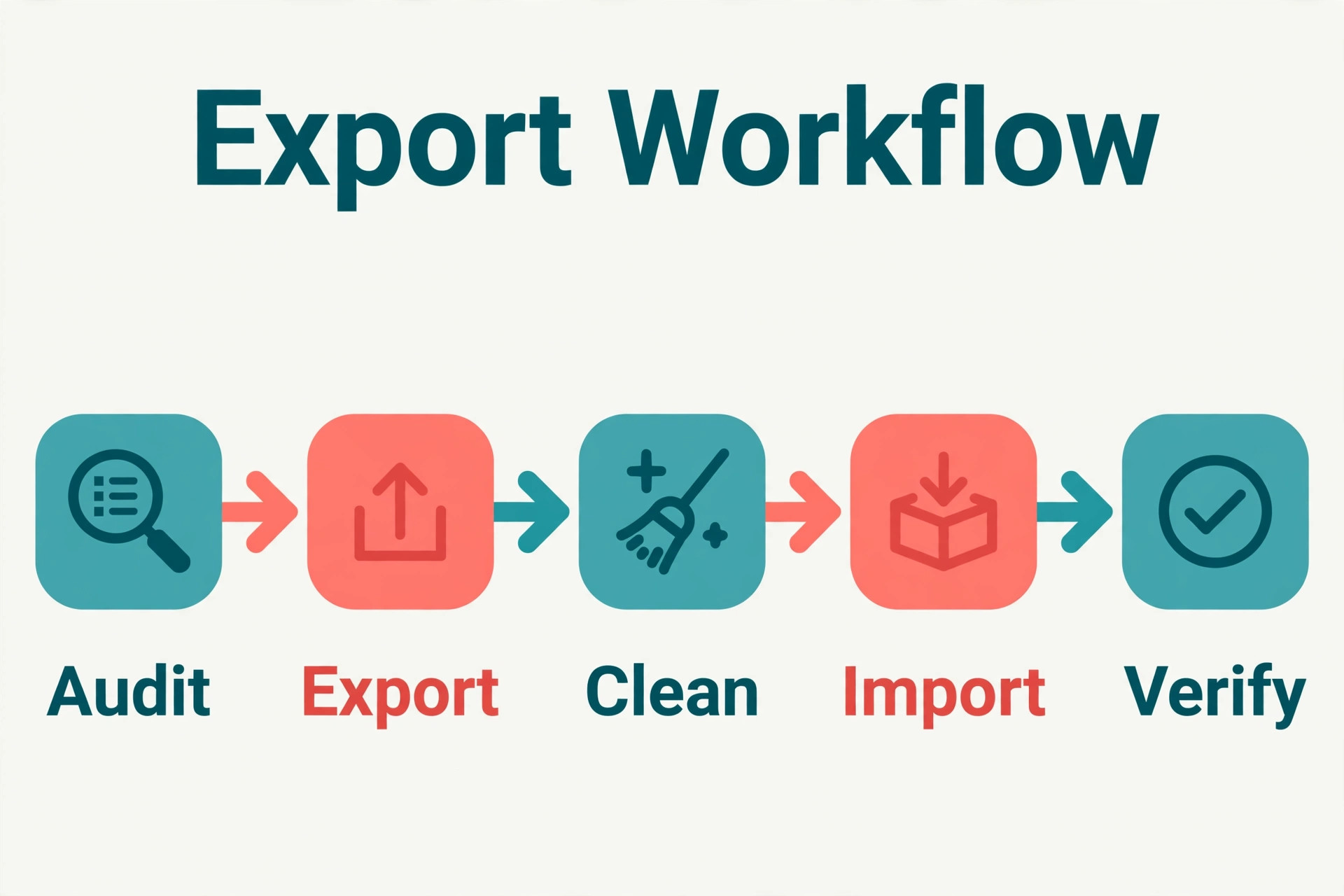
A careful switch Asana to Trello small team plan has four phases, and the order matters. First you audit and clean Asana. Then you export. Then you rebuild in Trello and test with a pilot project. Only then do you move the whole team and close Asana. Teams that skip the audit import years of dead tasks into a fresh board and conclude within a month that Trello is messy, when the mess was theirs all along.
Start the audit by listing every Asana project and marking each one as live, archive, or delete. Live projects move. Archived projects stay in Asana as a read only record until the team is confident, or export to a spreadsheet for reference. Deleted projects are the completed work, test projects, and duplicates that nobody needs. Most small teams find that a third of their Asana projects can be archived rather than moved, which makes the new Trello workspace far easier to navigate.
Next, clean the live projects. Complete or delete tasks that are already done, close tasks with no owner, and merge duplicate tasks. Check for tasks with no due date that are actually overdue, and give each one either a date or a decision to drop it. This cleanup takes an afternoon for a small team and it is the single highest value step in the whole migration, because every dead task you delete now is one you will never have to explain on the new board.
Then agree on naming rules before anyone builds a board. Decide whether board names start with the client or the function, whether lists use the same stage names across boards, and how labels map to priority or work type. Write these rules on one page and share them with the team. Without them, each person rebuilds their own habits in Trello and the team ends up with five different board styles that are hard to read at a glance.
Exporting Your Asana Data the Right Way
Asana exports each project as a CSV file, and that file is the backbone of a switch Asana to Trello small team project. The export carries the task name, description, assignee, due date, section, completion status, and custom field values in flat columns. It is a good format for a small team because it opens in a spreadsheet, where you can clean it before import, and Trello’s import tools accept CSV files directly.
- Open the Asana project you want to move and confirm the task list is complete, with no hidden filters hiding tasks from the export.
- Export the project as a CSV file and save it with a clear name that includes the project name and the export date.
- Open the CSV in a spreadsheet and scan for blank assignees, missing due dates, and tasks with no description.
- Fill the gaps or delete the rows, and never import a file you have not read, because bad rows import just as faithfully as good ones.
- Save a copy of the cleaned CSV as your migration record, separate from the file you will import.
- Repeat the export for each live project, keeping one file per project so a failed import affects only one board.
For teams with many projects, a third party migration tool can move boards in bulk and preserve more structure than CSV, including some comments and attachments. These tools charge a fee and are worth it when you have more than ten active projects or a large attachment library. For a team with fewer than ten projects, the CSV route is usually cheaper and gives you more control over cleanup, since you see every row before it becomes a card.
One caution applies to every route. Export formats change, and a guide written last year may describe a menu that has moved. If an export option is not where you expect it, check Asana’s current help pages before assuming the feature is gone. Confirm the export on the vendor page if anything looks different from this guide, since menu paths and plan limits change without notice.
Rebuilding Your Work as Trello Boards
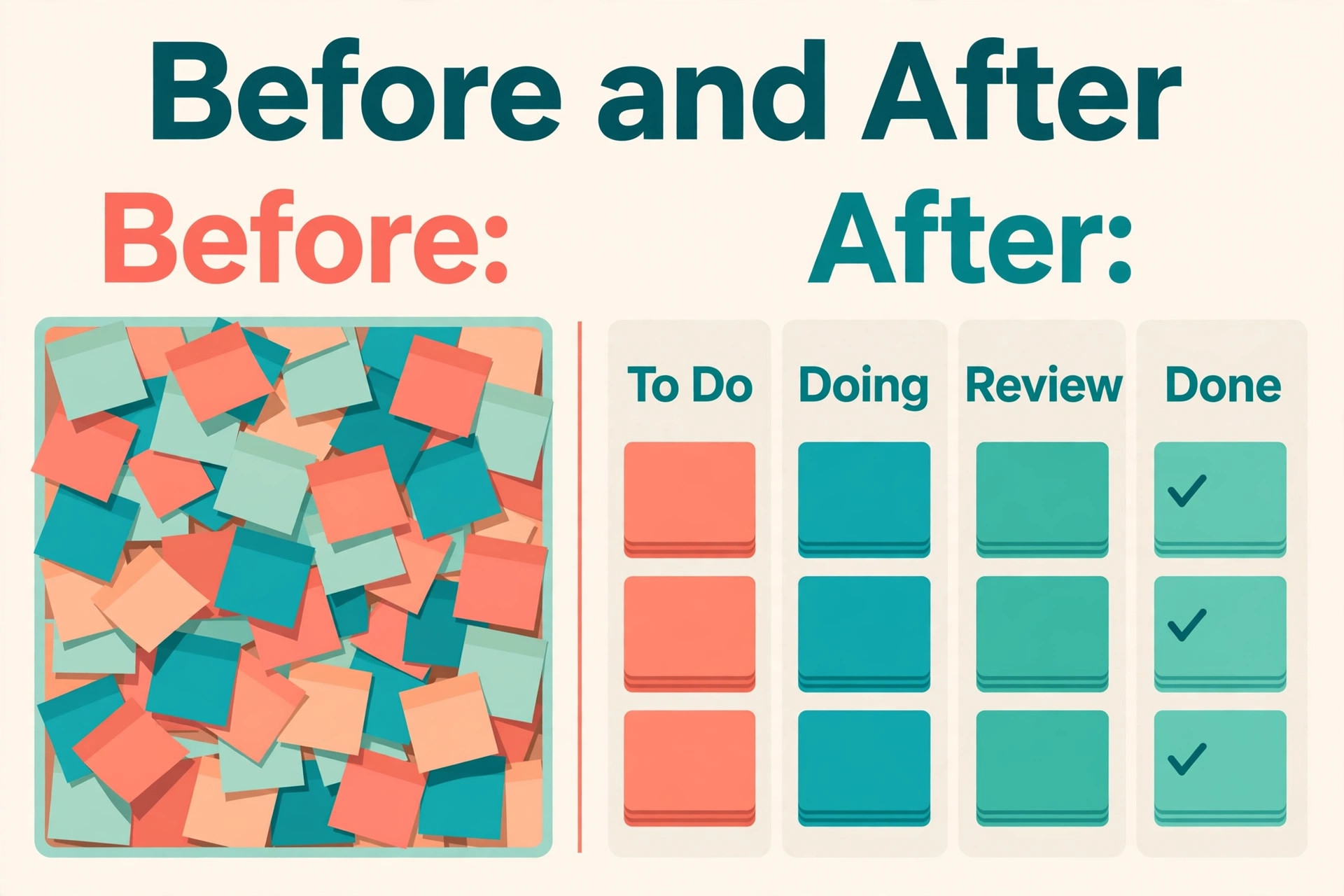
Rebuilding is where a switch Asana to Trello small team effort succeeds or fails, because a Trello board is not a copy of an Asana project. It is a translation. Asana sections usually become Trello lists, but a project with twelve sections will make a board that is hard to read on one screen. Group thin sections together so each board has four to seven lists, and use labels or custom fields for the detail that sections used to carry.
Subtasks need a single rule. Small subtasks work well as checklist items inside the parent card, since they stay visible and checkable without cluttering the board. Larger subtasks that have their own assignee, due date, and discussion deserve their own card, linked from the parent card description. Pick one rule for each project, write it down, and do not mix the two approaches on the same board, because a team that cannot tell where work lives will lose tasks.
Custom fields need rebuilding by hand in most cases. Trello’s free plan offers limited custom field options, while paid plans allow richer fields on cards. List every Asana custom field, decide whether it is still needed, and rebuild only the survivors. Common survivors are priority, client, budget stage, and content type. Fields that nobody can explain should be dropped, not rebuilt, since each extra field adds friction to every card the team creates.
Labels deserve the same discipline. Asana tags often grow into dozens of overlapping values, and importing all of them produces a label list nobody can use. Keep at most eight labels per board, give each one a clear meaning, and write the meanings on the board description. A label set that fits on one line is a label set the team will actually use.
Members must be matched before import, not after. Invite every team member to the Trello workspace with the same email address they use in Asana, and confirm they can open the workspace before you import. Cards assigned to an unmatched email either lose their assignee or sit unassigned, and fixing fifty unassigned cards by hand is a miserable first week on a new tool.
Swapping Integrations and Automations
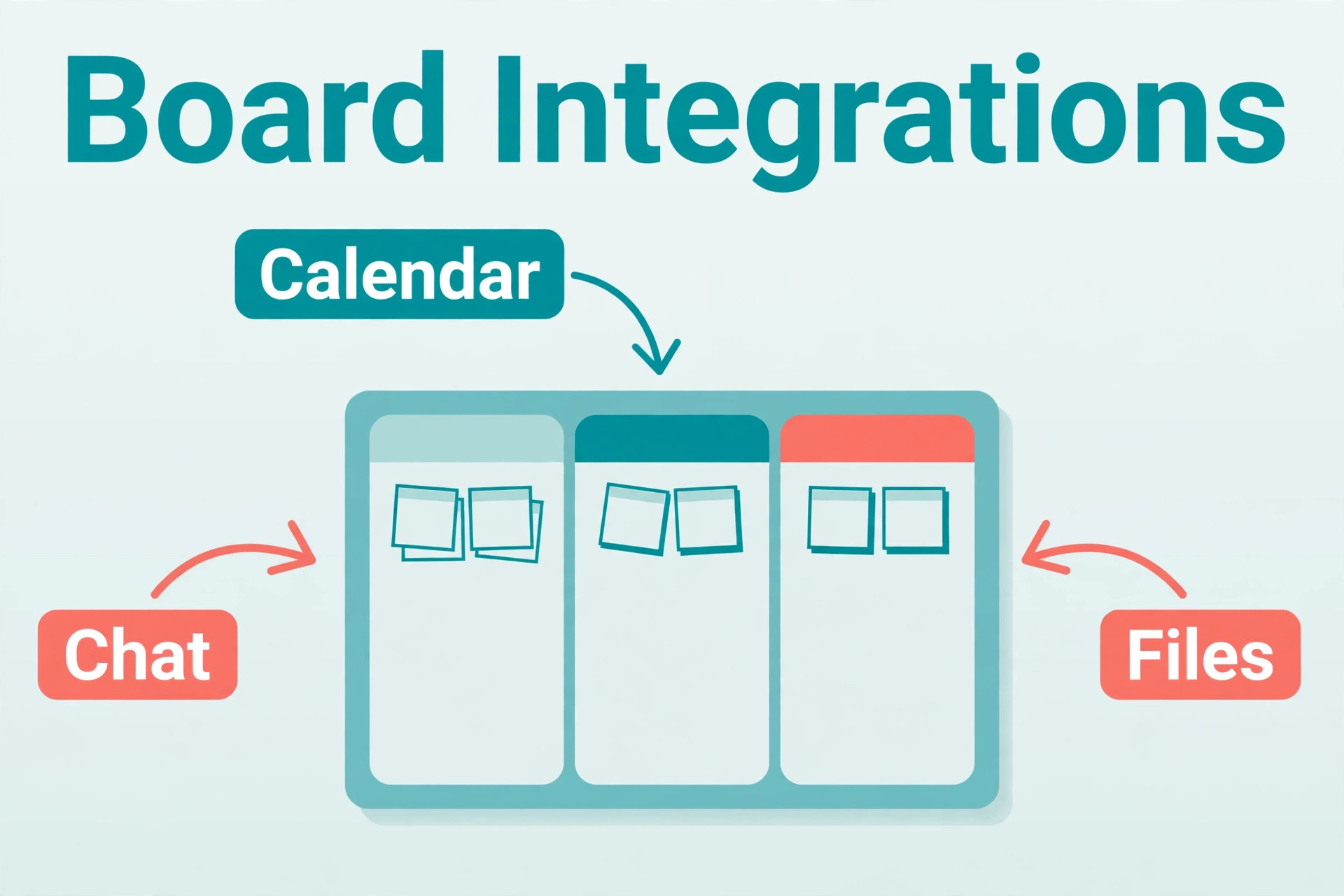
The tool switch is only half the job. The integrations around Asana also need new homes, and this is the step teams forget until something breaks. List every integration before you move, including chat notifications, file storage links, calendar feeds, time tracking, forms, and email to task addresses. A small team typically has between five and fifteen such connections, and each one needs a decision.
Chat notifications are the easiest swap. Trello connects to Slack and Microsoft Teams through its own integrations, and most teams can recreate channel notifications in under an hour. Point the notifications at the new boards, test them with a card move, and then switch off the Asana notifications so the team does not get double alerts during the changeover week.
File storage needs more care. Asana tasks often link to Google Drive, Dropbox, or OneDrive files, and those links should still work after the move if the file itself stays in place. What breaks is the habit of finding files through Asana. Add the same file links to the matching Trello cards during rebuild, and create a board card that lists the shared folders for the project so new starters can find files without asking.
Calendar feeds and time tracking deserve a test before go live. Trello’s calendar view and calendar feed work differently from Asana’s, and a team that plans its week from a calendar will notice the difference at once. Connect the calendar feed, check that due dates appear on the right days, and confirm the time tracking integration records time against the new cards. If your time tracking tool has no Trello integration, decide now whether to change tools or track time by hand, rather than discovering the gap on the first payroll run.
Automations need rebuilding, not copying. Asana rules that move tasks between sections or assign work on completion must be recreated as Trello automations, and the logic often needs rethinking because lists and labels replace sections and custom fields. Rebuild only the automations the team can name without opening Asana. If nobody remembers what a rule does, it was probably not earning its keep, and leaving it behind is a gain rather than a loss.
The Pilot Board Test
In a switch Asana to Trello small team pilot, never move the whole team on day one. Pick one live project with five to twenty active tasks, rebuild it in Trello, and run it there for one full work week while Asana stays open for everything else. The pilot board is your rehearsal, and it will surface problems that no checklist can predict, from label confusion to a missing integration that only one person uses.
During the pilot week, watch four things. First, whether cards get updated as often as Asana tasks did, which tells you if the board feels natural. Second, whether anyone asks where a task went, which points to a mapping gap. Third, whether due dates and reminders work the way the team expects. Fourth, whether the daily standup runs faster or slower from the board. A pilot that passes all four is ready to scale. A pilot that fails two or more needs another week of fixes before you expand.
At the end of the pilot, hold a short review with the team and ask three questions. What was easier in Trello, what was harder, and what is still missing. Write the answers down and fix the missing items before the full move. Teams that skip this review often discover the same pilot problems again at full scale, when fixing them costs ten times the effort.
If the pilot fails outright, that is useful information, not a wasted week. It may mean your work is more dependency heavy than you thought, or that one key integration has no Trello equivalent. In that case, consider a hybrid setup, with Trello for simple projects and Asana kept for the complex program, rather than forcing a full switch that the team will resent. A related move in the other direction, such as a team that chose to switch from Monday to Trello, faced the same pilot question and answered it project by project.
Go Live Checklist
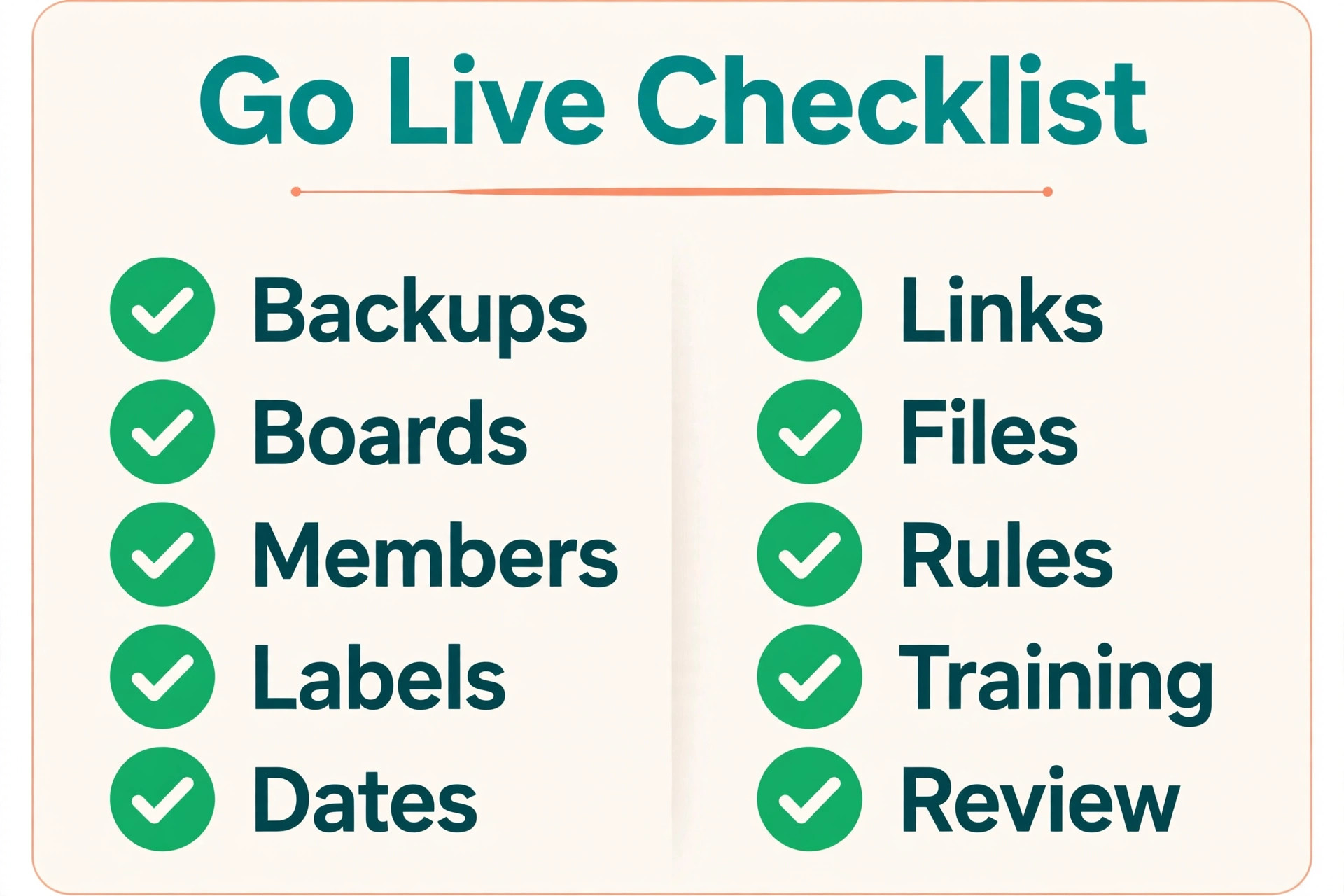
The go live week needs a written checklist, because the move involves people, data, and integrations at the same time, and memory alone will drop something. Work through this list in order, and do not close Asana until every item is checked.
- Final Asana export completed and saved, with one file per live project and the export date in each file name.
- All Trello boards built, with lists, labels, custom fields, and members in place.
- Import verified card by card on a sample of at least ten cards per board, checking assignees, due dates, descriptions, and attachments.
- Decision comments copied from Asana into card descriptions for every active task that carried one.
- Integrations reconnected and tested, including chat notifications, calendar feeds, file links, and time tracking.
- Automations rebuilt and tested with a trial card moved through each list.
- Team trained in a single short session, with the naming rules and label meanings shared in writing.
- Old Asana projects set to read only or archived, not deleted, until the team confirms the new boards are complete.
- A single contact named for migration questions during the first week, so problems get fixed fast instead of festering.
- A rollback note written down, stating how the team returns to Asana if a serious problem appears in week one.
The rollback note matters more than it seems. It removes the fear that a bad switch is permanent, which makes the team more willing to try Trello properly. In practice, most small teams never use the rollback, but knowing it exists keeps the first week calm.
Your First Week Cutover Plan
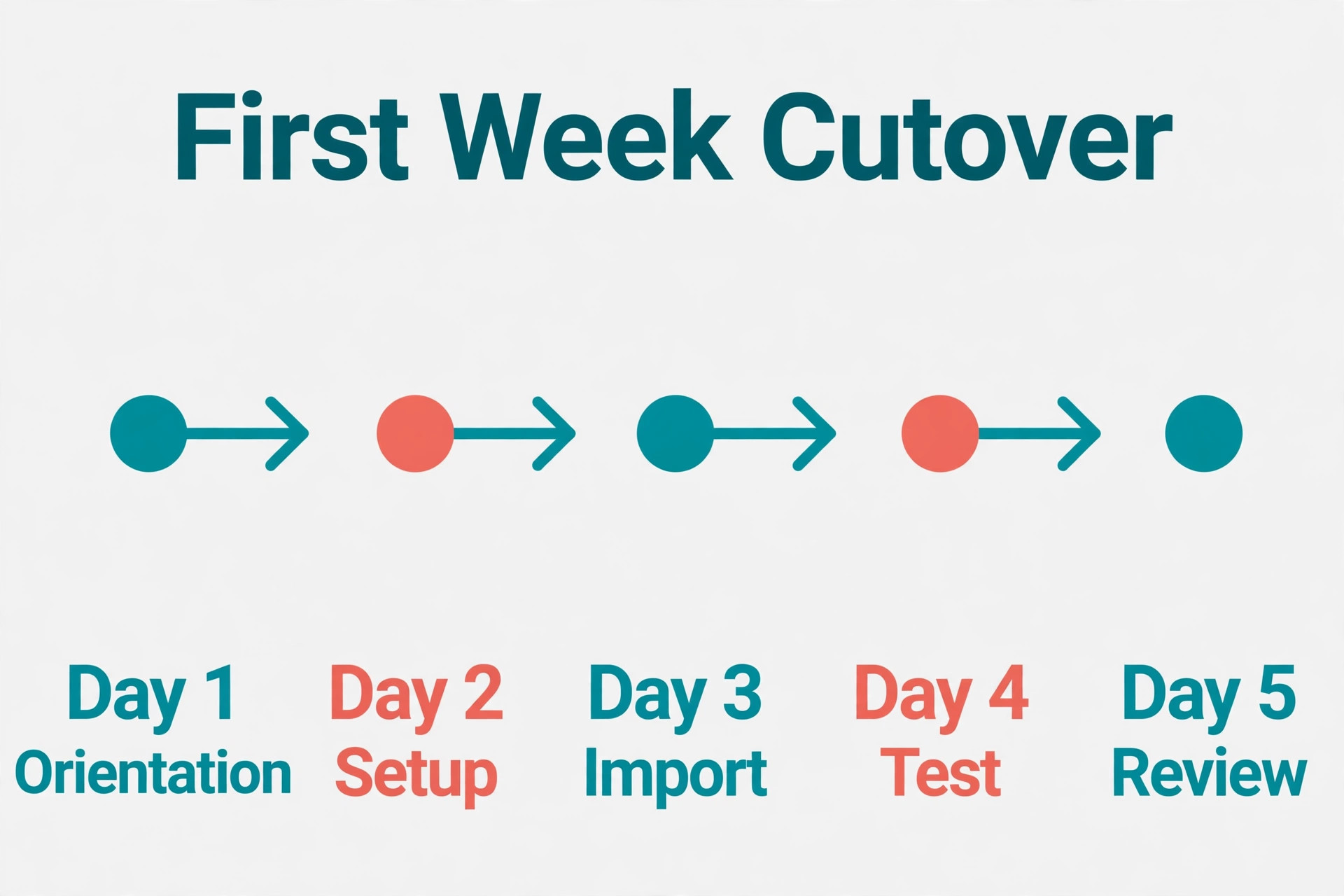
A good switch Asana to Trello small team cutover plan gives each day a job, so the team never wonders what they should be doing in the new tool. The plan below assumes a Monday go live, but the sequence works on any start day.
Day one is orientation day. The team opens Trello first and Asana only to check history. The migration contact watches the boards, answers questions, and fixes mapping errors as they appear. No new Asana tasks are created from day one onward, so the old system stops growing while the new one takes over.
Day two is cleanup day. The team reports cards with wrong assignees, missing dates, or broken attachments, and the contact fixes them in one batch. This is also the day to confirm that chat notifications and calendar feeds are firing correctly, since a silent integration is easy to miss on day one.
Day three is the first real test. Run the normal weekly planning or standup from the Trello boards only, with no Asana open in the room. If the meeting runs well, confidence jumps. If it stalls, note exactly where it stalled, because that gap is your fix list for day four.
Day four is fix day. Rebuild the missing label, automation, or view that the standup exposed, and retest it with the team before the day ends. Small fixes on day four prevent the slow drift back to Asana that kills many migrations in week two.
Day five is review day. Compare the Trello boards against the final Asana export and confirm that every live task has a home. Archive the Asana projects that are now fully mirrored, but keep Asana itself open for one more week as a read only safety net. At the end of day five, the team should be able to answer one question without hesitation, which is where any piece of work lives, and the answer should be Trello.
Week two is when the new habits settle. Keep the naming rules visible, review the boards once at the end of week two, and delete or archive cards that were created during the move but never picked up. Then, and only then, cancel the Asana subscription or downgrade it to a free plan for archive access, depending on what your plan allows. Confirm the billing and archive rules on the vendor page before you cancel, since plan terms change.
Cost, Time, and the Mistakes That Cost the Most
Cost is a common reason to switch Asana to Trello small team budgets, but the saving only holds if you count the whole picture. Trello’s paid plans charge per user, and Power Ups or add ons for custom fields, time tracking, and advanced automation can add to the monthly total. Before you switch, list the paid features your team actually uses in Asana, map each one to its Trello equivalent, and price the Trello side honestly. A team that needs several paid add ons may save less than the headline price suggests, so confirm current prices on both vendor pages before you present the saving to anyone.
Time is the second cost. A small team should budget one afternoon for audit and cleanup, one afternoon for export and rebuild, and one week of pilot running alongside normal work. The full move, from decision to Asana cancellation, usually takes two to four weeks of calendar time, even though the hands on work is only a few days.
The most expensive mistake is importing everything. A board with two hundred cards, half of them completed or abandoned, teaches the team that Trello is cluttered, and they stop trusting it. The second mistake is skipping the pilot, which turns a fixable mapping error into a team wide problem. The third mistake is deleting Asana too early, which turns a recoverable error into lost history. Avoid all three and the move stays boring, which is exactly what a good migration should be.
A fourth mistake is quieter. Teams sometimes rebuild Asana’s complexity inside Trello, adding a dozen lists, twenty labels, and a web of automations that recreate the very heaviness they wanted to escape. If your Trello board needs a manual to read, you have rebuilt the wrong thing. Simplify until a new starter can read the board in thirty seconds, and let the detail live inside the cards.
Frequently Asked Questions
Will I lose my Asana task history when I move to Trello?
You will keep the task names, descriptions, assignees, due dates, and completion status that the CSV export carries, but comment history and activity logs usually do not transfer. Copy decision comments into task descriptions before export, and keep Asana open as a read only archive until you are sure nothing else is needed. For audit heavy work, export completed projects to spreadsheets as well, so the record survives even after Asana closes.
Can Trello handle subtasks from Asana?
Yes, with a translation step. Small subtasks become checklist items inside the parent card, while larger subtasks with their own owner and deadline become separate cards linked from the parent. Choose one rule per project and apply it consistently. Mixing both approaches on one board confuses the team about where work actually lives, so write the rule down before import.
Do I need a paid Trello plan to migrate?
No for a basic move, but possibly yes for a faithful one. The free plan covers boards, cards, lists, labels, and due dates, which is enough for many small teams. Custom fields, advanced checklists, and some automations sit behind paid plans, so check which Asana features your team truly needs and confirm the current Trello plan limits on the vendor page before you decide.
How long does the switch take for a team of ten?
Budget two to four weeks of calendar time, with about three to four days of hands on work spread across audit, export, rebuild, and training. A single pilot project takes about a week to test properly. Teams that rush the move in a weekend usually pay for it later in cleanup, so protect the pilot week even when the calendar feels tight.
What happens to files attached to Asana tasks?
Files may import as links rather than as copied files, depending on the import route. After import, open a sample of cards and confirm each attachment opens. If links point back to Asana, download the originals and reattach them in Trello before cancelling Asana, because those links break once the workspace closes. Keep the original file folders in place regardless, since the files themselves should never depend on one task tool.
Should I keep Asana open after the move?
Yes, for at least two weeks as a read only reference. Archive the projects once the team confirms the Trello boards are complete, and only then cancel or downgrade the subscription. This safety net costs little and has saved many teams from a lost decision or a missing attachment. Confirm the archive and billing rules on the vendor page before cancelling, since plan terms change.
The Bottom Line for Small Teams
Trello is the right move when your team’s work is visual, stage driven, and simple enough that a board tells the whole story. It is the wrong move when your work lives in dependencies, portfolios, and formal approvals. Run the pilot, clean before you import, and give the cutover a full week, and the switch will feel like a simplification rather than a disruption. Teams that weigh the reverse direction, or compare nearby moves such as the choice to switch from Asana to Monday or to move from Trello back to Asana, usually find the same test decides it, which is whether the board or the task list matches how the team already works.
If you decide to move, start with the audit this week, not with the import. Delete the dead work, agree the naming rules, and rebuild one pilot board properly. That discipline is what separates a Trello workspace the team loves from one they abandon. For budgeting help, compare the monthly cost of Trello for a small business before you commit, and if your team runs client facing production work, the guide to project management software for video production teams shows how board based work fits a creative pipeline. Done well, the move gives a small team a tool it actually opens every morning, and that daily habit is worth more than any feature list.