
The old way of planning a funeral service often meant a stack of paper forms, a phone chain of vendors, and a family trying to recall every detail in a single emotional meeting. Notes lived in different folders, program wording went through several handwritten revisions, and a small change to the time or music could force a round of calls to correct it everywhere. When a funeral home decides to use AI for funeral home service planning, that scattered process does not disappear, but it becomes far more organised.
The same caring conversation still leads the work, yet drafts, checklists, and reminders are prepared in advance, checked by staff, and shared with the family for approval before anything is printed or published.
The contrast matters because families remember how the planning felt, not only how the service looked. In the old way, a director spent much of the arrangement meeting taking notes and promising to follow up later, while the family left unsure what had been decided. In the AI assisted way, the director spends more of that meeting listening, because a structured intake form has already captured the basics, and a draft program can be reviewed together on screen. Nothing is rushed and nothing is decided by a machine. The difference is that administrative work moves faster in the background, so human attention moves to the front, where grieving people need it most.
How to use AI for funeral home service planning without losing the human touch
The central rule of this workflow is simple and non negotiable. AI may draft, organise, and remind, but a trained staff member reviews and approves every word, date, name, and detail before a family sees it. That rule protects accuracy, protects dignity, and protects the funeral home from the most common AI risk, which is a confident sounding error in a document where errors carry real emotional weight. Names, spellings, dates, religious wording, and music titles all deserve a second human check, even when the draft looks clean at first glance.
The third rule concerns privacy. Funeral planning involves sensitive personal information, including full names, dates of birth and death, family relationships, religious affiliation, and financial details. Staff should use only approved tools, avoid entering unnecessary personal details into a general public chatbot, and follow the funeral home data policy for every case. When in doubt, staff should use a first name only, or a placeholder, while drafting structure and wording, and add verified personal details only inside the secure case management system. Privacy is not an extra step here. It is part of respectful service.
The tools behind a calmer planning process
Most funeral homes already use some form of case management software, and AI works best when it supports that system rather than replacing it. Tools such as Passare and Gather are built for funeral case management, arrangement records, and family communication, and they remain the record of truth for each case. AI drafting tools sit alongside them, helping staff prepare wording and summaries that are then copied, checked, and stored in the case file. The case system, not the AI tool, holds the approved version of every document.
For homes comparing their current setup, it helps to review what dedicated funeral software already covers before adding any new tool. Our guide to the best management software for funeral homes explains how case management, arrangement tracking, and family portals fit together, and it is a useful starting point for a director who wants to see where AI drafting can fill a gap instead of creating a duplicate system. The aim is fewer tools doing clearer jobs, not a longer list of subscriptions that staff must learn under pressure.
A practical tool stack for this workflow has four layers. The first layer is the case management system, which stores the verified facts, decisions, and approvals. The second layer is a document and template library, where approved program formats, obituary structures, and checklist templates live. The third layer is an AI drafting assistant, used only for first drafts and summaries. The fourth layer is the communication channel the family already uses, such as email, a family portal, or printed proofs, where approved drafts are shared. When each layer has a clear job, staff stop copying the same detail between systems and start checking one approved record.
How the planning workflow works, step by step
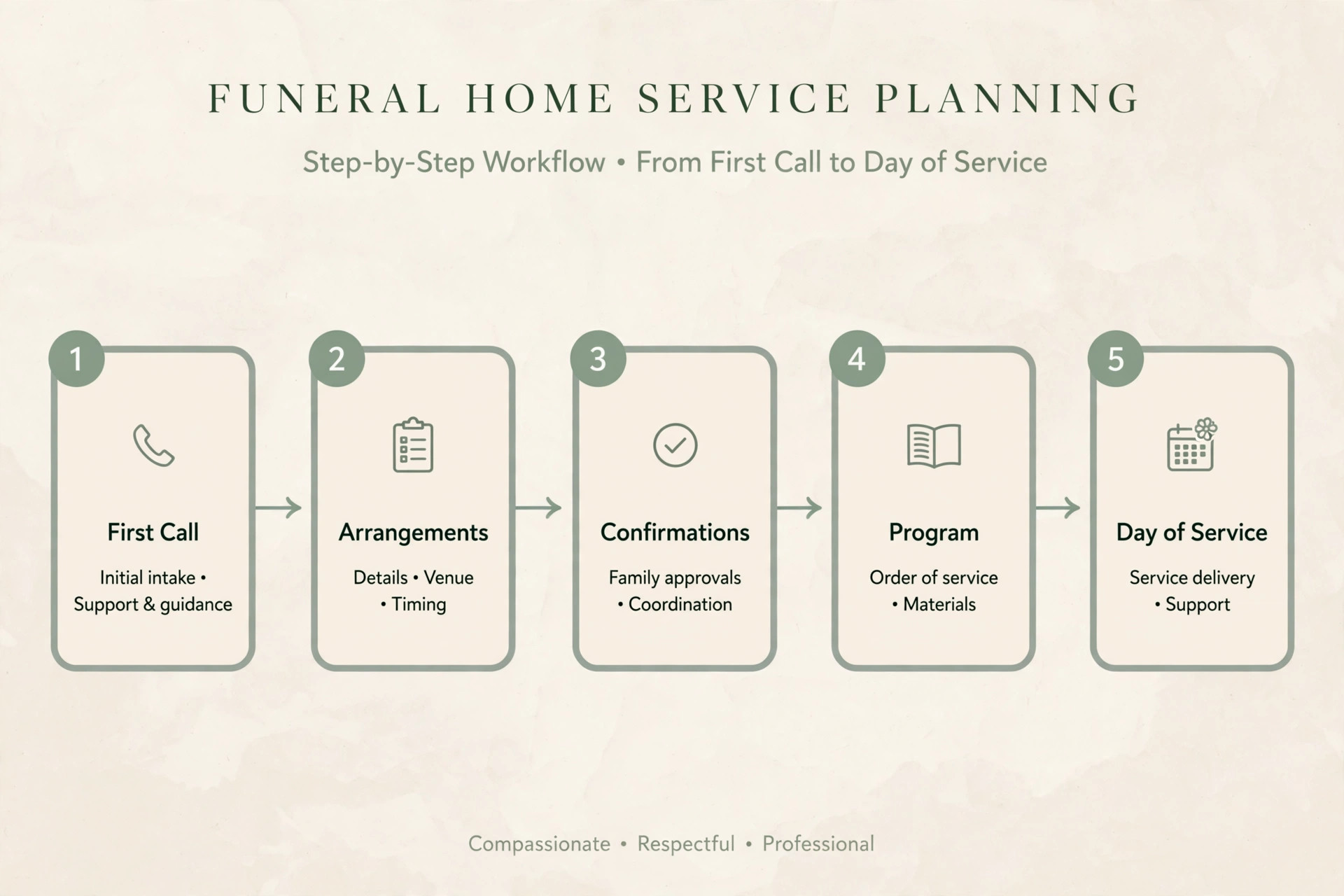
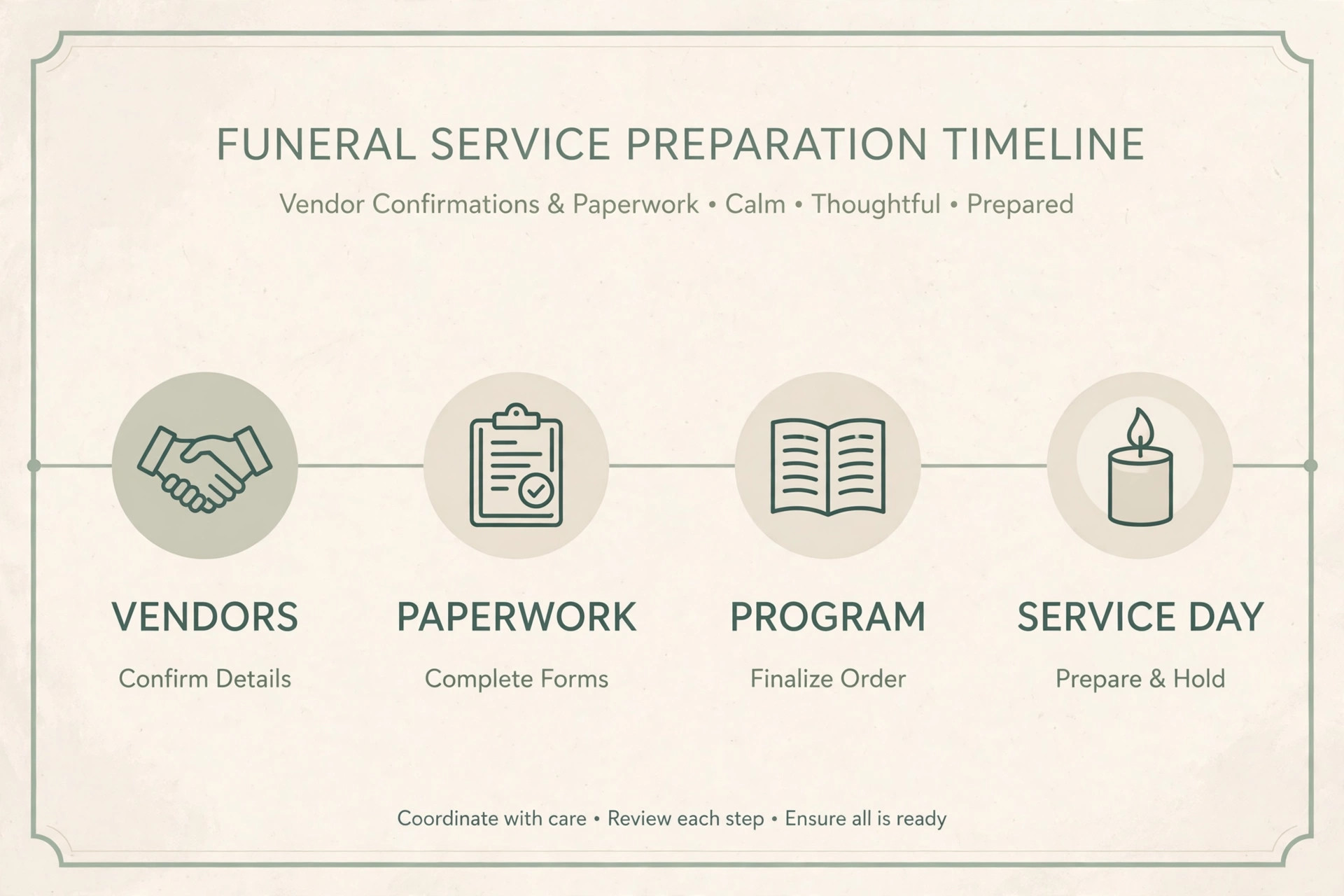
The workflow below follows a case from the first call to the day of service. It is designed for a typical arrangement, and staff should adapt the order when a family needs a faster timeline, a simpler service, or a religious tradition with its own sequence. The reason to use AI for funeral home service planning is not speed alone. It is consistency. When every case follows the same steps, fewer details slip through, and families receive the same careful standard even during a week with several services.
Step 1. Take the first call with structure, not just notes
The first call sets the tone for everything that follows, so the intake form should capture the essentials without turning the conversation into an interrogation. Staff record the name of the deceased, the caller relationship, the preferred contact method, the desired service type, and any urgent timing or religious needs. An AI summary can then turn rough notes into a clean intake record, but staff must verify every fact against what the caller actually said before the record is saved.
Step 2. Prepare for the arrangement meeting
Before the family arrives, staff prepare a short meeting agenda based on the intake record and the service type. An AI assistant can draft that agenda from a template, listing the decisions the family will need to make, such as burial or cremation, service location, visitation timing, program format, music, readings, speakers, flowers, and photographs. Staff edit the agenda to match the family situation, remove anything irrelevant, and add any cultural or religious items that the template may have missed.
Step 3. Run the arrangement meeting around listening
During the meeting, the director listens first and writes second. The agenda guides the conversation, but the family controls the pace, and staff should pause whenever a decision feels rushed. AI has no role in this room beyond the prepared materials. It does not listen to the meeting, it does not record grief, and it does not suggest what a family should feel. Its work begins after the meeting, when staff turn approved decisions into drafts.
Step 4. Draft the obituary with family approval
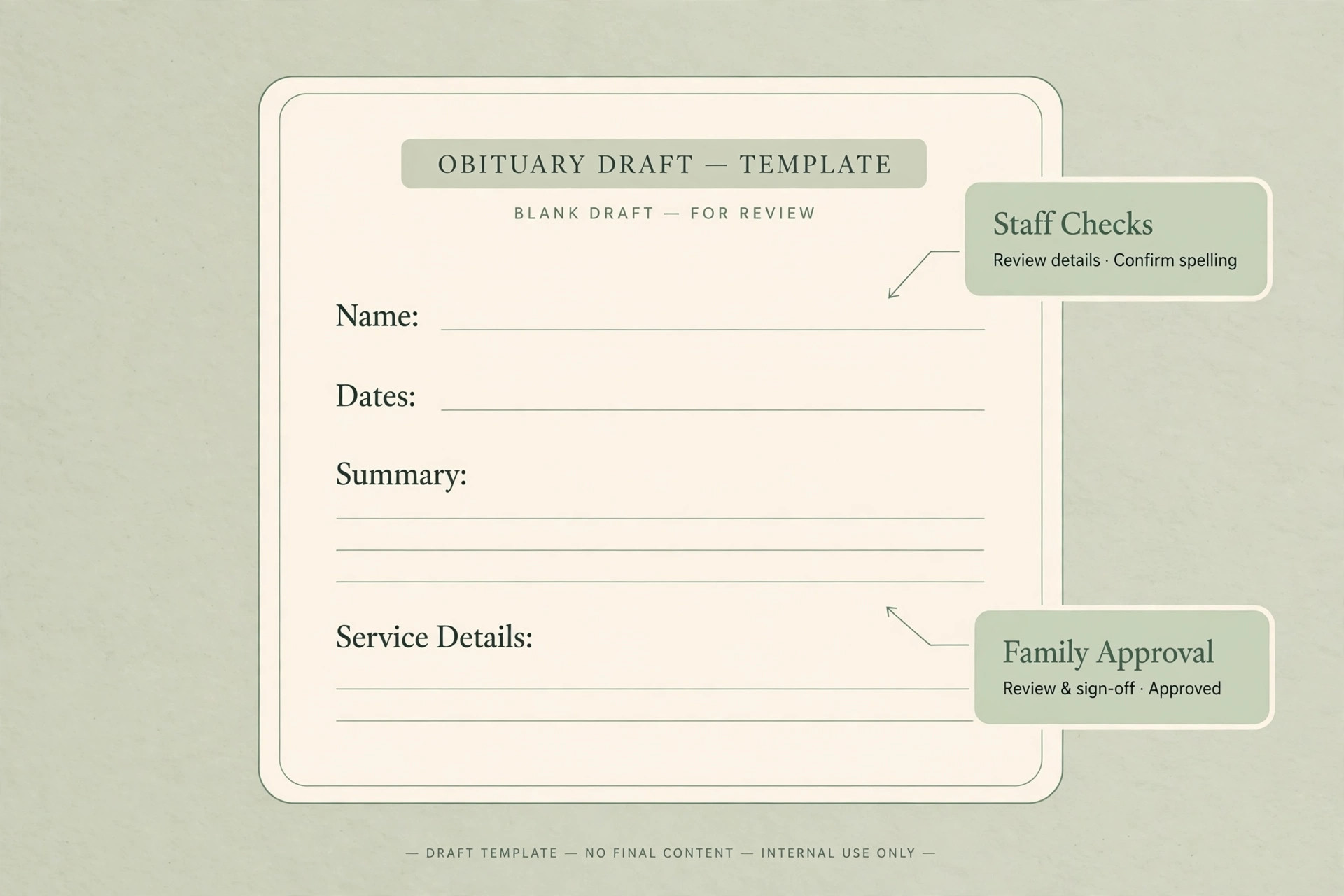
Obituary drafting is one of the most sensitive uses of AI in this workflow, and it requires the strictest guardrails. Staff begin with facts the family has verified, including full name, dates, place of birth and death, education, work, family members, and service details. An AI assistant can then shape those facts into a readable draft in the style the family prefers, whether formal, warm, or brief. Staff check every name spelling, every date, and every relationship description before the draft reaches the family.
Step 5. Draft the service program and order of service
The service program follows the same pattern as the obituary, with one added risk. Program wording often includes religious texts, prayers, poems, and song lyrics, and AI tools can misquote them or attribute them incorrectly. Staff must verify every quotation against a trusted source, confirm the correct version with the family or officiant, and check copyright or permission needs for printed lyrics. When a quotation cannot be verified, staff should leave it out or replace it with wording the officiant has approved.
Step 6. Coordinate music, readings, and speakers
Music and readings carry deep personal meaning, and AI can help staff organise choices without choosing for the family. An assistant can prepare a short list of commonly used pieces for a given tradition, summarise the theme of a reading, or draft a polite message to a speaker confirming their slot and time limit. Staff then check availability, confirm the exact title and performer, and share the final list with the officiant. Nothing in this step should surprise the family on the day of service.
Step 7. Confirm, print, and prepare for the day
In the final days before the service, the workflow shifts from drafting to confirmation. Staff use a closing checklist to verify the venue booking, officiant, musicians, speakers, flowers, photographs, printed programs, guest book, audio and visual equipment, and transport. An AI assistant can turn the case record into a day of service briefing sheet for staff, listing times, names, and responsibilities in one place. Staff verify that sheet against the case file, because a briefing sheet is only useful when it matches the approved decisions.
The arrangement checklist families and staff can use together
A checklist works when it is short enough to use under stress and complete enough to prevent missed steps. The checklist below is designed to be copied into a case file or printed for a family, and staff should tick each item only when it is verified, not merely planned. Teams that use AI for funeral home service planning still rely on this human checklist, because a checklist is a record of decisions made, not a draft produced by software.
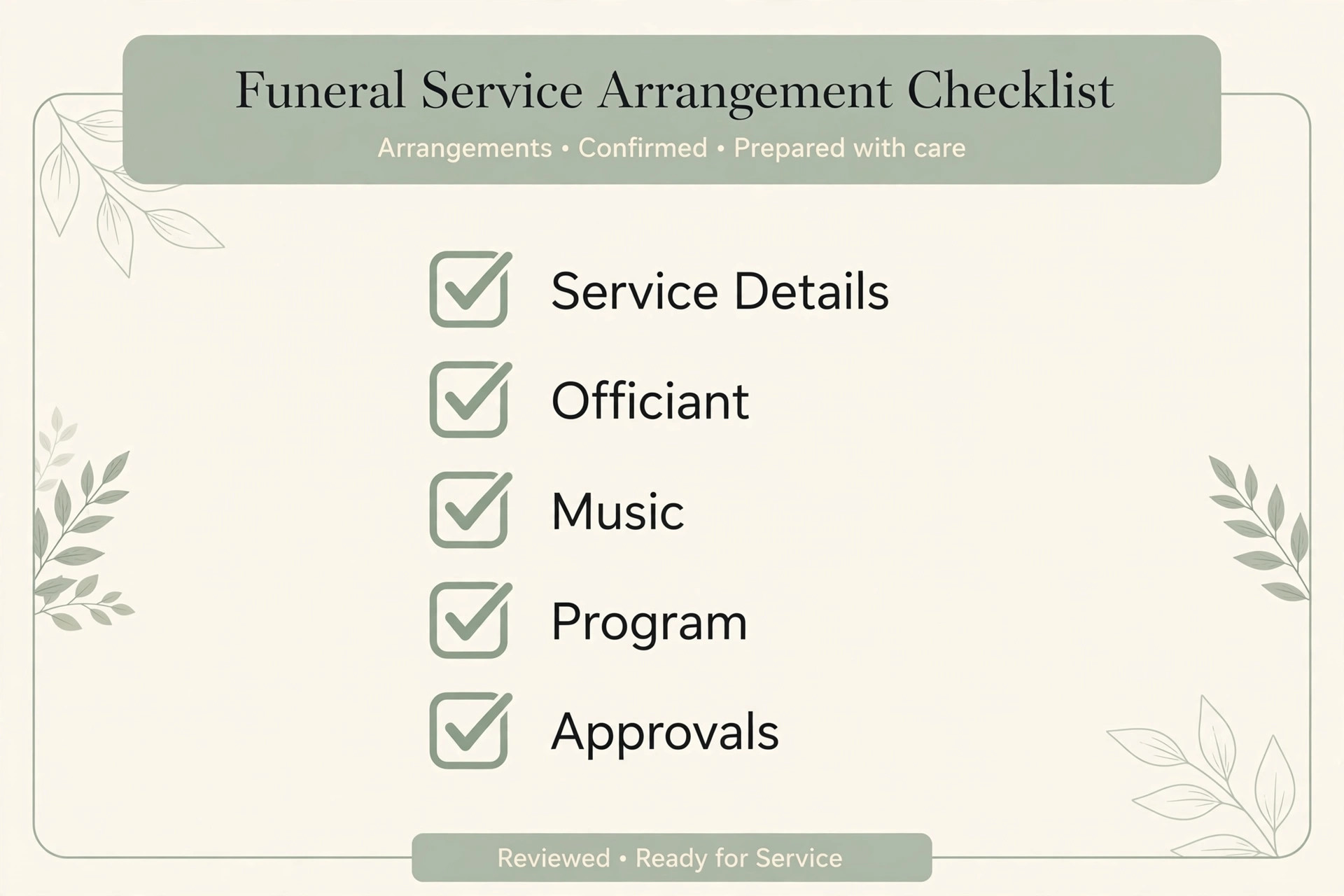
– Confirm the full legal name, dates, and spelling of names for every printed document. – Record the service type, date, time, and location, and confirm the venue booking in writing. – Confirm burial or cremation arrangements, including cemetery or crematory details. – Identify the officiant, and confirm the order of service and any religious requirements. – List speakers, musicians, and readers, with contact details and confirmed time slots. – Select music, readings, and prayers, and verify every quotation and title. – Approve the obituary text, and confirm where it will be published and when. – Approve the program layout, wording, and print quantity, and proofread a final copy. – Choose photographs for display, a slideshow, or the program, and confirm permissions. – Confirm flowers, including delivery time, placement, and any family preferences. – Arrange transport, parking guidance, and accessibility needs for guests. – Prepare the guest book, memorial cards, and any keepsake items for the service. – Confirm livestream or recording arrangements, if requested, and test the link. – Review paperwork, permits, and authorisations, and note who signed each form. – Prepare a staff briefing sheet with times, names, and responsibilities for the day. – Send the family a final confirmation with date, time, location, and arrival details. – Record family approval for the obituary, program, and any published material. – File the completed checklist in the case record for future reference and audit.
The checklist also serves as a communication tool. When a family can see what is decided, what is pending, and what needs their input, they feel less anxious about forgetting something important. Staff should review the checklist with the family at the end of the arrangement meeting and again a few days before the service, marking progress honestly. An item marked as pending is not a failure. It is a clear signal that one decision still needs attention, and naming it early gives the family time to decide without pressure.
For families who live far apart, a shared version of the checklist prevents conflicting instructions. One family member may approve a photograph while another questions a music choice, and staff need a single record of the final decision. The case manager should note who approved each item and when, so later questions can be answered from the record rather than from memory. This discipline also protects staff, because a complete checklist shows the care taken at every stage.
Prompts and templates that save time without cutting corners
Good prompts produce useful first drafts, and bad prompts produce confident errors. The prompts below are written for staff use, with placeholders in square brackets that staff replace with verified facts. Staff should never paste an entire case file into a prompt, and they should remove any detail that the draft does not need. Each prompt ends with an instruction to flag uncertainty, which helps staff spot the places that need checking.
A useful obituary prompt reads as follows. Draft a respectful obituary of about 250 words from these verified facts only, and flag any fact that is unclear instead of inventing detail. The facts are name, dates, place, education, work, family, and service details, each supplied by staff. The tone should be warm and formal, and the draft should end with service information. Staff then check the result line by line, correct the tone where needed, and send it to the family for approval. The instruction to flag uncertainty is the most important part of the prompt, because it turns a silent guess into a visible question.
A program wording prompt works in a similar way. Draft program text for a service with this order of service, using only the titles, names, and readings supplied, and do not add quotations or song lyrics that were not supplied. Staff supply the verified order, and the assistant returns clean wording for headings, transitions, and acknowledgements. Staff verify the result against the officiant plan, confirm the spelling of every name, and check that no extra reading or song has been added by the draft. Additions that look helpful can still be wrong, so staff remove anything the family did not choose.
Vendor messages also benefit from templates. Draft a polite confirmation message to a florist, musician, or venue, stating the date, time, location, and agreed details, and asking the vendor to confirm in reply. Staff add the exact details from the case file and check the message before sending, because a wrong time in a vendor message creates a problem that is hard to fix on the day. Templates save time, but the case file remains the source of truth, and every sent message should match it exactly.
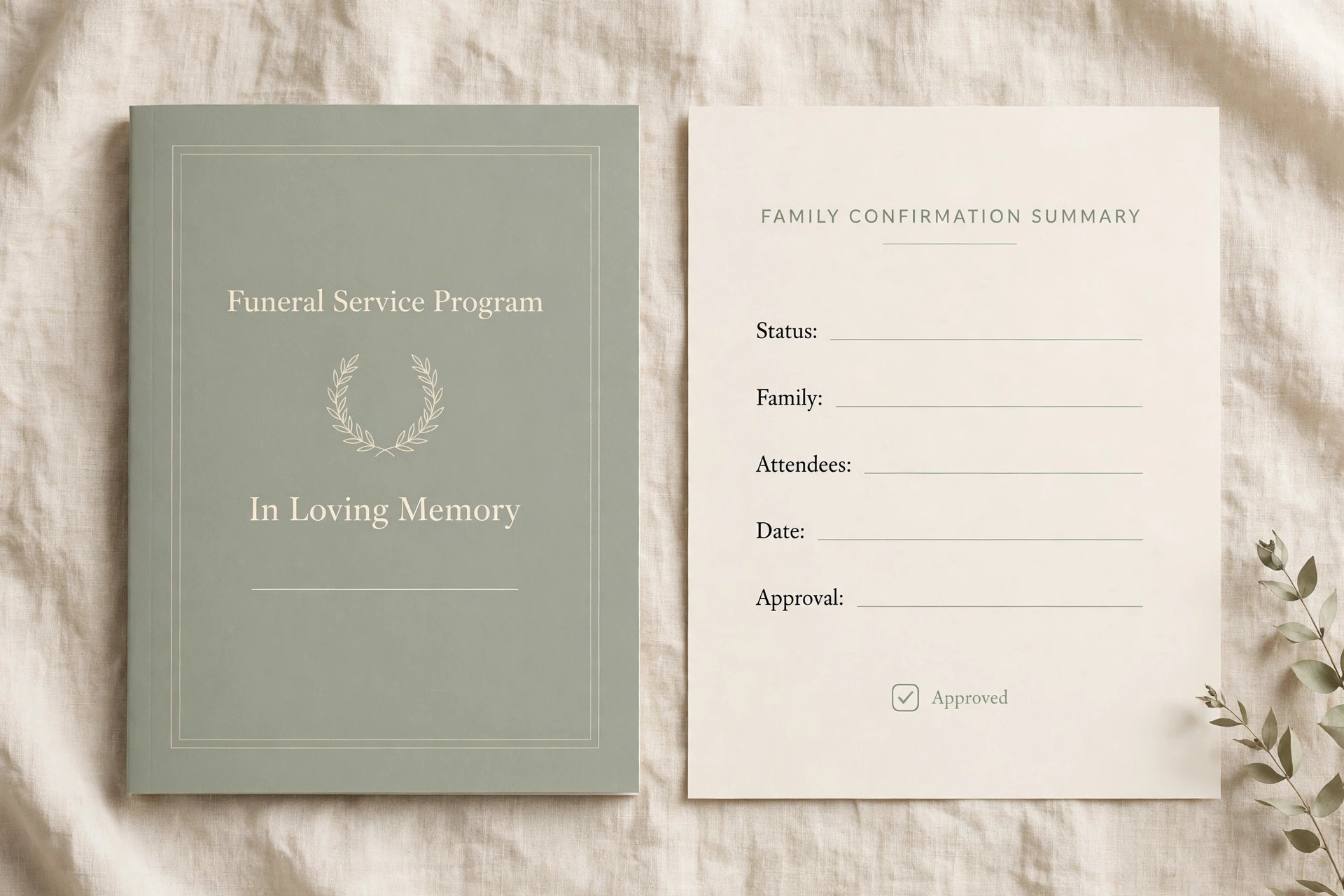
Approval guardrails turn these templates into a safe system. First, no AI draft reaches a family or vendor without a staff review. Second, every published document carries a family approval note in the case file, with a date and a name. Third, religious and cultural wording gets an extra check by the officiant or a knowledgeable family member. Fourth, staff keep the approved version separate from earlier drafts, so nobody prints an outdated program by mistake. Fifth, staff log any AI error they catch, so the team learns which prompts need tighter wording.
Vendor and paperwork coordination without the phone chain
Vendor coordination is where disorganisation becomes visible to families. A late flower delivery, a musician who was told the wrong time, or a venue change that was never passed on can overshadow an otherwise careful service. When you use AI for funeral home service planning, the gain in this area comes from better summaries and reminders, not from handing vendor decisions to software. Staff still make the calls and build the relationships, but they work from one briefing sheet instead of scattered notes.
A practical coordination routine starts with a vendor list for each case, including the vendor name, contact, service, agreed time, location, cost note, and confirmation status. An AI assistant can turn that list into reminder messages and a day of service schedule, but staff verify each entry before it is sent. Vendors should receive only the details they need for their own job, not the full family record. A florist needs delivery time and placement, while a musician needs arrival time, set list, and equipment notes. Sharing less, with precision, is both more professional and more private.
Scheduling lessons from other service businesses can help here, because the underlying discipline is the same even when the setting is different. A booking system that keeps times, confirmations, and reminders in one place reduces the same kind of double booking and missed message risk that funeral homes face. For a comparison of how structured booking tools handle those problems, see our guide to the best booking software for indoor play centers, which shows why a single confirmed schedule matters more than a fast one. The funeral context is more sensitive, but the operational lesson transfers directly.
Paperwork coordination needs the same discipline. Death certificates, permits, authorisations, and cemetery or crematory forms each have their own signatory, deadline, and filing route, and a missed form can delay arrangements at the worst moment. Staff should maintain a paperwork tracker for each case, listing each document, its status, who signed it, and where the completed copy is filed. An AI assistant can draft a plain language explanation of a form for a family, or summarise which forms are still outstanding, but staff must verify the legal details against official guidance and never rely on AI for legal advice.
Payment and billing communication also benefits from clarity. Families should receive a clear, itemised statement that matches the agreed arrangements, with no surprise items and no vague descriptions. AI can help draft a polite explanation of the statement or a summary of payment options, but staff verify every amount against the case record. For homes reviewing how other small service businesses present itemised billing, our guide to the best invoicing software for creative freelancers illustrates the value of clean, readable invoices, even though the funeral setting requires a gentler tone and a slower conversation.
Measuring what actually improves
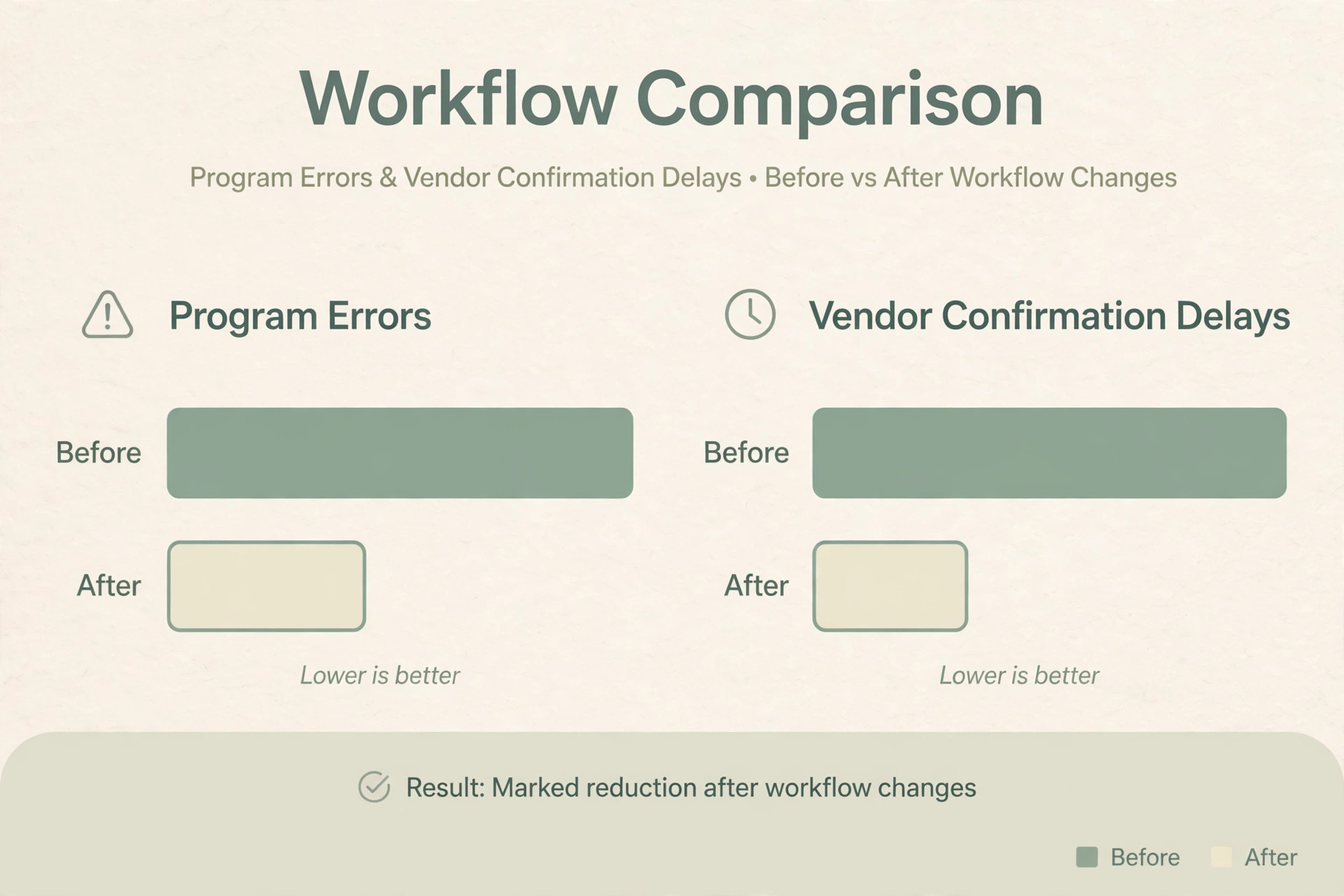
A new workflow should be judged by results that families and staff can feel, not by how modern the tools sound. The most useful measures are simple. Track how often printed programs need reprinting because of errors, how many families ask for corrections after approval, how long arrangement meetings run, and how often vendor confirmations arrive late or incomplete. When those numbers improve, the workflow is helping. When they do not, staff should adjust the process instead of adding more tools.
Family feedback, gathered gently, completes the picture. A short question at the end of the process, asking whether the family felt informed, whether documents were accurate, and whether anything felt rushed or impersonal, gives more insight than a star rating. Staff should record themes from that feedback, such as repeated confusion about one form or praise for a clear summary, and use them to update templates. Feedback should never be requested in a way that pressures a grieving family, and a lack of reply should never be treated as dissatisfaction.
Cost and risk also belong in the measurement. Track subscription costs, training time, and any time spent correcting AI errors, and compare that total with the time saved on drafting and coordination. A tool that saves thirty minutes per case but creates one serious error per month is not a good trade in this setting. Funeral homes should review these measures quarterly, keep what works, retire what does not, and document the decision in the same way they document any other operational change.
Mistakes that undermine trust
The first mistake is publishing an AI draft without family approval. Even a small error in a name or date can cause lasting distress, and families rightly expect the funeral home to have checked every detail. Approval is not bureaucracy. It is the moment when the family confirms that the words about their loved one are true. Any process that skips that moment, to save time or meet a print deadline, has misunderstood what the service is for.
The third mistake is entering sensitive information into an unapproved tool. A general chatbot may retain inputs, and a shared account may expose case details to the wrong staff member. Funeral homes should approve specific tools, limit who can use them, and train staff to use placeholders while drafting. A simple test helps. If a detail would cause harm or embarrassment if shared outside the case, it does not belong in a prompt until staff confirm the tool is approved and secure.
The fifth mistake is forgetting the human checks that make the workflow safe. A second proofread, an officiant review, a vendor confirmation call, and a family approval note each take minutes, and skipping them to save time creates risk that takes far longer to repair. Teams that use AI for funeral home service planning successfully treat those checks as part of the workflow, not as optional extras. The checklist in this guide exists to make those checks visible, so they are not lost during a busy week.
Frequently Asked Questions
Will families feel that AI makes the service less personal?
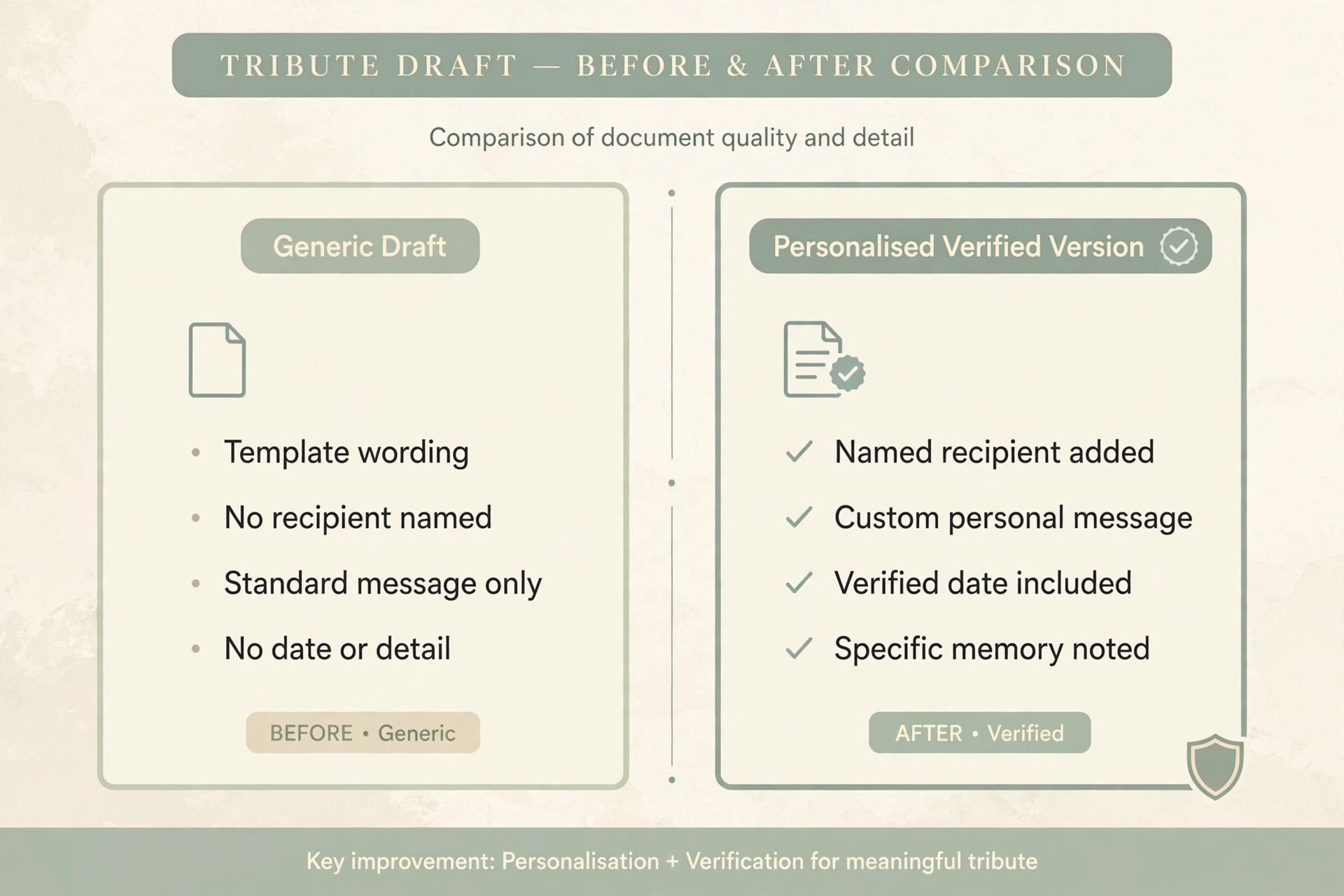
Families judge personal care by how they are treated, not by which tool prepared a first draft. When staff listen carefully, personalise every document, and invite corrections, families usually welcome the faster drafts. The risk arises only when a generic draft reaches a family unchanged, or when staff seem more focused on a screen than on the conversation. Keeping the meeting human, and the drafts editable, prevents that feeling.
Can AI write an obituary on its own?
No, and it should never be asked to do so. AI can shape verified facts into a readable draft, but it cannot know a life, verify a memory, or choose the words a family wants for a loved one. Every obituary needs family facts, staff checking, and family approval before publication. A draft that invents a detail, however small, fails the basic standard of truth that an obituary must meet.
What should staff never put into an AI tool?
Staff should never enter payment details, identification numbers, passwords, private family disputes, or medical information that the draft does not need. They should also avoid entering full personal details into a general public tool that the funeral home has not approved. When drafting structure or tone, placeholders and first names are safer, and verified details belong only in the secure case system. If a tool approval is unclear, staff should ask before using it.
Does AI replace the director or the officiant?
No. The director leads the arrangement, makes judgements about timing and tone, and takes responsibility for accuracy. The officiant leads the service and confirms religious and ceremonial wording. AI supports both roles by preparing drafts and summaries, but it cannot lead a conversation, comfort a family, or make a judgement about what is appropriate. Any workflow that suggests otherwise has confused assistance with leadership.
How much does this workflow cost to start?
Most funeral homes can start with tools they already pay for, plus one approved drafting assistant and time for staff training. The larger cost is not software, but the discipline of reviewing drafts, recording approvals, and maintaining templates. Homes should trial the workflow on a small number of cases, measure errors and time saved, and expand only when the results justify it. A careful trial protects both families and budgets.
How do small funeral homes adopt this without extra staff?
Small homes benefit most from templates and checklists, because one person often handles intake, arrangement, and coordination. A shared template library, a single case record, and a short approval routine reduce rework without adding headcount. The key is to adopt one step at a time, starting with meeting summaries or program drafts, and to keep the approval check even when the week is busy. Consistency matters more than speed.
A closing verdict for funeral homes considering AI
AI earns its place in funeral service planning only when it makes care more consistent, documents more accurate, and meetings more human. The workflow in this guide meets that test because every draft passes through staff review, every published word passes through family approval, and every case follows the same checklist from first call to the day of service. That structure protects families during a vulnerable time, and it protects staff during a demanding week.
Funeral homes that adopt this approach should start small, train every reviewer, and measure the results honestly. Begin with one template, such as the family update message or the program draft, and use it for several cases before adding obituary drafting or vendor summaries. Review errors caught during checking, update prompts that produce weak drafts, and keep the tools that prove their value. When you use AI for funeral home service planning in this disciplined way, technology fades into the background, and what families remember is what they should remember, namely that they were listened to, informed, and treated with dignity.
For homes that also manage ongoing family relationships after the service, a structured approach to contacts and follow up matters just as much as the planning itself. Lessons from relationship management in other client facing businesses can help staff keep follow up timely and respectful, and our guide to the best CRM for independent car dealers shows how a single contact record prevents missed follow ups. In funeral care, that follow up might be a condolence message, a keepsake delivery, or help with paperwork after the service, and a reliable record ensures it happens.
Similarly, homes that coordinate many family contacts during planning can learn from client management practices in travel and advisory work, as shown in our guide to the best client management software for travel advisors, where clear records and timely updates build trust under pressure.
The final test is simple. Would this workflow still feel respectful if every step were explained to the family in plain language? If the answer is yes, the workflow is ready. If any step would feel uncomfortable to explain, that step needs a stronger guardrail, a clearer approval, or a return to a manual process. Dignity is not a feature to add at the end. It is the standard against which every tool, draft, and checklist in funeral service planning should be judged.