

A kayak rental desk on a busy Saturday morning tells the same story every season. Phones ring while a line forms at the counter, waivers sit unsigned, and a family that booked online wants to switch from tandem kayaks to singles. At the same time, a guide is checking wind speed, a driver is waiting on a shuttle run, and two boats booked for the 10 am slot never left the rack because the customers never showed up. When you use AI for kayak rental booking management, that chaos gets turned into a clear order of work, with fewer missed messages and fewer empty boats.
Most small outfitters do not lose money because demand is low. They lose money because the booking system leaks. A slot stays open after a cancellation because nobody reposts it. A waiver arrives as a blurry photo and delays check in. A weather hold is announced late, so customers arrive angry. A group of eight books six singles and two tandems, then discovers at the launch that only four singles are available. Each leak looks small on its own. Together, they cost a full weekend of revenue by midsummer.
AI does not replace the people who load boats, read the river, or greet customers at the dock. It handles the repetitive work around those jobs. It answers routine questions at midnight, drafts reminder messages, sorts incoming bookings by fleet and time slot, flags a waiver problem before launch day, and rewrites a cancellation message in a calm and clear tone. The operator still makes the safety call. The guide still decides whether the wind is too strong. AI simply makes sure the information for those decisions arrives on time and in one place.
How to Use AI for Kayak Rental Booking Management
Start with one rule. AI should sit inside your booking tool, not beside it in a separate notebook. If a customer books through FareHarbor, Peek Pro, or Checkfront, the confirmation, the waiver link, the reminder, and the shuttle note should all flow from that same booking record. When AI drafts a message from a separate spreadsheet, details drift. A customer gets the wrong launch time. A deposit amount changes between messages. Keeping one record per booking prevents most of those errors before they reach the dock.
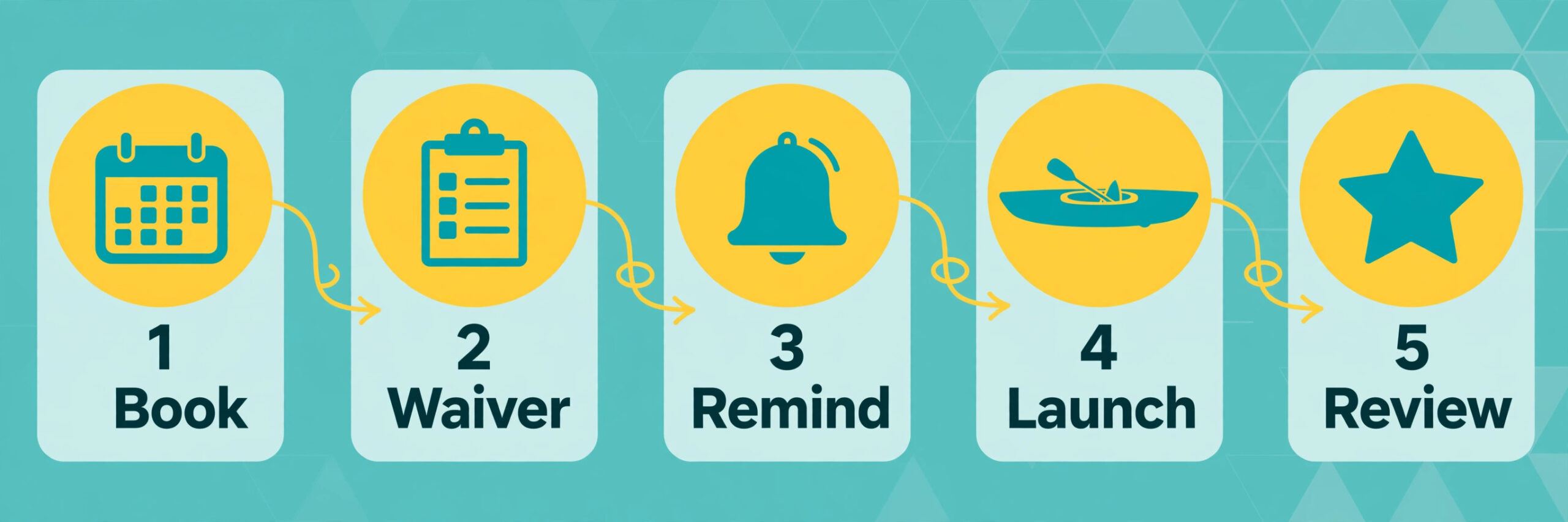
The workflow in this guide has five stages. Inquiry and booking comes first, then waiver and payment, then pre trip reminders, then check in and launch, and finally return and review. AI has a job at every stage, but the job changes. Early on, it answers questions and fills gaps in a booking. Closer to launch, it checks readiness and flags risks. After the trip, it asks for a review while the experience is still fresh. Mapping the job to the stage keeps the system useful instead of noisy.
The Booking Flow, Step by Step
Step 1. The customer finds a slot and sees real fleet availability. Your booking page should show singles, tandems, and any specialty boats separately, with the number left in each slot. AI can draft the slot descriptions so customers understand the difference between a two hour river run and a four hour lake paddle. Clear descriptions reduce the wrong boat problem, where a beginner books a long touring kayak for a short family outing.
Step 2. The customer books and pays a deposit or the full amount. Deposits reduce no shows more than any reminder message. A 20 to 30 percent deposit, collected at booking, makes the customer treat the slot as a real commitment. AI can draft the deposit policy in plain language for the booking page, so customers understand what is refundable, what moves to another date, and what is kept when they simply do not arrive.
Step 3. The waiver link goes out immediately, not on launch morning. The confirmation message should include the waiver link, the launch address, parking notes, and what to bring. AI can generate that confirmation from the booking record, pulling the correct date, time, boat type, and group size into the message. Staff should check one thing only, which is whether the waiver link in the message matches the booking.
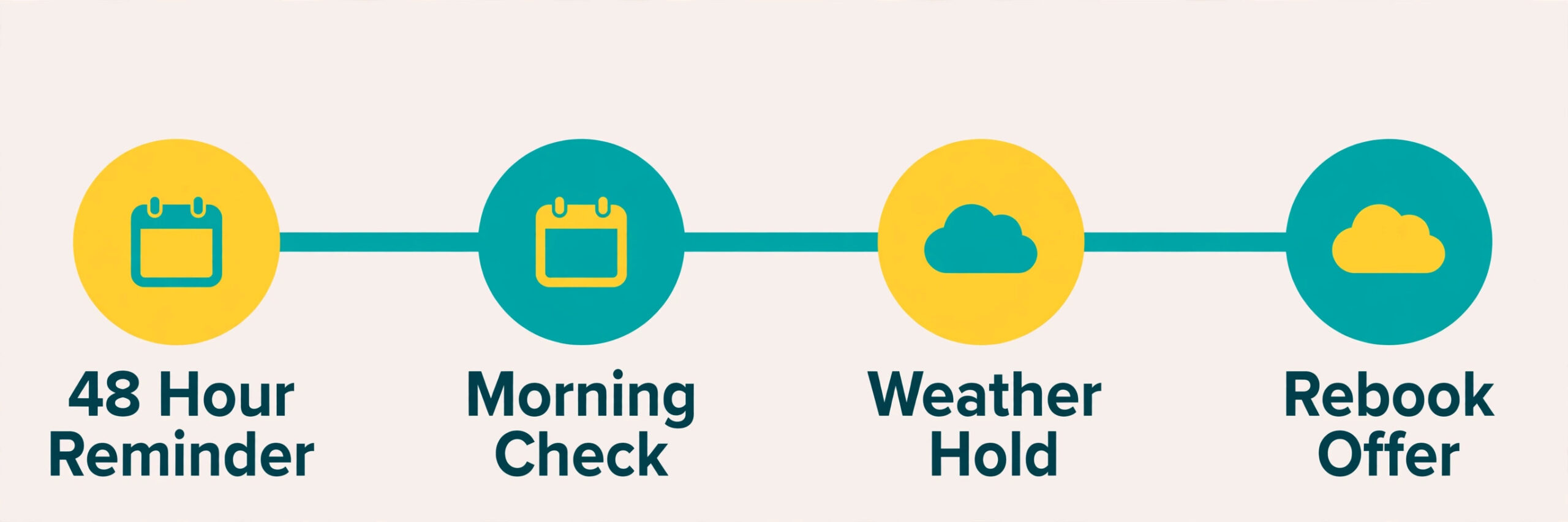
Step 4. Reminders go out at 48 hours and again on the morning of the trip. The 48 hour reminder asks the customer to confirm the group size and finish any unsigned waivers. The morning reminder covers weather, water level, what to wear, and the check in time. AI can draft both messages and adjust the tone for the situation, such as a calm weather note versus a firm check in deadline for a full Saturday slot.
Step 5. Check in, briefing, launch, and return follow a checklist, not memory. Staff confirm waivers, assign boats, note existing damage, and give the safety briefing. At return, staff check the boat, record any new damage, and release or hold the deposit. AI helps after return by drafting the thank you message and the review request. It should never decide a damage charge on its own, since that decision needs a human look at the boat.
The booking software you pick shapes how smooth this flow feels. If you are still comparing options, read the guide to the best booking software for kayak rental outfitters before you lock in a yearly plan. The right tool matters more than the fanciest AI feature, because availability, deposits, and waivers all live inside that tool. Pick the tool that fits your fleet size and your shuttle pattern, then add AI drafting on top of it.
Fleet Capacity and Time Slots That Fill Without Overbooking
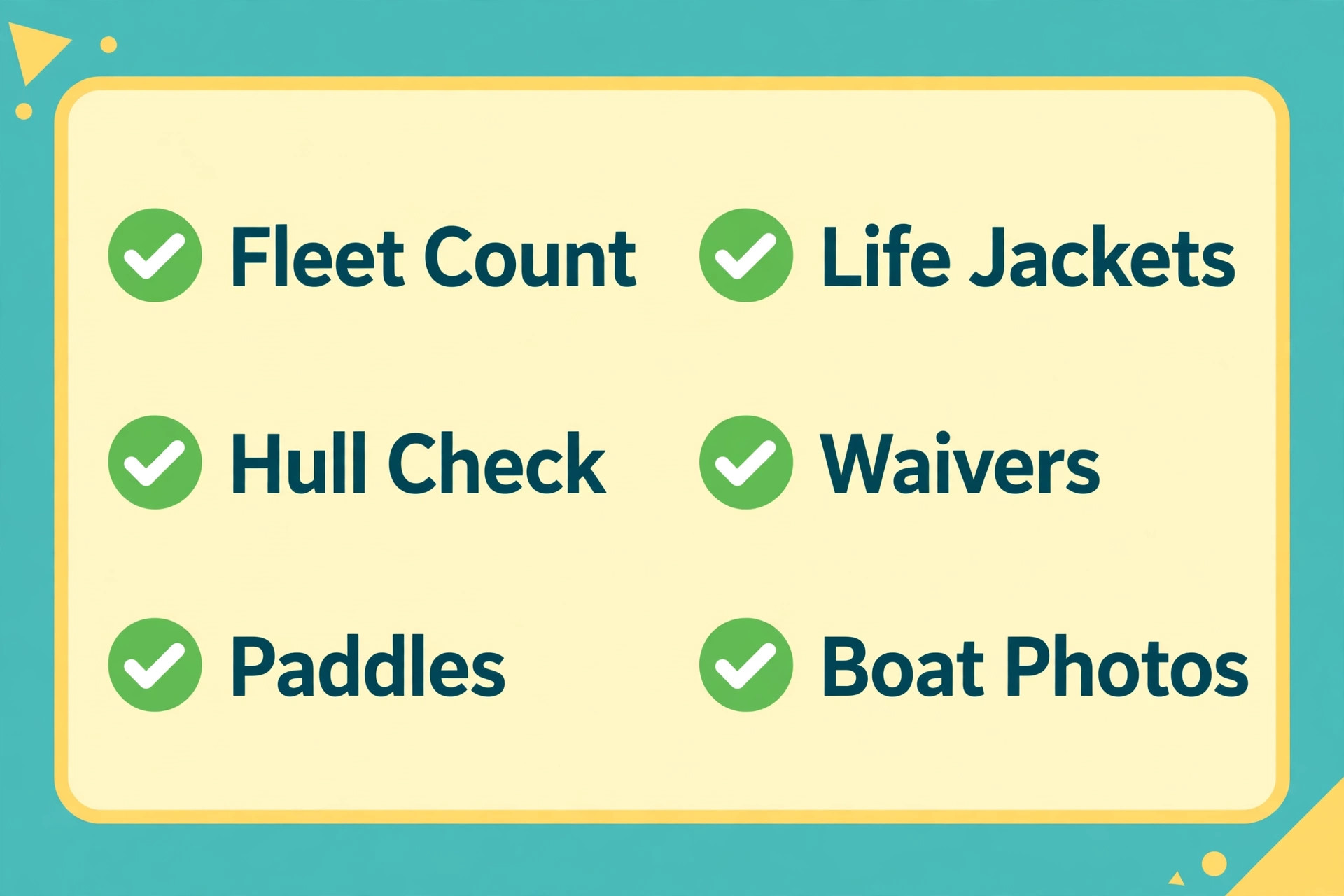
Fleet capacity is not the number of boats you own. It is the number of boats you can launch, staff, and recover in one slot without chaos. A fleet of 30 kayaks does not mean 30 bookings at 10 am if you have only two staff members at the dock and one shuttle van. Real capacity counts boats, staff, parking, launch space, and shuttle seats together. When you use AI for kayak rental booking management, the first useful task is to turn that real capacity into slot limits that the booking page enforces.
Start by splitting the fleet into booking groups. Singles, tandems, and youth boats behave differently. A tandem counts as one boat but carries two people, so a group of six might need three tandems or six singles. Youth boats need an adult in the group. Fishing kayaks need extra time at check in because customers add rods and coolers. If the booking page lumps all boats together as generic kayaks, staff spend launch morning reassigning boats. Split groups prevent that scramble.
Time slots should match the trip, not the clock alone. A two hour river run with a shuttle return needs a longer gap between launches than a one hour lake loop where customers return to the same dock. Many outfitters do well with staggered slots every 30 minutes for lake loops and every 60 to 90 minutes for river runs. Staggering spreads the check in line, spreads the shuttle load, and gives staff time to inspect returned boats before the next group takes them.
For operators who run a second seasonal business indoors, the same slot logic applies. The guide to the best booking software for indoor play centers shows how timed sessions and capacity limits work when the space, not the fleet, is the constraint. The lesson transfers directly. Capacity is always the scarcest resource in the room, whether that resource is a play room or a kayak.
Waivers, Safety Briefings, and a Check In That Takes Minutes
Waivers cause more launch delays than any other paperwork. When you use AI for kayak rental booking management, timing and clarity fix most waiver delays. Send the waiver at booking, remind the customer at 48 hours if it is unsigned, and block check in until every adult in the group has signed. Minors need a parent or guardian signature, and the booking form should collect that name at booking rather than discovering the gap at the dock. A waiver signed the night before is worth far more than a waiver signed in a rush while boats are being carried to the water.
AI can rewrite a waiver introduction in plain language, but it must never rewrite the legal waiver itself without a lawyer reviewing it. Use AI for the cover message, the instructions, and the reminder. Keep the waiver text itself exactly as your legal adviser approved it. That boundary protects the business and keeps the waiver enforceable. The same rule applies to safety rules. AI can draft a friendly briefing script, but the safety content must match your actual river, lake, and weather rules.
A good safety briefing covers six topics in under five minutes. It covers life jackets and how they must fit, how to enter and exit a kayak without tipping, basic paddle strokes and steering, what to do if the boat capsizes, the route boundaries and the return point, and how to signal for help. Add local hazards by name, such as a low bridge, a strong current near a bend, or a busy boat channel. Generic briefings feel like a lecture. Local details prove the guide knows the water.
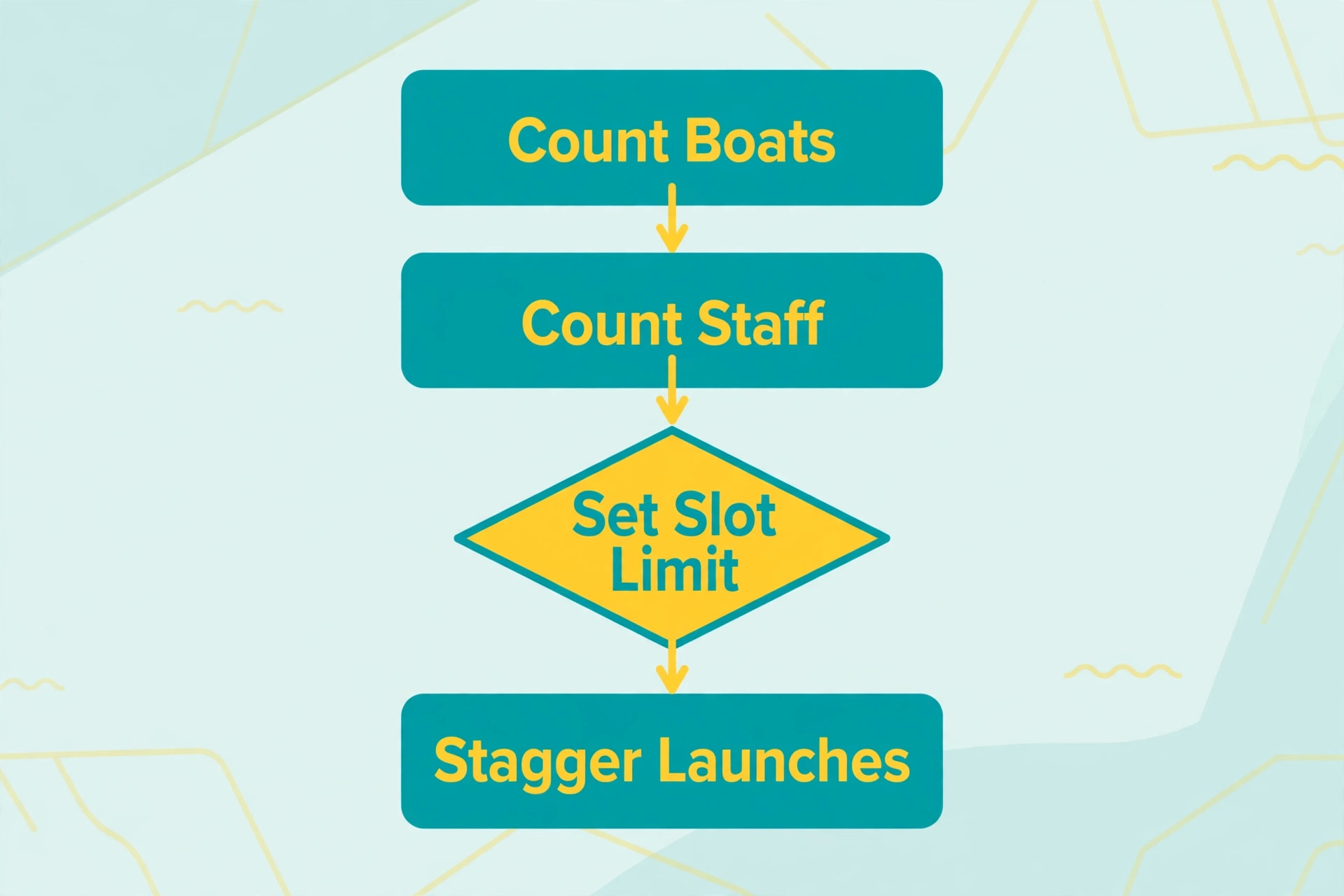
Check in should take about three minutes per group when waivers are done. Staff confirm the booking, confirm waivers, assign boat numbers, note existing scratches or dents, and hand over paddles and life jackets. A photo of each boat at assignment, taken on a staff phone and tied to the booking, prevents most damage arguments later. The photo takes ten seconds and saves a long dispute at return.
The Fleet and Waiver Checklist
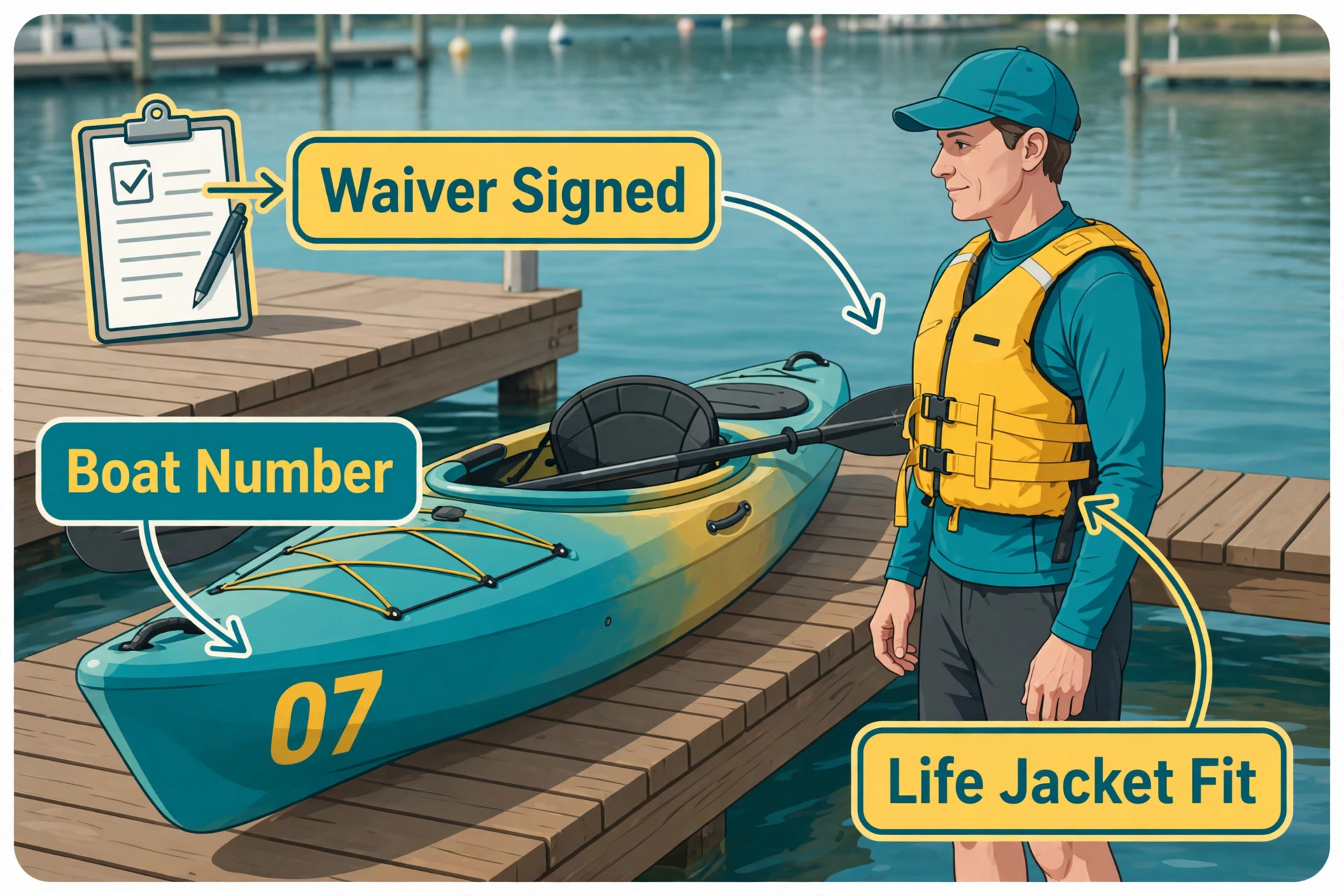
This checklist is the daily control for the whole operation. Print it, keep it at the dock, and run it in order. It prevents the two most common failures, which are launching a boat that should have stayed ashore and launching a customer whose waiver is incomplete. Run the fleet half the evening before and again in the morning. Run the waiver half when each group checks in.
Fleet checks to complete before the first launch.
– Count singles, tandems, and youth boats on the rack and match the count to the booking page. – Inspect hulls for cracks, soft spots, and missing drain plugs. – Check seats, foot braces, and carry handles on every boat going out that day. – Count paddles by size and count life jackets by size, including youth sizes. – Confirm shuttle fuel, keys, and driver availability for every river run slot. – Set aside any damaged boat with a visible tag so it cannot be assigned by mistake. – Charge or replace radios and phones used by guides and shuttle drivers. – Confirm parking, launch access, and any shared ramp rules for the day.
Waiver and customer checks to complete at check in.
– Confirm every adult in the group has a signed waiver on file. – Confirm a parent or guardian signature for every minor in the group. – Match the waiver name to the booking name and the photo ID if your policy requires it. – Confirm group size, boat types, and trip duration match the booking record. – Record boat numbers assigned to the group and photograph existing damage. – Confirm life jacket sizes for every paddler, including children. – Give the safety briefing and note any customer who needs extra help on the water. – Confirm the return time, the return point, and the phone number for help.
End of day checks to close the loop.
– Count returned boats against launched boats before staff leave the dock. – Inspect each returned boat and record new damage with a photo. – Release deposits for clean returns and flag held deposits for review. – Log any incident, near miss, or customer complaint the same day. – Update the booking page for tomorrow if a boat needs repair and must stay ashore.
AI Prompts and Message Templates That Actually Work
To use AI for kayak rental booking management well, start with a booking confirmation prompt. Ask AI to write a confirmation for a named trip on a named date, with the launch address, check in time, boat types, group size, deposit paid, balance due, waiver link, parking notes, and what to bring. Require a calm and clear tone, short sentences, and no invented times or prices. Ask it to leave placeholders for any detail it does not know, rather than guessing. Staff fill the placeholders once, then the template works all season.
Prompt for a 48 hour reminder. Ask AI to write a reminder that asks the customer to confirm group size, finish unsigned waivers, and reply if anyone in the group cannot swim or needs a youth life jacket. Require the message to state the check in time in bold terms, using words rather than formatting tricks, and to state what happens if the group arrives late. Late arrivals compress the briefing and delay the next slot, so the policy must be clear before launch day.
Prompt for a weather hold message. Ask AI to write a calm message that states the hold, the reason in plain words, the new time or the reschedule options, and the refund or credit policy. Require the message to avoid blame and to avoid promising a new time until the guide confirms conditions. A weather message sent early, with clear options, keeps customers far calmer than a late message that only says the trip is delayed.
Keep a simple rule for every template. AI drafts, a human approves, the booking tool sends. No AI message should go directly to a customer without a staff member reading it first during the first month of use. After a month, routine confirmations and reminders can go out automatically, but weather holds, damage charges, and refunds always need a human read before sending.
Weather Holds, Cancellations, and No Shows
Weather is the hardest part when you use AI for kayak rental booking management, because it affects safety, revenue, and customer mood at the same time. A clear weather policy, published on the booking page before anyone books, prevents most arguments. State the wind speed, lightning rule, and water level rule in plain words. State what happens for each case, whether the trip moves, shortens, or refunds. Customers accept a rule they read at booking. They resist a rule they first hear at the dock.
Build a weather decision routine. Check the forecast the evening before, again in the early morning, and again one hour before each slot. Assign one person to make the call, and record the call with the time and the reason. AI can draft the customer message once the decision is made, and it can draft a shorter staff message for guides and drivers. The decision itself must come from the person responsible for safety, not from a chatbot summary of the forecast.
When a hold is needed, offer options in the same message. Offer a later slot the same day, a different day, or a credit. A message that only announces a delay leaves the customer waiting for the next update. A message with options lets the customer choose and reduces reply volume. For full refunds, state the timing clearly, such as refunds processed within three to five business days. Vague refund timing generates follow up messages for a week.
Cancellations need a deadline that protects the slot. A 48 hour cancellation window works for most outfitters. Inside that window, offer a reschedule or a credit rather than a full refund, unless weather forces the change. AI can draft the cancellation policy for the booking page and the reply templates for each case. Staff apply the policy consistently. Inconsistent exceptions, granted to loud customers and refused to quiet ones, damage trust faster than a strict policy does.
No shows need a different response from cancellations. A no show customer did not call, so the slot cannot be resold in time. The deposit policy is the main protection. After a no show, send a polite message the same day offering a rebooking at a reduced rate or a credit, depending on your policy. The goal is to recover the customer, not to punish them publicly. A calm follow up often turns a no show into a rebooking the following weekend.
Operators who rent equipment by the day face the same no show and damage questions in a different setting. The guide to the best rental software for construction equipment rentals shows how deposits, return inspections, and damage records work when the asset is larger and the rental period is longer. The principle is identical. Record condition at handover, record condition at return, and hold the deposit only with evidence.
Shuttles, Returns, Damage, and Deposits
Shuttle logistics decide whether a river run feels smooth or stressful. A river trip needs a drop off, a paddle, and a pickup at a different point. If the shuttle runs late, the next launch runs late too. Build the shuttle schedule around the launch slots, not the other way around. Each river slot needs a driver, a vehicle with enough seats, and a buffer of at least 15 minutes between runs. AI can draft the driver schedule from the booking list, but a human must check it against real road time and real loading time.
Damage handling needs a written scale, not a mood based decision. Define minor wear, such as light scratches from normal use, separately from chargeable damage, such as a cracked hull, a broken seat, or a lost paddle. Photograph chargeable damage, note the boat number, and explain the charge to the customer before processing it. AI can draft the damage message in a calm tone, stating the facts, the photo evidence, and the amount. Staff decide the amount. AI never sets it alone.
Deposits should be collected and released through the booking tool, not in cash at the dock. Card deposits create a clear record, a clear release, and a clear dispute trail. State the deposit amount at booking, state the release timing at check in, and release clean deposits the same day. Delayed releases generate messages and bad reviews even when the trip itself went well. A same day release is a small habit with a large effect on trust.
For payment handling at a market stall or a mobile setup, the same record keeping applies. The guide to the best POS system for farmers market vendors shows how small operators keep card payments, receipts, and daily totals clean without a full shop system. A kayak dock is similar. One payment record per booking, tied to the boat numbers, beats a pile of separate receipts at the end of the day.
Measuring Results Without Guessing
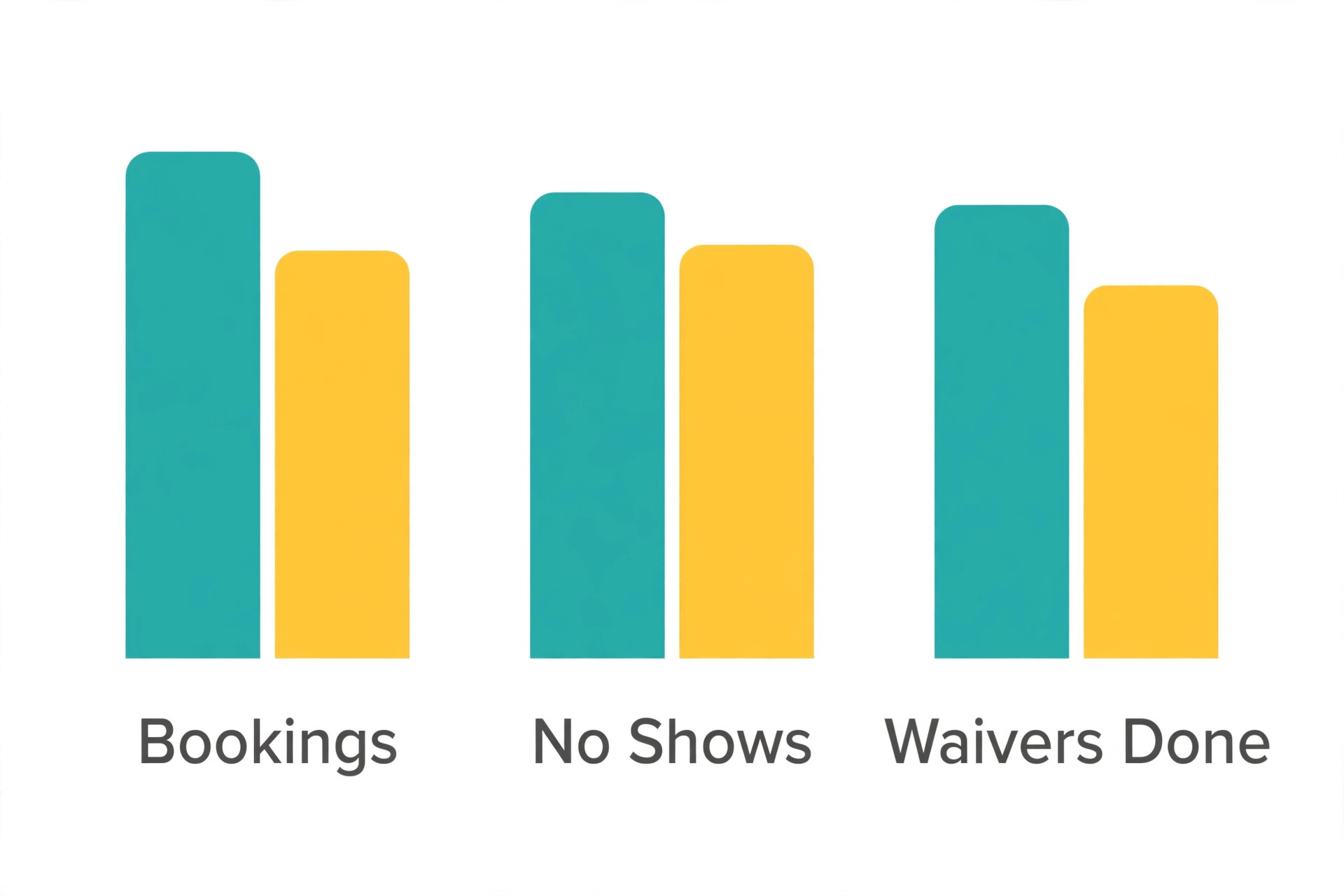
When you use AI for kayak rental booking management, results show in numbers, not in feelings. Track six numbers every week. Bookings per slot, no show rate, waiver completion rate before launch day, average check in time, damage incidents per 100 trips, and review rating. These six numbers cover revenue, reliability, safety paperwork, speed, asset care, and customer satisfaction. If all six move in the right direction, the system works. If one moves the wrong way, you know where to look.
Review the numbers every Monday for 20 minutes. Look at the worst slot, not just the weekly average. A weekly average can hide a Saturday 10 am slot that overbooks every week while weekday slots sit empty. Fix the worst slot first, whether the fix is a smaller slot size, a later start, a different boat mix, or a clearer trip description. One slot fix per week compounds across a season into a far smoother operation.
Scheduling discipline from other mobile services transfers well here. The guide to the best scheduling software for mobile massage therapists shows how travel time, buffers between appointments, and no show protection work when the provider moves to the customer. A kayak shuttle faces the same buffer problem. Build travel and loading time into the schedule, or the schedule will fail on the busiest day.
Common Mistakes That Cost Bookings
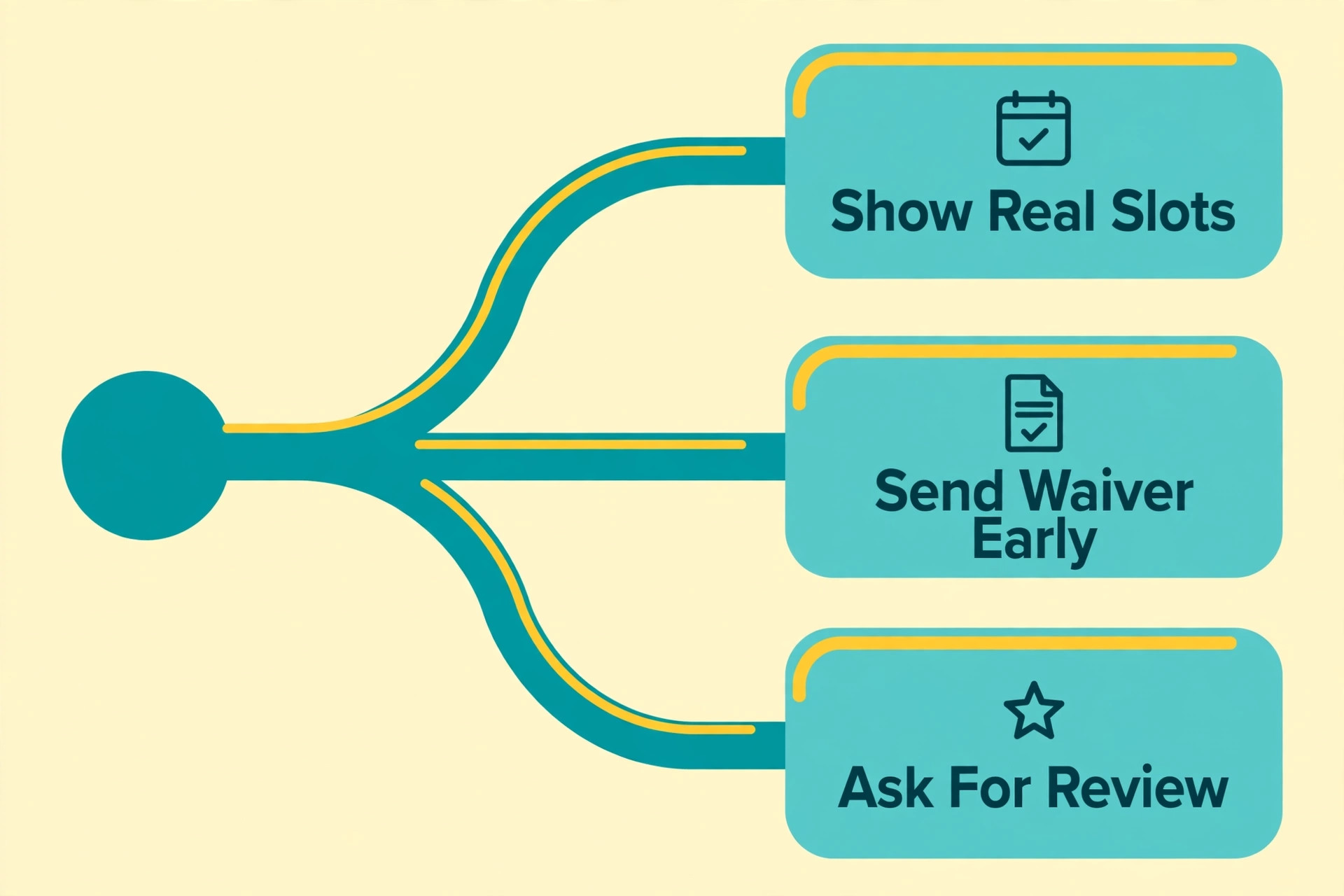
Operators who use AI for kayak rental booking management still hide availability, and that is the first mistake. A booking page that says to call for availability loses customers who book at midnight. Show real slots, real boat counts, and real prices. Customers book what they can see. If a slot is full, show the waitlist option instead of a dead end. A dead end sends the customer to a competitor. A waitlist keeps them with you.
The second mistake is writing trip descriptions for experienced paddlers only. Beginners are a large share of summer demand, and they need plain language about difficulty, distance, current, and fitness. A description that says a river run is moderate means nothing to a first time paddler. A description that says the trip takes two hours, includes one gentle rapid section, and suits adults and children over ten gives a family enough information to book with confidence.
The third mistake is sending the waiver too late. A waiver sent on launch morning competes with packing, driving, and parking. A waiver sent at booking gets signed at home, on a couch, with time to read it. Late waivers also create a legal risk, because a rushed signature at a busy dock is harder to defend than a calm signature at home. Move the waiver to booking day and keep it there.
The fourth mistake is treating every customer message as urgent in the same way. A question about parking is not as urgent as a weather hold or a missing child life jacket size. Sort messages by trip date and by risk. AI can draft replies for routine questions, freeing staff to handle the messages that affect safety or the next launch. Staff time is the scarcest resource on a busy day, and routine drafting is the easiest time to save.
The fifth mistake is skipping the post trip review request. Customers who had a good trip rarely leave a review unless asked. Customers who had a bad trip leave one without being asked. That imbalance slowly lowers the rating even when most trips go well. A prompt review request within two hours of return balances the picture. It also gives you feedback while the details are still fresh enough to act on.
Frequently Asked Questions
Do I need booking software before I start using AI for kayak rentals
Yes, booking software should come first. AI drafts messages and summaries, but it needs a booking record to work from. Without a tool that tracks slots, boat types, deposits, and waivers, AI drafts will contain guesses. Pick a booking tool that fits your fleet size, connect waivers and payments to it, and then add AI drafting for confirmations, reminders, and summaries.
How much time does this workflow save each week
Most small outfitters save five to ten hours per week once confirmations, reminders, and weekly summaries are templated. The saving comes from fewer phone calls, fewer waiver chases at the dock, and faster check in. The first two weeks save less, because staff are learning the templates and checking every message. Savings grow once templates are trusted and routine messages go out automatically.
What should I do when a group arrives with unsigned waivers
Do not skip the waiver to save time. Ask the group to sign at check in, on a tablet, before any boat is assigned. Explain briefly that the waiver protects both the customer and the business. If a minor lacks a parent signature, contact the parent by phone before launch. Launching without a complete waiver creates a risk that no saved time is worth.
Can AI handle weather decisions for my outfitter
No, AI should draft the message after a human makes the weather decision. The guide, owner, or safety lead should check the forecast, the wind, and the water level, then decide whether to hold, shorten, or move the trip. AI can then write a calm customer message with the options. Keeping the decision human protects safety and keeps accountability clear.
How do deposits reduce no shows for kayak rentals
A deposit turns a casual booking into a commitment. Customers who paid 20 to 30 percent at booking are far less likely to skip the trip without calling. Deposits also give you a fair way to handle late cancellations, since the policy is stated at booking. Collect deposits through the booking tool so the record, the refund, and the release all stay tied to the same booking.
What is the best way to handle a damaged kayak at return
Photograph the damage, note the boat number, and explain the facts to the customer before processing any charge. Compare the return photo with the check in photo to confirm the damage is new. Use a written damage scale so similar damage gets a similar charge. Keep the tone calm and factual. A clear photo record resolves most disputes quickly and fairly.
Final Verdict
The best kayak rental operation is not the one with the most boats. It is the one where every booking has a clear slot, a signed waiver, a correct boat assignment, and a calm message when plans change. AI helps you reach that standard without hiring extra office staff. It drafts, reminds, summarises, and sorts, while your people handle safety, boats, and customers face to face.
Start small this week. Pick one booking tool, move waivers to booking day, set a deposit, and template two messages, the confirmation and the 48 hour reminder. Run that version for two weekends and measure the four baseline numbers. Then add weather templates, waitlist messages, and a weekly summary. Each addition should earn its place by saving time, filling a slot, or preventing a dock dispute.
When you use AI for kayak rental booking management with that discipline, the result is visible at the dock. Lines get shorter, briefings start on time, shuttles run on schedule, and boats return in better condition because damage is recorded, not argued about. Customers notice the difference too, and they leave reviews that mention smooth check in and clear communication. Those reviews bring the next season of bookings, which is the real return on a well run system.