

An executive who applies to twenty roles with the same resume gets the same result twenty times, and the roles that matter are often filled before they are ever posted. The top 10 ai job search tools for executives in this guide were picked to tailor the resume to each role, surface the jobs that fit a senior profile, and prepare the candidate for the interview that decides the offer.
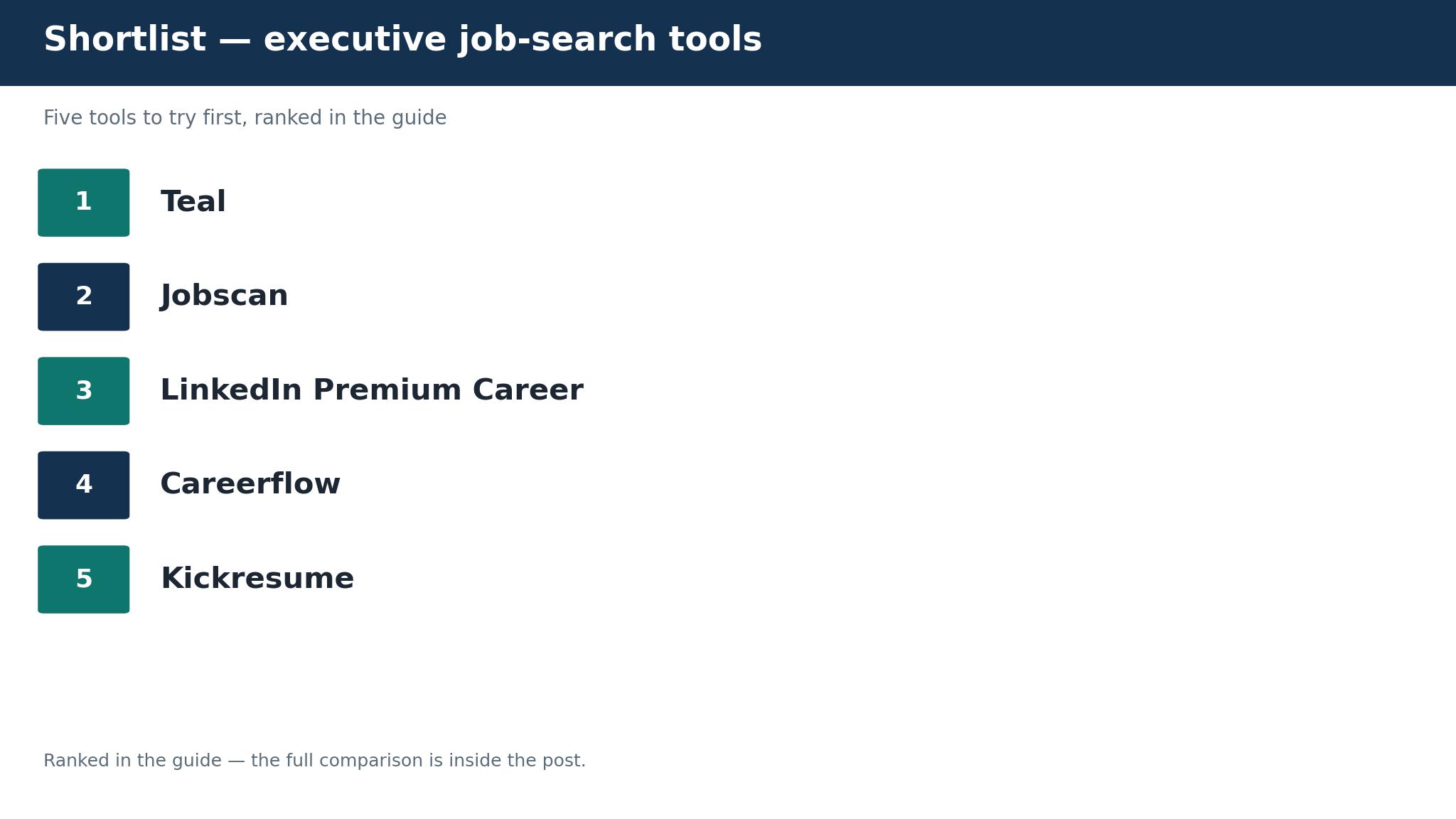
Teal leads for executives who need one tracker and one resume builder for a high-volume search, Jobscan leads for executives whose resume keeps losing to the applicant tracking system, and LinkedIn Premium leads for executives who need to be found by recruiters. The ten tools below are ordered by the job each one does best, so a CEO, a VP and a director each get a different winner.
Vendor pricing pages checked in November 2026 list Teal Plus at about 29 dollars a month, so confirm the figure on the vendor page before you pay. A low headline figure rarely tells the whole story, because resume scans, interview coaching and premium tiers all move the monthly bill.
How to Judge the Top 10 AI Job Search Tools for Executives
Start with the network, because most executive roles are filled through a recruiter or a referral before the posting goes live. A tool that only scans job boards will miss the roles that matter, while a tool that helps the candidate get found on LinkedIn and track warm introductions covers the real channel. The top 10 ai job search tools for executives are judged first on whether they help the candidate be found, and only second on how many boards they scan.
Next, check the resume match. An executive resume that lists twenty years of experience without the keywords in the job description will lose to the tracking system before a human reads it, and Jobscan exists for exactly this reason. Five free scans a month is enough to test the approach, and the paid tier is worth it when the resume keeps getting no callbacks.
Finally, look at the interview. An executive interview is a board conversation, not a screening call, and the candidate who has rehearsed the strategy questions and the compensation conversation will outperform the candidate who only prepared the resume. The tools in this guide differ on whether they coach the interview or only prepare the paperwork.
The 10 Tools at a Glance
Read the table as a map of trade-offs, then read the detail entries for the two or three tools that match where the executive search is actually stuck.
| Tool | Best for | Starting price |
|---|---|---|
| Teal | executives running a high-volume search | free, Teal Plus from about 29 dollars a month |
| Jobscan | executives whose resume gets no callbacks | free for 5 scans a month, paid from about 49.95 dollars a month |
| LinkedIn Premium Career | executives who need to be found | from about 40 dollars a month |
| Careerflow | executives who search through LinkedIn | free, paid from about 23.99 dollars a month |
| Kickresume | executives who want a design-led resume | from about 8 dollars a month on annual billing |
| Rezi | executives who need an ATS-proof resume | from about 29 dollars a month |
| Simplify | executives who apply at volume | free, paid from about 39.99 dollars a month |
| Final Round AI | executives preparing for high-stakes interviews | from about 29 dollars a month |
| Hiration | executives who want an AI-built resume | from about 19 dollars a month |
| Sonara | executives who want applications sent for them | from about 79 dollars a month |
The table narrows the field but never makes the decision, because what suits one buyer leaves another short, so follow the detail entries for your job. Skim the rest of the job search tools for executives guide, but read the detail entries for the two or three tools that match where the work actually happens. The top 10 ai job search tools for executives that fits is the one that matches the job, not the one with the longest list.
Best Pick by Job
The second tool in each row covers what the first leaves open for job search tools for executives. Read both names in the job search tools for executives pair, not just the first.
| Job type | First pick | Second tool | Why this pair works |
|---|---|---|---|
| Organise a high-volume executive search | Teal | Simplify | One tracker plus autofill covers the volume job from two angles |
| Beat the tracking system on a specific role | Jobscan | Rezi | A match score plus an ATS-built resume covers the screening job end to end |
| Get found by executive recruiters | LinkedIn Premium | Careerflow | Recruiter visibility plus a profile optimiser covers the discovery job |
| Build a design-led executive resume | Kickresume | Hiration | A polished template plus an AI resume builder covers the presentation job honestly |
| Prepare for the board-level interview | Final Round AI | LinkedIn Premium | Mock interviews plus interview prep questions covers the interview job |
An executive that needs the top 10 ai job search tools for executives to turn a stalled search into interviews should start with Teal for the tracker and Jobscan for the match score, because that pair covers organisation and screening. An executive that needs to be found should start with LinkedIn Premium, because the roles that matter are often filled before they are posted.
The 10 Tools in Detail
The ten tools below are the ones that matter for a working executive in 2026. Every entry sets out the tool’s strongest job, its price, and the place where it falls short, so you can match the tool to the part of the search that is actually stuck. The top 10 ai job search tools for executives that fit the senior profile matters more than the one with the longest feature list, so read the entries for your job first and skim the rest.
1. Teal
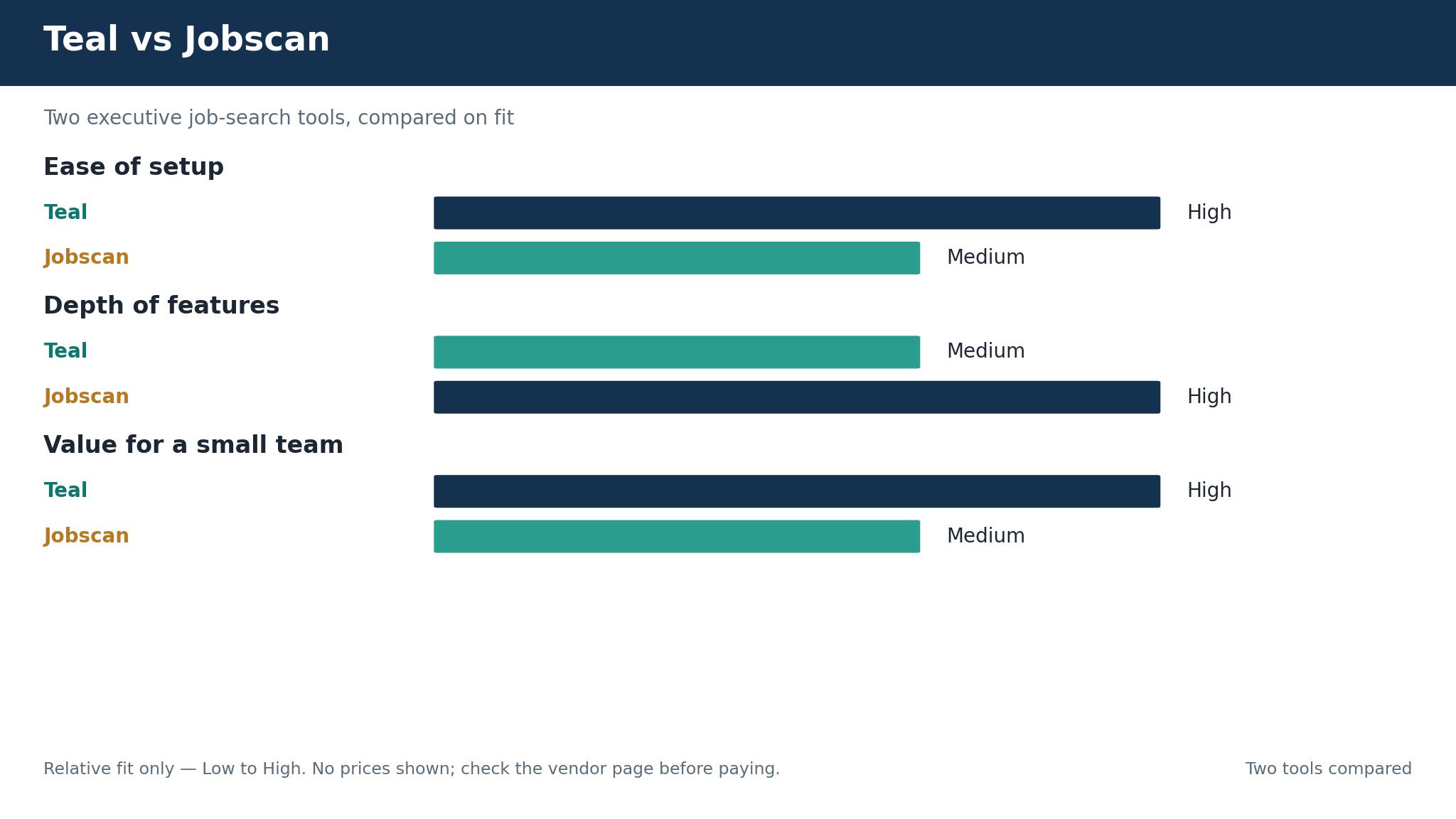
Executives running a high-volume search get the fullest tracker in Teal, which saves roles from any board into one tracker, scores the resume against each job description, and builds a tailored version per application. The high-volume job is the one Teal was made for.
Teal is free, with Teal Plus from about 29 dollars a month. Get the price in writing and keep it, because sales-led vendors repackage plans without warning and the quoted figure is only the beginning of what you will actually pay.
The weekly billing option runs expensive if left running, so the monthly or yearly plan is the one to buy. Teal still takes the top spot for executives weighing job search tools for executives, because it saves roles from any board into one tracker, and that single view still counts for more than the weekly billing trap.
A trial only proves itself when Teal handles live work on a busy day, with ten roles as the smallest sample worth trusting. The bill is fair when the trial hours pay for it, so add up what the trial saved.
2. Jobscan
Executives whose resume gets no callbacks should put Jobscan on the list. Its match rate shows exactly which keywords the resume is missing for a specific job, which is the fastest fix for a resume that never gets read, and it holds up across a busy week.
Jobscan is free for 5 scans a month, with paid plans from about 49.95 dollars a month. Read the opening figure as a minimum and price the next tier as well, since the capability you actually need often sits a step above the entry plan you started with.
The monthly price runs steep, though the quarterly plan brings it to about 30 dollars a month. If that price is part of the daily routine, Jobscan is the wrong call, and the comparison continues one entry down. When callbacks are the problem, the match rate is worth it.
Price it by the hours it gave back in the trial, and decide on that number. Run Jobscan on the busiest day in the diary, not the quietest, and let ten genuine applications decide whether the trial turns into a subscription.
3. LinkedIn Premium Career
LinkedIn Premium Career adds AI profile writing, a job match score and interview prep to the network where most executive recruiters actually search. Executives who need to be found get the most from it, because the recruiter network does real work every day instead of sitting on a feature list.
LinkedIn Premium Career opens at about 40 dollars a month. Pick the entry tier that covers the core work and find out what the move up costs before the trial period closes.
The price runs high relative to the other tools, and the free tier already covers the basic search. Size that cost up against the strength of being found. LinkedIn Premium Career keeps third place because adding AI profile writing still counts for more than the price.
Before the trial ends, LinkedIn Premium Career should have carried ten genuine applications on a busy day, because the demo never shows the failure modes that matter. Run it on live work for a fortnight and see whether the candidate still opens it on the third morning, because an unopened tool is a cost whatever the price.
4. Careerflow
Executives who search through LinkedIn get the strongest profile fix from Careerflow, whose LinkedIn profile optimiser and job tracker fix the profile before recruiters find it, which is the first step in an executive search. The LinkedIn-first job shaped how Careerflow was put together, rather than being added to it afterwards.
Careerflow is free, with paid plans from about 23.99 dollars a month. Ask for a written quote and file it before signing, since sales-led tools change their packaging and the published number is only where pricing starts.
The feature set runs narrower than Teal, so it works best as a companion rather than the whole search. Careerflow still takes fourth place for executives weighing job search tools for executives, because its LinkedIn profile optimiser and job tracker fix the profile before recruiters find it, and that first step still counts for more than the narrower set.
Run Careerflow on live work for two weeks and watch what happens, because a tool that earns its keep is one people open on their own by the third morning. Count the hours the trial saved and set the price against them, because a subscription earns its place in time returned, not in its list figure.
5. Kickresume
Executives who want a design-led resume get it from Kickresume, whose templates make a senior resume look polished without a designer, while the AI writing help covers the summary and the bullets. The design-led job is the one Kickresume was made for.
Kickresume opens at about 8 dollars a month on annual billing. The entry figure is a floor, so compare it with the plan above before choosing, because that is where the useful features tend to appear for the work you actually do.
The price moves with promotions, so the checkout figure is the one to check before paying. When that moving price shows up in the daily work, Kickresume takes itself off the list, and the entry below is the next one worth reading. When a polished resume is the need, the templates are worth it.
What it costs each month is fair only when the trial hours cover it, so tally those hours first. The test Kickresume has to pass is a packed day, so load it with ten genuine applications and see what breaks before the trial ends.
6. Rezi
Executives who need an ATS-proof resume should put Rezi on the list. Its builder writes resumes that pass the tracking system, with a lifetime option at about 129 dollars for a candidate who will search again, and it holds up across a busy week.
Rezi opens at about 29 dollars a month. The cheapest plan that does the job is the right place to begin, but learn the upgrade price early, while you still have trial days left.
The template range runs narrower than Kickresume, so a design-led executive may want both. Line that gap up with the strength of passing the tracking system. Rezi still keeps sixth place for executives weighing job search tools for executives, because an ATS-proof resume still outweighs the narrower templates.
Try Rezi the way the work actually happens, on a busy day with ten genuine applications, and the decision at the end of the fortnight will make itself. A fortnight of live work is the real test for Rezi, and the telling moment is whether anyone opens it unprompted on the third morning.
7. Simplify
Simplify completes application forms in seconds with autofill, which is the only way a high-volume search stays sane. Executives who apply at volume get the most from it, because the autofill does real work every day instead of sitting on a feature list.
Simplify is free, with paid plans from about 39.99 dollars a month. Check the vendor pricing page before you commit, because the published figure is only a starting point and the real total depends on the plan and billing you pick.
Autofill is a convenience, not a strategy, and a senior candidate should still tailor the resume per role. For executives sizing up job search tools for executives, that limit is a smaller concern than the fit, which is why Simplify sits at number 7 in this ranking.
The trial to run puts Simplify in front of live work immediately, and the verdict is simple: either the candidate keeps using it or it fades away unused by the end of the fortnight. The monthly figure only adds up if the hours the trial saved cover it, so do the hours math before you sign.
8. Final Round AI
Executives preparing for high-stakes interviews get mock interviews and real-time coaching from Final Round AI, which prepares a candidate for the board conversation, not just the screening call. The interview-prep job shaped how Final Round AI was put together, rather than being added to it afterwards.
Final Round AI opens at about 29 dollars a month. Do not judge the tool on its cheapest figure alone; the plan above the entry tier is usually the one that carries the features worth having for the work you do every day.
The price adds up on top of the resume tools, so the total monthly bill needs pricing as a stack. For a candidate where that stacked cost bites daily, Final Round AI is out, so the next entry down is where to look. When the board interview is the decider, the coaching is worth it.
Judge the price by the hours the trial gave back, not by the figure on the page. The honest check is a busy day of genuine work, so run ten real mock interviews through it before the trial ends and judge the result on those alone.
9. Hiration
Executives who want an AI-built resume get it from Hiration, whose AI builder and cover-letter tools produce a tailored application for each role without starting from a blank page. The AI-built-resume job is the one Hiration was made for.
Hiration opens at about 19 dollars a month. Begin where the core work is covered, then check the cost of the plan above before the trial ends, so you know what the real monthly figure becomes.
The brand is less known than Teal or Jobscan, so the output needs a careful read before sending. Balance that gap against the strength of the tailored applications. Hiration still keeps ninth place for executives weighing job search tools for executives, because the AI-built resume still outweighs the lesser-known brand.
Judge Hiration on a packed day rather than a demo, running ten genuine applications through it before the trial clock runs out. Hand it live work, not sample data, and watch the third morning: if the candidate opens it without prompting, the trial has answered the question.
10. Sonara
Executives who want applications sent for them get it from Sonara, whose auto-apply service sends applications on the candidate behalf, which suits an executive who wants volume without the form-filling, and it holds up across a busy week.
Sonara opens at about 79 dollars a month. A quoted price is only useful until checkout, so confirm the live figure on the vendor site before paying, with add-ons and billing terms included in the total.
Auto-apply removes the tailoring that wins senior roles, so it suits volume rather than the roles that matter most. Sonara stays at number 10 for one reason, and it is that its auto-apply service sends applications on the candidate behalf, even though auto-apply removes the tailoring that wins senior roles.
The trial means something only if Sonara carries real work through a busy day, and ten applications is the least that tells the truth. Before judging what it costs each month, count the hours the trial saved, because a subscription only pays for itself in time given back.
What an Executive Search Actually Costs Each Month
An executive running Teal Plus at 29 dollars a month and Jobscan at about 30 dollars a month on quarterly billing pays about 59 dollars a month for the two tools that matter most. Adding LinkedIn Premium at 40 dollars a month brings the stack to about 99 dollars a month, which is less than one hour of an executive coach, and the stack pays for itself with a single interview.
The top 10 ai job search tools for executives in this guide include free tiers in Teal, Jobscan, Careerflow and Simplify, which is why an executive should not pay for the whole stack before knowing which part of the search is stuck. Add the tracker, the match score and the premium tier together before you compare two tools, or the comparison is fiction.
| Cost band | What it covers | Who it fits |
|---|---|---|
| Free tier | No monthly fee, limited scans | An executive testing the approach |
| Tracker plus match | About 59 dollars a month | An executive running a serious search |
| Full stack | About 99 dollars a month | An executive who wants to be found and screened well |
| Coaching tier | About 29 dollars a month extra | An executive preparing for board interviews |
Four Executive Mistakes That Stall the Search
The first mistake is sending the same resume to every role. An executive resume that lists twenty years without the keywords in the job description loses to the tracking system, and the candidate never learns why. Tailor the resume to each role, because the match score is the test that decides whether a human reads it.
The second mistake is ignoring LinkedIn. Most executive roles are filled through a recruiter or a referral, and a profile that has not been updated in three years tells the recruiter the candidate is not looking. Fix the profile before the search starts, because the recruiter finds the candidate before the candidate finds the role.
The third mistake is applying at volume without a tracker. An executive who applies to fifty roles and cannot remember which ones they applied to will miss the callback, repeat the application, or walk into an interview unprepared. Track every application, because the tracker is what turns volume into interviews.
The fourth mistake is skipping the compensation conversation. An executive who has not rehearsed the salary discussion will either undersell or stall the offer, and the interview is the wrong place to work it out for the first time. Prepare the number, the range and the trade-offs before the first interview, not during it.
The Hidden Market, the Referral and the Interview That Decides It
The hidden market is the part of an executive search that no job board covers. Most senior roles are filled through a recruiter, a board member or a former colleague before the posting goes live, and the candidate who only scans boards will miss them. The tools in this guide that help the candidate get found on LinkedIn cover the real channel, and the candidate should spend as much time on visibility as on applications.
The referral is the second piece. An executive who asks a former colleague for an introduction gets a warmer reception than one who applies cold, and the tracker should record every introduction, every conversation and every follow-up. A search run on referrals moves faster than a search run on applications, because the hiring manager already trusts the introducer.
The interview is the third piece. An executive interview is a strategy conversation, and the candidate who has rehearsed the questions about growth, turnaround and leadership will outperform the candidate who only prepared the resume. Final Round AI exists for exactly this reason, and the mock interview is the closest thing to a rehearsal the candidate will get.
One Trial Week With Teal
One real week with Teal shows whether the top 10 ai job search tools for executives in this guide fits the daily work. Demo data never shows the edge cases, so load ten real applications from last week into Teal on day one and run the whole workflow through it. Whether Teal fits the work or fights it will be clear by day three, and that answer is worth more than any feature list.
Price the week in full, subscription plus per-seat fee plus the add-ons actually used, against what the old way cost in time. If Teal saves three hours a week it pays for itself at almost any price in this guide, and if it saves nothing it is a cost the candidate should not carry. Save the trial-week notes for Teal, because the renewal decision in a year will rest on them.
Your First Fortnight With the New Search Stack
Do these steps in order, on real work from your own week, before you pay for a second month of the top 10 ai job search tools for executives in this guide.
- Update the LinkedIn profile and check it reads like a senior leader.
- Save ten target roles into the tracker and score the resume against each one.
- Tailor the resume to the three roles that fit best.
- Run five free Jobscan scans and fix the missing keywords.
- Ask two former colleagues for an introduction to a hiring manager.
- Rehearse one mock interview with the coaching tool.
- Set the weekly review so no application goes untracked.
- Drop the tool nobody opened twice and keep paying for the one the team kept using after the fortnight with Teal.
Frequently Asked Questions
Which AI job search tool is best for an executive running a high-volume search?
Teal is the best first pick for a high-volume executive search, because it saves roles from any board into one tracker and scores the resume against each job description. Teal Plus is about 29 dollars a month, and the free tier already covers unlimited tracking.
How much does Jobscan cost an executive each month?
Jobscan is free for 5 scans a month, and Premium is about 49.95 dollars a month, or about 30 dollars a month on quarterly billing. The match rate shows exactly which keywords the resume is missing for a specific job, which is the fastest fix for a resume that never gets read.
Is LinkedIn Premium worth it for an executive job search?
Yes, when the search depends on being found. LinkedIn Premium Career is about 40 dollars a month and adds AI profile writing, a job match score and interview prep to the network where most executive recruiters search. An executive who only applies through boards can skip it, and one who wants to be found should buy it.
Can an executive use AI job search tools for free?
Yes. Teal offers free tracking and resume building, Jobscan offers 5 free scans a month, Careerflow offers a free tier, and Simplify offers free autofill. An executive should start free, find which part of the search is stuck, and only pay for the tool that fixes it.
What does Careerflow do for an executive on LinkedIn?
Careerflow optimises the LinkedIn profile and tracks jobs, with a free tier and a paid plan from about 23.99 dollars a month. It fixes the profile before recruiters find it, which is the first step in an executive search, and it works best as a companion to Teal rather than the whole search.
Should an executive let an AI tool apply to jobs automatically?
Only for volume, not for the roles that matter. Sonara auto-applies from about 79 dollars a month, which suits a high-volume search, but auto-apply removes the tailoring that wins senior roles. An executive should tailor the application for the three roles that fit best and use auto-apply only for the rest.
Be Found, Match the Resume, Rehearse the Interview
The top 10 ai job search tools for an executive are not the ones that scan the most boards. They are the ones that help the candidate be found, match the resume to the role, and rehearse the interview that decides the offer. Teal is that tool for most executives, Jobscan suits the resume that keeps losing to the tracking system, and LinkedIn Premium is the choice when the search depends on being found.
Update the profile this week, score the resume against three target roles, and let the callbacks decide the purchase. The roles are already being filled, and the candidate the recruiter finds first is the one who gets the call.