
Shoppers who chat with a business before buying spend up to 60 percent more per order than shoppers who never open a chat window, according to vendor research cited across 2026 buyer guides. That single number explains why the top 10 ai live chat tools for small businesses now sit at the center of so many small-team buying decisions. A chat widget is no longer a nice extra on a contact page. It is the front desk, the sales floor and the support queue, all running at once.
The hard part is that every vendor now claims an AI agent, and the claims sound alike. One tool resolves half your chats on its own. Another charges 99 cents every time its bot answers. A third looks cheap until the third seat pushes the monthly bill past two hundred dollars. The differences that matter live in the pricing model, the handoff to a human and the quality of the answers, not in the marketing copy.
This guide compares ten live tools on those exact points. Prices come from vendor pricing pages and 2026 comparison guides checked in November 2026. Where a vendor does not publish a price, this guide says so plainly instead of guessing. The verdict at the end names one pick for most small businesses, plus the right pick for shops, service teams and solo founders.
A small team does not need the most powerful chat platform on the market. It needs the one its two or three staff members will actually open every morning and trust with real customers.
What a Small Team Actually Needs From Chat in 2026
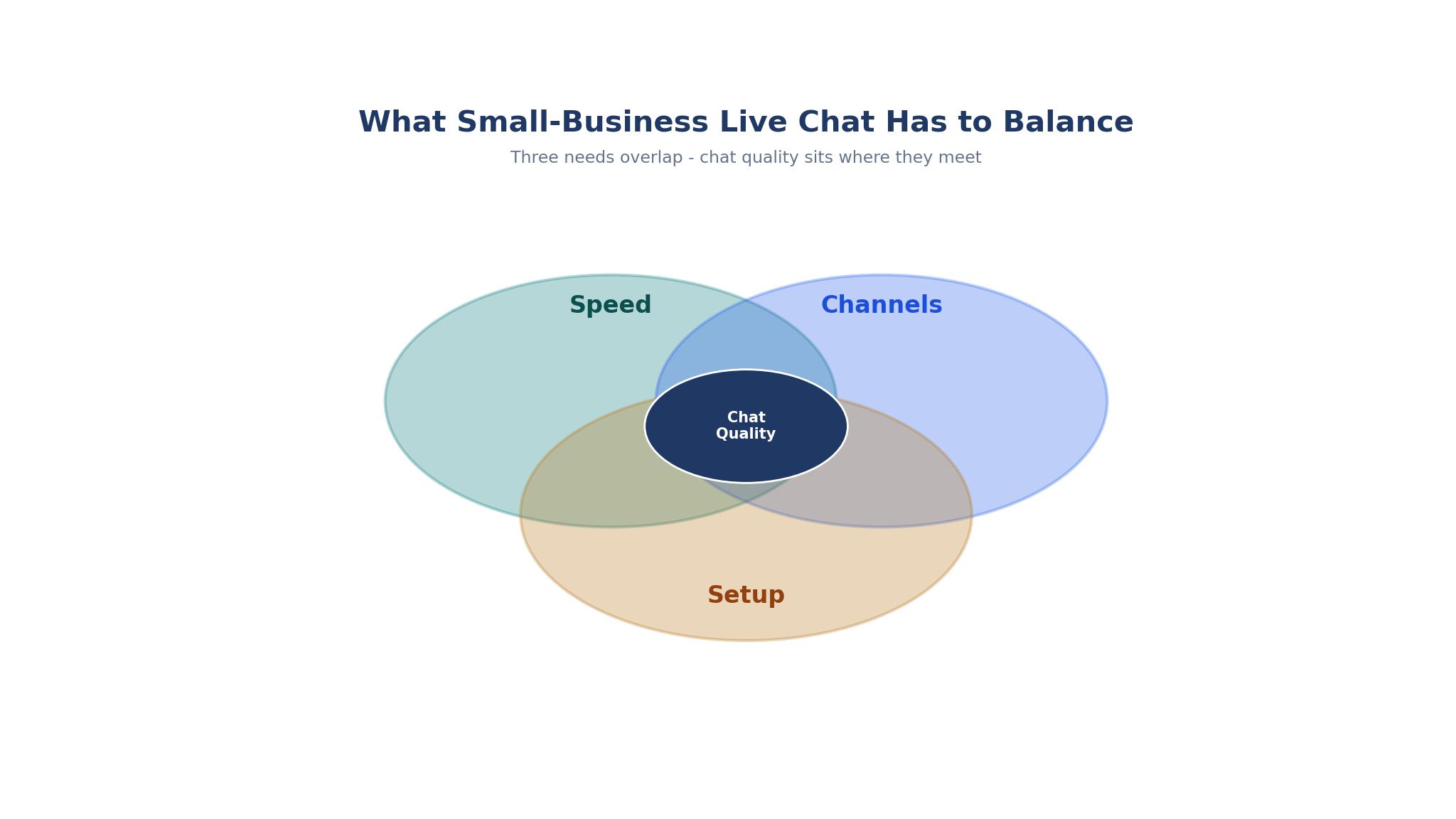
Speed comes first. A visitor who waits four minutes for an answer has usually left the site, and a bot that answers in three seconds with a wrong answer is worse than no bot at all. The best small-business chat tools answer common questions from the same help articles the team already wrote, then hand the conversation to a person the moment the question turns unusual. That handoff has to carry the full chat history with it, so the customer never repeats the order number.
Second, the tool has to fit the channels customers already use. A shopper may start on the website, follow up on Instagram and finish on email. A chat tool that only lives on the website forces the team to juggle three inboxes and lose the thread. The stronger tools in this guide pull website chat, social messages and email into one shared inbox, so any team member can pick up where the last one stopped.
Third, the setup has to respect a small team. A platform that needs two weeks of configuration and a paid onboarding call will sit half-finished while the team answers email instead. The tools ranked highest here install in under an hour, train their AI on a handful of help pages, and let one person run the whole thing until the team grows. That ease of setup is one reason the top 10 ai live chat tools for small businesses in this guide were chosen for teams of one to five people rather than for enterprise buyers.
How the Bill Grows After Month One
The sticker price on a chat pricing page rarely matches the second-year bill. Per-seat pricing multiplies fast, and AI pricing adds a second meter on top. Intercom charges per seat plus 99 cents for every conversation its Fin agent resolves, so a busy month can double the invoice. Tidio charges by conversation volume for its Lyro AI, which keeps the base low but punishes a viral week. A buyer who only compares the starting monthly price will miss the real cost entirely.
The honest way to compare is to price a team of three agents handling about 500 chats a month, then add the AI usage on top. That is the math used in the cost section near the end of this guide. Some tools stay flat because they charge per workspace or per conversation. Others climb steeply because every extra agent and every resolved chat adds a line to the bill.
Free plans deserve a careful look too. A free tier that caps conversations at 50 a month is a trial in disguise, not a plan. A free tier with no AI at all still helps a solo founder answer chats, but it will not reduce the workload. The question is never whether a free plan exists. It is whether the free plan does real work on a normal Tuesday. Across the top 10 ai live chat tools for small businesses, the free tiers vary so widely that the price tag alone tells a buyer almost nothing.
The 10 Tools at a Glance
The table below gives the short version of the top 10 ai live chat tools for small businesses, with the starting price each vendor lists. Read it as a shortlist, then use the detailed sections to check the AI pricing and the handoff quality before choosing.
| Tool | Main job | Best for | Starting price |
|---|---|---|---|
| Intercom | AI-first customer messaging | Growing teams that want the strongest AI agent | $29 per seat per month |
| Tidio | Live chat plus Lyro AI | Small shops on a tight budget | Free, paid from $29 per month |
| Zendesk | Omnichannel support suite | Teams already running Zendesk | From $19 per agent per month |
| LiveChat | Dedicated live chat | Teams that want chat done well, nothing else | $19 per user per month |
| Crisp | Shared inbox with chat | Solo founders and design-led brands | Free, paid from $45 per month |
| Drift | Conversational marketing | B2B teams that sell through chat | Custom quote, from about $2,500 per month |
| HubSpot Service Hub | CRM-linked service | Teams already using HubSpot | Free, Starter from $9 per seat per month |
| Freshdesk | Ticketing with chat | Support teams that need tickets and chat together | From $15 per agent per month |
| Zoho Desk | Help desk with chat | Businesses already on Zoho | Free, paid from $14 per agent per month |
| Help Scout | Shared inbox for support | Small teams that live in email and chat | From $20 per user per month |
Best Pick by Job
No single winner fits every shop, so the table below matches the top 10 ai live chat tools for small businesses to the five most common buying situations. Find the row that describes the team, then test the two tools named there before paying.
| Job type | First pick | Second tool | Why this pair works |
|---|---|---|---|
| Solo founder, under 50 chats a day | Tidio | Crisp | Tidio adds AI at the lowest price, while Crisp gives a clean free inbox as backup |
| Online shop on Shopify | Tidio | LiveChat | Tidio plugs into the store and answers order questions, while LiveChat handles the busiest sale days |
| Growing team, AI doing real work | Intercom | Zendesk | Intercom resolves the most chats on its own, while Zendesk fits teams that need a full support suite |
| B2B sales through chat | Drift | Intercom | Drift qualifies and books meetings, while Intercom covers support once the deal closes |
| Team already on HubSpot | HubSpot Service Hub | Freshdesk | HubSpot keeps every chat on the contact record, while Freshdesk adds ticketing depth if needed |
How to Judge the Top 10 AI Live Chat Tools for Small Businesses
Judging the top 10 ai live chat tools for small businesses starts with a live test, not a feature list. Put the same five real customer questions into each tool, including one about a refund, one about a delivery delay and one the help center does not answer. The tools that answer the first two cleanly and hand off the third without inventing a policy are the ones worth paying for. Any bot that invents a refund policy in a demo will invent one with a real customer.
Next, check the handoff. Open a chat as a customer, ask something the bot cannot answer, and watch what the agent sees. The good tools show the full transcript, the pages the visitor viewed and the order details in one screen. The weak ones show a bare message and force the agent to ask the customer to repeat everything. That gap costs more in lost sales than any monthly subscription.
Finally, read the AI pricing line twice. A tool that charges per resolution can look cheap at 100 chats a month and expensive at 2,000. A tool with AI included in the plan price is easier to budget, even if its starting price looks higher. Ask the vendor for a written estimate at three times your current volume before signing an annual contract.
The 10 Tools in Detail
Each entry below covers what the tool does best, where it falls short, who it fits, and a practical test to run during the trial. The order follows the glance table, and the prices are the starting figures from the top 10 ai live chat tools for small businesses shortlist above.
1. Intercom
Intercom is the most polished chat platform in this guide, and its Fin AI agent is the strongest reason to buy it. Fin reads the help center, answers in the brand voice and resolves a large share of routine questions without a human touching them. The inbox, help center, product tours and proactive messages all live in one system, so a growing team can run sales and support from the same screen.
The drawback is the bill. Essential starts at 29 dollars per seat per month, and Fin costs 99 cents per resolution on top of that, with a monthly minimum. A three-person team with heavy chat volume can reach several hundred dollars a month before any add-ons. The pricing has three moving parts, and buyers who do not model them will be surprised.
Intercom suits a funded small business that treats chat as a revenue channel, not a cost center. A SaaS team, a subscription brand or a service business with hundreds of chats a week will get the value back. A solo founder with 40 chats a month will not.
To test it honestly, load five real help articles, ask the bot the five hardest questions customers actually send, and count how many it resolves without a wrong detail. Then ask finance to model the bill at double the current volume before the trial ends.
2. Tidio
Tidio gives small businesses real AI automation at the lowest entry price in this guide. The free plan covers live chat and basic automation, and paid plans start at 29 dollars a month with the Lyro AI agent included in the higher tiers. For a Shopify or WooCommerce shop, the setup takes about half an hour, and Lyro can answer order status, shipping and return questions from the store data.
The drawback is scale. The free plan caps conversations at 50 a month, and the Plus plan jumps to 749 dollars a month, which is a steep climb for a mid-size store. Lyro is capable on routine questions but less steady on unusual ones, and the reporting stays lighter than the enterprise tools.
Tidio suits a small online shop or a solo founder who needs AI help now without a big budget. It is the easiest way for a team of one or two to answer chats around the clock without hiring a night shift.
To test it honestly, connect the store, feed Lyro ten real order questions from last month, and watch which answers need a human correction. If more than two in ten need fixing, tighten the help articles before blaming the bot.
3. Zendesk
Zendesk brings chat into a full support suite, which matters for teams that already run Zendesk for email and tickets. The agent workspace shows the chat, the ticket history and the customer record together, and the AI can suggest replies, summarize long threads and route chats by skill. For a team with complex routing and service-level targets, that depth is hard to match with a chat-only tool.
The drawback is weight. Setup takes longer than the chat-first tools, and the entry price for the full Suite runs higher than the chat-only figure suggests. Small teams can find themselves paying for modules they never open, and the AI features sit behind higher tiers.
Zendesk suits a small business that already uses Zendesk, or one that expects support to grow into a real department with SLAs and reporting. It is a poor fit for a founder who just wants a chat bubble on a website by Friday.
To test it honestly, build one routing rule for VIP customers and one for refund requests, run twenty real chats through them, and check whether any chat lands in the wrong queue. Routing errors show up fast in a test and cost far more when they reach customers.
4. LiveChat
LiveChat does one thing and does it well. The widget is fast, the agent interface is clean, and the chat tools cover canned responses, file sharing, chat ratings and detailed reports without extra modules. It has been refined over many years, and that shows in small details like the way an agent can see what a visitor is typing before the message arrives.
The drawback is that it is chat only. There is no built-in help center of Intercom depth and no CRM of HubSpot depth, so a team that wants one system for everything will need integrations. The AI features are useful but narrower than the AI-first platforms.
LiveChat suits a team that wants reliable, high-volume live chat and already has a CRM and help center elsewhere. It is the safe pick for a shop or service business where humans answer most chats and the bot only handles the easy half.
To test it honestly, run it during the busiest hour of the week with two agents, and watch the queue view and the typing preview in action. The value of this tool shows up under load, not in a quiet demo.
5. Crisp
Crisp is the friendliest tool in this guide for a solo founder. The free plan covers two seats with a shared inbox, and the Mini plan starts at 45 dollars a month per workspace, not per seat, which keeps the bill flat as a tiny team grows. The design is clean, the widget looks good on a small site, and the inbox pulls website chat, email and social messages together.
The drawback is AI depth. The free plan includes no AI, and the AI features on paid plans are lighter than Intercom or Tidio. A team that wants the bot to resolve most chats on its own will outgrow Crisp sooner than the others here.
Crisp suits a design-led brand, a freelancer or a two-person team that answers chats personally and wants a beautiful, affordable inbox. It is the pick for businesses where the human reply is the product.
To test it honestly, answer twenty chats from the mobile app over two days, since a solo founder will live on the phone more than the desktop. If the mobile inbox feels slow or cramped, the tool will not survive real use.
6. Drift
Drift, now part of Salesloft, is built for B2B sales rather than support. Its chat qualifies visitors, asks the right discovery questions, books meetings directly onto a rep calendar and routes high-value accounts to the right owner. For a team selling to businesses, a chat that books a meeting is worth far more than a chat that answers a FAQ.
The drawback is price and focus. Pricing is custom and typically starts around 2,500 dollars a month, which puts it out of reach for most small businesses. It is also a weak support tool, so a team that needs help-desk depth will still need a second system.
Drift suits a B2B small business with a real sales pipeline and a website that already draws qualified traffic. It is the wrong tool for a shop answering delivery questions.
To test it honestly, define the three questions that qualify a real buyer, build the playbook around them, and run fifty real visitors through it. The test is the meeting-booked rate, not the number of chats answered.
7. HubSpot Service Hub
HubSpot Service Hub makes sense the moment a business already runs HubSpot CRM. Every chat lands on the contact record with the full history, the deal stage and the past emails beside it, so an agent never asks a customer to repeat the story. The free tier covers live chat and a shared inbox, and Starter begins at 9 dollars per seat per month.
The drawback is that the best AI features sit on higher tiers, and the full Service Hub can get expensive as the team adds seats and automation. A business that does not use HubSpot CRM gets far less value from it, since the contact record is the whole point.
HubSpot Service Hub suits a B2B team or a service business already living in HubSpot, where sales, marketing and support share one database. It is a weak pick for a team with no HubSpot footprint.
To test it honestly, open a contact with a long history, start a chat as that customer, and see how much context the agent sees without searching. If the record does the work, the tool earns its place.
8. Freshdesk
Freshdesk pairs live chat with real ticketing, which matters when chats turn into problems that take days to solve. A chat can become a ticket with one click, keep its full history, and sit in a queue with a priority and a due date. Paid plans start at 15 dollars per agent per month, and the AI add-on costs extra.
The drawback is that the chat widget itself is plainer than LiveChat or Crisp, and the AI features cost more on top of the seat price. Teams that want a beautiful, chat-first experience may find it functional rather than delightful.
Freshdesk suits a support team that handles a mix of chat and email and needs every conversation tracked to resolution. It fits a small business that is growing out of a shared email inbox.
To test it honestly, turn five chats into tickets, assign them to different agents, and check that nothing falls through the cracks over three days. The ticketing workflow is the feature being bought here.
9. Zoho Desk
Zoho Desk is the value pick for businesses already running Zoho. The free plan covers basic chat and ticketing, paid plans start at 14 dollars per agent per month, and the system connects with Zoho CRM, Zoho Books and the rest of the Zoho suite without extra integration work. The AI assistant, Zia, can suggest replies and flag the tone of a conversation.
The drawback is polish. The interface is capable but busier than Crisp or LiveChat, and the chat experience feels like one part of a big suite rather than the star of the show. Teams outside the Zoho world will find better chat elsewhere.
Zoho Desk suits a small business that already pays for Zoho and wants chat and tickets inside the same ecosystem at a low price. It is a poor fit for a team with no Zoho tools.
To test it honestly, run a chat that needs a Zoho CRM lookup mid-conversation and time how long the agent takes to find the customer record. The integration should save minutes, not add clicks.
10. Help Scout
Help Scout is built for small teams that treat support as a conversation, not a ticket number. The shared inbox is simple, the chat widget is clean, and the tool keeps the customer history visible without the complexity of an enterprise suite. Plans start at 20 dollars per user per month, and the Beacon widget combines chat, help articles and contact forms in one place.
The drawback is scale and AI. The automation is lighter than Zendesk or Intercom, and a team that grows past twenty agents will start to feel the limits. There is no deep enterprise reporting, and the AI features are modest.
Help Scout suits a small team that answers chats and emails together and wants every reply to feel personal. It fits shops, agencies and service businesses where the owner still reads the inbox.
To test it honestly, answer a week of real chats and emails from the same inbox, then ask the team whether any message got answered twice or missed entirely. A shared inbox earns its price by ending exactly that problem.
What the First Year Really Costs
Price a three-person team at 500 chats a month and the differences sharpen. Tidio on Growth at about 49 dollars a month plus Lyro usage stays under 100 dollars for most small shops. Crisp on Mini at 45 dollars a month per workspace is the flattest bill in the guide. LiveChat at 19 dollars per user lands near 57 dollars before any AI add-on. Freshdesk at 15 dollars per agent lands near 45 dollars, plus the AI add-on if the team wants it.
Intercom is the outlier. Three seats at 29 dollars is 87 dollars, and 300 Fin resolutions at 99 cents add 297 dollars, taking the month past 380 dollars before add-ons. Zendesk Suite Team at 55 dollars per agent is 165 dollars for three agents, and the AI features sit higher still. Drift at 2,500 dollars a month is a different budget entirely, justified only when chat books real sales meetings every week.
The lesson is to budget for volume, not for the first month. A tool that is cheap at 100 chats and expensive at 1,000 will punish growth. Ask each vendor for a written quote at triple the current volume, and compare those numbers side by side before signing anything annual. That volume test separates the genuinely cheap options among the top 10 ai live chat tools for small businesses from the ones that only look cheap on a pricing page.

Mistakes That Waste the First Three Months
The most common mistake is training the AI on thin help articles. A bot can only answer as well as the pages it reads, so a help center with three short articles will produce confident wrong answers. Write ten solid articles first, covering refunds, delivery, pricing, account access and the five questions the team answers every day. Then let the bot loose.
The second mistake is hiding the human handoff. A bot that loops a customer through the same three options will lose the sale and the customer. Put a clear path to a person in every flow, and staff the chat during the hours the site is actually busy, not just office hours.
The third mistake is buying for the team the business hopes to become instead of the team it has. A solo founder does not need enterprise routing, and a three-person team does not need a 2,500 dollar sales platform. Buy for the next twelve months, and switch when the volume proves the upgrade is needed. Most buyers of the top 10 ai live chat tools for small businesses who switch in year two do so because volume grew, not because the first tool was wrong.
Frequently Asked Questions
Which live chat tool is cheapest for a small business?
Tidio and Crisp are the cheapest honest options. Tidio has a free plan and paid plans from 29 dollars a month, while Crisp charges 45 dollars a month per workspace rather than per seat. A solo founder can run either for little money, and both cover the basics well. The real cost depends on chat volume and AI usage, so a free plan with a 50-conversation cap is not cheaper than a 29 dollar plan once volume grows.
How much does Intercom cost for a small team?
Intercom Essential starts at 29 dollars per seat per month, and the Fin AI agent costs 99 cents per resolution on top. A three-person team resolving 300 chats a month with Fin would pay about 87 dollars in seats plus 297 dollars in resolutions, before add-ons. The total climbs with volume, which is why buyers should model the bill at double and triple the current chat count before signing an annual deal.
Can AI chat really replace a human agent?
No, not for a small business that cares about keeping customers. AI handles routine questions well, like order status, opening hours and return rules. It struggles with unusual requests, angry customers and anything the help center does not cover. The best setup lets AI resolve the easy half and hands the rest to a person with the full transcript attached. That mix cuts workload without cutting the human touch.
Does live chat work for shops that sell on Shopify?
Yes, and Shopify is where Tidio shines. It connects to the store, reads order data and answers status and shipping questions without an agent. LiveChat and Gorgias-style helpdesks also work well for shops with higher volume. The key is a tool that shows order details inside the chat, so the agent never has to open a second system to answer a simple question.
What is the difference between live chat and a chatbot?
Live chat means a human answers in real time. A chatbot means software answers, usually from a script or an AI model trained on help articles. Most tools in this guide do both, with the bot handling routine questions and a human taking over when needed. A buyer should check how the handoff works, because a bot that cannot pass a conversation cleanly to a person creates more frustration than it removes.
Should a small business pay for Drift?
Only if the business sells to other businesses and the website already draws qualified buyers. Drift starts around 2,500 dollars a month, which buys meeting booking and lead qualification, not basic support. A shop, a local service business or a solo founder will get far more value from Tidio, Crisp or LiveChat at a fraction of the price. Drift earns its fee when chat directly fills the sales calendar.
Our Verdict for a Small Business Buying Chat in 2026
For most small businesses, Tidio is the pick. It puts real AI in front of customers at the lowest honest price, installs fast and handles the questions a small shop hears every day. A team that wants the strongest AI and can afford the per-resolution bill should buy Intercom instead, and a team that answers chats personally should look hard at Crisp.
The decision rule is simple. Count the chats, model the bill at triple the volume, and test the bot on the five hardest real questions before paying. The tool that passes those three checks is the right one, whatever the ranking says. Start small, measure the resolution rate every month, and upgrade only when the numbers prove the current tool is the limit.