

An installer loses the sale in the driveway, not in the office. The homeowner wants a price, a layout and a savings number before the designer gets back to the truck, and the tool that produces all three on site wins the job. Aurora Solar is the best solar design software for installers for most residential teams, at 135 dollars per user a month on annual billing, because it turns a 3D roof model into a signed proposal in one visit. OpenSolar is the pick for a team that wants the same workflow free, and HelioScope is the pick for commercial work.
Design, sales and operations pull in different directions, and a single tool rarely covers all three with equal strength. The design part is the roof model, the shading and the panel layout. The sales part is the proposal, the savings estimate and the finance options. The operations part is the permit pack, the single line diagram and the handoff to the install crew. A tool that designs beautifully but cannot produce a proposal forces the installer to copy numbers into a second system, and that copy step is where errors and lost sales live.
Price is the second trap. Aurora and HelioScope charge per user or per licence, OpenSolar charges nothing for the core app, Pylon charges per project, and Solargraf, Sighten and Scanifly only quote. A team doing fifty projects a month pays a very different bill on each model, so this guide prices the same fifty project month on every tool that publishes a number, and says plainly when a vendor hides the price behind a demo.
The 10 Tools at a Glance
| Tool | Main job | Best for | Starting price |
|---|---|---|---|
| Aurora Solar | Design, sales and permitting | Most residential installers | 135 dollars per user a month |
| OpenSolar | Free design, sales and projects | Teams that want a free platform | Free core app |
| HelioScope | Commercial design and simulation | Commercial and industrial work | 135 dollars per licence a month |
| Solargraf | Residential design and proposals | Sales led residential teams | Quote only |
| Sighten | Design and finance proposals | Teams that sell with finance | Quote only |
| PV*SOL | Detailed system simulation | Engineers who need deep simulation | 845 euros a year |
| PVsyst | Bankable yield simulation | Projects that need lender grade yield | 700 Swiss francs a year |
| Scanifly | Drone based site surveys | Teams that survey with drones | Quote only |
| Arka360 | Design and sales platform | Growing residential teams | 199 dollars a month |
| Pylon | Pay per project design | Low volume installers | 4 dollars a project |
Best Pick by Job
| Job type | First pick | Second tool | Why this pair works |
|---|---|---|---|
| Residential, design to proposal | Aurora Solar | OpenSolar | Aurora is the polished all in one, OpenSolar is the free version |
| Commercial and industrial | HelioScope | PVsyst | HelioScope designs fast, PVsyst proves the yield |
| Tightest budget | OpenSolar | Pylon | OpenSolar is free, Pylon is 4 dollars a project |
| Drone surveys | Scanifly | Aurora Solar | Scanifly maps the roof, Aurora designs on it |
| Deep engineering simulation | PVsyst | PV*SOL | PVsyst is the lender standard, PV*SOL adds system detail |
A residential team doing real volume should start with Aurora Solar. The Basic plan at 135 dollars per user a month on annual billing includes one user and fifty projects a month, with 3D site modelling, AI layout automation and proposals built in. The Premium plan at 220 dollars adds bankable shade reports and deeper workflow controls. A team of five designers on Basic pays 8,100 dollars in year one, which is the number to compare against the revenue from fifty proposals a month. For a team weighing the best solar design software for installers, the one visit close is the deciding factor.
A team that cannot justify a subscription should start with OpenSolar instead. The core app is free, covering design, proposals, project management, financing, e-signatures and permitting, and it is used by more than 28,000 installers. The catch is that API access and supported connectors became paid in April 2026, and accounting connectors cost 49 dollars a month, so a team that needs deep integrations should budget for those. The best solar design software for installers on a zero budget is OpenSolar, because the core workflow costs nothing and the paid parts are optional.
Which Solar Design Tool Is Best for a Residential Installer?
For a residential installer, Aurora Solar is the strongest answer, because the whole job from roof scan to signed contract happens in one platform. The designer builds the 3D model from LiDAR or satellite imagery, the AI places the panels, the shading report is generated, and the proposal goes to the homeowner with savings and finance options before the designer leaves the driveway. That one visit close is the reason Aurora is used by more than 7,000 organisations.
OpenSolar is the better answer when the budget is zero and the team is small. The platform covers the same workflow, design, proposals, project management and permitting, without a licence fee, and the design accuracy is verified by NREL and PVEL. The trade off is polish and support. The interface is less refined than Aurora, and the team that needs a named account manager or an enterprise workflow will miss them. A team of two or three installers will not miss them at all.
Solargraf is the better answer when the sales team leads the design work. The platform is built around the proposal, with a fast design flow that a salesperson can run on a tablet, and the proposal templates are designed to close. The price is quote only, so the team needs a demo and a written quote, and the comparison against Aurora should be made on the same fifty project month, not on the feature list alone.
What Does Solar Design Software Cost in Year One?
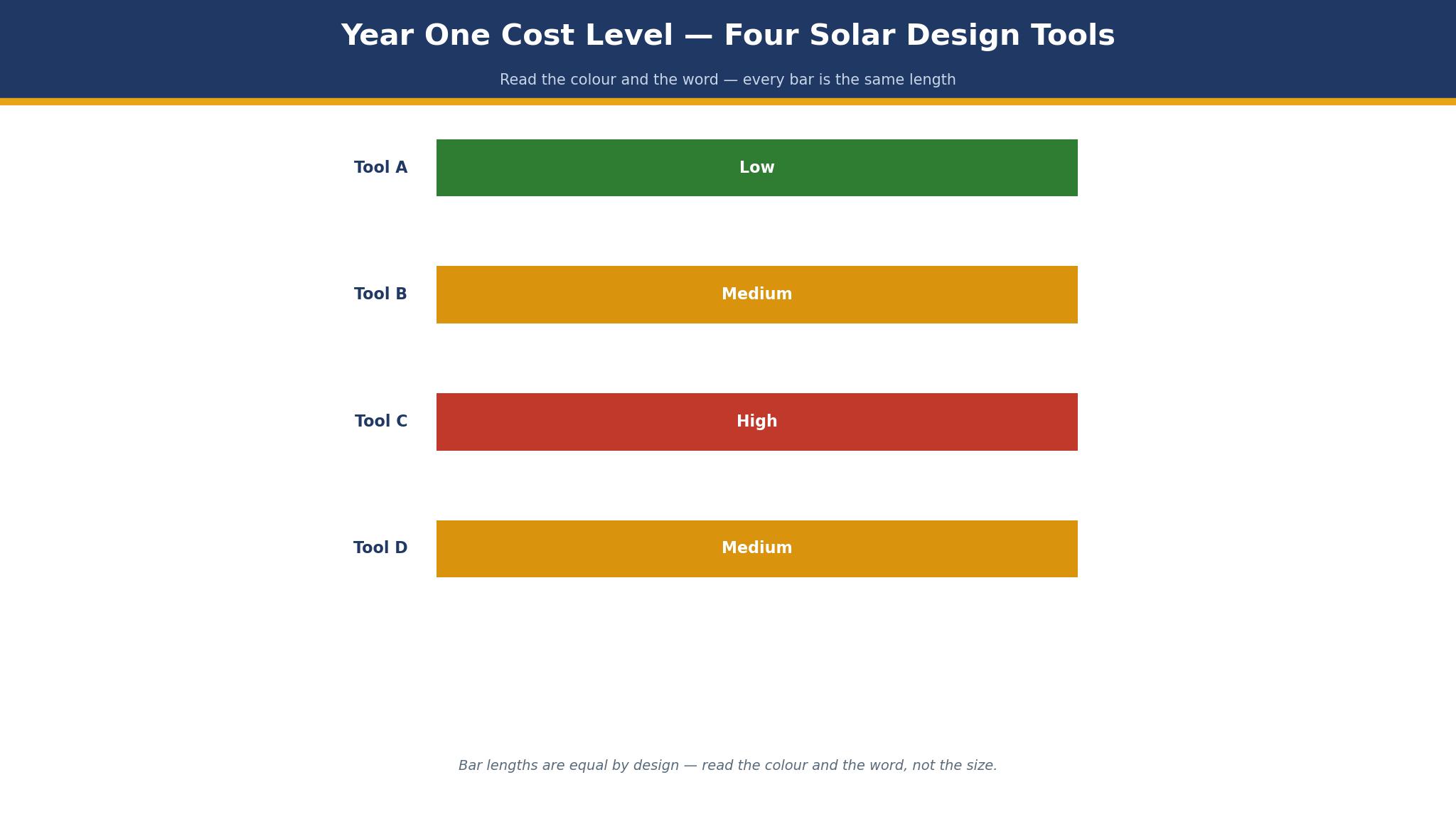
The subscription is only half the bill. Aurora and HelioScope cap their entry plans at one user and fifty projects a month, so a team of five pays five licences, and a team doing more than fifty projects a month needs a higher tier or an enterprise conversation. The table below works out the year one bill for a five person team doing fifty projects a month, using annual billing where the vendor offers it.
| Tool | Year one bill, 5 users, 50 projects a month |
|---|---|
| Aurora Solar Basic | 8,100 dollars |
| Aurora Solar Premium | 13,200 dollars |
| OpenSolar | 0 dollars, core app |
| HelioScope Basic | 8,100 dollars |
| HelioScope Pro | 13,200 dollars |
| Arka360 | 2,388 dollars, 1 user |
| Pylon, 4 dollars a project | 2,400 dollars |
| Pylon, 10 dollars a project | 6,000 dollars |
| PV*SOL premium | 845 euros a year, 1 licence |
| PVsyst | 700 Swiss francs a year, 1 licence |
Two costs hide behind the subscription. The first is the per project cap, because a team that grows past fifty projects a month pays for the next tier or for enterprise pricing, and that jump is rarely published. The second is the hardware, because a drone survey adds thousands of dollars in year one, and the software price alone does not show it. A buyer comparing the best solar design software for installers should budget the licences plus the survey hardware, and then the year one number stops surprising anyone.
Aurora Solar vs OpenSolar, Which One Should an Installer Buy?
Aurora Solar wins on polish and depth. The 3D site modelling is the best in this guide, the AI layout automation places panels in seconds, and the Premium plan adds bankable shade reports that lenders and permit offices accept. The proposal flow is built to close on the first visit, with savings, finance and e-signature in one document. A team that sells on speed and professionalism will close more jobs on Aurora than on any other tool here.
OpenSolar wins on price and reach. The core app is free, the platform covers design, proposals, project management, financing and permitting, and it is used by more than 28,000 installers worldwide. The best solar design software for installers is not always the most expensive, and OpenSolar proves it, because a team that saves 8,100 dollars a year on licences can spend that money on leads, and leads are what actually fill the pipeline.
The choice comes down to the sales model. A team that closes on the first visit, with a designer in the driveway and a proposal in the homeowner’s inbox within the hour, should buy Aurora and let the polish do the selling. A team that sells over two visits, or a team that is still building its pipeline, should run OpenSolar and spend the saving on marketing. Either way, run both on the same five roofs first, and compare the proposals the homeowner actually sees.
How to Choose the Best Solar Design Software for Installers
Start with the project count, not the feature list. A team doing ten projects a month needs a different tool from a team doing two hundred, because the per user plans cap at fifty projects and the per project plans get expensive at volume. Pull the project totals from the last three months, work out the monthly average, and judge each tool on what that average would cost before opening any feature page.
Next, check the survey method, because the design is only as good as the roof data. A team that surveys with a drone needs a tool that takes drone data, a team that surveys from satellite imagery needs a tool with strong imagery, and a team that measures by hand needs a tool with a fast manual design flow. The wrong survey method costs more in rework than any licence saves.
Then check the proposal, because the proposal is the sale. The homeowner should see the layout, the savings, the finance options and the signature line in one document, and the installer should be able to send it before leaving the driveway. Finally, check the permit pack, because a tool that cannot produce a single line diagram and a permit ready design forces the team to rebuild the design in a second system.
- Count the monthly projects for the last three months and average them.
- Name the survey method the team actually uses, drone, satellite or manual.
- Run the same roof through two tools and compare the proposals side by side.
- Confirm the permit pack includes a single line diagram and a shade report.
- Check the project cap on the plan, and the price of the next tier.
The 10 Tools in Detail
The ten tools below cover residential design to proposal, free platforms, commercial simulation and drone surveys. Each one is judged on the plan an installer would realistically buy, the year one bill for a five person team, and whether the proposal reaches the homeowner before the designer leaves the driveway, so this roundup of the best solar design software for installers stays honest about the bill behind the subscription.
1. Aurora Solar
Aurora Solar Basic costs 159 dollars per user a month billed monthly, or 135 dollars on annual billing, and Premium is 259 dollars monthly or 220 dollars annually. Each plan includes one user and fifty projects a month, with 3D site modelling, AI layout automation, proposals and permitting support. Enterprise is custom per project and adds unlimited users, drone mapping, APIs and design services. There is no free tier, and access starts through a demo.
The strength is the one visit close. The designer builds the roof model from LiDAR or satellite imagery, the AI places the panels, the shade report is generated, and the proposal with savings, finance and e-signature goes to the homeowner before the visit ends. It suits residential teams that sell on speed and professionalism, and teams doing fifty projects a month or fewer per designer. Start with Basic, and move to Premium when the shade reports need to be bankable.
The limit is the project cap. Each plan includes one user and fifty projects a month, so a team doing more than fifty projects per designer needs a higher tier or an enterprise conversation, and the enterprise price is custom per project. A team that grows fast should ask for the enterprise rate before the pipeline forces the issue.
2. OpenSolar
OpenSolar is free for the core app, covering design, proposals, project management, financing, e-signatures and permitting, and it is used by more than 28,000 installers. The platform is funded by partner fees rather than subscriptions, and the design accuracy is verified by NREL and PVEL. API access and supported connectors became paid in April 2026, and accounting connectors cost 49 dollars a month, so a team that needs deep integrations should budget for those.
The strength is the free workflow. The best solar design software for installers on a zero budget is OpenSolar, because the whole job from design to permit runs without a licence fee, and the paid parts are optional rather than required. It suits small teams, new installers and any team that wants to test a full workflow before paying. Start on the free core, and add the paid connectors only when the team actually needs them.
3. HelioScope
HelioScope Basic costs 159 dollars per licence a month, or 1,620 dollars a licence a year on annual billing, and Pro is 259 dollars a month or 2,640 dollars a year. Both plans cap at ten projects a month per licence, and Enterprise is custom per project. HelioScope is now part of the Aurora Solar family, and it is built for commercial and industrial systems, including rooftops, carports and ground mounts up to tens of megawatts.
The strength is commercial engineering. The production estimates are stated within 1 percent of PVsyst, with P90 to P99 values on Pro, and the platform covers storage analysis, 8760 production reports, LIDAR assisted modelling and AI based obstruction detection. It suits commercial designers and engineers who need bankable simulations. Start with Basic for rooftop work, and move to Pro when the storage analysis and P90 values matter to the lender.
The limit is the project cap. Both plans cap at ten projects a month per licence, so a commercial team with a full pipeline needs several licences, and the bill climbs fast. A team doing thirty commercial projects a month pays for three licences, which is 4,860 dollars a year on Basic before the design work starts.
4. Solargraf
Solargraf publishes no price, and the platform is sold on a quote after a demo. The product covers residential design, proposals and project management, with a fast design flow that a salesperson can run on a tablet in the homeowner’s driveway. The proposal templates are built to close, with savings, finance options and e-signature in one document, and the platform includes a CRM for the sales pipeline.
The strength is the sales led design. A salesperson can produce a credible proposal without waiting for a designer, which shortens the sales cycle and lets the team close on the first visit. It suits sales led residential teams and teams where the salesperson and the designer are the same person. Get a written quote for the team size and the project volume, and compare it against Aurora Basic for the same fifty project month.
5. Sighten
Sighten publishes no price, and the platform is sold on a quote after a demo. The product covers solar design, proposals and finance, with a strong focus on the financing options that close residential sales. The design tools include shading analysis and panel layout, and the proposal flow presents the finance choices alongside the savings, so the homeowner sees the monthly cost rather than only the system price.
The strength is finance first selling. A team that sells through finance, leases and power purchase agreements will find the finance modelling deeper than Aurora or OpenSolar, and the proposal presents the options in a way the homeowner understands. It suits teams that sell with finance and teams in markets where the finance choice decides the sale. Get a quote, and ask how the finance modelling compares with the Aurora proposal on the same roof.
6. PV*SOL
PV*SOL premium costs 845 euros plus VAT for one year, and the platform is a detailed simulation tool for photovoltaic systems. The product covers 3D visualisation, shading analysis, system configuration, inverter sizing and yield simulation, with a deep component database that engineers trust. The interface is technical, and the learning curve is steeper than the sales led tools here.
The strength is simulation depth. An engineer who needs to model a complex system, with multiple roof faces, shading objects and inverter configurations, will get a more accurate result from PV*SOL than from a sales platform, and the 3D visualisation shows the client exactly what the system looks like. It suits engineers and technical designers. Buy one licence for the engineer, and keep the sales team on Aurora or OpenSolar for the proposals.
7. PVsyst
PVsyst costs 700 Swiss francs per year per licence, and the platform is the bankable yield simulation standard that lenders accept. The product covers detailed loss modelling, shading, soiling, temperature and inverter behaviour, with hourly simulation across a full year. The interface is technical and the learning curve is real, but the output is the number a lender and an investor trust.
The strength is the bankable yield. A commercial project that needs financing will be asked for a PVsyst yield report, and no sales platform output replaces it, which is why engineers keep PVsyst alongside HelioScope or Aurora. It suits commercial projects, financed projects and any job where the yield number must survive a lender review. Buy the licence for the engineer, and pair it with HelioScope for the design work.
The limit is the learning curve. PVsyst is a technical tool, and the interface asks more of the user than any sales platform here, so a designer who only needs a proposal should not be the one running it. The 700 Swiss franc licence is cheap, but the engineer hours behind it are not, and a team should budget a week of learning before the first bankable report.
8. Scanifly
Scanifly publishes no price, and the platform is sold on a quote after a demo. The product is built around drone based site surveys, turning drone imagery into accurate roof measurements, 3D models and shading analysis. The survey data feeds into the design workflow, and the platform covers the survey, the design and the proposal in one account, with a strong focus on accuracy from real roof data.
The strength is survey accuracy. A roof measured by drone is more accurate than a roof measured from satellite imagery, and the shading analysis from real 3D data beats an estimate, which matters on complex roofs with dormers, chimneys and trees. It suits teams that already fly drones and teams with complex residential roofs. Get a quote, and ask how the drone workflow compares with the Aurora design on the same roof.
9. Arka360
Arka360 starts at 199 dollars a month for one user, and the platform covers residential design, proposals and sales management. The design tools include 3D modelling, shading and panel layout, and the proposal flow is built for a sales team that needs to close quickly. The platform also covers the sales pipeline, with lead tracking and follow up built in.
The strength is the sales pipeline. A growing residential team gets the design and the CRM in one account, which removes the need for a separate sales tool, and the 199 dollar price is lower than Aurora Basic for a single user. It suits growing residential teams and teams that want design and sales in one place. Start with one user, and confirm the price for the second and third users before committing the whole team.
The limit is the per user price at scale. The 199 dollar rate is for one user, and a team of five pays far more than the Aurora Basic bill for the same five seats, so the value fades as the team grows. A team should price five seats before buying, because the single user price is the one the sales page shows and the five seat price is the one the team pays.
10. Pylon
Pylon charges 4 dollars or 10 dollars per project, depending on the plan, and the platform covers solar design, proposals and project management on a pay per project model. There is no monthly subscription, so a team that does ten projects a month pays 40 to 100 dollars, and a team that does fifty pays 200 to 500 dollars. The design tools cover roof modelling, shading and panel layout, with proposals built in.
The strength is the model. A low volume installer pays only for the projects it actually designs, which beats a 135 dollar a month subscription when the pipeline is thin, and the per project price is published, which is rare in this category. It suits low volume installers, new teams and part time installers. Start on the 4 dollar plan, and move to the 10 dollar plan when the features justify it.
Frequently Asked Questions
Which solar design software is best for residential installers?
Aurora Solar is the best pick for most residential teams, at 135 dollars per user a month on annual billing, because it turns a 3D roof model into a signed proposal in one visit. OpenSolar is the pick for a team that wants the same workflow free, and HelioScope is the pick for commercial work. A team doing fifty projects a month per designer should start with Aurora Basic.
Is OpenSolar really free?
The core app is free, covering design, proposals, project management, financing, e-signatures and permitting, and it is used by more than 28,000 installers. API access and supported connectors became paid in April 2026, and accounting connectors cost 49 dollars a month. A team that does not need those integrations pays nothing, and the design accuracy is verified by NREL and PVEL.
How much does Aurora Solar cost in year one?
Aurora Solar Basic costs 1,620 dollars per user a year on annual billing, and Premium costs 2,640 dollars per user a year. Each plan includes one user and fifty projects a month, so a five person team on Basic pays 8,100 dollars in year one. Enterprise is custom per project and adds unlimited users, drone mapping and APIs.
What is the difference between Aurora Solar and HelioScope?
Aurora Solar is built for residential installers, with design, sales proposals and permitting in one platform, while HelioScope is built for commercial and industrial design, with bankable production simulations, storage analysis and 8760 reports. Both start at 135 dollars a month on annual billing, and HelioScope is now part of the Aurora Solar family.
Do I need a drone to design solar systems?
No. Aurora Solar and OpenSolar design from satellite and LiDAR imagery, which is enough for most residential roofs. A drone adds accuracy on complex roofs with dormers, chimneys and trees, and Scanifly is built for teams that survey with drones. A team should only buy a drone when the roof complexity justifies the hardware cost.
Can solar design software produce permit ready documents?
Yes, on the right tools. Aurora Solar produces permit ready designs and single line diagrams, OpenSolar covers permitting in the core app, and HelioScope produces bankable shade reports and 8760 production reports for commercial work. A team should confirm the permit pack includes a single line diagram before buying, because a tool that cannot produce one forces a rebuild in a second system.
The Installer Verdict for 2026
A residential team that closes on the first visit should buy Aurora Solar, because the proposal reaches the homeowner before the designer leaves the driveway, and that speed is worth 135 dollars a user a month. A team building its pipeline should run OpenSolar and spend the saving on leads, because the core workflow is free and the leads are what fill the diary. A commercial team should buy HelioScope and keep PVsyst alongside it for the bankable yield.
Whatever the pick, the best solar design software for installers is the one whose proposal the homeowner actually signs, so run the same five roofs through two tools, compare the proposals side by side, and let the homeowner’s reaction decide. The project count decides the pricing model, the survey method decides the design accuracy, and the proposal decides the sale.