
A solo landscaper pays about 348 dollars a year for Jobber Core on annual billing, and about 708 dollars a year for Housecall Pro Basic, before payment processing fees. Those two numbers frame the whole decision, because the best field service software for landscapers is not the tool with the most features. It is the tool that keeps the crew on route, the invoices paid and the schedule full without costing more than the jobs it manages.
Landscaping work differs from other field service in three ways. The jobs repeat on a cycle, with mowing rounds that return every week and maintenance visits that return every month. The routes matter, because a crew that drives an extra hour a day loses a job a week. And the season matters, because a business that is quiet in January and frantic in May needs software that flexes with the year rather than charging the same in both months.
This guide compares eight tools that fit a landscaping business in 2026. Prices come from vendor pages and 2026 comparison guides checked in November 2026. Aspire, ServiceTitan and Workiz do not publish prices, so this guide says custom quote rather than inventing a number. The verdict at the end names one pick for a solo operator and one for a growing crew.
A landscaper does not need the most powerful field service platform on the market. The landscaper needs the one the crew will actually open on a phone at 6 a.m. in the rain. That adoption test matters more than any feature list, because a system the crew ignores is worse than no system at all, since the owner believes the schedule is covered when it is not.
What a Landscaping Business Needs From Software
Recurring scheduling comes first. A mowing round is not a list of one-off jobs, it is a cycle that repeats every week for eight months, and the software should build that cycle once and run it all season. The best field service software for landscapers lets the owner set the round, assign the crew, and watch the week fill itself, rather than re-entering the same forty lawns every Monday.
Second, routing decides the profit. A crew that drives in a sensible order finishes more jobs in a day, burns less fuel and gets home earlier, and route optimization is the feature that pays for the software by itself. Jobber offers route optimization from its Connect tier, while Housecall Pro only offers full route optimization on its MAX plan, and that difference matters more than any other feature in this guide.
Third, the money has to follow the job. Quotes, invoices, card payments and reminders should run from the same system as the schedule, so a finished job becomes a paid invoice without a second entry. A business that schedules in one tool and invoices in another will lose jobs in the gap between the two.
Fourth, the customer record has to carry the property, not just the person. A landscaping business serves an address, with a gate code, a lawn size, a slope, a dog on site and a note about the neighbour fence, and that detail must travel with the job every week. A system that stores only a name and a phone number will send a crew to a locked gate with the wrong mower, and the job will be lost to a reschedule.
Per-User Pricing Punishes Growth
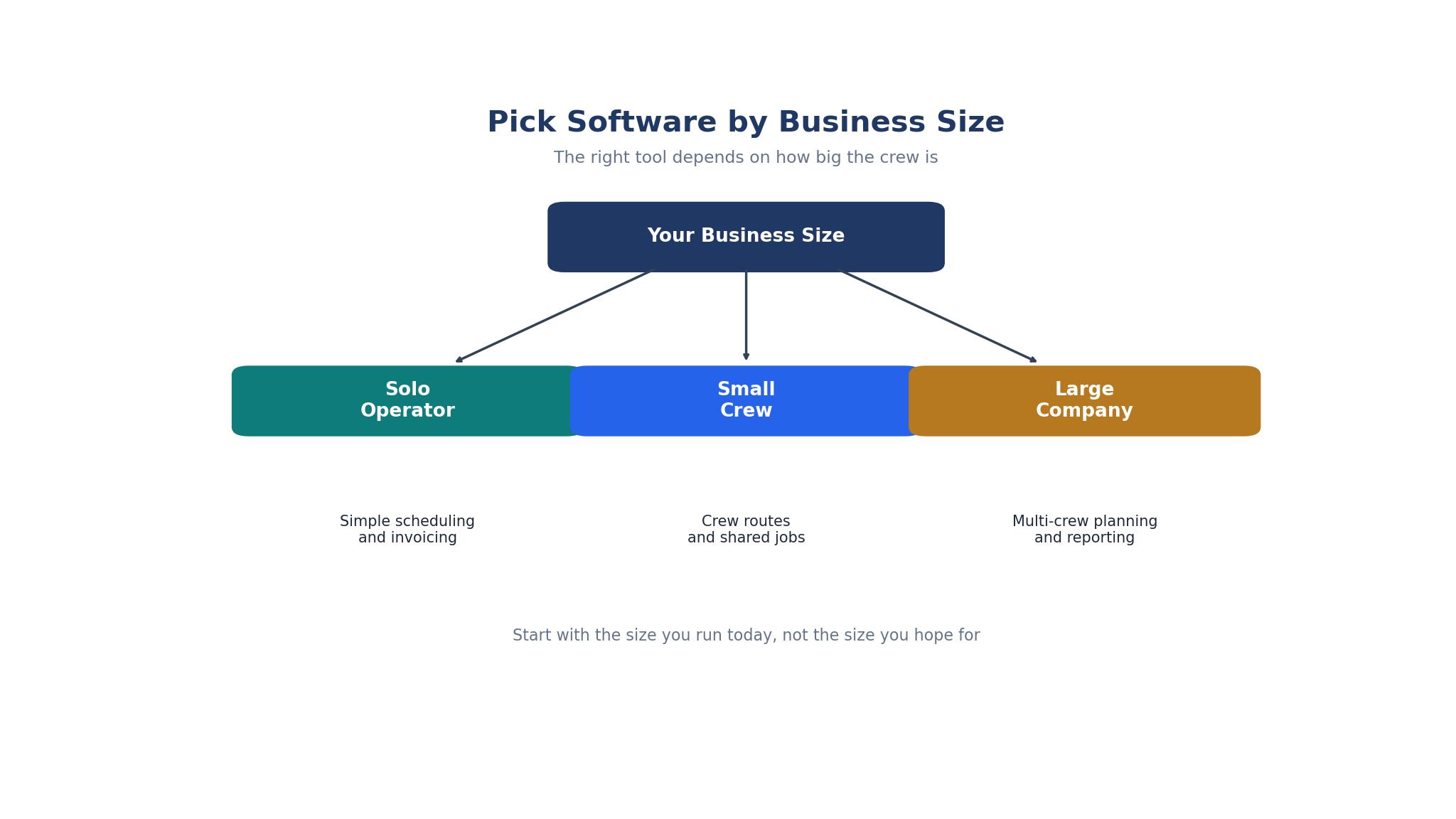
Field service pricing is built around users, and the model punishes a growing crew. Jobber Core costs 29 dollars a month billed annually for one user, or 49 dollars month to month, while Connect costs 99 dollars a month billed annually for five users, Grow 149 dollars for ten users, and Plus 529 dollars for fifteen users. Housecall Pro Basic costs 59 dollars a month billed annually for one user, or 79 dollars month to month, while Essentials costs 149 dollars for five users and MAX 299 dollars for eight users.
The jump hurts most at the first hire. A solo operator on Housecall Pro Basic pays 59 dollars a month, and the first hire forces a move to Essentials at 149 dollars a month, which is a jump of 90 dollars a month, or 1,080 dollars a year, for one additional person. Jobber Core has the same shape, with a solo operator at 29 dollars a month and a three-person crew starting on Connect. A buyer should price the crew they will have in six months, not the crew they have today.
The specialist tools price differently again. LMN by Granum publishes 297 dollars a month for Starter and 648 dollars for Professional, after an unpublished one-time onboarding fee, while SingleOps publishes 220 to 550 dollars a month. Those figures buy landscaping-specific job costing and estimating that the general tools do not offer, and the buyer should judge them on that depth rather than on the sticker price.
The 8 Tools at a Glance
The table below gives the short version of the best field service software for landscapers, with the starting price each vendor lists or a note where pricing is quote-only. Read it as a shortlist, then use the detailed sections to check routing, recurring scheduling and the crew app before choosing.
| Tool | Main job | Best for | Starting price |
|---|---|---|---|
| Jobber | Field service with routing | Solo operators and small crews | $29 per month |
| Housecall Pro | Field service with marketing | Crews wanting booking and reviews | $59 per month |
| LMN | Landscaping business management | Landscapers wanting job costing | $297 per month |
| Aspire | Landscaping enterprise platform | Large landscaping companies | Custom quote |
| ServiceTitan | Field service enterprise | Large service businesses | Custom quote |
| Workiz | Field service with phone | Phone-heavy service businesses | Custom quote |
| SingleOps | Tree care and landscaping | Tree care and larger landscapers | $220 per month |
| Yardbook | Free scheduling and invoicing | Solo landscapers on a budget | Free |
Best Pick by Job
No single tool fits every landscaping business, so the table below matches the best field service software for landscapers to the five most common buying situations. Find the row that describes the business, then test the two tools named there on a real week of routes before paying.
| Job type | First pick | Second tool | Why this pair works |
|---|---|---|---|
| Solo operator, residential mowing | Jobber | Yardbook | Jobber runs the round from 29 dollars, while Yardbook covers the basics for free |
| Small crew, three to five people | Jobber | Housecall Pro | Jobber gives route optimization sooner, while Housecall Pro adds booking and reviews |
| Crew wanting bookings and reviews | Housecall Pro | Jobber | Housecall Pro brings in new customers online, while Jobber runs the routes better |
| Landscaper wanting job costing | LMN | Jobber | LMN tracks real-time job costs, while Jobber covers the daily schedule at a lower price |
| Large company, many crews | Aspire | ServiceTitan | Aspire is built for landscaping at scale, while ServiceTitan adds enterprise depth |
How to Judge the Best Field Service Software for Landscapers
Judging the best field service software for landscapers starts with a route, not a demo. Load a real week of forty lawns, let the software sequence them, and drive the route with a crew. The tools that save an hour a day are the ones worth paying for, and the tools that sequence badly will cost more in fuel than the subscription saves.
Next, test the crew app where the work happens. Hand a phone to the newest crew member, ask them to complete a job, take a photo and send the invoice, all without help. A field app that needs training will be abandoned by the second week, and a field app that works the first time will be used every day.
Finally, test the money. Run a job from quote to invoice to card payment, and check that the payment lands, the invoice marks itself paid and the customer gets a receipt without anyone touching a second system. The quote-to-cash loop is the feature being bought here, and a break anywhere in it costs real money.
The 8 Tools in Detail
Each entry below covers what the tool does best, where it falls short, and who it fits, plus a practical test to run during the trial. The order follows the glance table, and the prices are the starting figures from the best field service software for landscapers shortlist above.
1. Jobber
Jobber is the strongest printed all-rounder in this guide for a landscaping business, with recurring visits scheduled ahead of time from Core at 29 dollars a month billed annually, quoting on every plan and route optimization from the Connect tier. The field app earns higher reliability ratings from lawn care operators than its rivals, and the landscaping workflow is Jobber native model, with the mowing round built into the way the software thinks.
The drawback is the user jump. Core covers one user, so a three-person crew starts on Connect, and the price climbs with the team size. Jobber also syncs only with QuickBooks Online, not QuickBooks Desktop, and it charges 2.9 percent plus 30 cents per card payment, which is higher than the rate Housecall Pro advertises.
Jobber suits a solo operator or a small crew running residential lawn care and mowing routes. It is the best pick in this guide for a business where the route is the profit.
To test it honestly, load a real week of forty lawns, run the route optimization, and drive the route with the crew. The minutes saved are the test, and they should be measured rather than assumed.
2. Housecall Pro
Housecall Pro leans into growth, with online booking from the website and Google, reviews included from the Basic plan, and marketing tools that bring in new customers. Basic costs 59 dollars a month billed annually for one user, or 79 dollars month to month, Essentials costs 149 dollars for five users, and MAX costs 299 dollars for eight users, with an extra user at 35 dollars a month on MAX. Card processing starts from 2.59 percent, which is lower than Jobber.
The drawback is routing. Housecall Pro has no route optimization at any plan level in the older comparisons, and the newer guides place full route optimization on the MAX plan, which costs 299 dollars a month billed annually. A landscaping business that lives on routes will pay more for the feature Jobber includes sooner.
Housecall Pro suits a crew that wants online booking, reviews and marketing alongside the schedule, especially a business that is still growing its customer base. It is the best pick for a landscaper who needs more customers as much as better routes.
To test it honestly, turn on online booking for a week, and count how many new jobs arrive through the website and Google without a phone call. The bookings are the value here, and they should be counted.
3. LMN
LMN by Granum is built for landscaping companies, with budgeting, estimating, scheduling, a crew app and invoicing in one system, and real-time job costing from the Professional tier. Starter costs 297 dollars a month for one office license and five crew, Professional costs 648 dollars for three office licenses and fifteen crew, and Enterprise is custom quote from a hundred users, all after a one-time onboarding fee that is not published.
The drawback is price and onboarding. At 297 dollars a month, LMN costs ten times Jobber Core, and the unpublished onboarding fee adds an unknown line to the first-year bill. A small crew will pay for job costing depth it does not yet need.
LMN suits a landscaping company that has grown past the general tools and needs to know the true cost of every job. It fits a business with several crews where estimating accuracy decides the profit.
To test it honestly, estimate five real jobs in the trial, run them, and compare the actual cost against the estimate at the end of the week. The gap between the two is the reason to buy this tool.
4. Aspire
Aspire, owned by ServiceTitan, is the enterprise landscaping platform, built for large companies with many crews, many contracts and complex operations. It covers estimating, scheduling, job costing, invoicing and reporting at a scale the general tools cannot match, and it is the system a landscaping company grows into when Jobber and Housecall Pro no longer fit.
The drawback is the contract. Aspire does not publish pricing, and buyer guides warn that an order that does not spell out a term commits the buyer for three years, with a separation fee equal to the remaining subscription fees if they leave early. A buyer must read the contract carefully and get the term in writing.
Aspire suits a large landscaping company with many crews and a need for enterprise-grade operations. It is the wrong tool for a solo operator or a small crew.
To test it honestly, ask the vendor for the full contract in writing, including the term, the separation fee and the onboarding cost, and have a lawyer read it before signing. The contract is the test for an enterprise tool.
5. ServiceTitan
ServiceTitan is the enterprise field service platform, with deep scheduling, dispatch, invoicing, marketing and reporting for large service businesses. It does not publish prices, with user reports placing it at roughly 245 to 398 dollars per technician per month, plus setup fees from 5,000 to 50,000 dollars. The depth is real, and so is the cost.
The drawback is scale and price. ServiceTitan is built for a large operation with many technicians, and a landscaping business with three crews will pay an enterprise price for features it never opens. The implementation takes weeks and needs real training.
ServiceTitan suits a large service business with many technicians, complex dispatch and a need for enterprise reporting. It is a poor fit for a landscaping business with fewer than ten people in the field.
To test it honestly, ask the vendor to model the cost for the actual crew size, including setup, and compare the three-year total against Jobber and LMN. The enterprise price only earns its place at enterprise scale.
6. Workiz
Workiz is the phone-led field service tool, with a built-in phone system on every plan and recurring service plans named on its Ultimate tier. It suits a business where the phone rings all day and the job starts with a call, because the phone, the schedule and the invoice live in one system. The free trial runs seven days with no card, according to its official FAQ.
The drawback is price transparency. Workiz publishes no prices at any tier, so the cost only appears after a sales conversation, and the automation limits are tight, with 5 automations on Standard, 10 on Pro and 30 on Ultimate. A buyer should get a written quote before committing.
Workiz suits a phone-heavy landscaping business that takes most jobs by call and wants the phone system built in. It fits a small team that lives on the phone more than on the web.
To test it honestly, run a day of real calls through the built-in phone system, and check that every call attaches to the right job and the right customer. The phone integration is the product here.
7. SingleOps
SingleOps by Granum is the sister product to LMN, positioned for tree care and arborists rather than general landscaping, with Essential at 220 dollars a month billed monthly or 200 dollars billed annually, Plus at 385 dollars or 350 dollars, and Premier at 550 dollars or 500 dollars. It covers estimating, scheduling, invoicing and crew management for a tree care business, with the same Granum backing as LMN.
The drawback is the positioning. SingleOps is built for tree care first, so a general landscaper may find the workflows tuned for arborists rather than for mowing rounds. The price is also high for a small crew, starting at 200 dollars a month billed annually.
SingleOps suits a tree care company or a landscaper with a large tree division that needs estimating and scheduling built for that work. It fits a business where tree jobs are the profit center.
To test it honestly, estimate five tree jobs in the trial, including a removal and a pruning, and check that the estimate, the crew assignment and the invoice all flow without a second entry. The tree workflow is the test.
8. Yardbook
Yardbook is the free option in this guide, offering scheduling, invoicing and customer management for a solo landscaper at no cost, with paid plans on the vendor site for a business that needs more. It is the cheapest way to stop running the business on paper and a phone, and it covers the basics well enough for a one-person operation.
The drawback is depth. Yardbook is a simple tool, and a growing crew will outgrow it, with no route optimization, no deep job costing and no marketing tools to match Jobber or Housecall Pro. It is a starting point, not a destination.
Yardbook suits a solo landscaper on a tight budget who needs scheduling and invoicing without a subscription. It is the best free pick for a business just starting out.
To test it honestly, run a full week of real jobs through it, from scheduling to invoicing to payment, and check that nothing needs a spreadsheet to finish. The full week is the test for a free tool.
What the First Year Costs a Landscaping Business
Price the year for a solo operator and the differences are small in absolute terms but large in proportion. Jobber Core at 29 dollars a month billed annually costs 348 dollars a year, while Housecall Pro Basic at 59 dollars a month billed annually costs 708 dollars a year. The 360 dollar difference is a day of work, and the buyer should judge it against the route optimization and the field app rather than against the price alone.
Price the year for a three-person crew and the numbers change. Jobber Connect at 99 dollars a month billed annually for five users costs 1,188 dollars a year, while Housecall Pro Essentials at 149 dollars a month billed annually for five users costs 1,788 dollars a year. Housecall Pro is 600 dollars a year more expensive at this size, but it includes online booking, reviews and marketing that Jobber charges extra for on higher tiers.
Add the card processing, because it is the largest line after the subscription. Jobber charges 2.9 percent plus 30 cents per card payment, while Housecall Pro advertises rates as low as 2.59 percent. A business that takes 100,000 dollars a year in card payments saves about 300 dollars a year on the rate difference alone, which narrows the gap between the two platforms. The best field service software for landscapers is the one whose total cost, not whose subscription, fits the business volume.
One more cost hides in the add-ons. GPS crew tracking, marketing tools and advanced reporting each sit on a higher tier in one or both platforms, and a buyer who needs them should price the tier that includes them rather than the entry tier. Jobber puts GPS tracking and route optimization on Connect and above, while Housecall Pro puts GPS tracking on Essentials and full route optimization on MAX. The tier that includes the needed feature is the real price, not the starting figure on the pricing page.

Season-One Errors That Cost Real Money
The most common mistake is buying the software and never loading the rounds. A landscaping business lives on its recurring schedule, and a system with no rounds loaded is an empty calendar. The first week should be spent entering every lawn, every maintenance visit and every seasonal job, with the crew, the day and the price attached, before any new marketing is built.
The second mistake is ignoring the crew app. A system the owner loves and the crew hates will fail, because the crew enters the data and the owner only reads it. Hand the phone to the newest crew member in the trial, and if they cannot complete a job without help, the app is wrong for the business.
The third mistake is signing an annual contract before the first season. A tool that looks good in February can fail in May, when the routes are full and the crew is tired, and an annual contract locks the business into a bad choice for the busiest months. Run a full month on a monthly plan first, and only commit annually when the season has proven the system.
Frequently Asked Questions
How much does field service software cost for a landscaper?
A solo operator can run Jobber Core at 29 dollars a month billed annually, or 348 dollars a year, while Housecall Pro Basic costs 59 dollars a month billed annually, or 708 dollars a year. A three-person crew pays 99 dollars a month for Jobber Connect or 149 dollars a month for Housecall Pro Essentials. LMN starts at 297 dollars a month, and Aspire, ServiceTitan and Workiz are custom quote. Yardbook is free for a solo operator starting out.
Is Jobber or Housecall Pro better for landscapers?
Jobber is better for a landscaping business that lives on routes, because it offers route optimization from the Connect tier and a field app that lawn care operators rate highly. Housecall Pro is better for a business that needs online booking, reviews and marketing to bring in new customers. A crew that runs mowing rounds should pick Jobber, while a crew that needs more customers should pick Housecall Pro.
What is route optimization in field service software?
Route optimization re-sequences the daily stops based on cancellations, traffic and crew location, so the crew drives less and finishes more jobs. Jobber includes it from Connect at 99 dollars a month billed annually, while Housecall Pro places full route optimization on its MAX plan at 299 dollars a month billed annually. For a landscaping business, the feature can save an hour a day, which is a job a week.
Do landscapers need software with job costing?
A small crew does not, and a larger company does. LMN tracks real-time job costing from its Professional tier at 648 dollars a month, which matters when estimating accuracy decides the profit on every job. A solo operator or a three-person crew can run on Jobber or Housecall Pro without job costing, and should only buy LMN when the estimates start missing by enough to matter.
Can a solo landscaper use free software?
Yes, Yardbook is free and covers scheduling, invoicing and customer management for a solo operator. It has no route optimization and no deep job costing, so a growing crew will outgrow it, but it is the best free start for a business just leaving paper behind. A solo operator who wants routing should move to Jobber Core at 29 dollars a month billed annually.
Should a landscaping company buy Aspire or ServiceTitan?
Only if the company is large enough to justify enterprise software. Aspire is built for large landscaping companies, and ServiceTitan is built for large service businesses, with user reports placing it at roughly 245 to 398 dollars per technician per month plus setup fees from 5,000 to 50,000 dollars. A company with fewer than ten people in the field will get far more value from Jobber, Housecall Pro or LMN at a fraction of the price.
Our Verdict for a Landscaper Buying Software in 2026
For a solo operator or a small crew running residential mowing routes, Jobber is the pick. Core costs 29 dollars a month billed annually, the recurring schedule is built for lawn care, and route optimization arrives at the Connect tier before the competition offers it. A crew that needs online booking and reviews to grow should buy Housecall Pro instead, starting at 59 dollars a month.
The decision rule is simple. Load a real week of forty lawns, drive the optimized route, and run a job from quote to paid invoice before signing. The tool that saves an hour a day and gets paid fastest is the right one, and the landscaper should retest it every season, because the crew grows and the rounds change.