
An illustrator who charges 400 dollars for a spot illustration and spends six hours on reference, sketching and revisions keeps roughly 65 dollars an hour, and the best ai tools for illustrators exist to cut the reference and first-draft hours without touching the hand that makes the work theirs. Adobe Firefly leads this guide because it is the only mainstream generator trained on licensed stock and public domain material, with commercial indemnification that lets an illustrator sell client work without a copyright worry. The remaining nine tools cover painterly concept art, vector output, text-accurate posters, fast layout and credit-based generation, and each one solves a different part of the illustration job.
The licensing question decides this category more than image quality does. A beautiful image that cannot be sold to a client is a sketchbook page, not a deliverable, and a tool that trains on scraped work leaves the illustrator carrying the legal risk. Commercial terms, indemnification and the right to use output in client work are the first things to check, and the detail sections below state each tool’s position plainly. All ten tools were live when I checked in November 2026, and the prices quoted match vendor list prices or third-party reports noted in the text, so confirm the current number before paying.
Illustrators differ in style, client type and workflow, and this guide weights those differences heavily. A children’s book illustrator needs different tools than an editorial illustrator or a brand designer, and the recommendations below reflect that split, with the year-one cost math counting credits, seats and the editor the output still needs.
What an Illustration Really Costs a Freelancer
The sticker price of an AI generator is the smallest part of its cost. A 10 dollar plan looks cheap until the illustrator adds a second tool for vectors, a third for upscaling and a monthly editor subscription, and the stack passes 60 dollars a month without any new illustration being sold. Illustrators should price a tool by the full stack, not by the headline plan, and the detail sections below call out the add-ons that change the bill, including the editor subscription that most generators still require.
Credit math is the bigger cost. A plan that offers 2,000 premium credits a month sounds generous until a single detailed generation costs 20 credits and a client asks for 40 variations, and the illustrator buys a top-up mid-project. Unlimited standard generations, like Firefly offers on paid plans, change the math completely, because the illustrator can iterate freely. The best ai tools for illustrators are priced on the iteration the job actually needs, not on the credits the vendor prefers to sell.
The third cost is rework. An image that arrives as a flat raster needs redrawing in Illustrator before it can be a logo, a pattern or a print file, and that redrawing can take longer than drawing from scratch. Tools with vector output, like Recraft, save that step, and the tools below were judged partly on whether the output lands in a format the illustrator can actually finish without an extra paid tool in the middle.
Why Licensing Terms Decide the Buy
Licensing decides the buy in a specific way. The first issue is training data, because a model trained on licensed content gives the illustrator a defensible position with clients, while a model trained on scraped images leaves the illustrator answering questions they cannot answer. Firefly is the only tool in this guide with full commercial indemnification, and that gap matters more than any quality difference.
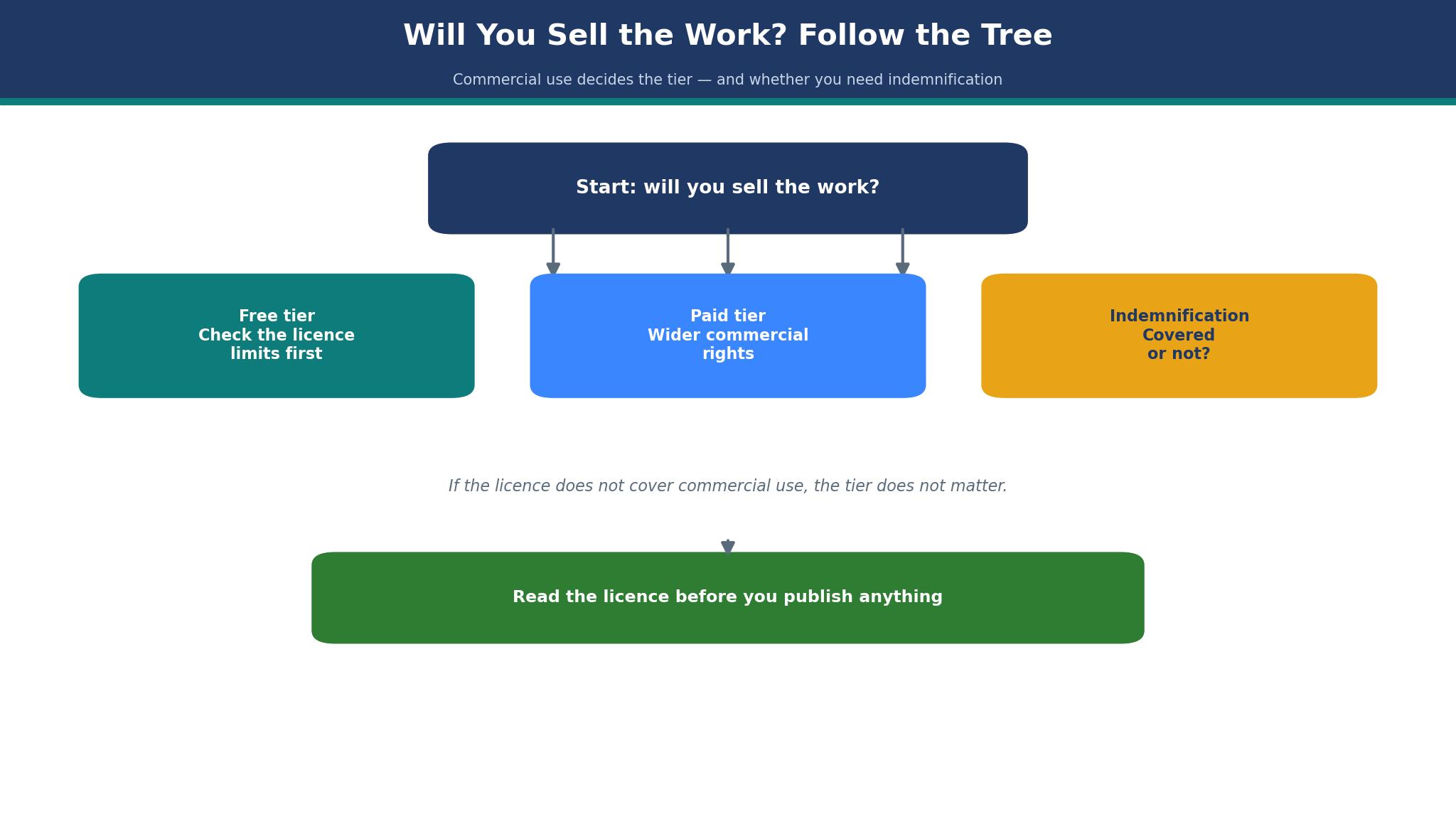
The second issue is the free tier. Some free plans forbid commercial use of the output, which means an illustrator who tests on a free tier and sells the result has already broken the terms. Recraft’s free images are not licensed for commercial use, and the illustrator who misses that line risks a client dispute, so the free tier is a sketchbook, not a shop.
The third issue is client contracts. Many clients now ask what tool made the image and whether the rights are clear, and an illustrator who cannot answer loses the job to one who can. A tool with clear commercial terms is a sales asset, and the illustrator who leads with it wins work from careful clients.
The 10 Tools at a Glance
| Tool | Main job | Best for | Starting price |
|---|---|---|---|
| Adobe Firefly | Commercially safe generation | Client work, Adobe workflows | From 9.99 dollars a month |
| Midjourney | Painterly concept art | Style exploration, mood boards | From 10 dollars a month |
| Leonardo.Ai | Stylised art generation | Game and fantasy art | From 12 dollars a month |
| Recraft | Vector-first generation | Logos, patterns, print | From 10 dollars a month billed annually |
| Ideogram | Text-accurate images | Posters, logos, typography | From 8 dollars a month, reported |
| Canva | Layout plus AI images | Fast client graphics | From 15 dollars a month billed annually, reported |
| ChatGPT | DALL-E image generation | Quick concepts, drafting | From 20 dollars a month |
| Krea | Real-time generation | Fast iteration, upscaling | From 10 dollars a month |
| Clipdrop | Fast edits and generation | Product shots, quick fixes | From 15 dollars a month |
| DreamStudio | Credit-based generation | Flexible, pay-per-image work | Credit-based, from 10 dollars |
Best Pick by Job
| Job type | First pick | Second tool | Why this pair works |
|---|---|---|---|
| Client work, safe licensing | Adobe Firefly | Recraft | Firefly indemnifies the work and Recraft adds vector output |
| Painterly concept art | Midjourney | Leonardo.Ai | Midjourney leads on style and Leonardo adds control |
| Posters and type | Ideogram | Canva | Ideogram spells text right and Canva adds layout speed |
| Fast layout work | Canva | ChatGPT | Canva finishes the layout and ChatGPT drafts the image |
| Vector and print | Recraft | Adobe Firefly | Recraft exports vectors and Firefly adds safe raster art |
An editorial page and a brand identity ask for different strengths, so the ranking shifts with the deliverable. An editorial illustrator needs painterly range, while a brand illustrator needs clean vectors and clear rights. A tool that manages the other side decently still disappoints when it weakens the work the illustrator is actually hired for. Choose the first tool for the deliverable that pays, and keep the second in reserve for the jobs the first handles poorly, keeping both subscriptions only while both earn their keep.
Money follows the same pattern. An illustrator earning 4,000 dollars a month can justify 30 dollars a month for Firefly plus Midjourney, since the pair covers safe client work and style exploration, and one saved revision pays for the month. A student should start on Firefly free and Recraft free instead, then pay once a client job demands commercial rights. The best ai tools for illustrators are the ones that fit the illustrator’s current income without blocking the next commission.
How to Judge the best ai tools for illustrators
Start with the one-brief test, because that is where an image generator either earns its fee or wastes it. Take a single client brief, run it through the tool and two rivals, and compare the three results side by side. Count how many generations it takes to get a usable image, whether the style holds across variations, and whether the output survives a 100 percent zoom. A tool that needs 20 prompts to produce one usable image will cost more time than it saves.
Next, test the commercial terms on a real job. Read the license for paid output, check whether the client can use the image in advertising, and confirm whether indemnification applies to your plan tier. Look for the line that limits commercial use on free tiers, because that line is the one that causes disputes, and save a copy of the terms alongside the job file so the answer is on record.
Then check the finish. Take the best output, open it in your editor, and try to finish it as a deliverable, whether that means vectorising, retouching or laying it out. A raster that cannot be edited is a dead end, and a tool whose output needs an hour of cleanup per image is slower than drawing from scratch. The best ai tools for illustrators pass this finish test on the first try.
The 10 Tools in Detail
Licensing safety sets the order below, so the tool with indemnified commercial output leads.
1. Adobe Firefly
Adobe Firefly is the safest choice for commercial illustration, and its training data is the reason. The models are trained on licensed Adobe Stock content and public domain material, which supports full commercial indemnification that most rivals do not offer, and the tool is woven into Photoshop, Illustrator and Express through Generative Fill and Boards. Standard starts at 9.99 dollars a month with 2,000 premium credits, Pro at 19.99 dollars with 4,000 credits, and standard image generation is unlimited on every paid tier.
The drawback is the output format and the credit pools. The output is a flat image, so finishing a design still needs an editor, and the credit tiers change often enough that the plan page should be reconfirmed before buying. A vector illustrator will still need Recraft or Illustrator for the final file.
Firefly suits illustrators who sell client work. It fits a commercial illustrator, a designer working inside Adobe apps, and anyone whose clients ask about rights before they ask about style. Run your toughest client brief through Firefly and two rivals, then compare the three results for usability and check the license line, and if Firefly’s image is the one you can sell without a second thought, it leads the stack.
2. Midjourney
Midjourney is the benchmark for painterly, atmospheric output, and its artistic range is the reason. It remains the tool illustrators point to for stylised concept art, mood boards and editorial illustration, with a quality of light and texture no rival matches, and its community galleries are a reference library in themselves. Basic costs 10 dollars a month with 3.3 hours of fast GPU time, Standard 30 dollars with 15 hours, Pro 60 dollars and Mega 120 dollars, with annual billing about 20 percent less.
The drawback is the licensing and the meter. There is no free tier, fast GPU time is metered with extra hours at 4 dollars, and large companies need Pro or Mega for commercial use. The output is raster only, and the Discord and web workflows suit exploration better than a tight production schedule.
Midjourney suits illustrators who prioritise artistic quality. It fits a concept artist, an editorial illustrator building mood boards, and anyone whose work starts with atmosphere rather than precision. Run the same character brief through Midjourney and Firefly and compare the mood each one returns, and if Midjourney’s version is the one that sparks the commission, it earns its 10 dollars.
3. Leonardo.Ai
Leonardo.Ai is the stylised art specialist, and its control is the reason. It offers fine control over style, models and elements, which suits game art, fantasy illustration and character work where consistency across a series matters. Pricing starts at 12 dollars a month for the Essential plan with 8,500 tokens a month.
The drawback is the token math and the licensing. Tokens burn fast on detailed generations, and the commercial terms are less protective than Firefly’s indemnification, so a client-facing job needs a careful read of the license. The tool is strongest for personal and concept work and thinner for final client deliverables.
Leonardo.Ai suits illustrators building series and worlds. It fits a game illustrator, a fantasy artist, and anyone who needs a character to look the same across 20 images. Run one character brief through Leonardo.Ai and Midjourney, keep the best three variations from each, and if Leonardo’s set holds the character steadier, it is the right tool for the series.
4. Recraft
Recraft is the only tool in this guide built around vector output, and that format is the reason. It generates images that export as editable vectors, which means a logo, a pattern or a print file can be finished in Illustrator without redrawing. Paid plans start at 10 dollars a month billed annually for Basic, with a free tier offering 30 daily credits.
The drawback is the free-tier license. Recraft does not license its free images for commercial use, so the illustrator must pay before selling the output, and the raster quality lags behind Midjourney for painterly work. The tool is a vector specialist, not a generalist, and a purely painterly illustrator will get less from it.
Recraft suits brand and print illustrators. It fits a logo designer, a pattern illustrator, and anyone whose deliverable is a vector file. Take a logo brief, generate three marks in Recraft, export the best as a vector and open it in your editor, and if the paths are clean enough to finish without redrawing, Recraft has saved the job.
5. Ideogram
Ideogram is the text-accurate generator, and its typography is the reason. It spells words correctly inside images, which makes it the pick for posters, book covers, logos and any illustration where readable text matters. Pricing is reported from 8 dollars a month, though some listings report 15 dollars, so confirm the current plan on the vendor site before budgeting.
The drawback is the price confusion and the narrower range. The conflicting listings make budgeting harder, and the artistic range is narrower than Midjourney, so a purely painterly job will look better elsewhere. The tool is a specialist, and the illustrator who buys it for everything will be disappointed.
Ideogram suits illustrators who put words in pictures. It fits a poster designer, a book cover illustrator, and anyone whose client needs a headline rendered inside the art. Run a poster brief with a three-word headline through Ideogram and two rivals, zoom in on the lettering, and if Ideogram is the only one that spells it right, it earns the fee.
6. Canva
Canva is the fastest way from idea to finished client graphic, and its layout editor is the reason. AI image generation sits inside a full design tool, so the illustrator generates, lays out and exports in one place. Canva Pro is reported at 15 dollars a month billed annually, though some listings report 18 dollars, so confirm the current figure on the vendor site.
The drawback is the depth and the price fog. The image generation is weaker than the specialists for painterly work, and the conflicting price reports make the year-one cost harder to pin down. A fine-art illustrator will find the generation too generic, and the value sits in the layout speed rather than the image quality.
Canva suits illustrators who deliver finished layouts. It fits a social media illustrator, a marketing designer, and anyone whose client wants a finished graphic rather than a raw image. Build a complete client graphic in Canva from generation to export and time the job, and if it ships in under an hour, Canva is the layout pick.
7. ChatGPT
ChatGPT with DALL-E is the quickest concept tool in this guide, and its conversation is the reason. The illustrator describes, revises and iterates in plain language, which makes it ideal for drafting ideas and testing directions before committing to a finished piece, and the chat history keeps every variation attached to the brief that made it. ChatGPT Plus costs 20 dollars a month and includes image generation.
The drawback is the quality ceiling and the rights fog. The output is weaker than Midjourney for final art, and the commercial terms for generated images are less protective than Firefly’s indemnification, so a client-facing job needs a careful read. The tool is a drafting aid, not a final-art engine.
ChatGPT suits illustrators who iterate in words. It fits a storyboard artist, an illustrator testing directions with a client, and anyone who wants 10 rough concepts before breakfast. Draft five directions for one brief in ChatGPT, show the best two to your client, and if the conversation picks the winner faster than a sketch round, ChatGPT earns its place in the process.
8. Krea
Krea is the real-time generator, and its speed is the reason. Generations appear as the illustrator types, which makes it ideal for fast iteration, live client sessions and upscaling inside one workflow. Paid plans start at 10 dollars a month, with annual billing reported lower, and a free tier covers basic use.
The drawback is the depth. Krea is weaker than Midjourney on painterly range and weaker than Firefly on commercial safety, so it suits iteration rather than final art. The credit math also needs watching, because real-time generation burns credits fast in a long session.
Krea suits illustrators who iterate live. It fits a designer running a client workshop, an illustrator who refines in real time, and anyone who values speed over polish in the first draft. Run a live session with a client in Krea, refine the brief in front of them, and if the client approves the direction in the meeting, Krea has paid for itself.
9. Clipdrop
Clipdrop is the quick-fix tool, and its editing speed is the reason. It handles background removal, cleanup, relighting and fast generation in one place, which makes it ideal for product shots and quick client fixes. The Pro plan starts at 15 dollars a month, with a free tier for basic use.
The drawback is the scope. Clipdrop is an editing and utility tool rather than a full illustration engine, so an illustrator who needs original painterly art will find it thin. The value sits in the fixes, and a tool bought for generation alone will disappoint.
Clipdrop suits illustrators who finish and fix images daily. It fits a product illustrator, a designer cleaning up client assets, and anyone who needs ten quick edits before lunch. Take five messy client images, run the cleanup tools on each, and time the batch, and if the set is client-ready in under half an hour, Clipdrop earns its slot.
10. DreamStudio
DreamStudio is the credit-based generator from Stability AI, and its flexibility is the reason. The illustrator buys credits and spends them per image, which suits irregular work where a monthly subscription would sit idle. Pricing is credit-based, with entry around 10 dollars of credits.
The drawback is the credit math and the quality gap. Credits burn unevenly across sizes and settings, and the output quality trails Midjourney for painterly work and Firefly for commercial safety. The tool suits occasional generation rather than daily production.
DreamStudio suits illustrators with irregular generation needs. It fits a freelancer who generates in bursts, an illustrator testing a style before committing to a subscription, and anyone who prefers paying per image. Generate a small batch for one brief, track the credit cost per usable image, and if the math beats a monthly plan for your volume, DreamStudio is the flexible pick.
The Licensing Mistakes That Cost Illustrators Clients
The most expensive mistake is selling work made on a free tier that forbids commercial use. A client who discovers the license problem after publication will demand a refund, and the illustrator will pay twice, once in money and once in reputation. Read the free-tier terms before the first paid job, and upgrade before selling anything the free plan does not cover. The cheapest plan is the one whose license matches the job, and the best ai tools for illustrators are judged here on the rights they grant, not just the images they make.
A second mistake is promising a client a style the tool cannot repeat. A single beautiful generation is not a series, and a client who orders 12 illustrations in one style needs a tool that holds the style across all 12. Test the style across a series before quoting, and price the revisions the tool will force.
Making the Final Call on Illustration Tools
Start by listing the non-negotiables, because the list is shorter than most illustrators expect. Commercial rights, output format, style range and credit math are the four that eliminate most tools quickly. Write them down and check each tool against them, because the best ai tools for illustrators all pass the same four tests.
Next, run a trial on the top two choices with one real brief. Measure three things, the generations needed for a usable image, whether the license covers the client use, and whether the output finishes cleanly in your editor. The winner on those three measures is usually the right tool, even when it is not the cheapest.
Then check the human factor. Ask the vendor a hard question about the license, and judge the answer. A company that cannot explain its own training data in plain language will not defend you when a client asks. The trial is the time to test that claim.

Frequently Asked Questions
Which AI tool is best for illustrators doing client work?
Adobe Firefly is the best pick for client work, because its models are trained on licensed content and it offers commercial indemnification that rivals do not. Recraft is the second pick when the deliverable is a vector file, and Midjourney is the pick when the job is painterly concept art rather than a final deliverable. The three together cover nearly every brief a working illustrator sees in a month.
Can I sell AI-generated illustrations to clients?
Yes, when the license allows it. Firefly’s paid plans allow commercial use with indemnification, while some free tiers forbid it, so the plan tier matters as much as the tool. Read the license for your exact plan before selling, and keep a copy of the terms with the job file.
Is Midjourney or Firefly better for illustrators?
Midjourney is better for painterly range and style exploration, while Firefly is better for commercial safety and Adobe workflows. An illustrator who sells client work should lead with Firefly, and an illustrator who explores styles should lead with Midjourney. Most working illustrators end up using both.
How much do AI illustration tools cost per month?
A working illustrator should expect 10 to 40 dollars a month. Firefly Standard is 9.99 dollars, Midjourney Basic is 10 dollars, and the pair together costs about 20 dollars a month. Credits, top-ups and a second tool for vectors can push the stack past 50 dollars, so price the whole stack before the first client job of the month, not after the invoice arrives.
Do AI tools replace illustrators?
No, they replace the reference hunt and the first draft, not the judgment. Clients still pay for taste, consistency and the ability to revise toward a brief, and the illustrators who thrive are the ones who use AI to iterate faster while keeping the final decisions human. The hourly rate of an illustrator who delivers in half the time can rise, because the client pays for the result rather than the hours.
What format should AI art be delivered in?
Deliver the format the client asked for, and generate in the tool that exports it cleanly. Vector work should come from Recraft or be redrawn in Illustrator, print work needs high resolution and the right colour profile, and web work needs the right size and compression. The tool choice follows the deliverable, every time.
The Verdict on AI Tools for Illustrators
Adobe Firefly takes the top spot because it is the tool an illustrator is least likely to regret. The commercial terms are clear, the indemnification is real, and the Adobe integration means the output lands where the finishing happens. The raster-only output is a limit, but Recraft covers the vector gap for 10 dollars more, and the pair together costs less than a single stock photo license used to.
Midjourney is the pick for painterly work, Recraft is the pick for vectors, and Ideogram is the pick for text. The best ai tools for illustrators are not the ones with the prettiest demo images, they are the ones whose license covers the job, whose output finishes cleanly, and whose credits last the month.
Choose by the deliverable first, the license second and the price third. Run one real brief through the top two, measure the three things that matter, and set a review date. An illustrator who picks this way will spend less time hunting reference and more time making the work only they can make.