
A venue that books 30 events a month at an average of 4,000 dollars each handles 120,000 dollars of revenue, and the best event management software for venues exists to keep every inquiry, hold, proposal, BEO and invoice in one place from the first email to the final payment. Tripleseat leads this guide because it is the most-used events platform in US restaurants and hotels, with deep integrations into POS and hotel systems and a guest portal that lets clients track their own event. The remaining seven tools cover published per-location pricing, wedding venues, enterprise conferences and simple room booking, and each one fits a different kind of venue.
The first split is the venue type, and it matters more than the brand. A restaurant with private dining needs inquiry capture and BEOs, a wedding venue needs floor plans and seating, and a conference centre needs room blocks and multi-day events, and the tool that fits one will frustrate the others. Tripleseat owns the restaurant and hotel lane, Planning Pod owns the wedding lane, and the detail sections below state which lane each tool serves. All eight tools below were live in November 2026, with prices from vendor pages or third-party reports, so check the current rate before you book.
Venues differ in size, location count and event mix, and this guide weights those differences heavily. A single-room barn needs different software than a five-location hospitality group, and the recommendations below reflect that split, with the year-one cost math counting per-location fees, add-ons and the onboarding the venue actually needs.
What Venue Software Really Costs per Location
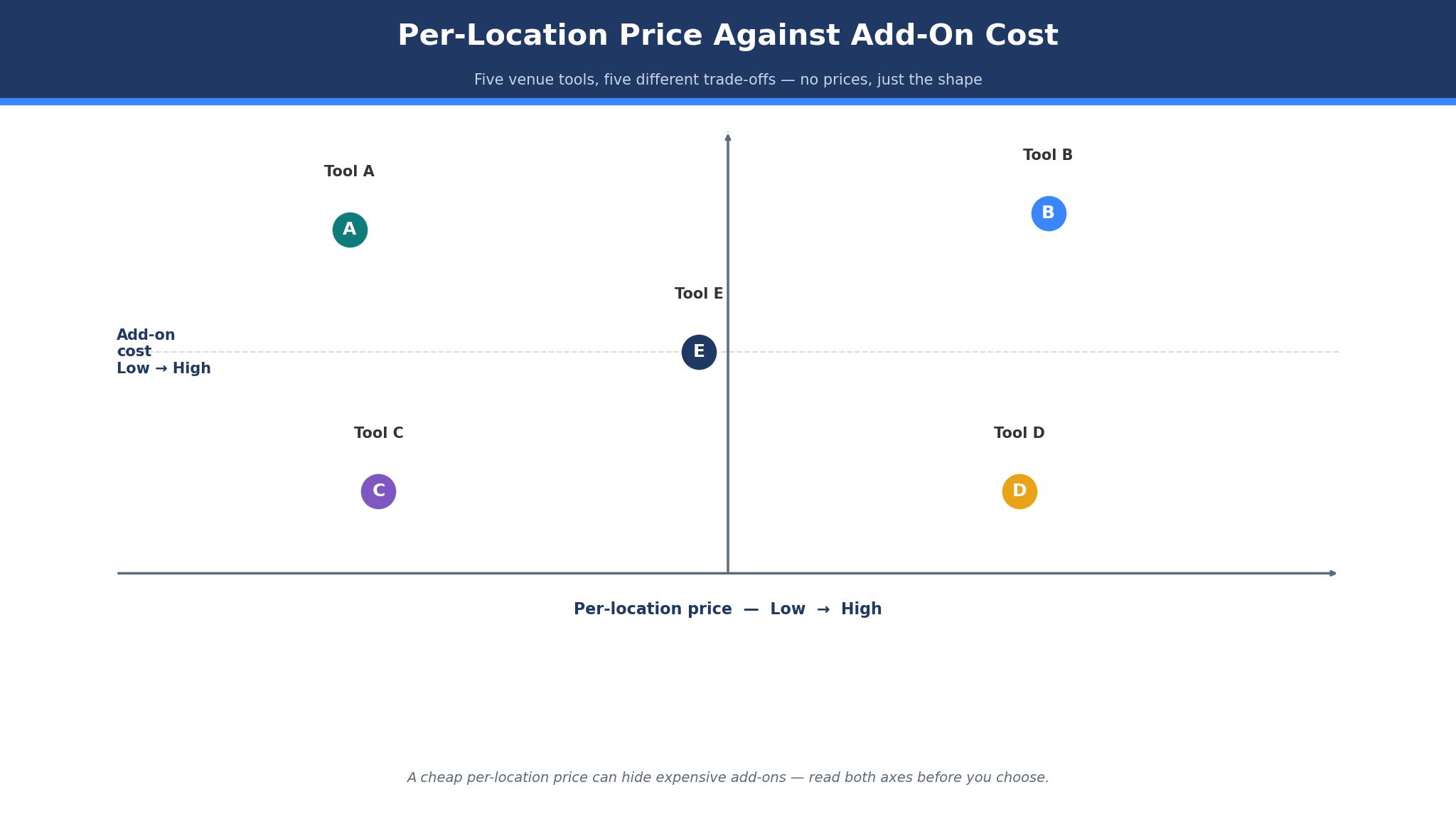
The sticker price of venue software is the smallest part of its cost. A 199 dollar plan looks cheap until the venue adds a second location, a floor-plans add-on and a direct-booking module, and the bill passes 600 dollars a month without any new event being booked. Venues should price a tool by the full stack, not by the headline plan, and the detail sections below call out the add-ons that change the bill.
Per-location math is the bigger cost. A tool that charges 375 dollars per venue a month costs 1,125 dollars for three locations, while a tool that charges 199 dollars per location costs 597 dollars for the same three, and the gap is 6,336 dollars a year. A group that grows to five locations should buy the tool whose per-location price falls with scale, or the software will cost more than the events team. The best event management software for venues is priced on the location count the group actually runs, not on the plan the vendor prefers to sell.
Onboarding is the hidden cost. A platform that needs a dedicated specialist and a month of setup will cost the venue a month of coordinator time before the first event runs through it, while a self-serve tool can be live in a week. The onboarding fee is rarely printed on the pricing page, so ask for it in writing, and count the coordinator hours it consumes against the first month of events.
The third cost is the event that slips. An inquiry that sits unanswered for a day goes to the next venue, and a proposal that takes a week to send loses to one sent in an hour. Speed from inquiry to signed contract is the metric that matters most, and the tools below were judged partly on how fast a coordinator can send a proposal from the inbox.
Why BEOs and Holds Decide the Buy
BEOs and holds decide the buy in a specific way. The first issue is the hold, because a venue that cannot hold a date while the client decides will double-book the room or lose the client to a venue that can. A tool without holds and conflict warnings forces the coordinator to track dates on a whiteboard, and the whiteboard will fail on the busiest weekend of the year.
The second issue is the BEO. A banquet event order is the single document the kitchen, the bar and the floor team all work from, and a tool that generates it from the proposal without retyping saves hours per event. A venue that builds BEOs by hand in a word processor will make mistakes, and a mistake on a 200-guest dinner costs far more than the software.
The practical test is a Saturday in June. Take your busiest date, load every event the venue ran that day, and check whether the tool shows the holds, the BEOs and the payments without a spreadsheet beside it. A system that handles the busiest day cleanly will handle every other day, and a system that needs a whiteboard on the busiest day will fail exactly when the venue cannot afford it.
The third issue is payment. A signed contract that still needs a separate deposit link, a separate invoice and a separate follow-up will sit unpaid for weeks. Tools that collect a deposit at signature close the loop in one step, and the venue that waits for payment is the venue that chases it.
The 8 Tools at a Glance
| Tool | Main job | Best for | Starting price |
|---|---|---|---|
| Tripleseat | Event sales plus BEOs | Restaurants, hotels, multi-room venues | From 375 dollars per venue a month |
| Perfect Venue | All-in-one event management | Independent restaurants, groups | From 199 dollars per location a month billed annually |
| Event Temple | Venue sales and events | Hotels, conference centres, weddings | From 79 dollars a month, reported |
| Planning Pod | Wedding venue toolkit | Wedding and event venues | From 199 dollars a month, reported |
| Cvent | Enterprise event platform | Large conferences, arenas | Pricing on the vendor site |
| Momentus | Enterprise venue management | Convention centres, performing arts | Pricing on the vendor site |
| Skedda | Space and room booking | Coworking, meeting rooms, sports | From 7 dollars a user a month plus 99 dollars venue plan |
| VenueSuite | Venue management, Europe | Single-property venues | From 250 euros a month |
Best Pick by Job
| Job type | First pick | Second tool | Why this pair works |
|---|---|---|---|
| Restaurants and hotels | Tripleseat | Perfect Venue | Tripleseat leads on integrations and Perfect Venue adds published pricing |
| Independent venue | Perfect Venue | Event Temple | Perfect Venue is simplest to start and Event Temple adds hotel depth |
| Wedding venue | Planning Pod | Perfect Venue | Planning Pod owns floor plans and Perfect Venue adds simple pricing |
| Enterprise conference | Cvent | Momentus | Cvent scales the event and Momentus adds venue operations |
| Simple room booking | Skedda | VenueSuite | Skedda books rooms cheap and VenueSuite adds full venue tools |
A restaurant, a wedding venue and a conference centre ask different things of the same software, so the ranking follows the event mix. A restaurant needs POS integration, while a wedding venue needs floor plans and a conference centre needs room blocks. A tool that handles all three adequately still disappoints when it weakens the events that fill the calendar. Choose the first tool for the event mix that brings in the bookings, and let the second cover the events the first handles badly.
The bill follows the same pattern. A three-location group can justify 1,125 dollars a month for Tripleseat, since the cost is a small share of one event and a single saved booking pays for the month. A single-room barn should start on Perfect Venue free or Event Temple instead, then weigh Tripleseat once the volume grows. The best event management software for venues is the one that fits the venue’s current location count without blocking the next opening.
How to Judge the best event management software for venues
Start with the one-event test, because that is where venue software either earns its fee or wastes it. Take one real event, run it through the tool from inquiry to final invoice, and watch what breaks. Count the minutes to send the proposal, check whether the BEO generates from the contract, and see whether the deposit lands without a separate email. A tool that needs the coordinator to retype the same details three times will cost more time than it saves.
Next, test the pricing on real location count. Take your venues, add the per-location fee and the add-on prices, and compare the total against the flat-rate alternative. Look for the add-on that the venue actually needs, because floor plans, direct booking and marketplace listings are priced separately on most tools. The best event management software for venues is priced on the stack the venue actually runs, not the stack the vendor demos.
Then check the hold on a busy date. Try to hold the same room for two different clients on the same Saturday, and see whether the tool warns you. A good system flags the conflict before the proposal goes out, while a weak one lets the coordinator double-book the room and find out from the client.
Finally, check the guest portal. Send a test client the portal link, let them check their BEO, their payments and their timeline, and count the emails that never arrive. A portal that answers the client’s questions before they ask is worth more than any reporting dashboard, because every email it prevents is coordinator time back.
The 8 Tools in Detail
Restaurant and hotel fit sets the order below, so the most-used platform leads.
1. Tripleseat
Tripleseat is the most-used events platform in US restaurants and hotels, and its integrations are the reason. It captures inbound enquiries from the website, processes deposits, drafts BEOs, manages event-day timelines and handles per-event invoicing, with integrations into POS systems like Toast, Square and Aloha and hotel systems like Opera and Mews. Pricing starts at 375 dollars per venue a month, with all users and integrations included, and older reports of around 129 dollars a month conflict with the current published figure, so confirm the current card before budgeting.
The drawback is the price and the add-ons. At 375 dollars per venue a month it carries the highest published starting price in this guide, and floor plans, direct booking, tickets, insights and the venue marketplace are priced individually in a sales conversation. A one-room barn will pay for a platform built for multi-room hotels, and the onboarding needs a dedicated specialist rather than a self-serve trial.
Tripleseat suits restaurants, hotels and multi-room venues that sell private events at volume. It fits a restaurant with private dining, a hotel with banquet rooms, and any venue that wants proposals, BEOs, floor plans and a guest portal in one platform. Run one real event through Tripleseat from inquiry to final invoice, and if the BEO generates from the contract and the deposit lands without a separate email, Tripleseat earns its premium.
2. Perfect Venue
Perfect Venue is the simplest all-in-one option, and its published pricing is the reason. Professional costs 199 dollars a month per location billed annually or 239 dollars month to month, Premium costs 299 dollars billed annually or 339 dollars monthly, and a free plan covers the basics. The platform handles automated proposals and BEOs, AI-assisted email replies, ExpressBook self-booking and a venue marketplace listing, with one login and per-location permissions for groups, so a coordinator sees every location without switching accounts.
The drawback is the depth. Perfect Venue is thinner than Tripleseat on enterprise integrations and hotel PMS links, and a large hotel group will find the reporting lighter. The tool is built for independent venues and groups, and a convention centre will outgrow it.
Perfect Venue suits independent restaurants, bars, breweries and small event venues. It fits a single restaurant with private dining, a multi-location group that wants published per-location pricing, and anyone who wants a fast switch without a demo. Send one real inquiry through Perfect Venue from first email to signed proposal, and if the proposal goes out in an hour and the BEO follows without retyping, Perfect Venue is the simple pick.
3. Event Temple
Event Temple is the hotel and conference venue tool, and its sales pipeline is the reason. It handles inquiry capture, space availability, proposals, contracts and invoicing for hotels, conference centres and wedding venues, with a clean pipeline that shows every event in its stage. Pricing is reported from 79 dollars a month at the entry tier, though some listings report 249 dollars a month billed annually, so confirm the current figure on the vendor site before budgeting.
The drawback is the price fog and the narrower restaurant fit. The conflicting reports make budgeting harder, and the tool is built for hotels and conference centres rather than restaurants with POS links. A restaurant that needs Toast or Square integration will get less from it.
Event Temple suits hotels, conference centres and wedding venues. It fits a hotel selling meeting rooms and banquets, a conference centre with multi-day events, and anyone who wants a clear sales pipeline for venue space. Run one multi-day event through Event Temple from inquiry to room-block contract, and if the pipeline stays honest and the proposal lands fast, Event Temple fits the hotel lane.
4. Planning Pod
Planning Pod is the wedding venue toolkit, and its floor plans are the reason. It combines proposals, contracts, floor plans, seating charts and a client portal in one system, which is the full toolkit a wedding venue needs. Pricing is reported at 199 to 319 dollars a month for most single-location venues, per the vendor, so confirm the current figure before budgeting.
The drawback is the price and the narrow focus. At 199 dollars and up it costs as much as Perfect Venue Professional without the published pricing clarity, and the tool is built for wedding and event venues rather than restaurants. A restaurant with private dining will pay for seating charts it never uses.
Planning Pod suits full-service wedding and event venues. It fits a barn venue, a dedicated wedding space, and anyone whose events live or die on layout. Build one real wedding in Planning Pod from floor plan to seating chart, and if the layout sells the room and the client portal cuts the emails, Planning Pod earns its fee.
5. Cvent
Cvent is the enterprise event platform, and its scale is the reason. It handles large conferences, registration, attendee management and venue sourcing at a scale no other tool in this guide matches, with reporting and integrations built for enterprise events teams. Cvent quotes each deployment, so ask for a written price before you plan the event budget.
The drawback is the enterprise-only fit. A venue cannot buy Cvent without a sales conversation, and the platform is built for large events rather than a single restaurant’s private dining. A small venue will overpay for scale it never uses, and the setup needs an events team rather than a single coordinator.
Cvent suits large conferences, arenas and enterprise events teams. It fits a convention centre, a company running multi-day conferences, and anyone whose events need registration and attendee management at scale. Run one large conference through Cvent from registration to final invoice, and if the attendee data and the venue billing stay in one place, Cvent is the enterprise pick.
6. Momentus
Momentus is the enterprise venue management platform, and its operations depth is the reason. Formerly known as Ungerboeck, it handles booking, operations, finance and CRM for convention centres, arenas and performing arts venues, with the depth a large venue needs to run hundreds of events a year. Pricing is custom and quoted per deployment, so ask for a written quote before budgeting.
The drawback is the weight and the quote-only price. Momentus is built for large venues, and a small or mid-size venue will find it heavy and expensive for the events it runs. The implementation is measured in months, not days, and the value only appears at enterprise volume.
Momentus suits convention centres, arenas and performing arts venues. It fits a city convention centre, a large arena, and anyone whose venue runs hundreds of events a year across many spaces. Test Momentus on your busiest month of events and check whether the operations stay in one system, and if the booking, the finance and the CRM all hold together, Momentus fits the enterprise.
7. Skedda
Skedda is the simple space booking tool, and its price is the reason. Plans start at 7 dollars a user a month plus a 99 dollar venue plan, which makes it the cheapest option in this guide for a venue that mainly needs rooms booked. The tool handles coworking spaces, meeting rooms and sports facilities with a clean calendar and self-service booking.
The drawback is the scope. Skedda is a booking tool first and an event management platform second, so BEOs, proposals and invoicing are missing or thin. A venue that sells catered events will need a second tool for the event itself, and the total bill is two subscriptions instead of one.
Skedda suits coworking spaces, meeting rooms and sports facilities. It fits a venue whose main job is renting rooms by the hour, a sports facility booking courts, and anyone who needs simple self-service booking. Book a week of rooms through Skedda and check whether the calendar stays honest, and if the self-service flow cuts the coordinator’s emails, Skedda is the cheap booking pick.
8. VenueSuite
VenueSuite is the European venue management tool, and its single-property fit is the reason. It handles inquiry capture, proposals, BEOs and invoicing for a single venue, with pricing from 250 euros a month for a single property. The tool is built for independent venues that want a full system without enterprise weight.
The drawback is the currency and the reach. Prices are in euros with the billing cadence not always stated, and the tool is less known outside Europe, so integrations and support are thinner than the US platforms. A US venue will find the ecosystem smaller and the onboarding less familiar.
VenueSuite suits single-property venues, especially in Europe. It fits an independent venue that wants a full system at a flat price, a property that books events weekly, and anyone who prefers a simple per-property fee. Run one event through VenueSuite from inquiry to invoice, and if the BEO generates cleanly and the price is flat, VenueSuite is the straightforward pick.
The Add-On Mistakes That Double the Venue Bill
The most expensive mistake is pricing the venue software on the headline plan instead of the year-one stack. A 199 dollar plan with three locations, a floor-plans add-on and a direct-booking module can cost 900 dollars a month, and a venue that budgets 199 dollars will be surprised by the first invoice. Ask for the add-on prices in writing before signing, and include the modules the venue actually needs. The cheapest headline plan is often the most expensive stack, and the best event management software for venues is judged here on the full cost, not the entry price.
A second mistake is buying enterprise software for a single room. A barn venue that buys Cvent or Momentus will pay enterprise prices for features it never uses, and the implementation will take months the venue does not have. Match the tool to the location count, and buy enterprise only when the event volume demands it.
Making the Final Call on Venue Software
Start by listing the non-negotiables, because the list is shorter than most venues expect. Holds and conflict warnings, BEO generation, deposit collection and per-location price are the four that eliminate most tools quickly. Write them down and check each tool against them, because the best event management software for venues all pass the same four tests.
Next, run a trial on the top two choices with one real event. Measure three things, the minutes from inquiry to proposal, whether the BEO generates without retyping, and the total monthly bill at your real location count. The tool that leads on those three measures is usually the right choice, even when it is not the cheapest option.
Then check the human factor. Call support during the trial, ask a hard question about a double booking, and judge the answer. A venue that cannot reach a knowledgeable person when a Saturday is double-booked will pay for that gap later, usually in front of a bride. Use the trial to put that promise to the test.

Frequently Asked Questions
How much does event management software cost for a venue?
A single venue should expect 199 to 375 dollars a month for a full platform. Perfect Venue Professional is 199 dollars per location a month billed annually, Tripleseat starts at 375 dollars per venue a month, and Skedda is the cheapest at 7 dollars a user a month plus a 99 dollar venue plan. Price the add-ons before signing, and get the floor-plans and direct-booking prices in writing, since those are the two that most often surprise a new customer.
Is Tripleseat or Perfect Venue better for a restaurant?
Tripleseat is better for a restaurant that wants deep POS and hotel integrations, because its links to Toast, Square and Opera go further. Perfect Venue is better for an independent restaurant that wants published pricing and a fast start, because it costs 199 dollars a location and needs no demo. A multi-location group should test Tripleseat first, while a single restaurant should test Perfect Venue first, and the trial should cover one real private dining event end to end.
What is the best event software for a wedding venue?
Planning Pod is the best pick for a wedding venue, because it combines floor plans, seating charts, proposals and a client portal in one system. Perfect Venue is the second pick for a wedding venue that wants simpler pricing, and Tripleseat is the pick when the venue also runs a restaurant or hotel, since the integrations then carry the decision.
Do venues need BEO software?
Yes, once the venue passes ten events a month. A BEO is the single document the kitchen, the bar and the floor team work from, and a tool that generates it from the contract without retyping saves hours per event and prevents the mistakes that ruin a dinner. A venue building BEOs by hand will make errors, and a 200-guest error costs far more than the software.
Can venue software take deposits?
Yes, on most tools in this guide. Tripleseat processes deposits and per-event invoicing, Perfect Venue handles payments in the event flow, and Planning Pod collects payment through the client portal. Test the deposit flow on a real event during the trial, because a deposit that needs a separate email is a deposit that arrives late, and a late deposit is a date the venue cannot hold with confidence.
How do I move events from spreadsheets to venue software?
Import the upcoming events first, then the active inquiries, and leave the past history for later. Most tools in this guide offer a trial and onboarding help, and Tripleseat assigns a dedicated onboarding specialist to every customer. Run one real event through the new tool before migrating the whole book, and keep the spreadsheet as a backup for the first month.
The Verdict on Event Management Software for Venues
Tripleseat takes the top spot because it is the tool a venue is least likely to regret. The integrations are the deepest in this guide, the BEO workflow is proven across thousands of restaurants and hotels, and the guest portal lets clients track their own event. The 375 dollar starting price is the highest here, but the volume it handles justifies the fee, and one saved booking a month covers the subscription twice over.
Perfect Venue is the pick for independent venues, Planning Pod is the pick for weddings, and Skedda is the pick for simple room booking. The best event management software for venues is not the one with the longest feature list, it is the one that holds the date, generates the BEO, collects the deposit and costs less than the events it saves.
Choose by the venue type first, the location count second and the price third. Run one real event through the top two, measure the three things that matter, and set a review date. A venue that picks this way will spend less time chasing paperwork and more time hosting the events that pay the rent.