
1Password Families is the best password management software for families for most households, because five seats, shared vaults and a travel mode cover the real family jobs at $5.99 a month on annual billing. Bitwarden Families is the value pick at $3.99 a month for six users, and Dashlane Friends and Family suits larger households with ten seats. The rest of this guide compares all ten tools on price, sharing, recovery and ease of use, so you can pick the one that fits your household.
A family password manager does a different job from a personal one. It has to hold the streaming logins the kids use, the school portal the parents check, the shared bank login and the Wi-Fi password, and it has to do that without turning one person into the household help desk. The best tools make sharing a vault as simple as sending a text, and they give the organiser a way to recover an account when a child forgets a master password.
Price matters, but the seat count matters more. A plan that looks cheap at $3.99 a month and covers six people beats a $7.99 plan that covers five, once you count grandparents. Recovery matters just as much. If one forgotten master password locks a teenager out of every school login, the tool has failed at its main job.
The 10 Tools at a Glance
| Tool | Main job | Best for | Starting price |
|---|---|---|---|
| 1Password Families | Shared vaults and family organiser controls | Families of five who want the smoothest setup | $5.99/mo, annual |
| Bitwarden Families | Low cost sharing for six users | Budget households | $3.99/mo, annual |
| Dashlane Friends and Family | Ten seats with a built in VPN | Larger households | $8.13/mo, annual |
| Keeper Family | Five seats with secure file storage | Families who store documents too | $7.67/mo, annual |
| NordPass Family | Six seats with breach alerts | Households that want simple monitoring | $2.79/mo, 2-year plan reported |
| Proton Pass | Privacy first vaults from Proton | Privacy focused families | Varies by region |
| Enpass | Offline first vaults, one time purchase option | Families who dislike subscriptions | Not published |
| RoboForm Family | Form filling plus password sharing | Families who fill many web forms | Not published |
| Google Password Manager | Free vault inside a Google account | Single account households | Free |
| Norton Password Manager | Free vault inside Norton security | Norton subscribers | Free |
Best Pick by Job
| Job type | First pick | Second tool | Why this pair works |
|---|---|---|---|
| Family of three to five, wants the smoothest setup | 1Password Families | Bitwarden Families | 1Password is the easiest to teach, Bitwarden is the cheaper fallback |
| Tight budget, six users to cover | Bitwarden Families | Keeper Family | Bitwarden costs least per person, Keeper adds document storage |
| Large household, up to ten seats | Dashlane Friends and Family | 1Password Families | Dashlane covers ten seats in one plan, 1Password covers five well |
| Privacy first household | Proton Pass | Bitwarden Families | Proton keeps data under Swiss privacy law, Bitwarden is open source |
| Free only, no sharing needed | Google Password Manager | Norton Password Manager | Both are free, and each fits the account the family already uses |
If your household has three to five people and nobody wants to learn a new system, start with 1Password Families. That is the first test when you compare the best password management software for families, because a tool the household will not open is money wasted. The organiser invites each person, sets up one shared vault for the streaming and utility logins, and each person keeps a private vault of their own. The $5.99 a month annual price works out to about $1.20 per person, which is less than a single coffee.
Budget households should start with Bitwarden Families instead. Six seats at $3.99 a month is about 67 cents per person, and the sharing works the same way. The screens are plainer and the setup takes a few more minutes, but the money saved over a year buys the next family dinner out.
Which Password Manager Is Easiest for a Whole Family to Use?
Ease of use decides whether a family password manager survives its first month. A tool with perfect security that nobody opens is worse than a simpler tool the whole household actually uses. The winner here is 1Password Families, because its invite flow, its shared vaults and its recovery option are all explained in plain words on the screen, and the mobile apps fill logins without extra taps.
Bitwarden Families is close on value but a step behind on polish. The vault works well once it is set up, yet the settings pages use more technical language, and a parent setting up a child account will spend longer finding the right switch. Dashlane sits between the two, with a friendly design and a built in VPN, but its higher price buys features most families never open.
The test that matters is the grandparent test. Hand the phone to the least technical person in the house and ask them to find the Wi-Fi password. That ease is what the best password management software for families must deliver, because the whole household has to use it, not just the person who bought it. With 1Password and Dashlane, most people manage it in under a minute. With the free browser vaults, the answer is usually a shrug, because there is no shared family view at all.
How to Choose the Best Password Management Software for Families
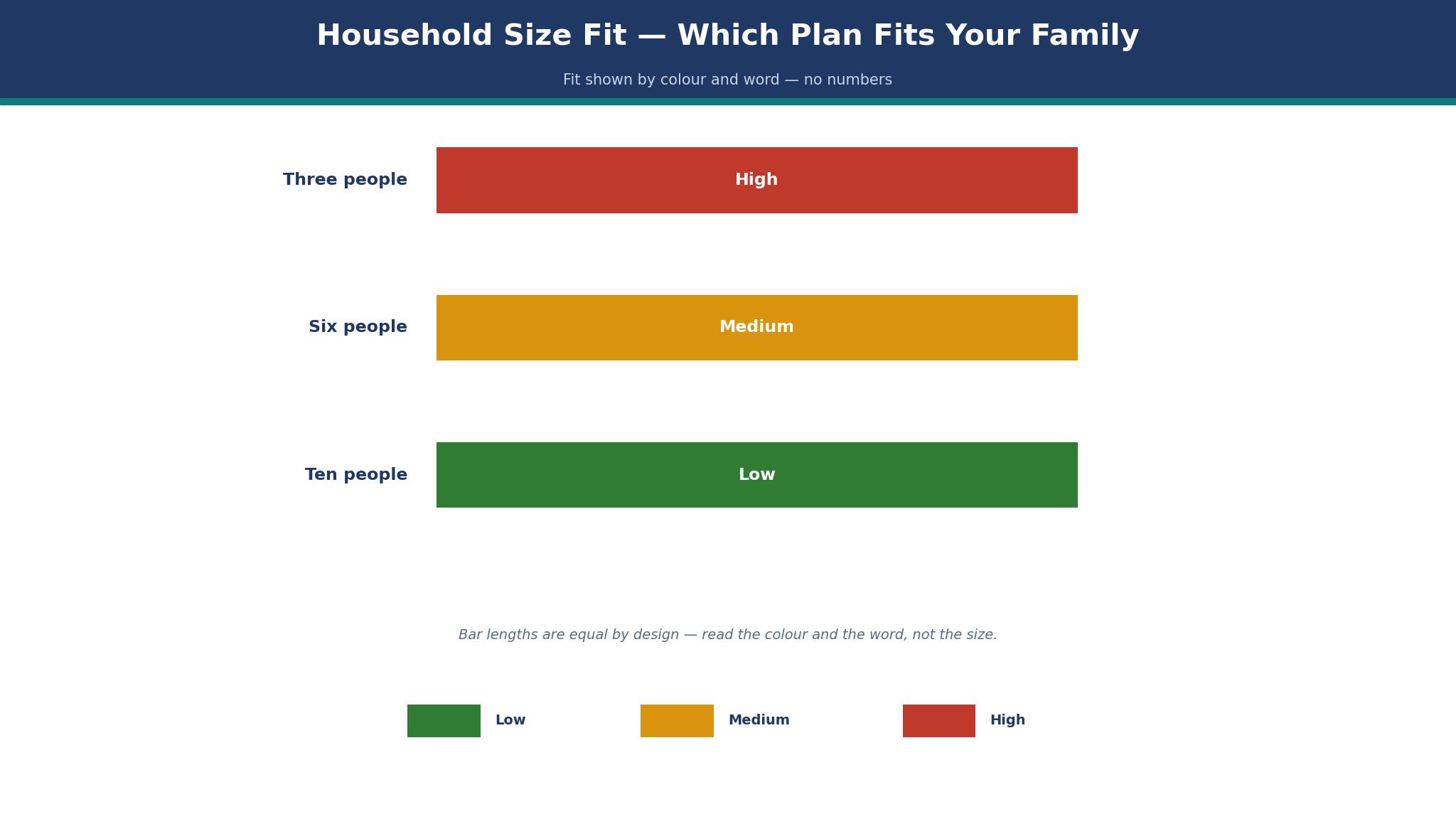
Start by counting seats. Write down every person who needs a login, including kids old enough for a school portal and grandparents who share the streaming accounts. A five seat plan that leaves one person out forces an awkward second subscription, so a six or ten seat plan is often the cheaper real answer.
Next, check recovery. The best password management software for families lets the organiser recover a locked account without seeing the private vault. 1Password, Bitwarden and Keeper all offer a version of this. A tool with no recovery path turns one forgotten master password into a household crisis.
Then look at sharing. You need at least one shared vault for the accounts everyone uses, plus private vaults for each person. Check that sharing a single login does not share the whole vault, because the kids do not need the bank login.
Finally, weigh the price per person, not the headline price. Divide the monthly cost by the seats you will actually use. A $8.13 plan with ten seats costs less per person than a $5.99 plan with five, once the household grows past six.
The 10 Tools in Detail
The ten tools below cover the full range, from free browser vaults to paid family plans with recovery and document storage. Each one is judged on the same four points, so this roundup of the best password management software for families stays honest from the first tool to the last.
1. 1Password Families
1Password Families costs $5.99 a month on annual billing, or $71.88 a year, and covers five people with unlimited devices and 1 GB of document storage each. Shared vaults hold the streaming, utility and school logins, while each person keeps a private vault. Travel Mode hides vaults marked as unsafe when crossing borders, and Watchtower flags weak, reused and breached passwords.
The price rose in March 2026 from $59.88 a year, which is worth knowing before you budget. Five seats is also a hard ceiling, so a household of six pays for a second plan or moves to a rival. The organiser can recover a family member account, which removes the most common support call in a household.
It suits families of three to five who want the least friction. Setup takes about fifteen minutes, and the mobile apps are the most polished of the group. If your household fits in five seats and you value calm over cost, this is the pick.
Try the 14 day free trial with two family members first, and move the shared streaming logins in before you invite the rest.
2. Bitwarden Families
Bitwarden Families costs $3.99 a month on annual billing, or $47.88 a year, and covers six people with unlimited devices and 1 GB of encrypted file storage each. The code is open source, which means independent researchers can inspect how the vault works, and the family organiser can recover accounts. Collections let you share a single login without sharing the whole vault.
The screens are plainer than 1Password, and the first setup asks more questions. Some families find the settings language technical, and the mobile autofill needs one extra permission step on some Android phones. None of that affects day to day use once the vaults are filled.
It suits budget households and anyone who wants six seats for the lowest price in this guide. At about 67 cents per person per month, it is the cheapest paid plan here that still offers recovery and sharing.
Start with the free individual plan for a week, then upgrade to Families once you know the autofill works on every phone in the house.
3. Dashlane Friends and Family
Dashlane Friends and Family costs $8.13 a month on annual billing, or $97.56 a year, and covers ten people with unlimited devices, a built in VPN and 1 GB of secure storage each. Older reports list $7.49 a month, so the current figure is reported rather than confirmed on the live pricing page. The plan includes a password health score, dark web monitoring and a phishing alert that warns before a bad login is saved.
The price is the highest per plan here, even though the per person cost is low once all ten seats are used. A small household of three pays for seven empty seats. Dashlane also ended its free plan on 16 September 2025, so there is no free tier to test with first.
It suits large households, blended families and anyone who wants the VPN bundled in. Ten seats cover kids, grandparents and a babysitter without a second subscription, and the health score gives the organiser a single number to watch.
Use the 30 day money back window to invite the whole household at once, and check the VPN works on the school Wi-Fi before the window closes.
4. Keeper Family
Keeper Family costs $7.67 a month on annual billing, or $91.99 a year, and covers five people with unlimited devices and 10 GB of secure file storage shared across the plan. The family organiser can recover accounts, and Keeper includes BreachWatch, which scans the dark web for exposed logins. The vault also stores passports, insurance cards and other documents as encrypted files.
Five seats at this price is the weakest value in the paid group, because Bitwarden covers six people for about half the money. The interface is solid rather than delightful, and some features, like the encrypted messaging add on, cost extra. Families who only need passwords will find cheaper options above.
It suits households that want one place for passwords and documents together. The 10 GB of storage holds scanned passports and school forms, which saves a separate cloud folder for sensitive papers.
Take the 30 day free trial and upload one sensitive document first, so you can judge the file storage before you move the whole family in.
5. NordPass Family
NordPass Family is reported at $2.79 a month on a two year plan for six people, with unlimited devices and 3 GB of encrypted storage. The price is reported from third party trackers rather than confirmed on the live pricing page, so treat it as a guide. The plan includes a data breach scanner, a password health score and passkey support, and the interface is one of the cleanest here.
The two year commitment is the catch. The low monthly figure only applies if you pay two years up front, and the renewal price is higher. NordPass also offers fewer family organiser controls than 1Password, so a parent who wants tight control over a child account will find less to work with.
It suits households that are happy to commit for two years in exchange for a low price. Six seats at a reported $2.79 a month is hard to beat on cost, and the breach scanner is genuinely useful.
Check the renewal price in writing before you buy the two year plan, and set a calendar reminder for the month before it renews.
6. Proton Pass
Proton Pass comes from the makers of Proton Mail, and its family plan price varies by region, so no single dollar figure fits every reader. The vault uses end to end encryption, the company operates under Swiss privacy law, and the plan includes email aliases that hide a real address when signing up for new services. Passkeys and two factor codes live in the same vault.
The family plan is the hardest to price in this guide, because the dollar figure changes with the billing country and the Proton bundle chosen. Some families will pay more than the 1Password figure once the bundle is counted, and the family organiser controls are thinner than the leaders here.
It suits privacy focused households that already use Proton Mail or Proton VPN. The email alias feature alone is worth real money for a family signing up for school portals and kids apps.
Start on the free Proton Pass plan, test the email aliases for a week, and only then look at the family price for your region.
7. Enpass
Enpass takes a different path from the rest of this list, because the vault can live offline and the company has sold a one time purchase option alongside its subscription. The family plan covers six people, and the vault syncs through the cloud storage the family already uses, such as Google Drive or Dropbox. The vendor site shows no family price on its main page, so the table carries no figure for Enpass.
The offline first design is both the appeal and the drawback. Families who distrust cloud vaults will like it, but sharing a vault through a third party cloud folder is more fiddly than the built in sharing of the leaders. Support answers are slower than the big names here, and the interface feels dated next to 1Password.
It suits households that want their vault data in their own cloud storage rather than on a vendor server. The one time purchase option also appeals to families who dislike monthly bills.
Download the free desktop version first and test a shared vault through your own cloud folder before paying for the family plan.
8. RoboForm Family
RoboForm Family covers five people and is best known for form filling rather than vault design. It fills long web forms, checkout pages and school registrations with one click, and the family plan shares logins the same way as the others here. RoboForm shows no current family price on its main page, so the table leaves that cell blank instead of inventing a number.
The password manager itself is solid but unremarkable, and the interface has changed little in years. Families who only need password storage will find better value above, and the lack of a published price makes budgeting harder than it should be.
It suits households that fill in a lot of web forms, such as school registrations, camp signups and insurance claims. The form filler saves more time in a week than the password vault does in a month.
Ask the sales page for the current family price in writing, and test the form filler on a real school registration before you commit.
9. Google Password Manager
Google Password Manager is free inside every Google account, and it saves and fills passwords across Chrome and Android with no extra app to install. It checks saved passwords against known breaches, suggests strong passwords when creating accounts, and syncs instantly to every device signed into the same account. For a single person, it is genuinely good.
The problem is sharing. There is no family plan, no shared vault and no organiser recovery. A household that shares one Google account to share passwords also shares email, photos and search history, which is a poor trade. Each person needs their own account, and then nothing is shared at all.
It suits a household that only needs one person to hold the passwords, or a family testing whether a vault helps before paying. It is also the right fallback for a teenager who will not install another app.
Turn on the breach check in Chrome settings today, and move the shared streaming logins into a paid family plan when the sharing limits start to bite.
10. Norton Password Manager
Norton Password Manager is free, and it comes bundled with Norton security products that many households already pay for. It stores unlimited passwords, fills logins in the browser and on mobile, and includes a vault health check that flags weak and reused passwords. There is no separate family plan to buy.
Like Google, it has no real family sharing. Each person keeps a separate vault, and there is no organiser view or recovery path. A household that already pays for Norton gets a decent free vault, but it does not solve the sharing problem that brings families to this guide.
It suits Norton subscribers who want a free vault without installing another product. If the household already runs Norton on every device, the password manager is a sensible free extra.
Check whether your Norton subscription already includes the password manager, and use it for personal logins while the shared family accounts live in a paid plan.
1Password Families vs Bitwarden Families: Price, Sharing and Recovery
Price is the clearest gap between these two. 1Password Families costs $5.99 a month on annual billing for five people, while Bitwarden Families costs $3.99 a month for six. Over a year, the difference is $24, and Bitwarden covers one more person. A household of six saves money and gains a seat by choosing Bitwarden, which is a rare clean win.
Sharing works well in both. Each offers shared vaults for the accounts everyone uses and private vaults for each person, and each lets the organiser share a single login without opening the whole vault. 1Password explains the sharing in plainer words, and its invite flow is the one a non technical parent will finish without help. Bitwarden takes a few more minutes and a little more patience.
Recovery is where the two are closest. Both let the family organiser recover a locked account without seeing the private vault, which is the feature that prevents the most common family password crisis. 1Password adds Travel Mode and a more polished Watchtower report, while Bitwarden adds open source code that anyone can inspect. Pick 1Password if the household values polish and five seats are enough. Pick Bitwarden if six seats and the lowest price matter more.
What Does a Family Password Manager Cost per Year?
The honest answer is between $48 and $98 a year for a paid family plan, depending on seats and billing length. Bitwarden Families is the cheapest confirmed figure at $47.88 a year for six people. 1Password Families is $71.88 a year for five. Keeper Family is $91.99 a year for five, and Dashlane Friends and Family is $97.56 a year for ten. NordPass Family is reported at about $2.79 a month on a two year plan, which works out near $67 over two years if the reported figure holds.
The per person figure is the one to compare when you shop for the best password management software for families. Bitwarden works out near 67 cents per person per month. 1Password is about $1.20 per person. Dashlane is about 81 cents per person, but only if all ten seats are used. A household of three on Dashlane pays $2.71 per person, which is the worst value in the guide despite the low headline per seat figure.
Watch for the renewal. Introductory prices and two year deals reset higher, and 1Password raised its family price in March 2026 from $59.88 to $71.88 a year. Check the renewal figure before you buy, and set a reminder for the month before it renews.
Can One Family Plan Cover Kids, Grandparents and Shared Accounts?
Yes, if the seat count is honest and the sharing is flexible. A ten seat plan like Dashlane covers kids, grandparents and a babysitter in one subscription. A six seat plan like Bitwarden covers two parents, two kids and two grandparents. A five seat plan like 1Password covers the core family but leaves grandparents to a second plan or a free vault.
Kids need a simpler setup than adults. Give each child a private vault for school logins and a shared vault for streaming, and turn on the organiser recovery so a forgotten master password does not lock them out of homework. Grandparents need the opposite, which is fewer decisions. One shared vault with the five logins they actually use beats a full vault they must search.
Shared accounts deserve their own vault. Put the streaming services, the utility company and the Wi-Fi password in one shared vault that everyone can see, and keep the bank login in a vault only the parents can open. That split is the difference between a family plan that works and one that causes an argument.
A 7-Day Family Password Setup Checklist
Day one, pick the plan and create the organiser account, then invite one other adult and test the invite flow together. Day two, move the ten most used shared logins into a shared vault, starting with streaming, utilities and the school portal. Day three, invite the kids and set up their private vaults, with recovery turned on before they choose a master password.
Day four, run the password health check and change the five weakest shared passwords first, because those are the ones an attacker tries first. Day five, add two factor codes to the vault for the bank, email and school accounts, and store the backup codes in the same vault. Day six, hand the phone to the least technical person in the house and ask them to find the Wi-Fi password without help.
Day seven, write down the recovery plan on paper and store it somewhere safe, then delete the old password notes from phones, notebooks and browsers. The best password management software for families only works when the old habits are gone, so the cleanup matters as much as the setup.

Frequently Asked Questions
Is 1Password Families worth $5.99 a month?
Yes, for a household of three to five that values a smooth setup. The $71.88 a year price covers five people, shared vaults, organiser recovery and Travel Mode. Bitwarden Families is cheaper at $47.88 a year for six people, so the 1Password premium buys polish rather than extra seats.
How many people can share a Bitwarden Families plan?
Six people can share one Bitwarden Families plan, at $3.99 a month on annual billing. Each person gets a private vault and 1 GB of encrypted file storage, and the organiser can recover a locked account. That six seat count is the joint highest confirmed figure among the low cost plans here.
Does Dashlane Friends and Family still offer a free plan?
No. Dashlane ended its free plan on 16 September 2025, so every Dashlane user now needs a paid plan or a trial. The Friends and Family plan costs $8.13 a month on annual billing for ten people, which is the largest seat count in this guide.
Can my kids use the family plan on their own phones?
Yes, on every paid plan in this guide. Each child gets their own vault on their own phone, and the parent organiser can recover the account if the child forgets the master password. The shared vault for streaming logins appears on the child phone too, so the family does not need to share one login by text.
What happens to shared passwords if someone leaves the family plan?
The organiser removes the person from the plan, and their access to the shared vaults ends at once. Their private vault stays theirs, and the shared logins stay with the family. Change the passwords for the most sensitive shared accounts after a departure, because the removed person may still remember them.
Is Google Password Manager enough for a family?
It is enough for one person, but not for a household that shares logins. Google Password Manager is free and fills passwords well, yet it has no shared vault, no family plan and no organiser recovery. For a household that wants shared vaults and emergency access, the best password management software for families is a paid family plan, not a free browser vault.
The Final Word on Family Password Managers
Start with the seat count, then the recovery, then the price, because that is how you pick the best password management software for families. A plan that covers everyone in the house and lets the organiser fix a forgotten master password will get used every day, and a cheaper plan that leaves one person out will quietly fail. 1Password Families is the best pick for most households of three to five, and Bitwarden Families is the best pick when the budget is tight or the household needs six seats.
Do not overthink the choice. Pick one of the two leaders, move the ten most used logins in this week, and delete the old password notes. A family password manager earns its keep in the first month, when the next forgotten password takes thirty seconds to fix instead of an afternoon of resets.