
Photoroom is the best ai image generators for ecommerce pick for most online sellers, because Pro costs $12.99 a month and turns one product photo into marketplace-ready listings with batch exports and direct Shopify publishing. Pebblely is the pick for a seller testing themed scenes at $9 a month, and Midjourney is the pick when the image has to look like art. The fifteen tools below compare per-image cost, commercial rights and batch speed, so a seller can buy the generator that fits the catalog rather than the one with the prettiest demo.
A product photo decides the sale before the description is read. A plain white-background shot converts on a marketplace, a lifestyle scene converts on a brand store, and a hero image with readable text converts on social, which means one product needs three different images. AI generation makes that affordable, because a seller can produce all three from one phone photo instead of booking a studio.
The 15 Tools at a Glance
| Tool | Main job | Best for | Starting price |
|---|---|---|---|
| Photoroom | Product photos and batch exports | Marketplace listings at volume | $12.99 per month |
| Pebblely | Themed product scenes | Simple scene tests | $9 per month |
| Midjourney | Art-directed image quality | Campaign hero images | $10 per month |
| DALL-E 3 | Image generation inside ChatGPT | Sellers already on ChatGPT | $20 per month |
| Adobe Firefly | Commercially safe generation | Teams already in Adobe | $9.99 per month |
| Leonardo AI | High-volume generation | Creators who generate daily | $12 per month |
| Ideogram | Readable text in images | Posters, logos and ads | $20 per month |
| Recraft | Vector and brand-safe images | Brand assets and mockups | $12 per month |
| Flux.1 | Fast API image generation | Developers and automation | $0.009 per 1,000 images |
| Flair AI | Hand-composed product scenes | Branded hero frames | $10 per month |
| Pixelcut | AI product photos by API | App and API workflows | $10 per month |
| Claid.ai | Marketplace-ready images by API | Large catalogs by API | $9 per month |
| Fotor AI | Everyday AI photo editing | Sellers who also edit photos | $8.99 per month |
| Freepik AI | Stock plus AI generation | Sellers who mix stock and AI | $9 per month |
| Kittl | Design and product graphics | Sellers who design in-house | $10 per month |
Best Pick by Job
| Job type | First pick | Second tool | Why this pair works |
|---|---|---|---|
| Marketplace listings at volume | Photoroom | Claid.ai | Photoroom batches fast, Claid.ai automates by API |
| Themed scenes on a budget | Pebblely | Flair AI | Pebblely is $9 a month, Flair AI composes by hand |
| Campaign hero images | Midjourney | Adobe Firefly | Midjourney leads on look, Firefly is commercially safe |
| Text inside the image | Ideogram | Recraft | Ideogram spells text right, Recraft adds vector output |
| Developers automating images | Flux.1 | Pixelcut | Flux.1 is API-first, Pixelcut adds the editing layer |
A marketplace seller should start with Photoroom. Pro costs $12.99 a month, or $7.50 on annual billing, and includes 8,000 AI credits with 1,000 exports, while Max costs $34.99 with 25,000 credits and 3,000 exports. The mobile app, the batch mode and the direct Shopify publishing make it the fastest route from a phone photo to a live listing, and the free plan lets a seller test the workflow before paying.
A brand seller should start with Flair AI instead. Pro costs $10 a month, or $8 on annual billing, Pro+ costs $26 and carries 80 generated images, and Scale costs $38 for 150 images. When you compare the best ai image generators for ecommerce side by side, the split is clear, because Photoroom wins on volume and Flair AI wins on control.
Which AI Image Generator Is Best for Product Photos?
Photoroom is the best pick for product photos, because it is built for listings rather than for art. Background removal, marketplace templates, batch processing and Shopify publishing all sit in one workflow, and Pro at $12.99 a month covers 1,000 exports, which is enough for a serious catalog. That listing-first design is what puts it ahead of the other best ai image generators for ecommerce for most sellers.
Pebblely is the better pick for a seller testing themed scenes cheaply. Lite costs $9 a month for 30 images, Basic costs $19 for 200, and Pro costs $39 for 500, with a free tier of 40 images a month and no card required. The workflow is the simplest here, because a seller uploads a photo, picks a theme and downloads the scene, though there is no custom model training and no lifestyle on-model work.
How to Choose the Best AI Image Generators for Ecommerce
Start with the commercial license, not the image quality. Midjourney requires companies earning over $1 million a year to subscribe to Pro at $60 a month or higher, Ideogram allows commercial use on free and paid tiers, and Recraft does not license its free images for commercial use at all.
Next, count the images per dollar. Pebblely Basic gives 200 images for $19, which is about $0.095 per image, Photoroom Pro gives 1,000 exports for $12.99, and Ideogram Plus gives 2,400 priority credits for $20 a month. Work out how many images the catalog needs each month, then divide the plan price by that number, because the cheapest plan is rarely the cheapest image.
Then check the batch workflow. A seller with 200 SKUs needs batch generation, API access or a Shopify app, while a seller with 20 SKUs can work by hand. Claid.ai and Pixelcut are built for API volume, Photoroom batches from mobile, and Flair AI has no batch mode, so the catalog size decides the tool.
The 15 Tools in Detail
The fifteen tools below cover marketplace specialists, art generators and API platforms. Each one is judged on per-image cost, commercial rights and batch speed, so this roundup of the best ai image generators for ecommerce stays honest about what each plan actually buys.
1. Photoroom
Photoroom is the default AI product photography tool for operating ecommerce stores, because the workflow is the fastest from phone photo to listing. Pro costs $12.99 a month, or $7.50 on annual billing, with 8,000 AI credits and 1,000 exports, Max costs $34.99 with 25,000 credits and 3,000 exports, and Ultra costs $99 with 75,000 credits and 10,000 exports. The free plan covers limited exports, though it is not for commercial use.
The credit system is the thing to learn. AI credits and exports are counted separately, so a seller can run out of one while the other remains, and the AI backgrounds can feel templated when the same template runs across a whole catalog.
It suits marketplace sellers who list at volume. The Shopify publishing, the batch exports and the marketplace templates cover the daily work, and the price per export is the lowest in this guide.
Start on the free plan with ten products, then move to Pro when the export limit blocks a listing day.
2. Pebblely
Pebblely is the simplest scene generator in this guide, built for a seller who wants a themed background without learning a design tool. Lite costs $9 a month for 30 images, Basic costs $19 for 200, and Pro costs $39 for 500, with a free tier of 40 images a month and no card required. The bulk generator runs on Basic and Pro, and unused images do not roll over.
The simplicity is also the boundary. Pebblely generates scenes only, so there is no custom model training, no lifestyle on-model work and no ad creative, and the background-only approach means a seller who wants a full campaign still needs a second tool. The per-image price on Lite is high, so a seller should test on Lite and buy Basic for real volume.
It suits beginners and small catalogs testing generated scenes. The workflow takes minutes, the themes look clean, and the $9 entry is the cheapest paid test in this guide.
3. Midjourney
Midjourney is the art-directed image leader, and the pick when the image has to look like a campaign rather than a listing. Basic costs $10 a month with 200 fast GPU minutes, Standard costs $30 with 15 fast hours, Pro costs $60 and Mega costs $120, with annual billing about 20 percent less. There is no free tier, so every test costs money, and Standard and above add unlimited relaxed generations.
The commercial rule is the catch. Companies earning over $1 million a year must subscribe to Pro at $60 a month or higher, and each person needs a separate subscription, because Midjourney sells no team plan.
It suits sellers who need distinctive, cinematic stills for campaigns and editorial work. The stylised look is the strongest in this guide, and the relaxed generations on Standard make volume affordable.
Start on Basic for one campaign, and move to Standard when fast hours run out mid-month.
4. DALL-E 3
DALL-E 3 is the image generator inside ChatGPT, and the pick for a seller already paying for ChatGPT Plus at $20 a month. The generation runs in conversation, so a seller can describe a scene, ask for a change and get a revised image without leaving the chat. The quality is strong on clean product scenes and lifestyle settings, and the prompt history keeps the brand direction in one place.
The ecommerce workflow is the limit. DALL-E 3 has no batch mode, no background removal and no Shopify app, so a seller with 200 SKUs will work by hand.
It suits sellers already on ChatGPT who need occasional product scenes. The conversational editing is the easiest in this guide, and the image quality is reliable for clean, simple scenes.
5. Adobe Firefly
Adobe Firefly is the commercially safe generator, trained on licensed content and bundled with a commercial license on paid plans. Standard costs $9.99 a month for 2,000 generative credits, Pro costs $19.99 for 4,000, Pro Plus costs $49.99 for 10,000, and Premium costs $199.99 for 50,000. A Creative Cloud team may already have it, which makes the marginal cost zero.
The product focus is the gap. Firefly is a general creative tool rather than an ecommerce platform, so there is no batch listing flow, no marketplace template and no Shopify publishing. The pixel control inside Photoshop is the reason to use it, because a seller can retouch a generated image to the exact brand standard.
It suits teams already in Adobe that need safe, retouchable images. The commercial license removes the legal worry, and the credit tiers scale from a small shop to a large studio.
Start on Standard with 2,000 credits, and check whether Creative Cloud already includes Firefly before you pay separately.
6. Leonardo AI
Leonardo AI is the volume generator, with a free tier of 150 tokens a day and paid plans at Essential $12 a month for 8,500 fast tokens, Premium $30 for 25,000 and Ultimate $60 for 60,000. The model training, the image and video tools and the team plans make it a production system rather than a single-image toy, and the free tier is the most generous in this guide for daily generation.
The free images are public by default, so a seller must pay for private work, and the interface carries more controls than a product seller needs.
It suits creators who generate in volume and want model control. The token allowance on Premium covers a serious catalog, and the team plans share a token pool across seats.
7. Ideogram
Ideogram is the text-in-image specialist, and the strongest pick when images must carry readable text. Plus costs $20 a month, or $15 on annual billing, with 2,400 priority credits, Pro costs $60, or $42 annual, with 7,500 credits, and Team costs $30 per user with a two-user minimum. The free tier offers weekly slow credits, and commercial use is allowed on free and paid tiers.
The price is the drawback. Plus at $20 is dearer than Midjourney Basic at $10 and Leonardo Essential at $12, and Ideogram is a narrower tool, focused on still images rather than a full creative suite.
It suits sellers who run ads, posters and logos with readable text. The spelling accuracy is the best in this guide, and the private generations on paid plans keep brand work out of the public gallery.
Start on the free tier with one banner, then move to Plus when the weekly credits run out.
8. Recraft
Recraft is the brand-safe vector generator, built for mockups, brand assets and product graphics that need clean edges. Basic costs $12 a month, or $10 on annual billing, with higher tiers adding more generations and commercial rights. The vector output is the standout, because a logo or a label can scale to any size without losing sharpness, which raster generators cannot match.
The free images are not licensed for commercial use, so a seller must pay before publishing, and the image quality on photographic scenes is weaker than Midjourney or Firefly. Recraft is a design tool first and a photo tool second, so a seller who needs lifestyle photography should look elsewhere.
It suits sellers who need brand assets, mockups and vector graphics. The clean output and the brand controls keep the catalog consistent, and the price is fair for the design depth.
9. Flux.1
Flux.1 is the API-first image model from Black Forest Labs, and the pick for developers who generate images inside an automated workflow. The API price is reported at $0.009 per 1,000 images for the smallest model, which makes it the cheapest per-image option in this guide for a team that builds its own pipeline. The image quality is strong on clean product scenes, and the speed suits batch jobs.
The developer focus is the barrier. Flux.1 has no app, no templates and no Shopify integration, so a seller without a developer gets nothing from it. The per-image price also depends on the model and the resolution, so the headline figure is a floor rather than a promise.
It suits teams that automate image generation by API. The low unit cost and the fast generation make it the right engine behind a custom catalog pipeline, with a product tool on top for the human work.
Ask a developer to test the API on ten products, and price the full pipeline before you commit to it.
10. Flair AI
Flair AI is the hand-composed scene tool, built for sellers who want to place a product in a branded setting by dragging it into place. The free plan includes 5 images and one custom model, Pro costs $10 a month, or $8 on annual billing, Pro+ costs $26 with 80 generated images, and Scale costs $38 for 150 images. The canvas control is the standout, because a seller can set the exact composition rather than accepting a generated layout.
The batch gap is the limit. Flair AI has no batch mode, and instant generation uses four times the quota, so a seller with a large catalog will burn credits fast.
It suits sellers who design branded hero frames and on-model fashion shots. The scene control is the best in this guide, and the custom models keep the brand look consistent across the catalog.
11. Pixelcut
Pixelcut is the API product photo tool, built for sellers who generate and edit images inside an app or an automated workflow. Paid plans start at $10 a month for 600 credits, with higher tiers adding more credits and API volume. The background removal, the AI studio and the marketplace export sizes are the core features, and the API lets a seller plug generation into an existing catalog system.
The credit meter is the thing to watch. The $10 plan covers 600 credits, and different features cost different credit amounts, so a seller should test the real usage before committing to a tier. The brand is smaller than Photoroom, so the template library is thinner, though the API is the reason to choose it.
It suits sellers who build image workflows by API. The credit price is fair, the export sizes cover the major marketplaces, and the editing tools handle the clean-up after generation.
Start on the $10 plan with one product set, and measure the credits per listing before you scale.
12. Claid.ai
Claid.ai is the marketplace-ready image platform for large catalogs, built to enhance and standardise product photos by API. Paid plans start at $9 a month for 500 credits, with higher tiers adding volume and automation. The platform handles background enhancement, image upscaling and marketplace compliance in one pass, which suits a seller with thousands of SKUs.
The API focus is the boundary. Claid.ai has no design canvas and no hand-composed scenes, so a seller who wants creative control will find it thin. The credit system also needs testing, because different enhancements cost different amounts, though the entry price is the lowest API entry in this guide.
It suits large catalogs that need consistent, marketplace-ready images by API. The automation keeps every listing to the same standard, and the price per image stays low at volume.
13. Fotor AI
Fotor AI is the everyday photo editor with AI generation built in, and the pick for a seller who edits photos as often as generating them. Paid plans start at $8.99 a month, with higher tiers adding more AI credits and batch tools. The editor covers background removal, retouching and resizing alongside generation, so a seller can finish a listing image in one app.
The generation depth is thinner than the specialists. Fotor AI is an editor first, so the scene generation and the model control are lighter than Leonardo or Midjourney, and the ecommerce templates are fewer than Photoroom. A seller who needs serious generation volume will outgrow it, though a seller who edits daily will find it convenient.
It suits sellers who edit and generate in the same workflow. The price is the lowest paid entry here, and the editor handles the clean-up that pure generators leave behind.
Start on the paid plan with one listing set, and check the batch tools cover your weekly volume.
14. Freepik AI
Freepik AI is the stock-plus-generation platform, built for sellers who mix stock photos with AI images in one subscription. Premium plans start at $9 a month, with higher tiers adding more AI generations and downloads. The stock library is the advantage, because a seller can pair a generated hero image with a stock lifestyle shot without a second subscription.
The generation is the secondary feature. Freepik AI is a stock platform first, so the model control and the scene composition are lighter than Leonardo or Flair AI, and the AI generations are capped by tier. A seller who needs heavy generation will hit the cap, while a seller who mixes stock and AI will find the bundle good value.
It suits sellers who use stock and AI together. The combined library covers more of the catalog than either alone, and the price is fair for the bundle.
15. Kittl
Kittl is the design platform for sellers who create product graphics in-house, with AI generation, templates and typography in one workspace. Pro plans start at $10 a month, with higher tiers adding more generations and commercial rights. The template library is the standout, because a seller can build a sale banner, a label and a social post from one design system.
The photo generation is the weaker half. Kittl is a design tool rather than a photo generator, so the product scene quality is lower than Photoroom or Pebblely, and the batch tools are thinner.
It suits sellers who design in-house and need graphics alongside photos. The typography and the templates keep the brand consistent, and the price is fair for a design system.
Start on Pro with one banner set, and pair it with Photoroom when product photography becomes the bottleneck.
Photoroom vs Pebblely: Batch Speed Against Scene Price
The workflow gap is the first difference. Photoroom Pro at $12.99 a month covers 1,000 exports with batch mode, mobile capture and Shopify publishing, while Pebblely Lite at $9 a month covers 30 images with no batch mode. A seller with 200 SKUs finishes the catalog in a day on Photoroom and in a week on Pebblely, so the $4 price gap buys a different kind of speed.
The deciding factor is the catalog size. A seller with fewer than 50 products should take Pebblely, because $9 a month covers the volume and the scenes look better. A seller with more than 50 products should take Photoroom, because batch exports and Shopify publishing repay the extra $4 many times over. That split is the cleanest way to read the best ai image generators for ecommerce when the choice narrows to two.
What Does AI Product Photography Cost per Image?
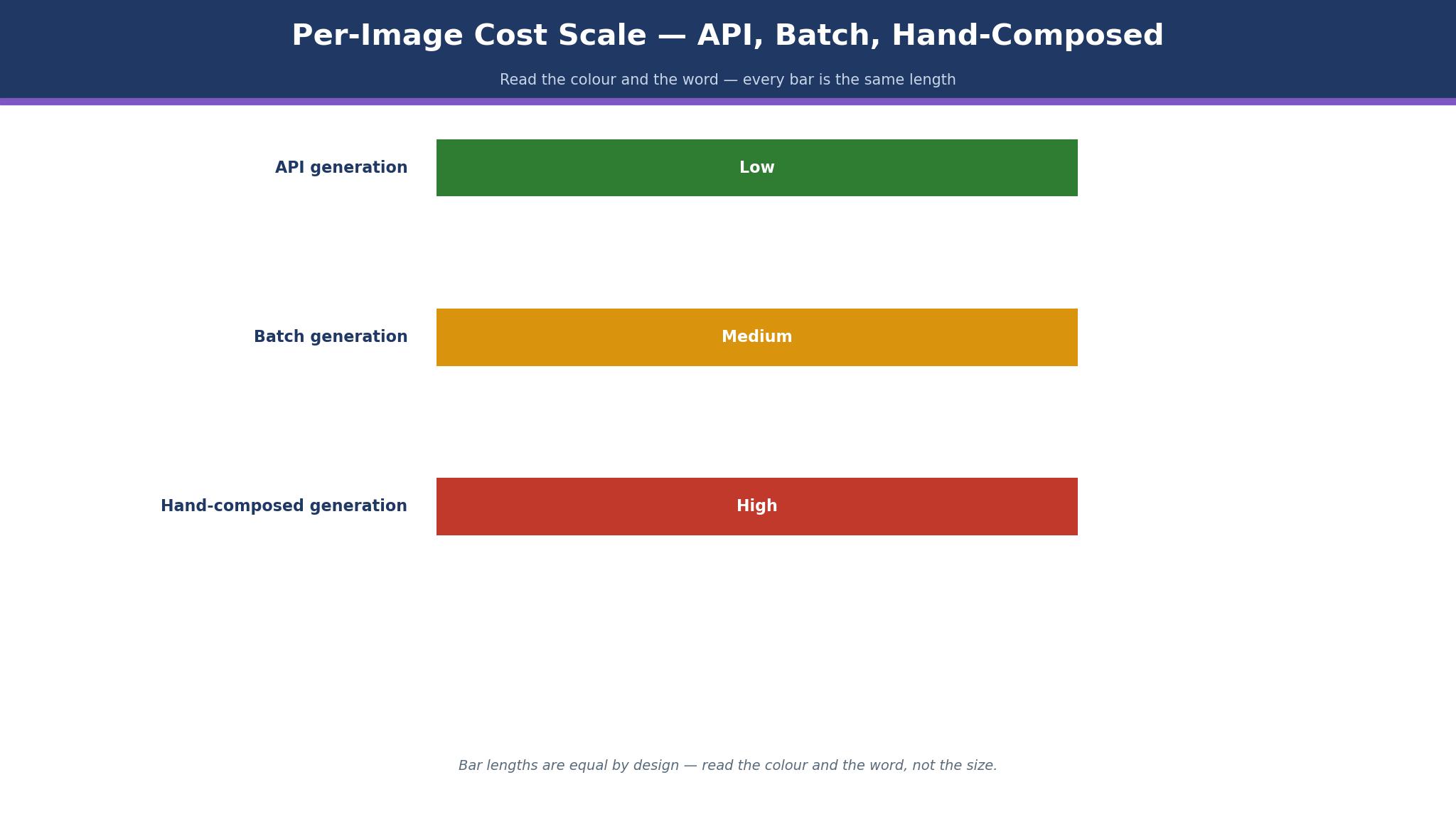
The honest range in this guide runs from under a cent to about $0.30 per image. Flux.1 is reported at $0.009 per 1,000 images by API, Pebblely Basic gives 200 images for $19, which is about $0.095 per image, and Photoroom Pro gives 1,000 exports for $12.99, which is about $0.013 per export. Flair AI Pro+ gives 80 images for $26, which is about $0.33 per image, the dearest per-image rate here.
The credit meter changes the real cost more than the plan price does. Photoroom counts AI credits and exports separately, Ideogram Plus carries 2,400 priority credits for $20, and Leonardo Essential carries 8,500 tokens for $12, so two tools at the same monthly price can produce very different numbers of images.
The honest way to budget is to price the monthly image need, then pick the cheapest plan that covers it. A seller who needs 200 images a month pays $19 on Pebblely Basic, $12.99 on Photoroom Pro, $12 on Leonardo Essential or $20 on Ideogram Plus, before tax and before add-ons. The best ai image generators for ecommerce are the ones where the plan allowance matches the catalog, not the ones with the lowest headline price.
Can AI Images Be Used for Commercial Listings?
Yes, on the paid plans in this guide that include a commercial license. Adobe Firefly includes a commercial license on paid plans, Ideogram allows commercial use on free and paid tiers, and Leonardo includes commercial rights on paid tiers. Photoroom, Pebblely and Flair AI all allow commercial use on paid plans, though Photoroom free exports are not for commercial use.
The license traps decide whether the answer stays yes. Midjourney requires companies earning over $1 million a year to subscribe to Pro at $60 a month or higher, Recraft does not license its free images for commercial use at all, and Leonardo free images are public by default, so a seller must pay for private work. A seller who publishes a free-tier image on a listing without checking the license is taking a legal risk for the sake of $10.
The limit is the training data. A generated image can resemble a branded product or a real person, and a seller should check every hero image before it goes live. The safest habit is to generate on a paid plan, keep the license terms on file, and avoid prompts that name a brand or a person. That habit is what separates careful users of the best ai image generators for ecommerce from sellers who learn the license rules from a takedown notice.
A One-Week Product Image Production Plan
Days one to two are the shoot. Photograph every product once against a plain background, with the same light and the same angle, because a consistent source photo makes every generated scene look consistent.
Days five to six are the check. Open every image at full size, check the spelling on any text, and check the product edges for AI artefacts. A misspelled price or a warped product edge on a live listing costs more than the generation saved, so the check is the work rather than an afterthought.
Day seven is the publish. Upload the marketplace set to Shopify, the hero set to the brand store, and the social set to the ad account, then measure the click rate for a week. The production plan earns its keep when the second week takes half the time, because the templates and the checks are already written down.
Frequently Asked Questions
Which AI image generator is best for a Shopify store?
Photoroom is the best pick for a Shopify store, because Pro at $12.99 a month includes direct Shopify publishing, batch exports and marketplace templates. Claid.ai is the API alternative for a large catalog, and Pebblely is the cheaper test at $9 a month.
Does Midjourney allow commercial use for a small business?
Yes, with a limit. Midjourney Basic at $10 a month covers commercial use for a company earning under $1 million a year, while companies above that line must subscribe to Pro at $60 a month or higher. Each person needs a separate subscription, because Midjourney sells no team plan.
How many images does Pebblely Basic include?
Pebblely Basic costs $19 a month for 200 images, which is about $0.095 per image. Lite costs $9 for 30 images, and Pro costs $39 for 500, with a free tier of 40 images a month. Unused images do not roll over, so a seller should size the plan to the monthly need rather than buying the largest tier.
Can Ideogram really spell text correctly in images?
Yes, better than any other tool in this guide. Ideogram Plus at $20 a month, or $15 on annual billing, carries 2,400 priority credits, and the text rendering is the most accurate available for posters, logos and sale banners.
Is Adobe Firefly safe for commercial use?
Yes. Adobe Firefly is trained on licensed content, and paid plans from $9.99 a month include a commercial license. The safety is the reason to choose Firefly, though the ecommerce workflow is slower than Photoroom.
What is the cheapest AI image generator per image?
Flux.1 by API is reported at $0.009 per 1,000 images for the smallest model, which is the cheapest unit price in this guide, though it needs a developer to use. Among app-based tools, Photoroom Pro at $12.99 for 1,000 exports is about $0.013 per export, and Pebblely Basic at $19 for 200 images is about $0.095 per image.
The Ecommerce Image Pick by Catalog Size
A seller with fewer than 50 products should take Pebblely Lite at $9 a month, because the scenes look clean and the price is the lowest paid test in this guide. A seller with 50 to 500 products should take Photoroom Pro at $12.99 a month, because batch exports and Shopify publishing cover the volume. A seller with more than 500 products should take Claid.ai from $9 a month by API, because automation keeps every listing to the same standard.
A brand seller who needs hero images should take Midjourney Basic at $10 a month, and a seller who needs readable text should take Ideogram Plus at $20 a month. Generate twenty images on two of the best ai image generators for ecommerce, check the license, check the spelling, and let the per-image cost decide.