
SurveyMonkey is the best survey tools for small businesses pick for most owners, because the Advantage plan at 39 dollars a month billed annually covers 15,000 responses a year with analysis tools a small team can actually use. Typeform is the pick when completion rates matter more than volume, and Google Forms is the pick when the budget is zero. The ten tools below compare price, response limits and analysis depth, so a small business can buy the survey tool that fits its real survey volume.
A small business survey has one job. It must turn a customer, employee or website visitor into a clear answer the owner can act on. A tool that makes surveys hard to finish, hard to read or hard to pay for fails that job, no matter how many question types it lists on its pricing page.
The mistake most small businesses make is buying for features they will never use. A coffee shop needs a short feedback form after purchase. A consultancy needs a client satisfaction survey once a quarter. A retailer needs a post-delivery check that takes thirty seconds. All three need different tools, and the price gap between the cheapest and the dearest option in this guide is more than a hundred dollars a month.
The 10 Tools at a Glance
| Tool | Main job | Best for | Starting price |
|---|---|---|---|
| SurveyMonkey | Full survey platform with analysis | Most small businesses | 39 dollars a month |
| Typeform | Conversational one-question surveys | High completion rates | 28 dollars a month |
| Google Forms | Free simple forms | Zero budget teams | Free |
| Qualtrics | Enterprise research platform | Growing firms with research needs | Quote-based |
| Jotform | Forms plus surveys plus payments | Surveys that trigger action | 34 dollars a month |
| Zoho Survey | Surveys inside the Zoho suite | Zoho users | 20 dollars a month |
| SurveySparrow | Conversational surveys with chat style | Feedback after support | 19 dollars a month |
| QuestionPro | Research surveys with panels | Larger survey programs | 99 dollars a month |
| Microsoft Forms | Simple forms inside Microsoft 365 | Microsoft shops | Free with account |
| Alchemer | Survey platform with workflows | Teams automating follow-up | 55 dollars a month |
Best Pick by Job
| Job type | First pick | Second tool | Why this pair works |
|---|---|---|---|
| General customer feedback | SurveyMonkey | Jotform | SurveyMonkey analyses answers, Jotform adds payments and workflows |
| Surveys people finish | Typeform | SurveySparrow | Both use a conversational flow, Typeform has the deeper design |
| No budget at all | Google Forms | Microsoft Forms | Both are free, Google Forms is simpler to share |
| Surveys inside a CRM suite | Zoho Survey | Jotform | Zoho Survey lives in Zoho, Jotform connects everywhere |
| Feedback after support | SurveySparrow | SurveyMonkey | SurveySparrow chats, SurveyMonkey analyses deeper |
A bakery that surveys customers after every order should start with SurveyMonkey. The Advantage plan gives unlimited questions, skip logic, custom branding and 15,000 responses a year for 39 dollars a month billed annually, which covers a busy shop many times over. The analysis tools show cross-tabs and trends without exporting to a spreadsheet.
A business that already lives in Zoho should start with Zoho Survey instead. The entry plan is reported at 20 dollars a month, and answers flow straight into Zoho CRM, so a low satisfaction score can trigger a follow-up task for the right person. That connection is worth more than a prettier survey form.
Which Survey Tool Gets the Most Responses?
Typeform gets the most responses for most small businesses, because it asks one question at a time in a conversational flow instead of showing a long grid of questions. The Basic plan costs 28 dollars a month billed annually and allows 100 responses a month for one user, which suits a business sending one or two short surveys a month. The Plus plan at 56 dollars a month lifts the cap to 1,000 responses and three users, with branding removed.
SurveySparrow is the cheaper conversational option. Its entry plan is reported at 19 dollars a month, and the chat-style format works well for feedback sent right after a support chat or a delivery. The trade-off is a smaller template library and less depth in analysis than SurveyMonkey.
Google Forms gets plenty of responses too, because it costs nothing and everyone can open it. The limit is analysis. There is no skip logic as deep as SurveyMonkey, no conversational flow like Typeform, and the results need a spreadsheet to make sense of them. For a free tool that is a fair trade, and for many small businesses it is the right one.
How to Choose the Best Survey Tools for Small Businesses
Start with your monthly response volume. A business that collects fewer than 100 responses a month can run on Typeform Basic at 28 dollars a month or on Google Forms for free. A business that collects thousands needs SurveyMonkey Advantage at 39 dollars a month, which covers 15,000 responses a year, or Jotform Bronze at 34 dollars a month with 1,000 submissions a month.
Next, check what happens after the answer arrives. SurveyMonkey analyses the results in the tool. Jotform can take a payment, create a ticket or send a notification from the same form. Zoho Survey can update a CRM record. A survey that ends in a spreadsheet nobody reads is a waste of the money spent collecting it.
Then look at the free plan limits honestly. SurveyMonkey free covers 10 questions and 25 responses per survey. Typeform free covers 10 responses a month. Jotform free covers 5 forms and 100 submissions a month. A free plan that caps out in week one is not free, it is a trial with a deadline.
Finally, test the survey on a phone. Most customers answer on a phone, and a survey that is awkward on a small screen loses answers before the first question. Typeform and SurveySparrow are built for phones. The others work on phones, but the experience is less smooth.
The 10 Tools in Detail
The ten tools below cover the full range from free forms to enterprise research. Each one is judged on price, response limits, analysis depth and the work it does after the answer arrives, so this roundup of the best survey tools for small businesses stays honest about what each plan actually buys.
1. SurveyMonkey
SurveyMonkey is the most recognised survey platform in this guide, with expert-certified templates, skip logic, branching, A/B testing and real-time analysis including cross-tabs. Individual plans run Advantage at 39 dollars a month billed annually with 15,000 responses a year, Standard Monthly at 149 dollars a month, and Premier at 139 dollars a month billed annually with 40,000 responses a year. Team Advantage costs 30 dollars per user per month with a three-user minimum and 50,000 responses a year.
The free Basic plan covers 10 questions and up to 25 responses per survey, which is enough to test the tool and little more. The strength is analysis depth. A small business can segment answers by customer type, compare two versions of a question and track satisfaction over time without leaving the platform.
The weakness is price creep. A solo owner who needs team features pays for three seats at 30 dollars each, and the monthly-only plan at 149 dollars is poor value next to the annual rate. It suits most small businesses that run surveys every month and want answers they can analyse in the tool. Ask for the annual Advantage plan first, and only move to a team plan when three people genuinely need access.
2. Typeform
Typeform asks one question at a time in a conversational format, and that format genuinely improves completion rates against traditional grid layouts. Basic is 28 dollars a month billed annually with 100 responses a month and one user, Plus is 56 dollars a month billed annually with 1,000 responses and three users, and Business is 91 dollars a month billed annually with 10,000 responses and five users. The free plan covers 10 responses a month.
The design is the selling point. Surveys look good on a phone, the logic jumps feel natural, and respondents finish surveys they would abandon in a grid. The limit is volume. At 100 responses a month on Basic, a busy shop can hit the cap in a week, and the jump to Plus more than doubles the price.
It suits businesses where completion matters more than volume, such as lead qualification, event feedback and short customer checks. Start on Basic, watch the response count for a month, and move to Plus only when the cap is hit twice in a row.
3. Google Forms
Google Forms is free with any Google account, and it is the simplest survey tool in this guide. It offers unlimited surveys, a solid set of question types, automatic charts in the responses view and a direct link into Google Sheets for deeper analysis. There is no paid tier to buy and no response cap to hit.
The strength is also the limit. There is no advanced branching as deep as SurveyMonkey, no conversational flow, no branding control beyond a header image, and no built-in panel or distribution tools. The results view is basic, and serious analysis means opening Sheets.
It suits small businesses with no survey budget, one-off feedback checks and internal polls. A cafe that asks three questions after a visit will never need more than this. Use it until the day you need skip logic or proper analysis, then move to SurveyMonkey rather than paying for a mid-tier tool.
4. Qualtrics
Qualtrics is an enterprise research platform, and it is the deepest tool in this guide by a wide margin. It handles complex survey logic, panels, conjoint analysis, text analytics and experience management across customers and employees, with the kind of statistical tools a research team needs. Pricing is quote-based, and the sales process is built for larger organisations.
The depth is the drawback for a small business. The price is set per engagement, the setup takes longer than any other tool here, and a small team will use a fraction of what it pays for. There is no published entry price to budget from, which makes it hard to compare honestly against the 19 to 99 dollar tools in this guide.
It suits a growing firm that has outgrown SurveyMonkey and needs research-grade analysis, panels and multi-program experience management. A small business should only talk to Qualtrics when a research program, not a single survey, is the job. Ask for a scoped quote tied to one program, and compare it against SurveyMonkey Enterprise before signing.
5. Jotform
Jotform is a full form platform with surveys inside it, and that breadth is its advantage. The free Starter plan allows 5 active forms and 100 submissions a month. Bronze is 34 dollars a month billed annually for 25 forms and 1,000 submissions, Silver is 39 dollars a month billed annually for 50 forms and 2,500 submissions, and Gold is 99 dollars a month billed annually for 100 forms and 10,000 submissions.
A Jotform survey can take a payment, collect a file, trigger an email, create a task or sign a document, which no pure survey tool in this guide does. The analysis tools are thinner than SurveyMonkey, and the survey templates are less research-focused, so a business that needs deep analysis will find it lacking.
It suits businesses whose surveys must trigger action, such as booking forms, order forms, registration and intake. A survey that ends with a payment or a booking is a Jotform job. Start on Bronze, and check the submission count monthly, because the jump between tiers is set by submissions.
6. Zoho Survey
Zoho Survey is the survey tool for businesses already running Zoho, and its value is the connection, not the survey builder alone. The entry plan is reported at 20 dollars a month, with higher tiers adding logic, branding and team features. Answers can flow into Zoho CRM, so a dissatisfied customer can trigger a follow-up task automatically.
The survey builder itself is solid rather than outstanding. It covers the standard question types, skip logic and reporting, but it does not match SurveyMonkey on analysis depth or Typeform on design. A business outside Zoho gains little from choosing it over the cheaper or stronger standalone tools.
It suits Zoho shops that want survey answers inside their CRM without a third-party integration. If the business already pays for Zoho CRM, the survey tool is a small add-on that pays for itself in follow-up speed. Confirm the plan price on the Zoho pricing page before buying, and test the CRM link with one live survey first.
7. SurveySparrow
SurveySparrow builds conversational surveys in a chat style, and its entry plan is reported at 19 dollars a month, the cheapest paid start in this guide. The free plan covers 75 responses a quarter. The format works well for feedback sent after a support conversation, a delivery or a purchase, where a chat window feels more natural than a form.
The strength is the price and the format. The weakness is depth. The template library is smaller than SurveyMonkey, the analysis tools are lighter, and the brand is less proven at scale. A business that needs cross-tabs and significance testing will outgrow it.
It suits small businesses that want a conversational survey without paying Typeform prices, especially for post-support and post-purchase feedback. Try the free plan for a month, measure the completion rate against your old form, and only pay when the numbers prove the format works.
8. QuestionPro
QuestionPro is a research survey platform with a free tier and paid plans reported from 99 dollars a month at entry. It offers advanced logic, survey panels, conjoint analysis and a large template library, sitting between SurveyMonkey and Qualtrics on depth. The free plan covers basic surveys with limited responses.
The price is the barrier for a small business. At 99 dollars a month, it costs more than double SurveyMonkey Advantage, and the extra depth only pays when the business runs research surveys regularly. The interface is also busier than the simpler tools here, which slows down a team that surveys once a month.
It suits businesses running a larger survey program, such as regular customer research, employee engagement and market studies, where panels and advanced analysis matter. A small business with one survey a month should not pay this price. Ask for a trial on a real research project, and compare the analysis output against SurveyMonkey Premier before committing.
9. Microsoft Forms
Microsoft Forms is free with a Microsoft account and included in Microsoft 365, which makes it the default choice for Microsoft shops. It covers the standard question types, branching, automatic charts and a direct link into Excel, with a clean interface that needs no training. There is no separate paid tier.
The limit is depth. The branching is simpler than SurveyMonkey, there is no conversational format, no panel, and the design options are minimal. It is a form tool, not a research platform, and it shows in the analysis.
It suits teams already paying for Microsoft 365 that need internal polls, training feedback and simple customer checks. If the whole team lives in Outlook and Teams, the survey link arrives where people already work. Use it for internal and simple external surveys, and buy SurveyMonkey only when the analysis needs grow.
10. Alchemer
Alchemer is a survey platform with workflow automation, and its entry plan is reported at 55 dollars per user a month. It offers advanced logic, reporting, integrations and the ability to route answers into follow-up actions, which suits teams that treat surveys as the start of a process rather than the end of one.
The price is high for a small business, and the platform is built for teams rather than solo owners. A single user paying 55 dollars a month gets less survey value than SurveyMonkey Advantage at 39 dollars, unless the workflow features are used every week.
It suits teams that automate follow-up from survey answers, such as routing low scores to a manager, triggering a support ticket or updating a CRM record. If the survey ends in an action, Alchemer earns its price. If it ends in a report, buy SurveyMonkey instead. Ask for a demo built around your actual follow-up workflow before paying.
SurveyMonkey vs Typeform: Analysis Against Completion
The first difference is what each tool optimises for. SurveyMonkey optimises for analysis, with cross-tabs, significance testing and 15,000 responses a year on the 39 dollar Advantage plan. Typeform optimises for completion, with a one-question flow that gets more people to the last question, capped at 100 responses a month on the 28 dollar Basic plan.
The second difference is cost at volume. A business collecting 500 responses a month pays 39 dollars on SurveyMonkey and 56 dollars on Typeform Plus. A business collecting 50 responses a month pays 28 dollars on Typeform and could pay nothing on Google Forms, which makes SurveyMonkey the wrong buy at low volume.
The deciding factor is the survey itself. A long research survey with branching and analysis belongs on SurveyMonkey. A short survey where every completed answer counts belongs on Typeform. A business that runs both kinds should own both, using Typeform for the short checks and SurveyMonkey for the deep ones. That split is the cleanest way to read the best survey tools for small businesses when the choice narrows to two names.
Can a Free Survey Tool Handle a Growing Business?
Yes, for a while, and the limit is easy to spot. Google Forms handles unlimited responses for free, so a growing business will not hit a response cap there. What it hits instead is an analysis wall, because the results view shows simple charts and the serious work needs a spreadsheet. The best survey tools for small businesses earn their price at exactly that point, when the owner spends more time reading results than collecting them.
The second limit is follow-up. A free form cannot route a low score to a manager, trigger a refund check or update a CRM record. SurveyMonkey, Jotform and Zoho Survey can, and that automation is what turns a survey from a report into a fix. A business with one person reading answers can live on a free tool. A business with three people acting on answers needs the paid workflow.
The third limit is branding and trust. A free Google Form looks like a free Google Form, which is fine for an internal poll and weak for a customer survey after a 500 dollar purchase. SurveyMonkey Advantage and Typeform Plus remove their branding and let the survey carry the business name, which lifts completion on high-value surveys. Move off free when the survey itself starts to shape what customers think of the business, not before.
What Does a Small Business Survey Tool Cost Each Year?
The yearly cost runs from zero to about 1,700 dollars in this guide. Google Forms and Microsoft Forms cost nothing. SurveySparrow starts near 228 dollars a year, Zoho Survey near 240 dollars, Typeform Basic near 336 dollars, Jotform Bronze near 408 dollars, SurveyMonkey Advantage near 468 dollars, Alchemer near 660 dollars a user, and QuestionPro near 1,188 dollars a year. Qualtrics is quote-based and sits above them all.
The number that matters is cost per completed response. A shop collecting 100 responses a month on Typeform Basic pays about 28 cents per response. The same shop on SurveyMonkey Advantage collecting 1,000 responses a month pays about 4 cents per response. Volume flips the value, which is why the cheapest monthly price is not always the cheapest survey.
The honest way to budget is to count last quarter’s responses, then price the plan that covers that volume with room to grow. A plan that caps out mid-month costs more in lost answers than the next tier up. Check the response cap before the monthly price, because the cap is what stops the survey. That is the discipline the best survey tools for small businesses reward, since every plan in this guide is priced by volume first and features second.
A 30-Day Survey Plan for a Small Business
Days one to seven are the setup. Pick one survey, write no more than eight questions, and send it to twenty customers you know will answer honestly. Test it on a phone first, because that is where most answers come from, and fix any question that takes more than a few seconds to understand.
Days eight to twenty-one are the first run. Send the survey after purchase, after support or after delivery, and watch the completion rate daily. A rate below half means the survey is too long or the first question is wrong. Cut a question, move the most important question first, and send it again.
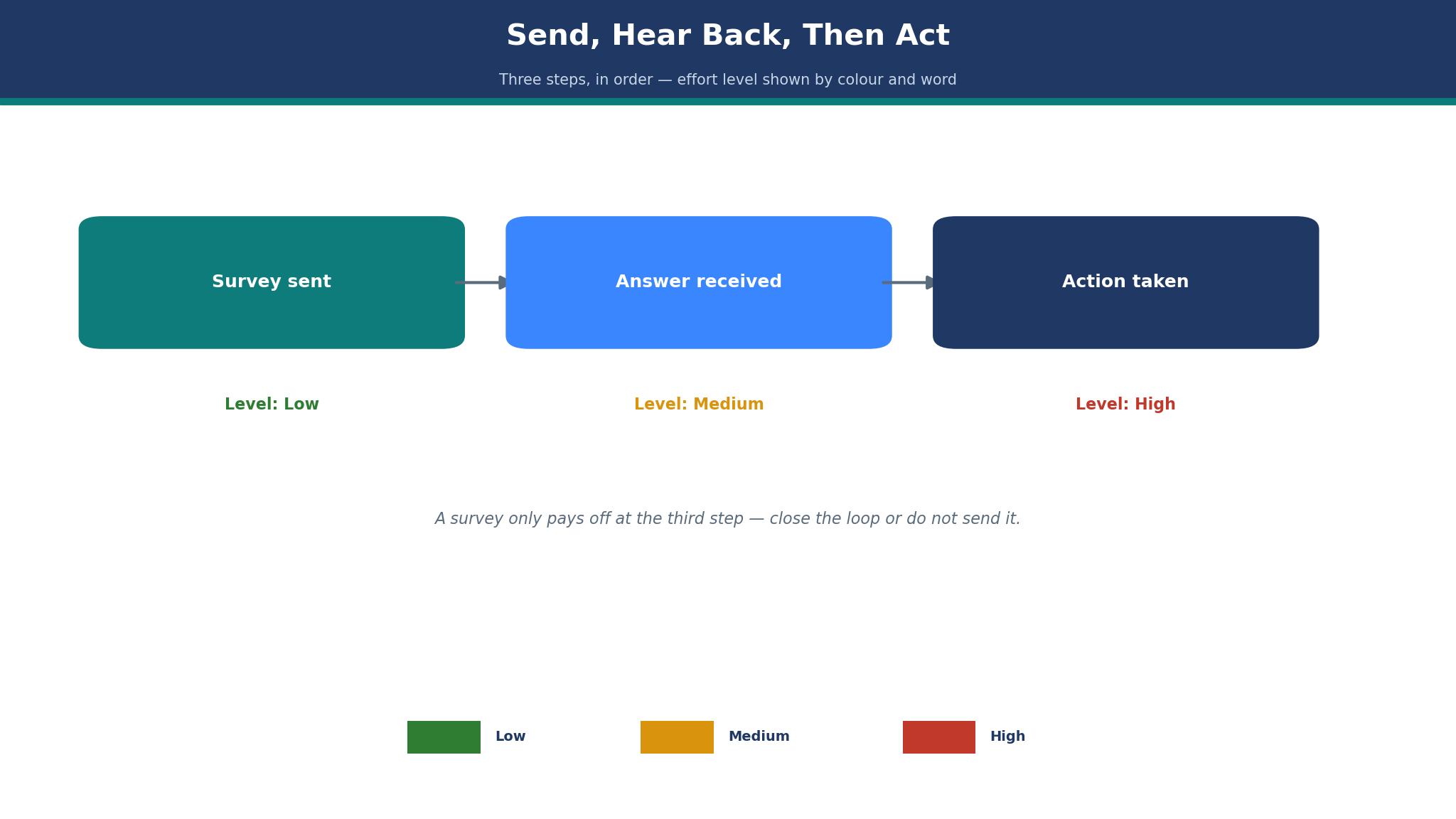
Days twenty-two to thirty are the action. Read every answer, sort the complaints from the praise, and fix the one problem that appears most often. Tell the customers you surveyed what changed, because a survey with no visible result trains customers to ignore the next one. That loop is what a survey tool is for.

Frequently Asked Questions
Which survey tool is best for a small business on a tight budget?
Google Forms is the best free pick, because it costs nothing, has no response cap and covers the standard question types. SurveySparrow at a reported 19 dollars a month is the cheapest paid pick when a conversational format matters. Start free, and only pay when a cap or a missing feature blocks a real survey.
How many responses does SurveyMonkey Advantage include?
Advantage at 39 dollars a month billed annually includes 15,000 responses a year for one user, with unlimited questions, skip logic and custom branding. The free plan covers 10 questions and 25 responses per survey. Team Advantage costs 30 dollars per user per month with a three-user minimum and 50,000 responses a year.
Is Typeform worth 28 dollars a month for a small business?
Yes, when completion rates matter more than volume. Basic at 28 dollars a month billed annually allows 100 responses a month with the conversational format that lifts completion. A business collecting more than 100 responses a month should move to Plus at 56 dollars a month, or switch to SurveyMonkey for volume.
Can a survey tool take payments as well as answers?
Yes, with Jotform. Bronze at 34 dollars a month billed annually covers 25 forms and 1,000 submissions a month, and a form can take a payment, collect a file or trigger an email. SurveyMonkey and Typeform do not handle payments, so a booking or order survey belongs on Jotform. Among the best survey tools for small businesses, Jotform is the only one where the survey itself can close a sale.
Do I need Qualtrics for a small business survey?
No, in almost every case. Qualtrics is quote-based and built for research programs with panels and advanced analysis. SurveyMonkey Advantage at 39 dollars a month covers the survey needs of most small businesses. Only consider Qualtrics when a research program outgrows SurveyMonkey.
What is the cheapest way to survey customers after every purchase?
SurveySparrow at a reported 19 dollars a month, or Google Forms for free. SurveySparrow adds the chat format that suits a post-purchase message, while Google Forms costs nothing and links straight into Sheets. Both beat paying 39 dollars a month for a survey sent after every order.
The Small Business Survey Verdict
A small business that surveys every month should buy SurveyMonkey Advantage at 39 dollars a month, because the analysis and the 15,000 response allowance cover real volume. A business that surveys rarely should use Google Forms for free and spend the money on fixing what customers report. A business where every completed answer counts should try Typeform Basic at 28 dollars a month and measure the completion rate before paying for more. Pick the tool that matches the survey volume, run one survey for thirty days, and let the answers decide whether to keep it. That test, run honestly on the best survey tools for small businesses, beats any feature list.