
Square is the top 10 ai tools for cafe owners pick for most cafes, because the free plan covers a full point of sale with no monthly fee, and Plus at 49 dollars a month adds AI-powered reporting and labour analytics. Toast is the pick for busier cafes that need a restaurant-only system, and 7shifts is the pick for any cafe that struggles with staff rotas. The eight tools below compare price, processing fees and the AI features that actually save a cafe owner time, so a small cafe can buy the stack that fits its counter.
A cafe is a small business with thin margins and a long day. The owner takes orders, makes coffee, manages staff, posts on social media, answers reviews and orders stock, often before nine in the morning. The AI tools in this guide do one job above all, they take the writing, the scheduling and the number-crunching off the owner, so the owner can run the counter.
The buying problem is the processing fee. Square charges 2.6 percent plus 15 cents in person on the free plan, 2.5 percent plus 15 cents on Plus, and 2.4 percent plus 15 cents on Premium at 149 dollars a month. Toast charges 3.09 percent on its pay-as-you-go Starter Kit, or 2.49 percent with hardware upfront. A cafe doing 20,000 dollars a month in card sales pays about 520 dollars a month in fees on Square free, and the software price is the smaller number.
The 8 Tools at a Glance
| Tool | Main job | Best for | Starting price |
|---|---|---|---|
| Square | Cafe point of sale | Most cafes | Free |
| Toast | Restaurant-only point of sale | Busier cafes | Free Starter Kit |
| Lightspeed | Multi-location point of sale | Growing cafe groups | 69 dollars a month |
| 7shifts | Staff scheduling and labour | Any cafe with staff | Free |
| ChatGPT | Menus, posts, reviews, emails | Nearly all writing work | Free |
| Canva | Marketing, menus, signage | Cafe design and social | Free |
| Mailchimp | Email and customer marketing | Regulars and loyalty | Free |
| Owner.com | Online ordering and marketing | Cafes fighting delivery fees | Quote-based |
Best Pick by Job
| Job type | First pick | Second tool | Why this pair works |
|---|---|---|---|
| New cafe, first till | Square | Toast | Square is free to start, Toast grows with the kitchen |
| Cafe with a busy kitchen | Toast | Square | Toast is restaurant-only, Square is simpler |
| Staff rota pain | 7shifts | Square | 7shifts schedules, Square tracks the sales |
| All the writing work | ChatGPT | Canva | ChatGPT writes it, Canva designs it |
| Bringing regulars back | Mailchimp | Owner.com | Mailchimp emails them, Owner.com orders them |
A new cafe should start with Square. The free plan covers a single location with unlimited devices, fast order entry, menu and table management, open bills, auto-gratuity and kitchen display support, with payment processing at 2.6 percent plus 15 cents in person. Plus at 49 dollars a month drops processing to 2.5 percent plus 15 cents and adds AI-powered reporting, labour analytics and advanced menu management. Premium at 149 dollars a month drops processing to 2.4 percent plus 15 cents.
A busier cafe with a real kitchen should start with Toast instead. The Starter Kit costs nothing a month in software for a single location with up to two terminals and no upfront hardware cost, though it carries higher payment processing rates at 3.09 percent pay-as-you-go. The Point of Sale plan starts at 69 dollars a month, with menu engineering suggestions, guest personalisation and predictive labour scheduling in the AI layer.
Which AI Tool Saves a Cafe Owner the Most Time?
ChatGPT saves a cafe owner the most time, because it handles nearly all the writing work, menus, social posts, review replies, job posts and vendor emails, for free or about 20 dollars a month for the paid plan. A cafe owner who spends an hour a day on writing can cut that to fifteen minutes, which is five hours a week back behind the counter. No point of sale system saves that much time on its own.
Canva is the better pick when the work is visual. The Magic Studio tools design the menu board, the social post and the in-store signage in minutes, with templates a non-designer can use. The free plan covers the basics, and Pro at 120 dollars a year adds the AI features and the brand kit that keep every post looking like the same cafe.
7shifts is the third option when the pain is the rota. The free Comp plan covers one location with up to 15 employees and basic scheduling, and the AI course builder trains staff while labour forecasting on the top tier flags over- and under-staffing. A cafe that spends Sunday night building the rota will feel the saving in week one.
How to Choose the Top 10 AI Tools for Cafe Owners
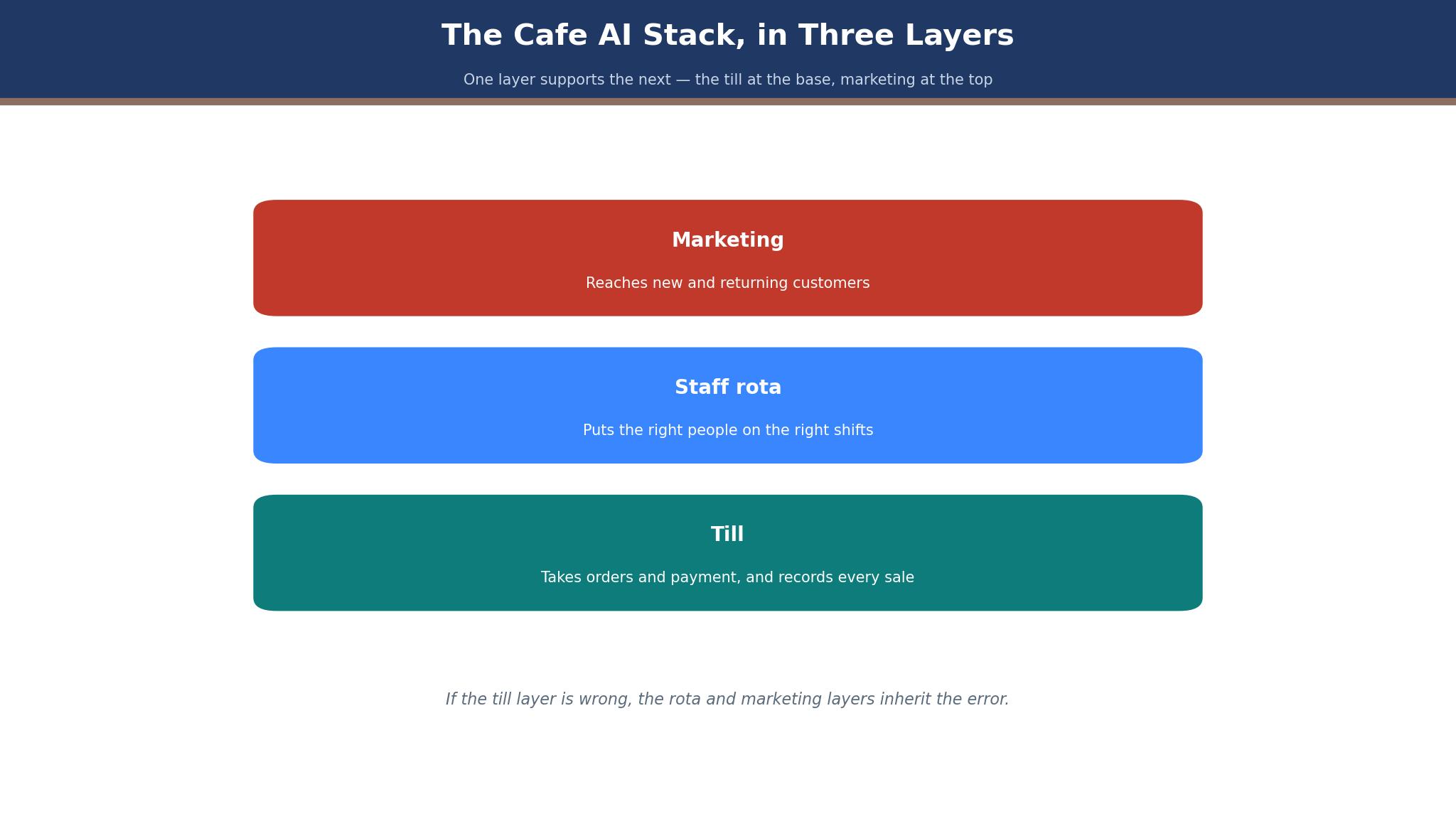
Start with the till, because everything else hangs off it. A cafe that takes most payments by card needs a point of sale first, and the choice is Square for simplicity or Toast for a busy kitchen. The top 10 ai tools for cafe owners in this guide all assume the till is already working, because AI marketing on top of a broken till is wasted money.
Next, count the staff. A cafe with fewer than 15 employees can run 7shifts free, while a cafe with more needs Essentials at 39.99 dollars a month per location, Pro at 79.99 dollars or Premium at 134.99 dollars. The rota is the second-biggest time sink after the writing, and the scheduling tool should be bought before the marketing tool.
Then look at the marketing stack. ChatGPT writes the posts, Canva designs them, Mailchimp emails the regulars and Owner.com takes the online orders without delivery commission. A cafe that buys all four spends under 100 dollars a month and covers the whole marketing job. Finally, check the processing fee in writing, because the fee, not the software price, is the real monthly cost of the till.
The 8 Tools in Detail
The eight tools below cover the till, the rota, the writing, the design and the marketing. Each one is judged on price, the AI feature that matters and the time it saves, so this roundup of the top 10 ai tools for cafe owners stays honest about what each tool actually does for a small cafe.
1. Square
Square for Restaurants is the point of sale most cafes should evaluate first, because the free plan is genuinely free, not a trial, and it covers core point of sale functionality with kitchen display support. The free plan charges 2.6 percent plus 15 cents in person, Plus at 49 dollars a month charges 2.5 percent plus 15 cents, and Premium at 149 dollars a month charges 2.4 percent plus 15 cents. Some reports list Plus at 60 dollars a month, so confirm the current rate on the Square pricing page before buying.
The simplicity is the strength. A cafe can set up Square itself, take orders the same day, manage the menu and the tables, and cancel any time with no long-term contract. The hardware integrates cleanly, the kitchen display keeps the orders straight, and the AI-powered reporting on Plus shows which items earn money and which do not.
The limit is depth for a busy kitchen. A full-service restaurant with handheld ordering, complex modifiers and many stations will find more in Toast, and the processing fee, while transparent, is the real cost. It suits cafes, counter-service concepts and new operators who want to open fast. Start free, and move to Plus when the reporting and labour analytics become worth 49 dollars a month.
2. Toast
Toast is the restaurant-only point of sale in this guide, and it is the default for full-service restaurants and busier cafes. The Starter Kit costs nothing a month in software for a single location with up to two terminals and no upfront hardware cost, with pay-as-you-go processing at 3.09 percent, or traditional processing at 2.49 percent with hardware upfront. The Point of Sale plan starts at 69 dollars a month, with Build Your Own custom priced.
The AI layer is the strength. Toast’s AI features include menu engineering suggestions based on item velocity and contribution margin, guest-level personalisation for email campaigns, and predictive labour scheduling that flags when the cafe is likely to be over- or under-staffed for a given day part. The handheld ordering, kitchen display screens, online ordering, payroll, loyalty and marketing modules cover the whole operation.
The drawback is the module stack and the contract. A cafe that buys Toast can end up paying for modules it does not need, and the two-year terms on some plans lock the cafe in. It suits busier cafes doing more than 500,000 dollars a year in revenue. Ask for a written quote including processing, and confirm which modules are included before signing.
3. Lightspeed
Lightspeed is a point of sale platform for multi-location cafes and retail, with plans reported from 69 dollars a month to 189 dollars a month. It covers point of sale, inventory, reporting and customer insights, with AI features that flag sales trends and stock issues. The platform integrates with 7shifts, OpenTable and Deliverect, which suits a cafe group that already runs those tools.
The multi-location strength is the advantage. A cafe with two or three sites can manage menus, stock and reporting across all of them in one system, with insights that show which site sells what. The inventory tools are deeper than Square, which matters when the cafe also sells beans, merchandise or baked goods.
The limit is price for a single cafe. At 69 dollars a month and up, Lightspeed costs more than Square free or Toast Starter, and a single-site cafe will not use the multi-location tools. It suits growing cafe groups. Ask for a quote for the exact site count, and compare the inventory saving against the monthly fee before buying.
4. 7shifts
7shifts is the workforce software built only for restaurants and cafes, covering drag-and-drop schedules, availability and time-off requests, shift swaps, time clocking, team messaging, labour cost tools and tip management. The Comp plan is free for one location with up to 15 employees and covers basic scheduling. Essentials costs 39.99 dollars a month per location billed annually, Pro costs 79.99 dollars, and Premium costs 134.99 dollars.
The restaurant focus is the strength. The AI touches include an AI course builder for employee training and labour forecasting on the top tier, which flags when the cafe is over- or under-staffed. Tip pooling sits in Premium or as a 49.99 dollar add-on, and the integrations with Toast, Square and Lightspeed mean the rota reads the sales data.
The drawback is per-location pricing, which adds up for a group, and the tip pooling cost on top of the plan. It suits any cafe with staff that finds the rota painful. Start on the free Comp plan, and move to Essentials when the team passes 15 people or the messaging becomes essential.
5. ChatGPT
ChatGPT is the most useful AI tool for a cafe owner, because it handles nearly all the writing work, menus, social posts, review replies, job posts and vendor emails, for free or about 20 dollars a month for the paid plan. A general AI model is the cheapest tool in this guide and the one a cafe will use every day, which is why it sits at the centre of the stack.
The versatility is the strength. A cafe owner can draft a new menu description, reply to ten reviews in the cafe voice, write a job post for a barista and email a supplier, all in one sitting. The paid plan adds faster responses, more capacity and better reasoning, which matters during a busy morning.
The limit is accuracy. ChatGPT can invent a price, a dish or a policy if the prompt is vague, so the owner must check every output before it goes out. It suits every cafe owner, whatever the till. Use the free plan for a week, and pay the 20 dollars when the writing becomes a daily habit.
6. Canva
Canva is the design tool for cafe marketing, and its Magic Studio AI features design menus, social posts, signage and loyalty cards in minutes. The free plan covers the basics with templates and stock images, and Pro at 120 dollars a year adds the AI tools, the brand kit and the full template library. The tool needs no design skill, which is the point for a cafe owner.
The speed is the strength. A cafe can design a new menu board, a weekend special post and a loyalty card in one sitting, all carrying the same colours and logo, which makes the cafe look professional without hiring a designer. The social scheduling keeps the posts going when the owner is busy.
The drawback is the template trap. A cafe that uses the same template as every other cafe will look like every other cafe, so the owner should customise the colours, the fonts and the photos. It suits cafes that post often and need design fast. Start free, and pay for Pro when the brand kit and the AI tools become a weekly habit.
7. Mailchimp
Mailchimp is the email and customer marketing tool for cafes, covering email campaigns, automations, audience segmentation and reporting, with Intuit Assist AI features that draft and improve campaigns. The free plan covers a small audience, and the Essentials plan is reported from 13 dollars a month, with higher tiers adding automation and testing.
The regulars are the strength. A cafe that emails its regulars about a new seasonal drink, a loyalty reward or a weekend event will fill seats without paying for ads, and the automation sends the birthday offer and the win-back email without the owner remembering. The AI drafting cuts the writing time, which pairs well with ChatGPT.
The limit is the audience size. A cafe with a small list will not see much return, and the price rises with the subscriber count, so the cost grows as the list grows. It suits cafes with a loyal regular base and a weekly email habit. Start free, build the list at the till, and move to Essentials when the list passes the free limit.
8. Owner.com
Owner.com is an online ordering and marketing platform for independent restaurants and cafes, covering commission-free online ordering, a branded website, loyalty and marketing automation. It is built for cafes that want to take orders directly instead of paying delivery platforms a commission on every order, and the pricing is quote-based, set per location.
The commission saving is the strength. A cafe doing 5,000 dollars a month through delivery apps can lose 1,000 dollars or more to commission, and Owner.com lets the cafe take those orders directly, with the customer data staying with the cafe. The marketing automation brings the regulars back, which compounds the saving.
The drawback is the quote-only price and the work of driving traffic. A cafe that buys Owner.com must still tell its customers to order direct, or the orders will keep coming through the apps. It suits cafes with real delivery volume that want to keep the margin. Ask for a quote tied to the monthly order volume, and compare the fee against the delivery commission saved before signing.
Square vs Toast: Free Simplicity Against Restaurant Depth
The first difference is the audience. Square is built for cafes, counter-service concepts and new operators, with a free plan, 2.6 percent plus 15 cents processing and Plus at 49 dollars a month. Toast is built for full-service restaurants and busier cafes, with a free Starter Kit at 3.09 percent processing and a Point of Sale plan from 69 dollars a month.
The second difference is the AI layer. Square Plus adds AI-powered reporting and labour analytics, while Toast adds menu engineering, guest personalisation and predictive labour scheduling, which is deeper for a kitchen. The third difference is the contract, with Square offering no long-term contract and Toast carrying two-year terms on some plans.
The deciding factor is the kitchen. A cafe with a simple counter should take Square. A cafe with a busy kitchen, handheld ordering and many stations should take Toast. That split is the cleanest way to read the top 10 ai tools for cafe owners when the choice narrows to two, and a cafe group can run Square at the small sites and Toast at the busy ones.
What Does an AI Stack Cost a Cafe Each Month?
The monthly cost runs from zero to about 250 dollars for the lean stack in this guide. ChatGPT free and Canva free cost nothing, 7shifts Comp is free for up to 15 staff, Square is free, Toast Starter is free, and Mailchimp free covers a small list. A cafe can run the whole AI stack for nothing except the processing fees, which run about 520 dollars a month on 20,000 dollars of card sales at 2.6 percent.
The paid stack is still cheap. ChatGPT at about 20 dollars a month, Canva Pro at 10 dollars a month, 7shifts Essentials at 39.99 dollars a month, Square Plus at 49 dollars a month and Mailchimp Essentials at a reported 13 dollars a month add up to about 132 dollars a month, before processing. Toast Point of Sale at 69 dollars a month replaces Square Plus in that stack for a busier cafe.
The honest way to budget is to separate the software from the processing. The software costs under 150 dollars a month for most cafes, and the processing costs 400 to 600 dollars a month on typical card volume. A cafe that haggles over a 20 dollar AI subscription while paying 3.09 percent processing is looking at the wrong number. That is the discipline the top 10 ai tools for cafe owners rewards, because the processing fee, not the subscription, is the real monthly cost. A cafe that reviews both numbers every month will spot processing creep early, and that habit is what the top 10 ai tools for cafe owners rewards.
Can a Cafe Run on Free AI Tools Alone?
Yes, and the path is the free stack. Square free for the till, 7shifts Comp free for the rota, ChatGPT free for the writing, Canva free for the design and Mailchimp free for the first emails cover the whole job for a new cafe. A cafe can open, take orders, schedule staff, post on social media and email regulars without paying a dollar for software, apart from the processing fees.
The second path is to pay only for the tool that saves the most time. ChatGPT at about 20 dollars a month is the first paid tool, because it saves hours of writing a week, and Canva Pro at 10 dollars a month is the second, because it makes every post look professional. A cafe that pays for those two and keeps the rest free spends 30 dollars a month on AI.
The third path is to add 7shifts Essentials at 39.99 dollars a month when the team grows past 15 people, and Square Plus at 49 dollars a month when the reporting matters. A cafe that adds tools only when a limit bites will never pay for a feature it does not use, which is how a thin-margin business stays profitable.
The fourth path is to review the stack every quarter. Cancel the tool nobody opened last month, keep the tool that saved hours every week, and move the saving into the tool that brings customers back. A cafe that reviews its subscriptions quarterly will never wake up paying for five tools it stopped using, which is the most common waste in the top 10 ai tools for cafe owners market, where every vendor wants a monthly fee and few earn it.
A 30-Day AI Setup Plan for a Cafe
Days one to seven are the till and the rota. Set up Square or Toast, load the menu, connect the kitchen display and create the 7shifts rota for the first fortnight. A cafe that opens without the rota will spend the first week texting staff about shifts, which is the job 7shifts exists to remove.
Days eight to twenty-one are the marketing. Write the menu descriptions and the social posts with ChatGPT, design them in Canva, and send the first email to the regulars with Mailchimp. Post every day for two weeks, and watch which posts bring people through the door, because the posts that work are the ones to repeat.
Days twenty-two to thirty are the ordering. Set up online ordering, tell every customer at the till to order direct next time, and put the direct ordering link on the menu board and the social profiles. A cafe that does those three things in thirty days has a till, a rota, a marketing habit and a direct channel, which is the whole stack. That plan is what a new cafe should do in its first month.

Frequently Asked Questions
Which AI tool is best for a cafe owner?
Square is the best pick for most cafes, with a free point of sale and Plus at 49 dollars a month adding AI-powered reporting. ChatGPT is the best AI tool for the writing work, free or about 20 dollars a month, and 7shifts is the best pick for staff scheduling, free for up to 15 employees.
How much does Square cost a cafe each month?
Square for Restaurants is free to start, with processing at 2.6 percent plus 15 cents in person. Plus at 49 dollars a month drops processing to 2.5 percent plus 15 cents and adds AI-powered reporting, and Premium at 149 dollars a month drops processing to 2.4 percent plus 15 cents. A cafe doing 20,000 dollars a month in card sales pays about 520 dollars a month in fees on the free plan.
Is Toast better than Square for a cafe?
Toast is better for a busier cafe with a real kitchen, with handheld ordering, kitchen display screens and AI menu engineering, starting with a free Starter Kit at 3.09 percent processing and a Point of Sale plan from 69 dollars a month. Square is better for a simple counter cafe, with a free plan, no long-term contract and faster setup.
Can a cafe use ChatGPT for its menu and social posts?
Yes. ChatGPT handles menus, social posts, review replies, job posts and vendor emails, free or about 20 dollars a month for the paid plan. A cafe owner should check every output before it goes out, because the tool can invent a price or a dish if the prompt is vague.
What does 7shifts cost for a small cafe?
7shifts is free on the Comp plan for one location with up to 15 employees, covering basic scheduling. Essentials costs 39.99 dollars a month per location billed annually, Pro costs 79.99 dollars, and Premium costs 134.99 dollars. Tip pooling sits in Premium or as a 49.99 dollar add-on.
How much can a cafe save by ordering direct instead of delivery apps?
A cafe doing 5,000 dollars a month through delivery apps can lose 1,000 dollars or more to commission, and Owner.com lets the cafe take those orders directly with no commission. The saving depends on the volume and the commission rate, so a cafe should compare the Owner.com quote against the delivery commission it actually pays before signing.
The Cafe AI Verdict
A new cafe should start with Square free, because the till costs nothing and setup takes a day. A busier cafe should start with Toast, because its restaurant-only system and AI menu engineering fit a real kitchen. Every owner should use ChatGPT for the writing, Canva for the design and 7shifts for the rota, because those three save more hours than any other purchase. A cafe with delivery volume should get an Owner.com quote and compare it with the commission it pays. Set up the till, the rota and the marketing in thirty days, and let the regulars decide whether the stack earns its keep. One stack, built in that order, is what makes the thirty days stick.