
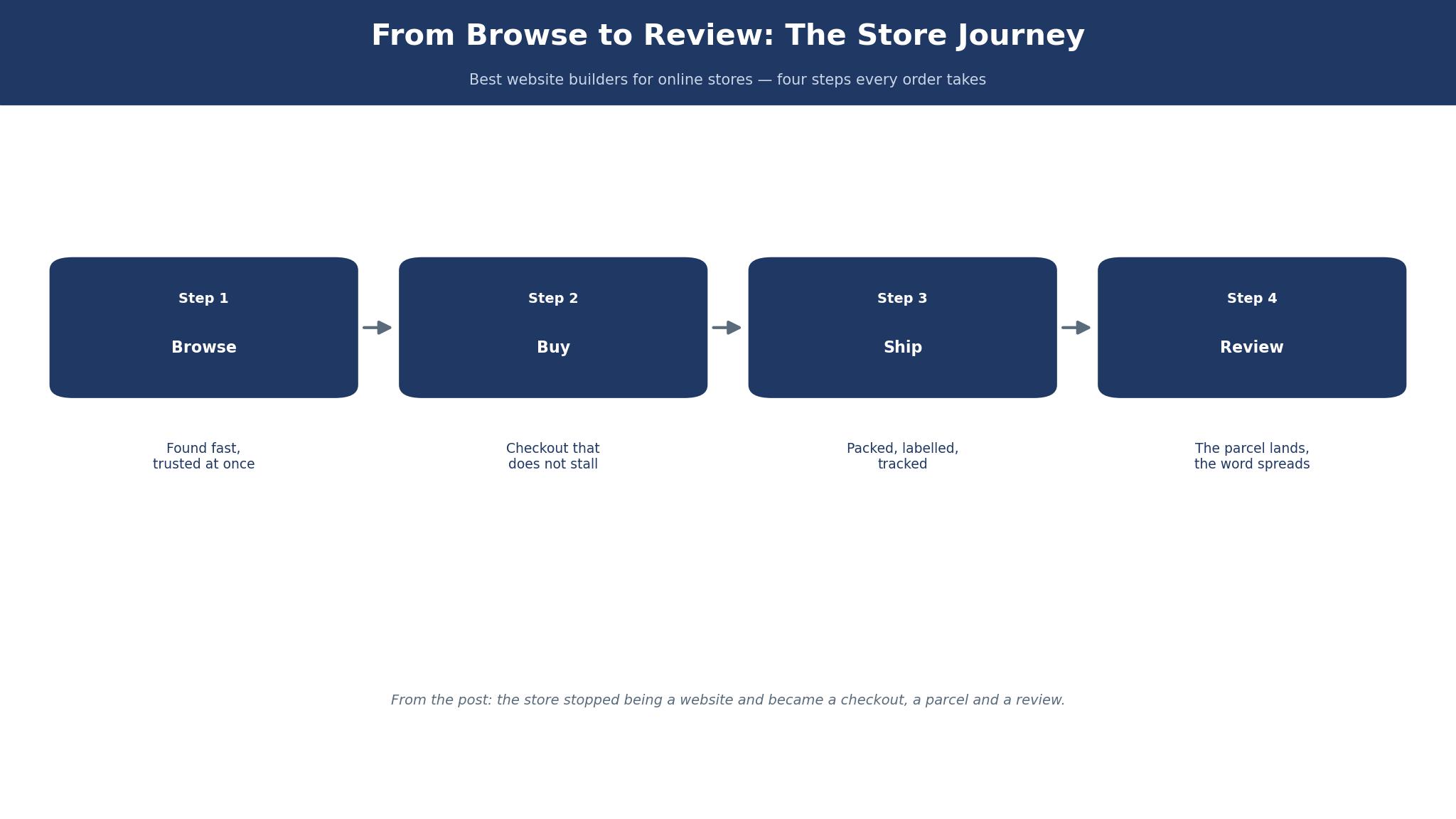
Selling online changed the day the shop stopped being a website and became a checkout, and the best website builders for online stores in this guide are judged on that shift. Shopify leads, BigCommerce chases, and the rest of the list earns its place on what happens after the customer pays. What follows is the story of that change, and the tools that carry it.
How the Job Changed
Ten years ago a website builder for a shop was a page builder with a cart bolted on, and the job was to make the pages look good. The product photos, the About page and the contact form were the work, and the checkout was an afterthought, a button that sent the customer somewhere else to pay. The shops that won were the ones with the prettiest pages, because the customer judged the shop by how it looked.
Then the job changed, and it changed quietly. The customer stopped caring about the pages and started caring about the checkout, because the checkout is where the money changes hands, and a checkout that fails costs a sale that a pretty page can never win back. The builders that won were the ones with the fastest checkout, the clearest shipping, the easiest returns and the fewest abandoned carts. The page builder became the easy part, and the order management became the hard part.
The change is the whole guide. A builder that makes a beautiful shop and loses the order is a worse tool than a builder that makes a plain shop and keeps it. The sections below judge each tool on the checkout first and the pages second, because the customer does the same. Every price in this guide is a vendor list price in US dollars, checked in October and November 2026, and figures the sources disagreed on carry a reported note.
Shopify vs BigCommerce
The two leaders among the best website builders for online stores split on who pays the fees. Shopify charges a subscription and a transaction fee, and it is the easiest store to run in the world. BigCommerce charges a subscription and no transaction fee on its own checkout, and it is the more powerful store to run once you grow. One is the simplest, the other is the most capable, and the right choice depends on whether the seller needs ease today or power tomorrow.
On price, the two look alike until the sales start. Shopify Basic costs $39 a month, or $29 on annual billing, with Grow at $105 or $79 and Advanced at $399 or $299, though some pages now list Basic at $25 monthly, so treat the figure as reported. Card rates run 2.9% plus 30 cents on Basic, 2.7% on Grow and 2.5% on Advanced, with a third-party fee of 2%, 1% and 0.6%.
On limits, BigCommerce carries a trap that Shopify does not. Each BigCommerce plan caps trailing twelve-month sales, and crossing the cap forces an upgrade whether the seller needs the features or not. Core caps at $30,000 a year on the newest pages, though older pages still say $50,000, so treat the cap as reported. Growth caps at $100,000, and Scale at $33,333 a month with a 0.9% overage above it.
On daily use, Shopify wins on ease and BigCommerce wins on depth. Shopify has the largest app store, the most themes, the simplest dashboard and the best checkout in the business, and a new seller can launch in a day. BigCommerce has stronger built-in features, more control over the catalogue and no need for paid apps to do the basics, and a growing seller will spend less on add-ons. The deciding test is the order.
The 10 Tools at a Glance
The ten tools below cover every way a seller can build an online store, from a hosted platform to a free plugin. Each one was judged on how easy the checkout is, what a year of real use costs, how the store grows, and what happens when an order goes wrong. The figures in this guide are vendor list prices in US dollars from October and November 2026, and any price two sources disagreed on is marked reported.
| Tool | Best for | Starting price | Free plan | Watch out |
|---|---|---|---|---|
| Shopify | Easiest store to run | Basic $39 a month | No | Transaction fees |
| BigCommerce | Growing stores | Core $29 a month | No | Sales caps |
| Wix | Design-led shops | Light about $17 a month | Yes | Transaction fees |
| Squarespace | Beautiful stores | Basic $19 a month | No | Fewer store tools |
| Design.com | Store plus brand | Subscription | Yes | Less depth per tool |
| WooCommerce | Free, full control | Free plugin | Yes | Hosting and upkeep |
| Hostinger | Cheapest hosted store | Premium about $2.99 a month | No | Fewer features |
| Weebly | Simple small shops | Personal about $10 a month | Yes | Limited growth |
| Shift4Shop | Free with Shift4 | $0 with Shift4 processing | Yes | US only, confusing price |
| Ecwid | Add a shop to a site | Starter $5 a month | No | Product caps |
Shopify wins the glance table on ease, and BigCommerce wins it on built-in power, since its Core plan needs no paid apps for the basics. WooCommerce is the pick for a seller who wants control, and Shift4Shop is the pick for a seller who wants a free store. The reviews below judge each builder on the shop it serves.
What Happens When the Customer Moves House After Ordering?
A customer moves house after ordering, and the best website builders for online stores are judged partly on how gracefully they handle it. The order was placed on Monday, the parcel ships on Tuesday, and the customer writes on Wednesday to say the address has changed. The shop needs to find the order, change the address, tell the carrier, and confirm the change to the customer, all before the parcel leaves the warehouse. A builder that makes this easy saves a sale and a customer. A builder that makes it hard costs both.
The fix is an order dashboard that lets the seller edit the address, and the tools that do it well are the ones built for stores rather than for websites. Shopify lets the seller edit the shipping address on an unfulfilled order in two clicks, and the change flows to the carrier automatically. BigCommerce does the same, with a clear order timeline that shows every change. WooCommerce does it through the order screen, though the seller must remember to tell the carrier separately.
The trade-off is the hardest part, because the address change is a small job that reveals a big difference. A builder with strong order management makes the small jobs easy, and the small jobs are most of the work in a shop. A builder with weak order management makes every small job a project, and the projects add up to a full-time job.
How to Choose the Best Website Builders for Online Stores
Start with the checkout, because it decides the tool before design ever enters the conversation. A checkout that is fast, clear and trustworthy will convert more visitors than any template, and a checkout that is slow, confusing or full of extra steps will lose sales that a pretty shop can never win back. Shopify has the best checkout in this guide, and BigCommerce is close behind.
Then check the fees, because the subscription is the smallest part of the bill. Card rates, transaction fees and app subscriptions add up to far more than the monthly plan, and a seller who only compares subscriptions will be surprised by the year-one total. Shopify Basic at $29 a month on annual billing looks cheap until the card fees on $50,000 of sales add about $1,450, and the apps add more.
Finally, think about the year after the launch, because the store is built once and run every day. A seller who expects to grow needs a builder without a sales cap, which points to Shopify, and a seller who expects to stay small needs a builder that is cheap to run, which points to Hostinger or Ecwid. A seller who wants control needs WooCommerce, and a seller who wants ease needs Shopify.
Best Pick by Job
The table below matches each common job to one pick from the best website builders for online stores, so you can skip straight to the row that describes your shop.
| Job | Pick | Why it wins here |
|---|---|---|
| Easiest store to run | Shopify | Best checkout, largest app store |
| Growing store, no apps needed | BigCommerce | Built-in power, no platform fee |
| Design-led shop | Wix | Best design freedom |
| Beautiful store, simple catalogue | Squarespace | Best templates |
| Store plus brand in one place | Design.com | One account, shared brand kit |
| Free, full control | WooCommerce | Free plugin, own the data |
| Cheapest hosted store | Hostinger | About $2.99 a month |
| Simple small shop | Weebly | Easiest small-shop builder |
| Free store, US seller | Shift4Shop | $0 with Shift4 processing |
| Add a shop to an existing site | Ecwid | $5 a month, 10 products |
Do You Need a Warehouse Before You Need a Website?
You do not need a warehouse before you need a website, and the question matters because it stops more sellers than any other. A new seller imagines pallets, shelving and a loading dock, and the image is so large that the shop never gets built. The honest answer is that a website comes first and the warehouse comes later, because the website is what finds the customers, and the customers are what justify the warehouse.
The fix is to start with the stock you have, in the space you have, and to let the orders decide the warehouse. A seller with twenty products and a spare room can run the whole shop from the room, packing orders on the kitchen table and shipping them twice a week. The builder does not care where the stock lives, and the customer never sees the room. When the orders reach fifty a week, the seller rents a storage unit.
The trade-off is the hardest part, because the warehouse feels like the real business and the website feels like a brochure. A seller who waits for the warehouse will wait forever, and a seller who builds the website will have orders in a week. The builders that make starting easy, Shopify and Hostinger and Ecwid, are the ones that understand this, and the sellers who start small are the ones who grow.
The 10 Tools in Detail
The ten tools below are the best website builders for online stores ranked by what a working shop actually demands. Shopify and BigCommerce lead on different strengths, Wix and Squarespace chase on design, and the rest of the list earns its place on a specific job rather than on overall power. Prices below are vendor list prices in US dollars, read in October and November 2026, and disputed figures are marked reported.
1. Shopify
Shopify is the best website builder for an online store that a seller runs every day, and its lead comes from the checkout.
The checkout is the fastest in this guide, the dashboard is the simplest, and the app store is the largest, with a tool for almost every job a shop will ever need. A new seller can launch in a day, and a growing seller can run a million-dollar store on the same platform without rebuilding.
Shopify Basic reads $39 a month on most pages and $25 on others, so both figures are reported and the vendor page settles it.
Basic costs $39 a month, or $29 on annual billing, with Grow at $105 or $79 and Advanced at $399 or $299, though some pages now list Basic at $25 monthly, or $19 on annual billing. Card rates run 2.9% plus 30 cents on Basic, 2.7% on Grow and 2.5% on Advanced, with a third-party fee of 2%, 1% and 0.6%.
A worked example shows the year-one arithmetic.
A shop doing $50,000 a year on Basic at $29 a month annual pays $348 for the year, plus about $1,450 in card fees at 2.9%, plus the cost of two or three apps, which often adds $30 to $60 a month. The year-one total lands near $2,500, and the subscription is the smallest part of it.
Shopify also covers the whole business, not just the store. The point-of-sale system, the shipping labels, the tax calculation and the abandoned cart emails all sit in the same account, so the shop is one system rather than a collection of tools.
The risk is dependence, since the shop lives on Shopify, and leaving later takes work. For most sellers, that trade is worth making, because the store that is easiest to run is the store that gets run.
2. BigCommerce
BigCommerce is the best website builder for a growing store, and it earns second place by building in the features Shopify sells as apps.
The catalogue tools, the customer groups, the abandoned cart saver and the real-time shipping quotes are all included, so a growing seller spends less on add-ons and more on selling. The platform is more powerful than Shopify out of the box, and the gap grows as the store grows.
The pricing changed on June 1, 2026, when the plans were renamed, and the new names are the ones to use. Core, formerly Standard, costs $29 a month billed yearly or $39 billed monthly.
Growth, formerly Plus, costs $79 or $105, and Scale, formerly Pro, costs $299 or $399. The base prices stayed the same, but the sales caps changed, and the caps are the part to read.
A worked example makes the cap concrete. A store doing $90,000 a year sits on Growth at $79 a month annual, and a good Christmas pushes it to $110,000, which forces an upgrade to Scale at $299 a month, a jump of $220 a month for a threshold the seller did not choose.
The same store on Shopify pays no cap and no forced upgrade, and the freedom is worth real money. The trade-off is the apps.
3. Wix
Wix is the design-led pick, and it earns third place on freedom.
The editor lets a seller place anything anywhere, with no grid and no template lock, and the result can look like anything the seller imagines. A shop that needs to look different, rather than to look like a shop, will find Wix the most expressive builder on this list, and the templates are among the best available.
The price is reported at about $17 a month for Light, $29 for Core, $36 for Business and $159 for Business Elite, so confirm the figures at checkout. The free tier exists, though it carries Wix branding and no custom domain.
The store tools are good, with a solid checkout and decent order management, though the catalogue is weaker than Shopify or BigCommerce at scale. The strength is the design, and the weakness is the depth.
4. Squarespace
Squarespace is the beautiful-store pick, and it earns fourth place on templates alone. The templates are the best looking on this list, with clean type, generous white space and photography that makes even a plain product look expensive. A shop with a small catalogue and a strong visual sense will look better here than anywhere else, and the editor is calm enough that a non-designer finishes a page without a tutorial.
The price is reported with two sets of figures, so check before you pay. The newest plan names are Basic at $19 a month, Core at $29, Plus at $49 and Advanced at $99 on yearly billing, with monthly rates of $25, $39, $65 and $139, while older pages still list Personal at $16, Business at $23 and the two Commerce plans at $27 to $28 and $49 to $52.
5. Design.com
Design.com lands fifth because a shop that is still choosing its name, its logo and its storefront in the same week gets more from one account than from three separate ones. The subscription covers a logo, a brand kit, a website, a business card and a deck, all sharing the same colours and fonts, so a seller who starts from nothing leaves with a whole identity in an afternoon rather than a logo in one place and a store in another.
The store builder itself is straightforward rather than deep. It builds a clean shop, takes payments and manages orders, and it will not match Shopify on checkout or BigCommerce on catalogue control, and nobody should buy it expecting that. Its strength is the shared brand. A seller who needs a shop and a logo from the same account will find the bundle cheaper than the two bought separately, and the brand kit is the part that saves the most time.
6. WooCommerce
WooCommerce is the control pick, and it earns sixth place on freedom. The plugin is free, it runs on WordPress, and the seller owns the data, the files and the store outright, with no subscription, no sales cap and no platform that can change the rules. A shop that wants to build exactly what it imagines, with any payment provider, any shipping rule and any design, will find WooCommerce the only tool here that imposes no ceiling at all.
The price is free for the plugin, and the bill becomes hosting, a theme and the extensions the shop needs, which usually lands between $10 and $50 a month for a small store. The upkeep is the real cost, since updates, backups and security fall on the seller, and a shop that breaks on a Friday night waits for its owner rather than for support. The strength is ownership, and the weakness is the work.
7. Hostinger
Hostinger is the cheapest hosted store on this list, and it earns seventh place on price alone. The Premium plan is reported from about $2.99 a month, and it includes a store builder, hosting and a domain in one bill, which makes it the lowest-cost route to a real shop that a seller can buy.
The features are fewer than the leaders, with a smaller app range, simpler shipping tools and no marketplace of the size Shopify offers, so a shop that grows will feel the ceiling sooner. The price is the argument, and the thin feature set is the cost. For a seller testing whether anyone will buy, Hostinger is the cheapest honest test on this list, and the $2.99 a month it costs is easy to approve for a first shop.
8. Weebly
Weebly is the simple-shop pick, and it earns eighth place on ease. The builder is the most forgiving on this list, with drag-and-drop editing that a complete beginner learns in an hour, and the store tools cover the basics, from product pages to checkout to order emails, without ever asking the seller to make a technical decision. A shop with a dozen products and a seller who wants no learning curve will find Weebly the gentlest start available.
The price is reported from about $10 a month for Personal, $12 for Professional and $26 for Performance, so confirm the figures at checkout. The free tier exists, though it carries Weebly branding. The growth ceiling is low, with fewer features for larger catalogues, weaker shipping tools and no app store of note, so a shop that grows past a few dozen products will outgrow it. The strength is the simplicity, and the weakness is the ceiling.
9. Shift4Shop
Shift4Shop is the free-store pick, and it earns ninth place on a price that no other tool here matches. The End-to-End plan costs $0 a month for US merchants who process payments through Shift4, with card processing at 2.9% plus 30 cents a transaction, and the store is a full-featured platform with unlimited products, storage and bandwidth. A seller who qualifies will run a complete store without a monthly software bill, which is a genuine advantage over every paid plan on this list.
The price is where the reading gets confusing, so treat the figures as reported. The plan page now lists the End-to-End plan at $41 a month, the payments page still shows $0 with Shift4 processing, and merchants who bring their own payment provider are quoted $229 a month, with older tiers of Basic $29, Plus $79 and Pro $229 no longer shown. The free plan is US only, and the $41 figure may apply depending on processing volume, so confirm the terms before signing up.
10. Ecwid
Ecwid rounds out the list as the add-a-shop pick, and it earns tenth place on a single idea. It does not build a website. It adds a store to a website the seller already runs, or to a social page, and the shop appears wherever the seller already has visitors. A business with a site, a blog or a following that wants to start selling without rebuilding anything will find Ecwid the only tool here that fits that job.
The price is Starter at $5 a month for 10 products, Venture at $29 a month billed yearly or $35 monthly for 100 products, Business at $49 or $65 for 2,500 products, and Unlimited at $119 or $149 for unlimited products. The free plan was removed in 2025, so the $5 Starter is now the entry point, and prices rose in March 2026.
What Does the Store Do When the Parcel Comes Back?
A parcel comes back, and the best website builders for online stores are judged partly on what the store does next. The customer gave the wrong address, or refused the delivery, or moved house after ordering, and the carrier returns the parcel to the seller. The shop needs to find the order, mark it returned, refund or reship it, and tell the customer what happened, all without losing the thread. A builder that handles returns cleanly saves the sale and the customer. A builder that leaves the seller guessing costs both.
The fix is a returns flow that starts from the order, not from a separate system. Shopify lets the seller create a return from the order screen, restock the item, and issue a refund in a few clicks, with the customer notified at each step. BigCommerce does the same, with a clear order timeline that shows the return alongside the original order. WooCommerce handles it through the order screen, though the seller must manage the restock by hand.

Frequently Asked Questions
Is it hard to switch online store builders without losing sales?
It is a real project, though not a disaster, and the best website builders for online stores are judged partly on how easy they make the move. Export the products, the customers and the orders as CSV files, set up the new store, redirect the old URLs to the new ones, and test the checkout before the switch. Shopify and BigCommerce both offer migration apps that carry most of the data across, and WooCommerce imports CSV files directly.
How much does an online store cost in year one?
From $0 to about $2,500 a year, depending on the tool and the size of the shop. Hostinger Premium costs about $36 a year, Ecwid Starter $60, Wix Core about $348, Shopify Basic $348 on annual billing, and BigCommerce Core the same $348. The subscription is the smallest part of the bill, since card fees on $50,000 of sales add about $1,450 at 2.9%, and apps add $30 to $60 a month.
Do I need a warehouse before I launch my store?
No, and waiting for one is the most common reason a shop never launches. Start with the stock you have, in the space you have, pack orders on the kitchen table, and let the orders decide the warehouse. When the orders reach fifty a week, rent a storage unit. When they reach five hundred, rent a warehouse. The website comes first, the customers come second, and the warehouse follows the orders, so build the store now and worry about the warehouse when the orders demand it.
Can I sell on Instagram and Facebook from the same store?
Yes, and the builders that do it well are the ones that treat social as another sales channel rather than a separate shop. Shopify, BigCommerce and Ecwid all connect to Instagram and Facebook, so the products, the stock and the orders stay in one place while the customers buy wherever they find you. The catalogue syncs automatically, and an order from Instagram appears in the same dashboard as an order from the website.
What happens if my store outgrows its plan?
It depends on the builder, and the difference matters. Shopify has no sales cap, so a store that grows simply moves to a higher plan for the features, and the move is a choice. BigCommerce caps trailing twelve-month sales, so a store that crosses the cap is forced to upgrade, and the jump from Growth at $79 a month to Scale at $299 a month is $220 a month for a threshold the seller did not choose.
Is WooCommerce really free?
The plugin is free, and the store is not, because the hosting, the theme and the extensions become the bill. A small store usually lands between $10 and $50 a month for hosting and the extensions it needs, which is cheaper than Shopify Basic at $29 a month, though the upkeep falls on the seller. Updates, backups and security are the owner’s job, and a shop that breaks on a Friday night waits for its owner rather than for support.
The Verdict: Shopify for Ease, BigCommerce for Power
Shopify is the best pick for most sellers, because the checkout is the fastest in this guide, the dashboard is the simplest, and the app store covers every job a shop will ever need. BigCommerce is the pick for a growing store that wants built-in power without paid apps, since Core at $29 a month on annual billing charges no platform transaction fee. WooCommerce is the pick for a seller who wants to own the store outright, at $0 for the plugin plus hosting.
What I would do, if I were opening an online store tomorrow, is start on Shopify Basic at $29 a month on annual billing, launch in a day, and watch the first month of orders before deciding anything else. If the store grows past $100,000 a year, I would look at BigCommerce Growth, and if the catalogue stays small and the brand matters most, I would look at Squarespace. Either way, I would test the checkout on a phone before launch, because the best website builders for online stores all agree on one thing. A checkout that converts will carry a shop for years, and a checkout that loses orders will cost a sale every day.