
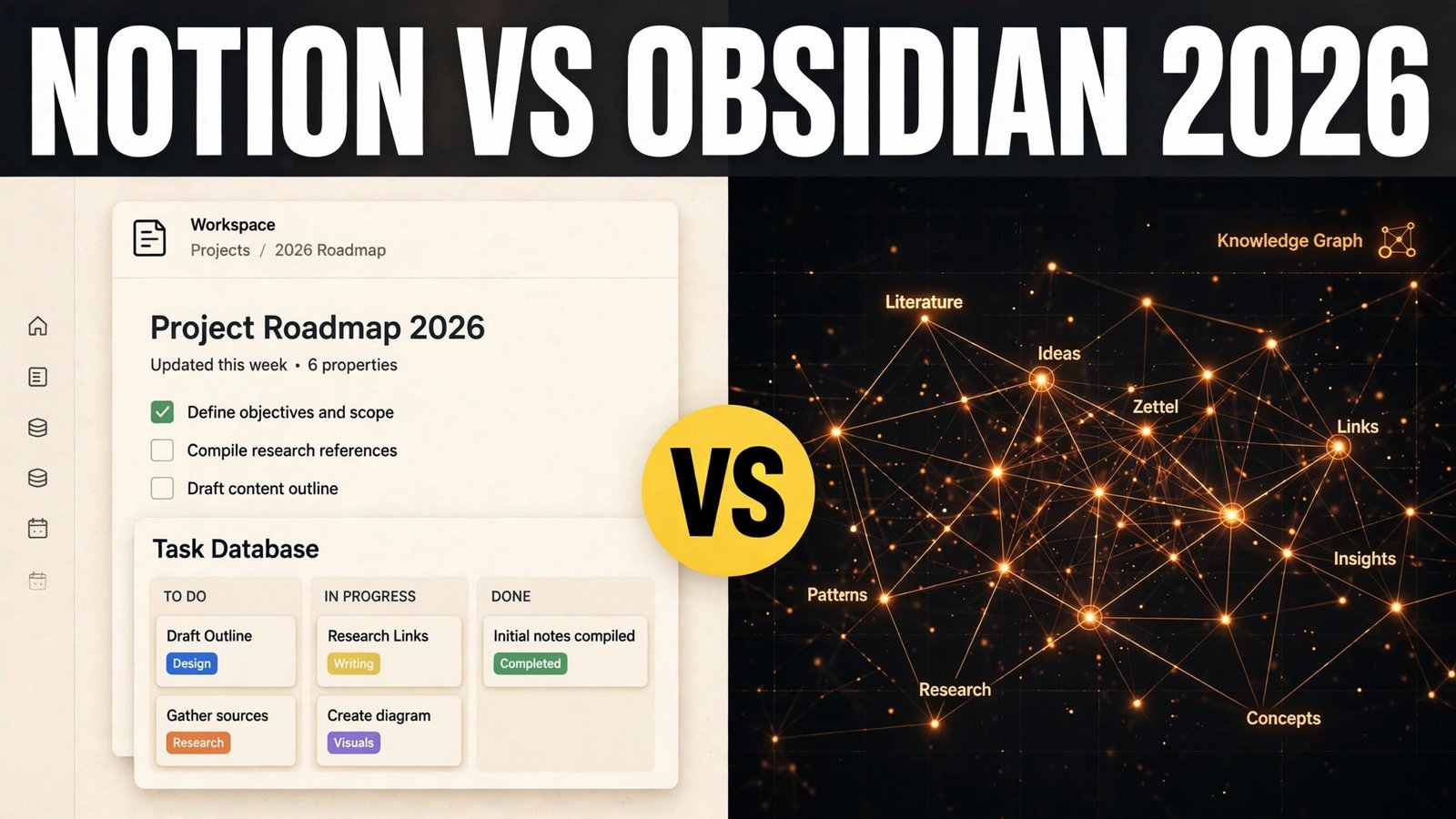
Notion vs Obsidian is the notes app comparison that splits people into two camps, and the split is rarely about features alone. Notion is a workspace where notes live next to databases, project boards, docs and wikis. Obsidian is a local folder of plain text files, connected by links, that you own outright. One is built for teams and shared work. The other is built for one person and a lifetime of notes. That difference matters more than any single feature, because it decides what happens to your notes in three years, not just this week.
The honest answer up front: most people who work in a team should start with Notion, and most people building a private knowledge base should start with Obsidian. The rest of this comparison tests that verdict job by job, so you can see where it holds and where it breaks.
Quick verdict: Notion vs Obsidian at a glance
| Question | Winner | Why it wins |
|---|---|---|
| I need shared docs and team wikis | Notion | Real time collaboration, permissions and databases are built in |
| I want my notes to stay mine, offline, forever | Obsidian | Local plain text files, no account needed to read them |
| I want to link ideas into a personal web | Obsidian | Backlinks, graph view and local files make linking fast |
| I want a project tracker without setup | Notion | Databases, boards and templates work out of the box |
| I want the lowest long run cost | Obsidian | The core app is free for personal use, sync is the only common paid extra |
| I want the easiest start | Notion | Templates and a guided setup get a workspace running in an afternoon |
Notion vs Obsidian head to head
| Category | Notion | Obsidian |
|---|---|---|
| Notes | Blocks that mix text, images, tables and embeds on one page | Plain Markdown files, one note per file, fast to open and edit |
| Databases | Built in, with boards, calendars, galleries and filters | Possible with plugins and Dataview, needs setup |
| Linking | Page links and backlinks, good for wikis | Backlinks, outgoing links and an interactive graph view |
| Offline use | Limited, needs a connection for full use and sync | Full, files live on your device |
| Sync | Cloud sync included, tied to your Notion account | Optional paid Sync, or your own folder sync tool |
| Plugins | Limited official integrations, no community plugin store | Large community plugin library, over a thousand options |
| Costs | Free personal plan, paid plans by user for teams | Free for personal use, paid Sync and Publish as extras |
| Privacy | Notes stored on Notion servers, under your account controls | Notes stored locally, you control where files go |
| Best for | Teams, shared docs, project tracking | Solo researchers, writers, students, long term archives |

Notion in depth: the workspace that does everything
Notion started as a notes app and grew into a workspace. A page can be a note, a doc, a task list, a database or a wiki, and you can nest pages inside pages without limit. For a team, that flexibility is the point. A product team can keep specs, meeting notes, a roadmap board and a launch checklist in one place, and everyone sees the same version.
Databases are where Notion pulls ahead. Turn a list of tasks into a board, filter it by owner, view it as a calendar, and link it to a project page. None of that needs a plugin or a tutorial. Templates make it faster still: a meeting notes template, a content calendar, a habit tracker, all one click away.
Notion AI adds writing help, summaries and Q and A over your workspace, as a paid add on. It is useful for drafting and for finding an answer buried in a long doc, but it is not the reason to pick Notion. Pick Notion for collaboration and structure.
Pricing: Notion offers a free plan for personal use, with paid plans per user for teams and larger organisations. Prices and plan limits change, so check checkout before you buy. The free plan covers most solo use, including unlimited pages and blocks for individuals.
Best for: Teams, shared wikis, project tracking, content planning, and anyone who wants notes, docs and tasks in one place.
Watch out for: Offline use is the weak spot. You can work on recently opened pages offline in some apps, but full offline access and reliable sync still depend on a connection. If you travel without reliable internet, or you want a local archive, that matters. Speed can also dip in very large workspaces with many databases.
Try it at: notion.so

Obsidian in depth: the vault you own
Obsidian works the other way round. You create a vault, which is just a folder on your device, and every note is a Markdown file inside it. There is no lock in, because the files are plain text. Open them in any editor, back them up with any tool, and read them in twenty years without Obsidian at all. That ownership is the core reason people switch to it and stay.
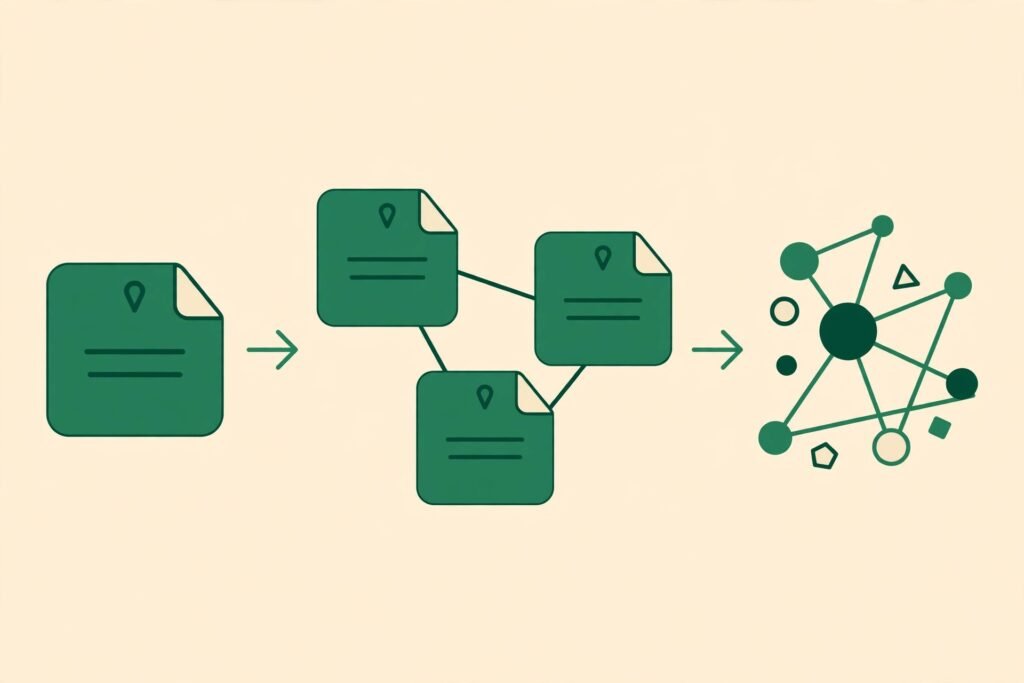
Linking is where Obsidian shines. Type two brackets around a phrase and you have a link to another note. Every note shows its backlinks, so you can see what points at it. The graph view draws your whole vault as a web of connected notes, which makes clusters of ideas visible in a way a folder list never does. For research, study notes, and long writing projects, that web becomes genuinely useful after a few hundred notes.
Plugins extend Obsidian far beyond a plain editor. Dataview turns notes into queryable tables. Calendar adds a daily note view. Canvas gives you a whiteboard for arranging notes visually. The trade off is setup time. Obsidian starts plain, and you shape it. That freedom is a feature for tinkerers and a chore for people who want everything ready on day one.
Obsidian Sync is the official paid option for keeping a vault in sync across devices with end to end encryption. Obsidian Publish is a separate paid option for turning a vault into a website. Many users instead sync their vault folder with a tool they already use, which keeps costs at zero.
Pricing: Obsidian is free for personal use, including commercial use for individuals in most cases under its current terms. Sync and Publish are paid extras, priced per user. Check checkout for current rates and terms, since the commercial licence for larger teams differs from personal use.
Best for: Solo researchers, writers, students, journal keepers, and anyone building a long term personal knowledge base.
Watch out for: Collaboration is not built in. Two people can share a vault through a synced folder, but there is no real time co editing, comments or permissions like Notion offers. Mobile setup also takes more care, since sync is something you arrange rather than something that just works.
Try it at: obsidian.md
Side by side tests: the same four jobs on both apps
Specs and feature lists only go so far. We ran the same four jobs on both apps and scored the experience, not the marketing page.
Test 1: Capture a note fast
Notion wins on a phone when you are already in the app, thanks to quick capture widgets and templates. A meeting note template with date, attendees and action items takes seconds. Obsidian wins on a laptop for plain text capture, because a new note is one shortcut away and there is no loading, no workspace switch, no block menu in the way. For raw speed on desktop, Obsidian edges it. For structured capture on mobile, Notion edges it. Winner: tie, decided by device.
Test 2: Build a project page
Notion wins clearly. A project page with a status board, a task database filtered by owner, a timeline and linked meeting notes takes under an hour, and it looks presentable to a team straight away. In Obsidian, the same page needs plugins, manual tables or Dataview queries, and it still will not give you a shared board a colleague can update. If the page is for a team, this is not close. Winner: Notion.
Test 3: Link ideas into a web
Obsidian wins clearly. Linking is the default way of writing in Obsidian, backlinks are visible on every note, and the graph view shows connections you forgot you made. Notion links pages well, and its backlinks panel is useful, but the graph view and the local file structure give Obsidian a depth that Notion does not try to match. Writers who reuse research across articles will feel this fast. If you write often and link sources across posts, the workflow in our best AI tools for freelance writers roundup pairs naturally with a linked vault. Winner: Obsidian.
Test 4: Find an old note a year later
Obsidian wins for personal archives. A year later, your notes are still plain files in a folder you control, searchable by any tool, even if you stopped paying for anything. Notion search is strong inside the app, with filters and workspace wide search, and it wins if the note lives in a team workspace where others need to find it too. For a private archive that must survive app changes, pricing changes and account changes, local files are hard to beat. Winner: Obsidian for personal archives, Notion for team archives.

Notion vs Obsidian pricing compared
| Plan area | Notion | Obsidian |
|---|---|---|
| Free tier | Free personal plan, unlimited pages for individuals | Free for personal use, full core app |
| Individual paid plan | Paid plans add more storage, version history and AI as an add on, check checkout | No paid core tier, Sync and Publish sold separately, check checkout |
| Team plan | Paid per user, with admin controls and permissions, check checkout | Commercial licence for teams, plus Sync seats, check checkout |
| Sync | Included through the cloud account | Optional paid Sync, or your own folder sync |
| Publishing | Share pages publicly or publish a site from a workspace | Optional paid Publish, or export files to any static site tool |
| Long run cost risk | Costs rise with seats and add ons | Stays near zero unless you pay for Sync or Publish |
The pricing lesson is simple. Notion costs scale with people. Obsidian costs stay flat for one person. A team of twenty will pay far more for Notion, and get collaboration worth paying for. A solo user will pay nothing for Obsidian core, and may never need to pay at all.

How to Choose: who should pick which
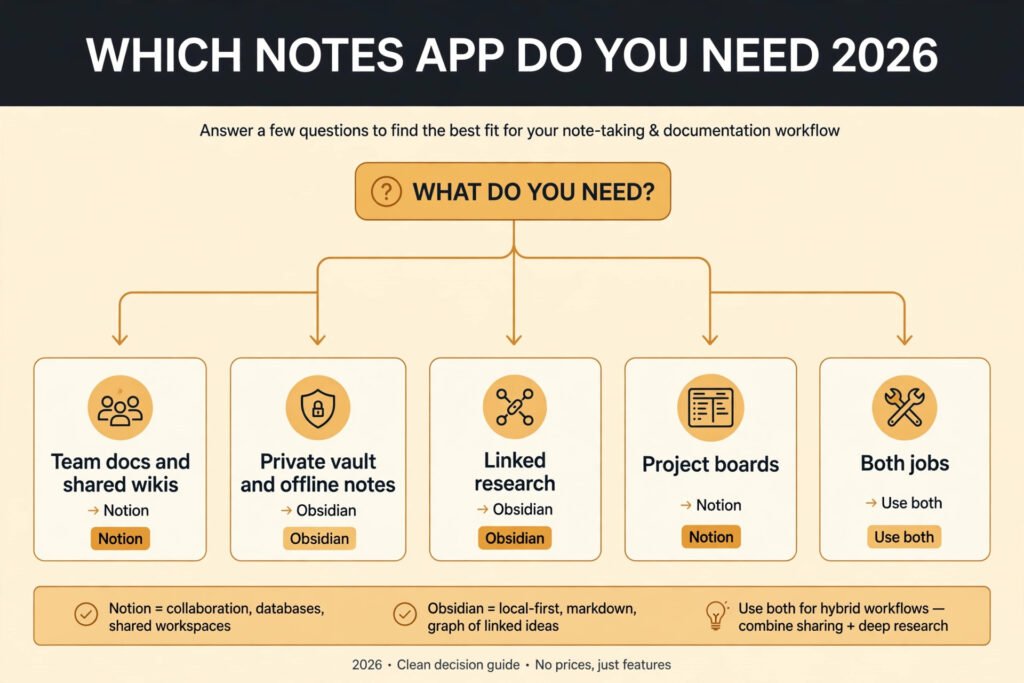
Pick Notion if: you work in a team, you share docs and wikis, you track projects with boards and deadlines, or you want templates and structure without setup. Notion is also the safer pick if colleagues need to find and edit your pages, since permissions and sharing are built in. Teams building shared documentation, including HR and operations docs, often pair Notion with the workflow in our best AI tools for HR teams roundup.
Pick Obsidian if: you work alone, you value offline access and file ownership, you link ideas across hundreds of notes, or you want a knowledge base that outlives any single app. Obsidian is also the right pick if you already sync files with your own tools and do not want another subscription.
Use both if: you need team docs and a private vault. Keep shared work in Notion and personal research in Obsidian, and copy finished notes across when they need to be shared. Many writers and researchers do exactly this, and it works because each app does one job well instead of both jobs poorly.
A practical test before you commit: run both for two weeks on a real project. Capture notes, build one project page, link ten related notes, and try to find a note from week one without remembering its title. The app that feels invisible during that test is the one to keep. Do not judge either app on its template gallery alone. Judge it on week two, when the novelty wears off and the notes pile up.
Mistakes to avoid
Picking on features instead of ownership. A feature list will push you toward Notion, because it has more built in. Ownership should push you toward Obsidian if your notes are personal and long lived. Decide which matters more before you compare features.
Migrating everything on day one. Moving a thousand notes into a new app before you know your workflow creates a mess in either app. Start with one project, learn the linking and search habits, then migrate in batches.
Ignoring sync until you lose a note. Obsidian users who skip sync setup and rely on one device will eventually lose work to a broken laptop or a lost phone. Set up Sync or a folder sync tool on day one, even if the vault is small.
Overbuilding in Notion. A workspace with twenty databases, nested pages and complex relations looks impressive and slows everyone down. Start with one database and add structure only when a real question needs it.
Installing every Obsidian plugin at once. A vault with forty plugins becomes slow and fragile, and updates break things. Add one plugin at a time, for one job, and keep a note of what each plugin does.
Judging Obsidian before the vault grows. Obsidian feels plain with ten notes and powerful with five hundred. The graph, backlinks and search only pay off once the vault has real size. Give it a month of real notes before you decide.
Setting up sync and backups the right way
Sync is where both apps quietly fail users, but in different ways. Notion syncs through your account, so the setup is nothing: sign in on a new device and your workspace appears. The risk is access, not setup. If your account is locked, or you lose access to the email behind it, your notes are behind a login you cannot reach. Keep a second admin or a trusted recovery email on the account, and export important pages as Markdown or PDF every few months. An export is not a backup habit most people keep, which is exactly why it matters.
Obsidian sync is the opposite problem. Nothing syncs until you set it up, and the default is one device only. That is fine until a laptop dies or a phone is lost. Pick one sync method on day one and stick to it. Official Sync is the simplest choice, with encryption and version history built in, and it works across desktop and mobile without extra tools. A folder sync tool you already pay for is the cheaper choice, and it works well as long as you avoid editing the same note on two devices at the same moment, which can create conflicted copies. Either way, keep a second copy somewhere else, such as an external drive or a separate cloud folder, because sync is not a backup. Sync copies mistakes and deletions to every device. A real backup keeps old versions even after a bad sync.
For teams, the backup question belongs to Notion admins. Export the workspace on a schedule, and keep a record of who owns each key database. For solo users, the backup question belongs to you, and Obsidian makes it easy: copy the vault folder, and you have everything, including attachments and plugin settings.
What switching costs if you change your mind later
Switching between these two apps is possible, but the cost is not equal in both directions. Moving from Notion to Obsidian is the easier path. Export your pages as Markdown, drop the files into a vault, and fix the links and database pages by hand. Simple notes transfer cleanly. Databases do not. A Notion board becomes a set of notes or a Dataview table, and you will rebuild filters and views yourself. Expect a weekend of cleanup for a large workspace, and an afternoon for a small one.
Moving from Obsidian to Notion is harder in a different way. Your notes import as pages, and links mostly survive, but the graph, backlinks habits and plugin workflows do not transfer. Dataview tables become manual tables or new databases. Canvas boards become pages with embedded images. You gain sharing and databases, and you lose the local file structure that made Obsidian feel fast. The notes survive, but the system around them does not.
That asymmetry should shape your first choice. If you think you may end up in a team, starting in Notion saves a painful rebuild later. If you think your notes are personal for the long term, starting in Obsidian saves you from rebuilding a linked vault inside a tool that was never built for one. Either way, keep your notes in plain language and simple structure, and avoid app specific tricks for your most important content. Simple notes migrate. Clever setups do not.
Frequently asked questions
Is Notion or Obsidian better for students?
Obsidian suits students who build study notes over years and want offline access and linking between subjects. Notion suits students who work in groups, share class notes and track assignments on boards. For solo revision, pick Obsidian. For group coursework, pick Notion.
Can I use Obsidian for free forever?
Yes, for personal use the core app is free, and your notes are local files you can keep without paying. You only pay if you want official Sync or Publish. Many users sync with their own tools and never pay.
Does Notion work offline?
Partly. Recently opened pages can work offline in some Notion apps, but full offline access, reliable sync and search still depend on a connection. If offline use is essential, Obsidian is the safer choice.
Can I move notes from Notion to Obsidian?
Yes. Notion exports pages as Markdown, and Obsidian reads Markdown files directly. Links, databases and embeds will need cleanup after export, so expect a tidy up pass, especially for large workspaces with many databases.
Is Obsidian good for teams?
Not really. Obsidian lacks real time collaboration, comments and permissions. Small teams can share a vault through a synced folder, but for shared editing and access control, Notion is the better tool.
Which app is better for privacy?
Obsidian, because notes live on your device and you choose where they sync. Notion stores notes on its servers under your account controls, which is fine for most team work but not the same as local ownership.
Final Verdict
Notion vs Obsidian comes down to one question: who else needs your notes? If the answer is a team, pick Notion. Its databases, sharing and templates make shared work easy, and the cost per seat buys collaboration you cannot fake with a folder of files. If the answer is only you, pick Obsidian. Its local files, linking and graph give you a knowledge base that stays yours, works offline, and costs nothing for personal use.
The wrong choice is not fatal in either direction, because Markdown export makes moving possible. But the right choice saves you a migration later. Start with the app that matches your real work: shared work goes to Notion, private thinking goes to Obsidian, and if you do both, use both without guilt.
