
HR teams are being asked to hire faster, onboard better, and keep people engaged, usually with the same headcount they had last year. Recruiters screen hundreds of applications per role, managers chase onboarding checklists by email, and engagement surveys sit unread in a shared drive. The best AI tools for HR teams attack that operational load directly. They source candidates, screen at scale, automate onboarding steps, collect feedback continuously, and turn workforce data into decisions a people team can defend in the boardroom.
This guide compares 12 tools grouped by the HR job each one does best: recruiting and sourcing, screening and interviews, onboarding, employee engagement and feedback, and performance and workforce analytics. Prices are October 2026 figures in US dollars. Where a vendor does not publish pricing, or where sources disagreed, the guide says check checkout rather than guessing. One rule runs through the whole guide: AI in HR needs human oversight. Hiring and performance decisions affect real people, and several jurisdictions now regulate automated employment decisions, so every AI recommendation should be reviewed by a person before it changes someone’s career.
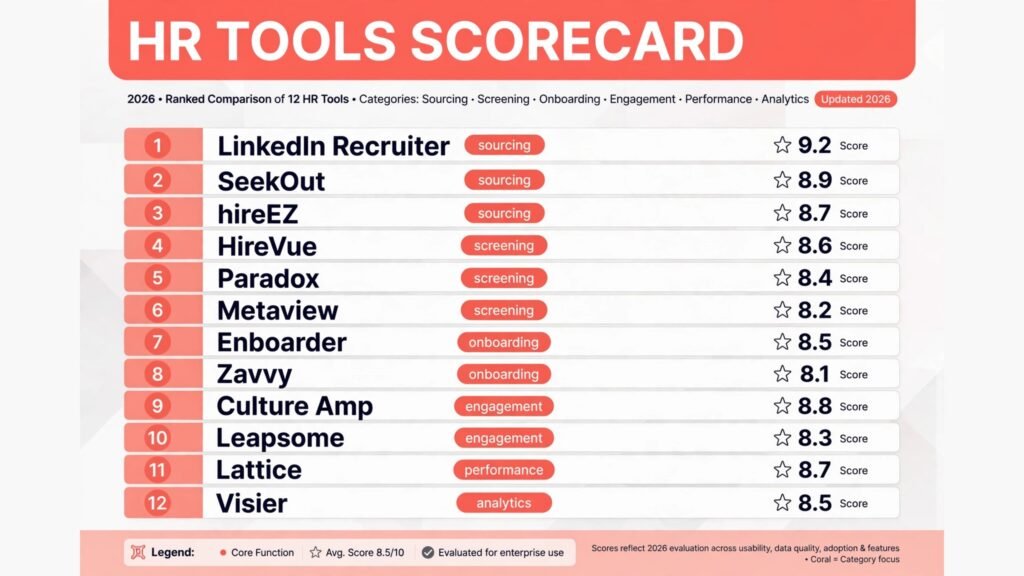
The 12 best AI tools for HR teams at a glance
| Tool | Best job | Free option | Paid from |
|---|---|---|---|
| LinkedIn Recruiter | Sourcing at scale | No | Check checkout |
| SeekOut | Hard to find talent sourcing | No | Custom, check checkout |
| hireEZ | Outbound recruiting | Free trial | Check checkout |
| HireVue | Video and AI screening | No | Custom, check checkout |
| Paradox | Conversational screening and scheduling | No | Custom, check checkout |
| Metaview | Interview notes and summaries | Free trial | Check checkout |
| Enboarder | Onboarding workflows | No | Custom, check checkout |
| Zavvy | Onboarding and development journeys | Free trial | Check checkout |
| Culture Amp | Engagement surveys and action | No | Custom, check checkout |
| Leapsome | Feedback and engagement | Free trial | Check checkout |
| Lattice | Performance management | No | From around $11 per user per month, check checkout |
| Visier | Workforce analytics | No | Custom, check checkout |
Best pick by job
| Your job | Start with | If that fails, try |
|---|---|---|
| Source a large candidate pool | LinkedIn Recruiter | SeekOut |
| Find scarce or diverse talent | SeekOut | hireEZ |
| Run outbound recruiting campaigns | hireEZ | SeekOut |
| Screen high volume applicants | HireVue | Paradox |
| Automate screening and scheduling | Paradox | Metaview |
| Capture clean interview notes | Metaview | HireVue |
| Run structured onboarding | Enboarder | Zavvy |
| Combine onboarding with development | Zavvy | Enboarder |
| Measure engagement properly | Culture Amp | Leapsome |
| Run continuous feedback cheaply | Leapsome | Culture Amp |
| Manage performance reviews | Lattice | Leapsome |
| Answer workforce questions with data | Visier | Lattice |
Recruiting and sourcing: find the right people first
Sourcing is where most recruiting time disappears. A recruiter can spend a full day searching profiles, writing outreach, and chasing replies before a single interview is booked. These three tools widen the top of the funnel and automate the repetitive outreach, so recruiters spend their time on conversations rather than searches.
1. LinkedIn Recruiter
LinkedIn Recruiter remains the default sourcing tool for most companies, because it searches the largest professional database in the world. Recruiters can filter by skill, location, experience, and open-to-work status, save searches, and message candidates in bulk through InMail. Its AI recommendations surface profiles similar to a strong hire, which helps when a role description alone produces weak results.
Pricing: No public self serve price for the full Recruiter product. Recruiter Lite is reported from around $170 per month, while full Recruiter seats are sold through sales and priced by seat count and contract length. Check checkout for the current figure for your team size.
Best for: Companies hiring across many roles that need the widest possible candidate pool, and teams that already treat LinkedIn as their main sourcing channel.
Watch out for: LinkedIn dependence. Candidates who are not active on LinkedIn are invisible here, which biases sourcing toward certain professions and seniority levels. Pair it with a second source, such as SeekOut, for roles where LinkedIn coverage is thin.
Try it at: linkedin.com

2. SeekOut
SeekOut is built for the roles LinkedIn handles badly: engineers with rare stacks, cleared professionals, healthcare specialists, and candidates from underrepresented groups. It aggregates profiles from public sources beyond LinkedIn, including GitHub, publications, and professional sites, and it offers diversity filters that help teams build balanced shortlists without resorting to guesswork.
Pricing: Custom, priced by seat and data access. SeekOut does not publish a standard rate card, so check checkout for a quote tied to recruiter count and search volume.
Best for: Technical and specialist hiring, and teams with explicit diversity sourcing goals that need filters LinkedIn does not offer.
Watch out for: Data freshness. Aggregated profiles can be out of date, and a strong looking profile may belong to someone who changed roles months ago. Verify current role and availability early, before investing in a long outreach sequence.
Try it at: seekout.com
3. hireEZ
hireEZ, formerly Hiretual, is the outbound recruiting platform for teams that run sourcing like a campaign. It combines candidate search across multiple sources with automated email sequences, follow-ups, and response tracking, so a small recruiting team can run sustained outreach without losing track of who replied. Its AI writes first draft outreach based on the role and the candidate profile, which recruiters then edit.
Pricing: A free trial is offered. Paid plans are not consistently published, so check checkout for the current price for your recruiter count.
Best for: Small recruiting teams and agencies that need outbound volume, and companies hiring for the same role repeatedly where a repeatable outreach playbook pays off.
Watch out for: Outreach quality. Automated sequences scale fast, and generic AI outreach damages employer brand just as fast. Cap the automation at the first draft, and require a human edit on every message that goes to a senior or scarce candidate.
Try it at: hireez.com
Screening and interviews: judge fairly, move faster
Screening is the highest risk stage for AI in HR. A bad screen rejects good candidates silently, and a biased screen creates legal exposure. These three tools speed up screening, but each one needs human review and clear criteria behind it. Used well, they cut time to hire from weeks to days. Used blindly, they automate bad judgment.
4. HireVue
HireVue is the enterprise screening platform for high volume hiring. Candidates record video or text responses to structured questions, and recruiters review them asynchronously instead of running a first round phone screen for every applicant. Its assessment tools add job related tests, and its scheduling features move strong candidates to live interviews without recruiter back and forth.
Pricing: Custom enterprise pricing, sold by hiring volume and modules. Check checkout for a quote, since HireVue prices by the hiring workflow rather than a flat seat fee.
Best for: Retail, hospitality, healthcare, and other high volume hiring where hundreds of applicants compete for similar roles and speed decides who gets hired.
Watch out for: Candidate experience and regulation. Video screening can feel impersonal, and some jurisdictions restrict or require disclosure for AI based assessments. Publish clear criteria, offer a human alternative where required, and audit outcomes by demographic group regularly.
Try it at: hirevue.com
5. Paradox
Paradox, built around its assistant Olivia, handles the conversational side of hiring: answering candidate questions, screening with chat, and scheduling interviews automatically. Candidates can apply, get screened, and book an interview in one chat session, often within minutes of seeing a job ad. For frontline and hourly hiring, that speed is the difference between hiring someone and losing them to a competitor.
Pricing: Custom, priced by hiring volume and locations. Check checkout for a quote tied to your requisition count.
Best for: High volume and frontline hiring, multi location employers, and teams whose recruiters lose hours to scheduling emails.
Watch out for: Screening depth. Chat screening works for structured, criteria based questions, but it cannot judge nuance the way a recruiter can. Keep the chat screen short and factual, and move judgment calls to a human interview. Teams hiring at scale for phone heavy roles can also compare AI call centre software for the post hire side of frontline operations.
Try it at: paradox.ai
6. Metaview
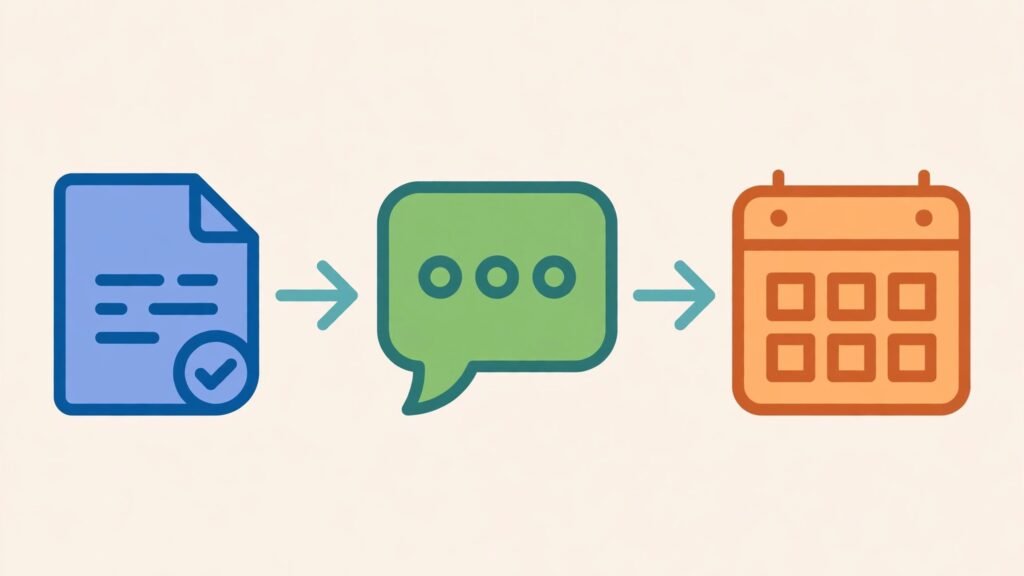
Metaview is the smaller, fast growing tool in this group, and it solves a specific pain: interview notes. It records interviews, with consent, and produces structured summaries tied to the hiring criteria, so hiring managers stop relying on memory or scattered notes. That consistency matters most in panel hiring, where three interviewers remember three different conversations.
Pricing: A free trial is offered. Paid plans are priced per recruiter or per interview volume, and the published price has changed more than once, so check checkout for the current figure.
Best for: Companies running structured interviews with scorecards, and teams where inconsistent notes cause slow or disputed hiring decisions.
Watch out for: Consent and recording rules. Interview recording is regulated differently across regions, and candidates must know they are being recorded and how the data is used. Get the consent workflow right before rolling Metaview out, and never use a summary as the sole hiring evidence.
Try it at: metaview.ai
Onboarding: turn a signed offer into a productive employee
A signed offer is not a successful hire. The first ninety days decide whether a new employee stays, and most onboarding failures are administrative: missing paperwork, no laptop, no buddy, no clear first week plan. These two tools turn onboarding into a tracked workflow instead of a chain of emails.
7. Enboarder
Enboarder is the dedicated onboarding platform for mid size and large companies. It builds onboarding journeys by role, location, and start date, assigns tasks to HR, IT, managers, and buddies, and tracks completion so nothing falls through the cracks. Its content features let HR teams send welcome messages, videos, and preboarding tasks before day one, which reduces first day anxiety and no shows.
Pricing: Custom, priced by employee count and modules. Check checkout for a quote tied to annual hires.
Best for: Companies hiring at steady volume with complex onboarding, especially multi location employers where IT, facilities, and HR all need to act before day one.
Watch out for: Setup effort. A good onboarding journey takes real design work, and a rushed Enboarder rollout produces a long checklist nobody reads. Start with one role, measure completion and new hire feedback, then expand. Teams that collect onboarding data through web forms should also see the guide to AI form builders for the form side of intake.
Try it at: enboarder.com

8. Zavvy
Zavvy is the emerging European option that combines onboarding with ongoing development journeys. New hires get a structured first weeks plan, managers get check-ins and tasks, and the same platform later runs training paths and development plans. That continuity appeals to smaller companies that cannot justify a separate onboarding tool and a separate learning tool.
Pricing: A free trial is offered. Paid plans are priced per employee per month, and the published tiers have changed, so check checkout for the current figure.
Best for: Small and mid size companies that want onboarding plus development in one system, and remote first teams where a structured digital journey replaces office based onboarding.
Watch out for: Breadth versus depth. Zavvy covers more ground than a pure onboarding tool, but its depth in any single area is thinner than a specialist. Companies with complex compliance onboarding, such as healthcare or finance, should test its compliance workflows before committing.
Try it at: zavvy.io
Employee engagement and feedback: hear people before they leave
Annual engagement surveys arrive too late. By the time results are analysed, the people who were unhappy have often left. These two tools move feedback to a continuous rhythm, with short pulses, manager level action plans, and benchmarks that show whether a team is improving or drifting.
9. Culture Amp
Culture Amp is the benchmark for engagement measurement. It runs science backed surveys, benchmarks results against companies of similar size and industry, and turns results into action plans managers can actually follow. Its strength is not the survey itself, it is what happens after: focused actions, tracked over time, with follow-up pulses that show whether the action worked.
Pricing: Custom, priced by employee count and modules. Check checkout for a quote, since Culture Amp sells survey, performance, and development modules separately.
Best for: Mid size and large companies that want credible benchmarks and a disciplined action process, and leadership teams that will act on results rather than just read them.
Watch out for: Survey fatigue and inaction. Running pulses without visible action teaches employees that feedback goes nowhere, which depresses future response rates. Commit to two or three actions per cycle, publish them, and report progress before the next survey.
Try it at: cultureamp.com

10. Leapsome
Leapsome is the more affordable, all in one alternative that combines engagement surveys with feedback, goals, and reviews. Smaller companies get a credible engagement tool without enterprise pricing, and the shared platform means survey results can feed directly into review conversations and development goals.
Pricing: A free trial is offered. Paid plans are priced per user per month, with engagement and performance modules sold separately, so check checkout for the current bundle price.
Best for: Small and mid size companies that want engagement plus feedback in one tool, and teams moving from spreadsheets and annual surveys to a continuous rhythm.
Watch out for: Module sprawl. Leapsome does many things adequately, but a company that needs deep benchmarking or advanced analytics will outgrow it. Buy it for engagement and feedback first, and treat the other modules as a bonus rather than the reason to choose it.
Try it at: leapsome.com
Performance and workforce analytics: manage performance with evidence
Performance reviews fail when they rely on memory. Managers remember the last month, forget the first nine, and write reviews that surprise the employee. These two tools keep performance evidence current all year, and turn workforce data into answers about attrition, hiring, and pay.
11. Lattice
Lattice is the performance management platform most growing companies adopt first. It runs reviews, continuous feedback, goals, and one to ones in one system, so review season draws on a year of recorded feedback rather than a manager’s memory. Its AI features draft review summaries and suggest growth areas from the recorded evidence, which managers then edit.
Pricing: Performance plans are reported from around $11 per user per month, with additional modules for engagement, compensation, and HRIS sold separately. Check checkout for the current bundle, since Lattice pricing has changed with its module structure.
Best for: Growing companies formalising performance reviews, and teams that want feedback, goals, and reviews in one place rather than three disconnected tools.
Watch out for: Review quality still depends on managers. Lattice makes the process smooth, but it cannot fix vague goals or managers who never give feedback during the year. Train managers on feedback first, then roll out the tool, or reviews will stay shallow. Small companies weighing the wider stack should also read the guide to software for small business for the systems around performance.
Try it at: lattice.com
12. Visier
Visier is the workforce analytics platform for companies that need answers, not just dashboards. It connects HR, payroll, and recruiting data and answers questions such as which teams have the highest regretted attrition, where pay gaps exist, and how long critical roles stay vacant. Its AI features explain drivers behind a trend, rather than just charting it.
Pricing: Custom enterprise pricing, sold by employee count and data sources. Check checkout for a quote, since Visier prices by the analytics scope rather than a flat seat fee.
Best for: Large companies and data driven HR teams that report to the board, plan headcount, and need defensible answers on attrition, diversity, and pay equity.
Watch out for: Data quality. Visier is only as good as the HR data feeding it, and messy job titles, inconsistent locations, and incomplete termination reasons produce confident looking but wrong answers. Clean the core HR data before expecting board ready insight, and validate early findings against known cases.
Try it at: visier.com
Pricing compared: what an HR team should actually budget
Only two tools in this guide publish a clear small team price: LinkedIn Recruiter Lite from around $170 per month, and Lattice performance from around $11 per user per month. Everything else in the enterprise tier, including SeekOut, HireVue, Paradox, Enboarder, Culture Amp, and Visier, is custom priced, which means the real cost depends on headcount, hiring volume, and modules. A team should budget for more than the licence fee: implementation time, manager training, and the internal time spent reviewing AI output all cost staff hours.
A realistic starter stack for a small company is one sourcing tool, one screening helper, and one performance system, which usually lands well below the cost of a single bad hire. A realistic enterprise stack adds engagement benchmarking and workforce analytics, and it should be judged on time to hire, new hire retention at ninety days, and regretted attrition, not on the monthly fee alone. If a tool cuts time to hire by a week and improves ninety day retention, it pays for itself quickly. If it adds a new dashboard nobody opens, it does not, whatever the price.

How to Choose the right HR tool for your team
Start with the bottleneck, not the brand. If roles stay open for months, start with sourcing and screening. If new hires quit in the first ninety days, start with onboarding. If good people leave without warning, start with engagement. If leadership asks questions HR cannot answer, start with analytics. Buying all five at once is how teams end up with five half adopted tools.
Next, set the human review rule before buying anything. Decide who reviews AI screening output, who checks interview summaries, and who signs off on performance suggestions. Write that rule down, train managers on it, and audit compliance in the first quarter. The teams that get into trouble with HR AI are not the ones that use it, they are the ones that let it decide unchecked.
Then pilot on one team with real numbers. Run a six to eight week pilot, measure time to hire, onboarding completion, survey response rates, or review completion, and ask the pilot team directly whether the tool helped or added work. A vendor demo always looks fast. The real test is whether recruiters, managers, and employees use the tool on a busy Tuesday.
Finally, check compliance before signing. Ask for bias audit results, data retention policy, candidate consent workflows, and whether hiring data is used to train models. Enterprise tools usually answer these questions cleanly. Smaller tools should too, and a vague answer is a reason to pause, especially for screening and assessment tools.

Frequently asked questions
Can AI tools replace recruiters?
No. AI tools source, screen, and schedule, but they do not build relationships, sell a role, or judge cultural fit. The best results come from AI handling volume and recruiters handling conversations, offers, and closing. Teams that remove recruiters entirely usually see candidate experience and offer acceptance fall.
Is it legal to use AI screening in hiring?
It depends on the jurisdiction and the tool. Several US states and the EU now require disclosure, bias audits, or a human alternative for automated employment decisions. Check the rules where you hire, ask vendors for audit evidence, and keep a human in the loop for every rejection that an AI screen recommends.
Will employees trust AI run engagement surveys?
Trust depends on anonymity and action. Employees answer honestly when surveys are genuinely anonymous and when past feedback produced visible change. If either condition fails, response rates fall and results skew toward the most satisfied employees. Publish actions, not just scores.
How much should a small company pay for HR AI tools?
A small company can start with one sourcing seat and one performance tool for a few hundred dollars a month in total. Add engagement and onboarding only when headcount or hiring volume justifies them. The cheapest stack that solves the actual bottleneck beats an expensive suite that nobody uses.
Do AI onboarding tools work for remote teams?
Yes, and remote teams often benefit most, because a structured digital journey replaces the office introductions and corridor learning that remote hires miss. The key is assigning a real buddy and a real manager check-in cadence, not just a checklist. A tool without human contact produces a lonely first week.
Which single tool should a growing company start with?
Lattice, for most growing companies, because performance reviews, feedback, and goals touch every employee and the pain of spreadsheet reviews grows with headcount. Hiring heavy companies should start with Paradox or HireVue instead, and engagement troubled companies should start with Culture Amp.
Conclusion
The best AI tools for HR teams do not replace human judgment. They remove the slow parts: the sourcing slog, the scheduling emails, the scattered interview notes, the onboarding checklist chase, the annual survey that arrives too late, and the review written from memory. LinkedIn Recruiter, SeekOut, and hireEZ widen the funnel. HireVue, Paradox, and Metaview speed up screening without removing the human decision. Enboarder and Zavvy turn onboarding into a tracked journey. Culture Amp and Leapsome keep feedback continuous. Lattice and Visier give performance and workforce decisions an evidence base.
Start with the bottleneck. Pilot with one team. Measure time to hire, ninety day retention, and survey response rates. Check compliance before signing, and keep a human in the loop for every hiring and performance decision. A team that does that will buy one tool that earns its fee, rather than five tools that gather dust. The reward is practical and worth it: roles filled faster, new hires who stay, and a people team that spends its hours on people instead of paperwork.